FAQ
TL;DR: 3 controllable outputs and “independent USB port control” make this Tuya LSPA2 FAQ for users flashing OpenBK7231N on BK7231N/CB2S smart plugs, fixing CloudCutter profile choice, GPIO templates, UF2 conversion, and firmware 1.1.15 UART fallback. [#20616227]
Why it matters: The same LSPA2-style 16A plug appears with different GPIO maps, firmware versions, and CloudCutter results, so the correct template prevents dead-looking outputs.
| Alternative |
Chip/module |
Firmware noted |
Flashing route |
Key GPIO map |
| Config Type 1 |
BK7231N / CB2S |
1.1.15 |
UART if CloudCutter is patched |
P7 Rel3, P24 Rel2, P26 Rel1, P8 WiFiLED_n |
| Config Type 2 |
BK7231N / CB2S |
1.1.8 |
CloudCutter profile or custom firmware |
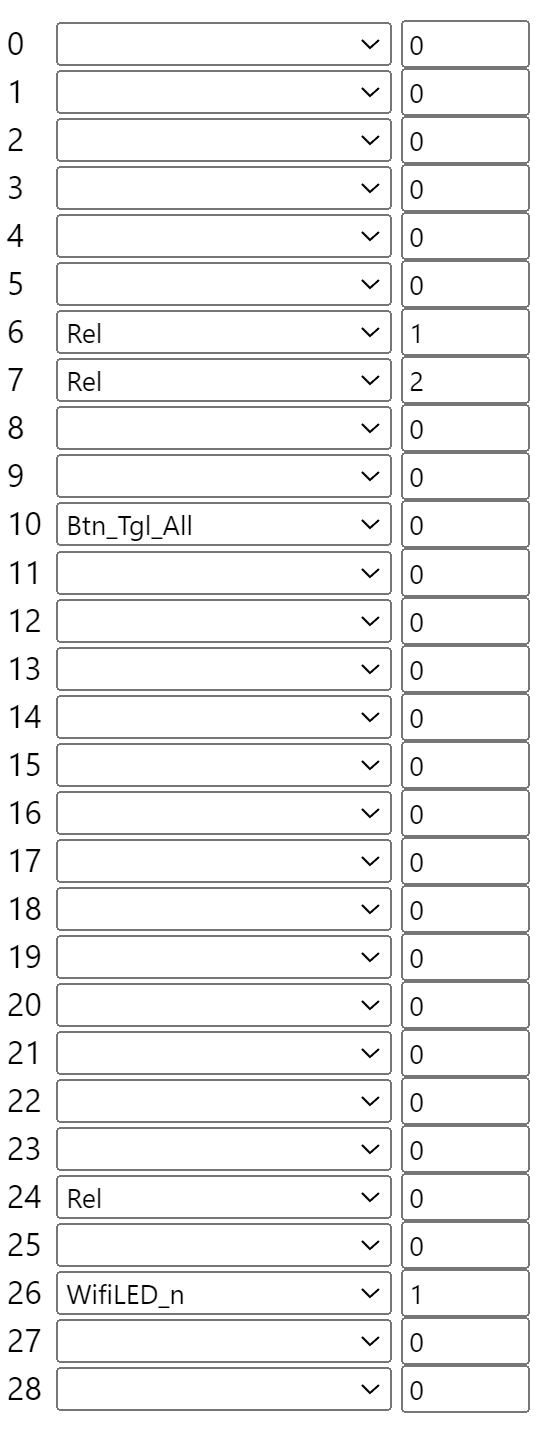
P6 Rel1, P7 Rel2, P24 Rel0, P26 WiFiLED_n |
| BSD31-style variant |
BK7231T reported |
1.0.7 |
CloudCutter BSD31 profile |
Different chip target and firmware image |
Key insight: Identify the module, firmware version, and GPIO map before flashing. Firmware 1.1.15 was reported as not suitable for CloudCutter, while CB2S remains straightforward to flash by UART. [#21252141]
Quick Facts
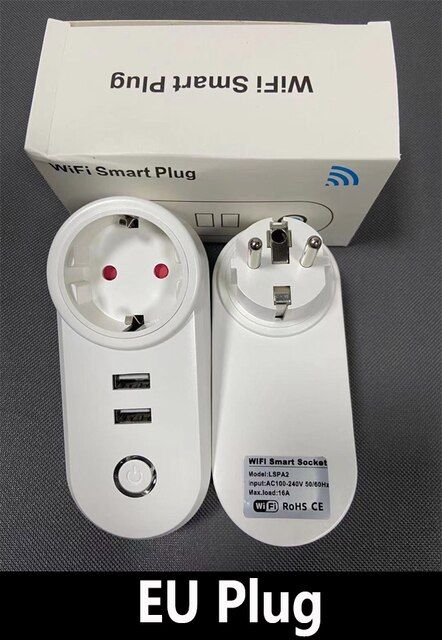
- The LSPA2 has 3 controllable outputs in OpenBeken: main Plug, USB1, and USB2, with dual USB ports controlled independently. [#20616227]
- Firmware 1.1.8 on BK7231N worked with CloudCutter using the
1.1.8 - BK7231N / oem_bk7231n_plug firmware-name path. [#20616227]
- Firmware 1.1.15 on a UK CB2S/BK7231N unit was reported as “no good for Cloudcutter,” so UART was the practical route. [#21006754]
- The Tuya schema exposed switch DP IDs 1, 2, and 3, plus countdown IDs 9, 10, and 11 with 0–86400 s ranges. [#21006754]
- An example OpenBeken automation used NTP at UTC+3:00, rebooted daily at 07:00, and power-cycled all 3 outputs for 3 s. [#20616609]
How do I flash OpenBK7231N on a Tuya LSPA2 16A smart plug with dual independent USB using tuya-cloudcutter?
Use tuya-cloudcutter on a Raspberry Pi 3 running Raspberry Pi OS.
- Put
OpenBK7231N_UG_1.17.135.bin in /tuya-cloudcutter/custom-firmware.
- Run
sudo ./tuya-cloudcutter.sh -r -p "mirabella-genio-i004527-double-plug" -f "OpenBK7231N_UG_1.17.135.bin".
- After flashing, join
OpenBK7231N_MAC and configure http://192.168.4.1/.
The thread reports that the hack completed on the second pass. [#20616227]
Which tuya-cloudcutter profile should I use for a Tuya LSPA2 smart plug running BK7231N firmware 1.1.8?
Use the firmware-name option
1.1.8 - BK7231N / oem_bk7231n_plug for firmware 1.1.8. The same report also used the
mirabella-genio-i004527-double-plug profile with a custom OpenBK7231N
1.17.135 binary. Match the profile to BK7231N, not BK7231T, because the LSPA2 unit used a CB2S module.
[#20616227]
Why does the LSPA2 smart plug look dead after flashing OpenBK7231N, and how do I connect to its recovery Wi-Fi page?
It looks dead because the LEDs and buttons may not work before GPIO roles are configured. The device still runs OpenBK7231N after flashing. Connect to the
OpenBK7231N_MAC Wi-Fi network, then open
http://192.168.4.1/. Configure pins before judging the socket as failed. This failure state appeared immediately after the second CloudCutter pass.
[#20616227]
What GPIO pin configuration should I use in OpenBeken for the Tuya LSPA2 BK7231N CB2S smart plug with independently controlled USB ports?
Use the Type 2 map for the first BK7231N/CB2S LSPA2 sample: P6 relay channel 1, P7 relay channel 2, P10 toggle-all button, P24 relay channel 0, and P26 inverted Wi-Fi LED channel 1. Set
Flags 1024. The channel labels were Plug on 0, USB1 on 1, and USB2 on 2.
[#20616227]
How do I label the Plug, USB1, and USB2 channels in OpenBeken for a Tuya LSPA2 smart plug?
Set OpenBeken channel labels with three commands:
setChannelLabel 0 Plug,
setChannelLabel 1 USB1, and
setChannelLabel 2 USB2. A later UK Type 1 template used
setChannelLabel 1 Plug,
setChannelLabel 2 USB1, and
setChannelLabel 3 USB2, matching relay channels 1–3. Choose labels that match your GPIO template.
[#20616566]
What is the CB2S module, and how is it related to the BK7231N chip in Tuya smart plugs?
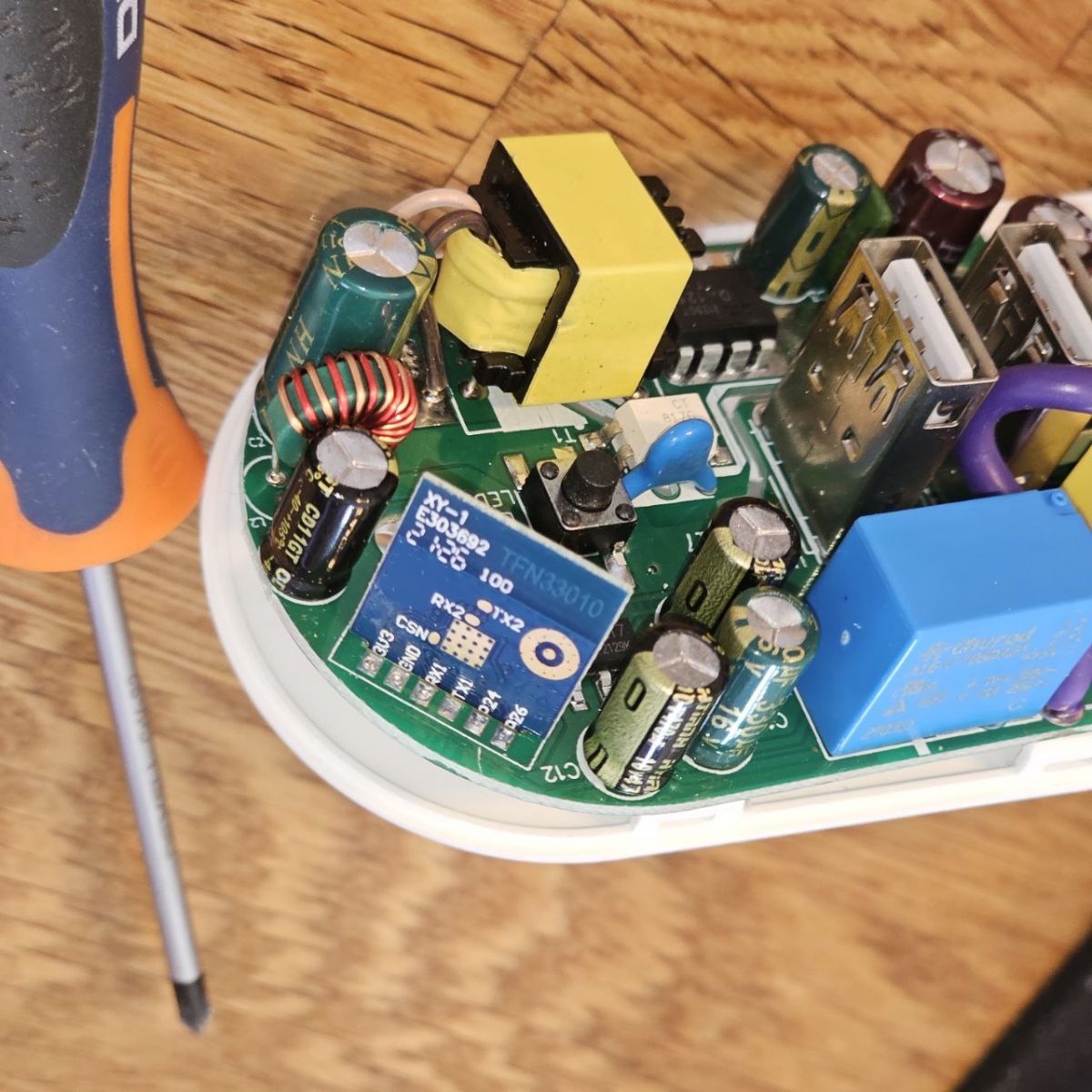
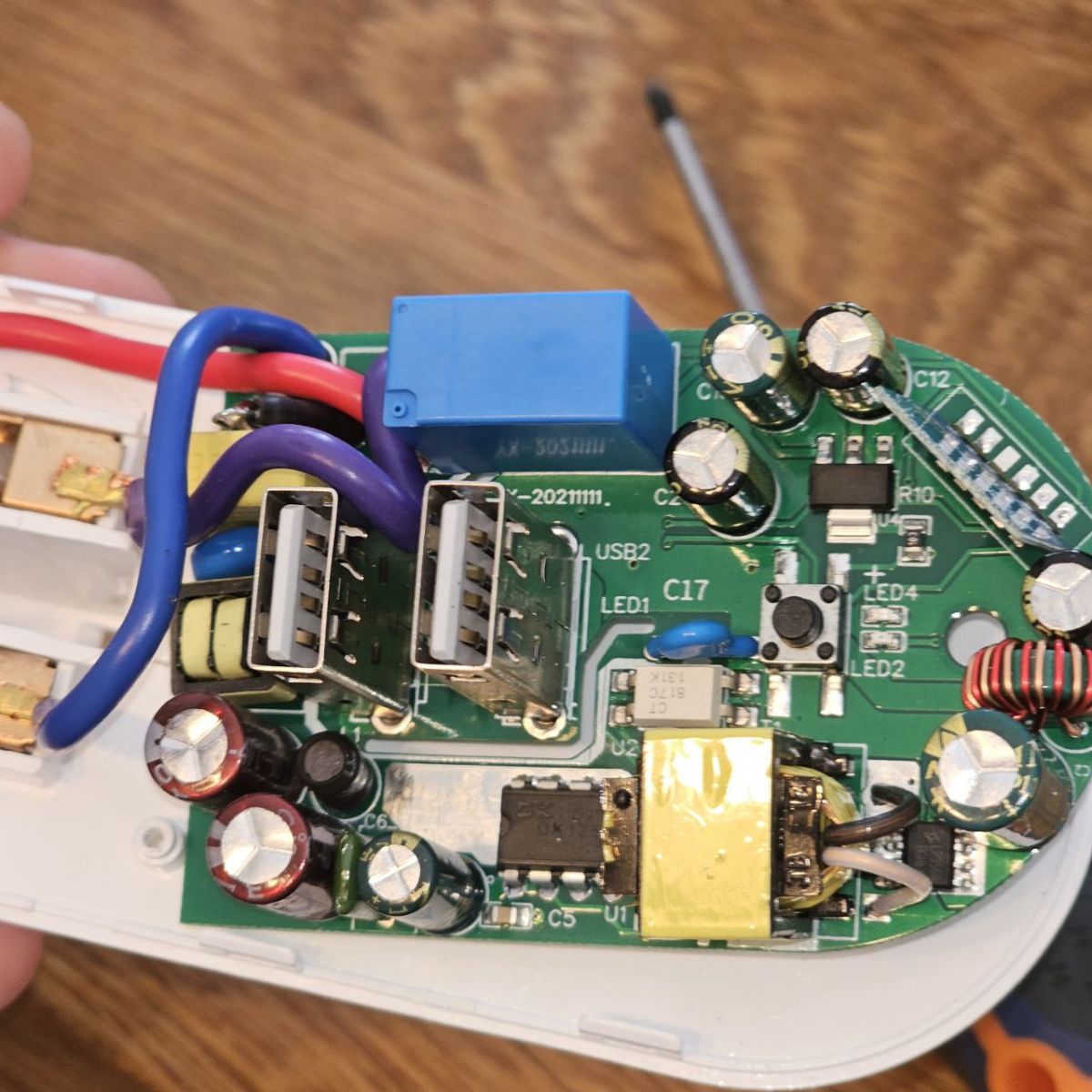
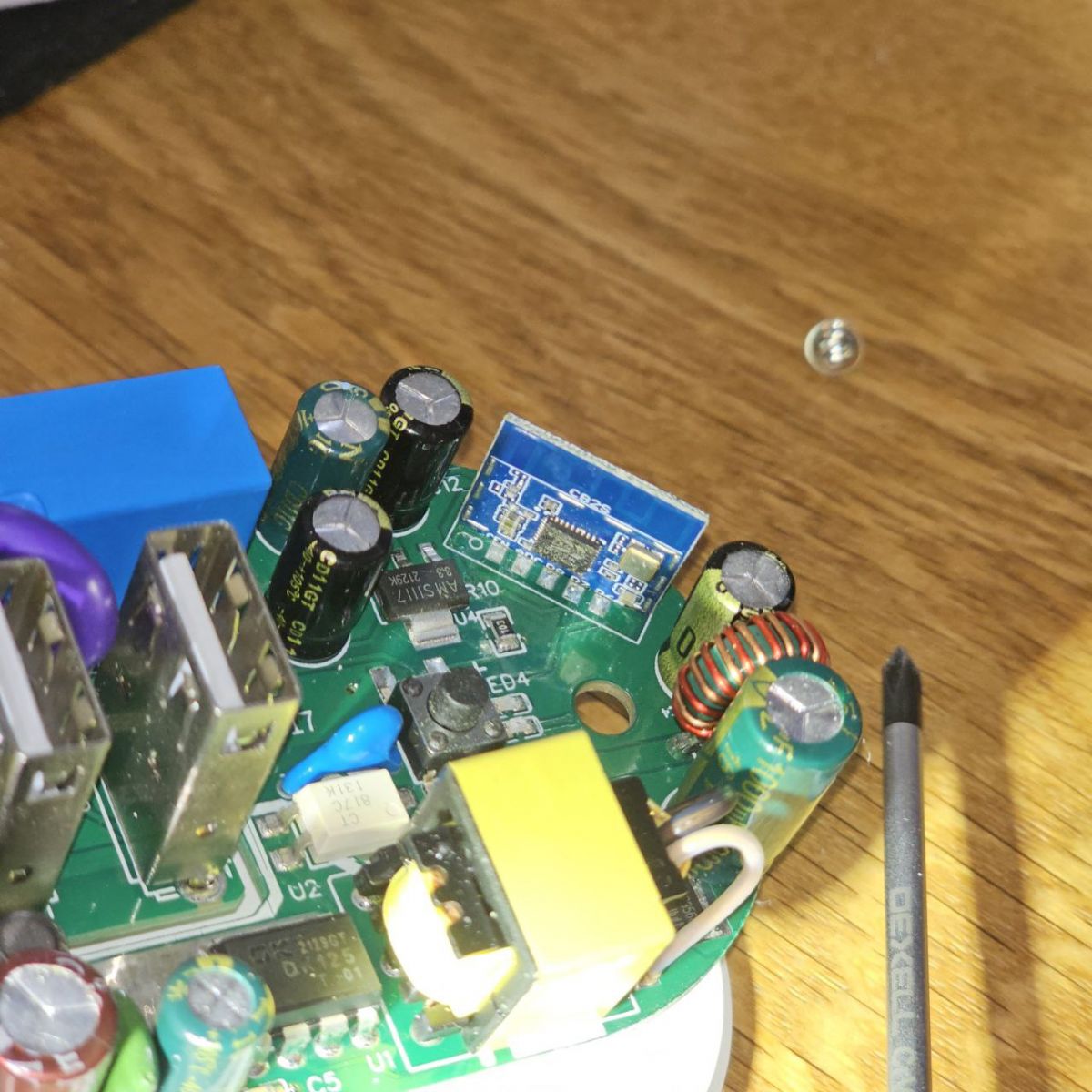
“CB2S is a Tuya Wi-Fi module that uses the BK7231N chip, providing the radio and MCU platform for these smart-plug firmwares and GPIO relay mappings.” The extracted Tuya configuration identified the LSPA2 device as CB2S, with relays on P7, P6, and P24 in one sample.
[#20616594]
What is tuya-cloudcutter, and what does it do when flashing Tuya BK7231 smart devices?
“tuya-cloudcutter is a flashing tool that installs alternative firmware on supported Tuya BK7231 devices without opening the case, using selected device profiles or firmware-version exploits.” In this thread, it installed OpenBK7231N on a BK7231N plug from firmware 1.1.8 using Raspberry Pi OS.
[#20616227]
What is OpenBeken or OpenBK7231N, and why would I install it on a Tuya smart plug?
“OpenBeken, also called OpenBK7231N for BK7231N builds, is open firmware that replaces Tuya firmware and exposes local GPIO, channel labels, scripts, Wi-Fi setup, and device templates.” Users installed it to control the 16A plug, USB1, and USB2 independently without relying on stock Tuya behavior.
[#20616227]
BK7231N vs BK7231T: which chip is used in Tuya LSPA2 and BSD31-style smart plugs, and why does it matter for flashing?
The discussed LSPA2 samples use CB2S, which means BK7231N, while one BSD31-style socket was reported with BK7231T firmware 1.0.7. Chip type matters because OpenBK7231N and OpenBK7231T use different targets and CloudCutter profiles. One expert questioned the BK7231T report because “CB2S should be N.”
[#21006763]
What are the differences between the two OpenBeken template configurations for the Tuya LSPA2 dual USB smart plug?
Type 1 maps relays to P7 channel 3, P24 channel 2, and P26 channel 1, with Wi-Fi LED on P8. Type 2 maps relays to P6 channel 1, P7 channel 2, and P24 channel 0, with Wi-Fi LED on P26. Both use CB2S, BK7231N,
Btn_Tgl_All on P10, and
Flags 1024.
[#21006754]
How can I convert OpenBK7231N firmware to UF2 with ltchiptool for a CB2S-based smart plug?
Run
python -m ltchiptool uf2 write -b cb2s -o openbkt.uf2 OpenBK7231N_1.17.135.rbl=device:download. This converts the OpenBK7231N
1.17.135 RBL image into a CB2S UF2 file named
openbkt.uf2. The thread reports that the resulting UF2 worked after ESPHome Kickstart caused web-flashing problems.
[#20616609]
What should I do when ESPHome Kickstart is installed on a BK7231N device but OpenBK7231N will not flash through the web interface?
Convert the OpenBK7231N RBL firmware to UF2 with ltchiptool, then flash the generated UF2. The reported command used board
cb2s and output file
openbkt.uf2. The failure case happened after installing
ESPHome-Kickstart-v23.04.28_bk7231n_app.ota.ug.bin; no OpenBK7231N firmware installed through the web interface.
[#20616609]
How can I create an autoexec.bat in OpenBeken to reboot a Tuya smart plug every day and power-cycle all outputs for 3 seconds?
Create
autoexec.bat with NTP, timezone, clock event, and channel handlers. The example starts
NTP, sets
ntp_timeZoneOfs 3:00, and runs
addClockEvent 07:00 0xff 1 reboot. It then turns channels 0, 1, and 2 off, waits
delay_s 3, and turns all three back on. This reboots frozen connected devices by cycling power.
[#20616609]
What is the current solution for flashing Tuya LSPA2 firmware 1.1.15 when CloudCutter does not work?
Use UART flashing when firmware 1.1.15 is patched against the CloudCutter exploit. A UK CB2S/BK7231N unit with firmware
oem_bk7231n_plug:1.1.15 was reported as not working with CloudCutter. Another expert stated that UART flashing is the only known option for patched firmware.
[#21252141]
What safety precautions should I take when opening and UART flashing a 16A Tuya LSPA2 mains smart plug with USB ports?
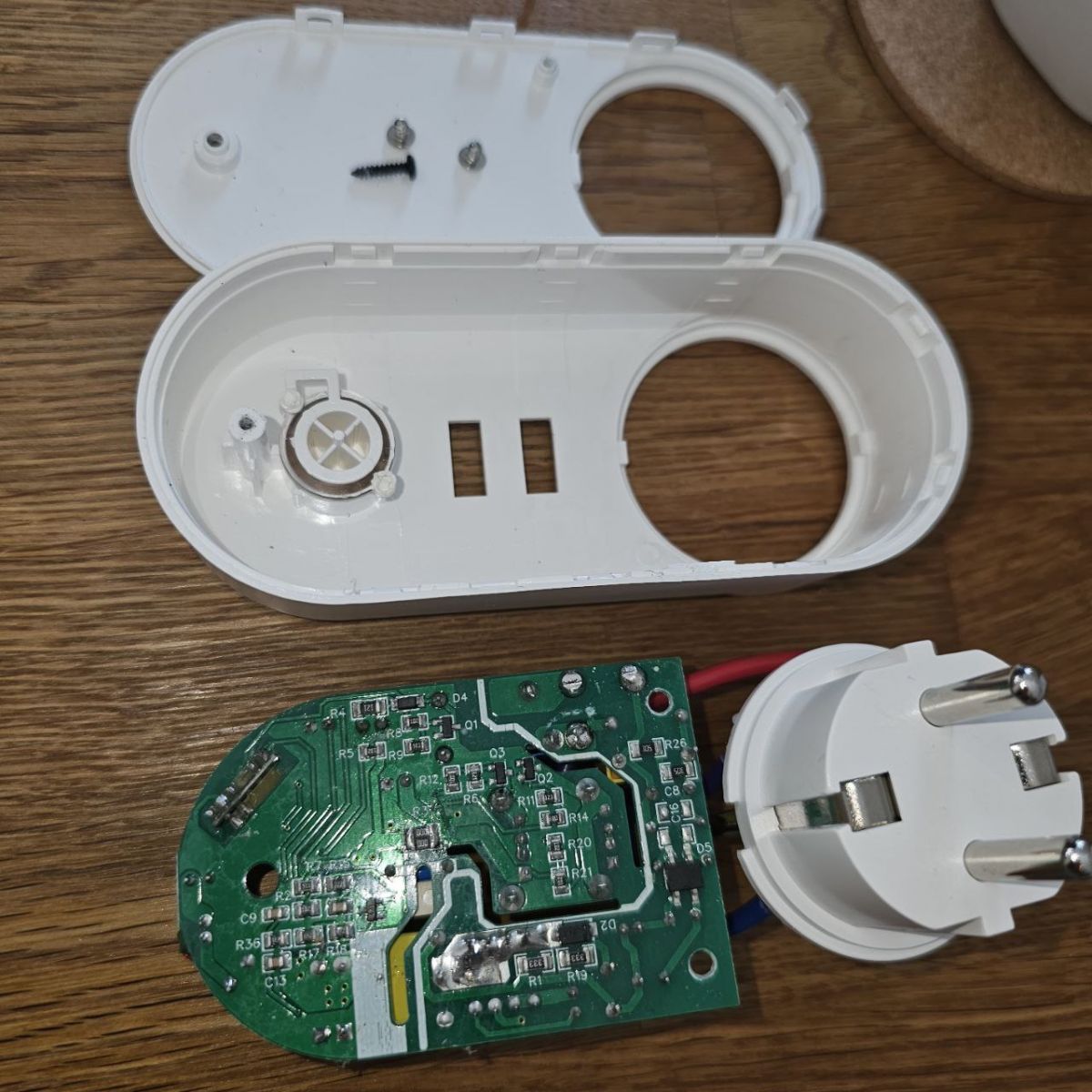
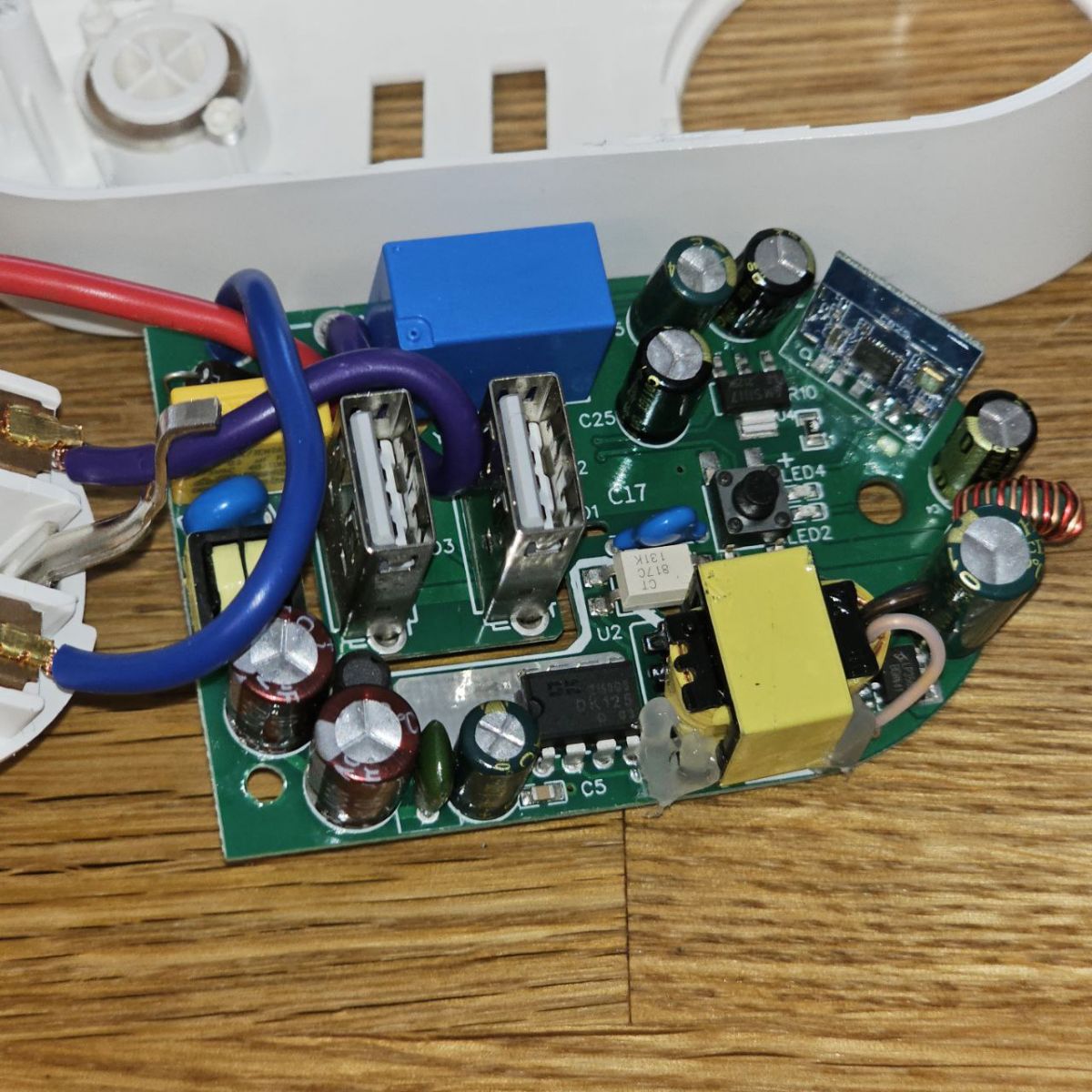
Disconnect the 16A mains plug before opening it, and never attach UART while it is powered from mains. The thread’s device combines a mains socket and 2.1A USB supply, so exposed boards can carry hazardous voltages. Use UART only on the low-voltage module side, identify CB2S pins carefully, and reassemble insulation before load testing.
[#21252225]
AI summary based on the discussion. May contain errors.






Comments
That's the first device with independent USB port control that I've ever seen. Have you considered using: setChannelLabel 1 USB1 to give them some better display names on UI? See our docs: https://github.com/openshwprojects/OpenBK7231T_App/blob/main/docs/commands.md Also,... [Read more]
setChannelLabel 1 USB1 setChannelLabel 2 USB2 setChannelLabel 0 Plug https://obrazki.elektroda.pl/3617296500_1686727717_thumb.jpg Added after 8 [minutes]: BK7231N_TuyaConfig_obk51F8744A.bin ... [Read more]
Here's what I extracted: Device configuration, as extracted from Tuya: - Relay (channel 3) on P7 - Pair/Toggle All Button on P10 - WiFi LED on P26 - Relay (channel 2) on P6 - Relay (channel 1) on P24 Device... [Read more]
https://aliexpress.ru/item/1005002741792619.html https://obrazki.elektroda.pl/3897225400_1686731086_thumb.jpg By the way, I bought here, but I came across similar models under other brands in local... [Read more]
https://obrazki.elektroda.pl/4871957800_1686868065_thumb.jpg https://obrazki.elektroda.pl/5798970700_1687008092_thumb.jpg https://obrazki.elektroda.pl/9946603500_1687008090_thumb.jpg https://obrazki.elektroda.pl/1464950400_1687008090_thumb.jpg... [Read more]
I got one too. It matches the second variant. Device configuration, as extracted from Tuya: - Relay (channel 3) on P7 - Pair/Toggle All Button on P10 - WiFi LED on P8 - Relay (channel 2) on P24 -... [Read more]
https://github.com/OpenBekenIOT/webapp/pull/85 Added after 3 [minutes]: sure it's a T @agranbox ? CB2S should be N Device configuration, as extracted from Tuya: - Relay (channel 3) on... [Read more]
That's a lot of useful information. I have merged the PR, device should be soon live at: https://openbekeniot.github.io/webapp/devicesList.html [Read more]
Is there a solution for CloudCutter for firmware 1.1.15 in the meantime? [Read more]
No. UART flashing is the only known option if the firmware is patched for Cloudcutter exploit. [Read more]
Flashing device with CB2S module is very easy via UART: [Read more]