


logo elektroda
logo elektroda
X
logo elektroda

Smart IR Remote WiFi Control - WB3/BK7231T - Teardown Photos

albenex  3 2841 Cool? (+2)
📢 Listen (AI):

TL;DR

  • Teardown of a smart IR remote WiFi control based on WB3/BK7231T, a first Beken-powered device.
  • Inside, it uses 4 TX LEDs and 1 RX for infrared control over WiFi.
  • The unit cost a couple of euros on AliExpress and works okay with the Tuya app.
  • TX/RX functionality is still untested, so the infrared performance remains an open question.
Generated by the language model.

Hi all,
This is my first Beken powered device.
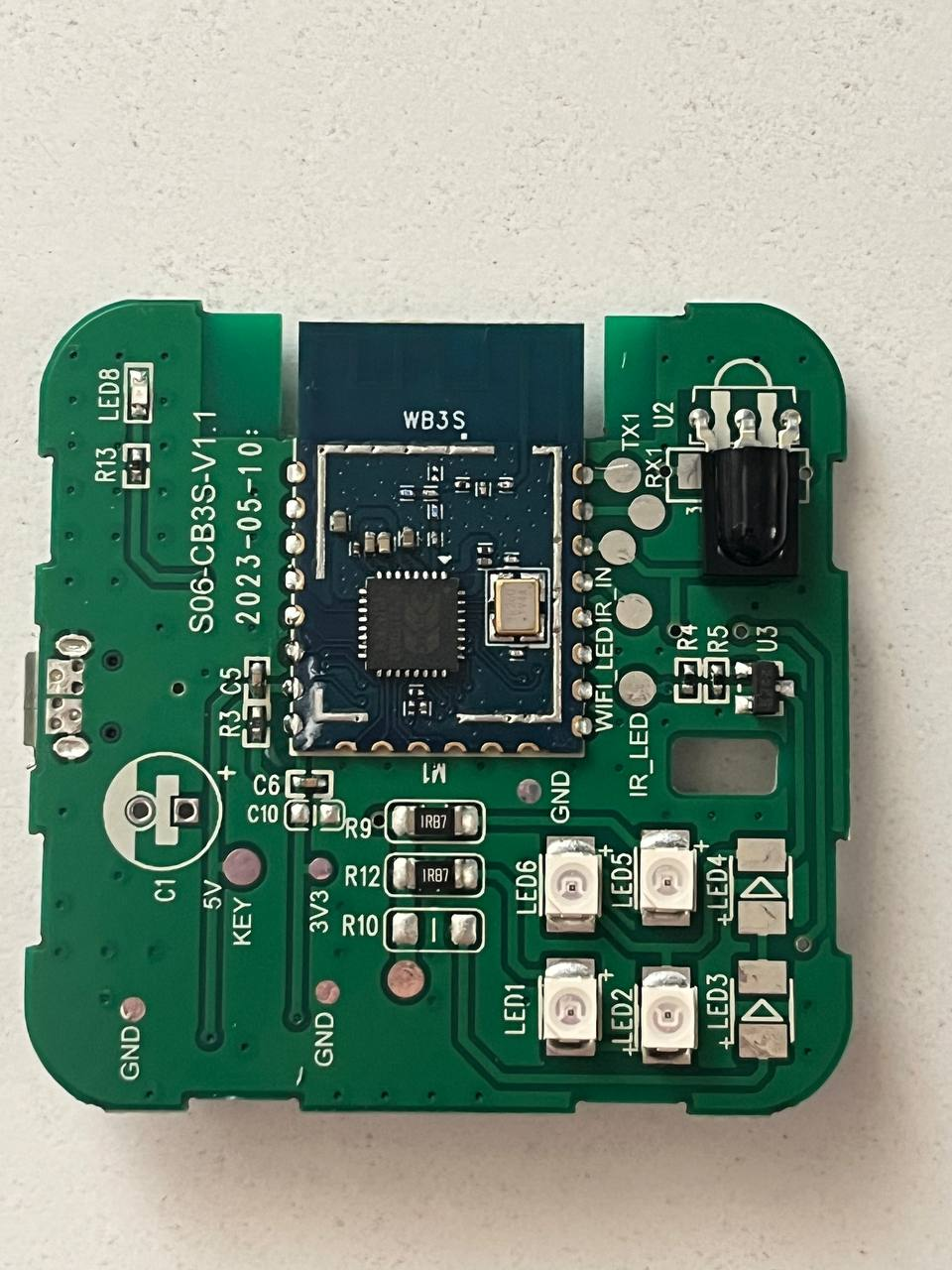
Not tested yet if TX/RX work, but here's a teardown.
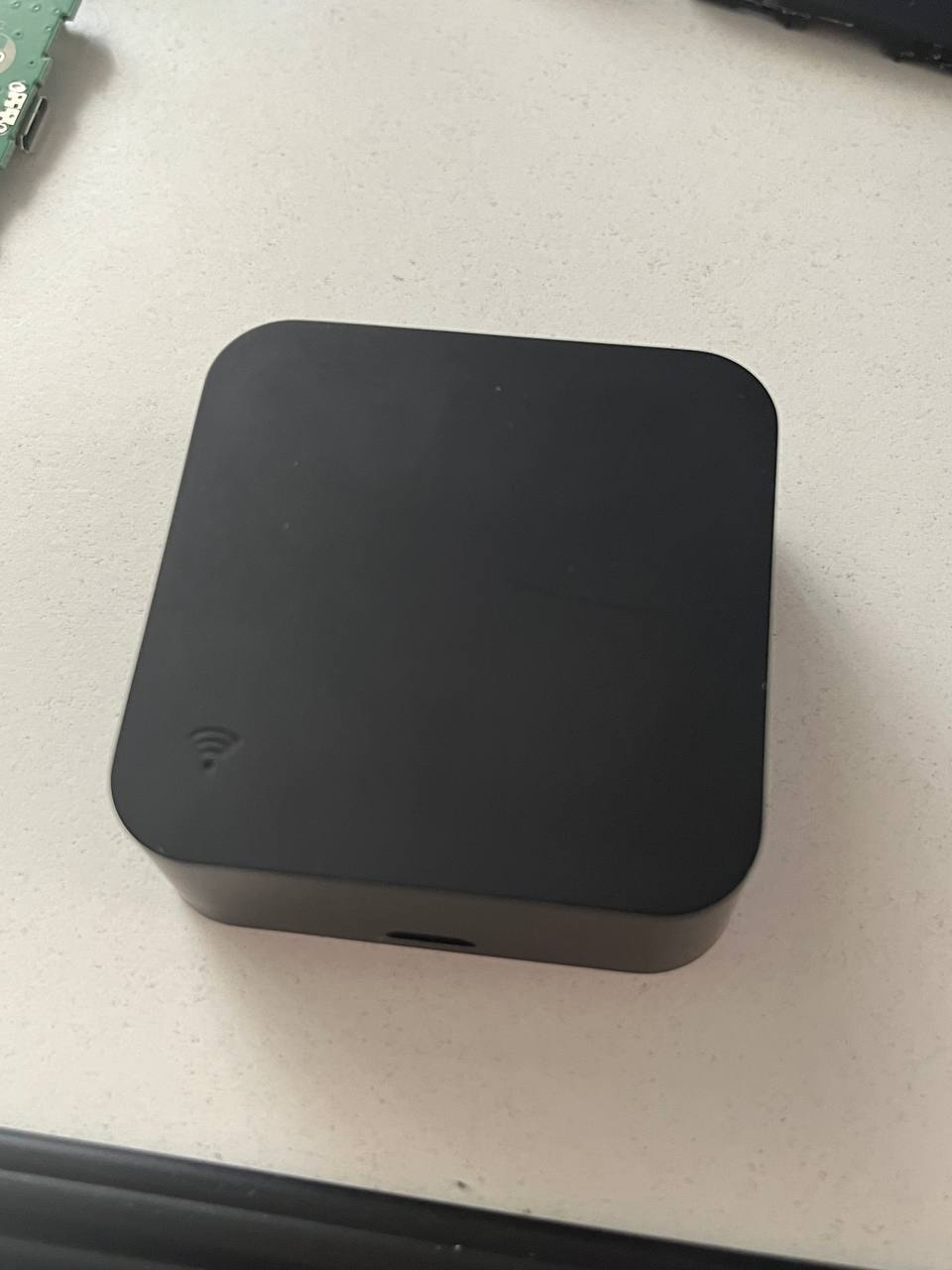
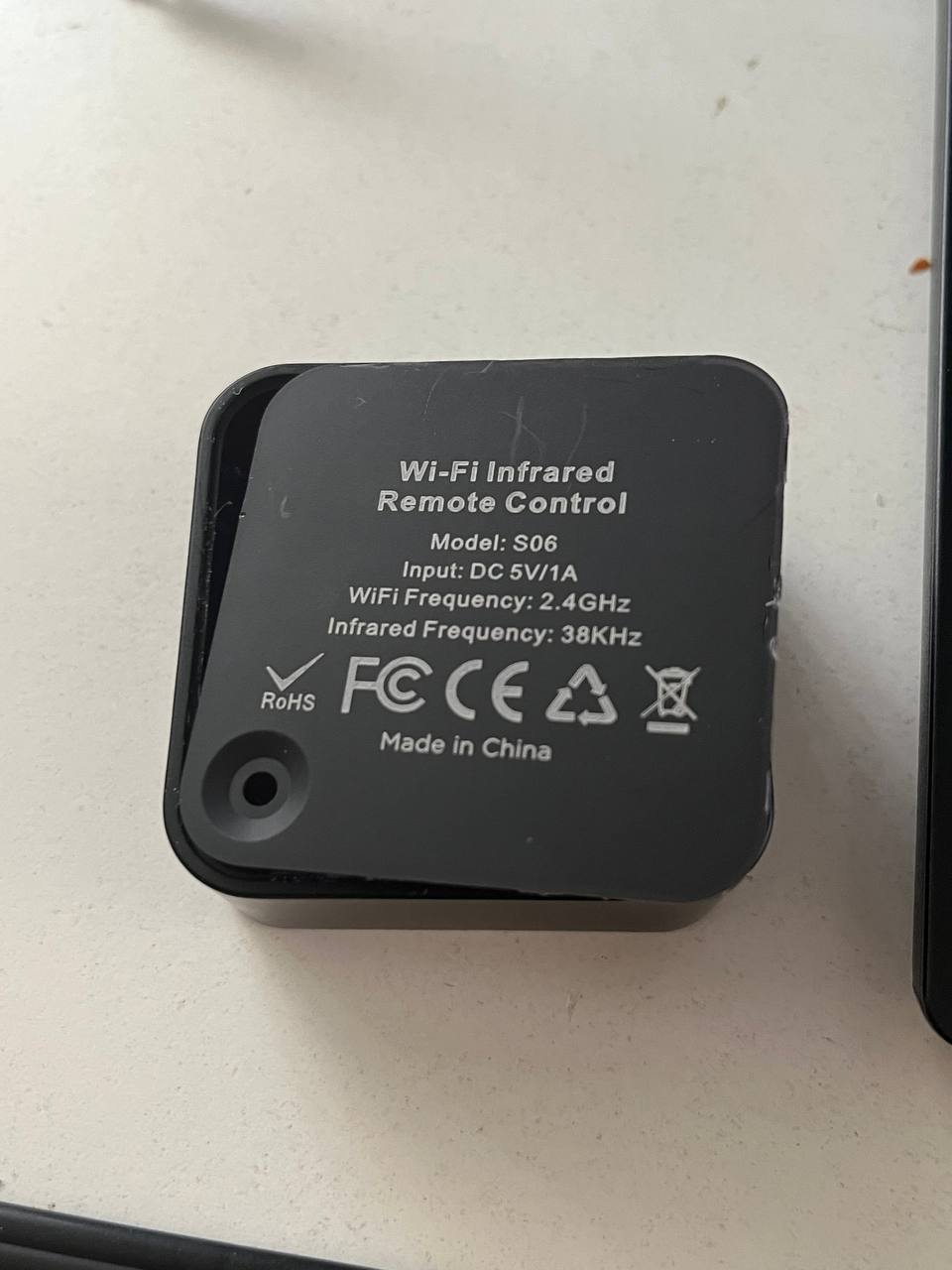
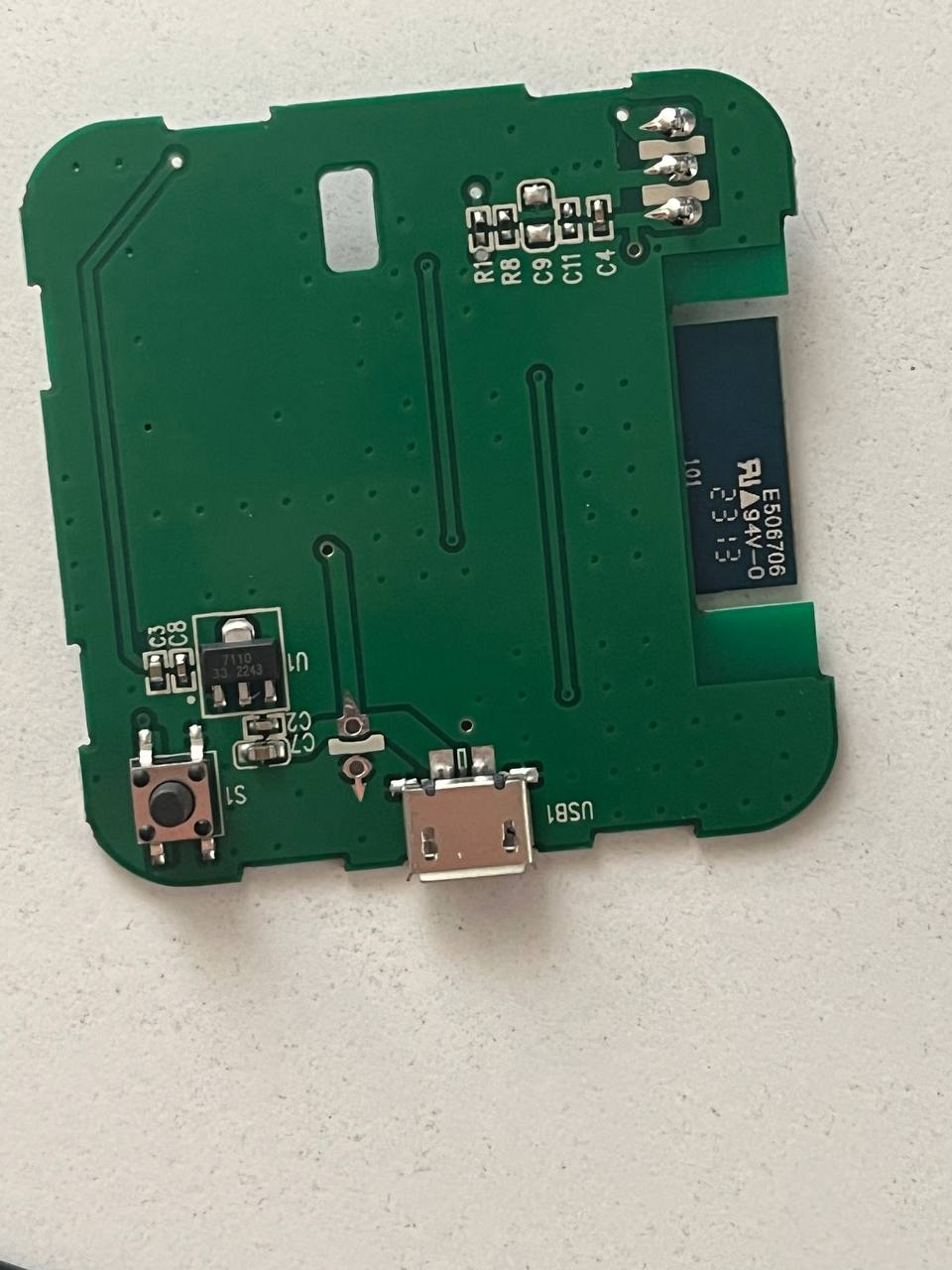
Black electronic device on a white surface with a Wi-Fi symbol. Black square module with a Wi-Fi symbol on its top surface. Black Wi-Fi remote control with visible model S06 and technical specifications. Image of a PCB with a WB3S module, four TX LEDs, one RX LED, and labeled components. Electronic board with visible components like LEDs and a USB port, powered by Beken.

It features 4 TX LEDs and 1 RX.
WiFi connectivity.

Bought from AliExpress for a couple of euros.
Works okay with Tuya app.

About Author
albenex wrote 3 posts with rating 2 . Been with us since 2023 year.

Comments

p.kaczmarek2 20 Aug 2023 09:32

Hello, have you tried to change the firmware or make 2MB flash backup? We could use it to post the template. Still, maybe we could trace the GPIO roles just from the photos, they are good quality. It... [Read more]

albenex 21 Aug 2023 15:14

Hi, I just managed to backup firmware using BK7231 Easy UART flasher. I connected TX, RX, 3.3V, and GND to CP2102 USB bridge. In attachment, 2MB dump. Also, it showed an error as the device seems not... [Read more]

albenex 23 Aug 2023 15:27

Recently updated via OTA to the latest available firmware and now successfully received and sent IR messages with the mentioned pinout: 6: Btn 8: IRRecv 9: LED 26: IRSend The utilized firmware is: 1.17.226 Now... [Read more]

FAQ

TL;DR: For OpenBeken users troubleshooting a Tuya IR blaster, this teardown confirms 4 TX LEDs + 1 RX and a working WB3S pinout; after OTA to firmware 1.17.226, “successfully received and sent IR messages” with P6/P8/P9/P26 mapping. [#20705171]

Why it matters: This FAQ gives a verified path from teardown photos and UART backup to a working OpenBeken IR blaster with MQTT and Home Assistant potential.

Firmware path Confirmed status Practical result
Original Tuya app firmware Works okay Basic WiFi IR control in Tuya app
OpenBeken before OTA fix IR receive worked first Pin testing and console decoding succeeded
OpenBeken 1.17.226 IR receive and send both worked Ready for HA MQTT integration

Key insight: The decisive fix was not the wiring alone. The same hardware pinout became fully usable only after updating OpenBeken to version 1.17.226.

Quick Facts

  • The teardown reports 4 IR transmit LEDs, 1 IR receiver, and WiFi connectivity, which matches an IR blaster design rather than a simple remote clone. [#20697202]
  • The board was backed up through UART using TX, RX, 3.3V, and GND connected to a CP2102 USB bridge, and the dump size was 2MB. [#20702320]
  • Before successful flashing, the measured resistance was 2kOhm between 3.3V and GND and 8kOhm between 5.0V and GND, while the USB-UART interface kept resetting. [#20702320]
  • The confirmed OpenBeken GPIO map was P6 button, P8 IR receiver, P9 LED, and P26 IR transmitter after the OTA update. [#20705171]

How do I back up a 2MB flash dump from a WB3S/BK7231T smart IR remote using BK7231 Easy UART flasher and a CP2102 USB bridge?

You can back it up over UART with four wires and BK7231 Easy UART flasher. 1. Connect TX, RX, 3.3V, and GND from the IR remote to a CP2102 USB bridge. 2. Start BK7231 Easy UART flasher and read the chip, even if the exact device is missing from the list. 3. Save the resulting 2MB dump after the read completes successfully. [#20702320]

What GPIO pinout worked for this Tuya-based Smart IR Remote WiFi Control device after flashing OpenBeken?

The working pinout was P6 for the button, P8 for IRRecv, P9 for the LED, and P26 for IRSend. IR receive was confirmed first, and both IR receive and transmit worked after the OTA update to firmware 1.17.226. [#20705171]

Why would a CP2102 USB-to-UART adapter keep resetting when 3.3V and GND are connected to a BK7231T IR remote, and what should I check first?

A reset usually means the power connection is collapsing or acting like a short when 3.3V and GND are attached. In this case, the user saw USB resets immediately and measured 2kOhm from 3.3V to GND, so the first check is continuity and resistance on the power rails before trying to flash again. [#20702320]

What resistance values between 3.3V and GND or 5V and GND are normal when probing a WB3S/BK7231T smart device before flashing?

This thread does not establish a normal resistance range. It only reports measured values of 2kOhm between 3.3V and GND and 8kOhm between 5.0V and GND, and those readings coincided with a CP2102 reset problem during flashing attempts. [#20702320]

How can I troubleshoot IRSend on OpenBeken when IR receiving works and the console returns "ok" but the target device does not react?

First confirm the IRSend pin and firmware version, because console "ok" alone did not guarantee transmission here. The user had IRRecv working on P8 and suspected P26 for IRSend, but sending only worked after updating OpenBeken via OTA to version 1.17.226. [#20705171]

Which OpenBeken firmware version fixed IR sending and receiving on this WB3S smart IR blaster, and what changed after the OTA update?

OpenBeken version 1.17.226 fixed it. After the OTA update, the same device and pinout successfully received and sent IR messages, changing the status from partial IRRecv-only testing to full IR blaster operation. [#20705171]

How do I configure OpenBeken for an IR blaster with P6 as button, P8 as IR receiver, P9 as LED, and P26 as IR transmitter?

Set P6 as Btn, P8 as IRRecv, P9 as LED, and P26 as IRSend. That mapping first enabled button, LED, and IR receive tests, and later delivered working IR transmit after the firmware was updated to 1.17.226. [#20705171]

What is BK7231 Easy UART flasher, and when should I use it with Tuya or Beken-based devices?

"BK7231 Easy UART flasher" is a flashing utility that connects over UART and reads or writes firmware on BK7231-based hardware, using simple serial lines like TX, RX, 3.3V, and GND. In this thread, it was used to make a successful 2MB backup before OpenBeken flashing on a Beken-powered IR remote. [#20702320]

What is a WB3S module, and how is it related to the BK7231T chip in WiFi smart home devices?

"WB3S" is a board-level wireless module that sits on the device PCB, and in this thread it identifies the Beken-based radio module used in the smart IR blaster. The device is presented as WB3/BK7231T, so WB3S is the module form and BK7231T is the Beken platform it is associated with here. [#20700496]

OpenBeken vs the original Tuya firmware: which is better for an AliExpress IR blaster that needs MQTT and Home Assistant integration?

OpenBeken is better if you need MQTT and Home Assistant integration. The original firmware worked okay with the Tuya app, but after flashing OpenBeken and updating to 1.17.226, the device had verified IR send and receive and was then moved toward HA MQTT integration. [#20705171]

What is the difference between IRRecv and IRSend in OpenBeken, and how do they map to the hardware on an IR remote controller?

IRRecv listens for incoming infrared commands, while IRSend drives the transmitting LEDs to send commands out. On this board, IRRecv mapped to P8, IRSend mapped to P26, and the hardware teardown showed 4 TX LEDs plus 1 RX element. [#20697202]

How do I test which GPIO controls the button, LED, IR receiver, and IR transmitter on a BK7231T board using the OpenBeken console or GPIO tester?

Test each function by assigning candidate pins, then verify with the GPIO tester or console feedback. In this case, the GPIO tester confirmed P6 as Btn and P9 as LED, while console information confirmed P8 as IRRecv before P26 was later confirmed as IRSend. [#20702320]

What should I do when BK7231 Easy UART flasher reports that the device is not in the list but still allows a successful firmware dump?

Proceed with the backup if the read succeeds, but verify the dump and wiring before flashing. The thread shows the tool reported that the device was not in the list, yet it still produced a successful 2MB firmware dump from the board. [#20702320]

How can I integrate an OpenBeken-flashed Tuya IR blaster into Home Assistant over MQTT after confirming the IR pinout works?

Move to MQTT integration after you confirm both IR receive and IR send work on the final pinout. In this case, that point came only after OTA updating to OpenBeken 1.17.226, when the user reported successful IR RX/TX and then started integrating the device into HA MQTT. [#20705171]

What hardware details from teardown photos help identify GPIO roles on a WB3S smart IR remote, especially when the module has no RF shield?

Use the visible IR parts and the exposed WB3S layout to guide tracing. The photos were considered good enough to infer GPIO roles, and one key observation was the unusual use of a WB3S module without a shield alongside 4 TX LEDs and 1 RX component. [#20700496]
Generated by the language model.
%}