FAQ 
TL;DR: This FAQ shows how to flash a 9.4 W, 806 lm LSC E27 smart bulb with a BK7231N/CB2L module. "RX and TX are available," which makes UART flashing easier here. It solves failed Tuya CloudCutter attempts on firmware 1.5.21 by using BK7231GUIFlashTool, OpenBK7231T_App, and the KP18058 driver map for a KP18068-based bulb. [#21030520]
Why it matters: This thread documents a working path for a mains-powered LSC bulb revision that looks similar to others but uses different hardware.
| Variant discussed |
Wireless/module side |
LED driver side |
Flashing implication |
| This bulb revision |
CB2L / BK7231N |
KP18068 detected |
UART access is available without desoldering RX1/TX1 |
| Other similar LSC revisions |
BP module |
Different internal revision |
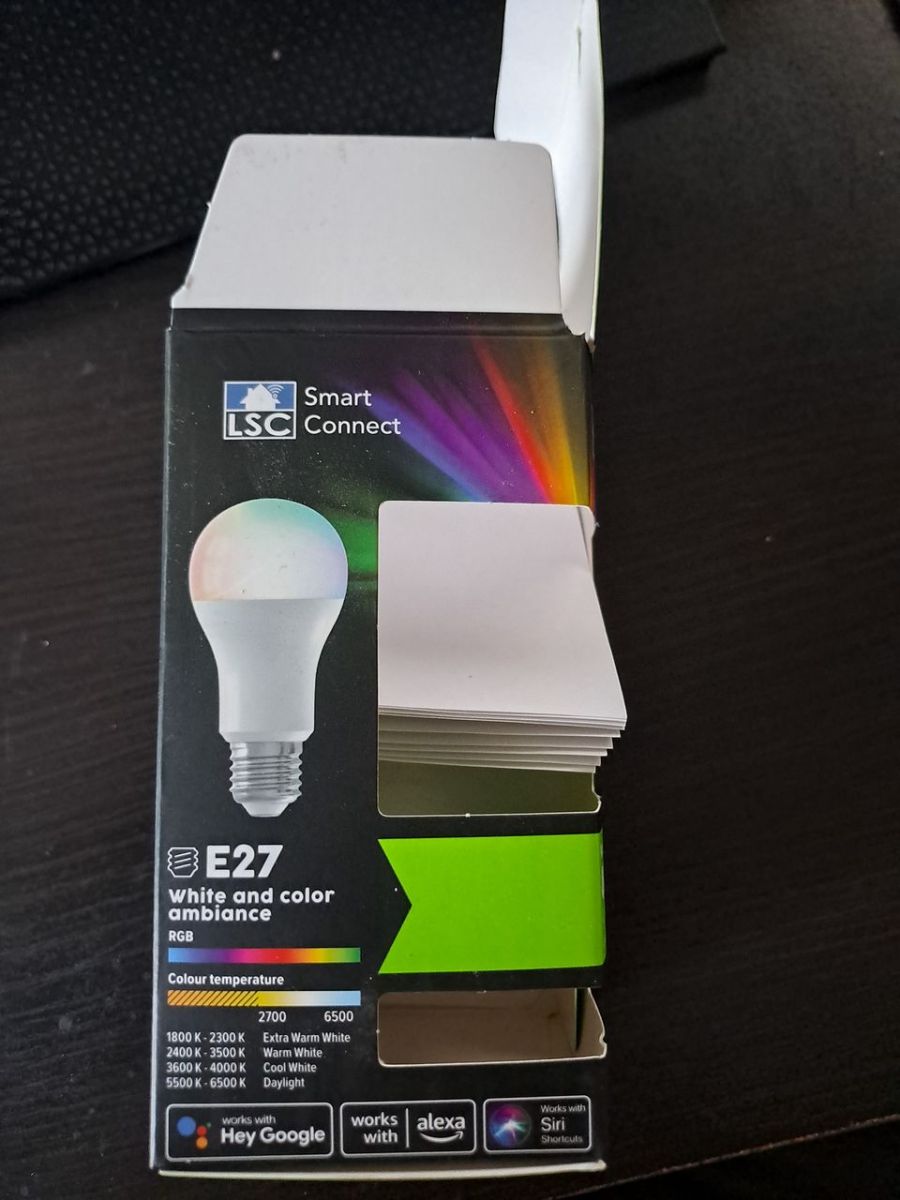
Packaging can look identical, so configs may not match |
| OpenBeken working setup here |
BK7231N with OpenBK7231T_App |
KP18058 driver used successfully |
Requires startDriver KP18058 and KP18058_Map 1 2 0 4 3 |
Key insight: Do not trust the packaging or prior configs. This LSC bulb matched none of the expected setups, yet it worked after identifying KP18068 and driving it with the KP18058 implementation plus a custom color map.
Quick Facts
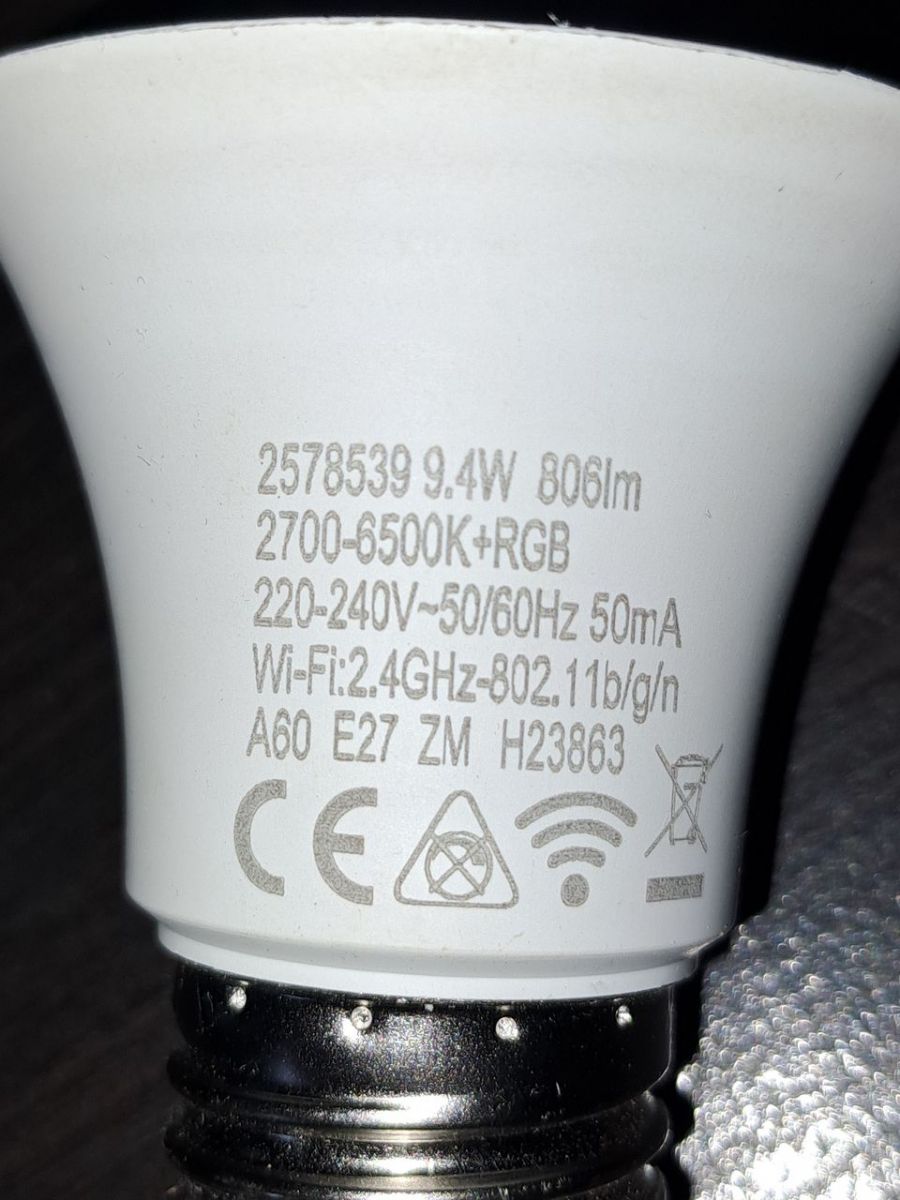
- The bulb discussed is an LSC LED Smart white and color ambiance E27 9.4 W, 806 lm model, product 2578539, using a BK7231N chip on a CB2L module. [#21030520]
- Tuya CloudCutter did not work on this sample because the bulb firmware was version 1.5.21, so the successful path used BK7231GUIFlashTool and OpenBK7231T_App instead. [#21030520]
- The confirmed OpenBeken pin assignment was pin 7 =
KP18058_CLK;1 and pin 8 = KP18058_DAT;0, with the command backlog startDriver KP18058; KP18058_Map 1 2 0 4 3. [#21030520]
- The author reports at least 3 revisions of this bulb family, and another forum example had identical packaging but used a BP module instead of CB2L/BK7231N. [#21030520]
- A second expert noted that this board is unusually convenient because RX and TX are exposed; on a similar product, the entire module had to be desoldered before flashing. [#21031132]
How do I flash an LSC LED Smart white and color ambiance E27 9.4W bulb with a BK7231N/CB2L module using a CP2102 adapter?
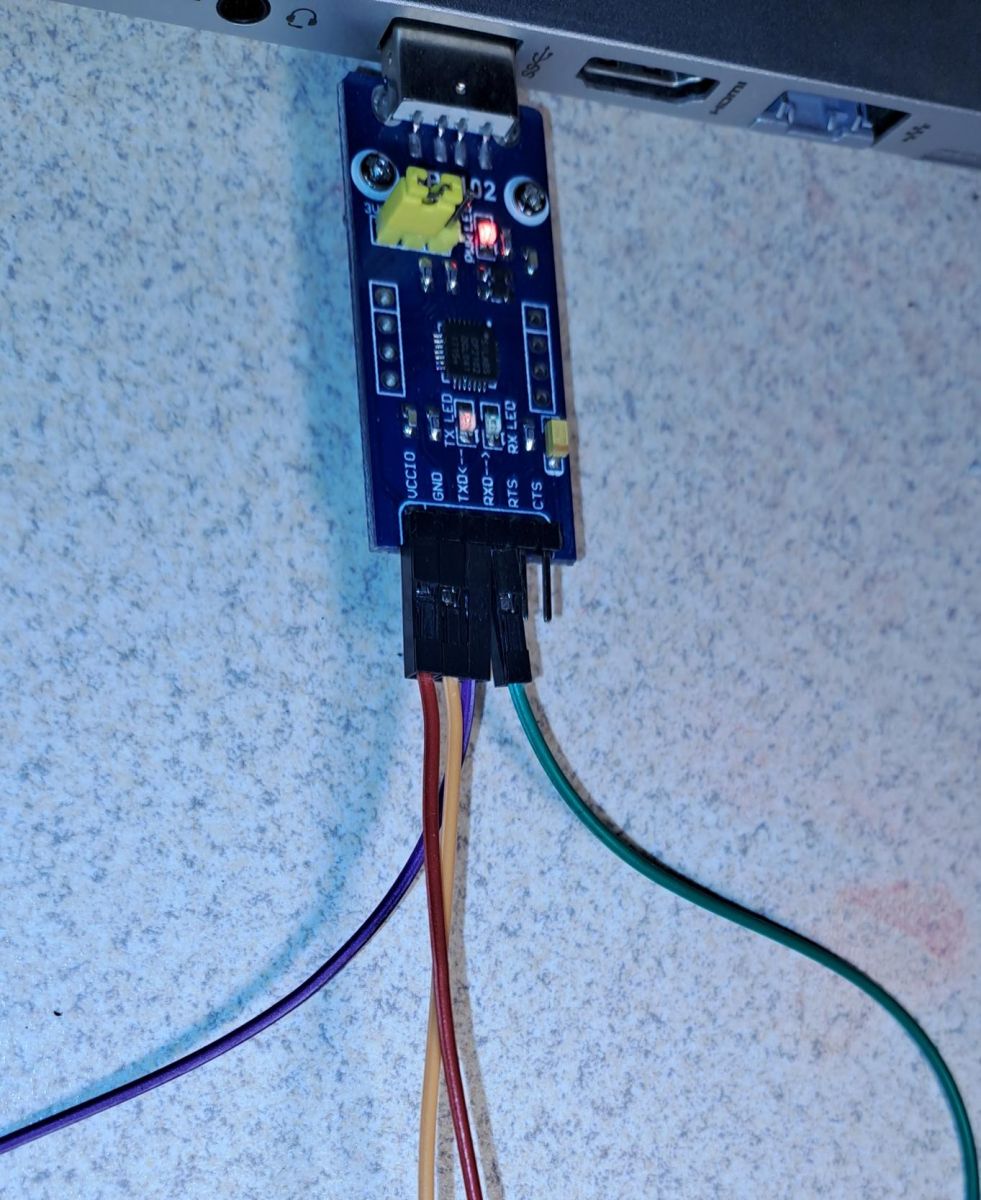
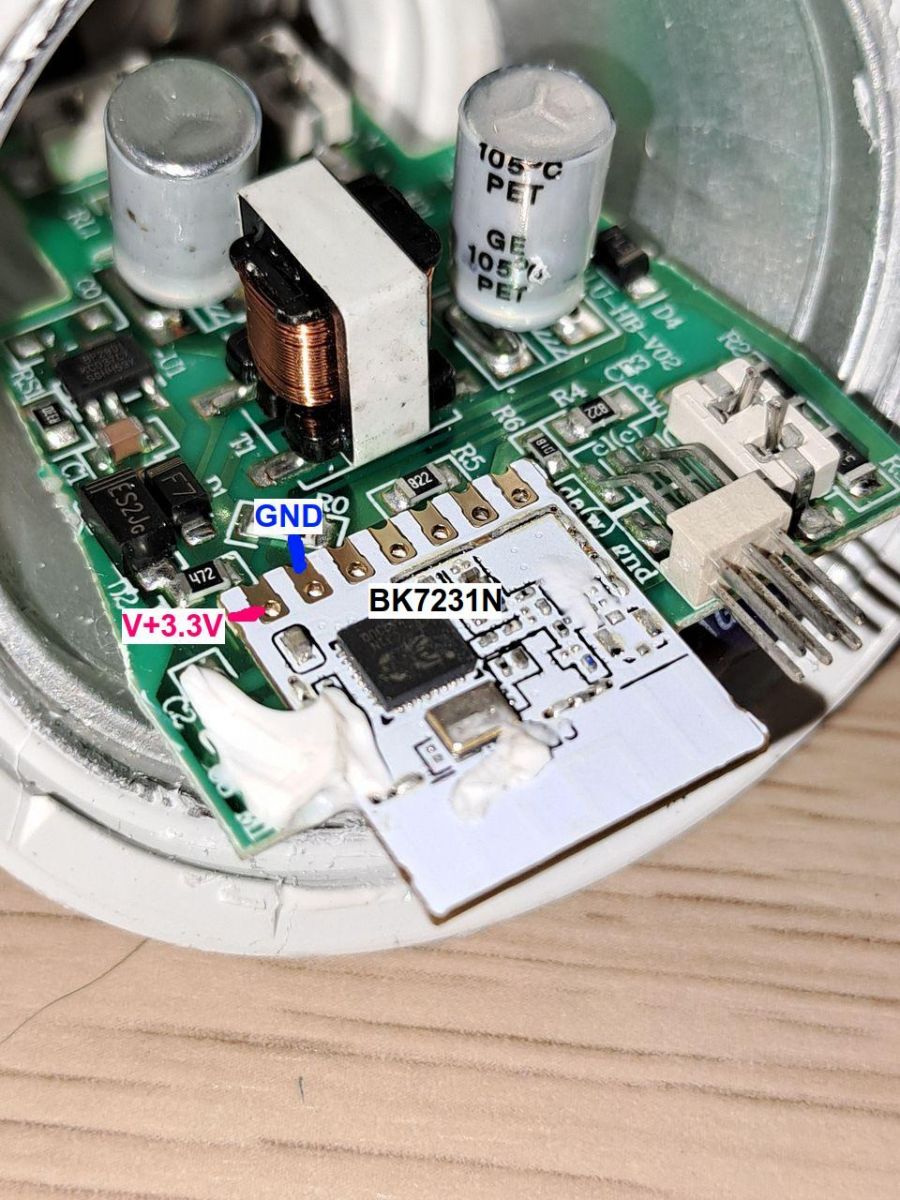
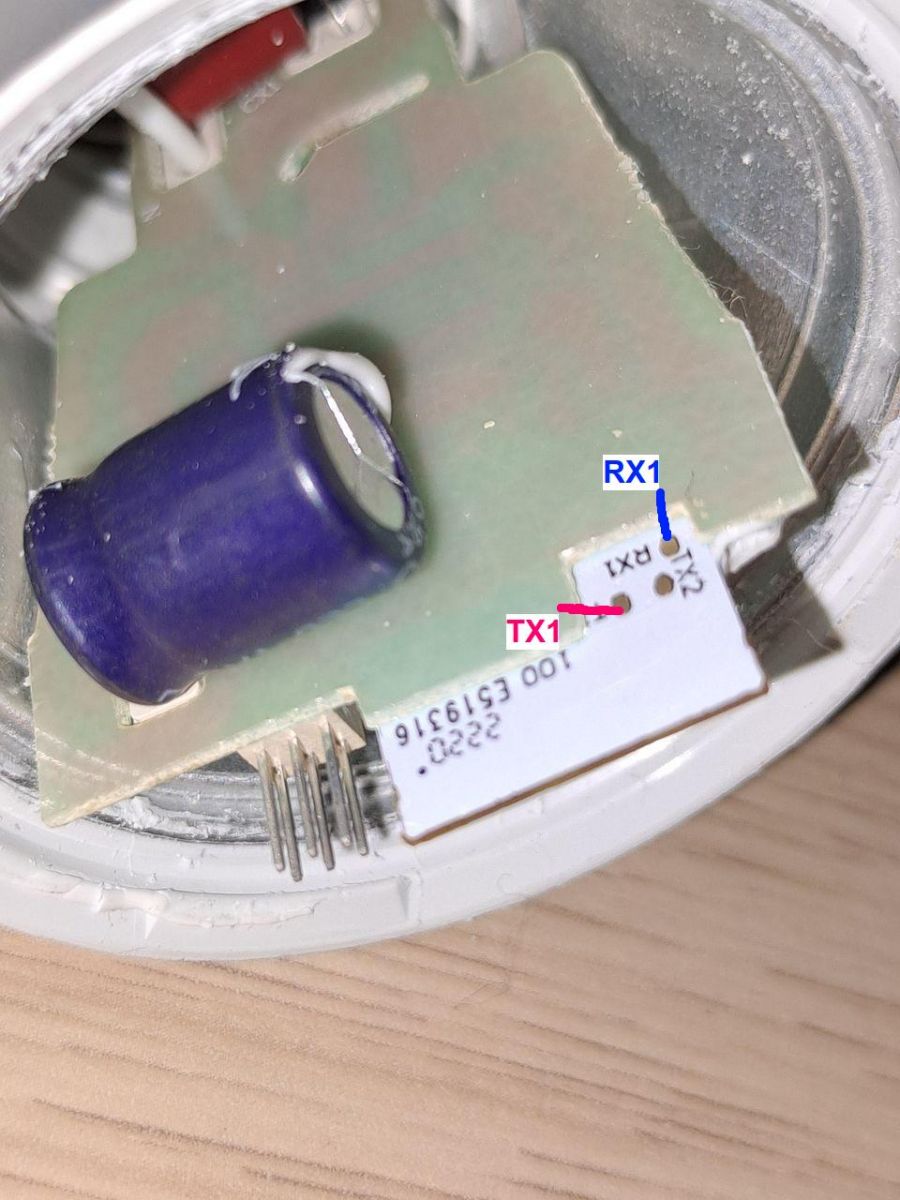
Use UART flashing through the exposed RX1 and TX1 pads with a CP2102 adapter. 1. Open the bulb, solder to RX1 and TX1, and connect the CP2102. 2. Use BK7231GUIFlashTool to make a backup first. 3. Flash OpenBK7231T_App, then set the driver and map for this bulb revision. The working command here was
startDriver KP18058 with
KP18058_Map 1 2 0 4 3.
[#21030520]
What is the KP18068 LED driver, and how does it relate to the KP18058 driver used in OpenBK7231T_App?
KP18068 is the LED controller found in this bulb, but the thread shows it works with the KP18058 driver inside OpenBK7231T_App.
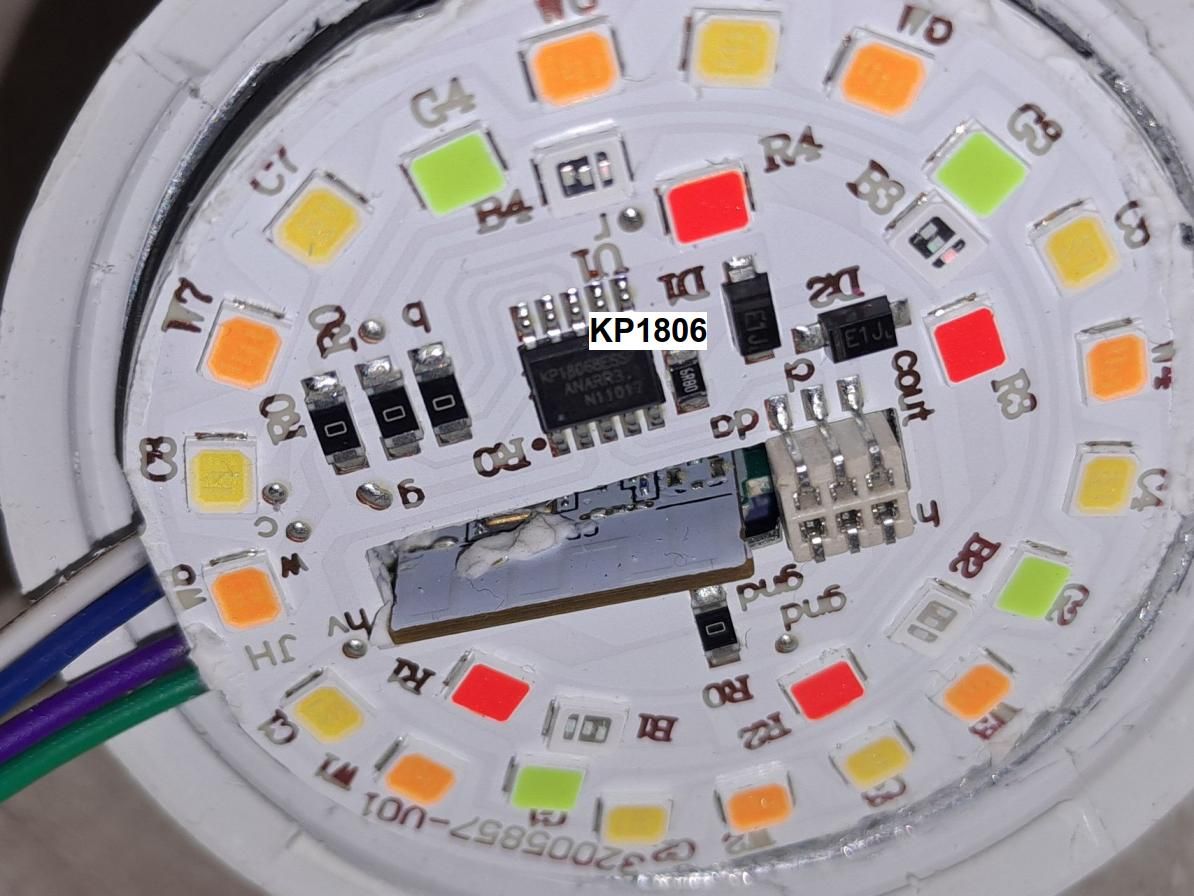
"KP18068 is an LED driver chip that controls the bulb’s light channels, and in this case it behaved compatibly enough for the KP18058 driver to operate it with a custom channel map." The author first expected a different controller, then confirmed KP18068 and reported that KP18058 still worked correctly.
[#21030520]
Why does Tuya CloudCutter fail on this LSC smart bulb when the firmware version is 1.5.21?
It fails because this bulb was on firmware version 1.5.21, and the author explicitly states that Tuya CloudCutter did not work on that version. The thread does not give a deeper exploit-level reason, but it does give the practical outcome: use UART flashing instead of CloudCutter for this revision. That makes version 1.5.21 the clear failure condition documented here.
[#21030520]
Which pins need to be connected to access RX1 and TX1 on the CB2L module without desoldering the board?
Connect to the exposed RX1 and TX1 pads that are reachable without desoldering the CB2L module. The post says those two UART pins were available directly on the board, so the author only had to solder wires and attach a CP2102 adapter. A second expert even noted that the PCB seems to have a special cutout that leaves RX and TX accessible.
[#21031132]
What is BK7231GUIFlashTool, and what is it used for when backing up and flashing BK7231N bulbs?
BK7231GUIFlashTool is the PC flashing utility used here to back up the original firmware and then write OpenBK7231T_App to the BK7231N bulb.
"BK7231GUIFlashTool is a flashing tool that reads and writes firmware on BK7231-based devices, with the key characteristic that it lets you make a backup before replacing the stock image." In this thread, backup was the first recommended step before flashing.
[#21030520]
How should I enter the startDriver KP18058 and KP18058_Map 1 2 0 4 3 commands for this LSC E27 bulb?
Enter them as a single backlog command after flashing OpenBeken. The JSON in the thread stores it exactly as
backlog startDriver KP18058; KP18058_Map 1 2 0 4 3, which starts the driver and applies the working RGBCW channel order for this bulb. That exact string is the ready-to-import command for model 2578539.
[#21030520]
What is the correct JSON template for importing the LSC LED Smart white and color ambiance E27 9.4W 806lm 2578539 into OpenBeken?
Use the JSON shown in the thread for vendor
LSC, name
LSC LED Smart white and color ambiance E27 9.4W 806lm 2578539, chip
BK7231N, and board
on pcb. It also sets keywords including
RGBCW,
KP18068, and
CB2L, assigns pin
7 to
KP18058_CLK;1, pin
8 to
KP18058_DAT;0, and includes the backlog command for driver startup and mapping.
[#21030520]
Why would a bulb labeled similarly to other revisions use a KP18068 driver instead of the BP module found in other versions?
Because this product line appears in at least 3 hardware revisions, and identical packaging does not guarantee identical internals. The author first expected one of the known configurations, then discovered a CB2L/BK7231N module with a KP18068 driver instead of the BP-based revision seen elsewhere. This is exactly why the post advises checking the controller before choosing a config.
[#21030520]
What is the difference between a BP module revision and a CB2L/BK7231N revision in LSC smart bulbs?
The thread distinguishes them as different hardware revisions under very similar retail packaging. The CB2L/BK7231N revision in this bulb exposed RX1 and TX1 and was flashed successfully with OpenBK7231T_App, while another reported revision used a BP module and therefore did not match the expected configuration. In practice, the difference matters because flashing method, pinout, and driver assumptions can change.
[#21030520]
How do I safely open and disassemble an LSC E27 smart bulb to reach the UART flashing pads?
Open it by removing the cover with a knife, then glue around the LED board and lift the board out carefully. The author says this gave enough access to the pins without further teardown, which reduced work on a mains-powered bulb. The exposed RX1 and TX1 pads were then reachable for soldering and UART flashing.
[#21030520]
What causes the module reset message during flashing, and how does disconnecting the ground pin help?
The thread reports a module reset message during flashing, and the practical fix was to disconnect the ground pin during that reset event. The author says the message went away immediately after removing ground at that moment. This is an edge case from the procedure, not a universal rule, but it was the documented workaround on this BK7231N bulb.
[#21030520]
How can I improve color mapping on an OpenBeken-flashed LSC RGBCW bulb that uses the KP18058 driver?
Improve it by keeping the KP18058 driver and adjusting the channel map. The post says color mapping still needed refinement, and the working start point was
KP18058_Map 1 2 0 4 3 after
startDriver KP18058. That means the bulb already lights correctly with this mapping, but final color ordering may still need tuning for perfect RGB and white channel alignment.
[#21030520]
When RX and TX are not exposed on a smart bulb PCB, what is the best alternative flashing method for BK7231N modules?
Desoldering the entire module is the fallback method mentioned in the thread. A second expert says this bulb was unusually lucky because RX and TX were exposed; on a similar product, the whole module had to be removed before flashing. If your PCB lacks accessible UART pads, that is the clearest alternative documented here.
[#21031132]
How does reverse engineering an unknown I2C LED driver protocol with a logic analyzer help add support for chips like KP18068 or KP18058?
It lets you discover the command protocol well enough to write or adapt a working driver. The second post says the protocol was originally unknown and had to be figured out with a logic analyzer, specifically using Sigrok, before support could be built. That kind of reverse engineering explains why a KP18058 driver can later be reused successfully on a related controller in OpenBeken.
[#21031132]
What tools and precautions do I need before flashing a mains-powered LSC smart bulb with OpenBK7231T_App?
You need a CP2102 USB-UART adapter, BK7231GUIFlashTool, OpenBK7231T_App, soldering access to RX1 and TX1, and a full firmware backup before writing anything. Check the actual controller first, because this family has at least 3 revisions and similar packaging can hide different internals. One expert summary from the thread is simple: "always check the controller" before choosing a config or driver.
[#21030520]
AI summary based on the discussion. May contain errors.






Comments
You`re very lucky that RX and TX are available. In the photo I can see that the manufacturer probably cut out a special place in the PCB for them. When I flashed a similar product, I had to desolder the... [Read more]