FAQ 
TL;DR: With 16 A / 250 VAC hardware and “Everything works!” as the practical result, this FAQ shows makers how to convert the Atorch S1TW-FR into a fully local OpenBeken device by flashing the CB3S/BK7231N module, mapping TuyaMCU dpIDs, and faking cloud-connected Wi-Fi state so the LCD, relay, metering, thermostat, and time keep working without Tuya cloud. [#21313613]
Why it matters: It turns a cloud-tied mains energy meter and thermostat into a locally controlled device that still keeps its LCD, relay logic, and thermostat functions.
| Approach |
What you do |
Main advantage |
Main limitation |
| UART capture |
Sniff RX/TX during app actions |
Reveals practical dpID behavior from real use |
Risky on non-isolated mains hardware |
| Tuya API/model data |
Extract model definitions and properties |
Gives names, ranges, enums, and cloudless flags |
May miss full real-world behavior or require developer access |
| OpenBeken + autoexec.bat |
Map discovered dpIDs to channels |
Delivers 100% local control with web UI |
Needs flashing and manual configuration |
Key insight: The LCD does not fully recover after flashing until OpenBeken starts the TuyaMCU driver and forces Wi-Fi state 0x04. That single compatibility step makes the device behave as if it is cloud-connected while remaining local.
Quick Facts
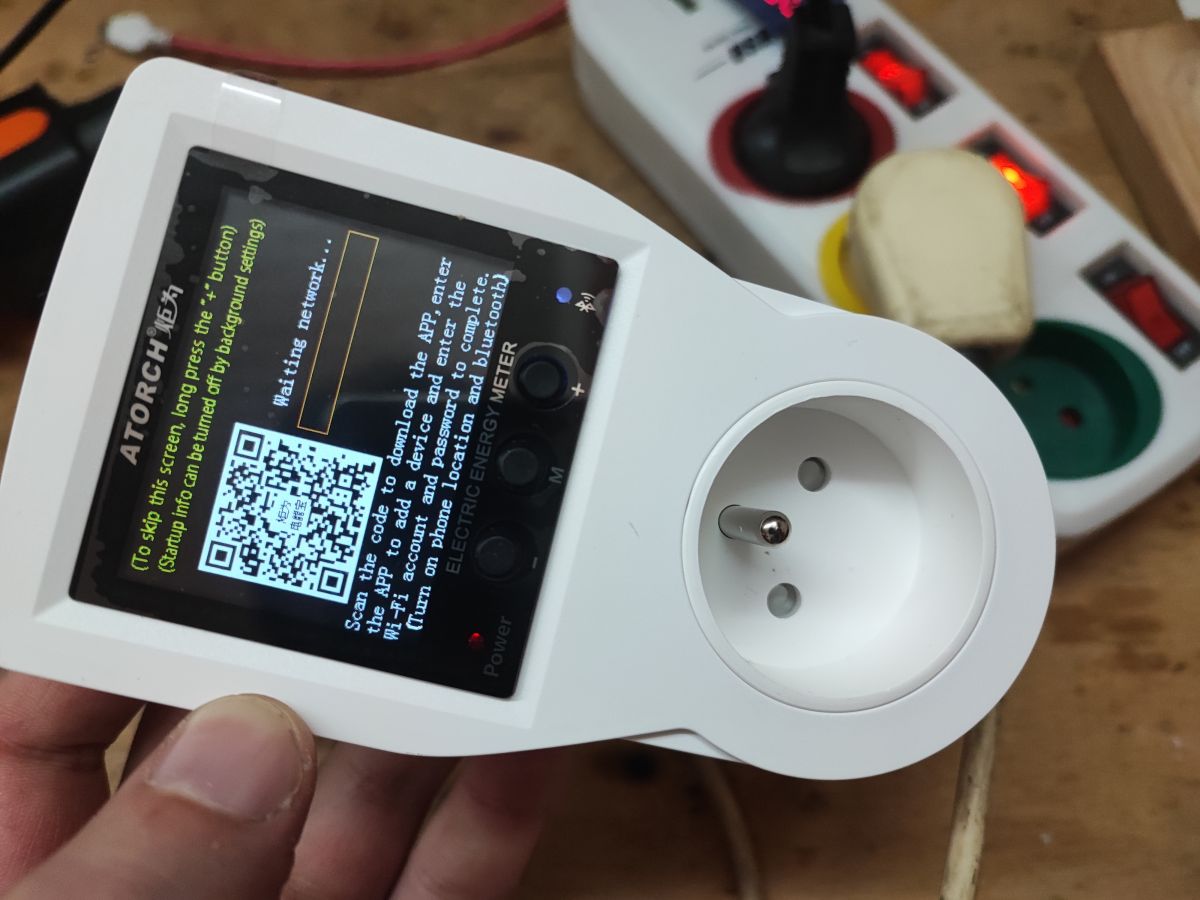
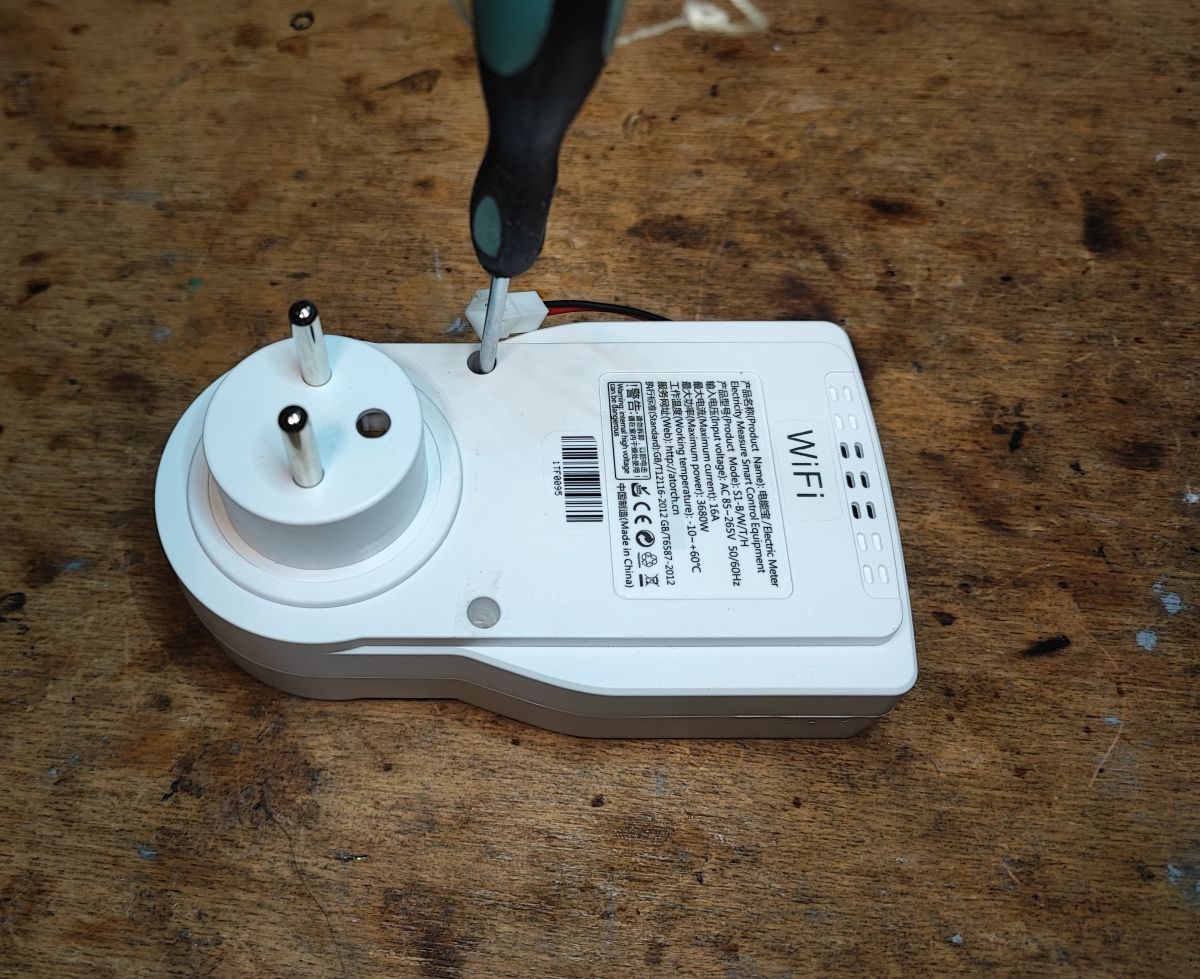
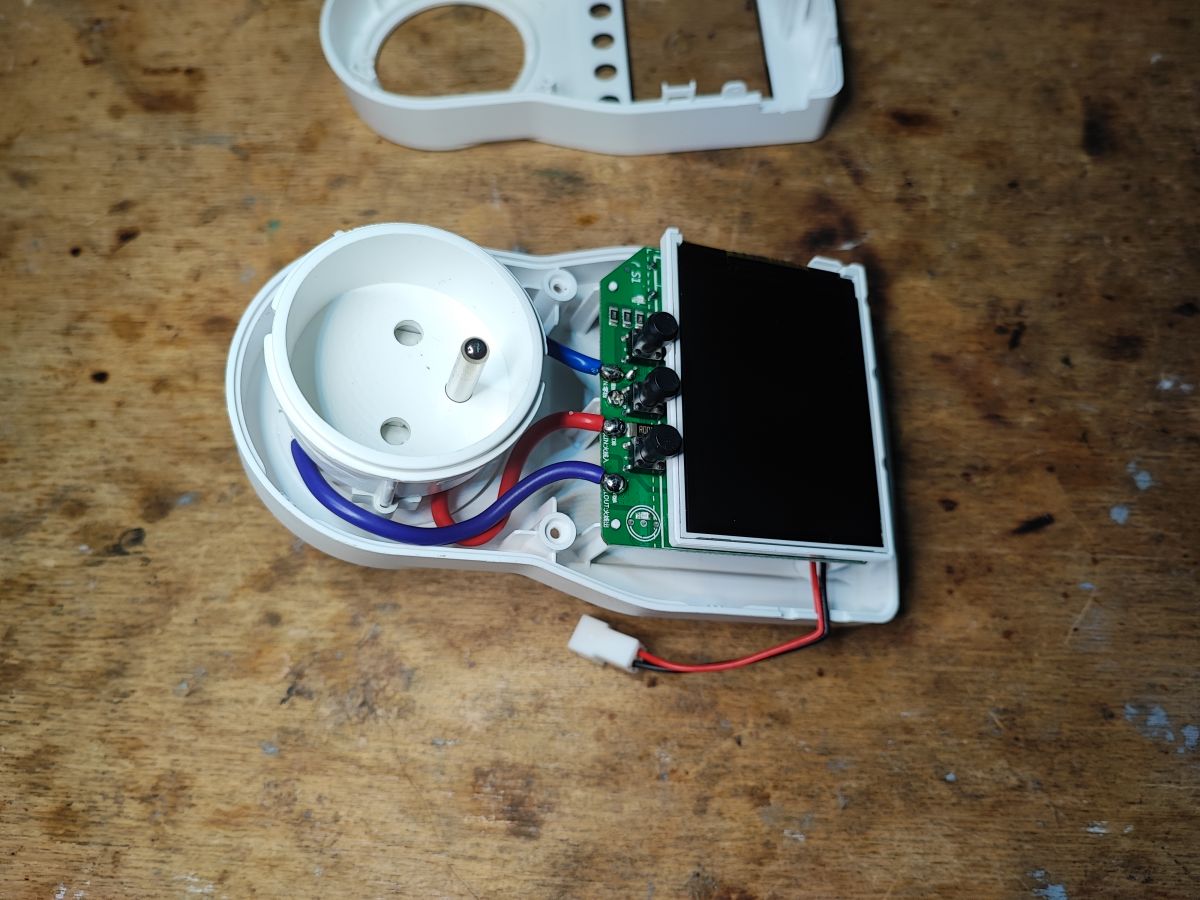
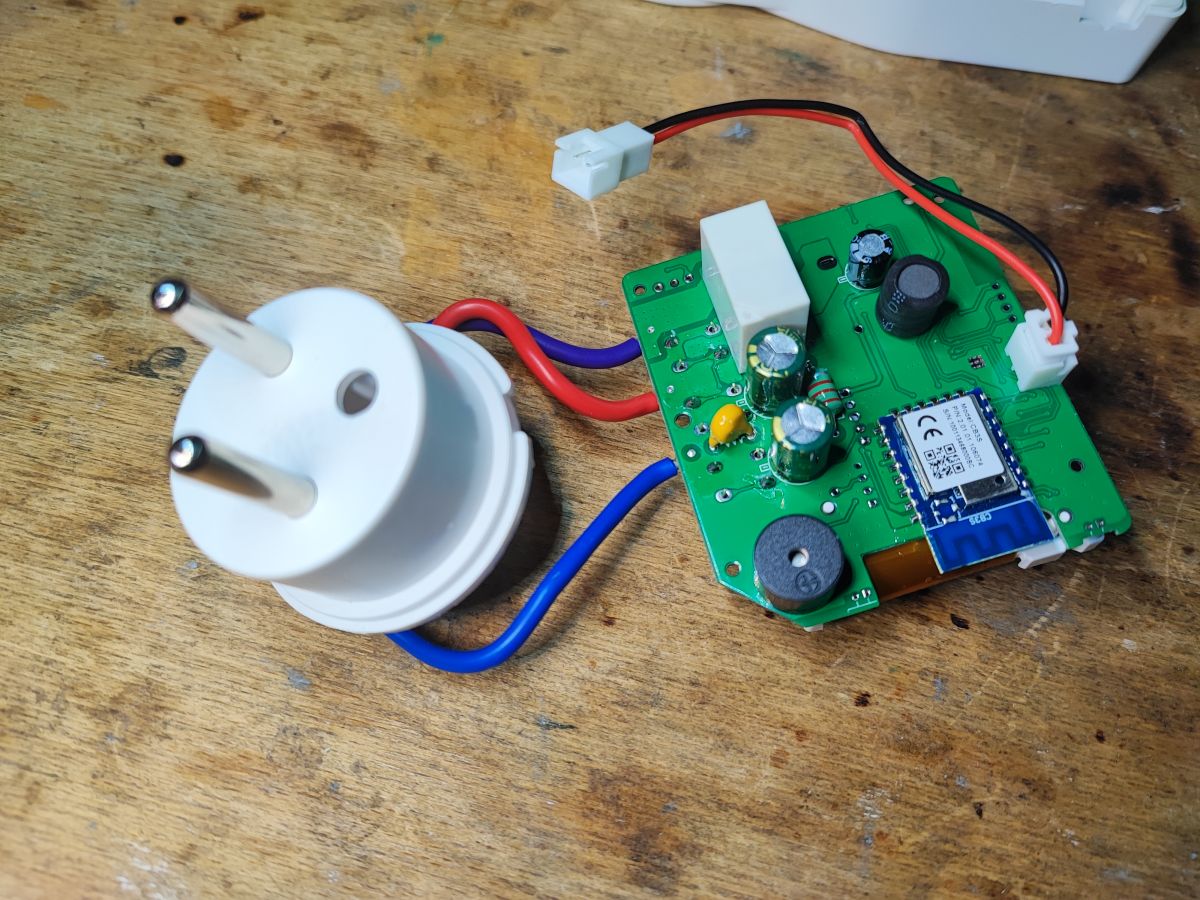
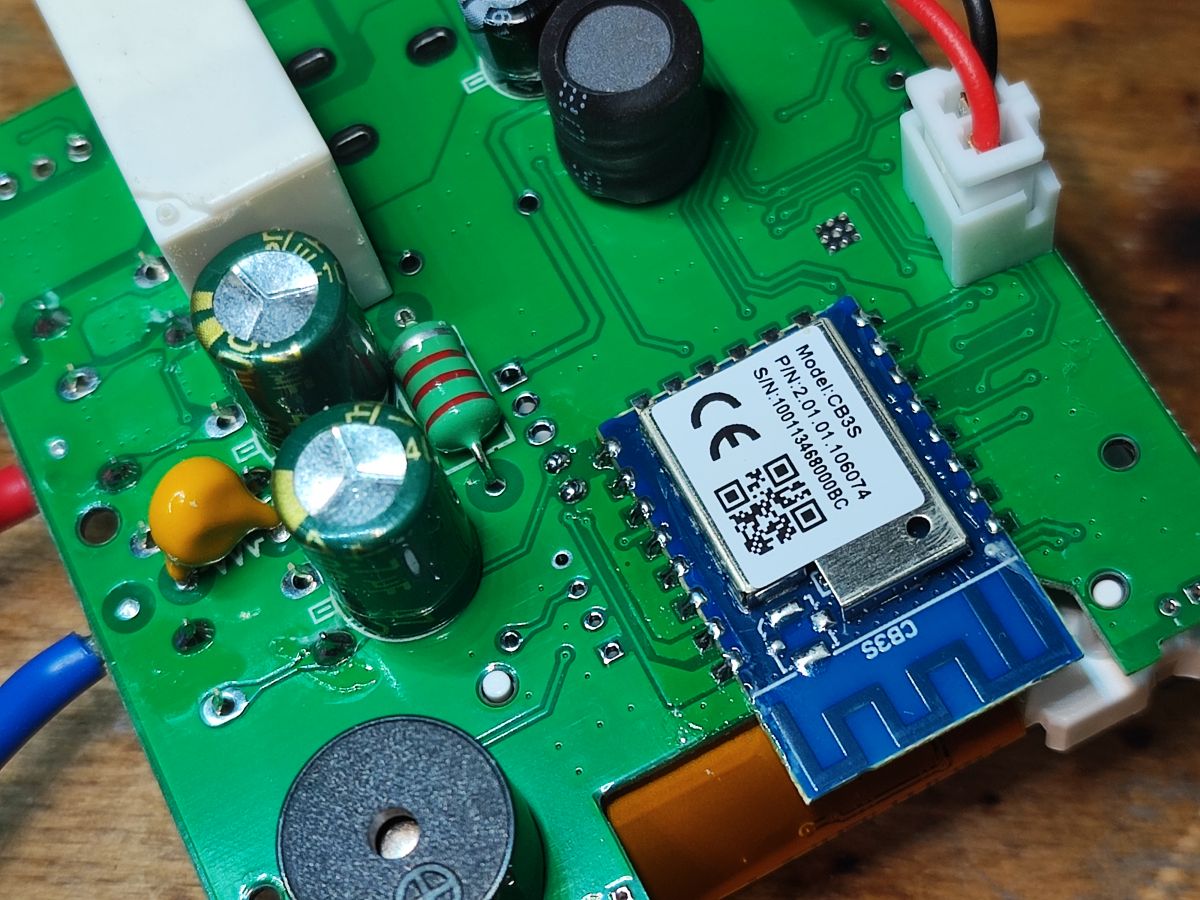
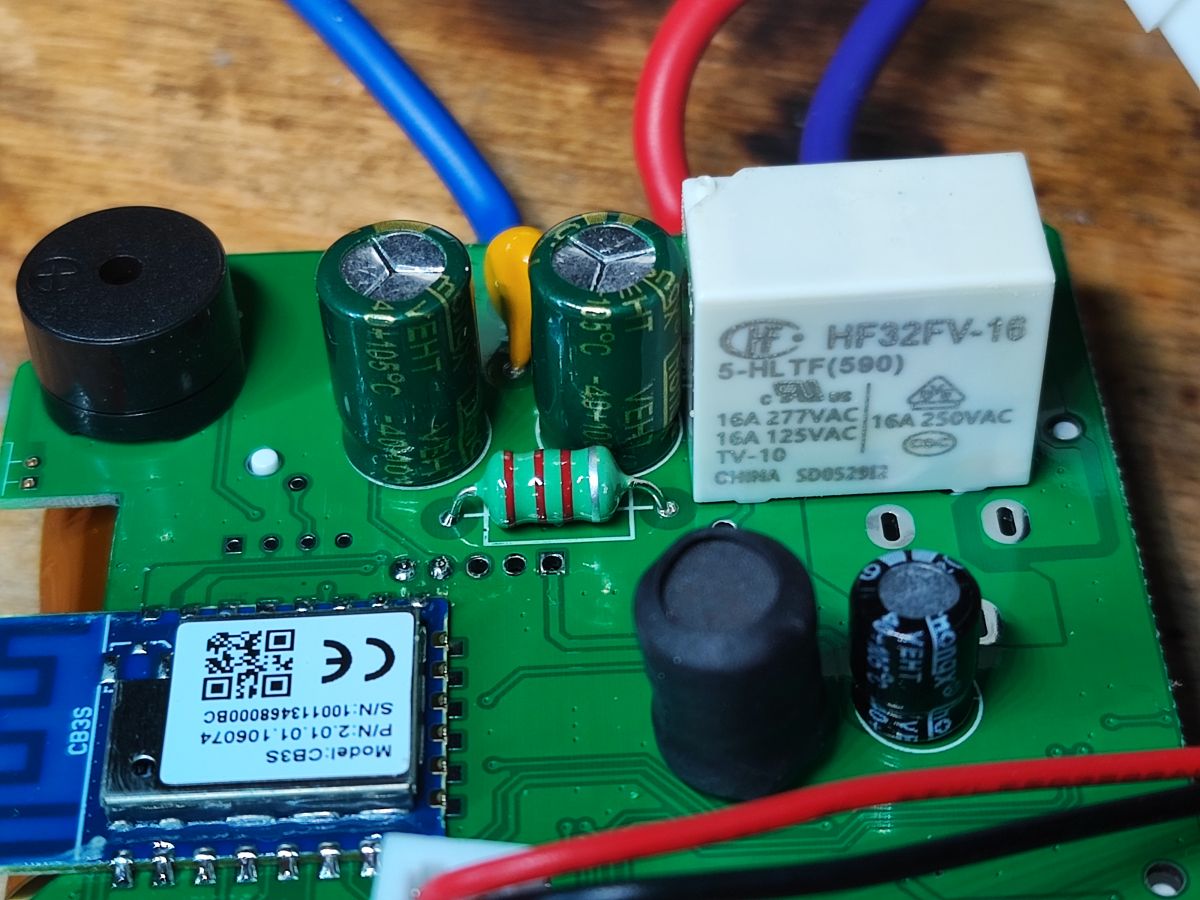
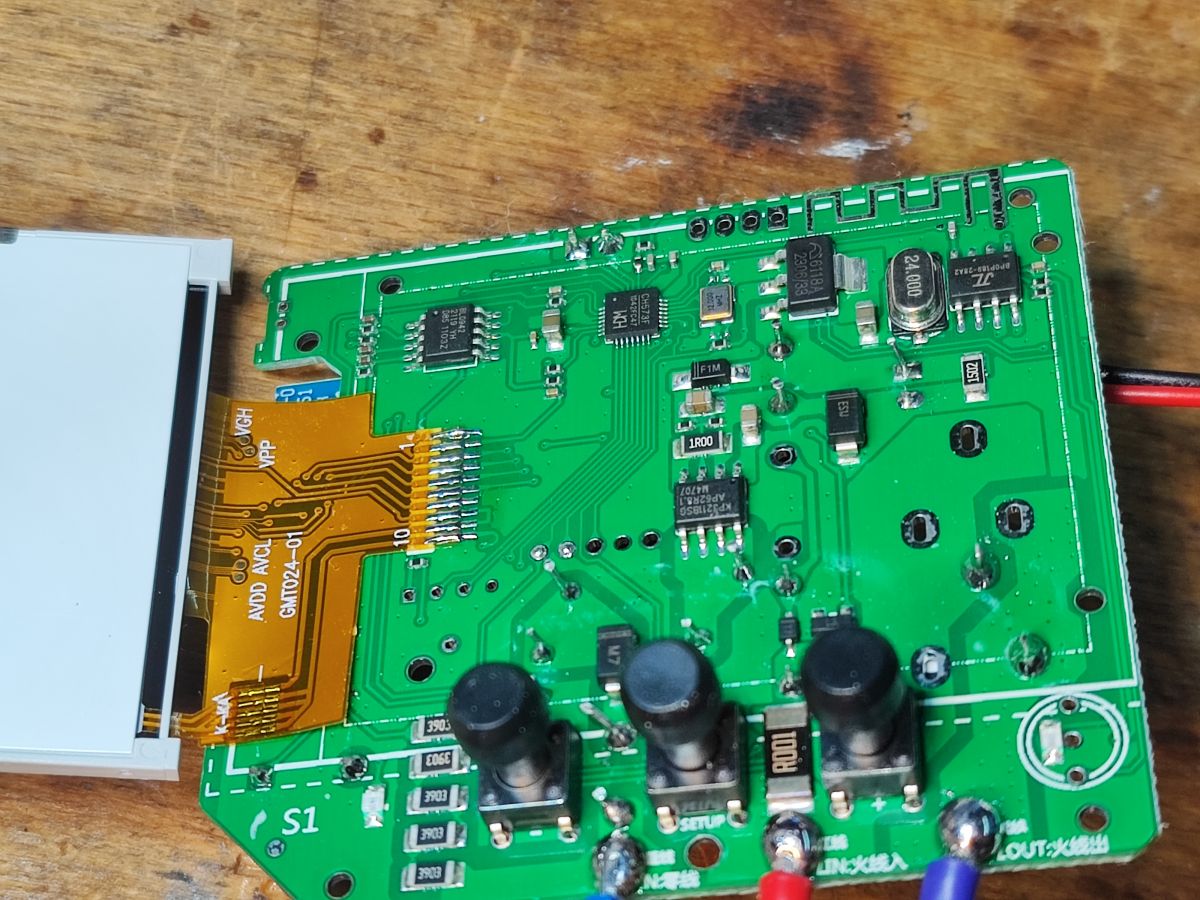
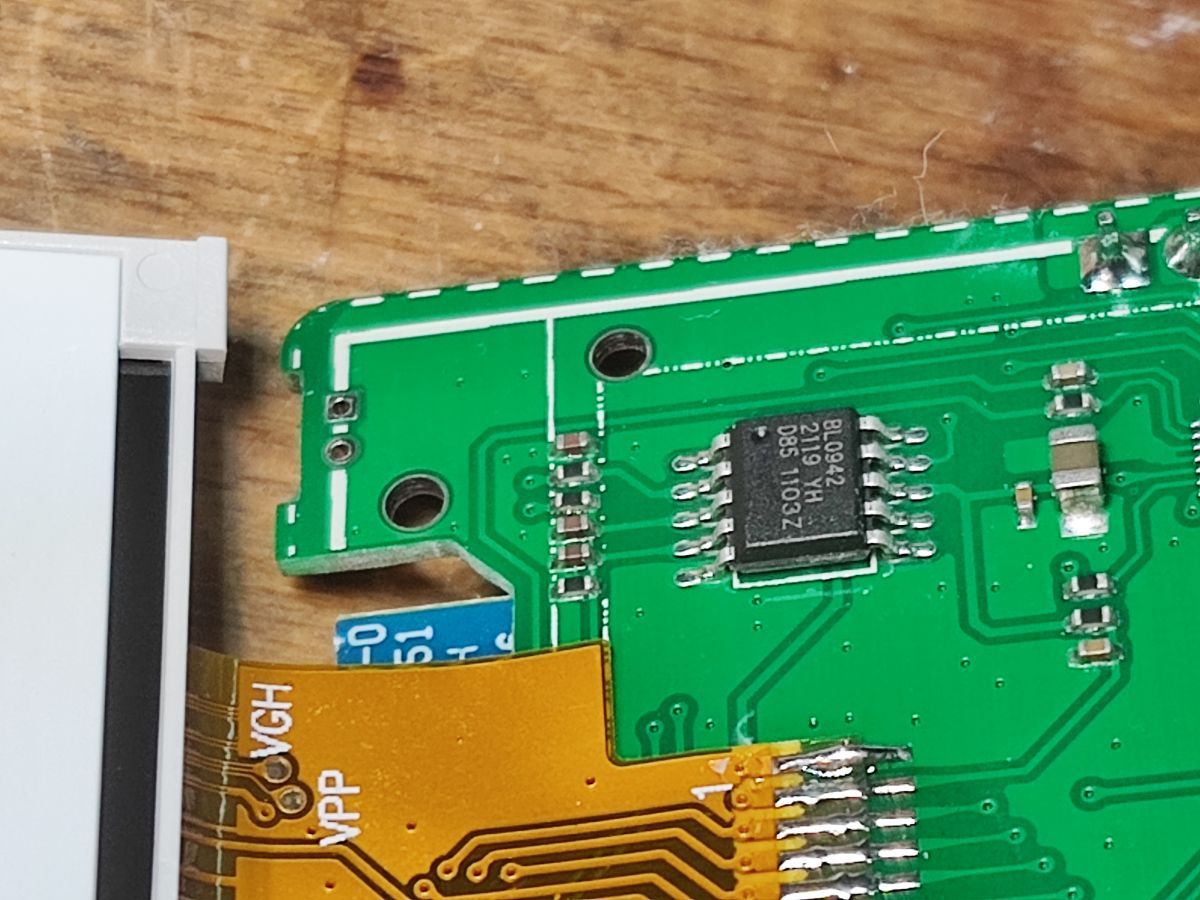
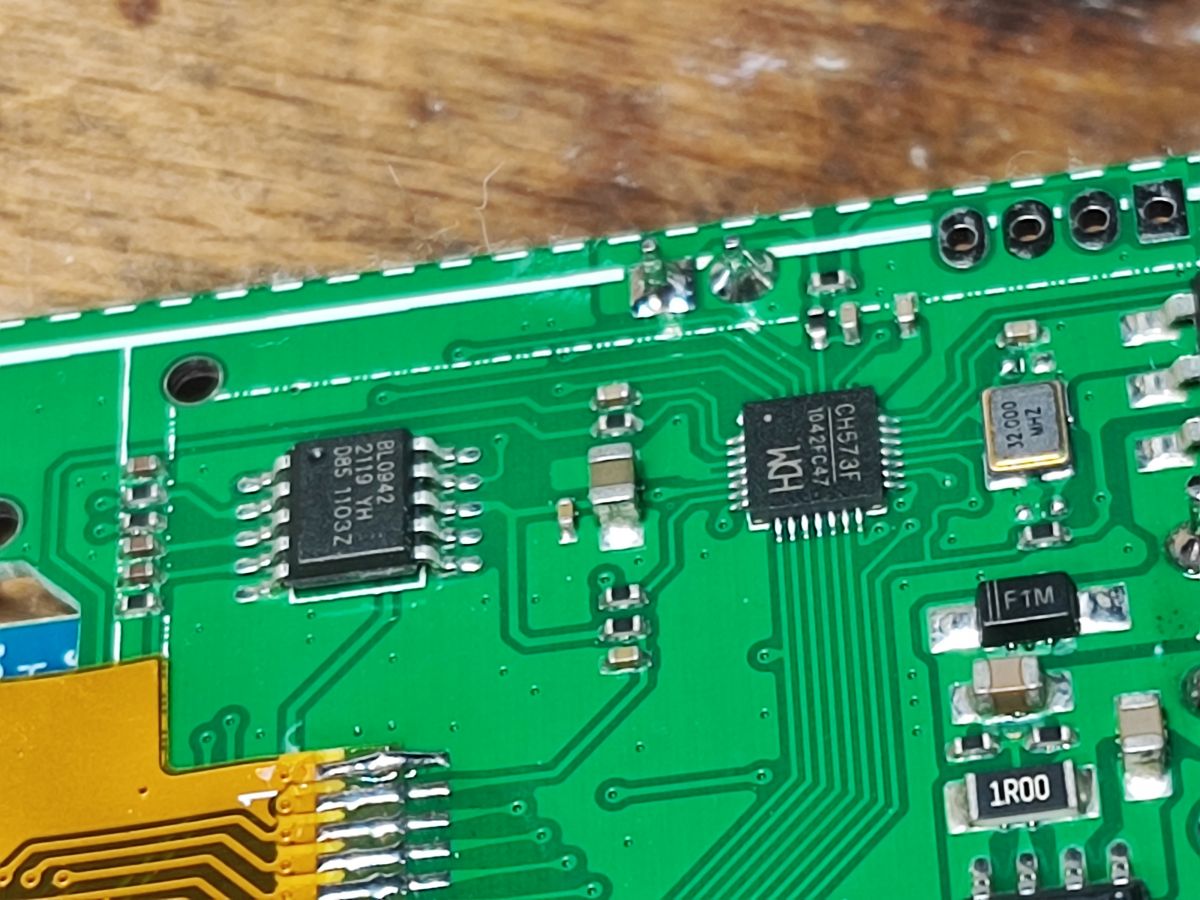
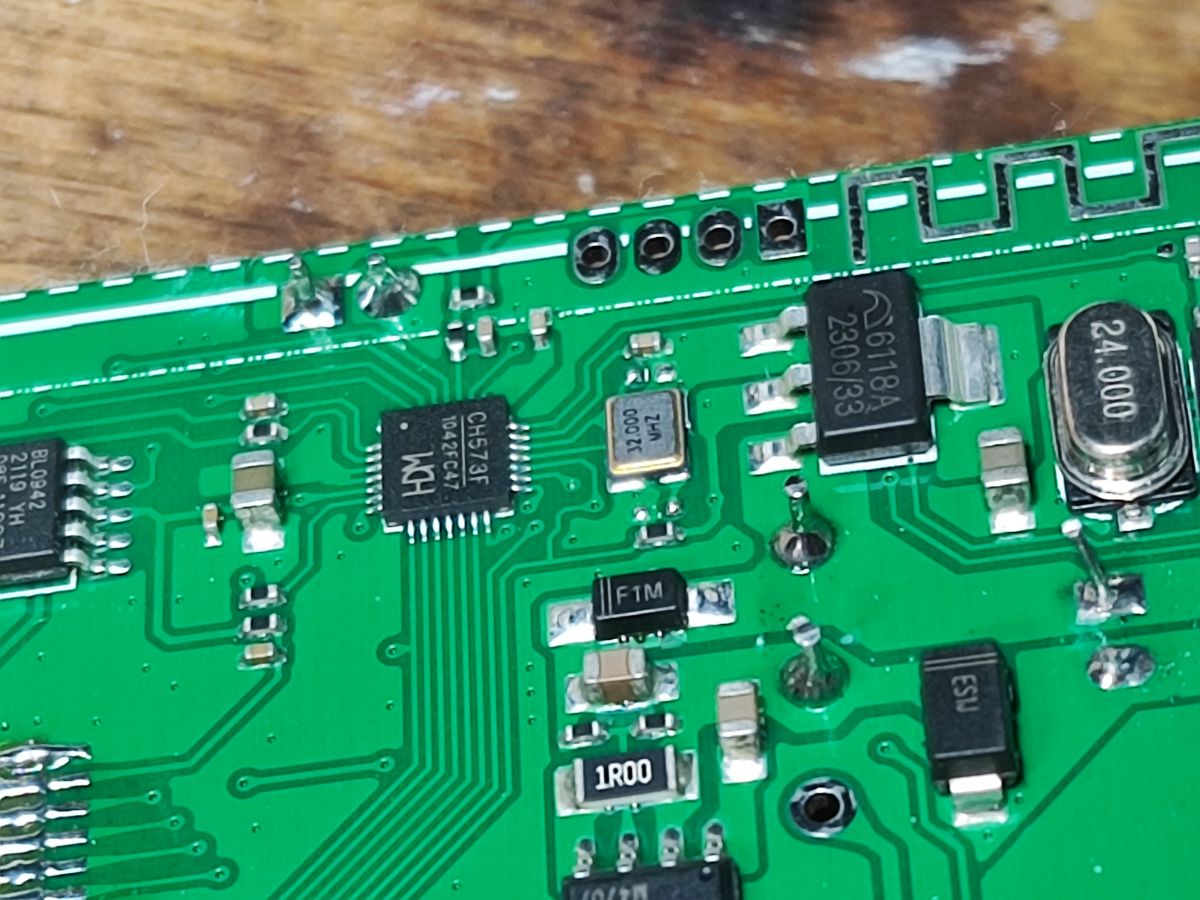
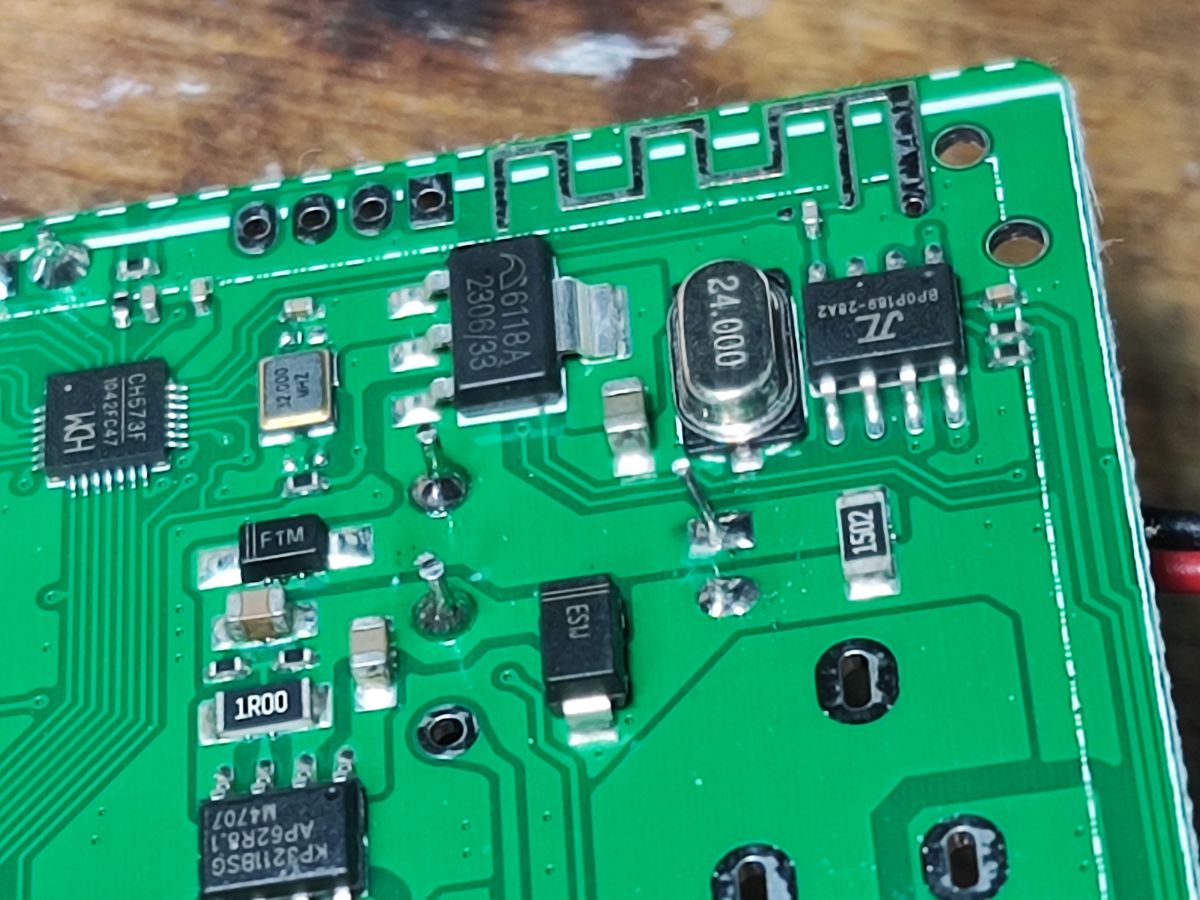
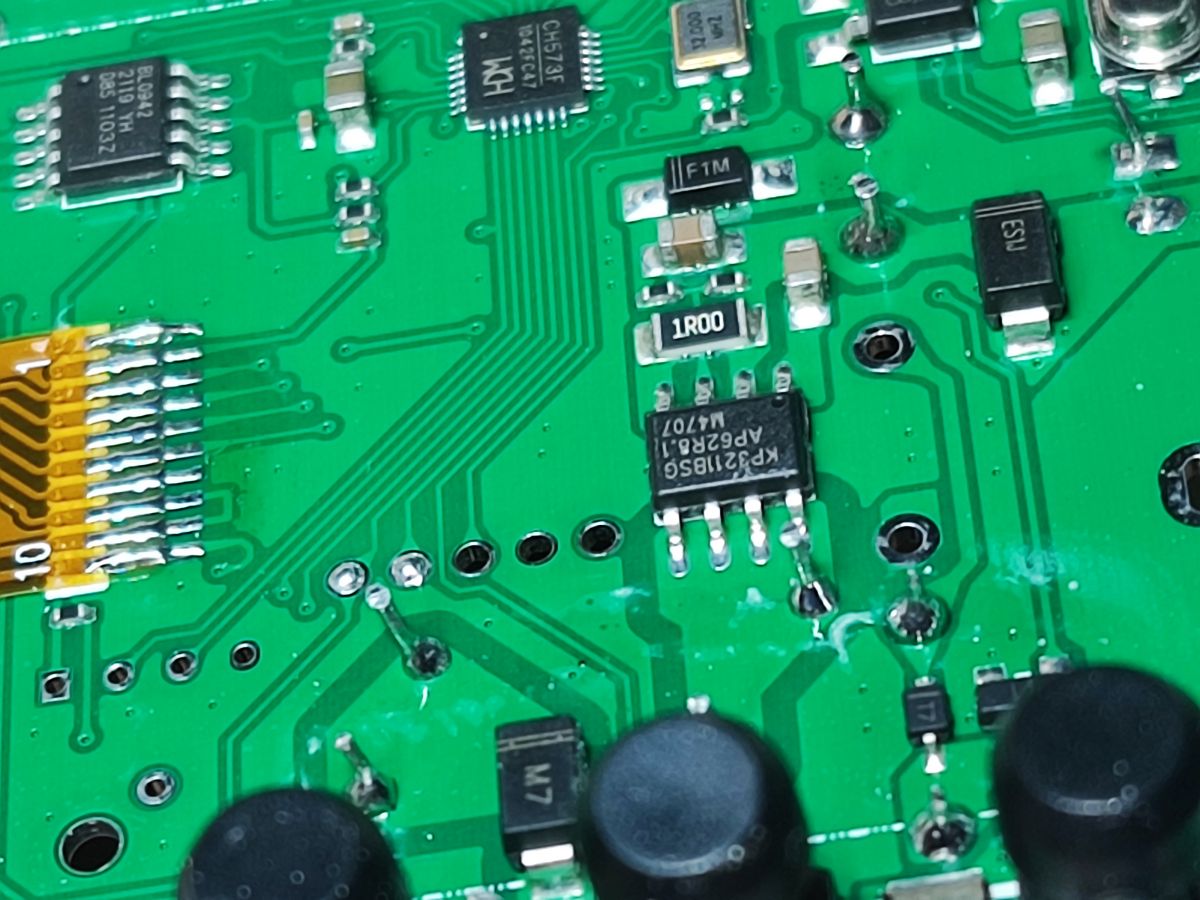
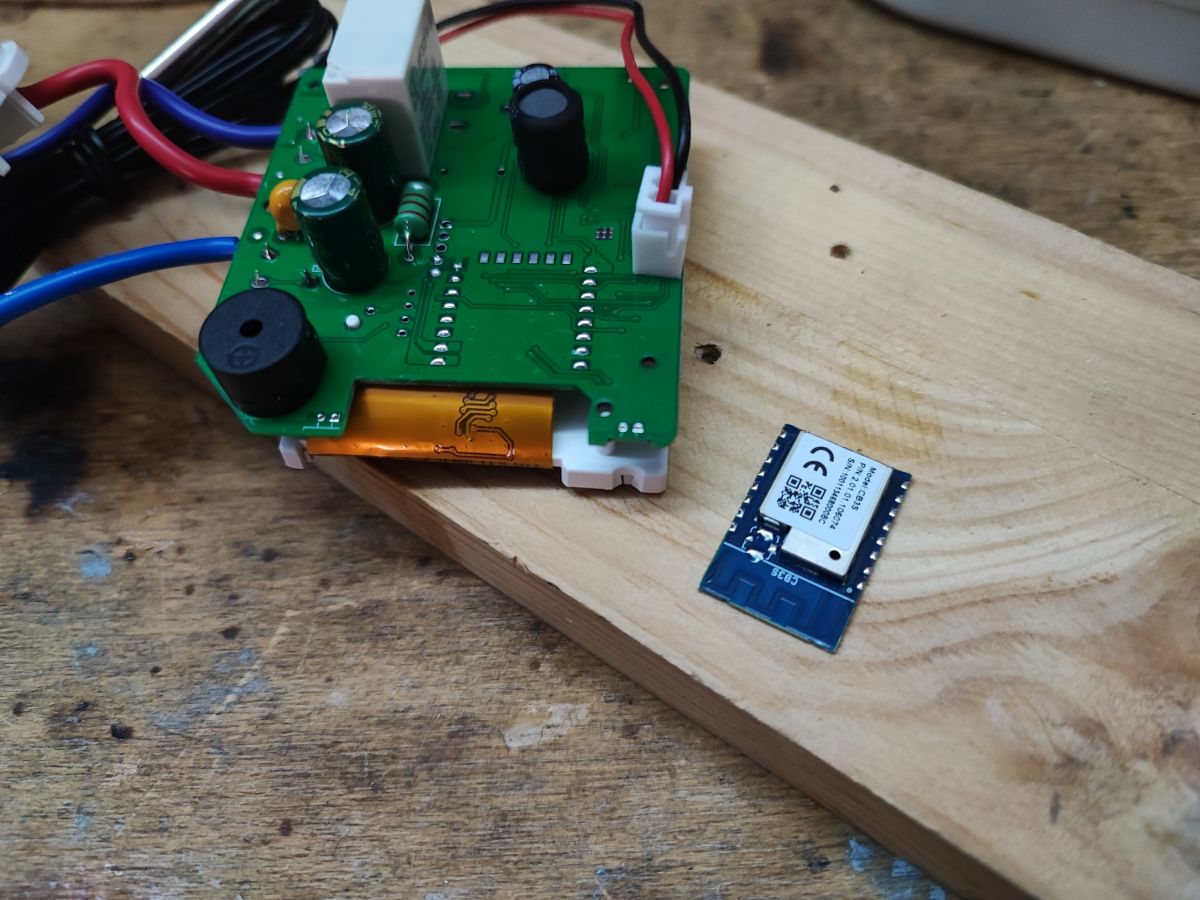
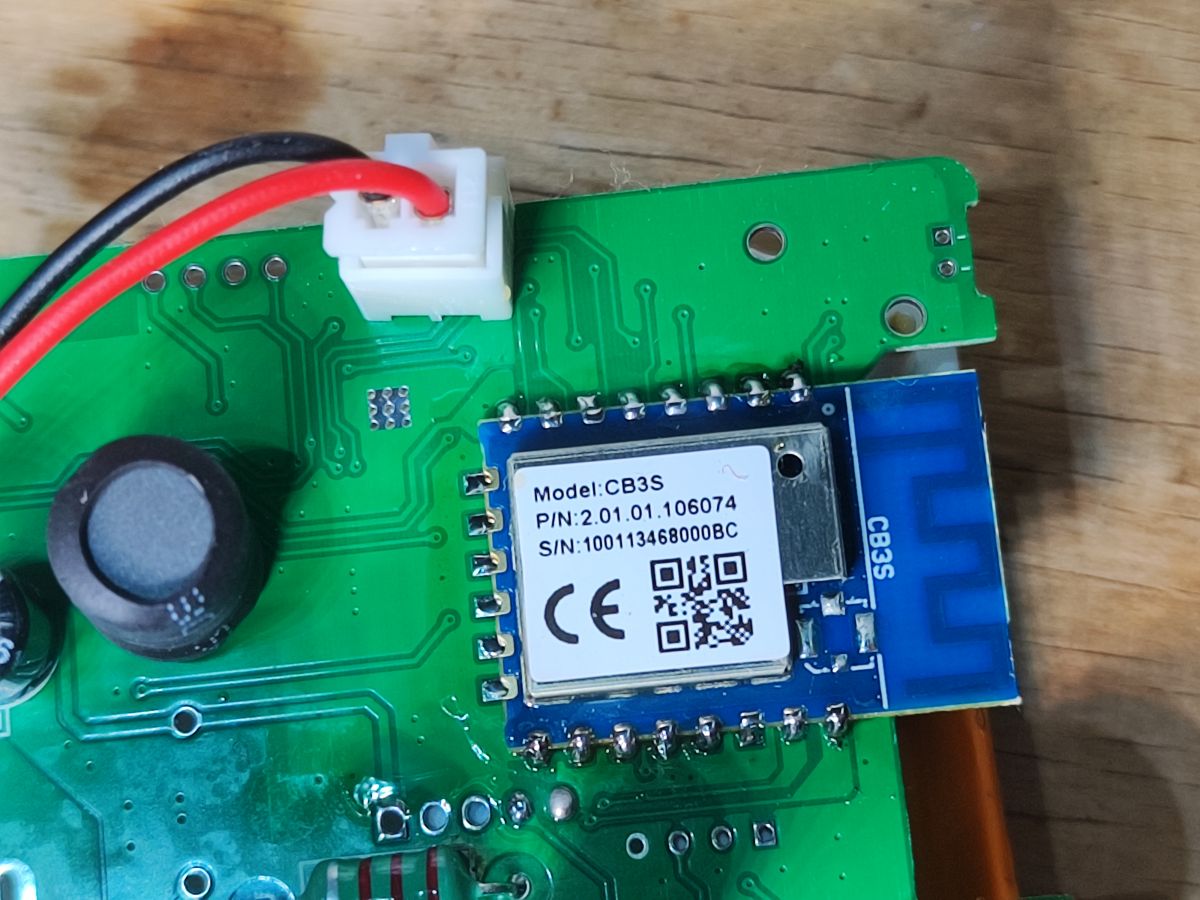
- The S1TW-FR uses a CB3S Wi-Fi module with BK7231N, a BL0942 metering chip, a CH573F 32-bit RISC-V MCU, and an HF32FV-16 relay rated 16 A at 250 VAC. [#21313613]
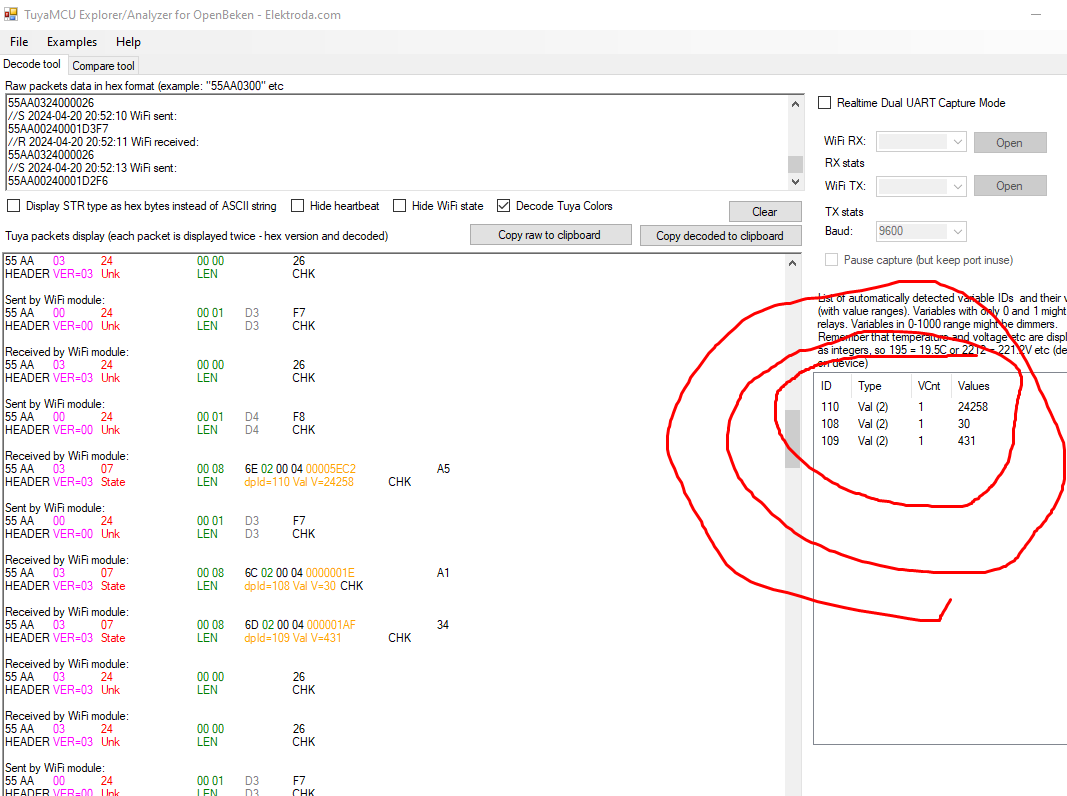
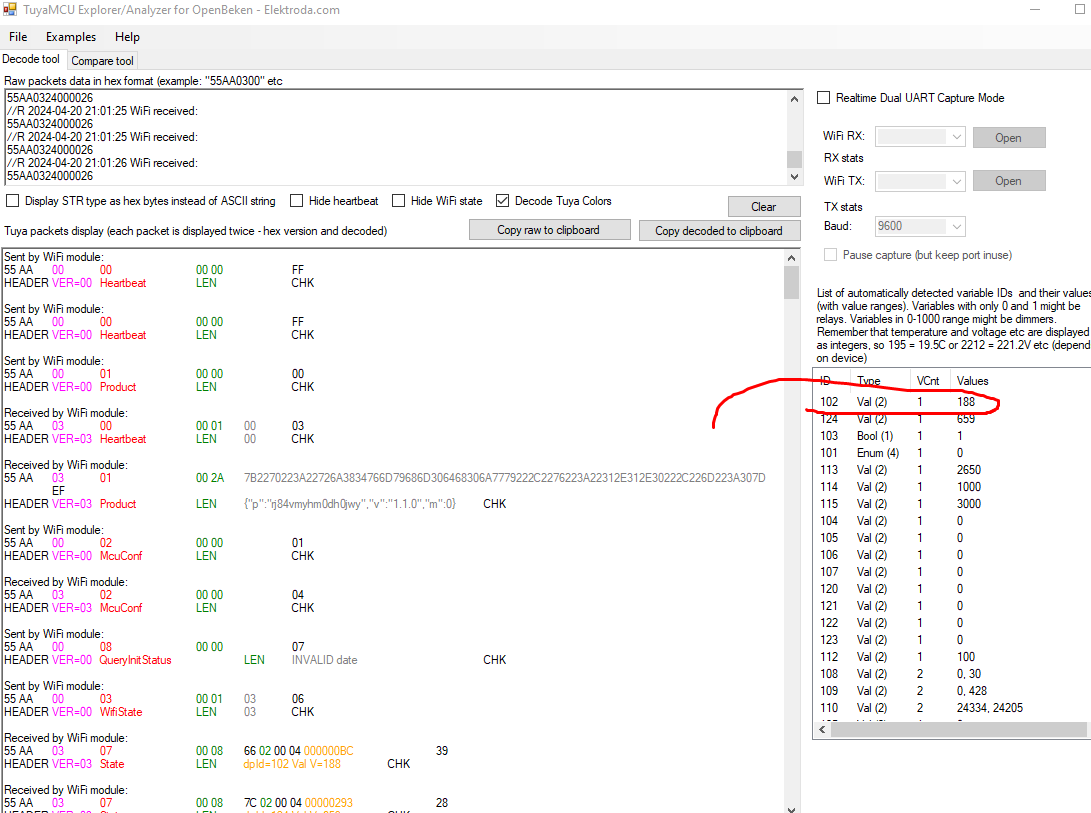
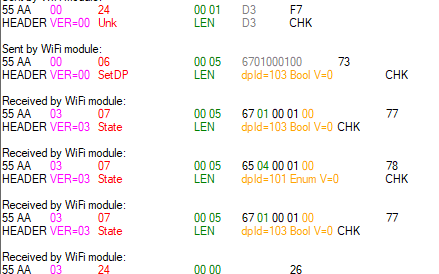
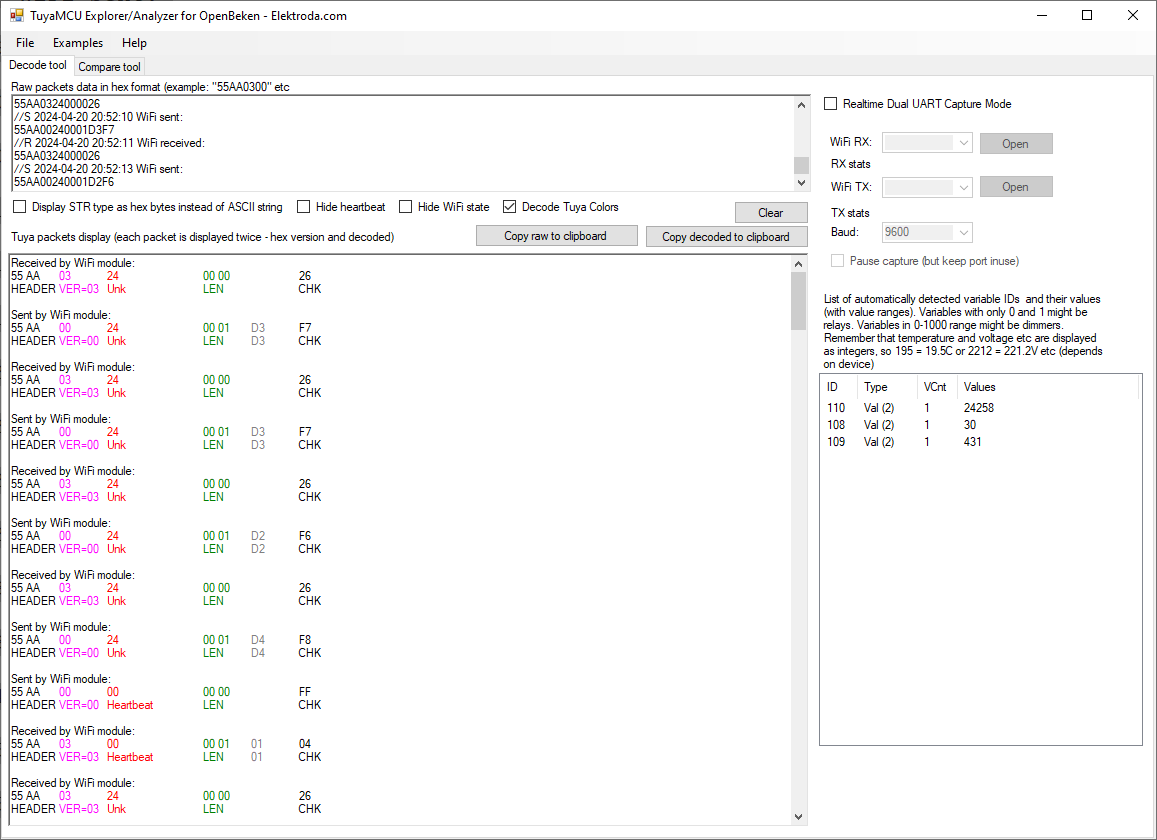
- Measured and mapped TuyaMCU datapoints include dpID 110 = voltage, 108 = current, 109 = power, 103 = relay, and 102 = temperature. [#21313613]
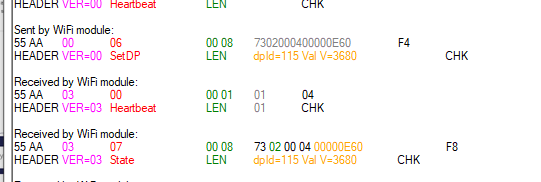
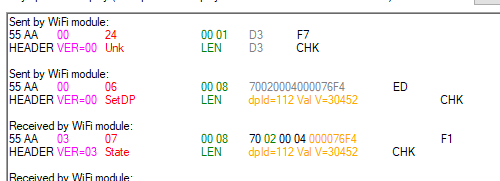
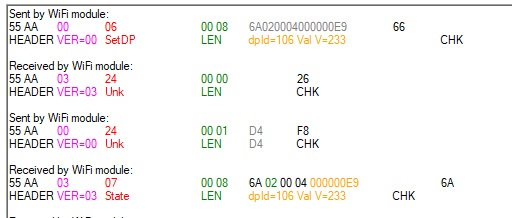
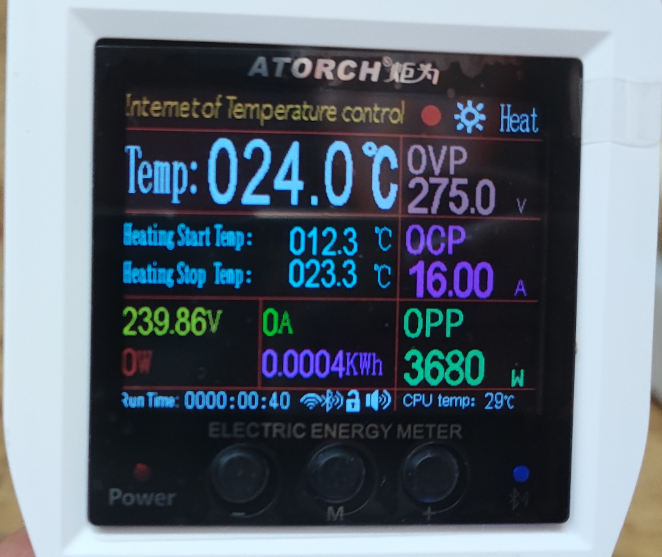
- The thermostat-related Celsius setpoints use integer values scaled by ×10, so 21.7 °C, 25.6 °C, 12.3 °C, and 23.3 °C appear as raw numeric writes. [#21313613]
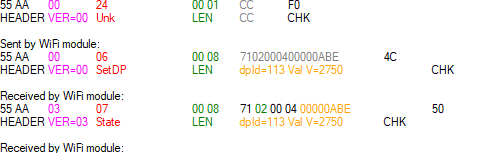
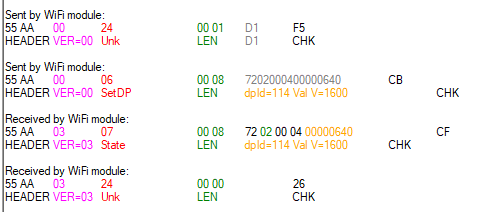
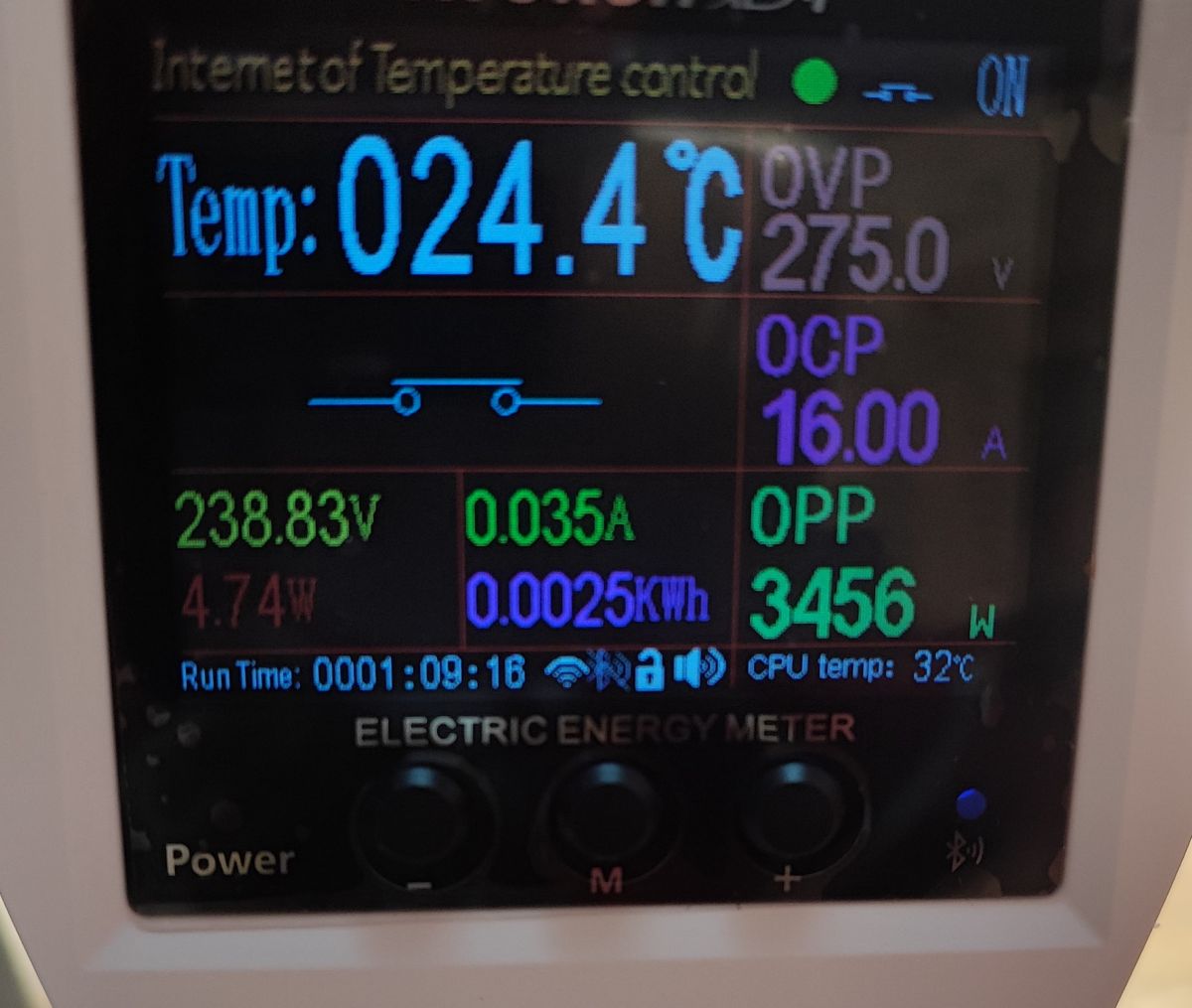
- Protection and control values shown in testing include OVP 265→275 V, OCP 10→16 A, OPP 3000→3680 W, and temperature calibration 0→4.5 °C. [#21313613]
- The built-in MCU model data lists 28 properties from dpID 101 to 128, including energy price, total electricity, child lock, temperature unit, cost, and reporting interval 1–90 s. [#21316251]
How do I convert an Atorch S1TW-FR energy meter/thermostat to run fully locally with OpenBeken and no Tuya cloud?
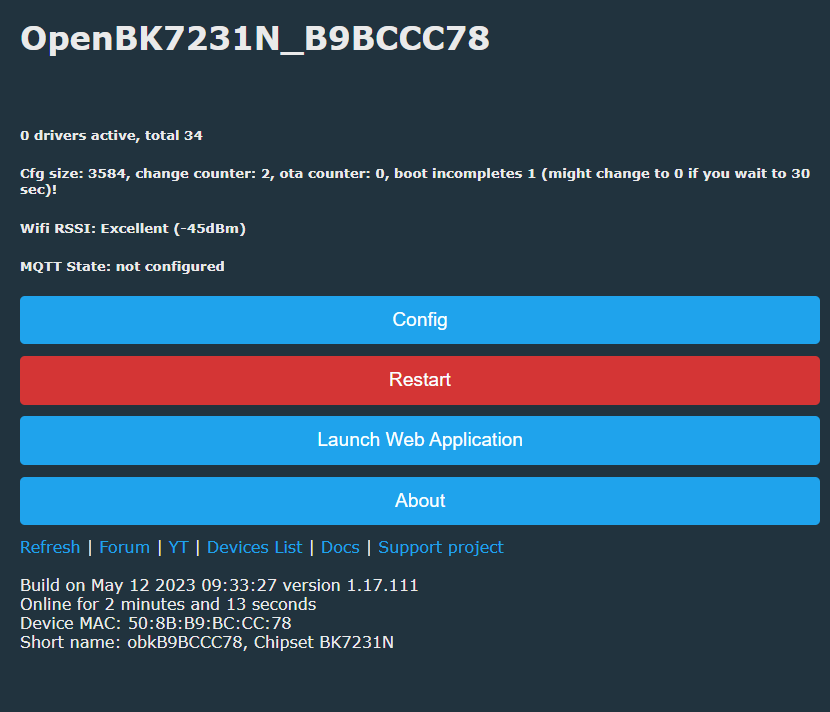
You convert it by flashing OpenBeken to the CB3S Wi-Fi module and then mapping the TuyaMCU dpIDs in
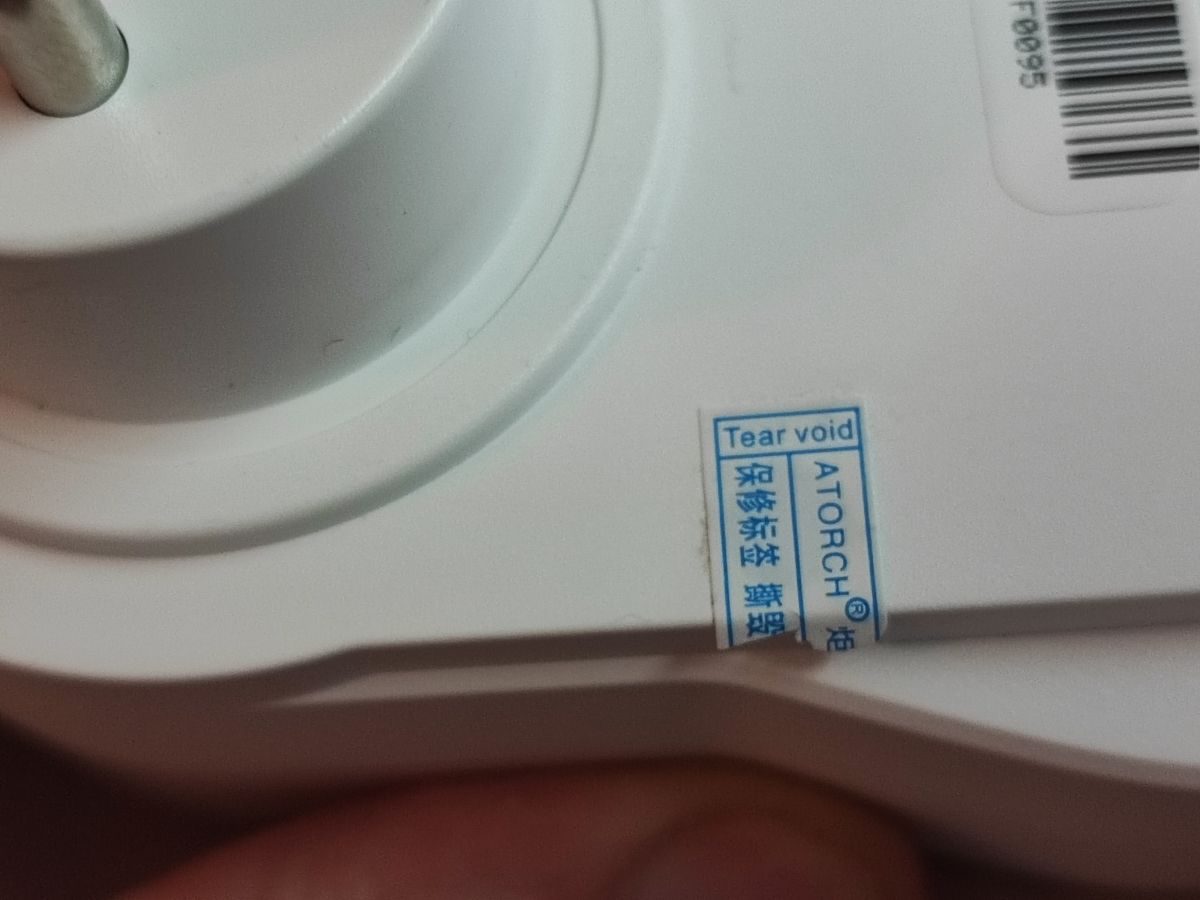
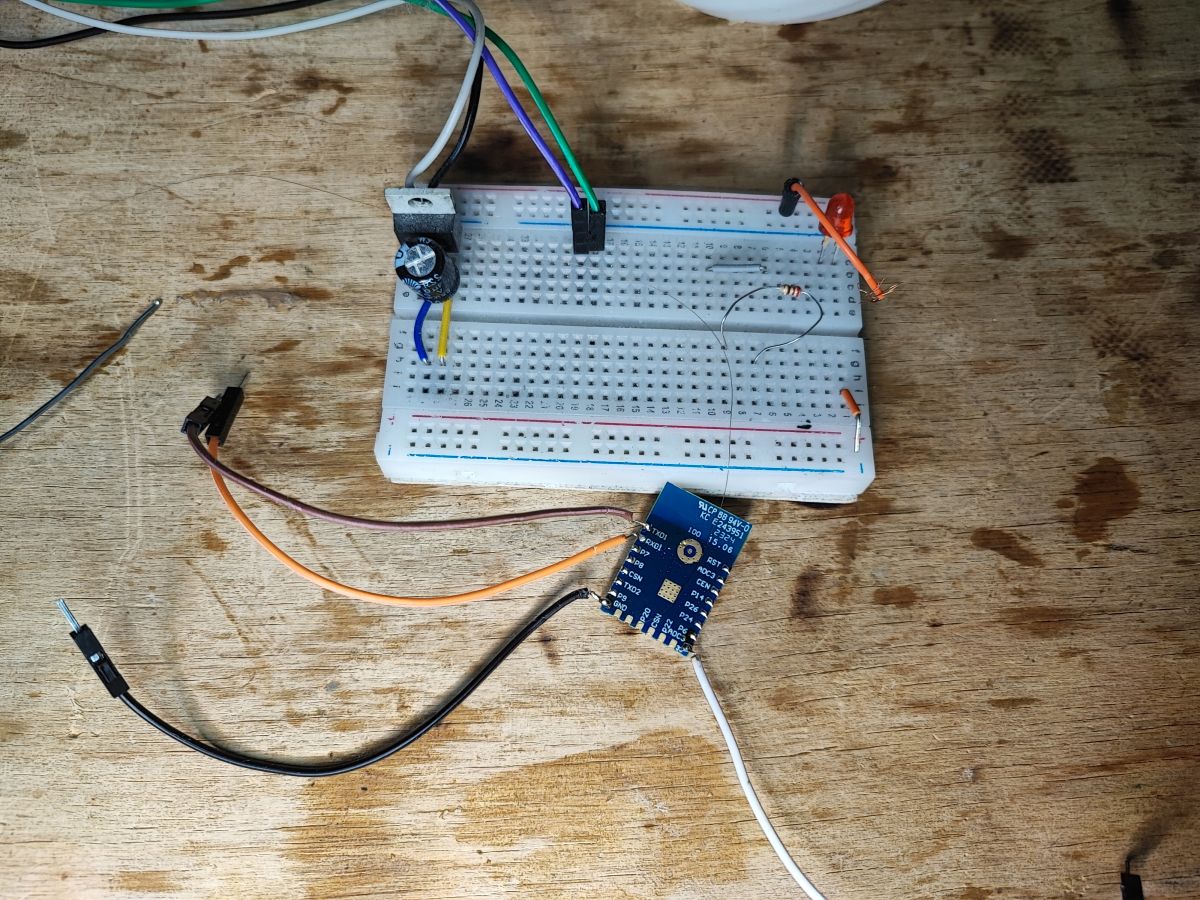
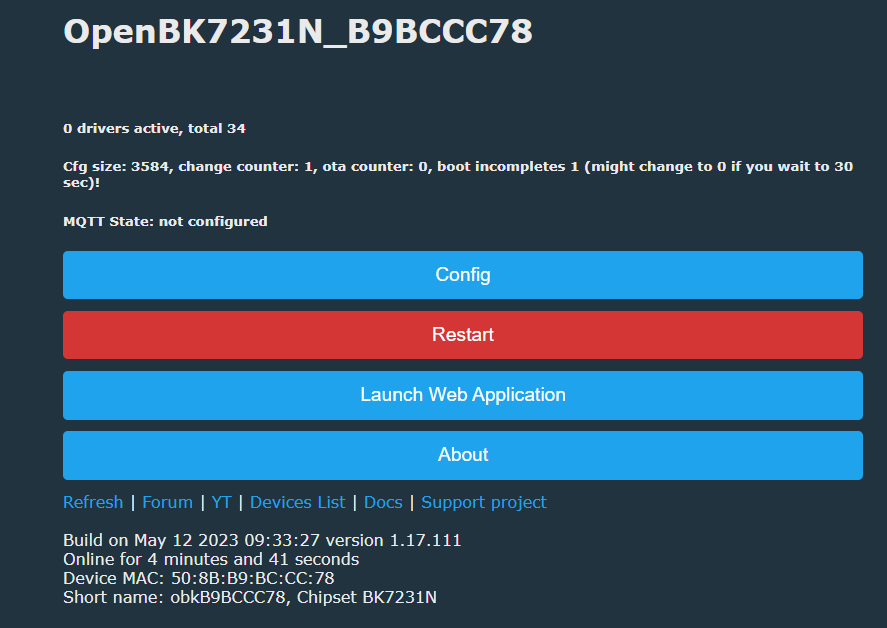
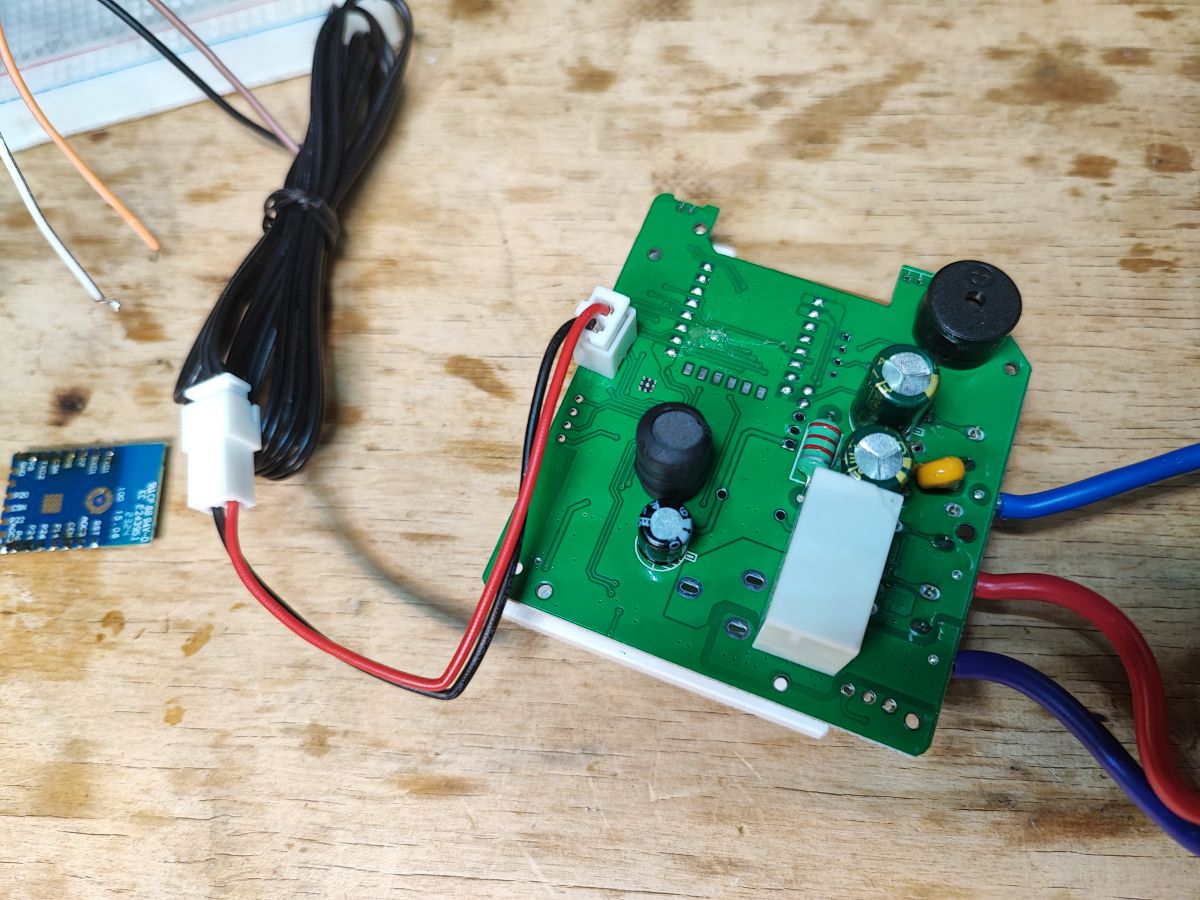
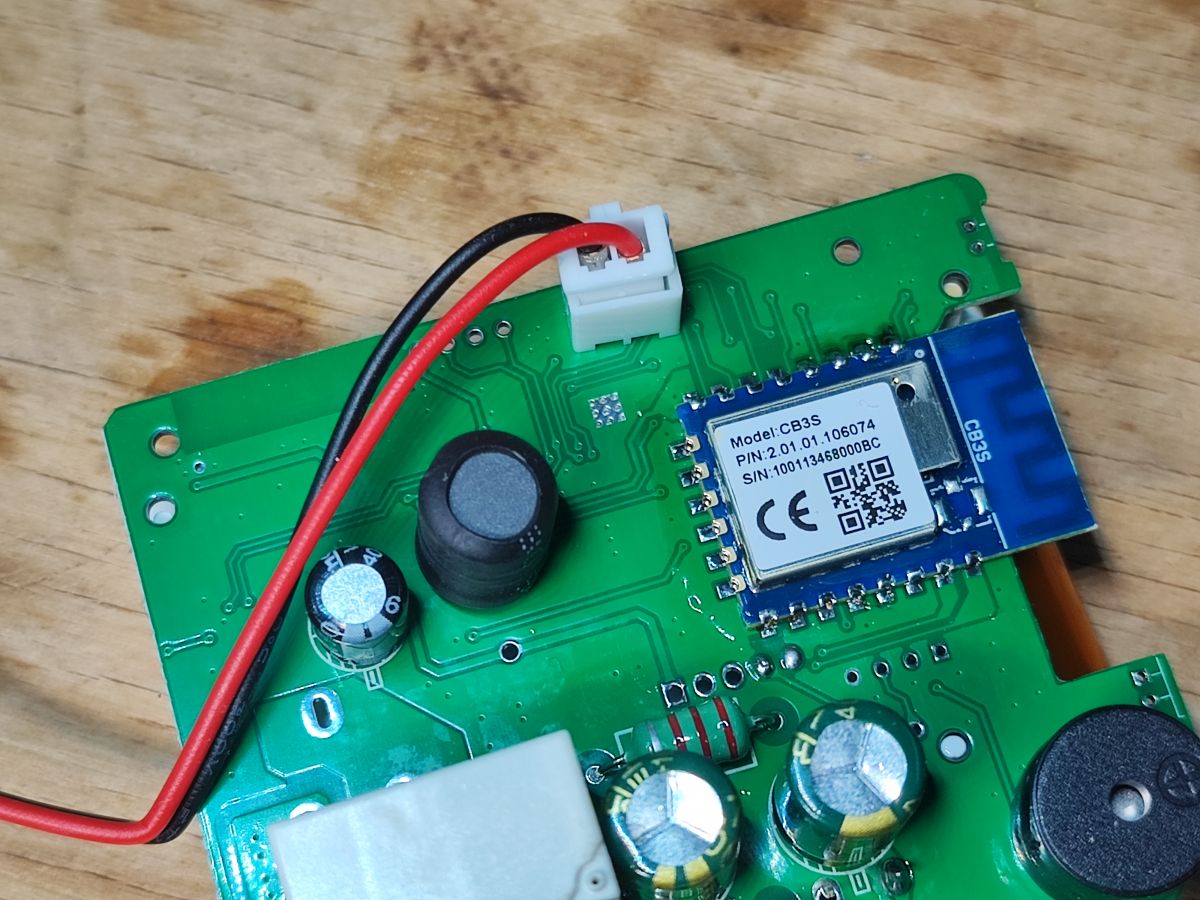
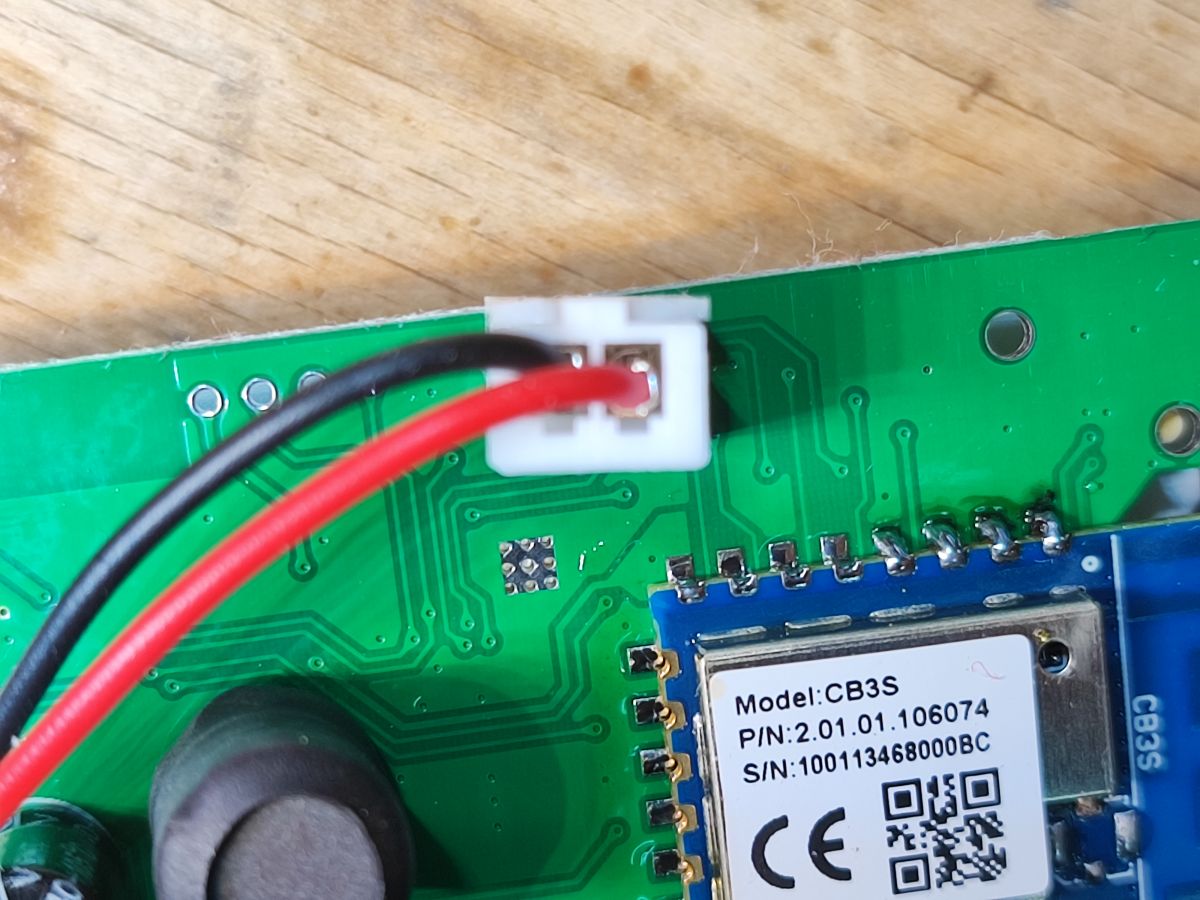
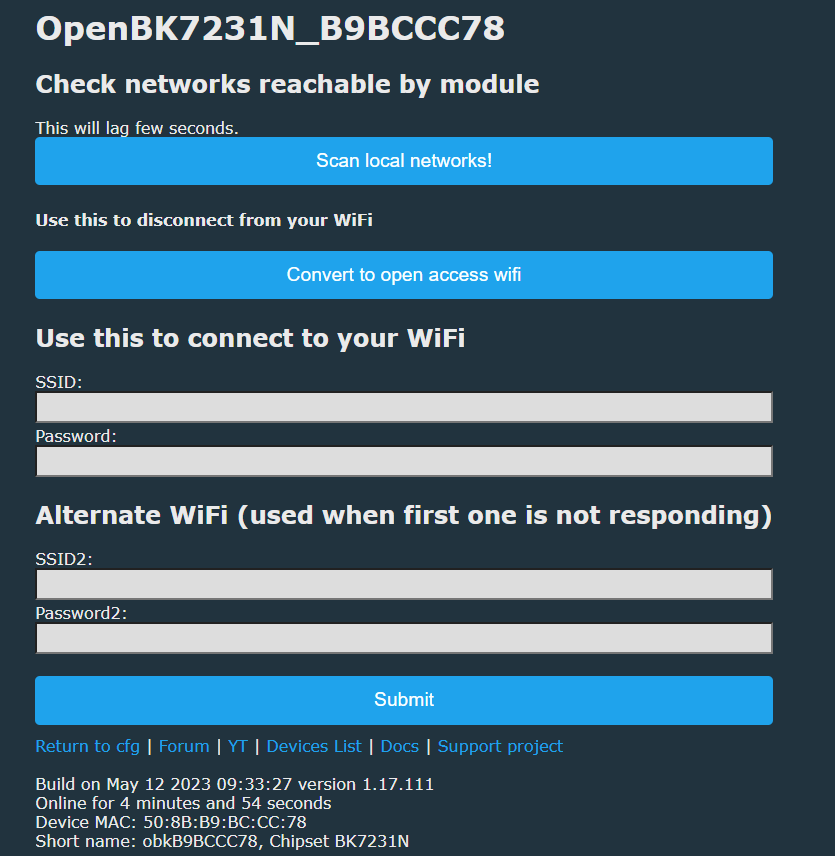
autoexec.bat. 1. Open the device and identify the CB3S/BK7231N module. 2. Remove or isolate the Wi-Fi module from the MCU UART, flash OpenBeken, then resolder it. 3. Start
TuyaMCU, set
tuyaMCU_defWiFiState 4, and link dpIDs for relay, metering, temperature, and thermostat controls. That restores local LCD operation, relay control, time sync, and thermostat features without Tuya servers.
[#21313613]
What is TuyaMCU, and how does it affect flashing and configuring the S1TW-FR?
"TuyaMCU" is a serial control architecture that splits a device into a Wi-Fi module and a separate microcontroller, with the MCU handling device logic and exchanging dpID-based packets over UART. On the S1TW-FR, the Wi-Fi module shares its UART with programming, so you must remove the module or cut its MCU connection before flashing. After flashing, OpenBeken must talk back to the MCU using the same dpIDs and simulated Wi-Fi state, or the LCD stays incomplete.
[#21313613]
What is a dpID in Tuya devices, and how do I map dpIDs to OpenBeken channels on the Atorch S1TW-FR?
"dpID" is a Tuya datapoint identifier that names one device function, such as relay state, voltage, or a thermostat setpoint, and carries a typed value like bool, val, or enum. On the S1TW-FR, you map dpIDs with
linkTuyaMCUOutputToChannel. Example mappings are
103 bool for relay,
110 val for voltage,
108 val for current,
109 val for power, and
102 val for temperature. Then assign channel types like
Toggle,
Voltage_div100,
Current_div1000,
Power_div100, or
Temperature_div10.
[#21313613]
Which components are inside the Atorch S1TW-FR, including the CB3S, BK7231N, BL0942, CH573F, and HF32FV-16 relay?
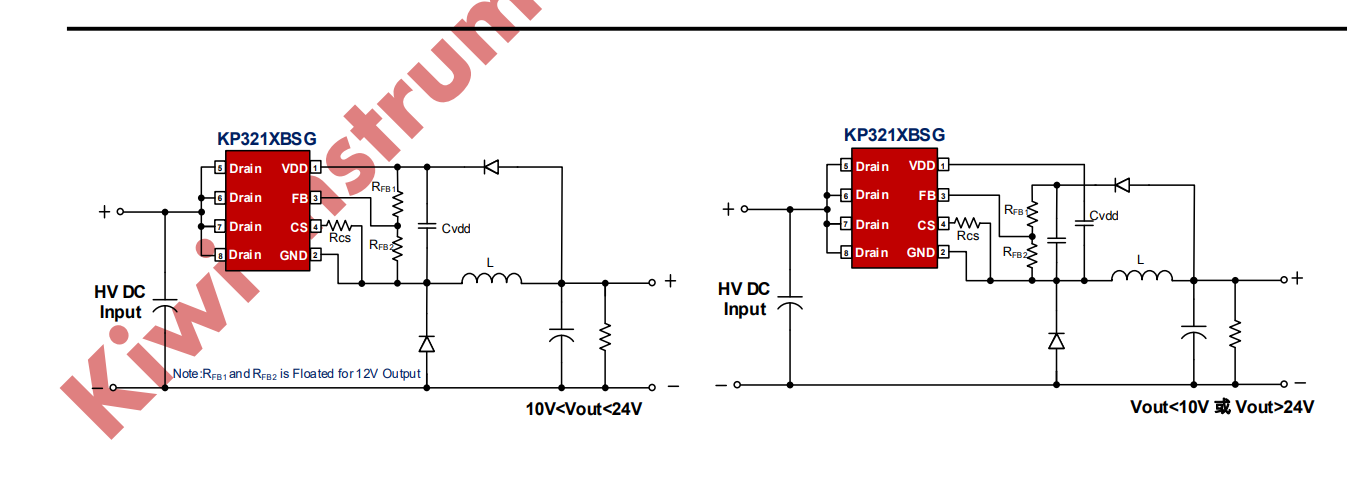
The S1TW-FR contains a CB3S Wi-Fi module based on BK7231N, a BL0942 metering IC, a CH573F 32-bit RISC-V MCU, and an HF32FV-16 relay rated 16 A at 250 VAC. The board also uses a 3.3 V LDO and a KP3211BSG non-isolated power supply controller. The BL0942 measures voltage, current, and power, while the CH573F manages the TuyaMCU side and LCD logic.
[#21313613]
How can I safely intercept UART communication on a non-isolated mains-powered TuyaMCU device like the S1TW-FR?
Use galvanic isolation on both UART lines or use a completely disconnected battery-powered capture setup. The device uses a non-isolated mains supply, and the author explicitly warns that capture should preferably go through suitable opto-isolators on both RX and TX. Direct attachment of a grounded analyzer to a live, non-isolated board is the failure case to avoid.
[#21313613]
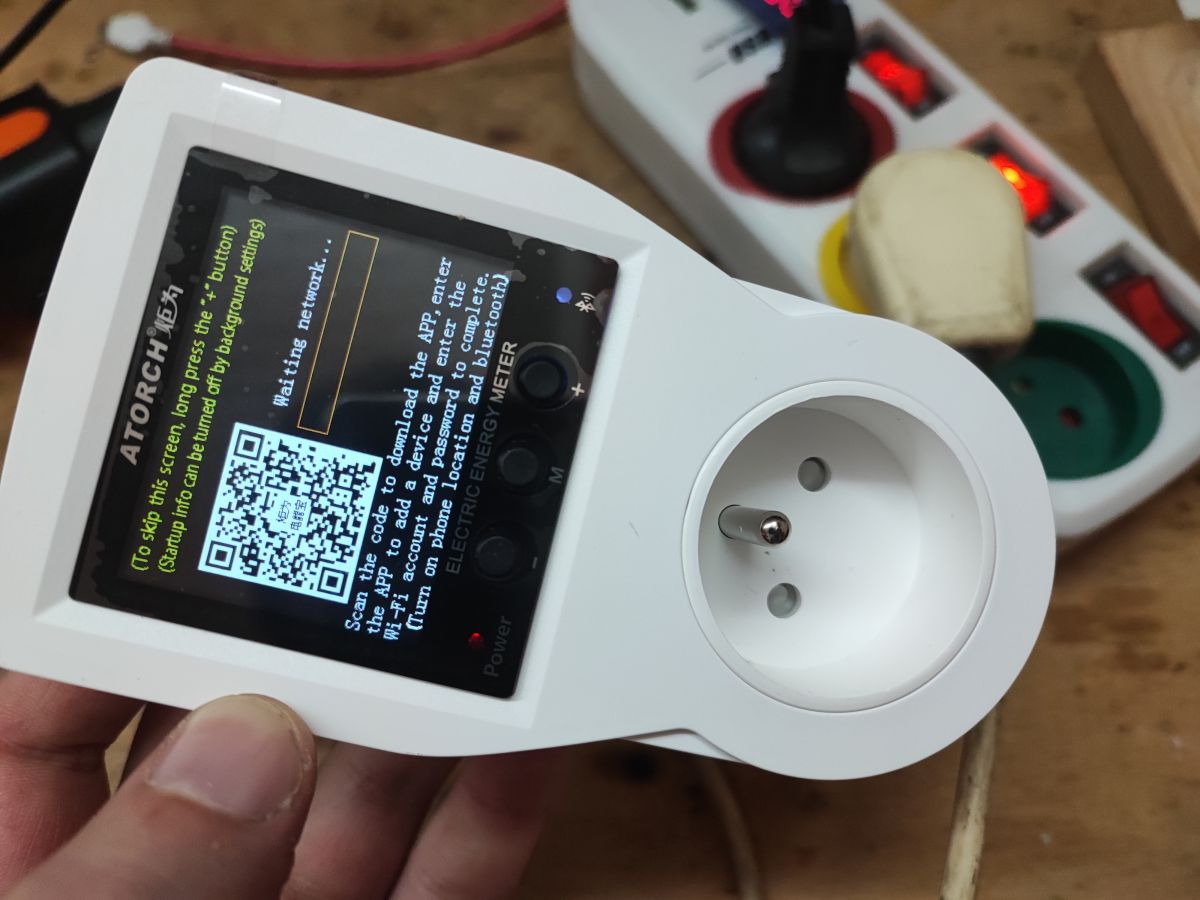
Why does the S1TW-FR LCD stay stuck on startup after flashing OpenBeken, and how do I fix it with tuyaMCU_defWiFiState 4?
The LCD stays stuck because the TuyaMCU expects a valid Wi-Fi/cloud state from the Wi-Fi module after boot. OpenBeken fixes that by starting the TuyaMCU driver and forcing Wi-Fi state
4, which simulates a connected cloud session. The author states this makes the screen respond again even though the device remains fully local.
[#21313613]
What is the minimal autoexec.bat needed to make the Atorch S1TW-FR screen respond after installing OpenBeken?
The minimal
autoexec.bat is two lines plus spacing: start the TuyaMCU driver and set Wi-Fi state
4. Use:
startDriver TuyaMCUtuyaMCU_defWiFiState 4- Reboot or reload the script
That is the smallest working configuration shown to wake the LCD past its startup screen.
[#21313613]
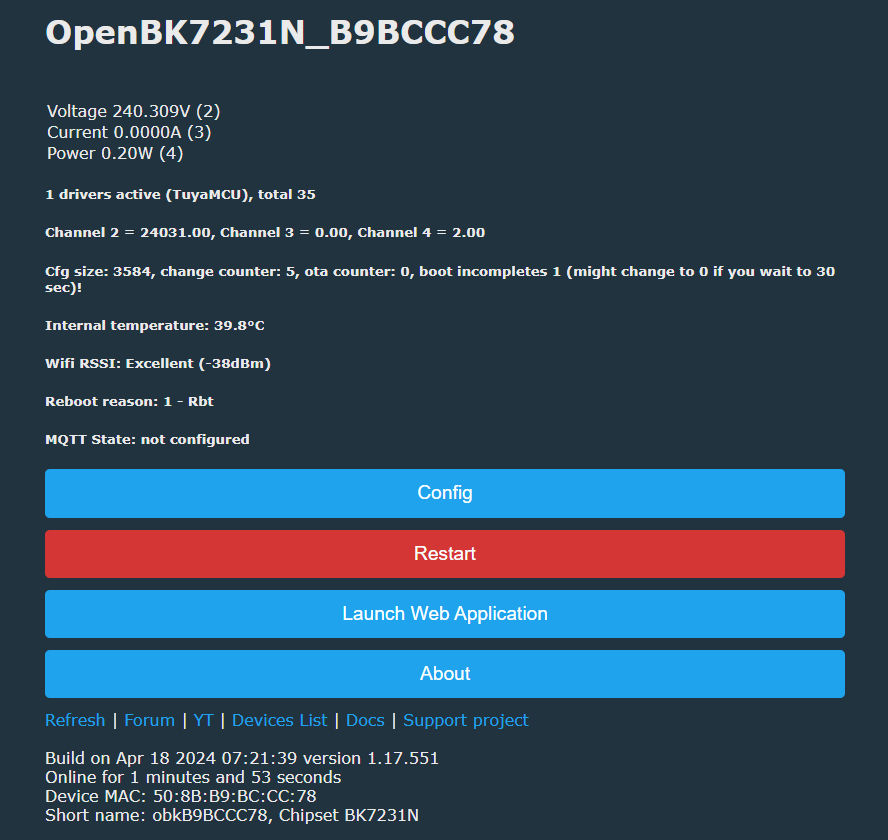
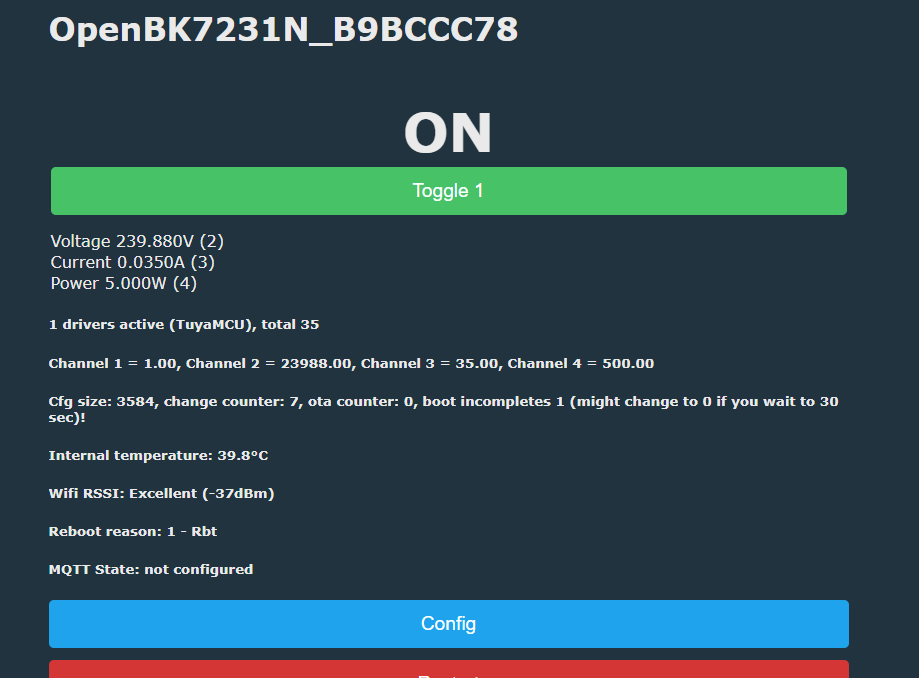
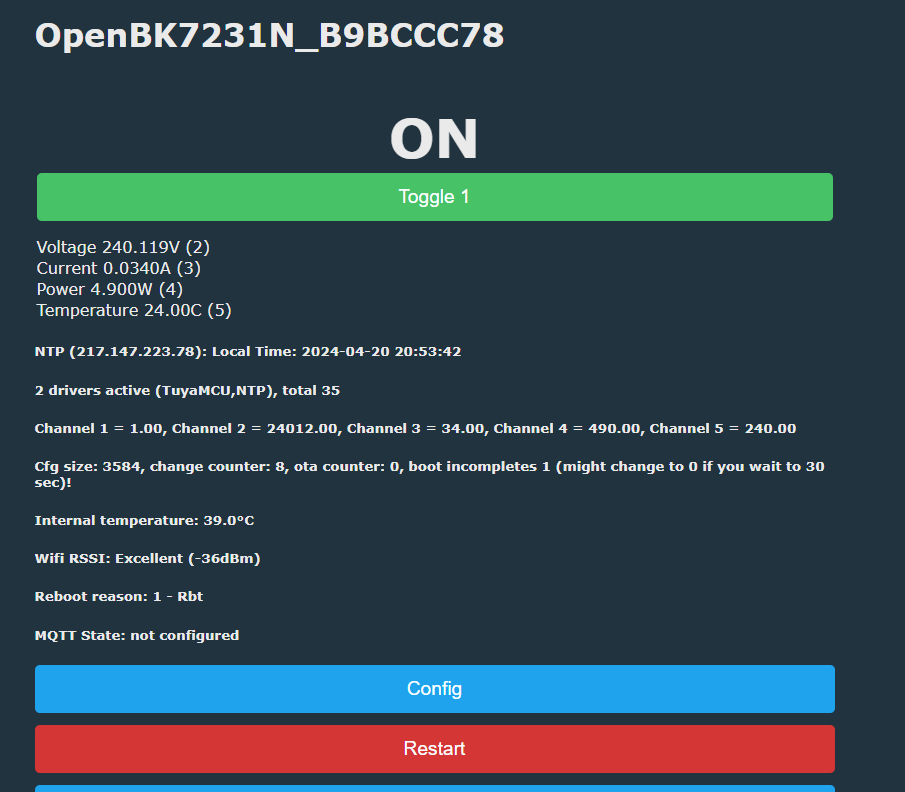
How do I read voltage, current, power, relay state, and temperature from the S1TW-FR in OpenBeken using the correct dpIDs?
Map the known dpIDs to typed OpenBeken channels and use the right scale helpers. The working set shown is relay
103 bool, voltage
110 val, current
108 val, power
109 val, and temperature
102 val. The author uses
Voltage_div100,
Current_div1000,
Power_div100, and
Temperature_div10, then calls
tuyaMcu_sendQueryState to refresh values quickly. That produces live readings in the OBK panel and keeps the device display consistent.
[#21313613]
What’s the difference between using UART capture and the Tuya API to discover dpIDs on a TuyaMCU device?
UART capture shows what the device actually sends during real actions, while the Tuya API can provide model definitions without live sniffing. The thread says the UART step can be replaced when using the Tuya API, but the capture method directly exposed practical mappings such as dpIDs
110,
108,
109,
103, and
102. Later posts also show Tuya model data with names, ranges, enums, and
cloudless flags for dpIDs
101–128.
[#21316251]
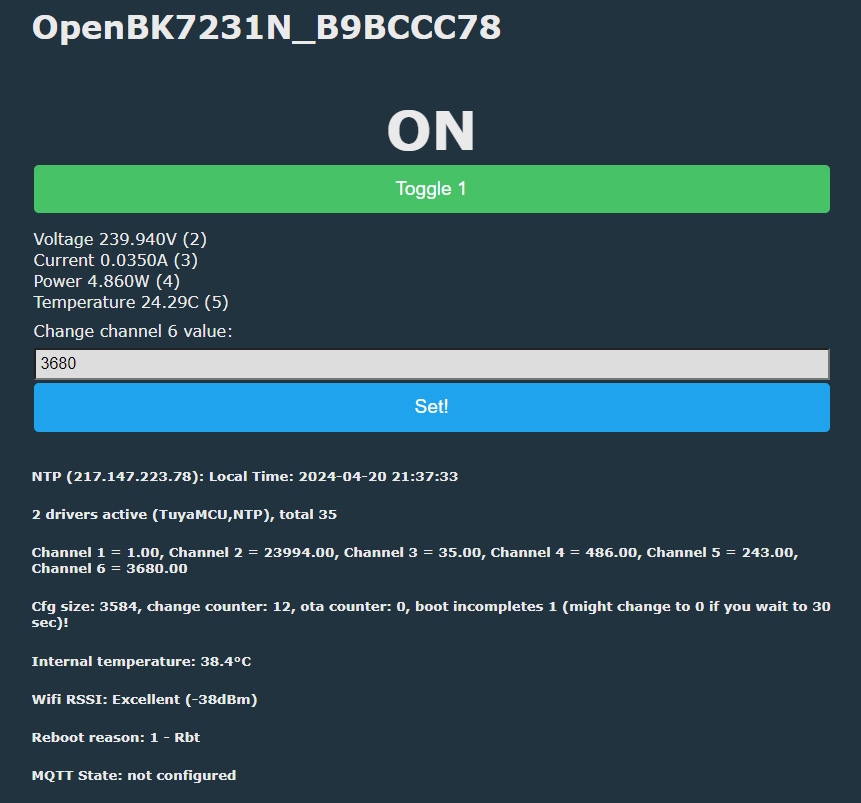
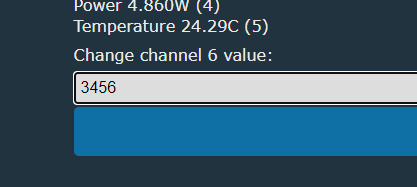
How can I add OVP, OCP, OPP, child lock, temperature calibration, and thermostat setpoints to the OpenBeken web panel for the S1TW-FR?
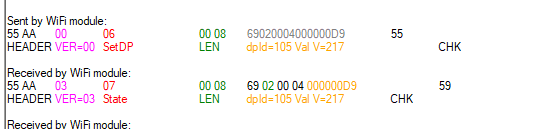
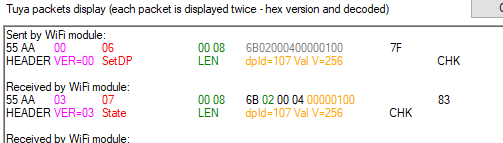
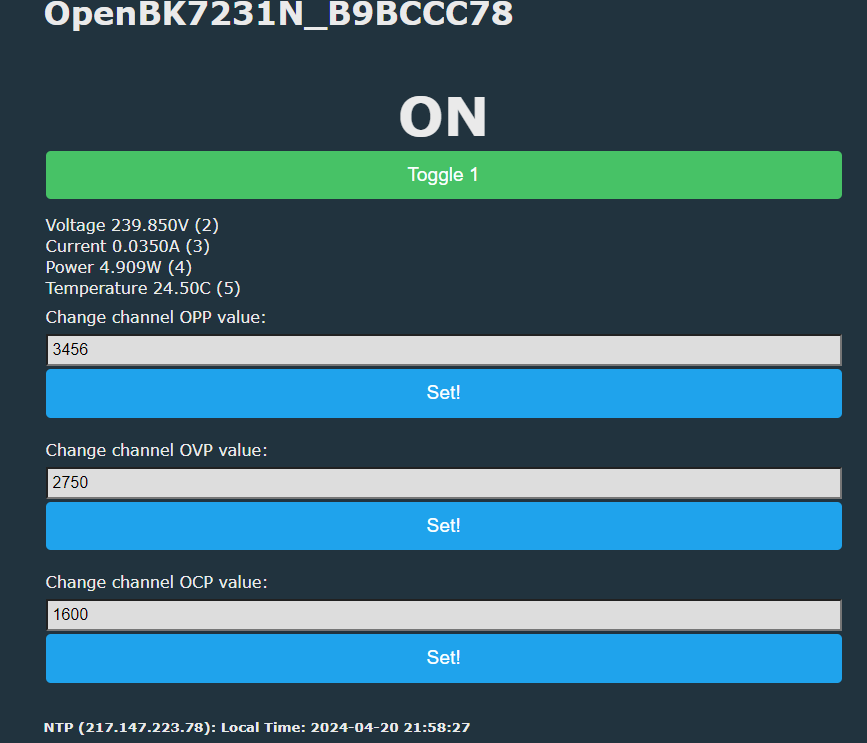
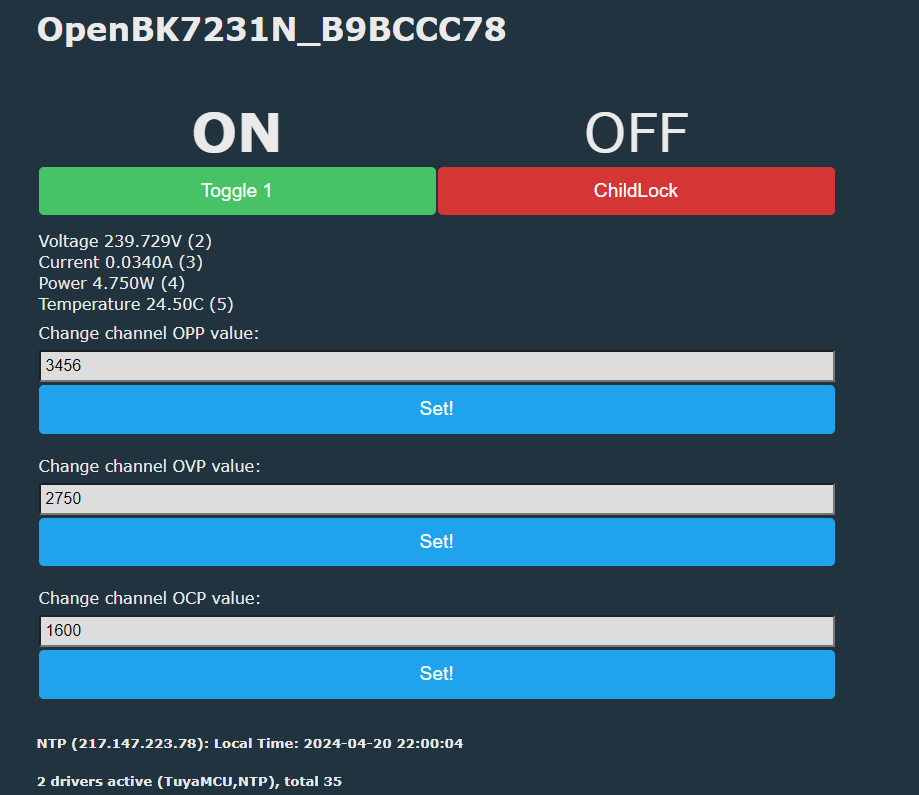
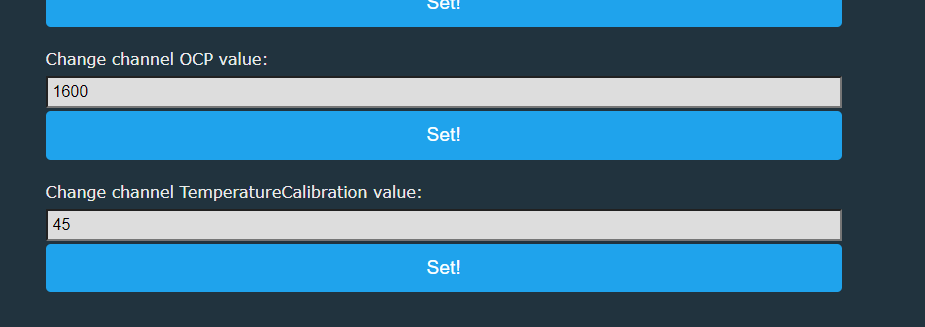
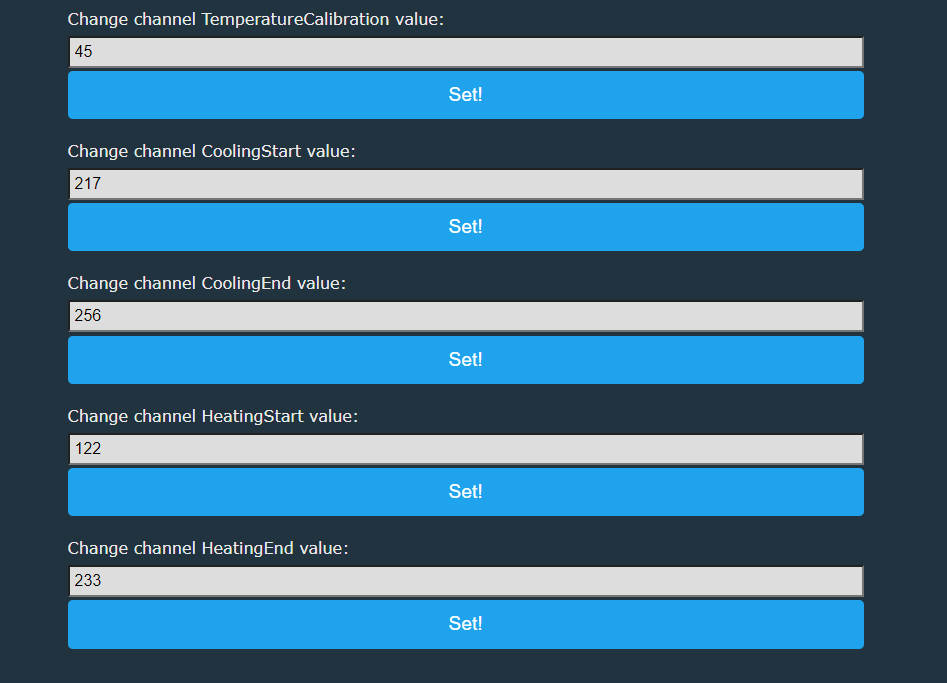
Add them as extra OpenBeken channels and bind each one to its dpID. The thread uses text fields for OPP
115, OVP
113, OCP
114, temperature calibration
117, cooling start
105, cooling end
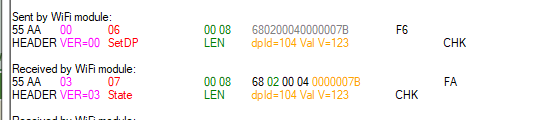
107, heating start
104, and heating end
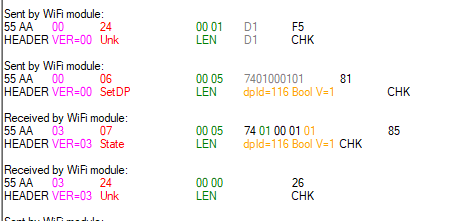
106. It uses a toggle for child lock
116. One practical detail matters: the plain text field does not auto-scale, so entering
45 means a calibration of
4.5 °C.
[#21313613]
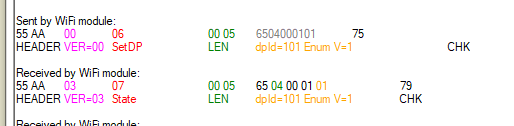
Why does changing the relay state in OpenBeken switch the S1TW-FR back to Manual mode after selecting Heating or Cooling?
Because the device treats relay state and thermostat mode as linked behaviors, changing the relay manually overrides the thermostat mode. The author observed that after selecting Heating with mode buttons, toggling the relay at the top of the OBK page makes the unit return to Manual. On this device, mode enum
101 and relay state
103 are not independent in practice.
[#21313613]
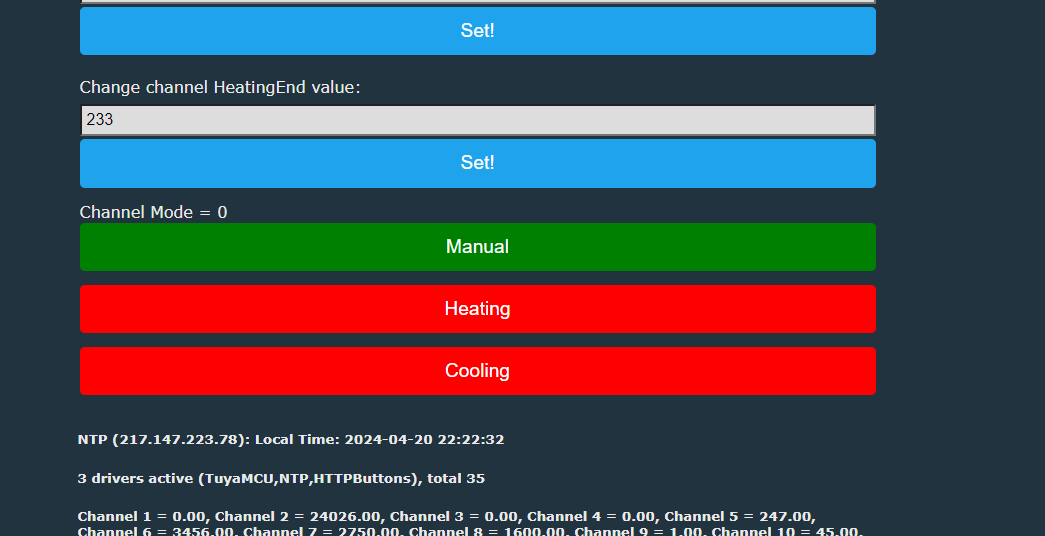
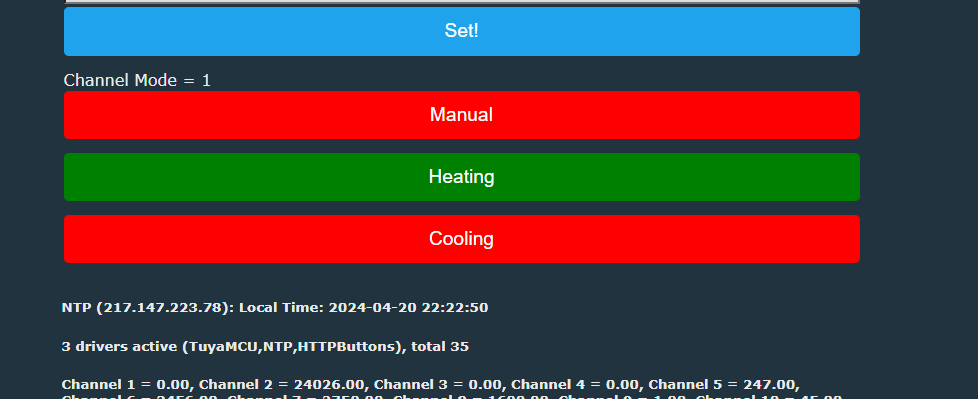
How do I use the OpenBeken HTTPButtons driver to create readable Manual, Heating, and Cooling mode buttons for a TuyaMCU thermostat?
Use a read-only channel for mode, then attach three HTTPButtons that write values
0,
1, and
2. The example sets labels
Manual,
Heating, and
Cooling, sends
setChannel 15 0/1/2, and uses
addChangeHandler rules to color the active button green and the others red. The mapped mode dpID is
101, where
0 = manual,
1 = heating, and
2 = cooling.
[#21313613]
What do the S1TW-FR mode enum values "socket", "hot", and "colding" mean in the Tuya or Cloudcutter profile?
They mean Manual, Heating, and Cooling mode. The thread first shows the raw enum values
socket,
hot, and
colding, then clarifies that this device supports three operating modes: manual, cooling, and heating. “Colding” is treated as a misspelled vendor string for cooling, not a separate function.
[#21316512]
How does the Tuya app MCU OTA update work for the CH573F on the S1TW-FR, and what changes between firmware versions like 1.1.0?
The Tuya app can offer an MCU OTA update when the CH573F firmware is below version
1.1.0. A follow-up post says the app downloads a binary for that update and shares the file for reference. The thread does not document feature changes between versions, only that the update prompt appears when the MCU version is lower than
1.1.0.
[#21315885]
What information in Tuya Cloudcutter or Tuya model definitions can be converted automatically into an OpenBeken autoexec.bat for TuyaMCU devices?
You can convert dpID numbers, access modes, value ranges, scales, enums, names, and
cloudless flags into much of an
autoexec.bat template. The thread shows a full model with properties
101–128, including names like
cur_voltage,
cur_power,
ovp,
ocp,
opp,
child_lock, and
reporting_interval. The remaining limit is that some extracted profiles may expose enums and IDs but still lack enough semantic detail to identify every function with certainty without live testing.
[#21316251]
AI summary based on the discussion. May contain errors.







Comments
Nicely detailed posting, thank you! If the TuyaMCU (CH537F) is a lower version than 1.1.0, the Tuya app will offer an update. I attach the OTA binary the Tuya app downloads to update the MCU - for... [Read more]
And here is firmware dump of the described device (before pairing): https://github.com/openshwprojects/FlashDumps/commit/46d6a6584563a567d0cd32b849ab2a96c7972d34 If you have a Tuya developer account... [Read more]
yes, thanks. I have been working my way through those dumps submitting some for Cloudcutter profiles. I don't have working API access at the moment. Here's the profile for the S1TW-FR https://git... [Read more]
Nice, but it would be nice if they gave the credit for the flash files: https://github.com/openshwprojects/FlashDumps By the way, do every TuyaMCU device there has this definitions? { "mode":... [Read more]
hmm. not sure really. I've definitely seen quite a few with what look like dpIDs set and I assumed they were for TuyaMCU devices. I'm not that clued up on the inner workings of CC and how the profiles... [Read more]
The enumeration matches: "range": [ "socket", "hot", "colding" ], so it's nice and helpful, however, it seems that remaining dpIDs have no names there? So it's not... [Read more]
original { "result": { "model": "{\"modelId\":\"000004fatz\",\"services\":[{\"actions\":[],\"code\":\"\",\"description\":\"\",\"events\":[],\"name\":\"默认服务\",\"properties\":[{\"abilityId\":101,\"accessMode\":\"rw\",\"code\":\"mode\",\"description\":\"\",\"extensions\":{\"iconName\":\"icon-dp_mode\",\"cloudless\":1,\"attribute\":\"4096\"},\"name\":\"模式切换\",\"typeSpec\":{\"type\":\"enum\",\"range\":[\"socket\",\"hot\",\"colding\"]}},{\"abilityId\":102,\"accessMode\":\"ro\",\"code\":\"temp_current\",\"description\":\"\",\"extensions\":{\"trigger\":\"direct\"},\"name\":\"当前温度(℃)\",\"typeSpec\":{\"type\":\"value\",\"max\":1200,\"min\":-200,\"scale\":1,\"step\":1,\"unit\":\"℃\"}},{\"abilityId\":103,\"accessMode\":\"rw\",\"code\":\"switch\",\"description\":\"\",\"extensions\":{\"iconName\":\"icon-dp_power2\",\"attribute\":\"4096\"},\"name\":\"开关\",\"typeSpec\":{\"type\":\"bool\"}},{\"abilityId\":104,\"accessMode\":\"rw\",\"code\":\"heating_temp_start\",\"description\":\"\",\"extensions\":{\"cloudless\":1,\"trigger\":\"direct\"},\"name\":\"制热启动温度\",\"typeSpec\":{\"type\":\"value\",\"max\":1200,\"min\":-200,\"scale\":1,\"step\":1,\"unit\":\"℃\"}},{\"abilityId\":105,\"accessMode\":\"rw\",\"code\":\"cryogenic_temp_start\",\"description\":\"\",\"extensions\":{\"cloudless\":1,\"trigger\":\"direct\"},\"name\":\"制冷启动温度\",\"typeSpec\":{\"type\":\"value\",\"max\":1200,\"min\":-200,\"scale\":1,\"step\":1,\"unit\":\"℃\"}},{\"abilityId\":106,\"accessMode\":\"rw\",\"code\":\"heating_temp_stop\",\"description\":\"\",\"extensions\":{\"cloudless\":1,\"trigger\":\"direct\"},\"name\":\"制热停止温度\",\"typeSpec\":{\"type\":\"value\",\"max\":1200,\"min\":-200,\"scale\":1,\"step\":1,\"unit\":\"℃\"}},{\"abilityId\":107,\"accessMode\":\"rw\",\"code\":\"cryogenic_temp_stop\",\"description\":\"\",\"extensions\":{\"cloudless\":1,\"trigger\":\"direct\"},\"name\":\"制冷停止温度\",\"typeSpec\":{\"type\":\"value\",\"max\":1200,\"min\":-200,\"scale\":1,\"step\":1,\"unit\":\"℃\"}},{\"abilityId\":108,\"accessMode\":\"ro\",\"code\":\"cur_current\",\"description\":\"\",\"extensions\":{\"iconName\":\"icon-dp_0\",\"attribute\":\"4096\"},\"name\":\"当前电流\",\"typeSpec\":{\"type\":\"value\",\"max\":30000,\"min\":0,\"scale\":3,\"step\":1,\"unit\":\"A\"}},{\"abilityId\":109,\"accessMode\":\"ro\",\"code\":\"cur_power\",\"description\":\"\",\"extensions\":{\"iconName\":\"icon-gaodiyin\",\"attribute\":\"4096\",\"trigger\":\"direct\"},\"name\":\"当前功率\",\"typeSpec\":{\"type\":\"value\",\"max\":1000000,\"min\":0,\"scale\":2,\"step\":1,\"unit\":\"W\"}},{\"abilityId\":110,\"accessMode\":\"ro\",\"code\":\"cur_voltage\",\"description\":\"\",\"extensions\":{\"iconName\":\"icon-dianliang\",\"attribute\":\"4096\"},\"name\":\"当前电压\",\"typeSpec\":{\"type\":\"value\",\"max\":30000,\"min\":0,\"scale\":2,\"step\":1,\"unit\":\"V\"}},{\"abilityId\":111,\"accessMode\":\"ro\",\"code\":\"total_electricity\",\"description\":\"\",\"name\":\"总电量\",\"typeSpec\":{\"type\":\"value\",\"max\":99999999,\"min\":0,\"scale\":3,\"step\":1,\"unit\":\"KWH\"}},{\"abilityId\":112,\"accessMode\":\"rw\",\"code\":\"electricity_price\",\"description\":\"\",\"extensions\":{\"cloudless\":1,\"trigger\":\"direct\"},\"name\":\"电费单价\",\"typeSpec\":{\"type\":\"value\",\"max\":99999,\"min\":0,\"scale\":2,\"step\":1,\"unit\":\"\"}},{\"abilityId\":113,\"accessMode\":\"rw\",\"code\":\"ovp\",\"description\":\"\",\"extensions\":{\"trigger\":\"direct\"},\"name\":\"过压报警值\",\"typeSpec\":{\"type\":\"value\",\"max\":2750,\"min\":0,\"scale\":1,\"step\":1,\"unit\":\"V\"}},{\"abilityId\":114,\"accessMode\":\"rw\",\"code\":\"ocp\",\"description\":\"\",\"extensions\":{\"trigger\":\"direct\"},\"name\":\"过流报警值\",\"typeSpec\":{\"type\":\"value\",\"max\":1600,\"min\":0,\"scale\":2,\"step\":1,\"unit\":\"A\"}},{\"abilityId\":115,\"accessMode\":\"rw\",\"code\":\"opp\",\"description\":\"\",\"extensions\":{\"trigger\":\"direct\"},\"name\":\"过功率报警值\",\"typeSpec\":{\"type\":\"value\",\"max\":3680,\"min\":0,\"scale\":0,\"step\":1,\"unit\":\"W\"}},{\"abilityId\":116,\"accessMode\":\"rw\",\"code\":\"child_lock\",\"description\":\"\",\"extensions\":{\"iconName\":\"icon-dp_power2\",\"cloudless\":1,\"attribute\":\"4096\"},\"name\":\"童锁\",\"typeSpec\":{\"type\":\"bool\"}},{\"abilityId\":117,\"accessMode\":\"rw\",\"code\":\"temp_calibration\",\"description\":\"\",\"extensions\":{\"iconName\":\"icon-dp_loop\",\"cloudless\":1,\"attribute\":\"4096\"},\"name\":\"温度校准\",\"typeSpec\":{\"type\":\"value\",\"max\":50,\"min\":-50,\"scale\":1,\"step\":1,\"unit\":\"℃\"}},{\"abilityId\":118,\"accessMode\":\"rw\",\"code\":\"temp_unit_convert\",\"description\":\"\",\"extensions\":{\"iconName\":\"icon-dp_mode\",\"cloudless\":1,\"attribute\":\"4096\"},\"name\":\"温标切换\",\"typeSpec\":{\"type\":\"enum\",\"range\":[\"c\",\"f\"]}},{\"abilityId\":119,\"accessMode\":\"rw\",\"code\":\"temp_calibration_f\",\"description\":\"\",\"extensions\":{\"iconName\":\"icon-wendu2\",\"cloudless\":1,\"attribute\":\"4096\",\"trigger\":\"direct\"},\"name\":\"温度校准\",\"typeSpec\":{\"type\":\"value\",\"max\":410,\"min\":230,\"scale\":1,\"step\":1,\"unit\":\"℉\"}},{\"abilityId\":120,\"accessMode\":\"rw\",\"code\":\"heating_temp_start_f\",\"description\":\"\",\"extensions\":{\"cloudless\":1,\"trigger\":\"direct\"},\"name\":\"制热启动温度\",\"typeSpec\":{\"type\":\"value\",\"max\":2480,\"min\":-40,\"scale\":1,\"step\":1,\"unit\":\"℉\"}},{\"abilityId\":121,\"accessMode\":\"rw\",\"code\":\"cryogenic_temp_start_f\",\"description\":\"\",\"extensions\":{\"cloudless\":1,\"trigger\":\"direct\"},\"name\":\"制冷启动温度\",\"typeSpec\":{\"type\":\"value\",\"max\":2480,\"min\":-40,\"scale\":1,\"step\":1,\"unit\":\"℉\"}},{\"abilityId\":122,\"accessMode\":\"rw\",\"code\":\"heating_temp_stop_f\",\"description\":\"\",\"extensions\":{\"cloudless\":1,\"trigger\":\"direct\"},\"name\":\"制热停止温度\",\"typeSpec\":{\"type\":\"value\",\"max\":2480,\"min\":-40,\"scale\":1,\"step\":1,\"unit\":\"℉\"}},{\"abilityId\":123,\"accessMode\":\"rw\",\"code\":\"cryogenic_temp_stop_f\",\"description\":\"\",\"extensions\":{\"cloudless\":1,\"trigger\":\"direct\"},\"name\":\"制冷停止温度\",\"typeSpec\":{\"type\":\"value\",\"max\":2480,\"min\":-40,\"scale\":1,\"step\":1,\"unit\":\"℉\"}},{\"abilityId\":124,\"accessMode\":\"ro\",\"code\":\"temp_current_f\",\"description\":\"\",\"name\":\"当前温度(℉)\",\"typeSpec\":{\"type\":\"value\",\"max\":2480,\"min\":-40,\"scale\":1,\"step\":1,\"unit\":\"℉\"}},{\"abilityId\":125,\"accessMode\":\"ro\",\"code\":\"cost\",\"description\":\"\",\"extensions\":{\"trigger\":\"direct\"},\"name\":\"累计电费\",\"typeSpec\":{\"type\":\"value\",\"max\":999999999,\"min\":0,\"scale\":3,\"step\":1,\"unit\":\"\"}},{\"abilityId\":126,\"accessMode\":\"ro\",\"code\":\"sensor_detection_flag\",\"description\":\"\",\"name\":\"传感器检测\",\"typeSpec\":{\"type\":\"bool\"}},{\"abilityId\":127,\"accessMode\":\"ro\",\"code\":\"add_ele\",\"description\":\"\",\"name\":\"历史电量统计\",\"typeSpec\":{\"type\":\"value\",\"max\":5000000,\"min\":0,\"scale\":2,\"step\":1,\"unit\":\"kW·h\"}},{\"abilityId\":128,\"accessMode\":\"rw\",\"code\":\"reporting_interval\",\"description\":\"\",\"extensions\":{\"cloudless\":1},\"name\":\"测量数据上传间隔时间\",\"typeSpec\":{\"type\":\"value\",\"max\":90,\"min\":1,\"scale\":0,\"step\":1,\"unit\":\"S\"}}]}]}" ... [Read more]
That's much better. Maybe we can try to make a script that converts it to OBK autoexec.bat or something? By the way, is: colding really a correct term there? Shouldn't it be cooling? But again,... [Read more]
It's not a word I'd attribute any meaning. Could be "cooling"? I didn't give gpt any context to aid translation. Added after 3 [minutes]: But what does a "cooling" dpID mean anyway? Added... [Read more]
This word comes from Cloutcutter profile as well. That's how chinese coders name stuff. It's one of possible options of operation mode enumeration mentioned in the main article. The following device... [Read more]