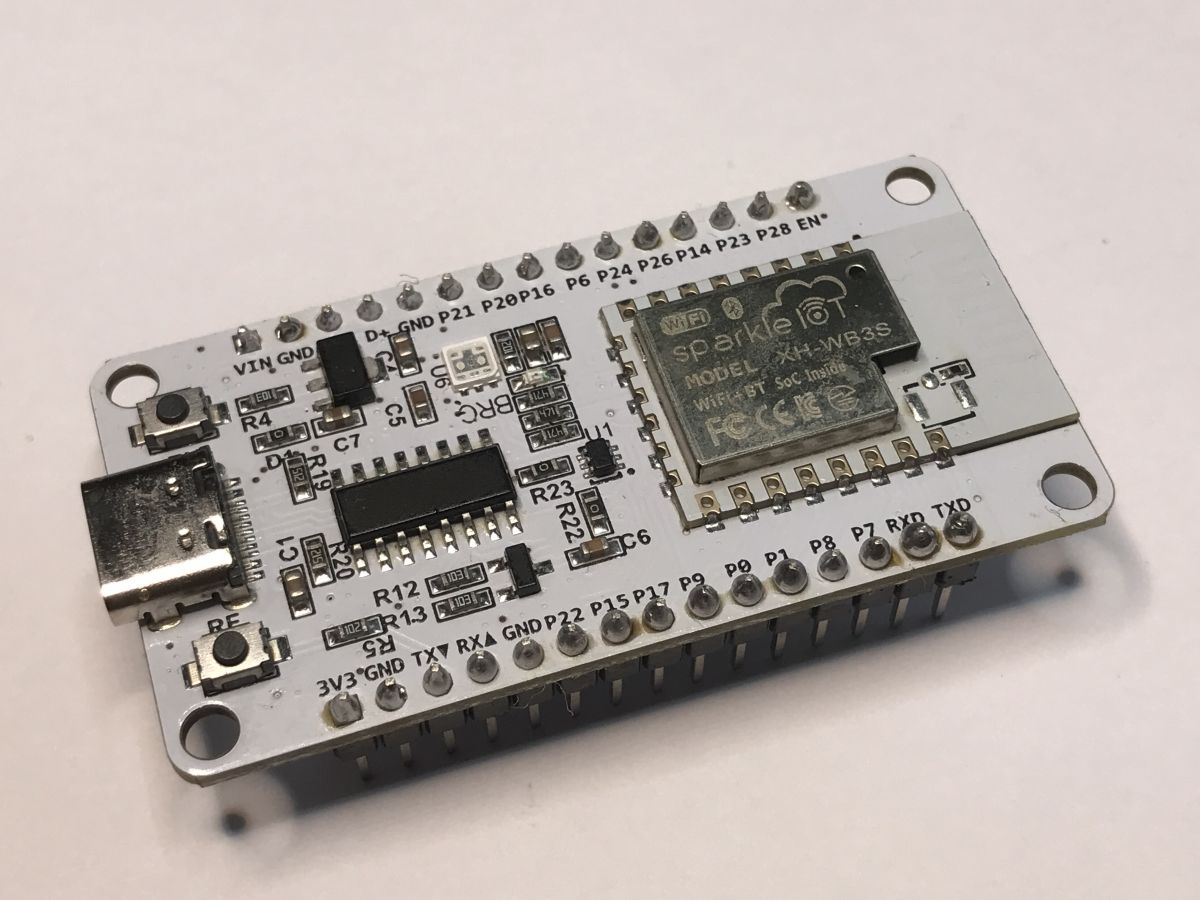
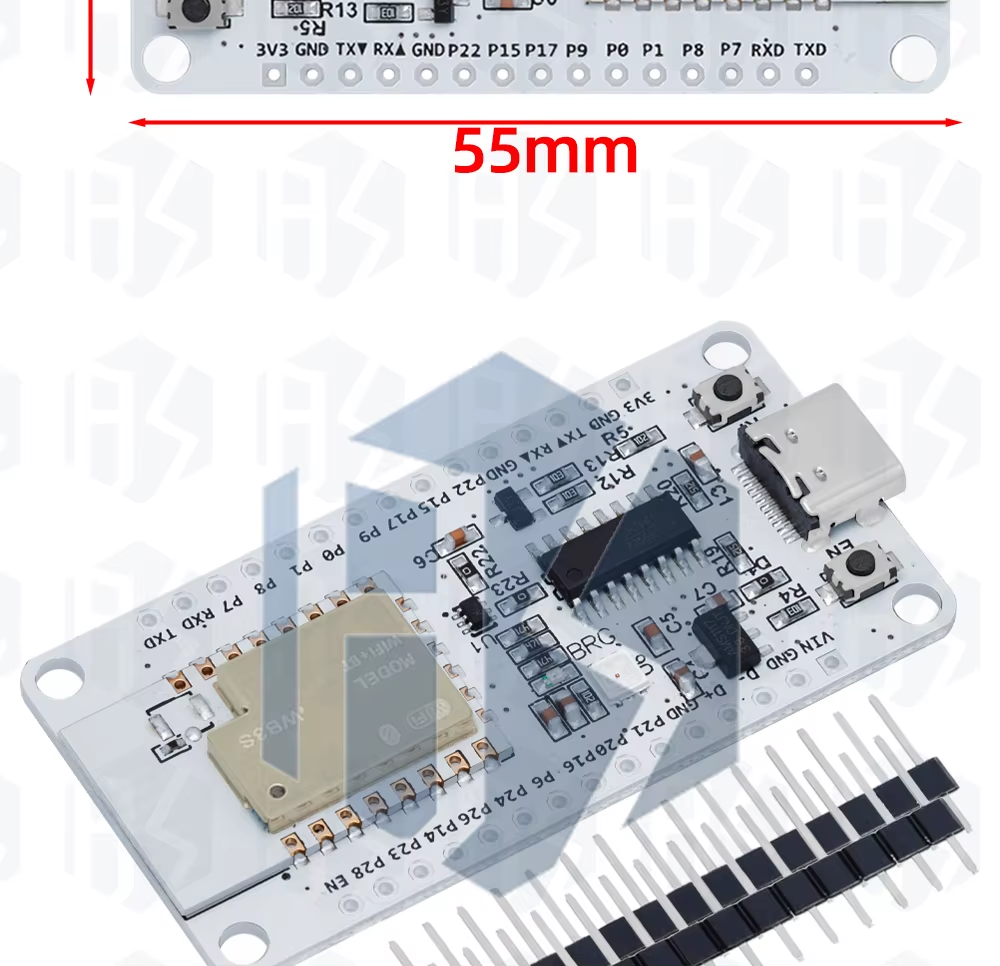
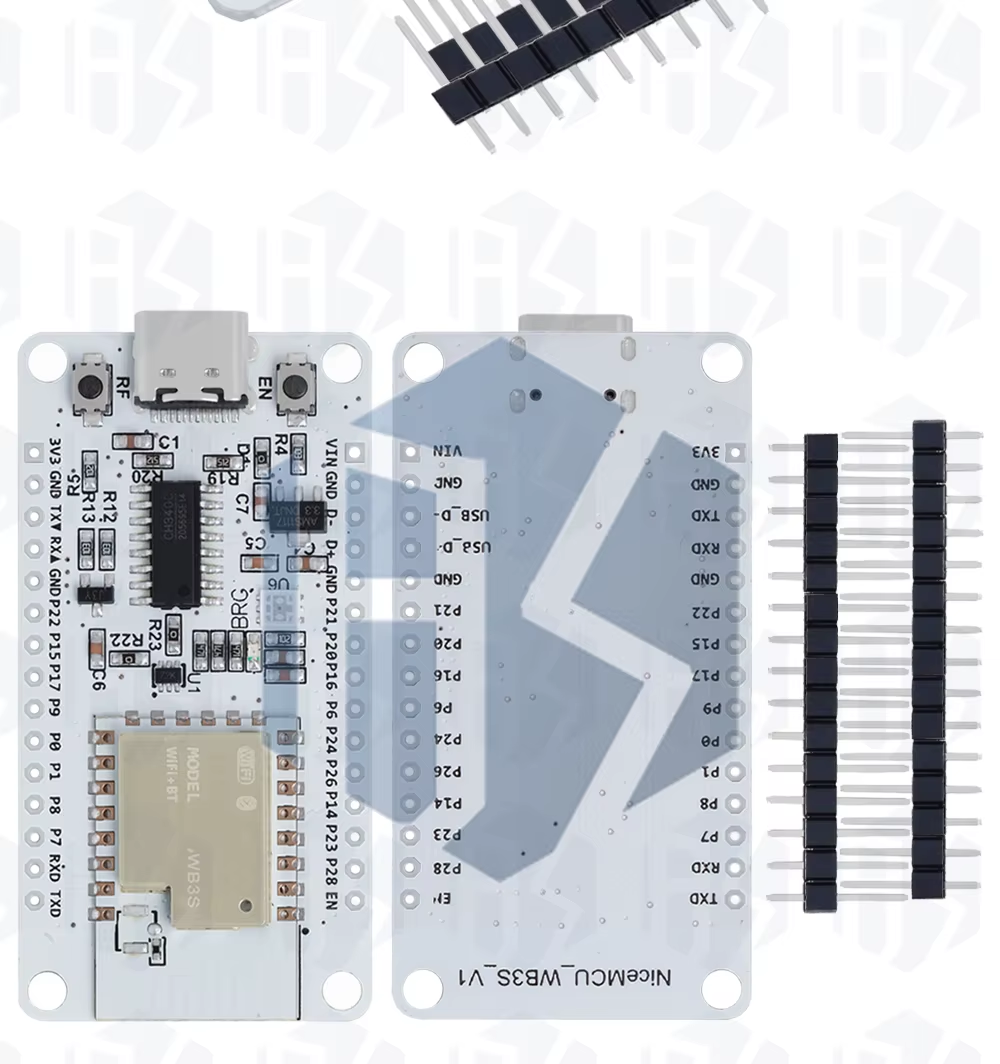
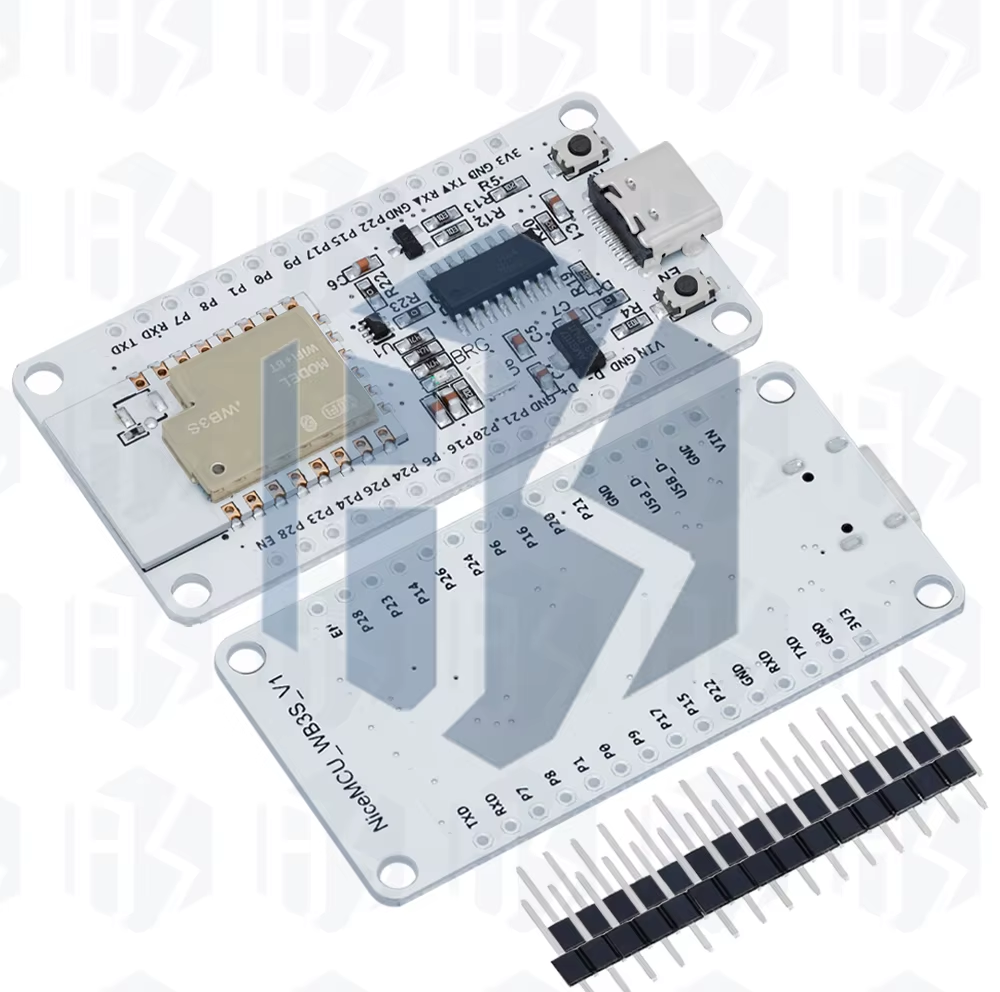
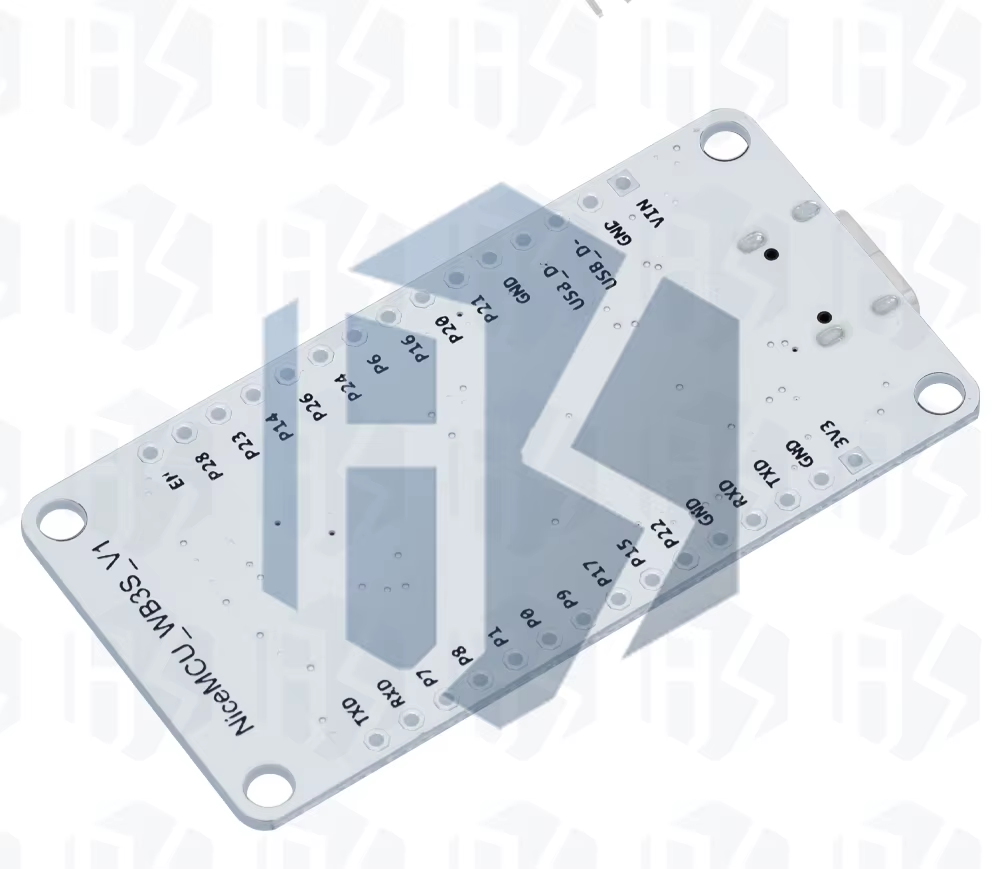
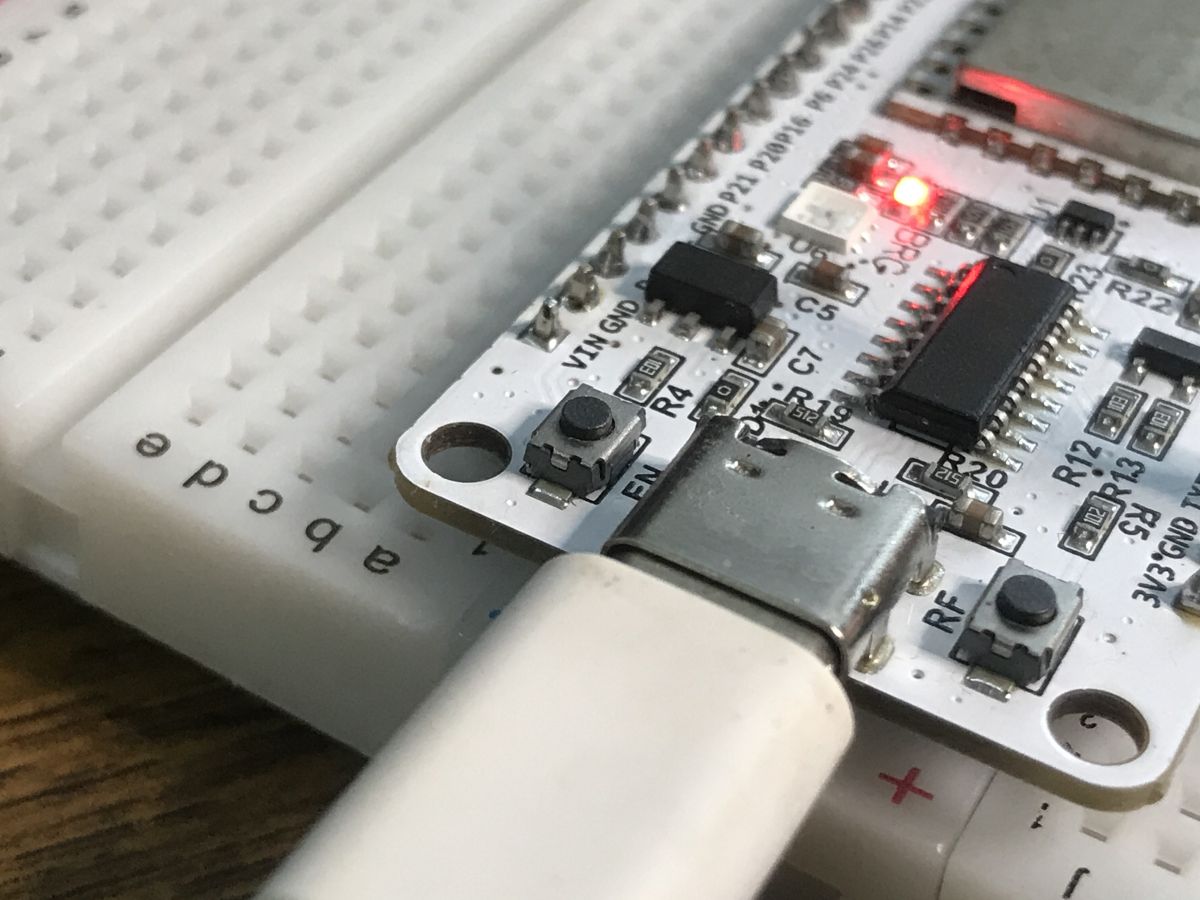
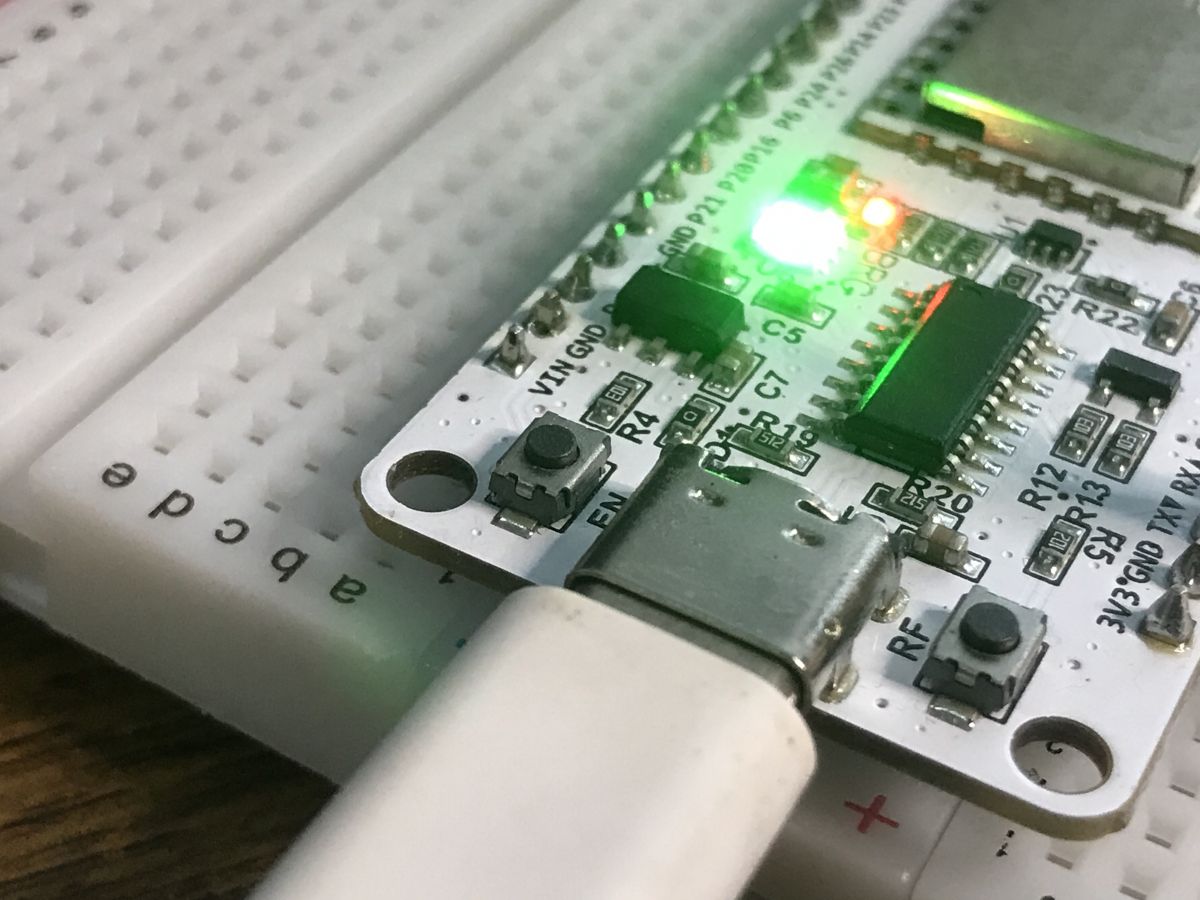
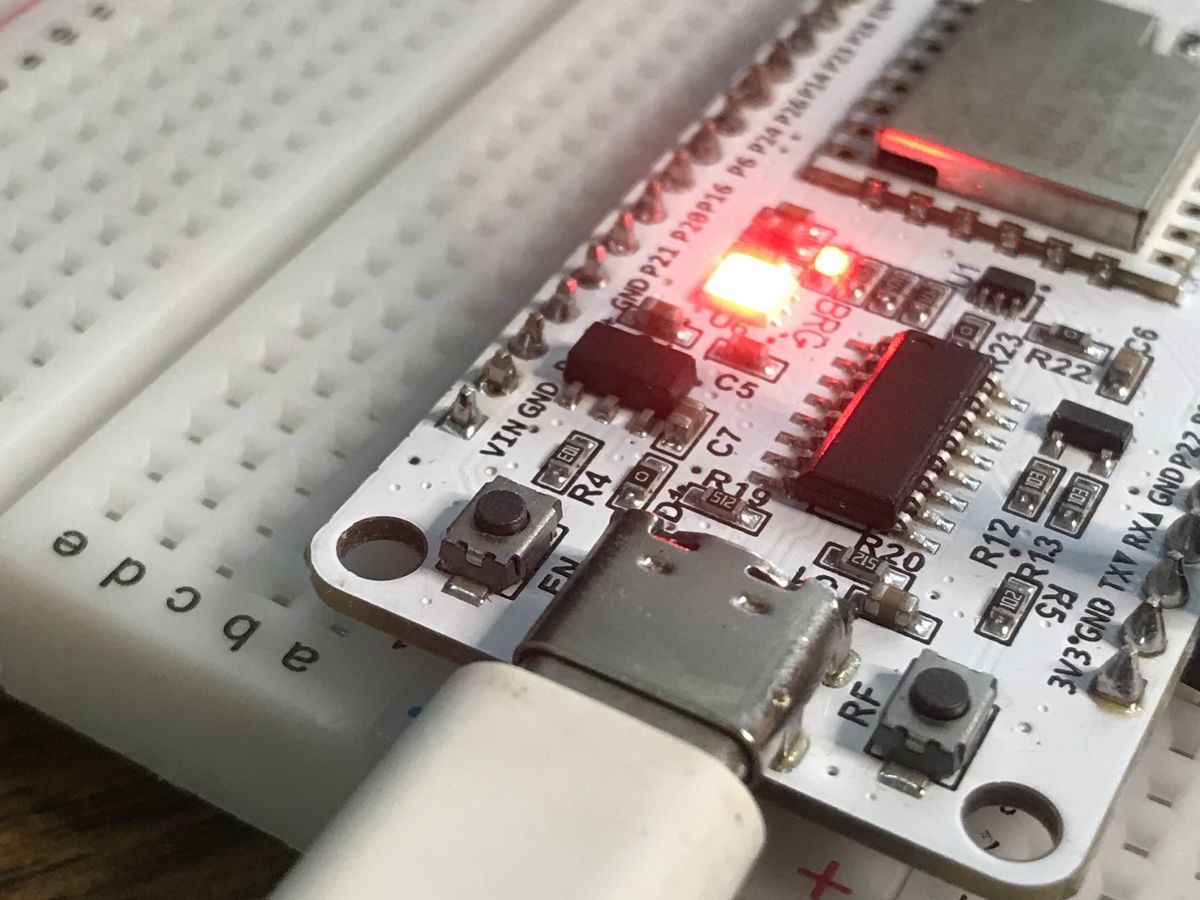
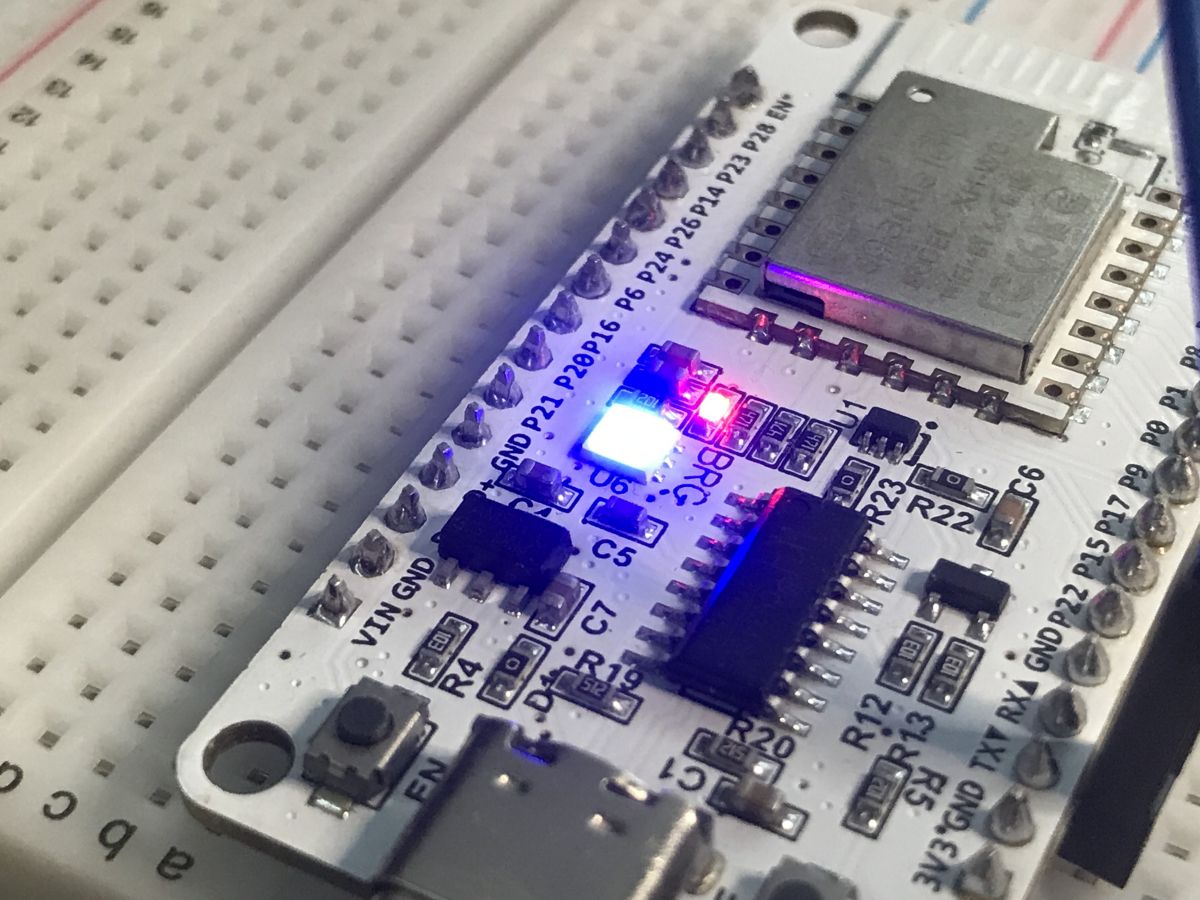
NiceMCU XH-WB3S is a very cheap WiFi+Bluetooth development board based on BK7238, aimed at OpenBeken firmware, MQTT, sensors, Home Assistant, and Tasmota Device Groups.
Flashing uses BK7231GUIFlashTool in BK7238 mode, starts with a 2MB backup, then moves through WiFi setup, GPIO doctor pin probing, driver commands, and optional scripting.
The module uses a 120MHz 32-bit CPU and 2MB of Flash, and the board can cost a few dollars or even $1.
The onboard LED is on P6, P24, and P26 with inverted logic, and DHT11, AHT20, MQTT, and Home Assistant discovery all worked.
AI summary based on the discussion. May contain errors.
NiceMCU WB3S is a cheap WiFi+Bluetooth development board featuring 120MHz 32-bit CPU and 2MB of Flash. It can be easily flashed with open source firmware and paired with Home Assistant. Futhermore, you can script it to suit your needs and compile custom firmware versions/drivers online, without having to setup toolchain on your PC.
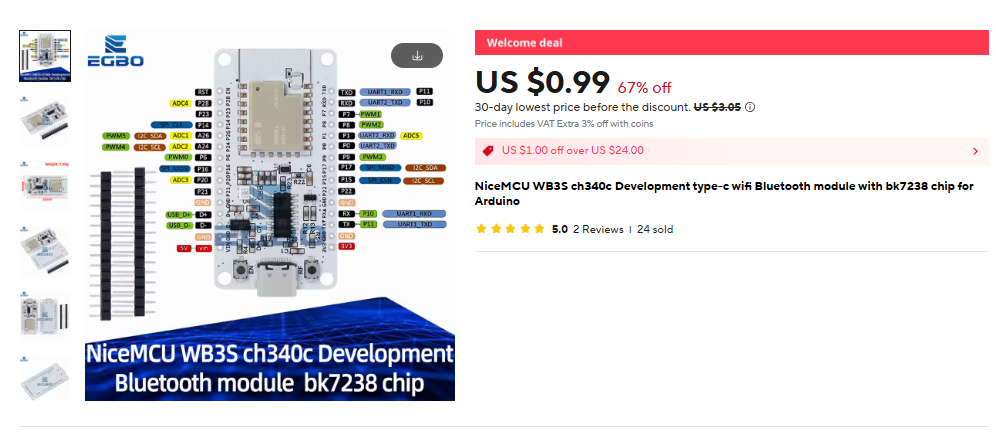
The board can be usually bought for few $ and sometimes for as low as 1$:
Board module is called WB3S, but it's not using BK7231T, but it's using BK7238, which binary code is different.
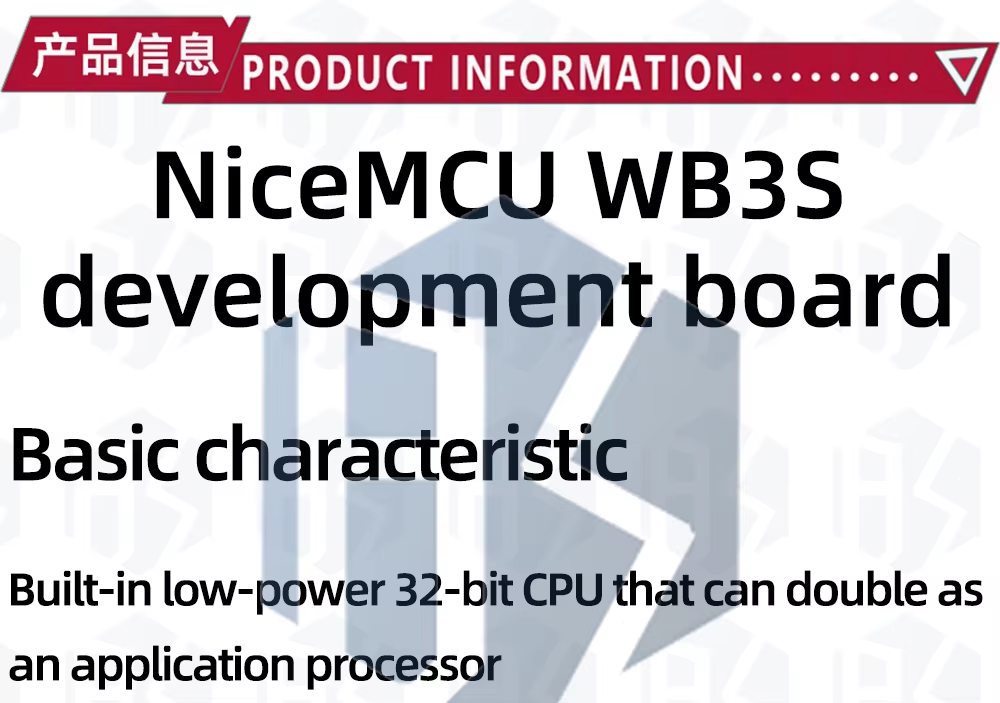
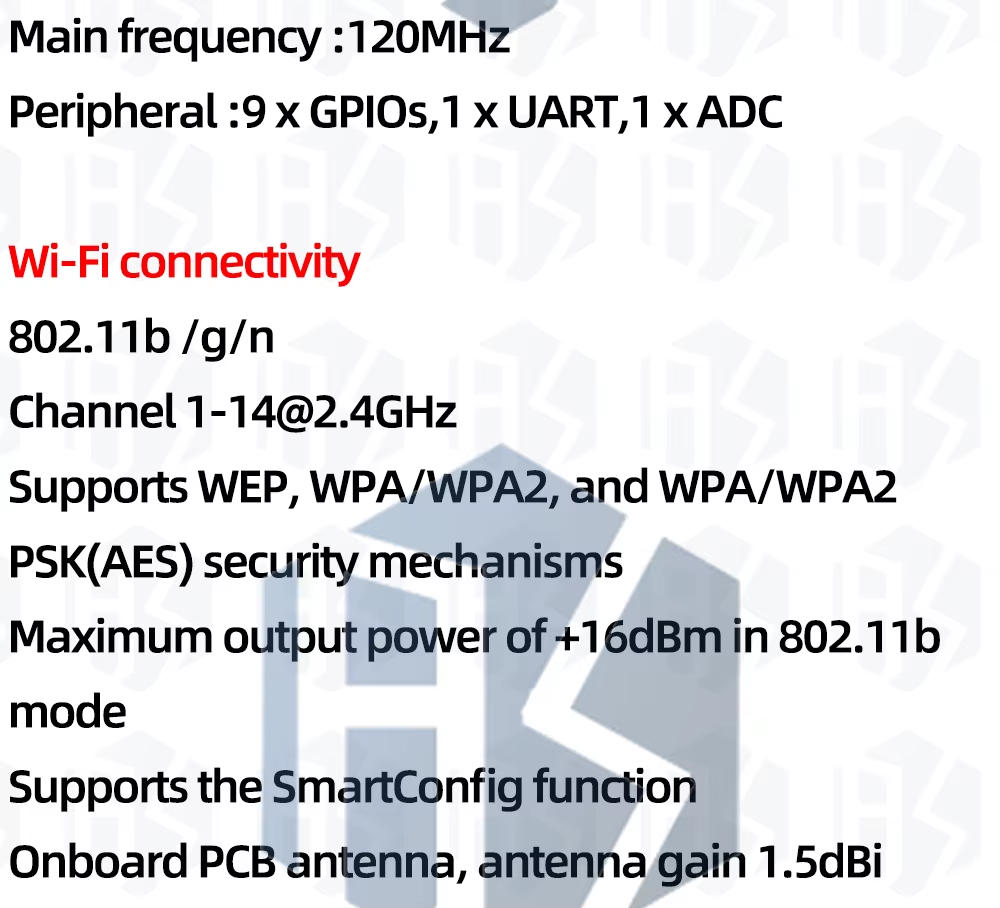
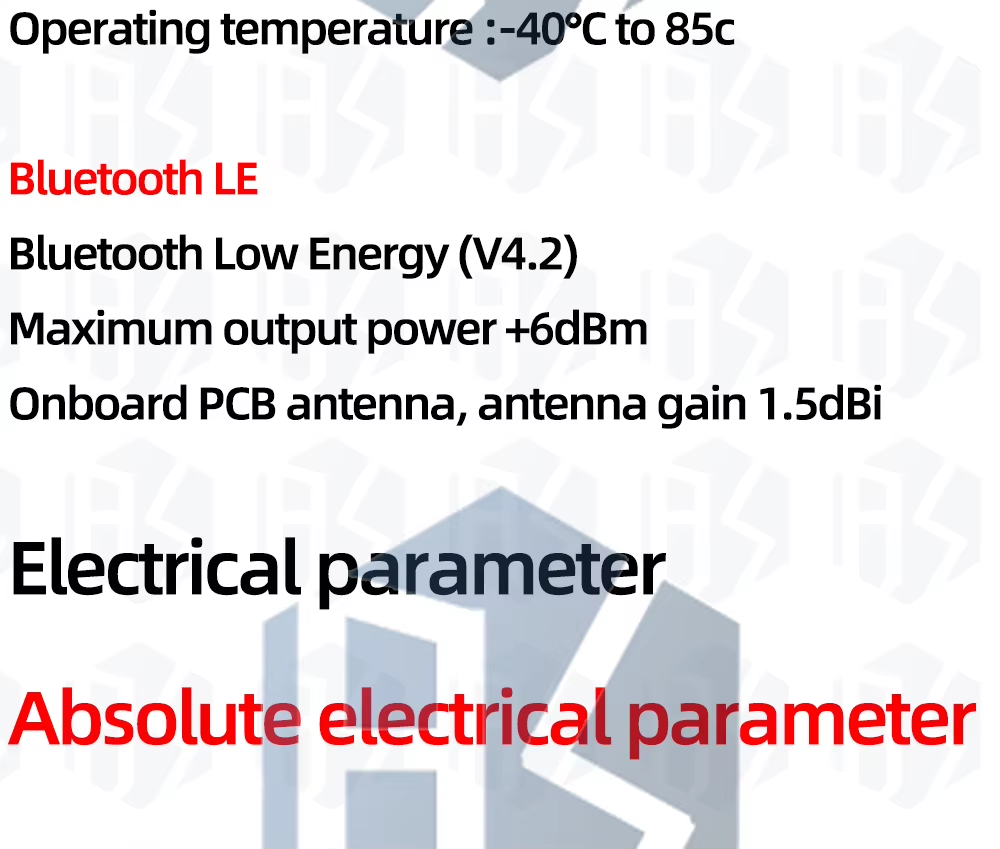
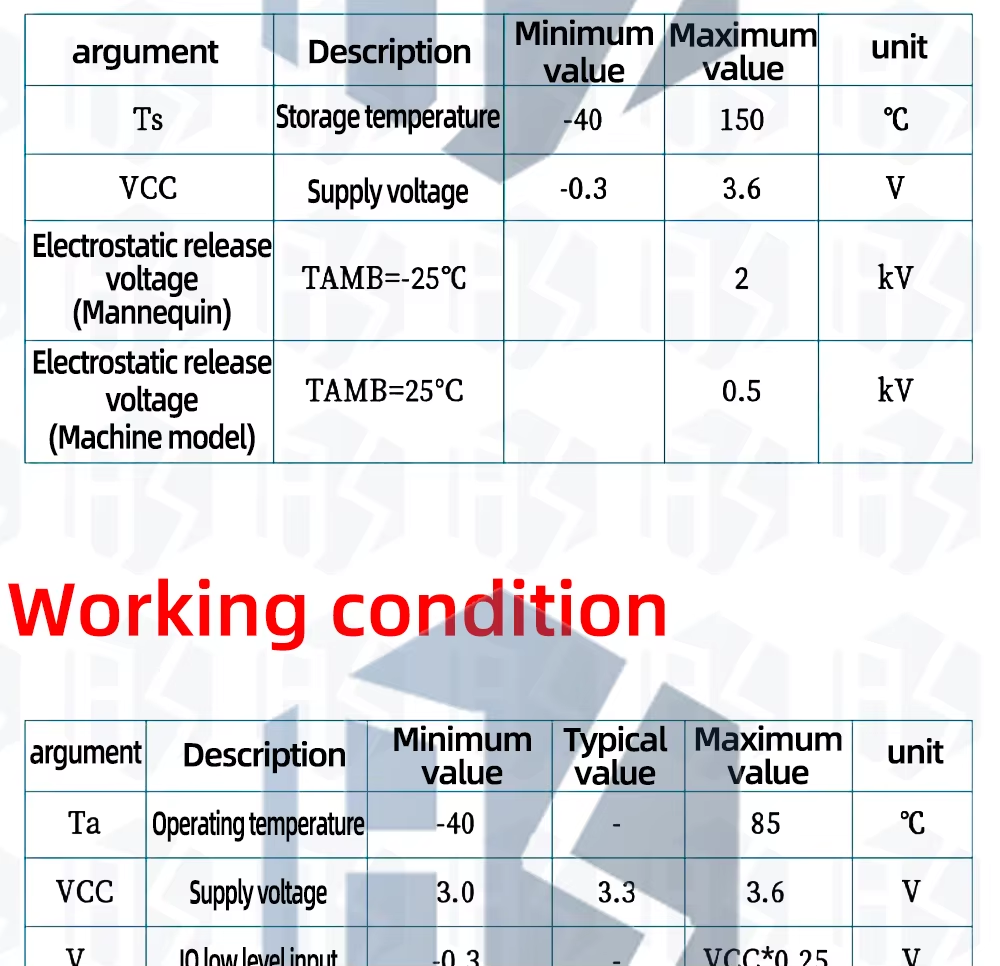
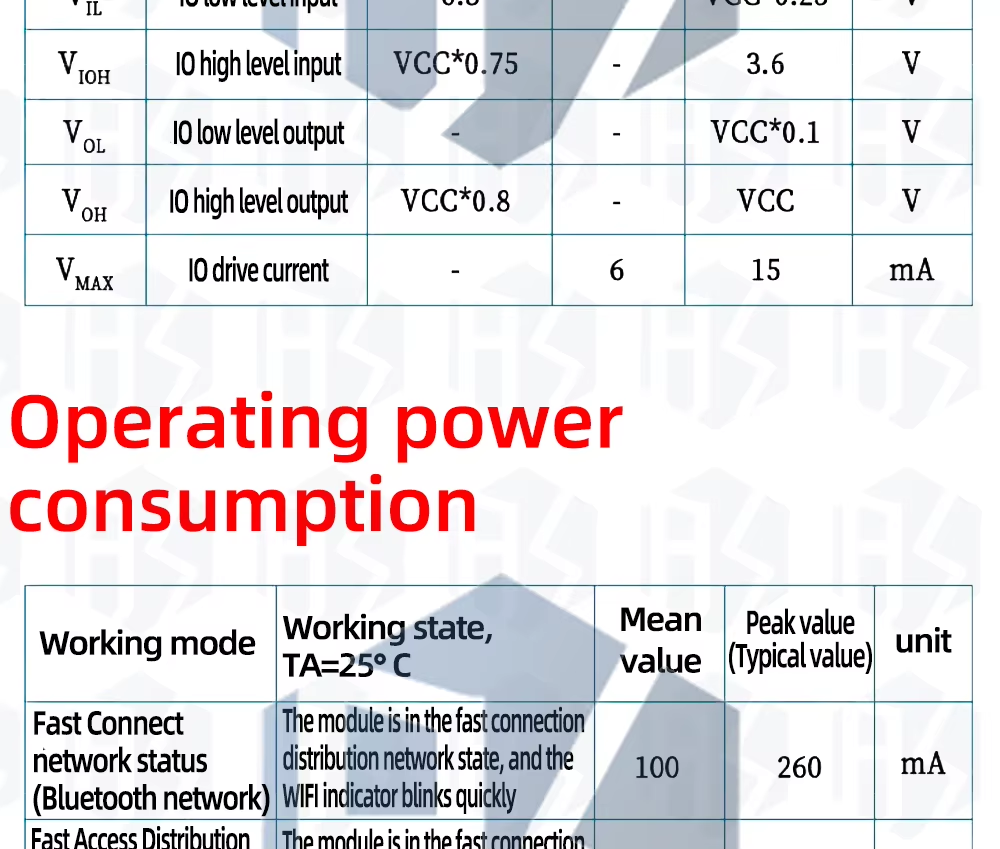
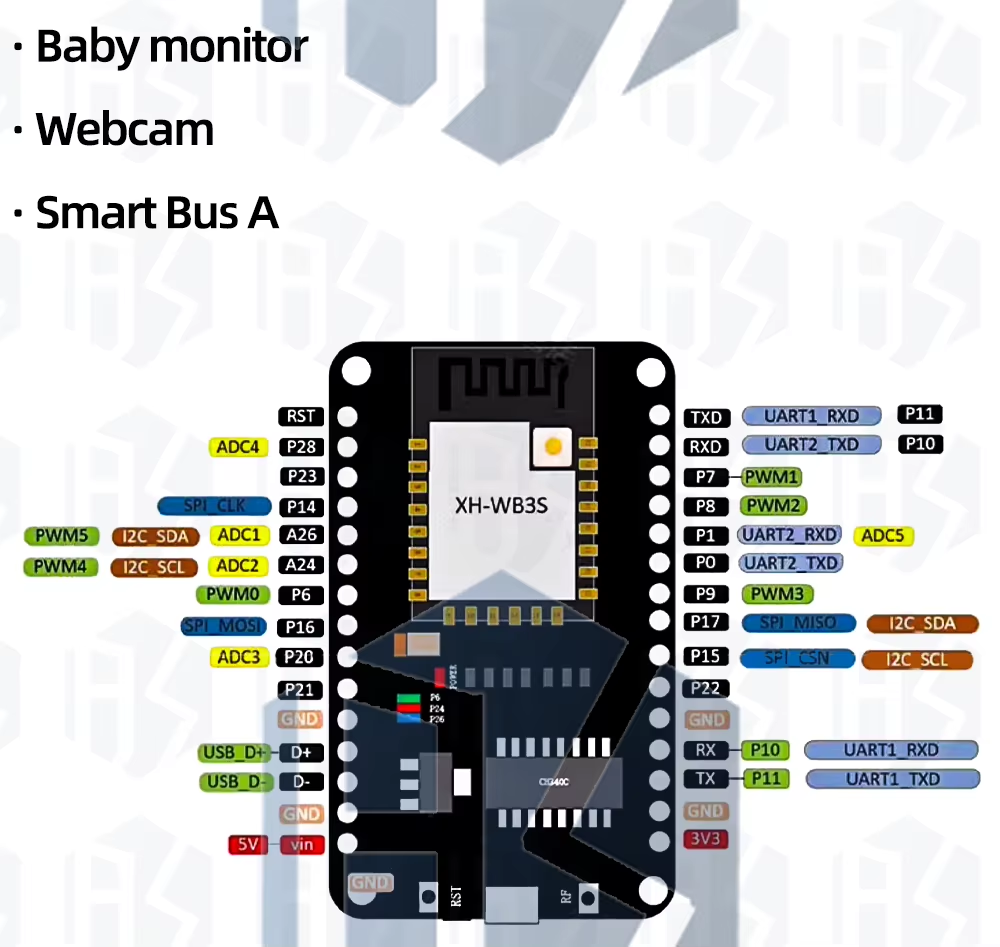
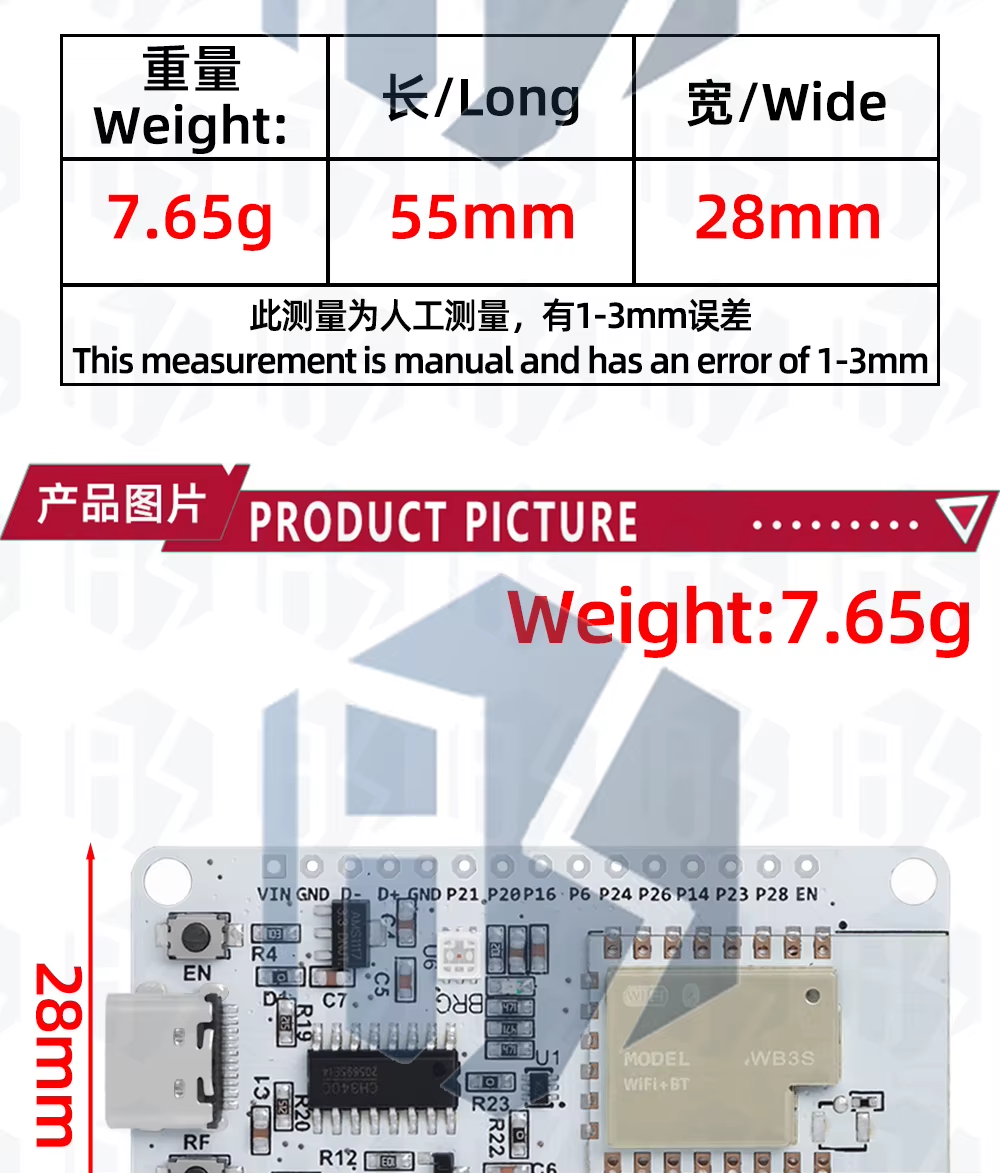
Here are some basic specs from the seller:
Flashing new firmware Get our flasher from here:
https://github.com/openshwprojects/BK7231GUIFlashTool To be precise, you can download binaries from Releases tab:
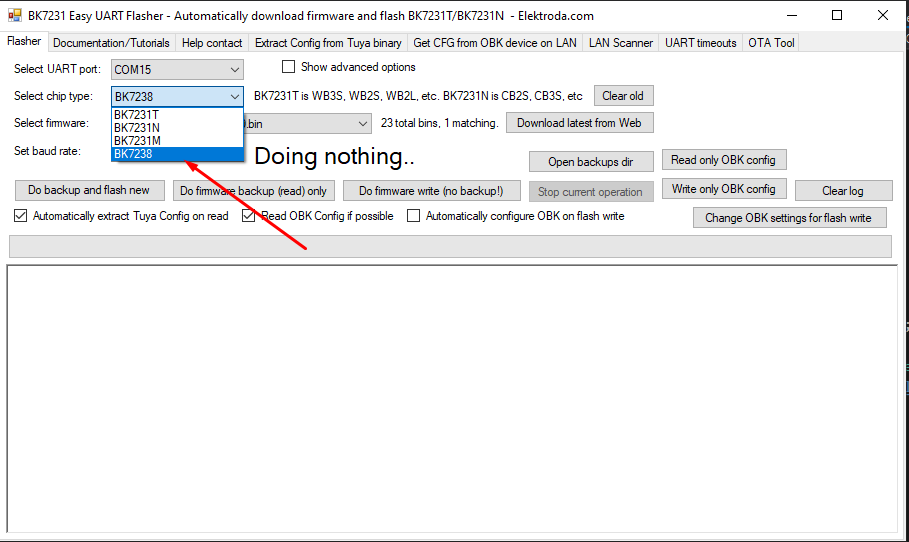
https://github.com/openshwprojects/BK7231GUIFlashTool/releases Choose BK7238 mode from the drop-down list:
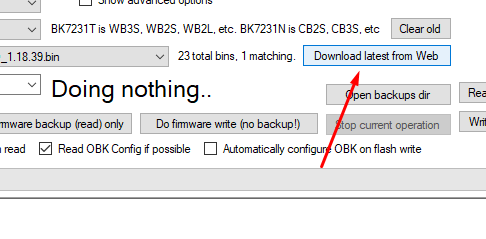
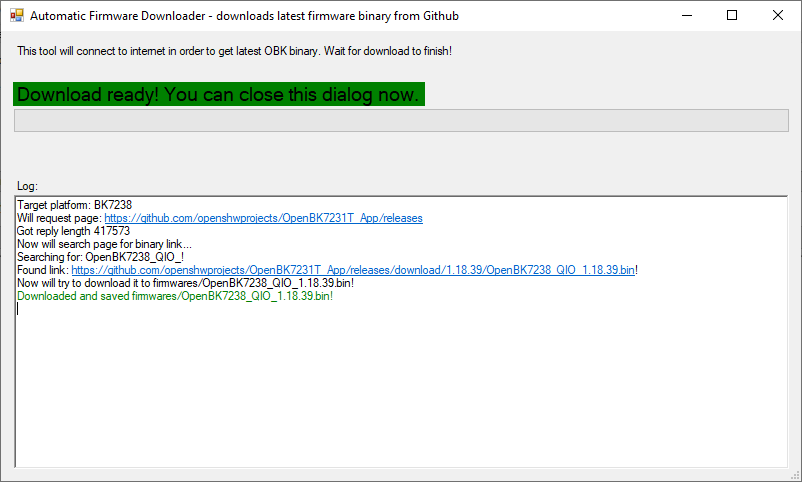
Click "download latest from web" to get latest firmware from our Github to your PC:
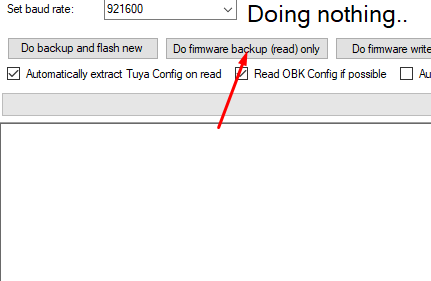
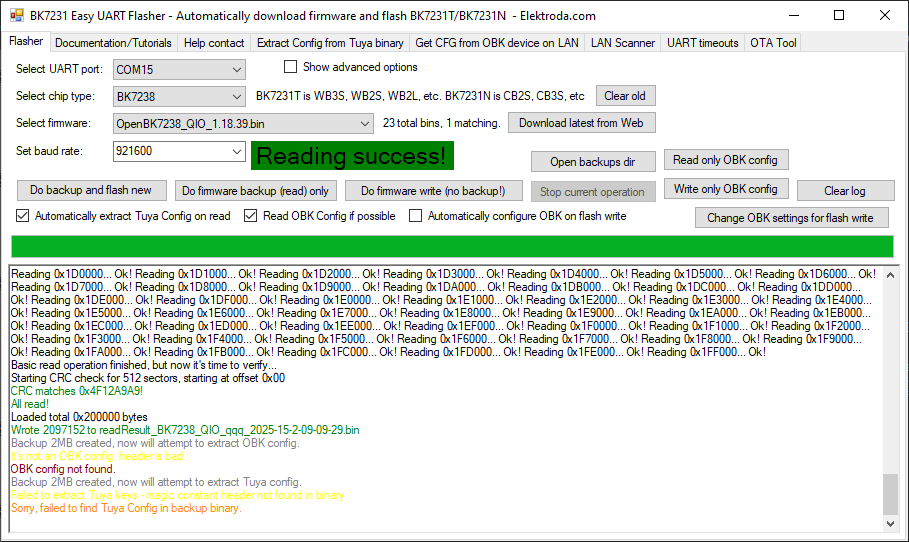
This will fetch from: https://github.com/openshwprojects/OpenBK7231T_App Then first, please do 2MB flash backup, as usual:
While the device is waiting to "get bus", press EN button on PCB once or twice. It may not be needed in the future when we add DTR RESET code on this board.
In case of raw NiceMCU module, you need to disconnect and reconned power while it's waiting to "get bus".
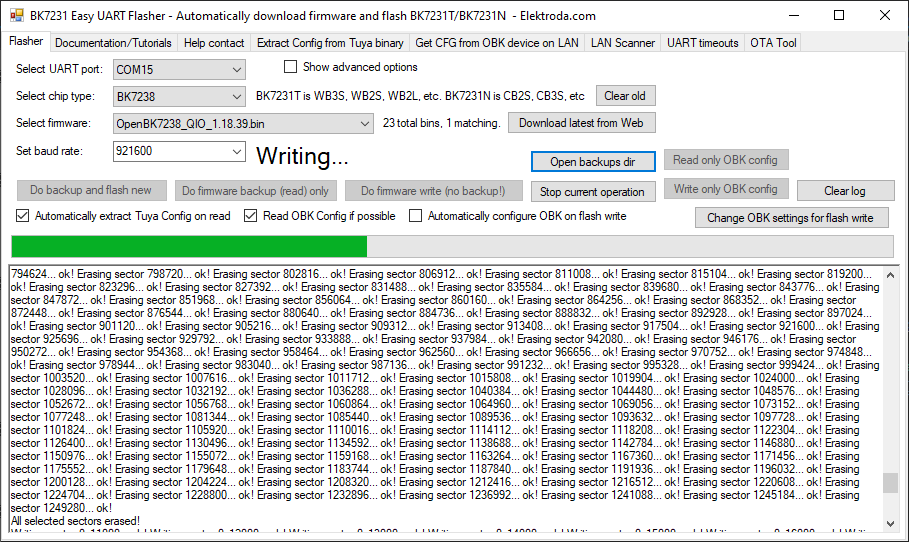
Then, finally, do firmware write:
Press EN button to reboot.
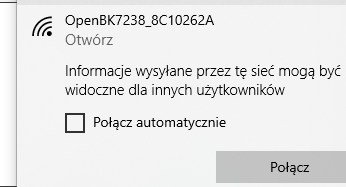
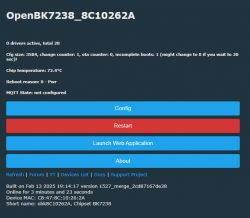
Initial configuration Connect to OBK access point, just like you'd do with Tasmota:
Go to Config->WiFi, enter your SSID and password:
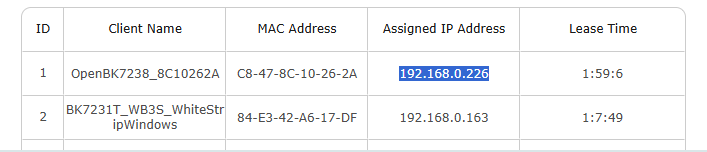
Get your new device IP from your router:
Playing around with pins You can use GPIO doctor from OBK web App to guess roles of the pins:
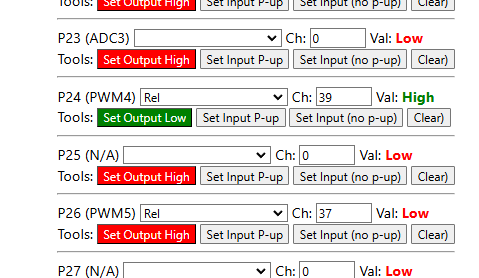
With this, you can determine that onboard LED is on P6, P24, P26:
The logic seems to be inversed here, so you will need either a Relay_n or a PWM_n role.
It is also good to correct channel indexes after using GPIO doctor. They are used to group together buttons and relays and to mark RGBCW PWM indexes (order).
With this config:
Code: JSON
Log in, to see the code
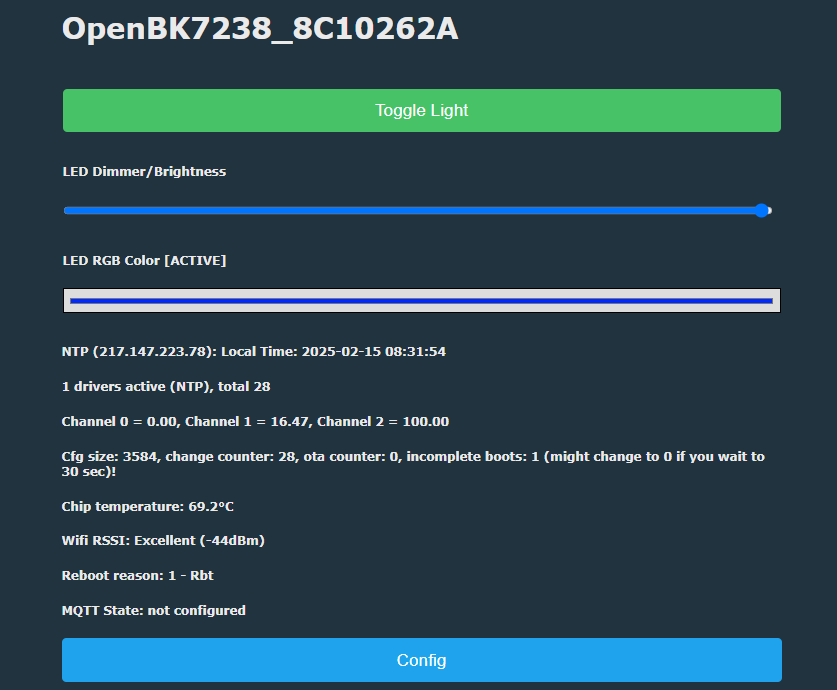
You can control onboard LED with OBK LED driver:
OTA to new version If you want to update OBK on your board, just follow our tutorial:
Tasmota device groups Tasmota Device Groups, also called DGR, can be used to group together devices (lights, or switches, or even lights and switches) into groups without any central server, without Home Assistant.
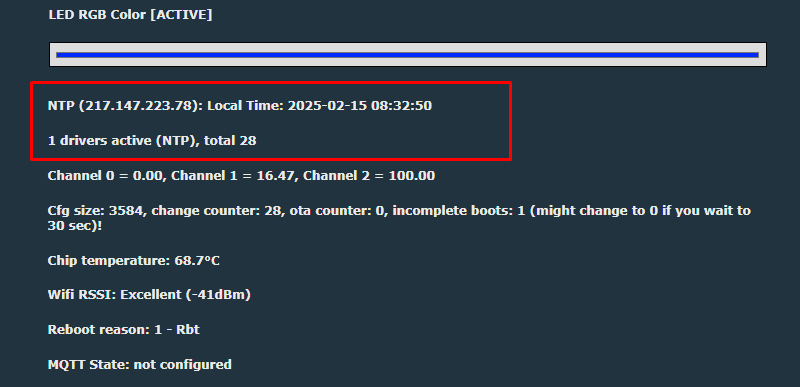
NTP driver Go to Config->Startup command text. Enter:
And then reboot. Now you will see that NTP driver is running:
Simple scripting In OBK you can run simple scripts. For example, you can control LED programatically. This can be inserted in either startup command or LittleFS autoexec.bat file, see tutorial:
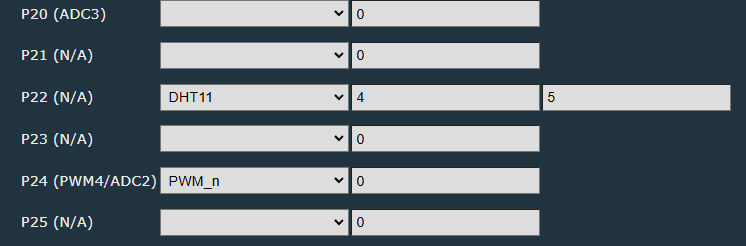
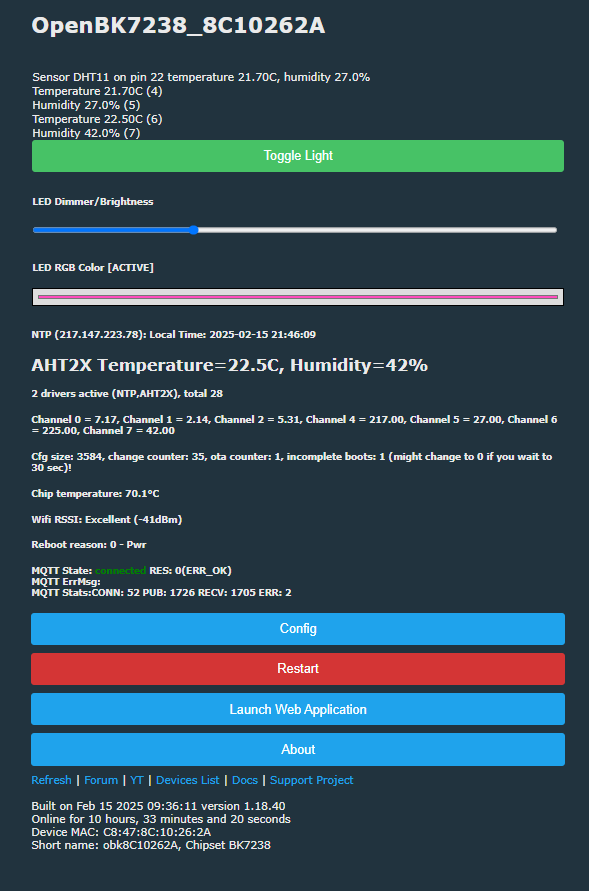
DHT11 sample OBK supports many sensors, including DHT11. It can be easily configured via GUI. You just need to select DHT11 pin and then select two channels used to store temperature and humidity:
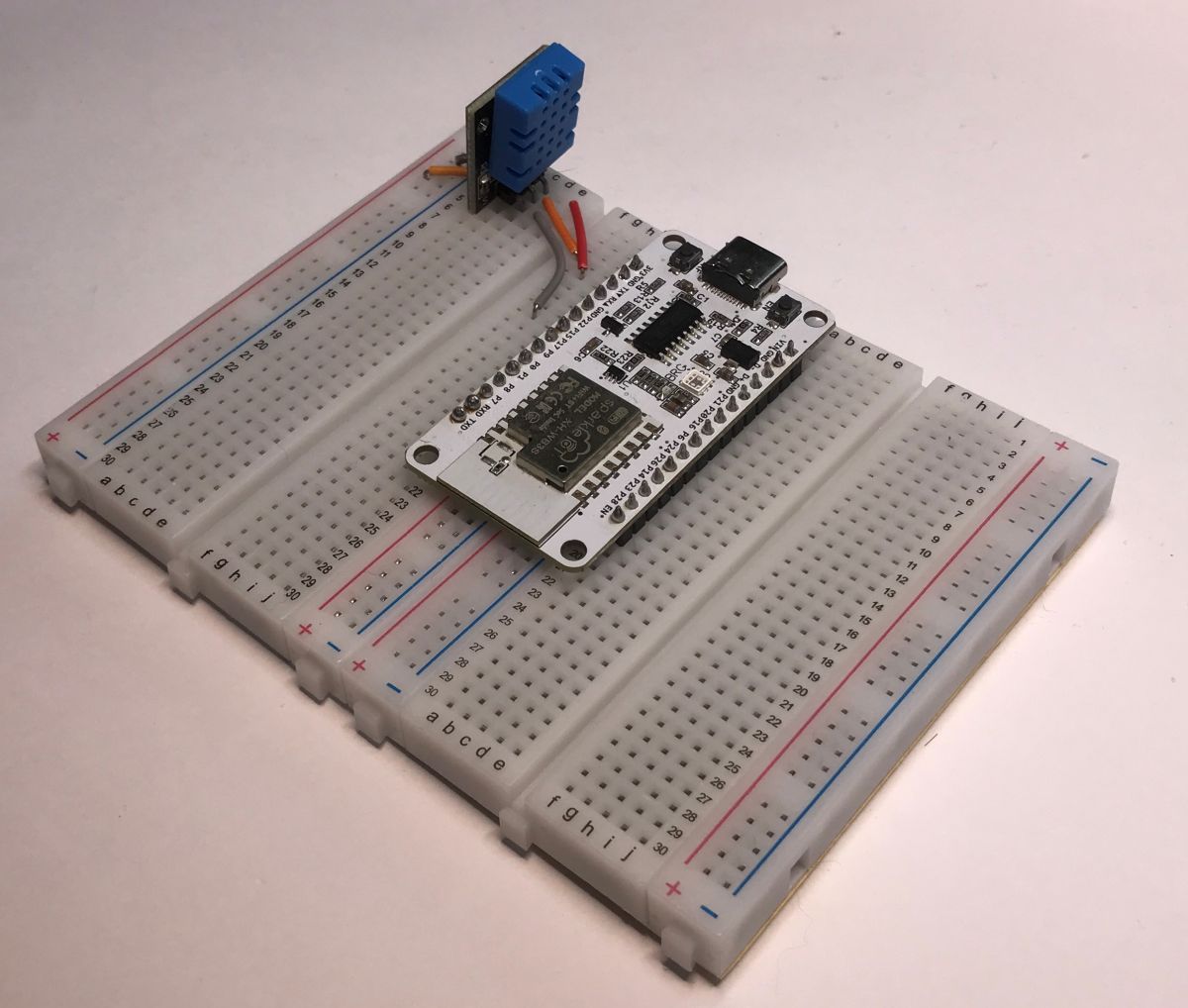
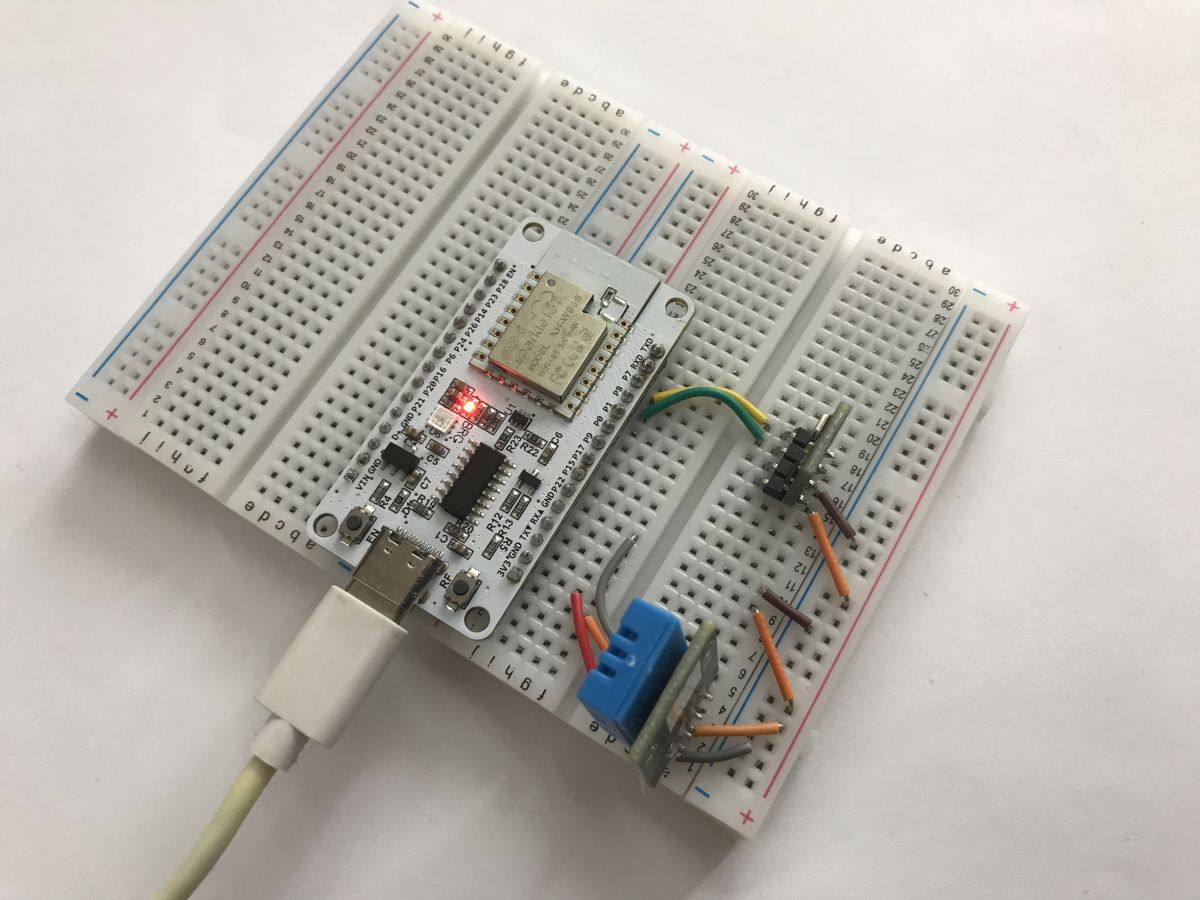
For this purpose, I've chosen pin P22 and did the hardware connection:
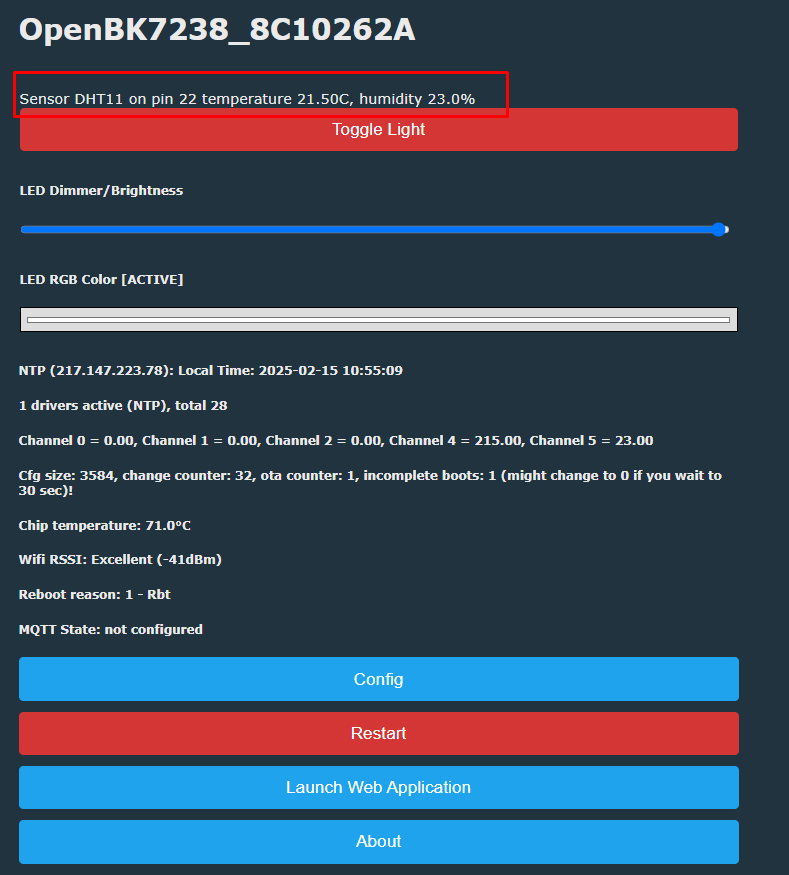
Everything should work out of the box, and keep in mind that DHT family is special and won't show up as a running driver:
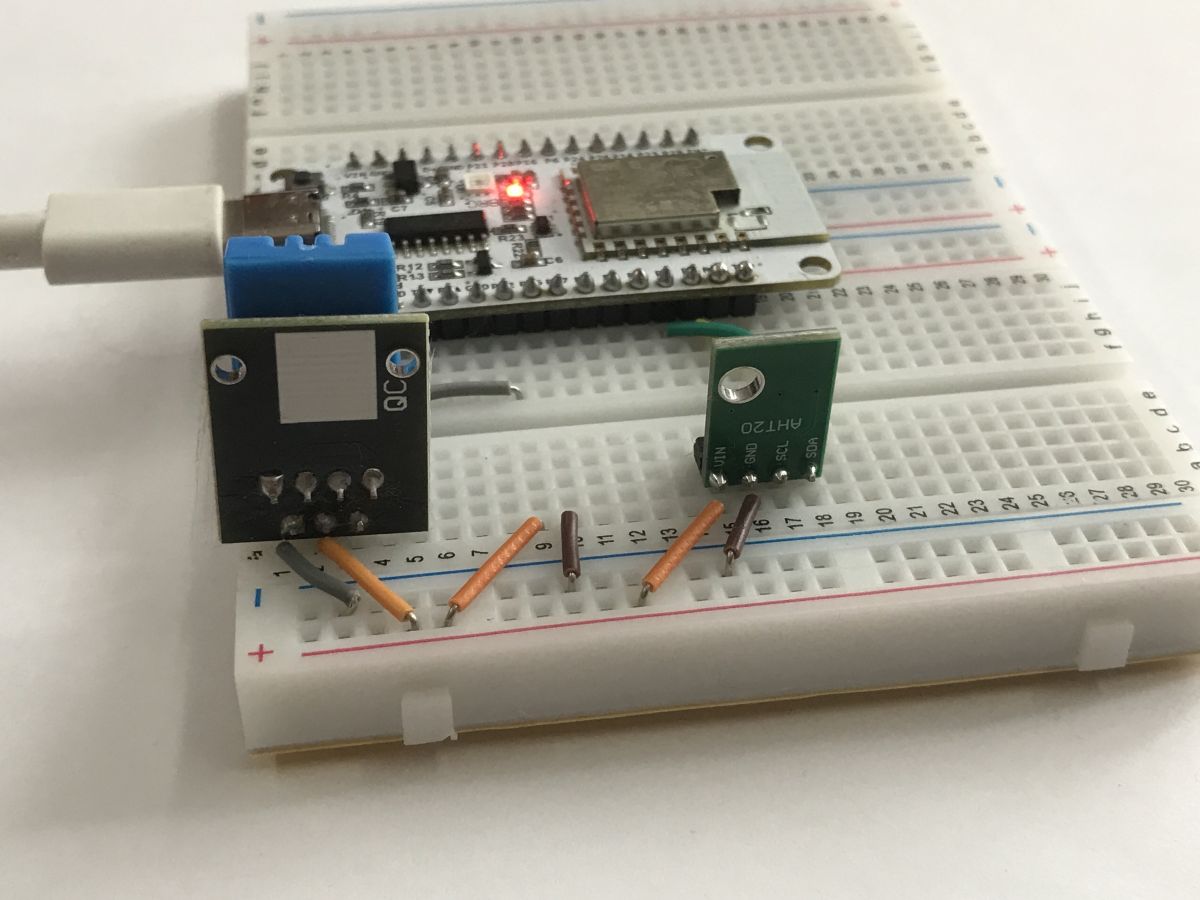
AHT20 sensor sample Let's make another sensor demo. This time we will use AHT20. Connect AHT20 to any two digital pins:
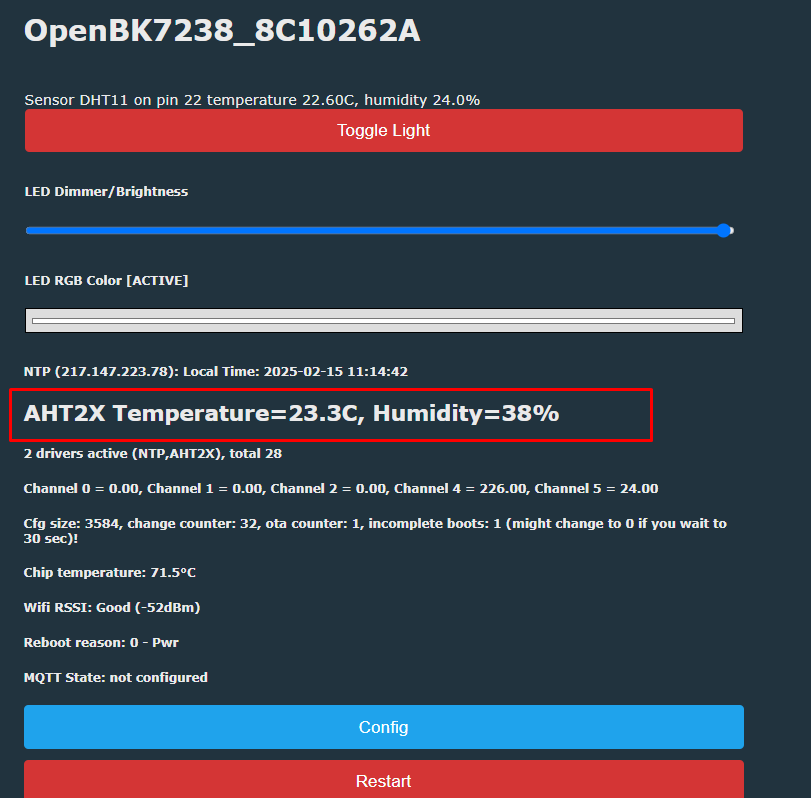
No pull-ups are needed. Now run it in the firmware.
First two arguments are pins - I used P8 and P7. Then we have channel indexes for temperature and humidity.
Remember to add startDriver command to either autoexec.bat or short startup command so it starts with each reboot.
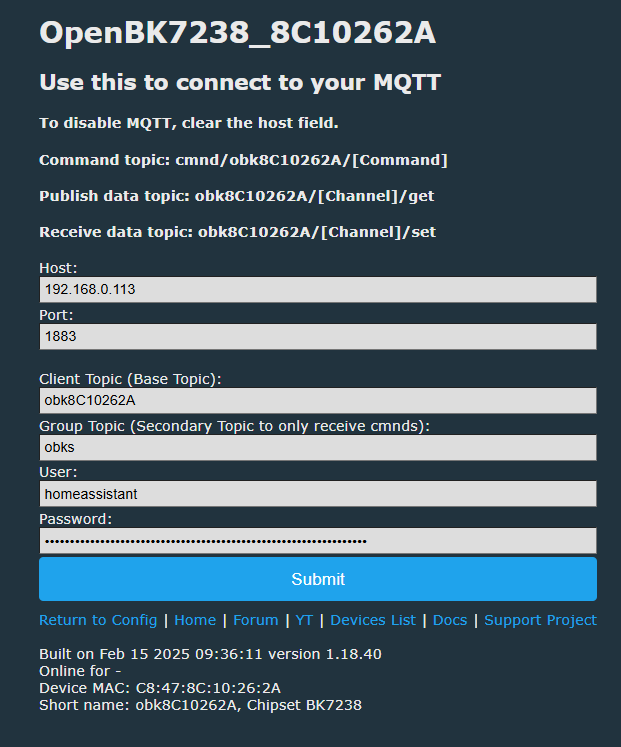
MQTT Config The more detailed information is in the "Pairing with HA" section, but in Config->MQTT you can set your MQTT broker info:
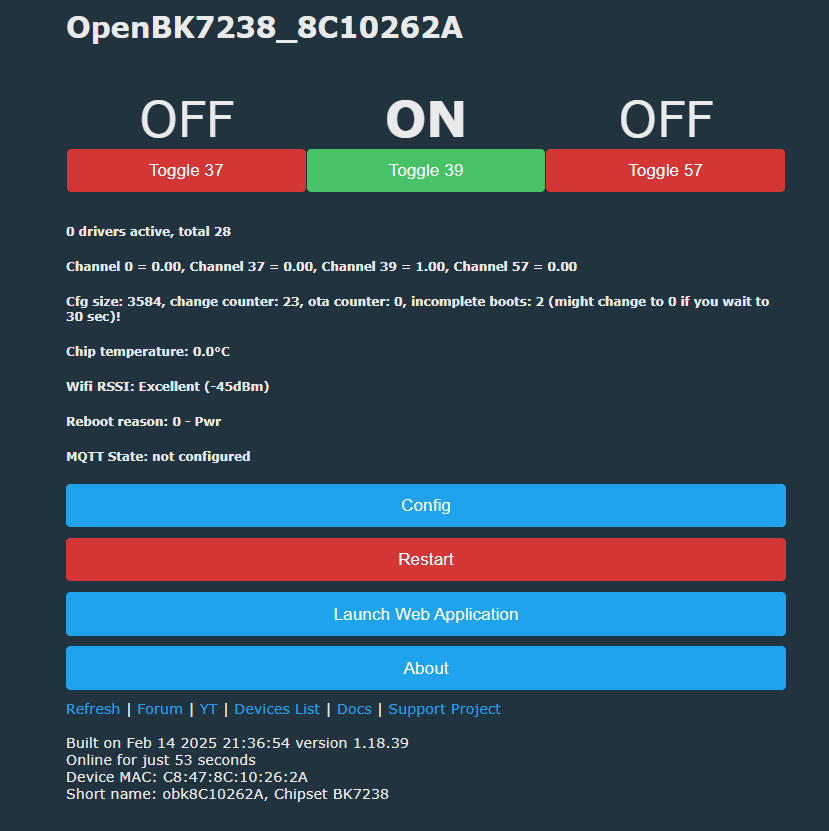
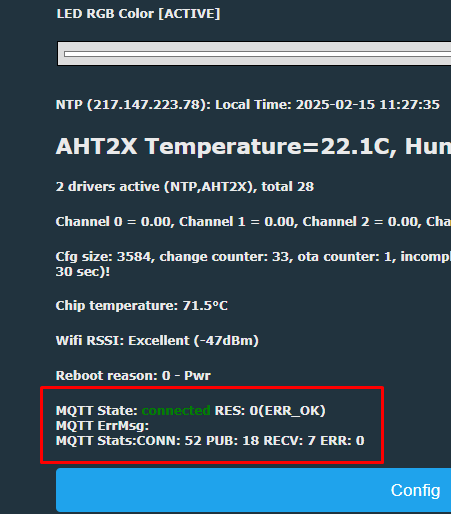
Then you'll have MQTT state shown on the main page:
Pairing with HA Now you can pair your simple RGB LED device with Home Assistant. It will show up there with all the necesary controls. Use HA Discovery tutorial:
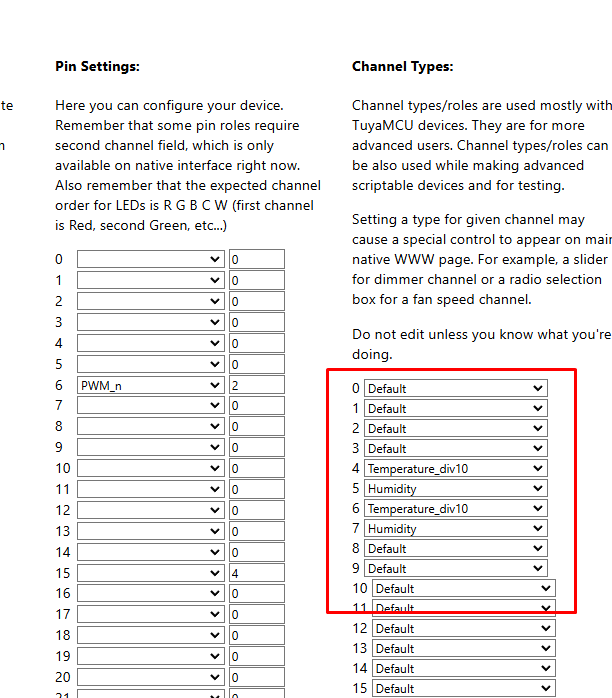
Important note: HA Discovery uses channel types to determine how to display channel. Remember to set them in the web app:
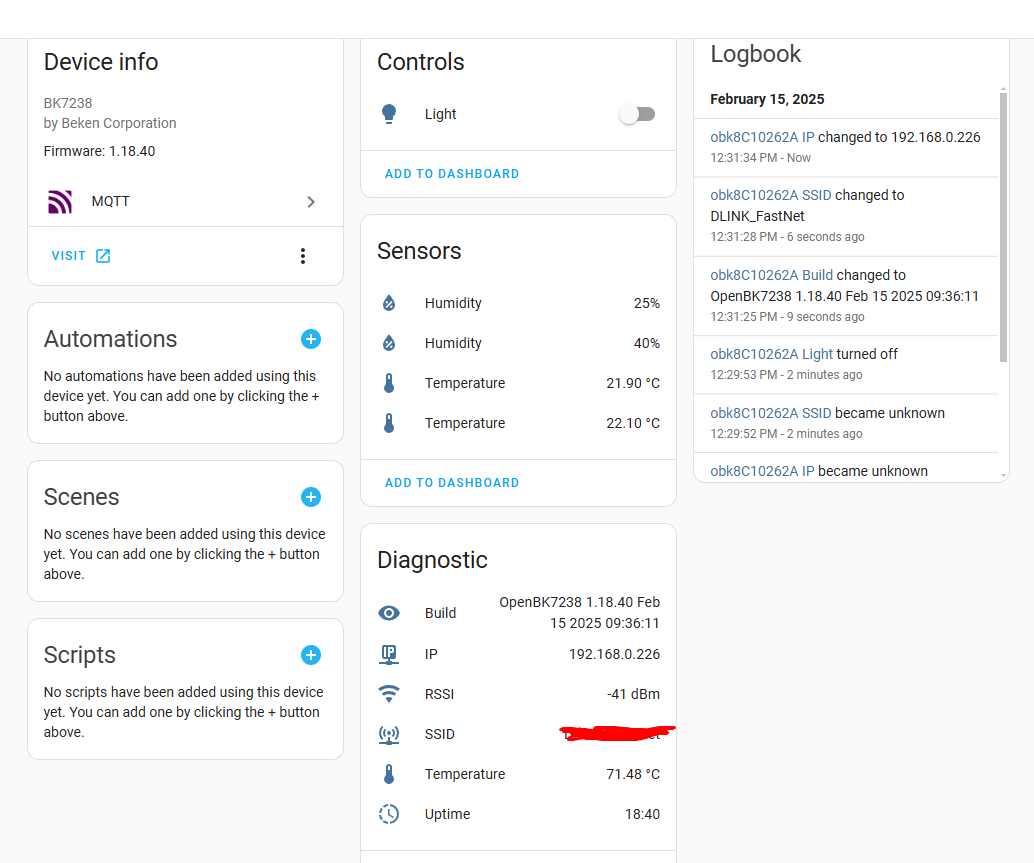
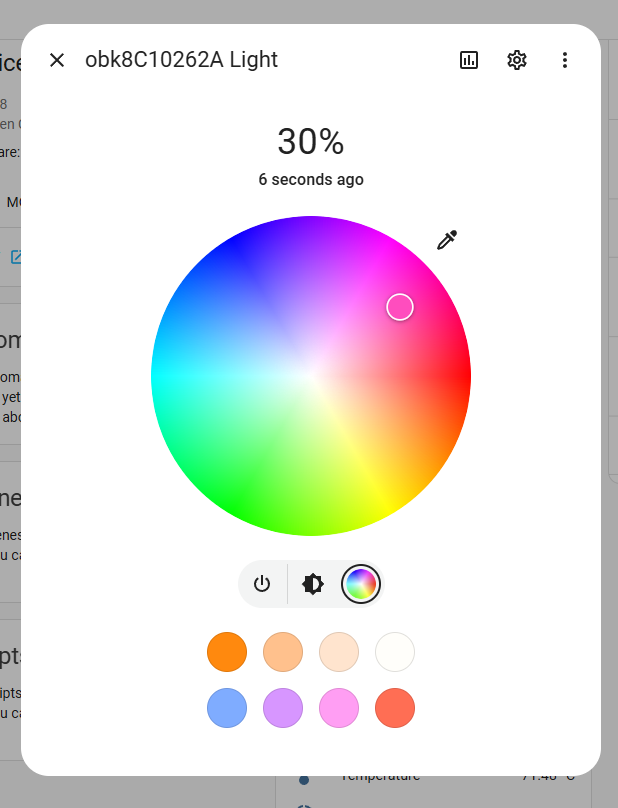
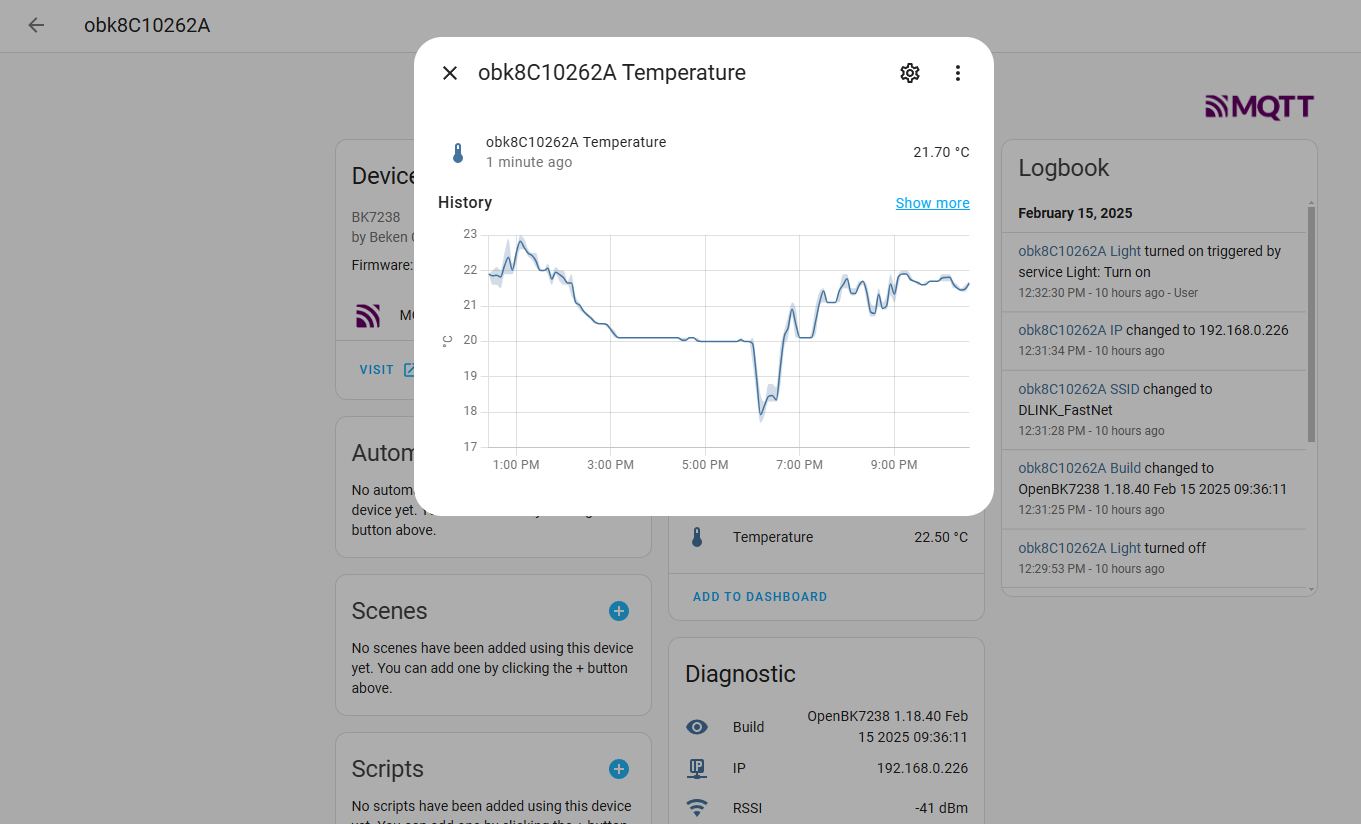
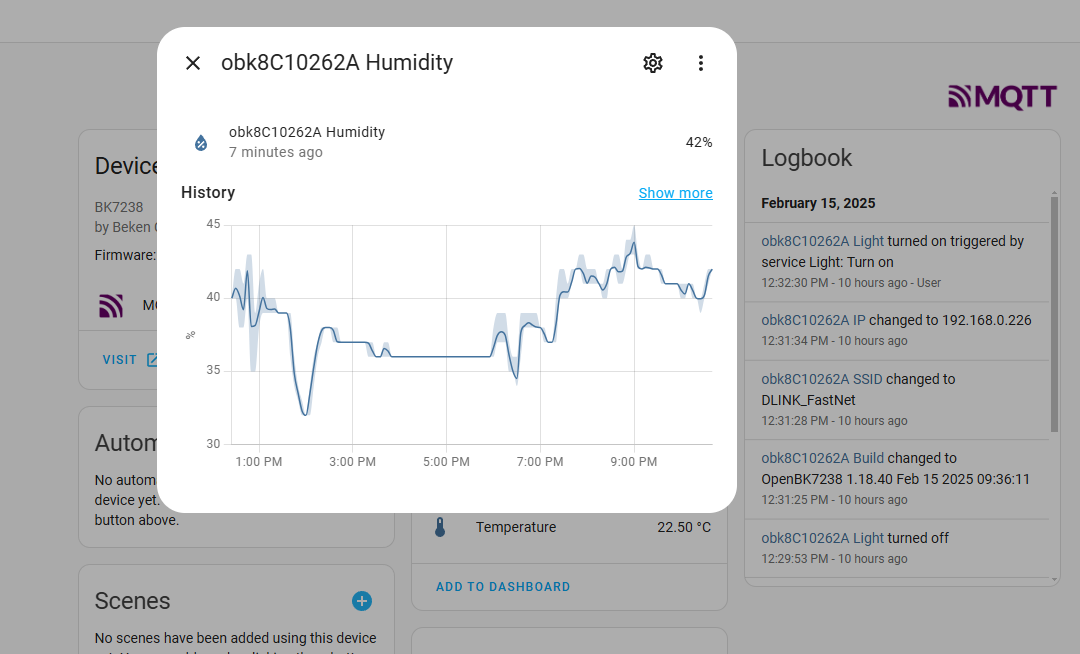
Here is how my device looks like in HA:
LED picker also works:
Hello. I have trouble changing MAC address. For some reason it is the same for 2 switches. C8:47:8C:42:88:48
Changing the address trough WebUI just makes it disconnect. After reboot its the same MAC.
Using... [Read more]
insmod
02 Sep 2025 07:46
It seems on T1 RF firmware (mac + calibration) is located at different offset.
Either move it from 0x1E3000 to 0x1E1000 (like take a backup, move it with hex editor and flash it back) or do "Restore RF... [Read more]
p.kaczmarek2
02 Sep 2025 10:28
You're fast, how and where did you get two T1 modules? They are usually seen in only the newest batches of Tuya devices. [Read more]
groove6j
02 Sep 2025 10:57
This link from ali, ordered 2 weeks ago.
I just found this on AliExpress:
Tuya 16A MINI Wifi Switch DIY 1-way
https://a.aliexpress.com/_EHQ8qfc
Ordered 2 identical switches, and again suprise -... [Read more]
jmkrzyszt
25 Oct 2025 22:04
Recently I purchased a few modules QS-WiFi-S10-C04, apparently based on BK7238 (unlike older items of the same type with BK7231N), and hit the same issue. I flashed OpenBK7238_QIO_1.18.205.bin and the... [Read more]
insmod
25 Oct 2025 22:24
If you have a backup before flashing OpenBK, in latest flasher versions in "Custom operation" there is a button "Restore RF from backup". Click it, select your backup and it will restore TLV sector at... [Read more]
jmkrzyszt
25 Oct 2025 22:56
Thanks @insmod now I understand how restoring the TLV is supposed to work. Unfortunately, something is broken. With Start Offset: 0x1e3000 and Length: 0x1000, I'm getting the following result after pressing... [Read more]
p.kaczmarek2
25 Oct 2025 22:56
Which flasher version? We had a release that had this issue... [Read more]
insmod
25 Oct 2025 23:06
Don't use custom write, use "Restore RF from backup" [Read more]
jmkrzyszt
25 Oct 2025 23:28
A version from February or March 2025. How can I check which version that is? I've already updated sources from git so I can't check sources for which version that was, and now I'm getting errors trying... [Read more]
insmod
25 Oct 2025 23:47
Last commit WSL1 mono 6.12.0 compilation successful with msbuild
29 Warning(s)
0 Error(s)
Time Elapsed 00:00:02.78
Compiled binary works fine in windows.
You... [Read more]
jmkrzyszt
26 Oct 2025 00:10
OK, I think I'm able to flash the missing TLV with ltchiptool. I flashed it successfully at 0x1e3000, but it didn't survive OpenBK boot and still the fake MAC address was used. The same when flashed... [Read more]
jmkrzyszt
09 Nov 2025 12:57
I could try to work myself on resolution of the issue with overwritten TLV area, but I'd appreciate if you were able to answer my 2 questions first:
1. Which fragment of the OpenBK code is responsible... [Read more]
dufu
27 Nov 2025 22:23
If you didn't resolve the issue, please note that OpenBeken bk7238 build looks for the TLV sector at 0x1e0000 address.
To extract from device with original Tuya fw with hid_loader :
./uartprogram... [Read more]
divadiow
27 Nov 2025 22:41
similar can be achieved in Easy Flasher too
https://obrazki.elektroda.pl/3304336500_1764279536_bigthumb.jpg
here you see EF detecting the RF partition for a BK7238 backup and flashing it to the... [Read more]
jmkrzyszt
27 Nov 2025 23:16
Great, my devices now work as expected! The key information was about the location of the TLV sector at 0x1e0000 expected by OpenBK. Based on the discussion before, my understanding was that it should... [Read more]
FAQ
TL;DR: For NiceMCU XH-WB3S users, this quickstart solves flashing, sensors, MQTT, Home Assistant, and MAC issues on a 120MHz BK7238 board. The core fix is simple: "OpenBK is using that data" and expects RF/TLV data at 0x1E0000, not the factory location. [#21764552]
Why it matters: This thread turns a $1–$few BK7238 board from a confusing WB3S-labeled module into a practical OpenBeken device with working LEDs, sensors, MQTT, Home Assistant discovery, and recoverable RF data.
Item
Factory / earlier assumption
Working result from thread
RF/TLV sector on BK7238
0x1E3000 on original Tuya firmware
Restore for OpenBeken use at 0x1E0000
Suggested intermediate location
0x1E1000 was suggested earlier
Final confirmed fix was 0x1E0000
Restore method
Manual moves or Custom Write can fail
"Restore RF from backup" or direct write to 0x1E0000
Key insight: The most important lesson is that BK7238 flashing is easy, but RF/TLV placement decides whether the device keeps its original MAC address and RF calibration. On the solved cases in this thread, the correct OpenBeken target was 0x1E0000.
Quick Facts
NiceMCU XH-WB3S is presented as a WiFi + Bluetooth development board with a 120MHz 32-bit CPU and 2MB flash, and the author says it often costs a few dollars and sometimes as low as $1. [#21440428]
OpenBeken support in this tutorial includes firmware flashing, GPIO mapping, LED control, scripting, DHT11, AHT20, MQTT, Home Assistant discovery, NTP, OTA updates, and Tasmota Device Groups on BK7238. [#21440428]
The onboard RGB LED was identified on P6, P24, and P26, and the thread notes the board uses inverted logic, so PWM_n or Relay_n roles are required. [#21440428]
The AHT2X example uses 4 command arguments after the driver name: two GPIO pins and two channel indexes; the shown working example is startDriver AHT2X 8 7 6 7. [#21440428]
A confirmed BK7238 MAC/RF recovery path is to restore the original TLV sector from 0x1E3000 in stock firmware to 0x1E0000 for OpenBeken, which fixed duplicate-MAC behavior for affected devices. [#21764552]
How do I flash OpenBeken on a NiceMCU XH-WB3S BK7238 board using BK7231GUIFlashTool, including the correct chip mode and backup steps?
Use BK7231GUIFlashTool in BK7238 mode and make a full 2MB backup before writing new firmware. 1. Download the flasher release and use “download latest from web” to fetch the current OpenBeken build. 2. While the tool waits to “get bus,” press EN once or twice, or power-cycle a raw module. 3. Back up flash, write firmware, then press EN to reboot. [#21440428]
Why does the NiceMCU XH-WB3S use a WB3S module name even though the chip is BK7238 and not BK7231T?
Because WB3S is the module name, not a guarantee of the exact Beken chip inside. The tutorial explicitly says the board module is called WB3S, but this NiceMCU version uses BK7238, and its binary code differs from BK7231T. That is why you must select BK7238-compatible firmware and tools, even though the module label still says WB3S. [#21440428]
What is OpenBeken (OBK), and which features from this tutorial work on the NiceMCU XH-WB3S BK7238 board?
OpenBeken is open-source firmware that runs on supported Beken-based IoT boards and exposes drivers, commands, scripting, web configuration, and integrations. In this tutorial, the NiceMCU BK7238 board works with flashing, GPIO Doctor, LED control, online builds, NTP, OTA, scripting, DHT11, AHT20, MQTT, Home Assistant discovery, and Tasmota Device Groups. The post also states BK7238 is now supported by OpenBeken. [#21440428]
How can I find the onboard LED pins on a BK7238 board with GPIO Doctor and set the right PWM_n or Relay_n roles when the logic is inverted?
Use GPIO Doctor to probe the pins, then assign inverted output roles to the channels it identifies. In the shown NiceMCU setup, GPIO Doctor revealed the onboard LED on P6, P24, and P26. The author notes the logic is inverted, so you should use PWM_n or Relay_n roles rather than normal non-inverted roles. The sample JSON maps them as PWM_n;2, PWM_n;0, and PWM_n;1. [#21440428]
What is the TLV sector on BK7238 devices, and how does it affect the MAC address and RF calibration data?
The TLV sector stores the device-specific RF data that determines the original MAC address and calibration behavior. “TLV sector” is a flash data area that keeps hardware RF values, including MAC-related data, separate from the main firmware image. In this thread, when that area was erased or overwritten, devices fell back to the same MAC address C8:47:8C:42:88:48, which also broke normal identity handling after flashing. [#21731620]
Why does changing the MAC address from the OpenBeken WebUI on a BK7238 T1 device disconnect Wi-Fi and revert to the same MAC after reboot?
Because the device keeps losing or ignoring the correct RF/TLV data, so the same fallback MAC returns after reboot. One report on BK7238 T1 with firmware 1.18.164 says changing MAC in WebUI only disconnects Wi‑Fi, then the device comes back with C8:47:8C:42:88:48 again. Later posts tie this behavior to RF/TLV data being at the wrong offset for that build or restore path. [#21650901]
Where should the RF/TLV data be restored on BK7238 OpenBeken devices to keep the original MAC address working: 0x1E3000, 0x1E1000, or 0x1E0000?
Restore it to 0x1E0000 for the working OpenBeken BK7238 cases solved in this thread. The factory Tuya firmware stored the TLV sector at 0x1E3000, and an earlier suggestion mentioned 0x1E1000, but the final confirmed fix states that OpenBeken expects the TLV sector at 0x1E0000. Writing it there restored correct behavior and preserved the original MAC on affected modules. [#21764552]
What is the correct way to restore RF data from a backup in the flasher instead of using Custom Write on BK7238 modules?
Use the flasher’s “Restore RF from backup” function, not Custom Write. The thread says newer flasher versions include this option under Custom operation, and you should select your earlier backup so the tool restores the TLV sector at the required offset automatically. An older version also had a write-range issue, so manual Custom Write could erase too much or fail near the end of a 2MB image. [#21731636]
How do I connect and configure a DHT11 sensor on NiceMCU BK7238 in OpenBeken, including channel assignment for temperature and humidity?
Connect the DHT11 to a chosen GPIO, assign that pin as DHT11 in the GUI, and pick two channels for temperature and humidity. The example uses P22 for the hardware connection. After configuration, readings appear normally, but the author notes the DHT family is special and does not show up as a running driver in the usual driver list. [#21440428]
Can someone explain how to start and stop the AHT2X driver on BK7238 in OpenBeken and which pin and channel arguments the command expects?
Start AHT2X with two pin numbers first, then two channel indexes for temperature and humidity. The working example is startDriver AHT2X 8 7 6 7, which means P8 and P7 as the sensor pins, then channels 6 and 7 for the readings. If you need to reconfigure it without rebooting, stop it with stopDriver AHT2X. The thread also says no pull-ups were needed in that setup. [#21440428]
How do I enable MQTT and Home Assistant discovery for an RGB LED device in OpenBeken so the channels appear correctly in HA?
Set your broker details in Config -> MQTT, then use Home Assistant discovery with correct channel types. The tutorial shows MQTT status appearing on the main page after broker setup. It also warns that HA Discovery uses channel types to decide how each channel is displayed, so the RGB LED channels must be typed correctly in the OpenBeken web app for the color picker and controls to appear properly. [#21440428]
What is Tasmota Device Groups (DGR), and when would I use it instead of Home Assistant for grouping lights or switches?
Tasmota Device Groups is a way to group devices directly, without a central server. “Tasmota Device Groups” is a device-to-device grouping feature that links lights or switches into shared control groups, without requiring Home Assistant or another hub. Use it when you want grouped behavior for lights, switches, or mixed devices, but do not want a separate automation server in the loop. [#21440428]
DHT11 vs AHT20 with OpenBeken on BK7238 — which sensor is easier to wire and configure, and what are the practical differences in this setup?
DHT11 is easier from the GUI, while AHT20 is more flexible if you are comfortable starting a driver by command. The DHT11 example only needs one selected pin, shown on P22, plus two assigned channels. The AHT20 example needs two digital pins, P8 and P7, and the command startDriver AHT2X 8 7 6 7, but the author states no pull-ups are needed in that wiring. [#21440428]
Which part of the OpenBeken source code decides where the configuration data area is placed on BK7238, such as 0x1E1000 or 0x1E3000?
The thread does not identify a specific source file or function that places the configuration area. A later user explicitly asked which part of OpenBeken code controls placement at 0x1E1000 or 0x1E3000, but no code-level answer appears in the discussion. What the thread does confirm is the practical result: OpenBeken on the affected BK7238 cases expected TLV data at 0x1E0000. [#21746116]
How does OpenBeken access the original TLV data on BK7238 devices — does it read that area directly, or does it use bootloader-provided functions?
The thread only confirms that OpenBeken uses the TLV data and expects it at a specific flash offset; it does not explain the internal access path. A user asked whether OpenBeken reads TLV directly or through bootloader-provided functions, but the posted resolution focused on location, not implementation. The confirmed operational takeaway is that restoring TLV to 0x1E0000 made the original MAC work again. [#21764552]
AI summary based on the discussion. May contain errors.








Comments
Hello. I have trouble changing MAC address. For some reason it is the same for 2 switches. C8:47:8C:42:88:48 Changing the address trough WebUI just makes it disconnect. After reboot its the same MAC. Using... [Read more]
It seems on T1 RF firmware (mac + calibration) is located at different offset. Either move it from 0x1E3000 to 0x1E1000 (like take a backup, move it with hex editor and flash it back) or do "Restore RF... [Read more]
You're fast, how and where did you get two T1 modules? They are usually seen in only the newest batches of Tuya devices. [Read more]
This link from ali, ordered 2 weeks ago. I just found this on AliExpress: Tuya 16A MINI Wifi Switch DIY 1-way https://a.aliexpress.com/_EHQ8qfc Ordered 2 identical switches, and again suprise -... [Read more]
Recently I purchased a few modules QS-WiFi-S10-C04, apparently based on BK7238 (unlike older items of the same type with BK7231N), and hit the same issue. I flashed OpenBK7238_QIO_1.18.205.bin and the... [Read more]
If you have a backup before flashing OpenBK, in latest flasher versions in "Custom operation" there is a button "Restore RF from backup". Click it, select your backup and it will restore TLV sector at... [Read more]
Thanks @insmod now I understand how restoring the TLV is supposed to work. Unfortunately, something is broken. With Start Offset: 0x1e3000 and Length: 0x1000, I'm getting the following result after pressing... [Read more]
Which flasher version? We had a release that had this issue... [Read more]
Don't use custom write, use "Restore RF from backup" [Read more]
A version from February or March 2025. How can I check which version that is? I've already updated sources from git so I can't check sources for which version that was, and now I'm getting errors trying... [Read more]
Last commit WSL1 mono 6.12.0 compilation successful with msbuild 29 Warning(s) 0 Error(s) Time Elapsed 00:00:02.78 Compiled binary works fine in windows. You... [Read more]
OK, I think I'm able to flash the missing TLV with ltchiptool. I flashed it successfully at 0x1e3000, but it didn't survive OpenBK boot and still the fake MAC address was used. The same when flashed... [Read more]
I could try to work myself on resolution of the issue with overwritten TLV area, but I'd appreciate if you were able to answer my 2 questions first: 1. Which fragment of the OpenBK code is responsible... [Read more]
If you didn't resolve the issue, please note that OpenBeken bk7238 build looks for the TLV sector at 0x1e0000 address. To extract from device with original Tuya fw with hid_loader : ./uartprogram... [Read more]
similar can be achieved in Easy Flasher too https://obrazki.elektroda.pl/3304336500_1764279536_bigthumb.jpg here you see EF detecting the RF partition for a BK7238 backup and flashing it to the... [Read more]
Great, my devices now work as expected! The key information was about the location of the TLV sector at 0x1e0000 expected by OpenBK. Based on the discussion before, my understanding was that it should... [Read more]