
logo elektroda
logo elektroda
X
logo elektroda

PACHMET G600 Microscope with 4,3 "LCD - made in china - Test / Review / Des

CMS 17829 65

TL;DR

  • PACHMET G600 is a cheap microscope with a 4.3-inch LCD, aimed at electronics work and sold with plastic or metal tripod options.
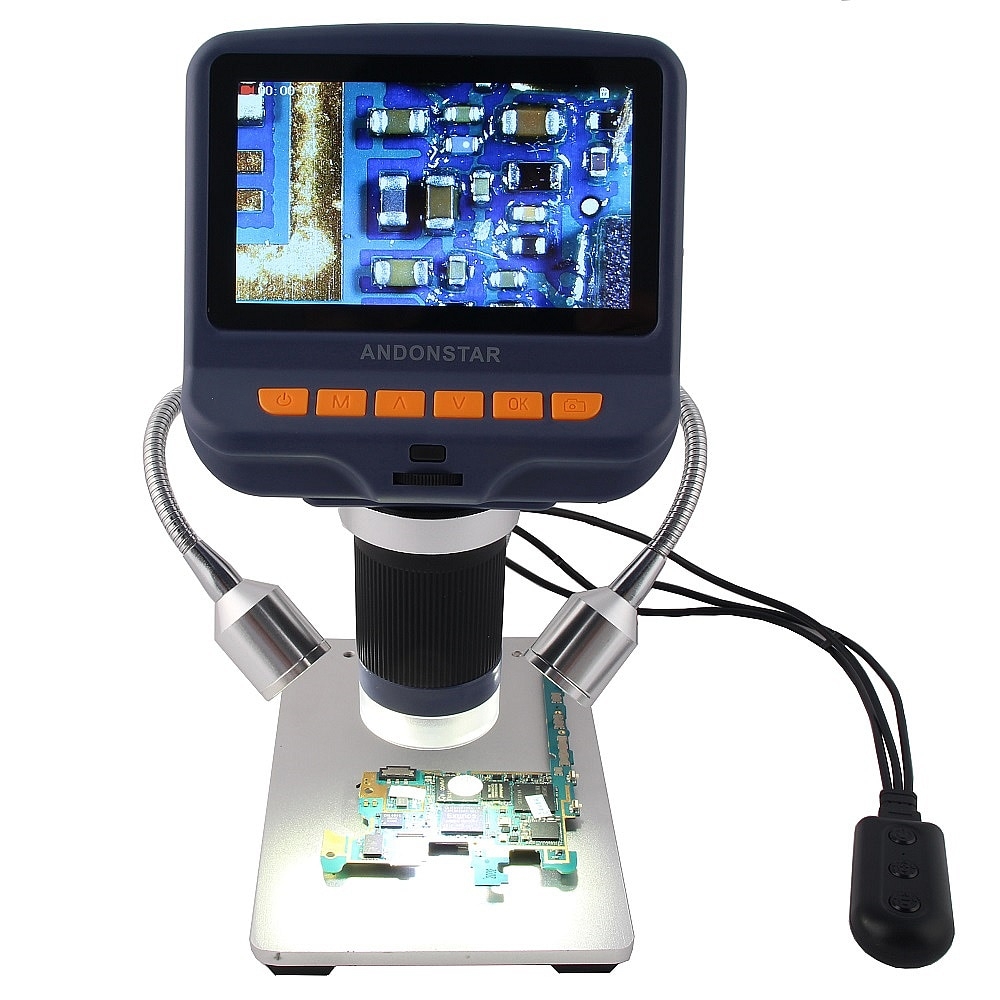
  • The seller claims 3.6MP imaging, 1-600X continuous magnification, 15mm-to-infinity working distance, and 5MP photo capture.
  • The screen is readable but far from Full HD, yet the microscope shows enough detail for soldering, hot air work, and microprint inspection.
  • The tested unit crashed repeatedly, then froze on the welcome screen after USB disconnect, and the attempted 25Q80 firmware swap did not revive it.
Generated by the language model.
ADVERTISEMENT
Treść została przetłumaczona polish » english Zobacz oryginalną wersję tematu
📢 Listen (AI):
  • #31 17665554
    juniorK123
    Level 18  
    Posts: 708
    Help: 30
    Rate: 96
    For me, as soon as I unplug the charger, one dash drops
  • ADVERTISEMENT
  • #32 17666487
    CMS
    VIP Meritorious for electroda.pl
    Posts: 8452
    Help: 258
    Rate: 2591
    Discharge it until it dries and charge it overnight, then test it. Mine after taking it out of the box and charging it did not last long, but after two cycles it holds up well.
  • #33 17671184
    Top Gun
    Level 20  
    Posts: 556
    Help: 2
    Rate: 26
    Out of curiosity, after this question, I checked my own - after disconnecting from the charger, it dropped to one line within an hour and it kept another 5 hours on this one line, so it probably stays quite long. Overall, I have had this device for several weeks and am satisfied. In my opinion, the equipment is enough for semi-professional activities at home :) Sometimes the LEDs shine too much, but he can deal with it, although brightness control would be useful :)
  • #34 17671563
    bestler
    VIP Meritorious for electroda.pl
    Posts: 5277
    Help: 254
    Rate: 893
    You have a potentiometer on the side, like in old Walkmans.
  • #35 17672082
    Top Gun
    Level 20  
    Posts: 556
    Help: 2
    Rate: 26
    Hen, indeed :) Thanks for the hint :)
  • ADVERTISEMENT
  • #36 17672769
    nasu
    Level 22  
    Posts: 1101
    Help: 11
    Rate: 251
    Can I somehow connect an additional monitor to this G600?
  • #37 17672783
    Top Gun
    Level 20  
    Posts: 556
    Help: 2
    Rate: 26
    I doubt it a bit, but on the other hand, it seems to me that this display is quite sufficient.
  • #38 17672827
    CMS
    VIP Meritorious for electroda.pl
    Posts: 8452
    Help: 258
    Rate: 2591
    It can be connected to a computer, it works with virtually any webcam application.
  • #39 17672846
    nasu
    Level 22  
    Posts: 1101
    Help: 11
    Rate: 251
    Well, I've already ordered $ 43.60 with shipping.
    I wonder what else is it? A stick tripod, but ..
    US $ 42.32 50% OFF | 800 x 4.3 inch lcd display digital solder microscope portable usb high brightness 8 leds electron soldering microscope
    https://s.click.aliexpress.com/e/bk4xzWbO
  • #40 17672875
    Top Gun
    Level 20  
    Posts: 556
    Help: 2
    Rate: 26
    A bit different than the one we're talking about :) This "our" has a better tripod.
  • #41 17672888
    nasu
    Level 22  
    Posts: 1101
    Help: 11
    Rate: 251
    I ordered our one Tem with a stick tripod has a tilting monitor For a tripod you would have to pay 17 $
  • ADVERTISEMENT
  • #44 17673202
    Top Gun
    Level 20  
    Posts: 556
    Help: 2
    Rate: 26
    Well ... one learns to ask for help from others :)
  • #45 17726960
    nasu
    Level 22  
    Posts: 1101
    Help: 11
    Rate: 251
    Just arrived and rather 0.3Mpi, not 3.6Mpi, but you can see well. After connecting to Win10> Camera on 27 "you can see the imperfection of these Mpi and some distortions, but practically no delay. Expensive to work on the 4mm * 2 field of work, you only have to wave" 50 "before. it is better to add bent lamps to the eyes.
  • #46 17727365
    CMS
    VIP Meritorious for electroda.pl
    Posts: 8452
    Help: 258
    Rate: 2591
    nasu wrote:
    and the leds give the eyes


    bestler wrote:
    You have a potentiometer on the side, like in old Walkmans.
  • #47 17727395
    tplewa
    Level 39  
    Posts: 6727
    Help: 222
    Rate: 991
    nasu wrote:
    Just arrived and rather 0.3Mpi, not 3.6Mpi, but you can see well. After connecting to Win10> Camera on 27 "you can see the imperfection of these Mpi and some distortions, but practically no delay. Expensive to work on the 4mm * 2 field of work, you only have to wave" 50 "before. it is better to add bent lamps to the eyes.


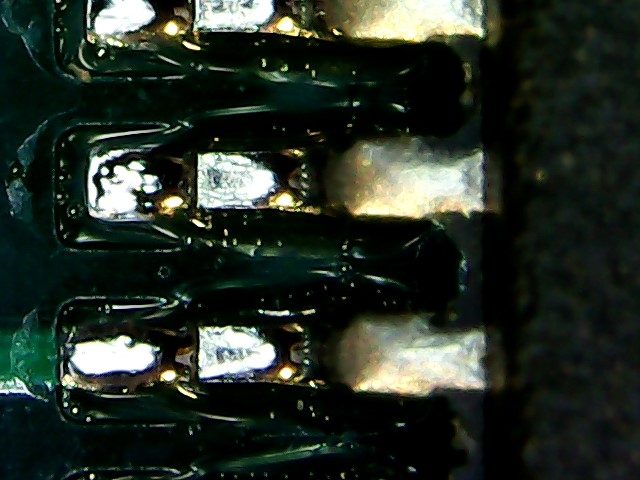
    I will say so, it arrived a while ago but I didn't have the chance to test it more. Unfortunately, while the delays are probably acceptable, this is what occurs with cameras, i.e. reflections from tin, etc. On the black solder mask it looked very uninteresting (everything was hard to read) ...

    But please don't take that opinion to heart. It was a quick test. If I find time, I will make a tripod so that the equipment is more stable and I will try to better test this miracle.
  • #48 17727559
    nasu
    Level 22  
    Posts: 1101
    Help: 11
    Rate: 251
    CMS wrote:
    nasu wrote:
    and the leds give the eyes


    bestler wrote:
    You have a potentiometer on the side, like in old Walkmans.
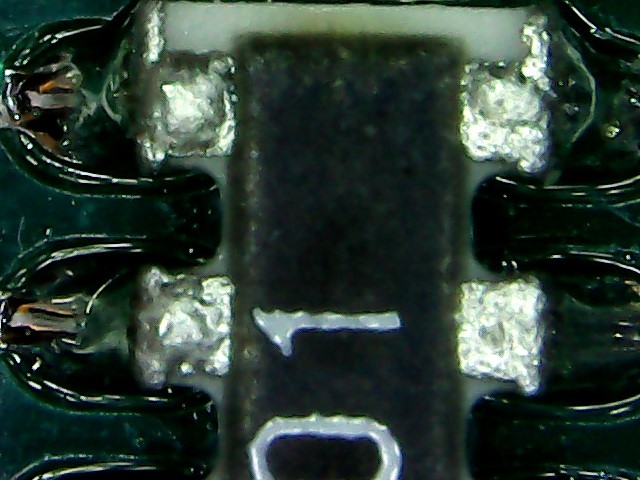
    You can completely turn off the backlight with this potentiometer from the side, as in old walkmans, only then you can not see anything ??
    It looks much better to use additional lighting on the sides like this
    PACHMET G600 Microscope with 4,3 "LCD - made in china - Test / Review / Des
    This is from mine without brightness adjustment etc.
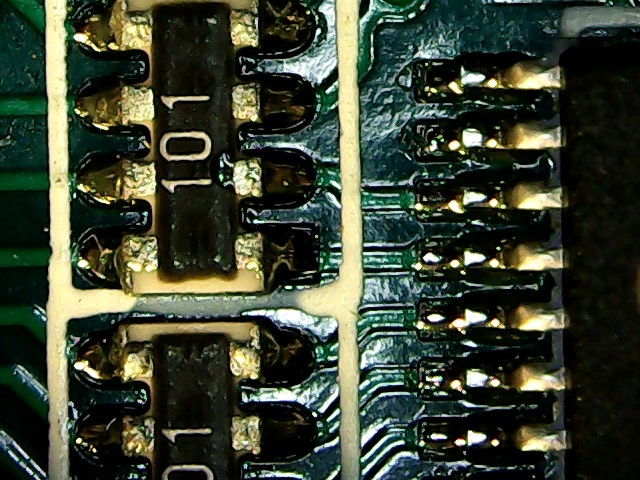
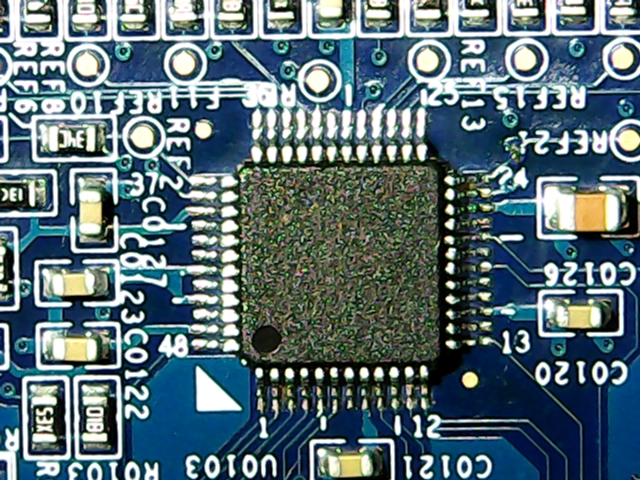
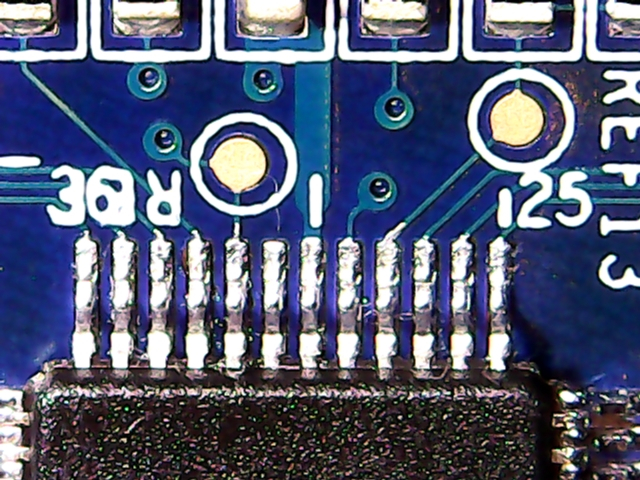
    PACHMET G600 Microscope with 4,3 "LCD - made in china - Test / Review / Des PACHMET G600 Microscope with 4,3 "LCD - made in china - Test / Review / Des PACHMET G600 Microscope with 4,3 "LCD - made in china - Test / Review / Des
  • #49 17737474
    Top Gun
    Level 20  
    Posts: 556
    Help: 2
    Rate: 26
    I confirm - sometimes reflections are a problem - then I turn off the backlight completely (if the reduction does not help) and bring the ordinary lamp closer to the side - usually enough.

    Out of curiosity - you also have that, when you look at the monitor, the soldering iron is strangely operated? Somehow my hand loses orientation :D
  • ADVERTISEMENT
  • #50 17737513
    tplewa
    Level 39  
    Posts: 6727
    Help: 222
    Rate: 991
    Top Gun wrote:

    Out of curiosity - you also have that, when you look at the monitor, the soldering iron is strangely operated? Somehow my hand loses orientation :D


    Because it's normal :) you see the whole thing flat - this is what a stereoscopic microscope eliminates ... That's why I also asked about delays in this topic - because in total both these effects lead to a situation that soldering smaller elements becomes a light nightmare ... You can probably get used to it, but I would prefer then invest in the microscope head (you can buy it for $ 160 or cheaper if you do not want to attach the camera) and make a tripod that significantly increases the price of such a microscope and shipment (large weight).
  • #51 17737543
    Top Gun
    Level 20  
    Posts: 556
    Help: 2
    Rate: 26
    I was already afraid that something was wrong with me :D

    For now, I will not be looking for anything else - it remains to get used to it :) And looking into glasses also takes some getting used to - am I wrong?
  • #52 17737567
    tplewa
    Level 39  
    Posts: 6727
    Help: 222
    Rate: 991
    Top Gun wrote:
    I was already afraid that something was wrong with me :D

    For now, I will not be looking for anything else - it remains to get used to it :) And looking into glasses also takes some getting used to - am I wrong?


    I will say that, there is no point in comparing - but you have to see it and that's it (if someone lives in a larger city, where there is a Delta Optical or other similar company where you can see their showroom, it is worth going and drawing conclusions).

    I will say as I mentioned, so far I did not have time to test this microscope - just checked if it works and it landed in the box. However, I can already see that this equipment is far from comfortable working, although it is probably possible. The question of self-denial - I prefer comfort and job security, even if you have to pay for it (health and nerves more important than cash). Another thing on the PCB, which I mentioned a few posts above, I also did not dare to solder, because if I would blow something, I would have several such microscopes in my back ... If I find time, I will make a better stand and practice soldering on some scrap ...


    Which does not change the fact that such a microscope will be useful to me sometimes when I want to see the markings of elements or carry out some inspection, etc., etc. I do not have to take out a large microscope right away - which at the moment takes up too much space for me (unfortunately I have a very small workplace and a constant lack of time to organize a larger work table).
  • #53 17738057
    nasu
    Level 22  
    Posts: 1101
    Help: 11
    Rate: 251
    It's fun to work much better on a 27 "monitor. In addition, I turned the table backwards and put a load on it, the soldered plate lies firmly on the desk.
  • #54 18009389
    Darek.S
    Level 34  
    Posts: 6683
    Help: 215
    Rate: 973
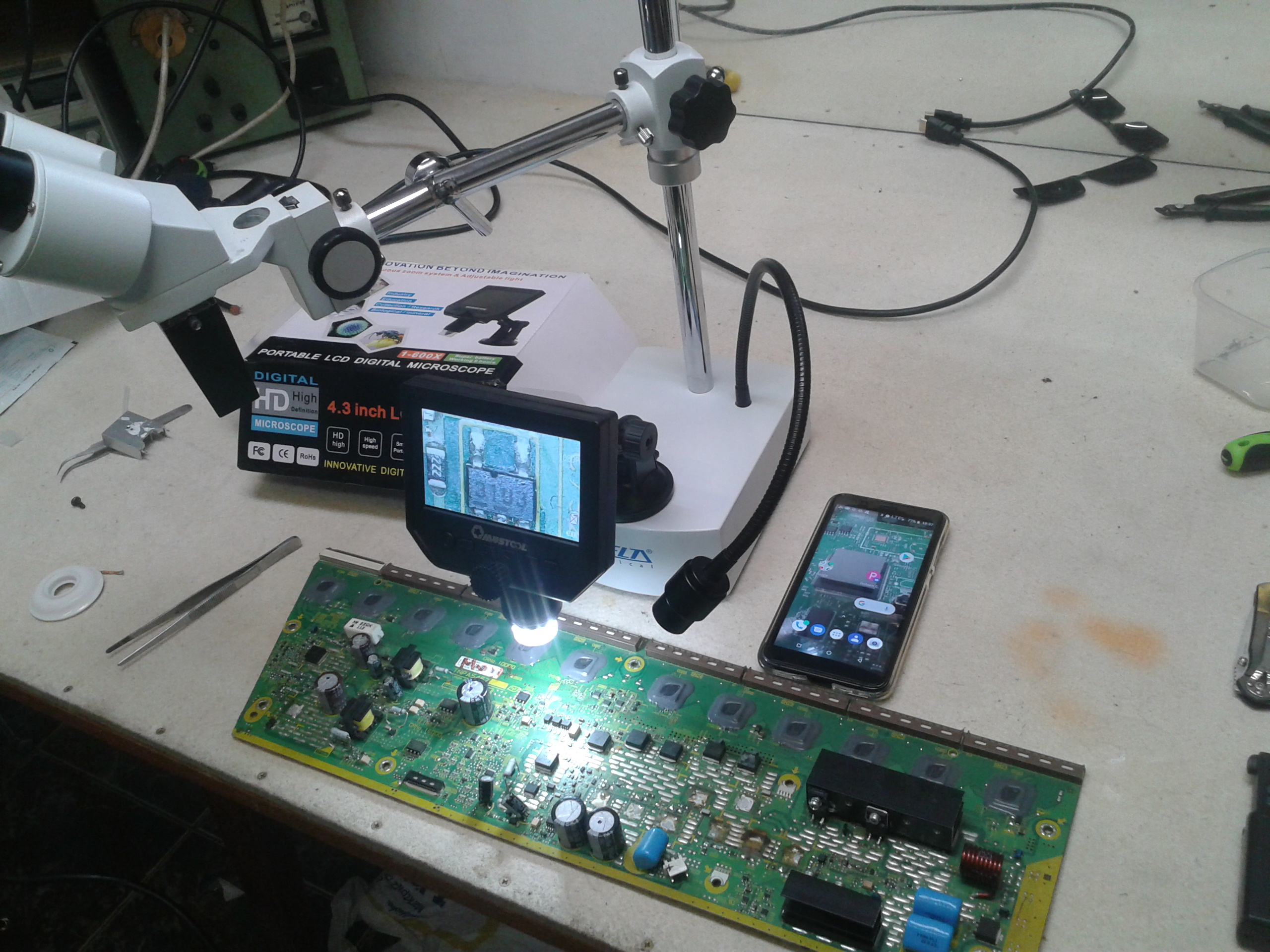
    Hello. I personally own the Delta Optical "Discovery L" and I am very happy. Sterescopy, long working distance, but I wrote a separate thread about it. Arko recommended this invention to me and I ordered it for a little over a hundred. Mainly, I wanted to take photos before the repair, because it happened that something blown away and there was a problem.
    Yesterday it arrived.
    After connecting to the computer, Windows installed the drivers but there was no application to view the image. After removing it from the USB, the microscope blew. Luckily, a reset on the back helped. Looking for some instructions / applications, I found this article.
    I haven't inserted a microSD card yet.
    grawastar1986 wrote:
    I have had such a microscope for over a year. I have never connected it to a computer and after this article I will not connect anymore :)

    It's just that I bought it for this purpose ...
    CMS wrote:
    It can be connected to a computer, it works with virtually any webcam application.
    If you can ask for one that worked best.
    As for the tripod, I have the cheapest one with a suction cup, but I already have a patent for a lift and better stability, but it will be in the photo when I come back to myself.
  • #55 18009525
    CMS
    VIP Meritorious for electroda.pl
    Posts: 8452
    Help: 258
    Rate: 2591
    Please.
    Attachments:
    • Mikroskop.zip.001 (75 MB) You must be logged in to download this attachment.
    • Mikroskop.zip.002 (25.63 MB) You must be logged in to download this attachment.
    • Endoskop.zip (2.23 MB) You must be logged in to download this attachment.
  • #56 18009581
    Darek.S
    Level 34  
    Posts: 6683
    Help: 215
    Rate: 973
    I started the last (endoscope) and the previous two do not really want to unpack. I tried two apps but it only pulls out txt. Can't you pack it with a normal zip?
  • #57 18009593
    Top Gun
    Level 20  
    Posts: 556
    Help: 2
    Rate: 26
    Darek.S wrote:
    I started the last one (endoscope) and the previous two do not want to unpack too much. i tried two apps but it only pulls out txt. Can't be a normal zip?


    Winrar unpacked without any problem.
  • #58 18009607
    CMS
    VIP Meritorious for electroda.pl
    Posts: 8452
    Help: 258
    Rate: 2591
    I only use one packer, it's called 7zip.
  • #59 18010133
    Darek.S
    Level 34  
    Posts: 6683
    Help: 215
    Rate: 973
    My favorite Total Commander in the latest version communicates "error in packed file", indeed 7zip gives advice.
    The photo I promised, how I got it (tripod)
    PACHMET G600 Microscope with 4,3 "LCD - made in china - Test / Review / Des
    All in all, this microscope is not that stupid. In any case, a photo can be taken better than with a cell phone because it is magnified.
    And simpler things can be done where stereoscopy is not required.
    In fact, it's good to have both.
  • #60 18016841
    Darek.S
    Level 34  
    Posts: 6683
    Help: 215
    Rate: 973
    So yeah. I can say something more because I have tested both. On the occasion of the exchange of Ace on the 15th (Ala ma Asa Asa has Ala - this is an association with a primer from old times :ok: )
    But to the point - to take photos as much as possible. But not with the tripod I got. Here, it is necessary to set the height to a large extent in order to obtain an image with different fields of view. Somehow I managed to put the washers. But that's not the point ...
    PACHMET G600 Microscope with 4,3 "LCD - made in china - Test / Review / Des PACHMET G600 Microscope with 4,3 "LCD - made in china - Test / Review / Des
    For comparison, a photo with a Samsung 5610 in macro mode
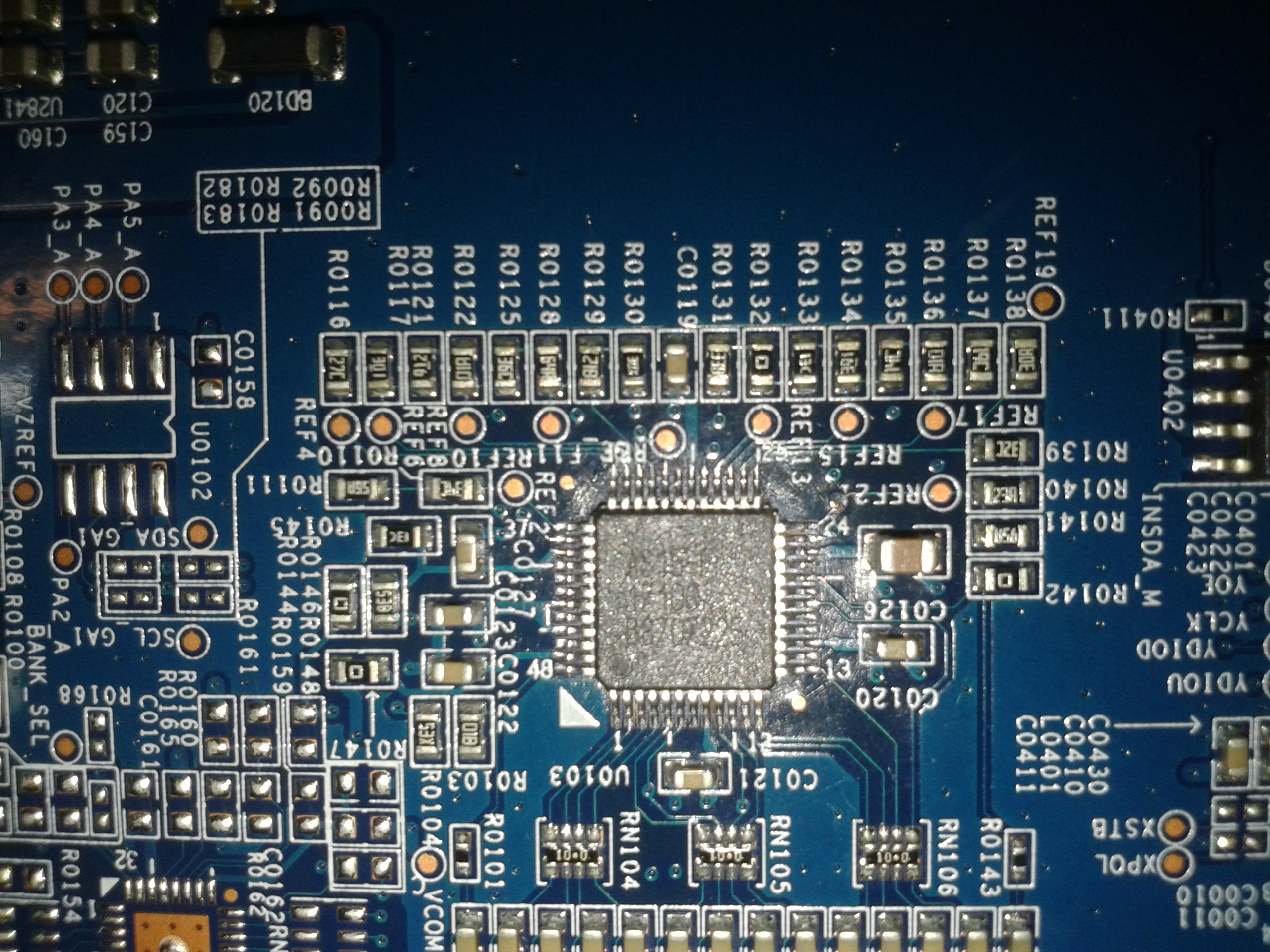
    PACHMET G600 Microscope with 4,3 "LCD - made in china - Test / Review / Des
    As for soldering under this system, it has already been said
    tplewa wrote:
    Top Gun wrote:

    Out of curiosity - you also have that, when you look at the monitor, the soldering iron is strangely operated? Somehow my hand loses orientation :D


    Because it's normal :) you see the whole thing flat - this is what a stereoscopic microscope eliminates ... That's why I also asked about delays in this topic - because in total both these effects lead to a situation that soldering smaller elements becomes a light nightmare ... You can probably get used to it, but I would prefer then invest in the microscope head (you can buy it for $ 160 or cheaper if you do not want to attach the camera) and make a tripod that significantly increases the price of such a microscope and shipment (large weight).

    And I can only confirm - lack of depth of field and stereoscopy, i.e. flatness. For this a small but always delay ...
    And it's actually harder to hit the rain.
    Of course, due to the lack of lacquer, a good putty and always better than with the naked eye, and you can get used to some shortcomings. But I can't take pictures with a stereoscopic microscope and the attachment costs a lot, therefore
    Darek.S wrote:

    In fact, it's good to have both.

    I just have to work on the tripod ...
    It was more expensive to order. A wise Pole after the damage ...
📢 Listen (AI):

Topic summary

✨ The PACHMET G600 microscope, equipped with a 4.3" LCD screen, has garnered mixed reviews among users. Priced between $31 and $41, it is noted for its decent performance, particularly for amateur use, despite concerns about durability and image quality. Users have compared it to magnifying glasses and other microscopes, highlighting its advantages in reducing eye strain and providing a stable image. However, issues such as low resolution (800x600), potential delays, and inadequate depth of field for soldering tasks have been raised. Some users recommend investing in higher-quality stereoscopic microscopes for professional work, while others find the G600 sufficient for basic inspections and photography. Battery life varies, with some users reporting short durations, while others find it adequate after initial charging cycles. The microscope's compatibility with computer applications for image viewing has also been discussed.
Generated by the language model.

FAQ

TL;DR: 96 % of owners spend under $45 on the PACHMET/Andonstar-style G600 and still call it “a really useful tool” [Elektroda, CMS, post #17562563] “The delay is so slight you can solder” [Elektroda, bestler, post #17574147] Why it matters: You can decide if a low-cost digital scope fits hobby-level electronics before buying.

Quick Facts

• Street price: US $31-41, shipping extra [Elektroda, CMS, post #17562563] • Screen: 4.3 in TFT, ~800 × 600 px [Elektroda, Anonymous, post #17564443] • Claimed magnification: 1-600×; practical ~200× usable [Elektroda, CMS, post #17562563] • Battery: Li-ion 2500 mAh; 4-6 h runtime per charge [Elektroda, bestler, post #17665307] • Firmware stored in 25Q80 SPI-Flash (8 Mbit) [Elektroda, CMS, post #17562563]

2. How much of the advertised 600× magnification is actually useful?

Users report clean, readable detail up to about 200×. Beyond that the image softens and depth of field collapses [Elektroda, CMS, post #17562563]

3. How long does one charge last?

Fresh units run 4-6 hours: 2.5-3 h used 75 % of the battery for CMS; Top Gun logged 5 h on the last bar [Elektroda, CMS, #17665543; Top Gun, #17671184].

4. Is video lag a problem while soldering?

Lag measures under 100 ms in webcam tests—short enough that owners describe it as “slight” and workable for hand-eye tasks [Elektroda, bestler, post #17574147]

5. Can I connect the G600 to a PC or external monitor?

Yes. Plug the USB cable and select PC-Camera; any webcam app (e.g., Windows 10 Camera, OBS) shows live video [Elektroda, CMS, post #17672827] No native HDMI or AV output exists.

6. My unit freezes while saving to micro-SD. How can I fix this?

Format the card to FAT32 on a computer, 32 kB allocation. Cards set to plain FAT cause frequent black-screen hangs during capture [Elektroda, mrozilla, post #18245132] Use Class 10 media ≤32 GB.

7. The scope hangs on the splash screen. How do I reflash it?

  1. Desolder the onboard 25Q80 Flash.
  2. Program a verified dump from a working unit with an SPI programmer.
  3. Resolder, reconnect battery, reboot. CMS succeeded using a 25Q32 replacement chip [Elektroda, CMS, post #17562563]

8. Which stand is best?

The cast-aluminum pillar stand adds stability and 10 cm extra clearance for hot-air work. CMS calls it “a bull’s-eye” upgrade; plastic suction stands wobble [Elektroda, CMS, post #17624131]

9. How do I stop LED glare on shiny solder?

Dim the ring light with the side potentiometer or switch it off and place two desk lamps at 45 °. Users report glare-free images using this cross-lighting method [Elektroda, nasu, post #17727559]

10. Can I comfortably solder 0402 parts under this microscope?

You can, but the flat image and limited depth make tip positioning harder than with a stereo microscope. Several members still prefer a 20× binocular scope for daily work [Elektroda, slavo666, post #17564774]

11. How can I take shake-free photos?

Press OK and release; the firmware delays capture by ~3 s, allowing vibrations to settle [Elektroda, CMS, post #17562563] For critical shots, rest elbows or use a remote trigger via USB.
Generated by the language model.
ADVERTISEMENT