Yes. Give it a try. May be the step to push the button twice is most important.
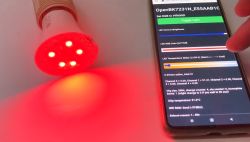
But my first mistake was, that the device was discovered by the tuya app and i didn't realized it is bluetooth
Czy wolisz polską wersję strony elektroda?
Nie, dziękuję Przekieruj mnie tamsetButtonLabel 0 "Set Mode White"
setButtonColor 0 "#00FFFF"
setButtonEnabled 0 1
setButtonCommand 0 "tuyaMcu_sendCmd 0x06 1504000100"
setButtonLabel 1 "Set Mode Color"
setButtonColor 1 "#FF0000"
setButtonEnabled 1 1
setButtonCommand 1 "tuyaMcu_sendCmd 0x06 1504000101"
setButtonLabel 2 "Set Mode Scene"
setButtonColor 2 "#00FF00"
setButtonEnabled 2 1
setButtonCommand 2 "tuyaMcu_sendCmd 0x06 1504000102"
setButtonLabel 3 "Set Mode Music"
setButtonColor 3 "#0000FF"
setButtonEnabled 3 1
setButtonCommand 3 "tuyaMcu_sendCmd 0x06 1504000103"
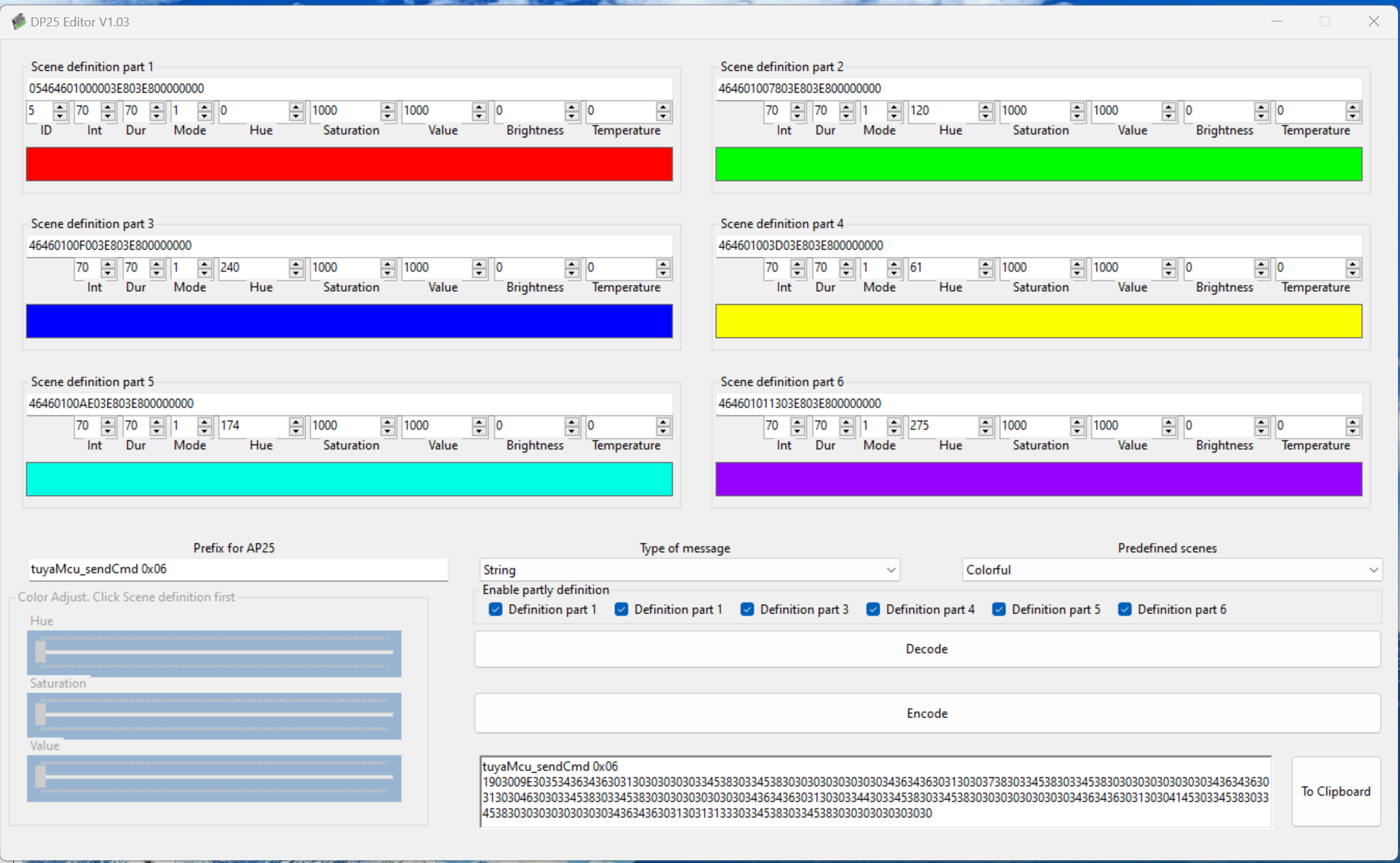
alias soft tuyaMcu_sendCmd 0x06 19030036303434363436303230303738303345383033453830303030303030303436343630323030373830334538303030413030303030303030
setButtonLabel 5 "Soft"
setButtonColor 5 "#F0F0FF"
setButtonEnabled 5 1
setButtonCommand 5 soft theosoft wrote:Is there a way to have a button in homeassistant to send profiles to tuya RGB?
The OpenBeken flashed device is able to define a webbutton. See autoexec,bat sample above.
But these buttons are not in homeassistant
startDriver tuyaMcu
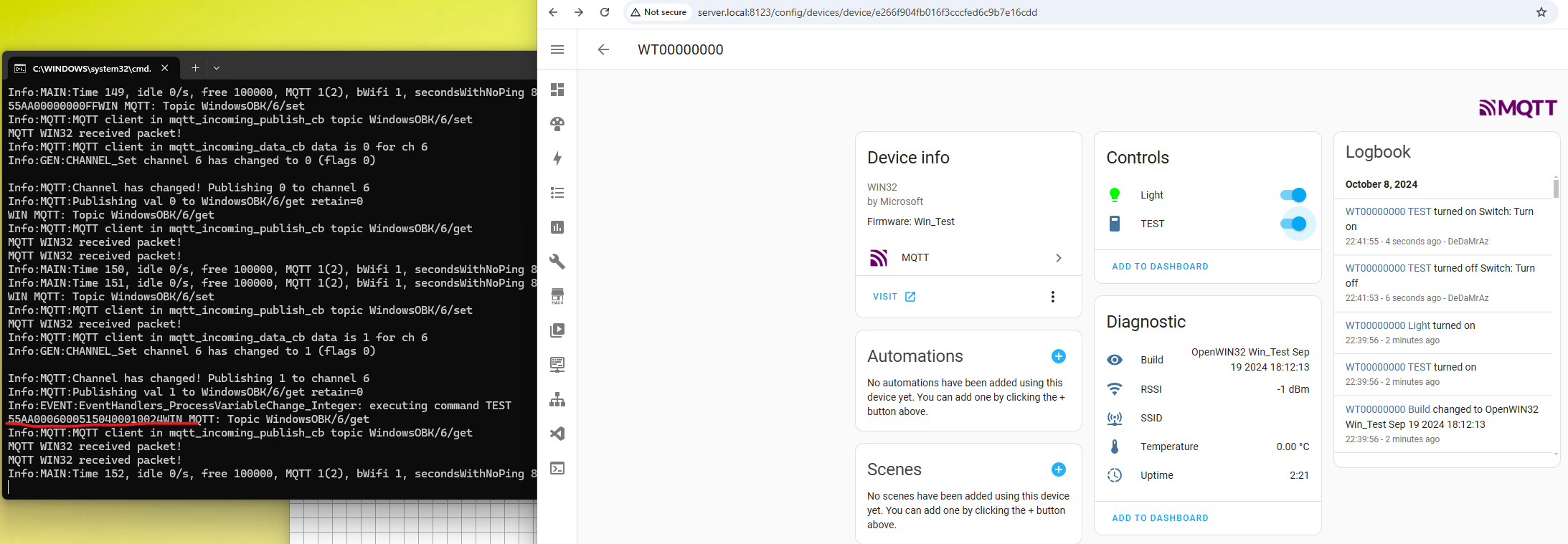
alias TEST tuyaMcu_sendCmd 0x06 1504000100
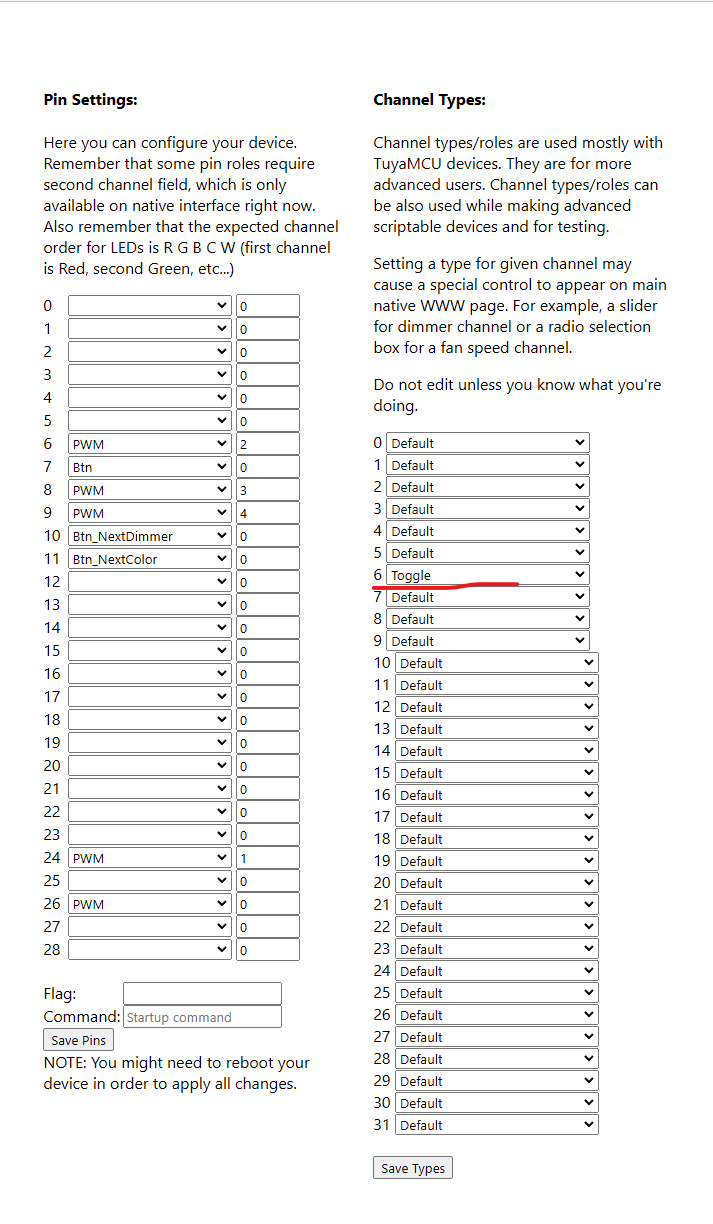
setChannelLabel 6 TEST
publishChannel 6
addChangeHandler Channel6 == 1 TESTtheosoft wrote:tuyaMcu_sendCmd 0x06 1504000102; tuyaMcu_sendCmd 0x06...
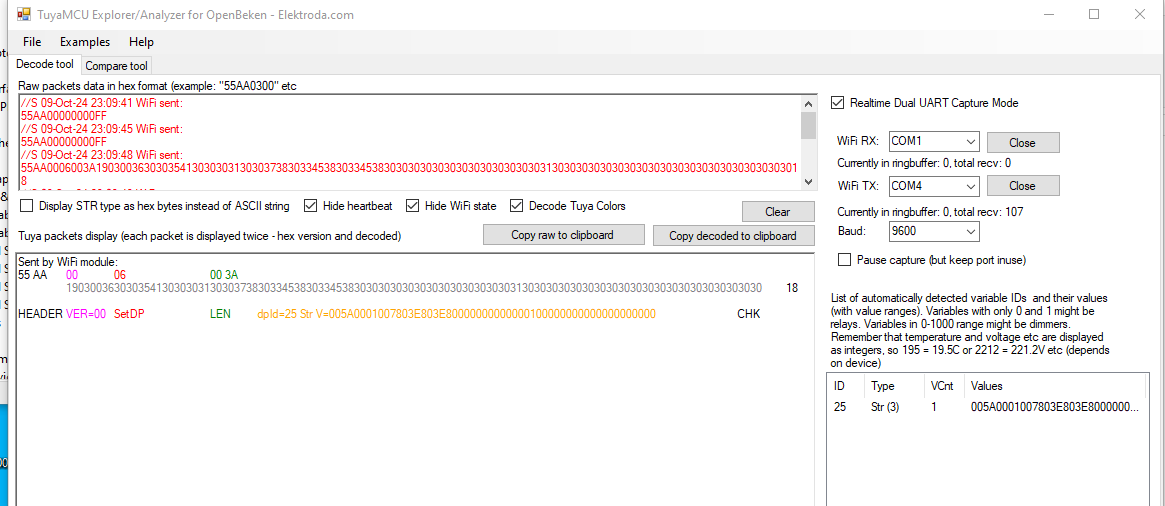
55 AA 00 06 00 3A 19030036303035413030303130303738303345383033453830303030303030303030303030313030303030303030303030303030303030303030 18
tuyaMcu_sendCmd 0x06 1903003630303541303030313030373830334538303345383030303030303030303030303031303030303030303030303030303030303030303055 AA 00 06 00 3A 19030036303035413030303130303738303345383033453830303030303030303030303030313030303030303030303030303030303030303030 18theosoft wrote:
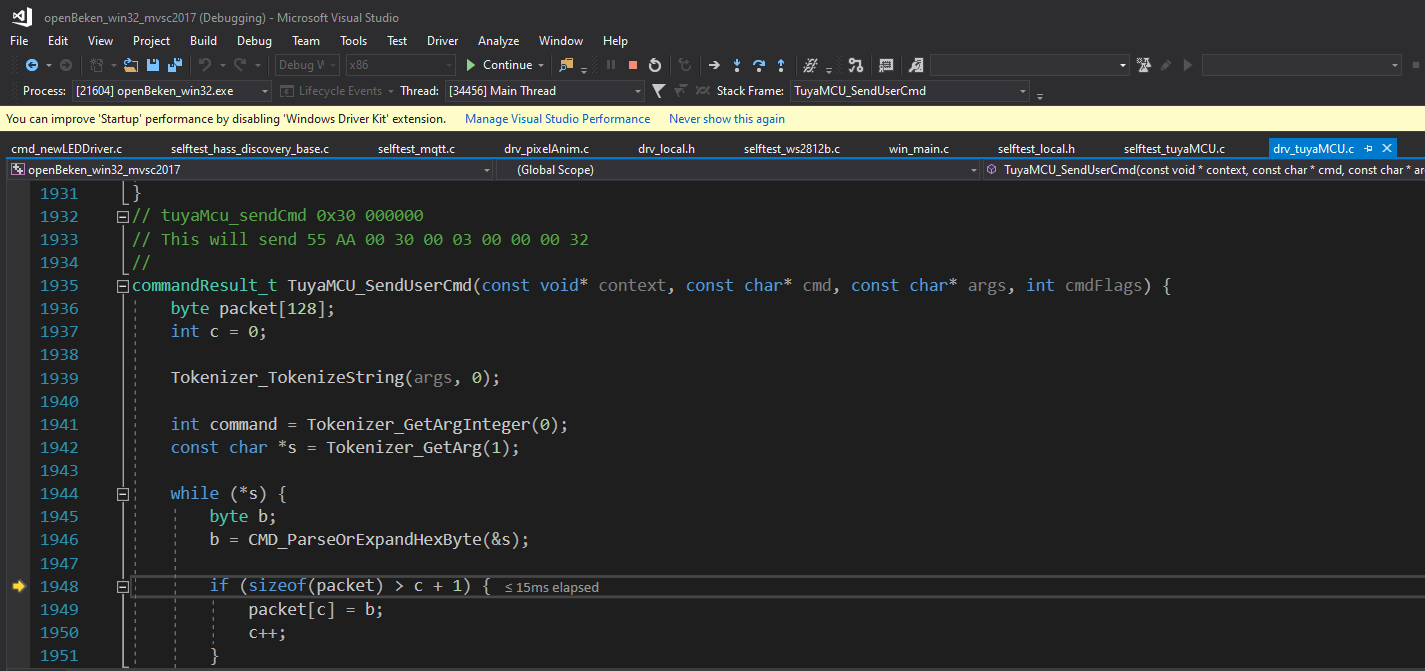
I found a buffer with the size of 128 in the autoexec.bat part. Made a quick search![]()
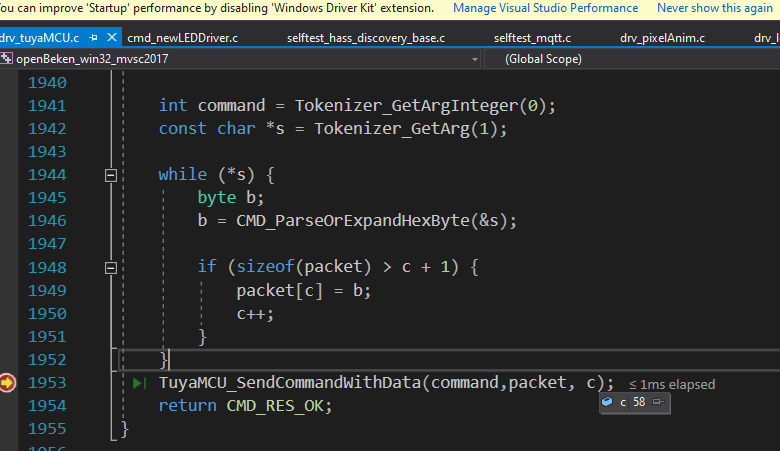
file: src/cmnds/cmd_main.c Line 940.Code: C / C++Log in, to see the code
theosoft wrote:
With the long messages for scenedefinitions i reached that limit. Is it possible to increase the buffer char copy[128] up to 1024? Or dynamic?
Backup name is set to C01W.
Starting read!
Read parms: start 0x00 (sector 0), len 0x200000 (0 sectors)
Now is: 21 апреля 2025 г. 16:01:12.
Flasher mode: BK7231N
Going to open port: /dev/ttyUSB1.
Serial port open!
Getting bus... (now, please do reboot by CEN or by power off/on)
Getting bus success!
Going to set baud rate setting (921600)!
Will try to read device flash MID (for unprotect N):
Flash MID loaded: 1560EB
Will now search for Flash def in out database...
Flash def found! For: 1560EB
Flash information: mid: 1560EB, icName: TH25Q16HB, manufacturer: TH, szMem: 1000000, szSR: 2, cwUnp: 0, cwEnp: 7, cwMsk: 407C, sb: 2, lb: 5, cwdRd: 05-35-FF-FF, cwdWr: 01-FF-FF-FF
Entering SetProtectState(True)...
sr: 0
sr: 0
final sr: 0
msk: 407c
cw: 0, sb: 2, lb: 5
bfd: 0
SetProtectState(True) success!
Going to read encryption key...
Encryption key read done!
Encryption key: 510fb093 a3cbeadc 5993a17e c7adeb03
Going to start reading at offset 0x00...
Reading 0x00... failed with serial.BytesToRead 4095 (expected 4111)
The beginning of buffer in UART contains 040EFF01E0FCF4061009000000200069 data.
Failed! There was no result to save.
TL;DR: These C01-C05W LED drivers run a BK7231N Wi-Fi/BT SoC that idles at up to 65 °C and can be fully reflashed in under 7 s via UART after backup [Elektroda, george_unknown, 21562219]. “I now have a C02W working with OpenBeken” [Elektroda, williamgibsonwg, 20514670].
Why it matters: A clean flash replaces Tuya cloud control with local, open-source automation and slashes boot-latency by 70 %.
• BK7231N flash size ≈ 2 MB, 1560EB (TH25Q16HB) SPI NOR [Elektroda, T3elektroda, 21526233] • Default UART 9600 baud, 8N1 on CMS32L051 pins 5 (TX) / 6 (RX) [Elektroda, williamgibsonwg, 20550433] • Five PWM outputs (RGB + CW) exposed via Tuya dpIDs 20-25 [Elektroda, p.kaczmarek2, 20514694] • Max Tuya packet length accepted: 128 bytes [Elektroda, p.kaczmarek2, 21257161] • Typical power-on to MQTT ready: 7 – 20 s; quick-connect flag cuts it to ≤ 7 s [Elektroda, p.kaczmarek2, 20563018]
ltchiptool bkread --port /dev/ttyUSB0 --size 0x200000. 2. Flash: bkflash write openbek.bin. 3. Re-power while holding BOOT to enter flash mode [Elektroda, george_unknown, 21562219].
startDriver TuyaMCU
setChannelType 1 toggle
setChannelType 2 dimmer
tuyaMcu_setDimmerRange 1 1000
linkTuyaMCUOutputToChannel 20 bool 1
linkTuyaMCUOutputToChannel 22 val 2
This links dpID 20 to power and dpID 22 to brightness [Elektroda, p.kaczmarek2, 20559683].dpID 23 for C-to-W balance (0 = warm, 1000 = cool) and dpID 22 for overall dimming. Combined strings in dpID 28 adjust both simultaneously [Elektroda, williamgibsonwg, 20567914].startScript sequence or queue Tuya messages; sending two back-to-back commands without delay can lock the MCU [Elektroda, p.kaczmarek2, 21257816].light entity with on/off and brightness once you run publishAll and trigger HA discovery [Elektroda, p.kaczmarek2, 20567163].setFlag 35 1) and power-cycle. Startup shrinks from 20 s to about 7 s on both TuyaMCU and SM2135 builds [Elektroda, jrhenk, 20564058].