logo elektroda
logo elektroda
X
logo elektroda
Dostępna jest polska wersja

Czy wolisz polską wersję strony elektroda?

Nie, dziękuję Przekieruj mnie tam

Radar with WiFi - TuyaMCU, OpenBeken, own configuration page hosted on the devic

p.kaczmarek2 4626 4

TL;DR

  • A TuyaMCU-based WiFi radar/motion/light sensor was dissected and remapped for OpenBeken, including its internal UART protocol and a custom local configuration page.
  • The device was analyzed by capturing TuyaMCU UART traffic, identifying dpIDs, then mapping them to OBK channels and hosting a Bootstrap/JavaScript control page in LittleFS via REST.
  • The sensor used 115200 baud, cost $20, and exposed dpIDs for presence, radar sensitivity, detection distance, delay timing, and light sensing.
  • OpenBeken drove the sensor locally, published values to Home Assistant Discovery, and allowed automations such as turning a relay on motion and off after a delay.
  • The original WiFi module was not yet supported, so testing used a swapped CB3S/BK7231N module while support for the BR module remained in progress.
Generated by the language model.
ADVERTISEMENT
Treść została przetłumaczona polish » english Zobacz oryginalną wersję tematu
📢 Listen (AI):
  • Radar with WiFi - TuyaMCU, OpenBeken, own configuration page hosted on the devic
    Here I will show the inside of the 'intelligent' Tuya radar/motion/light sensor based on TuyaMCU, I will analyze its communication protocol, and then I will show how it can be handled in OpenBeken. For the convenience of use, I will also create a mini website for this device in Bootstrap, which I will host on OBK and communicate with the firmware itself via the REST interface. The result of the game will be the complete release of the device from the cloud while maintaining its functionality that interests us.

    The theme was created in collaboration with @DeDaMrAz. I never had the device from the subject at home, my colleague from Serbia performed all measurements, photos and tests.

    NOTE: Some time ago we ran a similar device that was just a light sensor. The topic about it can be found below:
    https://www.elektroda.pl/rtvforum/topic3984681.html

    Purchase of a sensor-radar
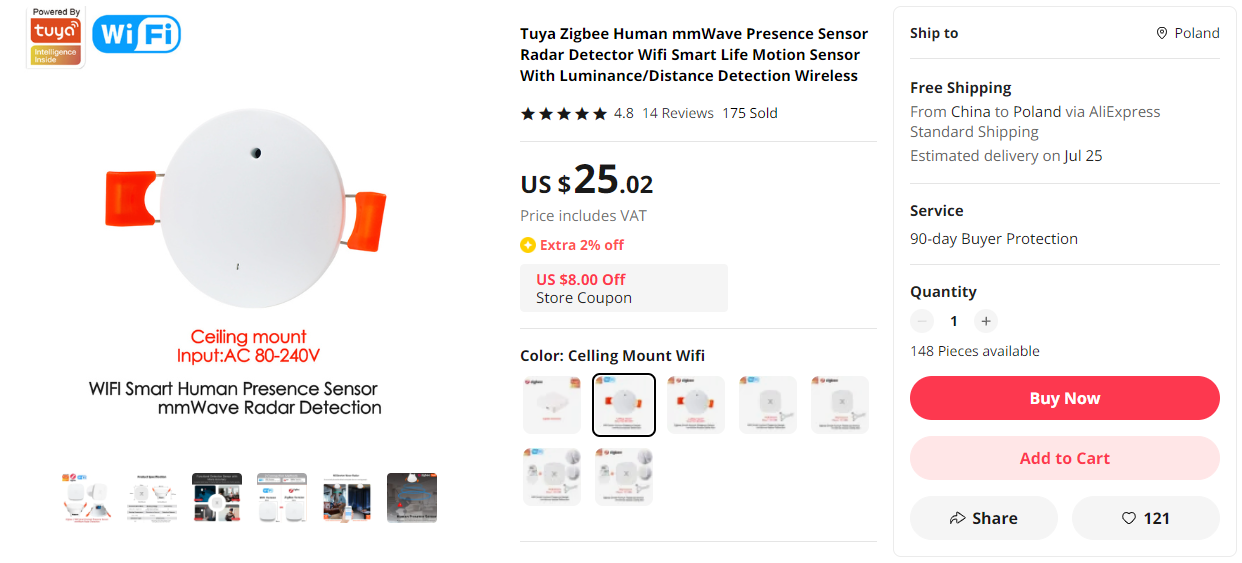
    We made the purchase on a Chinese shipping service. The sensor is available in Zigbee and WiFi versions, we chose WiFi. In the same offer, you can also order a hub from Zigbee. We paid $20 for the sensor alone:
    Radar with WiFi - TuyaMCU, OpenBeken, own configuration page hosted on the devic
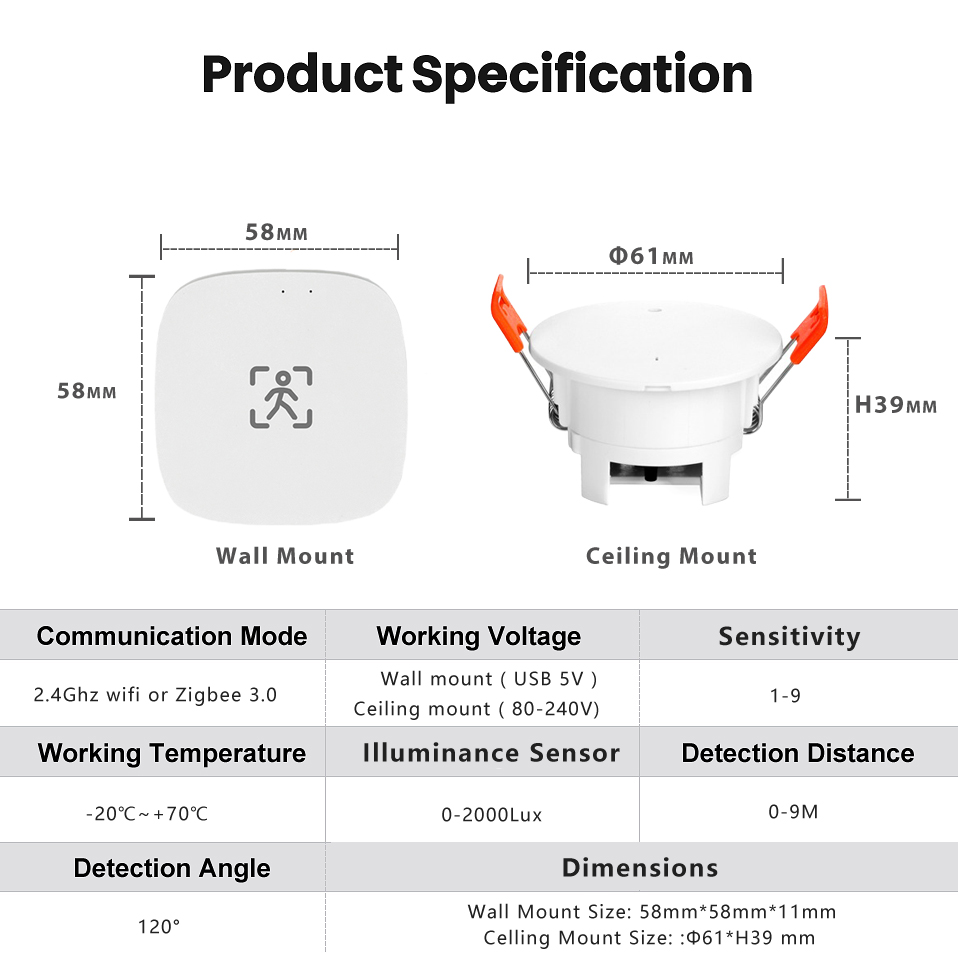
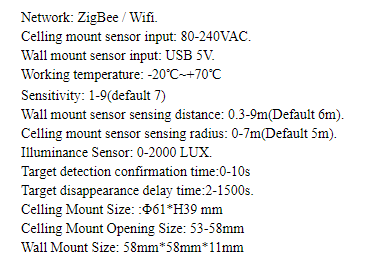
    Here is the product specification. Power is from 5V, the product offers motion detection in the range of distance set by the user, as well as performs lighting measurement:
    Radar with WiFi - TuyaMCU, OpenBeken, own configuration page hosted on the devic
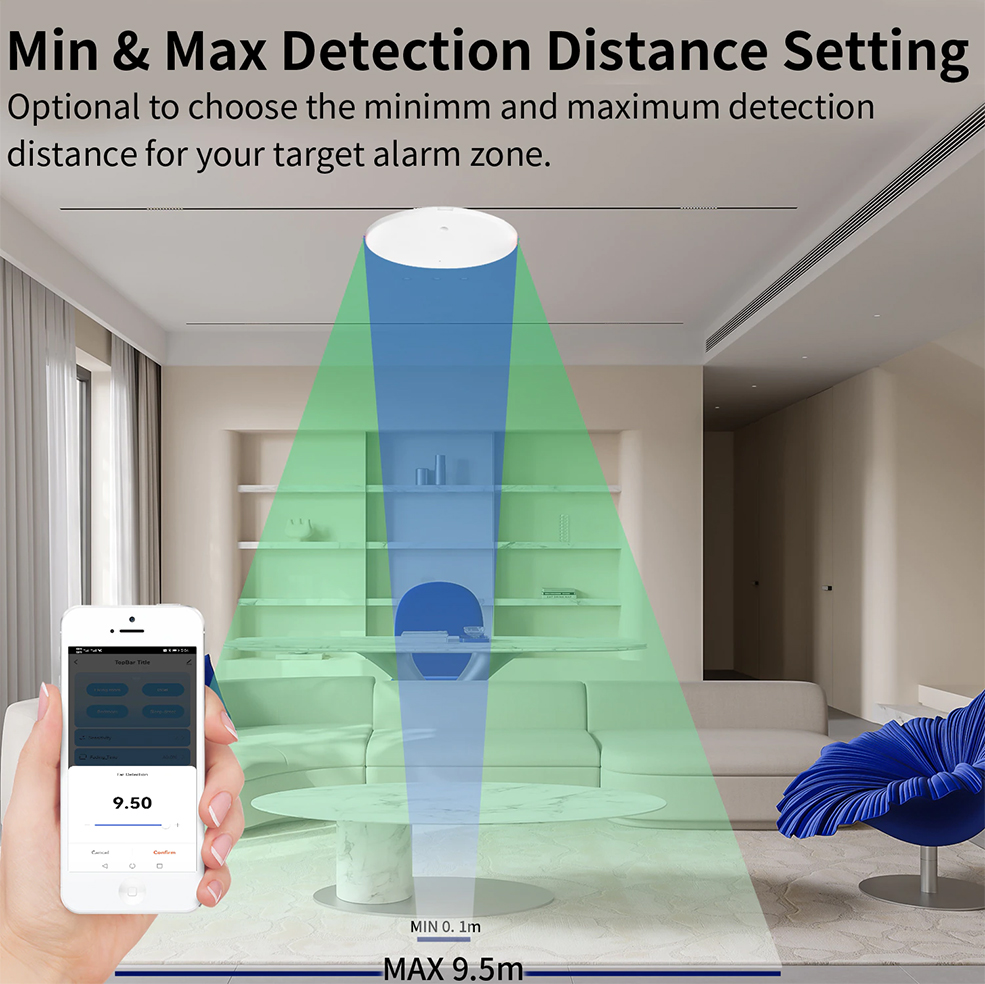
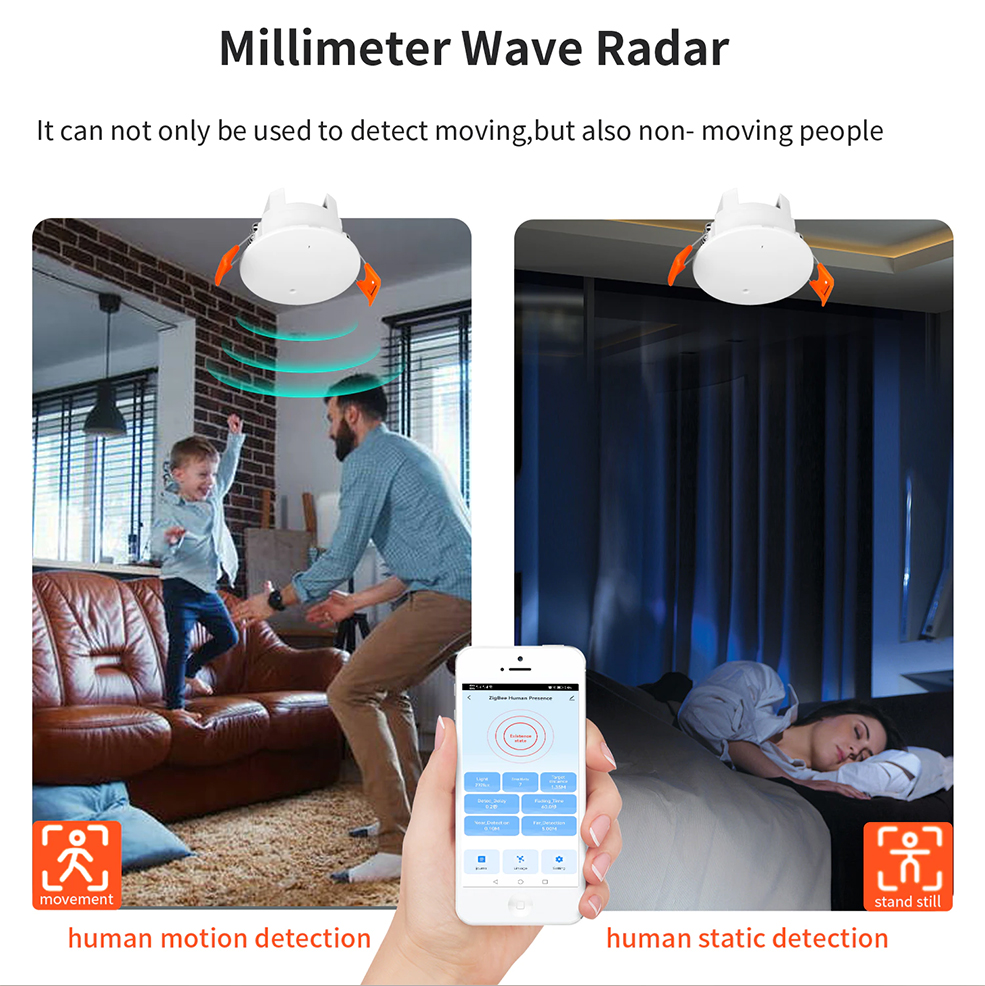
    Dimensions and promotional graphics:
    Radar with WiFi - TuyaMCU, OpenBeken, own configuration page hosted on the devic
    Radar with WiFi - TuyaMCU, OpenBeken, own configuration page hosted on the devic
    Radar with WiFi - TuyaMCU, OpenBeken, own configuration page hosted on the devic
    Radar with WiFi - TuyaMCU, OpenBeken, own configuration page hosted on the devic

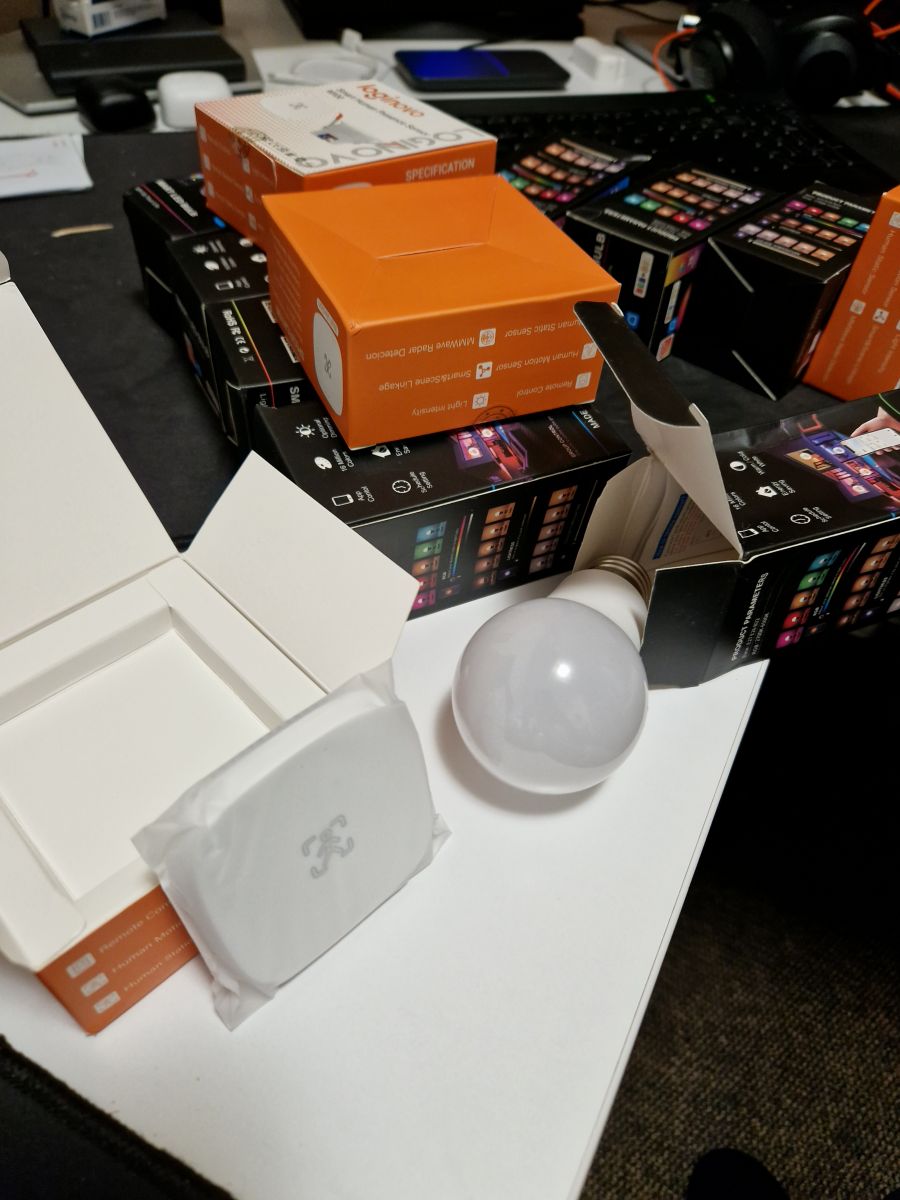
    The contents of the package, inside
    We look at what we got. The housing is held on the catches.
    Radar with WiFi - TuyaMCU, OpenBeken, own configuration page hosted on the devic
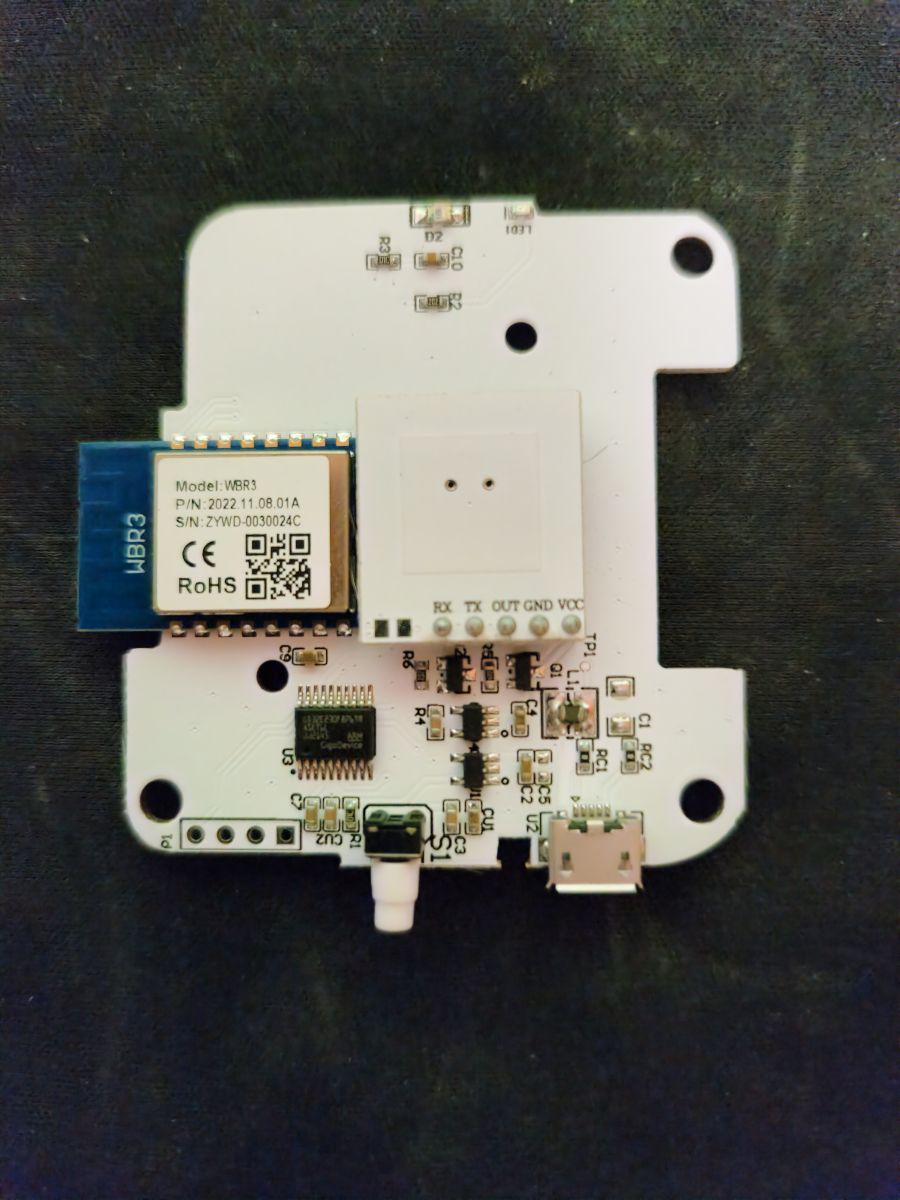
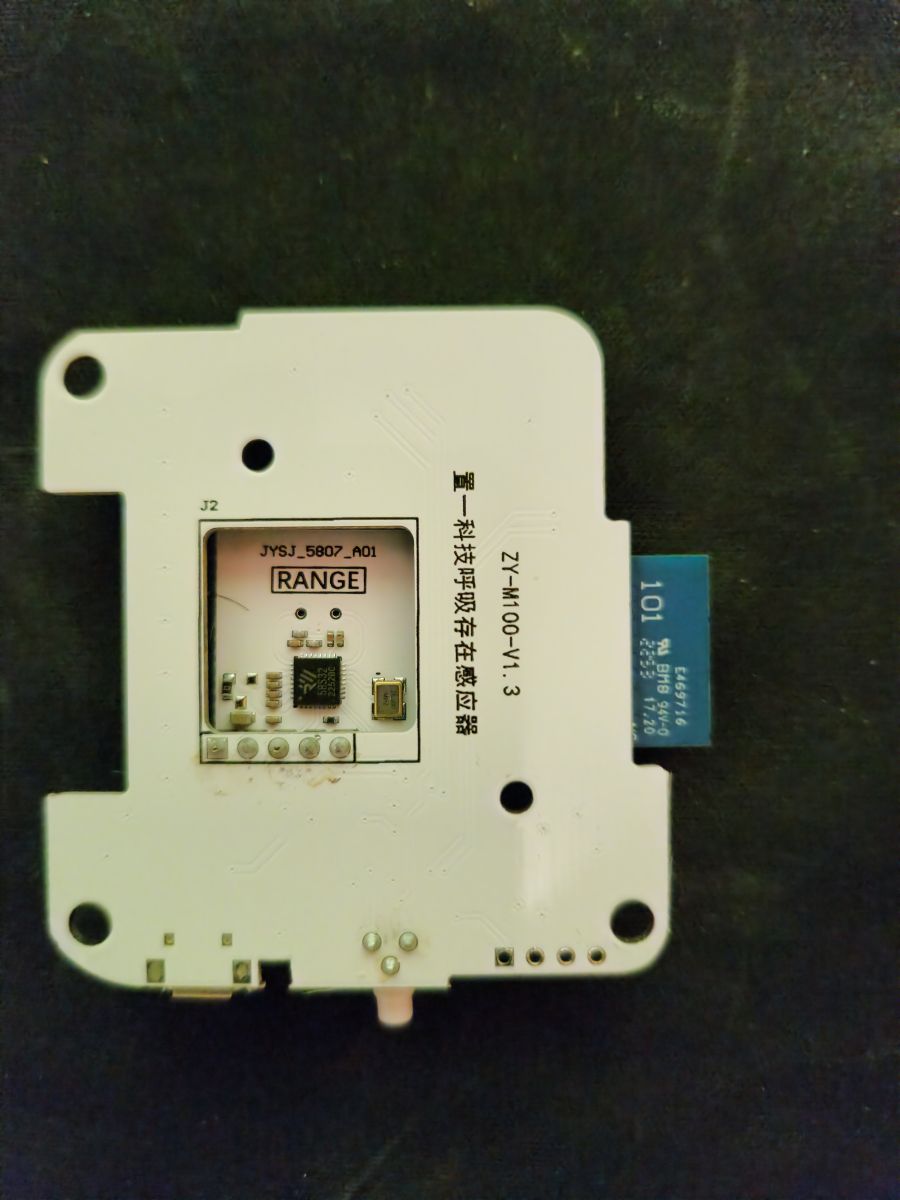
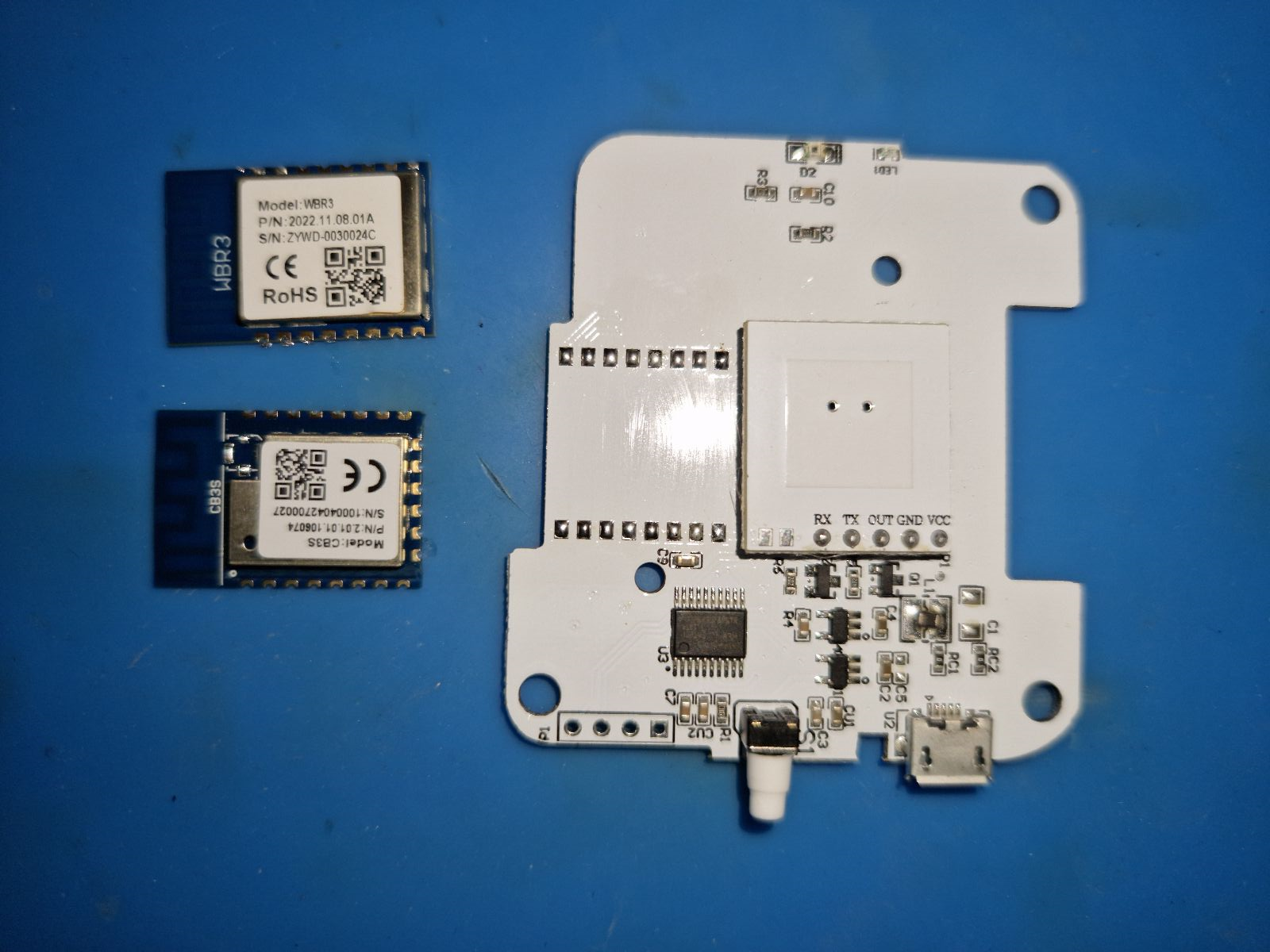
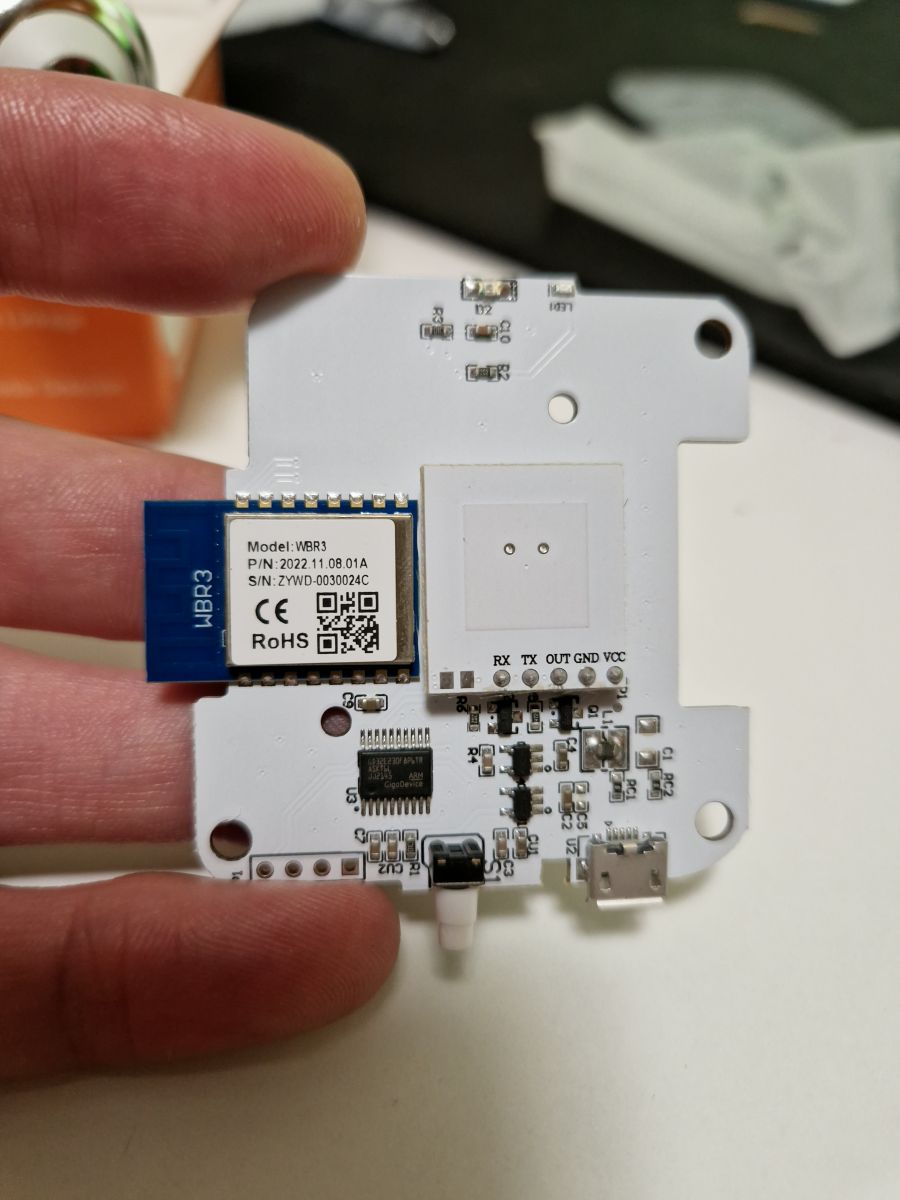
    It turns out that this is a device based on TuyaMCU and a WiFi module, the support of which is still in progress. Does this mean this topic is about to end?
    Radar with WiFi - TuyaMCU, OpenBeken, own configuration page hosted on the devic Radar with WiFi - TuyaMCU, OpenBeken, own configuration page hosted on the devic Radar with WiFi - TuyaMCU, OpenBeken, own configuration page hosted on the devic
    Nothing more wrong! This is a device based on TuyaMCU, so at the beginning you can capture their UART communication packets. I discussed it in the topic about the TuyaMCU analyzer:
    https://www.elektroda.pl/rtvforum/topic3970199.html
    https://www.elektroda.com/rtvforum/topic3970199.html
    Link to the analyzer repository:
    https://github.com/openshwprojects/TuyaMCUAnalyzer
    TuyaMCU itself would also be covered, so I won't repeat details like what dpID is, what are the types of variables in TuyaMCU, and so on:
    https://www.elektroda.pl/rtvforum/topic3880546.html
    https://www.elektroda.com/rtvforum/topic3880546.html

    TuyaMCU communication
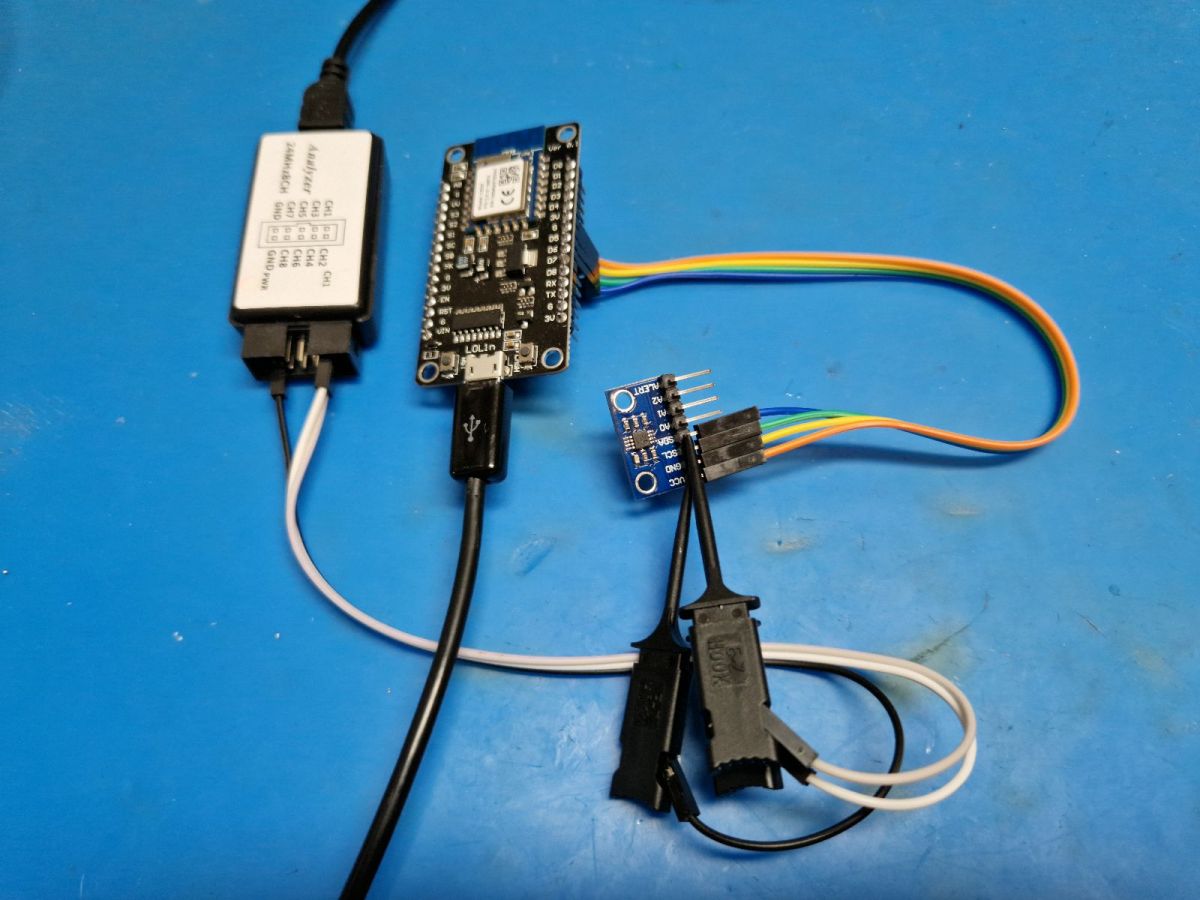
    So we do packet capture. We connect the mass and RX of the USB to UART converter operating in 3.3V mode first to the TX of the WiFi module, and then to the RX and save the sent data. Baud is usually 9600, but here it was different - 115200 was used here, which can also be found in some Tuya devices.
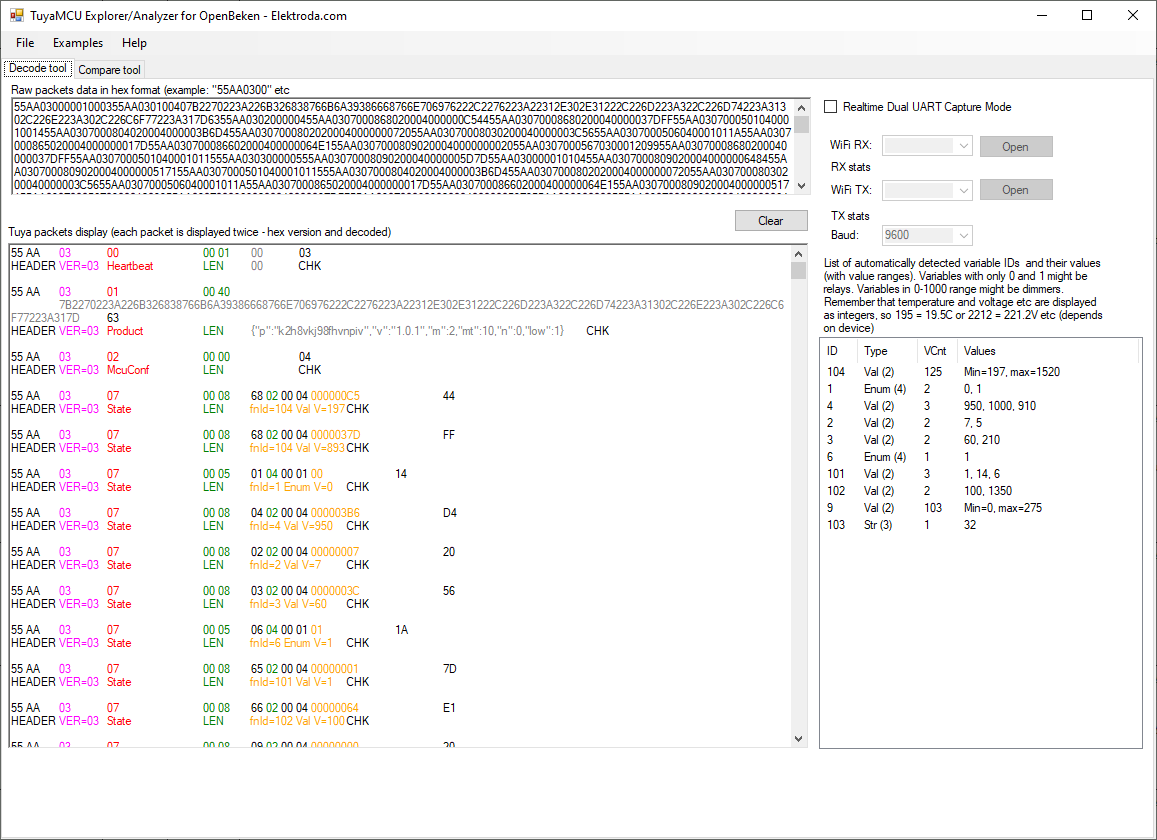
    Here is the collected data, first what the MCU sends to the WiFi module:
    Radar with WiFi - TuyaMCU, OpenBeken, own configuration page hosted on the devic
    Here we see the MCU check in first with the product code in JSON:
    Code: JSON
    Log in, to see the code

    and then a lot of variables with different dpIDs, the meaning of which we are yet to learn. Here we have the variables that the MCU sends to us, i.e. measurements.
    In turn, the packets sent by the WiFi module to the MCU look like this:
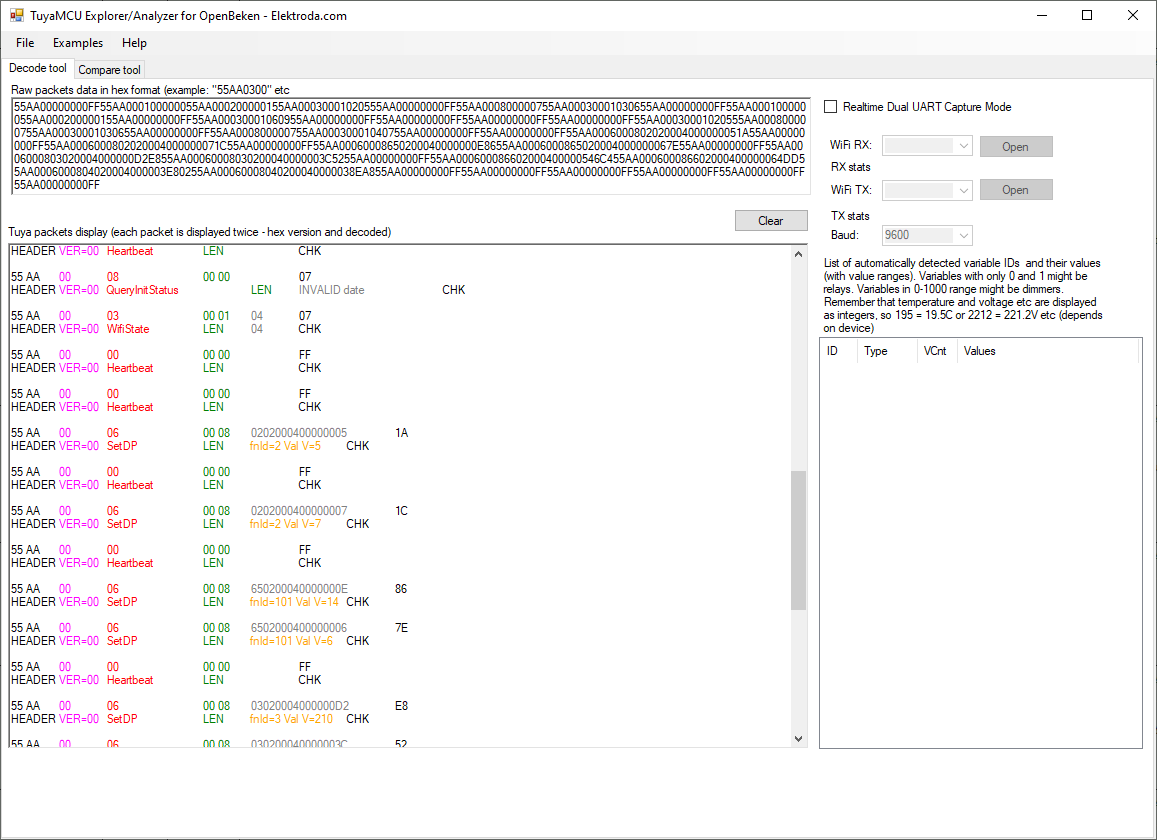
    Radar with WiFi - TuyaMCU, OpenBeken, own configuration page hosted on the devic
    Here we have the variables that the WiFi module sends to the MCU. These are the operating parameters of the device, e.g. radar sensitivity is sent here.

    A short analysis and tests with the Tuya application show us what is what. We just switched options in the app and watched what changed. We watched what the UART shows and what the application shows. Here are the roles of each dpID:
    - 1 presence alarm
    - 2 radar sensitivity
    - 3 mine spotting distance (unless in cm)
    - 4 max detection distance (unless as cm)
    - 6 self test (0 or 1)
    - 9 detected distance to move (unless in cm)
    - 101 detection delay (the unit is tenths of a second, so 10 means 1 sec and 5 means 0.5 sec)
    - 102 presence with delay (similar to presence but turns off after delay)
    - 103 debug CLI flag (default 32)
    - 104 light sensor reading
    These roles can also be derived from the Tuya API, but we didn't use this approach here.

    I put full communication dumps on the analyzer repository:
    https://github.com/openshwprojects/TuyaMCUAna...mmit/9a7a87fde797d56b29095d9218910384c0b84b1c

    TuyaMCU support in OpenBeken
    The WiFi module encountered inside is not yet supported, but manufacturers often use it interchangeably with TYWE3S (ESP8266, rather in the past) and CB3S and WB3S (BK7231). So you can try to replace the module and test TuyaMCU support in OpenBeken. This will give us a little more information on how this device works, and show us if TuyaMCU support in OBK can handle quite unusual equipment.
    So - hot air in motion and we solder CB3S with the already uploaded one in place OBK :
    Radar with WiFi - TuyaMCU, OpenBeken, own configuration page hosted on the devic
    Then configure TuyaMCU in OpenBeken. In the autoexec.bat script, we map the dpID of variables from TuyaMCU to OpenBeken channels and set their types. It is necessary that the system knows how to display them on the GUI and how to send them to Home Assistant, also with the automatic Discovery of the device.
    We place the script in the LIttleFS file system via Web App.
    
    startDriver TuyaMCU
    
    // always report paired
    tuyaMcu_defWiFiState 4
    // baud
    tuyaMcu_setBaudRate 115200
    
    // 104 is light sensor
    setChannelType 2 ReadOnly
    setChannelLabel 2 Lux
    linkTuyaMCUOutputToChannel 104 val 2 
    
    // 1 is presence alarm
    setChannelType 1 ReadOnly
    setChannelLabel 1 Presence
    linkTuyaMCUOutputToChannel 1 bool 1
    
    //2 is dp_sensitivity - default 7
    setChannelType 3 TextField
    setChannelLabel 3 DP_sensitivity 
    linkTuyaMCUOutputToChannel 2 val 3
    
    // 9 is target distance
    setChannelType 4 ReadOnly
    setChannelLabel 4 Meters
    linkTuyaMCUOutputToChannel 9 val 4
    
    [inContentAd]
    
    // 3 is near detection
    setChannelType 5 TextField
    setChannelLabel 5 Near_detection
    linkTuyaMCUOutputToChannel 3 val 5
    
    //102 is fading time
    setChannelType 6 TextField
    setChannelLabel 6 Fading_time
    linkTuyaMCUOutputToChannel 102 val 6
    
    //4 is fading time
    setChannelType 7 TextField
    setChannelLabel 7 Far_detection
    linkTuyaMCUOutputToChannel 4 val 7
    

    This script is executed once at device startup.
    startDriver TuyaMCU
    

    This command starts the TuyaMCU driver.
    // always report paired
    tuyaMcu_defWiFiState 4

    This command always forces WiFi 0x04 status to be reported to TuyaMCU, i.e. "online and connected to cloud"
    // baud
    tuyaMcu_setBaudRate 115200

    This command sets the communication baud rate.
    // 104 is light sensor
    setChannelType 2 ReadOnly
    setChannelLabel 2 Lux
    linkTuyaMCUOutputToChannel 104 val 2 

    Then we have three commands that sequentially set the OpenBeken channel type (determines its display, processing and the method of publishing its values to the HA), set the label (name) of the channel and then map the dpID data and variable type from TuyaMCU to this channel.

    Here is the result:
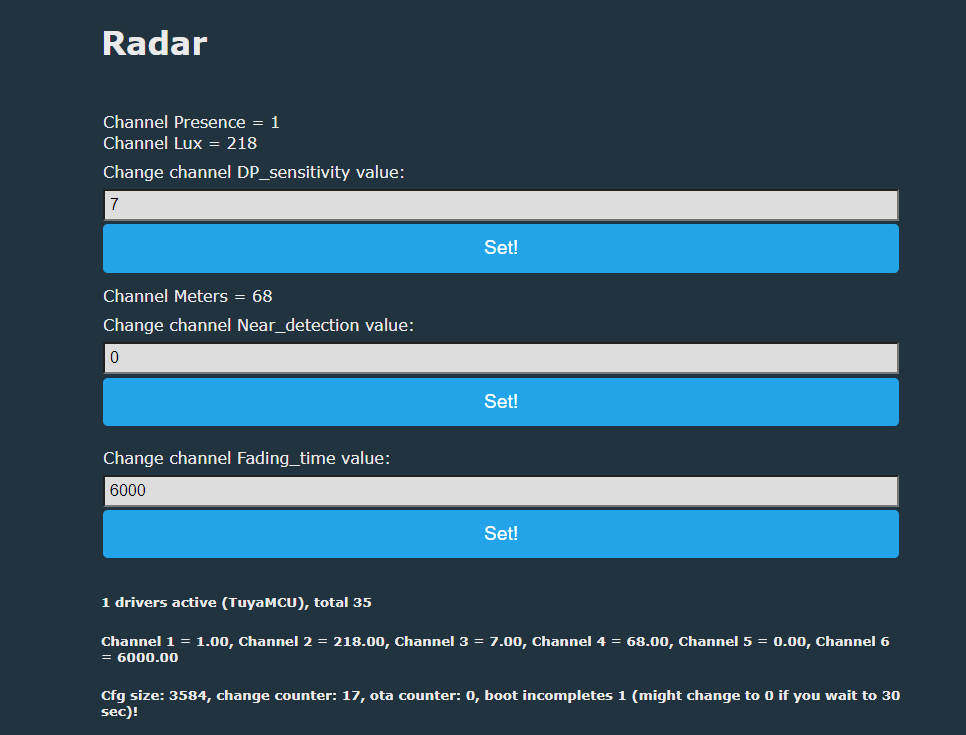
    Radar with WiFi - TuyaMCU, OpenBeken, own configuration page hosted on the devic
    The GUI doesn't look very good, we're going to improve it a bit...


    Own configuration page
    The device can already work with Home Assistant, but we haven't mapped the entire manufacturer's GUI yet. So you can go a step further. OpenBeken firmware does not have the ability to customize the channels from the main panel to the specific needs of this device, so normally there would be a problem with setting nice sliders with appropriate ranges and descriptions, but LittleFS and the REST interface come to the rescue here.
    OpenBeken allows us to create our own mini device page, written in HTML and Javascript, hosted on the WiFi device itself and communicating with the main firmware via a REST interface, without refreshing the page.
    This was presented in the topic below (English and Polish versions):
    https://www.elektroda.pl/rtvforum/topic3971355.html
    https://www.elektroda.com/rtvforum/topic3971355.html
    Demo repository:
    https://github.com/openshwprojects/OpenBekenRESTDemo
    Here, too, I thought it would be worth doing something like this. This resulted in the page linked below:
    https://github.com/openshwprojects/OpenBekenR.../main/examples/TuyaMCU_RadarSensorConfig.html
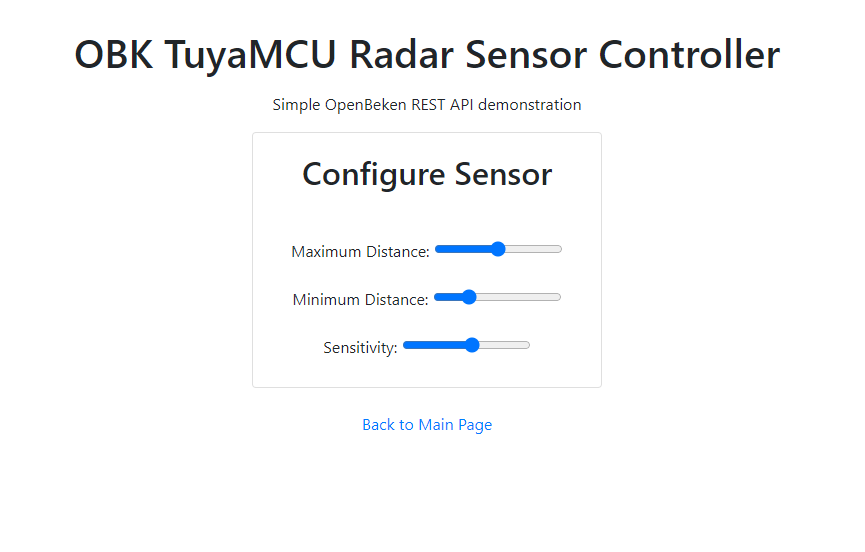
    Radar with WiFi - TuyaMCU, OpenBeken, own configuration page hosted on the devic

    Then I developed the website to show readings from the sensor:
    https://github.com/openshwprojects/OpenBekenR...ples/TuyaMCU_RadarSensorConfigAndResults.html
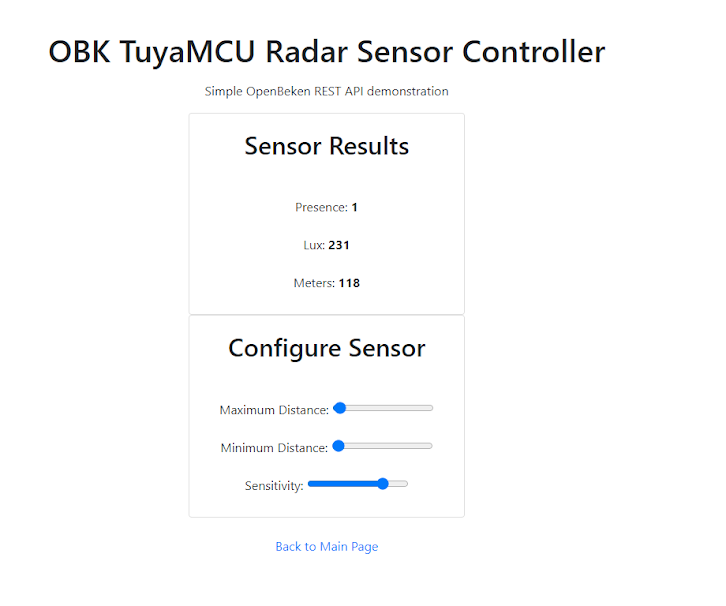
    Radar with WiFi - TuyaMCU, OpenBeken, own configuration page hosted on the devic
    Let's analyze how this site works.
    A page is one file - an HTML document with embedded Javascript. The page doesn't reload all the way, just the script refreshes parts of it in the background. The site includes Bootstrap styles and helper scripts to have any aesthetic appeal. In the HTML itself, sliders and fields with measurement results are also created:
    Code: HTML, XML
    Log in, to see the code

    These sliders have onChange events hooked, i.e. they trigger the script when the user changes the setting.
    At the moment of changing the value of the slider, the common function setting the OpenBeken channel is called, because in OBK channels can contain any value, a channel is like a variable:
    Code: Javascript
    Log in, to see the code

    setChannel itself is shared and uses fetchto send to OBK changing the value of the variable (channel):
    Code: Javascript
    Log in, to see the code

    That would be all if you didn't need to know the initial state of the parameters. That is, what we download once when opening the page. This is done in window.onload and then in interval every now and then (to refresh changes that came from outside):

    Code: Javascript
    Log in, to see the code

    And the fetching function itself:

    Code: Javascript
    Log in, to see the code

    The function refreshes both parameters that can be edited and read-only values (current distance measurement result, etc.).

    It is worth noting that through the Tasmota-style REST command interface, you can also execute Tasmota POWER, STATUS commands here, their responses in JSON format also follow the Tasmota standard. Only the channel access itself is in OBK incompatible with Tasmota, because Tasmota simply does not have channels as such.

    https://github.com/openshwprojects/OpenBK7231T_App/blob/main/docs/README.md


    Recent fixes
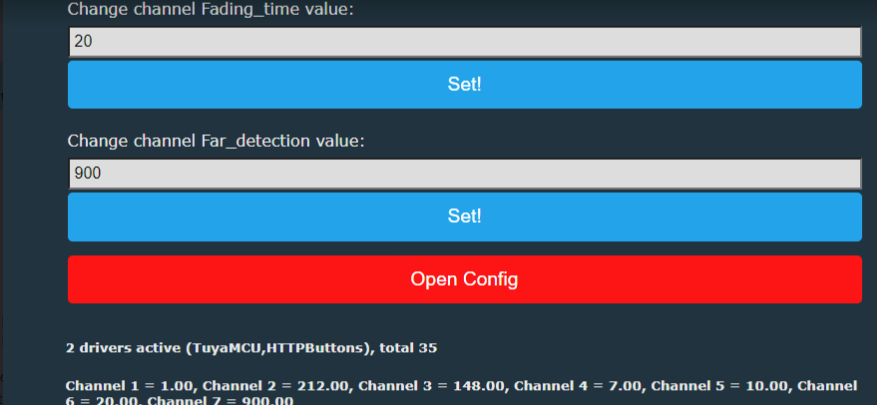
    Finally, it is worth linking to our new page from the main OBK panel. Here the httpButtons driver will help us - below is the code that should be added to autoexec.bat:
    
    startDriver httpButtons
    setButtonEnabled 0 1
    setButtonLabel 0 "Open Config"
    setButtonCommand 0 "*/api/lfs/cfg.html"
    setButtonColor 0 "#FF0000"
    

    First, it starts the button driver, then it enables the first button (index zero), then it sets the label for it, then it sets the command, in this case with an asterisk, i.e. the link, and finally it sets its color.
    Result:
    Radar with WiFi - TuyaMCU, OpenBeken, own configuration page hosted on the devic

    Connecting to Home Assistant
    OpenBeken supports Home Assistant Discovery, so the device can be easily connected to HA and track its status there and create automations.
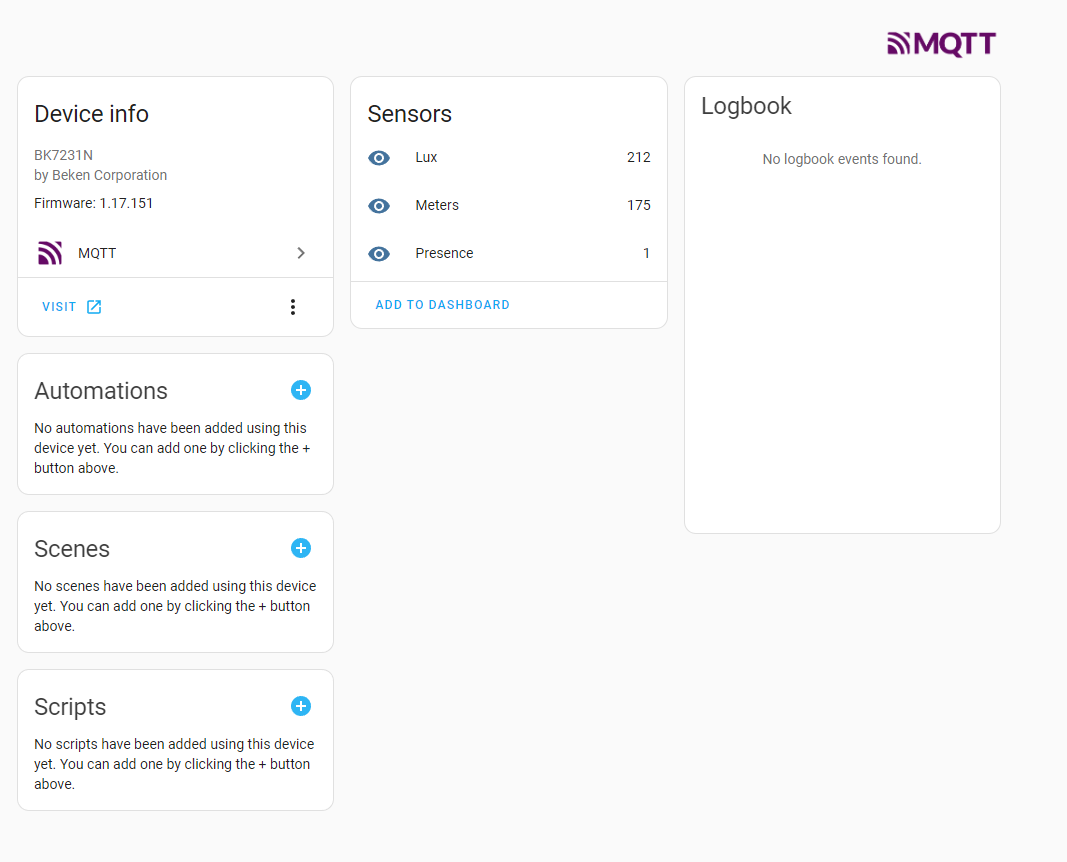
    Radar with WiFi - TuyaMCU, OpenBeken, own configuration page hosted on the devic
    (distance value above does not have corrected unit yet)
    Then we create automations in HA just like for any other device.

    Automations without Home Assistant
    In OBK you can also do automations without HA. Changes in the channel value are sufficient for this event. The channel can be any variable and any dpID mapped from TuyaMCU, so we can call scripts as a result of reading any measurement from the device. You can also construct conditional events, e.g. turn on the light only when movement is detected and the lighting level is lower than the set value. Turning on the light itself can be done by sending a GET request to another device. This allows you to do everything without an external server.
    Here are examples of how to handle the channel value change event:
    
    // when channel 1 becomes 0, send OFF
    addChangeHandler Channel1 == 0 SendGet http://192.168.0.112/cm?cmnd=Power0%20OFF
    // when channel 1 becomes 1, send ON
    addChangeHandler Channel1 == 1 SendGet http://192.168.0.112/cm?cmnd=Power0%20ON
    // This will automatically turn off relay after about 2 seconds
    // NOTE: addRepeatingEvent [RepeatTime] [RepeatCount]
    addChangeHandler Channel0 != 0 addRepeatingEvent 2 1 setChannel 0 0


    Summary
    It was something new for me, I haven't seen this kind of motion sensor/radar before. This device really gives you a lot of possibilities to adjust its operation to your needs. Depending on the mounting location, you can adjust the distance from which motion is detected, you can also adjust its sensitivity and time after which it is reported as detected. In addition, there is also a light level measurement, which can also be useful.
    OpenBeken it copes with this device without any problems, but, as I mentioned, we tested it on an artificially made version with BK7231N, because the BR module is not yet fully supported, although the SDK for it is available and work on it is in progress.
    The ability to create simple pages in the LittleFS file system directly on the OBK (on the WiFi module itself) additionally facilitates the integration of this device and allows a much better and more aesthetic mapping of its page from the Tuya application. Of course, much more could be placed on this page than in my example, the possibilities are very large.
    That's it for now, and now I'll announce that my colleague @DeDaMrAz has more equipment waiting for review:
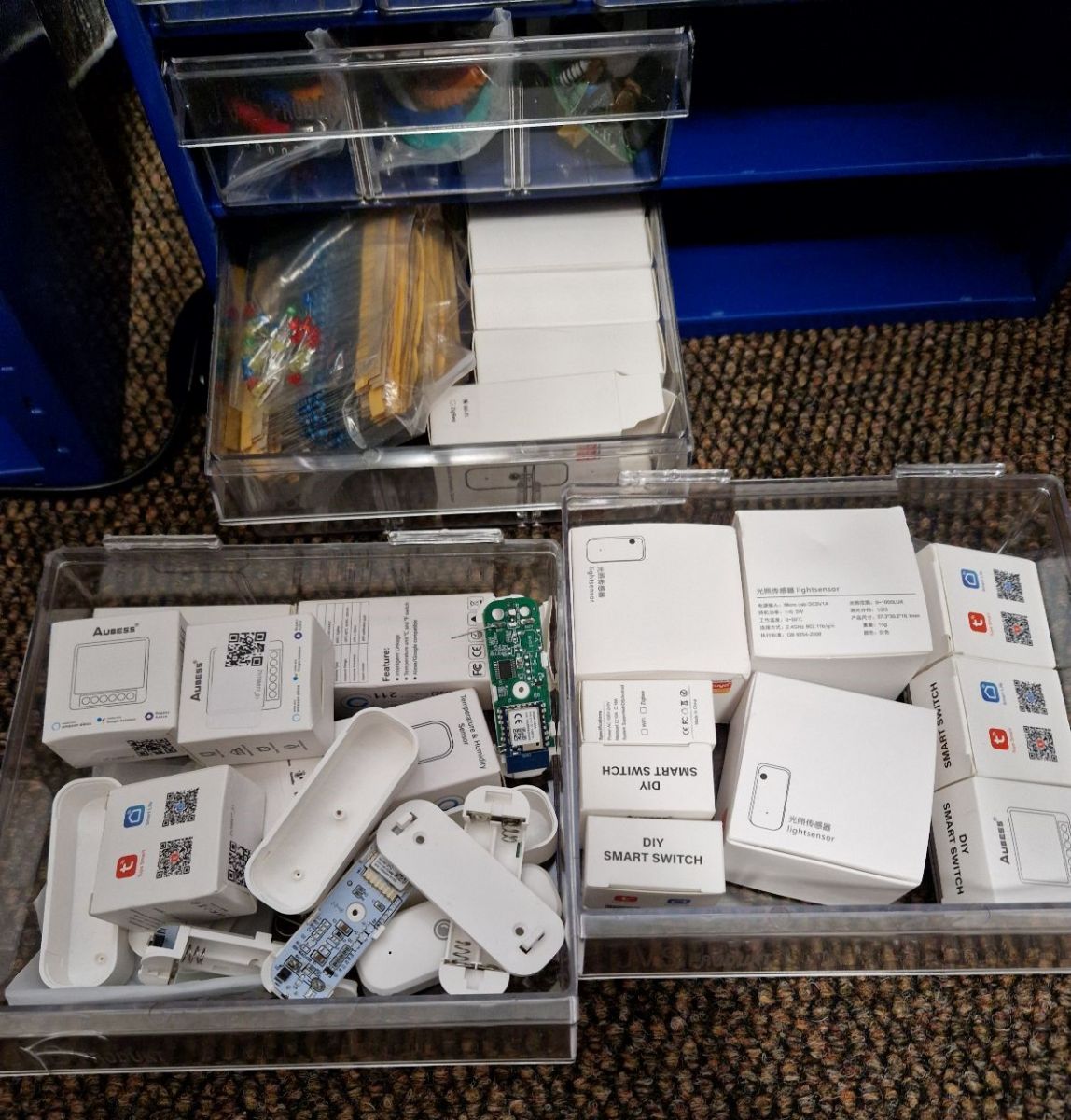
    Radar with WiFi - TuyaMCU, OpenBeken, own configuration page hosted on the devic
    Radar with WiFi - TuyaMCU, OpenBeken, own configuration page hosted on the devic
    Finally, I can also thank @DeDaMrAz for the constantly developed, fruitful cooperation on releasing Chinese gadgets from the cloud and remaking them so that they can work 100% locally while maintaining convenience and functionality.

    Cool? Ranking DIY
    Helpful post? Buy me a coffee.

    About Author
    p.kaczmarek2
    Moderator Smart Home
    Offline 
    p.kaczmarek2 wrote 14622 posts with rating 12639, helped 655 times. Been with us since 2014 year.
  • ADVERTISEMENT
  • #2 20643463
    krzbor
    Level 29  
    Posts: 1757
    Help: 41
    Rate: 1064
    How does "human static detection" work? In general - how does this "radar" work?
  • ADVERTISEMENT
  • #3 20643499
    p.kaczmarek2
    Moderator Smart Home
    Posts: 14622
    Help: 655
    Rate: 12639
    We haven't actually researched that, but it's a very good question. I googled after your post JYSJ_5807_A01 and got here:
    https://karlquinsland.com/two-mmwave-sensors/
    It turns out that the sensor is built on the basis of Leapmmw 5.8GHz Motion Detection: MD5G20 .

    Documentation for this module http://docs.leapmmw.com/%E4%BC%A0%E6%84%9F%E5%99%A8%E4%BA%A7%E5%93%81/%E6%A8%A1 %E5%9D%97/module.html

    Oh and here's his manual:
    产品说明书V1.2:...感应雷达模块.pdf (821.05 kB)You must be logged in to download this attachment.
    Of course in Chinese...

    At the moment, I have no opportunity to analyze it deeper, but I think that I gave you a starting point for further exploration.
    Helpful post? Buy me a coffee.
  • ADVERTISEMENT
  • #4 20644845
    krzbor
    Level 29  
    Posts: 1757
    Help: 41
    Rate: 1064
    I managed to translate it with some online converter. It turns out that it does not detect a "static" person, but small movements - it can detect head tilt, hand waving, hand raising, turning around, moving a mobile phone, flipping a book.
    It seems that both versions of the device are recognized by zigbee2mqtt: link and link
    Attachments:
    • MD5G20_en.pdf (1.17 MB) You must be logged in to download this attachment.
  • #5 20645486
    p.kaczmarek2
    Moderator Smart Home
    Posts: 14622
    Help: 655
    Rate: 12639
    Good job with the translation. I would only gently point out that the versions of the device recognized by zigbee2mqtt are Zigbee versions, not versions with WiFi, such as the one I analyzed here with my friend @DeDaMrAz. If you want to have versions for Zigbee, make sure when ordering which type of product you are ordering.
    Helpful post? Buy me a coffee.
📢 Listen (AI):

FAQ

TL;DR: At 115200 baud, this 5V Tuya radar can be freed from the cloud, and as the author shows, "OpenBeken copes with this device without any problems" after TuyaMCU mapping and, if needed, a module swap. This FAQ helps DIY users decode dpIDs, host a local config page, and integrate the sensor with Home Assistant or local automations. [#20642035]

Why it matters: This thread shows a practical path from a cloud-tied Tuya radar to fully local control, custom UI, and automation.

Variant Radio Integration path mentioned Key caution
Tuya ZY-M100 WiFi WiFi TuyaMCU capture, OpenBeken, REST page The original BR WiFi module was not yet fully supported
Tuya ZY-M100 Zigbee Zigbee zigbee2mqtt recognition was noted It is a different product version, so verify before ordering

Key insight: The breakthrough is not just TuyaMCU decoding. It is combining dpID mapping with an HTML page hosted in LittleFS, so the radar keeps local functionality while gaining a device-specific interface.

Quick Facts

  • The tested radar was powered from 5V, measured ambient light, and sold for about $20 for the sensor alone. [#20642035]
  • UART sniffing used a 3.3V USB-to-UART adapter and an observed baud rate of 115200, not the more common 9600. [#20642035]
  • Identified TuyaMCU datapoints included dpID 1 presence, 2 sensitivity, 9 target distance, 101 detection delay, and 104 light level. [#20642035]
  • The thread states dpID 101 uses tenths of a second: 10 = 1 s and 5 = 0.5 s. [#20642035]
  • The "static human" behavior was clarified as micro-movement detection, such as head tilt, hand motion, phone movement, or turning around. [#20644845]

How does "human static detection" actually work in this Tuya radar, and what kind of movement is the 5.8GHz mmWave sensor really detecting?

It does not detect a perfectly motionless person. It detects very small body movements, including head tilt, hand waving, raising a hand, turning around, moving a phone, or flipping a book. A follow-up post links this behavior to a 5.8GHz mmWave module family and clarifies that "static" means micro-motion, not zero motion. That makes it better described as presence sensing through subtle movement than classic PIR motion-only detection. [#20644845]

What is TuyaMCU, and how does it communicate with the WiFi module inside a Tuya radar sensor?

TuyaMCU is the local controller that exchanges datapoints with the WiFi module over UART. "TuyaMCU" is a microcontroller-based subsystem that manages device logic and sends typed datapoints, while a separate WiFi module handles network access and relays settings or readings between firmware and the application. In this radar, the MCU first reports a JSON product code, then sends measurement variables. The WiFi module sends operating parameters back, such as radar sensitivity. [#20642035]

What does dpID mean in TuyaMCU devices, and how do you figure out which dpID controls each radar setting?

A dpID is the identifier for one Tuya datapoint, such as presence, lux, or sensitivity. "dpID" is a datapoint identifier that labels one variable in TuyaMCU communication, with each ID tied to a function and a data type so firmware can parse, display, and update that specific setting. The thread mapped them by changing options in the Tuya app and watching which UART values changed. That direct comparison revealed which dpID matched each function. [#20642035]

How can I capture and analyze UART packets from a TuyaMCU radar sensor with a 3.3V USB-to-UART adapter?

Use a passive 3-step UART sniffing setup.
  1. Connect GND and RX from a 3.3V USB-to-UART adapter to the WiFi module TX.
  2. Then move to the WiFi module RX to capture traffic in the other direction.
  3. Record the bytes and compare app actions with packet changes. The thread warns to use 3.3V mode and notes that this radar used 115200 baud. That method lets you identify measurements and writable settings without cloud access. [#20642035]

Why does this Tuya radar use 115200 baud instead of the more common 9600, and how can I detect the correct baud rate?

This device simply used 115200 baud, even though many Tuya devices use 9600. The thread does not give a design reason, but it explicitly notes that 115200 can also appear in some Tuya products. Detect it by capturing readable UART frames while sniffing both directions. If the output looks corrupted at 9600, test higher common rates until packets decode consistently, including the initial JSON product message and stable dpID traffic. [#20642035]

Which dpIDs were identified for this Tuya radar sensor, including presence, sensitivity, detection distance, delay, and light level?

The identified dpIDs were: 1 presence alarm, 2 radar sensitivity, 3 near detection distance, 4 far detection distance, 6 self-test, 9 detected movement distance, 101 detection delay, 102 presence with delay, 103 debug CLI flag, and 104 light sensor reading. The thread also states that dpID 101 uses tenths of a second, so 10 = 1 second and 5 = 0.5 second. These mappings came from UART observation during app changes. [#20642035]

How do I configure OpenBeken to work with a TuyaMCU radar sensor using autoexec.bat and channel mapping?

You configure it by starting the TuyaMCU driver, setting WiFi state and baud, then mapping dpIDs to OpenBeken channels in autoexec.bat. The shared example uses startDriver TuyaMCU, forces WiFi state 4, sets 115200 baud, and links dpID 104 to a read-only Lux channel and dpID 1 to a read-only Presence channel. It also maps writable values like sensitivity and detection ranges to text-field channels so the GUI and Home Assistant Discovery can expose them correctly. [#20642035]

What is LittleFS in OpenBeken, and how can it be used to host a custom HTML configuration page on the device itself?

LittleFS is the onboard file system used to store and serve custom web assets directly from the device. "LittleFS" is an embedded flash file system that stores small files on the WiFi module itself, letting OpenBeken host HTML, JavaScript, and related assets locally without needing an external server. In this thread, the HTML configuration page and the autoexec.bat script were both placed in LittleFS through the Web App, then served from the device for direct local use. [#20642035]

How do I build a custom OpenBeken web page with Bootstrap and JavaScript that reads and writes channel values through the REST API?

Build one HTML file with embedded JavaScript, then poll and update channels over REST. The thread uses Bootstrap for layout, sliders for settings, fetch() with SetChannel to write values, and fetch('/cm?cmnd=Ch') to read current channel states. window.onload starts polling, and setInterval(getChannels,1000) refreshes values every 1000 ms. That page can show editable settings like sensitivity and read-only values like presence, lux, and measured distance without a full page reload. [#20642035]

What REST commands does OpenBeken use for SetChannel and Ch, and how do they differ from Tasmota-style commands?

OpenBeken uses /cm?cmnd=SetChannel <channel> <value> to write a channel and /cm?cmnd=Ch to read channel values as JSON. The thread says Tasmota-style commands such as POWER and STATUS also work and return Tasmota-like JSON. The difference is that channel access itself is OpenBeken-specific, because Tasmota does not have the same channel model. That means existing Tasmota habits partly transfer, but channel reads and writes require OBK commands. [#20642035]

How can I add an "Open Config" button on the main OpenBeken panel using the httpButtons driver?

Add the httpButtons driver commands to autoexec.bat. The example starts the driver, enables button index 0, labels it "Open Config", points it to */api/lfs/cfg.html, and sets its color to #FF0000. That creates a direct launcher from the main OBK panel to the custom configuration page hosted in LittleFS. It is a simple way to make the custom UI discoverable without typing the path manually. [#20642035]

In what way does OpenBeken integrate this Tuya radar with Home Assistant Discovery, and which measurements can be exposed to HA?

OpenBeken can expose the radar to Home Assistant through Discovery once the relevant dpIDs are mapped to channels. The thread explicitly shows Presence, Lux, target distance in meters, and configurable values like sensitivity and detection ranges being linked to channels for GUI display and Home Assistant publishing. One noted limitation appears in the screenshot comment: the displayed distance unit had not yet been corrected there. So HA integration works, but labeling may need refinement. [#20642035]

How can I create local automations in OpenBeken from radar presence or lux changes without using Home Assistant?

Use channel-change handlers and HTTP actions inside OpenBeken. The thread shows addChangeHandler rules that send GET requests to another device when a channel becomes 0 or 1, for example turning a relay OFF or ON. It also shows addRepeatingEvent 2 1 setChannel 0 0, which resets a relay channel after about 2 seconds. Because any mapped dpID can trigger events, you can combine presence with lux thresholds and keep the whole automation local. [#20642035]

WiFi vs Zigbee versions of the Tuya ZY-M100 radar sensor — what are the practical differences, and how do I make sure I order the right one?

The practical difference is the radio stack and therefore the integration path. The analyzed unit was the WiFi version, while a later reply notes that zigbee2mqtt recognition applies to the Zigbee versions, not the WiFi device discussed in the teardown. The thread also states that both variants were sold in the same offer, with an optional Zigbee hub. To avoid ordering the wrong one, verify the listing carefully before purchase and confirm whether you want WiFi or Zigbee control. [#20645486]

What should I do if my Tuya radar contains an unsupported WiFi module, and how can I replace it with a CB3S, WB3S, or TYWE3S for OpenBeken testing?

If the installed WiFi module is unsupported, replace it with a known OpenBeken-friendly module and test TuyaMCU through that path. The thread says manufacturers often swap among TYWE3S for ESP8266 and CB3S/WB3S for BK7231 devices. In the example, the original unsupported module was replaced by a CB3S flashed with OpenBeken, then TuyaMCU mapping proceeded normally. The main failure case is simple: without support for the original module, cloud-free firmware work stalls until you swap hardware. [#20642035]
Generated by the language model.
ADVERTISEMENT