

logo elektroda
logo elektroda
X
logo elektroda

Reverse engineering of an unknown I2C protocol with Sigrok analyzer

p.kaczmarek2 5256 10

TL;DR

  • Reverse-engineering an undocumented KP18058esp RGBCW LED lamp controller by capturing and decoding its WiFi-module-to-chip traffic with Sigrok and PulseView.
  • The protocol uses 14-byte frames, skips normal I2C addressing, and appears to pack five RGBCW channels plus extra mode/current bytes.
  • Each color byte pair looked like 0x00-0x3F data, but the lowest bit is a parity bit, revealing a 10-bit-per-channel format.
  • A C driver was built, verified in a Windows dry run, flashed to OpenBeken on the CB2L module, and the lamp dimmed and colored correctly.
  • The main unresolved detail is the exact RGB and CW current-limit bytes, which still need guessing or a future datasheet.
Generated by the language model.
ADVERTISEMENT
Treść została przetłumaczona polish » english Zobacz oryginalną wersję tematu
📢 Listen (AI):
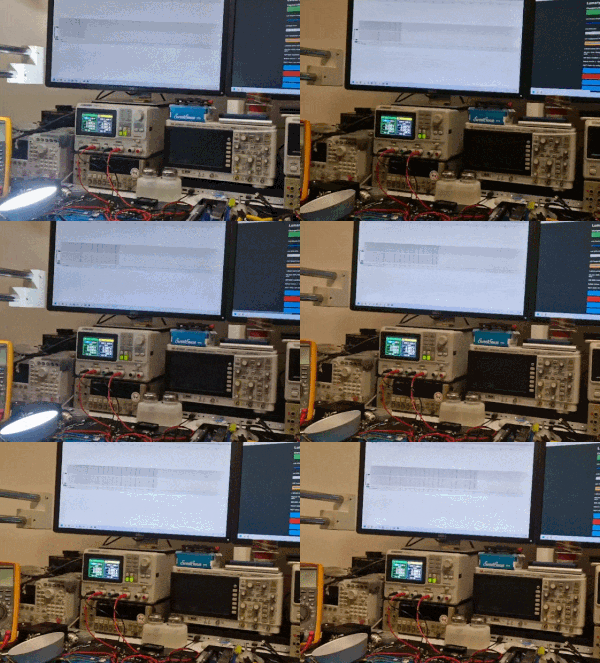
  • LED RGBCW lamp during tests with a screen showing live I2C communication capture.
    Today we will work out a completely unknown I2C protocol of the RGBCW LED controller by capturing and analyzing its packets. We will use the Sigrok logic analyzer for this, of course providing the entire system with appropriate galvanic separation because the analyzed device works on mains voltage. Then we will use the collected information to implement our own driver for these LEDs in the C language, in ours firmware . I will try to show the whole process step by step, and the fun will be interesting because the protocol we decrypt is actually not publicly documented.

    The topic was created in cooperation with a colleague @DeDaMrAz. A friend did the hardware part. I took care of the command, analysis and implementation part.

    The title animation shows the lamp in question during tests; one of the monitors shows a live I2C communication capture.

    Action plan
    To begin with, we should make a plan of steps that we will take in this topic. Here they are, that's more or less what we need to do to implement unknown LED controller support without having its documentation:
    - preliminary analysis of the inside of the device (diagram, connections)
    - analysis of the batch from the WiFi module (we are able to extract Tuya configurations in JSON from it, there may be some information there)
    - preparation of the station for capturing packets with a logic analyzer (ensuring galvanic isolation between the lamp and the PC)
    - capturing packets during specific operations on the mobile application from the lamp (setting colors separately, dimming from 100% to 0%, brightening from 0% to 100%, switching off, etc.)
    - packet analysis (how many bytes per packet, what is its format, what does a given byte mean, is there a checksum)
    - implementation in C of sending packets according to the standard
    - (optional) verification of sending packets still on Windows, "dry", without a device, just writing bytes to a file
    - final tests of our driver implementation on a physical device (after uploading our code to the WiFi module)
    - possible fixes
    I will try to describe the whole process in this topic.


    Subject patient
    The topic concerns the so-called "smart" lamp, i.e. controlled via WiFi, via a mobile application. We try to develop our own, alternative software for such devices, fully open source, to be able to free them from the cloud and from the manufacturer's servers. Because of this, there was a whole need to analyze the protocol.
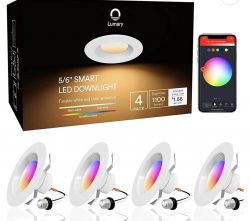
    The analyzed LED lamp was presented by our user here:
    https://www.elektroda.com/rtvforum/topic3985037.html
    swpharis wrote:
    Reverse engineering of an unknown I2C protocol with Sigrok analyzer Reverse engineering of an unknown I2C protocol with Sigrok analyzer Reverse engineering of an unknown I2C protocol with Sigrok analyzer Reverse engineering of an unknown I2C protocol with Sigrok analyzer Reverse engineering of an unknown I2C protocol with Sigrok analyzer

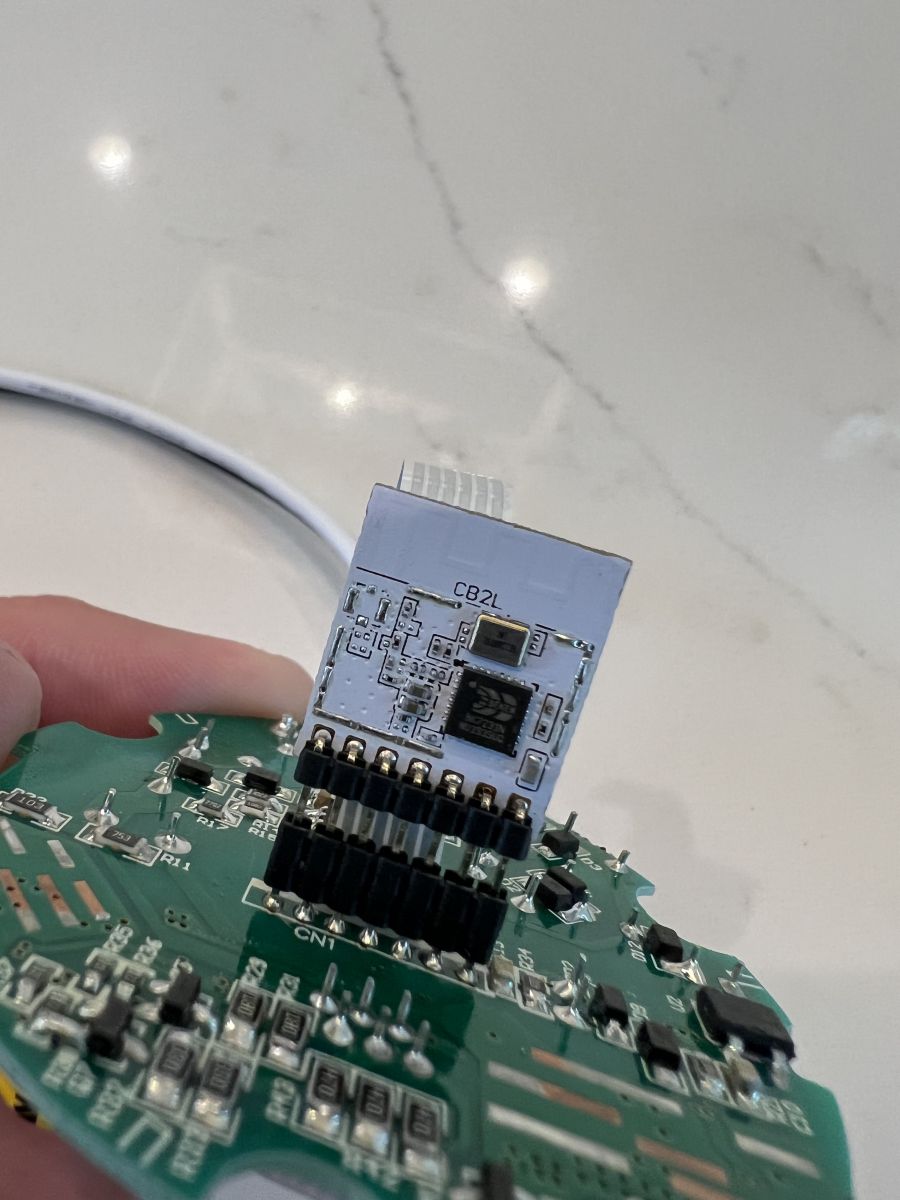
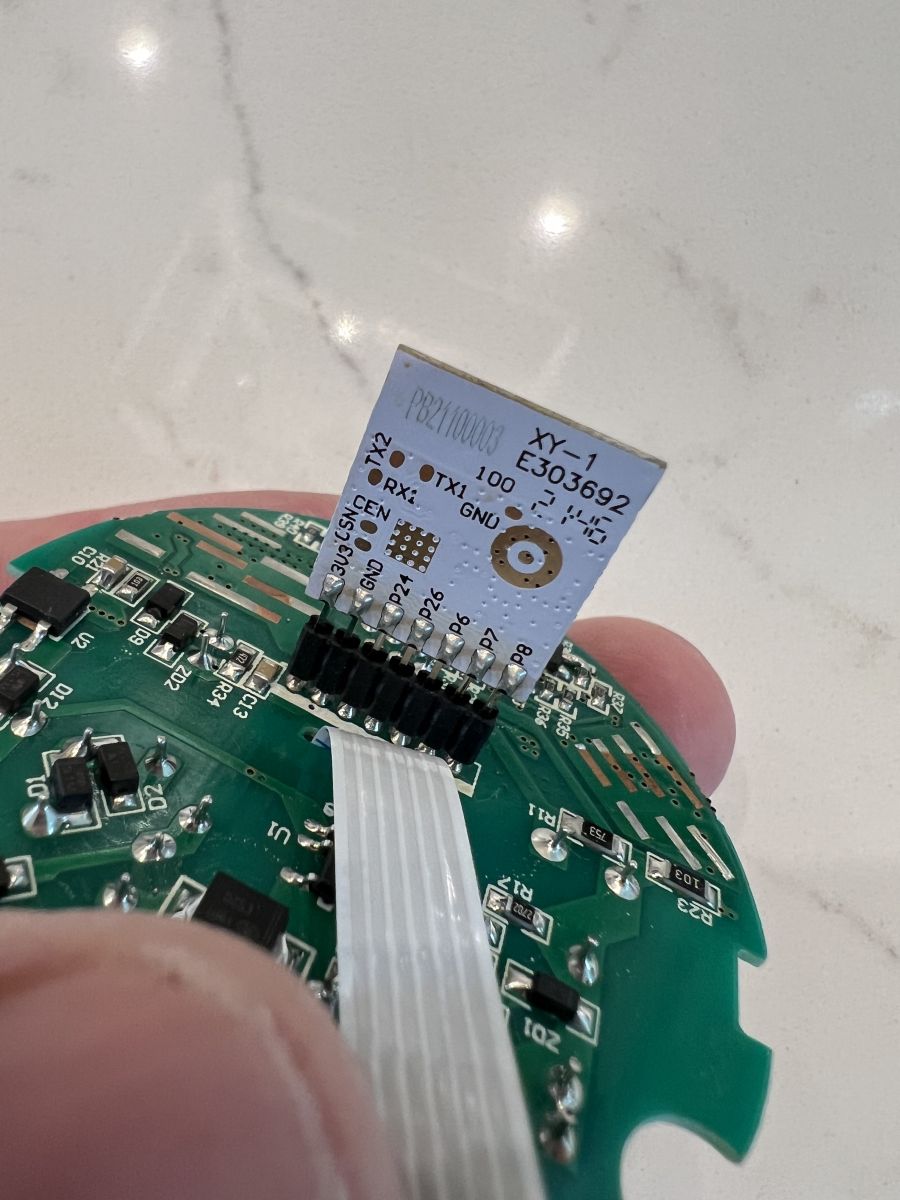
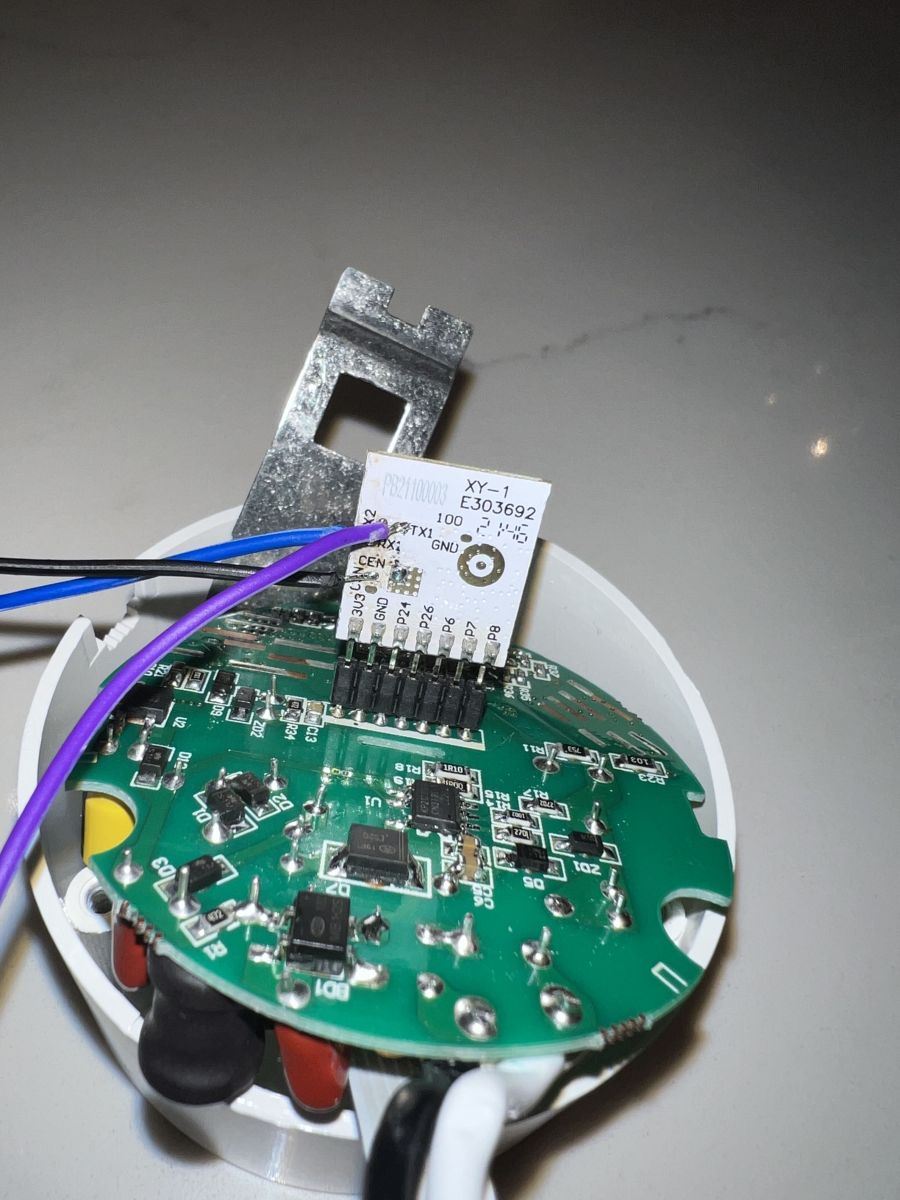
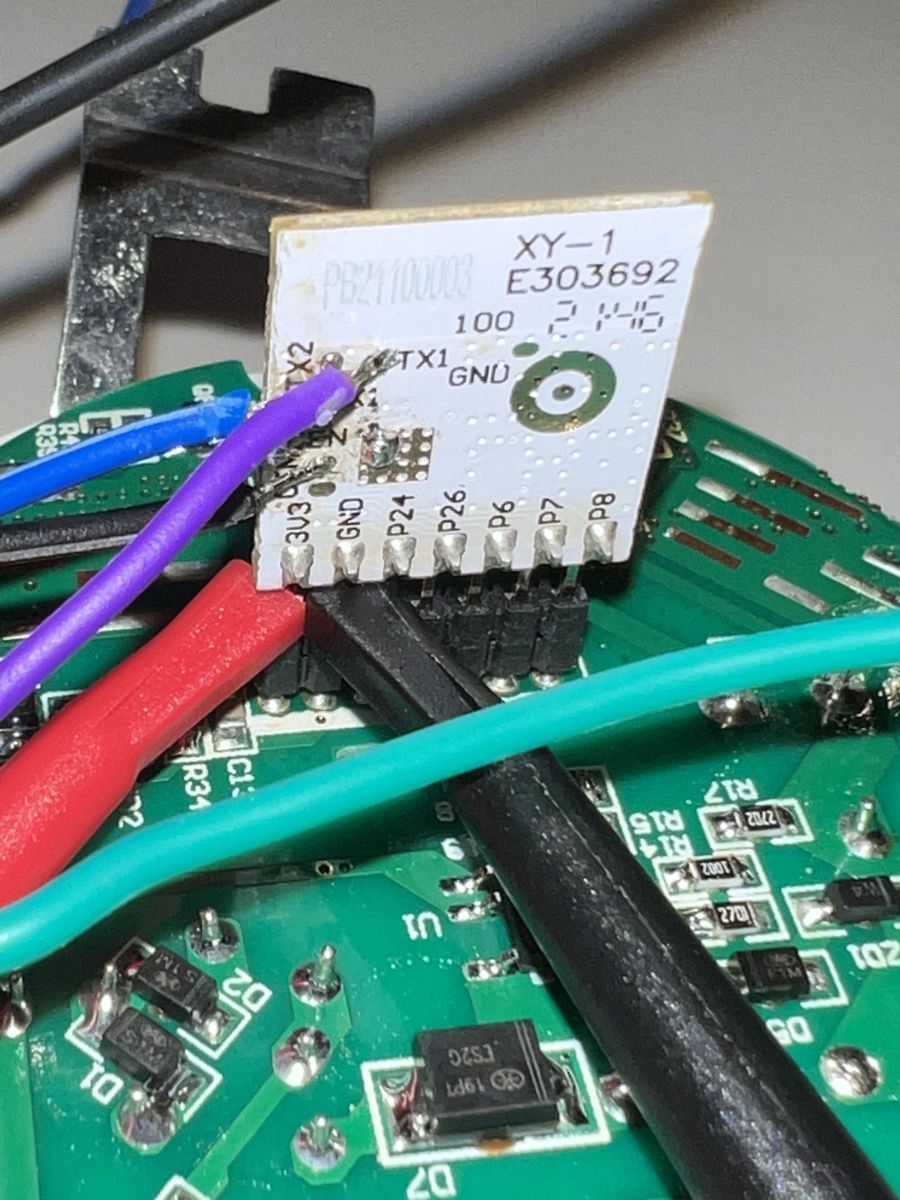
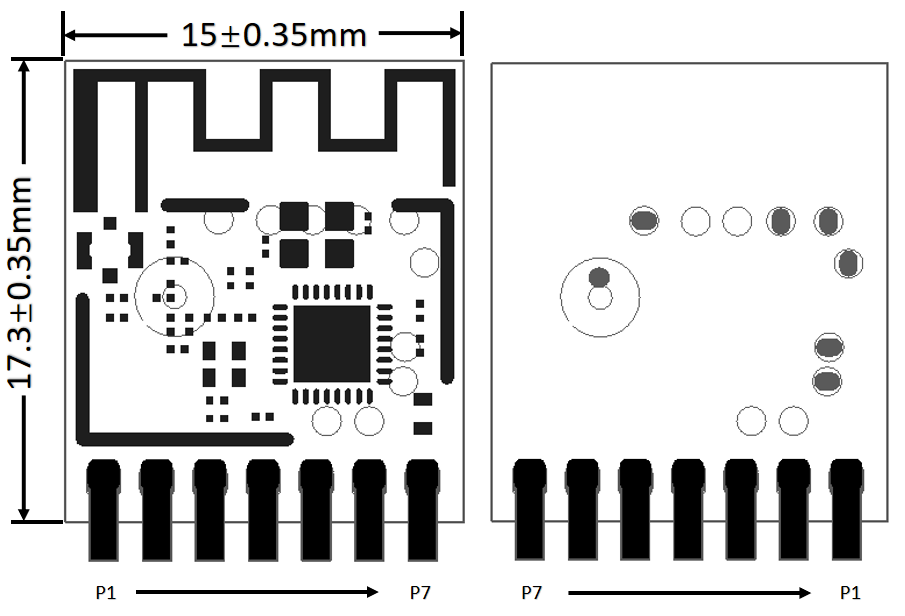
    Lampka operate się na WiFi module CB2L, na którego można wgrać OpenBeken:
    Reverse engineering of an unknown I2C protocol with Sigrok analyzer
    Spoiler:

    Pin number Symbol I/O type Function
    1 P8 I/O Support hardware PWM
    2 P7 I/O Support hardware PWM
    3 P6 I/O Support hardware PWM
    4 P26 I/O Support hardware PWM
    5 P24 I/O PWM hardware support
    6 GND P Power supply reference ground
    7 3V3 P Power supply 3V3


    As the name suggests, this is a module designed for Lighting, and it has only PWM pins, but are they used here? We'll see...
    We started by ripping the WiFi module batch:
    swpharis wrote:
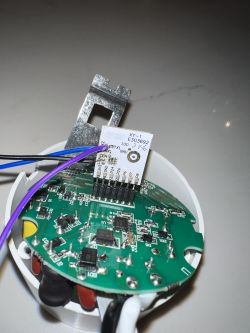
    Reverse engineering of an unknown I2C protocol with Sigrok analyzer
    Reverse engineering of an unknown I2C protocol with Sigrok analyzer

    The batch, more precisely the JSON configuration from Tuya, already suggested that the LED controller is not known:
    Code: JSON
    Log in, to see the code

    Of course, we ripped and decoded the batch with my tool:
    https://github.com/openshwprojects/BK7231GUIFlashTool
    These keys are probably the leads for the I2C GPIO:
    Code: JSON
    Log in, to see the code

    The keys below are RGBCW channel indexes (not always in order):
    Code: JSON
    Log in, to see the code

    In turn, the keys below are for setting the current for different modes of the controller, as well as some other parameters that are not very familiar to me:
    Code: JSON
    Log in, to see the code

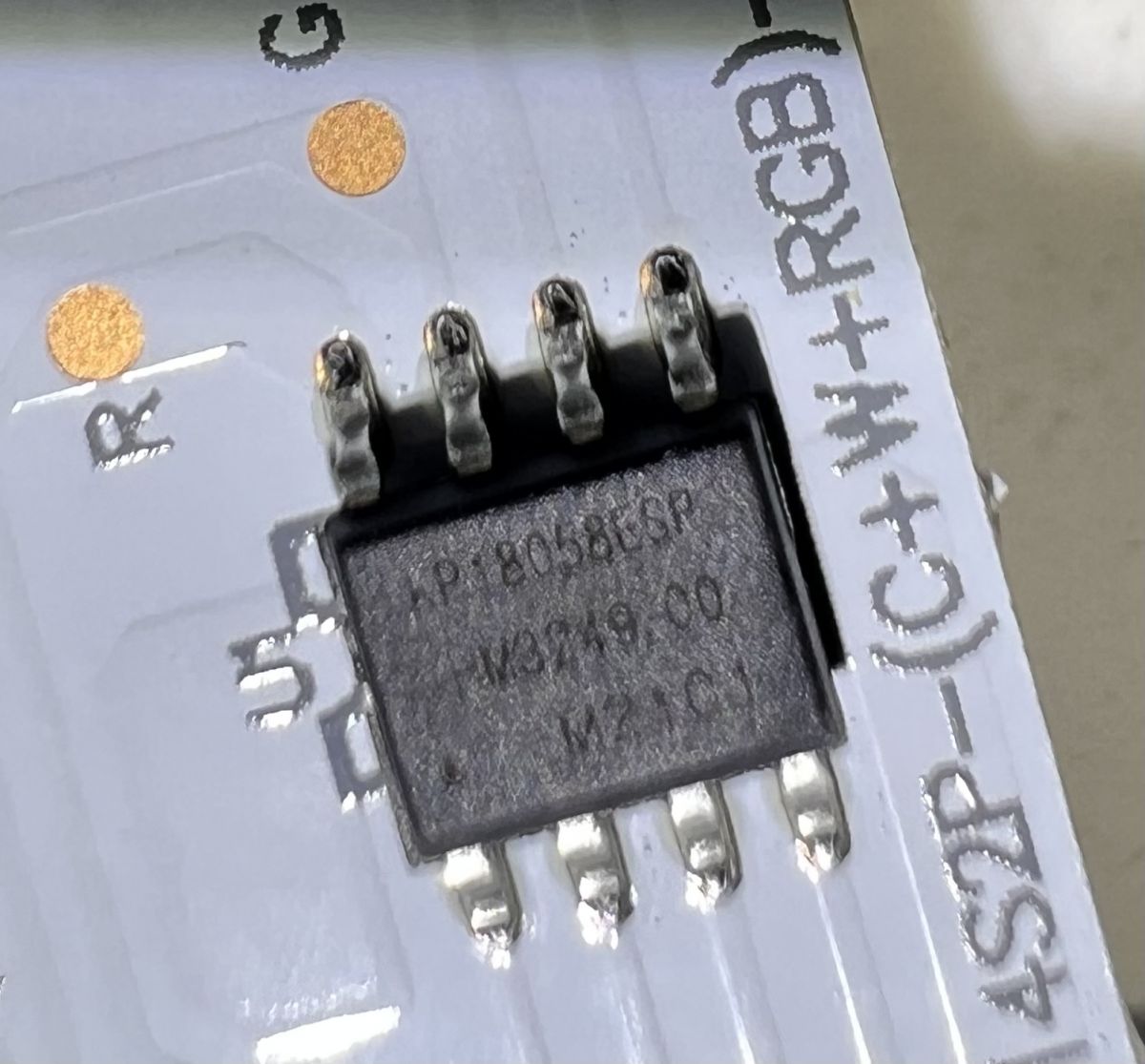
    There seems to be some kind of KP58 chip inside.
    This is also true:
    swpharis wrote:
    It's a KP18058esp.
    Reverse engineering of an unknown I2C protocol with Sigrok analyzer

    The presence of only two lines of communication with the simultaneous knowledge that the lamp is RGBCW (as many as five channels) already suggests that there is no PWM control here, but I2C or a similar protocol is used.
    swpharis wrote:
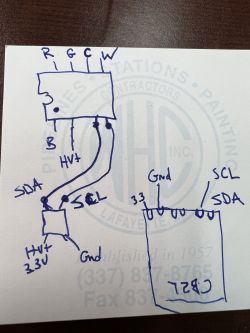
    Reverse engineering of an unknown I2C protocol with Sigrok analyzer

    KP18058, I managed to find residual documentation of this system. Here is an example of a schematic diagram of such a lamp:
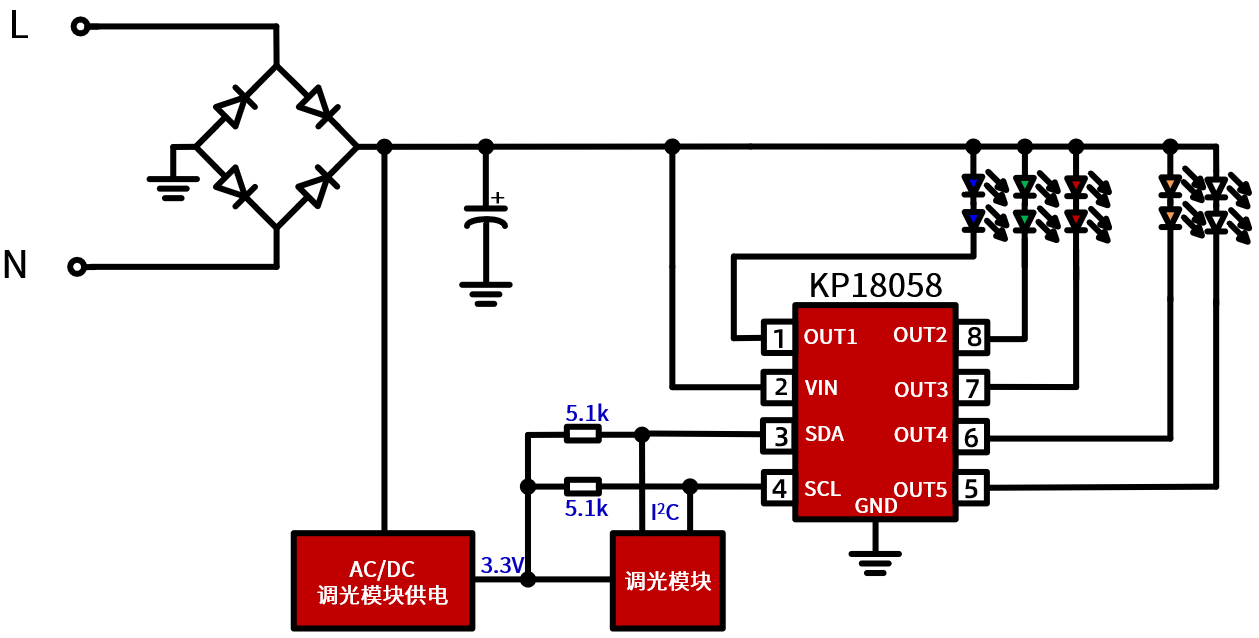
    Reverse engineering of an unknown I2C protocol with Sigrok analyzer
    AC/DC here is a non-isolated step down converter. The "mysterious" block is the WiFi module.

    So that we could learn more, a colleague from Serbia ordered the same lamp that the user had and took it to the workshop.

    A slightly better scheme
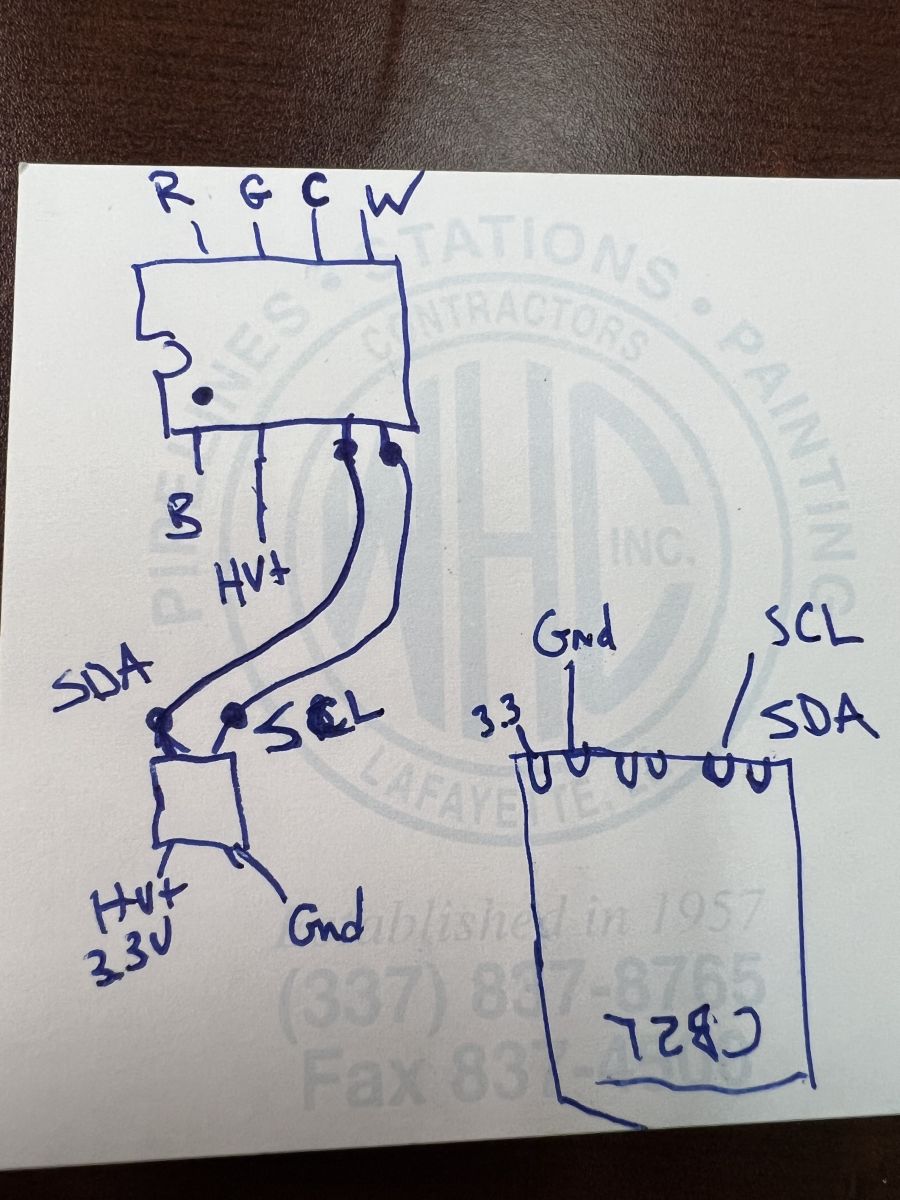
    After the package arrived, we decided to sketch what it looks like in practice:
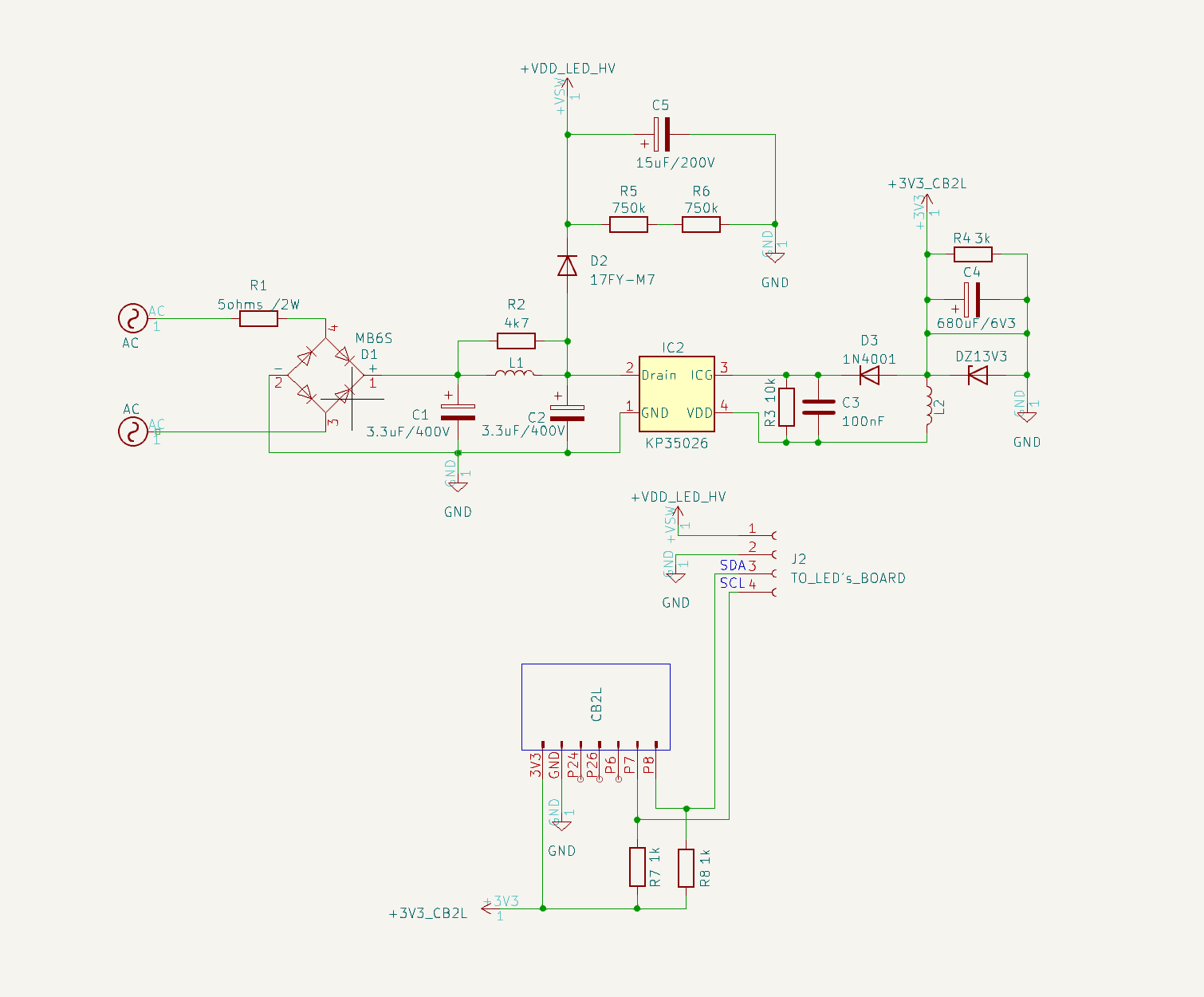
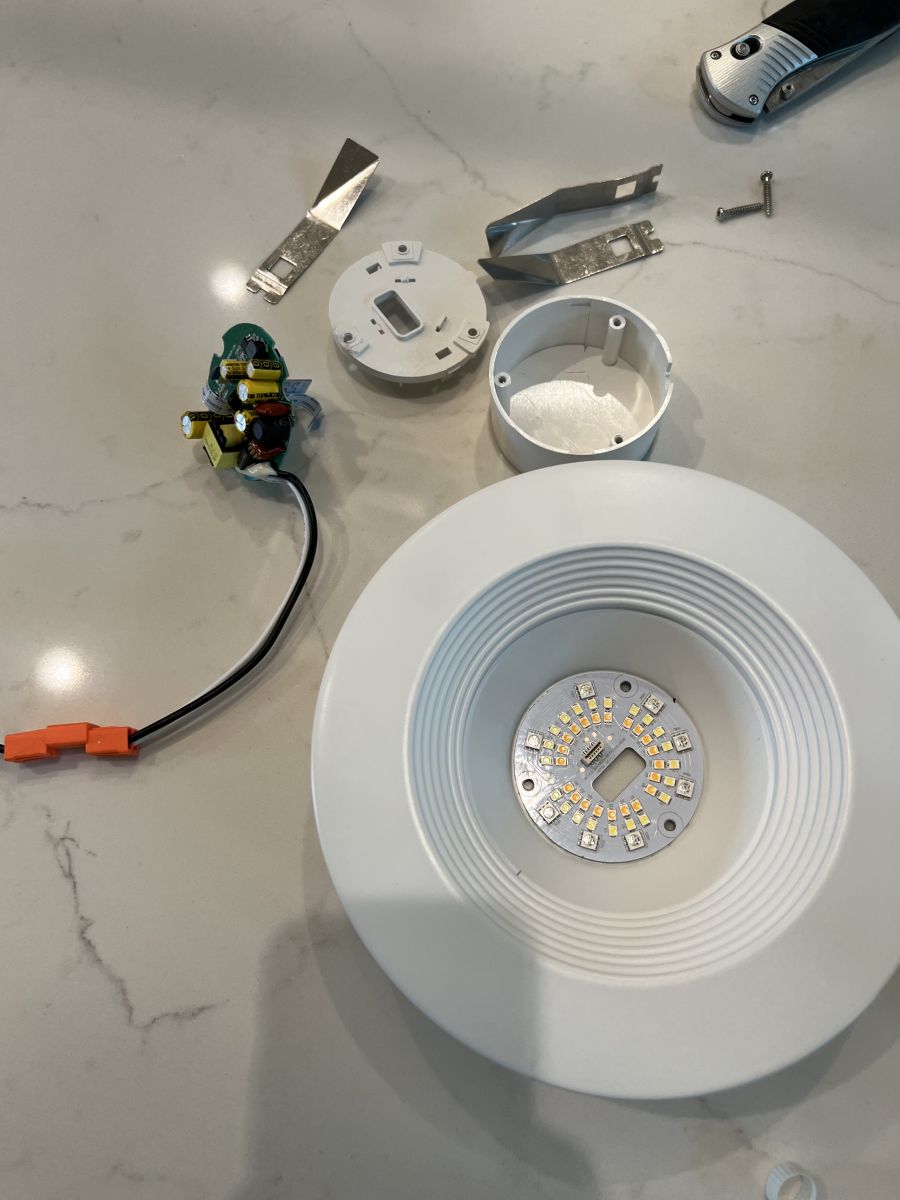
    Reverse engineering of an unknown I2C protocol with Sigrok analyzer
    Basically everything is as I wrote. It is only worth noting that this is a 120V product, and yet the input capacitors are 400V. However, this LED capacitor is for 200V, hmm ...
    But that's off topic and it doesn't really matter that this lamp is 120V - we just had to power it through a 230V/120V transformer.

    Workplace and data capture
    As you have probably already seen from the general scheme of the device, this lamp does not have any galvanic isolation. The WiFi module is powered by a small non-isolated step down converter and the LED controller itself is powered directly from the mains.
    An additional problem here is that the product from the topic works on 120V and my friend's is 230V ... so we started with a step-down transformer:
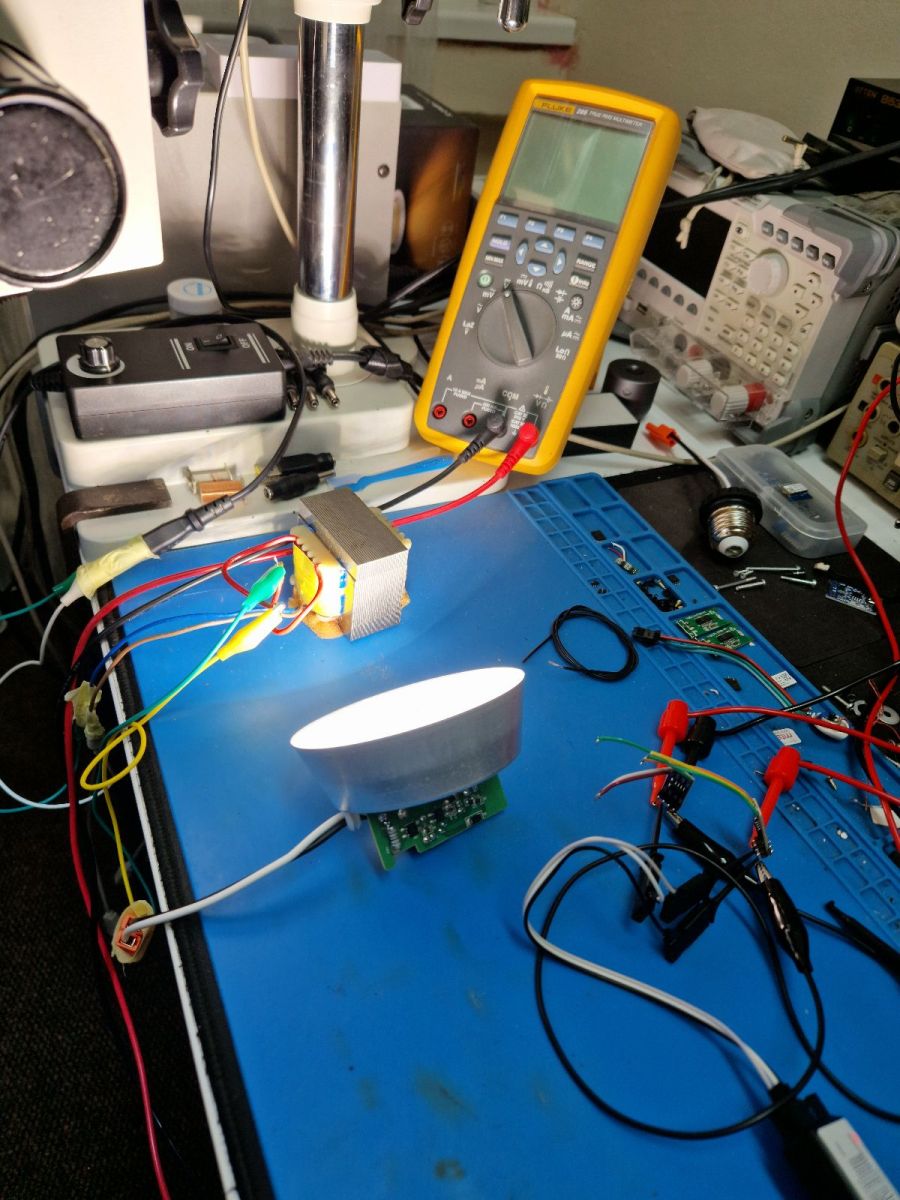
    Reverse engineering of an unknown I2C protocol with Sigrok analyzer
    This already provides isolation, but also the isolators from Analog Devices, ADuM1201:
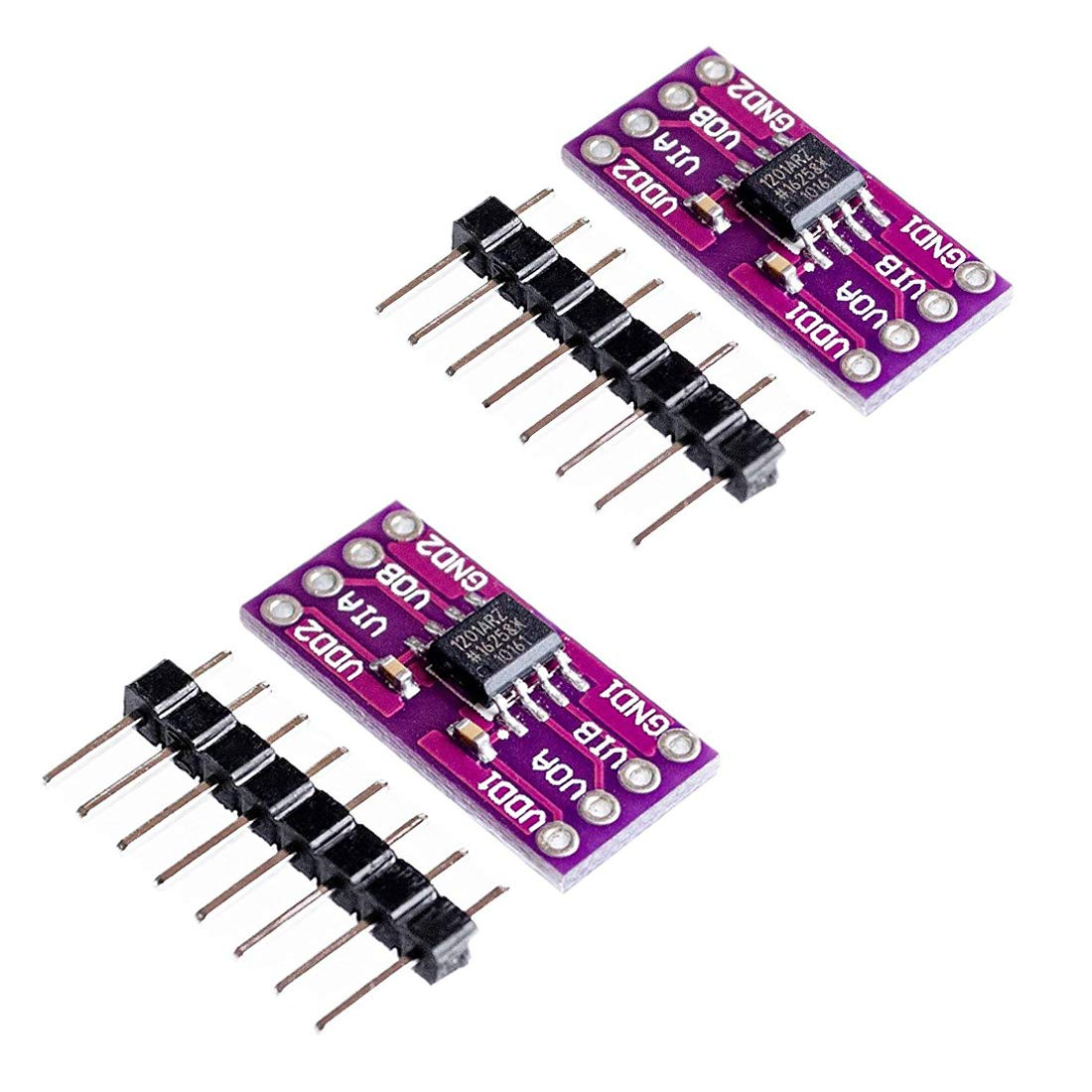
    Reverse engineering of an unknown I2C protocol with Sigrok analyzer
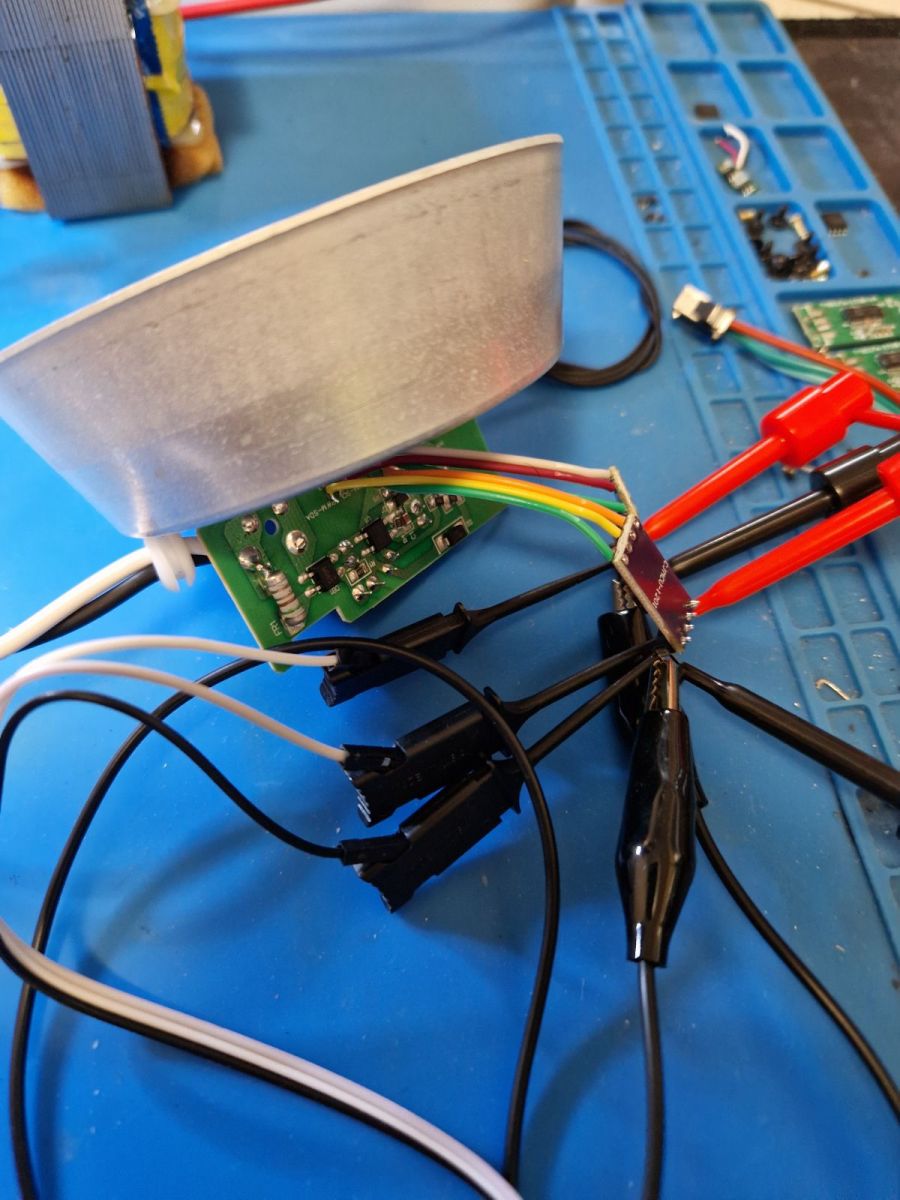
    You have to connect Sigrok somehow.
    Reverse engineering of an unknown I2C protocol with Sigrok analyzer
    They are very cheap, only about $2 (including shipping):
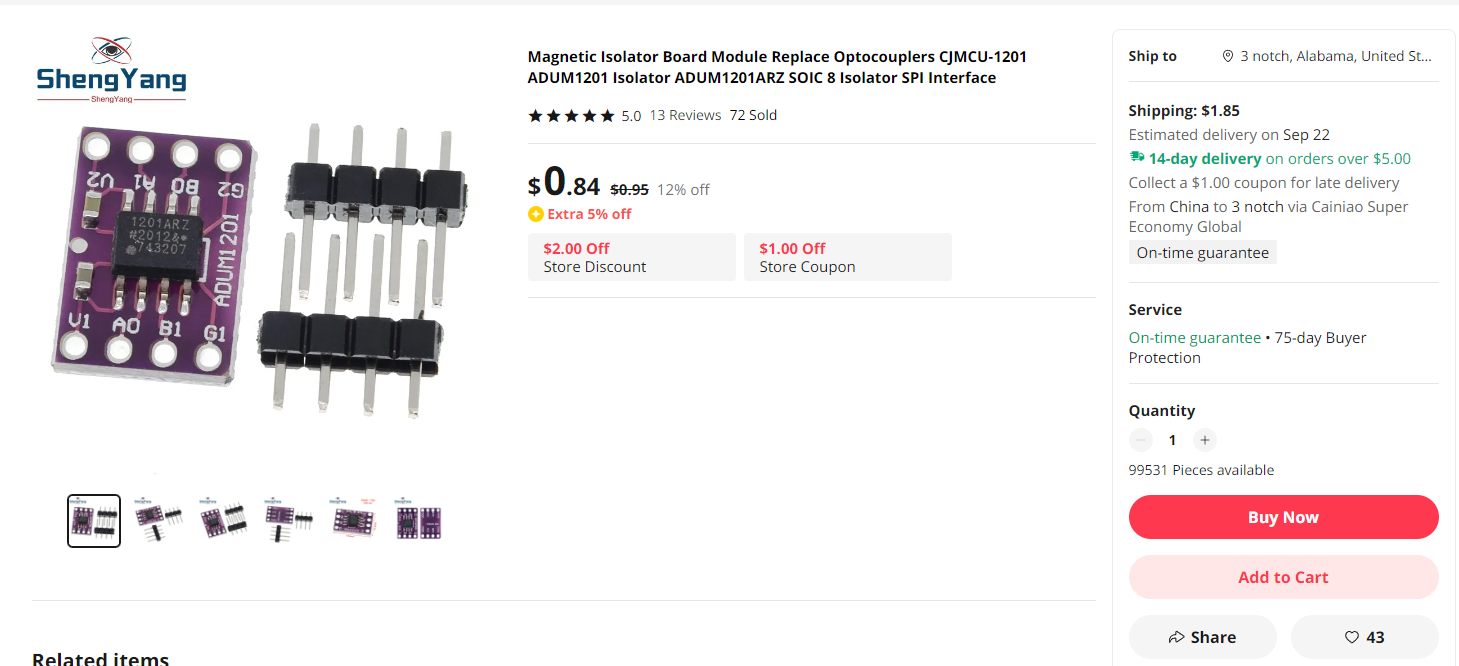
    Reverse engineering of an unknown I2C protocol with Sigrok analyzer
    Connection:
    Reverse engineering of an unknown I2C protocol with Sigrok analyzer
    And only after them was the Sigrok analyzer connected:
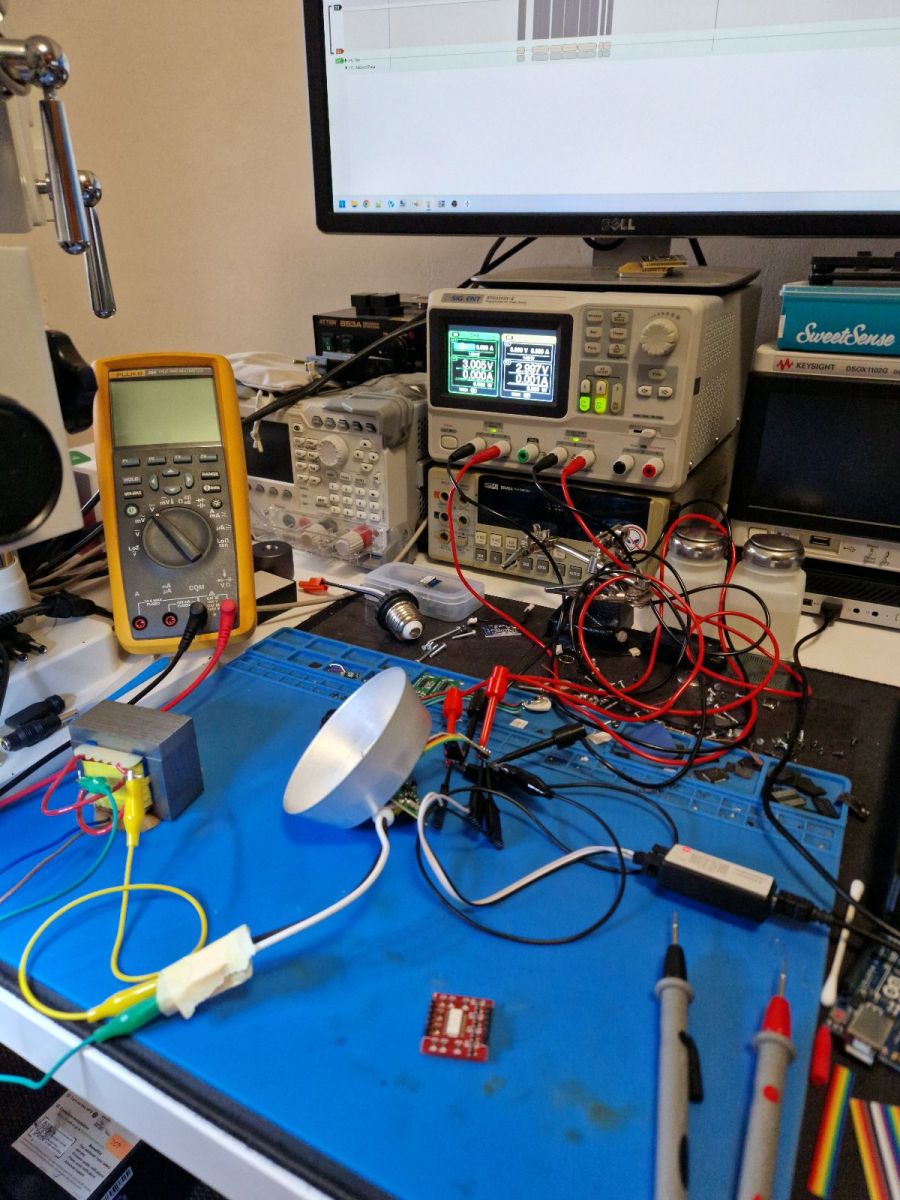
    Reverse engineering of an unknown I2C protocol with Sigrok analyzer

    Data analysis in Pulseview
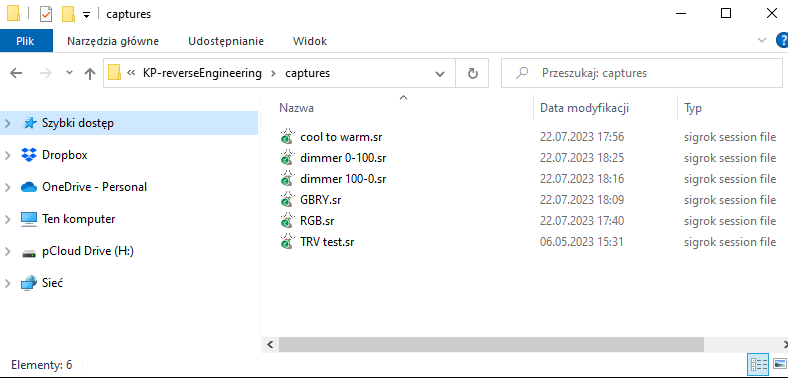
    A friend performed various operations on the lamp (via a mobile application) and collected packets sent at that time. I got SR files from him with data from SCL and SDA lines:
    Reverse engineering of an unknown I2C protocol with Sigrok analyzer
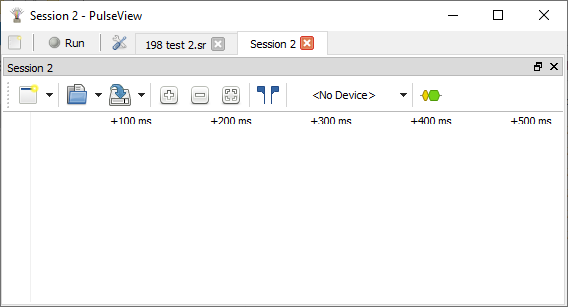
    SR files can be opened with the free PulseView:
    Reverse engineering of an unknown I2C protocol with Sigrok analyzer
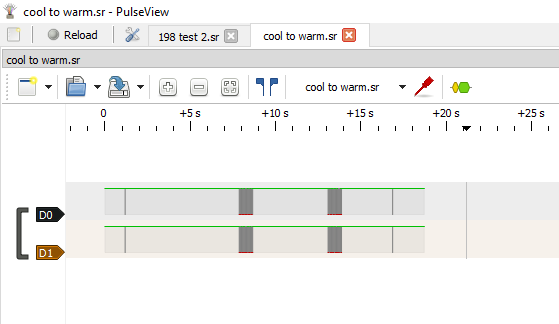
    After opening, we only have the digital view of the data, which can be enlarged:
    Reverse engineering of an unknown I2C protocol with Sigrok analyzer
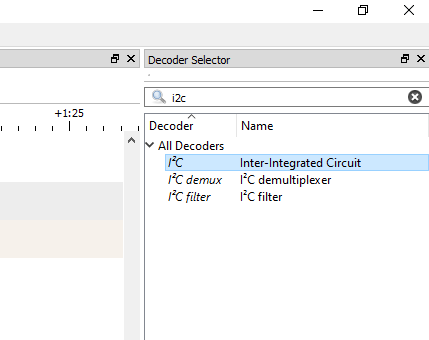
    PulseView doesn't know it's I2C. You need to add the appropriate decoder:
    Reverse engineering of an unknown I2C protocol with Sigrok analyzer
    Then you have to click into its settings and select which line is SCL and which is SDA:
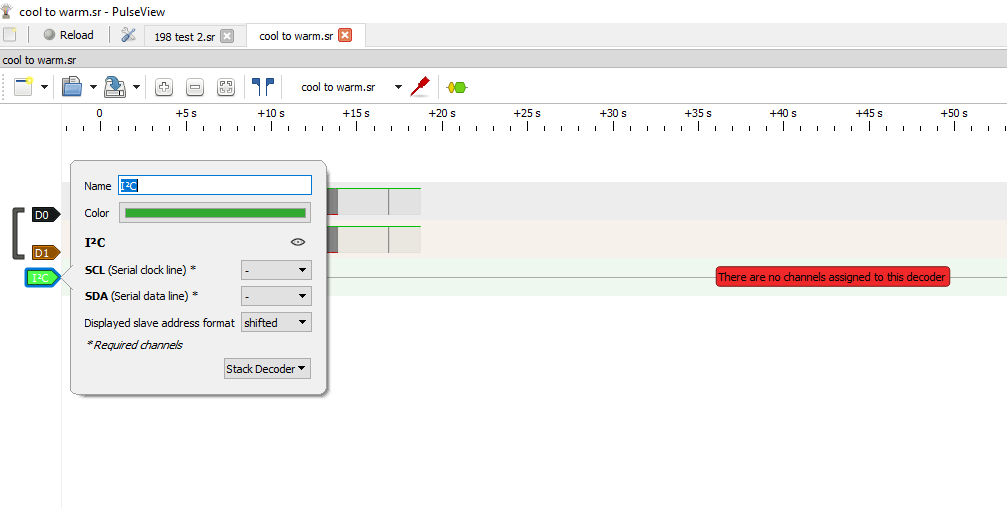
    Reverse engineering of an unknown I2C protocol with Sigrok analyzer
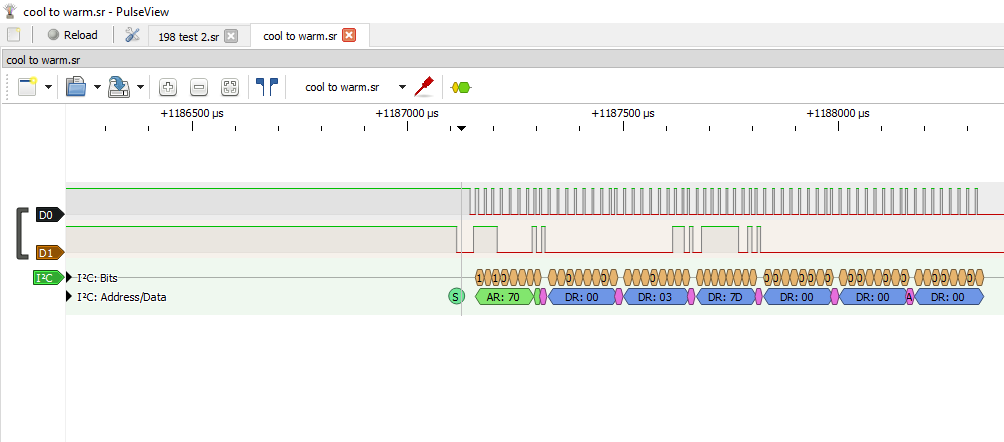
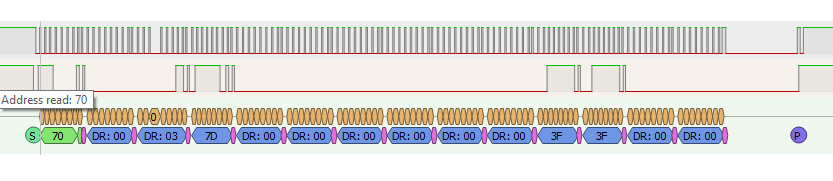
    Then we will see the byte values:
    Reverse engineering of an unknown I2C protocol with Sigrok analyzer
    And here is the first little inconvenience - it turns out that basically it is not an I2C protocol , because here there is no address byte at the beginning, more precisely, 7 bits of the address with the R or W bit, specifying whether we are reading or writing...
    The analyzer expects it and gives us "DR" that supposedly Data Read, but it's not true.
    Here everything is sent by the WiFi module, the KP system only receives.

    For convenience, you can disable the display of the alleged device address with the offset (because the R/W bit is the youngest) in the capture settings:
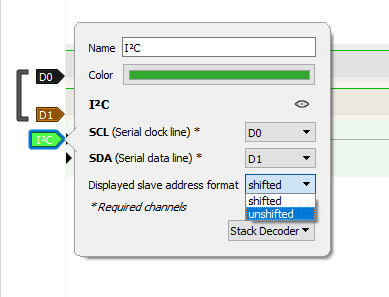
    Reverse engineering of an unknown I2C protocol with Sigrok analyzer
    I have looked at these packages and determined that there is only one type of package which is always 14 bytes long. Some examples:
    Reverse engineering of an unknown I2C protocol with Sigrok analyzer
    Reverse engineering of an unknown I2C protocol with Sigrok analyzer
    Then, in the graphics program, I compared packets from individual colors, so as to determine which bytes are responsible for them:
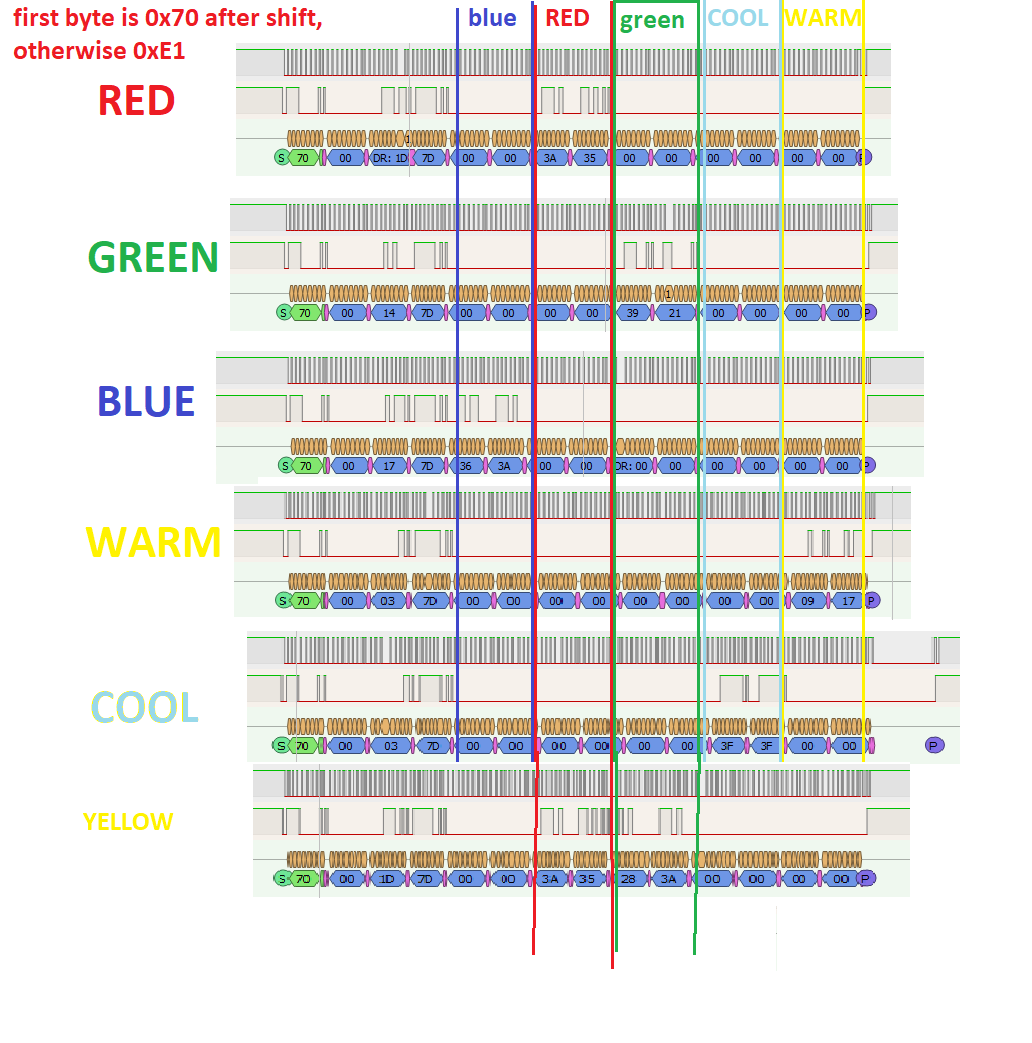
    Reverse engineering of an unknown I2C protocol with Sigrok analyzer
    It looks like there are two bytes per color. With 5 colors (RGBCW), this is 10 bytes. There are 4 bytes left, where two are probably RGB and CW mode current limits (but I'm just guessing) and the first may be a command or operating mode.

    Additionally, I saw that the first byte changes depending on whether the light is on. It seems that when the lamp is on it is 0xE1 (but not always?), and when it is off it is 0x81.

    However, the very analysis of these two color bytes initially shows that their values change from 0x00 to 0x3F , implying that only the lower 6 bits of the byte are used. The values light up sequentially, suggesting that the value of one color is 12 bits. Do we have a resolution that supports 4096 different values per channel? SM2135 only has 256 values per channel and SM2235 only 1024...


    Initial implementation
    In the end I wrote something like this in C:
    Code: C / C++
    Log in, to see the code

    As I mentioned before, this is not an I2C protocol, because it does not take into account the address of their device, for this reason I had to artificially insert the first byte as a dummy address into the Soft_I2C_Start function. In addition, I think the code should be clear, in the loop I select values from the RGBCW color (ledRemap allows you to change the order of colors, because manufacturers do not have one standard), I map them from float to unsigned short (from 0 to 4095 inclusive), and then I separate them via bitwise AND (& ;) and offset (>> ;) . I put the first 6 bits into the first byte and the second 6 bits into the second.

    Dry run on Windows
    My environment can also be run on Windows, I even have a built-in IoT device simulator:
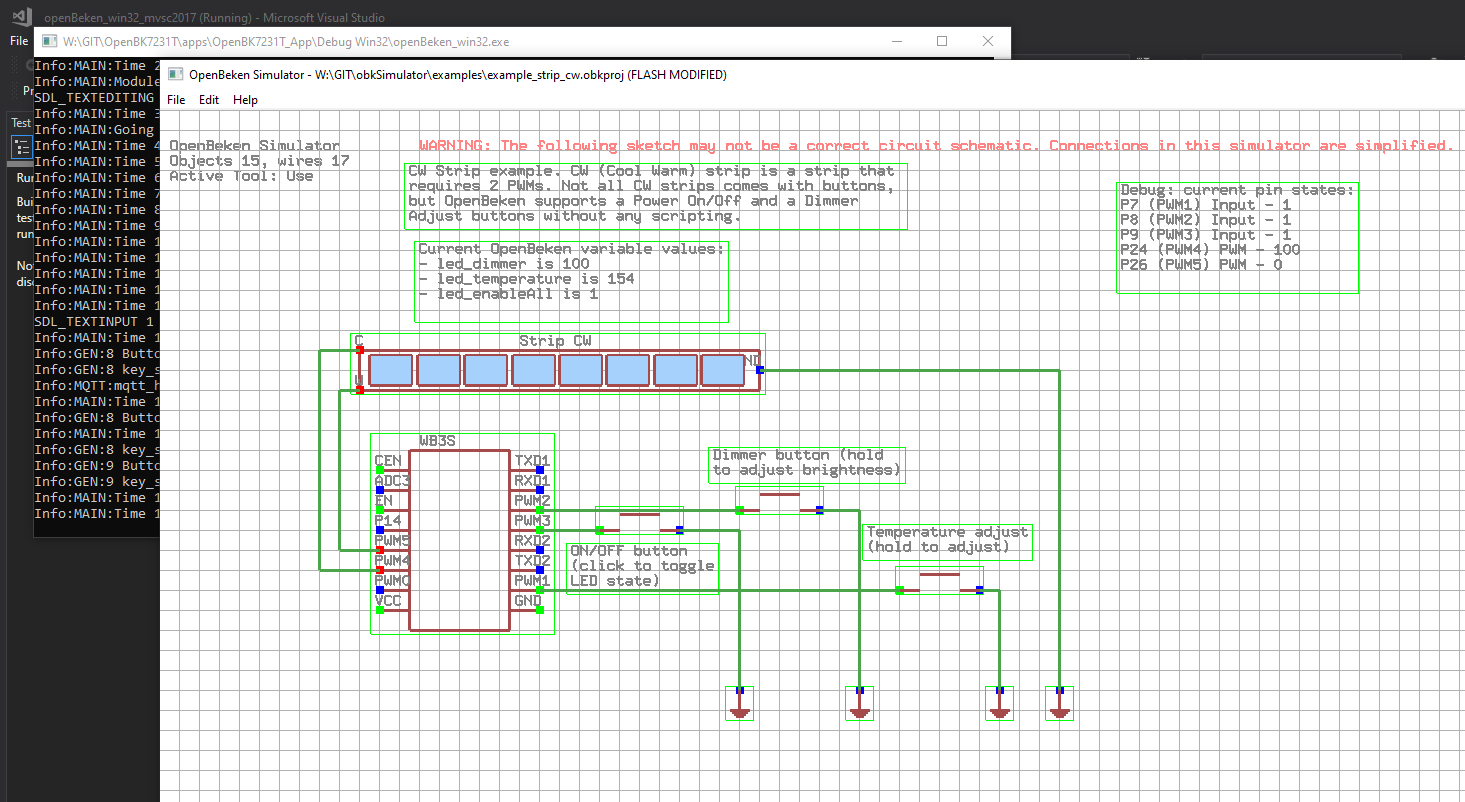
    Reverse engineering of an unknown I2C protocol with Sigrok analyzer
    Reverse engineering of an unknown I2C protocol with Sigrok analyzer
    Reverse engineering of an unknown I2C protocol with Sigrok analyzer
    This allows me to conveniently test some things and eliminate simple errors before throwing the batch onto the device.
    I decided, for verification, to write a simple for loop that will write the created bytes to a file, representing the color dimming process from 0 to 255.0 (the 255 looks quite unfortunate, because initially I had the colors as bytes, because the SM2135 only supports 8-bit values, but then it appeared SM2235 with 10-bit colors and changed the type to float and the range 0-255 remained):
    Code: C / C++
    Log in, to see the code

    And just handling one package:
    Code: C / C++
    Log in, to see the code

    Here is the result - does it look correct?
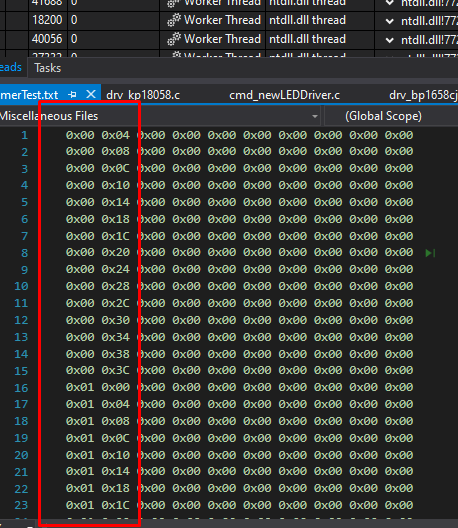
    Reverse engineering of an unknown I2C protocol with Sigrok analyzer


    Changing the batch of the WiFi module
    At this point, I thought we had enough data to complete the capture and change the batch on the WiFi module to OpenBeken. Then it will be easy to update the firmware remotely via OTA. You only need to upload it wired once. The module has been desoldered:
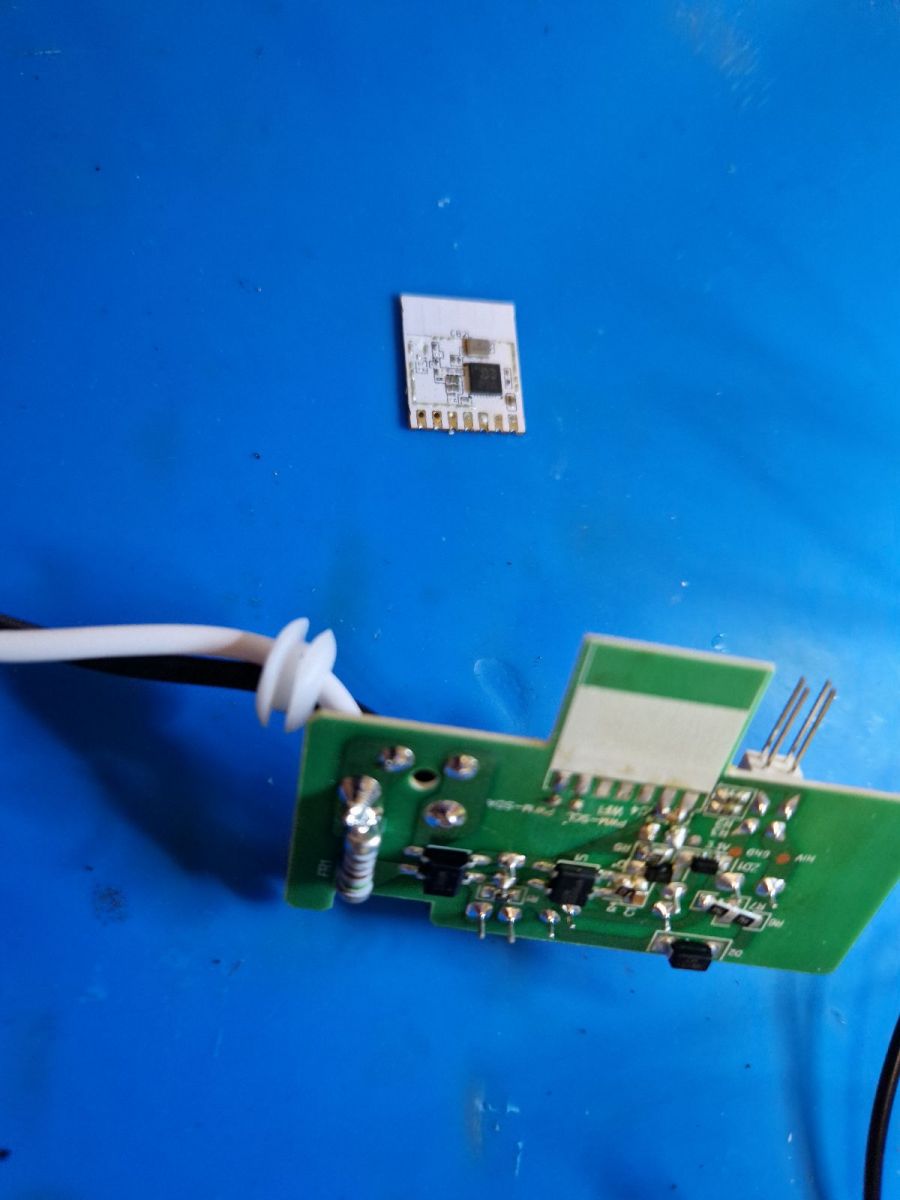
    Reverse engineering of an unknown I2C protocol with Sigrok analyzer
    Then it hit the pin station - we connect to RX, TX, 3.3V and GND as standard:
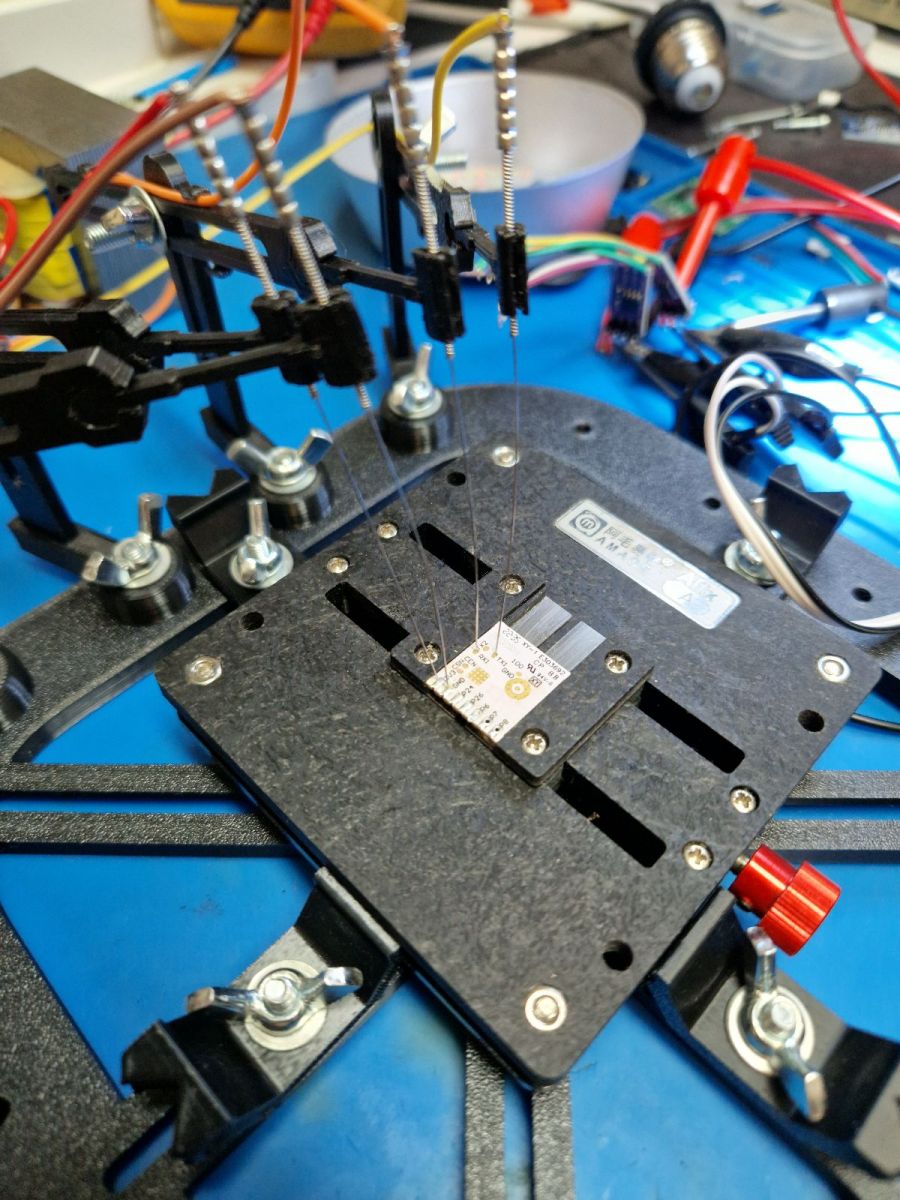
    Reverse engineering of an unknown I2C protocol with Sigrok analyzer
    Everything according to my flasher's instructions:
    https://github.com/openshwprojects/BK7231GUIFlashTool
    During programming:
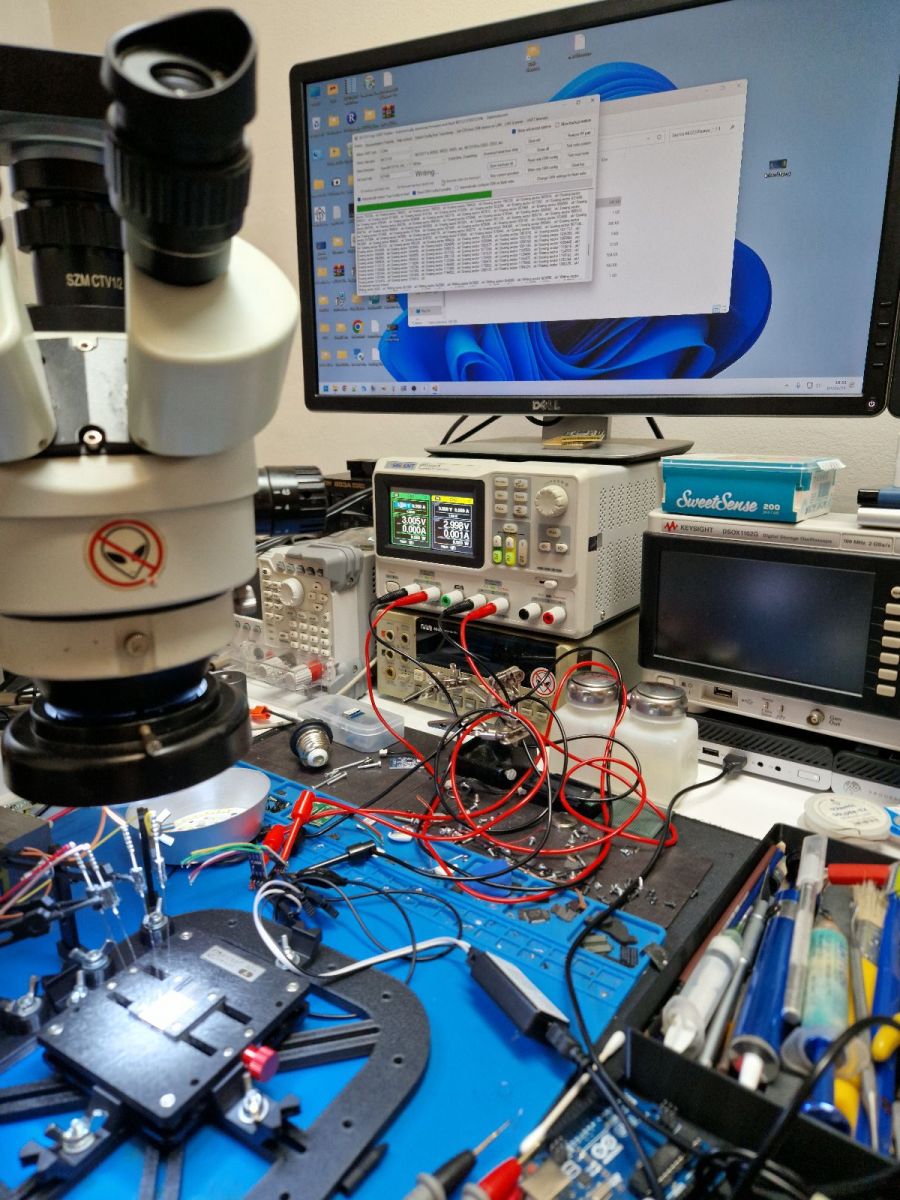
    Reverse engineering of an unknown I2C protocol with Sigrok analyzer

    It was supposed to be so beautiful...
    Finally, we ran my code on the device and got this result:


    By the way, in this video below you can see live capture of I2C packets (on one of the monitors):


    Dimming works, but every now and then the lamp turns off - what's wrong?
    Spoiler answer. Try to solve the puzzle yourself first.
    Spoiler:

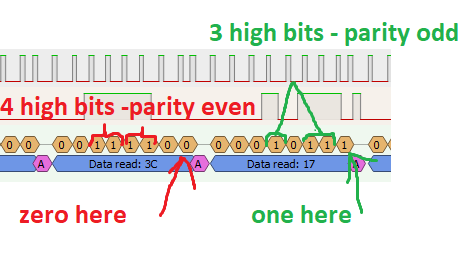
    After a short analysis of the collected packets, it turned out that it is not 6 bits per byte, nor is it 12 bits per color. Some bit combinations are omitted. Now the only question is why...
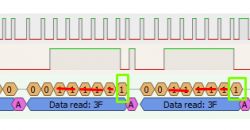
    Reverse engineering of an unknown I2C protocol with Sigrok analyzer
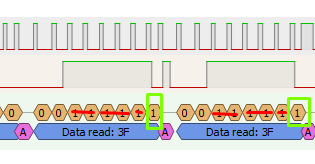
    After comparing multiple packets, you can see that the lowest bit is always one when the sum of the other bits is odd, unlike zero.
    This is the so-called parity bit.
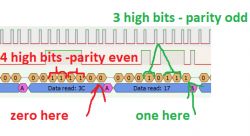
    Reverse engineering of an unknown I2C protocol with Sigrok analyzer
    It can be said that this is the simplest, one-bit, checksum.
    This bit detects upload errors and must be correctly set when uploading.
    I corrected the code to count it:
    Code: C / C++
    Log in, to see the code


    Everything is working.


    Summary
    It was supposed to last for one evening, but it took two - all because of the issue described in the last paragraph. I didn't expect this, none of the similar controllers (SM2135, SM2235, BP1658CJ, or even BP5758D) have such a mechanism. Nevertheless, it worked out. It seems that we are the first to have support for KP18058, of course excluding device manufacturers.
    As for the protocol itself - again, it deviates from the standard by lacking device addressing support, but probably it's not a problem for manufacturers. Apart from that, it resembles SM2235 a bit, meaning we have 10 bits per channel. This is slightly better than SM2135, which has only 8 bits per channel and might be noticeable for some users.
    We still need to determine how the current limits are precisely set. All similar controllers allow setting current limits, separately for RGB and separately for CW. Those are likely the two bytes that always had the same value. The current limit on a given device doesn't change. Perhaps we'll have to guess and experiment. Or maybe a datasheet for this chip will appear at some point and the issue will be resolved...
    In conclusion, in this way, we have yet another device liberated from the cloud, and another one of our users is satisfied.[/quote]

    Cool? Ranking DIY
    Helpful post? Buy me a coffee.

    About Author
    p.kaczmarek2
    Moderator Smart Home
    Offline 
    p.kaczmarek2 wrote 14595 posts with rating 12614, helped 654 times. Been with us since 2014 year.
  • ADVERTISEMENT
  • #2 20699441
    p.kaczmarek2
    Moderator Smart Home
    Posts: 14595
    Help: 654
    Rate: 12614
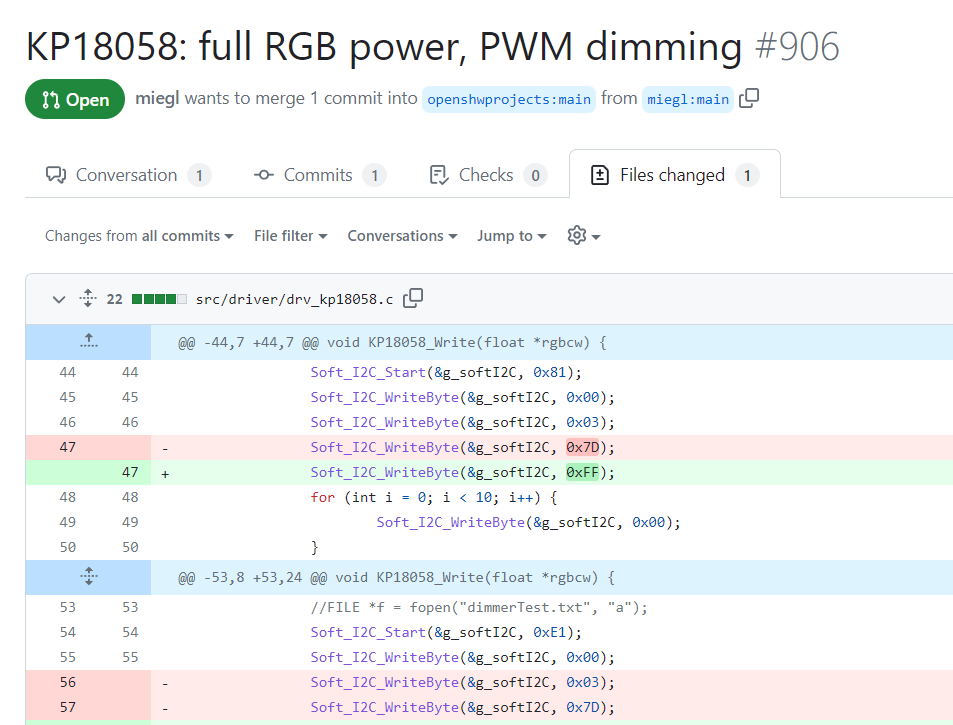
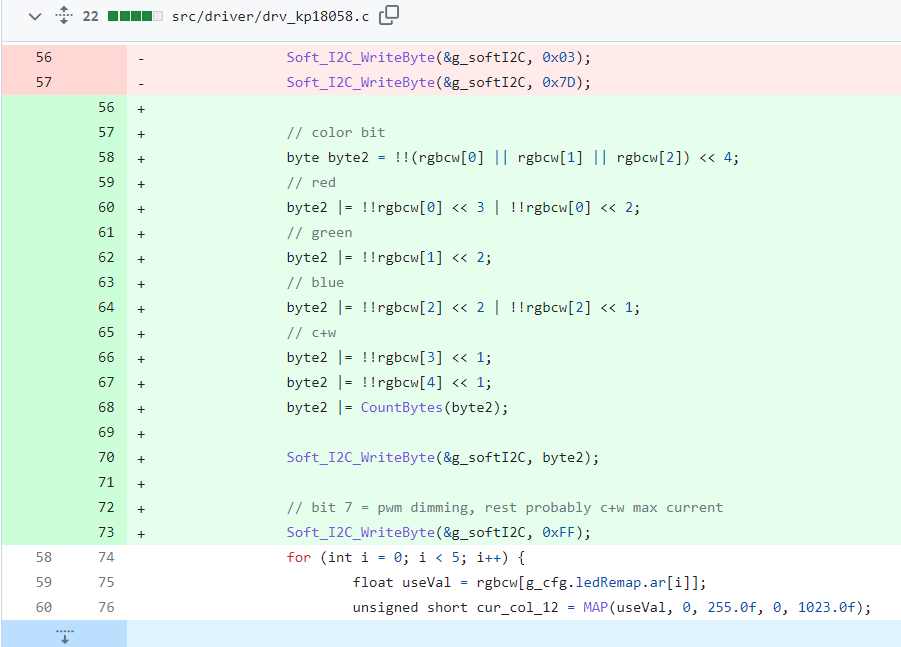
    Someone from Github recently contributed to this driver:
    https://github.com/openshwprojects/OpenBK7231T_App/pull/906/files
    Part of a GitHub pull request showing code changes in the drv_kp18058.c file.
    Changes in source code file introduced in a Github repository.
    I haven't analyzed these changes yet, but I put them here for information.
    Helpful post? Buy me a coffee.
  • ADVERTISEMENT
  • #3 20971009
    p.kaczmarek2
    Moderator Smart Home
    Posts: 14595
    Help: 654
    Rate: 12614
    As an update, I can add that the KP18058 driver from OpenBeken was also tested with KP18068 (from the Spectrum Smart E27 1500 lm 13W WOJ14473 lamp) and it also works. It appears that KP18068 and KP18058 have the same communication protocol.
    Helpful post? Buy me a coffee.
  • ADVERTISEMENT
  • #4 21434383
    WingmanNZ
    Level 3  
    Posts: 5
    @p.kaczmarek2 Thank you so much for your work here. I had a question about the KP18058 chip, and seem to have an issue with it in OpenBK. The behaviour I see is that the cool white channel does not work to the same brightness level as the warm white.

    Device configuration, as extracted from Tuya:
    - KP18058DAT on P8
    - KP18058CLK on P7
    - LED remap is 1 2 0 4 3
    Device seems to be using CB2L module, which is using BK7231N.
    And the Tuya section starts at UNCOMMON POSITION 0


    When I set the Light to 100% cool white the light emits a very low glow (as if it is at 2% brightness). If I power off the lamp and then power it back on, it returns to full cool white brightness. So it seems perhaps there is something I am missing.

    Any ideas?
  • ADVERTISEMENT
  • #5 21434392
    p.kaczmarek2
    Moderator Smart Home
    Posts: 14595
    Help: 654
    Rate: 12614
    I haven't seen this behaviour, but you can try editing code here:
    https://github.com/openshwprojects/OpenBK7231T_App/blob/main/src/driver/drv_kp18058.c
    Especially KP18058_Write function. Binary can be compiled online, you don't need any toolchain, etc:
    https://www.elektroda.com/rtvforum/topic4033833.html

    By the way, do you have a correct channels map? Is color selection correct, is green really green, blue really blue, etc?
    Helpful post? Buy me a coffee.
  • #6 21434403
    WingmanNZ
    Level 3  
    Posts: 5
    >>21434392
    Thanks for your reply. This is the color map that works to give red= red etc.

    
    backlog startdriver KP18058; KP18058_Map 2 0 1 4 3


    If I reorder it so the cool white (3) is first (assigned to red)
    (eg KP18058_Map 3 2 0 1 4)
    then it exhibits the same dull blue (~5% brightness) behaviour. The warm white (4) behaves correctly regardless of being assigned to red or the correct map as in my startup code.

    As for editing the code, is there anything there that handles cool white different from warm white?
  • #7 21434408
    p.kaczmarek2
    Moderator Smart Home
    Posts: 14595
    Help: 654
    Rate: 12614
    I haven't seen anything like that, but maybe you can try using KP18058_Current to set the same current value for RGB and CW so we can tell whether it's the setting problem.

    Also, is your device using the same remap as the devices we have been working with and confirmed to work correctly?

    Also this:
    WingmanNZ wrote:
    When I set the Light to 100% cool white the light emits a very low glow (as if it is at 2% brightness). If I power off the lamp and then power it back on, it returns to full cool white brightness. So it seems perhaps there is something I am missing.

    There is nothing like that in the code?

    Also it seems you are saying that problem is remap-agnostic, no matter how you remap, the true cool white has problem?

    Maybe try assigning a lower currents limit in general (with KP18058_Current ), maybe overcurrent protection kicks in?

    Added after 1 [minutes]:

    Have you seen KP18058_RGBCW command? It allows for a direct access to KP18058. Can you try to use it to debug the issue, if you use KP18058_RGBCW command, is the brightness problem still present?
    Helpful post? Buy me a coffee.
  • #8 21434411
    WingmanNZ
    Level 3  
    Posts: 5
    >>21434408

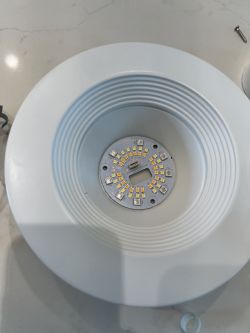
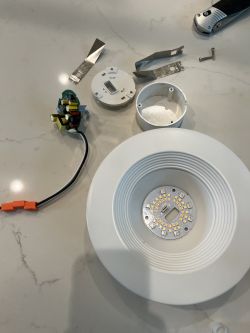
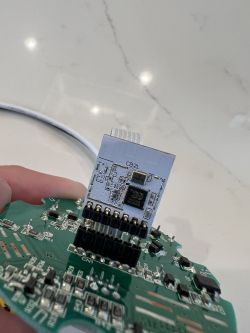
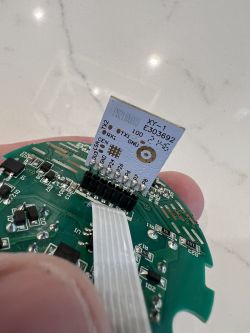
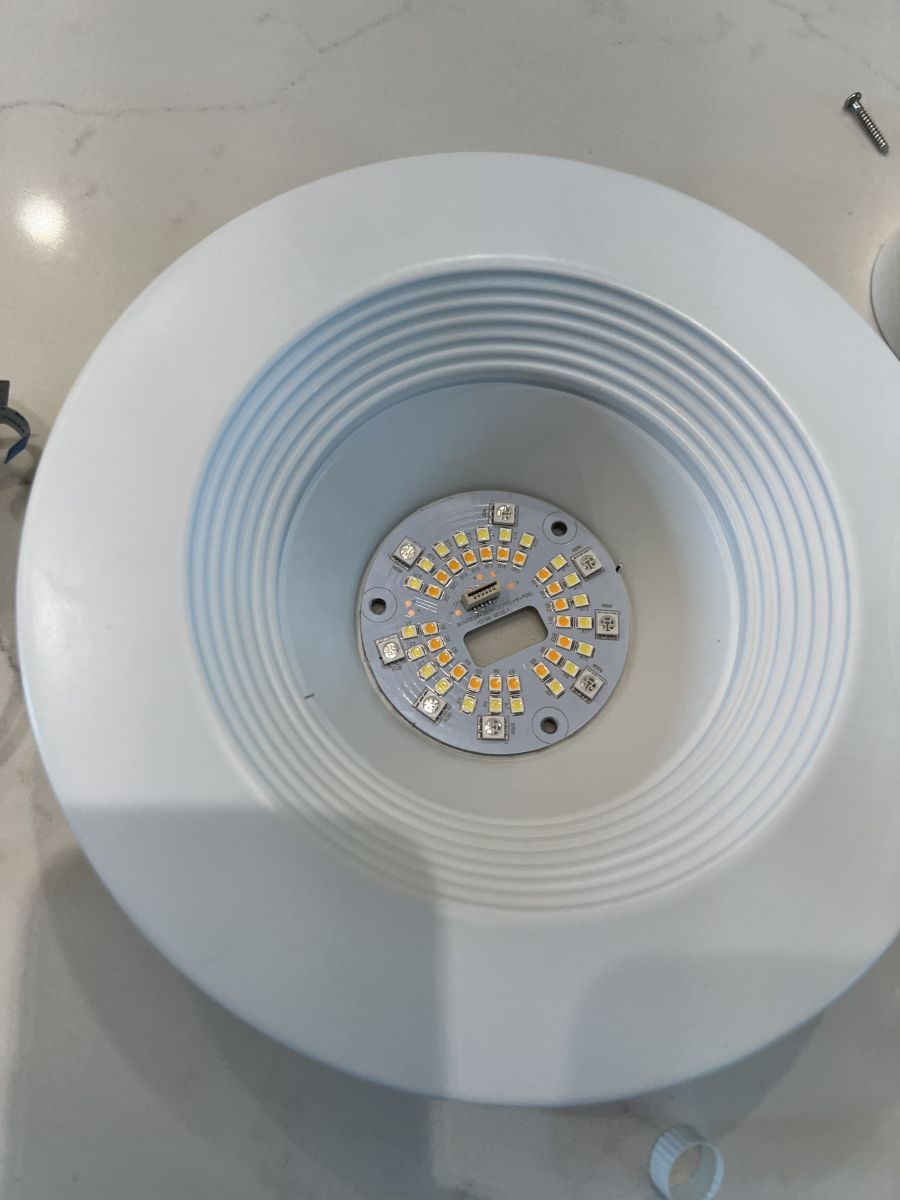
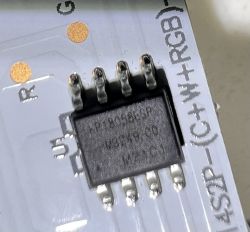
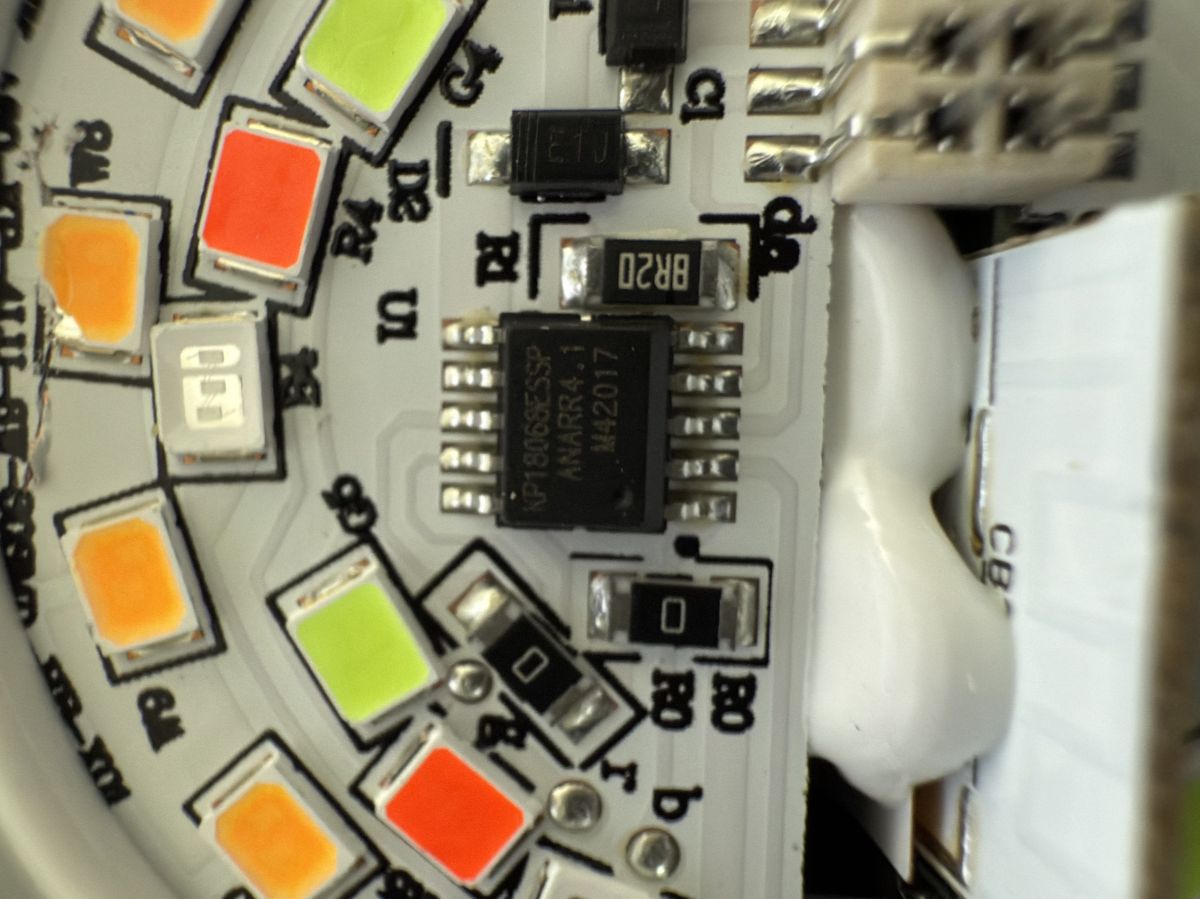
    the correct remap for this is `2 0 1 4 3` based on trial and error. I opened the device and it appears to be a KP18068 chip (photo attached)


    Close-up of a circuit board with a KP18068 chip and colorful LEDs.

    I have tried setting KP18058_Current to "KP18058_Current 1 1" and that has no effect.

    Also using KP18058_RGBWC 00 00 00 00 80 and KP18058_RGBWC 00 00 00 80 00 do not produce the same 50% brightness between warm and cool LEDS

    So to confirm, yes the problem is remap-agnostic, no matter how I remap, the true cool white has problem
  • #9 21434412
    p.kaczmarek2
    Moderator Smart Home
    Posts: 14595
    Help: 654
    Rate: 12614
    Isn't W8 on the picture damaged? But still, it seems to be Warm LED, not Cool..
    Helpful post? Buy me a coffee.
  • #10 21434413
    WingmanNZ
    Level 3  
    Posts: 5
    p.kaczmarek2 wrote:
    Isn't W8 on the picture damaged


    Yes it is. This is because I cracked it when opening the unit (whoops!)

    So it seems this flag fixes it! Your comment on the image not having any cool white LEDs was the key!

    Flag 24 - [LED] Emulate Cool White with RGB in device with four PWMS - Red is 0, Green 1, Blue 2, and Warm is 4
  • #11 21434442
    p.kaczmarek2
    Moderator Smart Home
    Posts: 14595
    Help: 654
    Rate: 12614
    Ah, I can see now... now I just need to make a note myself to ask for a full board photo earlier. It's a basic diagnostic step.
    Helpful post? Buy me a coffee.
📢 Listen (AI):

Topic summary

✨ The discussion focuses on reverse engineering an undocumented I2C protocol used by an RGBCW LED controller, employing a Sigrok logic analyzer with galvanic isolation due to mains voltage operation. The goal is to capture and analyze I2C packets to develop a custom C language driver for firmware integration. Contributions from GitHub related to the KP18058 driver were noted but not yet analyzed. Testing revealed that the KP18058 driver also works with the KP18068 chip, indicating a shared communication protocol. A reported issue involves the cool white LED channel exhibiting significantly lower brightness compared to warm white, regardless of LED remapping or current settings. Diagnostic steps included verifying channel mapping, adjusting current limits, and using direct KP18058_RGBCW commands, which confirmed the problem is independent of remapping. Physical inspection showed a damaged LED labeled as warm white, not cool white, leading to the discovery that enabling a specific flag (Flag 24) to emulate cool white with RGB in devices with four PWM channels resolves the brightness discrepancy. This highlights the importance of hardware verification alongside protocol analysis in driver development.
Generated by the language model.

FAQ

TL;DR: This FAQ shows how to decode a 14-byte two-wire LED protocol with Sigrok and PulseView, and why “it is not an I2C protocol” in the standard addressed sense. It helps OpenBeken, CB2L, and BK7231N users capture, map, and generate working KP18058/KP18068 packets for RGBCW lamps without vendor docs. [#20667319]

Why it matters: If a mains-powered smart lamp uses an undocumented controller, this workflow turns packet captures into a usable open-source driver.

Controller Per-channel resolution found in thread Protocol behavior noted
KP18058 10-bit effective data Two-wire, I2C-like, no standard address byte
KP18068 Same as KP18058 in testing Reported to share the same protocol
SM2135 8-bit Similar LED-driver class, different behavior
SM2235 10-bit Similar structure, but no parity-bit issue described
BP1658CJ / BP5758D Not specified here Similar controllers, but no same parity mechanism reported

Key insight: The breakthrough was not the byte count but the bit meaning: each apparent 6-bit data byte actually carries 5 data bits plus 1 parity bit, reducing color depth from an assumed 12 bits to 10 bits per channel.

Quick Facts

  • The captured KP18058 frame length was 14 bytes: 4 control bytes plus 10 bytes for 5 RGBCW channels at 2 bytes each. [#20667319]
  • The lamp under test used a CB2L Wi-Fi module, while later troubleshooting also referenced BK7231N hardware in OpenBK. [#20667319]
  • Safe capture required isolation because the lamp used a non-isolated mains supply; the team also powered a 120 V product through a 230 V/120 V transformer. [#20667319]
  • The isolator used for signal capture was ADuM1201, described as costing about $2 including shipping. [#20667319]
  • The final decoded channel format was 10-bit brightness per channel, not 12-bit, because each byte reserved 1 bit for parity. [#20667319]

How can I reverse engineer an unknown two-wire LED control protocol with a Sigrok analyzer and PulseView when it looks like I2C but has no standard address byte?

Capture the two lines as raw digital data, then decode patterns instead of trusting the bus label. 1. Identify SCL and SDA from the Tuya JSON or board traces. 2. Record actions such as on/off, dimming, and single-color changes in PulseView. 3. Compare repeated frames byte by byte until stable fields emerge. In this case, every frame was 14 bytes long, and color-only changes exposed which bytes belonged to RGBCW levels. [#20667319]

What is galvanic isolation, and why is it important when capturing signals from a non-isolated mains-powered RGBCW lamp?

Galvanic isolation is electrical separation that transfers signals without a direct conductive path, preventing hazardous mains potential from reaching test equipment. It mattered here because the lamp used a non-isolated step-down supply, so the Wi-Fi module and LED controller were not safely isolated from the mains. The setup added a 230 V/120 V transformer and ADuM1201 isolators before connecting the Sigrok analyzer. [#20667319]

Why does PulseView show the first byte as a read/write address in this KP18058 capture even though the protocol is not really standard I2C?

PulseView shows a read/write address because its I2C decoder assumes the first byte contains a 7-bit device address plus an R/W bit. This capture violated that assumption. The controller only received data, and there was no normal addressed I2C transaction. That is why the analyzer labeled the first byte as data-read or an address offset even though it was just the first protocol byte. [#20667319]

Which Tuya JSON keys on a CB2L module help identify the SCL, SDA, and RGBCW channel mapping for a KP18058-based lamp?

The key fields were iicscl, iicsda, and the per-channel indexes iicr, iicg, iicb, iicc, and iicw. In the posted dump, iicscl was 7 and iicsda was 8, pointing to the two-wire lines. The RGBCW mapping values were iicr=1, iicg=2, iicb=0, iicc=3, and iicw=4, which exposed channel order before packet analysis started. [#20667319]

What packet format was found for the KP18058 LED controller, and how were the 14 bytes mapped to mode, current settings, and five color channels?

The thread found one recurring 14-byte packet format. Byte 1 acted like a mode or command, often 0xE1 when on and 0x81 when off. The next three bytes stayed fixed in the shown code as 0x00 0x03 0x7D. The remaining 10 bytes mapped to five RGBCW channels, using 2 bytes per channel. Two of the fixed-value bytes were suspected current-related settings for RGB and CW operation. [#20667319]

Why did the first OpenBeken KP18058 implementation dim correctly but randomly turn the lamp off during brightness changes?

It failed because the first implementation treated each channel as 12 data bits split into two 6-bit chunks, but the protocol required parity bits. The lamp still dimmed because many values looked close enough to valid frames. It shut off intermittently when invalid bit combinations triggered error detection. The code originally mapped 0 to 255 into 0 to 4095, which matched the wrong 12-bit assumption. [#20667319]

What is a parity bit, and how did it change the KP18058 color resolution from an assumed 12 bits per channel to 10 bits plus error checking?

Parity bit is a checksum bit that makes the total number of set bits follow a fixed odd/even rule, enabling simple transmission-error detection. Here, each apparent 6-bit byte actually carried only 5 data bits plus 1 parity bit. Two such bytes therefore held 10 data bits, not 12. That changed the usable range from an assumed 0–4095 to the correct 0–1023 per channel. [#20667319]

How do I implement KP18058 packet generation in C for OpenBeken, including remapping RGBCW channels and calculating the parity bit correctly?

Generate 14-byte writes with channel remapping, 10-bit scaling, and parity on each output byte. The corrected code mapped each color from 0–255.0 into 0–1023. Then it split the 10-bit value into two 5-bit parts, left-shifted each part by 1, and inserted parity with a |= CountBits(a); and b |= CountBits(b);. The code also used ledRemap so manufacturers could reorder RGBCW channels without changing packet structure. [#20667319]

What is the best way to dry-run or simulate KP18058 packet output on Windows before flashing a CB2L or BK7231N device?

Use the Windows build to log generated packet bytes to a file before flashing real hardware. The thread used an IoT device simulator and a loop that swept one channel from 0 to 255 in 0.25 steps. The packet routine appended the emitted bytes to dimmerTest.txt, making it easy to inspect monotonic progression and catch mapping mistakes before writing firmware to the module. [#20667319]

How does KP18058 compare with SM2135, SM2235, BP1658CJ, and BP5758D in channel resolution and protocol behavior for RGBCW lighting?

In this thread, KP18058 behaved most like SM2235 in effective resolution but differed in framing details. KP18058 ended up with 10-bit channel data and an unusual parity mechanism. SM2135 was noted as only 8-bit. SM2235 was described as 10-bit. The author also stated that SM2135, SM2235, BP1658CJ, and BP5758D did not show the same parity-based mechanism that caused the KP18058 debugging issue. [#20667319]

Can the OpenBeken KP18058 driver also work with KP18068, and what evidence suggests the two chips share the same communication protocol?

Yes, the thread reports that the KP18058 OpenBeken driver also worked on KP18068. A February 20, 2024 update stated that the driver was tested with a Spectrum Smart E27 1500 lm 13 W WOJ14473 lamp using KP18068. The reported result was that it worked, leading to the conclusion that KP18068 and KP18058 share the same communication protocol. [#20971009]

What troubleshooting steps should I try when the cool white channel on a KP18068 or KP18058 lamp is much dimmer than warm white in OpenBK?

First verify the board actually has dedicated cool-white LEDs before changing driver code. Then test KP18058_Map, KP18058_Current, and direct KP18058_RGBWC output to separate remap, current-limit, and hardware-layout problems. In the 2025 case, setting current to 1 1 did not help, and the issue stayed remap-agnostic. The eventual fix was not packet logic. The lamp appeared to lack true cool-white LEDs, so OpenBeken Flag 24 solved it. [#21434413]

Where in the OpenBK KP18058 driver is cool white handled differently from warm white, if at all?

The thread did not identify any confirmed code path where cool white was intentionally handled differently from warm white. The maintainer pointed the user to KP18058_Write for inspection and asked whether the channel map was correct. The discussion then moved away from asymmetric driver behavior and toward current settings, direct RGBCW testing, and finally hardware interpretation. That means the reported brightness mismatch was not traced to a separate cool-white branch in the posted discussion. [#21434392]

How do commands like KP18058_Map, KP18058_Current, and KP18058_RGBCW help diagnose remap problems, current-limit issues, and channel mismatches?

They isolate different failure modes with minimal variables. KP18058_Map checks whether logical RGBWC outputs match the real lamp channels; one working example was 2 0 1 4 3. KP18058_Current tests whether low output comes from current-limit settings; 1 1 made no difference in the reported case. KP18058_RGBCW bypasses higher-level color logic and writes raw channel values, which helped prove the true cool channel stayed dim regardless of remap. [#21434411]

Why would enabling OpenBeken Flag 24 fix a lamp that appears to have weak cool white output, and how can I tell whether the device actually has no dedicated cool white LEDs?

Flag 24 fixes it because it emulates cool white with RGB on four-channel hardware that lacks a true cool-white LED string. The user only found the root cause after opening the lamp and discussing the LED board photo. Once that clue surfaced, enabling “Flag 24 - [LED] Emulate Cool White with RGB in device with four PWMS” immediately corrected the apparent weak cool-white behavior. A full board photo is the fastest way to confirm the channel hardware. [#21434413]
Generated by the language model.
ADVERTISEMENT