FAQ 
TL;DR: With a 2MB backup and the right baud rate, the PH-W218 can be moved to OpenBeken; as one expert put it, "fakeTuyaPacket simulated TuyaMCU" and should not be used to write real thresholds. This FAQ helps Home Assistant and OpenBeken users flash the CB3S module, confirm TuyaMCU communication, and map pH, ORP, TDS, EC, and temperature correctly. [#21146899]
Why it matters: The thread shows that most PH-W218 failures come from power, baud, UART traces, or wrong command choice, not from the sensor hardware itself.
| Option |
Use it for |
Worked result in thread |
Main risk |
| 9600 baud |
Normal TuyaMCU link on this device |
Stable values reported after full setup |
No data if the module is miswired |
| 115200 baud |
Diagnostic retry when 9600 fails |
Some users saw values, but also more errors |
Noisy logs and unstable parsing |
fakeTuyaPacket |
Testing parser input only |
Changes Wi-Fi-side values only |
Does not write real MCU settings |
tuyaMcu_sendState |
Writing real dpID values to TuyaMCU |
Correct method for thresholds |
Can fail if sent too early after boot |
Key insight: OpenBeken replaces only the CB3S Wi-Fi module. The PH-W218’s secondary MCU still runs the measurement logic and keeps the built-in displays working, so success depends on reliable TuyaMCU serial communication, not on rewriting the whole device. [#21134253]
Quick Facts
- The recommended safety step is a 2MB firmware backup with the BK7231 GUI flasher before any flashing, so you can restore stock later if needed. [#21132998]
- The PH-W218 thread maps at least 17 dpIDs, including 8 for temperature, 106 for pH, 111 for TDS, 116 for EC, 121 for salinity, 131 for ORP, and 141 for RH. [#21131505]
- The device has 3 built-in displays, and they continue to work after migrating to OpenBeken because the secondary MCU still handles most processing. [#21134253]
- A practical startup script in the thread uses
tuyaMcu_setBaudRate 9600, delay_s 120 on first start, and a 15-second loop for periodic checks and MQTT publishing. [#21203138]
- For Home Assistant formatting,
publishFloat gained a decimal-place argument, so publishFloat ph_aktuell $CH4/100 0 2 publishes 7.40 instead of 7.400000. [#21138792]
How do I start flashing and configuring a PH-W218 WiFi 8-in-1 water quality tester with a CB3S chip for OpenBeken and Home Assistant?
Start by treating the PH-W218 as a TuyaMCU device with a CB3S Wi-Fi module. 1. Make a full backup first, then flash OpenBeken to the CB3S. 2. Start the
TuyaMCU driver, set the baud, and map dpIDs such as 8, 106, and 111 to channels. 3. Check the Web App log and only then add MQTT or Home Assistant publishing. The thread’s working examples use
tuyaMcu_defWiFiState 4, then channel mapping, then
tuyaMcu_sendQueryState.
[#21131597]
What is TuyaMCU, and how does it affect firmware replacement on the PH-W218 water quality tester?
"TuyaMCU" is a device architecture that uses a separate secondary MCU to run measurements and local logic, while the Wi-Fi module only handles communication. On the PH-W218, OpenBeken replaces the CB3S Wi-Fi firmware, not the main measurement controller. That is why the three displays keep working after migration, and why success depends on UART communication between the Wi-Fi board and the original MCU.
[#21134253]
What are Tuya dpIDs in the PH-W218, and how do I map datapoints like pH, ORP, TDS, EC, and temperature to OpenBeken channels?
"dpID" is a Tuya datapoint identifier that labels one sensor or setting value, such as pH, temperature, or an alarm threshold, and lets OpenBeken bind that value to a channel. In this thread, temperature is dpID 8, pH is 106, TDS is 111, EC is 116, salinity is 121, ORP is 131, and RH is 141. Use
setChannelType,
setChannelLabel, and
linkTuyaMCUOutputToChannel [dpID] val [channel] to map them.
[#21131505]
What is the best way to back up the original PH-W218 firmware before flashing OpenBeken, and how can I restore it later?
Use the flasher to make a
2MB backup before you change anything. The thread explicitly recommends the BK7231 GUI Flash Tool for this job, and the same tool can later restore the saved image if you want to return to stock firmware. One warning from the thread: do not share a backup if the device was already paired to Tuya Cloud.
[#21132998]
Why does the OpenBeken AP sometimes not appear after flashing a CB3S module, and how can I fix power supply problems during setup?
The AP can stay invisible when the UART adapter does not supply enough current. In the thread, the flashed module booted correctly only after the user switched from a weak UART converter supply to a lab power supply. If the flash succeeds but no AP appears, first check power quality before changing firmware again.
[#21134812]
How do I check whether the PH-W218 WiFi module is actually communicating with the TuyaMCU, including heartbeats and query-state responses in the Web App log?
Open the Web App log and look for real TuyaMCU traffic, not just command results. 1. Start
TuyaMCU, save the config, and power the whole device fully off and on. 2. In the log, look for heartbeat or state lines such as
cmd 0 (Hearbeat) or
cmd 7 (State). 3. If needed, run
tuyaMcu_sendQueryState and verify that the MCU actually answers. A console
OK only means the command was accepted, not that the MCU replied.
[#21202813]
Why do all sensor values stay at zero in OpenBeken even though the PH-W218 display still shows readings?
Values stay at zero when the Wi-Fi module is not receiving usable TuyaMCU state packets. In the thread, this happened with wrong mapping syntax, missing MQTT-triggered state behavior, missing product information, bad UART links, and even a hairline crack on the RX/TX path. The display still showed readings because the original MCU continued measuring locally.
[#21146858]
How should I choose between 9600 and 115200 baud rate for TuyaMCU communication on the PH-W218, and what symptoms indicate the wrong setting?
Use
9600 baud as the preferred setting for this PH-W218, and test
115200 only as a fallback. The thread ended with a stable working setup at
tuyaMcu_setBaudRate 9600, while 115200 produced values for one user but also “a lot of errors.” If neither speed shows TuyaMCU messages after a full power cycle, suspect flags, broken traces, or lost UART connection instead of firmware logic.
[#21203138]
What happens to the three built-in displays after replacing the PH-W218 WiFi firmware with OpenBeken, and what still remains controlled by the original MCU?
The three displays normally keep working after the Wi-Fi firmware change. The PH-W218 uses a secondary MCU for processing, so the MCU continues handling most measurement and display behavior while OpenBeken handles Wi-Fi, MQTT, and Home Assistant integration on the CB3S. That separation is why the device can still look normal on its screen even when OpenBeken sees zero values.
[#21134253]
How can I send or set alarm threshold values like temperature max/min, pH max/min, TDS max/min, and ORP max/min correctly in OpenBeken without misusing fakeTuyaPacket?
Send real threshold values with
tuyaMcu_sendState, not with simulated packets. The maintainer’s example was a short boot sequence such as
delay_s 1, then
tuyaMcu_sendState 103 2 2300, then another delay before the next dpID. He also warned that
addRepeatingEvent 15 -1 tuyaMcu_sendState ... sends forever every 15 seconds, which is usually wrong for fixed alarm limits.
[#21147072]
Why is fakeTuyaPacket not the right way to write real values back to the PH-W218 TuyaMCU, and when should tuyaMcu_sendState be used instead?
fakeTuyaPacket is the wrong tool because it only simulates packets arriving
from the MCU
to the Wi-Fi module. It can change what OpenBeken displays or publishes, but it does not write real settings into the PH-W218 controller. Use
tuyaMcu_sendState [dpID] [dpType] [value] whenever you want the actual TuyaMCU to receive a threshold or setting and calculate the checksum automatically.
[#21146899]
How can I format PH, temperature, TDS, and ORP values correctly for MQTT and Home Assistant, including decimal scaling and publishFloat rounding?
Use channel scaling plus
publishFloat formatting. The thread shows pH published as
$CH4/100 0 2, so a raw value like 740 becomes
7.40; temperature used
/10, while ORP was often published with
0 decimals. For PH specifically, the maintainer added a decimal-place argument, so
publishFloat ph_aktuell $CH4/100 0 2 fixes outputs like
7.400000 and publishes
7.40 instead.
[#21138792]
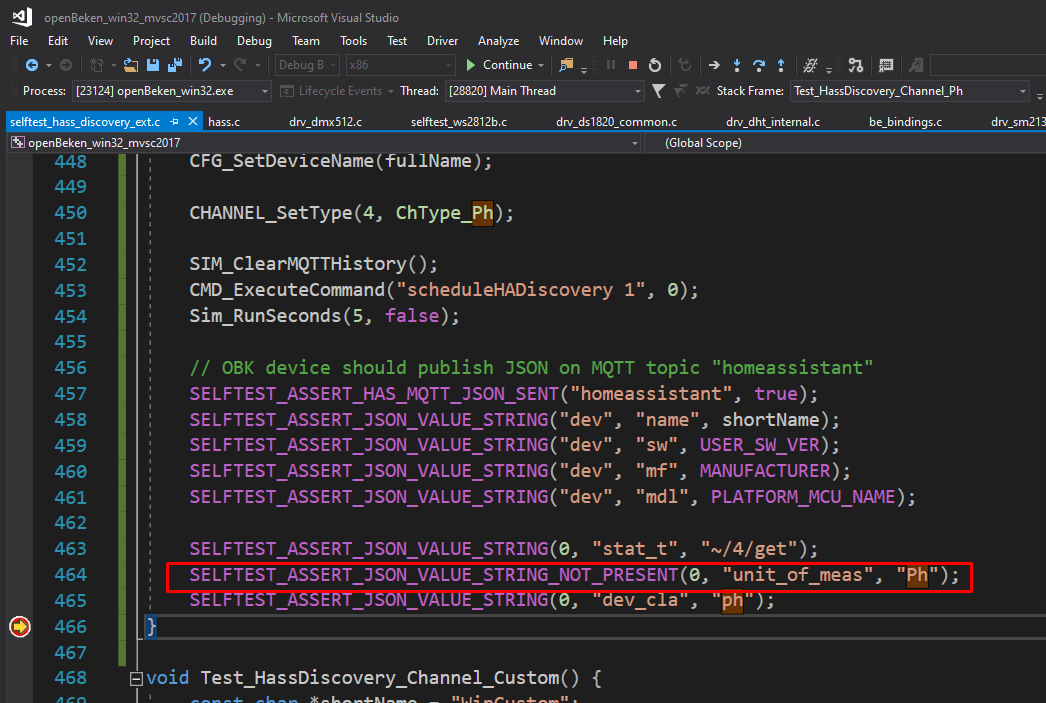
What causes Home Assistant to reject the PH sensor discovery message with 'unit of measurement Ph is not valid together with device class ph', and how can I fix it?
Home Assistant rejects it when the discovery payload still contains
unit_of_measurement: Ph together with device class
ph. In the thread, a fix was proposed so the PH channel type stops publishing
unit_of_meas, and the maintainer later said current releases should not send it for PH. If the error returns, remove the device and re-pair through Home Assistant discovery so stale discovery data is cleared.
[#21645909]
How can I troubleshoot a PH-W218 that stopped reporting TuyaMCU data after flashing, including checking UART flags, broken RX/TX traces, and full power-cycle behavior?
First verify physical UART integrity, then settings. 1. Fully cut power for about
15 seconds, not just a soft restart. 2. Check that no wrong flag redirects communication, such as using the second UART. 3. Inspect RX/TX lines closely; one user found a hairline crack only with a magnifier and restored communication by bridging it with solder. If no TuyaMCU messages appear at 9600 or 115200, the fault is usually wiring, flags, or a broken trace.
[#21146858]
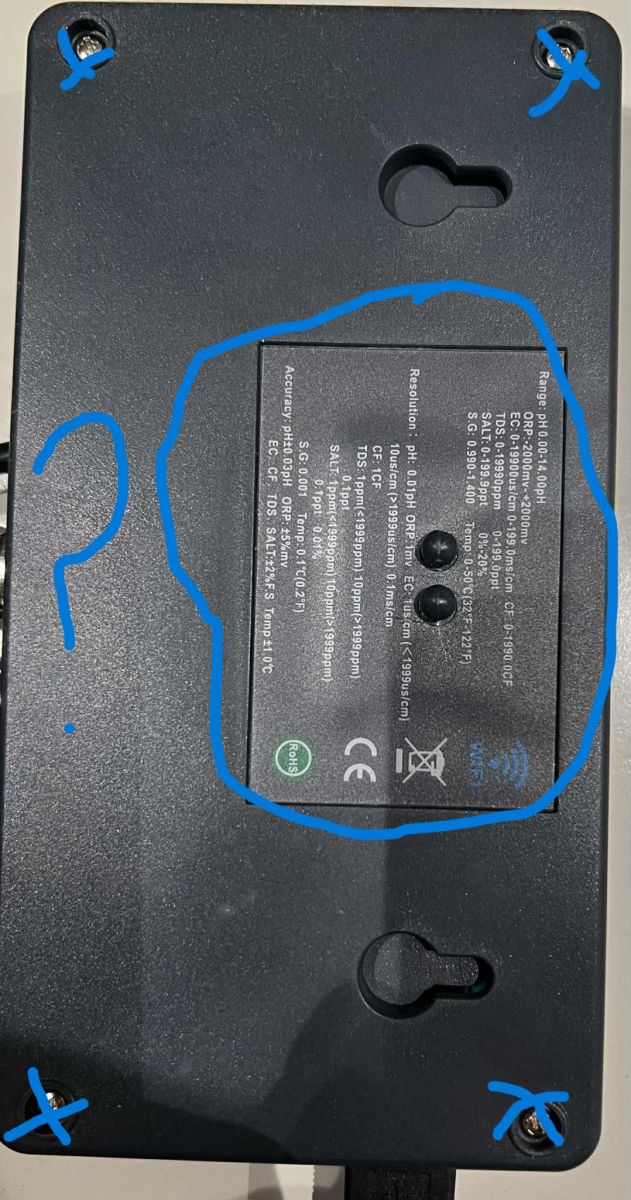
How do I open the PH-W218 enclosure safely after removing the four visible screws, and where are the hidden clips or internal fixings that still hold it together?
The thread does not provide a confirmed opening procedure after the four visible screws. A later user asked whether hidden fixings or clips still held the enclosure, but no posted answer in the supplied thread explains where those clips are or how to release them safely. The safest conclusion from this thread alone is that the enclosure may have additional internal retention points beyond the four screws.
[#21763873]
AI summary based on the discussion. May contain errors.