logo elektroda
logo elektroda
X
logo elektroda

Teardown and Reflashing of Tuya Smart Socket EU20A with LN882HKI Chip Analysis

bogdanelhh 11193 70
ADVERTISEMENT
  • ADVERTISEMENT
  • #62 21796755
    max4elektroda
    Level 22  
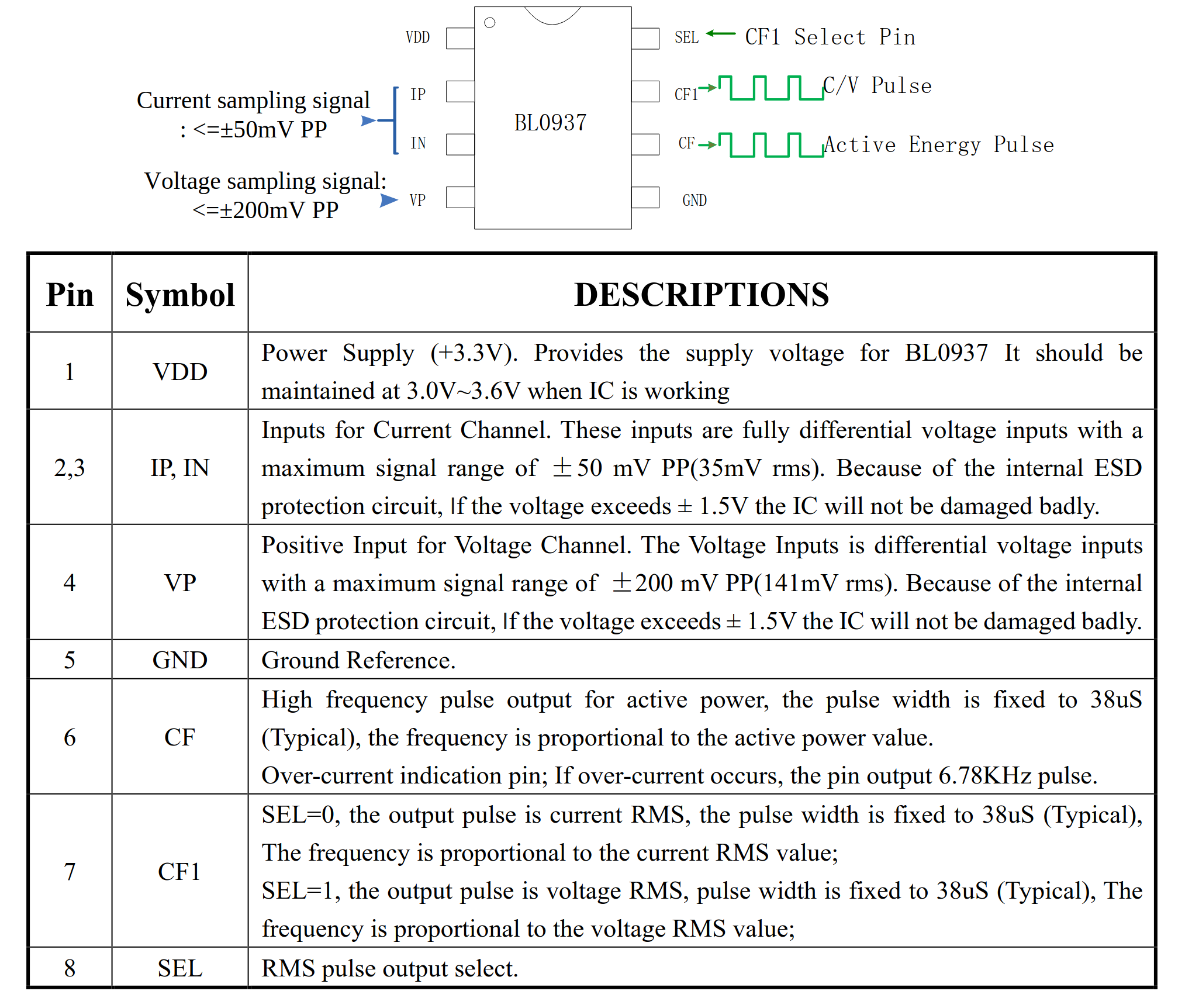
    You will need the correct pin configuration for your plug to get the power meters readings.
    Can you trace the BL0937 pins to the pins of the LN882H?


    Pinout diagram and pin function descriptions for BL0937 IC
  • #63 21797420
    GoldMember
    Level 12  
    max4elektroda wrote:

    Can you trace the BL0937 pins to the pins of the LN882H?


    Do you mean physical connection between BL0937 and LN882H?
  • ADVERTISEMENT
  • #64 21797531
    max4elektroda
    Level 22  
    GoldMember wrote:
    Do you mean physical connection between BL0937 and LN882H?

    Yes, you will need to know, which of the BL0937 pins SEL, SEL1 and CF is connected to which LN882H IO pin.
    You might be lucky that someone which exactly the same device than yours allready figured this out or need to do it by yourself.
    Depending on your device you might also "guess" them, if you have a separate LN882H module with only a handful of connections and can "easily" find the relay with IO doctor (you will hear the clicking sound) if you found the right one, then you might also just try all possible permutations. But since the BL0937 usually has the pins easily accessible, it should be possible to check the connections by eye (following the PCB connections) or with a multimeter.
  • ADVERTISEMENT
  • #65 21799115
    p.kaczmarek2
    Moderator Smart Home
    I think Counter role can be also used to find BL0937. Counter pin counts pulses in the channel and BL0937 works by sending pulses on CF and CF1 pins. So that only would leave SEL to be found.
    Helpful post? Buy me a coffee.
  • #66 21799303
    GoldMember
    Level 12  
    BL0937 pin - LN 882H pin
    6 --------------- 25
    7 --------------- 26
    8 --------------- 27
  • ADVERTISEMENT
  • #67 21799304
    divadiow
    Level 37  
    if you took backup of Tuya firmware does Easy Flasher not extract config?
  • #68 21799311
    insmod
    Level 30  
    >>21799304
    No LN device contains pin settings in tuya config.
  • #69 21799322
    divadiow
    Level 37  
    >>21799311

    darn, oh yes ;)

    example
    Code: JSON
    Log in, to see the code
  • #70 21799323
    max4elektroda
    Level 22  
    GoldMember wrote:
    BL0937 pin - LN 882H pin
    6 --------------- 25
    7 --------------- 26
    8 --------------- 27

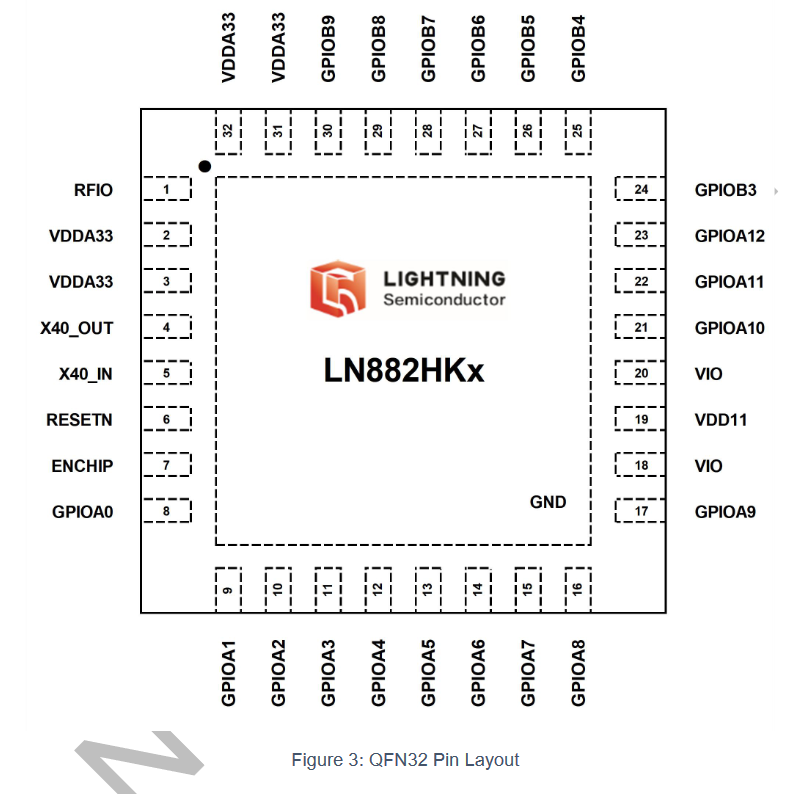
    According to this

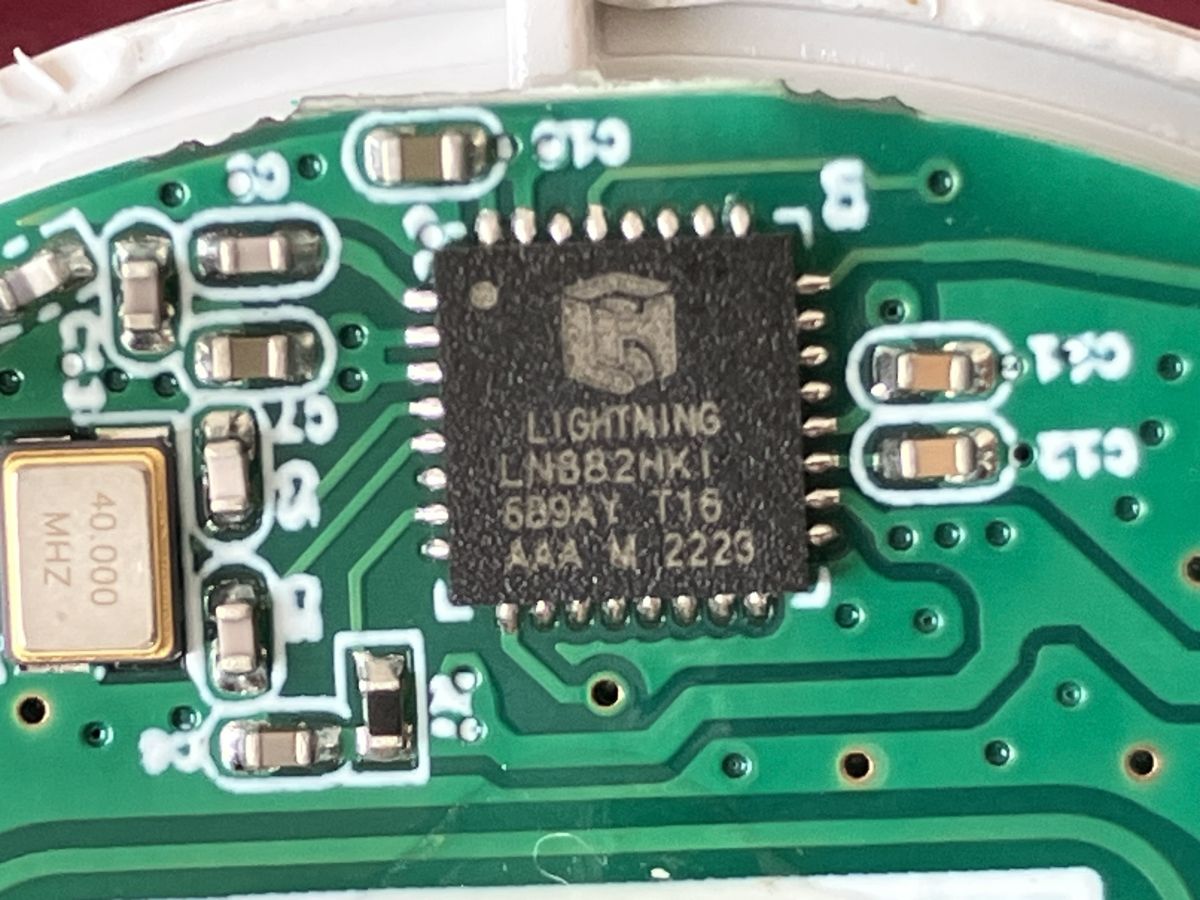
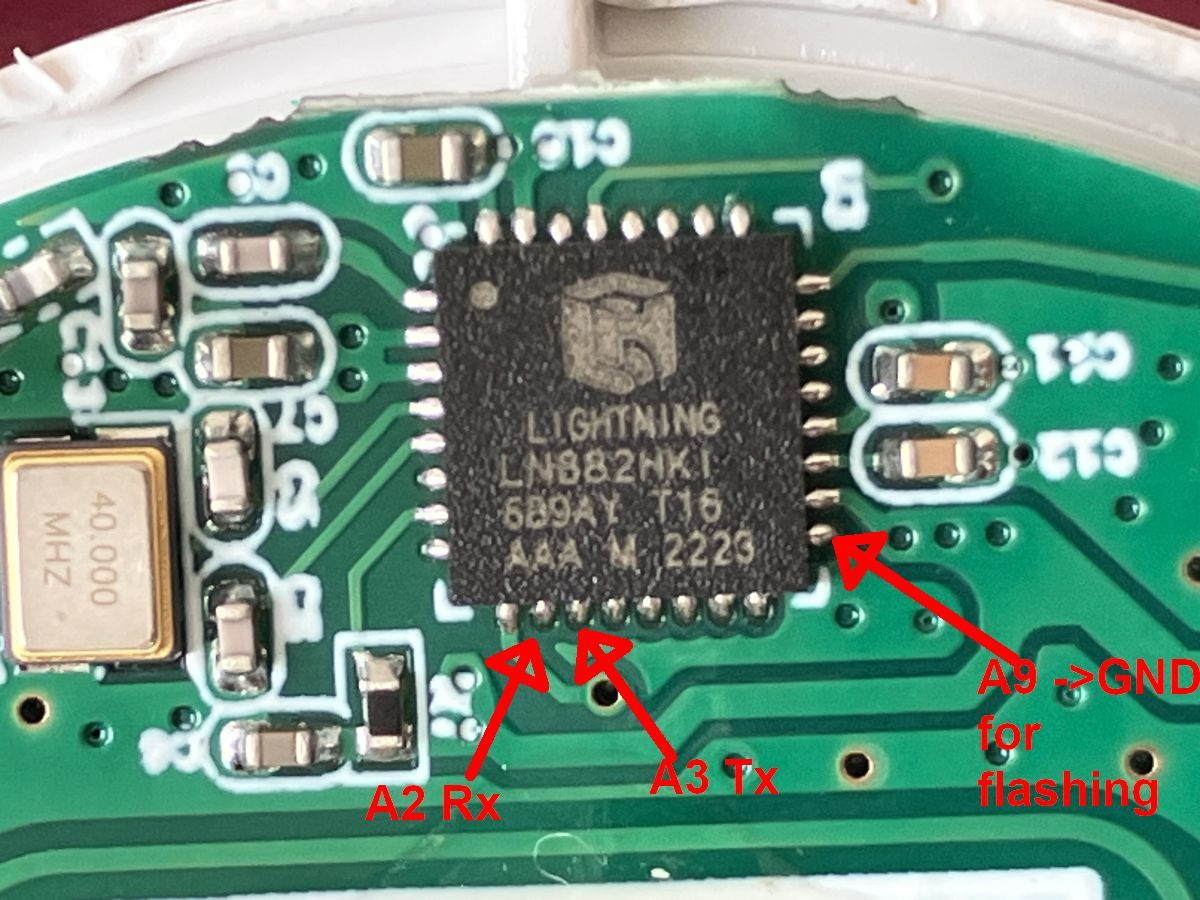
    Pin layout diagram of the LN882HKx chip by Lightning Semiconductor (QFN32)

    It should be

    CF (Pin 6) = B4 (Pin 25)
    CF1 (Pin 7) = B5 (Pin 26)
    SEL (Pin 8) = B6 (Pin 27)

    Does it work with this assignment?
  • #71 21799463
    GoldMember
    Level 12  
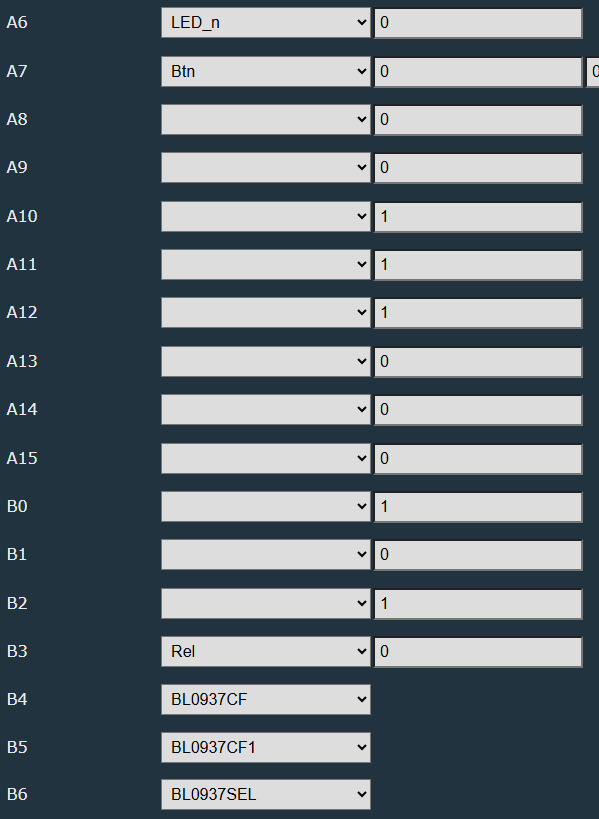
    Yes, it works. Configuration has to be like that:

    Interface with dropdown menus and numeric fields for ports A6–B6

Topic summary

The discussion focuses on the teardown and reflashing process of the Tuya Smart Socket EU20A, which uses the LN882HKI chip and supports power monitoring via the Smart Life app with Google Assistant and Alexa integration. The original poster successfully soldered wires to the chip's UART pins (notably A9 to GND for download mode) and flashed the device using an external 3.3V power supply and a CH340 USB-to-serial adapter. Key UART pins identified include RX0/TX0 on A3/A2 (pins 11 and 10) and RX1/TX1 on B8/B9. The reflashing process involves entering download mode by pulling A9 to ground, with LED behavior indicating mode status. Users reported challenges with unstable web configuration interfaces and long firmware dump times (~40 minutes). A configuration template was shared, mapping pins for LED, button, relay, and BL0937 power metering chip signals. Calibration of the BL0937 chip is necessary for accurate power measurement, achievable via the device's web app tools. Backup of original firmware before flashing is recommended but often difficult due to instability. Alternative flashing methods and device variants with different chips (e.g., T34, BK7231N) were noted, with OpenBeken firmware supporting multiple chipsets. Practical advice includes using short cables, lowering serial baud rates (e.g., 115200 or 921000), and ensuring solid ground connections to improve flashing reliability. The community provided links to related resources, firmware repositories, and configuration guides to assist in reflashing and configuring the device for custom use cases such as solar panel energy monitoring.
Summary generated by the language model.
ADVERTISEMENT