logo elektroda
logo elektroda
X
logo elektroda

Light switch compatible with Home Assistant? Firmware change OR-SH-17200 Tuya

p.kaczmarek2 915 0

TL;DR

  • Orno OR-SH-17200 WiFi Tuya single switch teardown and firmware swap for Home Assistant, covering the white/black, double, and triple variants.
  • Inside sits a CBU module based on the BK7231N, plus an AMS1117-3.3 regulator and relay board, and the CBU exposes P16 for hardware SPI and WS2812 LEDs.
  • The flasher reads a 2MB dump and identifies relay on P28, WiFi LED on P22, and button on P20.
  • The switch worked with OpenBK7231T and Home Assistant after reprogramming, but it requires a neutral wire and careful UART wiring for flashing.
Generated by the language model.
ADVERTISEMENT
Treść została przetłumaczona polish » english Zobacz oryginalną wersję tematu
📢 Listen (AI):
  • Light switch compatible with Home Assistant? Firmware change OR-SH-17200 Tuya .
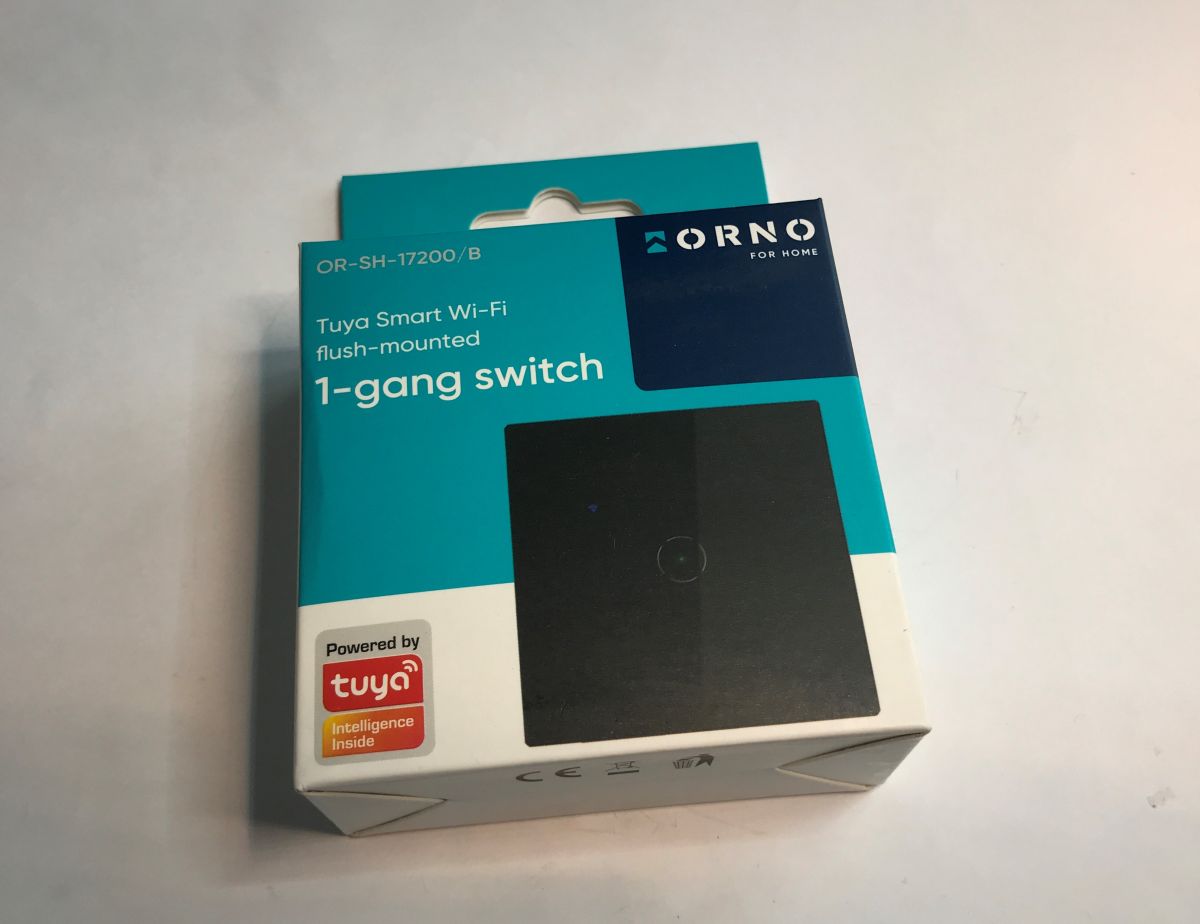
    The Orno OR-SH-17200 WiFi Tuya single switch is another product that can be easily freed from the cloud and connected to the Home Assistant. What's more, inside it you will find a CBU module based on the BK7231N, which allows various interesting modifications after changing its firmware. Unlike the CB3S and WB3S, it can even easily handle WS2812 LEDs! Here I will show just the inside of such a switch and demonstrate how to change its firmware.
    Light switch compatible with Home Assistant? Firmware change OR-SH-17200 Tuya Light switch compatible with Home Assistant? Firmware change OR-SH-17200 Tuya .
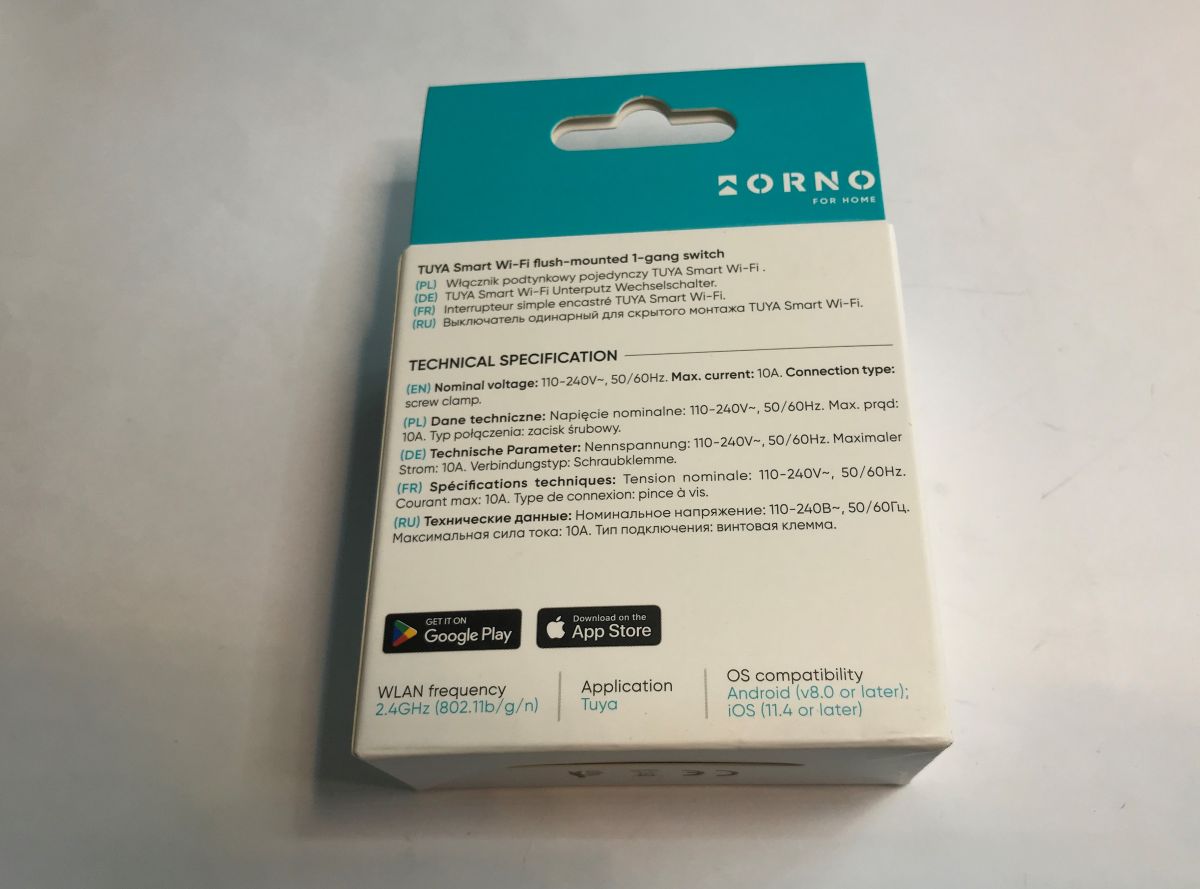
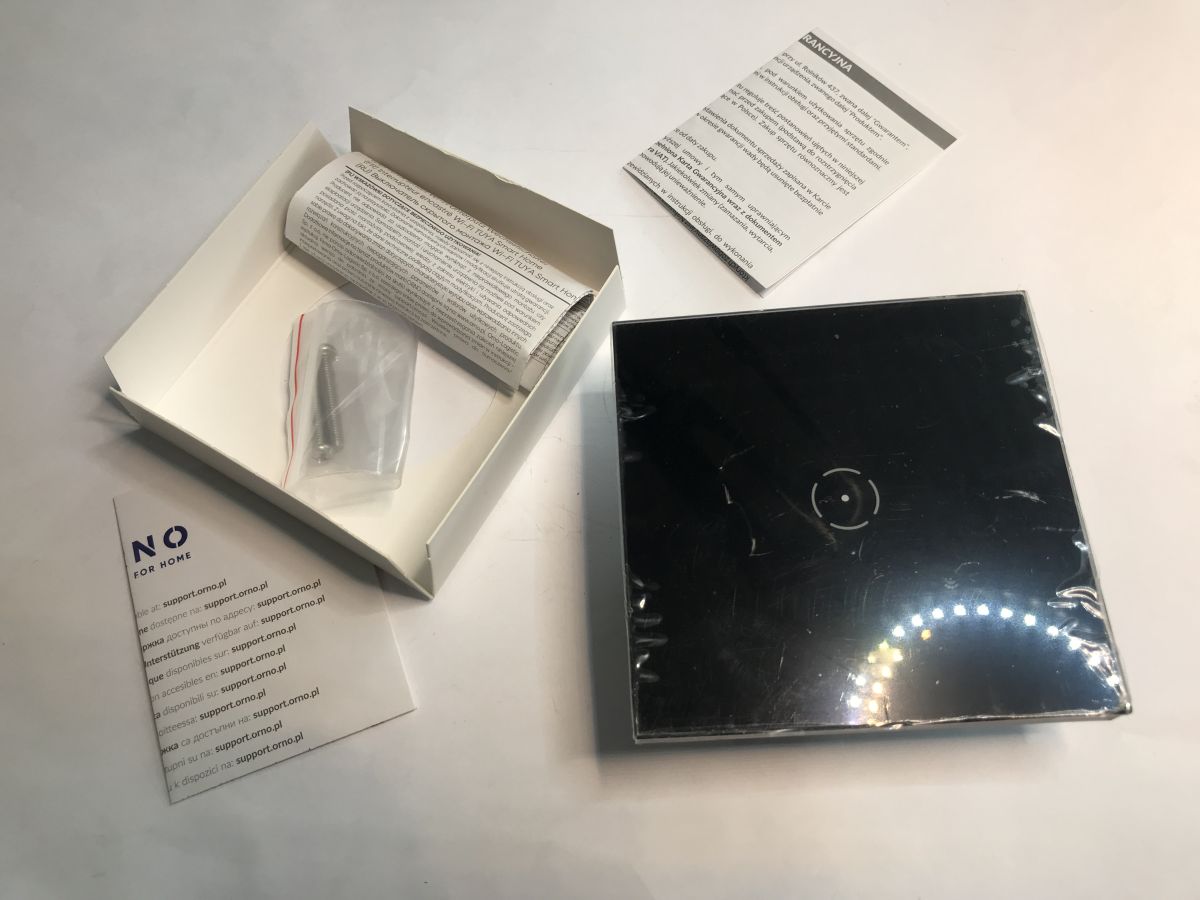
    The unit shown comes in various configurations and colours - we have a white and black option. You can also get it in double and triple versions. The kit comes with a switch (its dimensions are 86x86x35mm), two mounting screws for the box and instructions:
    Light switch compatible with Home Assistant? Firmware change OR-SH-17200 Tuya .
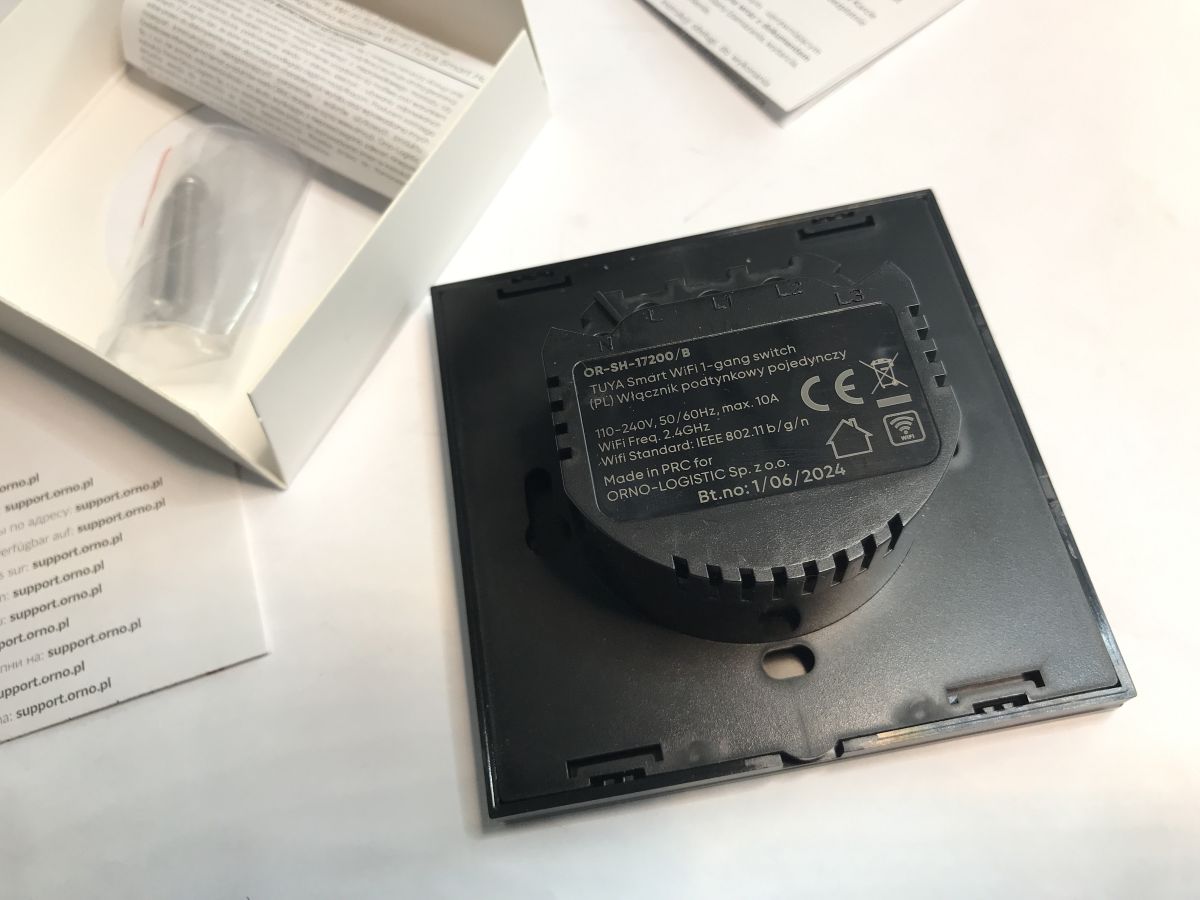
    The unit requires a neutral wire for operation.
    Light switch compatible with Home Assistant? Firmware change OR-SH-17200 Tuya .
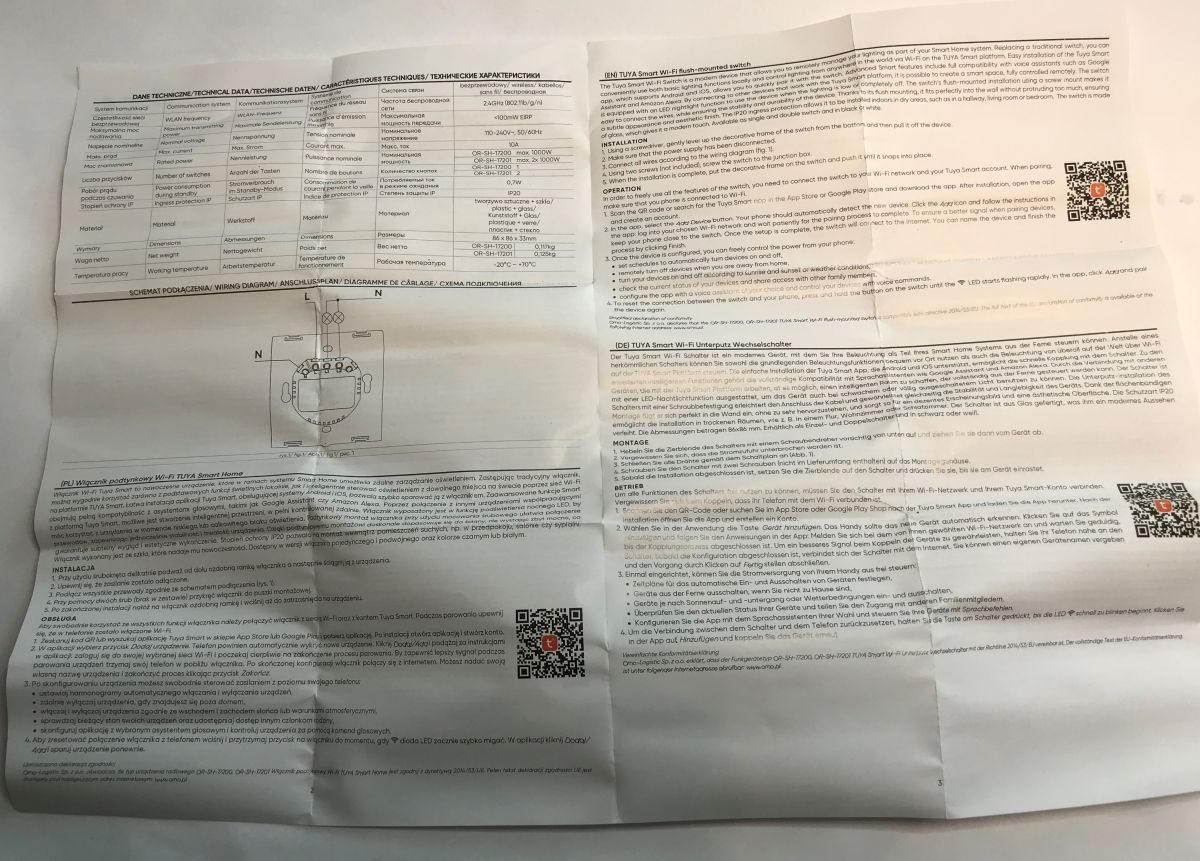
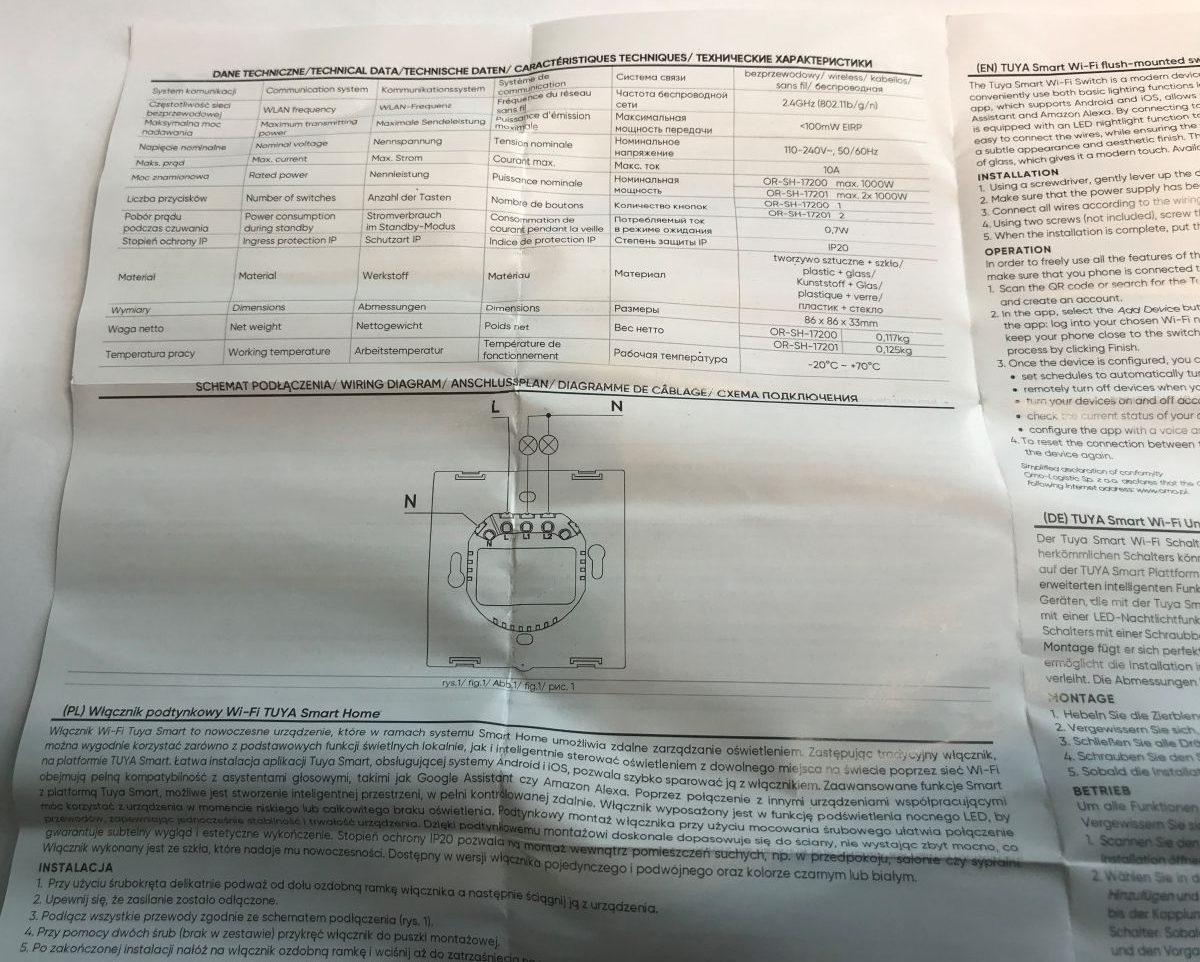
    Here are pictures of the installation instructions and pairing with Tuya. The pairing with Tuya is of no use to me as I am changing the software of this equipment to my own.
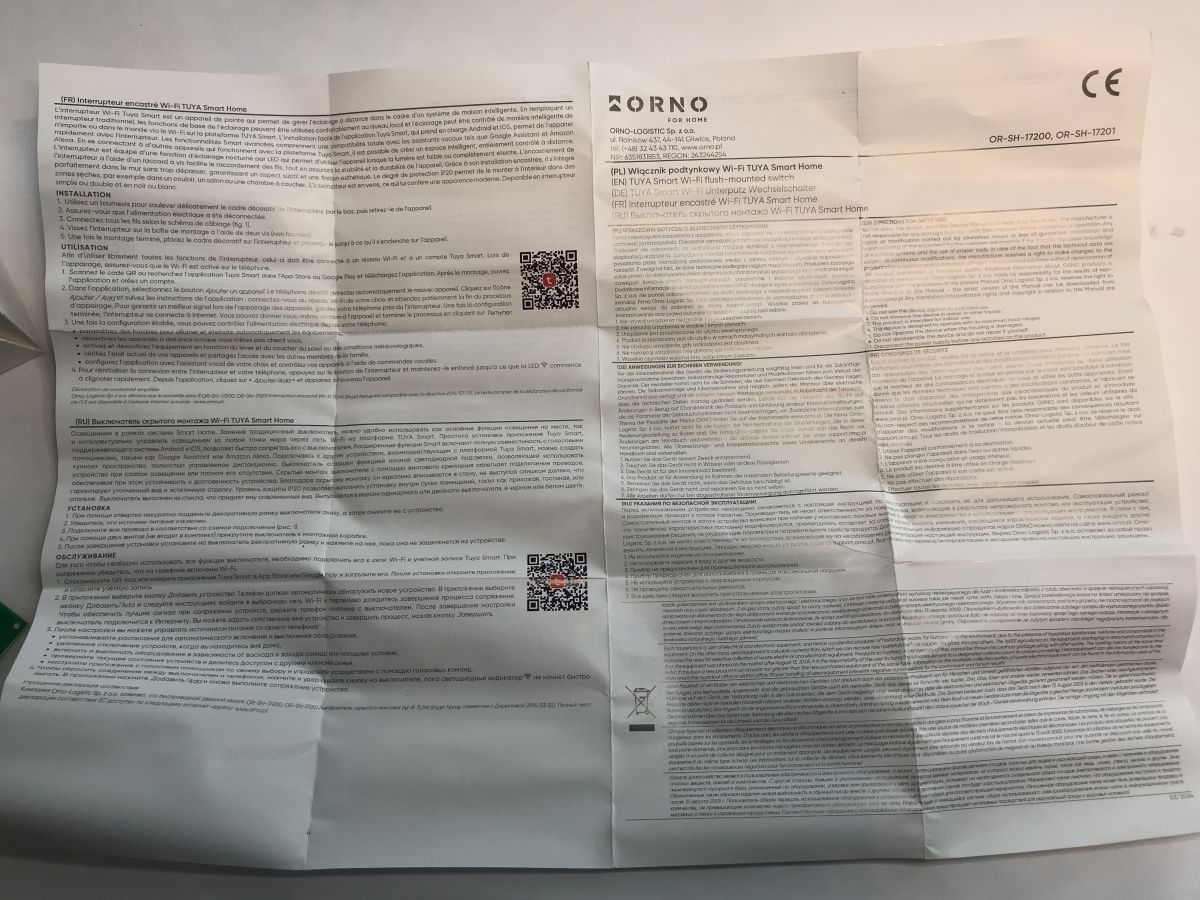
    Light switch compatible with Home Assistant? Firmware change OR-SH-17200 Tuya Light switch compatible with Home Assistant? Firmware change OR-SH-17200 Tuya Wi-Fi TUYA switch instruction sheet with wiring diagram and technical data .
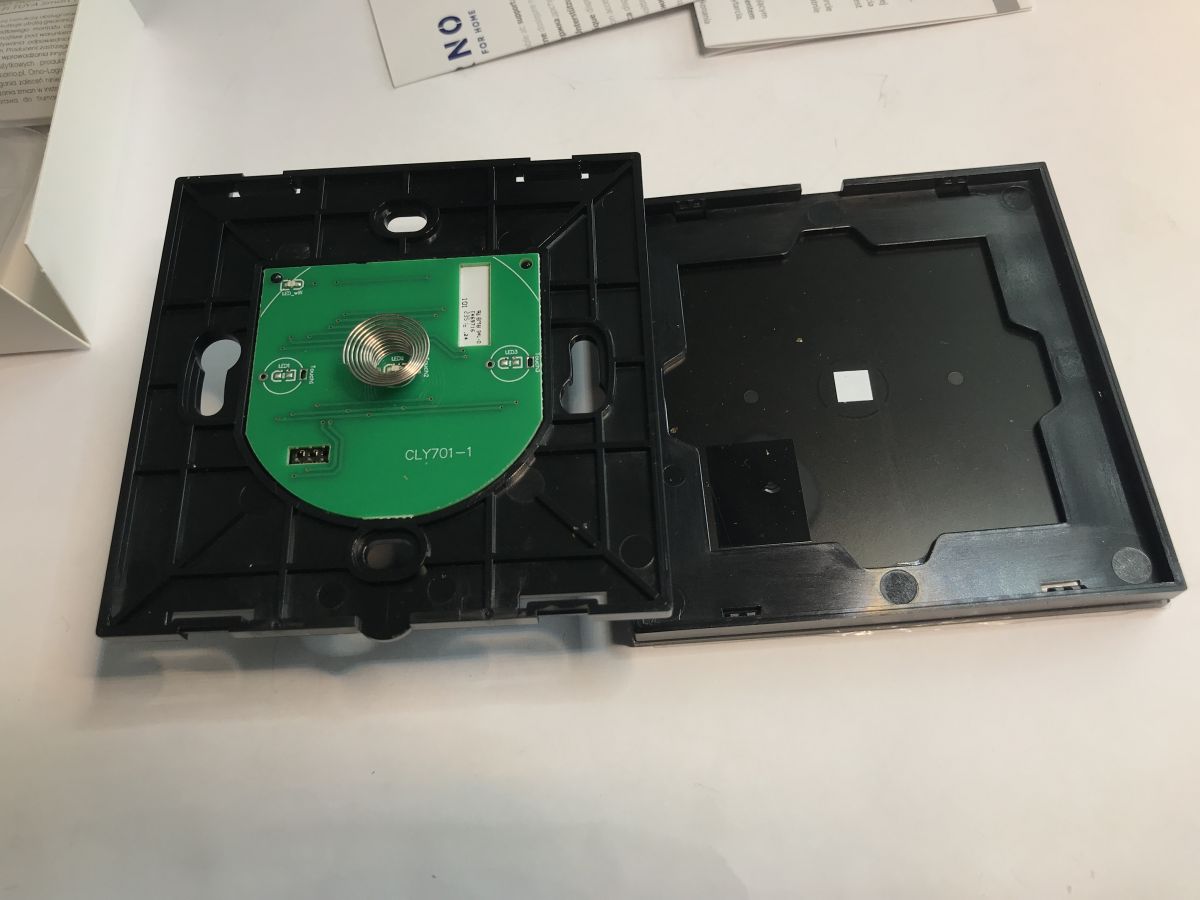
    Let's now move on to the presentation of the interior. We undermine the front panel.
    Light switch compatible with Home Assistant? Firmware change OR-SH-17200 Tuya .
    PCB designation: CLY701-1
    We remove the board with the WiFi module:
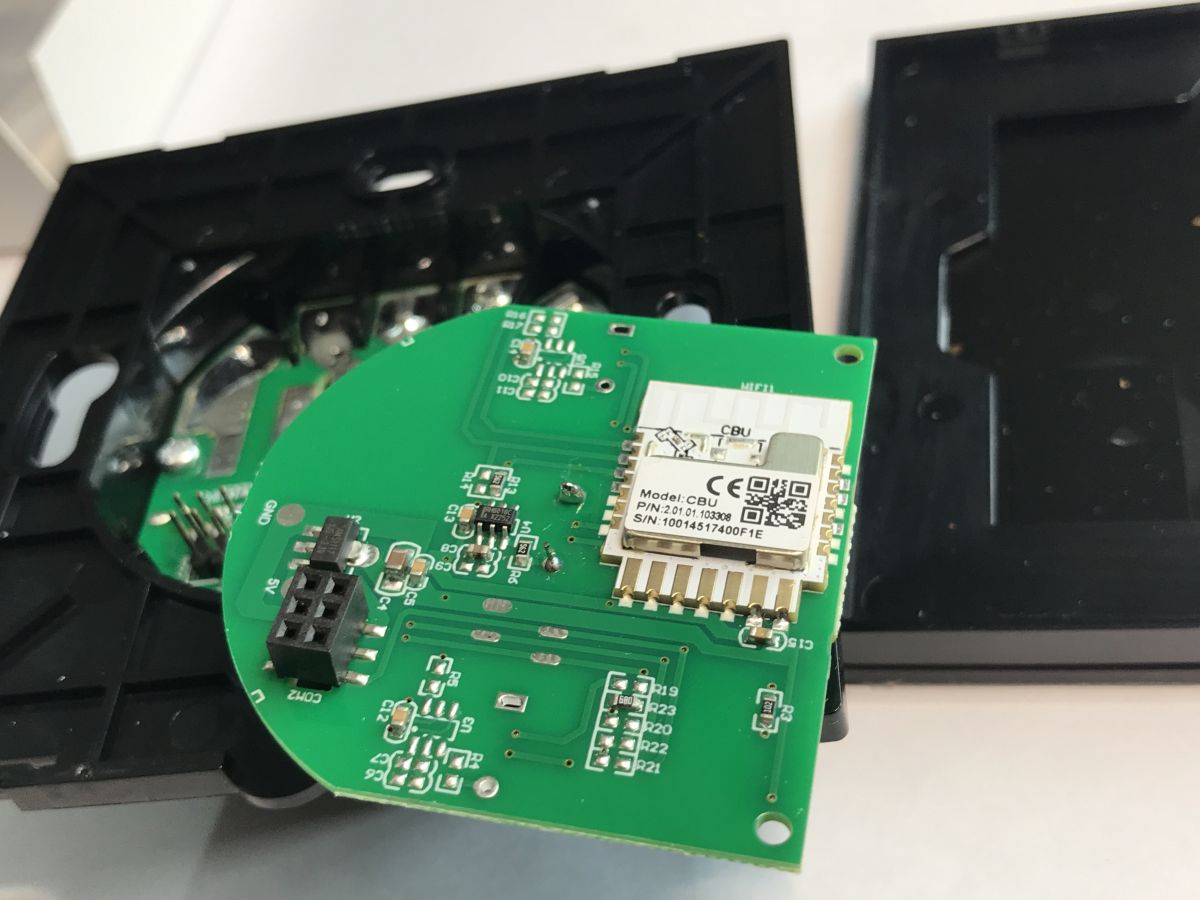
    Light switch compatible with Home Assistant? Firmware change OR-SH-17200 Tuya .
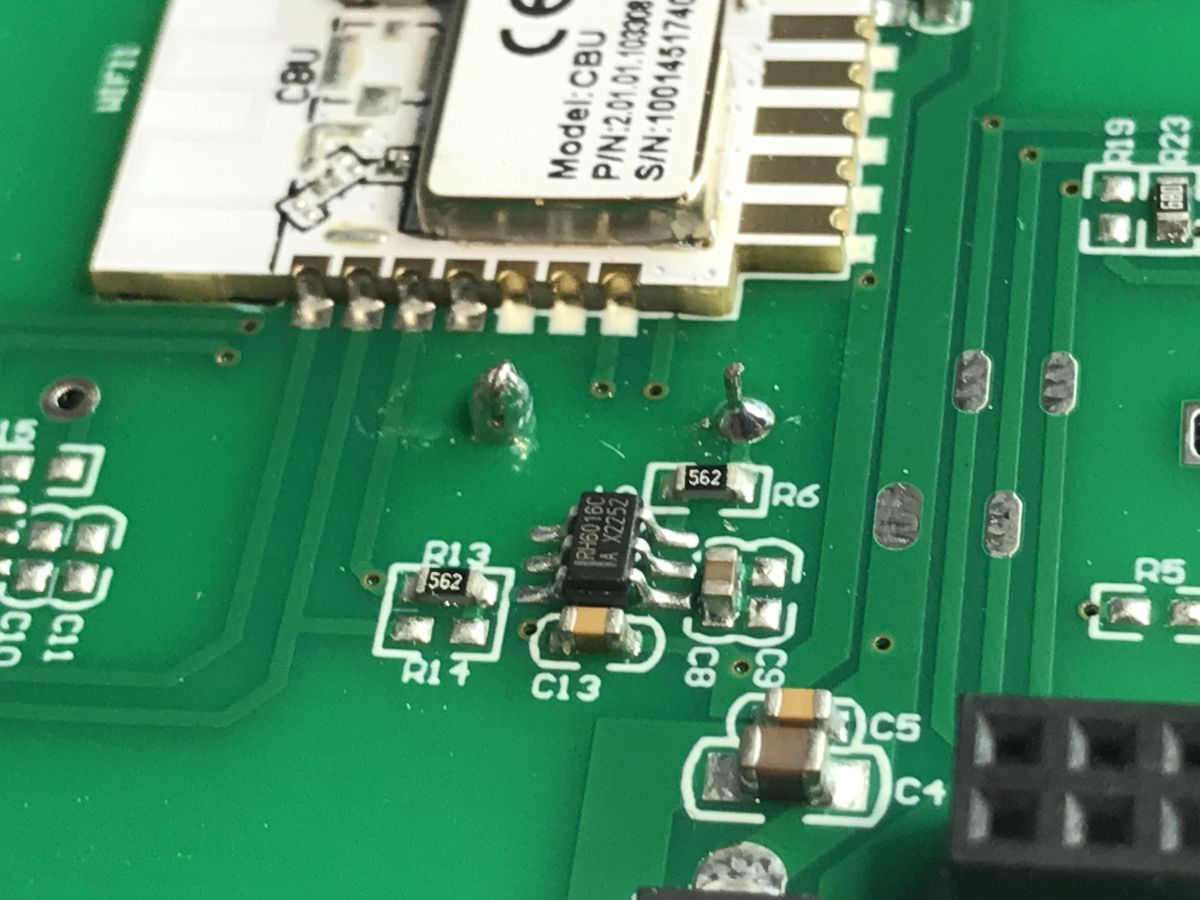
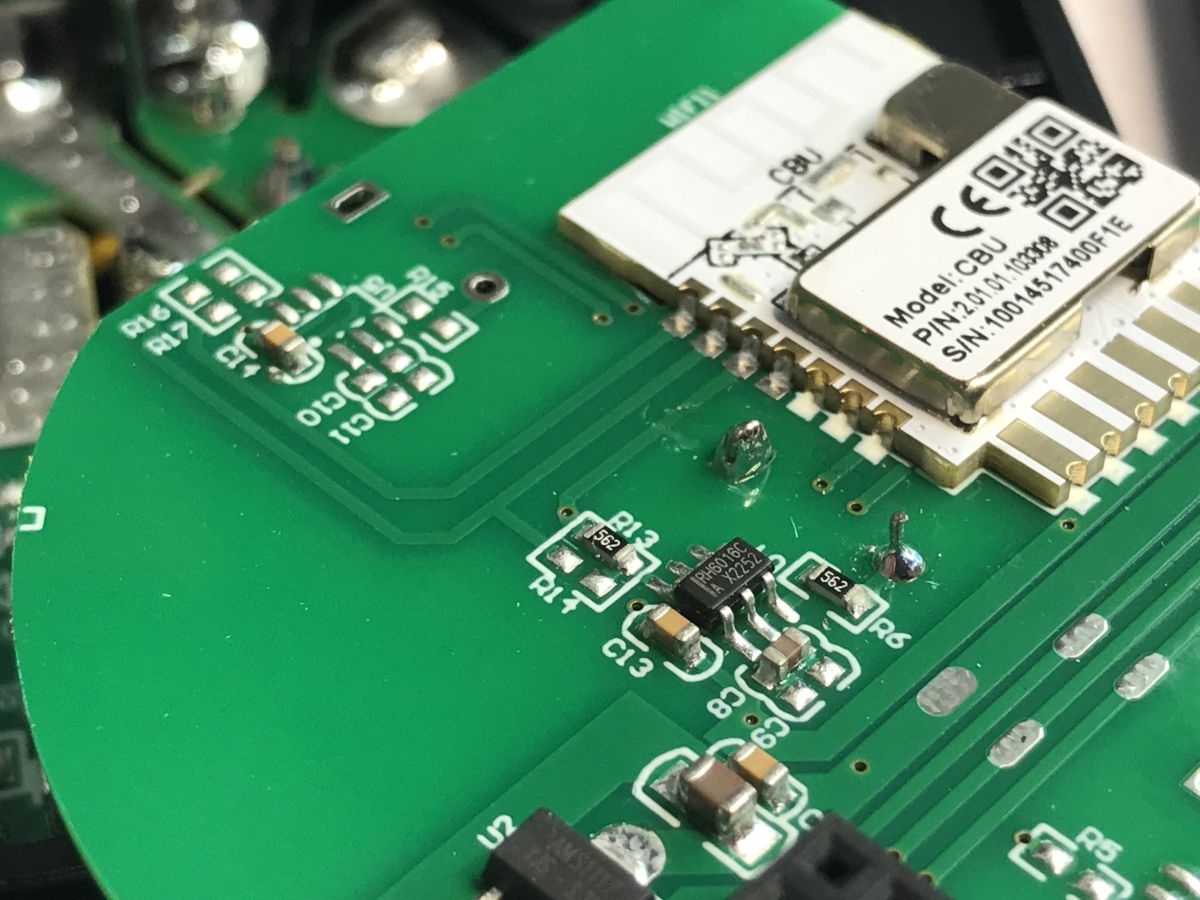
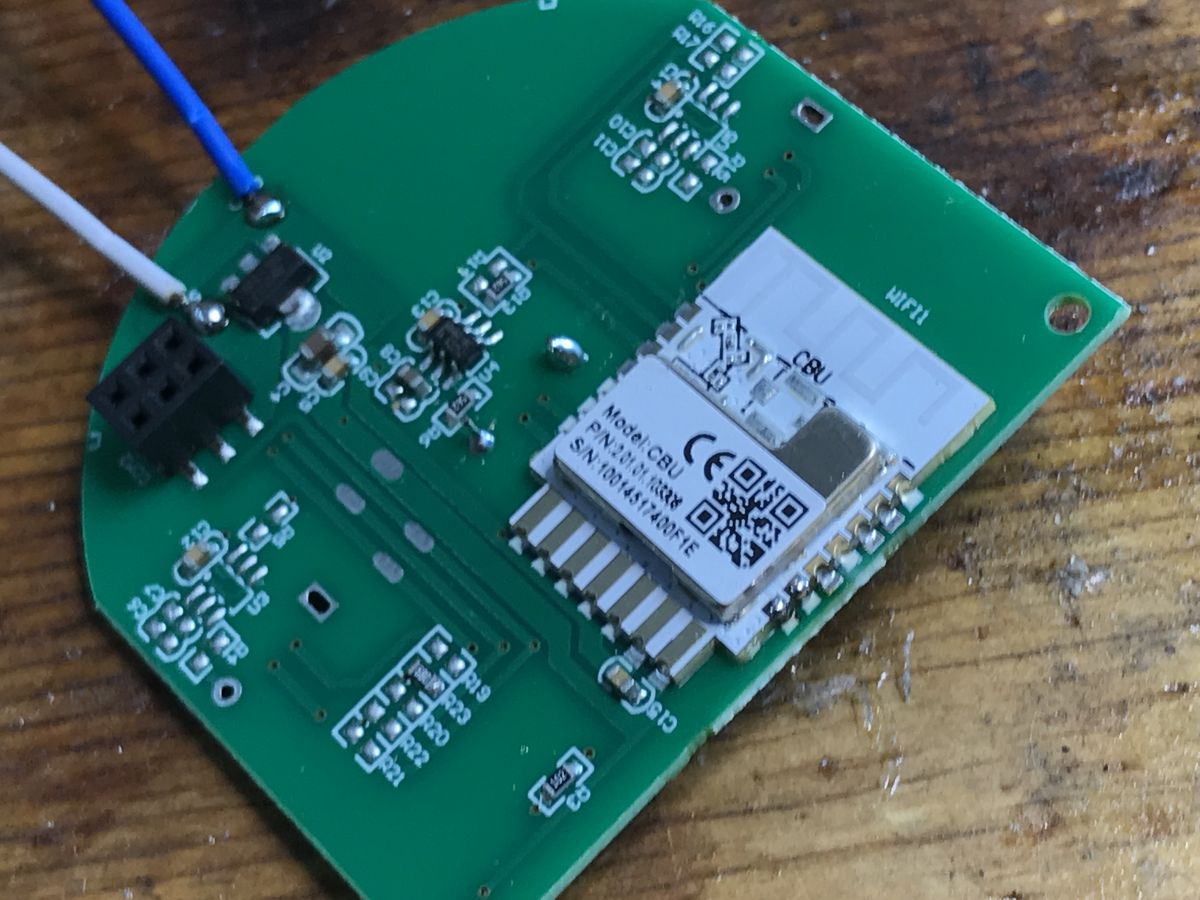
    Inside you can see the WiFi CBU module, the LDO 3.3V AMS1117-3.3 regulator and the touch button controller (only one is soldered on - there are empty spaces for two more).
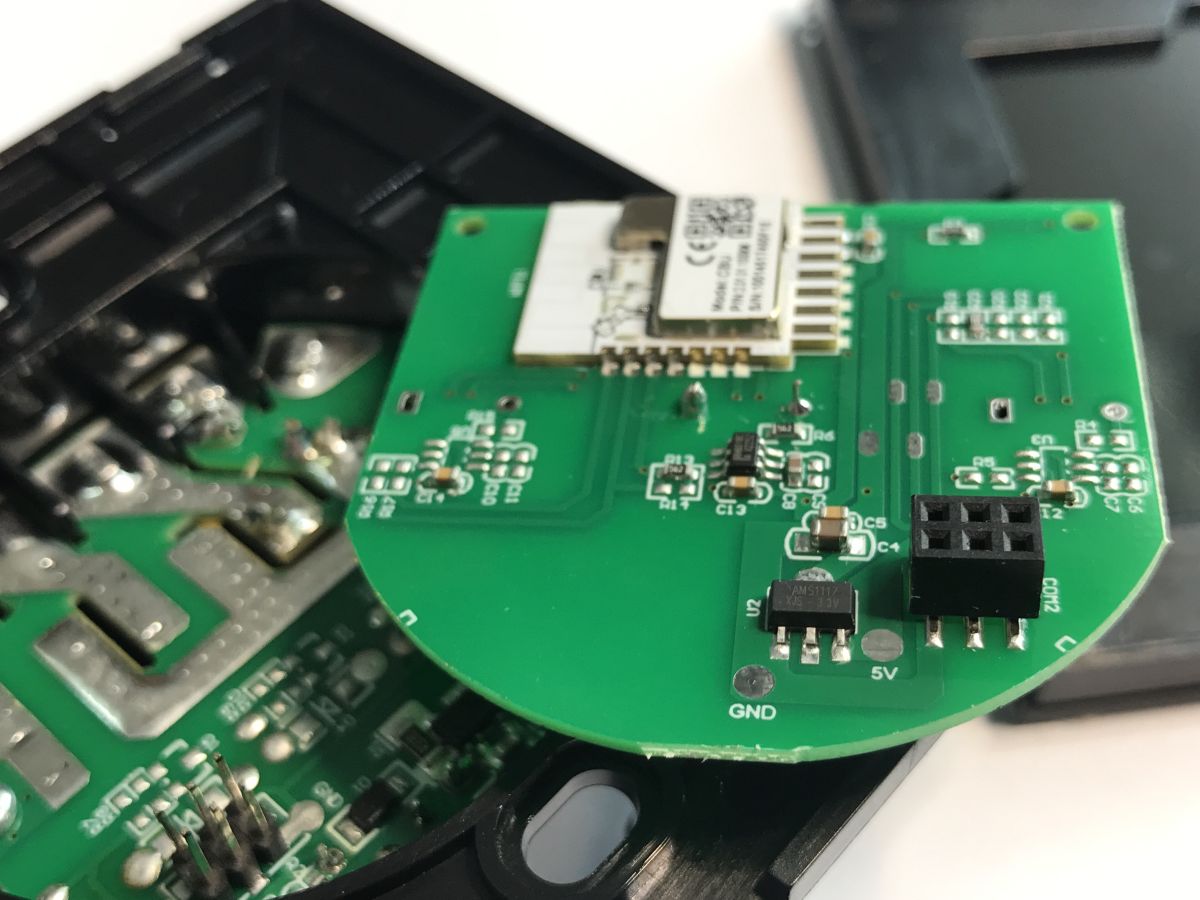
    Light switch compatible with Home Assistant? Firmware change OR-SH-17200 Tuya Light switch compatible with Home Assistant? Firmware change OR-SH-17200 Tuya Light switch compatible with Home Assistant? Firmware change OR-SH-17200 Tuya .
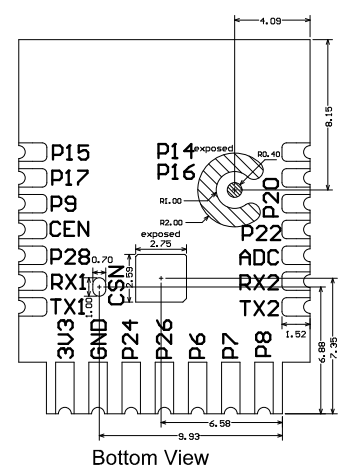
    CBU outputs (bottom view):
    Light switch compatible with Home Assistant? Firmware change OR-SH-17200 Tuya .
    .
    Pin number Symbol I/O type Function
    1 P14 I/O Common GPIO, which can be reused as SPI_SCK (Correspond to Pin 11 of the IC)
    . 2 P16 I/O Common GPIO, which can be reused as SPI_MOSI (Correspond to Pin 12 of the IC)
    3 P20 I/O Common GPIO (Correspond to Pin 20 of the IC)
    4 P22 I/O Common GPIO (Correspond to Pin 18 of the IC)
    5 ADC I/O ADC, which corresponds to P23 on the internal IC (Correspond to Pin 17 of the IC)
    6 RX2 I/O UART_RX2, which corresponds to P1 on the internal IC. TX2 I/O UART_TX2, which is used for outputting logs and corresponds to P0 of the internal IC (Correspond to Pin 29 of the IC)
    8 P8 I/O Support hardware PWM (Correspond to Pin 24 of the IC)
    9 P7 I/O Support hardware PWM (Correspond to Pin 23 of the IC)
    10 P6 I/O Support hardware PWM (Correspond to Pin 22 of the IC)
    11 P26 I/O Support hardware PWM (Correspond to Pin 15 of the IC)
    12 P24 I/O Support hardware PWM (Correspond to Pin 16 of the IC)
    13 GND P Power supply reference ground
    14 3V3 P Power supply 3V3
    15 TX1 I/O UART_TX1, which is used for transmitting user data and corresponds to Pin 27 of the IC. For the MCU solution, please refer to CBx Module.
    16 RX1 I/O UART_RX1, which is used for receiving user data and corresponds to Pin 26 of the IC. For the MCU solution, please refer to CBx Module.
    17 . P28 I/O Common GPIO (Correspond to Pin 10 of the IC)
    18 CEN I/O Reset pin, low active (internally pulled high), compatible with other modules (Correspond to Pin 21 of the IC)
    19 P9 I/O Common GPIO (Correspond to Pin 25 of the IC)
    20 P17 I/O Common GPIO, which can be reused as SPI_MISO (Correspond to Pin 14 of the IC)
    21 P15 I/O Common GPIO, which can be reused as SPI_CS (Correspond to Pin 13 of the IC)
    Test point point CSN I/O Mode selection pin. If it is connected to the ground before being powered on, enter the firmware test mode. If it is not connected or connected to VCC before being powered on, enter the firmware application mode. Correspond to Pin 19 on the internal IC.
    .
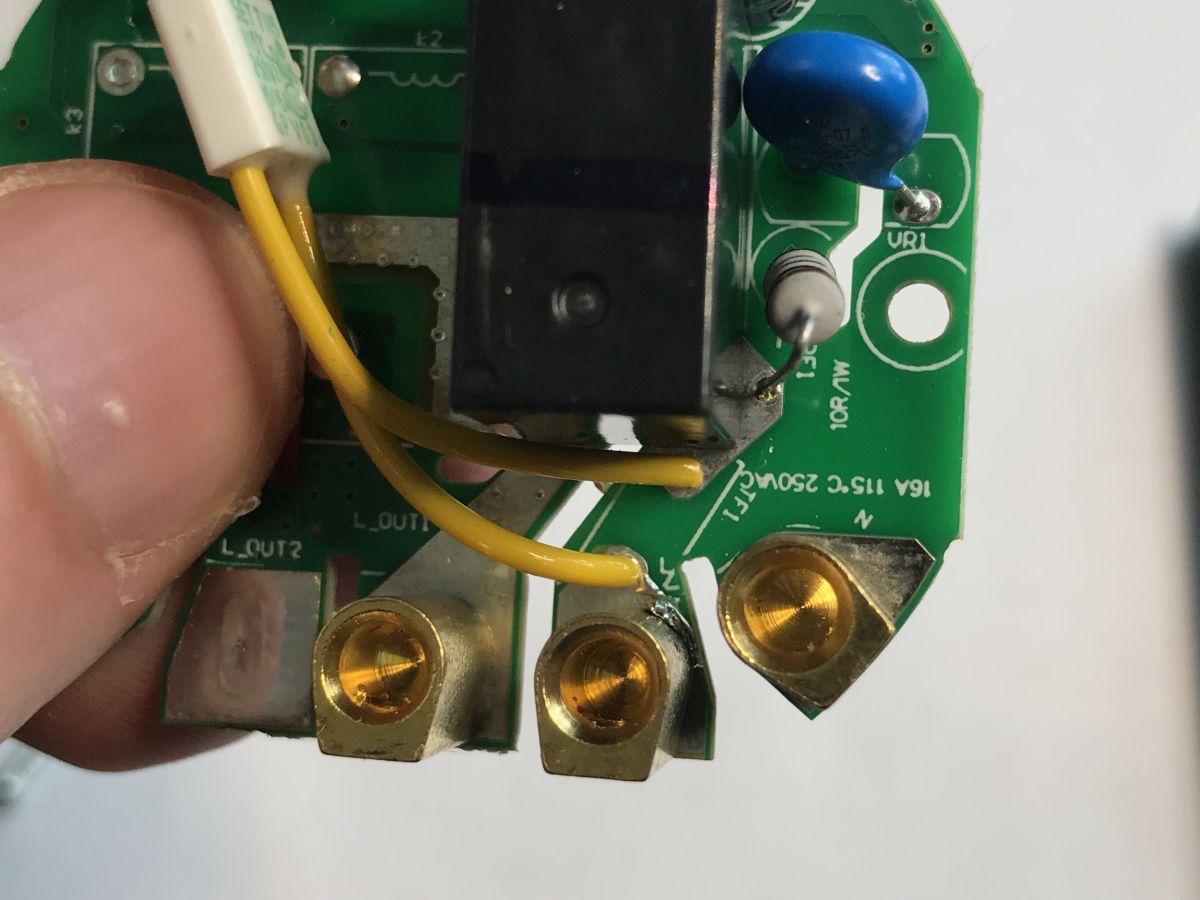
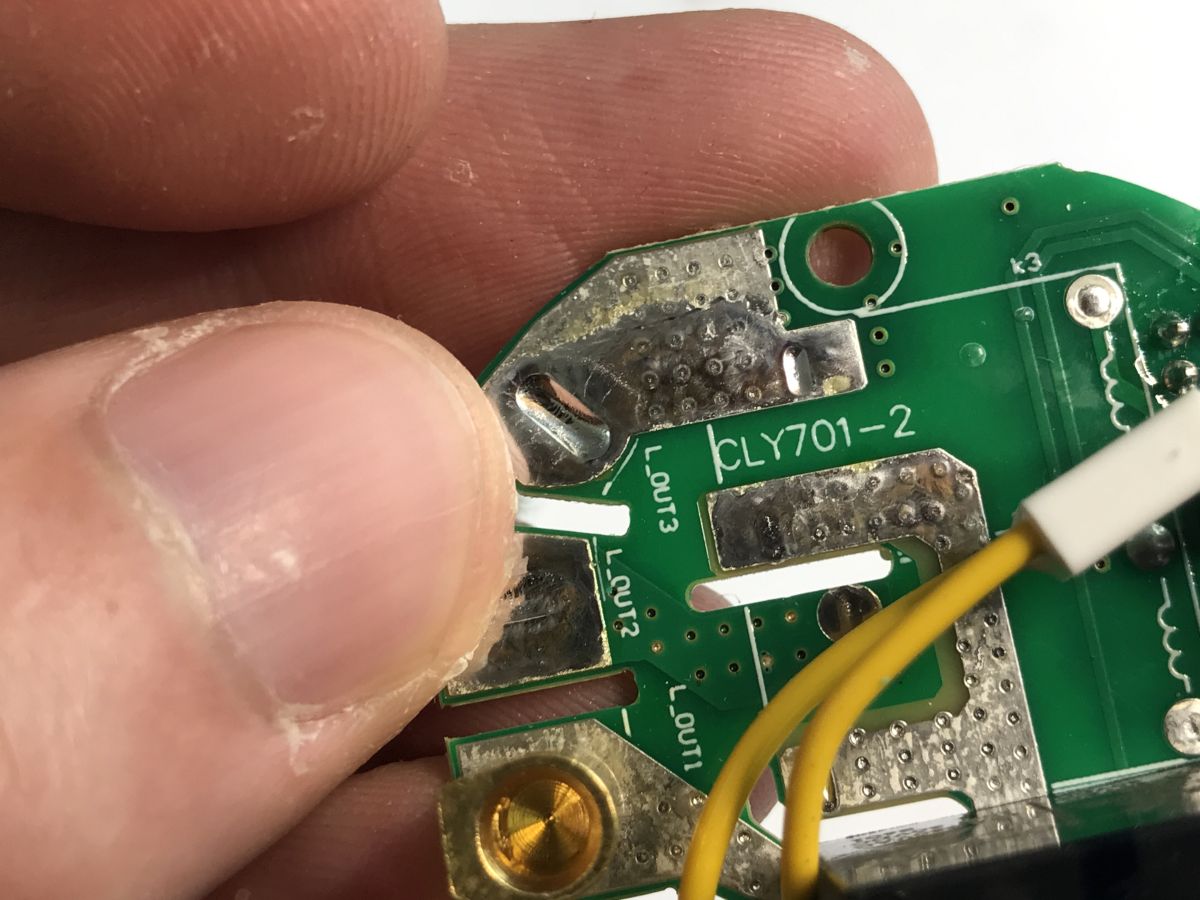
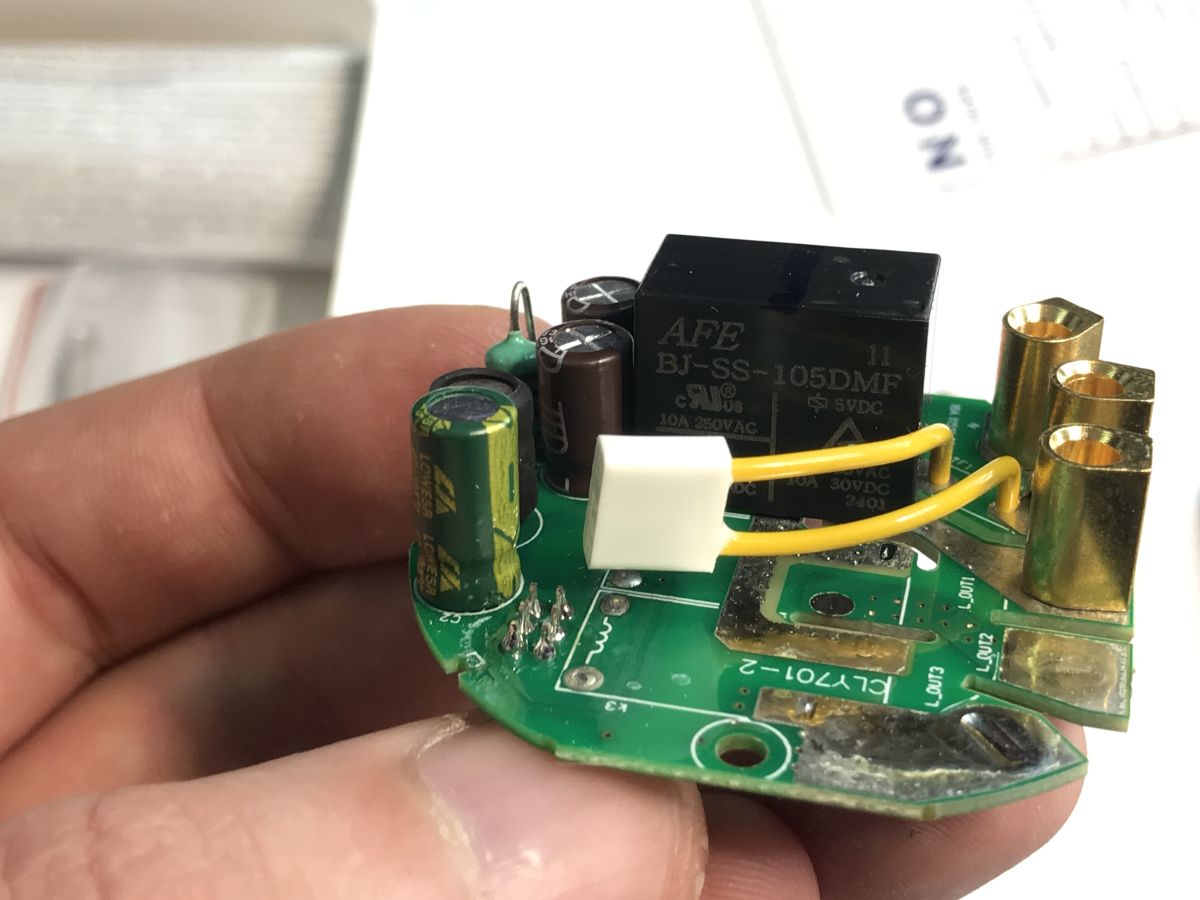
    The second board is essentially the power supply (a small non-isolated step-down inverter) and relays (one here) along with the transistors and surge protection diodes that control them.
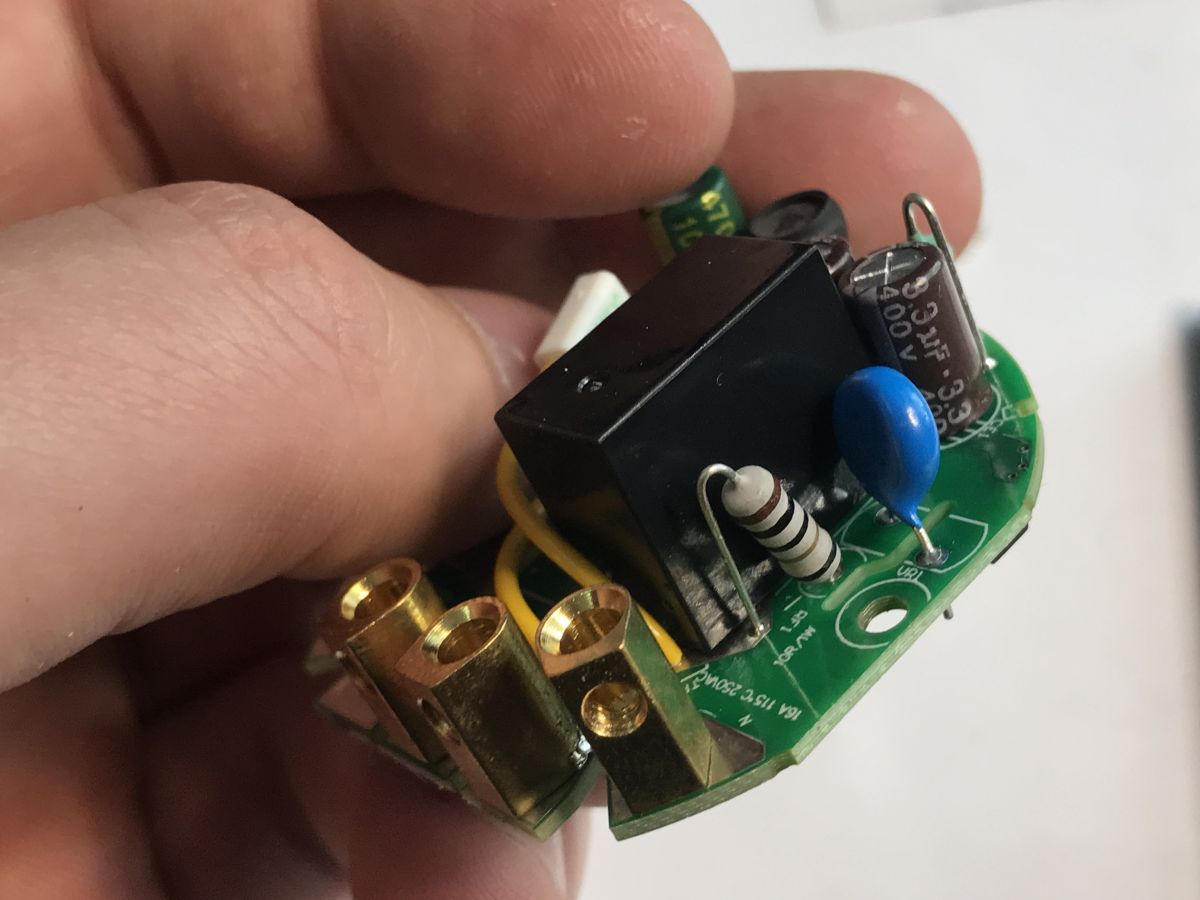
    Light switch compatible with Home Assistant? Firmware change OR-SH-17200 Tuya Light switch compatible with Home Assistant? Firmware change OR-SH-17200 Tuya .
    Light switch compatible with Home Assistant? Firmware change OR-SH-17200 Tuya Light switch compatible with Home Assistant? Firmware change OR-SH-17200 Tuya .
    Interesting that there is a varistor inside - this fuse surprised me too. Why does it have such long legs?

    ADVERTISEMENT


    Now it's time to change the firmware. You will need a USB to UART converter and a good 3.3V power supply, unless you solder 5V to the AMS1117-3.3V input from the board. It will come out the same. The programming tool is here: https://github.com/openshwprojects/BK7231GUIFlashTool
    Follow the readme there. There are 5V and GND pads on the board, so just whittle them down and you can solder the wires.
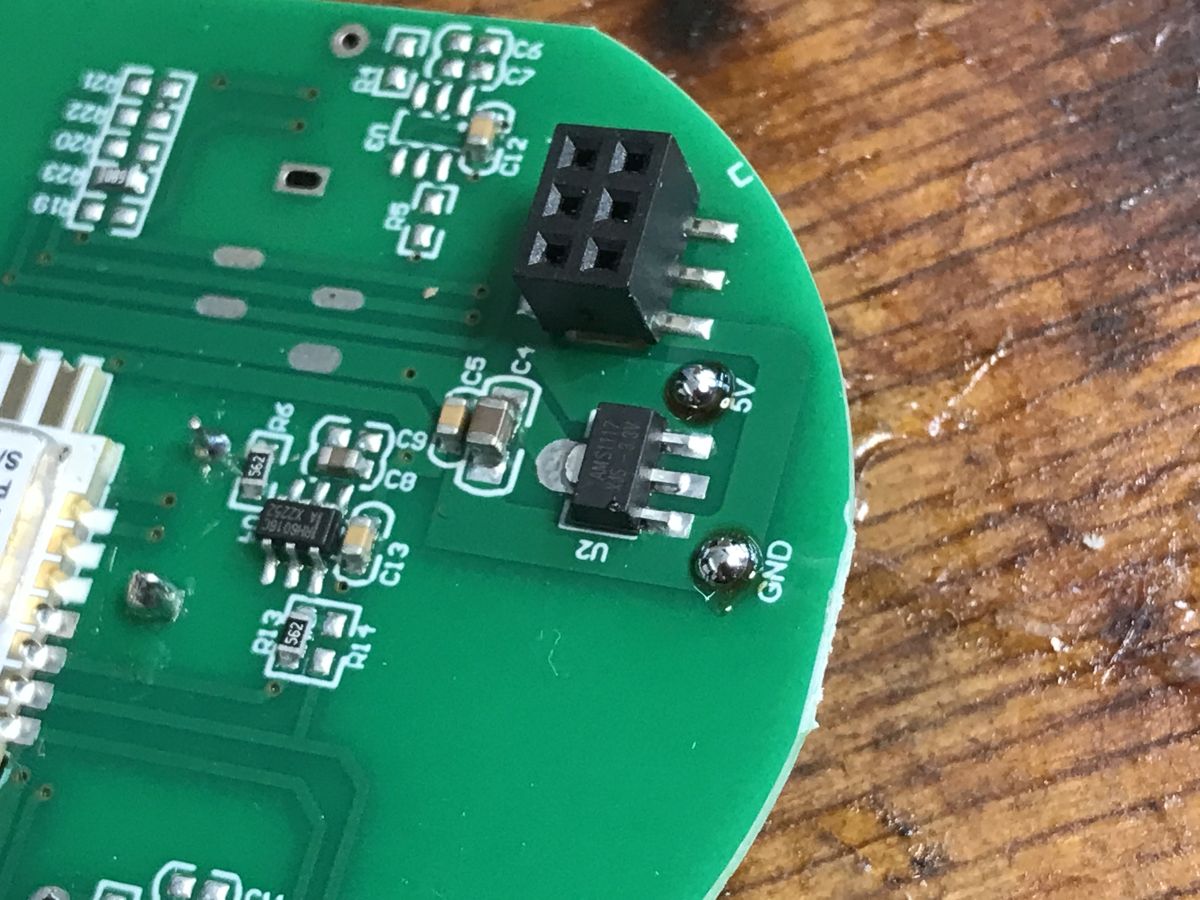
    Close-up of a PCB with GND and 5V markings and a 4-pin connector visible .
    Soldered:
    PCB with CBU BK7231N WiFi module and RX/TX wires soldered .
    Then we solder the wires to the CBU pads - RX1 and TX1. This is what the whole thing looks like:
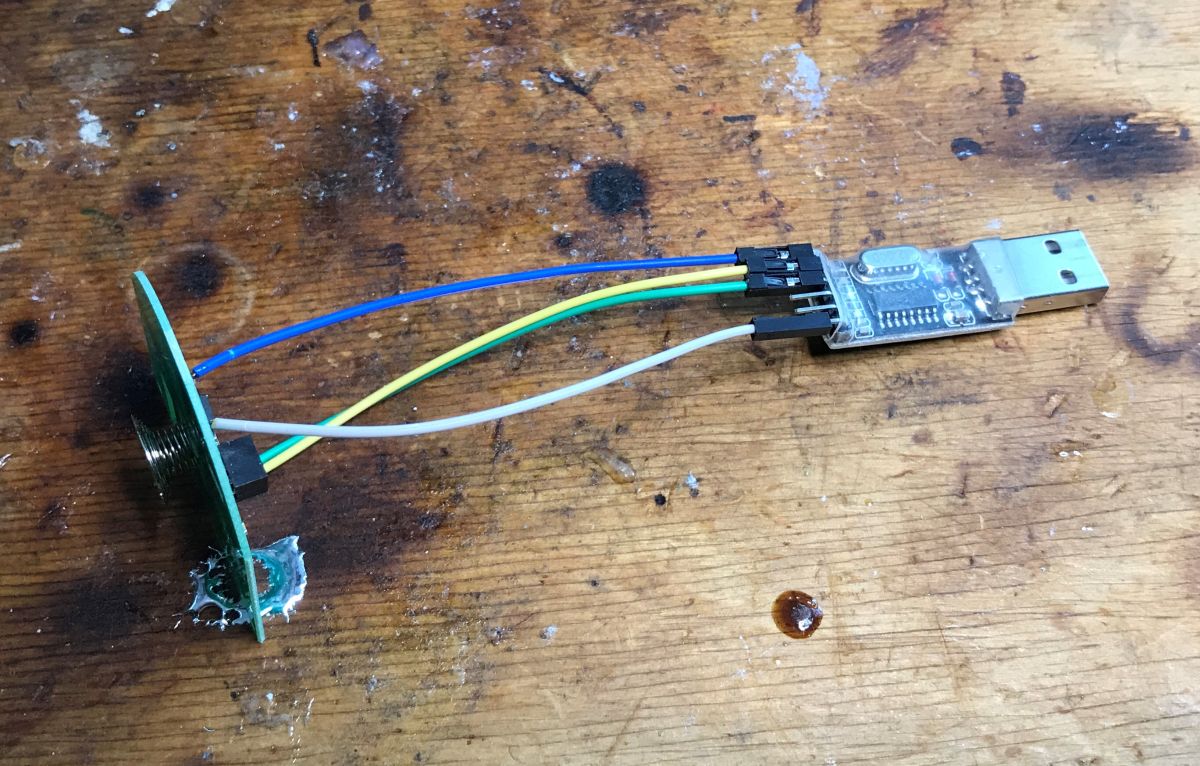
    USB-UART converter connected to a CBU board with wires on a wooden table .
    First we read the 2MB batch. My flasher immediately reveals the GPIO configuration:
    Code: JSON
    Log in, to see the code
    .
    Verbal description:
    
    - Relay (channel 1) on P28
    - WiFi LED on P22
    - Button (channel 1) on P20
    
    .
    OBK template:
    Code: JSON
    Log in, to see the code

    Instructions for importing the template:


    Pairing with HA:


    Other resources:
    https://www.youtube.com/@electrodacom
    Project homepage:
    https://github.com/openshwprojects/OpenBK7231T_App
    List of supported devices:
    https://openbekeniot.github.io/webapp/devicesList.html

    Finally, a few words about an additional modification that is made possible by having a CBU module inside rather than, for example, a CB3S or CB2S. The CBU is distinguished by its access to P16, the hardware SPI, which is not normally derived:
    How to access the hardware SPI port on the CB2S? We solder P16 (MOSI) to the QFN .
    This allows control of WS2812 and similar diodes - only on this pin is this possible.
    Animations OpenBeken WS2812B - new HTTP panel integration, PixelAnim driver .
    The driver documentation is available in the linked topic. Appropriate commands are available, allowing such LEDs to be controlled from scripts and HA too. This means that after adding a single WS2812 to this switch, it can be used as a kind of status indicator controlled by e.g.. with Home Assistant.

    In summary , this was another switch allowing a simple change of firmware to a open source solution . This allows for the development of its functionality and independence from the manufacturer's servers and their potential tracking and surveillance. What's more, this particular series of devices allows for more modifications than usual, as it also offers access to P16, the pin needed to control individually addressable, coloured LEDs such as the WS2812. This allows us to create all sorts of custom controls showing states controlled from scripts or HA.
    At this point I can recommend buying this product - there were no problems with reprogramming. I have programmed a set of switches from this series for a reader and the variants for two or three bulbs have a similar design - the flasher also detects GPIO configurations.

    Cool? Ranking DIY
    Helpful post? Buy me a coffee.

    About Author
    p.kaczmarek2
    Moderator Smart Home
    Offline 
    p.kaczmarek2 wrote 14403 posts with rating 12336, helped 650 times. Been with us since 2014 year.
  • ADVERTISEMENT
📢 Listen (AI):

FAQ

TL;DR: ORNO OR-SH-17200 (86×86×35 mm) can be flashed from Tuya to OpenBeken; “another product that can be easily freed from the cloud.” [Elektroda, p.kaczmarek2, post #21706296] Why it matters: You get local Home Assistant control, no vendor cloud, and extra mods like WS2812 LED status.

Quick Facts

Is the ORNO OR-SH-17200 compatible with Home Assistant without Tuya cloud?

Yes. Flash it with OpenBeken, then pair directly with Home Assistant using the provided template and video guide links. This removes cloud dependence while keeping full local control. The author reports successful reprogramming on multiple variants (1/2/3‑gang). [Elektroda, p.kaczmarek2, post #21706296]

What hardware is inside this switch?

It uses a CBU Wi‑Fi module based on the BK7231N, an AMS1117‑3.3 regulator, a touch-button controller, and a relay driver stage. The PCB is marked CLY701‑1. Dimensions are 86×86×35 mm. [Elektroda, p.kaczmarek2, post #21706296]

Which pins control the relay, LED, and button?

Relay channel 1 uses P28, the Wi‑Fi status LED uses P22 (active low), and Button 1 uses P20. These mappings are also embedded in the shared OBK template for quick setup. [Elektroda, p.kaczmarek2, post #21706296]

How do I flash OpenBeken on the OR-SH-17200?

Use a USB‑UART adapter and stable supply. 1) Solder GND and 5 V to the board (or feed 3.3 V). 2) Connect RX1/TX1 on the CBU to your USB‑UART. 3) Use BK7231GUIFlashTool to back up 2 MB, then write OpenBeken and import the template. “It can be easily freed from the cloud.” [Elektroda, p.kaczmarek2, post #21706296]

Do I need a neutral wire for this wall switch?

Yes, this model requires a neutral conductor for its internal power supply to operate correctly. The installation photos and notes explicitly call this out. [Elektroda, p.kaczmarek2, post #21706296]

Can it drive WS2812 or addressable LEDs as a status indicator?

Yes. The CBU exposes P16 with hardware SPI characteristics that enable reliable WS2812 control. The author links driver docs and shows this as a key advantage versus CB3S/WB3S. You can integrate animations with Home Assistant. [Elektroda, p.kaczmarek2, post #21706296]

What is OpenBeken in simple terms?

OpenBeken is an open-source firmware for BK7231‑based devices. It replaces Tuya software, adds local control, templates, scripting, and direct Home Assistant integration. It runs on the CBU module used here. [Elektroda, p.kaczmarek2, post #21706296]

What is Tuya and why replace it?

Tuya is a cloud platform used by many Wi‑Fi devices for control and updates. Replacing it with OpenBeken removes cloud dependence and potential tracking, while enabling local features and custom GPIO mappings. [Elektroda, p.kaczmarek2, post #21706296]

Any special boot or flashing modes I should know about?

Yes. The CSN test pad selects mode: ground it before power‑on for firmware test mode; leave floating or high for application mode. Missing this step prevents flashing. [Elektroda, p.kaczmarek2, post #21706296]

What template should I import after flashing?

Use the provided OBK JSON template: vendor Orno, model OR‑SH‑17200, pins P20=Btn1, P22=WifiLED_n, P28=Rel1. The post includes import instructions and a video walkthrough. [Elektroda, p.kaczmarek2, post #21706296]

Will the 2‑gang and 3‑gang versions also work?

Yes. The author flashed multiple switches from the same series. The multi‑gang variants share a similar design, and the flasher detects their GPIO configurations automatically. [Elektroda, p.kaczmarek2, post #21706296]

What tools do I need to perform the firmware change?

You need a USB‑to‑UART adapter, soldering tools for GND/5 V and RX1/TX1, and BK7231GUIFlashTool. Provide stable power at 3.3 V or 5 V to the AMS1111‑3.3 input. Back up 2 MB before writing. [Elektroda, p.kaczmarek2, post #21706296]

How do I pair it with Home Assistant after flashing?

After OpenBeken boots with the template, follow the linked pairing video. Expose the relay entity and LED if desired. Add your WS2812 status LED to scripts or dashboards. [Elektroda, p.kaczmarek2, post #21706296]

What’s one useful configuration stat from this device?

The firmware’s reset action is set to 5 seconds by default (reset_t: 5). Hold the button that long to trigger a reset. [Elektroda, p.kaczmarek2, post #21706296]

Any edge cases or failure modes to watch for?

If CSN is not grounded before power‑on, the module boots application firmware instead of flashing mode. Also ensure a stable 3.3 V rail or 5 V into AMS1117‑3.3, or serial transfer can fail. [Elektroda, p.kaczmarek2, post #21706296]

Is there surge protection inside the switch?

Yes. The teardown shows a varistor on the power board and diodes across the relay driver. This helps clamp transients during switching. [Elektroda, p.kaczmarek2, post #21706296]
Generated by the language model.
ADVERTISEMENT