logo elektroda
logo elektroda
X
logo elektroda

TH03 Pro Temperature Humidity Sensor Compatibility with OpenBeken Integration (possibly)

io2345 2967 96
Best answers

Can the TH03 Pro temperature/humidity sensor be flashed with OpenBeken or another local firmware, and how should it be wired and configured?

Yes — the TH03 Pro is a TuyaMCU device with a CB3S Wi‑Fi module, so it can be used with OpenBeken after flashing the BK7231N side and mapping the MCU data points [#21834514][#21836406] For flashing, one user had to disconnect MCU pin 10 from the CB3S RX line (lifting the IC leg worked), then connect to the MCU_RX and MCU_TX pads, and power the board from the battery pads with 3 V on V+ and GND on V- [#21836406] After first boot, you only have a short window to open the OBK web UI before the MCU puts Wi‑Fi back to sleep, so you may need to pull and reinsert a battery a few times while configuring [#21836406] The working OBK setup is `startDriver TuyaMCU` plus `startDriver tmSensor`, with `linkTuyaMCUOutputToChannel 27 val 1` for temperature, `46 val 2` for humidity, and `101 enum 3` for battery state; suggested channel types are `Temperature_div10`, `Humidity`, and `ReadOnlyLowMidHigh` [#21836420][#21836447] For battery behavior, one user reported using flags 37 and 51, with reconnect times of 6–13 seconds, and the device still running fine after two months [#21837785]
Generated by the language model.
ADVERTISEMENT
  • #91 21911366
    io2345
    Level 9  
    Posts: 268
    Help: 1
    Rate: 7
    divadiow wrote:
    and the dpIDs for xeagimantb7d7apb are:
    102 - temp
    103 - humidity
    104 - battery


    Thank you, that confirms what I could read out from Tuyas developer page. That's why I use this autoexec.bat:

    startDriver TuyaMCU
    
    setChannelLabel 1 "Temperatur"
    setChannelLabel 2 "Humidity"
    setChannelLabel 3 "Batterie"
    
    setChannelType 1 Temperature_div10
    linkTuyaMCUOutputToChannel 102 val 1
    setChannelType 2 Humidity
    linkTuyaMCUOutputToChannel 103 val 2
    setChannelType 3 ReadOnlyLowMidHigh
    linkTuyaMCUOutputToChannel 104 enum 3


    But: Values are Zero on output for 1, 2 and 3.
    Where is the error?
  • ADVERTISEMENT
  • #92 21911370
    divadiow
    Level 38  
    Posts: 5065
    Help: 438
    Rate: 893
    I'm not really sure :(

    I have ordered a TH03Pro, but I guess it may be the CB3S version that arrives.

    maybe @leonardojc could confirm no operation still too using the dpIDs for their device
  • ADVERTISEMENT
  • #93 21911472
    io2345
    Level 9  
    Posts: 268
    Help: 1
    Rate: 7
    >>21911370 Must have mixed up versions while flashing - I was on version 9ca530ba6f50 from post #72 instead the one of post #77.
    Let me try again with version fcacdfa0b9bc from #77
    And I will try OTA once more. To keep device awake I had to use "addRepeatingEventUID 3 40 903 uartSendHex 55AA000300010609"
    Autoexec.bat was gone after OTA, as always.

    Dual UART-Communication log:
    
    Received by WiFi module:
    55 AA   03   00      00 01   00   03   
    HEADER   VER=03   Heartbeat      LEN   00   CHK   
    
    Sent by WiFi module:
    55 AA   00   00      00 00      FF   
    HEADER   VER=00   Heartbeat      LEN      CHK   
    
    Sent by WiFi module:
    55 AA   00   01      00 00      00   
    HEADER   VER=00   Product      LEN      CHK   
    
    Received by WiFi module:
    55 AA   03   01      00 37   7B2270223A2278656167696D616E7462376437617062222C2276223A22312E302E30222C226D223A302C226E223A312C22736D223A307D   24   
    HEADER   VER=03   Product      LEN   {"p":"xeagimantb7d7apb","v":"1.0.0","m":0,"n":1,"sm":0}   CHK   
    
    Received by WiFi module:
    55 AA   03   02      00 00      04   
    HEADER   VER=03   McuConf      LEN      CHK   
    
    Sent by WiFi module:
    55 AA   00   02      00 00      01   
    HEADER   VER=00   McuConf      LEN      CHK   
    
    Sent by WiFi module:
    55 AA   00   03      00 01   00   03   
    HEADER   VER=00   WifiState      LEN   00   CHK   
    
    Received by WiFi module:
    55 AA   03   03      00 00      05   
    HEADER   VER=03   WifiState      LEN      CHK   
    
    Sent by WiFi module:
    55 AA   00   08      00 00      07   
    HEADER   VER=00   QueryInitStatus      LEN   INVALID date         CHK   
    
    Received by WiFi module:
    55 AA   03   00      00 01   01   04   
    HEADER   VER=03   Heartbeat      LEN   01   CHK   
    
    Sent by WiFi module:
    55 AA   00   00      00 00      FF   
    HEADER   VER=00   Heartbeat      LEN      CHK   
    
    Sent by WiFi module:
    55 AA   00   08      00 00      07   
    HEADER   VER=00   QueryInitStatus      LEN   INVALID date         CHK   
    
    Sent by WiFi module:
    55 AA   00   08      00 00      07   
    HEADER   VER=00   QueryInitStatus      LEN   INVALID date         CHK   
    
    Received by WiFi module:
    55 AA   03   00      00 01   01   04   
    HEADER   VER=03   Heartbeat      LEN   01   CHK   
    
    Sent by WiFi module:
    55 AA   00   00      00 00      FF   
    HEADER   VER=00   Heartbeat      LEN      CHK   
    
    Sent by WiFi module:
    55 AA   00   03      00 01   04   07   
    HEADER   VER=00   WifiState      LEN   04   CHK   
    
    Received by WiFi module:
    55 AA   03   03      00 00      05   
    HEADER   VER=03   WifiState      LEN      CHK   
    
    Sent by WiFi module:
    55 AA   00   24      00 01   AE   D2   
    HEADER   VER=00   Unk      LEN   AE   CHK   
    
    Received by WiFi module:
    55 AA   03   24      00 00      26   
    HEADER   VER=03   Unk      LEN      CHK   
    
    Sent by WiFi module:
    55 AA   00   23      00 01   01   24   
    HEADER   VER=00   Unk      LEN   01   CHK   
    
    Received by WiFi module:
    55 AA   03   22      00 15   66020004000000F1670200040000003A6804000102   AC   
    HEADER   VER=03   Unk      LEN   66020004000000F1670200040000003A6804000102   CHK   


    Breaking news: Valid values in MQTT!

    Hinzugefügt nach 2 [Stunden] 44 [Minuten]:

    Sorry for the confusion, but that happens when you have several different firmwares lying around.
    Device is fully functional with Firmware fcacdfa0b9bc and the above autoexec.bat.

    Excellent work from @divadiow and thank you for the reliable support by @insmod
    Still waiting for the confirmation of @leonardojc that his device is up and running as well.

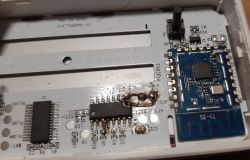
    Hard to believe, though, that this desecrated device is still working:

    TH03 Pro Temperature Humidity Sensor Compatibility with OpenBeken Integration (possibly)
  • ADVERTISEMENT
  • #94 21911587
    divadiow
    Level 38  
    Posts: 5065
    Help: 438
    Rate: 893
    hey that's good news.

    I wonder if the code's good enough for merge. hmm
  • ADVERTISEMENT
  • #95 21911598
    leonardojc
    Level 10  
    Posts: 9
    Rate: 1
    It's working!!

    I'm using this:
    firmware version tuyamcu2_fcacdfa0b9bc
    
    startDriver TuyaMCU
    setChannelLabel 1 "Temperature"
    setChannelLabel 2 "Humidity"
    setChannelLabel 3 "Battery"
    setChannelType 1 Temperature_div10
    linkTuyaMCUOutputToChannel 1 val 1
    setChannelType 2 Humidity
    linkTuyaMCUOutputToChannel 2 val 2
    setChannelType 3 ReadOnlyLowMidHigh
    linkTuyaMCUOutputToChannel 3 enum 3


    Thanks guys!!
    Excellent work from @divadiow @insmod @io2345
  • #96 21918628
    io2345
    Level 9  
    Posts: 268
    Help: 1
    Rate: 7
    Would be good if OTA would be working in future versions without killing autoexec.bat.
    Can be difficult to do OTA anyway, as device is online only for some seconds.
    Btw: Can I use any new BK7238 firmware, or am I stuck to the currently used divadiow "custom made" firmware?
  • #97 21918633
    divadiow
    Level 38  
    Posts: 5065
    Help: 438
    Rate: 893
    io2345 wrote:
    Would be good if OTA would be working in future versions without killing autoexec.bat.


    I've proposed this to move BK7238 LFS to the end of the OTA space: https://github.com/openshwprojects/OpenBK7231T_App/pull/2115

    io2345 wrote:
    Btw: Can I use any new BK7238 firmware, or am I stuck to the currently used divadiow "custom made" firmware?


    stuck as OTA to general release will wipe out all the code in https://github.com/divadiow/OpenBK7231T_App/tree/tuyamcu2

    I have updated my branch with the latest merges from main repo so the BK7238 ota files in here https://github.com/divadiow/OpenBK7231T_App/actions/runs/27270102952 will be as if on latest release+tuyamcu updates

    Added after 1 [minutes]:

    ideally https://github.com/divadiow/OpenBK7231T_App/tree/tuyamcu2 would get merged but I haven't tested impact on existing tuyamcu devices running current code, though it was developed (Codex) with compatibility in mind

Topic summary

✨ The discussion centers on the compatibility of the TH03 Pro Temperature and Humidity Sensor with OpenBeken firmware or alternative firmware solutions that avoid communication with Chinese servers. The original inquiry highlights a lack of specific information or successful integration reports for the TH03 Pro model, despite existing threads on similar sensors. A respondent, without direct experience with the TH03 Pro, suggests an alternative sensor available on AliExpress, implying potential options for users seeking compatible hardware. The focus remains on achieving proper sensor functionality within open-source or privacy-conscious firmware environments.
Generated by the language model.
ADVERTISEMENT