logo elektroda
logo elektroda
X
logo elektroda
Dostępna jest polska wersja

Czy wolisz polską wersję strony elektroda?

Nie, dziękuję Przekieruj mnie tam

Cloud Cutting Dreo 517s Wall Mount Heater using an approach similar to TuyaMCU

markusdd 1698 103
Best answers

How can I cloud-cut the Dreo 517s wall heater, identify its Beken module, and back up/flash its firmware safely?

The heater appears to use a Hesung Innovation Limited MBL01 / BL2028N Beken module, and the suggested backup path is to treat it like a Beken/Tuya device: dump the stock flash first with BK7231GUIFlashTool/Easy Flasher, using TX1/RX1 for flash read/write and TX2 for logs, then restore the RF partition if OBK won’t connect because the dump showed RF at 0x1E0000 while OBK expects 0x1D0000 [#21856107] [#21856302] [#21857178] The UART protocol is TuyaMCU-like but not identical: frames start with 0x55 0xAA 0x00 , the sequence increments from 0 after boot, and the checksum is roughly (sequence + sum(payload bytes) - 1) % 256 [#21856296] The live capture showed a 10-second heartbeat/ping-pong, with full status frames carrying all datapoints, and the parsed DPs included power, operating mode, submode/context, target temperature, and several mode flags/constants [#21856296] [#21856379] A Dreo-specific driver/repo already appeared on GitHub, and an early OpenBeken port was put into PRs, so the path forward was to use that driver instead of reverse-engineering everything from scratch [#21856568] [#21868387] [#21857261]
ADVERTISEMENT
  • #91 21869845
    markusdd
    Level 2  
    >>21869844

    I meanwhile found out why it does not work - at least I think so:

    we select the UART, but never route it to any physical pins.

    Realistically, the best option for ESPs would probably be that you can do the TuyaMCU/Dreo UART assignment in the configure module dialog because these Chips have amazing pinmux flexibility and it is much less opaque to the user than 'use the alternate pins' (which are only vaguely documented defaults).

    I will try a simple fix on my fork for this and come back.

    Added after 32 [minutes]:

    Progress my dudes!
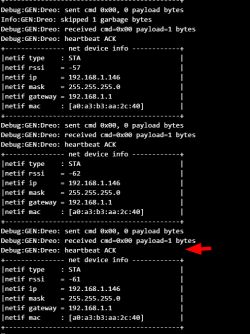
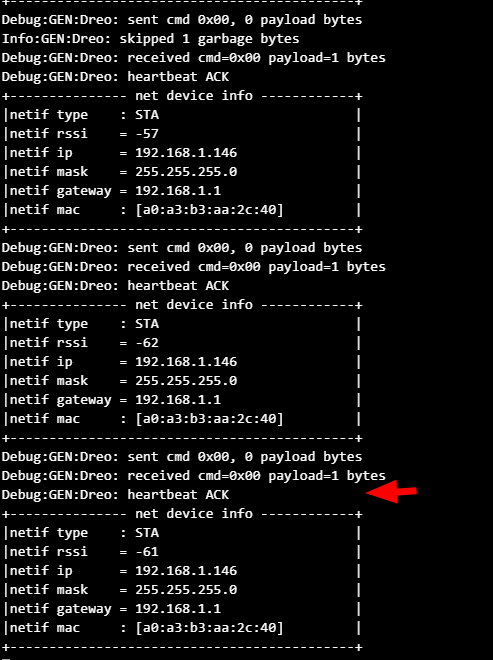
    Screenshot of “Debug:GENreo” logs and a “net device info” table with a red arrow.

    Here you can see what I did so far. I think we're not fully there yet but progress is being made https://github.com/openshwprojects/OpenBK7231T_App/pull/2046
  • ADVERTISEMENT
  • #93 21869853
    markusdd
    Level 2  
    ok @p.kaczmarek2
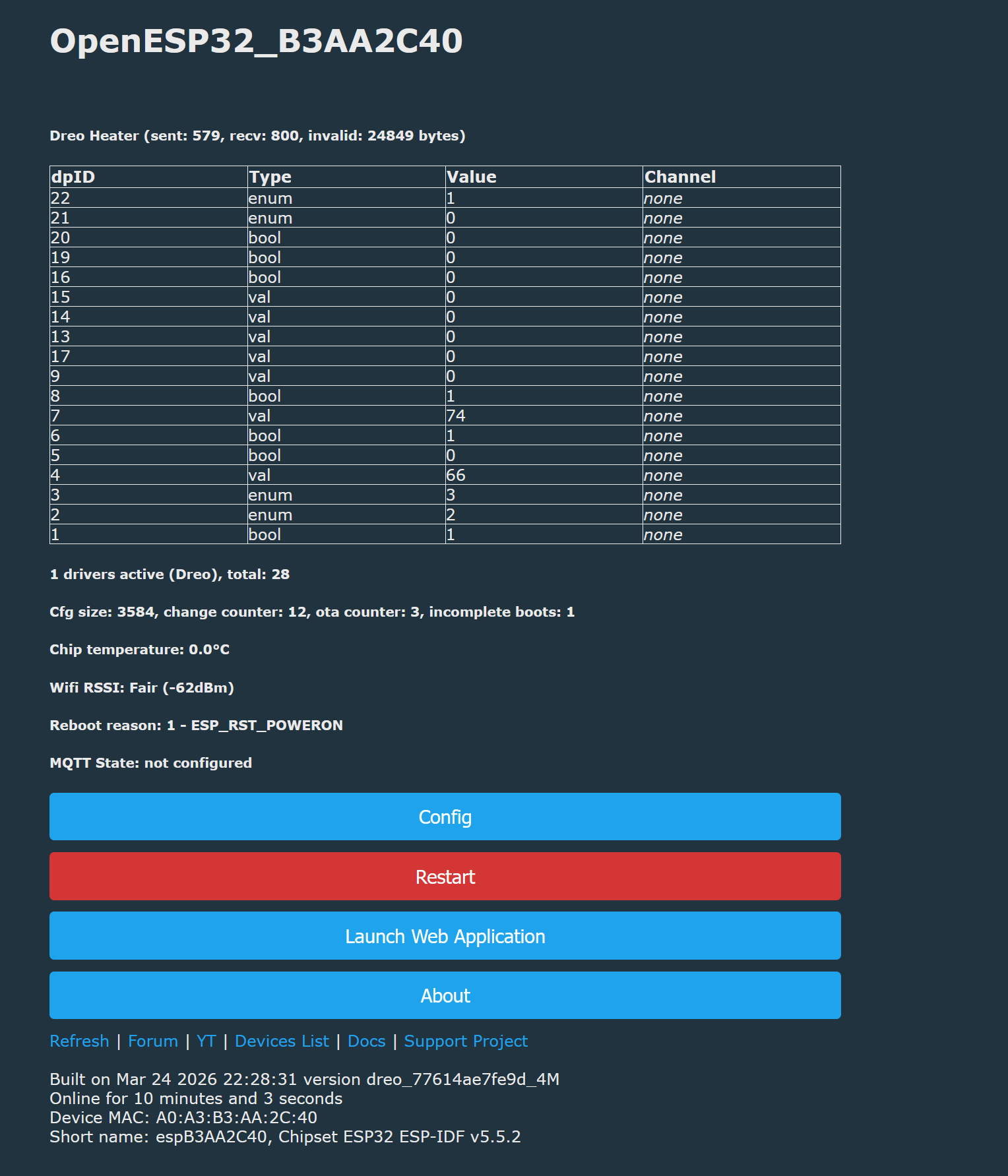
    Screenshot of OpenESP32 panel with datapoint table and buttons: Config, Restart, Launch Web Application

    we seem to be getting something coherent now. the 66 in the table for example is the set temperature in fahrenheit, I know because it is on the device display.

    There is still many garbage byte messages though so I guess this is where we need to start to debug the actual driver.


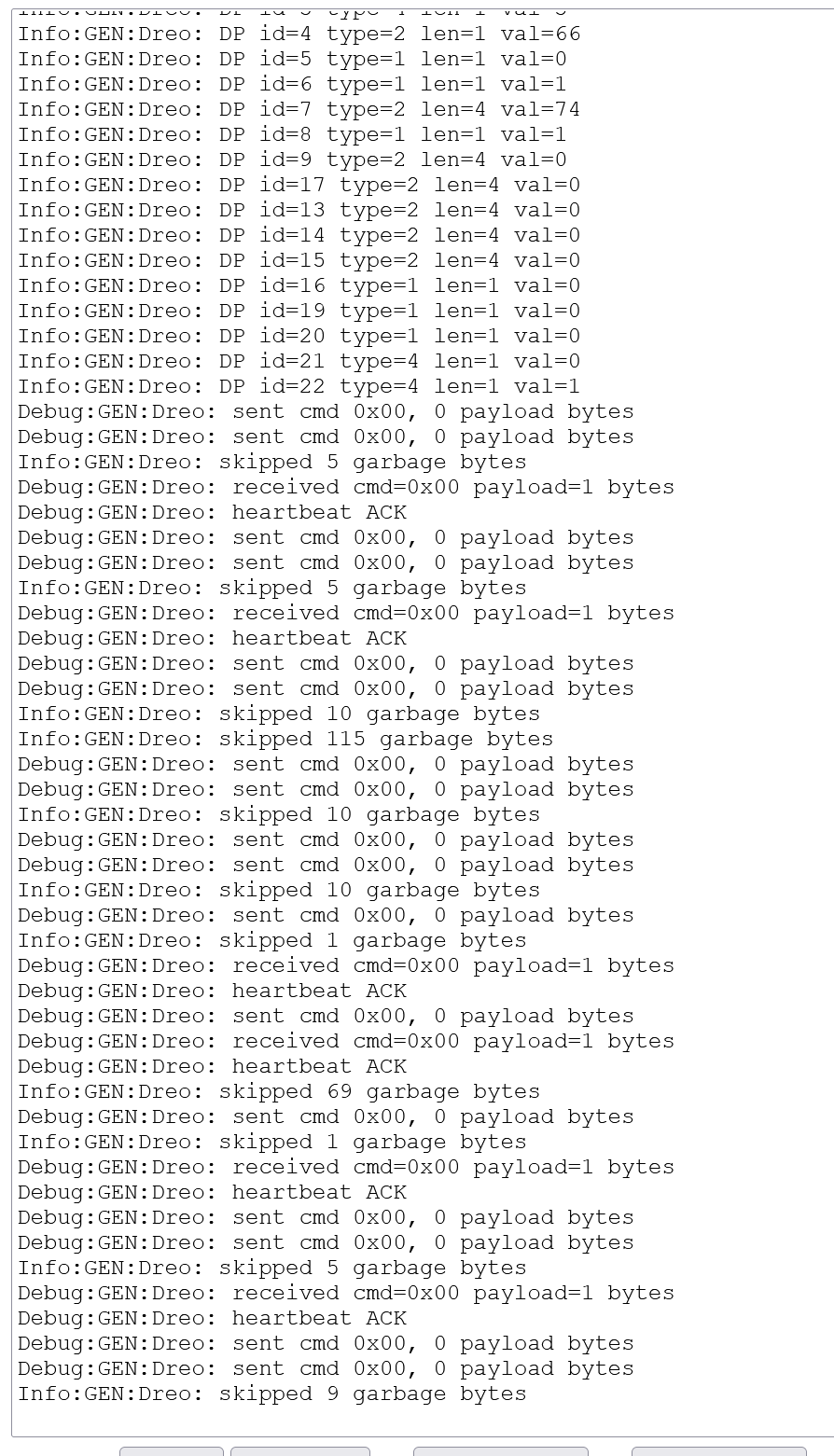
    Console log screenshot showing “GENreo” debug lines with “sent cmd” and “heartbeat ACK”

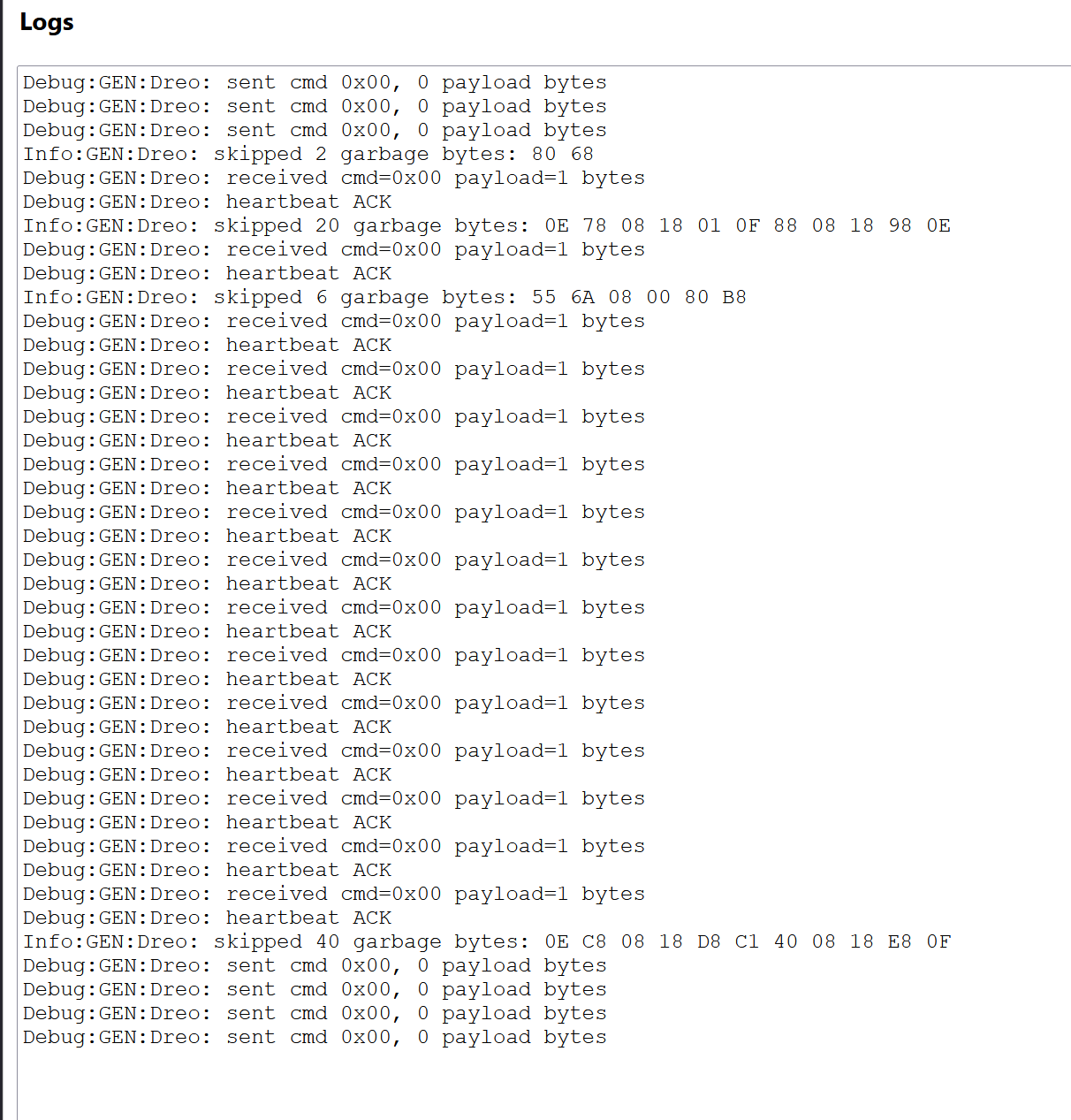
    The keepalive ping-pong seems to be good as well as the status messages it seems. Where things generate these garbage messages is e.g. when I press the fron panel buttons, then it seems to not like something.

    Added after 32 [minutes]:

    To be a bit more precise now: serial logging suggests that the driver has issues with status change messages:

    Code: Text
    Log in, to see the code


    The status change messages lead to garbage byte messages in the log although they are well formed. The keepalive ping-pong works well.

    It is intermittent, so this suggests there is some issue with the UART buffering or so.

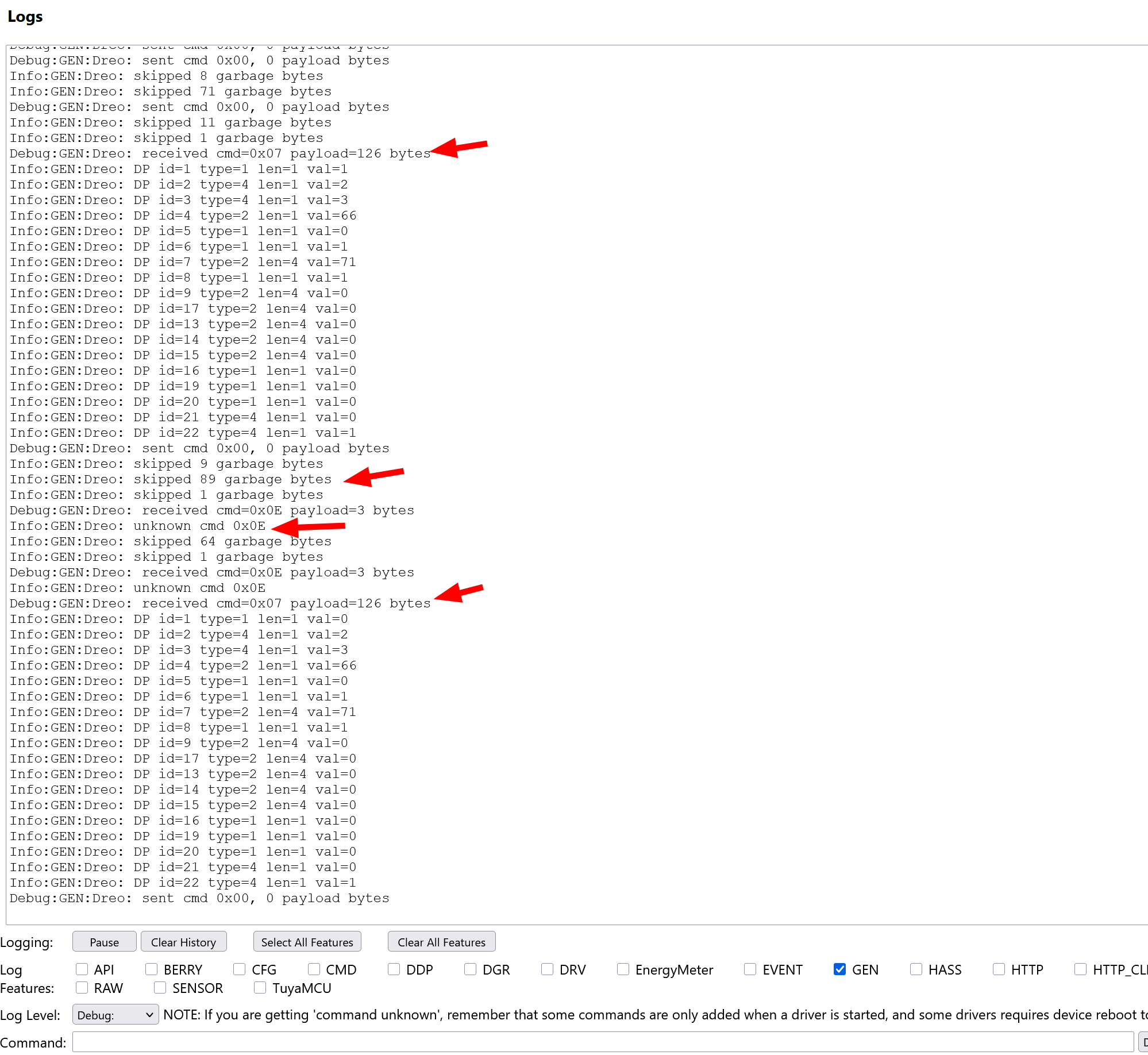
    This is a log with me turning the device on and off multiple times. Sometimes we consume the command message and the following state correctly, sometimes not.


    Screenshot of debug logs with red arrows highlighting “received cmd” lines and “unknown cmd 0x0E”.
  • ADVERTISEMENT
  • #94 21870649
    markusdd
    Level 2  
    So I could need some guidance from that point, how do we best debug this? insert more logging? more serial traces?
  • #95 21871014
    p.kaczmarek2
    Moderator Smart Home
    Maybe buffer is too small?
    UART_InitReceiveRingBuffer(512);
    But 512 seems big enough.
    @insmod is ESP32 UART stable?

    @markusdd do you have other module than ESP32 to check?
    Helpful post? Buy me a coffee.
  • ADVERTISEMENT
  • #96 21871236
    markusdd
    Level 2  
    >>21871014
    I do not have any other module but based on the serial traces I made observing the bus I have no reason to believe UART has a problem. The only fix required was to actually route the secondary UART pins in the espidf HAL and since then it was working fine.
    The working handshake - and that we sometimes indeed get proper dpID decode with sensible values - also suggest that.

    I think the issue arises because when you press a front panel button, the MCU responds with a cmd packet telling us whatg was pressed, immidiately followed by a huge status update packet.

    I think we fail to seperate and parse back2back packets correctly.

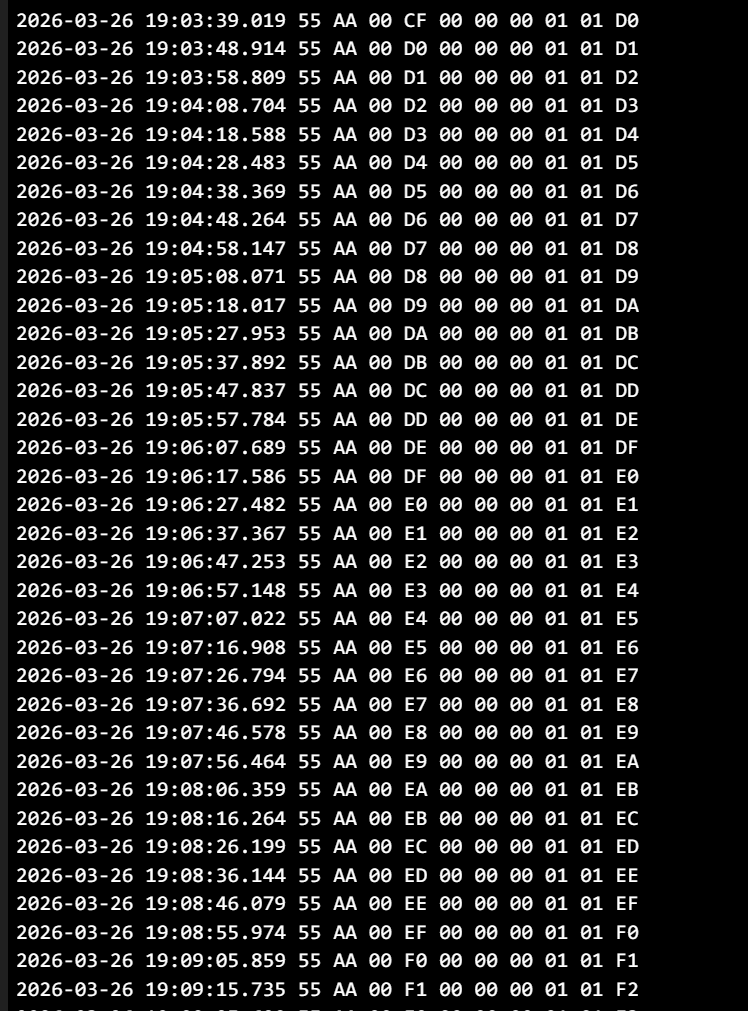
    EDIT: Some serial captures:

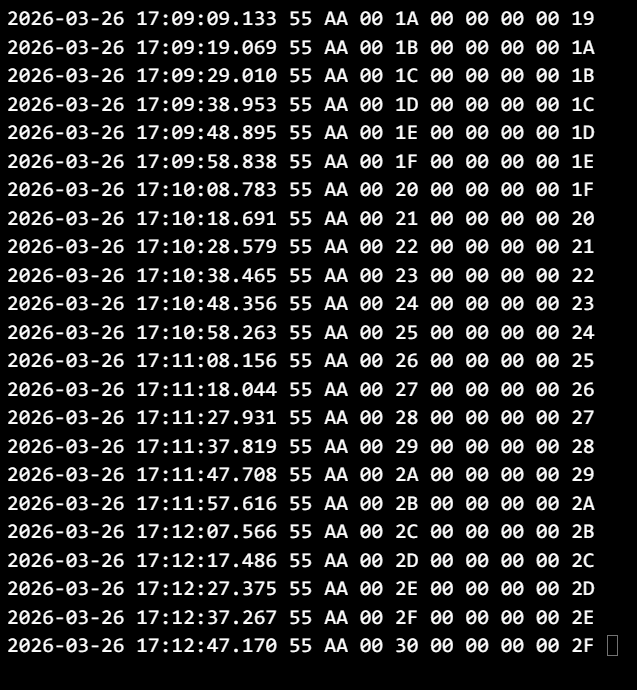
    This is ESP towards MCU, just idle for the heartbeat. This looks perfect.

    Terminal screenshot with timestamped logs and hex byte sequences, including “55 AA 00”.


    This is MCU towards ESP and a log snippet (also just idle):

    Screenshot of “Logs” showing debug lines, repeated heartbeat ACK, and “skipped … garbage bytes” hex sequences


    Terminal log screenshot with timestamps and repeated hex byte frames starting with “55 AA”.


    This somehow suggest that we have issues to always retrieve stuff cleanly, or something else is polluting the buffer sometimes.

    basic functionality is obviously there. Note that logging some of the garbage bytes comes from me, I was debugging with Grok a little yesterday evening.

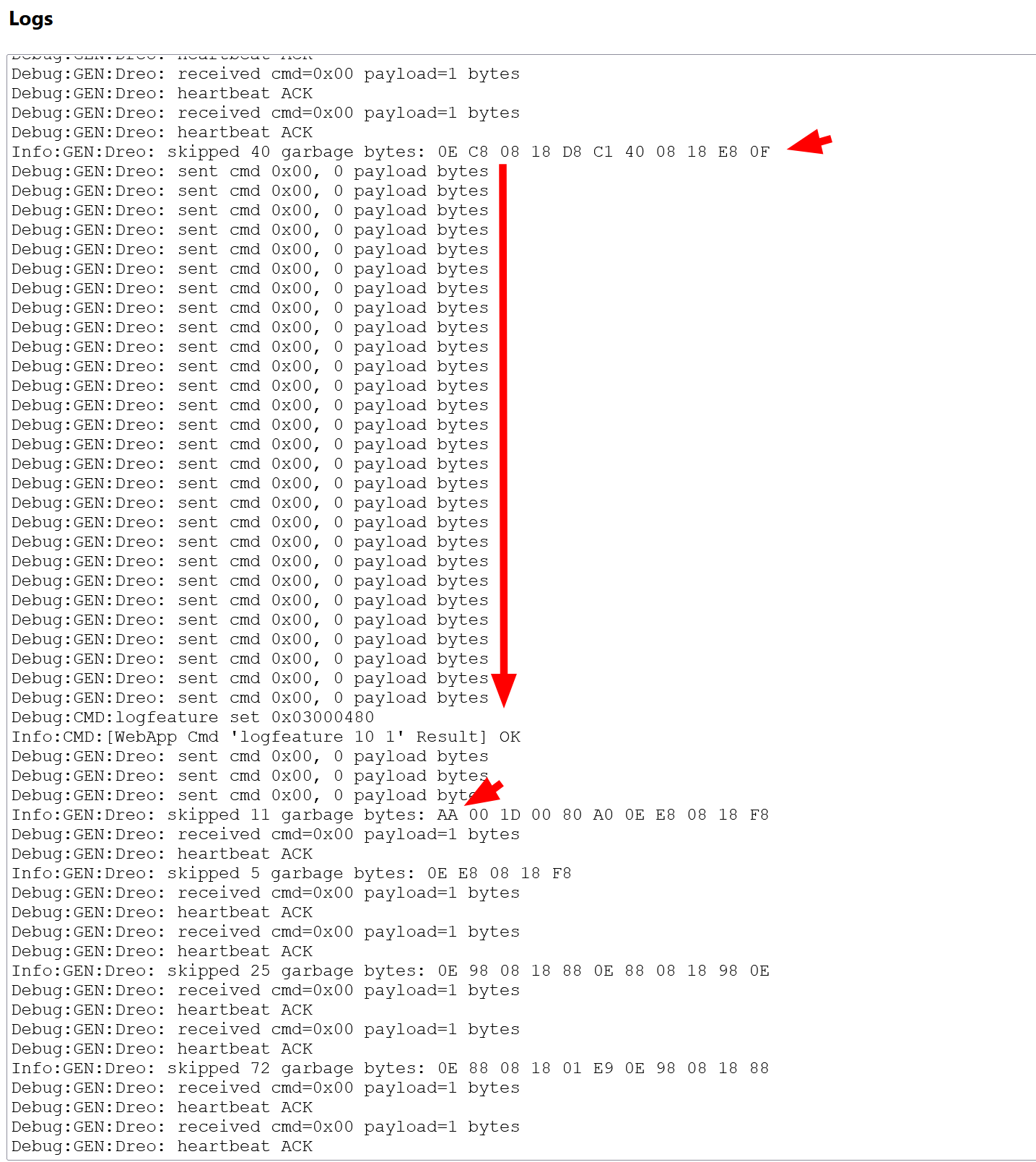
    EDIT: What is really telling is that sometimes we seem to 'desync' from the datastream. We do not process a heartbeat ACK, and suddenly with one following packet we suddenly resync and obviously get all kinds of stuff from the buffer which we do not parse and then have a pool of garbage bytes.

    So it's maybe - if it is not the parser - the UART buffer handling that has a problem. The UART itself is fine when looking at the captures:


    Screenshot of debug logs with red arrows highlighting “garbage bytes” entries

    Added after 4 [hours] 49 [minutes]:

    I handed the logs and serial captures as well as driver and hal files to Grok and this is what it had to say. Does this make sense? Is UART buffer handling treated differently for Beken chips?

    https://grok.com/share/c2hhcmQtMi1jb3B5_178ada62-bbb5-4953-aebb-b9e7e017cf11
  • ADVERTISEMENT
  • #97 21871488
    p.kaczmarek2
    Moderator Smart Home
    Do you have a serial capture that causes problem in OBK ? Maybe I can put it into windows simulator to check.

    Maybe we could also try to tick ESP32 HAL UART from quicktick, so it's thread-safe. Or just really add this mutex, if that's it.
    Helpful post? Buy me a coffee.
  • #98 21871491
    markusdd
    Level 2  
    Ok. So I figured it out I think. Based on the Grok analysis we were operating and consuming the UART buffer while it kept being written, keading to garbage parsing results because length and position kept changing on us, especially for large messages or when they arrived shortly after one another.

    The solution is to copy whatever is in the buffer to a local one and parse that 'offline', potentially keeping overhangs for the next round in case we fetched it while a message was arriving. Since I did this, I had zero garbage byte messages anymore:

    Code: Text
    Log in, to see the code


    @p.kaczmarek2 @divadiow how do we enable now MQTT and HASS discovery on these data points and make sure we can also send commands, not just consume status? Also, we still have unknown command packets with 0x03 coming from the MCU, I see those on mode changes like temp up/down and changing between eco and H3/2/1 modes.

    Now that the physical layer seems fine, can we push for a completely working version this weekend? I need to actually hang this thing up at my mothers house over easter, so I need to conclude on this soon after 3 evenings and nights haha

    EDIT: here is the changeset: https://github.com/openshwprojects/OpenBK7231T_App/pull/2046/changes
  • #99 21871817
    markusdd
    Level 2  
    So the current state is that the parsing somewhat works but if I e.g. quickly press the temperature buttons at the fron it seems sometimes it is getting missed. Same with heartbeat responses.

    This is getting way above my head tbh and I need help if we want this openbeken port to succeed.

    And yes, I think the UART handling not being thread safe is the issue. I now tried to 'vibe code' that more safely by using a local buffer which we do the parsing on. That works far better than the original but we sometimes keep skipping a beat.

    The question is if that is at all avoidable or if we just sometimes need to poll status again to re-sync with what the settings currently are.

    If you know a good UART implementation for ESP maybem adopting it makes sense. The driver worked also in ESPHome so obviously their impl should also be good?
  • #101 21871918
    markusdd
    Level 2  
    >>21871824


    yes this one crashes xD

    I think this is the issue: https://github.com/divadiow/OpenBK7231T_App/c...df0f6e8eecd6c8abe9a476f8ae2184b875b96cb676R94

    This is allocating a 512 array on the stack.

    Code: Text
    Log in, to see the code


    Added after 19 [minutes]:

    Ok I changed your diff so that array would be static (so not on stack but in .bss) and with this it runs now, but the behavior isn't really any different.

    Code: Text
    Log in, to see the code


    We are not having any garbage byte problems or so but some responses that I clearly see on my serial monitor do not show up internally.
    If I press the front panel buttons mutiple times sometimes we also get a then correct dIP decode.

    So whenever we fetch a packet right now we also handle it, but for my taste we are missing too many:

    Thsi si the serial log I am capturing from the MCU->ESP line:

    Code: Text
    Log in, to see the code
  • #103 21871993
    markusdd
    Level 2  
    >>21871949

    We can look into both. This idea is similar to what I tried with Grok. ultimately I think it is a problem related to the HAL in combination with non-robust parsing code.

    I'm currently playing with Grok to see if we can make the UART code actually thread safe.

    Added after 1 [hours] 37 [minutes]:

    ok both appraoches didn't lead me to success, your @divadiow does not work at all, it desyncs all the time because it has unsycned pointer issues into the UART buffer.

    My trials to get it stable and reliable also failed.

    so either someone speaks up now and we can get this running in task force mode this weekend or I have to cut my losses and run it via ESPHome. Already lost my original module.

    EDIT: runninng one last ditch attempt now and this is trying to basically reuse most of TuyaMCU driver which exists and just implement the differences.

    Didn't work :(

Topic summary

✨ The discussion focuses on reverse engineering the Dreo 517s wall-mount heater's communication protocol to enable cloud cutting similar to the TuyaMCU approach used for other generic heaters. The device uses an OpenBeken-compatible module, specifically identified as a Hesung Innovation Limited MBL01 - BL2028N (BK7231N), communicating via UART with an MCU. Initial challenges include grounding issues when connecting a logic analyzer due to the heater's mains-powered high-voltage board supplying 5 V. The heater contains an additional MCU on the mains board responsible for fan speed control and system monitoring, indicated by an error display ("E0") if disconnected. Captured UART traffic reveals periodic status and alive ping-pong messages every ten seconds, with command sequences changing upon temperature adjustments and power toggling via the app. Protocol analysis shows a fixed header starting with 0xAA and a rolling code, with a checksum algorithm similar but not identical to the one used in the dreo-cloudcutter project for a Dreo tower fan. Disassembly of command structures and state messages is underway, with temperature setpoints appearing to be scaled values. The protocol differs from TuyaMCU but shares some structural similarities, suggesting feasible protocol cracking through logic analysis and CRC verification. Further testing involves cycling through modes and temperature settings to fully map command and response patterns.

FAQ

TL;DR: Cloud-cutting the Dreo 517s works by speaking its UART protocol: a 0x55 0xAA 0x00 header, rolling ID, and a ~10‑second heartbeat. “Header is always 0x55 0xAA 0x00 .” Use 5 V bench power for safe sniffing and back up flash at 230400 baud. [Elektroda, markusdd, post #21856296]

Why it matters: This lets you keep full local control (no cloud) while retaining buttons and safety features, and paves the way for OpenBeken/ESPHome drivers.

Quick Facts

What exactly is “cloud cutting” for the Dreo 517s?

Cloud cutting is a local-control retrofit that replaces the vendor cloud link with a direct UART protocol between the Wi‑Fi module and the main MCU, keeping buttons and safety logic intact. It relies on decoding 0x55 0xAA framed packets and the 10‑second heartbeat. [Elektroda, markusdd, post #21856296]

Which Wi‑Fi module is inside the Dreo 517s wall heater?

The PCB carries a Hesung Innovation MBL01 module labeled BL2028N, which the community maps to the Beken BK7231N family used by OpenBeken-compatible devices. A user posted FCC imagery matching MBL01. [Elektroda, divadiow, post #21856107]

How do I safely capture UART without tripping the heater or the logic analyzer?

Power the logic board with a stable 5 V bench supply and keep mains disconnected to avoid ground issues. With RX/TX/5V/GND reconnected, the app still links and reports temperature for clean captures. [Elektroda, markusdd, post #21856029]

What is the Dreo 517s UART packet format and checksum?

Packets start 55 AA 00, followed by a 1‑byte transaction ID that increments from boot, payload bytes, then a checksum computed as (ID + sum(payload bytes) − 1) mod 256. Heartbeat exchanges occur about every 10 seconds. [Elektroda, markusdd, post #21856296]

How do I back up the stock firmware before any flashing?

Use BK7231GUIFlashTool. Connect TX/RX/3.3 V/GND, click “firmware backup,” then power or briefly pull CEN low to enter boot. A successful dump used the BK7231M profile at 230400 baud. [Elektroda, markusdd, post #21856327]

Does the 517s behave like TuyaMCU devices?

Yes, the framing and DP-style fields resemble TuyaMCU, but IDs and checksum differ. Status messages are full-state frames, and the driver can likely reuse TuyaMCU parsing with a different frame runner. [Elektroda, p.kaczmarek2, post #21856491]

Can I use ESPHome today, or should I wait for an OpenBeken driver?

You can use ESPHome now by transplanting an ESP module; a community repo reports full operation. Porting to OpenBeken is feasible but slower without test hardware. “Go ESPHome route for now.” [Elektroda, DeDaMrAz, post #21856933]

How are modes and ECO temperatures encoded on the wire?

Multi‑DP set frames include DP01 power, DP02 mode, DP03 level, and DP04 parameter. ECO uses Fahrenheit byte targets: 15°C→0x3B, 20°C→0x44, 25°C→0x4D, 30°C→0x56, derived from C→F. [Elektroda, markusdd, post #21856387]

What failure modes should I expect while probing?

Ground loops with mains connected can crash captures, and removing the mains-board MCU shows “E0” and stops operation. Always bench-power at 5 V during logic analysis to avoid these faults. [Elektroda, markusdd, post #21856029]

Do physical buttons and IR still work after cloud cutting?

Yes. Buttons are on a separate capacitive line into the main MCU. Presses trigger MCU→Wi‑Fi status messages, so local controls and IR remain functional during UART-based control. [Elektroda, markusdd, post #21856436]

Which serial speed and lines should I monitor?

Use a logic analyzer on the module UART RX/TX at LVCMOS levels. A successful flash dump ran at 230400 baud, while normal UART captures used standard analyzer settings with LSB‑first decoding. [Elektroda, markusdd, post #21856327]

What extra features are exposed (beep, child-lock, display, °C/°F)?

Toggles for display on/off, beep, child lock, window‑open detection, ambient temperature compensation, and °C/°F switching appear as DP fields and cause MCU→Wi‑Fi messages when changed. [Elektroda, markusdd, post #21856404]

How do I put the unit into pairing or observe boot handshakes?

Capture the startup sequence from cold power‑on. You’ll see init queries (cmd 0x01/0x03), a ready trigger (0x08), then status and heartbeat frames. Use that to clone boot timing in your driver. [Elektroda, markusdd, post #21856338]

Is there a known constant or sentinel in the DP set?

Yes. Users observed DP07 as a constant 4‑byte value (0x0000004A) across samples, plus multiple zeroed 4‑byte DPs (e.g., DP09, DP0F, DP11). Treat them as required template fillers. [Elektroda, DeDaMrAz, post #21856379]

What heater power does this effort target?

The reverse‑engineering follows a prior 1000 W/2000 W wall‑mount heater project; the Dreo 517s is a quieter, popular variant tackled with a similar UART approach. [Elektroda, markusdd, post #21855755]

What 3‑step process should I follow to send a mode change?

  1. Send a DP‑prep frame (cmd 0x06) with new rolling ID. 2. Send a 0x07 multi‑DP set using the fixed 126‑byte template, update power/mode/level/param, and recompute checksum. 3. Expect 0x07 ack and a full status frame. [Elektroda, markusdd, post #21856387]
ADVERTISEMENT