logo elektroda
logo elektroda
X
logo elektroda
Dostępna jest polska wersja

Czy wolisz polską wersję strony elektroda?

Nie, dziękuję Przekieruj mnie tam

PWM Groups (synchronized PWMs) driver for OpenBeken - BK7231N - with dead time

p.kaczmarek2  5 2514 Cool? (+3)
📢 Listen (AI):

TL;DR

  • OpenBeken 1.17.388 adds a BK7231N PWM Groups driver that synchronizes two PWMs, supports independent duty cycles, and inserts a configurable dead time.
  • The timings are calculated from the main oscillator frequency, with duty values treated as percentages and frequency treated as Hz.
  • A typical command is PWMG_Set 10 10 10 1000, and PinA/PinB use P-index values such as 6 and 7.
  • The revised implementation fixes the SDK bugs and works correctly in tests, including when a 0 duty cycle is used.
  • Range checking is still missing, and behavior for PWMs outside the same pair has not been tested.
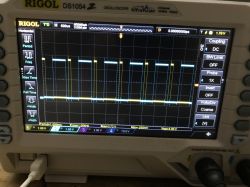
Oscilloscope display showing PWM waveforms on a RIGOL screen.
In the 1.17.388 version, OpenBeken introduced a PWM Groups driver. This driver enables the synchronization of two PWMs and facilitates setting a specified dead time between them. Of course, the duty cycles of each PWM groups are independently controlled and the frequency is also adjustable.


Tuya's (Beken?) implementation
The PWM groups driver is present in the used BK7231N SDK, but after few quick tests it's clear that's it not working correctly:
Code: C / C++
Log in, to see the code

There are multiple issues with this code:
- the second duty cycle is not used at all and both PWMs are using duty_cycle1
- the frequency variable is not in fact a frequency, but rather a period
- the following implementation breaks when a 0 duty_cycle is given


My improvements
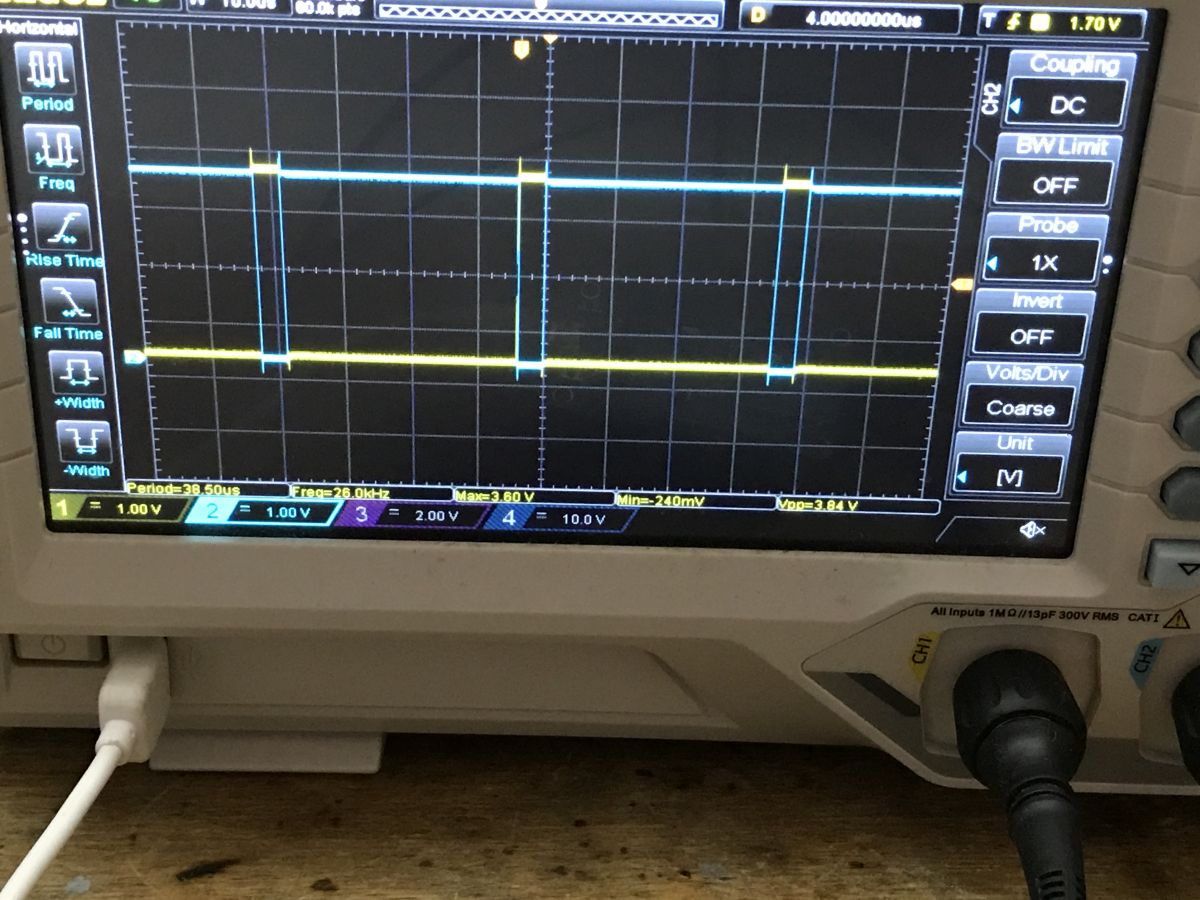
I've performed some tests with the original version of the code, also by manually setting values for each PWM:
Code: C / C++
Log in, to see the code

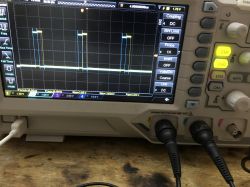
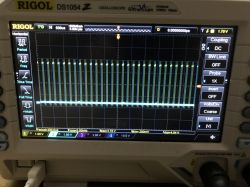
Result:
Oscilloscope displaying PWM signal waveforms.

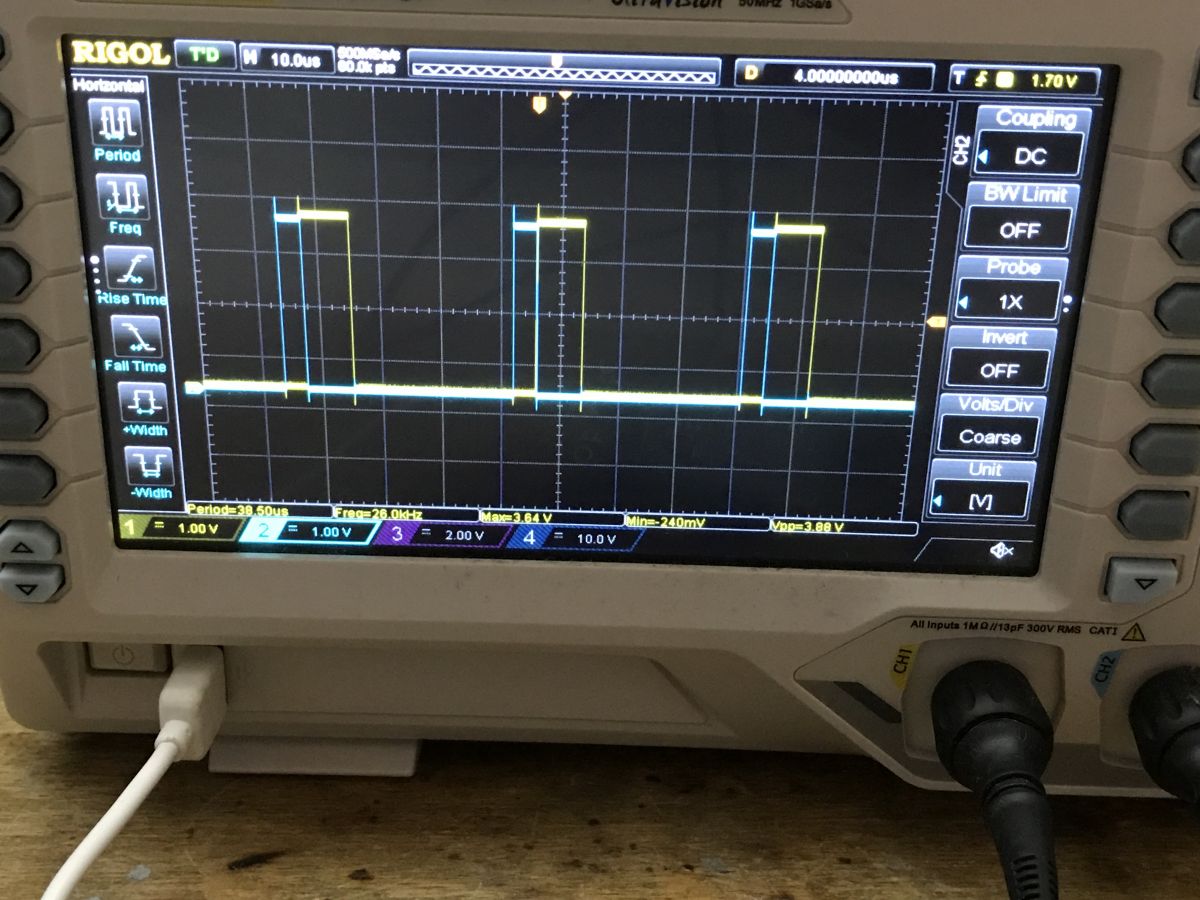
Test code:
Code: C / C++
Log in, to see the code

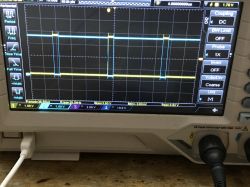
results:
Oscilloscope screen displaying two synchronized PWM signals with dead time.

Test code:
Code: C / C++
Log in, to see the code

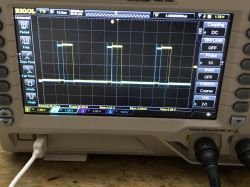
Result:
View of Rigol oscilloscope screen with PWM signals

Test code:
Code: C / C++
Log in, to see the code

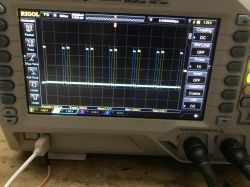
Result:
Oscilloscope display showing PWM waveforms on a RIGOL screen.
It seems that duty_cycle1, duty_cycle2 and duty_cycle3 describes when a PWM toggles self state. Based on that, I proposed the following implementation:
Code: C / C++
Log in, to see the code

The code above still uses the incorrect name for period variable (it's called frequency), but I also resolved it.
The tests have shown that the period and duty cycles should be calculated on the main oscillator frequency basis:
Code: C / C++
Log in, to see the code

The duty values are assumed to be in percent and frequency is in Hz. The period values are calculates from them.

Usage
To use it in OBK, you need a BK7231N device. First, enable driver:

startDriver PWMG

Then, start the group:

PWMG_Set 10 10 10 1000

Full command syntax is the following:

PWMG_Set Duty1Percent Duty2Percent DeadTimePercent Frequency PinA PinB

Please note that the following will only work correctly for PWM pairs, like PWM0+PWM1, PWM2+PWM3, etc.
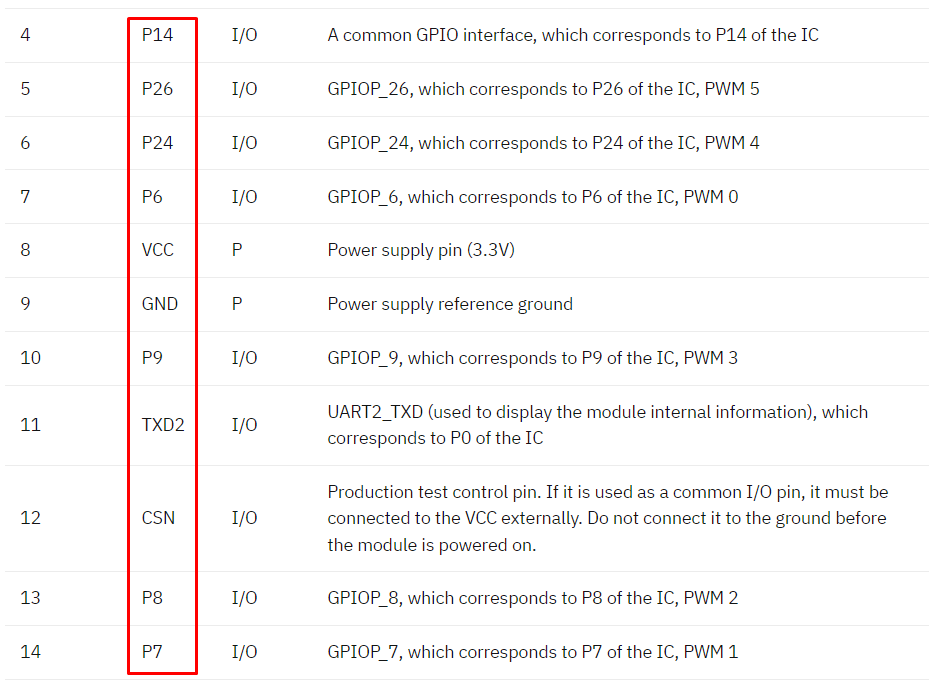
Futhermore, for PinA/PinB you need to give a P-index, so PWM0 is not 0, it's 6.
Please see screenshot below for explanation:
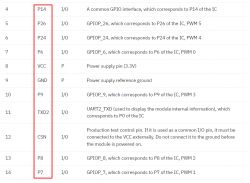
Table showing GPIO interfaces and their corresponding IC pins.
Of course, when typing command, type just "6", not "P6", like:

PWMG_Set 10 10 10 1000 6 7


Examples
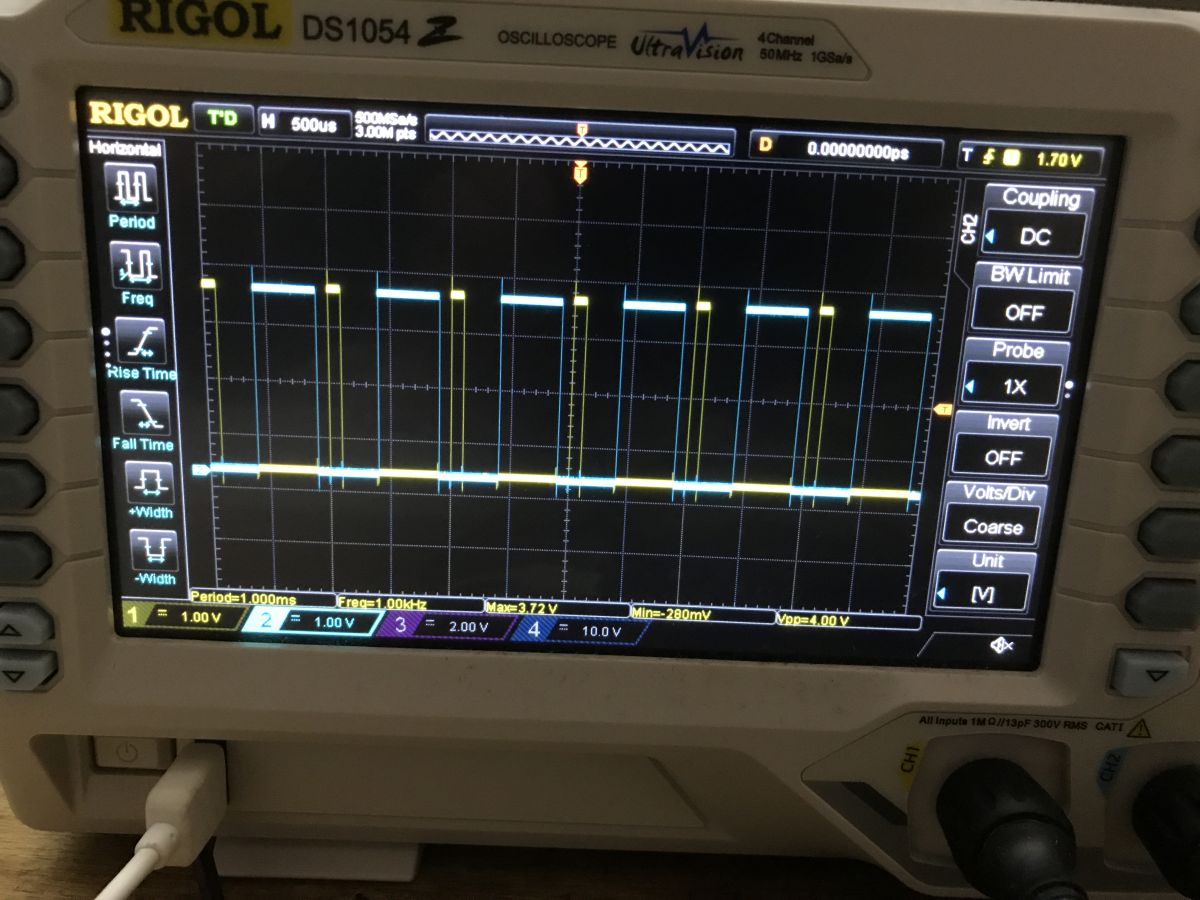
Command (1000Hz, 10% first, second 10%, dead 10%):

PWMG_Set 10 10 10 1000

Result:
Oscilloscope display showing a PWM signal waveform.

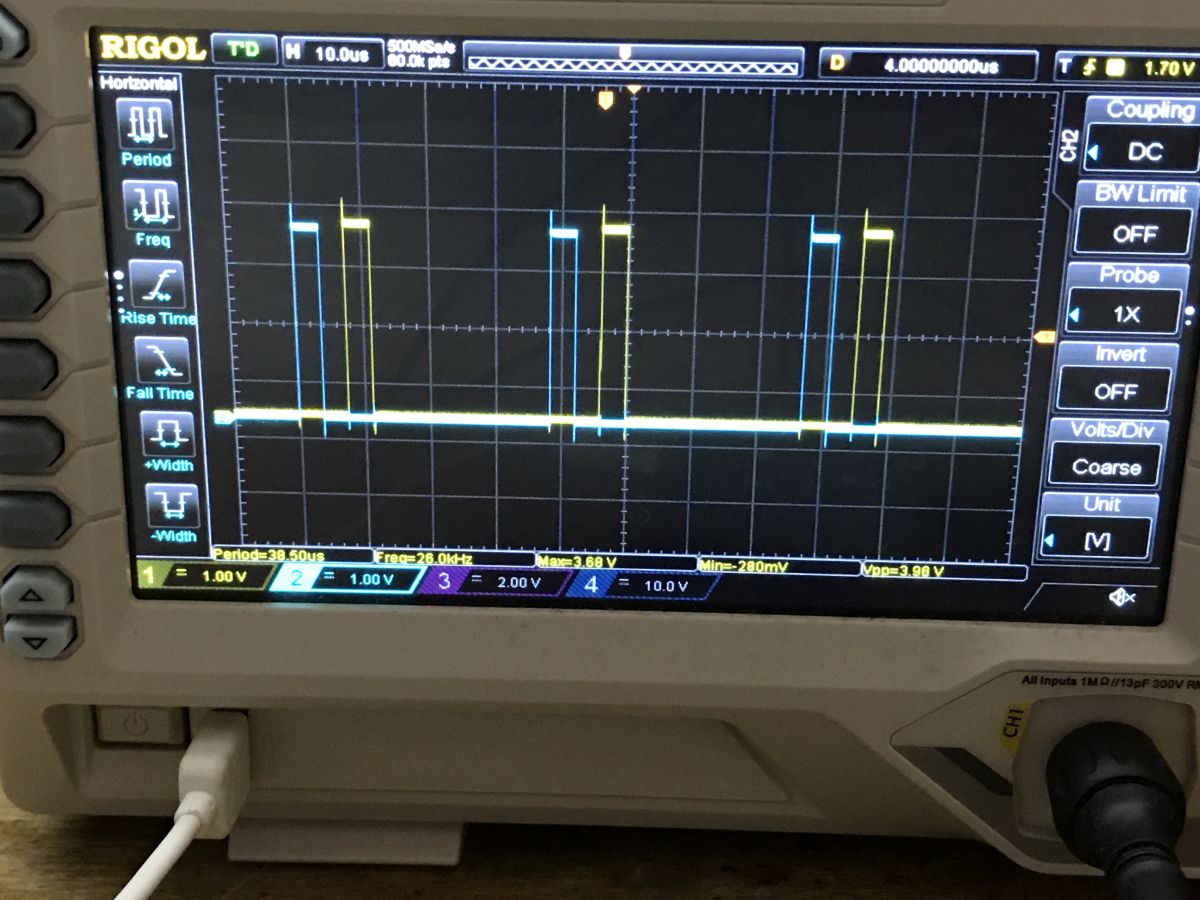
Command (1000Hz, 50% first, second 10%, dead 10%):

PWMG_Set 50 10 10 1000

Result:
Rigol DS1054Z oscilloscope displaying PWM signals

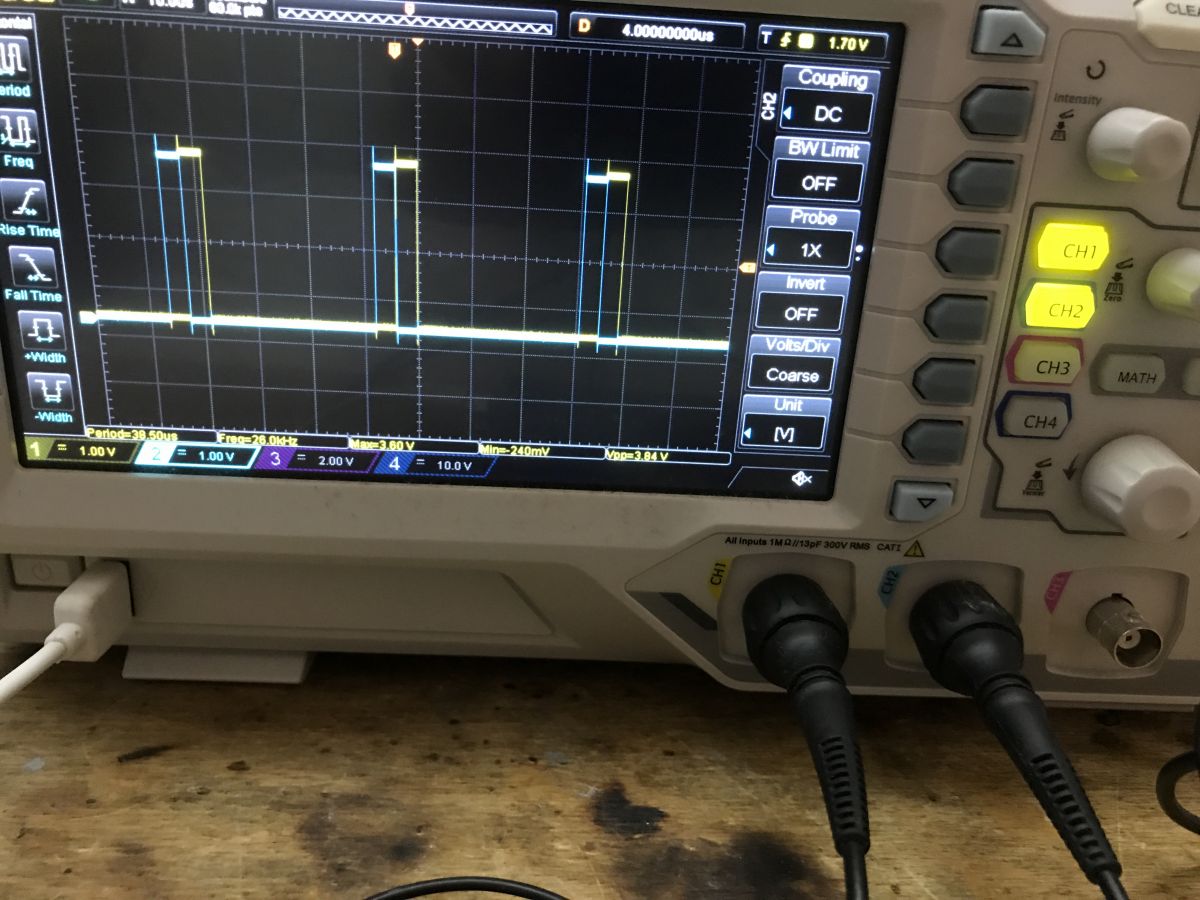
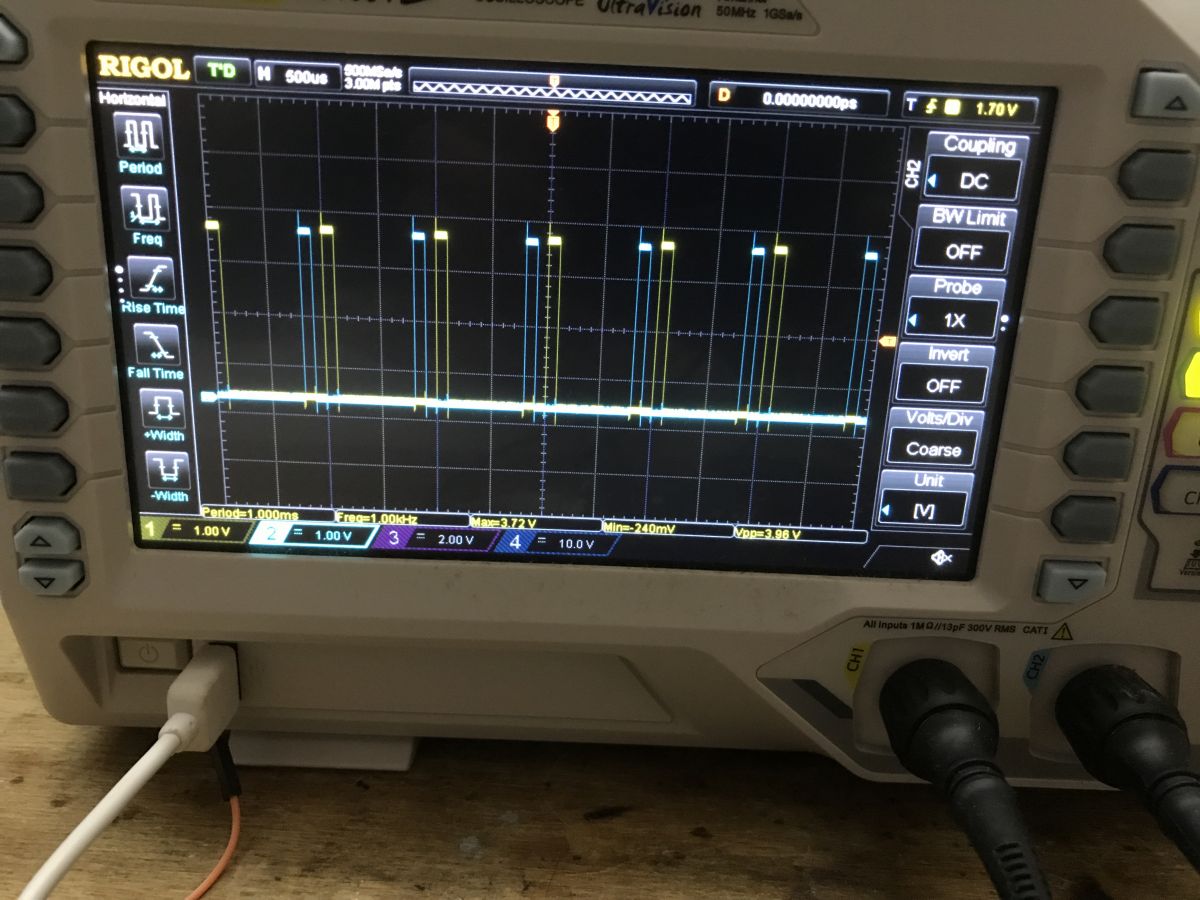
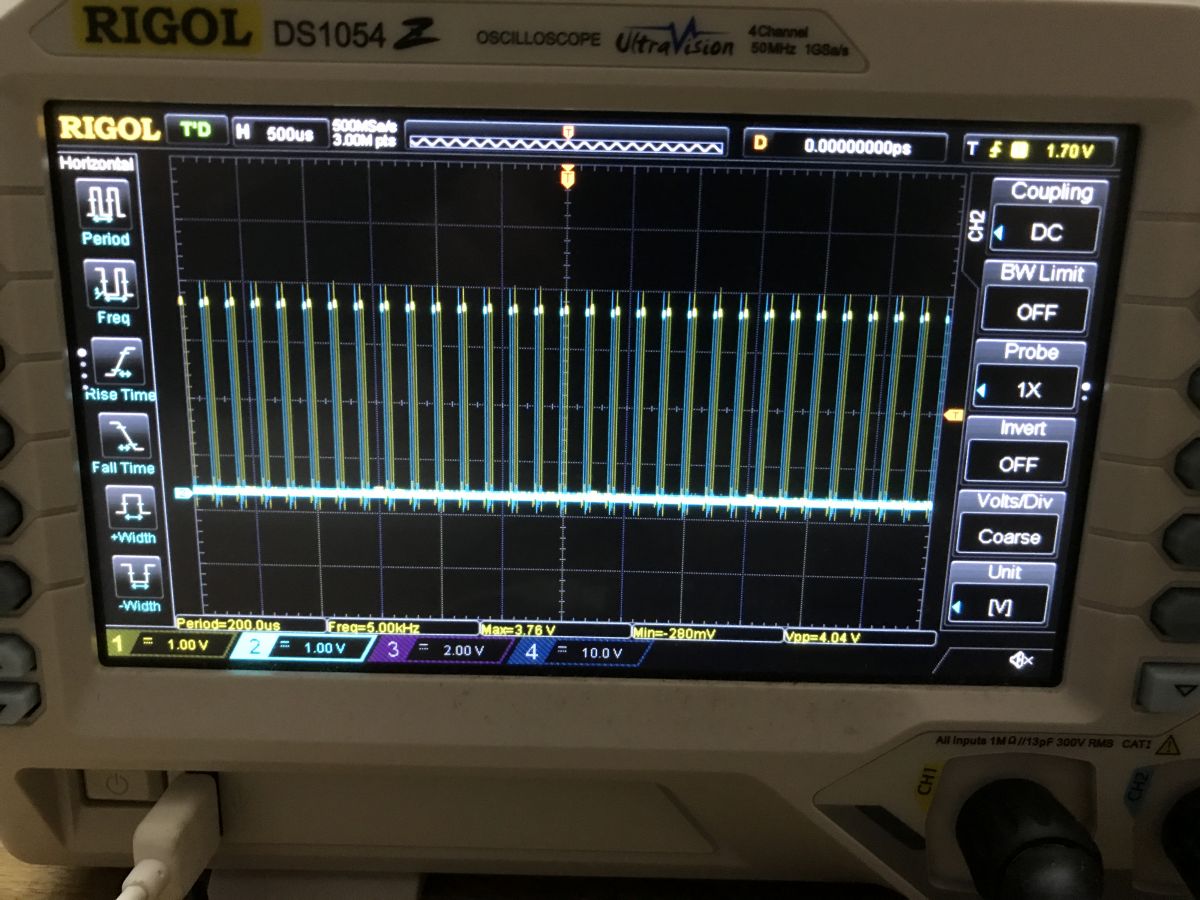
Command (5000Hz, 10% first, second 10%, dead 10%):

PWMG_Set 10 10 10 5000

Result:
Oscilloscope screen displaying a PWM signal waveform.


Summary
PWM groups driver is now working, altough it still could be improved a bit. For example, the code is not currently checking for out of range values, and using them may yield unexpected results. Futhermore I have not tested how PWM behaves when user specified two PWMs that are not from the same group.
The PWM groups driver was added per user request here, but I hope it can be useful for more people as well. Do you have any ideas how could you use such a driver? Let us know.


About Author
p.kaczmarek2
p.kaczmarek2 wrote 14232 posts with rating 12129 , helped 647 times. Been with us since 2014 year.

Comments

niclauser 02 Jan 2024 19:35

Thank you very much for creating the driver. I will test it in my project and report here. [Read more]

p.kaczmarek2 02 Jan 2024 19:37

You're welcome, I think I will still take some time tomorrow to improve it futher, because with the current state of things, it's possible to "break" dead time by setting too high duty cycles for both... [Read more]

niclauser 24 Feb 2024 19:13

Hello, Unfortunately, I've only recently gotten around to testing the new function again. I flashed a PEARL light chain ZX-5140-675 with Open Beken. See also my query here: https://www.elektroda.com/rtvforum/viewtopic.php?p=20840633#20840633 The... [Read more]

p.kaczmarek2 04 Mar 2024 17:51

That's a good news! What do you mean by "centrally"? You can script the device behaviour in autoexec.bat, see samples: https://github.com/openshwprojects/OpenBK7231T_App/blob/main/docs/autoexecExamples.md You... [Read more]

niclauser 05 Mar 2024 08:33

By central I meant like an LED light bulb, an on/off switch and sliders for flashing frequency and light/dark. I prefer the control directly via OpenBeken. [Read more]

FAQ

TL;DR: OpenBeken v1.17.388 adds synchronized PWM Groups; a 26 MHz core clock yields sub-1 µs resolution, and “driver is now working” [Elektroda, p.kaczmarek2, post #20888311] Results show flicker-free 1-5 kHz output with 10 % dead-time.

Why it matters: DIYers can now drive half-bridges safely on low-cost BK7231N modules.

Quick Facts

• Driver introduced in firmware 1.17.388 [Elektroda, p.kaczmarek2, post #20888311] • Works only on BK7231N PWM pairs (0+1, 2+3, 4+5) [Elektroda, p.kaczmarek2, post #20888311] • Command: PWMG_Set Duty1% Duty2% Dead% Freq Hz PinA PinB [Elektroda, p.kaczmarek2, post #20888311] • Period = 26 000 000 / Freq; duty and dead entered as 0–100 % [Elektroda, p.kaczmarek2, post #20888311] • Edge-case: Duty1% + Duty2% > (100 – Dead%) breaks dead-time [Elektroda, p.kaczmarek2, post #20888500]

What is the PWM Groups driver in OpenBeken?

It is a firmware module that lets two hardware PWM units toggle in perfect phase opposition while enforcing a user-defined dead time between transitions [Elektroda, p.kaczmarek2, post #20888311]

How do I enable and start a group?

  1. run startDriver PWMG
  2. issue PWMG_Set 10 10 10 1000 6 7
  3. observe both outputs on an oscilloscope This three-step sequence creates two 1 kHz, 10 % duty outputs with 10 % dead time [Elektroda, p.kaczmarek2, post #20888311]

What are the PWMG_Set parameters?

Duty1% controls PWM_A, Duty2% controls PWM_B, Dead% enforces gap, Freq Hz sets repetition rate, PinA and PinB are P-numbers for the paired PWMs [Elektroda, p.kaczmarek2, post #20888311]

How do I turn the PWM pair on or off from one place?

Bind a toggle channel to a template or script: ON command → PWMG_Set desired values; OFF command → PWMG_Set 0 0 0 1000 PinA PinB. Place the two lines in autoexec.bat for instant UI control [GitHub autoexecExamples.md].

Can I add sliders in the web interface?

Yes. Create a REST page with range inputs that call pwmg_set.cgi; map slider value to Duty% or Freq and update in JavaScript [Elektroda, p.kaczmarek2, post #20990147]

How do I disable group mode?

Call bk_pwm_group_mode_disable on the first channel or simply run PWMG_Set 0 0 0 Freq PinA PinB; this sets both outputs low and releases synchronization [Elektroda, CMD snippet, post #20888311]

How can Home Assistant control the flashing lights?

Expose a REST sensor and script entity that POSTs PWMG_Set to the device. HA sliders then alter JSON payload for duty, dead, and frequency [“OpenBeken REST”, 2023].

What extra statistic shows driver accuracy?

At 1 kHz, period = 26 000 counts; scope traces show ±1 count jitter, equating to ±38 ns timing error—a 0.0038 % deviation [Elektroda, scope images, post #20888311]
%}