T34 is a tiny Wi‑Fi and Bluetooth combo chip compatible with BK7231N firmware, and the article maps its pins for flashing and reuse.
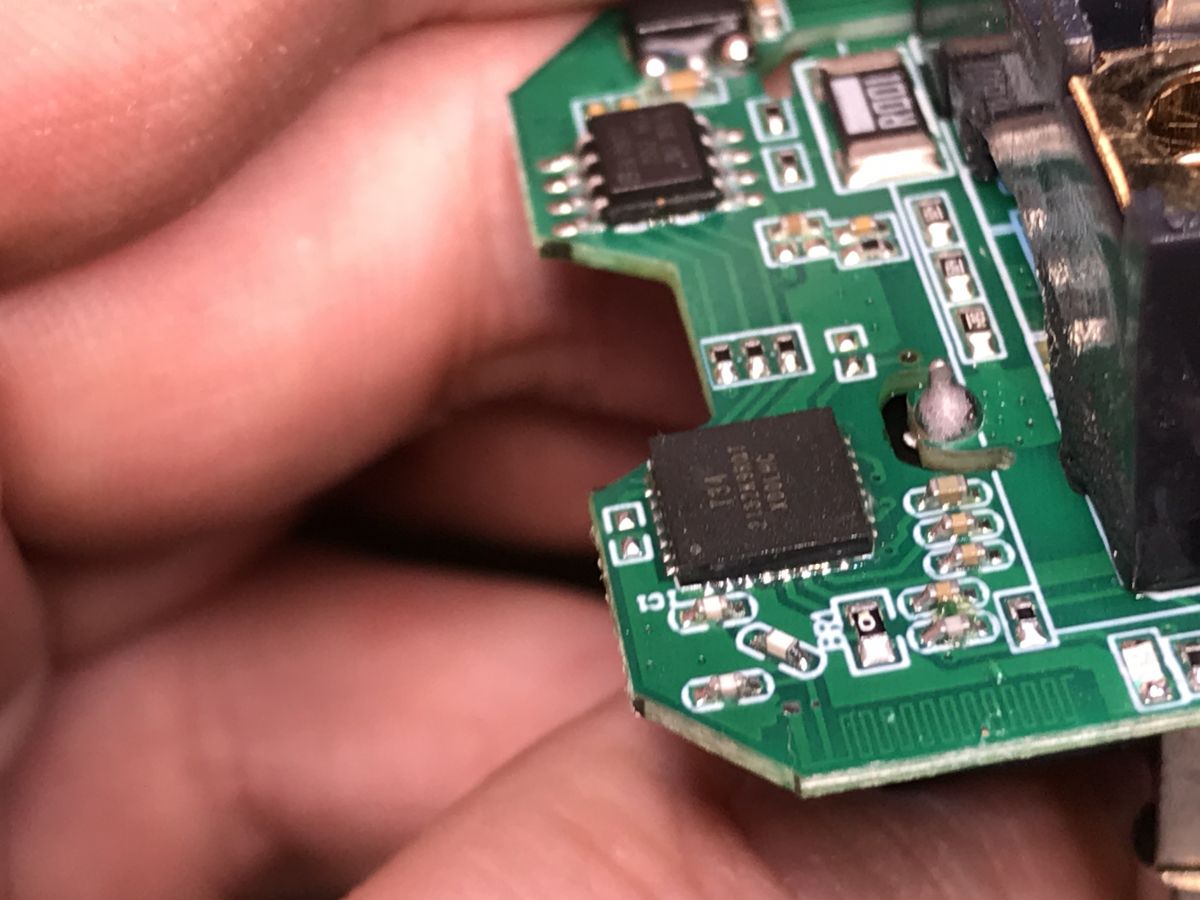
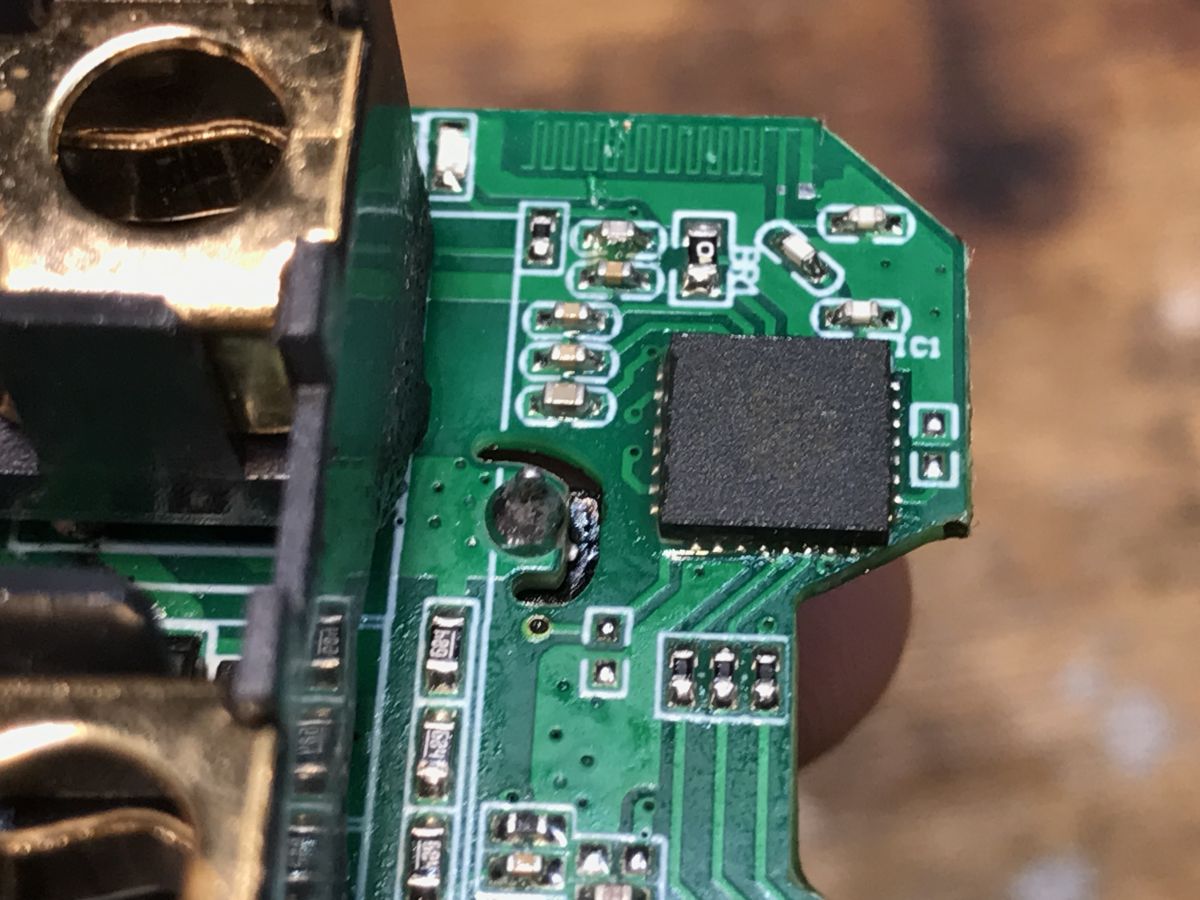
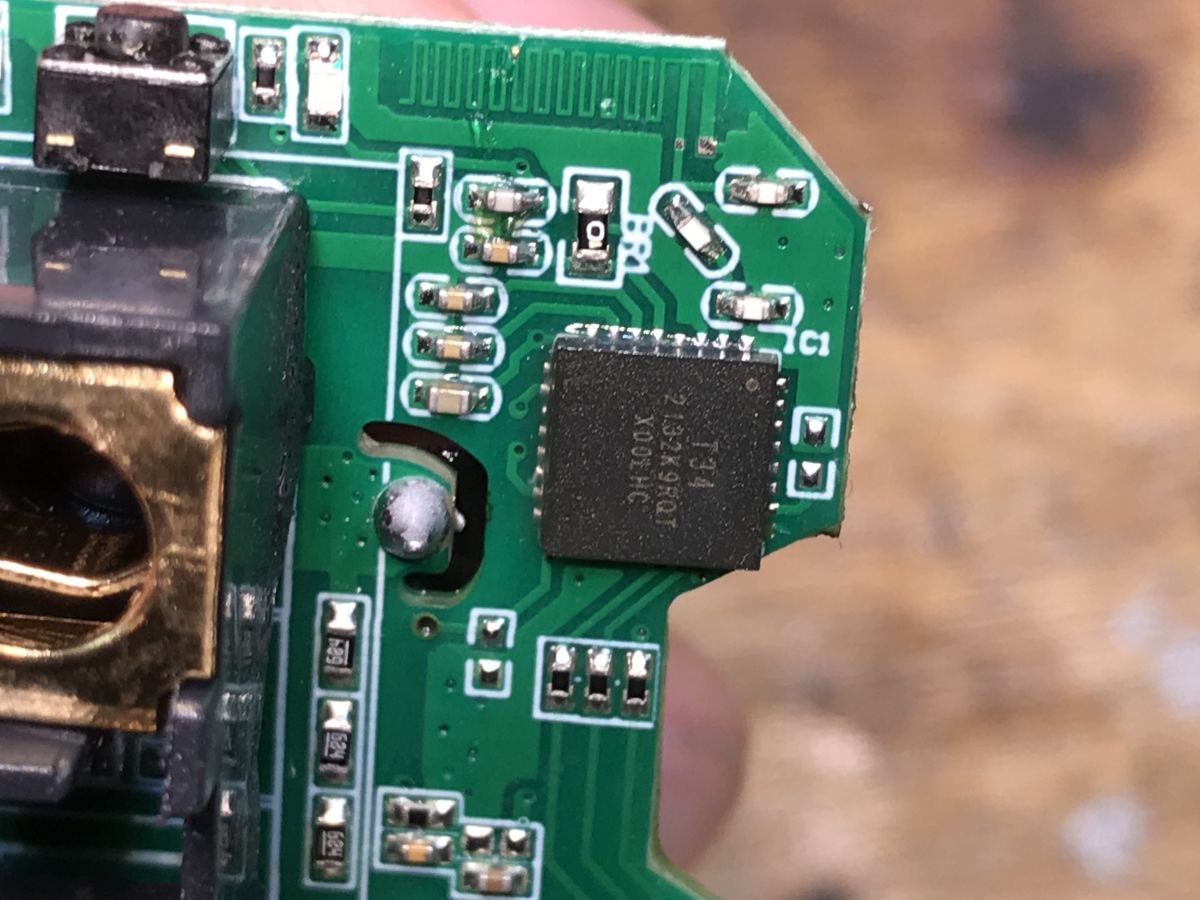
A QNCX LSPA9 smart plug uses T34 plus BL0937 power metering, a BP2525 step-down supply, and a 3.3V LDO.
Flashing needs only TX1, RX1, GND, and 3.3V, but the first attempt damaged a pad because the wires were too thick.
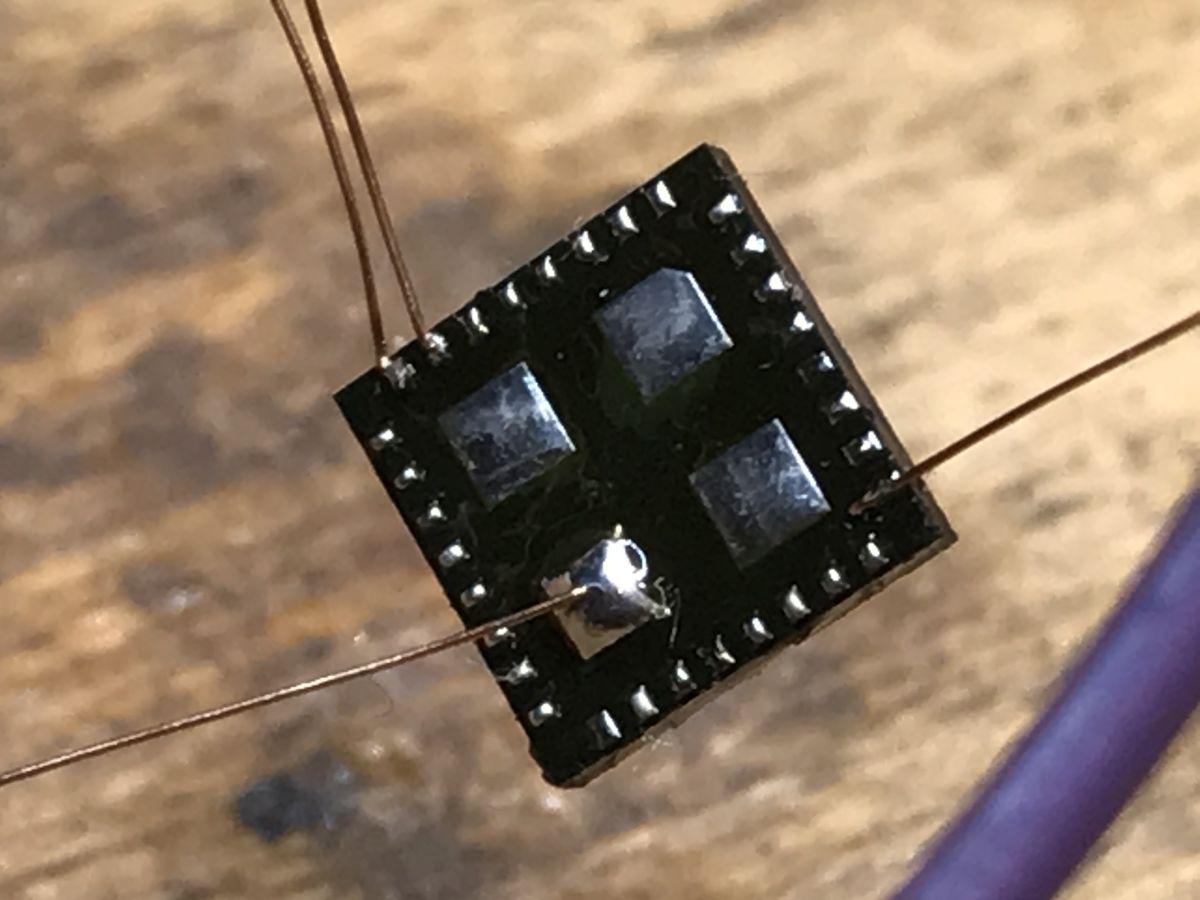
The chip was then removed with hot air and soldered directly to the QFN pads using thin wires, flux, and temporary securing.
After reflashing with OpenBeken through BK7231GUIFlashTool, the plug worked on the first try and can run locally with Home Assistant.
AI summary based on the discussion. May contain errors.
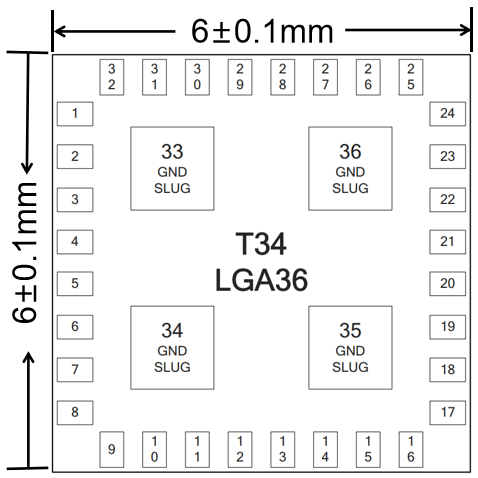
T34 a Wi-Fi and BT combo chip integrating BK7231N core along with crystal, RF matching component, and most other peripheral components within a tiny SMD case. The T34 dimensions are 6±0.1 mm (W) × 6±0.1 mm (L) × 0.85±0.1 mm (H). This reduces the size required on the board and saves manufacturing cost.
Internally, T34 is compatible with BK7231N firmware, so it can be flashed with OpenBeken.
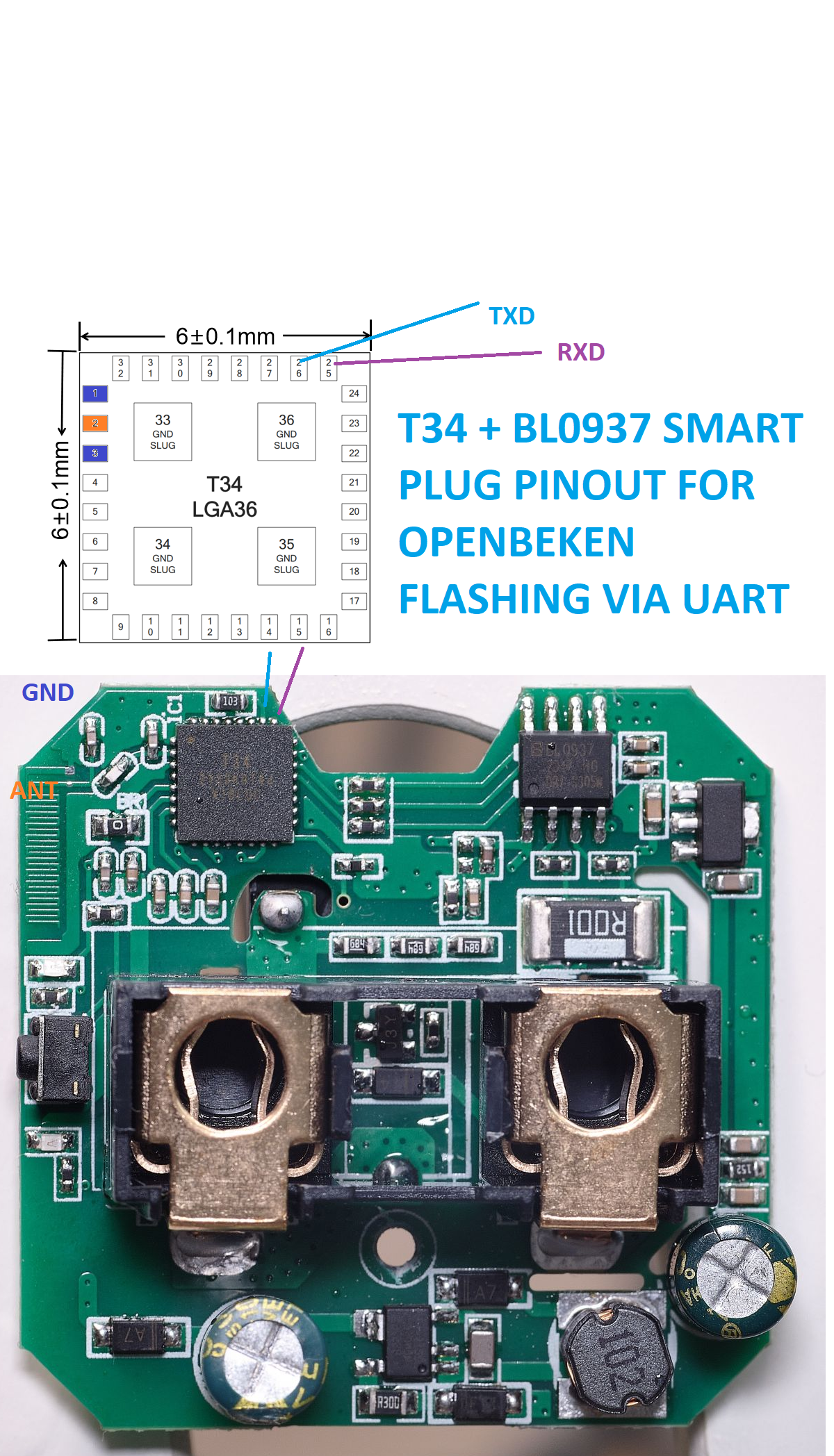
But first, let's consider T34 pins:
Pin No.
Symbol
I/O type
Description
1, 3, 32, 33, 34, 35, and 36
GND
P
Ground pins. 33, 34, 35, and 36 are the ground pads at the back of the chip.
2
ANT
I/O
External antenna with 2.4 GHz RF input and output.
4 and 5
VCCPA
P
RF PA power input. Voltage range: 3.0V to 3.6V. And 3.3V power supply is recommended.
6
VDDDIG
O
Digital power output. The voltage is about 1.2V.
7
VDDAON
O
Normally open power output. The voltage is about 1.2V.
8
VBAT
I
Chip main-power input. Voltage range: 3.0V to 3.6V. And 3.3V power supply is recommended.
9
CEN
I
The CEN pin of the chip, without a reset function. This pin is floating inside the chip.
10
P28/ADC4/RXEN
I/O
GPIO or ADC4 or set high during RF reception.
11
P14/SD_CLK/SCK/ANT0
I/O
GPIO, or CLK of SD, or SCK of SPI, or Bluetooth LE antenna control ANT0.
12
P16/SD_CMD/MOSI/ANT2
I/O
GPIO, or CMD of SD, or MOSI of SPI, or Bluetooth LE antenna control ANT2.
13
P15/CSN/ANT1
I/O
GPIO, or CSN of SPI, or Bluetooth LE antenna control ANT1.
14
P17/SD_D0/MISO/ANT3
I/O
GPIO, or D0 of SD, or MISO of SPI, or Bluetooth LE antenna control ANT3.
15
P26/ADC1/IRDA/PWM5
I/O
GPIO, or ADC1, or IR receiver or PWM5.
16
P24/ADC2/LPO_CLK/PWM4
I/O
GPIO, or ADC2, or low power clock 32.768K output, or PWM4.
17
P23/ADC3/TDO/F_SO
I/O
GPIO, or ADC3, or JTAG TDO, or flash data output when downloading with SPI.
18
P22/ADC5/CLK_26M/TDI/TXEN/F_SI
I/O
GPIO, or ADC5, or crystal frequency output, or JTAG TDI, or set high during RF transmission, or flash data input when downloading with SPI.
19
P21/ADC6/I2C1_SDA/TMS/F_CSN
I/O
Mode selection pin for selecting RF test firmware or app firmware. Pulling down this pin will enter the RF test mode.
20
P20/I2C1_SCL/TCK/F_SCK
I/O
GPIO, or SCL of I2C1, or TCK of JTAG, or the clock when flash is downloaded by SPI.
21
P6/CLK13M/PWM0
I/O
GPIO, or 1, 2, 4, and 8 frequency division output of crystal clock, or PWM0.
22
P7/WIFI_ACTIVE/PWM1
I/O
GPIO, or WIFI_ACTIVE control when Wi-Fi and Bluetooth coexist, or PWM1.
23
P8/BT_ACTIVE/PWM2
I/O
GPIO, or BT_ACTIVE control when Wi-Fi and Bluetooth coexist, or PWM2.
24
P9/BT_PRIORITY/PWM3
I/O
GPIO, or BT_PRIORITY control when Wi-Fi and Bluetooth coexist, or PWM3.
25
P10/DL_RX/UART1_RXD
I/O
GPIO, or RXD when downloading flash with UART, or RXD of serial port UART1.
26
P11/DL_TX/UART1_TXD
I/O
GPIO, or TXD when downloading flash with UART, or TXD of serial port UART1.
27
P1/UART2_RXD/I2C2_SDA
I/O
GPIO, or RXD of serial port UART2, or SDA of I2C2. P1 is used for self-calibration and cannot be used for other functions.
28
P0/UART2_TXD/I2C2_SCL
I/O
GPIO, or TXD of serial port UART2, or SCL of I2C2.
29
XI
I
T34 has a built-in crystal, and no external crystal is required.
30
XO
O
T34 has a built-in crystal, and no external crystal is required.
31
VSYS
O
System power output. Voltage range: 2.7V to 3.0V.
For flashing, you just need TX1, RX1 and power (GND and 3.3V).
T34 datasheet:
T34 Module...atform.pdf (741.56 kB)You must be logged in to download this attachment. In the next section, I'll present and flash a sample T34 device, so it can run free from the cloud and be paired with Home Assistant.
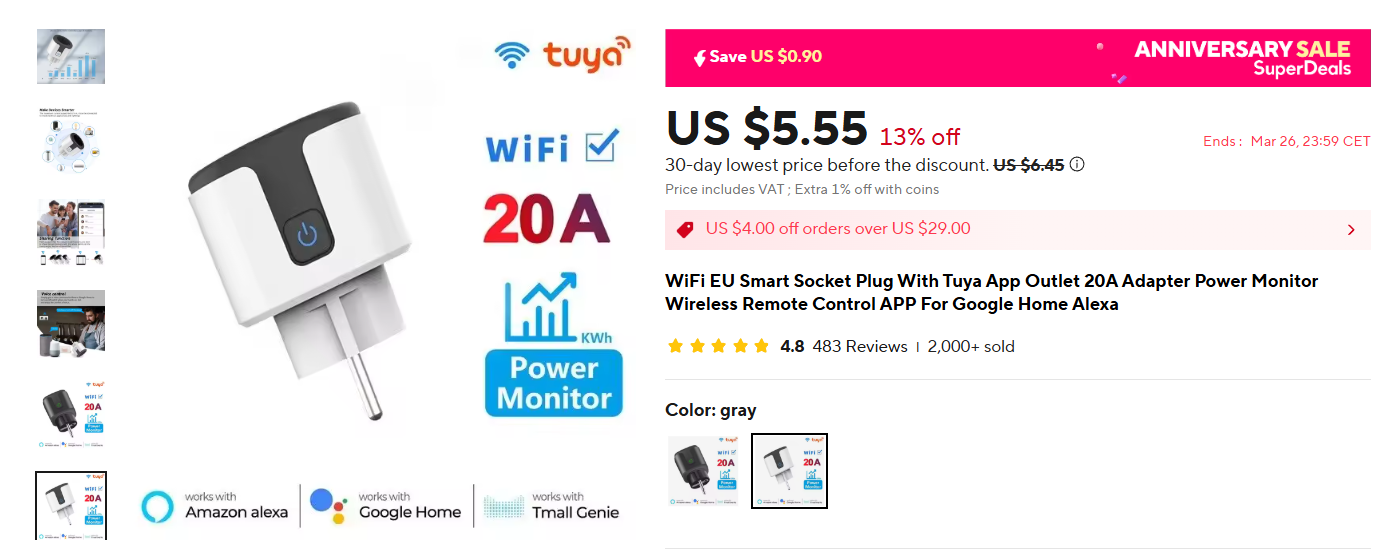
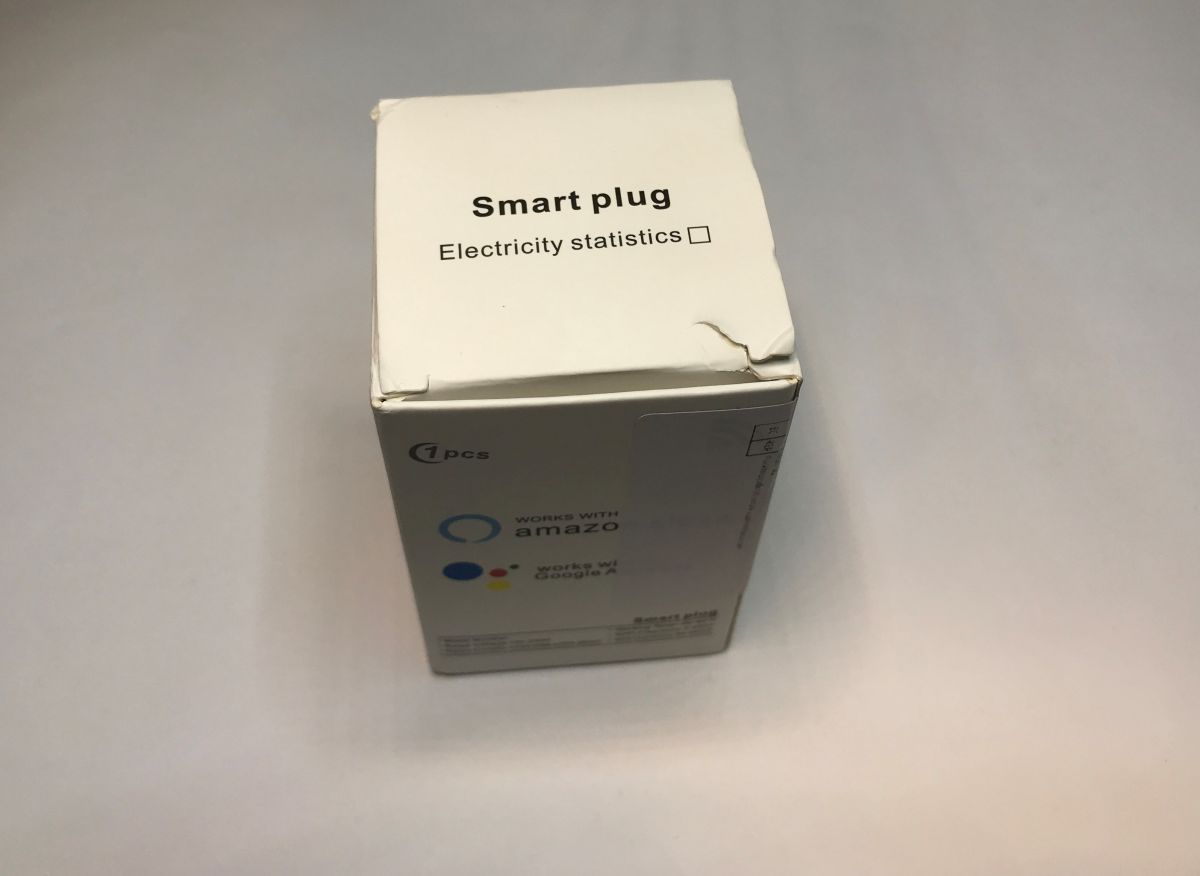
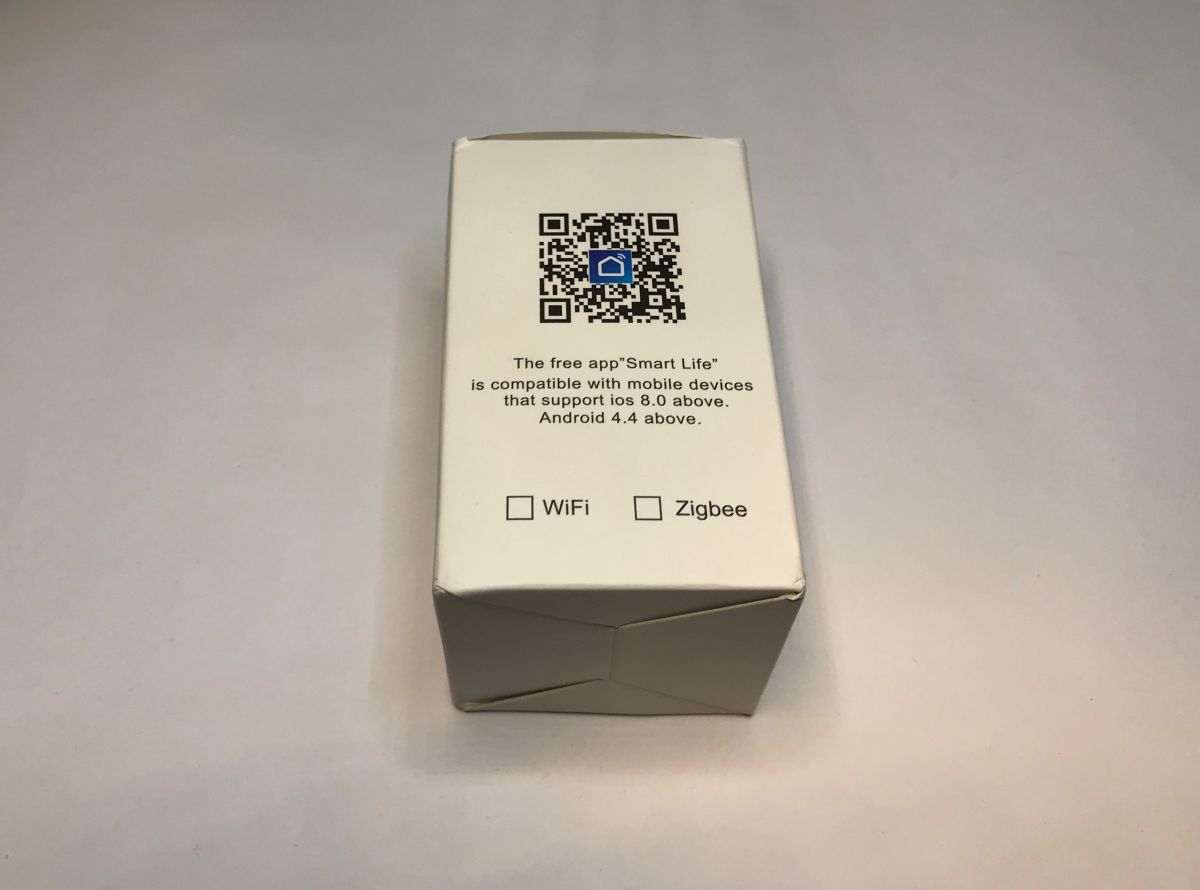
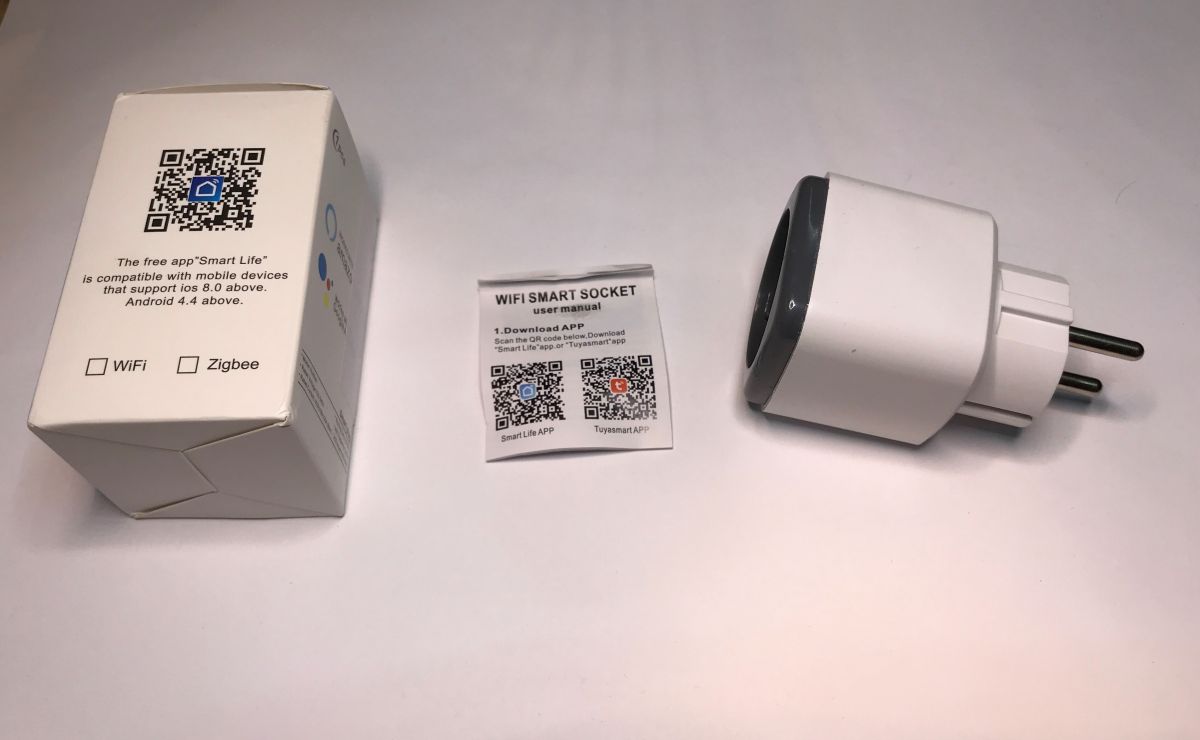
LSPA9 plug with T34 I've bought a very common plug on Aliexpress, which is sold for about 5$:
Plug is branded as QNCX.
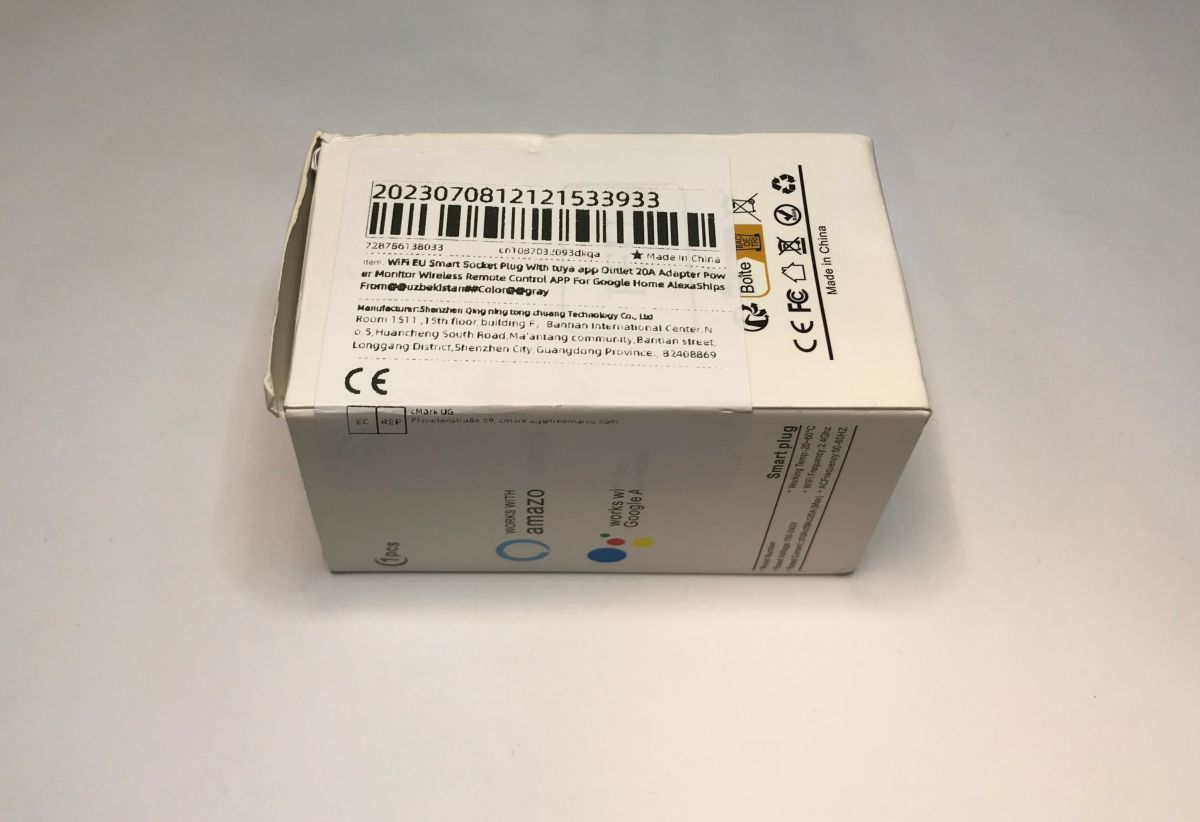
It arrived fairly quickly:
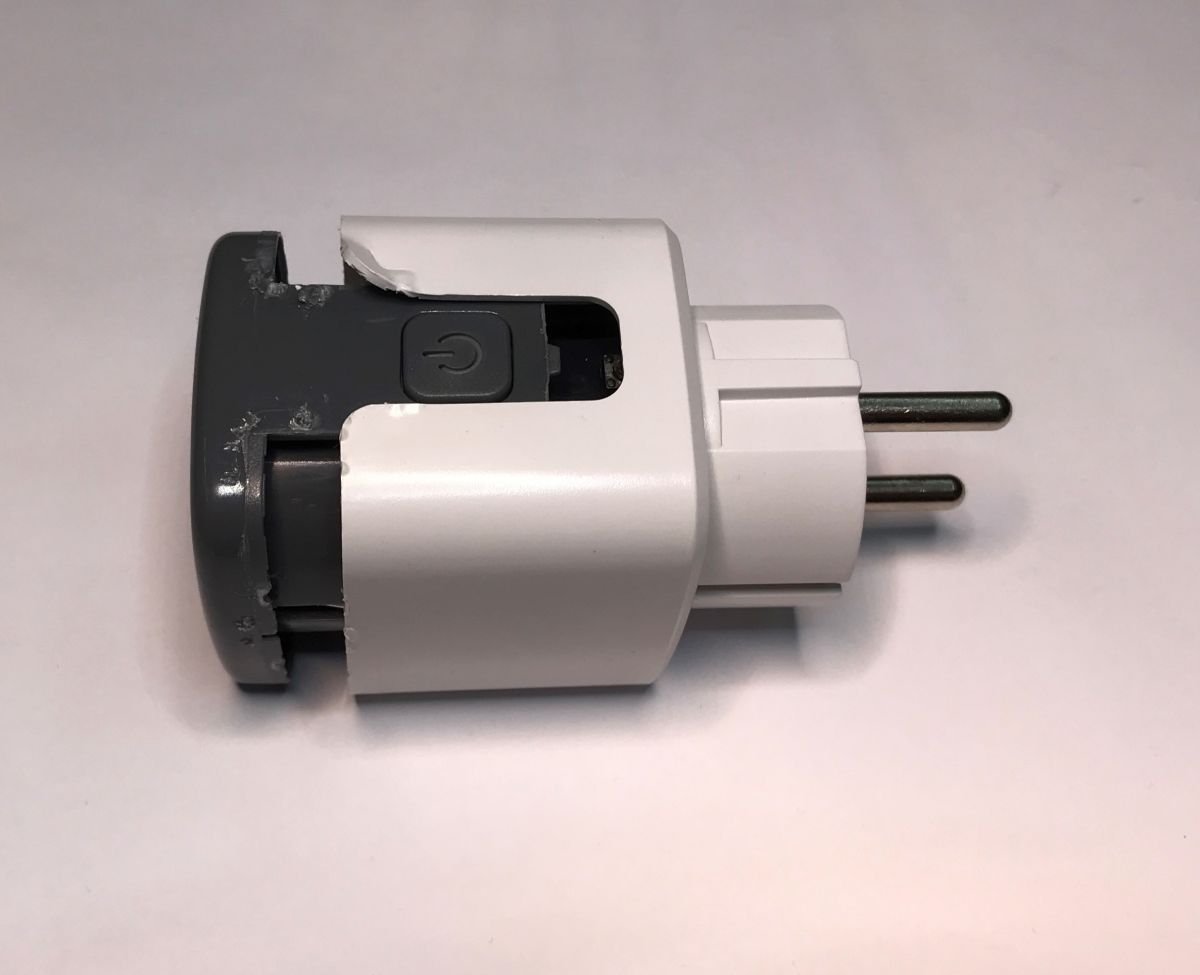
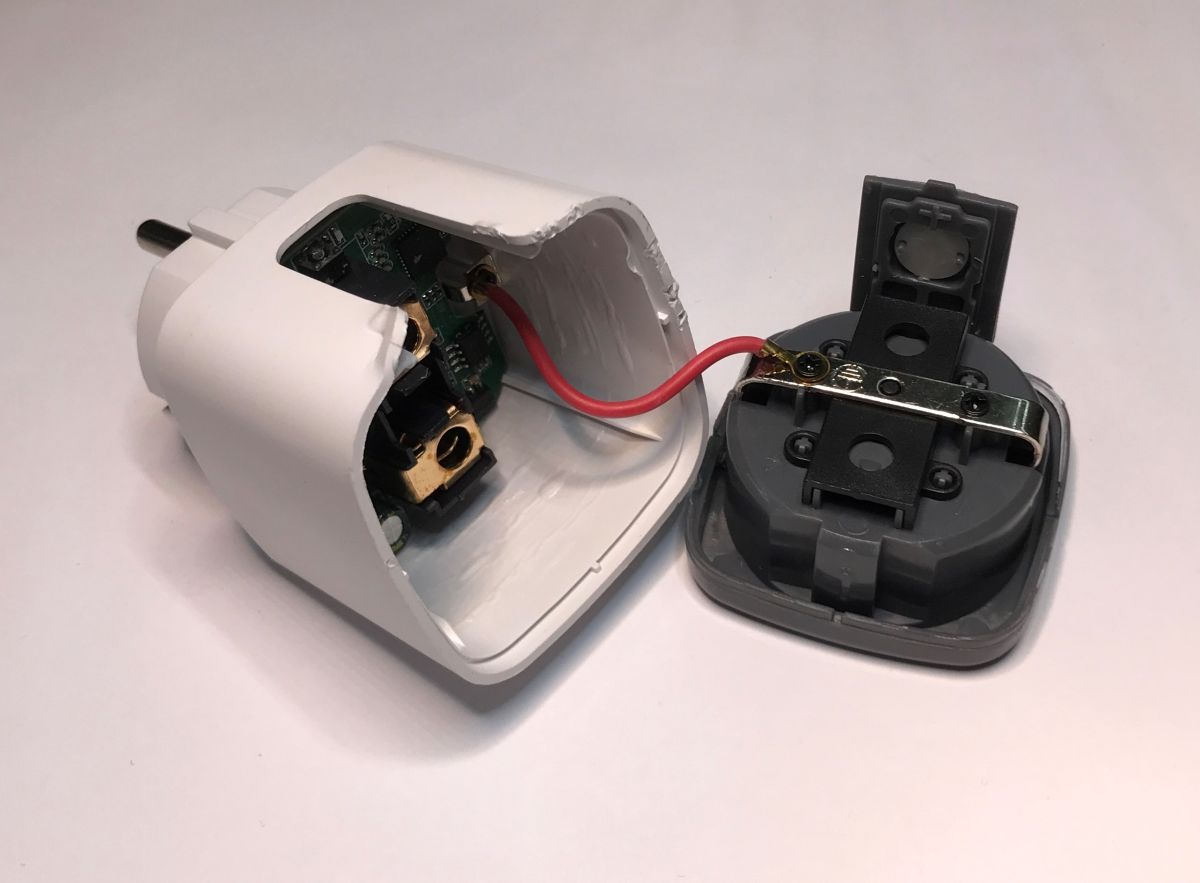
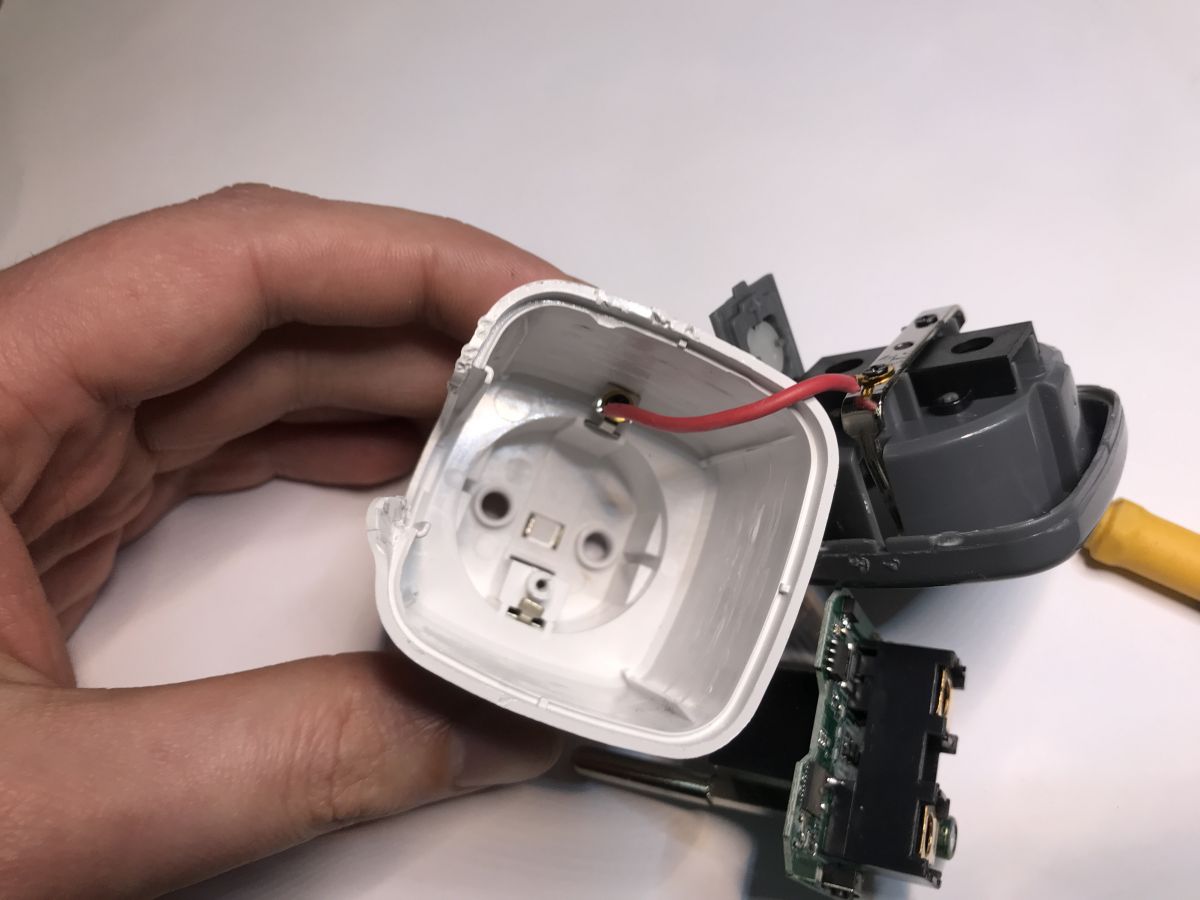
The device can be opened with vice or by prying, it may be sometimes hard or easy, it depends on how much glue manufacturer used.
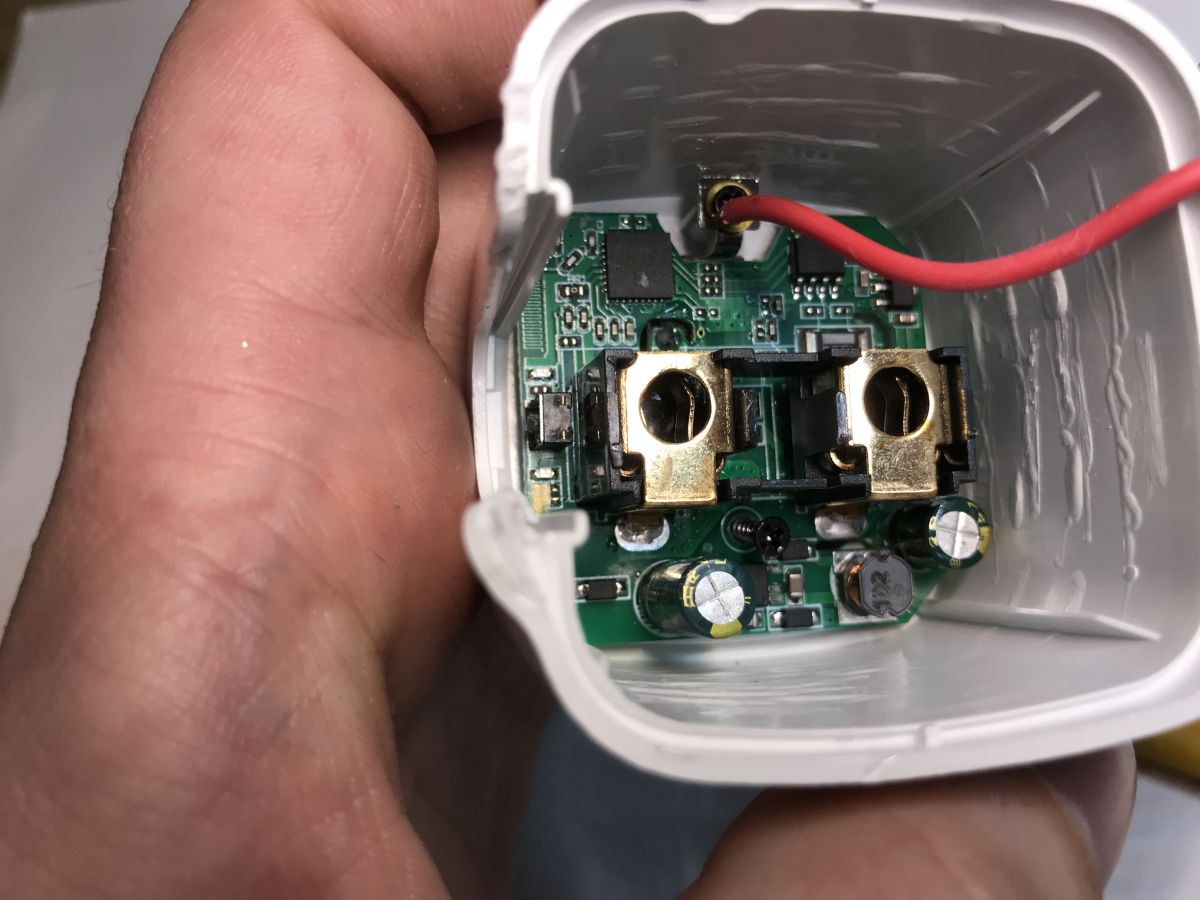
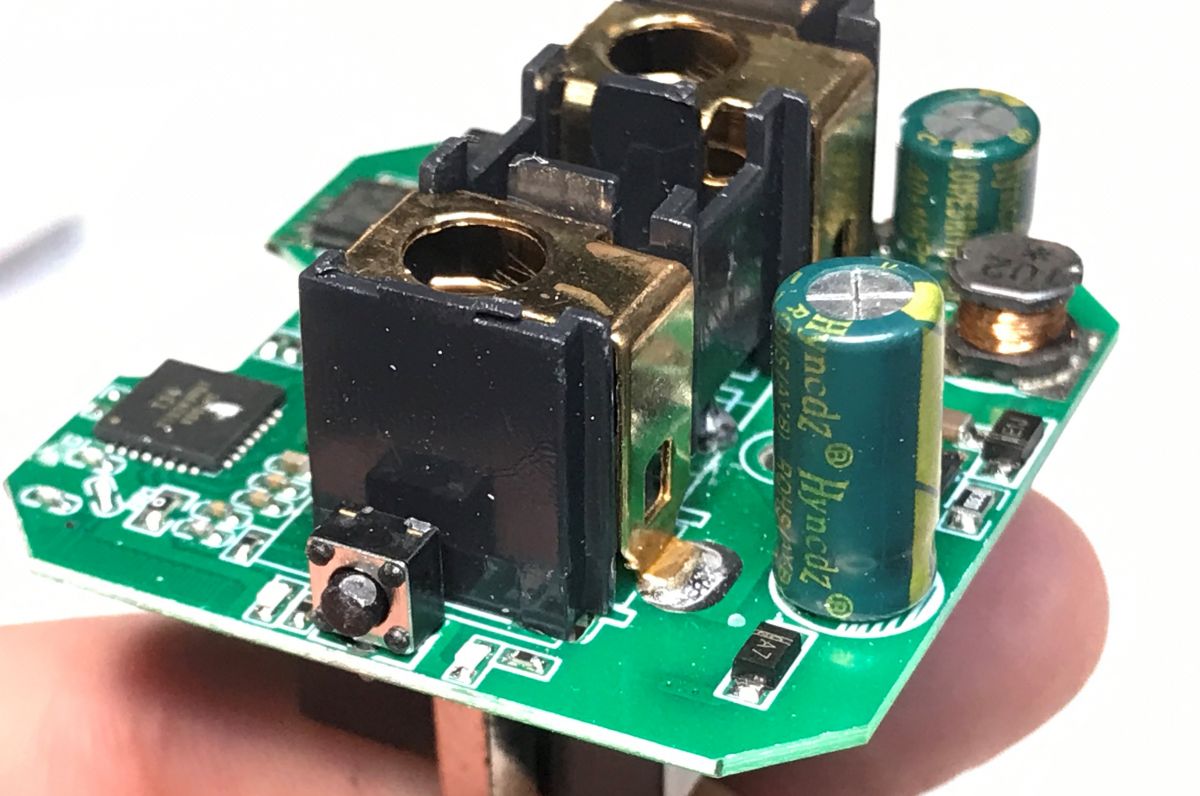
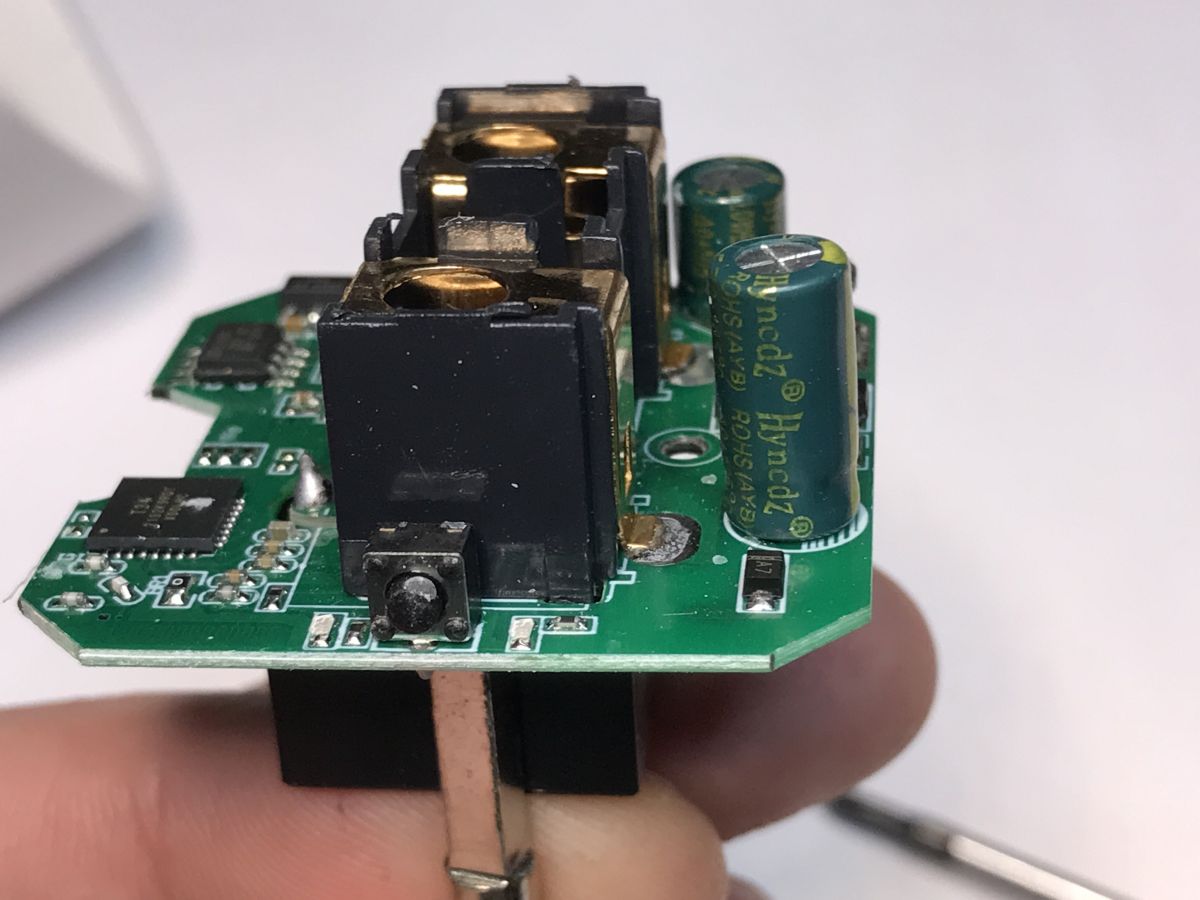
There is a single board inside, it can be removed by unscrewing one screw:
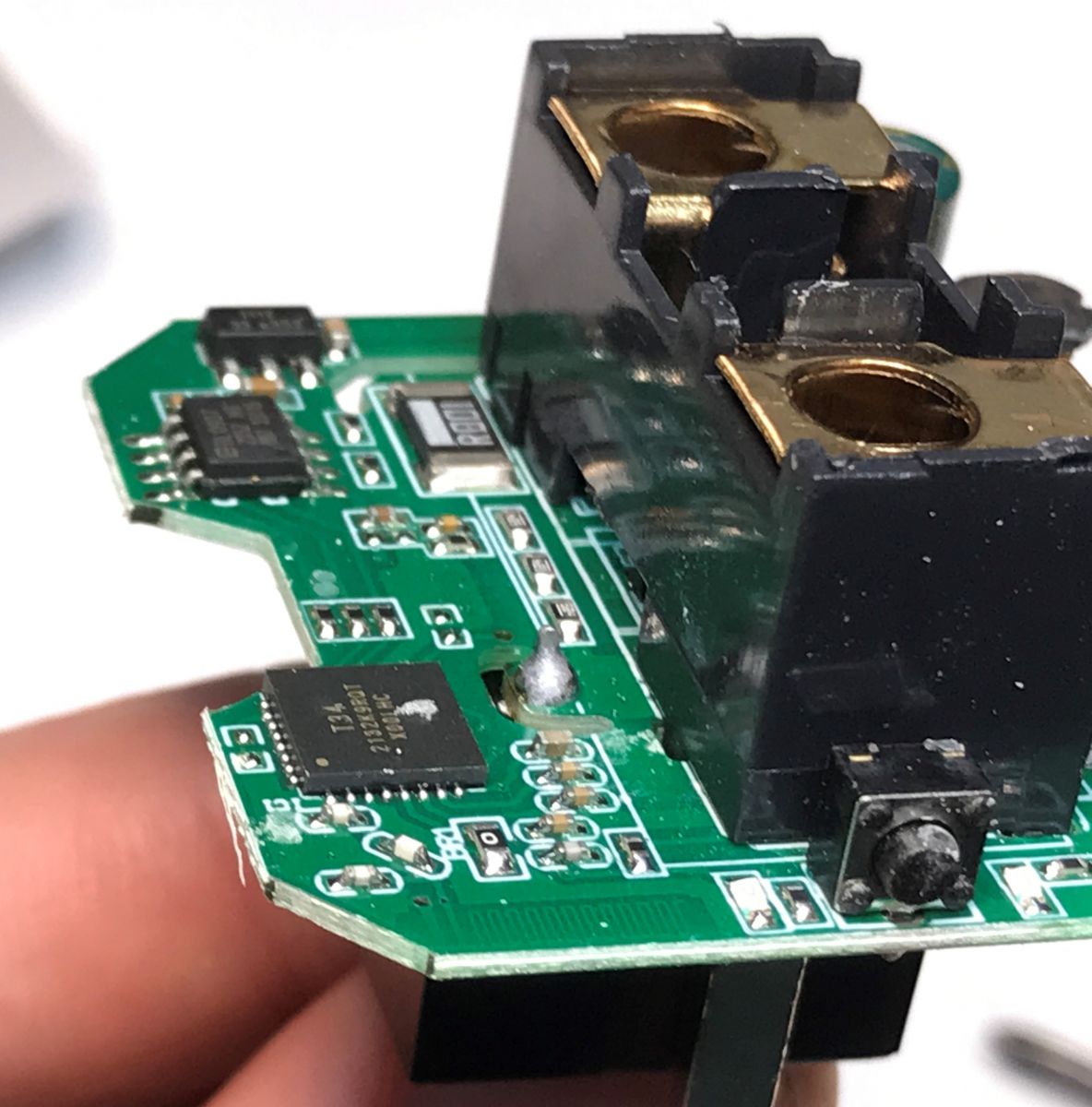
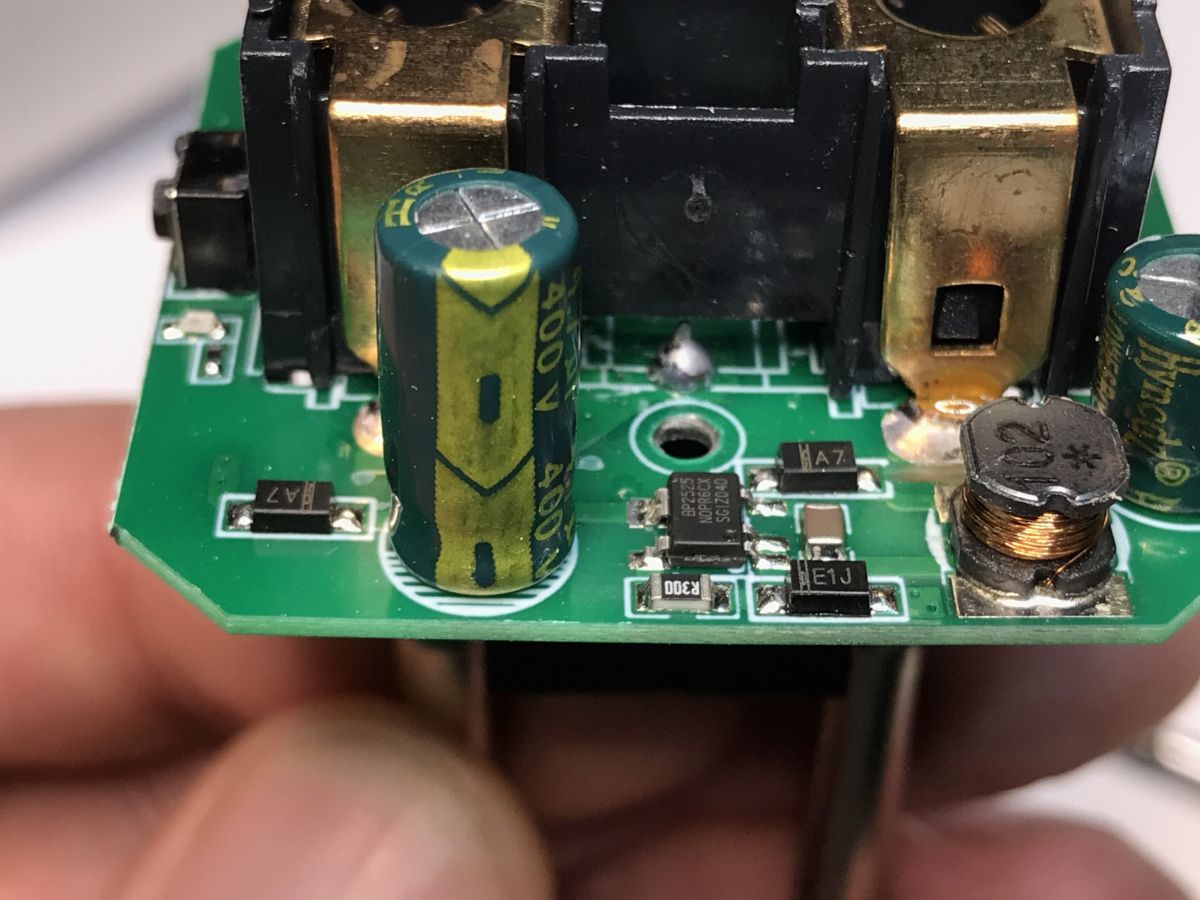
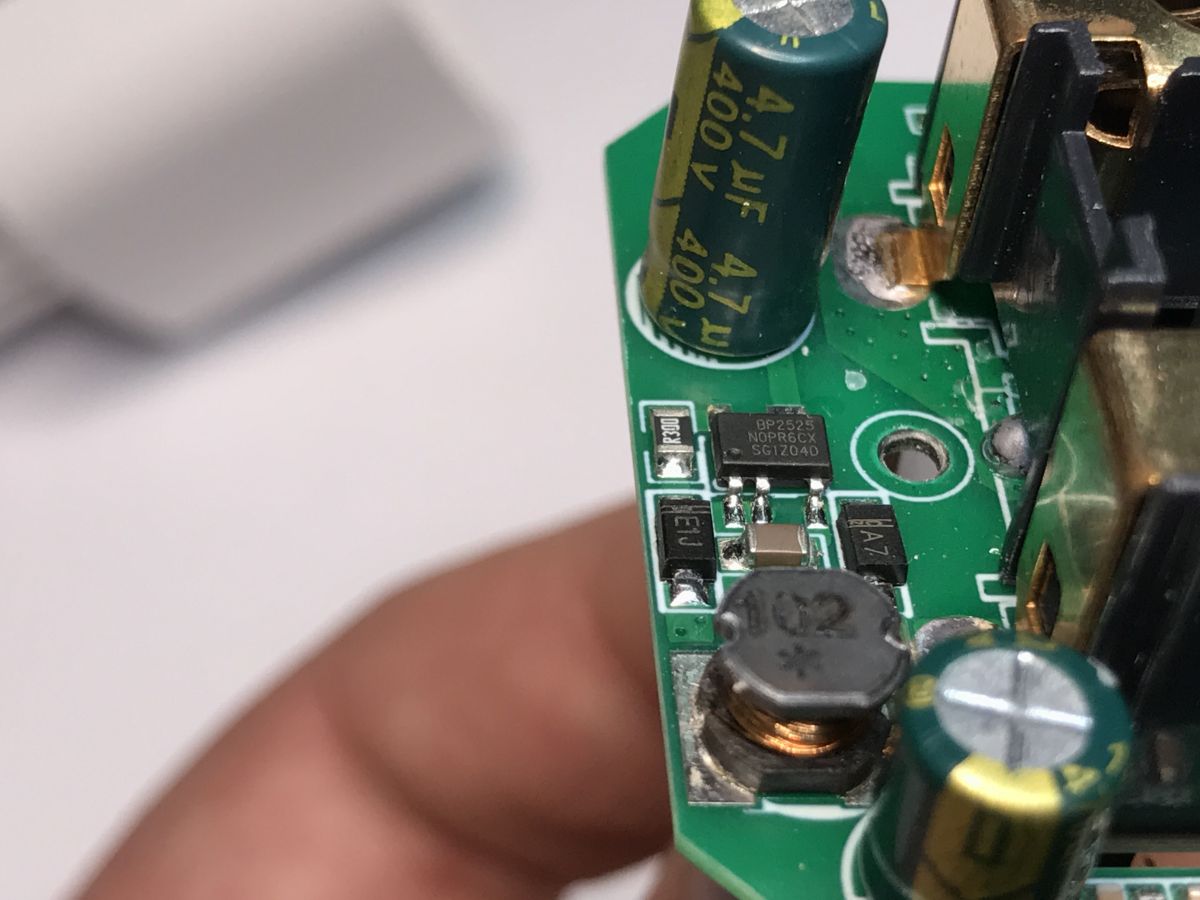
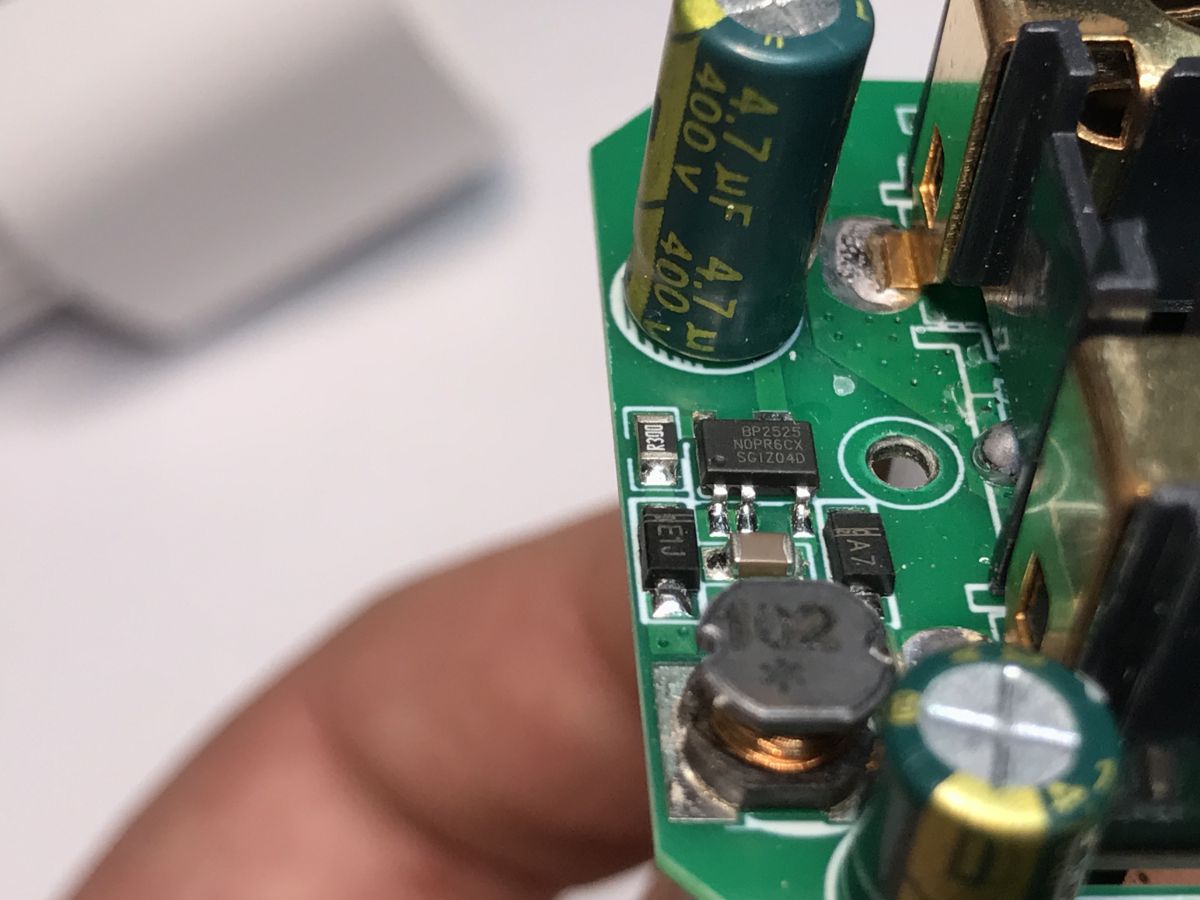
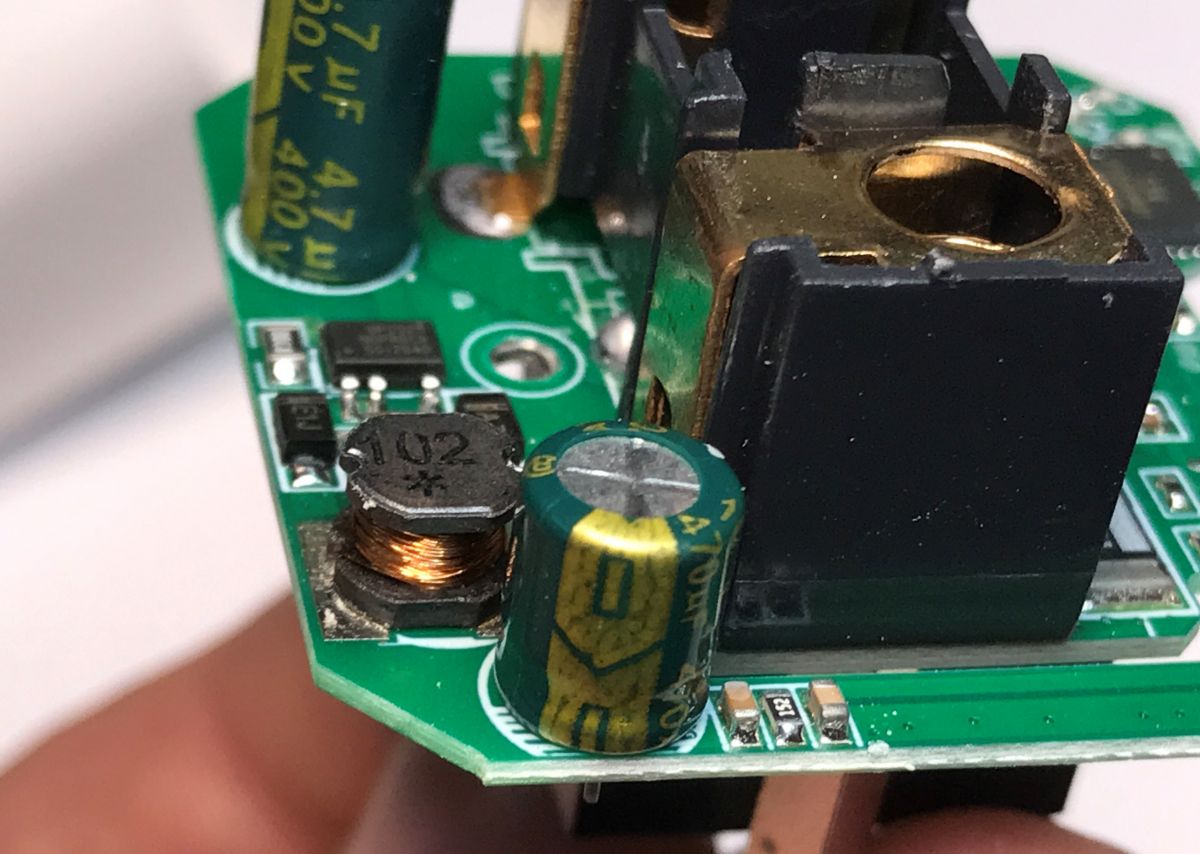
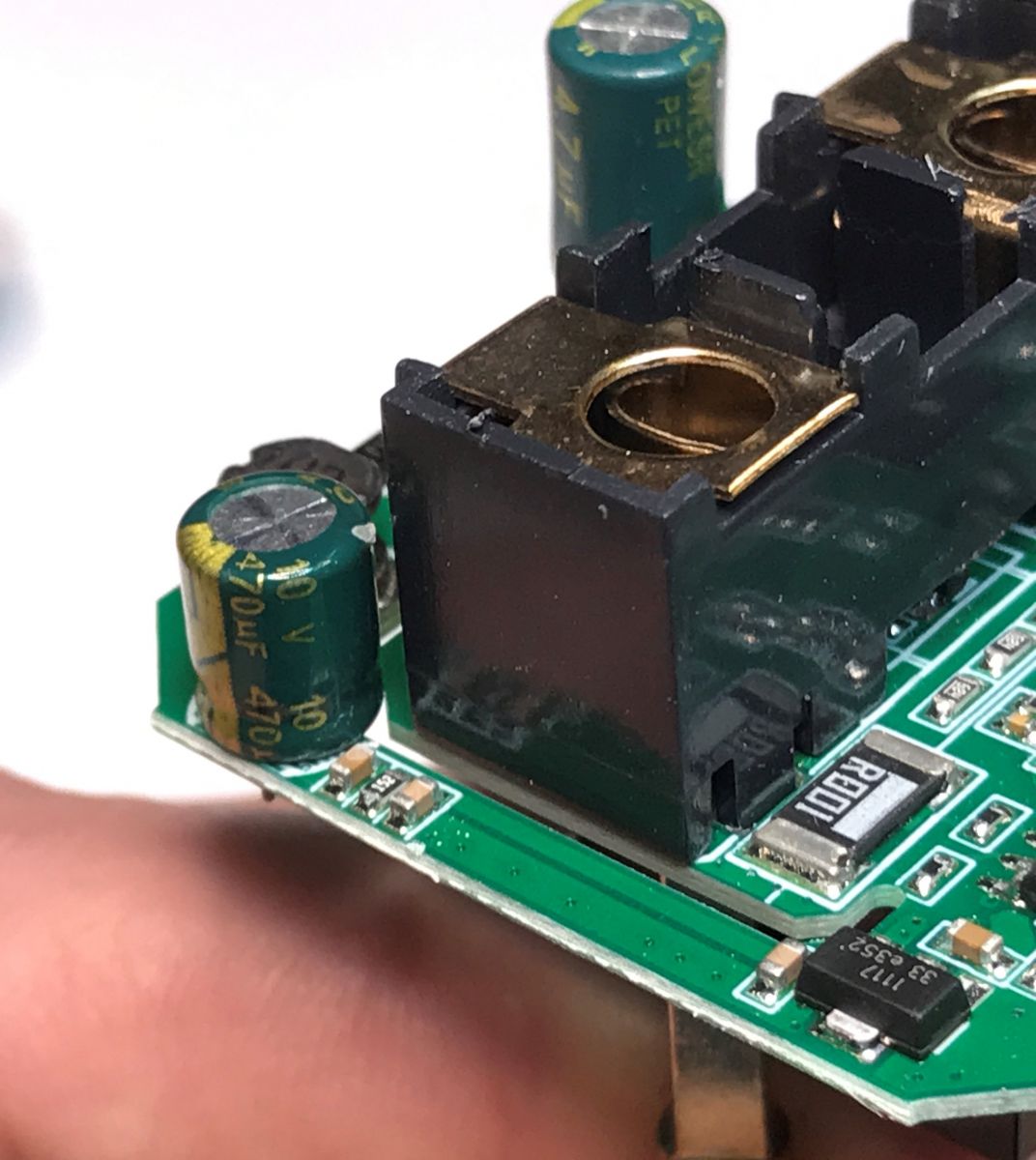
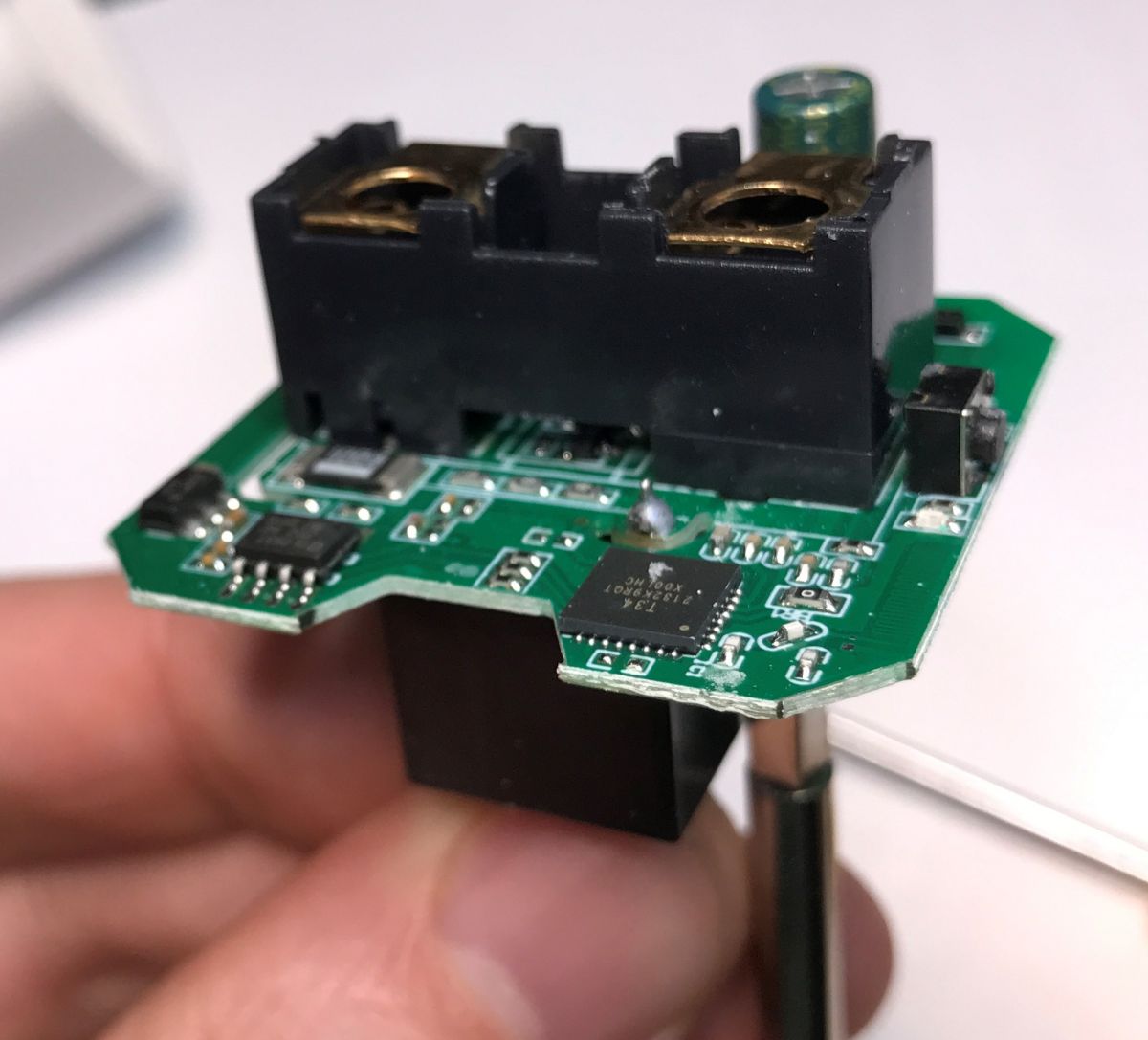
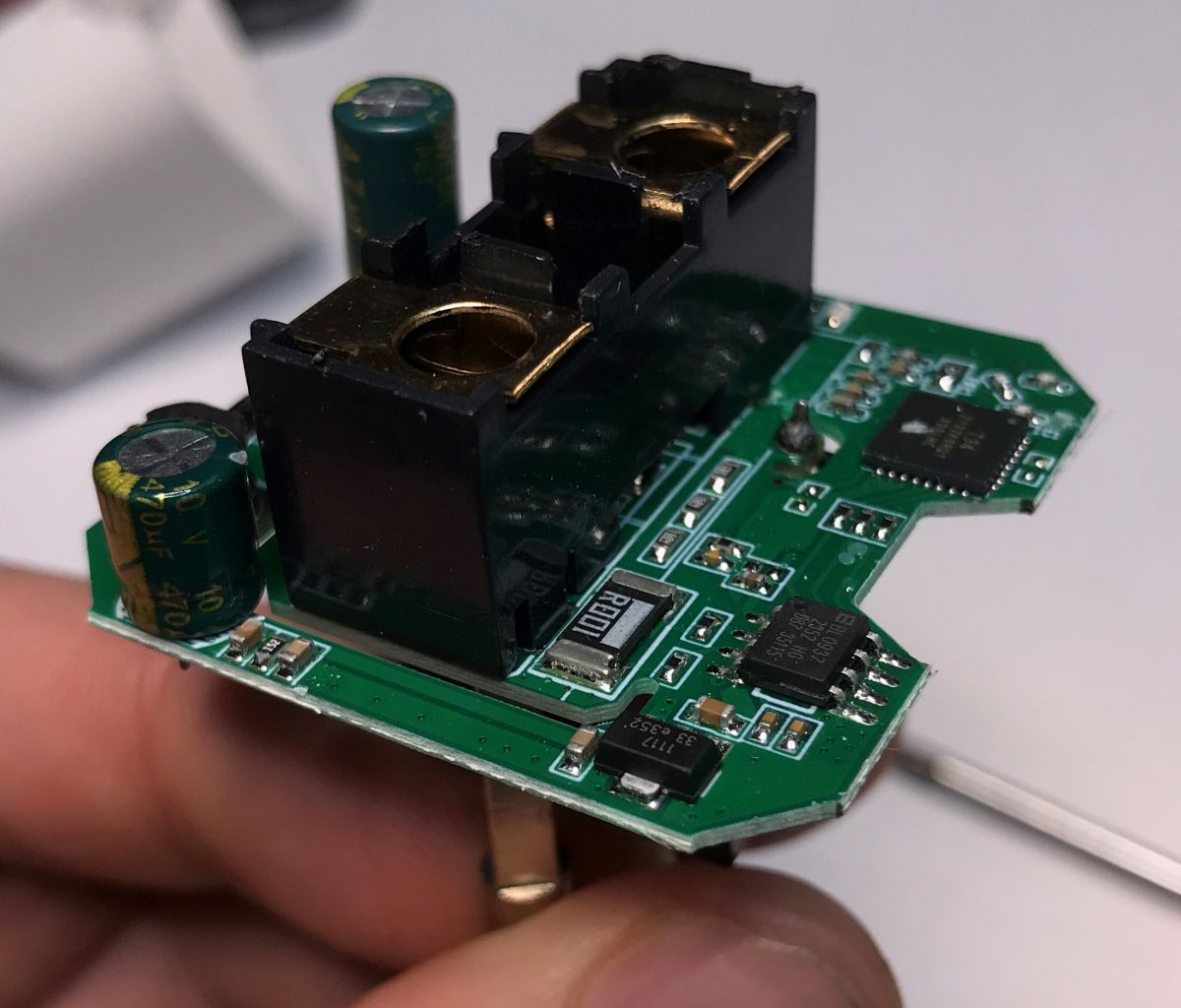
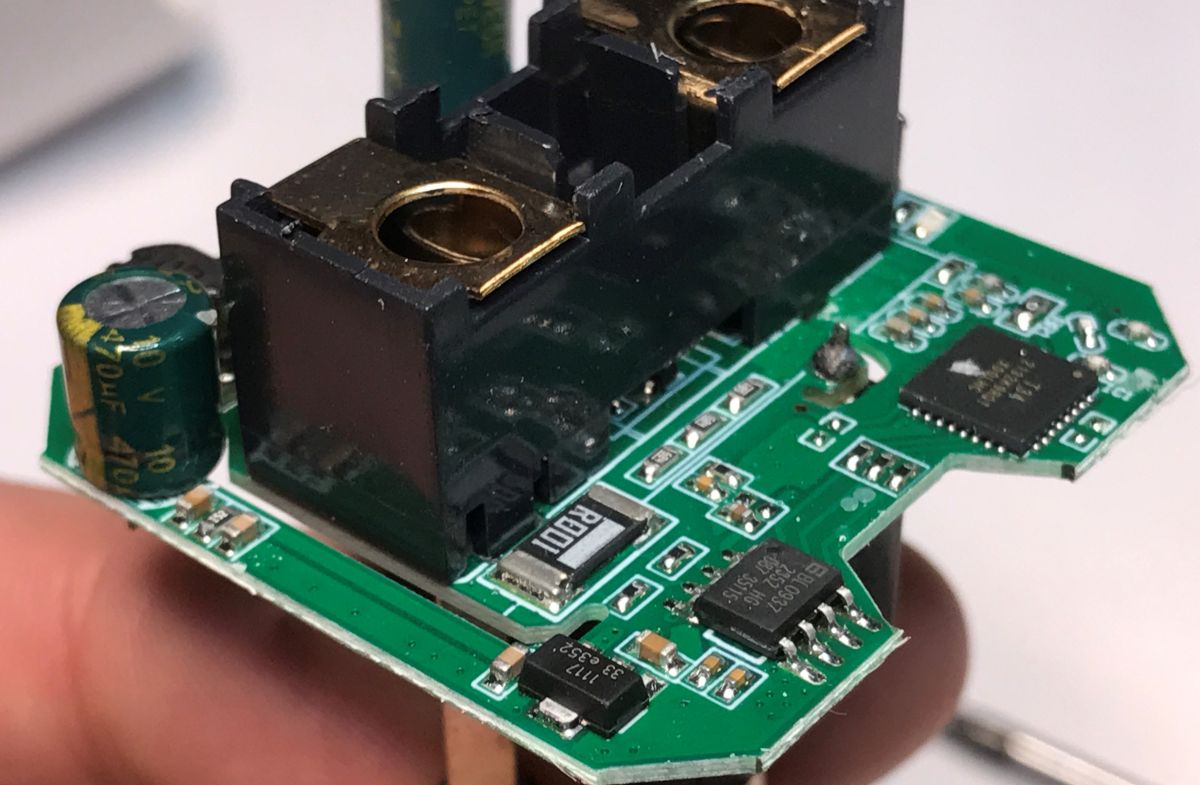
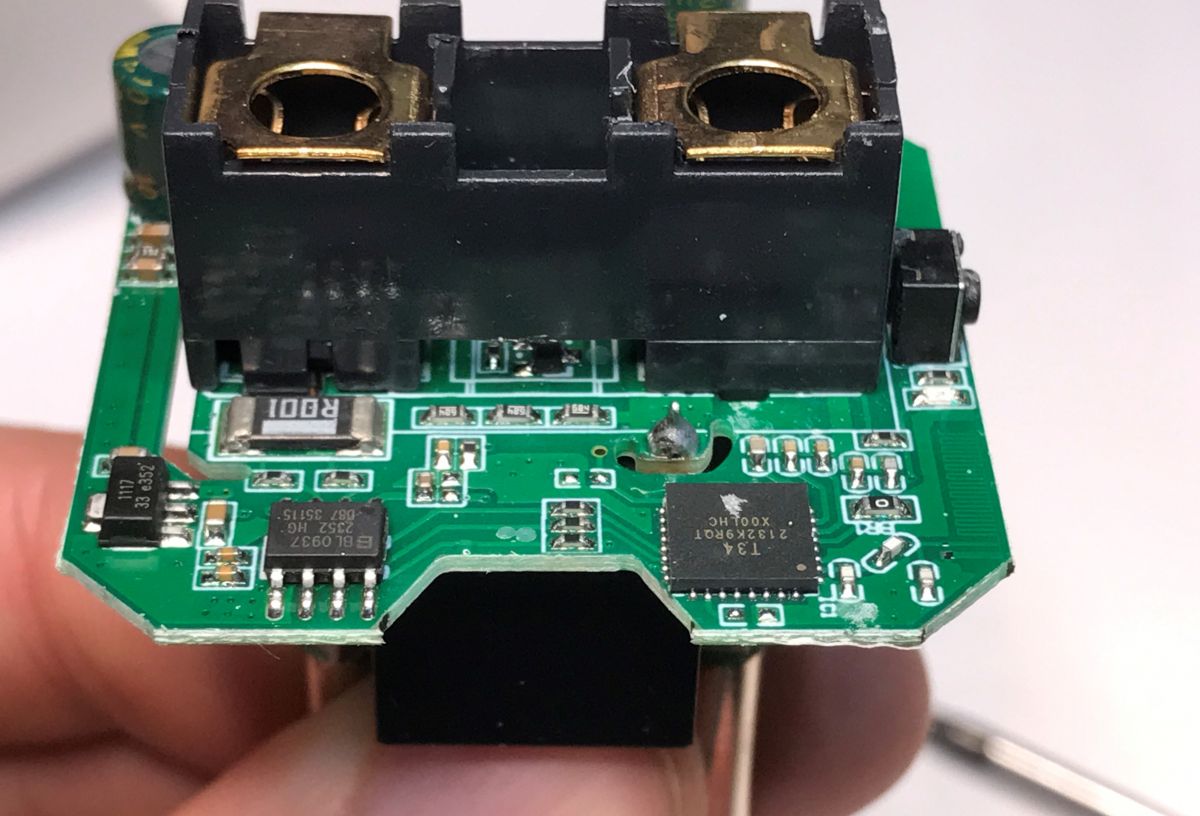
The device is using T34 chip along with BL0937 for power metering. Futhermore, there is a step down power supply based on BP2525 and a 3.3V LDO to get 3.3V for the WiFi chip.
Flashing attempt - how not to flash There are no RX/TX pads, but one of UART signals is routed to small SMD resistor pad. I've wanted to use this, as shown on image below:
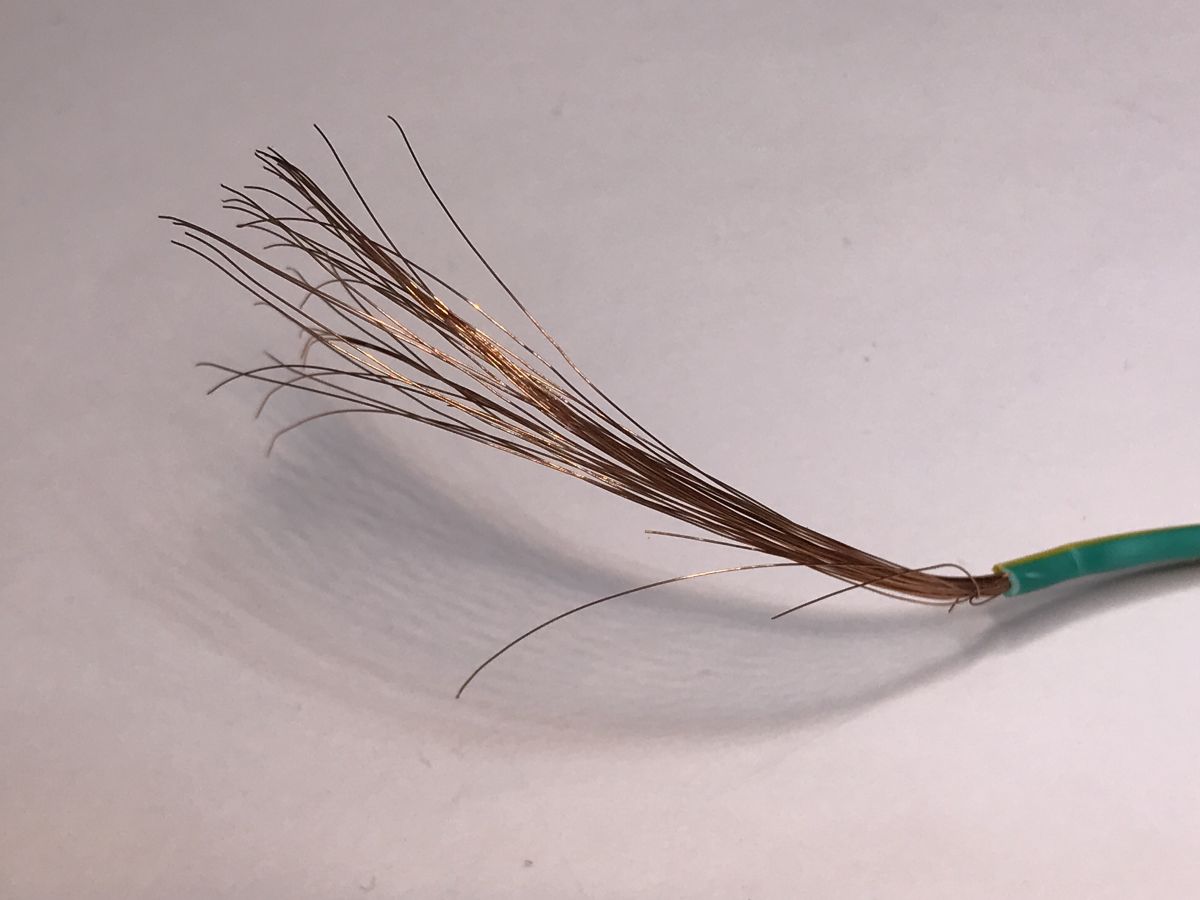
However, I've made a small mistake and used too large wires:
Ultimately, one of the pads fell off and I had to take a different approach.
So, if you are attempting this, use thinner wires! Like this:
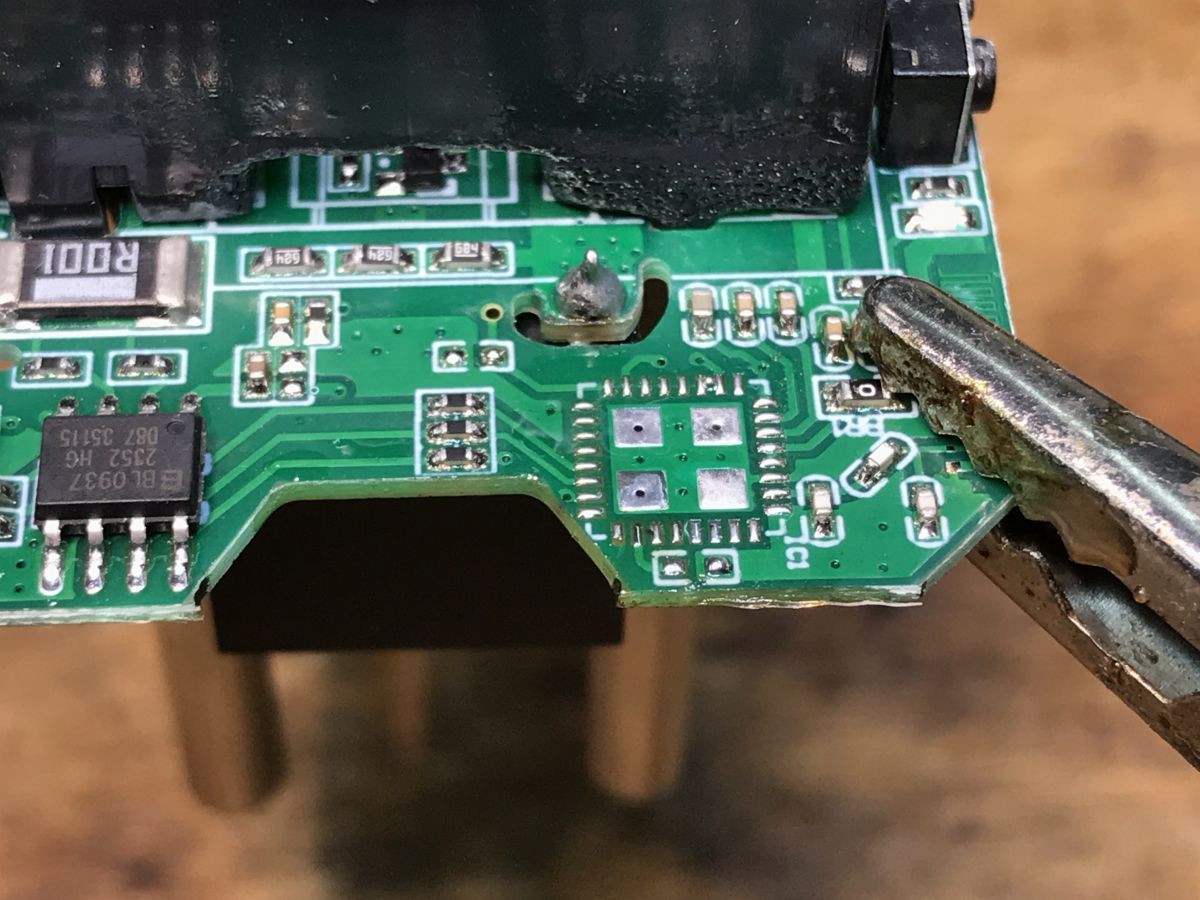
Second flashing method And so, I had to remove the T34 from the board with hot air. I added some extra flux and lowered the air flow to avoid affecting nearby components.
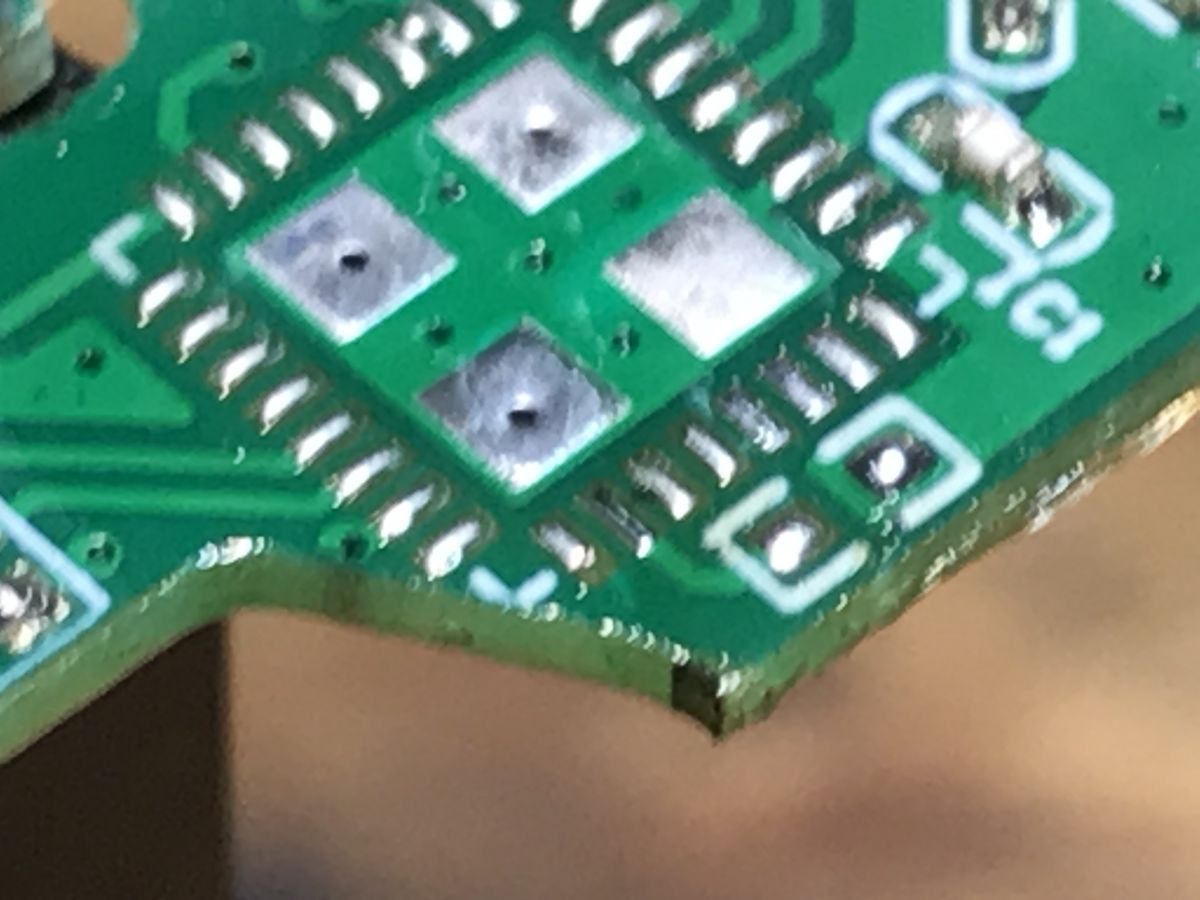
Here you can see the pad that I damaged (not the resistor pad, but the tiny pad of the other UART pin):
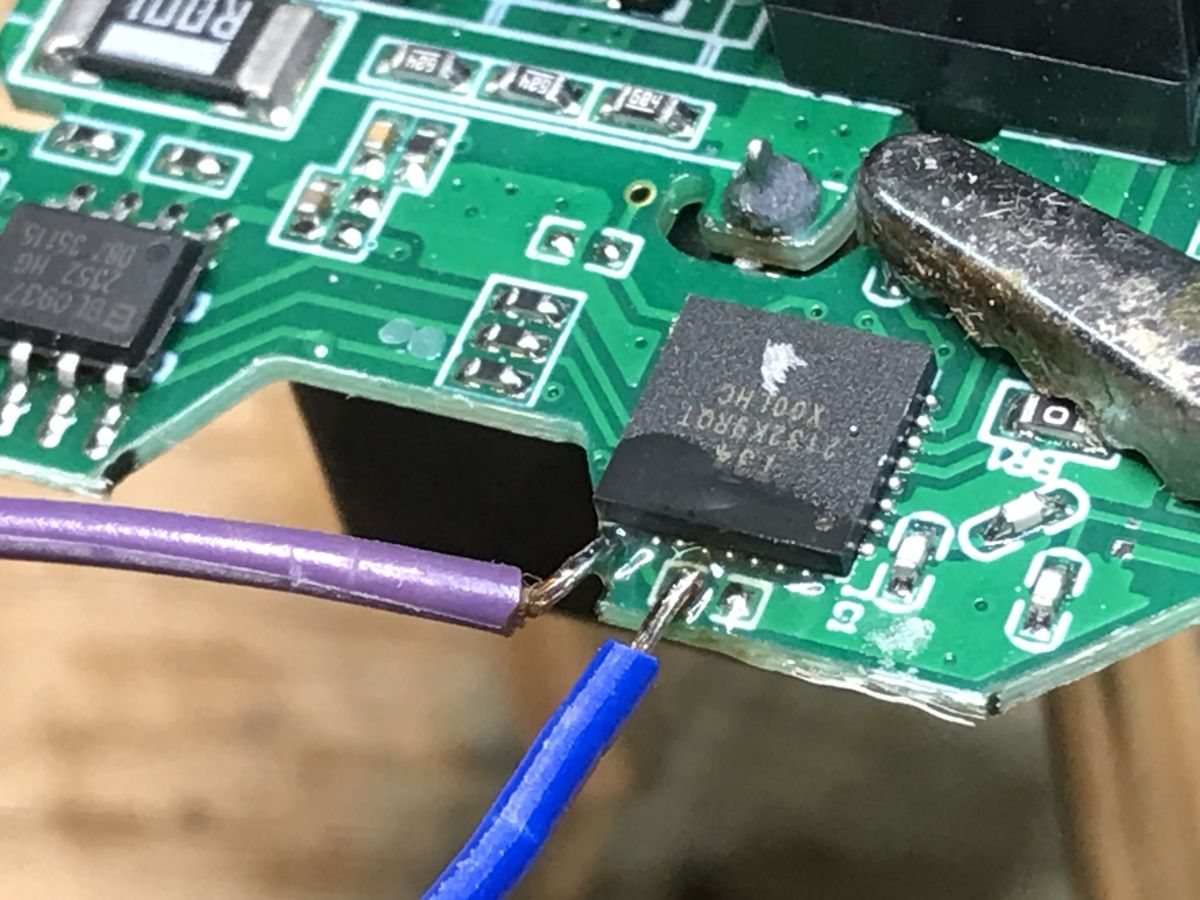
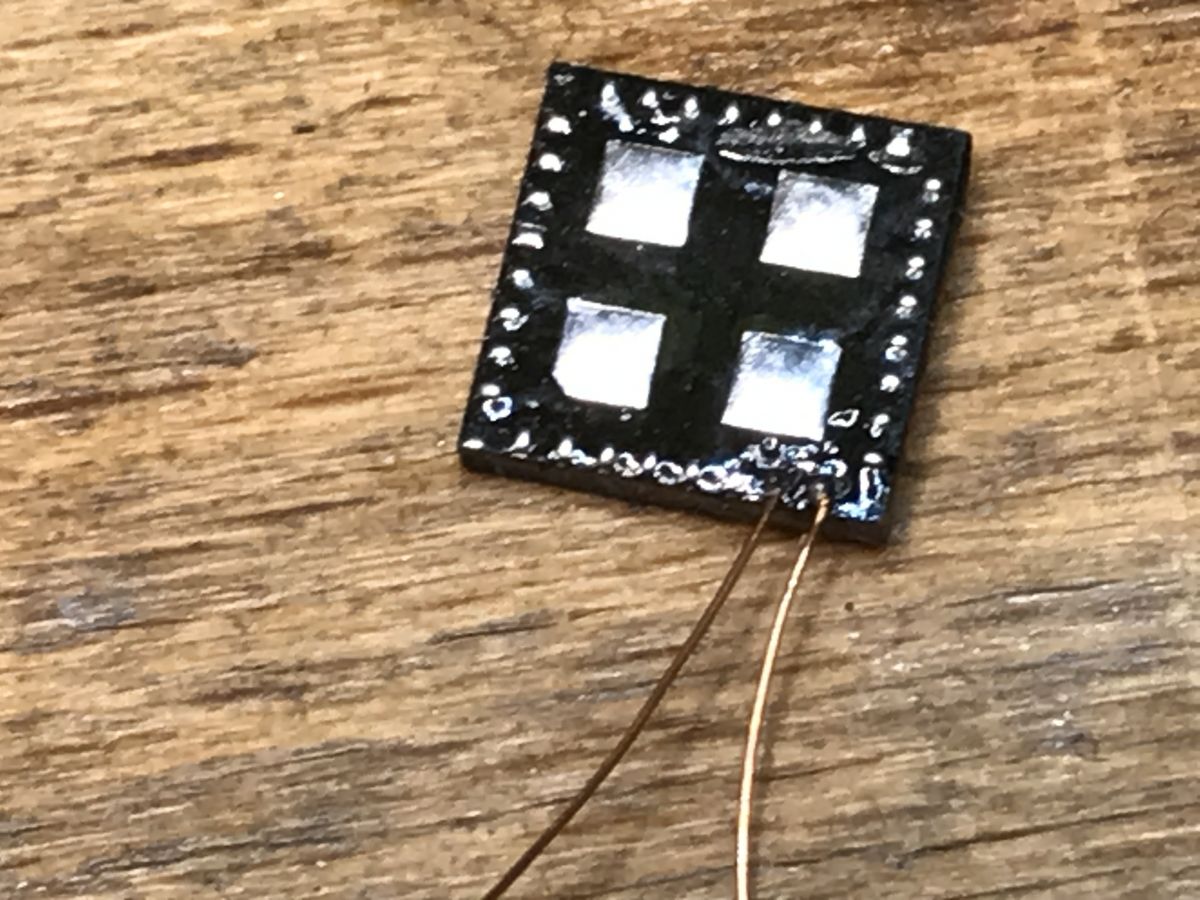
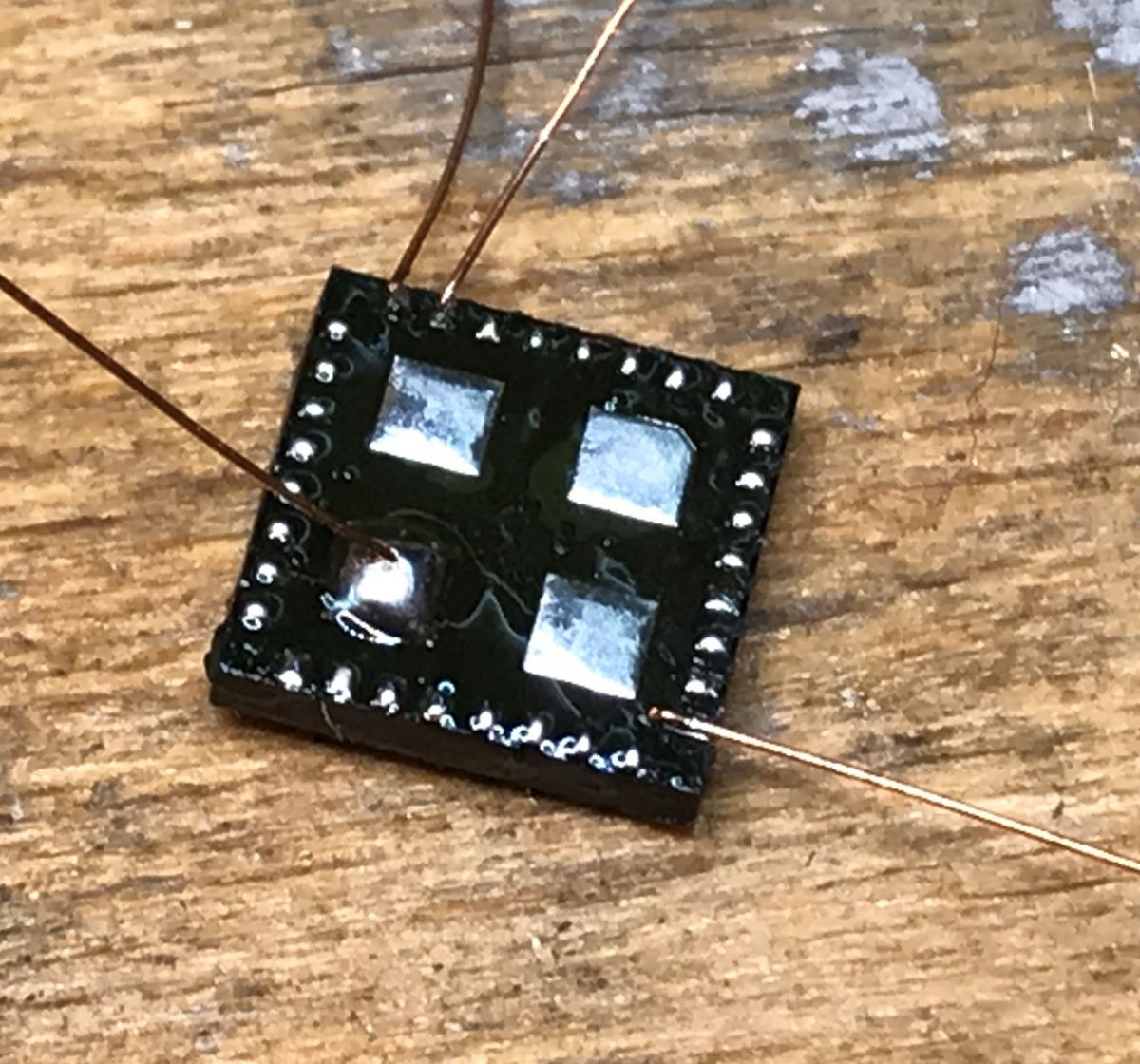
Then I decided to solder directly to QFN pads, but this time I used thin wires:
It is also recommended to secure them in place with some hot glue or sticky tape, because it's still very easy to tear the pad.
Here's UART soldered:
And then ground (large pad) and power (3.3V):
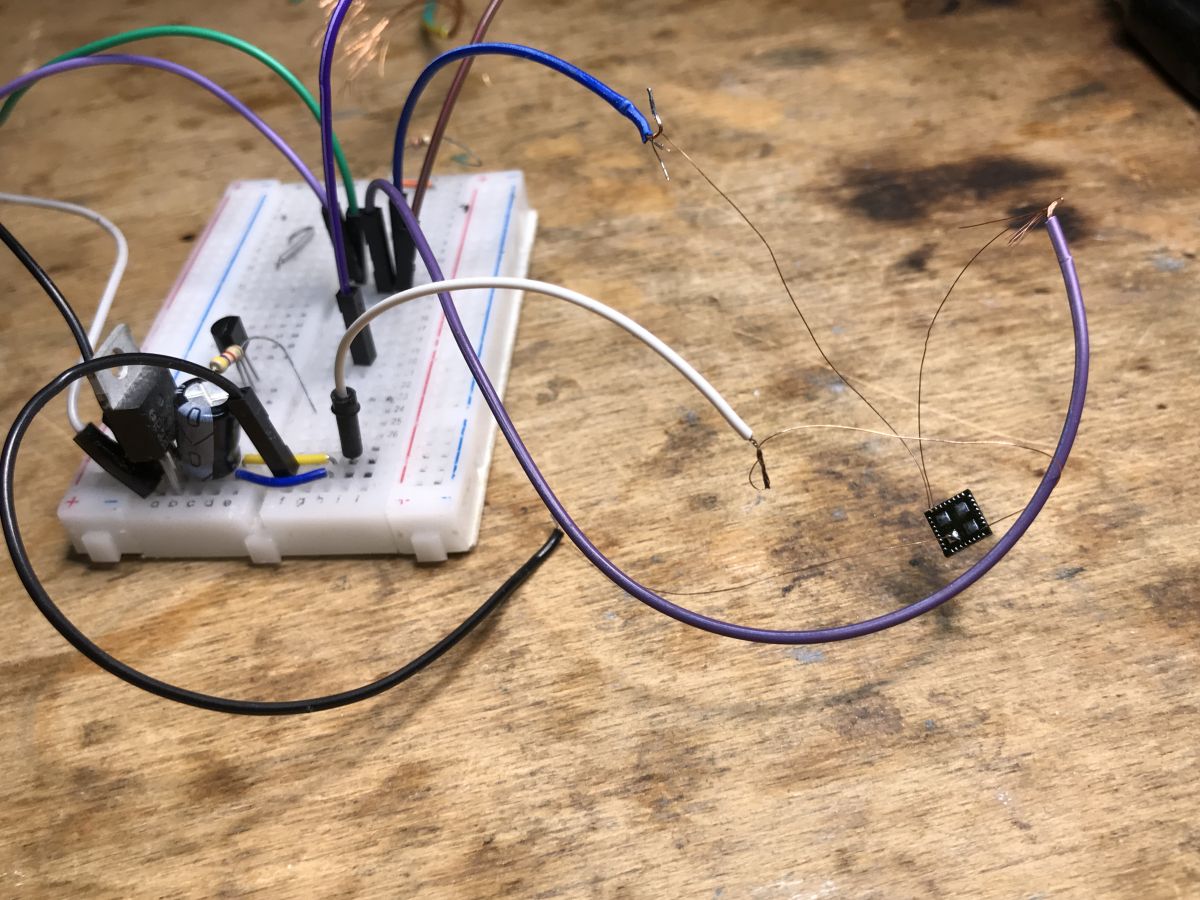
Full circuit:
For flashing, I've used our GUI tool:
https://github.com/openshwprojects/BK7231GUIFlashTool This is how I performed the power on/off cycle:
Sadly it's not possible to check if WiFi access point is available after flashing. That's why I decided to solder it back in place without doing extra checks.
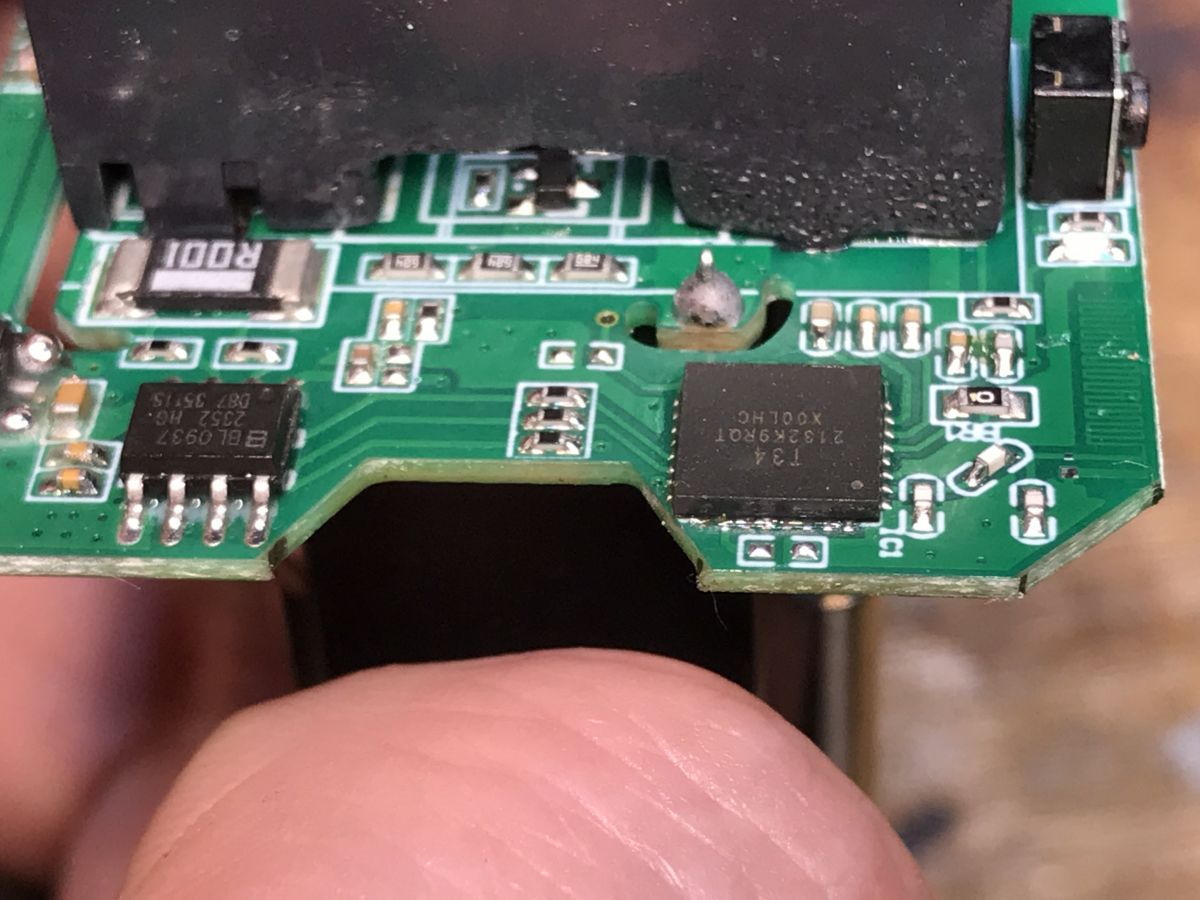
I cleared up the T34 pads with flux and solder wick. Then I added flux on the PCB and decided to reuse the solder that was already there.
After a brief heating, with a small air flow, the module has slightly moved itself in place and seated itself correctly. I had no corrections to do myself.
Luckily the soldering turned out to be very easy and device worked at the first try.
I've used template from here: https://www.elektroda.com/rtvforum/topic4042412.html#21030449 Everything is working correctly.
Summary New devices with T34 devices are still certainly flashable, you can do that just like you'd flash BK7231N.
This particular plug can be still flashed without desoldering T34, you don't even need hot air, just a cheap soldering iron, but don't repeat my mistake and use a very thin wires to access UART TX and RX. Then you can just feed either 5V to the input of AMS1117-3.3V or 3.3V to the output and it will flash just fine.
Otherwise you'll need to desolder T34 chip with hot air. It's still possible and in my opinion it's actually way more easy than it seems. Soldering to T34 pads is also relatively easily, as long as you use flux and a correct type of wire. Just don't apply force or you'll rip them too. It may be safer to secure T34 wires in place with some hot glue to avoid pulling them accidentally.
Soldering T34 back is also easy, I just cleared T34 pads with soldering wick and added flux to the board, I didn't even clean the old solder. Old solder melted just fine. I will try to make a video with it soon, but that's for another topic.
So, summing up, T34 devices are still flashable and it's still possible to do it in most cases even without hot air. Did you encounter any T34 devices so far? Let us know! We can help you with running your devices 100% local, without the cloud and with Home Assistant.
About Author
p.kaczmarek2 wrote 14755 posts with
rating 12881 , helped 659 times.
Been with us since 2014 year.
here's a list of forum thread entry points for devices with T34. Each taken from the device list. No doubt some threads will be packed with the experiences of multiple people's efforts.
Flashing... [Read more]
p.kaczmarek2
20 Mar 2025 09:46
Thanks, this makes me now wonder, when did we see the first occurence of T34, either on Elektroda or in general?
i also saw recently mentions of BK7231NL [Read more]
divadiow
20 Mar 2025 10:51
isn't NL some power-optimised version of the N SDK? We see it on battery-powered devices mainly I thought?
Added after 10 [minutes]:
BK7231NL
https://airtake-public-data-1254153901.cos.ap-shanghai.myqcloud.com/smart/embed/pruduct/BK7231NL_0.0.1.zip
https://airtake-public-data-1254153901.cos.ap-shanghai.myqcloud.com/smart/embed/pruduct/BK7231NL_0.0.2.zip
https://airtake-public-data-1254153901.cos.ap-shanghai.myqcloud.com/smart/embed/pruduct/BK7231NL_0.0.3.zip
https://airtake-public-data-1254153901.cos.ap-shanghai.myqcloud.com/smart/embed/pruduct/BK7231NL_0.0.4.zip
https://airtake-public-data-1254153901.cos.ap-shanghai.myqcloud.com/smart/embed/pruduct/BK7231NL_0.0.5.zip
https://airtake-public-data-1254153901.cos.ap-shanghai.myqcloud.com/smart/embed/pruduct/BK7231NL_0.0.6.zip... [Read more]
p.kaczmarek2
25 Oct 2025 17:29
It seems there are more and more devices with T34 with even no accessible pads. I'll make a separate teardown soon.
https://obrazki.elektroda.pl/5220204200_1761405526_thumb.jpg https://obrazki.elektroda.pl/5823065100_1761405526_thumb.jpg... [Read more]
Blisk
04 May 2026 09:14
Thank you for this tutorial I also have few smart power plugs with this chip and I will try to flash openbeken.
When I flashed tasmota on other smart power plug I need to put GPIO00 to ground and after... [Read more]
p.kaczmarek2
04 May 2026 10:24
That's a good idea, thank you! I will try this next time.
Regarding GPIO0 - no, there is no GPIO0 for Beken. Just supply power from good power supply, connect RX and TX, and do power off/on to reboot.
Of... [Read more]
Blisk
04 May 2026 10:49
I see GND is at the bottom of the chip. Where at the top I can find GND? [Read more]
p.kaczmarek2
04 May 2026 11:32
There are many ways to find GND. You can use LDO regulator as a reference:
https://obrazki.elektroda.pl/2997903400_1777887062_bigthumb.jpg
Or you can find bulk capacitors and use their ground side.
... [Read more]
Blisk
04 May 2026 14:37
thank you for info. I just ripped off a pad so I have unsoldered chip and now I will try this way. Just one more question what I should flash on that T34 a BK7231T or BK7231N?
I tried to flash what I... [Read more]
p.kaczmarek2
05 May 2026 08:28
T34 is BK7231N. Getting bus failed is normal, because while it's getting bus, you need to reset the plug - usually via disconnecting 3.3V wire (or 5V one ,depending on how you connected it). Basically,... [Read more]
Blisk
05 May 2026 13:40
I did that I have unpluged 3.3V and than plug it back but still the same error bus failed
Added after 3 [hours] 29 [minutes]:
I manage to flash openbeken on chip and soldered it back and now smart... [Read more]
Blisk
11 May 2026 15:19
I have tried to flash this chip on board and it looks like I burned the chip. Is it possible to buy that chip or some simillair which will work if I just replace that chip?
Is there any slot, where I... [Read more]
p.kaczmarek2
26 May 2026 14:44
I think T34 can't be bought that easily, it would be much easier to get another smart switch for 1-2$, depending on current special deals on Ali.
That's a good idea, but there are no dedicated slots... [Read more]
Blisk
26 May 2026 14:51
smart plugs on Ali are about 6$, don't know where did you see 2$
And I don't like to solder chip on it, just snap it and than connect it. [Read more]
FAQ
TL;DR: For modders flashing T34 smart plugs, the chip is 6×6×0.85 mm and, as the teardown author warns, "use thinner wires" on UART pads. T34 behaves like BK7231N, so OpenBeken flashing usually needs only TX1, RX1, 3.3V, and GND; the main risk is ripping tiny pads on pad-less QFN boards. [#21486284]
Why it matters: This FAQ helps repair, flash, and rework T34-based smart plugs without destroying fragile UART connections.
Method
Needed access
Tools
Main risk
Best use
Direct board wiring
Exposed UART point or resistor pad
Fine iron, very thin wire
Pad tear-off
Fastest when pads exist
Direct QFN-pad wiring
No usable RX/TX pads
Hot air, flux, thin wire
Damaging chip pads
Recovery method when board pads fail
Re-soldering module
Removed T34 module
Hot air, flux, solder wick
Misalignment or nearby reflow
Final restoration after off-board flashing
Key insight: T34 devices remain flashable like BK7231N, but mechanical technique matters more than firmware compatibility. Thin wire, strain relief, flux, and low airflow prevent most failures. [#21486284]
Quick Facts
T34 is a Wi‑Fi + Bluetooth combo chip with a BK7231N core in a 6±0.1 mm × 6±0.1 mm × 0.85±0.1 mm package, which reduces board area and manufacturing cost. [#21486284]
Power rails are tightly defined: VBAT 3.0–3.6 V, VCCPA 3.0–3.6 V, VDDDIG about 1.2 V, VDDAON about 1.2 V, and VSYS 2.7–3.0 V. [#21486284]
The example LSPA9/QNCX plug sold for about $5 and used three notable support chips: BL0937 for energy metering, BP2525 for step-down power, and AMS1117-3.3V for the Wi‑Fi rail. [#21486284]
For flashing, the author states you can inject either 5 V at the AMS1117-3.3V input or 3.3 V at its output, as long as UART TX/RX and GND are connected correctly. [#21486284]
What is the T34 Wi-Fi and Bluetooth combo chip, and how is it related to the BK7231N?
T34 is a Wi‑Fi and Bluetooth combo chip that integrates a BK7231N core, crystal, RF matching network, and other support parts inside one small SMD package. Its body measures 6±0.1 mm by 6±0.1 mm by 0.85±0.1 mm. The important practical point is firmware compatibility: the teardown author states T34 is compatible with BK7231N firmware, so it can be flashed with OpenBeken like a BK7231N-based board. [#21486284]
How do you flash a T34 module with OpenBeken using UART TX1, RX1, 3.3V, and GND?
You flash it the same way as a BK7231N module, using UART and 3.3 V power. 1. Solder to TX1, RX1, GND, and a 3.3 V source. 2. Connect those wires to a UART flashing setup and use the BK7231 GUI Flash Tool. 3. Power-cycle the module during the flashing attempt, then reassemble or re-solder the module if you removed it. The thread’s direct guidance is simple: only TX1, RX1, GND, and 3.3 V are required. [#21486284]
Which T34 pins are needed for flashing, and what do the key pins like VBAT, CEN, P10, and P11 do?
The flashing-critical pins are power, ground, and the UART download pins. VBAT, pin 8, is the main chip power input at 3.0–3.6 V, with 3.3 V recommended. CEN, pin 9, is the chip-enable pin and is described as floating internally, without a reset function. P10, pin 25, is DL_RX/UART1_RXD, and P11, pin 26, is DL_TX/UART1_TXD. In practice, those two UART pins plus GND and 3.3 V are the minimum flashing set. [#21486284]
Why do T34 UART pads rip off during soldering, and what's the best wire size and technique to avoid damaging them?
The pads rip off because they are tiny SMD landing points and thicker wire adds too much mechanical force. In the failed attempt, one pad detached after the author used wire that was too large. The fix was explicit: “use thinner wires,” then secure them so movement does not pull the pad. The safest technique is to use very thin wire, plenty of flux, almost no pulling force, and strain relief with hot glue or tape before moving the board. [#21486284]
What's the safest way to solder directly to T34 QFN pads when a smart plug has no accessible RX/TX pads?
The safest method is to remove the module first, then solder very thin wires directly to the QFN edge pads with strain relief. 1. Lift the T34 with hot air, extra flux, and low airflow. 2. Solder thin UART wires to the exposed QFN pads, then add GND and 3.3 V. 3. Fix the wires with hot glue or tape so they cannot tug on the pads. That method was used successfully after a board UART pad was damaged. [#21486284]
How do you remove and re-solder a T34 module with hot air without disturbing nearby components?
Use extra flux and lower the hot-air flow so the heat reaches the T34 without blowing nearby parts away. The author removed the module that way, then cleaned its pads with flux and solder wick. For reinstallation, flux was added to the PCB, the old solder was reused, and brief heating let the module self-align on the pads. The result was successful on the first try, with no manual alignment correction needed. [#21486284]
What is a QFN package, and why does it make flashing or rework harder on T34-based devices?
"QFN is a flat, leadless IC package that exposes tiny perimeter pads and often underside pads, making it compact but harder to probe, solder, or rework by hand." That package style makes T34 flashing harder because many boards expose no separate RX/TX pads, so you may need to solder directly to very small chip pads. On this plug, that raised the risk of pad tear-off and forced off-board flashing after one UART pad was damaged. [#21486284]
How does T34 flashing compare to standard BK7231N flashing in terms of compatibility, tools, and wiring?
T34 flashing is effectively the same as BK7231N flashing for firmware and basic wiring. The thread states T34 is internally compatible with BK7231N firmware and can be flashed with OpenBeken. It also uses the same practical UART approach: TX1, RX1, GND, and 3.3 V. The main difference is not software but hardware access, because T34 may sit in a tiny QFN-style module with no friendly pads, which makes soldering and rework harder. [#21486284]
Which components are used inside the LSPA9 or QNCX smart plug, and what roles do the BL0937, BP2525, and AMS1117-3.3V play?
The plug uses a T34 wireless chip, a BL0937 metering IC, a BP2525 step-down supply, and a 3.3 V LDO identified as AMS1117-3.3V. BL0937 handles power measurement. BP2525 generates lower-voltage power from the mains supply section. AMS1117-3.3V then provides the 3.3 V rail for the Wi‑Fi module. In the thread’s example, all of those parts were visible on a single internal PCB removed after taking out one screw. [#21486284]
What is the BL0937 chip in a smart plug, and how is it used for power and energy measurement?
"BL0937 is a power-metering IC that measures electrical usage inside a smart plug, typically feeding voltage, current, and power data to the main Wi‑Fi controller." In this LSPA9/QNCX plug, the teardown explicitly identifies BL0937 as the energy-measurement chip paired with the T34 module. That means the T34 handles control and networking, while BL0937 supplies the consumption data used by the plug’s monitoring features. [#21486284]
Where can I inject power when flashing this T34 smart plug: 5V before the AMS1117-3.3V or 3.3V directly to the regulator output?
You can power it either way on this board. The author states you can feed 5 V to the input of the AMS1117-3.3V regulator or inject 3.3 V directly at the regulator’s output, and the plug will still flash correctly. The important condition is to keep the UART wiring correct and use the 3.3 V domain expected by the T34, whose VBAT operating range is 3.0–3.6 V. [#21486284]
Why is it hard to verify whether a T34 device created a Wi-Fi access point before soldering the module back onto the board?
It is hard because, in the off-board setup shown, the author had no practical way to confirm AP behavior before restoring the module to the plug PCB. After flashing, the module was wired only for UART and power, so the author says it was “not possible to check” whether the Wi‑Fi access point was available. That forced a decision to solder the T34 back first and verify operation only after the module was reinstalled. [#21486284]
What common mistakes should I avoid when flashing T34-based plugs without hot air or dedicated UART pads?
Avoid thick wire, pulling on soldered leads, and assuming tiny resistor pads can take force. The failure case in the thread came from using oversized wires on a small UART point, which tore a pad off. Also avoid skipping strain relief after soldering directly to T34 pads. If you must work without hot air, use the thinnest practical wire, lots of flux, and a stable board position so the connection never moves under tension. [#21486284]
When did the T34 first start appearing in Elektroda threads or OpenBeken-related projects, and what are the earliest known examples?
The thread does not establish a definitive first-ever T34 appearance date, but it gives two early reference points. One forum reply links several T34 device threads already listed in the OpenBeken device list by March 19, 2025. The same reply also points to an OpenBK7231T_App issue as what it calls the author’s “first encounter” with T34. So the earliest known examples here are early OpenBeken issue tracking and multiple Elektroda teardown threads before March 2025. [#21487566]
What is BK7231NL, and how does it differ from BK7231N or T34 in battery-powered and low-power devices?
BK7231NL is presented in the thread as a low-power variant associated mainly with battery-powered devices. One reply describes it as “some power-optimised version of the N SDK” and says it is seen mainly on battery products. The thread does not provide a formal datasheet comparison against BK7231N or T34, so the safe conclusion is narrow: BK7231NL appears related to the BK7231N family, but aimed at lower-power use cases than the mains-powered T34 smart plug shown here. [#21487566]
AI summary based on the discussion. May contain errors.







Comments
here's a list of forum thread entry points for devices with T34. Each taken from the device list. No doubt some threads will be packed with the experiences of multiple people's efforts. Flashing... [Read more]
Thanks, this makes me now wonder, when did we see the first occurence of T34, either on Elektroda or in general? i also saw recently mentions of BK7231NL [Read more]
isn't NL some power-optimised version of the N SDK? We see it on battery-powered devices mainly I thought? Added after 10 [minutes]: BK7231NL https://airtake-public-data-1254153901.cos.ap-shanghai.myqcloud.com/smart/embed/pruduct/BK7231NL_0.0.1.zip https://airtake-public-data-1254153901.cos.ap-shanghai.myqcloud.com/smart/embed/pruduct/BK7231NL_0.0.2.zip https://airtake-public-data-1254153901.cos.ap-shanghai.myqcloud.com/smart/embed/pruduct/BK7231NL_0.0.3.zip https://airtake-public-data-1254153901.cos.ap-shanghai.myqcloud.com/smart/embed/pruduct/BK7231NL_0.0.4.zip https://airtake-public-data-1254153901.cos.ap-shanghai.myqcloud.com/smart/embed/pruduct/BK7231NL_0.0.5.zip https://airtake-public-data-1254153901.cos.ap-shanghai.myqcloud.com/smart/embed/pruduct/BK7231NL_0.0.6.zip... [Read more]
It seems there are more and more devices with T34 with even no accessible pads. I'll make a separate teardown soon. https://obrazki.elektroda.pl/5220204200_1761405526_thumb.jpg https://obrazki.elektroda.pl/5823065100_1761405526_thumb.jpg... [Read more]
Thank you for this tutorial I also have few smart power plugs with this chip and I will try to flash openbeken. When I flashed tasmota on other smart power plug I need to put GPIO00 to ground and after... [Read more]
That's a good idea, thank you! I will try this next time. Regarding GPIO0 - no, there is no GPIO0 for Beken. Just supply power from good power supply, connect RX and TX, and do power off/on to reboot. Of... [Read more]
I see GND is at the bottom of the chip. Where at the top I can find GND? [Read more]
There are many ways to find GND. You can use LDO regulator as a reference: https://obrazki.elektroda.pl/2997903400_1777887062_bigthumb.jpg Or you can find bulk capacitors and use their ground side. ... [Read more]
thank you for info. I just ripped off a pad so I have unsoldered chip and now I will try this way. Just one more question what I should flash on that T34 a BK7231T or BK7231N? I tried to flash what I... [Read more]
T34 is BK7231N. Getting bus failed is normal, because while it's getting bus, you need to reset the plug - usually via disconnecting 3.3V wire (or 5V one ,depending on how you connected it). Basically,... [Read more]
I did that I have unpluged 3.3V and than plug it back but still the same error bus failed Added after 3 [hours] 29 [minutes]: I manage to flash openbeken on chip and soldered it back and now smart... [Read more]
I have tried to flash this chip on board and it looks like I burned the chip. Is it possible to buy that chip or some simillair which will work if I just replace that chip? Is there any slot, where I... [Read more]
I think T34 can't be bought that easily, it would be much easier to get another smart switch for 1-2$, depending on current special deals on Ali. That's a good idea, but there are no dedicated slots... [Read more]
smart plugs on Ali are about 6$, don't know where did you see 2$ And I don't like to solder chip on it, just snap it and than connect it. [Read more]