OpenBK7231T adds a cross-platform C HTTP mini-server, web pin configurator, and MQTT integration for BK7231T-based WB2S/WB3S modules with Home Assistant control.
The design splits Windows-specific networking from reusable HTTP and pin code, so the same configurator and packet parser can run on Windows and on the BK7231T firmware.
The server listens on port 80, uses one int as a channel bitmask, and therefore supports up to 32 channels on a 32-bit platform.
MQTT callbacks propagate relay/button changes to Home Assistant and accept commands back, and a 4-relay setup uses wildcard topics like wb2s/1/get through wb2s/4/set.
The current pin configurator does not save settings to Flash yet, so configuration is still coded and compiled into the firmware.
AI summary based on the discussion. May contain errors.
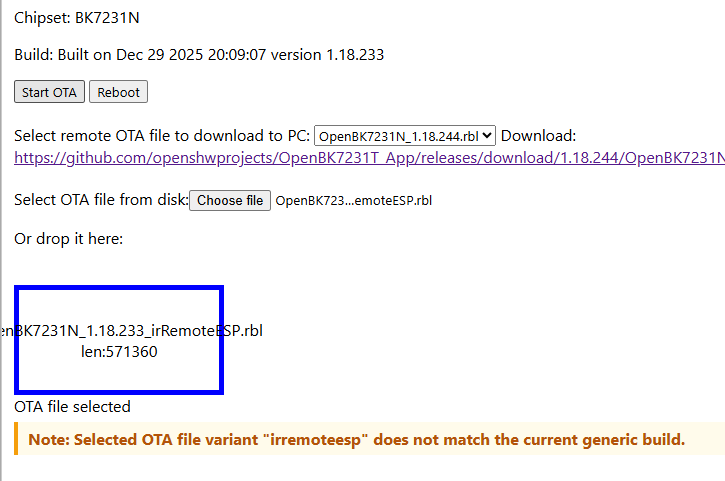
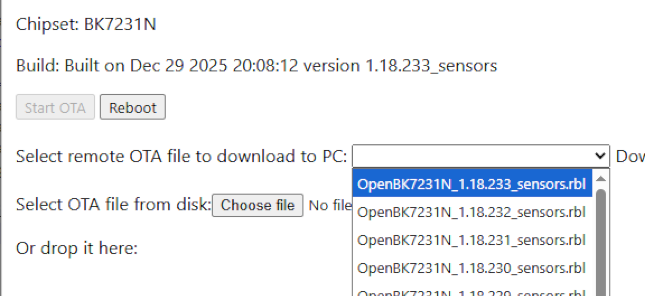
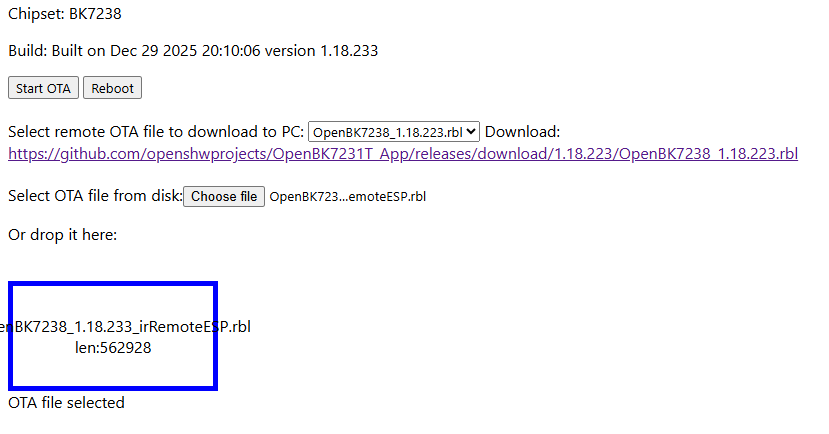
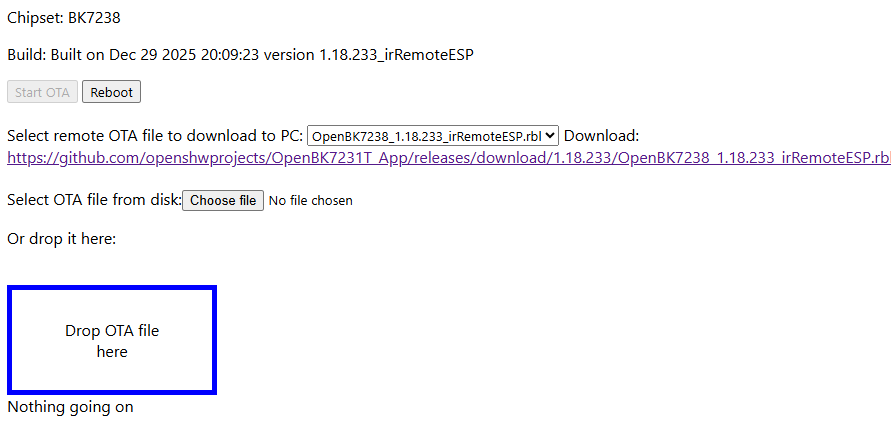
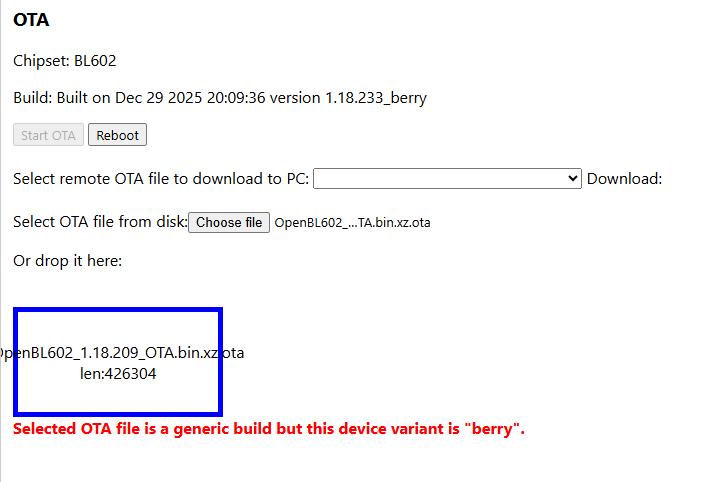
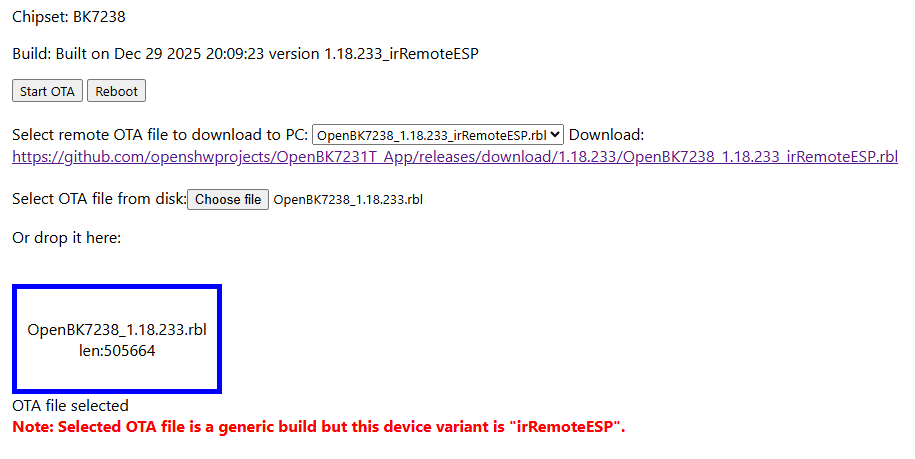
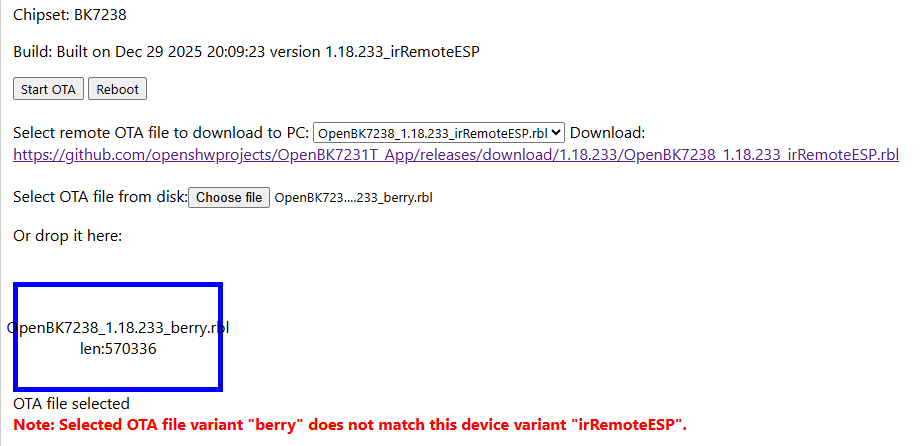
the intention being that OTA now prefers Open<chip>_<ver>_<variant>.rbl (chip + variant) based on the device’s build suffix, and falls back to Open<chip>_<ver>.rbl (generic) if no variant asset exists.
seems OK so far, but needs more testing.
let's you go from generic to variant at the moment
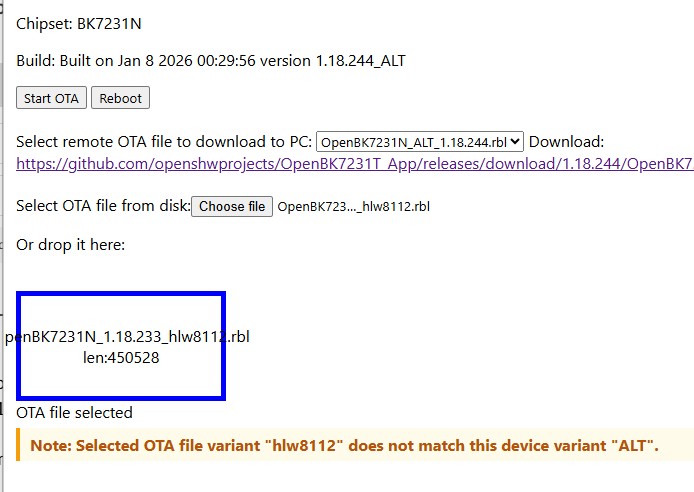
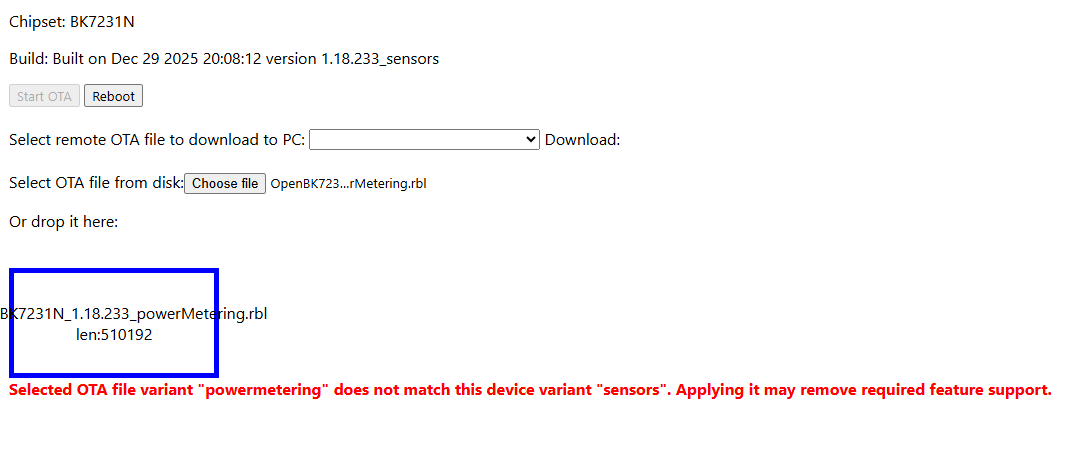
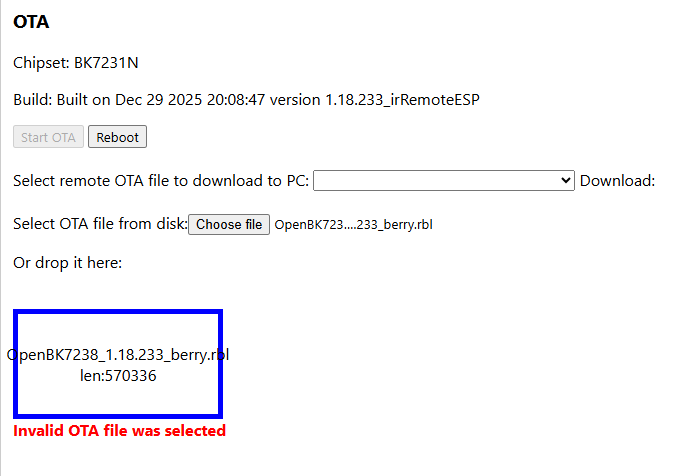
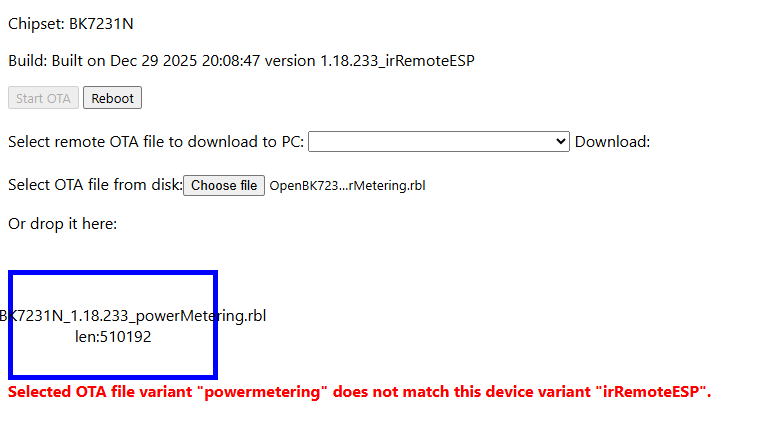
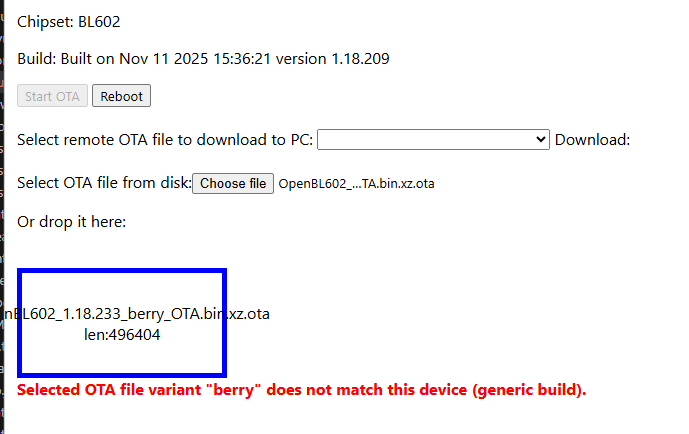
currently with hard-block if choosing different variant
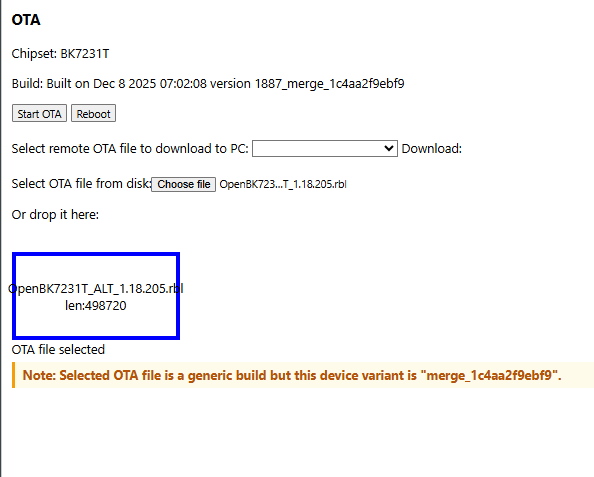
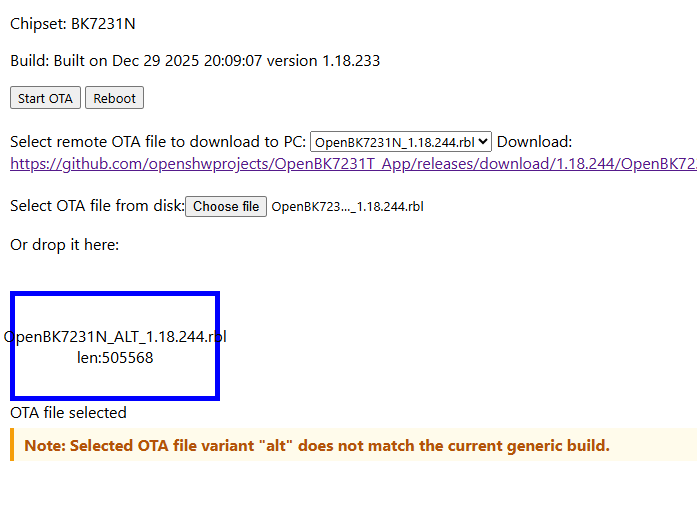
doesn't cater for the _ALT variants though as they're not as <buildver>_ALT in /api/info
latest commit doesn't allow any variant cross-flashing
Personally I think this is too much. I think a warning would be fine, or a switch "allow change in variants".
Just imagine I realize I used the wrong variant or added a new sensor and can't change to the needed file.
Just as a possible extension, no idea if/how to realize (but my PR to include the defines in a build might be a start): The top version would be to extract the drivers per variant so the user can see/decide if the variant fits the requirements.
Personally I think this is too much. I think a warning would be fine, or a switch "allow change in variants".
Just imagine I realize I used the wrong variant or added a new sensor and can't change to the needed file.
I agree. I had imagined directing people to the other OTA option in main gui, but why make it unnecessarily hard. A warning note would be enough
Added after 1 [hours] 2 [minutes]:
Relaxed.
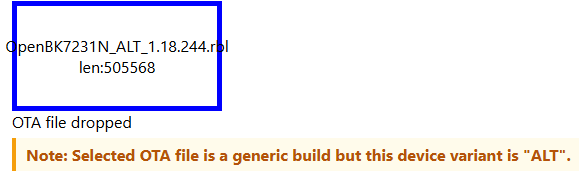
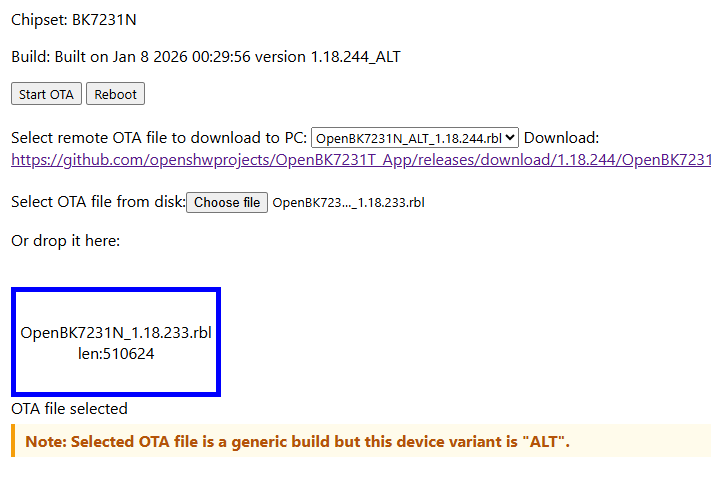
Warning generic->variant
Warning variant->generic
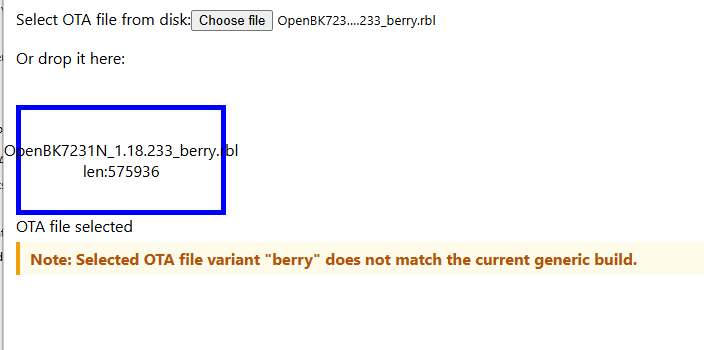
warning variant->variant
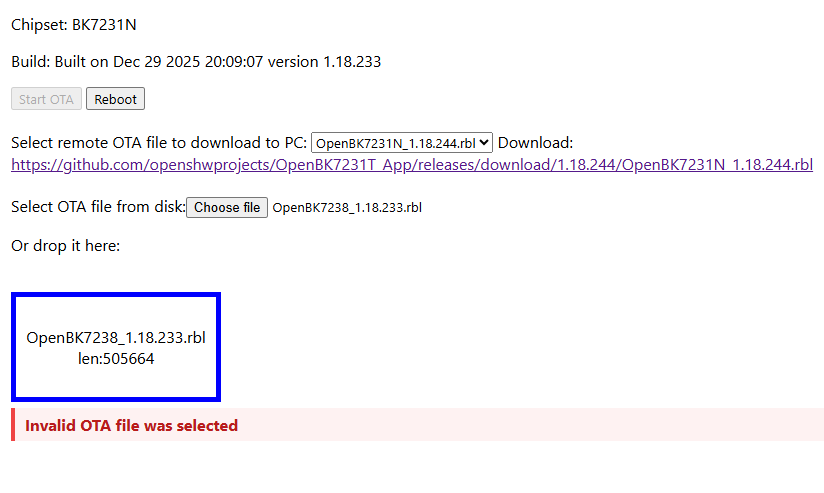
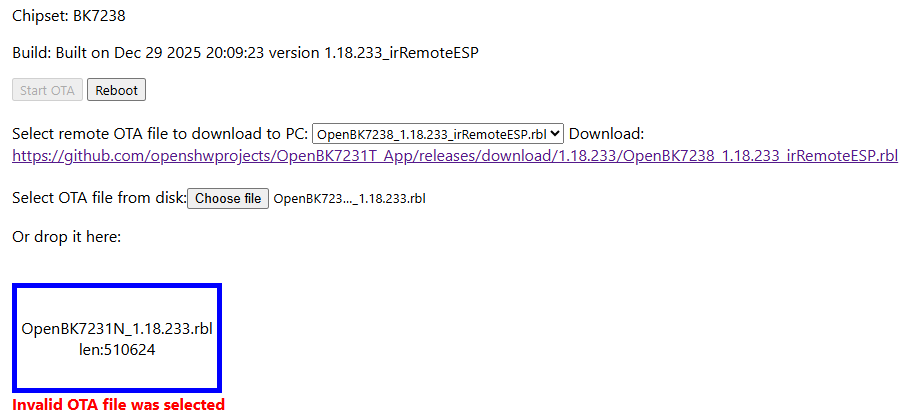
block still for wrong platform
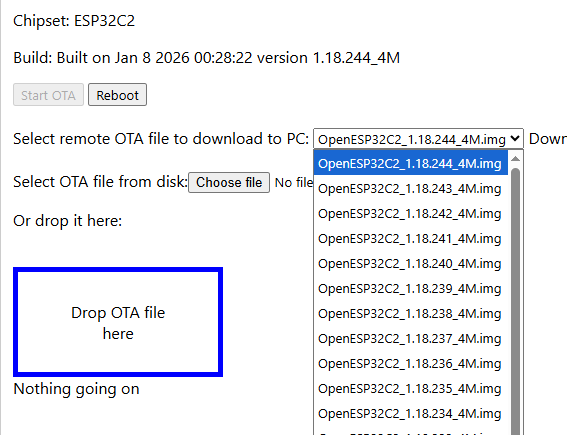
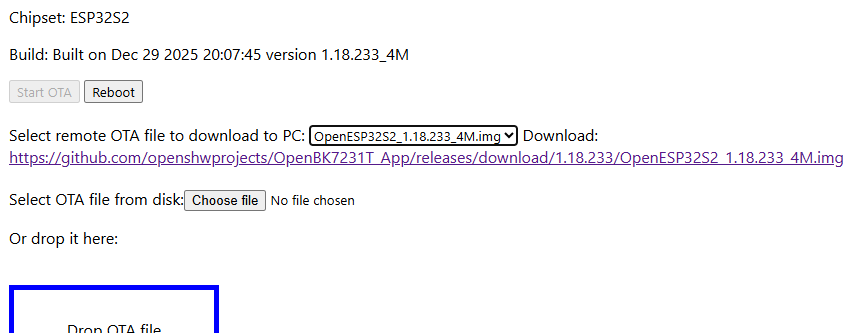
cool. the variant OTA thing has been on my mind for a while + ESPs were not listed at all. I just hope the code is OK. I'll review code comments and do more testing/checking.
Added after 1 [hours] 4 [minutes]:
it seems LN882H only matches on file extension so will look to add filename pattern check too
Added after 2 [hours] 1 [minutes]:
LN882H wrong chipset
LN non-OTA
correct LN OTA
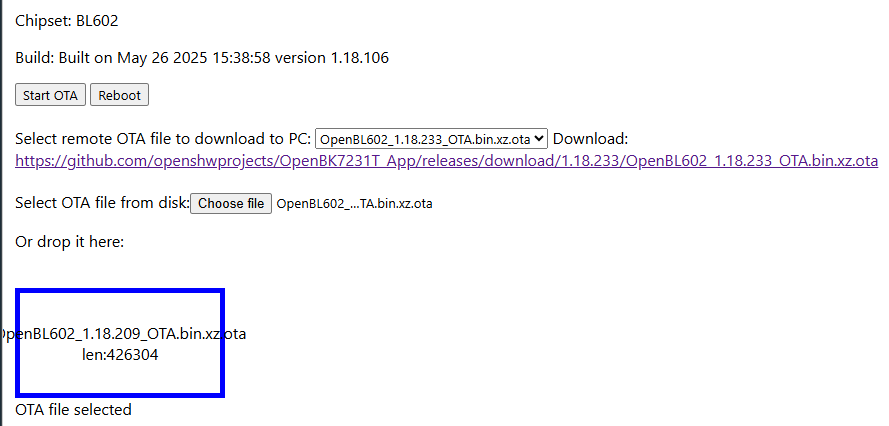
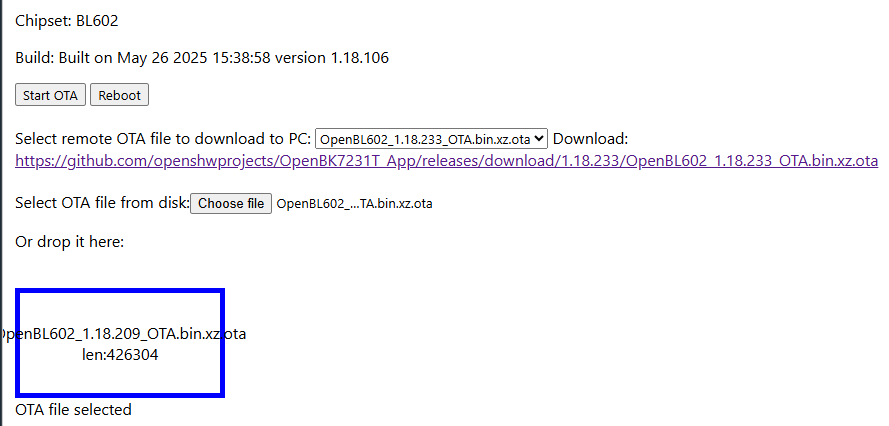
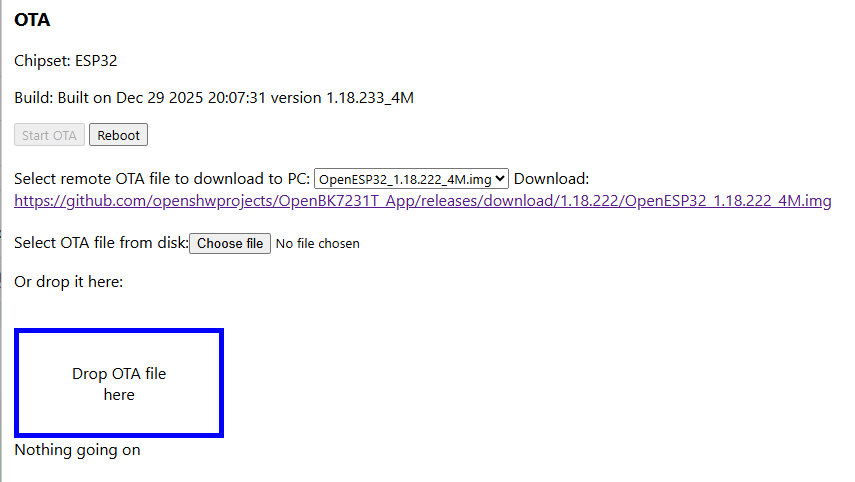
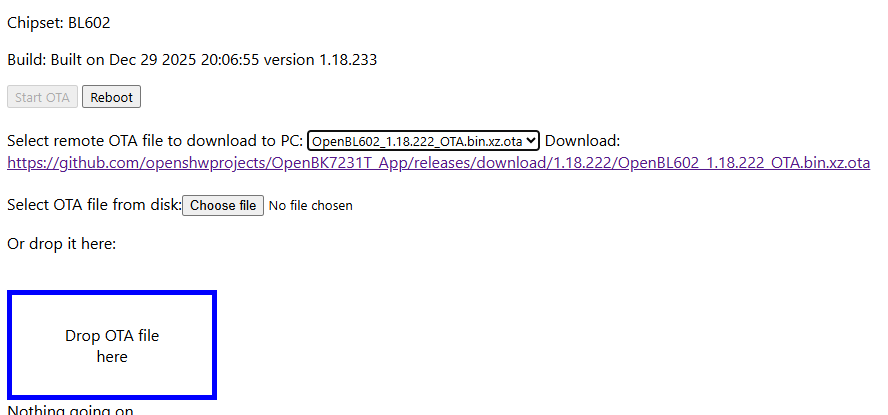
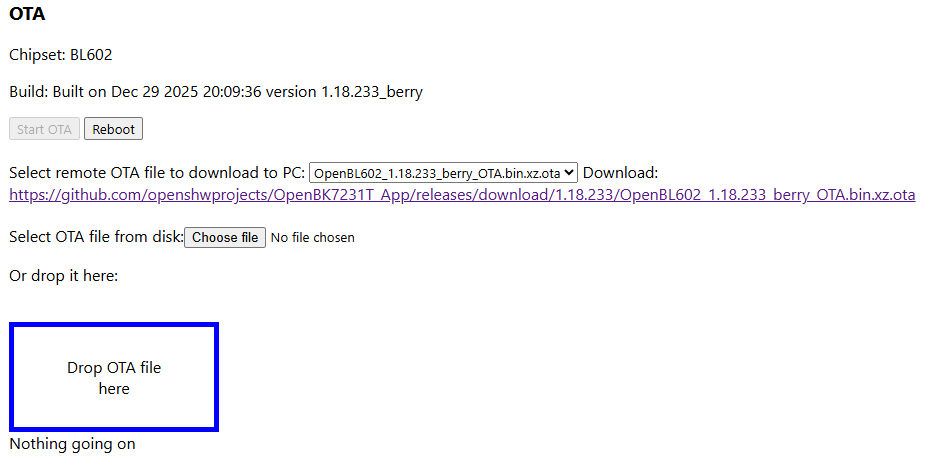
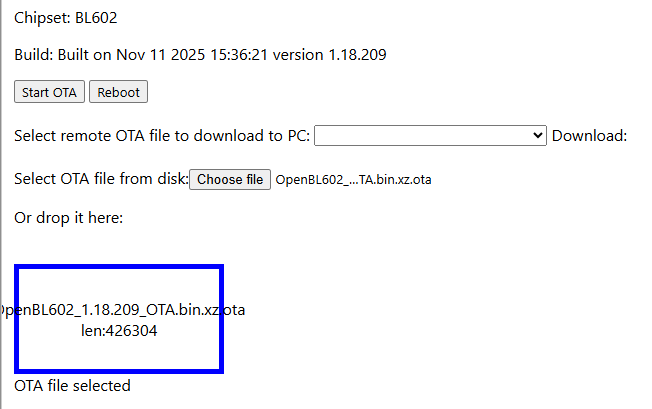
BL602 variant listing + accept variant OTA
warn on variant to generic
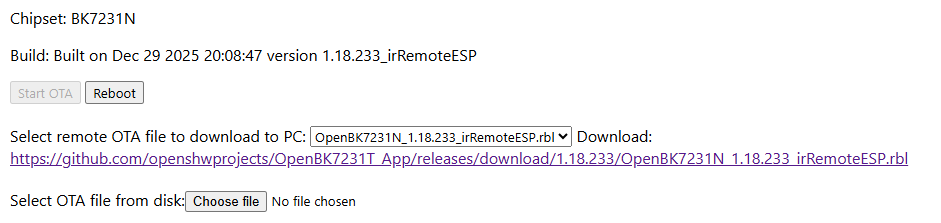
generic listing + warn on generic to variant
warn on variant to variant (future-proofing)
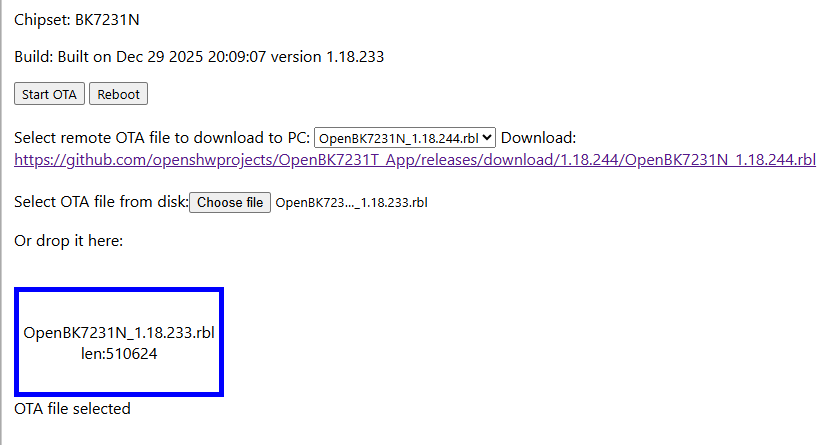
no warning on same to same generic
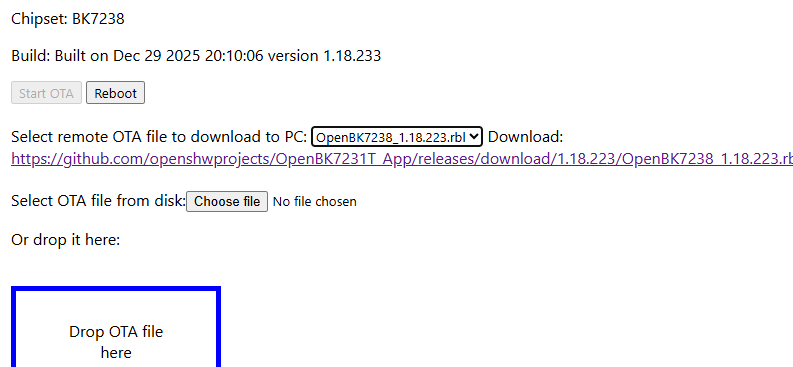
BK7238 variant listing + accept variant OTA
warn on variant to generic
generic listing + warn on generic to variant
no warning on same to same generic
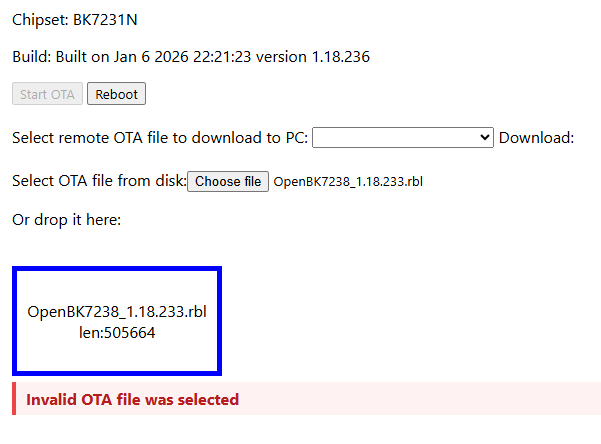
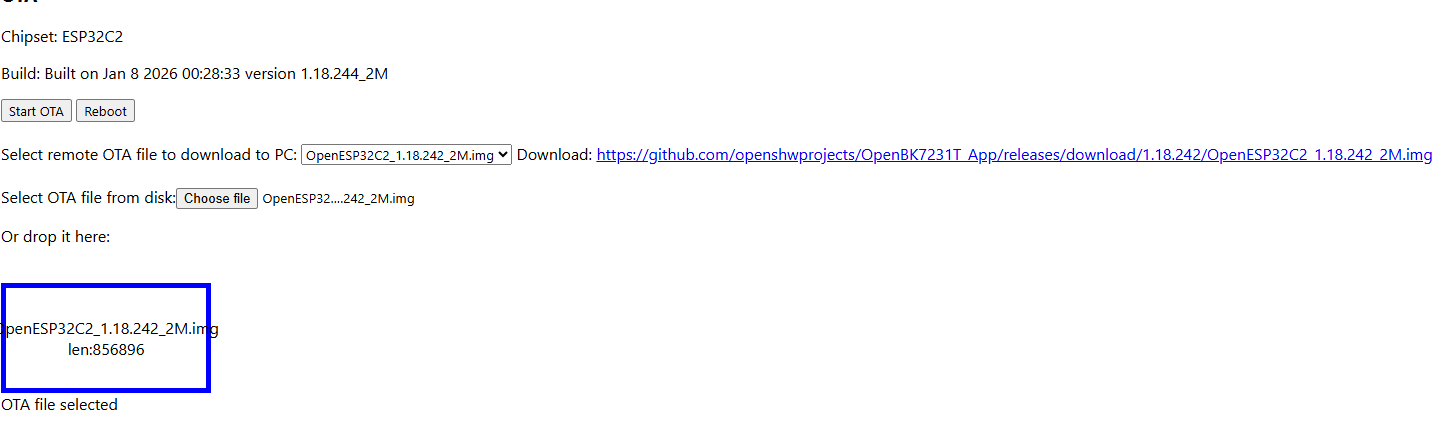
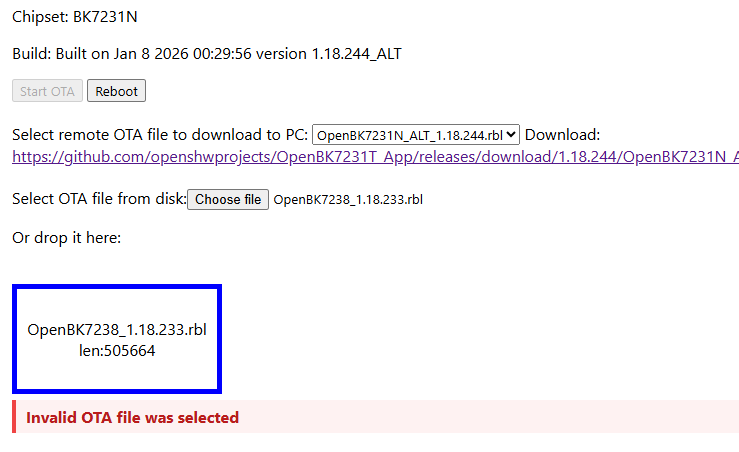
wrong chipset
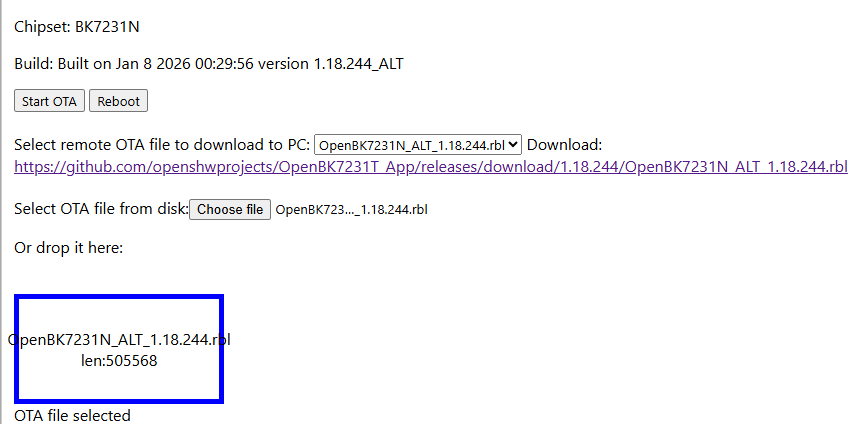
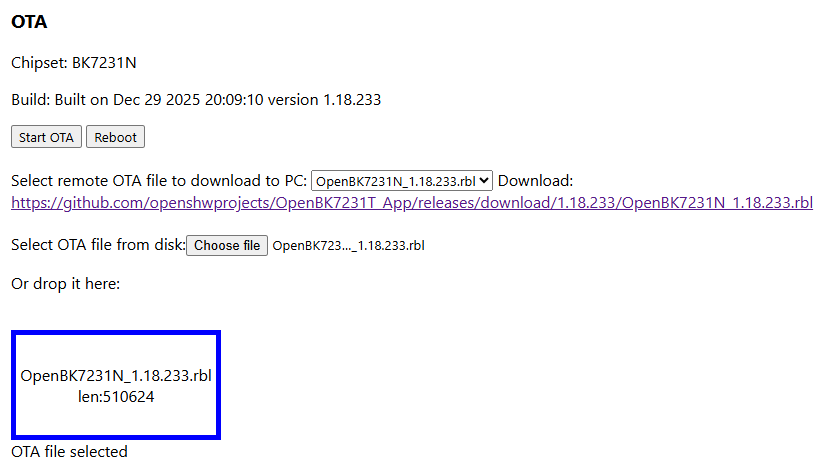
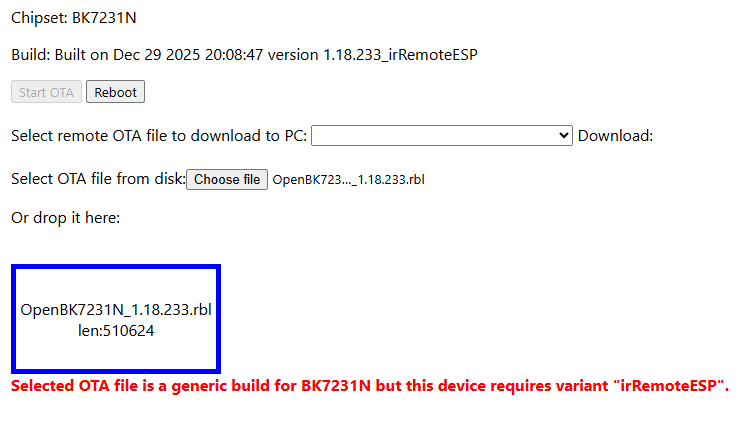
BK7231N variant listing + accept variant OTA
warn on variant to variant
warn on variant to generic
generic listing + warn on generic to variant
no warning on same to same generic
wrong chipset
The NOTE (warning) should be orange, not red, red is same as error. OBK is very user friendly and we should try our best to maintain it, so all error messages are clean and readable.
It was only matching on <version>_<variant>.rbl but the _ALT rbls are eg OpenBK7231T_ALT_1.18.244.rbl whereas actual variants are eg OpenBK7231N_1.18.244_hlw8112.rbl
"const" means that you won't change variable later, so it's usually preferred, unless you are reassigning value to that variable, then you use "let". Still, I don't really follow this myself, it is just improving readability of the code. Also, if you declare as const, but later try to reassign the value, it will show error in console.
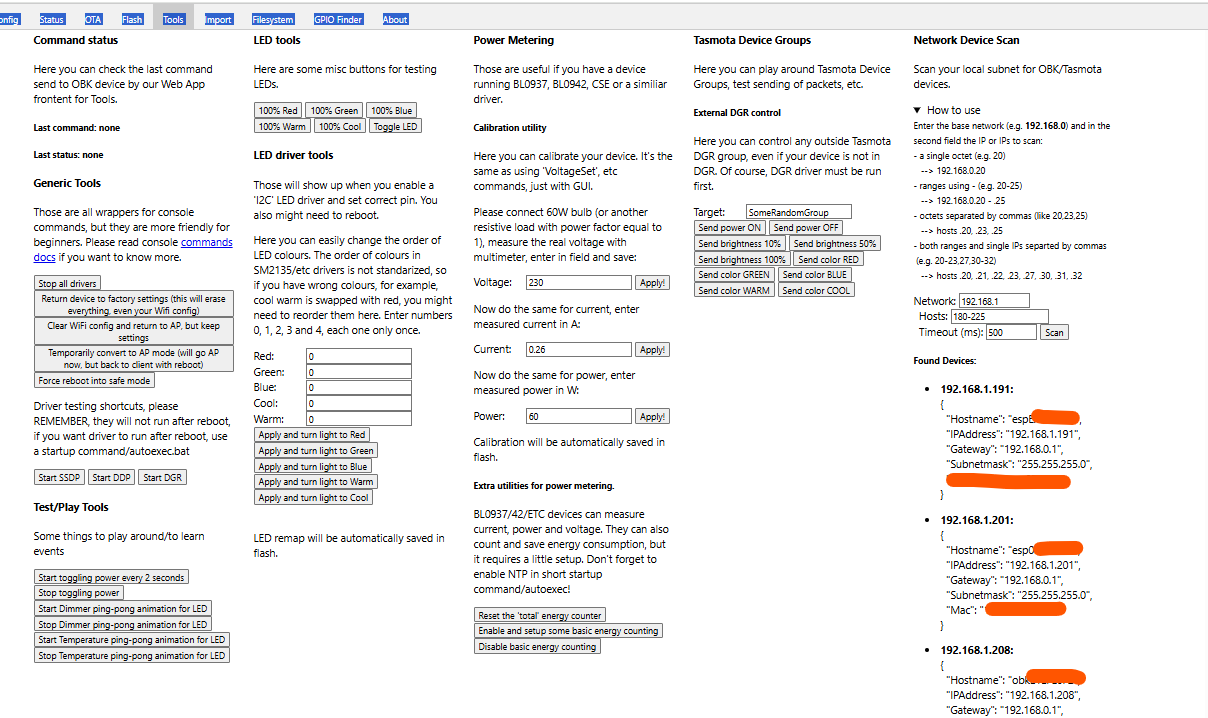
Discussion about developing and testing open firmware for BK7231T-based Tuya devices, including a cross-platform mini HTTP server, web configurator for GPIO/pin mapping, MQTT integration, and Home Assistant control. The thread covers flashing procedures with Beken Writer and a Python UART downloader, backup of original firmware, UART wiring, CEN reset method, power-supply precautions, and troubleshooting of flashing failures, erase limits, baud-rate issues, and boot problems. As development progresses, PWM dimmer support is added, MQTT startup bugs are fixed, Wi‑Fi AP/client mode behavior is improved, network scanning is implemented, and support is extended toward BK7231N and related SDKs. Participants also identify device internals such as BL0937 power metering, AMS1117 regulators, TuyaMCU/UART peripherals, and various smart plugs, switches, bulbs, and dimmers that may be compatible with the firmware. AI summary based on the discussion. May contain errors.
TL;DR: 100 % flash-success reported on BK7231 T/N modules [Elektroda, p.kaczmarek2, post #19906676]; “OpenBK7231T now boots on three chip families” [Elektroda, p.kaczmarek2, post #19883071] Use QIO image for BK7231N, UA for BK7231T; erase only 0×11000-0×1EF000. Why it matters: a single workflow now replaces vendor firmware on 60 + low-cost IoT boards.
The chip is protected. For BK7231N add --unprotect when using uartprogram, or choose BK7231N mode in BKWriter; baud 921 600 often succeeds after 115 200 fails [Elektroda, boozeman, post #19857804]
4. Relay clicks during flashing – safe fix?
A pull-up on RX1 ties the push-button to 3 V3, driving the relay. Remove jumper R33 on Nedis WIFIPO120FWT, flash, then solder it back [Elektroda, boozeman, post #19882233]
Disable FAST_CONNECT (RL_SUPPORT_FAST_CONNECT) or use latest OpenBK build ≥ f6c3c8f6 that stores config outside NET_PARAM table [Elektroda, p.kaczmarek2, post #19893493]
7. Does OTA work and how do I host updates?
Yes. Serve *.rbl over HTTP (http-here --host 0.0.0.0 8000). In WebApp → OTA tab → enter http://<IP>:8000/firmware.rbl; device backs up filesystem, flashes, restores settings [Elektroda, btsimonh, post #19880525]
Clone SDK OpenBK7231T, then OpenBK7231T_App into /apps. Build: ./build_app.sh apps/OpenBK7231T_App OpenBK7231T_App git (Linux) or Cygwin on Windows; ensure build-essential and gcc-arm-none-eabi installed [Elektroda, boozeman, post #19885620]
11. Is there a no-solder exploit?
Yes. CloudCutter abuses 2019 Tuya SDK bug to OTA-flash BK7231 lights wirelessly; code published February 2022 [khalednassar/tuya-cloudcutter]. "It works on every test bulb so far" [Tom Clement, #19890768].











![[BK7231T] My HTTP server, configurator, MQTT support from Home Assistant](https://obrazki.elektroda.pl/4141302300_1767431584.png "[BK7231T] My HTTP server, configurator, MQTT support from Home Assistant")
![[BK7231T] My HTTP server, configurator, MQTT support from Home Assistant](https://obrazki.elektroda.pl/3308432800_1767440684.png "[BK7231T] My HTTP server, configurator, MQTT support from Home Assistant")
![[BK7231T] My HTTP server, configurator, MQTT support from Home Assistant](https://obrazki.elektroda.pl/3628022400_1767444463.png "[BK7231T] My HTTP server, configurator, MQTT support from Home Assistant")
![[BK7231T] My HTTP server, configurator, MQTT support from Home Assistant](https://obrazki.elektroda.pl/2589139900_1767444552.png "[BK7231T] My HTTP server, configurator, MQTT support from Home Assistant")
![[BK7231T] My HTTP server, configurator, MQTT support from Home Assistant](https://obrazki.elektroda.pl/9306538100_1767444600.png "[BK7231T] My HTTP server, configurator, MQTT support from Home Assistant")
![[BK7231T] My HTTP server, configurator, MQTT support from Home Assistant](https://obrazki.elektroda.pl/7456958100_1767445008.png "[BK7231T] My HTTP server, configurator, MQTT support from Home Assistant")
![[BK7231T] My HTTP server, configurator, MQTT support from Home Assistant](https://obrazki.elektroda.pl/2335696200_1767445075.png "[BK7231T] My HTTP server, configurator, MQTT support from Home Assistant")
![[BK7231T] My HTTP server, configurator, MQTT support from Home Assistant](https://obrazki.elektroda.pl/1547303800_1767445494.png "[BK7231T] My HTTP server, configurator, MQTT support from Home Assistant")
![[BK7231T] My HTTP server, configurator, MQTT support from Home Assistant](https://obrazki.elektroda.pl/6778483100_1767445222.png "[BK7231T] My HTTP server, configurator, MQTT support from Home Assistant")
![[BK7231T] My HTTP server, configurator, MQTT support from Home Assistant](https://obrazki.elektroda.pl/5822017300_1767446021.png "[BK7231T] My HTTP server, configurator, MQTT support from Home Assistant")
![[BK7231T] My HTTP server, configurator, MQTT support from Home Assistant](https://obrazki.elektroda.pl/3159069000_1767445630.png "[BK7231T] My HTTP server, configurator, MQTT support from Home Assistant")
![[BK7231T] My HTTP server, configurator, MQTT support from Home Assistant](https://obrazki.elektroda.pl/3962665000_1767445663.png "[BK7231T] My HTTP server, configurator, MQTT support from Home Assistant")
![[BK7231T] My HTTP server, configurator, MQTT support from Home Assistant](https://obrazki.elektroda.pl/9686348400_1767445745.png "[BK7231T] My HTTP server, configurator, MQTT support from Home Assistant")
![[BK7231T] My HTTP server, configurator, MQTT support from Home Assistant](https://obrazki.elektroda.pl/2298811500_1767445819.png "[BK7231T] My HTTP server, configurator, MQTT support from Home Assistant")
![[BK7231T] My HTTP server, configurator, MQTT support from Home Assistant](https://obrazki.elektroda.pl/4290490100_1767447348.png "[BK7231T] My HTTP server, configurator, MQTT support from Home Assistant")
![[BK7231T] My HTTP server, configurator, MQTT support from Home Assistant](https://obrazki.elektroda.pl/2685034800_1767446705.png "[BK7231T] My HTTP server, configurator, MQTT support from Home Assistant")
![[BK7231T] My HTTP server, configurator, MQTT support from Home Assistant](https://obrazki.elektroda.pl/3844206100_1767446874.png "[BK7231T] My HTTP server, configurator, MQTT support from Home Assistant")
![[BK7231T] My HTTP server, configurator, MQTT support from Home Assistant](https://obrazki.elektroda.pl/1740158800_1767446743.png "[BK7231T] My HTTP server, configurator, MQTT support from Home Assistant")
![[BK7231T] My HTTP server, configurator, MQTT support from Home Assistant](https://obrazki.elektroda.pl/5913867900_1767446912.png "[BK7231T] My HTTP server, configurator, MQTT support from Home Assistant")
![[BK7231T] My HTTP server, configurator, MQTT support from Home Assistant](https://obrazki.elektroda.pl/3540676000_1767446975.png "[BK7231T] My HTTP server, configurator, MQTT support from Home Assistant")
![[BK7231T] My HTTP server, configurator, MQTT support from Home Assistant](https://obrazki.elektroda.pl/6196069600_1767447166.png "[BK7231T] My HTTP server, configurator, MQTT support from Home Assistant")
![[BK7231T] My HTTP server, configurator, MQTT support from Home Assistant](https://obrazki.elektroda.pl/2907382700_1767447241.png "[BK7231T] My HTTP server, configurator, MQTT support from Home Assistant")
![[BK7231T] My HTTP server, configurator, MQTT support from Home Assistant](https://obrazki.elektroda.pl/1122898400_1767447209.png "[BK7231T] My HTTP server, configurator, MQTT support from Home Assistant")