logo elektroda
logo elektroda
X
logo elektroda

WiFi LED RGBCW WOJ14415 with SM2135 - I2C communication protocol, interior

p.kaczmarek2 9558 33
ADVERTISEMENT
Treść została przetłumaczona polish » english Zobacz oryginalną wersję tematu
📢 Listen (AI):
  • #31 20519707
    evlo2
    Level 6  
    Posts: 35
    Rate: 4
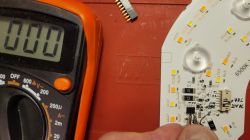
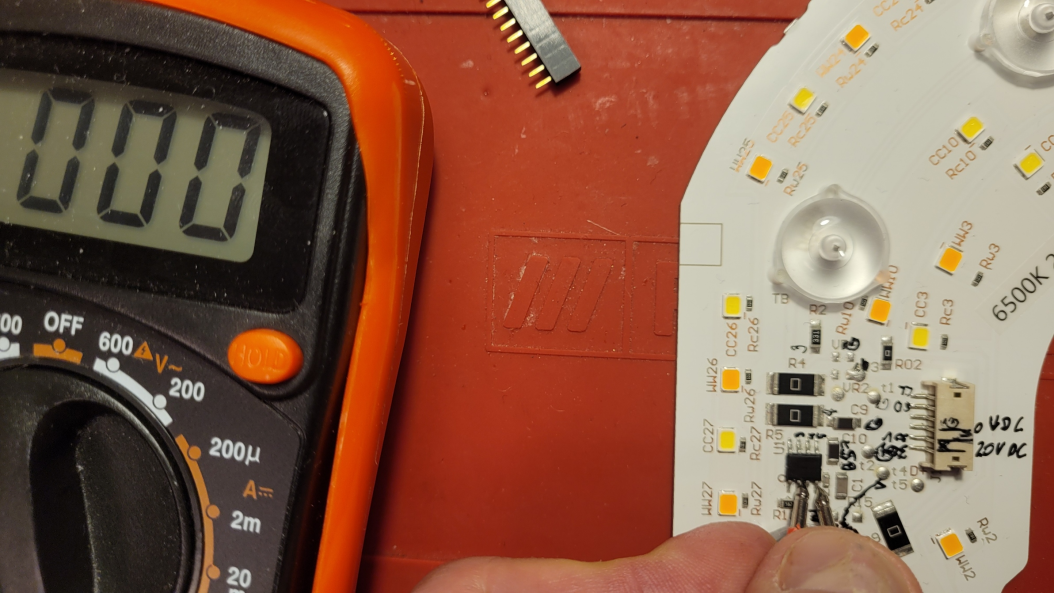
    Is it normal, to have continuity between 2 pins (i hope those are data and clock) on image bellow or did I break another lidl light? :)
    WiFi LED RGBCW WOJ14415 with SM2135 - I2C communication protocol, interior
  • ADVERTISEMENT
  • #32 20519715
    p.kaczmarek2
    Moderator Smart Home
    Posts: 14394
    Help: 650
    Rate: 12315
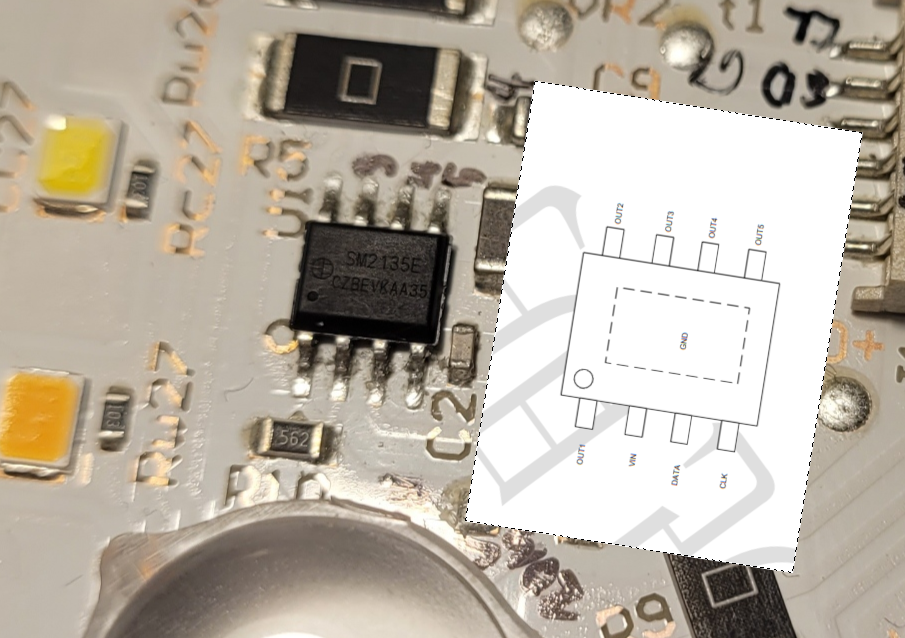
    What is the marking of U1 and where is the first pin?
    Helpful post? Buy me a coffee.
  • ADVERTISEMENT
  • #33 20519721
    evlo2
    Level 6  
    Posts: 35
    Rate: 4
    1st pin, as far as I understand, is in the bottom left corner
    WiFi LED RGBCW WOJ14415 with SM2135 - I2C communication protocol, interior
  • #34 20519757
    p.kaczmarek2
    Moderator Smart Home
    Posts: 14394
    Help: 650
    Rate: 12315
    See modified photo:
    WiFi LED RGBCW WOJ14415 with SM2135 - I2C communication protocol, interior

    I don't think there should be a 0 resistance between DATA and CLK.
    Helpful post? Buy me a coffee.
📢 Listen (AI):

Topic summary

✨ The discussion revolves around the configuration and functionality of the SM2135 I2C RGBCW bulb, specifically the WOJ14415 model, which utilizes the WBLC5 module (BK7231T) and the SM2135Eh constant current LED controller. Users share insights on the I2C communication protocol, highlighting differences between standard I2C and the SM2135's implementation. There are mentions of software support for the SM2135 in Arduino and Tasmota, with discussions on driver compatibility and the need for device profiles for Tuya-cloudcutter. Users also address issues related to power consumption in standby mode, the implementation of smooth transitions for LED brightness, and troubleshooting pin configurations for the SM2135. The conversation includes technical details about the driver commands and the potential for creating custom profiles for device control.
Generated by the language model.

FAQ

TL;DR: SM2135 drives 5 LED channels at up to 20 mA each; “We already know how to set the colors” [Elektroda, p.kaczmarek2, post #20106071] One I2C-like CLK/DAT pair sends 7 bytes in 450 µs. Why it matters: Knowing the pin map and current bytes lets you retrofit OpenBeken, Tasmota or ESPHome in minutes.

Quick Facts

• Default current limit: 0x02 = 20 mA per channel [Elektroda, p.kaczmarek2, post #20106071] • Address byte: fixed 0xC0; multiple chips on one bus unsupported [Elektroda, p.kaczmarek2, post #20106071] • Command frame: 1 addr + 1 mode + 5 data bytes = 7 bytes + 7 ACKs [Elektroda, p.kaczmarek2, post #20106071] • Typical standby consumption with OBK: ~0.5 W vs <0.1 W stock firmware [Elektroda, rawilson, post #20108336] • BK7231T module WBLC9 exposes P7, P8, P9, P16, P24, P26 pins for SM2135 CLK/DAT selection [Elektroda, p.kaczmarek2, post #20315739]

Which two BK7231 pins are usually wired to SM2135 CLK and DAT?

Most GU10/E27 bulbs route SM2135 CLK to P26 and DAT to P24, but LVWIT/WBLC9 variants may swap them; confirm with a multimeter before flashing [Elektroda, p.kaczmarek2, post #20315739]

Why do cold-white and warm-white channels look dimmer after enabling the CW flag?

Enabling “Use separate RGB/CW modes” halves the byte bandwidth per update, so OBK initially sends 0x02 (20 mA) to both RGB and CW. Raise CW current with SM2135_Current, e.g. SM2135_Current 0x02 0x07 to push CW to 45 mA [Elektroda, skrc1, post #20246829]

How do I change the maximum LED current in OpenBeken?

  1. Go to Options → Short startup command. 2. Add SM2135_Current RGBhex CWhex (hex 0–7). 3. Reboot. Example: SM2135_Current 0x02 0x07 sets RGB 20 mA, CW 45 mA [Elektroda, p.kaczmarek2, post #20246171]

Does SM2135 support hardware I²C?

No. Its timing deviates from the I²C spec, so Tasmota, ESPHome and OBK use bit-bang GPIO (digitalWrite/digitalRead) for reliability [Elektroda, p.kaczmarek2, post #20106326]

Is it safe to connect several SM2135 chips on the same bus?

Risky. The address byte is fixed at 0xC0, so a second chip would mirror commands, causing unpredictable colours [Elektroda, p.kaczmarek2, post #20106071]

Home Assistant doesn’t auto-discover my bulb—what now?

Add the MQTT light block manually. Use topics cmnd/<device>/led_basecolor_rgb and .../led_enableAll as shown by OBK’s console [Elektroda, hode0055, post #20145727]

How do I get smooth fades like PWM dimming?

Enable flag “Use LED lerp” and, if needed, set led_lerpSpeed <value>. A speed of 255 transitions 0→255 in one second [Elektroda, p.kaczmarek2, post #20299385]

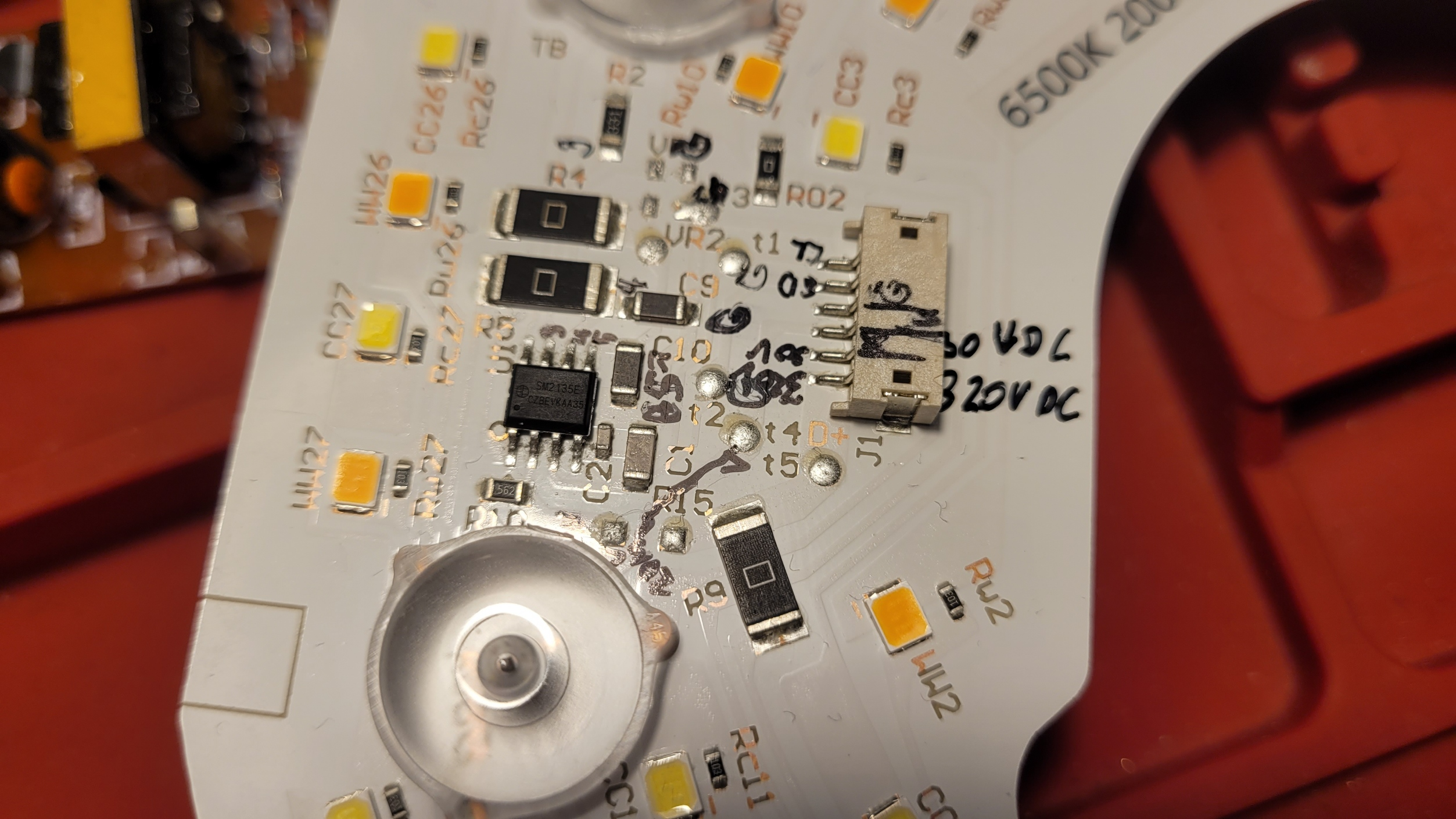
I measure 0 Ω between CLK and DAT pads—is my board dead?

Normally there is no DC short. If continuity persists after desoldering wires, the SM2135 or PCB is damaged [Elektroda, p.kaczmarek2, post #20519757]

What’s the standby power when flashing OpenBeken?

Users report ~0.5 W idle with OBK versus <0.1 W on Tuya stock firmware because the BK7231 Wi-Fi radio stays awake [Elektroda, rawilson, post #20108336]

Edge case: what if ACK never arrives?

If SM2135_WriteByte returns NAK three times, reset CLK & DAT lines high; a hung bus blocks further writes until power-cycle [Tasmota source].
Generated by the language model.
ADVERTISEMENT