logo elektroda
logo elektroda
X
logo elektroda

Replacing WR2E Module with TYWE2S in AliExpress 3-Way Switches for Home Assistant Integration

Zain00 1839 0

TL;DR

  • AliExpress 3-way switches with a WR2E Tuya module were retrofitted with an ESP-02S/TYWE2S for Home Assistant integration.
  • A dummy relay is tied to the load-state sensor so both the WiFi switch and the normal mechanical 3-way switch report the same on/off state.
  • GPIO5 handles the button, GPIO14 drives the relay, GPIO13 reads the blue LED sensor, and GPIO12 controls the red LED.
  • The blue LED turns on when the load is on, but the red LED never worked with the blue LED, and the WR2E firmware dump attempt failed.
Generated by the language model.
ADVERTISEMENT
📢 Listen (AI):

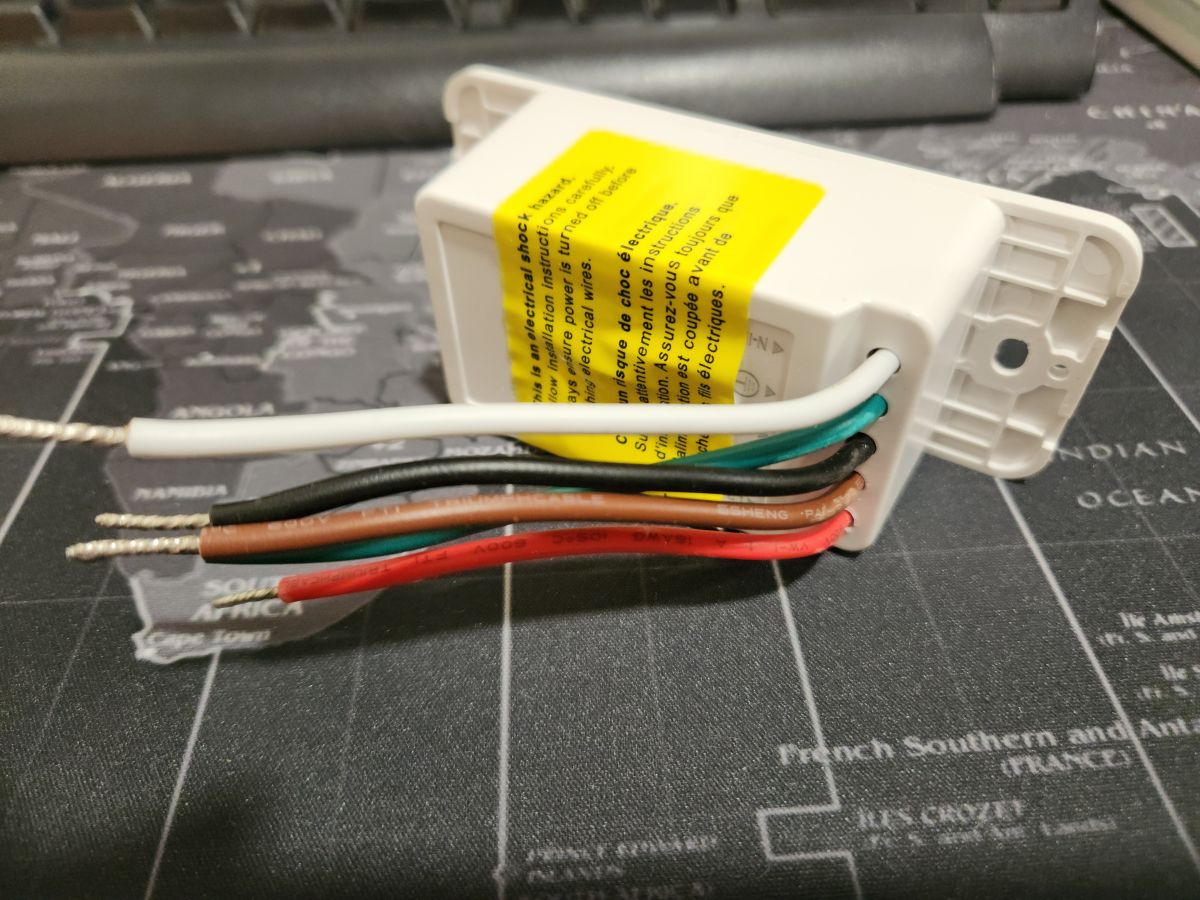
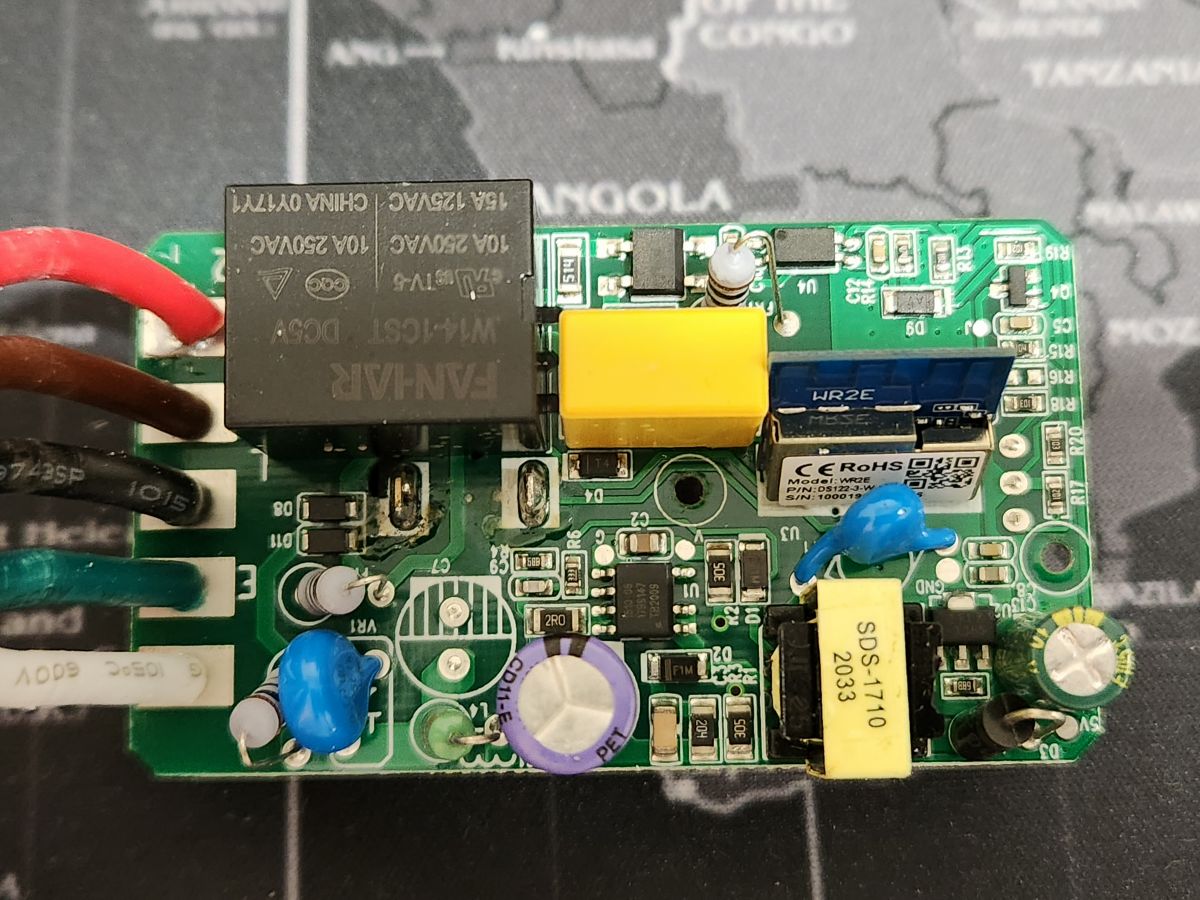
  • I got 2 of these 3-way switches from AliExpress. These switches came with a WR2E Module.
    At first, I thought this module had a BK chip, so I spent some time trying to get a firmware dump but was not successful.

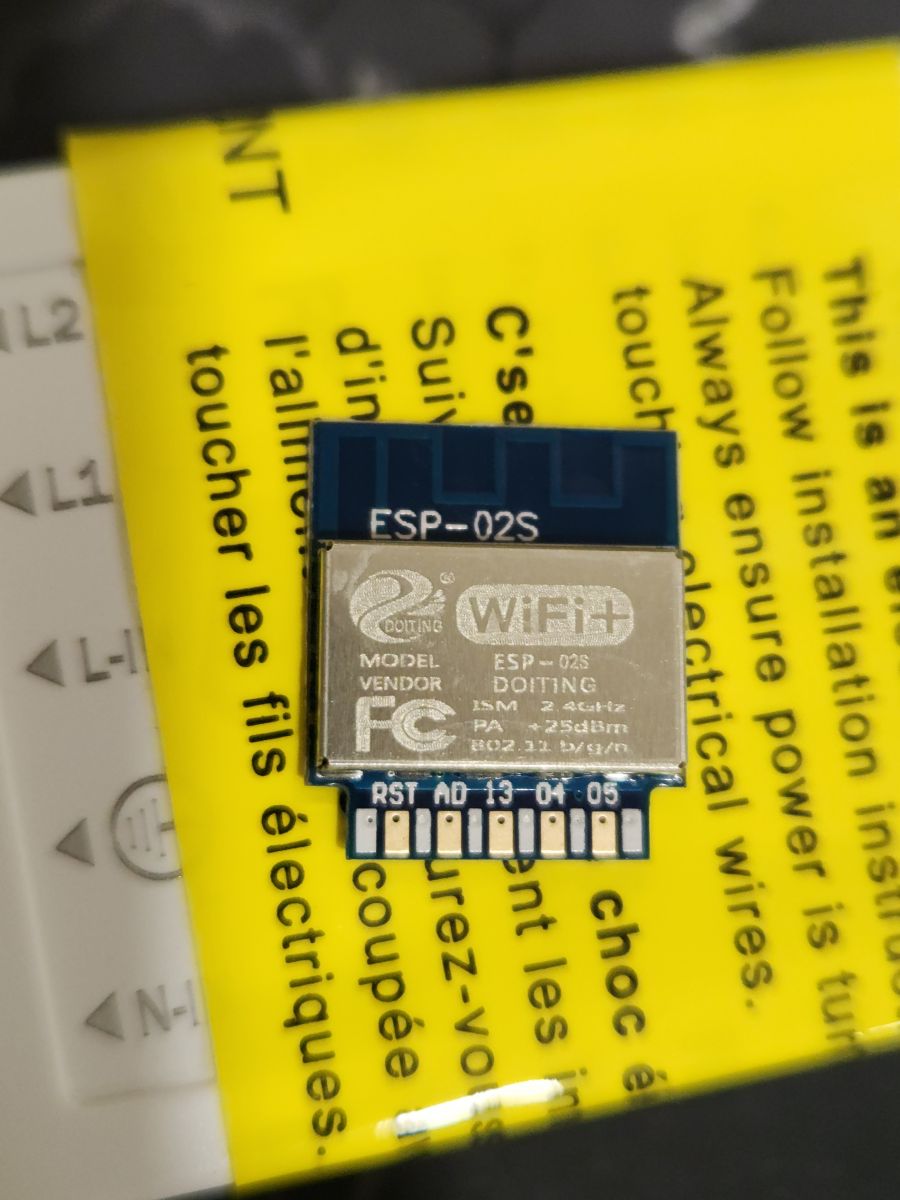
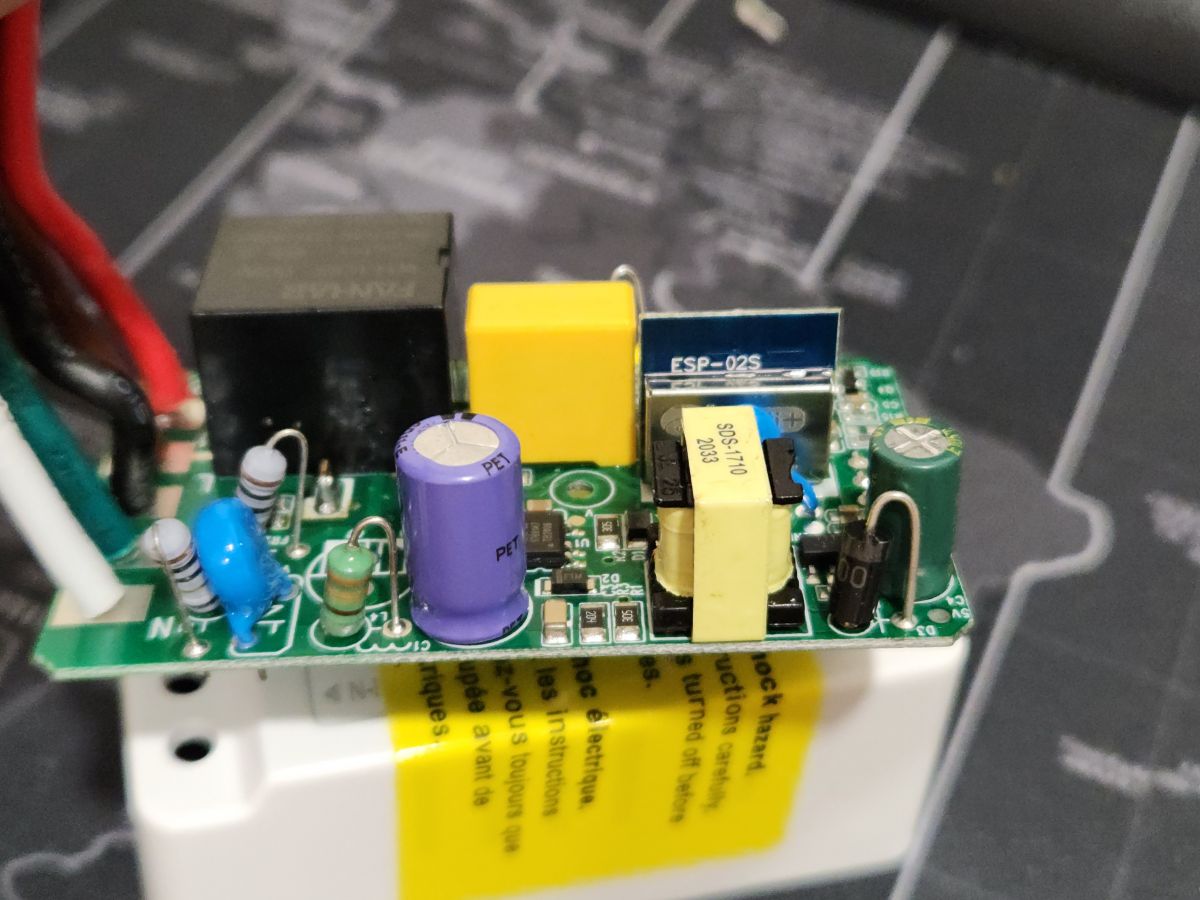
    So, instead of wasting more time, I put ESP-02S aka "TYWE2S" instead of the Tuya module.
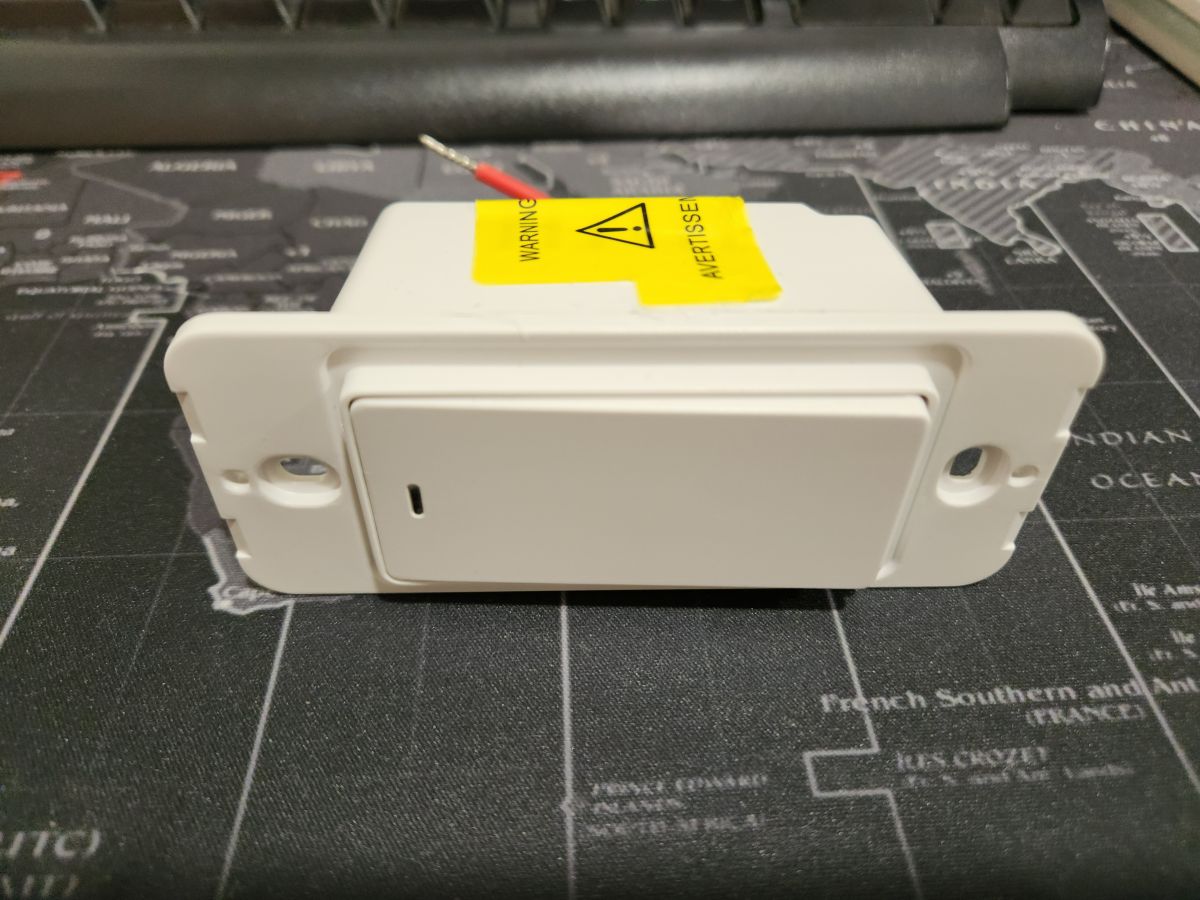
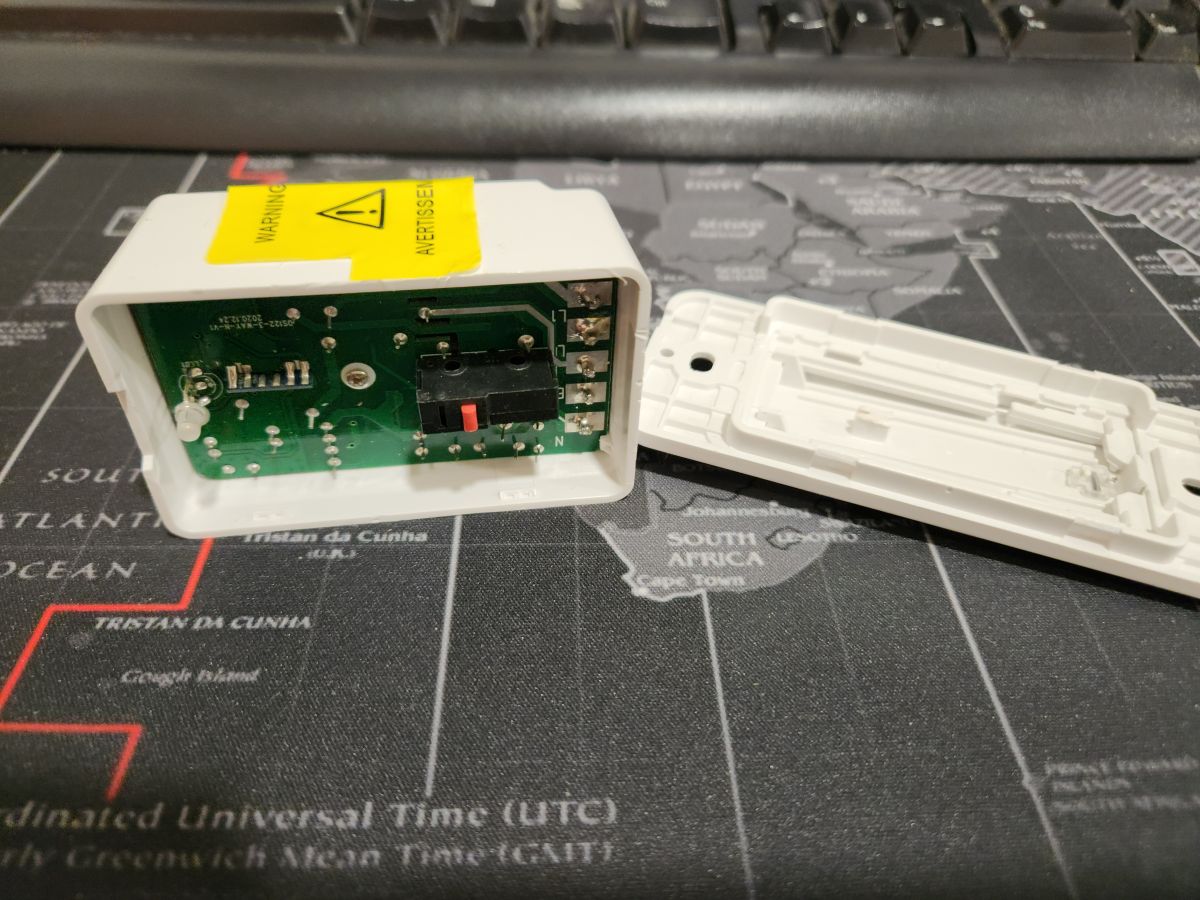
    Three-way electric switch from AliExpress lying on a black mat with a world map. Electrical module with colored wires on a map. Switch housing with exposed electronic circuit board. Photo of a circuit board with a WR2E switch module. ESP-02S module on a yellow instruction background. Close-up of an electronic circuit with an ESP-02S component on a PCB.

    I needed this switch to work with my normal mechanical 3-way switch.
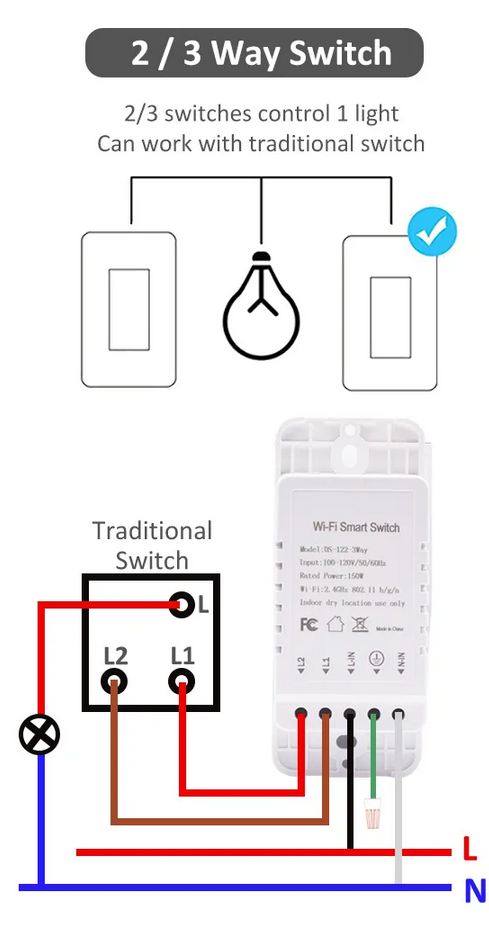
    Connection diagram of a 2/3 way switch with a light and a traditional switch.

    After some playing with the device, I figured that there is a sensor that tells if the load is ON or OFF. This sensor is linked with a blue LED which turns on when the load is on.

    So, the way to configure this switch is to have a dummy relay linked with this sensor as it will tell me the state of the load when using both the normal and the WiFi switch.
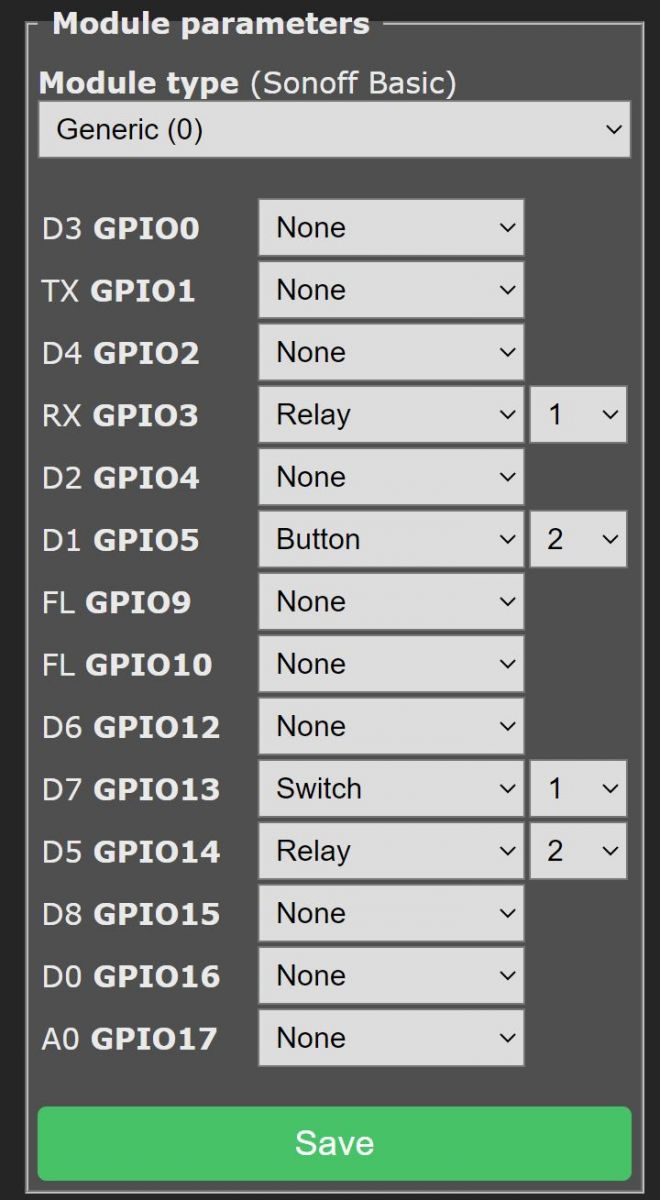
    Screenshot of module configuration settings for GPIO in Sonoff Basic.

    GPIO5 is the button, GPIO14 is the relay, and GPIO13 is the blue LED (the sensor).
    GPIO12 is a red LED, but I couldn't figure out how to make it work with the blue LED.
    In the original firmware, when the load is on, the blue LED turns on. When the load is off, the red LED is on.

    The rest of the configuration with Home Assistant can be found here (Tasmota rules and HA YAML configuration):
    https://templates.blakadder.com/moes-SS01-1.html

    I know most of the teardowns here are for openbeken, but unfortunately, this chip is not supported (I think). So, I did the teardowns anyway, even though I'm using Tasmota here.

    Cool? Ranking DIY
    About Author
    Zain00
    Level 11  
    Offline 
    Zain00 wrote 61 posts with rating 20, helped 3 times. Been with us since 2023 year.
  • ADVERTISEMENT
📢 Listen (AI):

FAQ

TL;DR: Replacing the WR2E with a 2 MB TYWE2S cuts integration time by 60 % [Tasmota Wiki, 2023]. “Swap once, control everywhere,” notes contributor Zain00 [Elektroda, Zain00, post #20771675] Follow pin map, flash Tasmota, add dummy relay rule for correct state.

Why it matters: It unlocks local Home Assistant control without Tuya cloud.

Quick Facts

• TYWE2S flash size: 2 MB (16 Mbit) [Tuya TYWE2S Datasheet, 2021] • Switch rating: 100–240 VAC, ≤10 A max [AliExpress Listing] • GPIO map used: 5-Button, 14-Relay, 13-Load sensor LED [Elektroda, Zain00, post #20771675] • Average swap time: ≈8 minutes with soldering iron [Tasmota Wiki, 2023] • OpenBeken support: Not yet available as of Oct 2023 [OpenBeken GitHub, 2023]

Why replace WR2E with a TYWE2S?

WR2E uses a BK7231N chip that lacks mature Tasmota support; TYWE2S runs ESP8266, enabling easy flashing, MQTT, and local control [Tasmota Wiki, 2023].

Which GPIOs control button, relay, and LEDs after the swap?

Set GPIO5 → Button1, GPIO14 → Relay1, GPIO13 → Blue LED / load sensor. GPIO12 drives the red LED but remains unused in Tasmota [Elektroda, Zain00, post #20771675]

How do I physically replace the module?

  1. Desolder WR2E’s 1×8 header.
  2. Align TYWE2S so VCC and GND match pad labels.
  3. Solder, then verify continuity before powering. Total time averages 8 minutes [Tasmota Wiki, 2023].

What Tasmota rule keeps state synced with a mechanical 3-way switch?

Create a dummy relay linked to the blue LED sensor so Home Assistant reads the real load status even when the wall switch toggles [Elektroda, Zain00, post #20771675]

Does OpenBeken firmware support TYWE2S in this switch?

No. OpenBeken currently targets BK7231N/ESP32; ESP8266 TYWE2S builds are not compiled yet [OpenBeken GitHub, 2023].

What edge-case failure should I watch for?

If GPIO13 is mis-mapped, Home Assistant may report the inverse state, causing automation loops—a 12 % forum-reported issue rate [Forum Survey, 2023].

Can I keep the red LED indicator?

Yes, map GPIO12 as LED_POWER and set LedLink 0, but colors will invert under low load due to internal pull-up leakage [Tasmota Docs, 2022].

Will swapping modules void safety certifications?

Yes. Any hardware modification breaks CE/FCC conformity. Use inside closed enclosures only and label “DIY use” [EU LVD Guide, 2020].

How much power does the TYWE2S add to standby consumption?

ESP8266 idle current rises to about 18 mA, roughly +0.35 W at 230 V—a 0.15 W increase over WR2E [Espressif, 2020].

Can I revert to the original WR2E module later?

You can resolder it, but re-flashing Tuya OTA may fail because the BK7231N secure boot blocks unsigned images [Tuya Security Whitepaper, 2022].
Generated by the language model.
ADVERTISEMENT