logo elektroda
logo elektroda
X
logo elektroda
Dostępna jest polska wersja

Czy wolisz polską wersję strony elektroda?

Nie, dziękuję Przekieruj mnie tam

Teardown & Flashing Guide for BSEED SmartLife Touch Switch

TheCleaner 3543 4

TL;DR

  • BSEED SmartLife 2 Gang touch switch teardown shows the internal layout of a neutral-required smart wall switch.
  • A strong metal mounting plate and touch panels instead of springs stand out, and the touch-panel PCB lifts off through a 6-pin connector.
  • The switch uses a Tuya CBU module, so a solderless flashing jig was designed to program the module without soldering.
  • Flashing needed several attempts: tapping CEN to GND failed, but power-cycling eventually read and flashed the module.
Generated by the language model.
ADVERTISEMENT
📢 Listen (AI):
  • In this teardown I only had the 2 Gang version of the switch available.
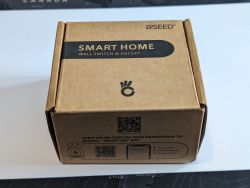
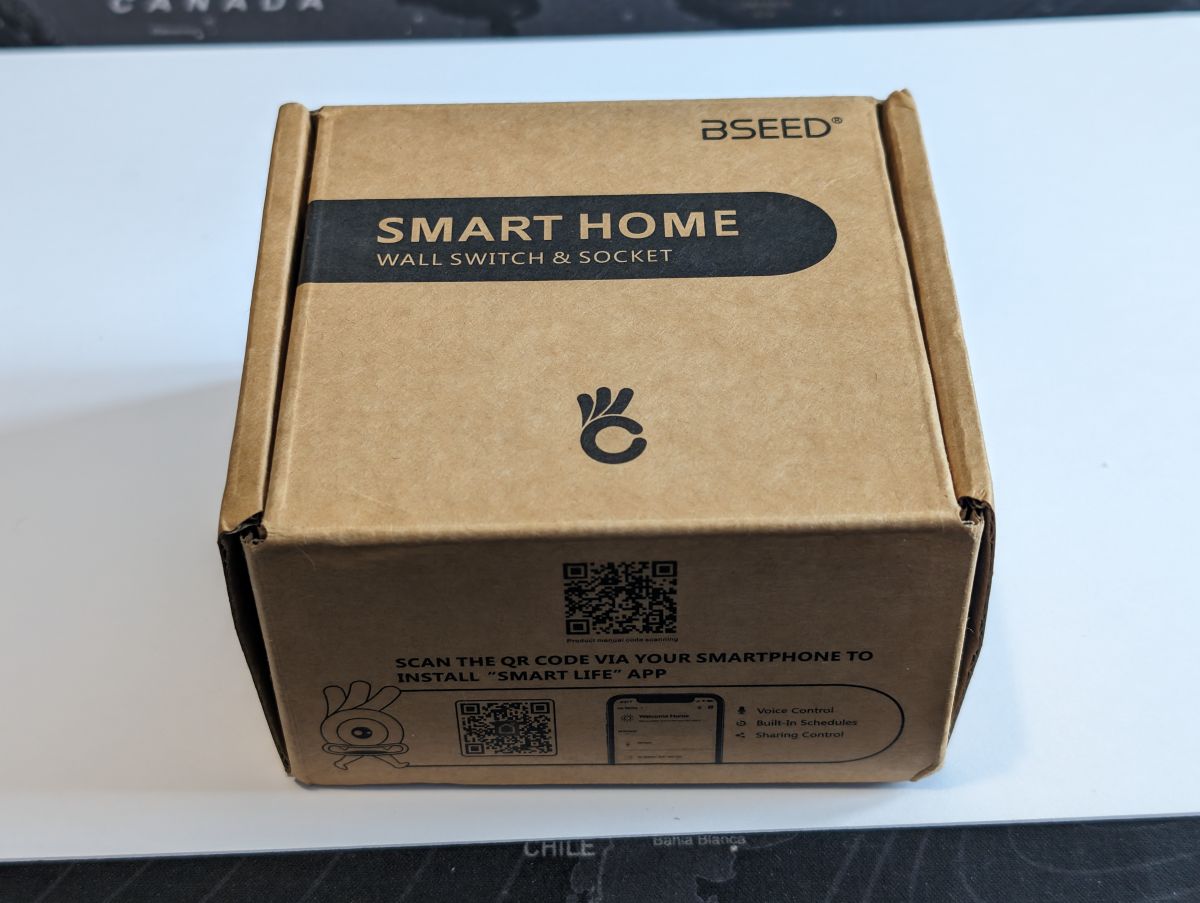
    Cardboard box labeled SMART HOME WALL SWITCH & SOCKET from BSEED.
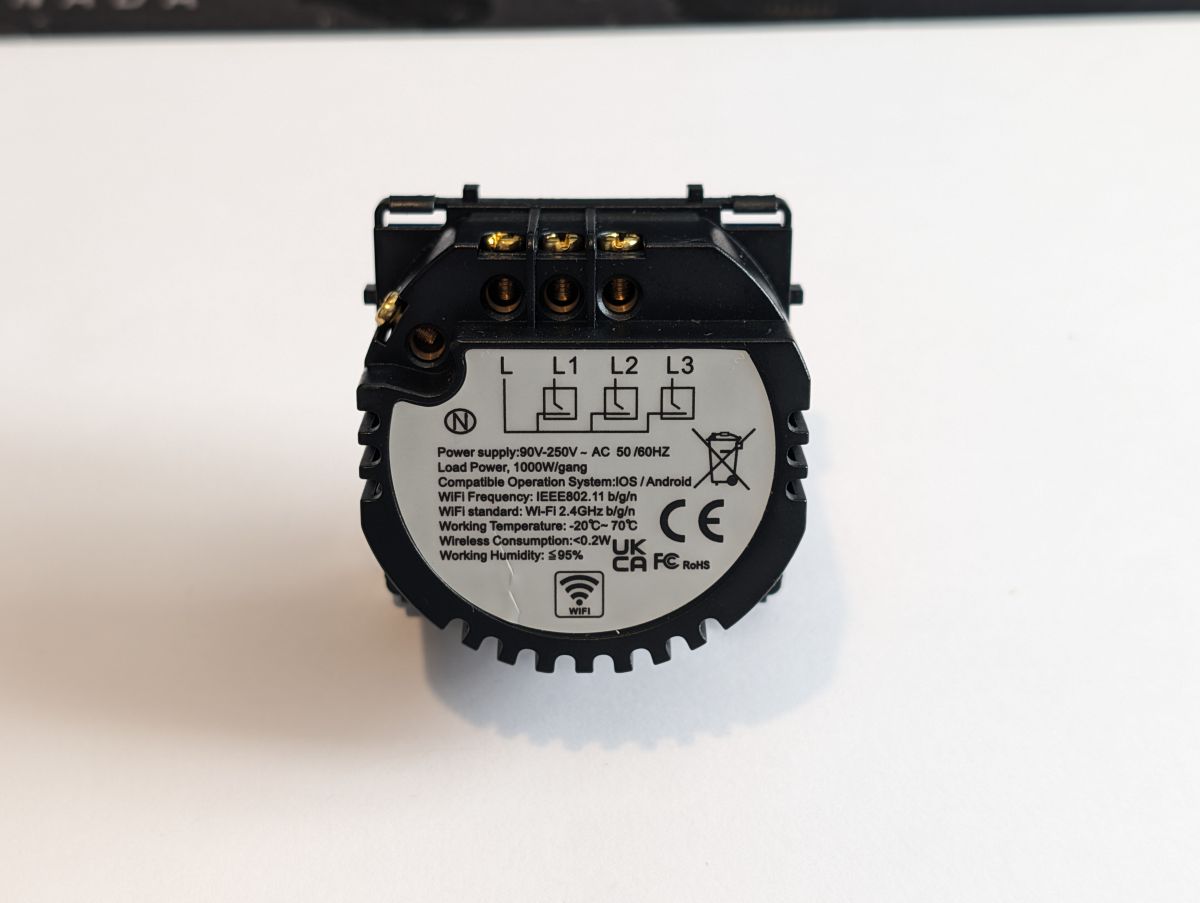
    Like a lot of the smart switches, this does require a neutral at the switch.

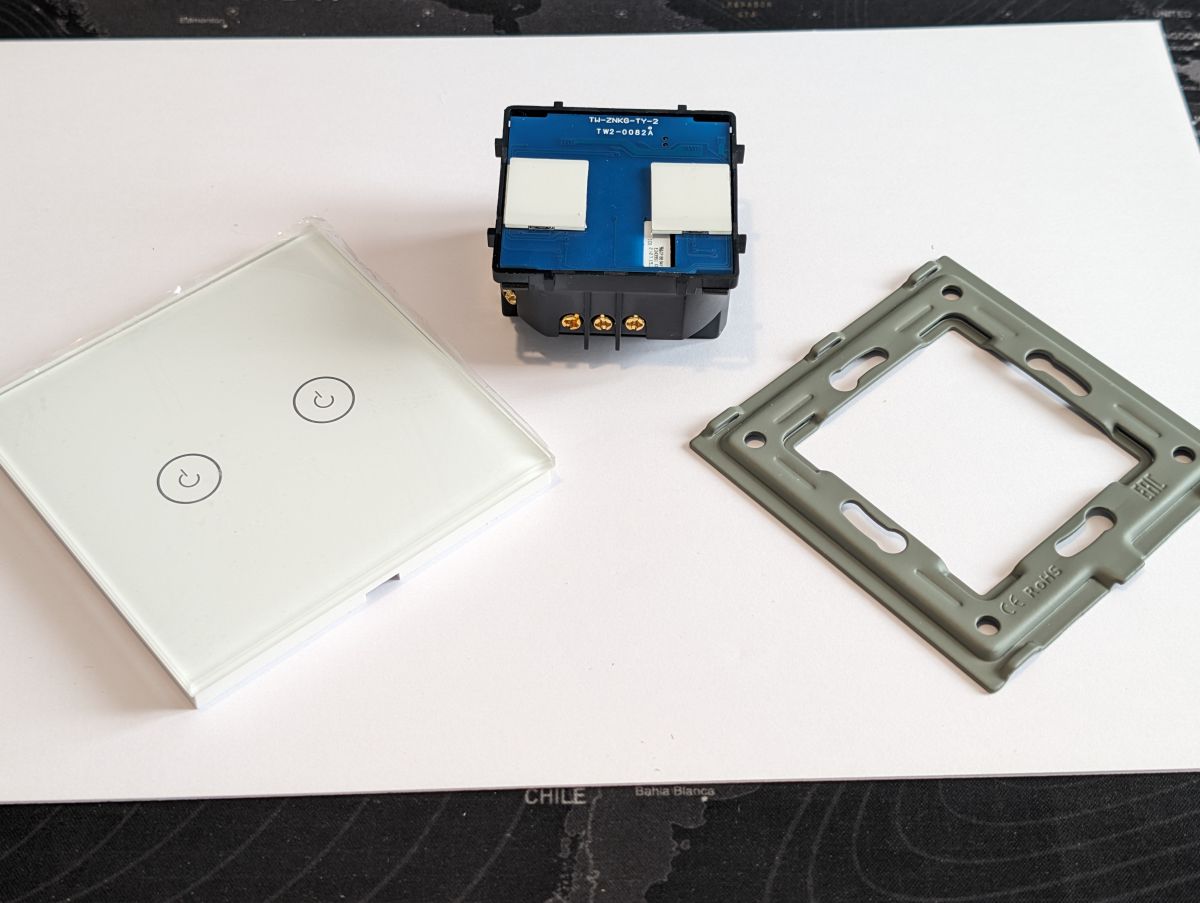
    Unboxing the switch & what is in the box, the first thing I noticed and was impressed with was the mounting plate, it's a strong metal plate, which is a substantial upgrade to a lot of the flimsy plastic housings. Also this is the first switch I have seen using touch panels not springs.
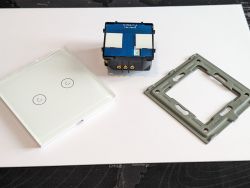
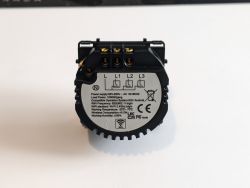
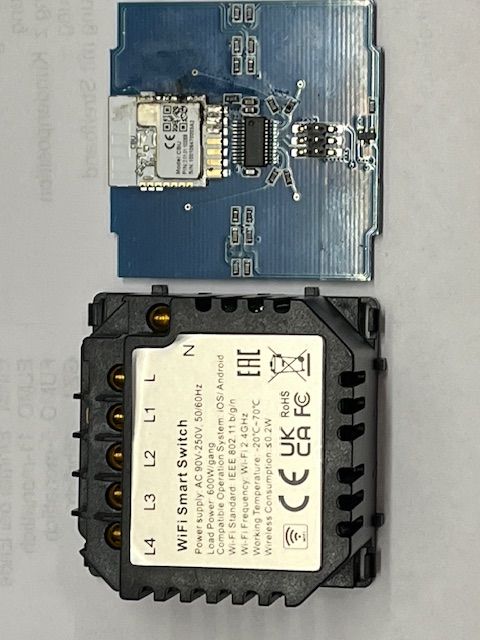
    Components of the BSeed SmartLife 2 Gang smart switch on a table. Rear view of the BSeed SmartLife smart switch, model 2Gang1way with technical description.
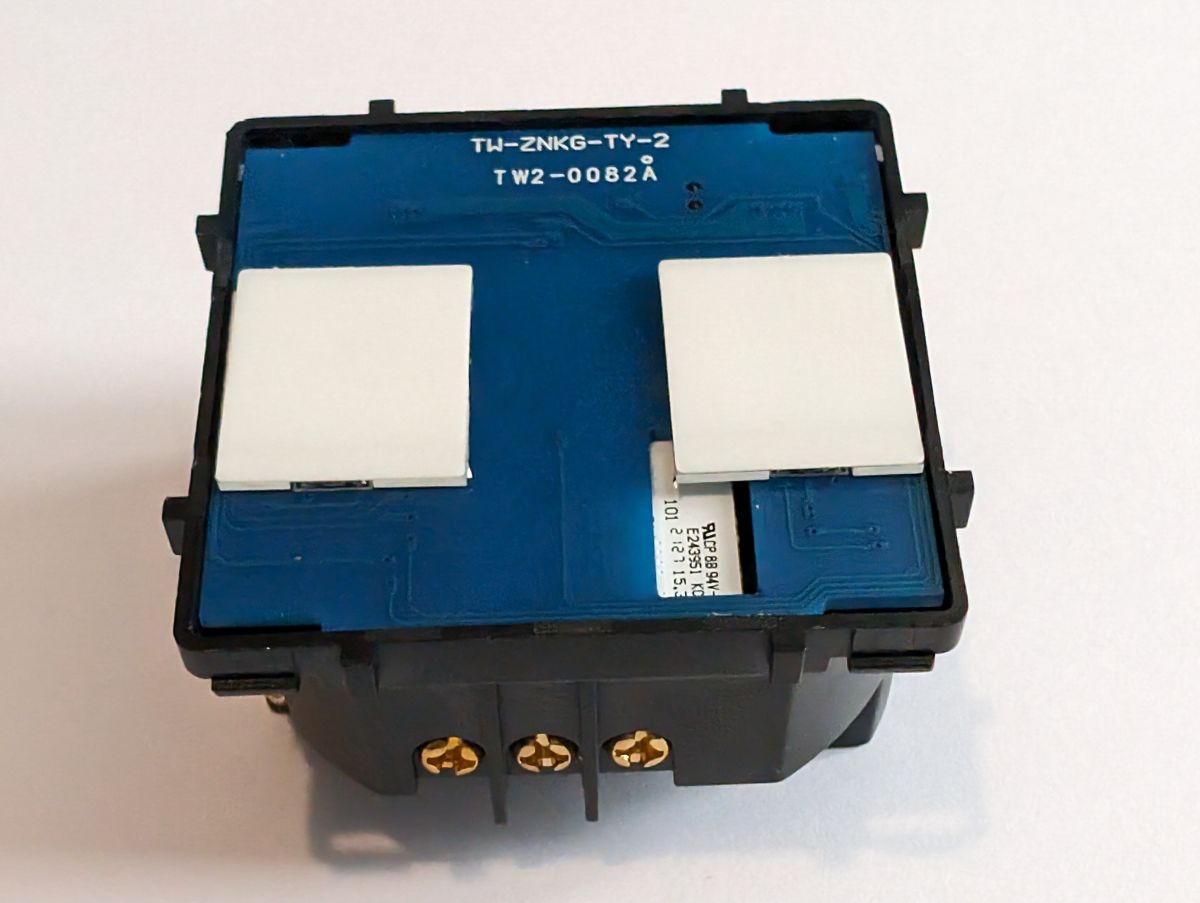
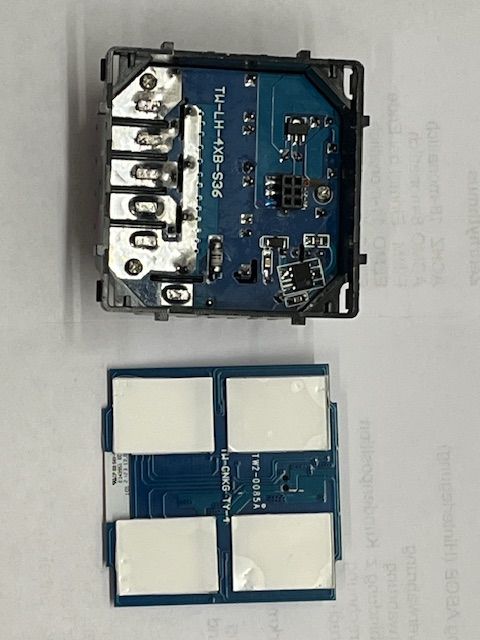
    The touch panel pcb is secured in place solely by the 6 pin connector and is easily removed by gently prying around the edges.
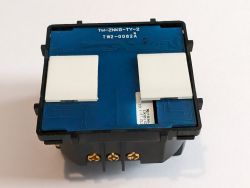
    View of the mounting plate of a 2 Gang smart switch with the touch panel removed.
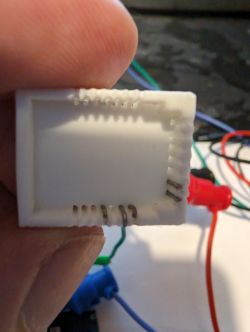
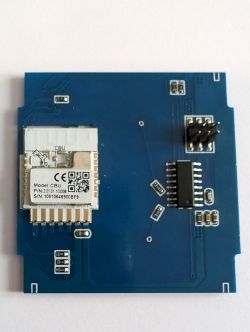
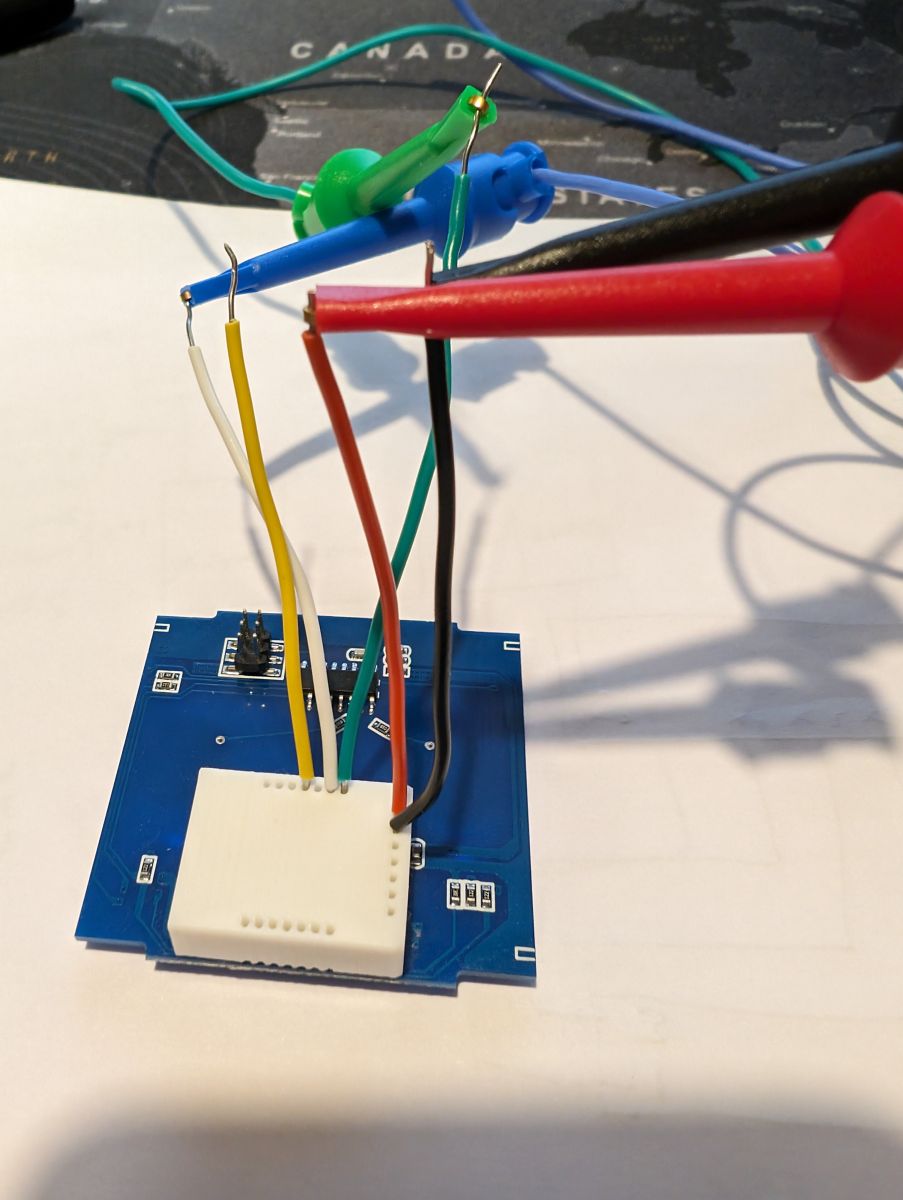
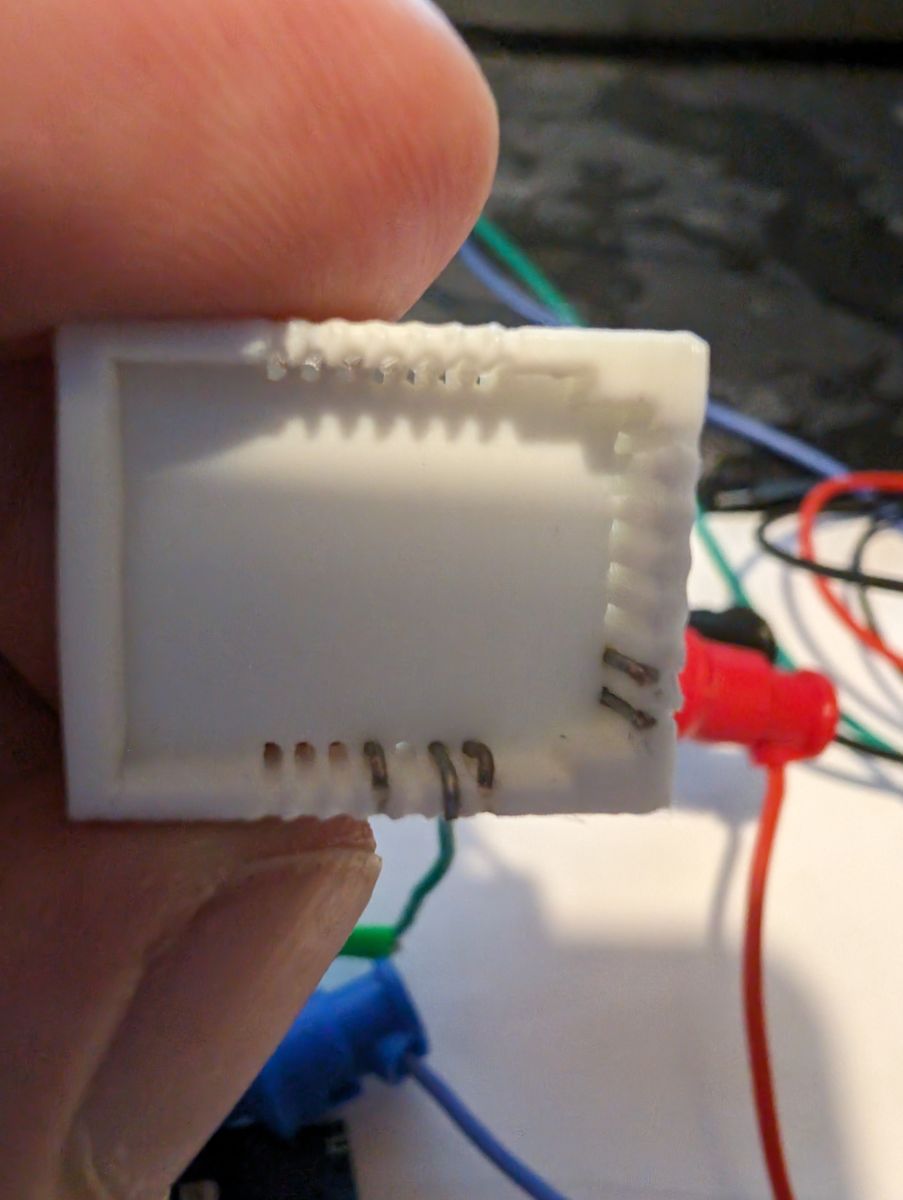
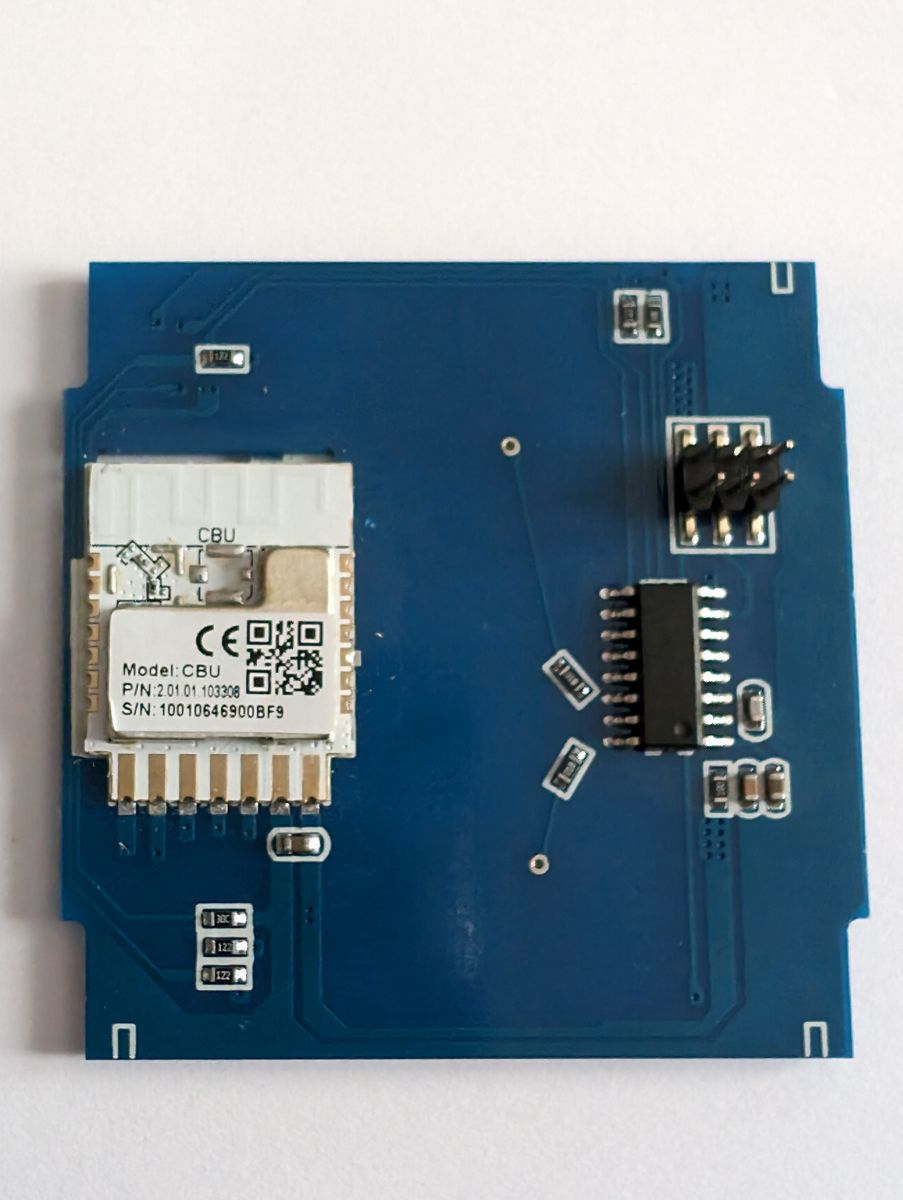
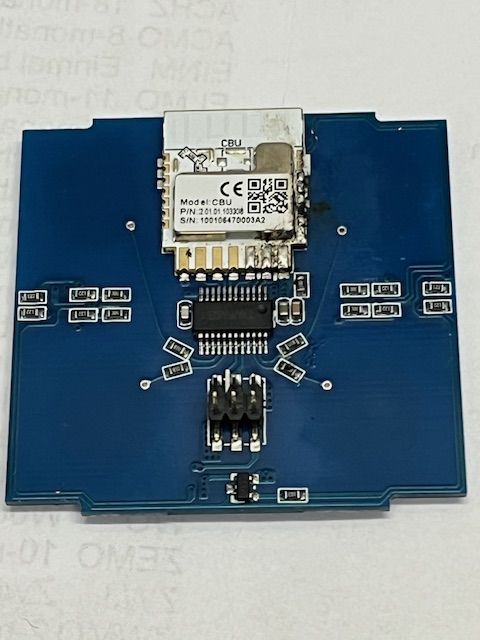
    Upon removal of the touch panel pcb, it was revealed that the switch uses the tuya CBU module, so whilst soldering is a possibility, I decided to design and make a solderless jig for the module. The module snaps tightly over the module so does not need holding in place and is readily available here at www.printables.com to download and print (if you don't have access to a 3D printer and want a module sent please PM me)
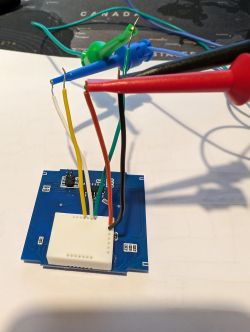
    PCB with attached cables in various colors. Close-up of a plastic holder for a module with visible pins inside. Tuya CBU module board with electronic components.
    Flashing the module took a few attempts, it would not accept the method of tapping CEN to GND, so I had to revert to removing and reapplying power, this threw various errors and failed but after several attempts the device was read and flashed successfully. In the photo showing the flashing jig and wires in place, the connections are as follows Red(3.3v), Black(Gnd), Green(Tx), White(Rx), Yellow(CEN)

    The template for this switch:
    Code: JSON
    Log in, to see the code

    Cool? Ranking DIY
    Helpful post? Buy me a coffee.
    About Author
    TheCleaner
    Level 3  
    Offline 
    TheCleaner wrote 3 posts with rating 3, helped 1 times. Been with us since 2024 year.
  • ADVERTISEMENT
  • Helpful post
    #2 20964482
    p.kaczmarek2
    Moderator Smart Home
    Posts: 14622
    Help: 655
    Rate: 12639
    A CBU-based device, nice. CBU is unique among Tuya modules because it has P16 routed out, while CB3S and CB2S don't have it. This device could be hacked to even use a WS2812B LED strip.
    Helpful post? Buy me a coffee.
  • ADVERTISEMENT
  • #3 20982954
    Peny11
    Level 1  
    Posts: 1
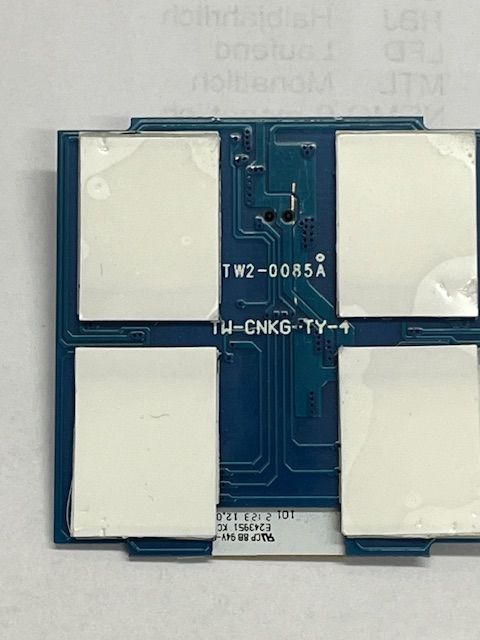
    Top view of an electronic module with four large white areas on a blue printed circuit board. Electronic board with mounted CBU chip Interior of an electronic device with a circuit board and four buttons. WiFi Smart Switch module with Tuya chip and circuit board. >>20964221
    Hallo
    Ich bin neu hier in diesem Forum und finde deine Vorrichtung einfach super genial! Perfekt !
    Ein großes Lob an dich für die geniale Vorrichtung.
    Ich habe auch so einen Touch wie diesen von BSEED!

    Meiner ist von Entuoia hat 4 Tasten und auch diesen Tuya CBU Chip verbaut!!
    https://de.aliexpress.com/item/10050056761423...st_main.5.7a885c5fvtncQf&gatewayAdapt=glo2deu

    https://de.aliexpress.com/item/10050058440719...1670407.1005005844071975&gatewayAdapt=glo2deu

    So weit ich herrausfinden konnte, kommen fast alle diese Schalter von Tangwo Electric Technology!
    Sie sollten sich alle mit Open Beken mehr oder weniger gut flashen lassen.
    Ich habe schon sehr oft versucht diesen CBU Chip zu flashen aber leider ohne erfolg.
    Durch die vielen versuche habe ich mir die Lötpunke am Chip beschädigt das ich es nicht weiter versuchen kann.
    Diese Schalter sind wirklich super und ich möchte weiter versuchen sie für meinen Zweck zu flashen.

    Könnten sie mir so eine Vorrichtung auch nach Österreich senden?
    Ich bin neu hier und weiß nicht wie ich dir mein private E-Mailadresse senden kann.


    Ich hoffe sie können mir Helfen!
  • ADVERTISEMENT
  • #4 20983824
    TheCleaner
    Level 3  
    Posts: 3
    Help: 1
    Rate: 3

    I've responded via PM regarding the flashing jig.

    Also, the 6-pin connector is a good place to connect to for power on these boards. Just use a continuity meter to check which pins to use. This makes it easier to flash if you need to toggle the power like I did.
    Helpful post? Buy me a coffee.
  • #5 20983833
    p.kaczmarek2
    Moderator Smart Home
    Posts: 14622
    Help: 655
    Rate: 12639
    @Peny11 this may be TuyaMCU device.
    See the TuyaMCU guide:
    TuyaMCU flashing, setup and configuration guide - configure dpIDs for Home Assistant

    Added after 1 [minutes]:

    You may need to disconnect UART from the MCU for the flashing to work. See the linked guide.
    Helpful post? Buy me a coffee.
📢 Listen (AI):

FAQ

TL;DR: For owners of 2-gang BSEED and similar 4-button touch switches, the safest path is to lift the touch PCB from its 6-pin connector and flash the BK7231N-based CBU at 3.3V with a solderless jig; “power cycling worked” when CEN-to-GND did not. This FAQ solves teardown, wiring, and recovery questions for OpenBeken flashing. [#20964221]

Why it matters: This thread shows a practical, low-damage way to open and flash a CBU-based wall switch that can otherwise fail repeatedly or lose its solder pads.

Module P16 routed out Hardware-mod note from thread
CBU Yes Can be hacked to drive a WS2812B LED strip
CB2S No Lacks exposed P16
CB3S No Lacks exposed P16

Key insight: On this switch, the solderless CBU jig and full power cycling were more reliable than tapping CEN to GND. That combination reduced handling of delicate pads and eventually produced a successful flash. [#20964221]

Quick Facts

  • The published OpenBeken template identifies this unit as BSeed SmartLife Switch, model 2Gang1way, with BK7231N on a CBU board. [#20964221]
  • The removable touch board is held only by a 6-pin connector, so gentle edge prying gives direct access without first desoldering the module. [#20964221]
  • The flashing-jig wire map shown in the teardown is Red = 3.3V, Black = GND, Green = TX, White = RX, Yellow = CEN. [#20964221]
  • A related 4-button Entuoia touch switch was reported with the same Tuya CBU chip, but another post warned that some variants may also use TuyaMCU. [#20982954]
  • The board’s mounting hardware uses a metal plate, described as a substantial upgrade over flimsy plastic housings seen on many smart switches. [#20964221]

How do you safely open and disassemble a BSEED SmartLife touch switch without damaging the touch panel PCB or the 6-pin connector?

Open it by gently prying around the edges of the touch-panel PCB. The thread states that the touch PCB is secured solely by the 6-pin connector, so slow, even pressure matters more than force. Remove the panel straight out once it loosens, because that preserves the connector and exposes the CBU module cleanly for flashing or inspection. [#20964221]

What is a Tuya CBU module, and how is it different from other Tuya modules like CB2S and CB3S?

A Tuya CBU module is a Tuya module board that exposes GPIO P16, a key characteristic that enables extra hardware mods and sets it apart from some other Tuya boards. In this thread, CBU is called unique because CB2S and CB3S do not have P16 routed out, while CBU does. [#20964482]

How do you flash a BK7231N-based BSEED SmartLife switch with OpenBeken using a solderless Tuya CBU flashing jig?

Use the printed jig, not direct soldering, on this switch. 1. Remove the touch PCB to expose the CBU module. 2. Snap the solderless jig over the module and connect 3.3V, GND, TX, RX, and CEN. 3. Retry flashing until the device is read and written successfully, because this board needed several attempts before OpenBeken flashed correctly. [#20964221]

Why might tapping CEN to GND fail when flashing a Tuya CBU module, and what power-cycling method works instead?

On this specific switch, tapping CEN to GND did not work reliably. The successful method was to remove power completely, reapply power, and retry the read or flash sequence until the module responded. The author reported several failed attempts and various errors before a successful read and flash. [#20964221]

Which wire goes to which pin when using the CBU flashing jig on this switch, including 3.3V, GND, TX, RX, and CEN?

The wire map shown for this switch is fixed by color in the teardown photo. Red = 3.3V, Black = GND, Green = TX, White = RX, Yellow = CEN. Using that exact 5-wire mapping matches the author’s successful setup for the CBU flashing jig on the BK7231N module. [#20964221]

Where can I download or get the 3D-printable solderless flashing jig for a Tuya CBU module used in BSEED or Entuoia touch switches?

You can download the solderless Tuya CBU flashing jig from Printables, because the author linked the printable model directly in the teardown. If you do not have a 3D printer, the same post also says you can contact the author privately to request a module to be sent. [#20964221]

What is TuyaMCU, and how do I tell whether my BSEED or Entuoia touch switch uses TuyaMCU in addition to the CBU module?

“TuyaMCU” is a device layout that uses a Tuya wireless module alongside a separate MCU that can occupy UART, a key characteristic that may block flashing until UART is disconnected. In this thread, the 4-button Entuoia switch is flagged only as a possible TuyaMCU device, so repeated flashing failure is the concrete warning sign given here. [#20983833]

How do I use the 6-pin connector on the switch board to supply power during flashing, and how can a continuity meter help identify the correct pins?

Use the 6-pin connector as a power pickup point instead of fighting the module pads. The thread says it is a good place to connect power on these boards, and it recommends a continuity meter to identify which connector pins actually carry the needed lines before you attach 3.3V and GND. [#20983824]

Why does flashing a Tuya CBU chip sometimes fail after many attempts, and what can I do if the solder pads are already damaged?

Repeated attempts can fail on this hardware because the module may not enter flash mode consistently, and direct soldering can then damage the small pads. One user reported that many tries damaged the chip’s solder points badly enough to stop further work. The practical recovery path in this thread is to switch to the solderless jig and use the 6-pin connector for power instead of the damaged pads. [#20982954]

What are the OpenBeken pin assignments and template settings for the 2-gang 1-way BSEED SmartLife switch with a CBU board?

The posted template sets vendor: Tuya, name: BSeed SmartLife Switch, model: 2Gang1way, chip: BK7231N, and board: CBU. Its pin map is 6 = Btn;2, 7 = Rel;2, 8 = Rel;1, 24 = Btn;1, and 28 = WifiLED_n;0. Those are the exact OpenBeken assignments shared for the 2-gang, 1-way version. [#20964221]

What is the purpose of the neutral wire in this BSEED SmartLife touch switch, and why does this model require one at the switch box?

This model requires a neutral wire at the switch location. The teardown states that directly, but it does not provide a deeper circuit explanation for the power design. For this FAQ, the safe takeaway is simple: if your wall box lacks neutral, this exact BSEED variant does not match the wiring requirement described in the thread. [#20964221]

CBU vs CB2S vs CB3S: which Tuya module is better for hardware mods like driving a WS2812B LED strip, and why does P16 matter?

CBU is the better choice in this thread for hardware mods such as a WS2812B LED strip. The reason is specific: P16 is routed out on CBU, while CB2S and CB3S do not expose that pin. That extra routed GPIO is the only concrete hardware advantage mentioned, and it is enough to enable the LED-strip mod idea. [#20964482]

How should I disconnect UART from the MCU when a TuyaMCU-based switch blocks flashing on the CBU module?

This thread does not give a step-by-step disconnection method. It gives one precise warning instead: if the switch is a TuyaMCU design, you may need to disconnect UART from the MCU for flashing to work, and the linked TuyaMCU guide is the referenced next step. That means the action is device-specific, not shown on the posted BSEED teardown itself. [#20983833]

What differences should I expect when flashing a 4-button Entuoia touch switch compared with the 2-gang BSEED version shown in the teardown?

Expect the same CBU-family access method, but do not expect the same behavior or template. The 4-button Entuoia unit was reported to use a Tuya CBU chip, yet another reply warned it may be a TuyaMCU device, which can block normal flashing until UART issues are handled. The button count also differs: 4 buttons on Entuoia versus 2 gangs on the shown BSEED sample. [#20983833]

How do touch-panel smart switches like this BSEED design compare with spring-based switches in build quality, mounting, and repairability?

This design looks better built than many spring-based smart switches shown elsewhere in the thread’s experience. The author praised the strong metal mounting plate as a substantial upgrade over flimsy plastic housings and noted this was the first switch they had seen using touch panels instead of springs. Repair access also improves, because the touch PCB lifts out from a 6-pin connector with gentle prying. [#20964221]
Generated by the language model.
ADVERTISEMENT