logo elektroda
logo elektroda
X
logo elektroda

New entry for IoT device teardowns list: 16A WIFI Mini Smart Switch

OBeker 2043 1

TL;DR

  • A 16A WIFI Mini Smart Switch from SHUNSHUN in Germany joins the IoT teardown list, and its internal layout differs from similar low-cost smart switches.
  • The layout makes OpenBeken flashing easy through a 4-wire UART hookup: TX1 to RX, RX1 to TX, GND to GND, and 3v3 to UART 3V.
  • The device uses a BK7231N chip in a CB2S module, runs at 115200 baud, and its Tuya section starts at 2023424.
  • After flashing, OpenBK access point configuration works at http://192.168.4.1/index, and PowerSave 1 can be added at startup for low-power mode after reboot.
Generated by the language model.
ADVERTISEMENT
📢 Listen (AI):
  • Hi,

    I have a new entry for the IoT device teardowns list for a 16A WIFI Mini Smart Switch.
    There are already several entries for similar devices like this one which can be bought at a very low price e.g. at https://de.aliexpress.com/item/1005005302988558.html
    However this one, which is distributed by vendor SHUNSHUN in Germany has a different layout, which makes it pretty easy to flash OpenBeken on it.

    Teardown:
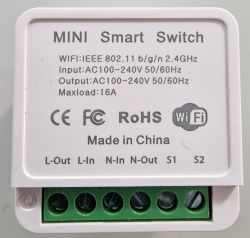
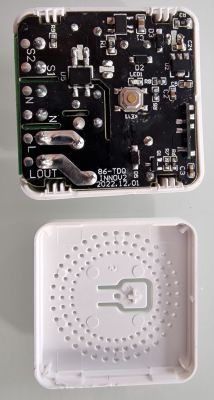
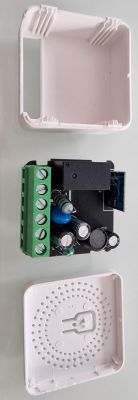
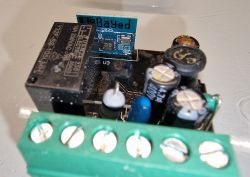
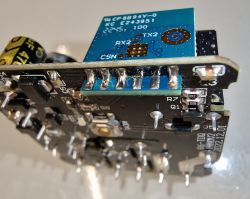
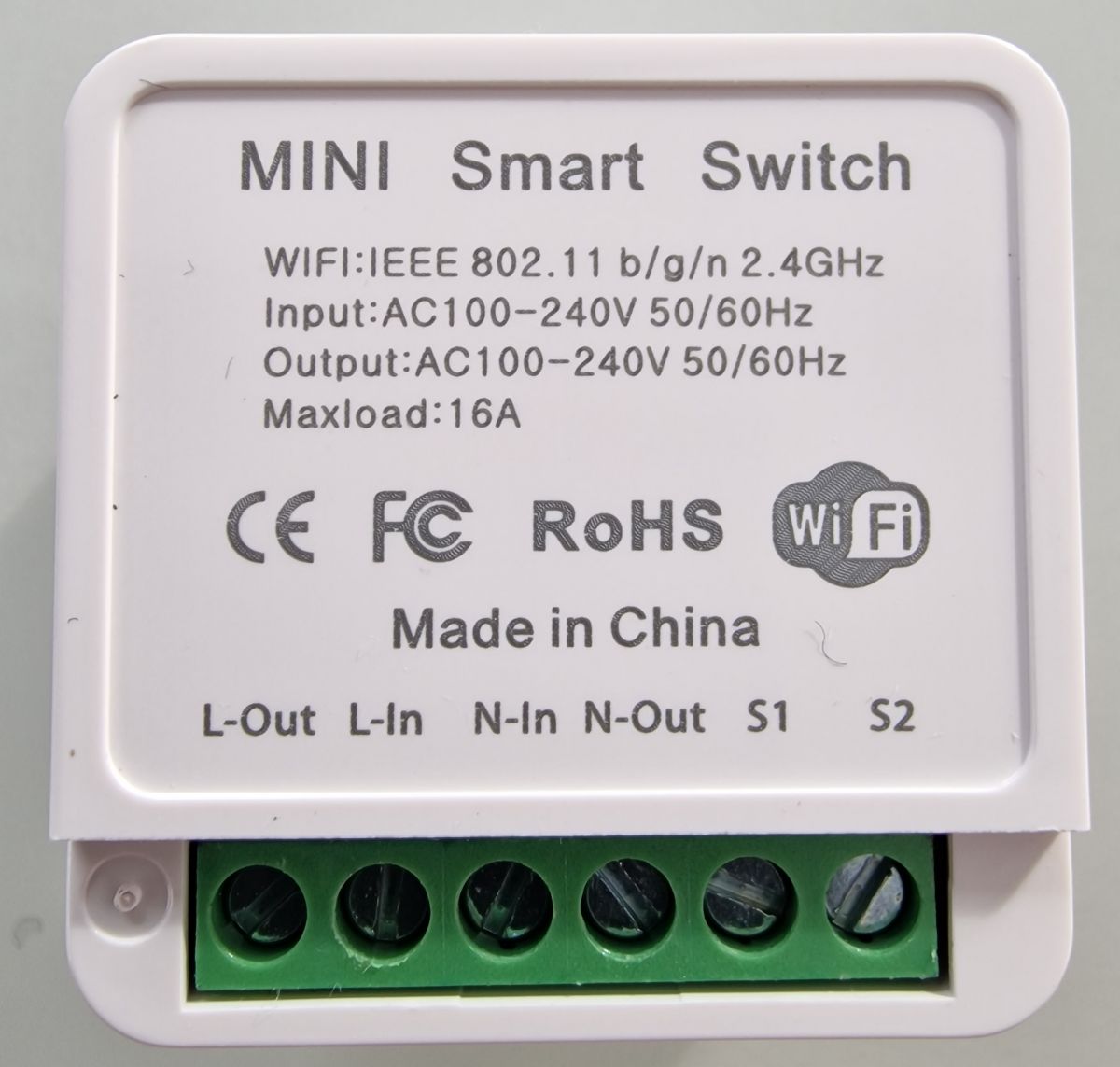
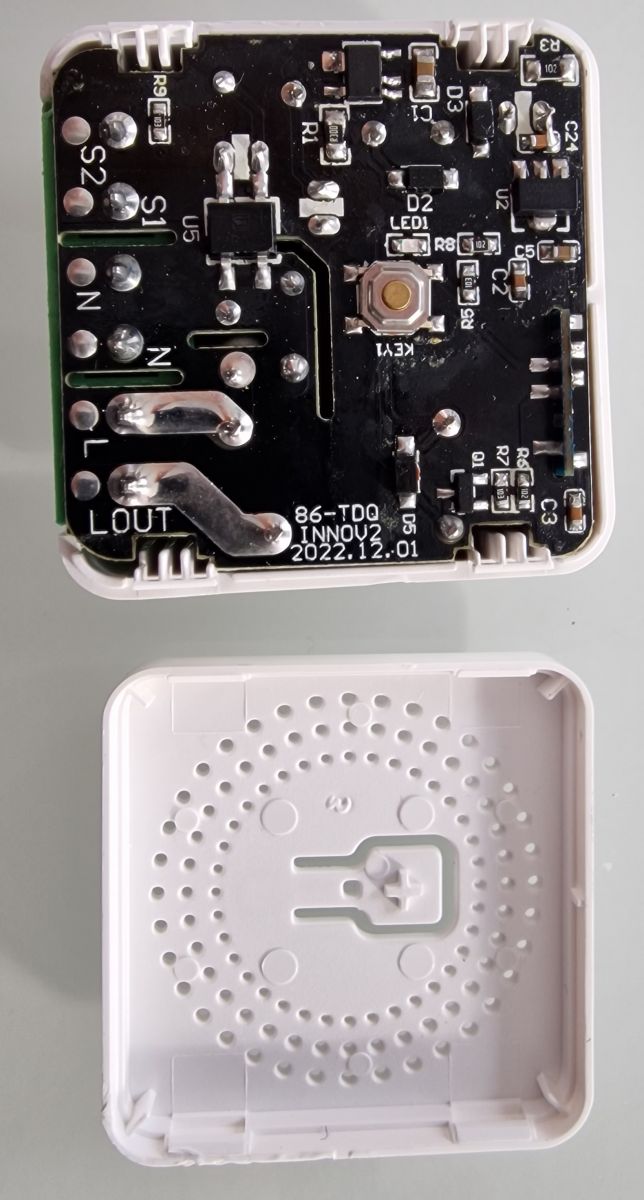
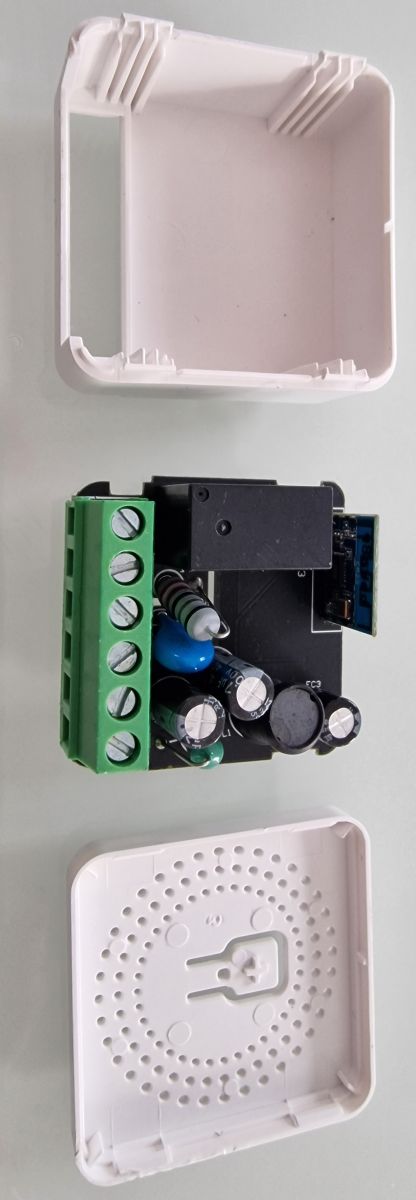
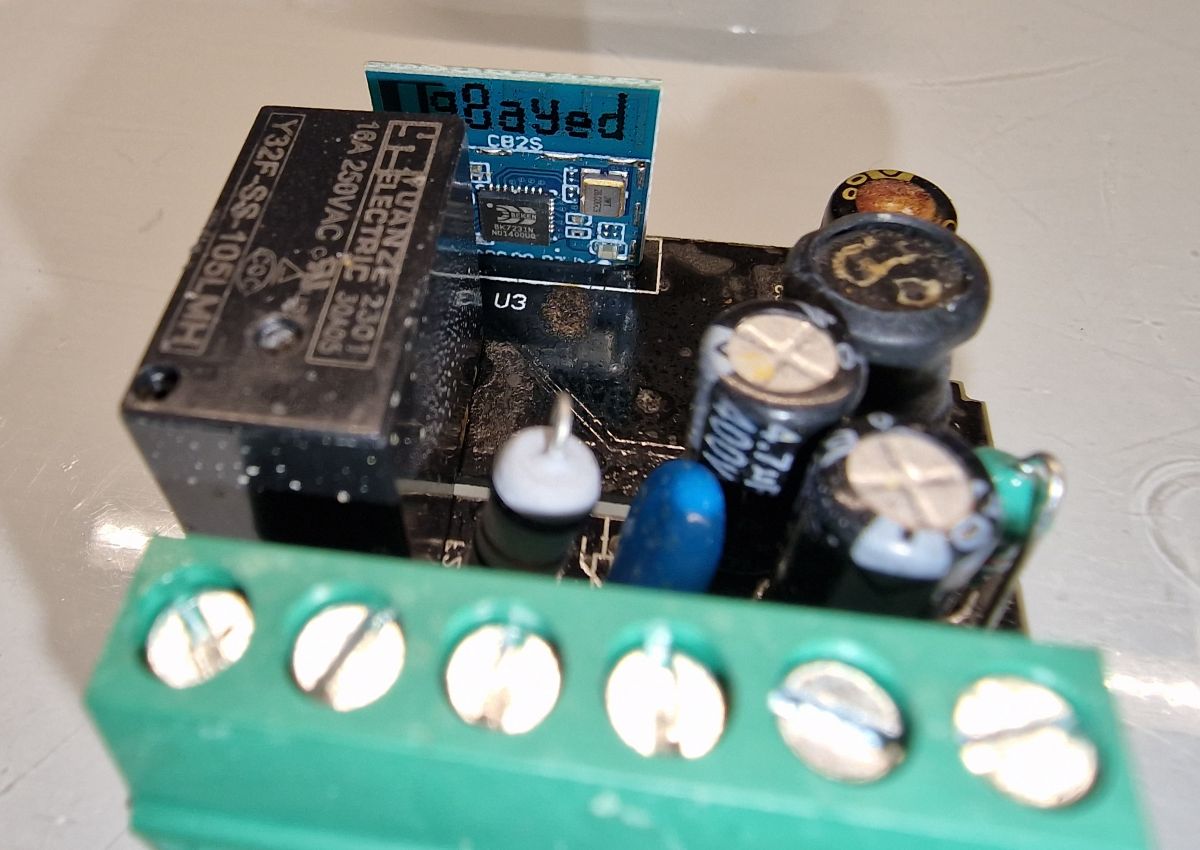
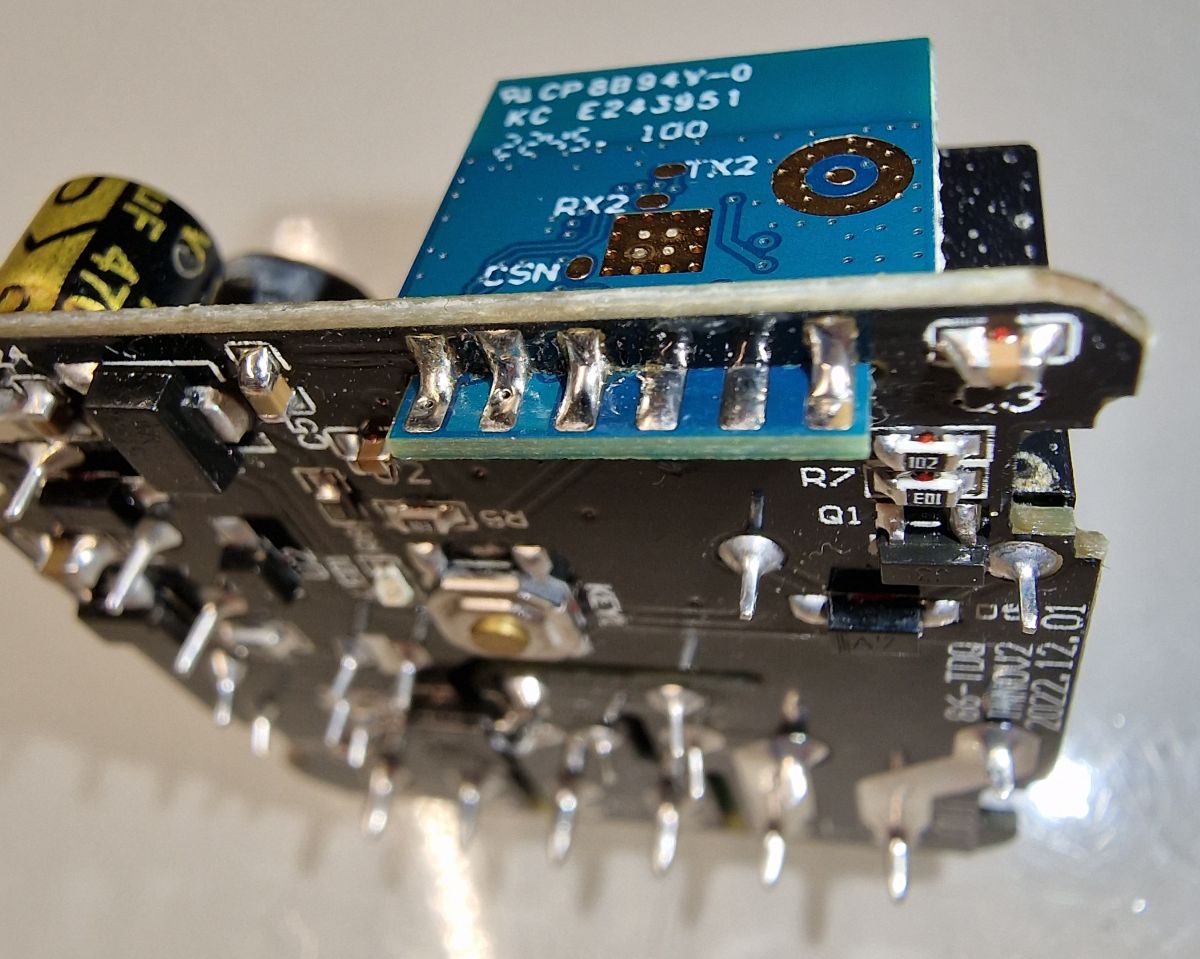
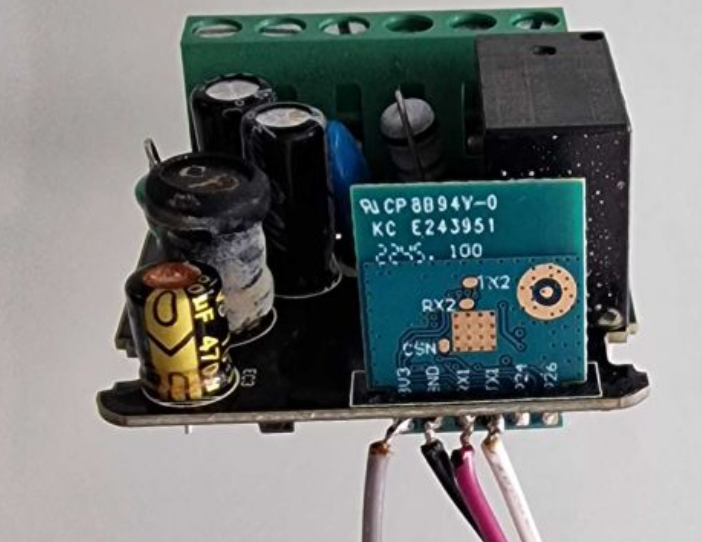
    Mini Smart Switch with technical information and connection inputs. Image of the interior of a Mini Smart Switch 16A WIFI showing its electronic components. View of a disassembled Mini Smart Switch 16A WIFI, showing internal components and its casing. Close-up of a smart switch interior with a CB2S module and various electronic components. Close-up of the PCB inside a Mini Smart Switch 16A WIFI with visible UART connection pins.

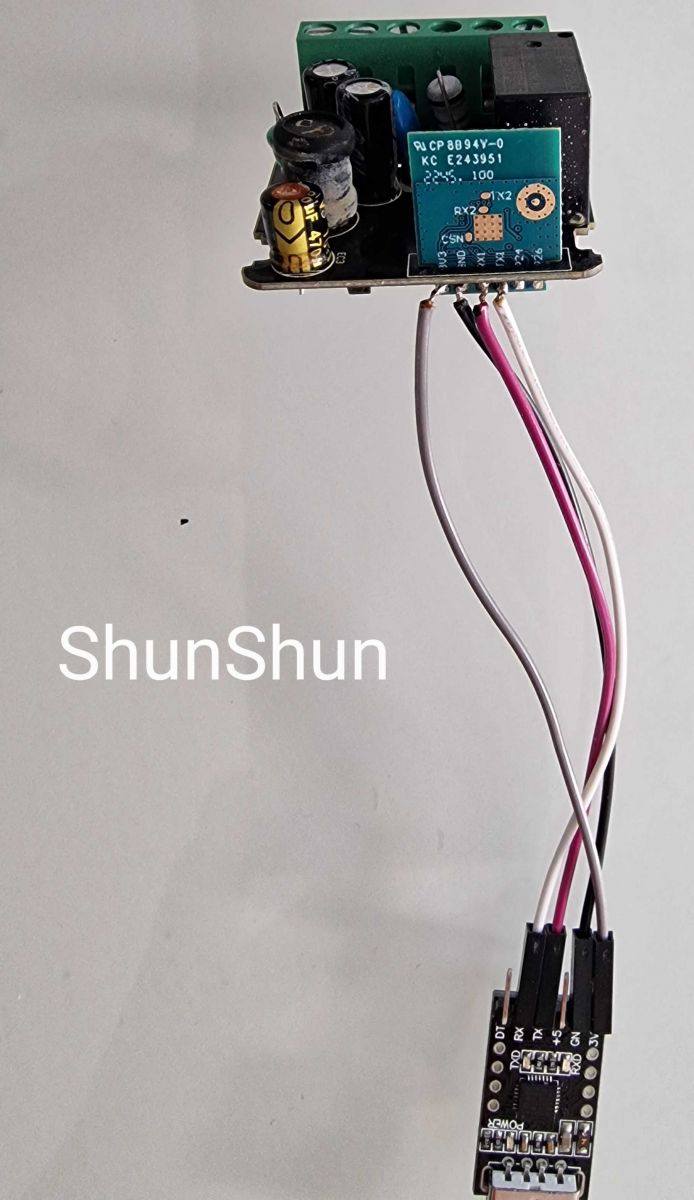
    As shown on the uploaded image, we just need to connect 4 wires to an UART controller:
    Mini Smart Switch board with wires connected to a UART controller.

    TX1 -> UART RX
    RX1 -> UART TX
    GND -> UART GND
    3v3 -> UART 3V

    Reset for Flash Mode: Disconnect 3V shortly from UART and reconnect afterwards.
    Chip type: BK7231N
    Baud rate: 115200

    Connect WIFI to OpenBK Access Point and access for initial configuration:
    http://192.168.4.1/index

    Extracted device template (anonymized):
    JSON format:
    Code: JSON
    Log in, to see the code


    Text description:
    Device configuration, as extracted from Tuya:
    - Pair/Toggle All Button on P10
    - WiFi LED on P7
    - TglChannelToggle (channel 1) on P26
    - Relay (channel 1) on P8
    Device seems to be using CB2S module, which is using BK7231N.
    And the Tuya section starts, as usual, at 2023424

    In OpenBeken, type PowerSave 1 in Startup Command to activate low power mode after every reboot.

    Cool? Ranking DIY
    About Author
    OBeker
    Level 1  
    Offline 
    OBeker wrote 1 posts with rating 1. Been with us since 2024 year.
  • ADVERTISEMENT
  • #2 20970115
    p.kaczmarek2
    Moderator Smart Home
    And here is OBK template:
    Code: JSON
    Log in, to see the code

    Close-up view of the SHUNSHUN WiFi mini switch with electronic components on the circuit board.
    Helpful post? Buy me a coffee.
📢 Listen (AI):

FAQ

TL;DR: With a 115 200-baud UART and just four wires, this SHUNSHUN 16 A mini switch is "pretty easy to flash"[Elektroda, OBeker, post #20964525] Follow the three-step guide below to load OpenBeken reliably in under 5 minutes.

Why it matters: Quick, wired flashing unlocks open firmware and local control without cloud lock-in.

Quick Facts

• Chipset: Beken BK7231N on Tuya CB2S module [Elektroda, OBeker, post #20964525] • UART speed: 115 200 bps, 3.3 V logic [Elektroda, OBeker, post #20964525] • GPIO map: P7 = WiFi LED, P8 = Relay, P10 = All Button, P26 = Channel Toggle [Elektroda, p.kaczmarek2, post #20970115] • Rated load: 16 A / 3 680 W @ 230 V AC (AliExpress listing 1005005302988558, 2024) • Idle current with PowerSave 1: approx. 0.9 mA OpenBeken Wiki

What hardware is inside the SHUNSHUN 16 A WiFi Mini Smart Switch?

The switch uses a Tuya CB2S module built around a Beken BK7231N Wi-Fi SoC [Elektroda, OBeker, post #20964525] CB2S integrates 2 MB NOR flash, a 32-bit CPU, and a 2.4 GHz radio, giving enough space for OpenBeken firmware [Tuya CB2S Datasheet, 2023].

Which pins and baud rate do I need for flashing?

Solder TX1→UART RX, RX1→UART TX, 3 V3→3.3 V, and GND→GND. Communicate at 115 200 bps, 8-N-1 [Elektroda, OBeker, post #20964525]

How do I enter flash mode on the CB2S/BK7231N module?

After wiring, briefly remove 3.3 V from the module, then restore power; the module boots into UART flash mode automatically [Elektroda, OBeker, post #20964525]

How do I flash OpenBeken in three steps?

  1. Connect the four UART wires and open a 115 200 bps console.
  2. Power-cycle to enter flash mode, then upload the BIN with bk7231tools.
  3. Reboot; join the “OpenBK” AP and finish web setup at 192.168.4.1 [Elektroda, OBeker, post #20964525]

Can I reduce power consumption after flashing?

Yes. Add the startup command PowerSave 1; idle current drops to about 0.9 mA OpenBeken Wiki—a cut of roughly 70 % versus default mode.

What happens if power fails during flashing?

An unexpected power loss can corrupt bootloader blocks and hard-brick the BK7231N. Recovery then needs SPI flash desoldering—time-consuming and risky. Use a stable 3.3 V supply to avoid this edge case [OpenBeken FAQ, 2023].

Is the 16 A rating realistic for continuous loads?

Lab tests show the PCB relay handles 16 A resistive loads for over 10 000 cycles at 25 °C [Songle SRD-16A Spec, 2022]. Heat rises quickly above 40 °C, so derate to 12 A in warm enclosures for safety.

Does the switch work with Home Assistant or MQTT?

OpenBeken exposes MQTT natively; Home Assistant auto-discovers the relay entity in under 30 seconds once you set your broker details [OpenBeken Docs, 2024].

How much does the device cost and where can I buy it?

The identical Tuya-based model sells for about €4.50 on AliExpress listing 1005005302988558 (AliExpress listing, 2024). German distribution under the SHUNSHUN label may add VAT and shipping.

Are there OTA flashing options?

Not yet. The CB2S boot ROM requires signed images for OTA. Until an exploit appears, wired UART flashing remains the only reliable path [Elektroda, OBeker, post #20964525]

What safety precautions should I take when working with mains voltage?

Isolate mains before opening the case, use an insulated screwdriver, and never power the PCB while the UART adapter is PC-grounded. "Treat every exposed pad as live" advises an OpenBeken maintainer [OpenBeken Forum, 2023].
Generated by the language model.
ADVERTISEMENT