FAQ 
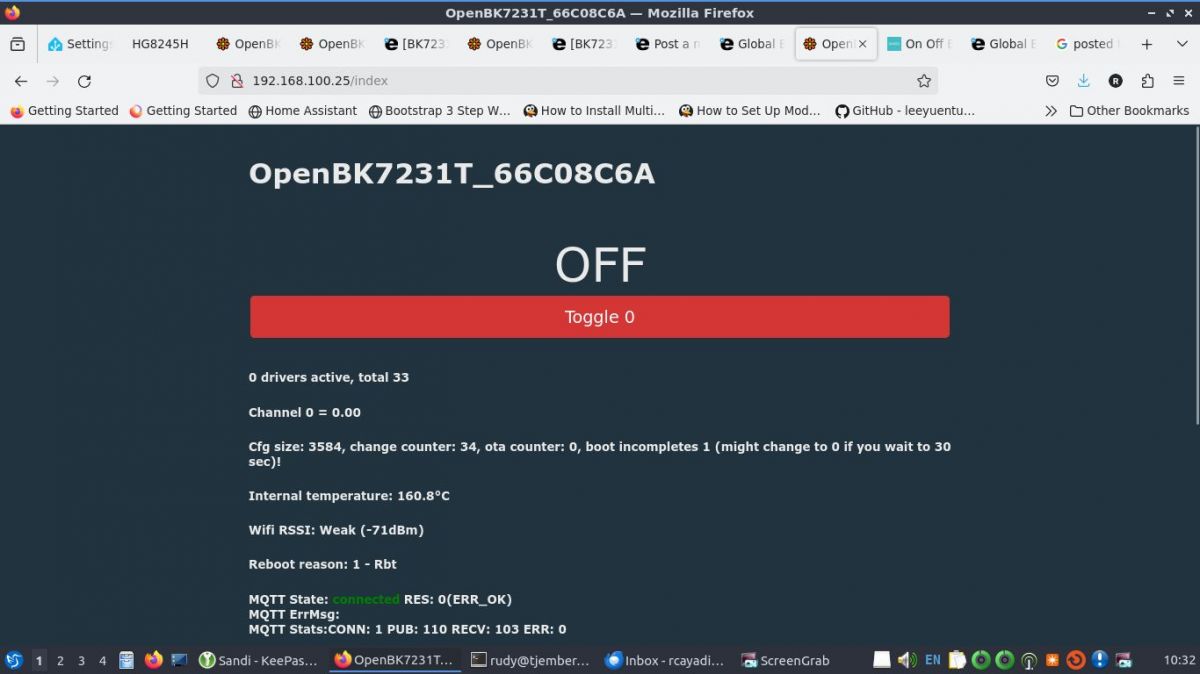
TL;DR: For owners of the Bardi JKY101-F-SR-V31, this 10A smart breaker already has a shared template. “This is the templates” identifies a WB2S/BK7231T-based device, so you can start OpenBeken setup with the correct hardware family before mapping pins. [#20966402]
Why it matters: This FAQ turns two short forum posts into a clean, citation-ready setup reference for identifying, templating, and checking this specific Bardi breaker.
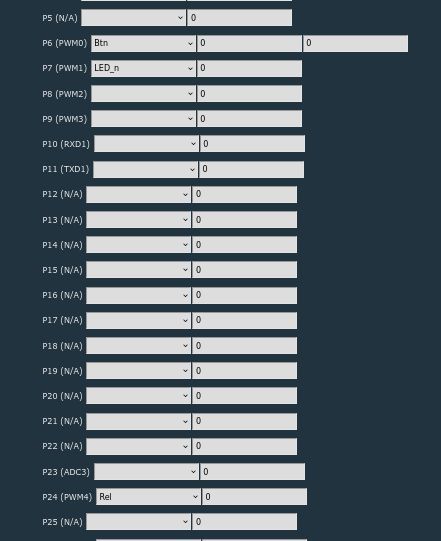
Key insight: The thread gives a complete OpenBeken template for one exact device variant: Bardi ON Off Breaker, model JKY101-F-SR-V31, using a WB2S module with a BK7231T chip and three mapped functions on pins 6, 7, and 24. [#20968657]
Quick Facts
- The product is the Bardi ON Off Breaker, model JKY101-F-SR-V31, and the thread states a max load of 10A. [#20966402]
- The posted OpenBeken template identifies the hardware as WB2S board + BK7231T chip. [#20968657]
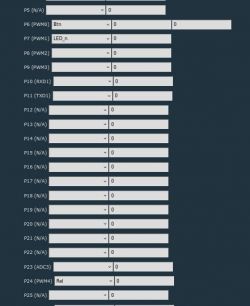
- The JSON maps exactly 3 active pins: pin 6 as
Btn;0, pin 7 as LED_n;0, and pin 24 as Rel;0. [#20968657]
- The template metadata tags it with keywords for Indonesia, single smart switch, and single relay, which helps classify the device quickly. [#20968657]
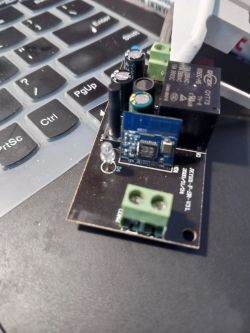
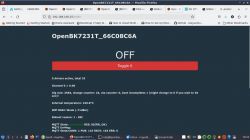
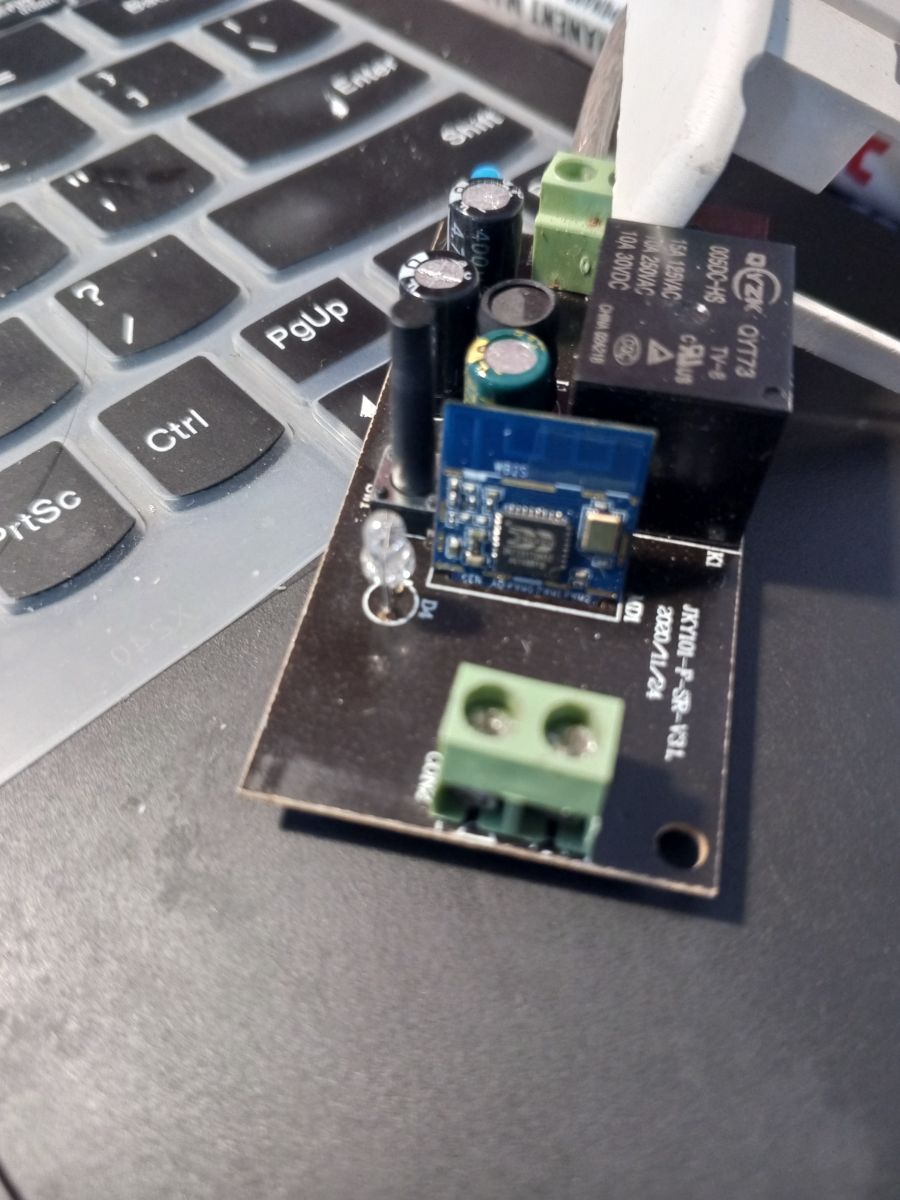
- The thread includes 3 PCB photos in the first post and a separate
image plus wiki reference inside the JSON template. [#20966402]
How do I configure the Bardi ON Off Breaker JKY101-F-SR-V31 in OpenBeken using the WB2S and BK7231T pin template?
Configure it by applying the posted OpenBeken pin map for the JKY101-F-SR-V31. 1. Set the device as Bardi ON Off Breaker with WB2S and BK7231T. 2. Assign pin 6 to
Btn;0, pin 7 to
LED_n;0, and pin 24 to
Rel;0. 3. Save the template and test the button, LED, and relay functions one by one. The shared JSON already defines this exact mapping for the board shown in the thread.
[#20968657]
What is the OpenBeken JSON template for the Bardi ON Off Breaker model JKY101-F-SR-V31?
The thread provides a full OBK JSON template for this exact breaker. It identifies vendor
Bardi, name
Bardi On Off Breaker, model
JKY101-F-SR-V31, chip
BK7231T, board
WB2S, flags
1024, and three pin roles:
6=Btn;0,
7=LED_n;0,
24=Rel;0. It also includes an
image field and a
wiki field for reference.
[#20968657]
Which GPIO pins are assigned to the button, LED, and relay on the Bardi JKY101-F-SR-V31 with a WB2S module?
The posted template assigns pin 6 to the button, pin 7 to the LED, and pin 24 to the relay. In OpenBeken syntax, those roles are
Btn;0,
LED_n;0, and
Rel;0. That gives this device one button input, one LED output, and one relay output in the shared mapping.
[#20968657]
What is the WB2S module in the Bardi ON Off Breaker, and how does it relate to the BK7231T chip?
WB2S is the board module used in this breaker, and BK7231T is the chip named inside that module’s template entry.
"WB2S is a WiFi module that hosts the device logic, with the BK7231T listed here as its underlying chip." In the posted JSON,
board is
WB2S and
chip is
BK7231T, so OpenBeken identifies both the module level and chip level for the same hardware.
[#20968657]
What is BK7231T, and why is it used in smart breakers like the Bardi JKY101-F-SR-V31?
BK7231T is the WiFi chip named for this smart breaker in the shared template.
"BK7231T is a WiFi chip that runs the device’s smart functions, with this Bardi breaker using it through a WB2S module." The thread links BK7231T directly to the JKY101-F-SR-V31, so it is the hardware target for the OpenBeken template and pin assignments.
[#20968657]
How should I map pin 6, pin 7, and pin 24 for the Bardi ON Off Breaker in OBK?
Map pin 6 as
Btn;0, pin 7 as
LED_n;0, and pin 24 as
Rel;0. That is the exact three-pin configuration published for the Bardi ON Off Breaker JKY101-F-SR-V31. If one function fails after setup, the first thing to check is whether one of these three assignments was entered incorrectly.
[#20968657]
Why is the LED configured as LED_n on the Bardi JKY101-F-SR-V31 template, and what does the _n suffix mean?
The template uses
LED_n because that is the exact LED role recorded for pin 7. The thread does not explain the
_n suffix in words, but the notation shows the LED is not entered as plain
LED; it is specifically
LED_n in the published JSON for this board. For this device, keep the posted name unchanged when you copy the template.
[#20968657]
What does the 'flags' value 1024 mean in the OpenBeken JSON for the Bardi On Off Breaker?
The JSON sets
flags to
1024, but the thread does not define what that value means. The reliable takeaway is that
1024 belongs to the shared template for this exact model and should be preserved when you reuse the JSON. The posts give the value, not a functional explanation of it.
[#20968657]
How can I create my own OBK JSON template from photos of a smart breaker PCB like the Bardi JKY101-F-SR-V31?
Use the photos to identify the board, then turn the confirmed functions into a small JSON map. 1. Photograph the PCB and module clearly, as the thread does with 3 images. 2. Identify the module and chip, such as
WB2S and
BK7231T. 3. Record each confirmed function as a pin entry like
6=Btn;0,
7=LED_n;0, and
24=Rel;0. This thread shows that workflow in finished form.
[#20966402]
What is OBK JSON, and how is it used when adding support for a new BK7231T or WB2S device?
OBK JSON is the structured device template used to describe hardware identity and pin roles for OpenBeken.
"OBK JSON is a device template that names the vendor, model, chip, board, and pin functions, making a new device reproducible." In this thread, it carries fields for vendor, model, BK7231T, WB2S, flags
1024, keywords, and the three active pins.
[#20968657]
BK7231T vs other Tuya-style WiFi chips — which is easier to template and configure in OpenBeken?
This thread does not compare BK7231T with other Tuya-style WiFi chips. It only confirms that the Bardi JKY101-F-SR-V31 uses a
BK7231T chip on a
WB2S board and provides one ready-made OpenBeken template for that combination. So the thread supports a device-specific setup, not a cross-chip ease-of-use ranking.
[#20968657]
What troubleshooting steps should I follow if the relay or button does not work after applying the Bardi JKY101-F-SR-V31 template?
First, verify that you entered the exact published mapping: pin 6
Btn;0, pin 7
LED_n;0, and pin 24
Rel;0. Next, confirm that your breaker is the same model,
JKY101-F-SR-V31, with a
WB2S board and
BK7231T chip. If the hardware differs, the shared template can fail even though the JSON is correct for the posted unit.
[#20968657]
How do I verify that my Bardi breaker really uses a WB2S module before flashing or applying an OpenBeken template?
Verify it by opening the device and matching the internal hardware to the thread’s references. The first post shows board photos, and the second post names the board as
WB2S and the chip as
BK7231T. If your internal module marking does not match
WB2S, do not assume this template applies unchanged.
[#20966402]
What safety precautions matter when working with a 10A WiFi breaker like the Bardi ON Off Breaker during teardown, flashing, or testing?
The only explicit safety-related limit in the thread is the breaker’s
max load of 10A. Treat that rating as the hard device limit for this model during any later use. The posts do not provide extra teardown, flashing, or bench-testing precautions, so the thread supports identification and templating more than procedural safety guidance.
[#20966402]
Where can I find the board photos and reference wiki entry for the Bardi On Off Breaker JKY101-F-SR-V31 template?
You can find the board photos in the first forum post and the reference links inside the JSON in the second post. The first post includes 3 PCB images for the Bardi ON Off Breaker, while the JSON adds an
image URL and a
wiki field pointing to the related reference entry. Together, those give both visual confirmation and a template record.
[#20968657]
AI summary based on the discussion. May contain errors.