logo elektroda
logo elektroda
X
logo elektroda

[CBU/BK7231N] Plafon Tuya 30W RGBCW A228903 2700-6500K with remote

p.kaczmarek2 1713 1

TL;DR

  • A slim Tuya RGBCW 30W ceiling lamp A228903 with 2700-6500K color temperature and a bundled remote is opened and prepared for firmware replacement.
  • Inside sits a CBU WiFi module based on BK7231N, with separate BP2525 and YT5207B power sections and LED transistors driving the ring LEDs.
  • The lamp sells for around PLN 100, and the module exposes PWM-capable pins P8, P7, P6, P26, and P24 for control.
  • Flashing the BK7231N is straightforward, freeing the lamp from the cloud and making Home Assistant integration feasible.
  • The remote control remains the open problem: it may be Bluetooth-based, but its communication path is still unknown and remote support is not yet workable.
Generated by the language model.
ADVERTISEMENT
Treść została przetłumaczona polish » english Zobacz oryginalną wersję tematu
📢 Listen (AI):
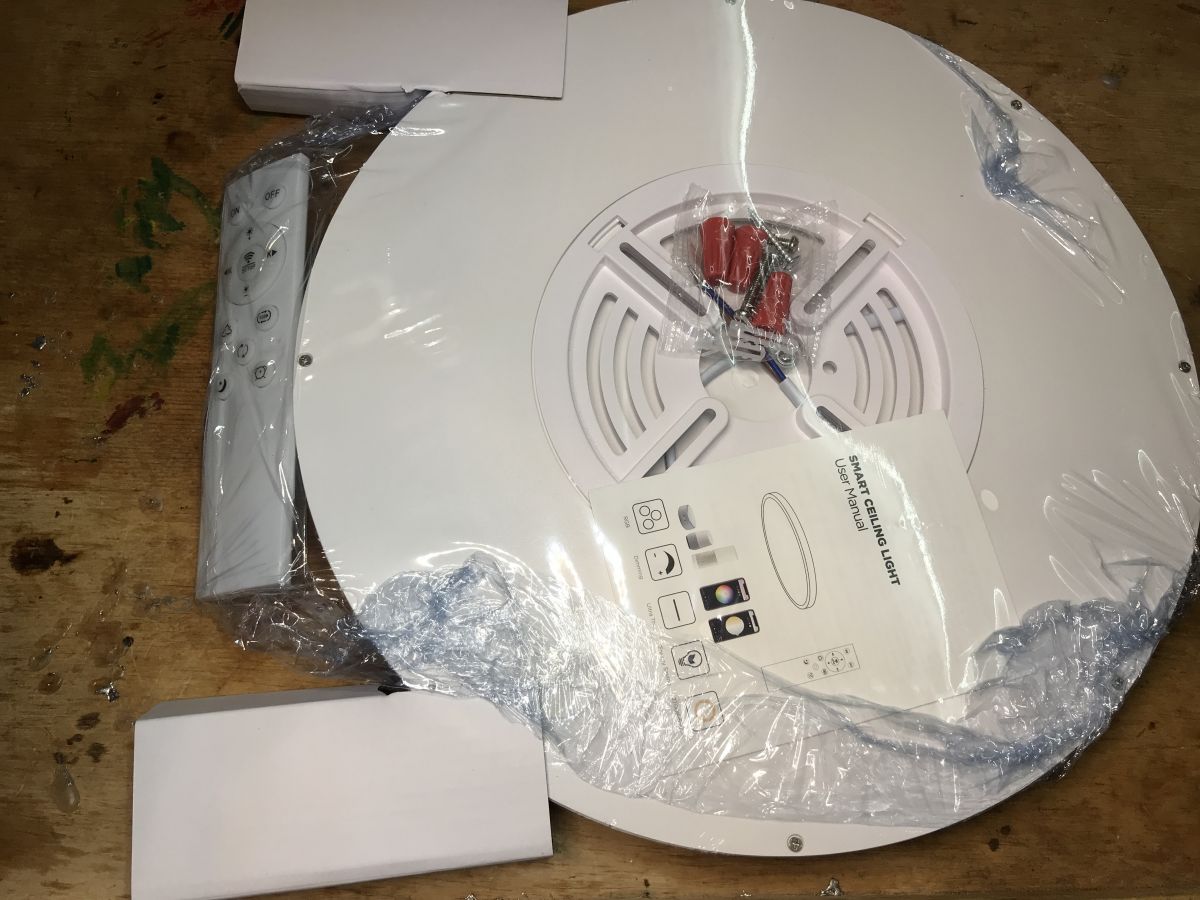
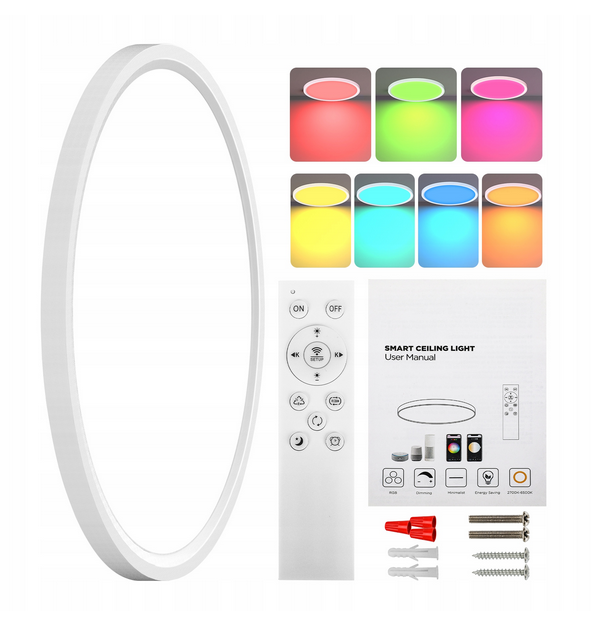
  • Tuya RGBCW LED ceiling light with remote, manual, and mounting components.
    Today we are changing the software of the Tuya RGBCW 30W ceiling lamp in the "slim" version. The goal will be to free it from the cloud and connect it to Home Assistant. The presented ceiling lamp is characterized primarily by its compact design and additionally has a remote control, which surprised me a bit...

    Purchase A228903
    This model costs around PLN 100:
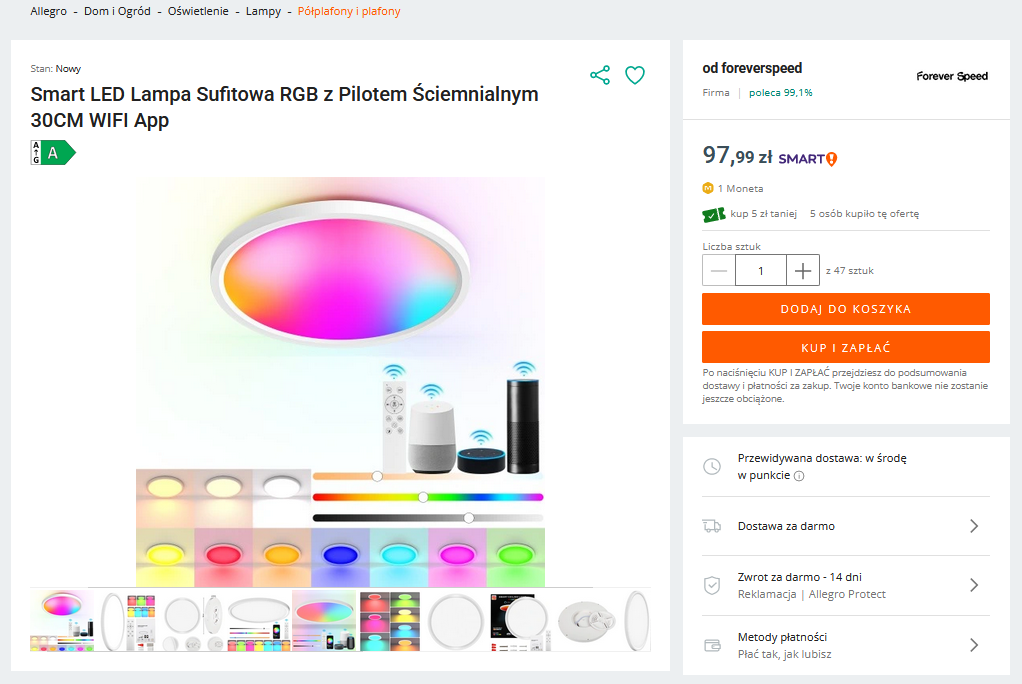
    LED ceiling lamp RGB with remote control and WiFi app sales offer.
    The description is usually praising the application and voice control, etc.:
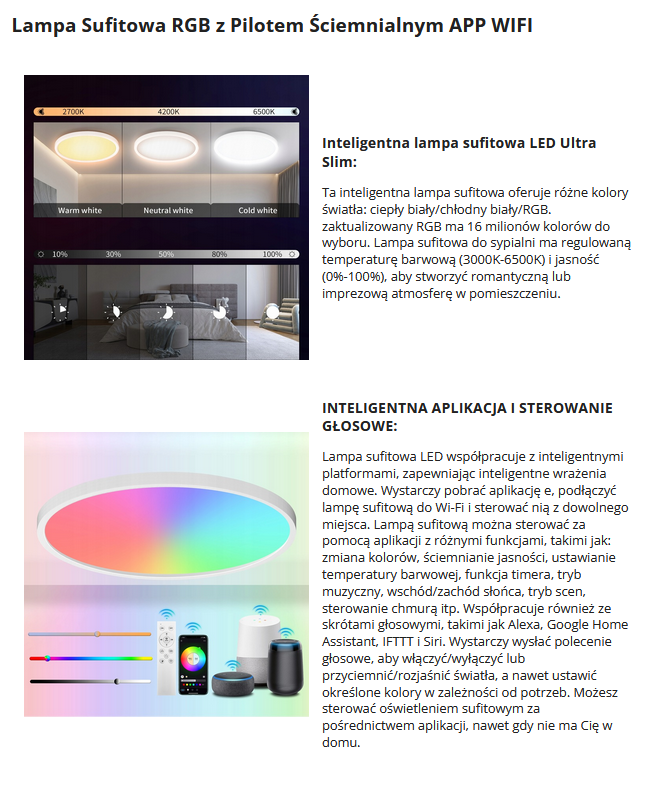
    Smart LED ceiling light with color and brightness adjustment, controlled by app and voice command.
    The description includes the name: Graffiti Slim Ceiling Lamp:
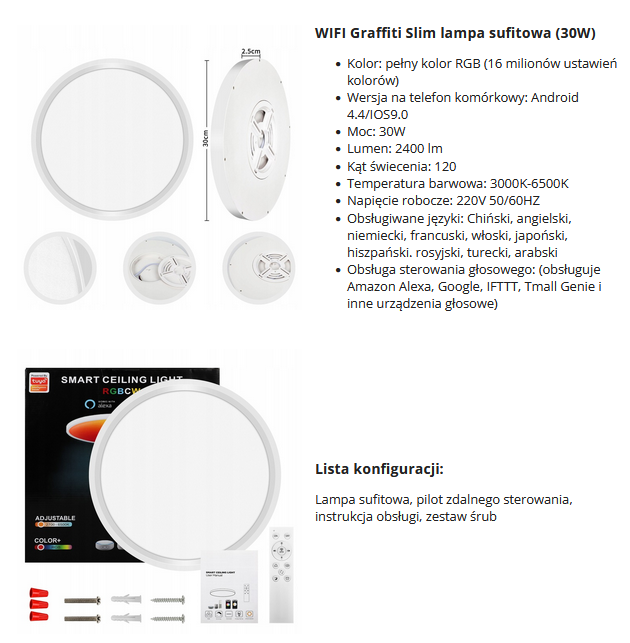
    The image shows a 30W Graffiti Slim ceiling lamp with accessories.
    Set contents:
    Tuya RGBCW LED ceiling light with remote, manual, and mounting components.
    Let`s see what we get in practice:
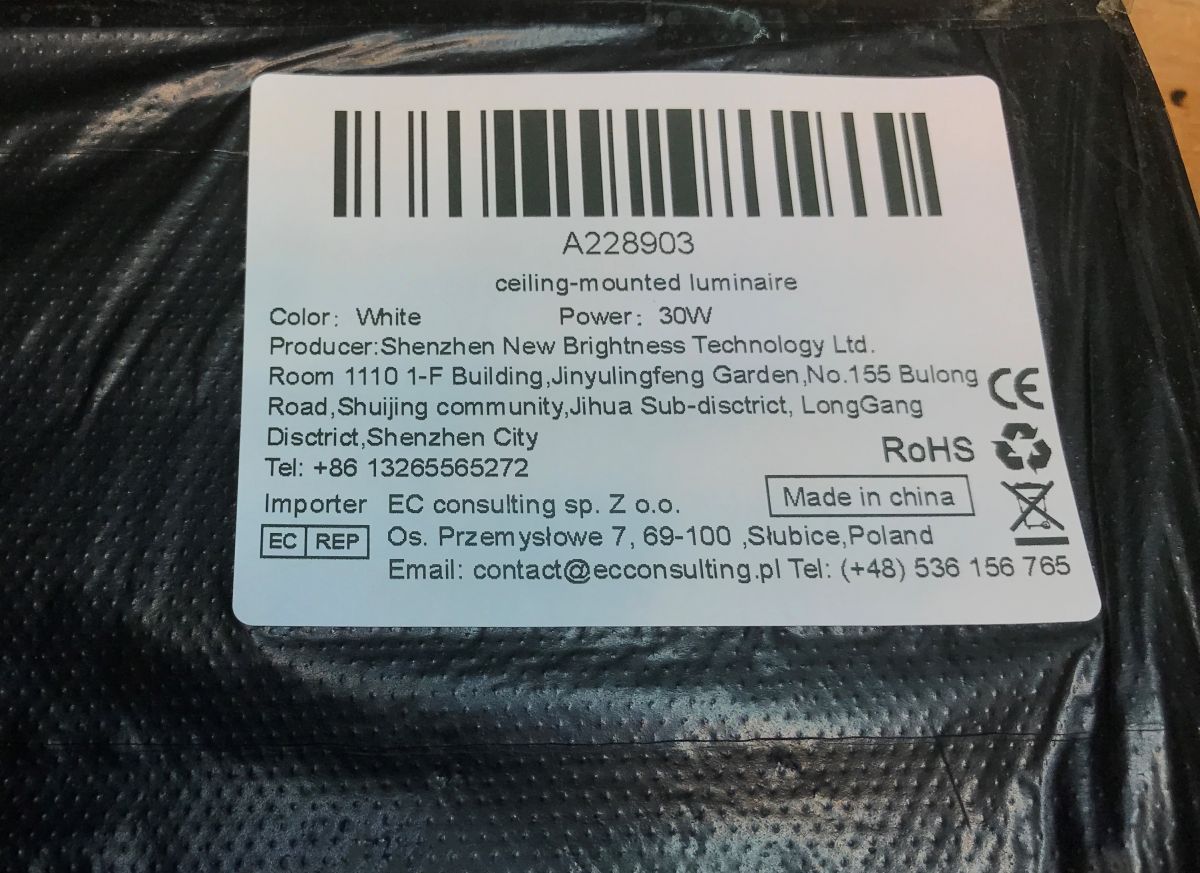
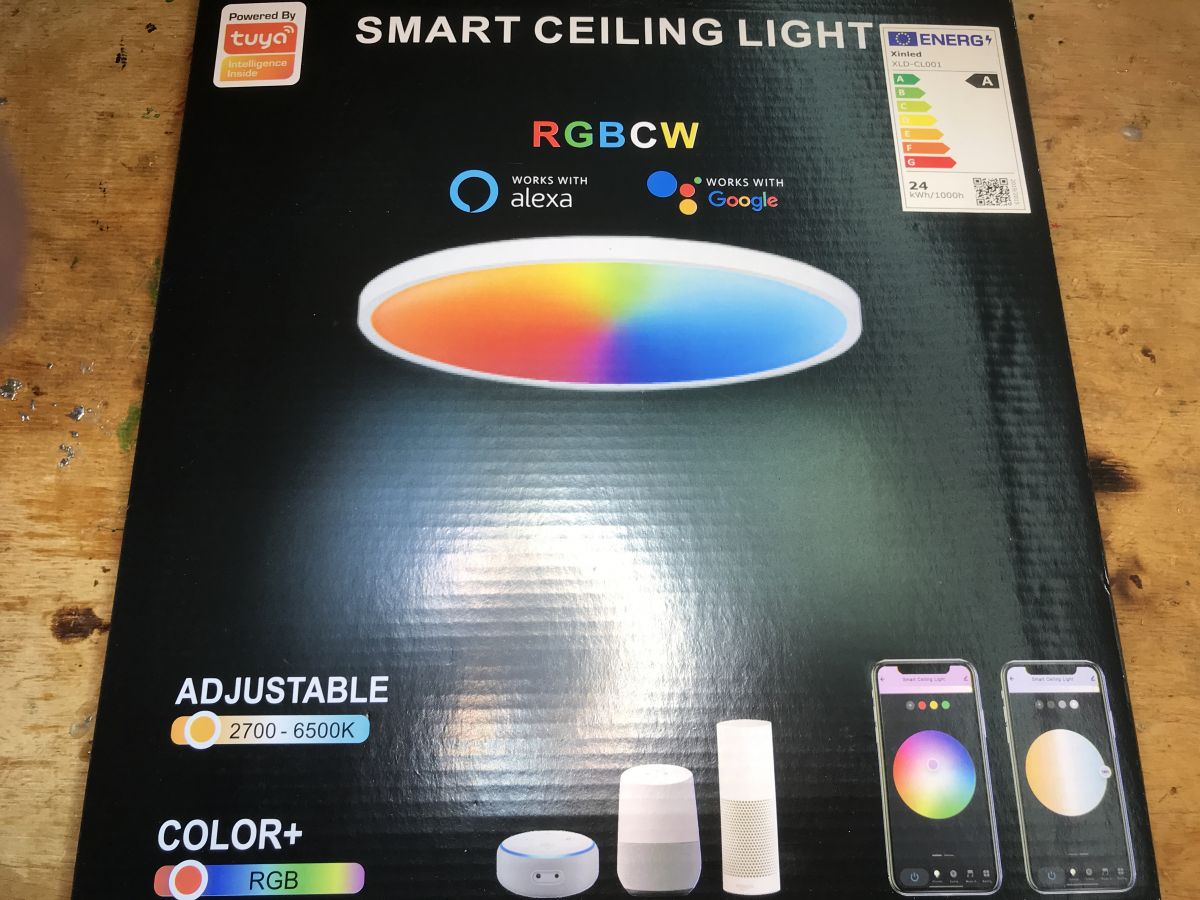
    Label of ceiling lamp A228903 with product information. Packaging of Tuya RGBCW ceiling light model A228903
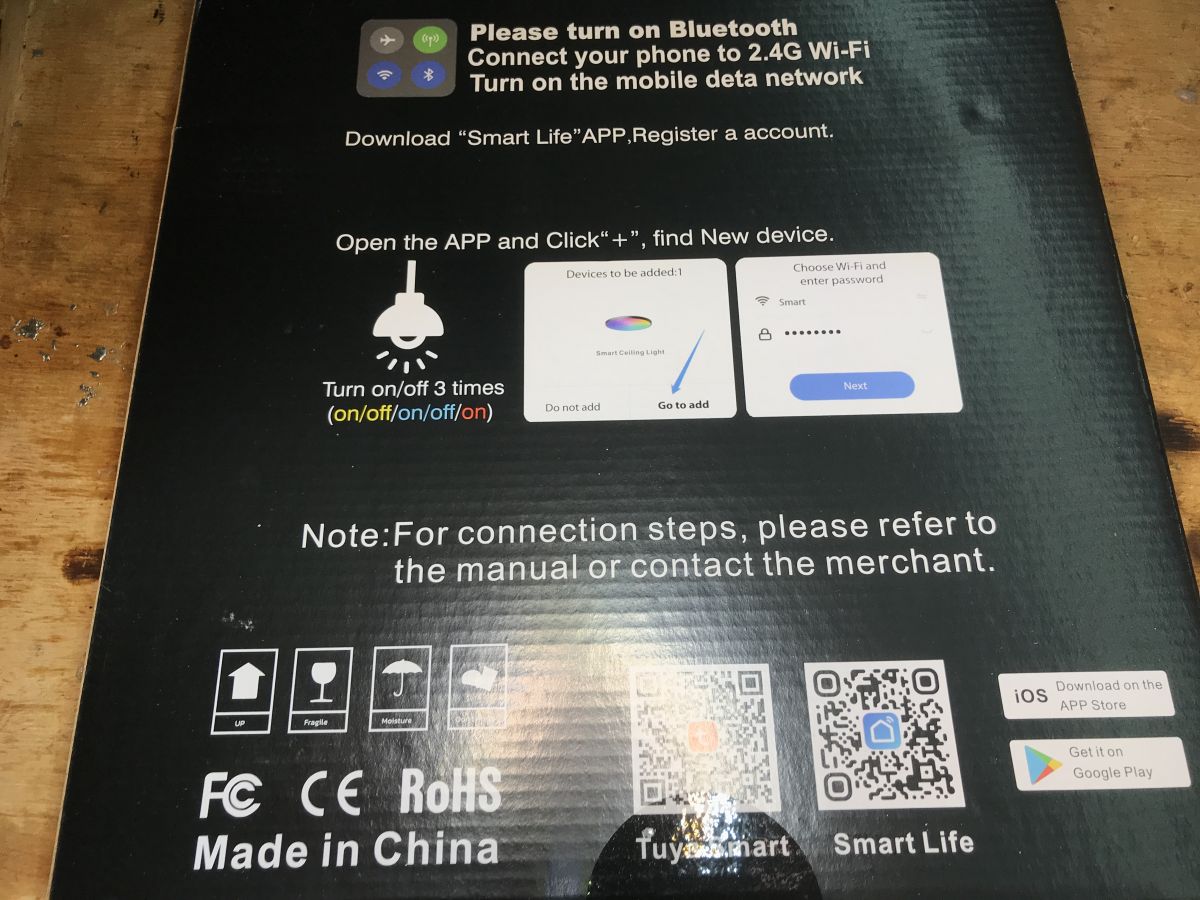
    Packaging:
    Packaging of Tuya RGBCW smart ceiling light. Tuya ceiling lamp packaging with installation instructions.
    Contents, there are even screws:
    Flat Tuya RGBCW 30W ceiling light with accessories and manual on a wooden surface.
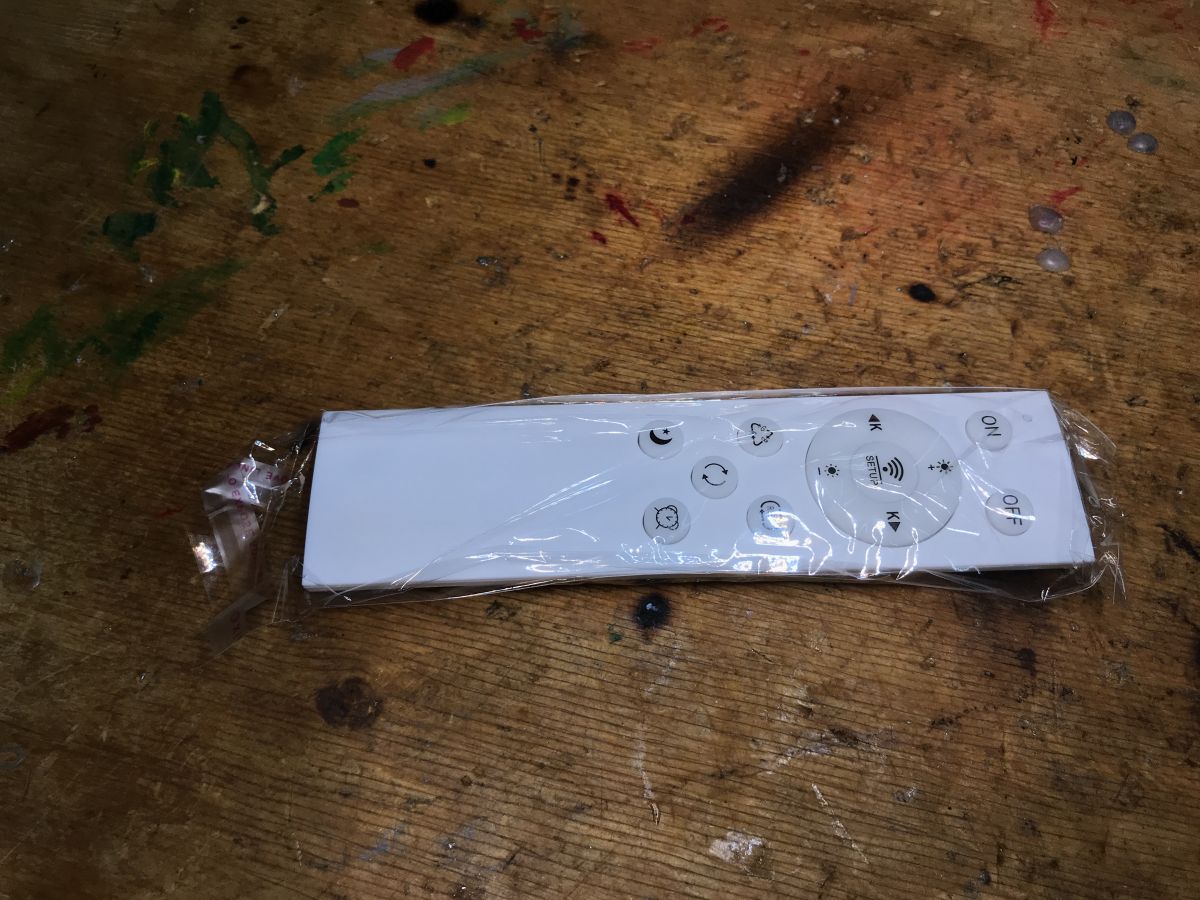
    Remote:
    Plastic-wrapped white remote with several buttons on a wooden surface.
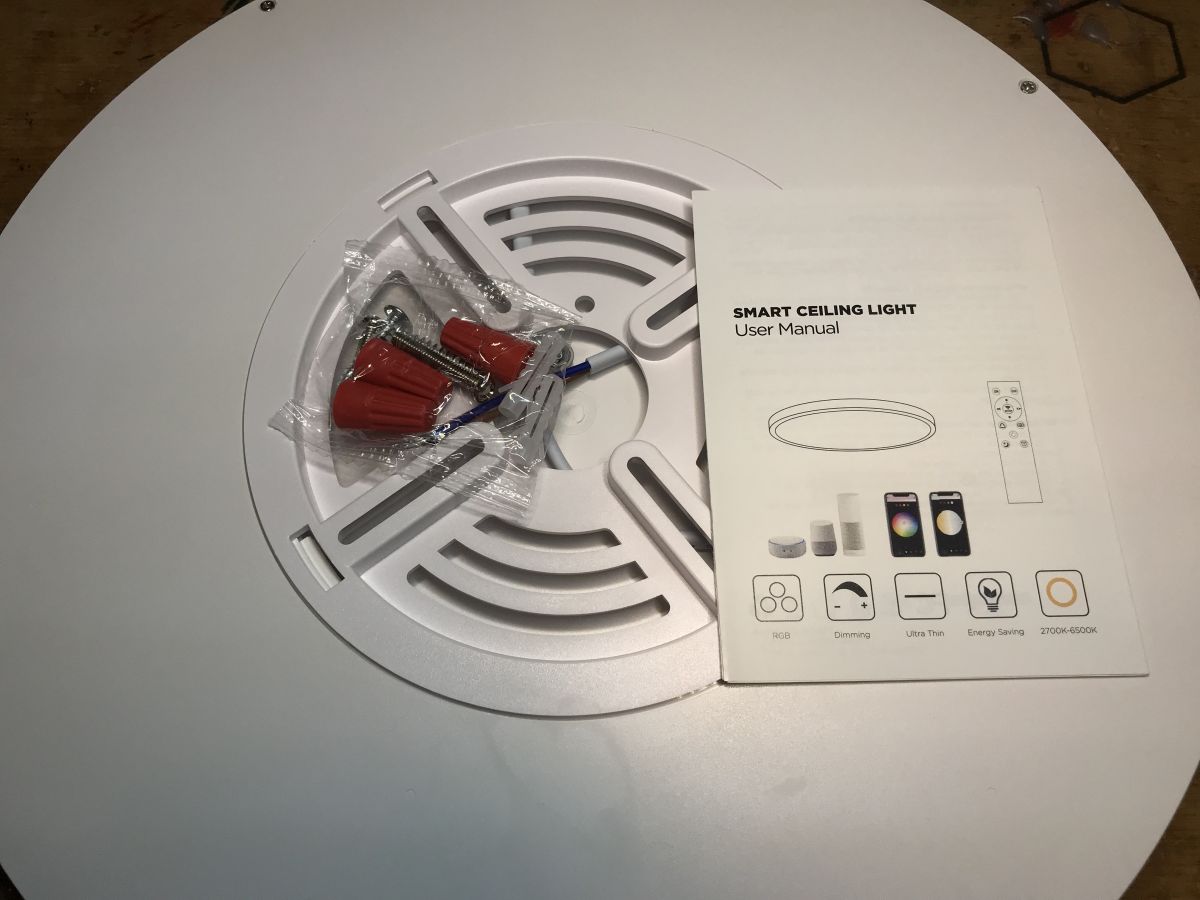
    Mounting:
    View of slim ceiling light with user manual and mounting kit.
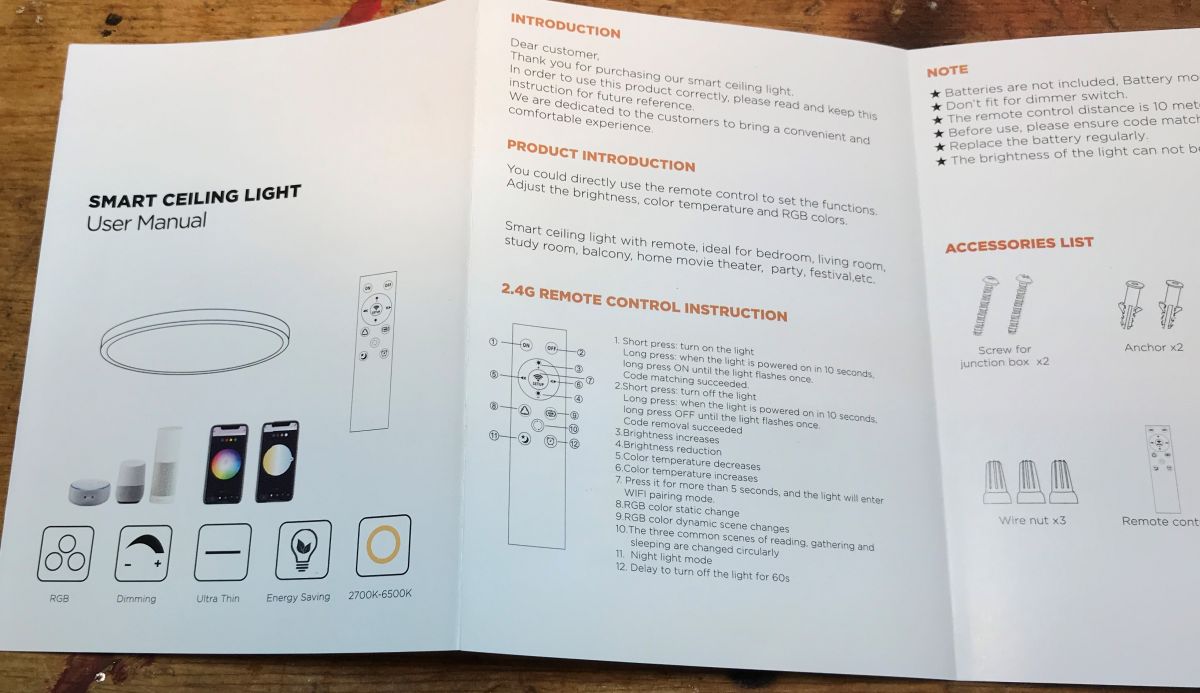
    Instruction:
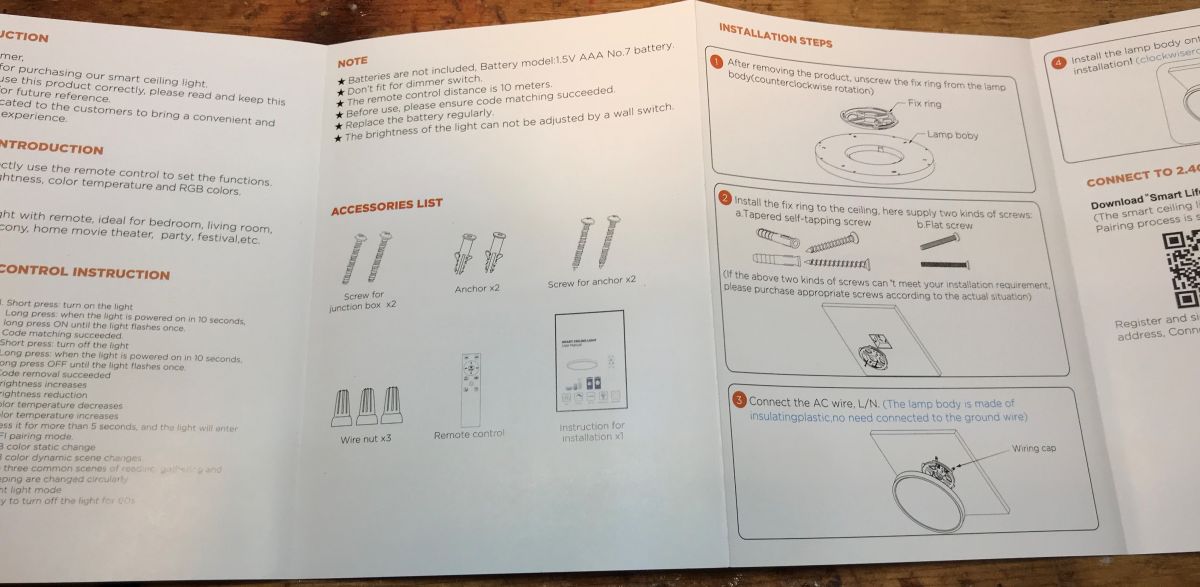
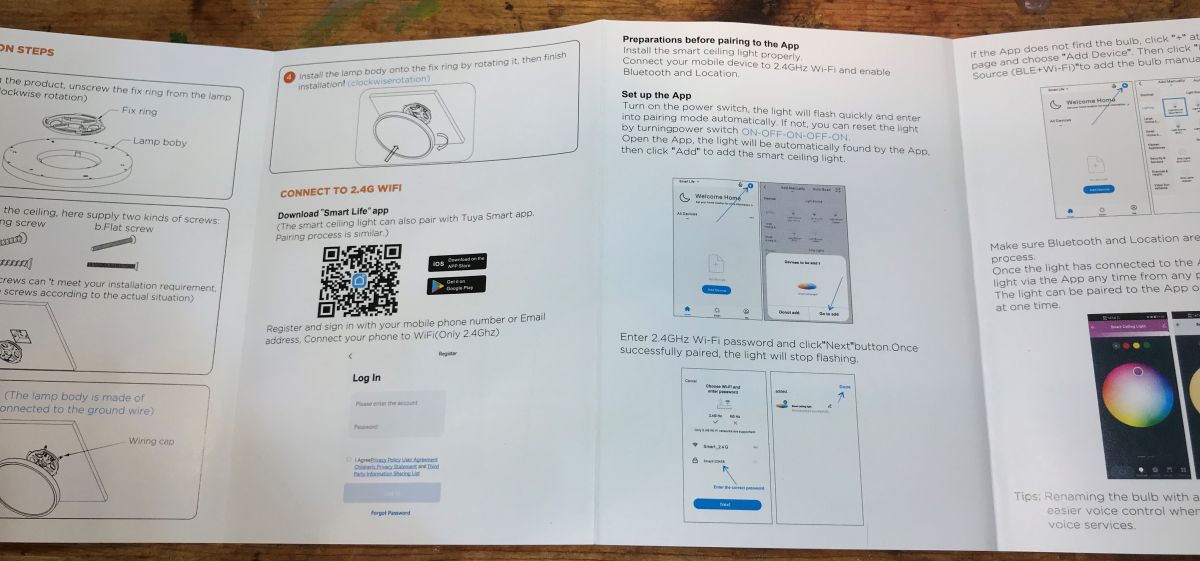
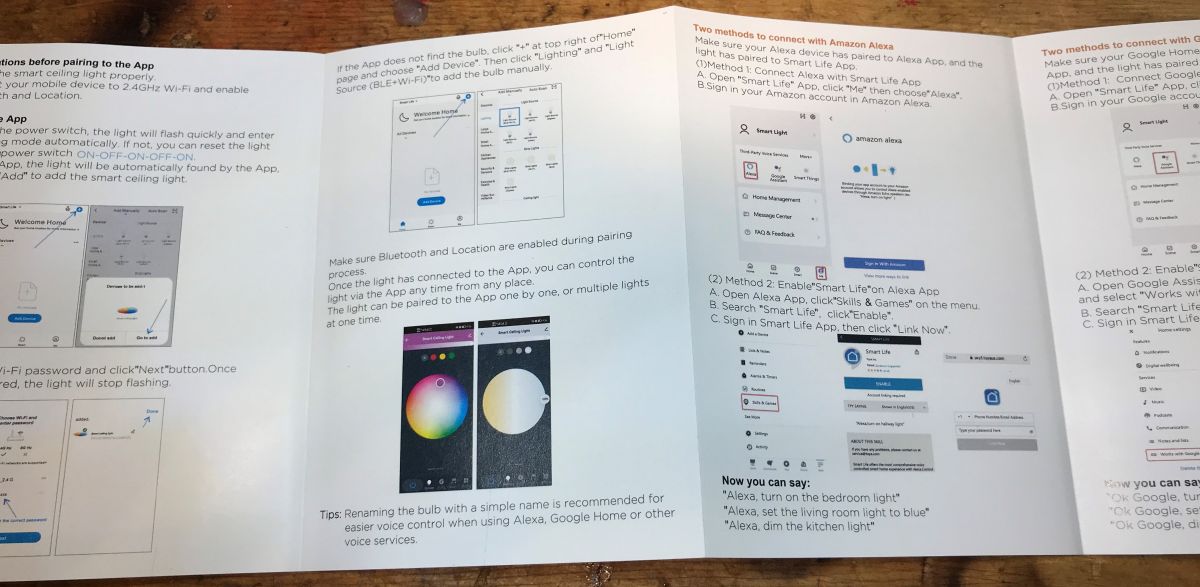
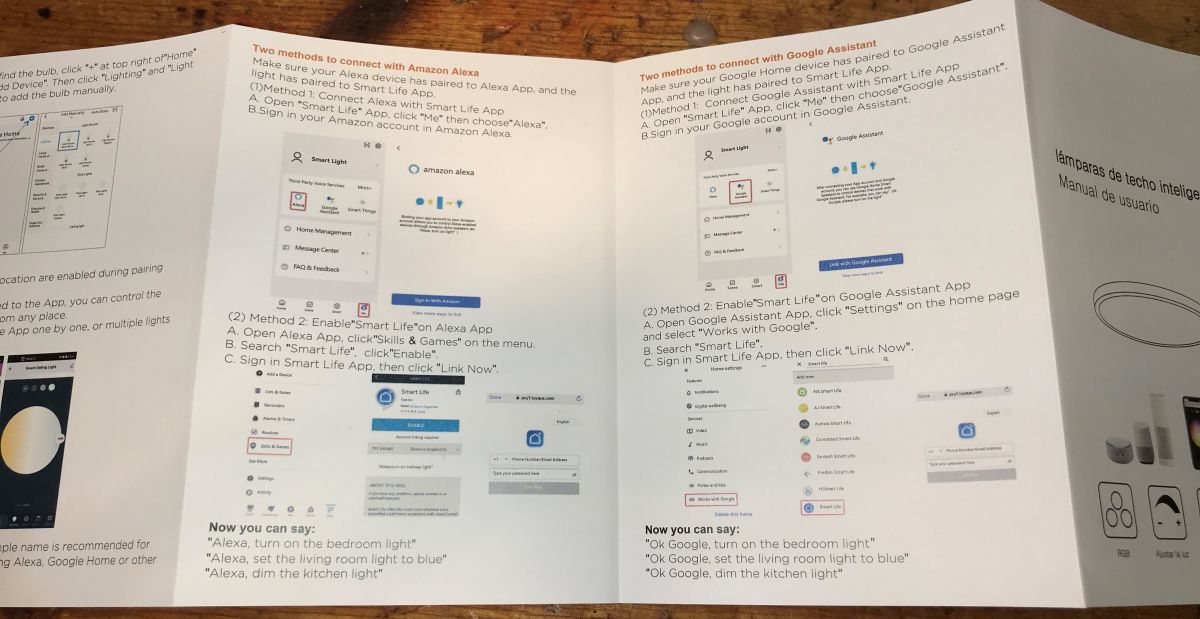
    User manual for a smart ceiling light with remote control. Ceiling lamp installation manual and accessories list.
    User manual for Tuya RGBCW 30W ceiling light. Internal brochure with setup instructions for Tuya smart ceiling light using a mobile app and voice assistants. User manual for Tuya ceiling lamp with setup instructions for Amazon Alexa and Google Assistant.

    Interior A228903
    Unscrew the screws and remove the cover:
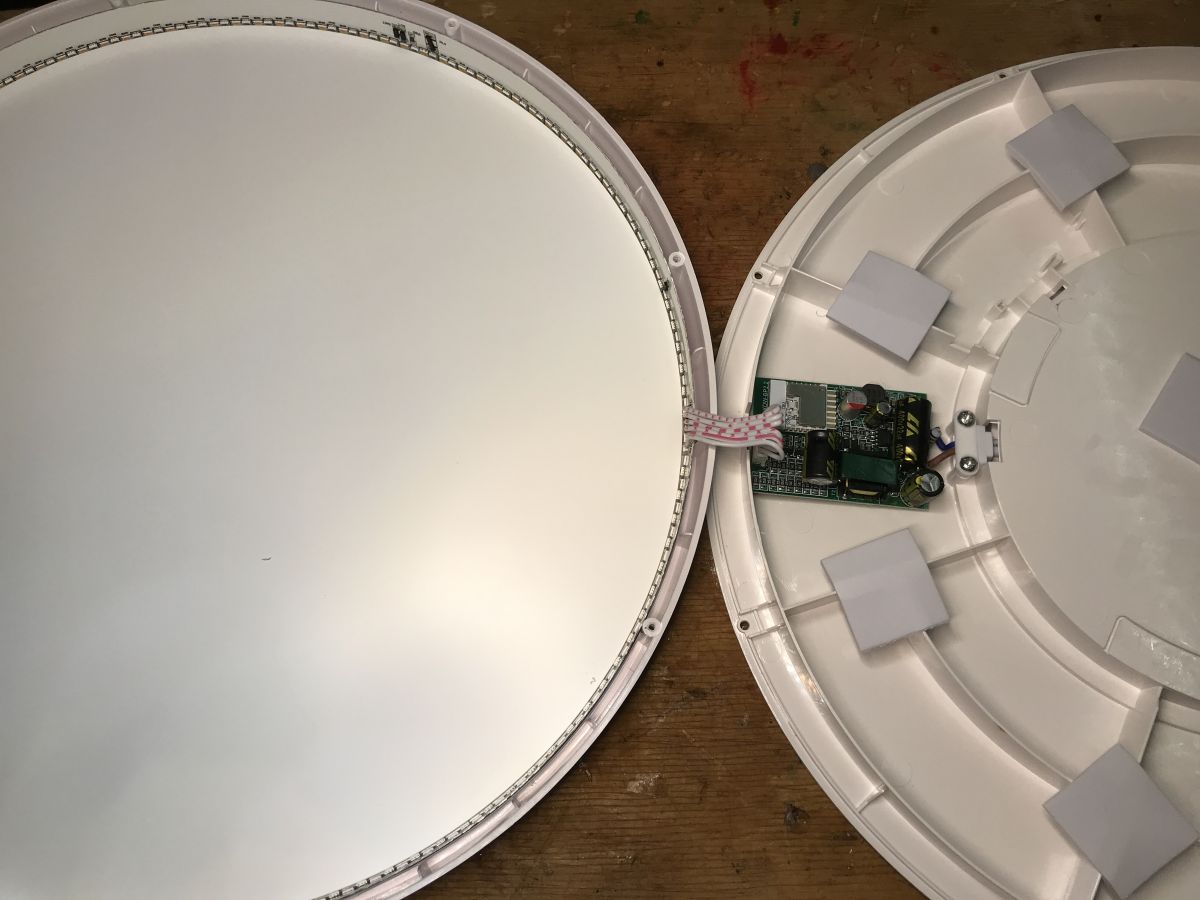
    Interior of the Tuya RGBCW 30W ceiling light with visible WiFi module CBU.
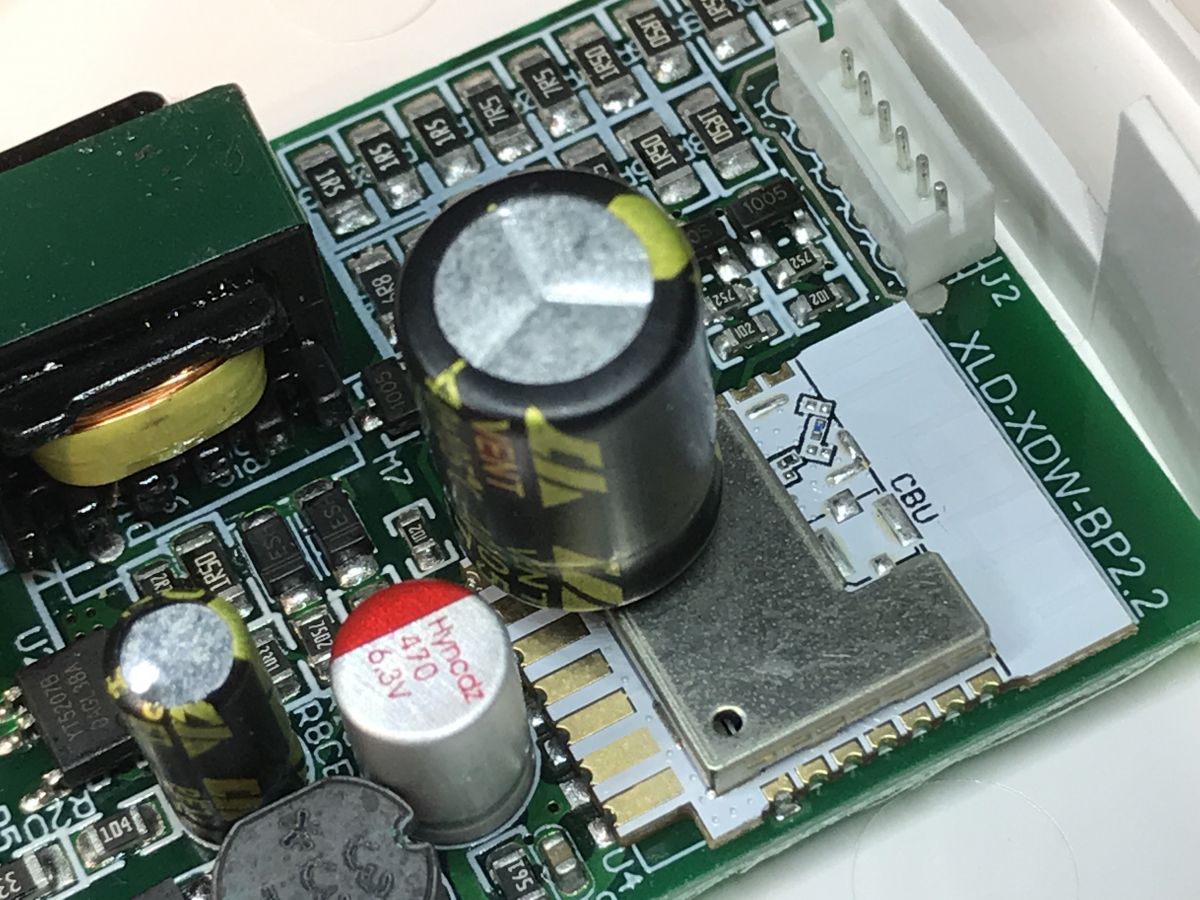
    The layout inside is very small. I see the WiFi CBU module there, i.e. BK7231N.
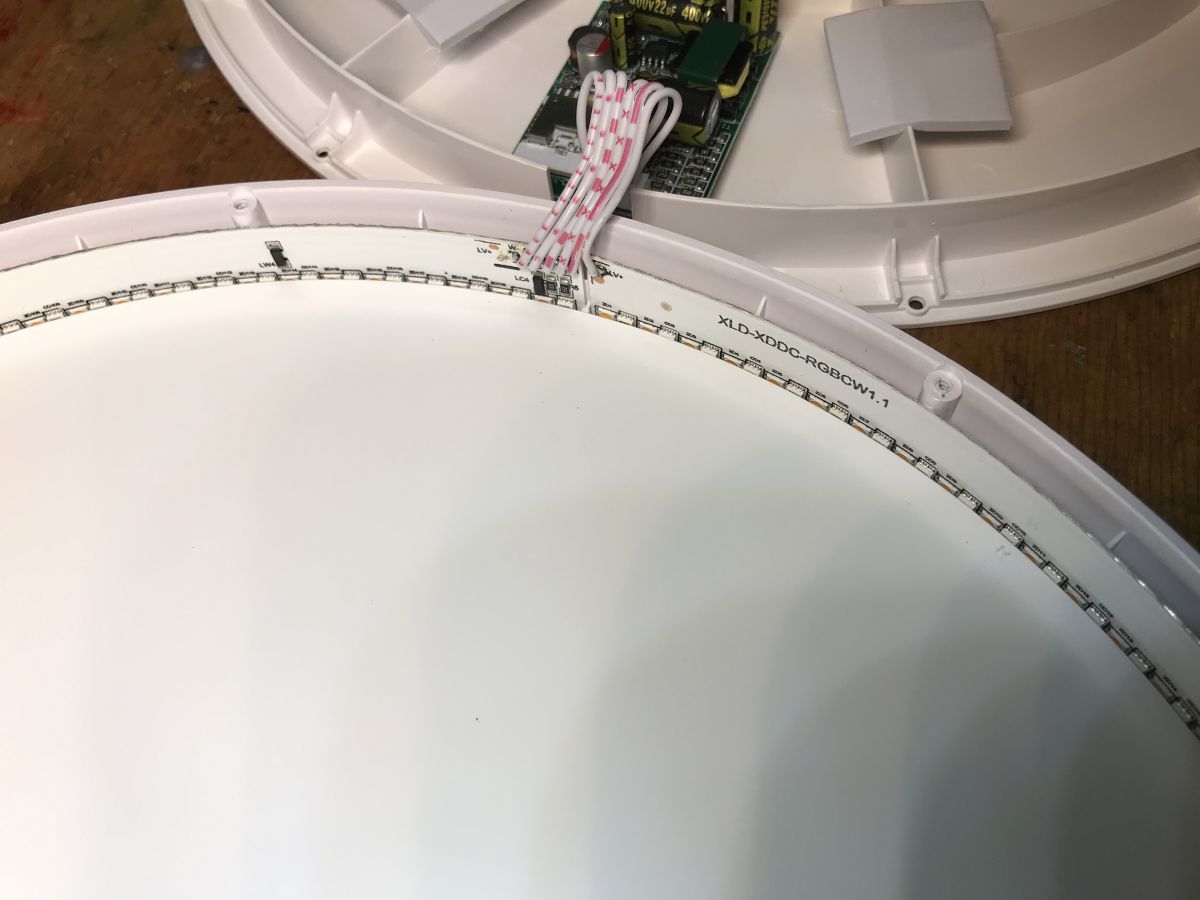
    Disassembled ceiling lamp with visible interior and arranged LED lights.
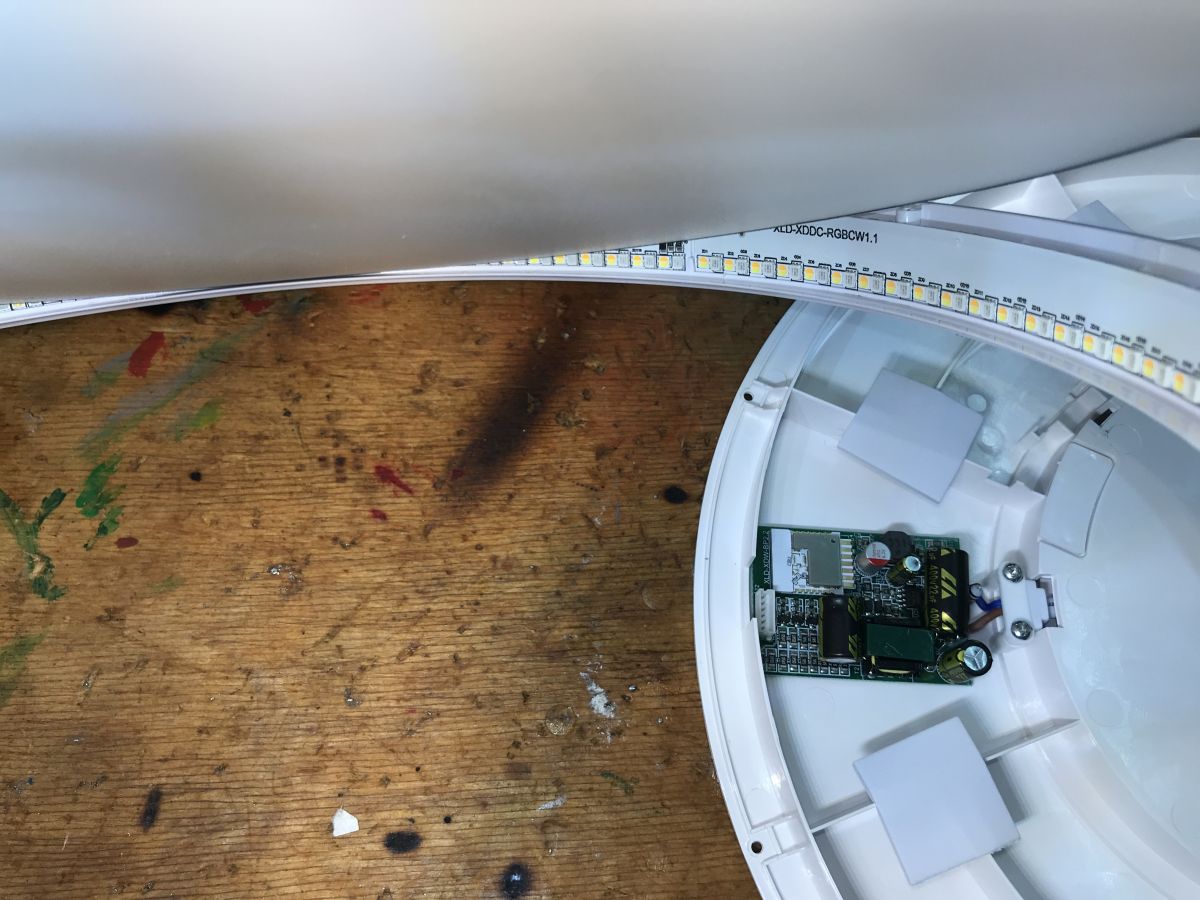
    The LEDs are arranged in a ring:
    Interior of a ceiling lamp with visible electronic components and LED array in a ring.
    And here is the module itself, along with the LED control transistors and the power supply itself:
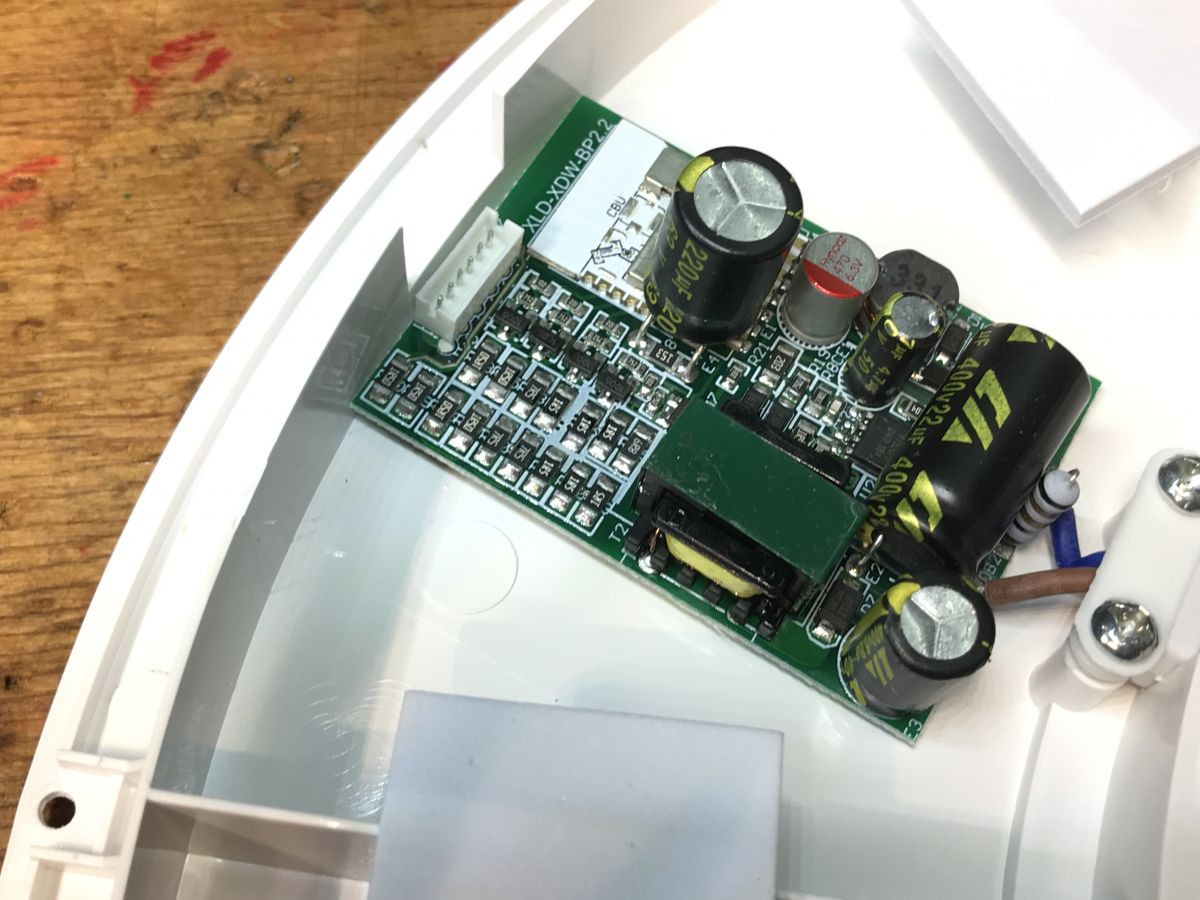
    Interior of Tuya ceiling lamp with visible electronic circuitry.
    In the power supply section, you can see BP2525 (power supply for the WiFi module) and YT5207B (LED power supply) separately:
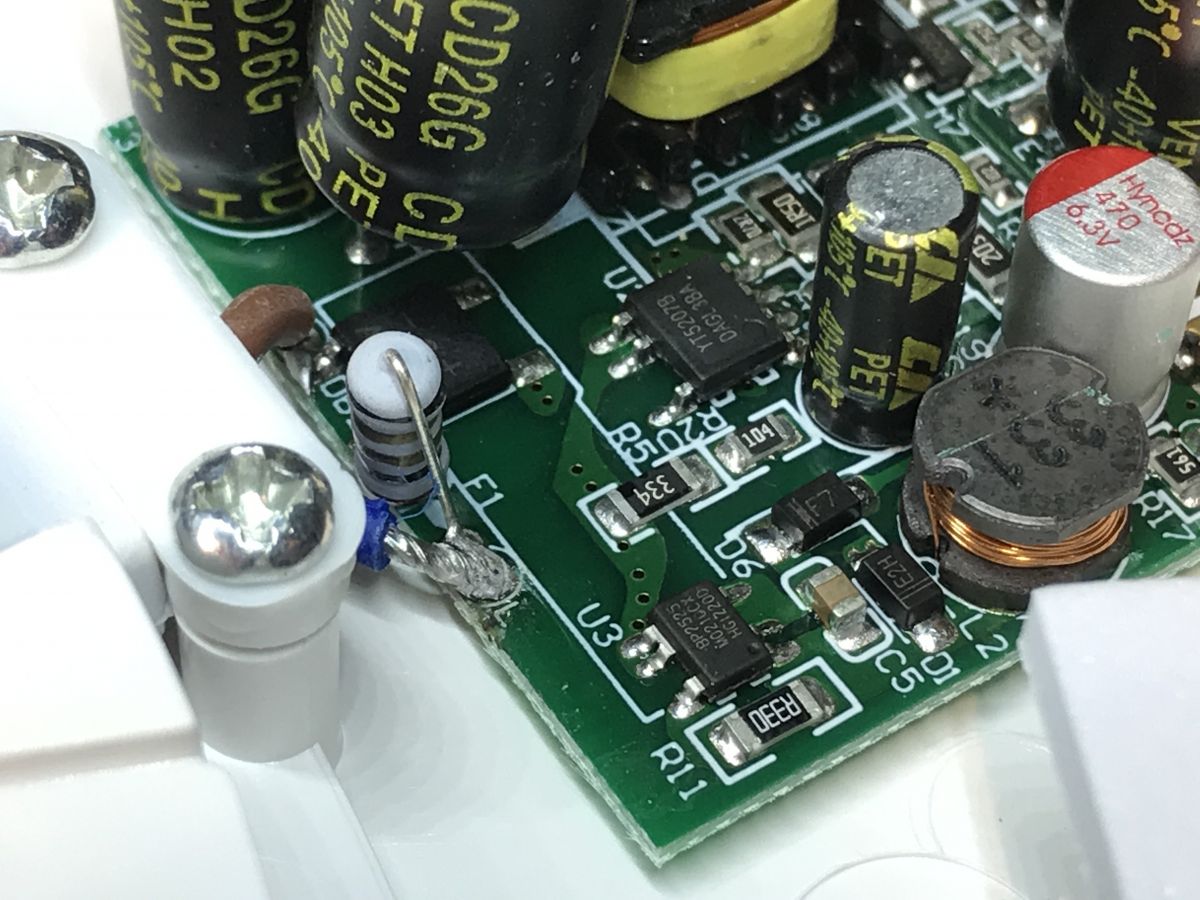
    Close-up of a circuit board with electronic components.
    And here we have the CBU itself:
    Close-up of a ceiling light electronic module with capacitors and CBU component.
    Pinouts: https://developer.tuya.com/en/docs/iot/cbu-module-datasheet?id=Ka07pykl5dk4u

    ADVERTISEMENT


    Batch change A228903
    We connect the programmer as in the manual:
    https://github.com/openshwprojects/BK7231GUIFlashTool
    On the Elektroda channel we have video presentations of this process, in the playlist of firmware changes, search for BK7231N:
    https://www.youtube.com/playlist?list=PLzbXEc2ebpH0CZDbczAXT94BuSGrd_GoM
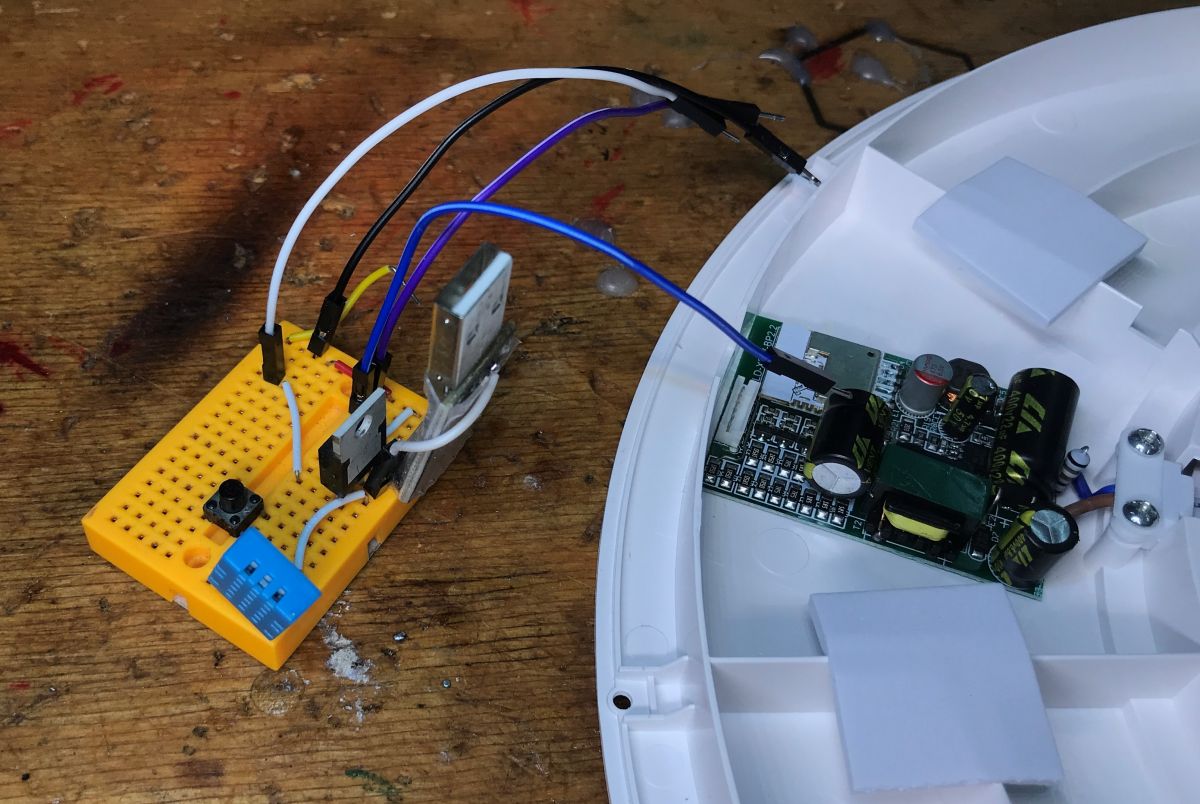
    4 cables soldered:
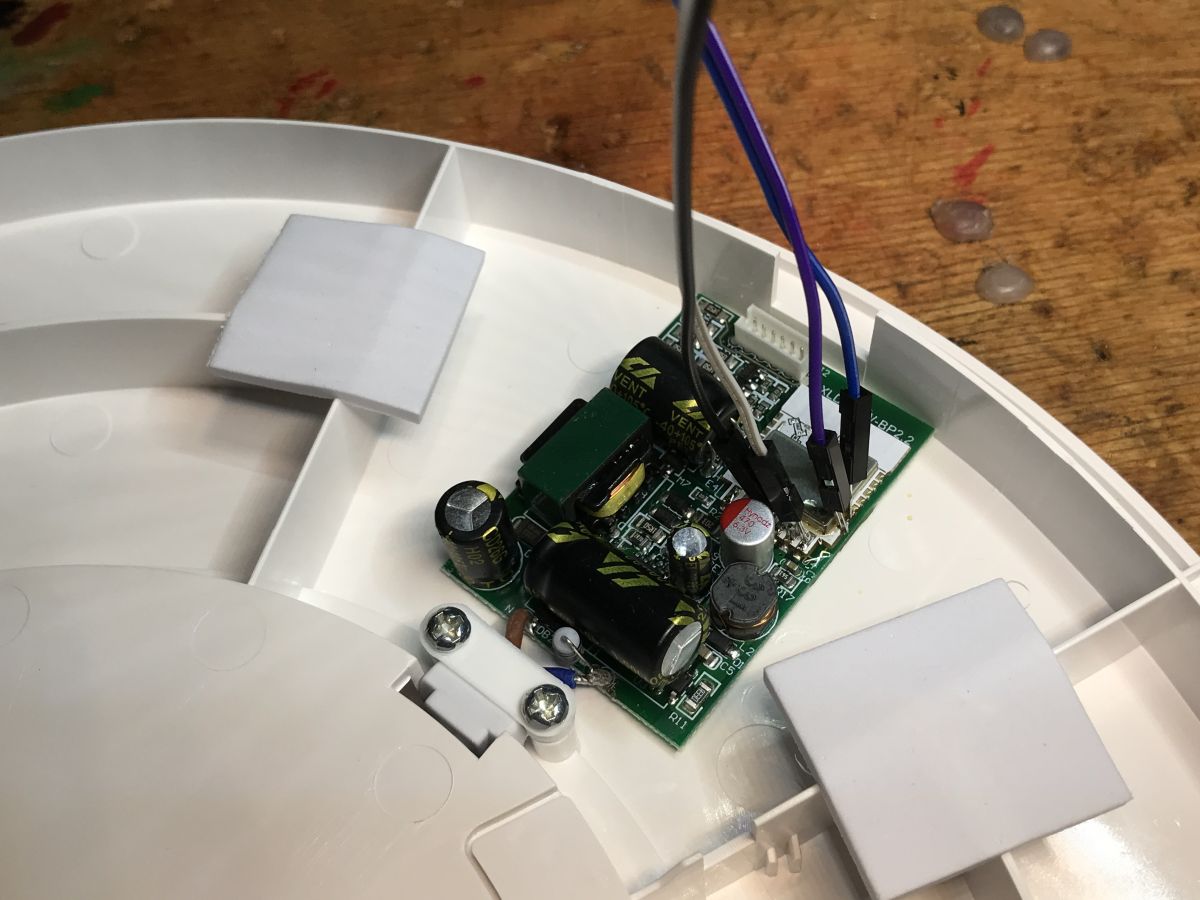
    Ceiling light module with connected cables.
    Whole system:
    Connecting a programmer to the Graffiti Slim ceiling lamp.
    There is no problem with the template, there are PWM pins in the CBU:
    
    8	P8	I/O	Support hardware PWM (Correspond to Pin 24 of the IC)
    9	P7	I/O	Support hardware PWM (Correspond to Pin 23 of the IC)
    10	P6	I/O	Support hardware PWM (Correspond to Pin 22 of the IC)
    11	P26	I/O	Support hardware PWM (Correspond to Pin 15 of the IC)
    12	P24	I/O	Support hardware PWM (Correspond to Pin 16 of the IC)
    

    Template:
    Code: JSON
    Log in, to see the code


    Mysterious pilot...
    At first I thought it was a remote control with RF 433MHz, but there is no indication of this. There is no such receiver on the PCB with the WiFi module:
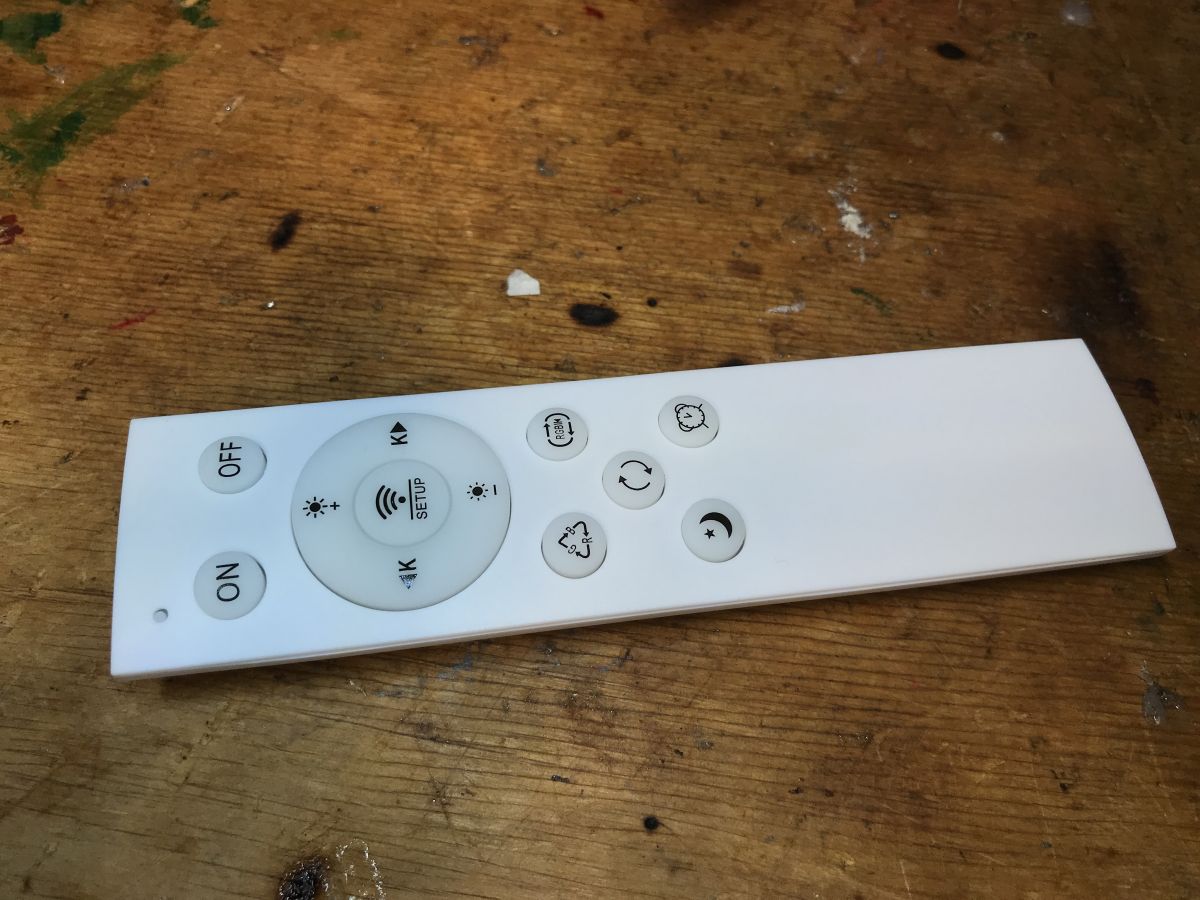
    White remote control with several buttons lying on a wooden table.
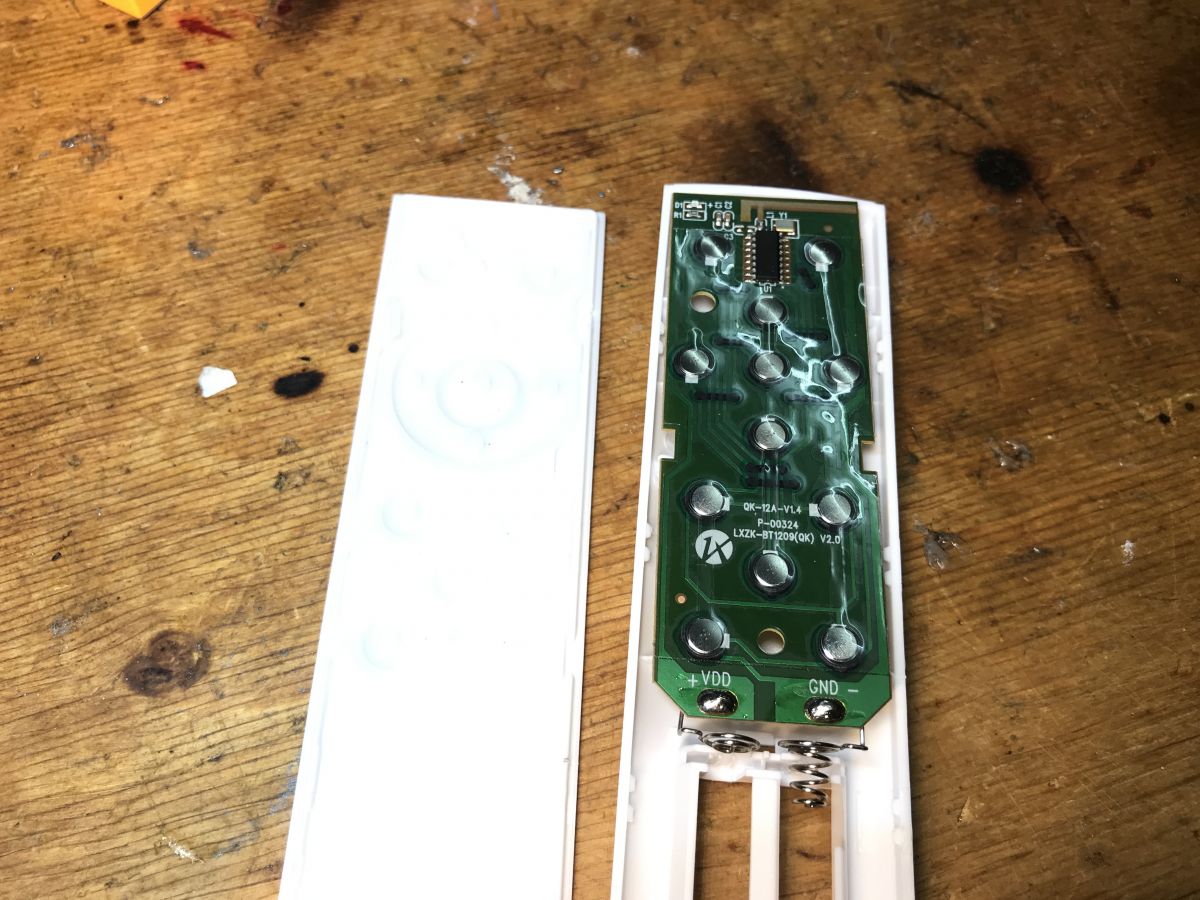
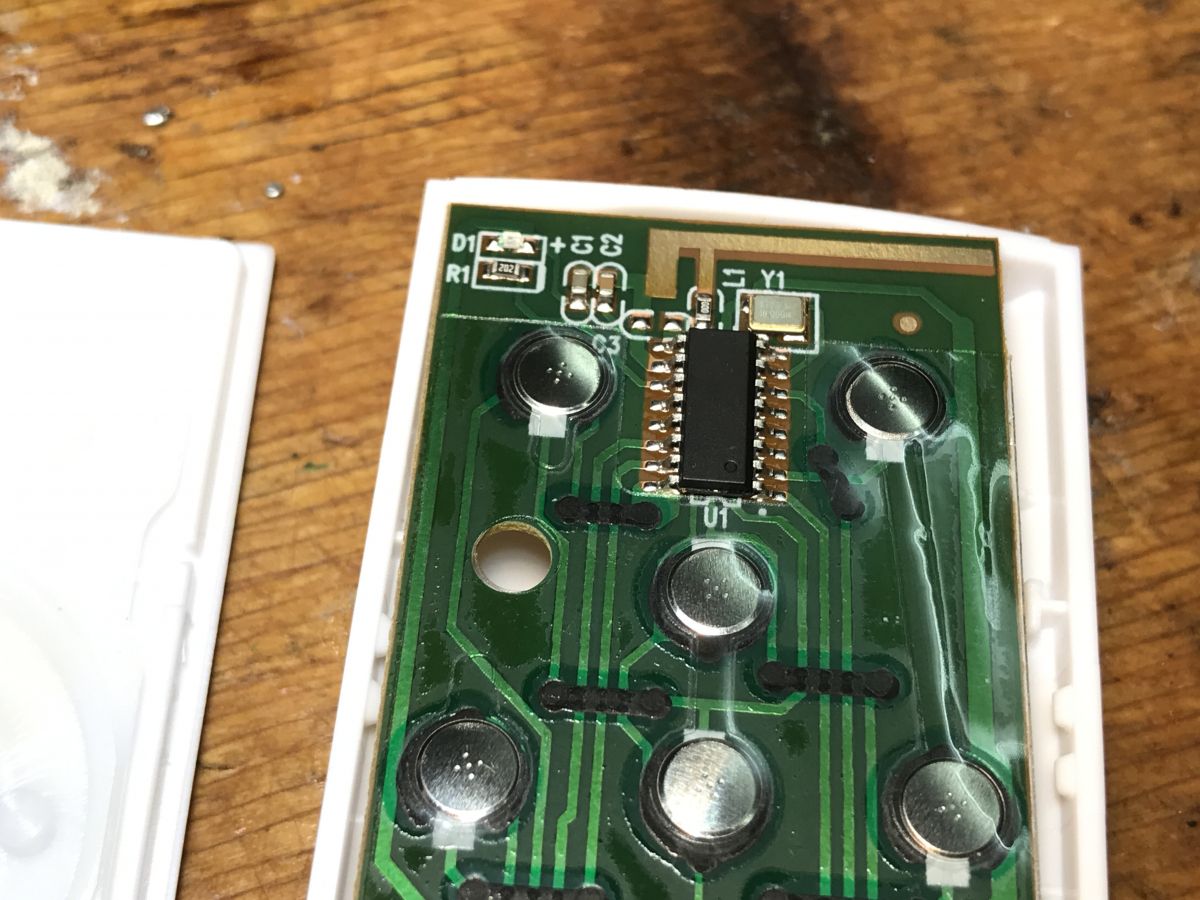
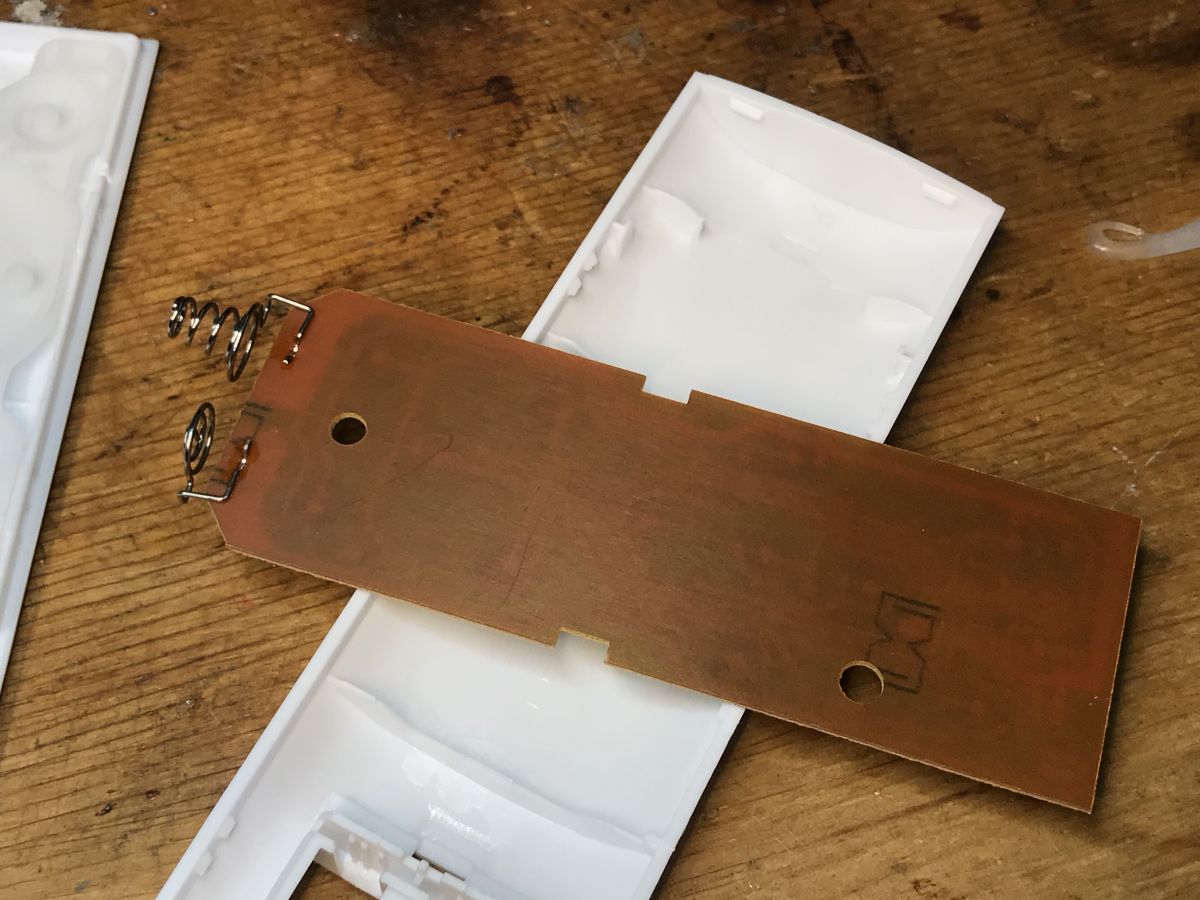
    The interior of the remote control looks a bit like an RF:
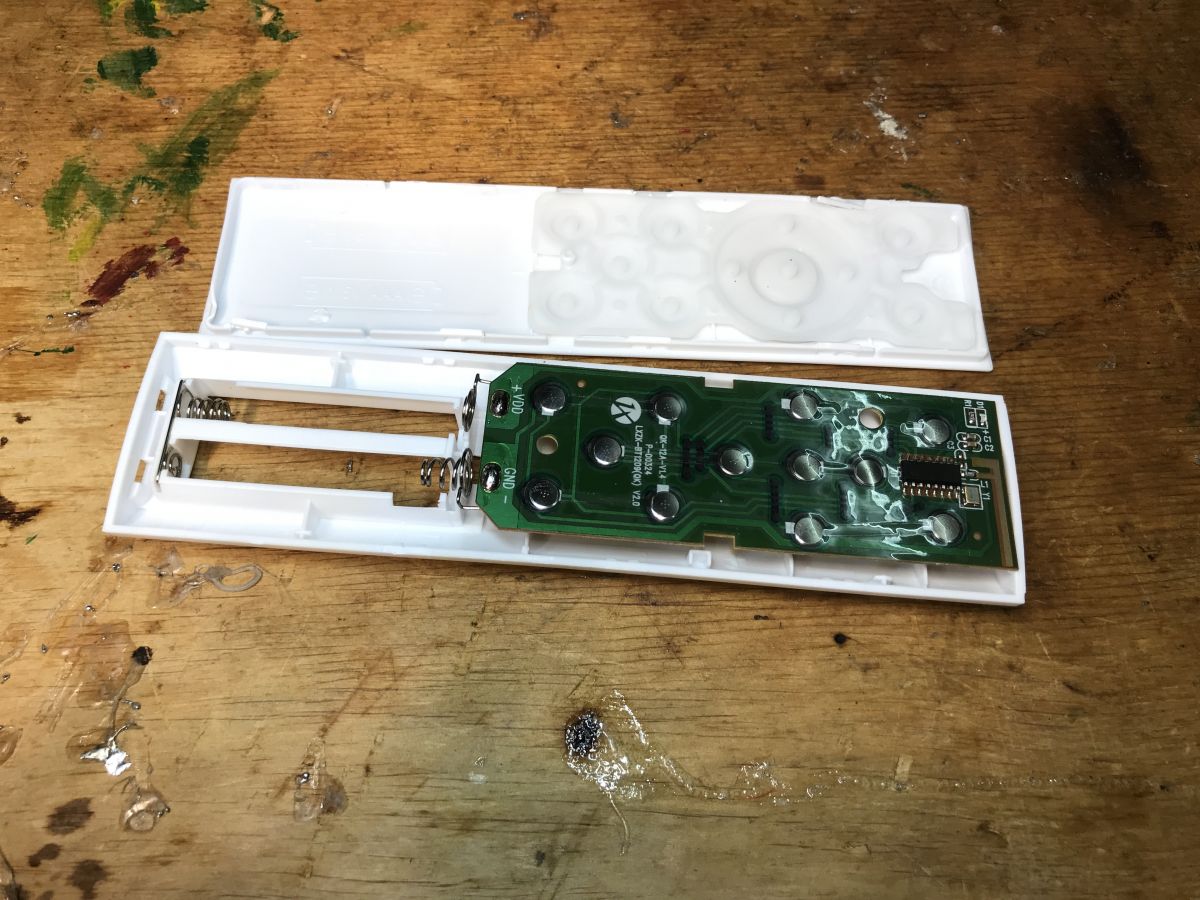
    Interior of a ceiling lamp remote on a wooden surface. Interior of the remote control with visible PCB and buttons. Close-up of a remote control circuit board with several buttons and an integrated circuit. Interior of a ceiling lamp remote control with PCB and springs.
    But there is no antenna on the PCB of the lamp.
    At this point, I suspect that it may be a situation similar to this topic:
    https://www.elektroda.com/rtvforum/topic4028226.html
    This remote may be Bluetooth-based in some form, but that`s just my guess. What do you think?

    Summary
    Quite a nice lamp, quite flat and compact. Changing the firmware was also easy.
    The only problem is with this remote control - I don`t know how it works at the moment and adding its support will be at least very difficult. There is not even a starting point, you would need to check if there is any way to "intercept" their Bluetooth communication, if it is BT at all... so if we change the load, we lose the remote control for now. If anyone has an idea on how to go about it, I`m open to suggestions. I will have to try to finally get BT communication working on the BK7231. The pilot`s case is opened and will be continued...

    Cool? Ranking DIY
    Helpful post? Buy me a coffee.

    About Author
    p.kaczmarek2
    Moderator Smart Home
    Offline 
    p.kaczmarek2 wrote 14440 posts with rating 12410, helped 650 times. Been with us since 2014 year.
  • ADVERTISEMENT
  • #2 21034700
    zigipl
    Level 15  
    Posts: 130
    Help: 2
    Rate: 32
    Have you checked how much current it consumes for cold and warm white and how uniform the light is?
📢 Listen (AI):

FAQ

TL;DR: This 30 W Tuya A228903 RGBCW ceiling lamp can be reflashed with OpenBeken on a CBU/BK7231N using 4 wires, and the author calls the firmware swap "easy." This FAQ helps Home Assistant users replace Tuya cloud control, map 5 PWM channels, and understand why the original remote stops working after flashing. [#21031030]

Why it matters: It turns a low-cost cloud lamp into a locally controlled RGBCW fixture, but you must accept losing the stock remote until its protocol is identified.

Option Control path Home Assistant focus Remote status Effort
Stock Tuya firmware Tuya app/cloud and voice control Indirect Included remote works in stock setup No flashing
OpenBeken on BK7231N Local firmware on CBU module Direct local integration goal Remote unsupported after reflashing Easy flash per thread

Key insight: The hardware is straightforward because the CBU exposes 5 hardware PWM-capable pins for RGBCW. The real blocker is the unexplained remote protocol, not the flashing process. [#21031030]

Quick Facts

  • Approximate retail price is PLN 100 for the A228903 / Graffiti Slim ceiling lamp package with remote, mounting parts, and screws. [#21031030]
  • The lamp is rated 30 W and supports RGBCW lighting with a stated white range of 2700-6500 K. [#21031030]
  • The Wi-Fi module is a CBU carrying a BK7231N chip, and the thread identifies 5 PWM-capable pins for channel control: P8, P7, P6, P26, and P24. [#21031030]
  • Internal power stages are split between BP2525 for the Wi-Fi module supply and YT5207B for the LED power supply. [#21031030]
  • Flashing uses a programmer plus 4 soldered wires, and the posted OpenBeken template maps GPIO 6, 7, 8, 24, 26 to PWM channels 1-5. [#21031030]

How do I flash OpenBeken onto a Tuya A228903 RGBCW 30W ceiling lamp with a CBU BK7231N module step by step?

You flash it by opening the lamp, soldering 4 wires to the CBU module, and programming the BK7231N with a serial tool. 1. Unscrew the cover and expose the CBU board. 2. Connect the programmer exactly as shown in the linked BK7231GUIFlashTool guide and solder 4 wires. 3. Flash OpenBeken, then apply the 5-channel PWM template for GPIO 6, 7, 8, 24, and 26. [#21031030]

What is the CBU module in Tuya devices, and how does it relate to the BK7231N chip?

The CBU module is the Tuya wireless daughterboard, and this lamp uses a CBU populated with a BK7231N chip. "CBU is a Tuya module that provides Wi-Fi control, exposes I/O pins, and in this lamp carries the BK7231N SoC used for flashing and PWM output." The thread explicitly identifies the board as CBU and the chip as BK7231N after opening the lamp. [#21031030]

What is RGBCW lighting, and how is it different from standard RGB or tunable white LEDs?

RGBCW lighting means the lamp has five controllable channels: red, green, blue, cold white, and warm white. That differs from standard RGB, which lacks dedicated white LEDs, and from tunable white, which lacks color channels. In this lamp, the five-channel design matches the 5 PWM outputs used in the OpenBeken template and supports a white range of 2700-6500 K. [#21031030]

Which PWM pins on the Tuya CBU BK7231N can be used for the five channels in an RGBCW ceiling lamp?

The thread lists five hardware PWM-capable CBU pins: P8, P7, P6, P26, and P24. The posted OpenBeken template maps them as GPIO 8, 7, 6, 26, and 24 to PWM channels 3, 2, 1, 5, and 4 respectively. That gives one PWM output per RGBCW channel, which is why this lamp is easy to template. [#21031030]

Why is the firmware change on the Tuya A228903 lamp considered easy compared with other Tuya lights?

It is considered easy because the lamp already exposes enough hardware PWM lines on the CBU for all 5 RGBCW channels. The author states there is "no problem with the template" and identifies PWM support on P8, P7, P6, P26, and P24. Many Tuya lights become difficult when pin roles are unclear, but this one was mapped cleanly. [#21031030]

How do I create the correct OpenBeken JSON template for the A228903 2700-6500K ceiling lamp?

Use the posted JSON template and keep the device identity and 5 PWM assignments unchanged. Set vendor to Tuya, chip to BK7231N, model to A228903, board to CBU, and map GPIO 6, 7, 8, 24, and 26 as PWM 1-5. The sample also names it "Ceiling lamp RGBCW 2700-6500K" and tags it with RGBCW, Allegro, and Plafon keywords. [#21031030]

Why does the original remote stop being usable after replacing the stock Tuya firmware with OpenBeken?

The original remote stops being usable because its protocol is not yet identified or implemented in the replacement firmware. The author says that after changing the firmware, "for now" you lose the remote and support would be "very difficult" to add without first determining whether the communication is Bluetooth or something else. That is the main functional loss after reflashing. [#21031030]

What could the mysterious remote in the Tuya Graffiti Slim ceiling lamp be using if there is no obvious 433 MHz receiver on the PCB?

It could be using Bluetooth or another non-433 MHz wireless method. The author first suspected 433 MHz RF, then rejected that because there is no obvious 433 MHz receiver on the lamp PCB and no matching antenna path visible there. The thread compares the situation to another topic and treats Bluetooth as the leading working hypothesis. [#21031030]

How can I tell whether the Tuya lamp remote is Bluetooth, RF, or some other protocol when there is no antenna visible on the lamp board?

You can only tell by tracing or intercepting the communication, because visual inspection did not reveal a clear receiver or antenna. The thread suggests checking whether Bluetooth traffic can be intercepted on the BK7231 side, because the hardware offers no obvious 433 MHz starting point. That missing receiver is the key failure clue when identification stalls. [#21031030]

What is the role of the BP2525 and YT5207B chips inside the A228903 ceiling lamp?

BP2525 powers the Wi-Fi section, while YT5207B handles the LED power supply. The author explicitly separates the two functions in the power section photo and labels BP2525 as the supply for the Wi-Fi module and YT5207B as the LED supply chip. That split explains why the control board and LED load have distinct power roles. [#21031030]

What safety precautions should I take when opening and flashing a mains-powered 30W Tuya ceiling lamp?

Disconnect mains power before opening the lamp, and only attach the programmer to the exposed module when the fixture is safely isolated. You must unscrew the cover, access the compact internal PCB, and solder 4 wires near the mains-powered circuitry, so accidental live work is the main hazard. Treat it as a 30 W mains fixture, not a low-voltage gadget. [#21031030]

How does a Tuya cloud-based ceiling lamp compare with an OpenBeken-flashed lamp for Home Assistant integration and local control?

The stock Tuya setup emphasizes app and voice control, while the OpenBeken setup targets cloud-free local control with Home Assistant. In return, the thread warns that the original remote becomes unusable after flashing because its protocol is still unknown. So the trade-off is better local integration versus temporary loss of bundled remote functionality. [#21031030]

What tools and wiring are needed to connect a programmer to a BK7231N CBU module for flashing?

You need a programmer supported by the BK7231GUIFlashTool workflow and 4 soldered wires connected to the CBU module. The thread shows the full setup, states "4 cables soldered," and directs readers to the manual for the exact programmer hookup. That means the wiring count is confirmed, even though the post leaves pin-by-pin hookup details to the linked guide. [#21031030]

How much current does the Tuya A228903 ceiling lamp draw in cold white and warm white modes, and what affects those measurements?

The thread does not provide any measured current for cold white or warm white modes. A follow-up post asks about current consumption and light uniformity, but no reply with numbers appears in the provided discussion. So no verified current value in amperes or milliamperes can be cited from this thread alone. [#21034700]

How uniform is the light output of the A228903 ring-style LED ceiling lamp, especially across warm white, cold white, and RGB modes?

The thread does not report a measured or photographed uniformity comparison across warm white, cold white, and RGB modes. It only shows that the LEDs are arranged in a ring and includes a user question asking about uniformity later. Without beam photos or lux data, the thread cannot confirm whether the ring produces even blending in all modes. [#21034700]
Generated by the language model.
ADVERTISEMENT