logo elektroda
logo elektroda
X
logo elektroda

OpenBeken W800 vs W806 Differences and OTA Update Methods

p.kaczmarek2 5244 71
Best answers

How is the W806 different from the W800/W801, and what OTA update method does the W800 support?

The HLK-W806-Kit-V1.0 tested in the thread appears to be a different target from the HLK-W800/W801 boards: it reportedly has no Wi‑Fi/BT and only 1 MB flash, so the W800 firmware does not flash directly and the effort shifted to trimming the SDK/build to fit [#21081609][#21534154] Later W800 experiments showed the port can boot and run with a heavily reduced build, but only after disabling features such as hostif/rmms, the SDK web server, and iperf to keep the binary size under control [#21534154][#21526615] For OTA, the W800 path is the older HTTP-server-based OTA; in newer builds, OTA can also succeed via `new_tcp_server`, but it is slower and more memory-hungry [#21527634][#21526615]
Generated by the language model.
ADVERTISEMENT
  • #31 21525695
    insmod
    Level 31  
    Posts: 1388
    Help: 164
    Rate: 432
    Well, it can't be helped for now.
    I will later try to update sdk to v1.00.10
    But for now, do i open a pull request with those changes?
    Currently all of the drivers and lfs can be compiled, where previously lfs build was disabled.
  • ADVERTISEMENT
  • #32 21525698
    p.kaczmarek2
    Moderator Smart Home
    Posts: 14580
    Help: 654
    Rate: 12603
    Would it be possible to get those changes (drivers, etc, lfs, you mentioned) without broken UART? We have some tutorials mentioning that it's worth to check UART after flashing and now we could confuse people... and how actually that change affected UART?
    Helpful post? Buy me a coffee.
  • ADVERTISEMENT
  • #33 21525702
    insmod
    Level 31  
    Posts: 1388
    Help: 164
    Rate: 432
    >>21525698
    I will try.
    Current SDK is tailored to minilibc, and printf implementation is done in minilibc_port.c.
    And to get it to compile i had to cut out most of the code there.
    Still, i'll try to port changes from newer sdk, will se if it works.

    Added after 2 [minutes]:

    Got it to work, just straight copy-pasted from newer sdk.
  • #34 21525708
    p.kaczmarek2
    Moderator Smart Home
    Posts: 14580
    Help: 654
    Rate: 12603
    So which advantages brings new SDK?
    Helpful post? Buy me a coffee.
  • #36 21525723
    p.kaczmarek2
    Moderator Smart Home
    Posts: 14580
    Help: 654
    Rate: 12603
    Are you referring to the Easyflash usage for OBK config? As I said some time ago, I'm not sure about that. On one hand, Easyflash is optimizing flash erase cycles usage, so that could be a good thing... but on the other hand, we don't save config that often so it doesn't matter and I would strongly prefer to have config at fixed address, so flash tools can access it in the future. So for now, don't port OBK config to easy flash. Better focus on new features or platforms. BK7252 or whatever may be possible.

    Still, flash vars (channel values save restore) could be actually stored in easyflash, if possible. They are saved often and they could benefit from flash wear optimization.
    Helpful post? Buy me a coffee.
  • #37 21525730
    insmod
    Level 31  
    Posts: 1388
    Help: 164
    Rate: 432
    >>21525723
    Perhaps easyflash can be integrated into flasher?
    Both tr6260 and ecr6600 flash tools can both read and write easyflash vars.
  • #38 21525732
    p.kaczmarek2
    Moderator Smart Home
    Posts: 14580
    Help: 654
    Rate: 12603
    It depends on how complicated is it. Of course it could, but I would still avoid giving us/you extra work. We still have to fix that Tuya Config partition parse, which currently just reassembles text from binary data which causes Tuya config read failure in some edge cases, and this has higher priority:
    https://github.com/openshwprojects/BK7231GUIFlashTool/blob/main/BK7231Flasher/TuyaConfig.cs
    Code: C / C++
    Log in, to see the code

    This is hacky as hell and could be improved with some Tuya code analysis:
    A fragment of C# code with a conditional block and a loop that filters bytes to ASCII characters.
    Helpful post? Buy me a coffee.
  • ADVERTISEMENT
  • Helpful post
    #39 21525733
    insmod
    Level 31  
    Posts: 1388
    Help: 164
    Rate: 432
    I also thought about making a V6 config - where its size is 'dynamic' - like storing multiple ssids (more than 2), dynamically sized initCommandLine, etc.
    With easyflash that could be done easily.
  • #40 21525743
    p.kaczmarek2
    Moderator Smart Home
    Posts: 14580
    Help: 654
    Rate: 12603
    That sounds good, as long as it's really reliable and includes flasher update. Of course, flasher would need to support both formats, for the time being... I could help with C# code, if you already have a generic idea how to handle it. Testing in C# is a bit easier for me because I am still very limited when it comes to space, especially after having basements and stuff flooded. I've recently posted a post-flood Smart Switch teardown: https://www.elektroda.pl/rtvforum/topic4116996.html

    Would you also take that chance and normalize configs between platforms? So you'd basically do a key-value system? Wouldn't it be prone to memory fragmentation over time, especially if the size of values has high variety?

    Added after 3 [minutes]:

    I didn't check the EasyFlash code yet, but maybe also GPT could help with C# translation. Not that I need it... but it's sometimes faster than doing by hand and not that bad if used with caution.
    Helpful post? Buy me a coffee.
  • #41 21525749
    insmod
    Level 31  
    Posts: 1388
    Help: 164
    Rate: 432
    >>21525743
    It's all concept only for now.
    But i did thought about moving all configs to either easyflash, or flashdb.
    I chose easyflash only because bl602 and tr6260 already used it by the time i came with that idea.
    And there is probably no need to translate everything to c#, dllimports would probably be enough.
    Fragmentation might be a problem, if env size is small enough. As it is now, i blindly believe in algorithms already implemented in ef code.
  • #42 21525758
    p.kaczmarek2
    Moderator Smart Home
    Posts: 14580
    Help: 654
    Rate: 12603
    You have mostly convinced me, so I could agree to such change, but we may indeed need to check for fragmentation first.

    How hard would it be to run EasyFlash on PC, I guess it has simple ef_port.c or whatever fill that we need to fill in?

    We could create some kind of our own early test for EasyFlash and check how it behaves over time. Just a simple C program, no OBK yet, just C + EF.

    Then, if we decide to port, we could do more OBK-related test of EasyFlash with OBK simulator. Simulate tens or hundreds of changes and see what happens.

    This is exactly why I've added Windows (and later Linux) support to OBK, ability to do such tests really helps with development.
    Helpful post? Buy me a coffee.
  • #44 21526615
    insmod
    Level 31  
    Posts: 1388
    Help: 164
    Rate: 432
    New sdk build: https://github.com/NonPIayerCharacter/OpenBK7231T_App/actions/runs/14580099010
    Increased stack size to 100k, free heap is about 88k. This leaves about 40-50k for libc heap. Freertos version is now V10.4.1 instead of V7.0.2 (came with new sdk), and using heap_5.
    LFS is now available, 0x1B000 length, replaces tuya config section. Easyflash is used for flashvars with possibility of using it for config.
    Powersave implemented (currently if it is done in autoexec/init, it won't work, will upload fix later).
    Berry enabled by default.

    Now for the sad parts.
    Worse signal reception, at least for me. I can connect to wifi with release version, but can't with this one. Rssi reports as -70. But it connects to a second, closer ap just fine.
    Ota is much slower, and if not done after reboot, there is a high possibility that it will fail (will quickly eat all available heap, which will force a reboot).
  • #45 21526809
    divadiow
    Level 38  
    Posts: 5026
    Help: 438
    Rate: 891
    nice. new build first boot
    Spoiler:
    Entering initLog()...
    Commands registered!
    initLog() done!
    Warning: Sector header check failed. Format this sector (0x001db000).
    Warning: Sector header check failed. Format this sector (0x001dc000).
    Warning: Sector header check failed. Format this sector (0x001dd000).
    Warning: Sector header check failed. Format this sector (0x001de000).
    Warning: Sector header check failed. Format this sector (0x001df000).
    Warning: Sector header check failed. Format this sector (0x001e0000).
    Warning: Sector header check failed. Format this sector (0x001e1000).
    Warning: Sector header check failed. Format this sector (0x001e2000).
    Warning: Sector header check failed. Format this sector (0x001e3000).
    Warning: Sector header check failed. Format this sector (0x001e4000).
    Warning: Sector header check failed. Format this sector (0x001e5000).
    Warning: Sector header check failed. Format this sector (0x001e6000).
    Warning: Sector header check failed. Format this sector (0x001e7000).
    Warning: Sector header check failed. Format this sector (0x001e8000).
    Warning: Sector header check failed. Format this sector (0x001e9000).
    Warning: Sector header check failed. Format this sector (0x001ea000).
    Warning: Sector header check failed. Format this sector (0x001eb000).
    Warning: Sector header check failed. Format this sector (0x001ec000).
    Warning: Sector header check failed. Format this sector (0x001ed000).
    Warning: Sector header check failed. Format this sector (0x001ee000).
    Warning: Sector header check failed. Format this sector (0x001ef000).
    Warning: All sector header check failed. Set it to default.
    EasyFlash V4.1.0 is initialize success.
    You can get the latest version on https://github.com/armink/EasyFlash .
    Main_Init_Before_Delay done
    Main_Init_Delay
    Main_Init_Delay done
    Info:MAIN:Main_Init_Before_Delay
    Info:CFG:####### Boot Count 1 #######
    Info:CFG:####### HAL_FlashVars_GetBootFailures= 1
    Warn:CFG:CFG_InitAndLoad: Config crc or ident mismatch. Default config will be loaded.
    Info:CFG:CFG_SetDefaultLEDCorrectionTable: setting defaults
    Error:CMD:lfs is absent
    Info:GEN:PIN_SetupPins pins have been set up.
    Info:MAIN:Main_Init_Before_Delay done
    Info:MAIN:Main_Init_Delay
    Info:MAIN:Main_Init_Delay done
    Info:MAIN:Main_Init_After_Delay
    Info:MAIN:Using SSID []
    Info:MAIN:Using Pass []
    Error:HTTP:Created HTTP SV thread with (stack=2048)
    Info:MQTT:MQTT_RegisterCallback called for bT w800CDCE9078/ subT w800CDCE9078/+/set
    Info:MQTT:MQTT_RegisterCallback called for bT w800s/ subT w800s/+/set
    Info:MQTT:MQTT_RegisterCallback called for bT cmnd/w800CDCE9078/ subT cmnd/w800CDCE9078/+
    Info:MQTT:MQTT_RegisterCallback called for bT cmnd/w800s/ subT cmnd/w800s/+
    Info:MQTT:MQTT_RegisterCallback called for bT w800CDCE9078/ subT w800CDCE9078/+/get
    Info:CMD:CMD_StartScript: started @startup at the beginning
    Error:CMD:LFS_ReadFile: lfs is absent
    Info:CMD:CMD_StartScript: failed to get file autoexec.bat
    Info:BERRY:[berry init]
    Info:BERRY:[berry start]
    Info:BERRY:[berry end]
    Info:BERRY:[berry start]
    Info:BERRY:be_pcall fail, retcode 3
    Info:BERRY:top=3
    Info:BERRY:stack traceback:
    Info:BERRY:
    Info:BERRY:string
    Info:BERRY::1:
    Info:BERRY: in function `
    Info:BERRY:main
    Info:BERRY:`
    Info:BERRY:stack[1] = type='function' ()
    Info:BERRY:stack[2] = type='string' (import_error)
    Info:BERRY:stack[3] = type='string' (module 'autoexec' not found)
    Info:BERRY:[berry end]
    Info:MAIN:Main_Init_After_Delay done
    Info:MAIN:Time 1, idle 0/s, free 88312, MQTT 0(0), bWifi 0, secondsWithNoPing -1, socks 2/8
    Info:MAIN:Time 2, idle 0/s, free 88312, MQTT 0(0), bWifi 0, secondsWithNoPing -1, socks 2/8
    Info:MAIN:Time 3, idle 0/s, free 88312, MQTT 0(0), bWifi 0, secondsWithNoPing -1, socks 2/8
    Info:MAIN:Time 4, idle 0/s, free 88312, MQTT 0(0), bWifi 0, secondsWithNoPing -1, socks 2/8

    ap create Successfully !
    Info:MAIN:Time 5, idle 0/s, free 88312, MQTT 0(0), bWifi 0, secondsWithNoPing -1, socks 2/8
    Info:MAIN:Time 6, idle 0/s, free 88312, MQTT 0(0), bWifi 0, secondsWithNoPing -1, socks 2/8
    Info:MAIN:Boot complete time reached (5 seconds)
    Info:CFG:####### Set Boot Complete #######
    Info:MAIN:Time 7, idle 0/s, free 88312, MQTT 0(0), bWifi 0, secondsWithNoPing -1, socks 2/8
    Info:MAIN:Time 8, idle 0/s, free 88312, MQTT 0(0), bWifi 0, secondsWithNoPing -1, socks 2/8
    Info:MAIN:Time 9, idle 0/s, free 88312, MQTT 0(0), bWifi 0, secondsWithNoPing -1, socks 2/8
    Network info:
    sta:rssi=30, SSID=OpenW800_CDCE9078, BSSID=2a:6d:cd:ce:90:78, channel=1, encr=OPEN
    IP=0.0.0.0, GW=0.0.0.0, MASK=0.0.0.0, MAC=28:6d:cd:ce:90:78, DNS=0.0.0.0
    Info:MAIN:Time 10, idle 0/s, free 88312, MQTT 0(0), bWifi 0, secondsWithNoPing -1, socks 2/8
    Info:MAIN:Time 11, idle 0/s, free 88312, MQTT 0(0), bWifi 0, secondsWithNoPing -1, socks 2/8
    Info:MAIN:Time 12, idle 0/s, free 88312, MQTT 0(0), bWifi 0, secondsWithNoPing -1, socks 2/8
    Info:MAIN:Time 13, idle 0/s, free 88312, MQTT 0(0), bWifi 0, secondsWithNoPing -1, socks 2/8
    Info:MAIN:Time 14, idle 0/s, free 88312, MQTT 0(0), bWifi 0, secondsWithNoPing -1, socks 2/8
    Info:MAIN:Time 15, idle 0/s, free 88312, MQTT 0(0), bWifi 0, secondsWithNoPing -1, socks 2/8
    Info:MAIN:Time 16, idle 0/s, free 88312, MQTT 0(0), bWifi 0, secondsWithNoPing -1, socks 2/8
    Info:MAIN:Time 17, idle 0/s, free 88312, MQTT 0(0), bWifi 0, secondsWithNoPing -1, socks 2/8
    Info:MAIN:Time 18, idle 0/s, free 88312, MQTT 0(0), bWifi 0, secondsWithNoPing -1, socks 2/8
    Info:MAIN:Time 19, idle 0/s, free 88312, MQTT 0(0), bWifi 0, secondsWithNoPing -1, socks 2/8
    Network info:
    sta:rssi=30, SSID=OpenW800_CDCE9078, BSSID=2a:6d:cd:ce:90:78, channel=1, encr=OPEN
    IP=0.0.0.0, GW=0.0.0.0, MASK=0.0.0.0, MAC=28:6d:cd:ce:90:78, DNS=0.0.0.0
    Info:MAIN:Time 20, idle 0/s, free 88312, MQTT 0(0), bWifi 0, secondsWithNoPing -1, socks 2/8
    Info:MAIN:Time 21, idle 0/s, free 88312, MQTT 0(0), bWifi 0, secondsWithNoPing -1, socks 2/8
    Info:MAIN:Time 22, idle 0/s, free 88312, MQTT 0(0), bWifi 0, secondsWithNoPing -1, socks 2/8
    Info:MAIN:Time 23, idle 0/s, free 88312, MQTT 0(0), bWifi 0, secondsWithNoPing -1, socks 2/8


    subsequent boot
    Spoiler:
    Entering initLog()...
    Commands registered!
    initLog() done!
    EasyFlash V4.1.0 is initialize success.
    You can get the latest version on https://github.com/armink/EasyFlash .
    Main_Init_Before_Delay done
    Main_Init_Delay
    Main_Init_Delay done
    Info:MAIN:Main_Init_Before_Delay
    Info:CFG:####### Boot Count 6 #######
    Info:CFG:####### HAL_FlashVars_GetBootFailures= 1
    Warn:CFG:CFG_InitAndLoad: Correct config has been loaded with 1 changes count.
    Error:CMD:no file early.bat err -2
    Info:GEN:PIN_SetupPins pins have been set up.
    Info:MAIN:Main_Init_Before_Delay done
    Info:MAIN:Main_Init_Delay
    Info:MAIN:Main_Init_Delay done
    Info:MAIN:Main_Init_After_Delay
    Info:MAIN:Using SSID []
    Info:MAIN:Using Pass []
    Error:HTTP:Created HTTP SV thread with (stack=2048)
    Info:MQTT:MQTT_RegisterCallback called for bT w800CDCE9078/ subT w800CDCE9078/+/set
    Info:MQTT:MQTT_RegisterCallback called for bT w800s/ subT w800s/+/set
    Info:MQTT:MQTT_RegisterCallback called for bT cmnd/w800CDCE9078/ subT cmnd/w800CDCE9078/+
    Info:MQTT:MQTT_RegisterCallback called for bT cmnd/w800s/ subT cmnd/w800s/+
    Info:MQTT:MQTT_RegisterCallback called for bT w800CDCE9078/ subT w800CDCE9078/+/get
    Info:CMD:CMD_StartScript: started @startup at the beginning
    Info:CMD:LFS_ReadFile: failed to file autoexec.bat
    Info:CMD:CMD_StartScript: failed to get file autoexec.bat
    Info:BERRY:[berry init]
    Info:BERRY:[berry start]
    Info:BERRY:[berry end]
    Info:BERRY:[berry start]
    Info:BERRY:be_pcall fail, retcode 3
    Info:BERRY:top=3
    Info:BERRY:stack traceback:
    Info:BERRY:
    Info:BERRY:string
    Info:BERRY::1:
    Info:BERRY: in function `
    Info:BERRY:main
    Info:BERRY:`
    Info:BERRY:stack[1] = type='function' ()
    Info:BERRY:stack[2] = type='string' (import_error)
    Info:BERRY:stack[3] = type='string' (module 'autoexec' not found)
    Info:BERRY:[berry end]
    Info:MAIN:Main_Init_After_Delay done
    Info:MAIN:Time 1, idle 0/s, free 88312, MQTT 0(0), bWifi 0, secondsWithNoPing -1, socks 2/8
    Info:MAIN:Time 2, idle 0/s, free 88312, MQTT 0(0), bWifi 0, secondsWithNoPing -1, socks 2/8
    Info:MAIN:Time 3, idle 0/s, free 88312, MQTT 0(0), bWifi 0, secondsWithNoPing -1, socks 2/8
    Info:MAIN:Time 4, idle 0/s, free 88312, MQTT 0(0), bWifi 0, secondsWithNoPing -1, socks 2/8

    ap create Successfully !
    Info:MAIN:Time 5, idle 0/s, free 88312, MQTT 0(0), bWifi 0, secondsWithNoPing -1, socks 2/8
    Info:MAIN:Time 6, idle 0/s, free 88312, MQTT 0(0), bWifi 0, secondsWithNoPing -1, socks 2/8
    Info:MAIN:Boot complete time reached (5 seconds)
    Info:CFG:####### Set Boot Complete #######
    Info:MAIN:Time 7, idle 0/s, free 88312, MQTT 0(0), bWifi 0, secondsWithNoPing -1, socks 2/8
    Info:MAIN:Time 8, idle 0/s, free 88312, MQTT 0(0), bWifi 0, secondsWithNoPing -1, socks 2/8
    Info:MAIN:Time 9, idle 0/s, free 88312, MQTT 0(0), bWifi 0, secondsWithNoPing -1, socks 2/8
    Network info:
    sta:rssi=30, SSID=OpenW800_CDCE9078, BSSID=2a:6d:cd:ce:90:78, channel=1, encr=OPEN
    IP=0.0.0.0, GW=0.0.0.0, MASK=0.0.0.0, MAC=28:6d:cd:ce:90:78, DNS=0.0.0.0
    Info:MAIN:Time 10, idle 0/s, free 88312, MQTT 0(0), bWifi 0, secondsWithNoPing -1, socks 2/8
    Info:MAIN:Time 11, idle 0/s, free 88312, MQTT 0(0), bWifi 0, secondsWithNoPing -1, socks 2/8
    Info:MAIN:Time 12, idle 0/s, free 88312, MQTT 0(0), bWifi 0, secondsWithNoPing -1, socks 2/8
    Info:MAIN:Time 13, idle 0/s, free 88312, MQTT 0(0), bWifi 0, secondsWithNoPing -1, socks 2/8
    Info:MAIN:Time 14, idle 0/s, free 88312, MQTT 0(0), bWifi 0, secondsWithNoPing -1, socks 2/8
    Info:MAIN:Time 15, idle 0/s, free 88312, MQTT 0(0), bWifi 0, secondsWithNoPing -1, socks 2/8
    Info:MAIN:Time 16, idle 0/s, free 88312, MQTT 0(0), bWifi 0, secondsWithNoPing -1, socks 2/8
    Info:MAIN:Time 17, idle 0/s, free 88312, MQTT 0(0), bWifi 0, secondsWithNoPing -1, socks 2/8
    Info:MAIN:Time 18, idle 0/s, free 88312, MQTT 0(0), bWifi 0, secondsWithNoPing -1, socks 2/8
    Info:MAIN:Time 19, idle 0/s, free 88312, MQTT 0(0), bWifi 0, secondsWithNoPing -1, socks 2/8
    Network info:
    sta:rssi=30, SSID=OpenW800_CDCE9078, BSSID=2a:6d:cd:ce:90:78, channel=1, encr=OPEN
    IP=0.0.0.0, GW=0.0.0.0, MASK=0.0.0.0, MAC=28:6d:cd:ce:90:78, DNS=0.0.0.0
    Info:MAIN:Time 20, idle 0/s, free 88312, MQTT 0(0), bWifi 0, secondsWithNoPing -1, socks 2/8
    Info:MAIN:Time 21, idle 0/s, free 88312, MQTT 0(0), bWifi 0, secondsWithNoPing -1, socks 2/8
    Info:MAIN:Time 22, idle 0/s, free 88312, MQTT 0(0), bWifi 0, secondsWithNoPing -1, socks 2/8
    Info:MAIN:Time 23, idle 0/s, free 88312, MQTT 0(0), bWifi 0, secondsWithNoPing -1, socks 2/8
    Info:MAIN:Time 24, idle 0/s, free 88312, MQTT 0(0), bWifi 0, secondsWithNoPing -1, socks 2/8
    Info:MAIN:Time 25, idle 0/s, free 88312, MQTT 0(0), bWifi 0, secondsWithNoPing -1, socks 2/8
    Info:MAIN:Time 26, idle 0/s, free 88312, MQTT 0(0), bWifi 0, secondsWithNoPing -1, socks 2/8
    Info:MAIN:Time 27, idle 0/s, free 88312, MQTT 0(0), bWifi 0, secondsWithNoPing -1, socks 2/8
    Info:MAIN:Time 28, idle 0/s, free 88312, MQTT 0(0), bWifi 0, secondsWithNoPing -1, socks 2/8


    what is this?

    Code: Text
    Log in, to see the code


    I recognise from recent XR806 adventures https://www.elektroda.com/rtvforum/find.php?q...reated+HTTP+SV+thread+with+%28stack%3D2048%29


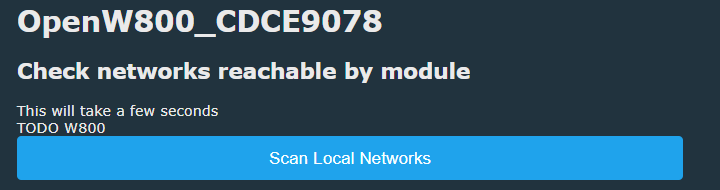
    Screenshot of an interface with a Scan Local Networks button and the name OpenW800_CDCE9078.

    This AP is Intel AX WNIC Windows hotspot ~60cm away:
    Screenshot of OpenW800 device management panel with action buttons and technical information.


    Screenshot of a console with messages and a command input field, featuring a Berry language command. Screenshot showing a division by zero error in the Berry interpreter after trying to execute print(Hello + str(5+0/0)).


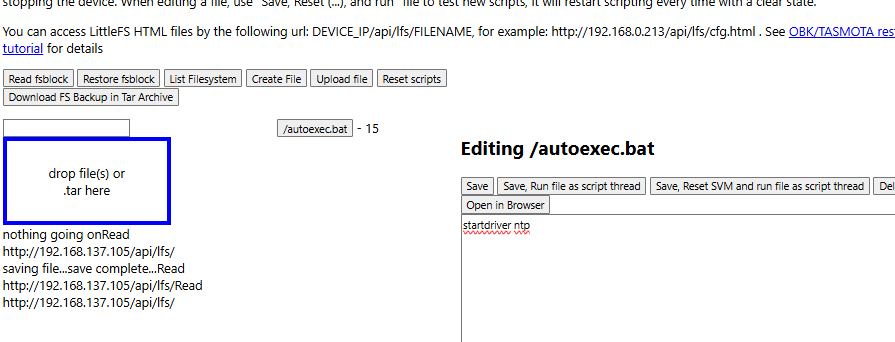
    Computer screen showing messages about formatting and mounting a file system, with a command input field. Screenshot of LittleFS file editor with the autoexec.bat file open.

    Added after 21 [minutes]:

    insmod wrote:
    It apparently came with tuya firmware, which is odd for a dev board.


    shame we couldn't dump this :(

    I do recall now reading about using some CK-Link elf file uploaded to an STM32 so you can make a cheap CK-Link debugger. I don't know if debugging mode = flash access though. There are a few articles around about it. eg https://en.eeworld.com.cn/bbs/thread-1190847-1-1.html https://hackaday.io/page/12671-how-to-debug-w806-and-w801-mcus

    Also maybe this is some clone thing already setup https://fr.aliexpress.com/item/1005007641192505.html

    Added after 10 [minutes]:

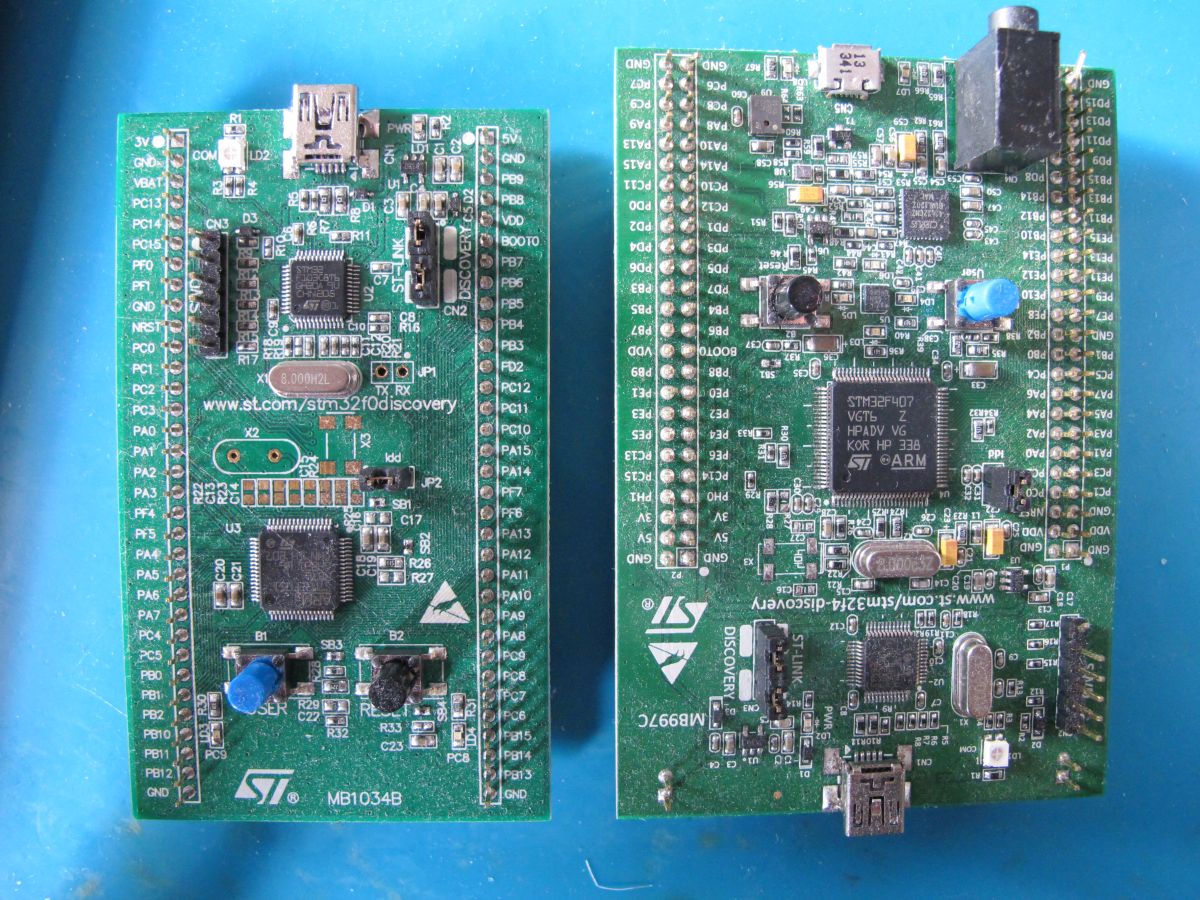
    I found these at the recycling centre once so maybe I can already try. Not explored them

    Two STM32 development boards with microcontrollers and connectors on a blue background.

    Added after 7 [minutes]:

    divadiow wrote:
    shame we couldn't dump this


    sorry, spamming thread this morning. more on this Tuya firmware. Using that product key we get this from Tuya dev

    Spoiler:
    {
    "tokenResponse": {
    "expire_time": 300,
    "region": "EU",
    "secret": "1nES",
    "token": "TgwxVrWF"
    },
    "deviceApi": "http://a.tuyaeu.com/d.json",
    "activeRequest": {
    "token": "TgwxVrWF",
    "productKey": "yqqc3anxrn4lgsyt",
    "softVer": "1.0.0",
    "protocolVer": "2.2",
    "baselineVer": "40.00",
    "cadVer": "1.0.3",
    "cdVer": "1.0.0",
    "options": "{\"isFK\":false}",
    "t": 1745306195
    },
    "activeResponse": {
    "capability": 1025,
    "devId": "bf457640f23944ec2c9onu",
    "dstIntervals": [
    [
    1743296400,
    1761440400
    ],
    [
    1774746000,
    1792890000
    ],
    [
    1806195600,
    1824944400
    ],
    [
    1837645200,
    1856394000
    ],
    [
    1869094800,
    1887843600
    ]
    ],
    "localKey": "qTxogbN):#<u5g&p",
    "resetFactory": false,
    "schema": [
    {
    "mode": "rw",
    "property": {
    "type": "bool"
    },
    "id": 20,
    "type": "obj"
    },
    {
    "mode": "rw",
    "property": {
    "range": [
    "colour",
    "scene",
    "music"
    ],
    "type": "enum"
    },
    "id": 21,
    "type": "obj"
    },
    {
    "mode": "rw",
    "property": {
    "min": 10,
    "max": 1000,
    "scale": 0,
    "step": 1,
    "type": "value"
    },
    "id": 22,
    "type": "obj"
    },
    {
    "mode": "rw",
    "property": {
    "min": 0,
    "max": 1000,
    "scale": 0,
    "step": 1,
    "type": "value"
    },
    "id": 23,
    "type": "obj"
    },
    {
    "mode": "rw",
    "property": {
    "type": "string",
    "maxlen": 255
    },
    "id": 24,
    "type": "obj"
    },
    {
    "mode": "rw",
    "property": {
    "type": "string",
    "maxlen": 255
    },
    "id": 25,
    "type": "obj"
    },
    {
    "mode": "rw",
    "property": {
    "min": 0,
    "max": 86400,
    "scale": 0,
    "step": 1,
    "type": "value"
    },
    "id": 26,
    "type": "obj"
    },
    {
    "mode": "wr",
    "property": {
    "type": "string",
    "maxlen": 255
    },
    "id": 28,
    "type": "obj"
    },
    {
    "mode": "rw",
    "id": 30,
    "type": "raw"
    },
    {
    "mode": "rw",
    "id": 31,
    "type": "raw"
    },
    {
    "mode": "rw",
    "id": 32,
    "type": "raw"
    },
    {
    "mode": "rw",
    "id": 33,
    "type": "raw"
    },
    {
    "mode": "rw",
    "property": {
    "type": "bool"
    },
    "id": 34,
    "type": "obj"
    },
    {
    "mode": "ro",
    "property": {
    "min": 0,
    "max": 100,
    "scale": 0,
    "step": 1,
    "type": "value"
    },
    "id": 101,
    "type": "obj"
    },
    {
    "mode": "ro",
    "property": {
    "min": 0,
    "max": 100,
    "scale": 0,
    "step": 1,
    "type": "value"
    },
    "id": 102,
    "type": "obj"
    }
    ],
    "schemaId": "000004955t",
    "secKey": "}&OcalP^h>uZlQ&n",
    "stdTimeZone": "+00:00",
    "timeZone": "UTC"
    },
    "checkResponse": {
    "error_devices": [],
    "success_devices": [
    {
    "id": "bf457640f23944ec2c9onu",
    "ip": "2a06:98c0:3600::103",
    "lat": "",
    "lon": "",
    "name": "w800\u4e09\u8272\u706f\u5f00\u53d1\u677f",
    "online": false,
    "product_id": "yqqc3anxrn4lgsyt",
    "uuid": "cbf94174be17a3df"
    }
    ]
    },
    "modelResponse": {
    "model": {
    "modelId": "000004955t",
    "services": [
    {
    "actions": [],
    "code": "",
    "description": "",
    "events": [],
    "name": "\u9ed8\u8ba4\u670d\u52a1",
    "properties": [
    {
    "abilityId": 20,
    "accessMode": "rw",
    "code": "switch_led",
    "description": "",
    "extensions": {
    "iconName": "icon-dp_power",
    "attribute": "1539"
    },
    "name": "\u5f00\u5173",
    "typeSpec": {
    "type": "bool"
    }
    },
    {
    "abilityId": 21,
    "accessMode": "rw",
    "code": "work_mode",
    "description": "",
    "extensions": {
    "iconName": "icon-dp_mode",
    "attribute": "1536"
    },
    "name": "\u6a21\u5f0f",
    "typeSpec": {
    "type": "enum",
    "range": [
    "colour",
    "scene",
    "music"
    ]
    }
    },
    {
    "abilityId": 22,
    "accessMode": "rw",
    "code": "bright_value",
    "description": "",
    "extensions": {
    "iconName": "icon-liangdu1",
    "attribute": "1538"
    },
    "name": "\u4eae\u5ea6\u503c",
    "typeSpec": {
    "type": "value",
    "max": 1000,
    "min": 10,
    "scale": 0,
    "step": 1
    }
    },
    {
    "abilityId": 23,
    "accessMode": "rw",
    "code": "temp_value",
    "description": "",
    "extensions": {
    "iconName": "icon-dp_half",
    "attribute": "1538"
    },
    "name": "\u51b7\u6696\u503c",
    "typeSpec": {
    "type": "value",
    "max": 1000,
    "min": 0,
    "scale": 0,
    "step": 1
    }
    },
    {
    "abilityId": 24,
    "accessMode": "rw",
    "code": "colour_data",
    "description": "\u7c7b\u578b\uff1a\u5b57\u7b26\u4e32;\nValue: 000011112222;\n0000\uff1aH\uff08\u8272\u5ea6\uff1a0-360\uff0c0X0000-0X0168\uff09;\n1111\uff1aS (\u9971\u548c\uff1a0-1000, 0X0000-0X03E8);\n2222\uff1aV (\u660e\u5ea6\uff1a0-1000\uff0c0X0000-0X03E8)",
    "extensions": {
    "iconName": "icon-yanse",
    "attribute": "1536"
    },
    "name": "\u5f69\u5149",
    "typeSpec": {
    "type": "string",
    "maxlen": 255
    }
    },
    {
    "abilityId": 25,
    "accessMode": "rw",
    "code": "scene_data",
    "description": "\u7c7b\u578b\uff1a\u5b57\u7b26\u4e32; \nValue: 0011223344445555666677778888;\n00\uff1a\u60c5\u666f\u53f7;\n11\uff1a\u5355\u5143\u5207\u6362\u95f4\u9694\u65f6\u95f4\uff080-100\uff09;\n22\uff1a\u5355\u5143\u53d8\u5316\u65f6\u95f4\uff080-100\uff09;\n33\uff1a\u5355\u5143\u53d8\u5316\u6a21\u5f0f\uff080\u9759\u60011\u8df3\u53d82\u6e10\u53d8\uff09;\n4444\uff1aH\uff08\u8272\u5ea6\uff1a0-360\uff0c0X0000-0X0168\uff09;\n5555\uff1aS (\u9971\u548c\uff1a0-1000, 0X0000-0X03E8);\n6666\uff1aV (\u660e\u5ea6\uff1a0-1000\uff0c0X0000-0X03E8);\n7777\uff1a\u767d\u5149\u4eae\u5ea6\uff080-1000\uff09;\n8888\uff1a\u8272\u6e29\u503c\uff080-1000\uff09;\n\u6ce8\uff1a\u6570\u5b571-8\u7684\u6807\u53f7\u5bf9\u5e94\u6709\u591a\u5c11\u5355\u5143\u5c31\u6709\u591a\u5c11\u7ec4",
    "extensions": {
    "iconName": "icon-shoucang",
    "attribute": "1536"
    },
    "name": "\u573a\u666f",
    "typeSpec": {
    "type": "string",
    "maxlen": 255
    }
    },
    {
    "abilityId": 26,
    "accessMode": "rw",
    "code": "countdown",
    "description": "",
    "extensions": {
    "iconName": "icon-a_nav_timer",
    "attribute": "1538"
    },
    "name": "\u5012\u8ba1\u65f6\u5269\u4f59\u65f6\u95f4",
    "typeSpec": {
    "type": "value",
    "max": 86400,
    "min": 0,
    "scale": 0,
    "step": 1,
    "unit": "s"
    }
    },
    {
    "abilityId": 28,
    "accessMode": "wr",
    "code": "control_data",
    "description": "\u7c7b\u578b\uff1a\u5b57\u7b26\u4e32;\nValue: 011112222333344445555 ;\n0\uff1a \u53d8\u5316\u65b9\u5f0f\uff0c0\u8868\u793a\u76f4\u63a5\u8f93\u51fa\uff0c1\u8868\u793a\u6e10\u53d8;\n1111\uff1aH\uff08\u8272\u5ea6\uff1a0-360\uff0c0X0000-0X0168\uff09;\n2222\uff1aS (\u9971\u548c\uff1a0-1000, 0X0000-0X03E8);\n3333\uff1aV (\u660e\u5ea6\uff1a0-1000\uff0c0X0000-0X03E8);\n4444\uff1a\u767d\u5149\u4eae\u5ea6\uff080-1000\uff09;\n5555\uff1a\u8272\u6e29\u503c\uff080-1000\uff09",
    "extensions": {
    "iconName": "icon-dp_box2",
    "attribute": "1536"
    },
    "name": "\u8c03\u8282",
    "typeSpec": {
    "type": "string",
    "maxlen": 255
    }
    },
    {
    "abilityId": 30,
    "accessMode": "rw",
    "code": "rhythm_mode",
    "description": "\u4e0d\u540c\u65f6\u95f4\u6bb5\u7684\u8272\u6e29\u3001\u4eae\u5ea6\u6839\u636e\u4eba\u4f53\u8282\u5f8b\u81ea\u52a8\u8c03\u6574",
    "extensions": {
    "iconName": "icon-dp_time3",
    "attribute": "1536"
    },
    "name": "\u751f\u7269\u8282\u5f8b",
    "typeSpec": {
    "type": "raw",
    "maxlen": 255
    }
    },
    {
    "abilityId": 31,
    "accessMode": "rw",
    "code": "sleep_mode",
    "description": "\u6e29\u99a8\u7684\u706f\u5149\u6e10\u706d\u966a\u60a8\u8fdb\u5165\u751c\u7f8e\u7684\u68a6\u4e61",
    "extensions": {
    "iconName": "icon-dp_sleep",
    "attribute": "1536"
    },
    "name": "\u5165\u7761",
    "typeSpec": {
    "type": "raw",
    "maxlen": 255
    }
    },
    {
    "abilityId": 32,
    "accessMode": "rw",
    "code": "wakeup_mode",
    "description": "\u67d4\u548c\u7684\u706f\u5149\u6e10\u4eae\u4f34\u60a8\u8fce\u63a5\u65b0\u7684\u4e00\u5929",
    "extensions": {
    "iconName": "icon-dp_sun",
    "attribute": "1536"
    },
    "name": "\u5524\u9192",
    "typeSpec": {
    "type": "raw",
    "maxlen": 255
    }
    },
    {
    "abilityId": 33,
    "accessMode": "rw",
    "code": "power_memory",
    "description": "\u7528\u4e8e\u8bbe\u7f6e\u65ad\u7535\u518d\u4e0a\u7535\u706f\u4eae\u8d77\u7684\u72b6\u6001\uff08\u4e0d\u8bb0\u5fc6APP\u5173\u706f\u52a8\u4f5c\uff09",
    "extensions": {
    "iconName": "icon-dp_lightning",
    "attribute": "1664"
    },
    "name": "\u65ad\u7535\u8bb0\u5fc6",
    "typeSpec": {
    "type": "raw",
    "maxlen": 255
    }
    },
    {
    "abilityId": 34,
    "accessMode": "rw",
    "code": "do_not_disturb",
    "description": "\u9002\u7528\u4e8e\u7ecf\u5e38\u505c\u7535\u7684\u533a\u57df\uff0c\u907f\u514d\u505c\u7535\u518d\u6765\u7535\u65f6\u4eae\u706f\u6253\u6270\u7528\u6237\u3002\u5f00\u542f\u901a\u7535\u52ff\u6270\uff0cAPP\u4e0a\u5173\u706f\u540e\u9700\u8981\u8fde\u7eed\u4e24\u6b21\u4e0a\u7535\u624d\u4f1a\u4eae\u706f",
    "extensions": {
    "iconName": "icon-dp_sleep",
    "attribute": "1664"
    },
    "name": "\u52ff\u6270\u6a21\u5f0f",
    "typeSpec": {
    "type": "bool"
    }
    },
    {
    "abilityId": 101,
    "accessMode": "ro",
    "code": "humidity",
    "description": "",
    "extensions": {
    "iconName": "icon-shidu",
    "attribute": "4096"
    },
    "name": "\u6e7f\u5ea6\u663e\u793a",
    "typeSpec": {
    "type": "value",
    "max": 100,
    "min": 0,
    "scale": 0,
    "step": 1,
    "unit": "%"
    }
    },
    {
    "abilityId": 102,
    "accessMode": "ro",
    "code": "sensor_temperature",
    "description": "",
    "extensions": {
    "iconName": "icon-dp_temp",
    "attribute": "4096"
    },
    "name": "\u6e29\u5ea6",
    "typeSpec": {
    "type": "value",
    "max": 100,
    "min": 0,
    "scale": 0,
    "step": 1,
    "unit": "\u2103"
    }
    }
    ]
    }
    ]
    }
    },
    "errors": [],
    "detailsResponse": {
    "active_time": 1745306195,
    "asset_id": "234663521",
    "category": "dj",
    "category_name": "Light Source",
    "create_time": 1745306196,
    "gateway_id": "",
    "icon": "smart/icon/bay161007178071922Nm/5888dc3b9e96b402540313c428a11e0f.png",
    "id": "bf457640f23944ec2c9onu",
    "ip": "2a06:98c0:3600::103",
    "lat": "",
    "local_key": "qTxogbN):#<u5g&p",
    "lon": "",
    "model": "01",
    "name": "w800\u4e09\u8272\u706f\u5f00\u53d1\u677f",
    "online": false,
    "product_id": "yqqc3anxrn4lgsyt",
    "product_name": "w800\u4e09\u8272\u706f\u5f00\u53d1\u677f",
    "sub": false,
    "time_zone": "UTC",
    "update_time": 1745306196,
    "uuid": "cbf94174be17a3df"
    },
    "updateResponse": [
    {
    "channel": 0,
    "control_type": 0,
    "current_version": "1.0.0",
    "dev_type": 0,
    "last_upgrade_time": 0,
    "timeout": 0,
    "type": 0,
    "type_desc": "Main Module",
    "upgrade_status": 0
    }
    ],
    "deleteResponse": true,
    "cachedAt": 1745306199891,
    "cacheKey": "yqqc3anxrn4lgsyt"
    }


    these

    Code: Text
    Log in, to see the code


    converts to

    "name": "w800三色灯开发板"

    "product_name": "w800三色灯开发板"

    In Chinese, this translates to:

    w800三色灯开发板 = W800 three-color light development board

    三色 = "three-color"

    灯 = "light" or "lamp"

    开发板 = "development board" or "dev board"

    :D

    Added after 4 [hours] 13 [minutes]:

    insmod wrote:
    I will later try to update sdk to v1.00.10

    oh. @insmod https://www.elektroda.com/rtvforum/topic3905652-30.html#21395087
  • #46 21527634
    insmod
    Level 31  
    Posts: 1388
    Help: 164
    Rate: 432
    >>21526809
    Checked that sdk, and it is too different.
    Main thing is the structure, everything is organized neatly in esp style.
    Uses cmake instead of makefiles.

    Decided to test ota some more, and if using new_tcp_server, ota can succeed, even if somehow logs about it's progress aren't printed. But it takes even longer.

    @divadiow
    I see -79dbm on new sdk, did you check current release? Is there anything different in signal strength?

    Tuya partition dump attached, but it can't be decoded. Taken from full dump made in web app.

    @p.kaczmarek2 Do i open a pull request for SDK? Even with the aforementioned problems?
    Attachments:
    • w800_tuya_partition.bin (108 KB) You must be logged in to download this attachment.
  • ADVERTISEMENT
  • #47 21527691
    divadiow
    Level 38  
    Posts: 5026
    Help: 438
    Rate: 891
    HLK-W801-KIT-V1.1
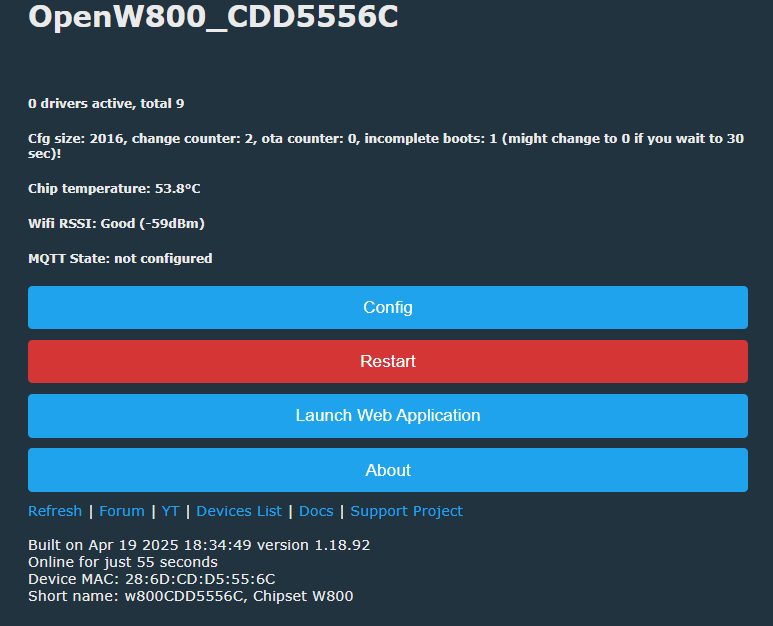
    Screenshot of the OpenW800 device control panel displaying technical information and configuration buttons. OpenW800 control panel with device status information and configuration buttons.

    HLK-W800-KIT-V1.0
    OpenW800 device control panel with configuration, restart, and web application launch options. OpenW800 control panel with configuration, restart, and web application buttons.
    new SDK on this one alternates between EXCELLENT/GOOD and the old SDK alternates between GOOD/FAIR.

    so, wow, maybe just HLK-W801 is rubbish
  • #48 21527694
    insmod
    Level 31  
    Posts: 1388
    Help: 164
    Rate: 432
    Hmm, i have HLK-W800 and it's worse for me.
    Where old sdk can connect to wifi just fine and no packet loss, new sdk can take several minutes to connect and then many http requests fail.
  • #49 21527772
    divadiow
    Level 38  
    Posts: 5026
    Help: 438
    Rate: 891
    I wonder if @max4elektroda has the same experience

    Added after 3 [minutes]:

    insmod wrote:
    Tuya partition dump attached, but it can't be decoded. Taken from full dump made in web app


    Bit of a long shot but I opened a case with Tuya requesting the full image. They say it's not one of theirs. Do you recall where you bought it?
  • #51 21528482
    max4elektroda
    Level 24  
    Posts: 754
    Help: 48
    Rate: 187
    divadiow wrote:
    I wonder if @max4elektroda has the same experience

    Will try when at home again on the weekend.
  • #52 21529784
    divadiow
    Level 38  
    Posts: 5026
    Help: 438
    Rate: 891
    divadiow wrote:
    I do recall now reading about using some CK-Link elf file uploaded to an STM32 so you can make a cheap CK-Link debugger. I don't know if debugging mode = flash access though. There are a few articles around about it. eg https://en.eeworld.com.cn/bbs/thread-1190847-1-1.html https://hackaday.io/page/12671-how-to-debug-w806-and-w801-mcus


    worth a shot maybe

    STM32F103C8T6 ARM microcontroller development board, top view.
  • #53 21530706
    max4elektroda
    Level 24  
    Posts: 754
    Help: 48
    Rate: 187
    max4elektroda wrote:
    divadiow wrote:
    I wonder if @max4elektroda has the same experience

    Will try when at home again on the weekend.

    My HKL-W801-KIT-V1.1 also generally has "weak" WiFi connections, .

    RSSI changes between -71 and -89

    With new SDKs version RSSI is often, but not always worse (usually -84 to -89) and connection is bad. E.g. OTA was not working over this connection.

    And with new SDK the internal temperature shown is approx 10° higher (release: 45-51 / new SDK 58 to 62) !
  • #54 21530709
    p.kaczmarek2
    Moderator Smart Home
    Posts: 14580
    Help: 654
    Rate: 12603
    Connection and OTA is important.... well, @insmod , would it be possible, to port for now LFS to OBK without the low quality WiFi SDK? At least until it's resolved...
    Helpful post? Buy me a coffee.
  • #55 21531279
    divadiow
    Level 38  
    Posts: 5026
    Help: 438
    Rate: 891
    >>21525621

    here's a slightly newer .fls of your original W800 fw from YourCee https://github.com/openshwprojects/FlashDumps...mits/2bbd79ffe2fe3610db3be073ccef1e17029ceeb7

    Code: Text
    Log in, to see the code


    This was supplied alongside some other W800 stuff that I have seen before, might be some things in there new though. Full Tuya SDK instead of just those from here https://www.elektroda.com/rtvforum/topic3905652-30.html#21527135 ?
    Attachments:
    • 84426.zip (29.7 MB) You must be logged in to download this attachment.
  • Helpful post
    #56 21534040
    divadiow
    Level 38  
    Posts: 5026
    Help: 438
    Rate: 891
    similar for YourCee W806 but no prebuilt flash file
    Attachments:
    • 83491.zip (33.4 MB) You must be logged in to download this attachment.
  • #57 21534154
    insmod
    Level 31  
    Posts: 1388
    Help: 164
    Rate: 432
    Checked tuya W800, sdk is rather outdated, v1.00.01

    Updated OBK: https://github.com/NonPIayerCharacter/OpenBK7231T_App/actions/runs/14693345412
    Extra w800 features are the same as with newer sdk, easyflash for fv, berry, newlib gcc, heap_5, 100k stack size.
    But i also disabled a lot of unneeded features, like hostif/rmms (AT? disabling that one freed a lot of memory), web server (sdk one), iperf server.
    Binary sizes: +103kb fls, +70kb ota. Still a lot of free flash remains.

    @divadiow check how gcc is done it tr6260/ecr6600, and do it the same way in xr sdks. No need to download them from external servers, keep them on github for reliability/faster actions builds. Or perhaps check how i did it in w800 branch, just pulled T sdk and used gcc in that one. Or even use system gcc, like with realteks, ln882 etc.
  • #58 21534169
    divadiow
    Level 38  
    Posts: 5026
    Help: 438
    Rate: 891
    excellent, as always.

    regarding toolchains, I was curious about why, for example, a 2015 gcc would be kept in place and not updated (by anyone, OpenBeken world, or generally) to the point where breaking changes were introduced and then it became too much work to fix in SDK. Like, if it means the potential for smaller builds, is it a reasonable practice to try to see how far one can update? Is that a good thing to do? If the build succeeds, why would one not do it?
  • #59 21534174
    insmod
    Level 31  
    Posts: 1388
    Help: 164
    Rate: 432
    >>21534169
    That was my motivation for realteks and beken_freertos_sdk. And it is easy to update gcc when platform arch is arm.
    But what to do with andes (tr/ecr) and c-sky (w800)? I did try to find a newer gcc for andes, but failed. For c-sky, there is a build package on github, but i didn't try it. https://github.com/c-sky/toolchain-build

    For T/N, updating gcc will make obk crash when reading flash vars, because time_t changed from 32bit to 64bit.

    Then there is always a question what libc is used, like with w800 currently minilibc is used, while in my branch gcc is using newlib. And i had to completely replace libc port to make it work.

    I once tried to update gh actions from ubuntu-22.04 to ubuntu-latest. Many builds, where gcc is the system one failed, because its changes were incompatible (i think it was gcc 14?).
  • #60 21534187
    divadiow
    Level 38  
    Posts: 5026
    Help: 438
    Rate: 891
    oh sure. interesting, OK. I should have guessed that a successful build doesn't necessarily mean a 100% working app. I haven't tested those XR809 and XR872 toolchain change builds...

    insmod wrote:
    For c-sky, there is a build package on github, but i didn't try it. https://github.com/c-sky/toolchain-build


    is this of any use?
    https://www.xrvm.cn/community/download?spm=a2cl5.14290816.0.0.b0b3HuMuHuMuxp
    Attachments:
    • csky-elfabiv2-tools-x86_64-minilibc-20230301.tar.gz (76.45 MB) You must be logged in to download this attachment.

Topic summary

✨ The discussion compares the OpenBeken W800 and W806 boards, focusing on hardware differences, firmware compatibility, and OTA update methods. The W806 board, specifically the Hi-Link HLK-W806-Kit-V1.0, differs from the W800/W801 by lacking Wi-Fi and Bluetooth functionality and having only 1MB flash memory, which complicates flashing OpenBeken firmware designed for W800. Attempts to flash W800 firmware on W806 fail due to flash size and missing factory calibration data for Wi-Fi, making Wi-Fi enablement on W806 impractical. A minimal LED blink demo for W806 was successfully flashed, but full OpenBeken builds exceed the flash size. Efforts to reduce firmware size by disabling features like Tasmota API showed limited success. The W800 supports HTTP server-based OTA updates, but the Web App OTA is missing. Newer SDK versions for W800 introduce features like EasyFlash for flash variable storage, Berry shell, and LFS support, but also cause Wi-Fi signal degradation and slower OTA performance. Toolchain updates and SDK porting challenges were discussed, including GCC versions and libc implementations. Backup methods for W800 firmware are limited, with no known XT804 backup method. The W806 is considered more suitable for non-Wi-Fi applications or UART logging due to hardware limitations. The community is exploring SDK updates, flash size optimization, and configuration storage improvements, including potential EasyFlash integration and dynamic config sizing. Overall, W800 remains the preferred platform for Wi-Fi-enabled OpenBeken applications, while W806 is limited by hardware constraints.
Generated by the language model.

FAQ

TL;DR: For OpenBeken users testing W80x boards, the practical split is simple: W806 has 1 MB flash and "it’s been put to bed" for Wi‑Fi use, while W800/W801 are the boards that actually support usable OpenBeken flashing and OTA today. This FAQ explains chip differences, flashing methods, size limits, and why W806 experiments stalled. [#21386566]

Why it matters: If you are choosing a cheap WinnerMicro dev board for OpenBeken, this thread shows which boards work, which ones waste time, and which update path is realistic.

Board/chip Flash noted in thread OpenBeken status OTA/update status
W800 / HLK-W800-KIT 2 MB class board; builds around 950–976 KB discussed Works and was flashed successfully HTTP server OTA works; Web App OTA missing
W801 / HLK-W801-KIT Treated like W800 for OBK target Works, but some boards showed weak Wi‑Fi OTA possible, but weak links hurt reliability
W806 / HLK-W806-KIT 1 MB flash OBK Wi‑Fi goal not practical Large OBK images fail during flashing

Key insight: The blocker on W806 was not just image size. The thread concludes that even if the silicon contains RF blocks, missing factory calibration and RO-memory limits make Wi‑Fi OpenBeken on W806 unrealistic, so W800/W801 remain the sensible targets. [#21386566]

Quick Facts

  • W806 was reported with 1 MB flash, while W800/W801 were treated as the 2 MB variants that OpenBeken targets normally. [#21081609]
  • A tiny W806 Arduino LED demo was about 90 KB, while W800 OpenBeken full-flash builds discussed were about 900–976 KB, explaining why one flashed and the other did not. [#21081715]
  • After later size work, one reduced W800 image reached 543.75 KB, yet W806 flashing still ended with a CAN failure during image download. [#21387419]
  • A new W800 SDK test build reported about 88,312 bytes free heap, versus roughly 29,280 bytes on another tested build, but the newer build also showed weaker Wi‑Fi or slower OTA on some boards. [#21526809]
  • One Wi‑Fi test used a Windows hotspot only ~60 cm away, yet some new-SDK W800/W801 builds still failed to associate or complete OTA reliably. [#21526809]

1. What are the main differences between WinnerMicro W800, W801, and W806 when trying to run OpenBeken?

W800 and W801 were treated as the practical OpenBeken targets, while W806 was the outlier because it came with only 1 MB flash and no usable Wi‑Fi path for OBK. The thread cites W806 as internally similar to W800/W801, but with smaller flash, and later concludes Wi‑Fi enablement is not realistic on W806. In practice, buy W800 or W801 for OpenBeken work, not W806. [#21386566]

2. Why does OpenBeken fit on W800 but run into flash size problems on W806 with its 1 MB flash?

OpenBeken fits on W800 because that target has enough flash headroom for images around 950–976 KB, while W806 only exposes 1 MB flash. The thread shows W806 accepted tiny test images, but OBK builds stayed near the flash ceiling even after feature cuts. That leaves almost no safe margin for full images, OTA layout, and runtime data. [#21081754]

3. How do you flash OpenBeken onto an HLK-W800-KIT or HLK-W801-KIT, and what OTA update methods are available?

You can flash W800/W801 either by serial tools or by OTA once OpenBeken is already running. 1. Do the first flash with the WinnerMicro upgrade/flashing tool over UART. 2. Boot OpenBeken and connect to its web interface or AP. 3. Use the built-in HTTP server OTA path for later updates. The thread also shows successful OTA on a W800 board and confirms normal release builds still log on TX0. [#21525681]

4. Why is Web App OTA missing on W800 while the older HTTP server based OTA still exists?

Web App OTA is missing on W800 because that platform still uses the older OTA implementation, not the newer Web App OTA flow. The thread states this directly: W800 has HTTP server based OTA in the old style, while Web App OTA was not present. So W800 users still get OTA, but through the legacy HTTP-server path instead of the newer browser workflow. [#21081517]

5. What does a NAK or CAN error during W80x flashing usually mean, and how do you troubleshoot it?

A NAK or CAN during W80x flashing means the transfer failed, not that flash size is proven to be the cause. The thread explicitly says the size explanation was only “a stab in the dark,” and later a reduced 543.75 KB image still failed with CAN. Troubleshoot in three steps: 1. Try another UART baud rate. 2. Verify image size and target board. 3. Test a known-good small binary to separate transport errors from firmware issues. [#21081639]

6. How much firmware size reduction is needed to make OpenBeken practical on W806, and which features save the most space?

The thread never reached a stable target size that made W806 practical, even after major cuts. Disabling Tasmota API barely changed W800 full-flash size, moving from 966,824 to 976,336 bytes in one comparison, so it was not the big win. Later work cut a W800 image to 543.75 KB, but W806 still did not become a usable Wi‑Fi OpenBeken platform. [#21081754]

7. Why did a tiny W806 Arduino blinky sketch flash successfully while a much larger OpenBeken build failed?

The blinky sketch flashed because it was tiny and likely avoided the heavy Wi‑Fi stack and other OpenBeken features. The thread contrasts a roughly 90 KB Arduino test with OBK builds near 900 KB, calling that difference “huge.” A minimal LED demo proves the flasher and basic execution path work, but it does not prove a full Wi‑Fi firmware will fit or run correctly. [#21081741]

8. What is EasyFlash in the OpenBeken W800 discussion, and how could it be used for flash variables or future config storage?

"EasyFlash" is a flash-storage library that manages key-value data in flash, reduces wear from repeated writes, and can support more flexible layouts than a fixed-address config block. In the thread, it was proposed first for frequently updated flash variables, with config storage considered later if flasher support also exists. The main caution was keeping OpenBeken config easy to access and migrate. [#21525723]

9. What is LFS on OpenBeken for W800, and why do logs sometimes show messages like "lfs is absent" or missing autoexec.bat?

"LFS" is a small flash file system that stores scripts and files such as autoexec.bat, letting OpenBeken load startup content from flash instead of hardcoding it. When logs say “lfs is absent” or autoexec.bat is missing, the file system is not initialized yet, not formatted, or simply has no script stored. That is why boot logs can show Berry import errors and failed startup script loads. [#21526809]

10. W800 vs W806 for OpenBeken experiments: which one is actually worth buying for Wi‑Fi firmware work and why?

W800 is worth buying; W806 is not. The thread ends up clear on this: W806 Wi‑Fi enablement was dropped because missing factory RF calibration data and RO-memory limits make it impractical, even if shared silicon blocks exist. One commenter summed it up bluntly: it is easier to buy an HLK-W801-KIT dev board than waste time trying to force W806 into Wi‑Fi use. [#21386566]

11. How do you back up original Tuya firmware from a W800 or W80x board before flashing, and what methods were discussed?

There was no settled, known backup method at the time for W800/W80x before flashing. The thread mentions three avenues: 1. trying to read over UART, 2. exploring CK-Link or cheap CK-Link-compatible debugging hardware, and 3. using a full dump from the web app where available. One participant explicitly said there was no known XT804 backup method they could find. [#21525673]

12. Why do some newer W800 SDK builds show better free heap but worse Wi‑Fi reception, slower OTA, or failed HTTP requests?

The newer SDK changed memory layout and enabled features that raised free heap, but it also changed network behavior enough to hurt radio or socket reliability on some boards. One build reported about 88 KB free heap and used FreeRTOS 10.4.1 plus heap_5, yet testers saw weaker RSSI, slower OTA, and failing HTTP requests. So higher free heap did not guarantee better real-world Wi‑Fi performance. [#21526615]

13. How does switching the W800 toolchain from minilibc to newlib affect UART logging, heap size, and build compatibility?

Switching from minilibc to newlib improved build flexibility and enabled larger feature sets, but it initially broke UART logging until libc-port code was replaced. The thread says most of minilibc_port.c had to be cut to compile, then later copied from a newer SDK to restore logging. On tested builds, free heap stayed around 29,280 bytes on one “berry” image, so the toolchain change did not automatically increase usable heap. [#21525702]

14. What is causing the strange log line "Error:HTTP:Created HTTP SV thread with (stack=2048)" on W800, and is it actually an error?

That line is a mislabeled informational message, not proof of an HTTP failure. The thread shows it appearing on successful boots where the HTTP server thread was created with a 2,048-byte stack, and the same wording had been noticed in earlier XR806 work. Treat it as noisy logging unless it is followed by actual web-server failures. [#21526809]

15. What was learned about trying to enable Wi‑Fi on W806, including RF calibration, RO memory limits, and whether the chip is realistically usable with OpenBeken?

The thread learned that W806 is not a realistic OpenBeken Wi‑Fi target. The strongest explanation was that even if the die still contains Wi‑Fi/Bluetooth hardware, there is no factory RF calibration data, that data cannot simply be written into RO memory, and antenna matching would still remain. That means a no-Wi‑Fi UART-only experiment might boot, but practical wireless OpenBeken on W806 was abandoned. [#21386566]
Generated by the language model.
ADVERTISEMENT