
logo elektroda
logo elektroda
X
logo elektroda

Cozylife DS-1211AN 3Gang Touch Switch: 1MB BL602L10 [XT-BL12][DT-BL12] - Images, Firmware & Boot

divadiow 7020 132
Best answers

How can I get OpenBK/OpenBL602 running on this Cozylife DS-1211AN with a 1 MB BL602L10 chip?

Yes — the thread ended up showing that OpenBK/OpenBL602 can run on the 1 MB BL602L10, but you need the 1 MB-aware SDK/build path and a matching partition layout [#21438533][#21439639] The key fix was enabling `CONFIG_BL602_USE_1M_FLASH := 1`; once that was set, the device booted and EasyFlash worked [#21438533][#21438595] A tester confirmed a 1 MB BL602L10 device flashed successfully, joined Wi‑Fi, and saved settings using the `partition_cfg_1M_miegapele.toml` partition file plus the PR 1534 build artifact [#21456497] The stock 1 MB layout was a problem because its PSM partition was only 8 KB, which was too small for this firmware and caused boot/init/config-save issues; the revised layout used a larger PSM and adjusted/removing other partitions as needed [#21431575][#21442160] Later replies also noted that the 1 MB build works on 2 MB devices too, and that the standard release was later reported to boot on 1 MB hardware as well [#21619453][#21798426]
Generated by the language model.
ADVERTISEMENT
  • Helpful post
    #1 21301826
    divadiow
    Level 38  
    Posts: 4946
    Help: 432
    Rate: 881
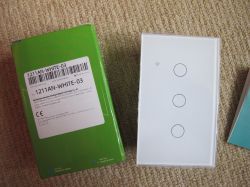
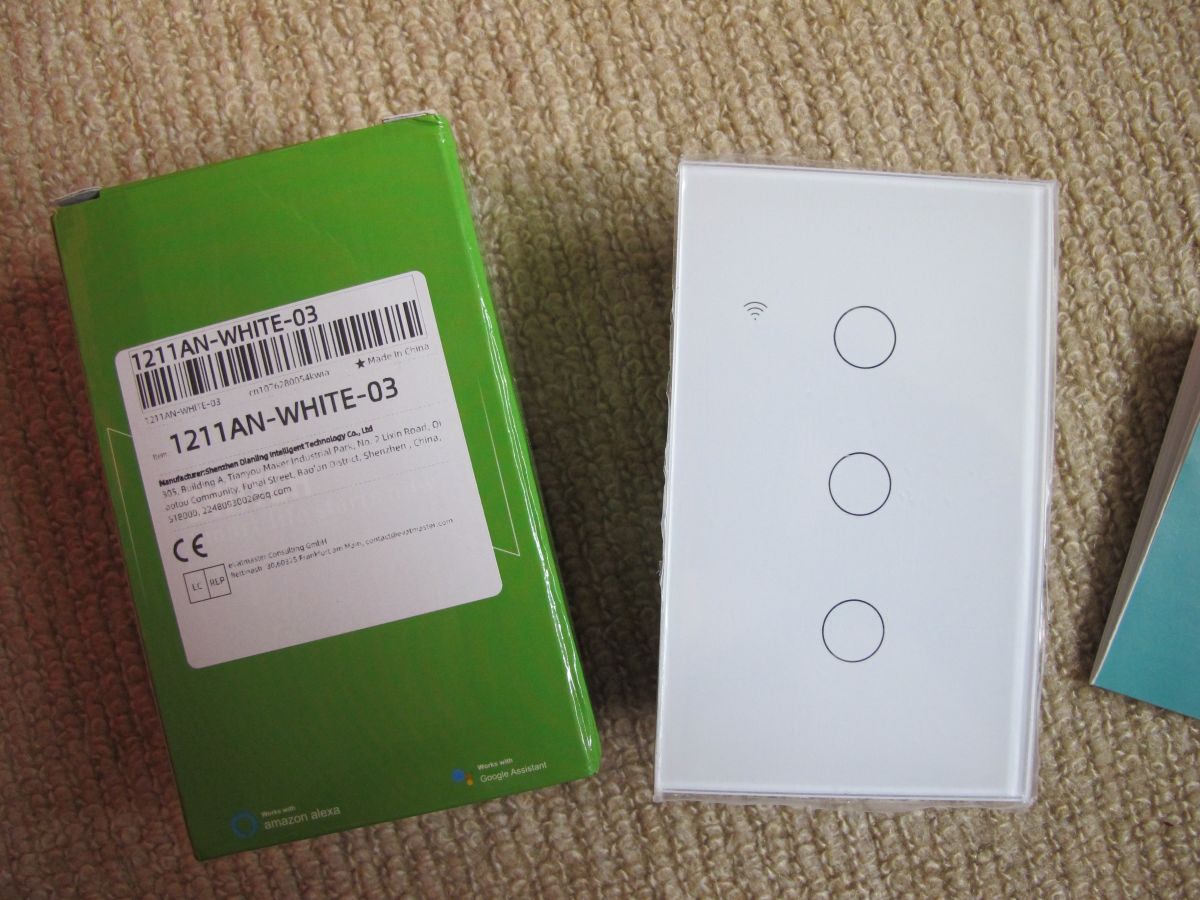
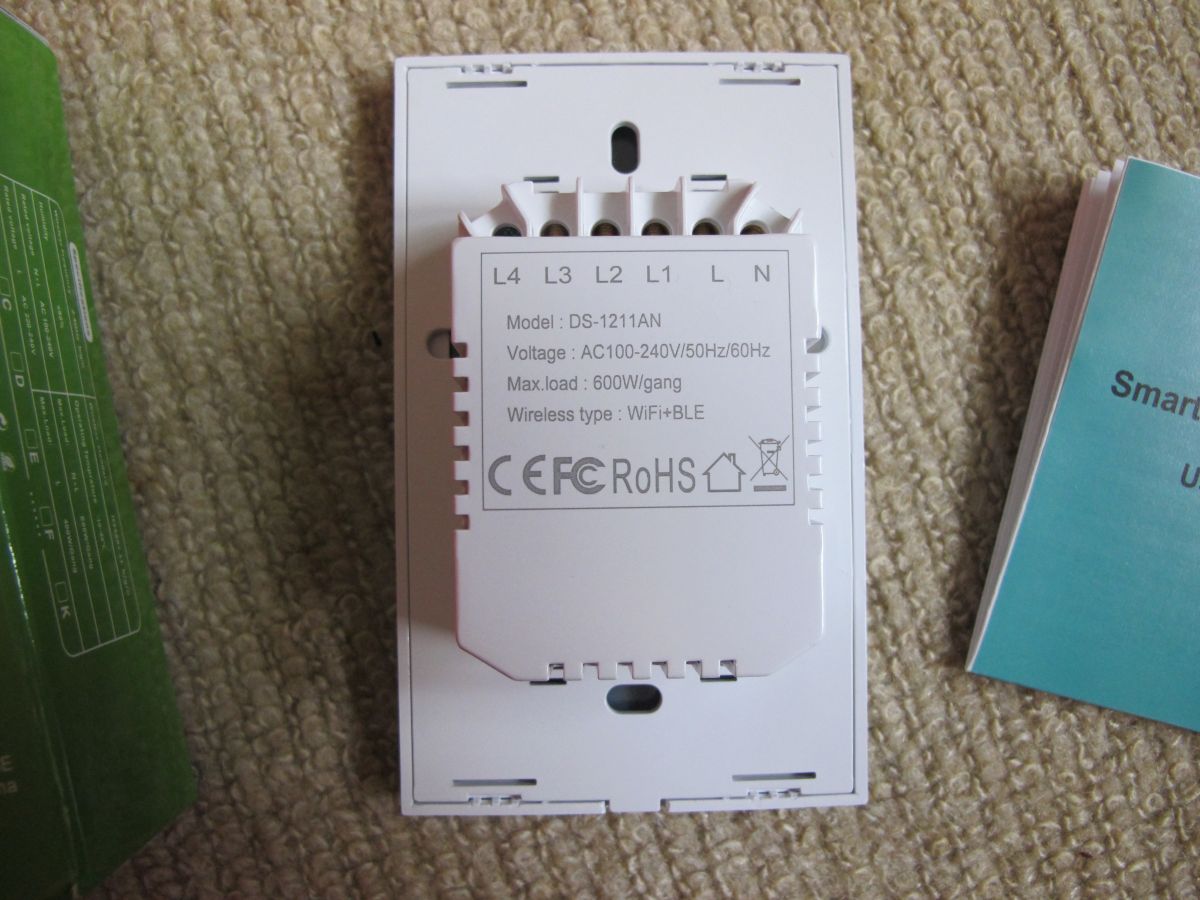
    This is the Cozylife DS-1211AN 3-gang touch wall switch. The sticker on the box states it was manufactured by Shenzhen Dianling Intelligent Technology Co Ltd.

    Unfortunately it comes with a 1mb BL602 so is not an easy candidate for freeing from Cozylife cloud services as OpenBeken does not work on 1mb BL602s. It's a standard-sized 12S type module that could be replaced with an ESP-12S.

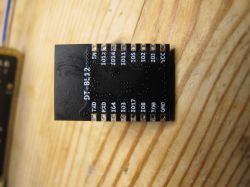
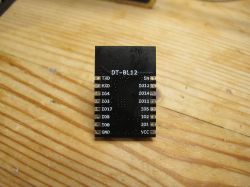
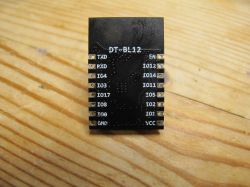
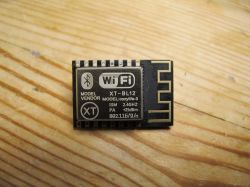
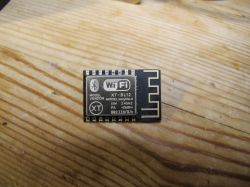
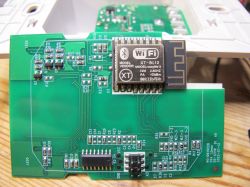
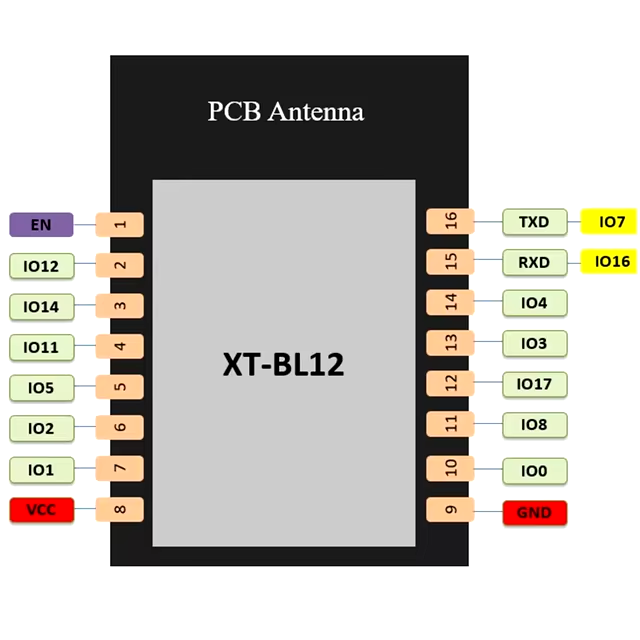
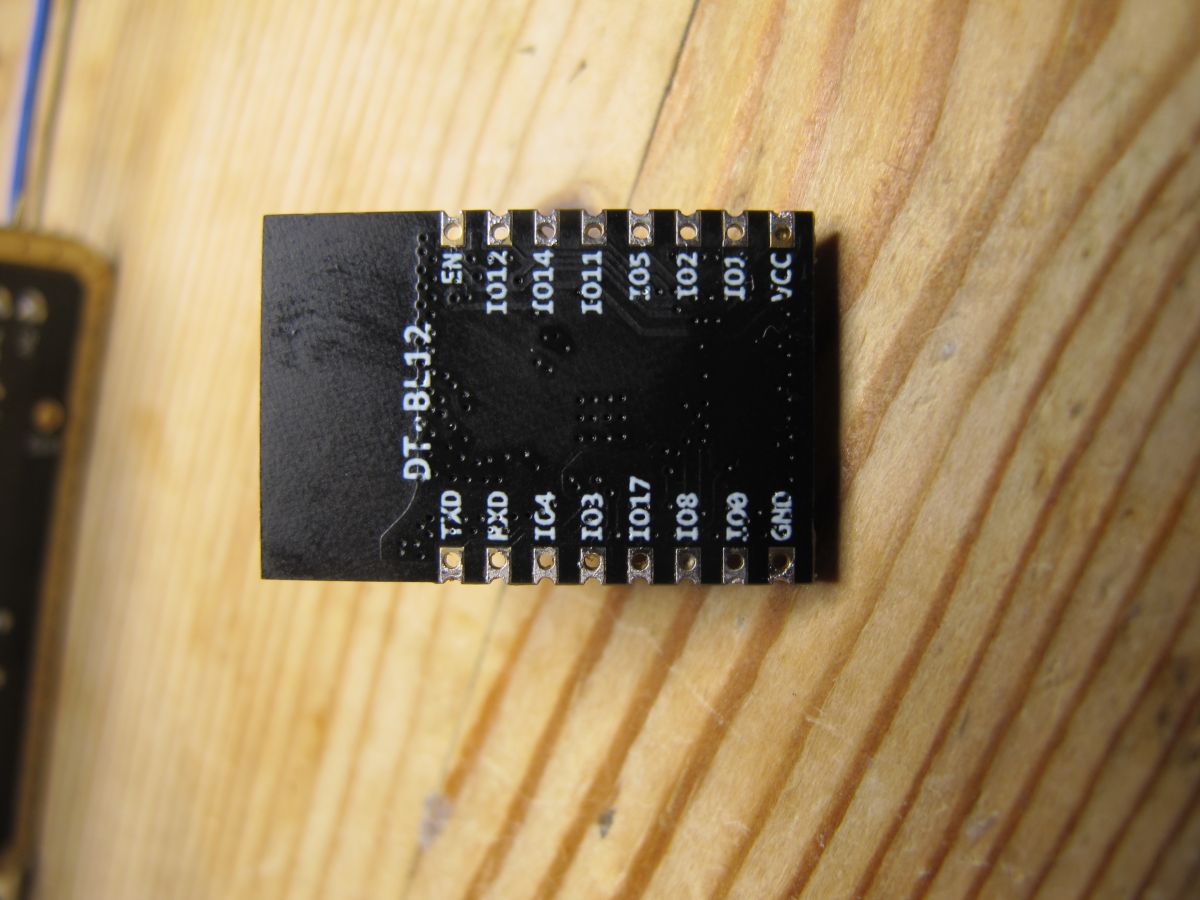
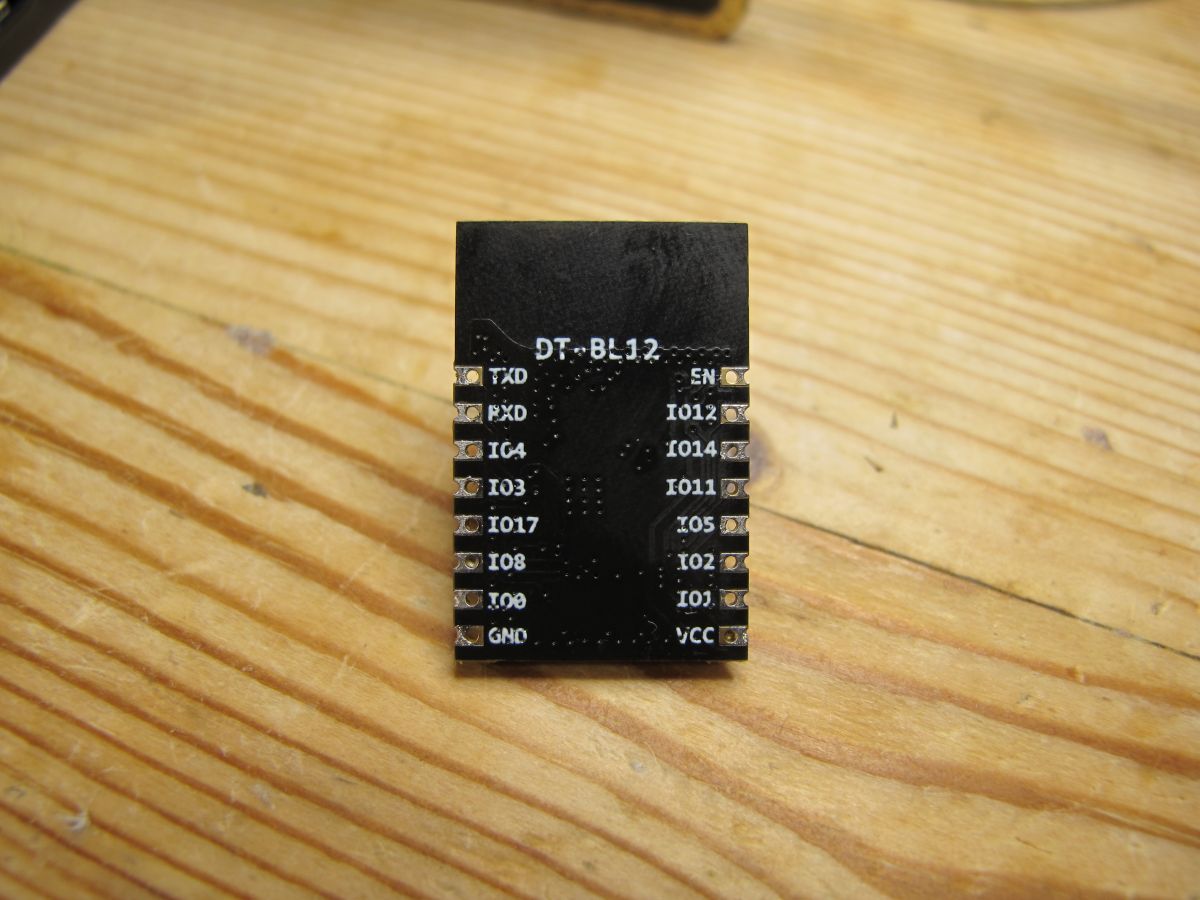
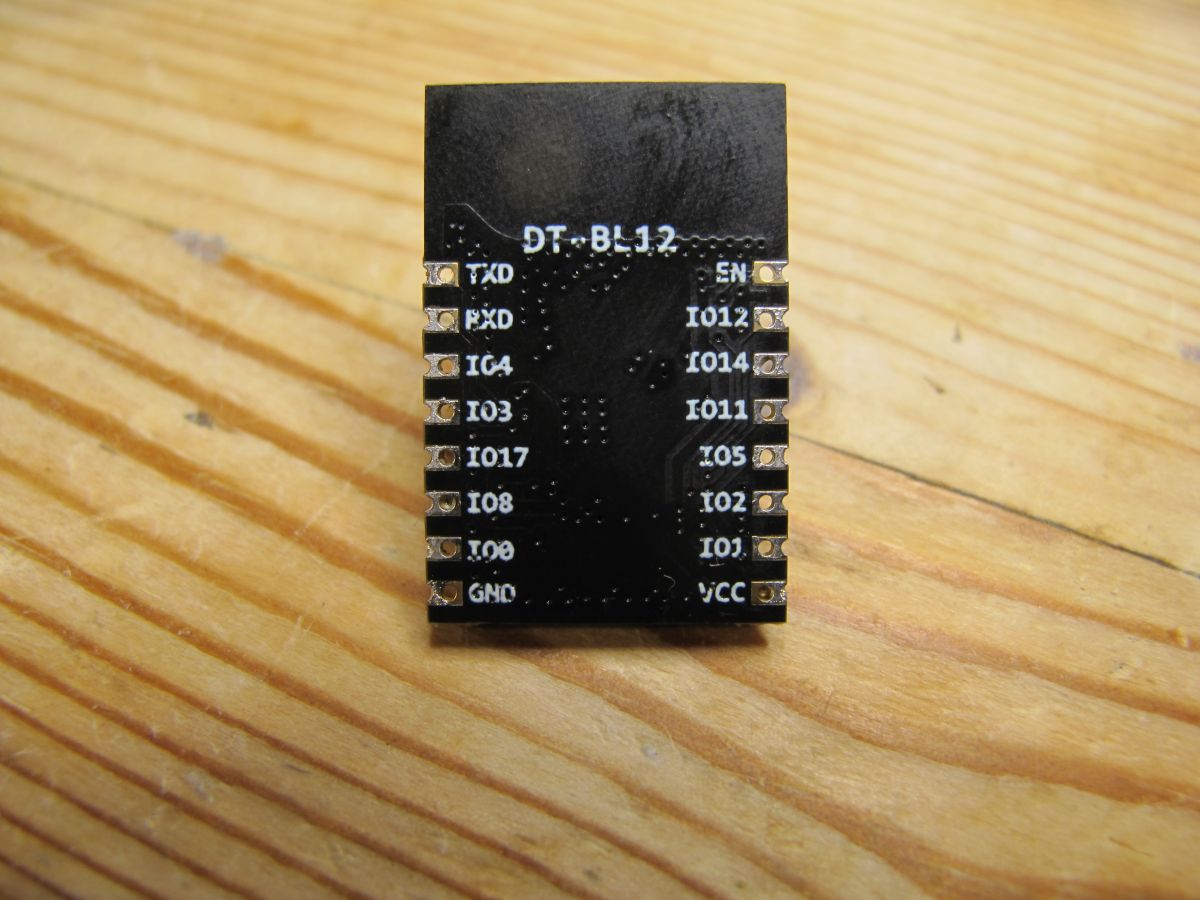
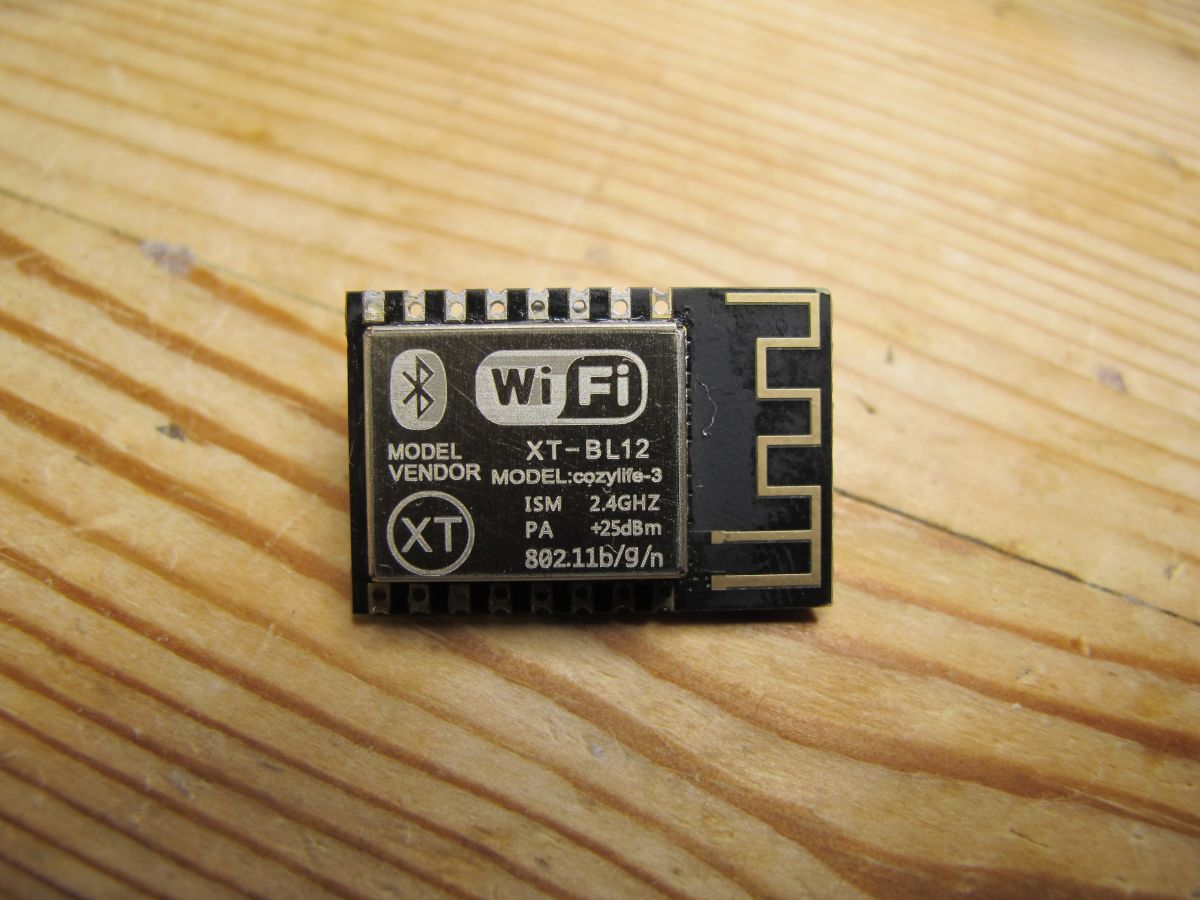
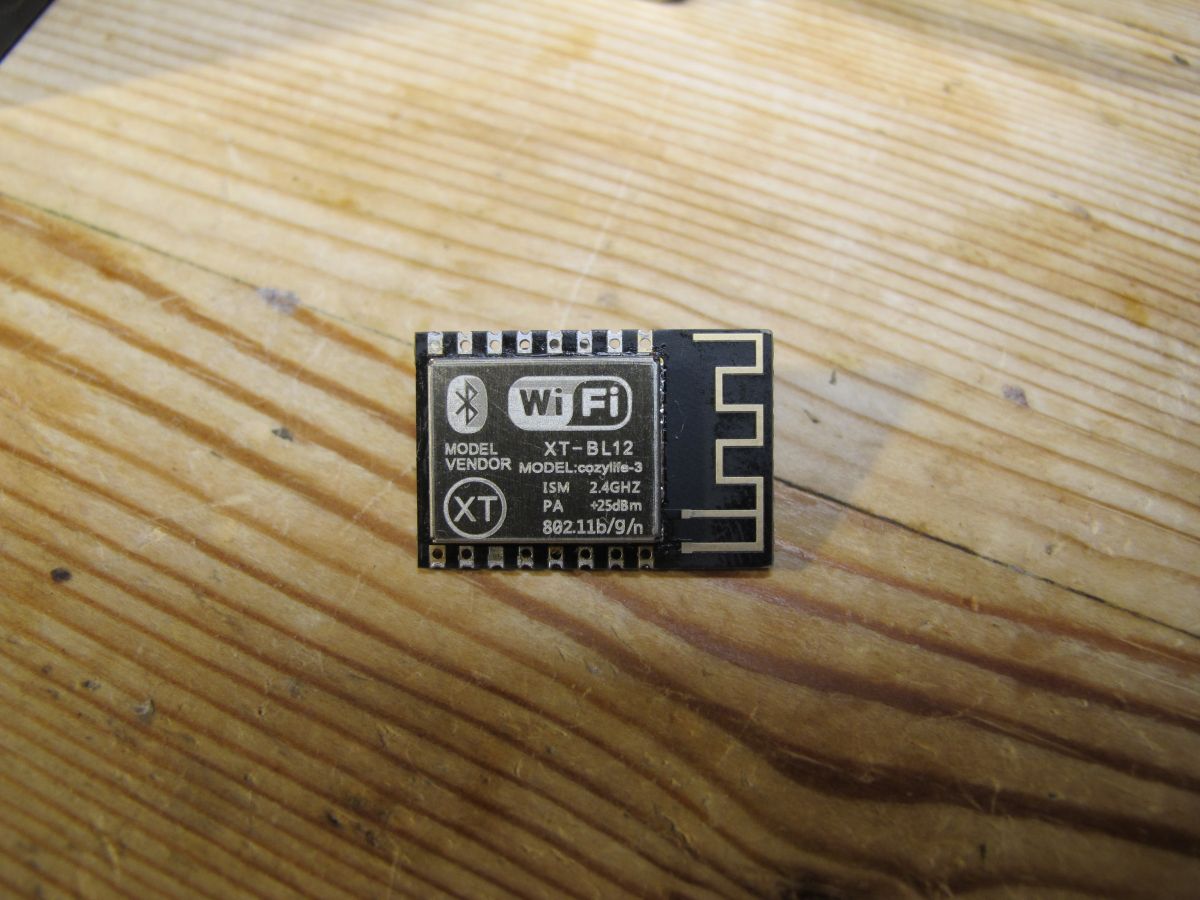
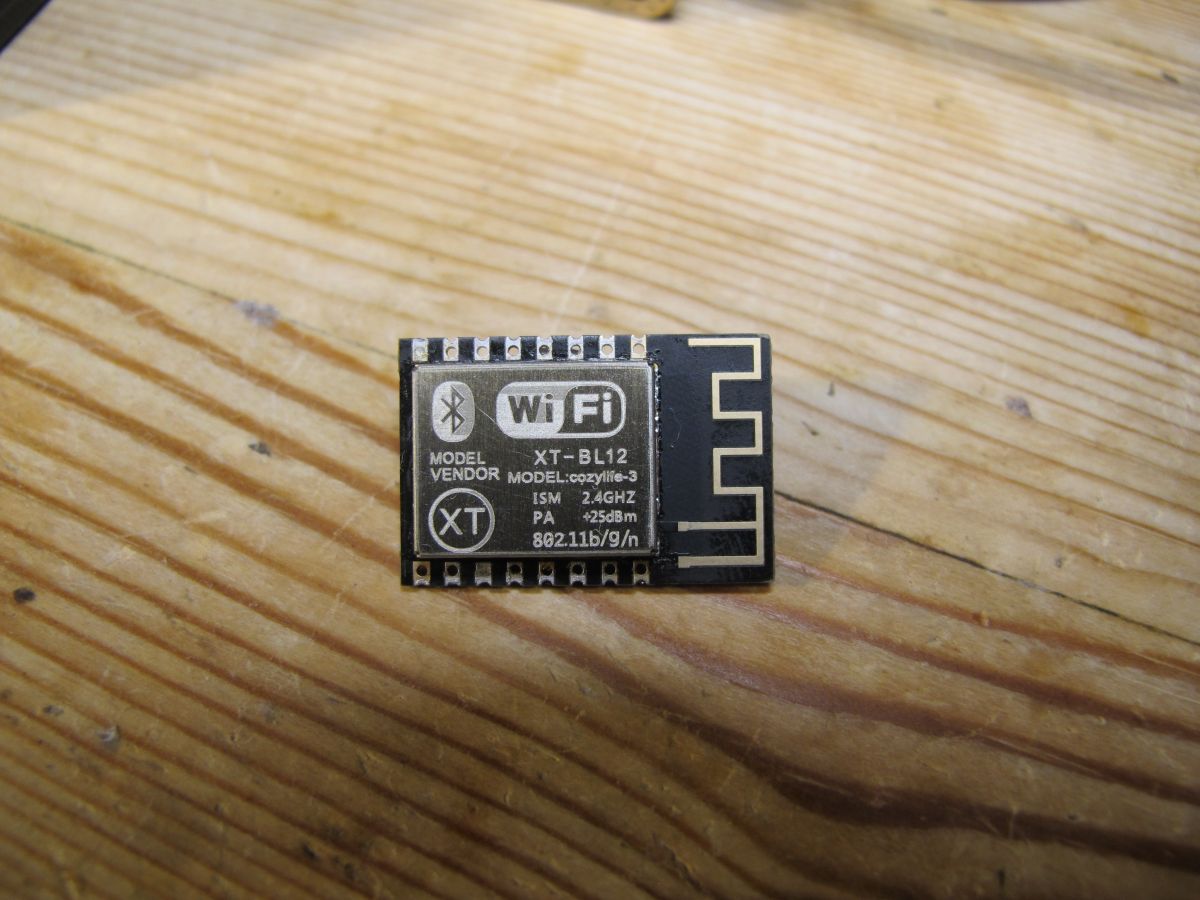
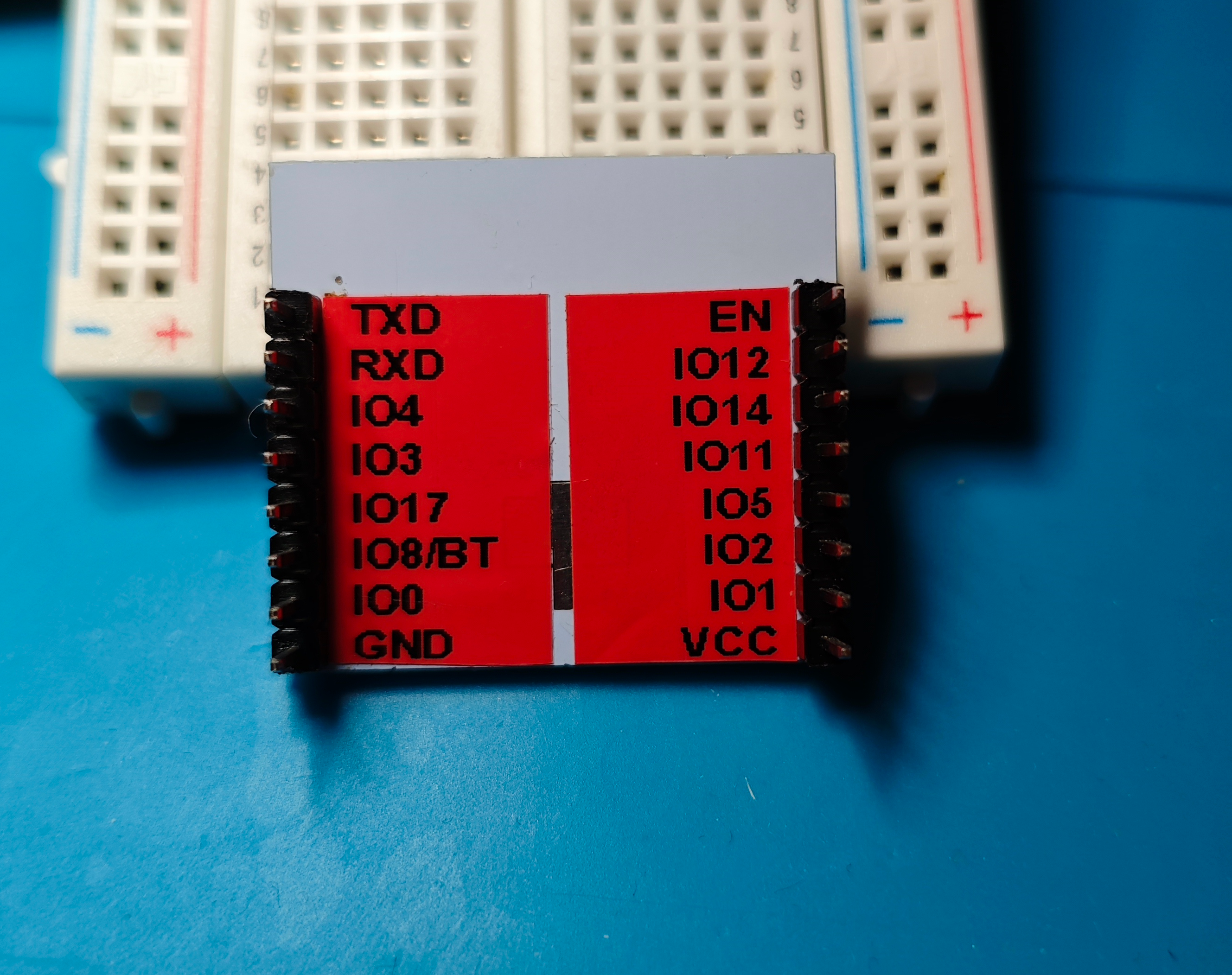
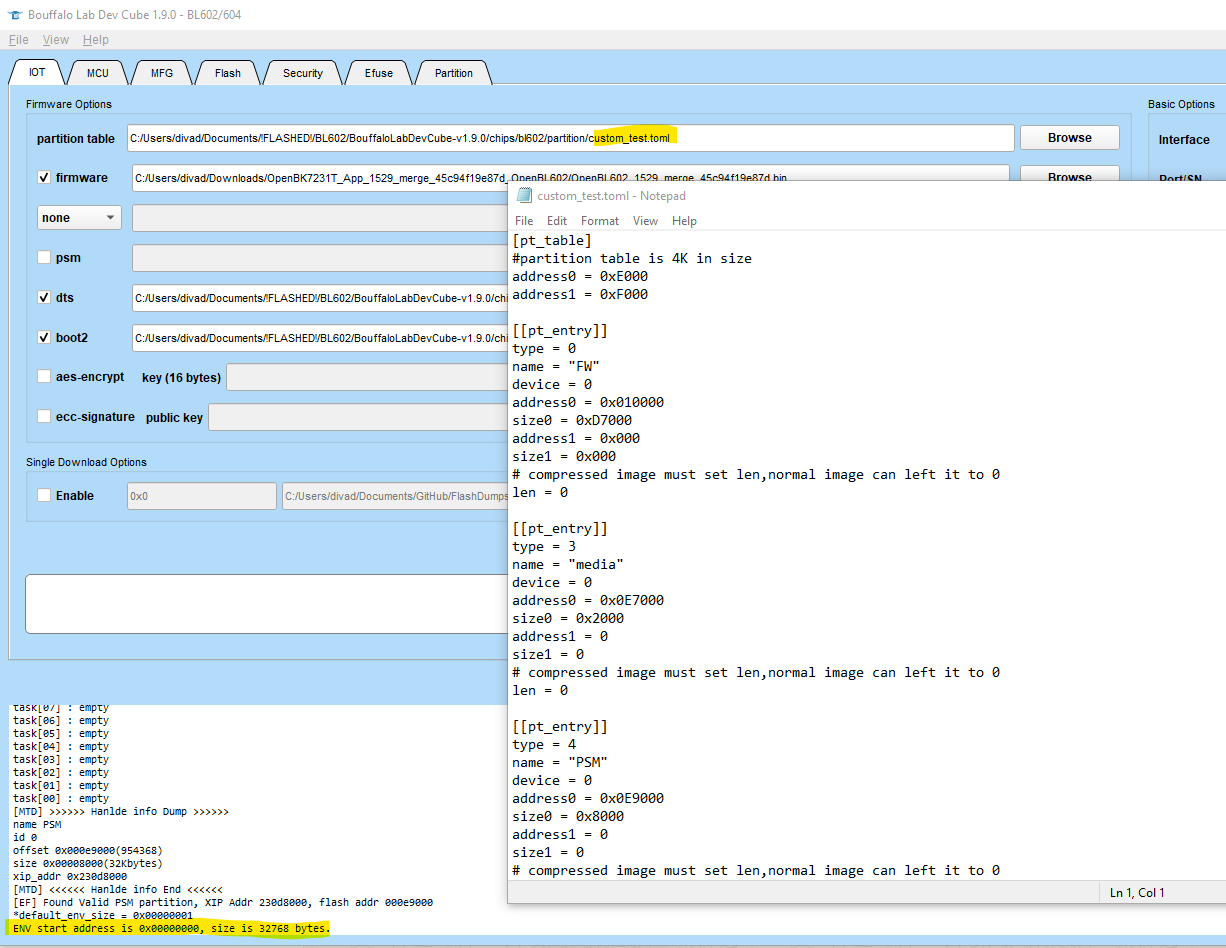
    The module is labelled as a Cozylife-3 XT-BL12 and DT-BL12, but unlike the DT-BL12 here https://cozylife.app/product/zh/hardware/wifi/dt-bl12.html the GPIOs/pads are as below
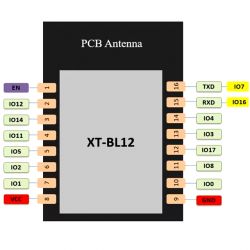
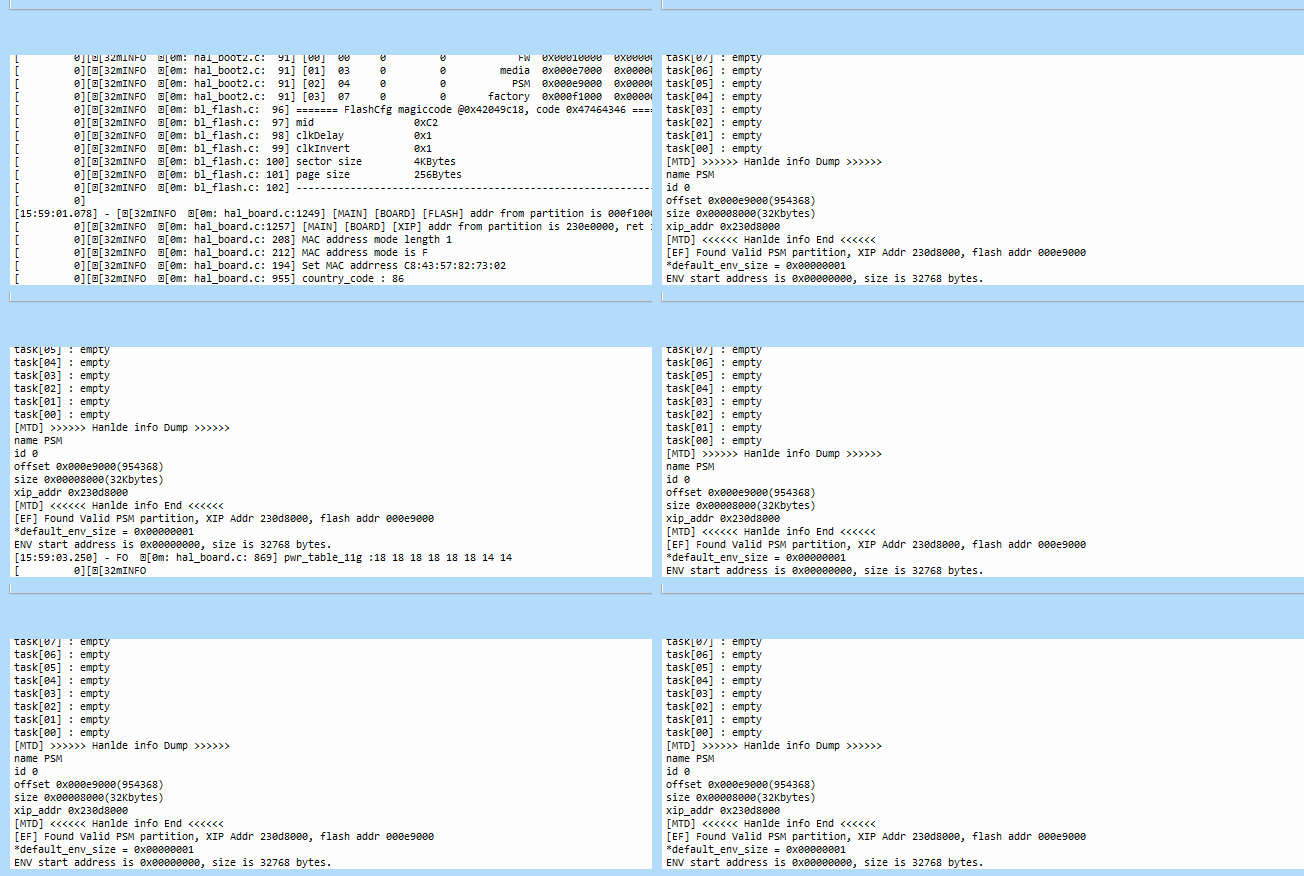
    Diagram of the XT-BL12 module with pins and a PCB antenna.

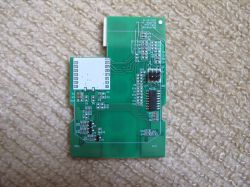
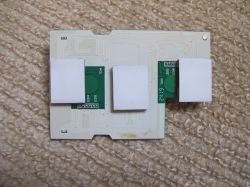
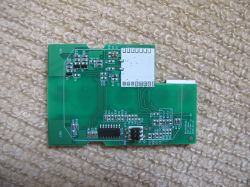
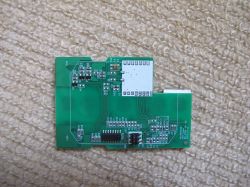
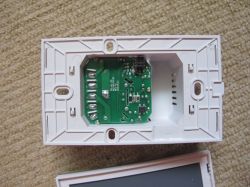
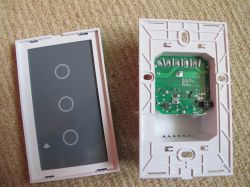
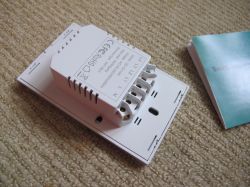
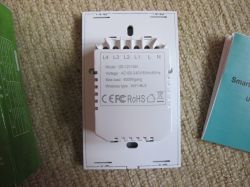
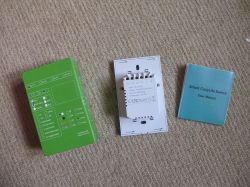
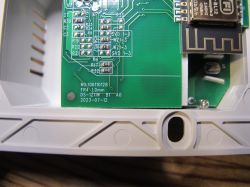
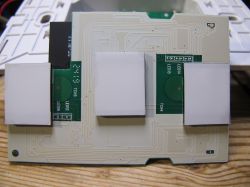
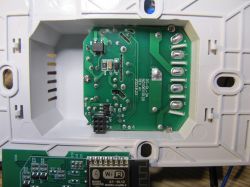
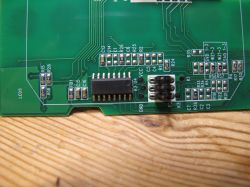
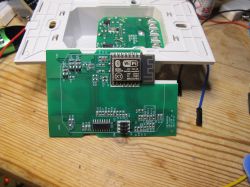
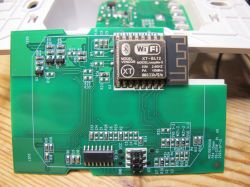
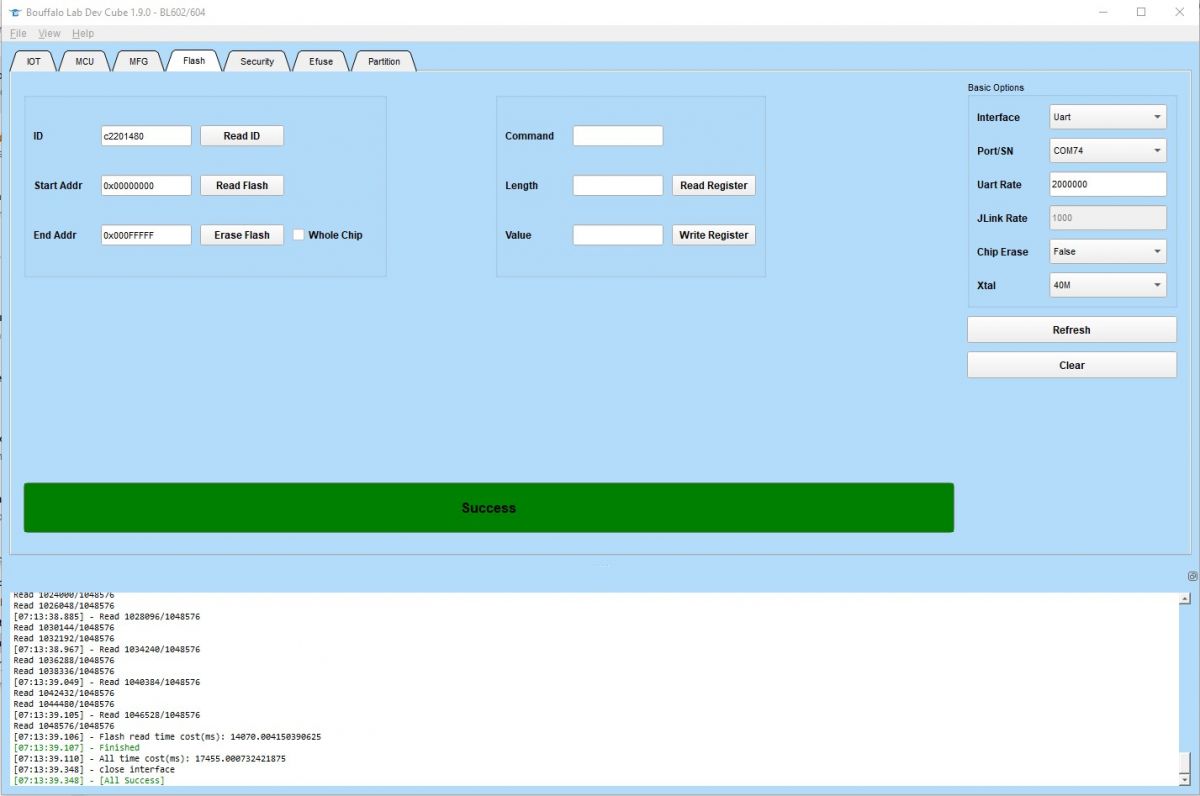
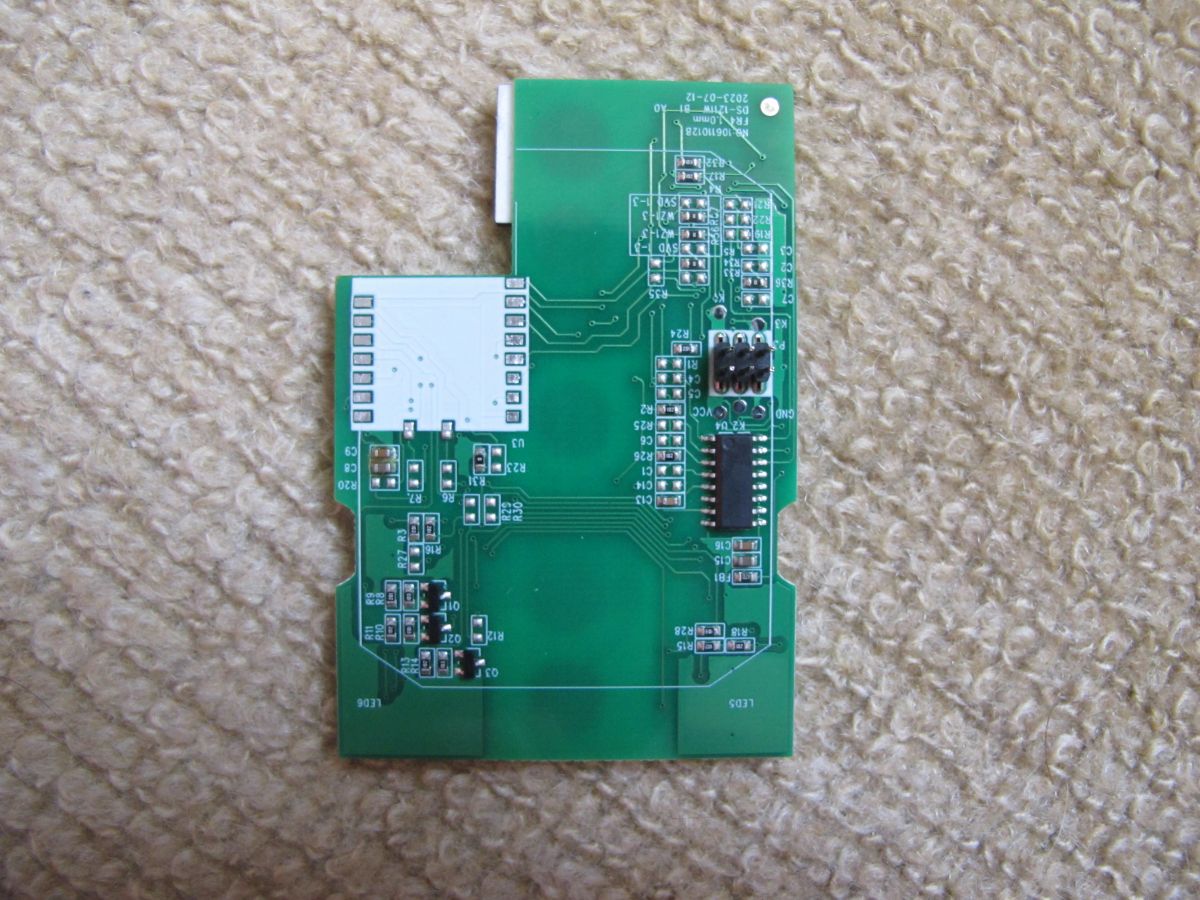
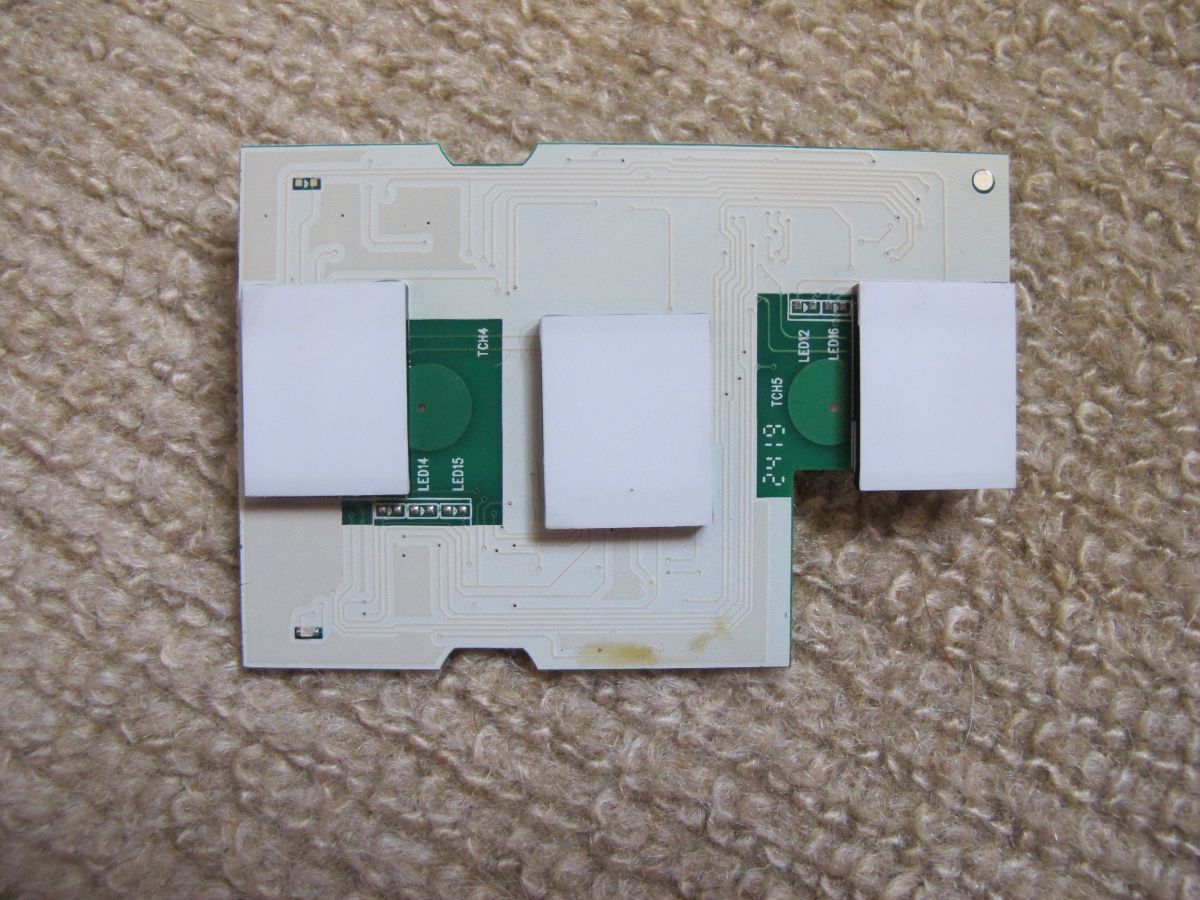
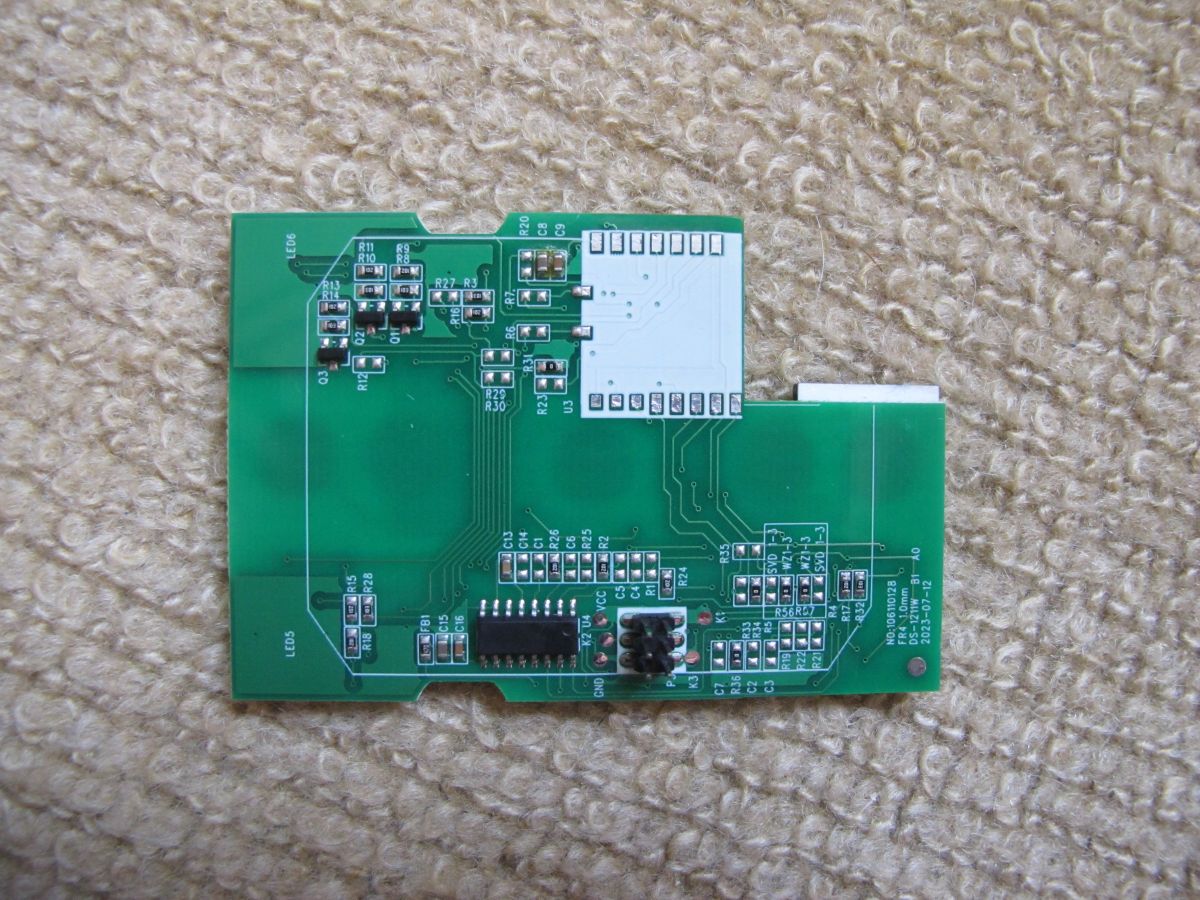
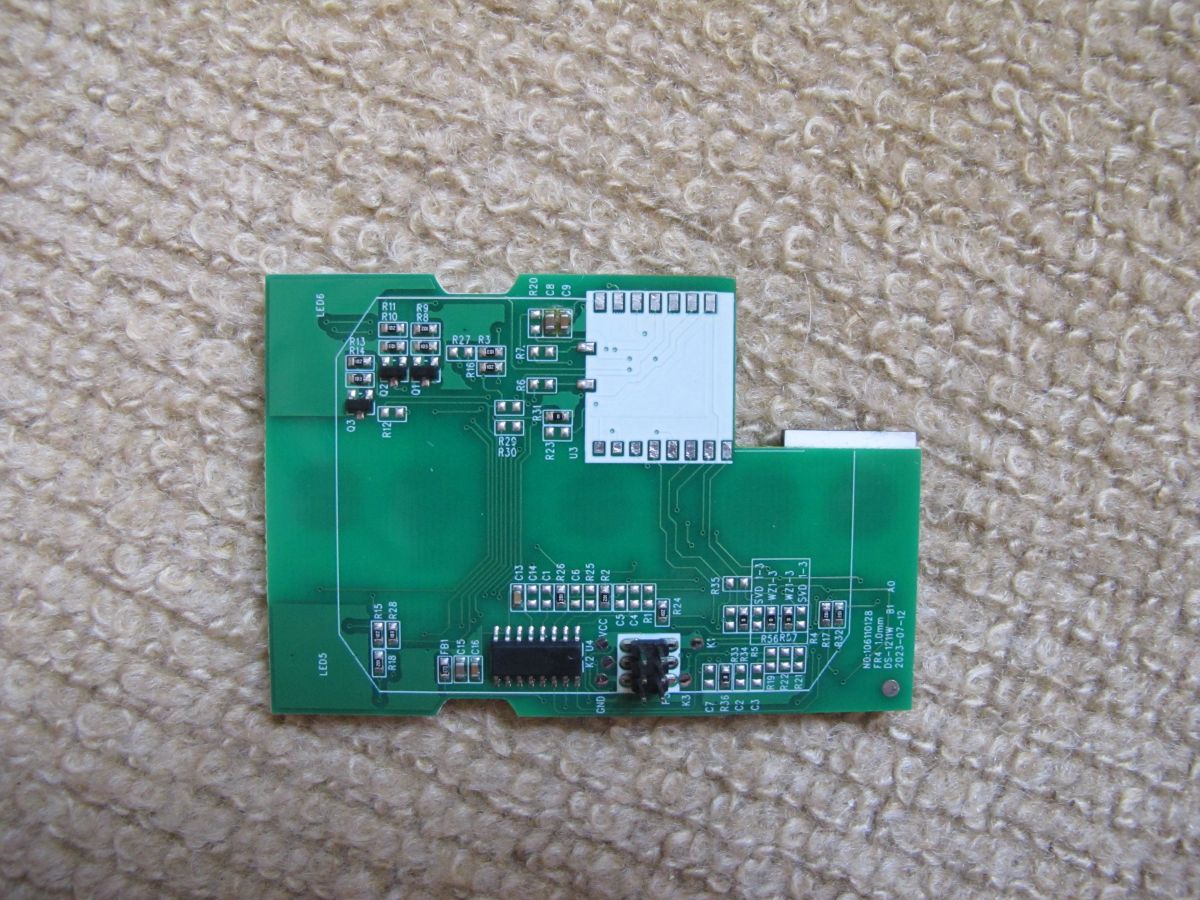
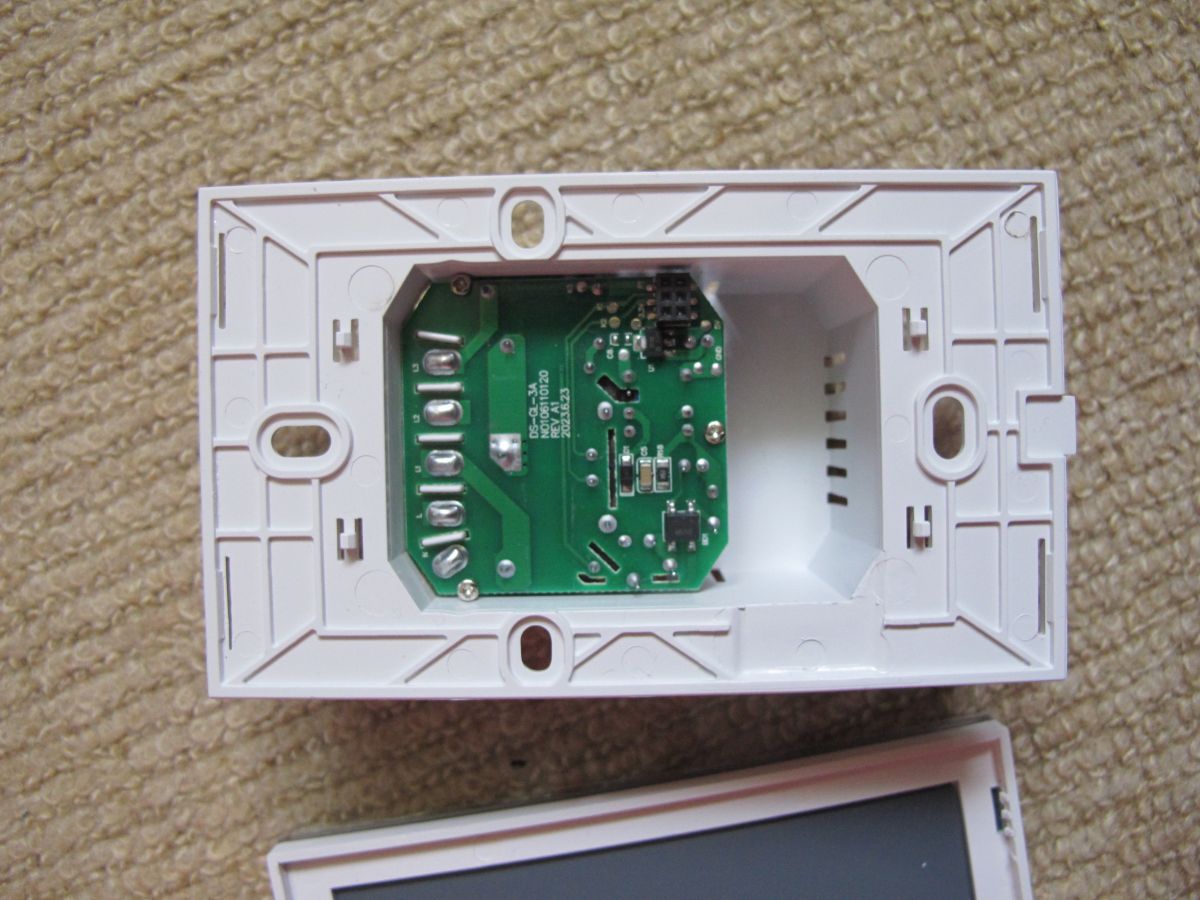
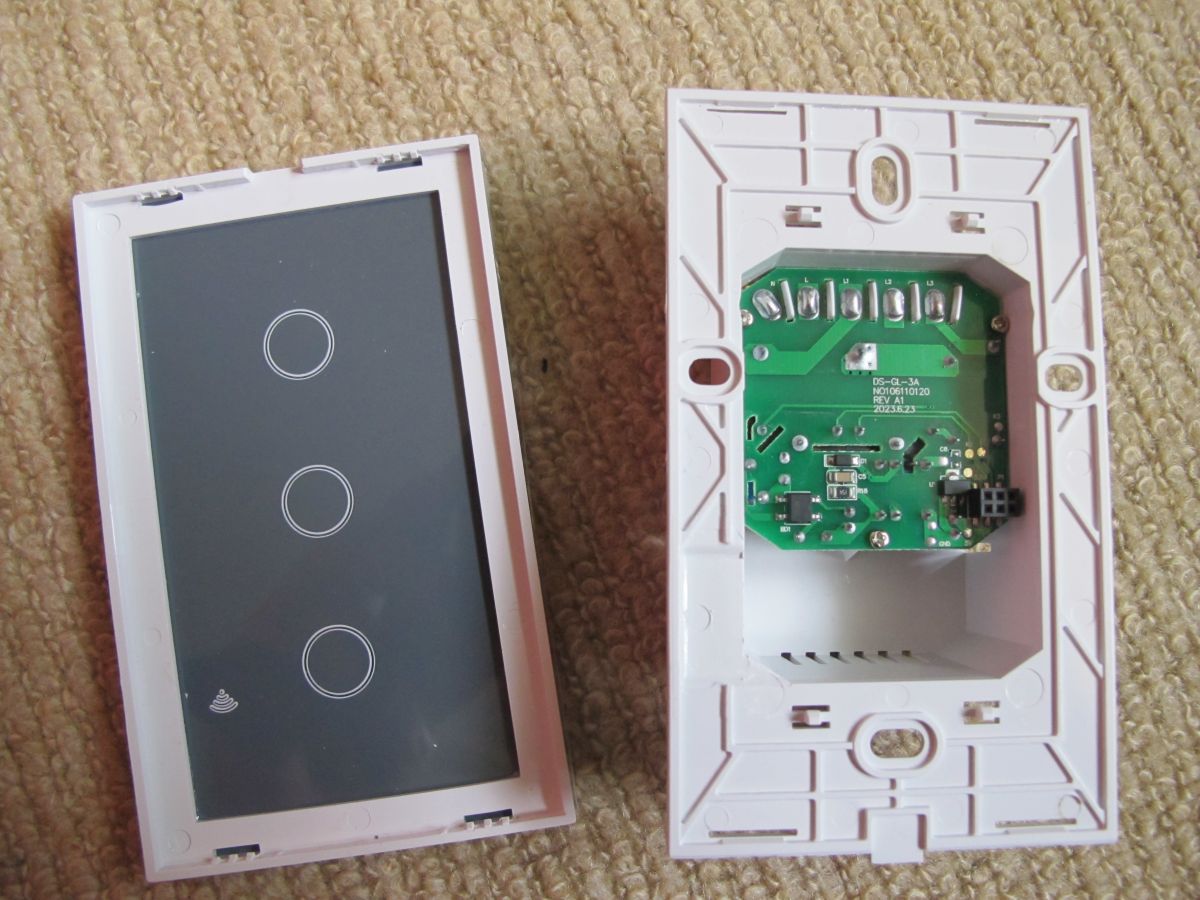
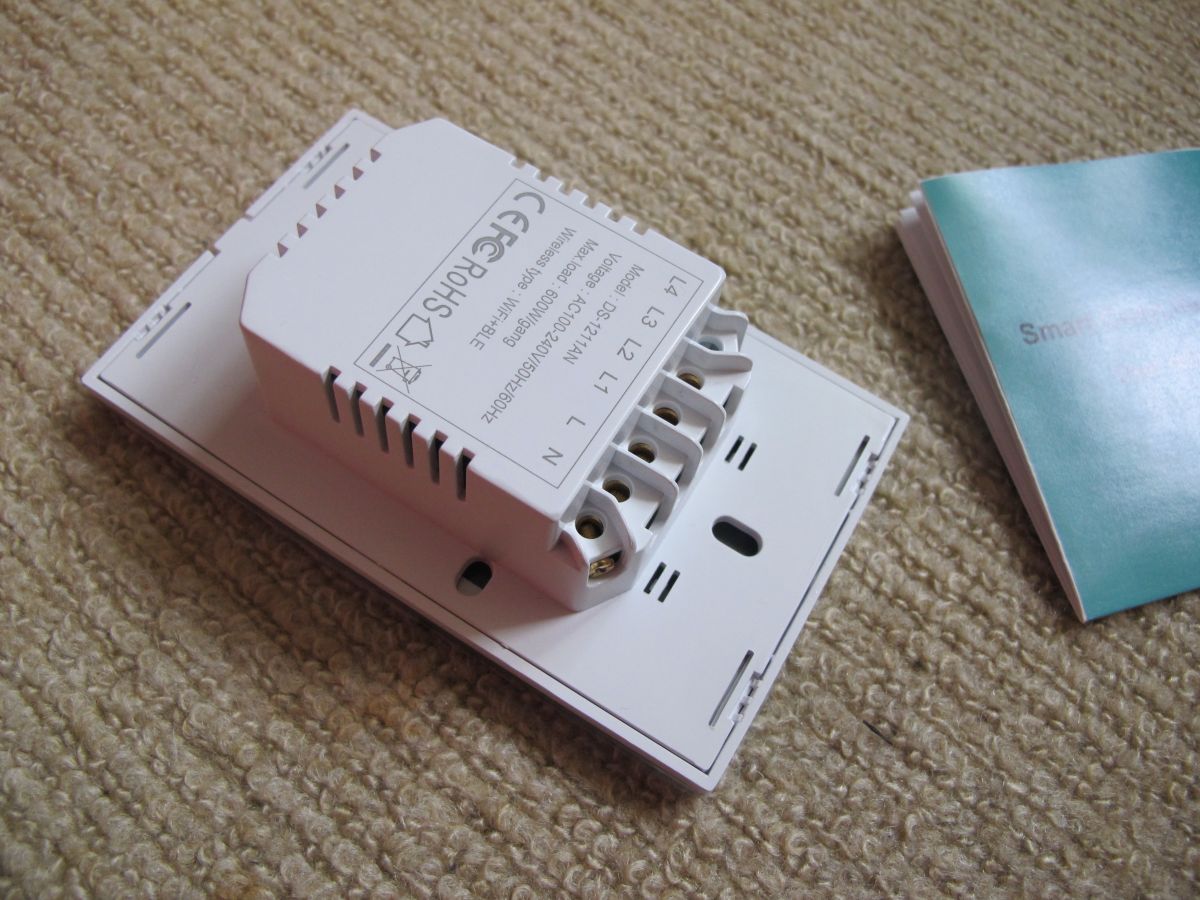
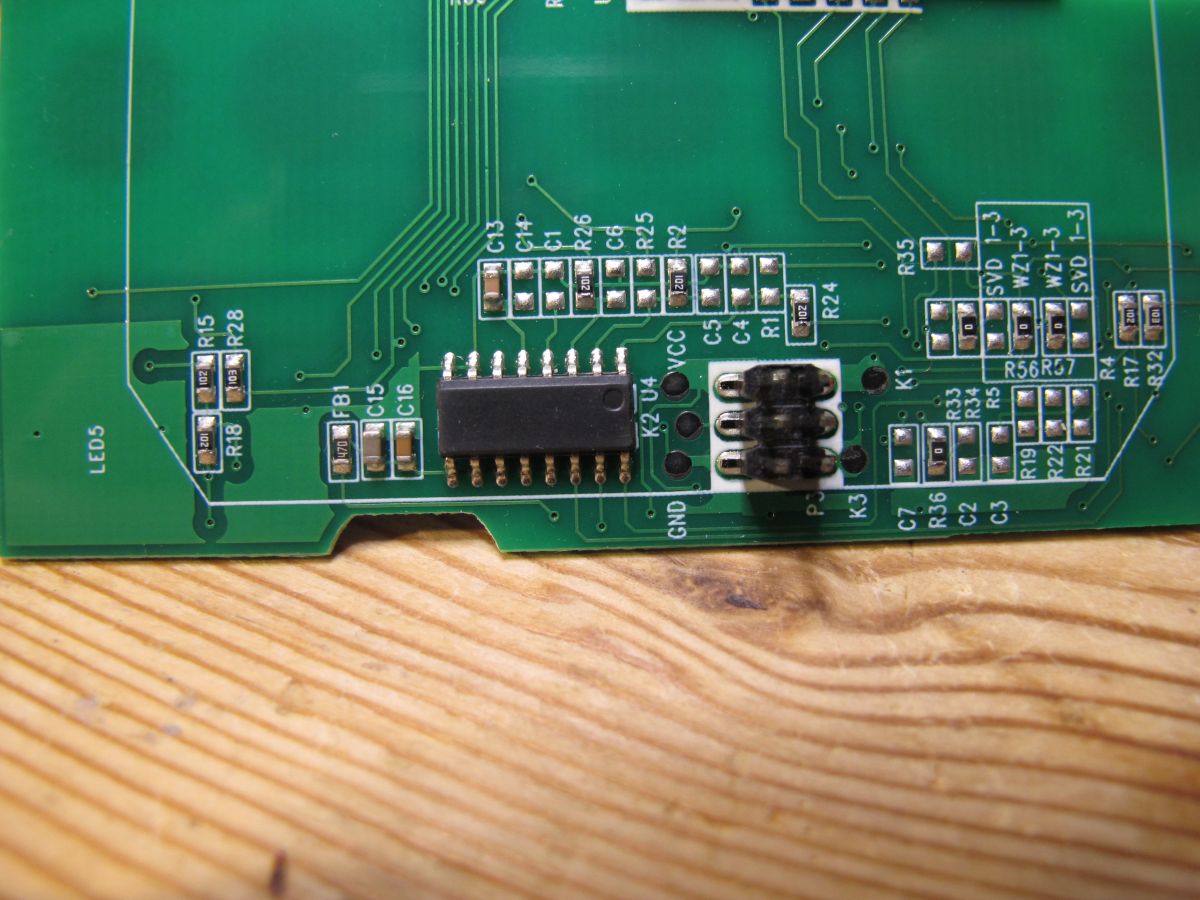
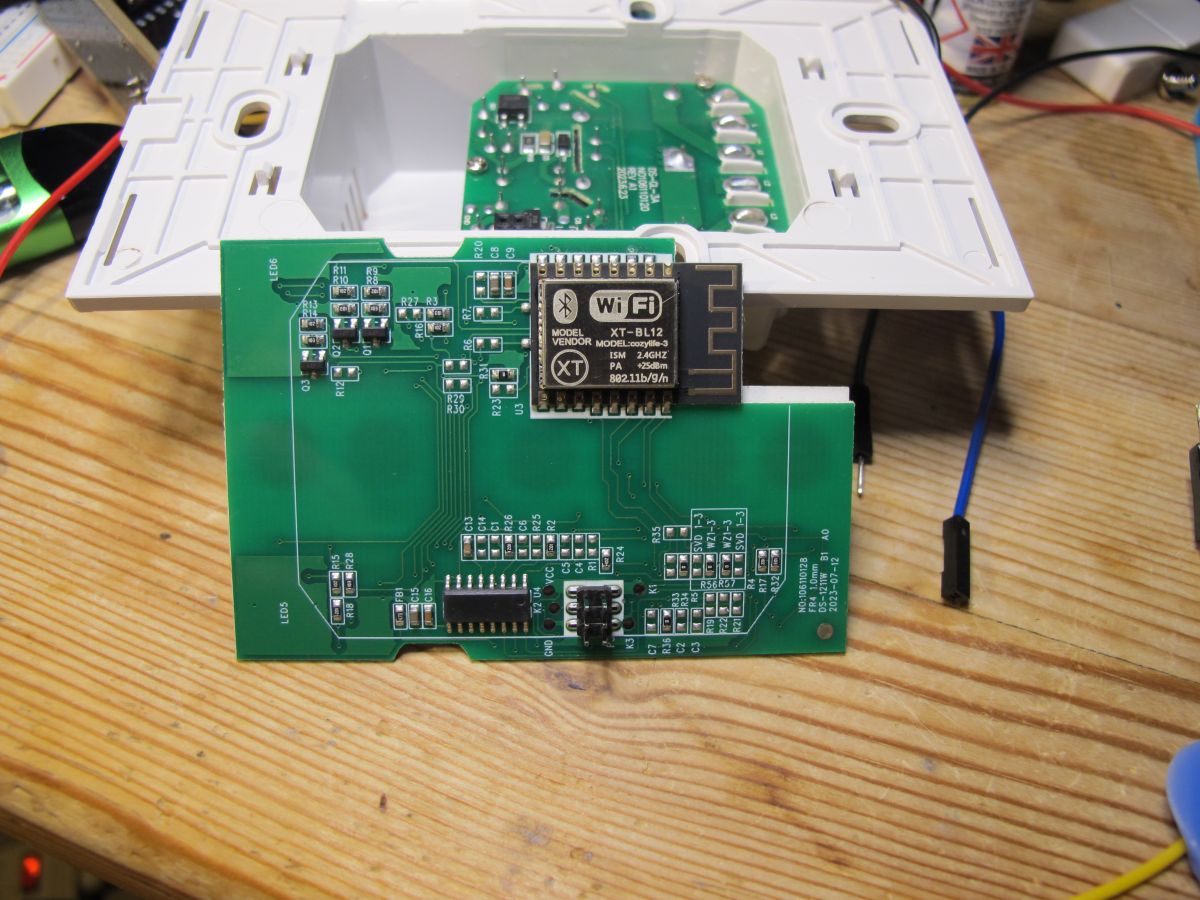
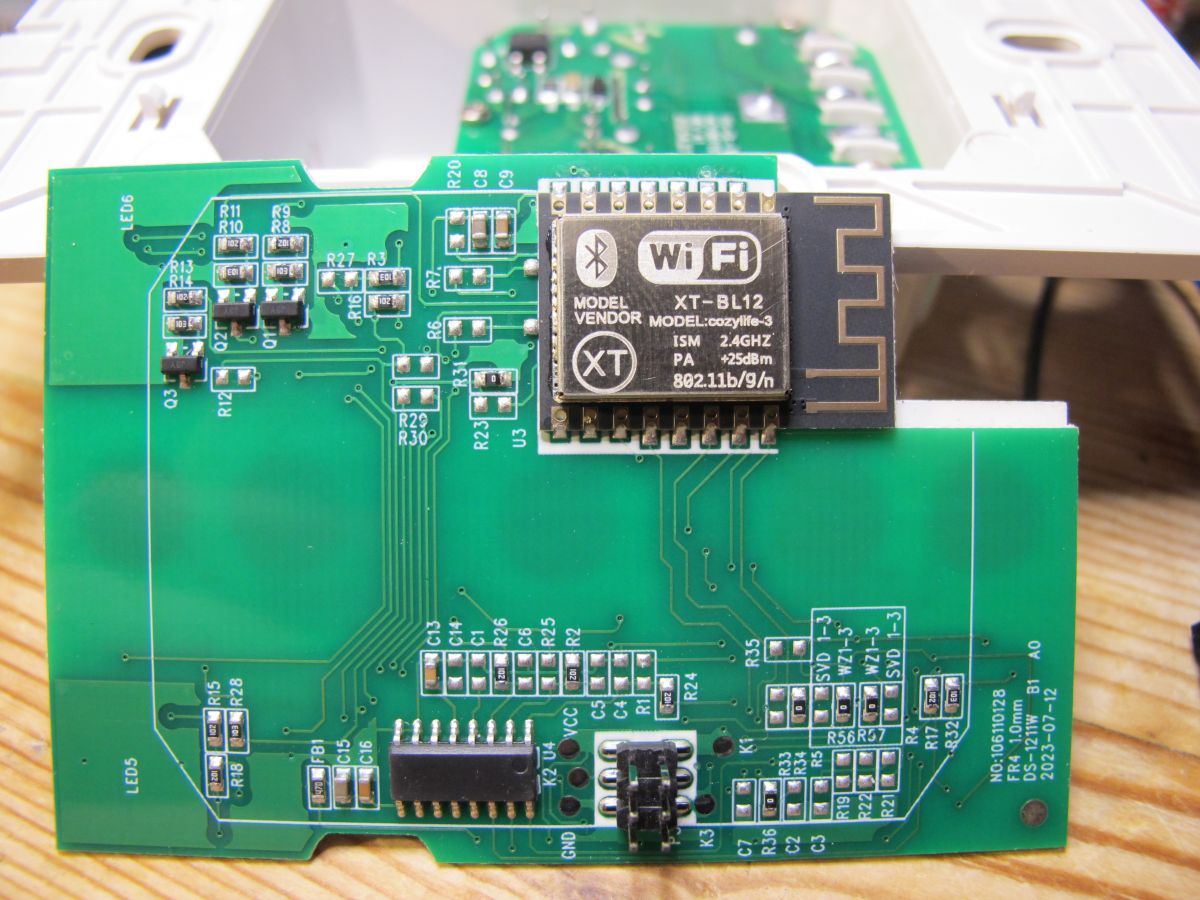
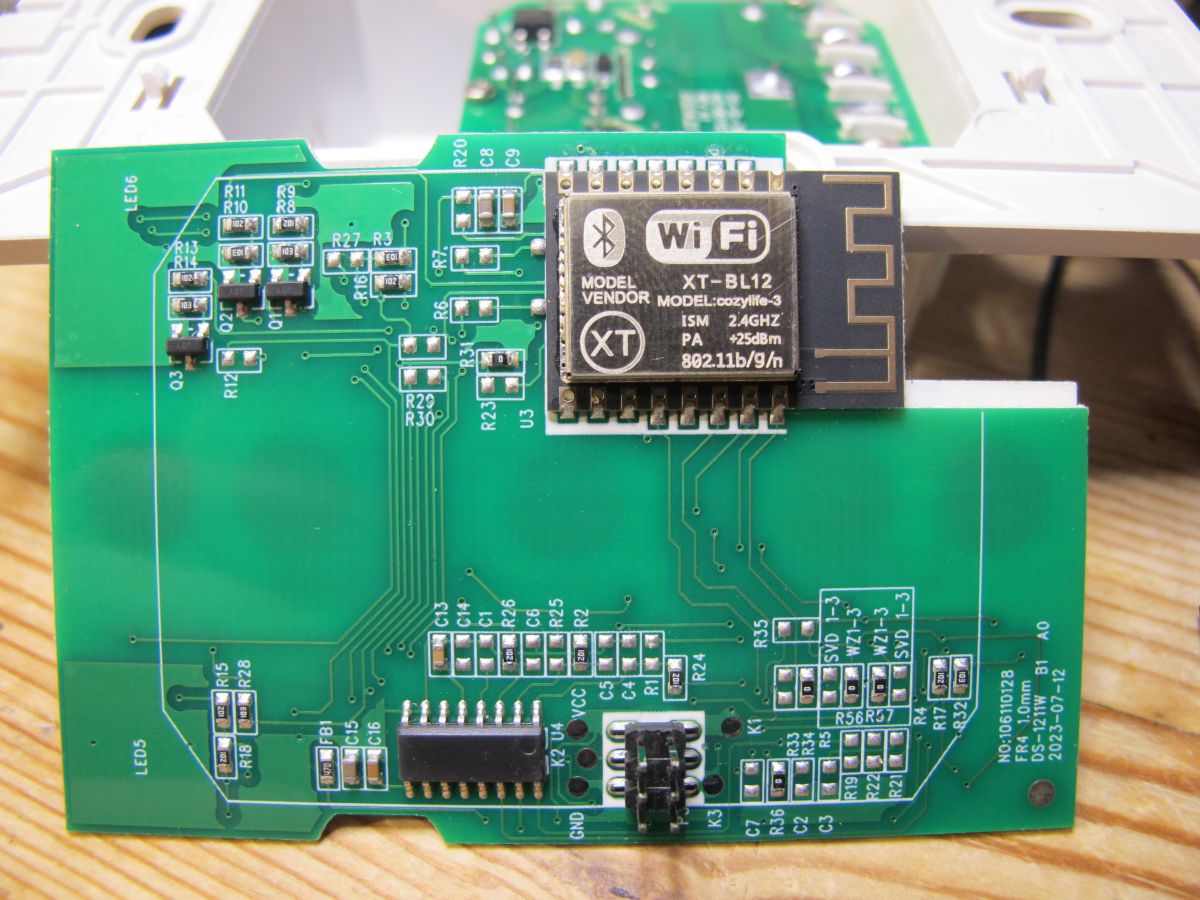
    Here's a load of pics.
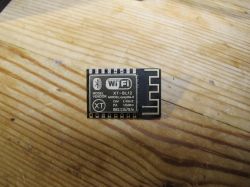
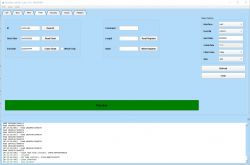
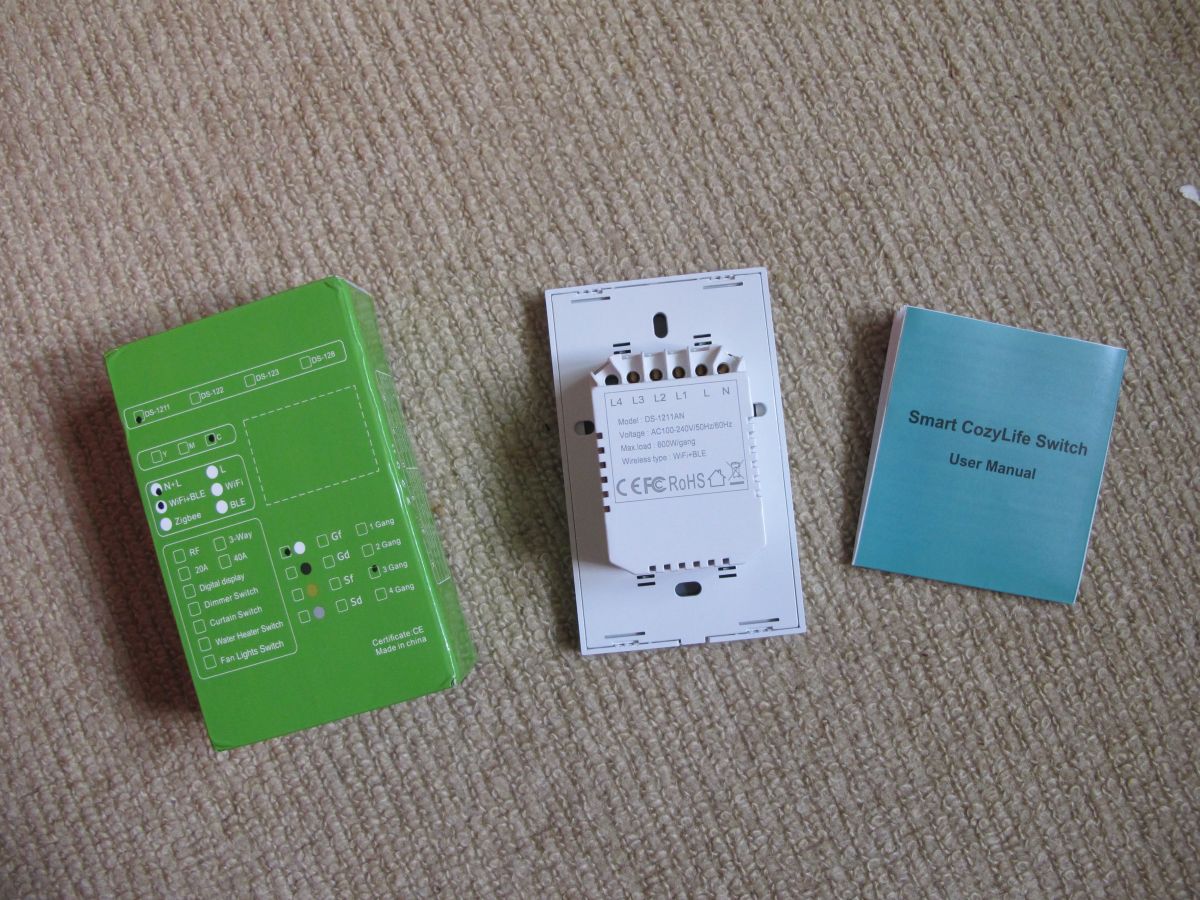
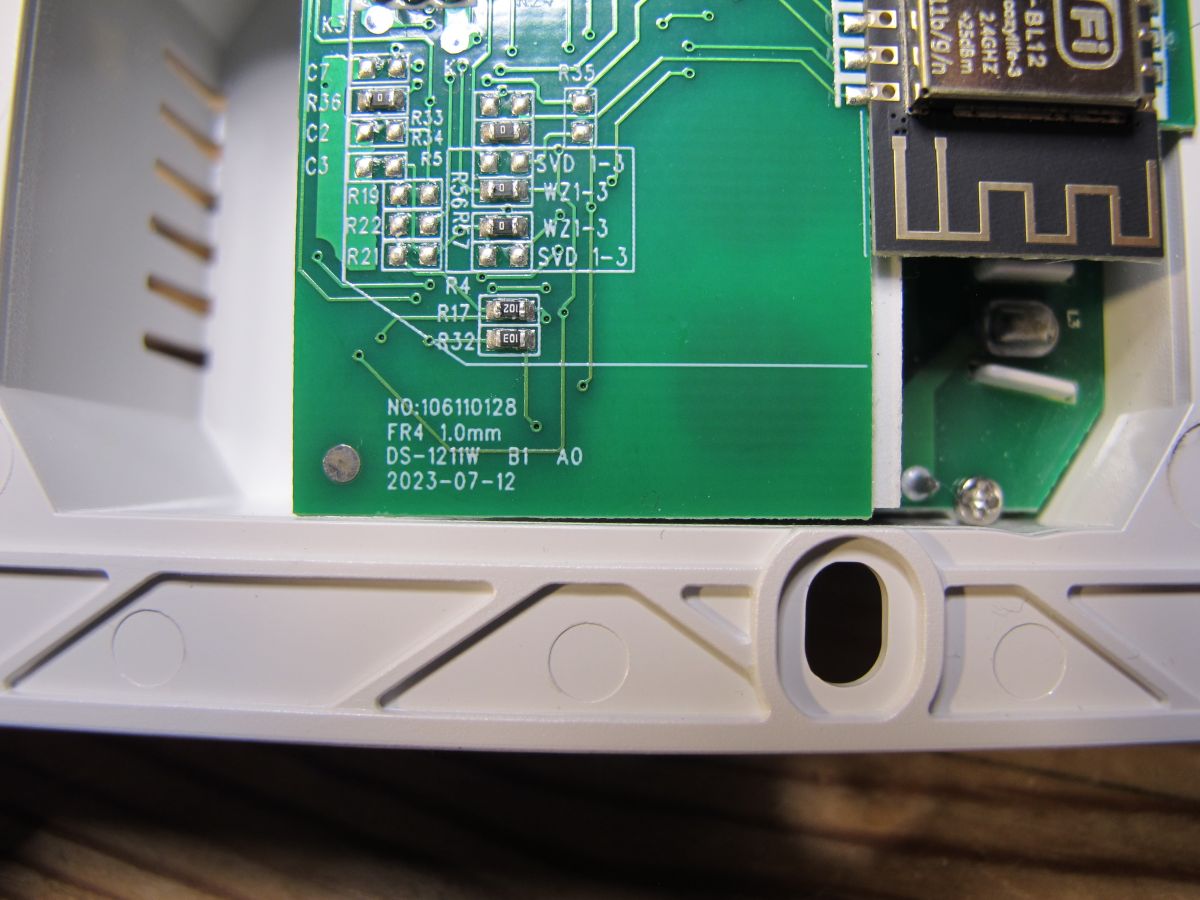
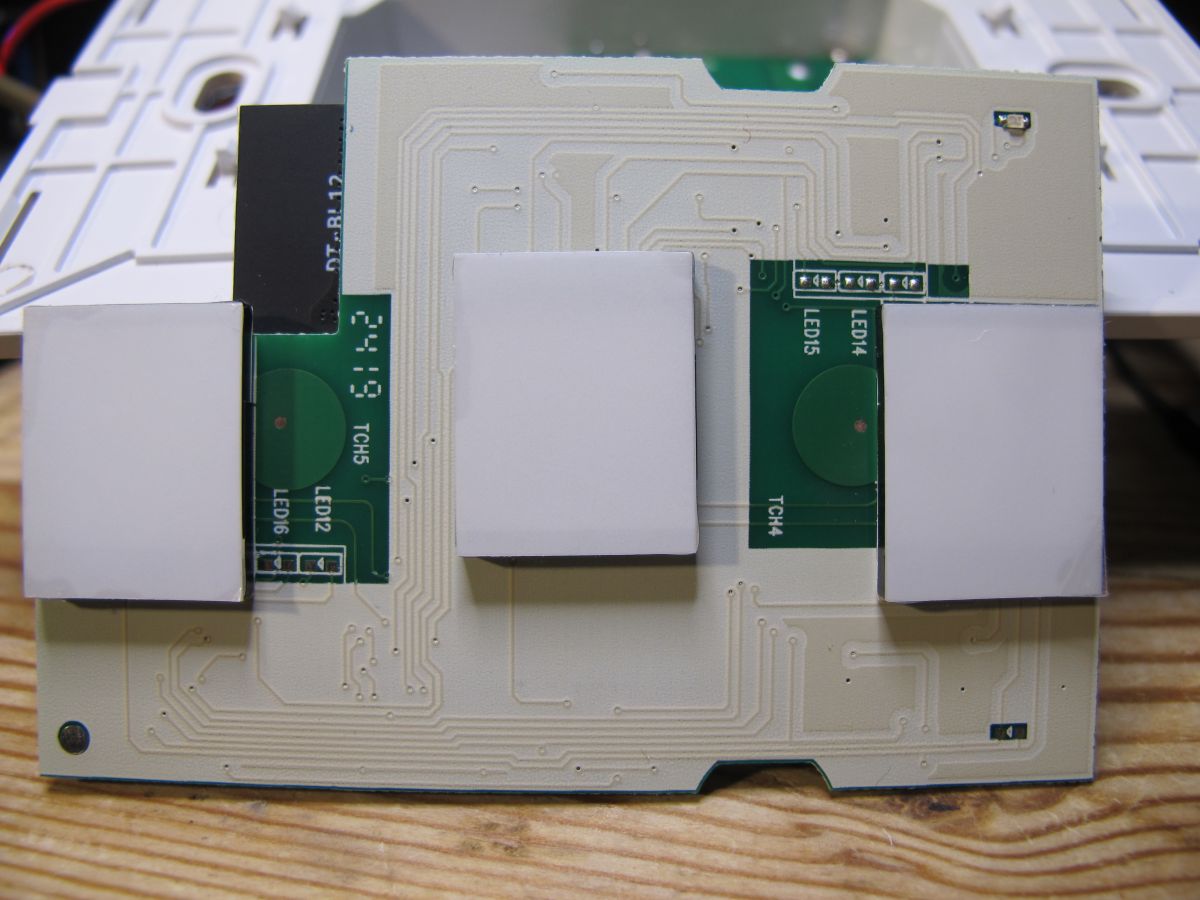
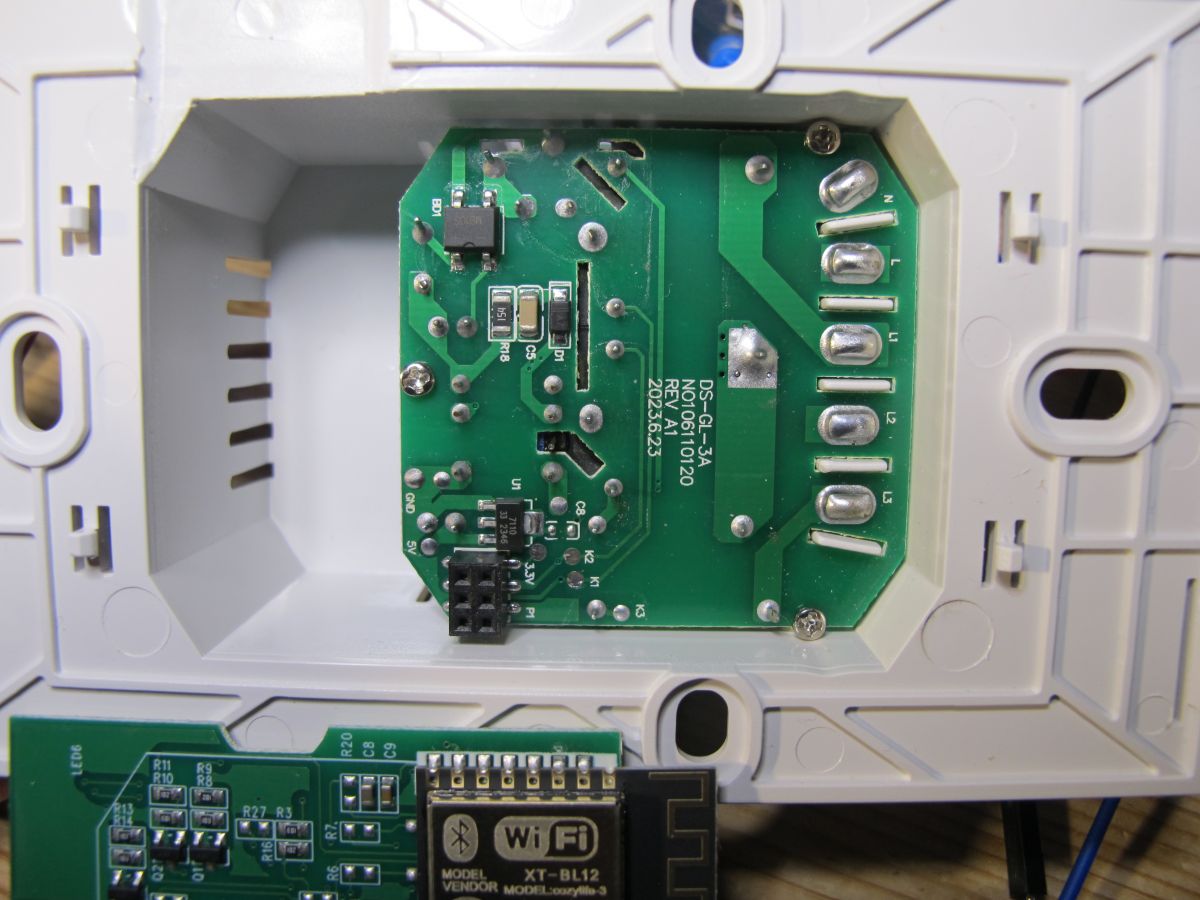
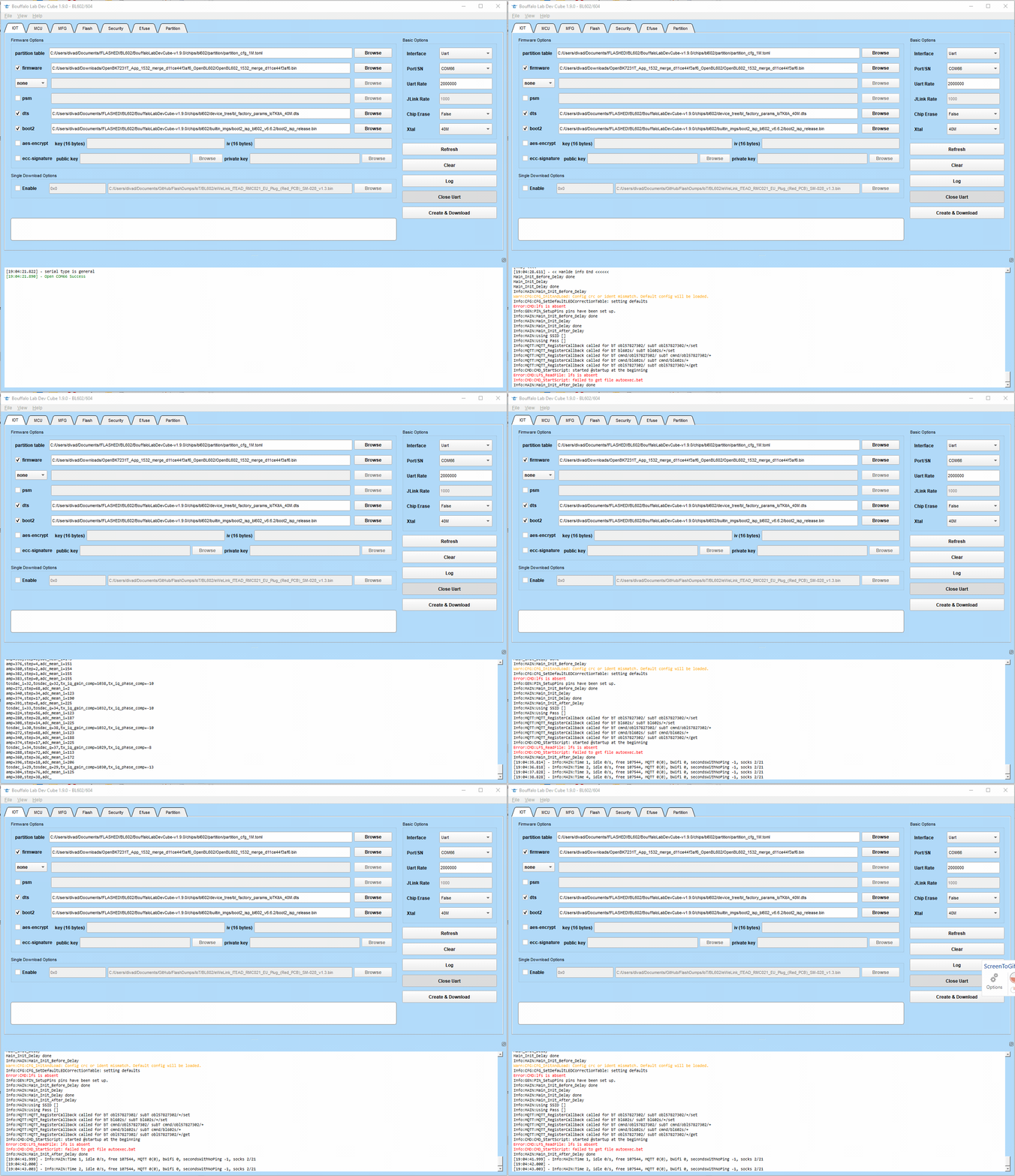
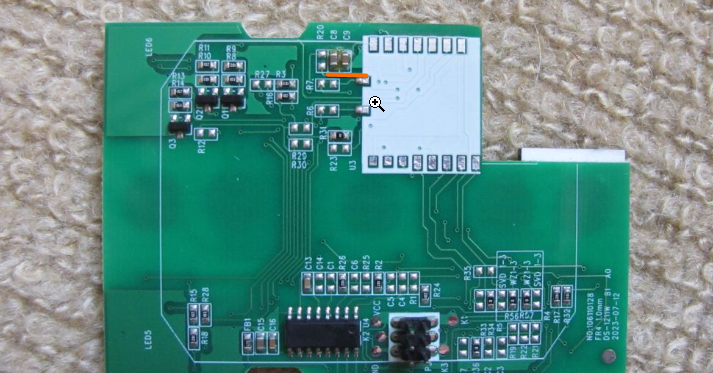
    Screenshot of Bouffalo Lab Dev Cube version 1.9.0 showing an interface for reading and writing flash memory. Circuit board with electronic components. Circuit board with three white buttons of the Cozylife DS-1211AN touch switch. PCB with electronic components and a connector on a carpet. Cozylife DS-1211AN circuit board on a woolen carpet. Interior of a plastic casing of a 3-gang touch wall switch Cozylife DS-1211AN with a visible green circuit board. Partial view of the Cozylife DS-1211AN 3-gang touch wall switch with open casing. A Cozylife DS-1211AN three-key touch wall switch lying on a beige carpet next to a user manual. 3-pole touch wall switch Cozylife DS-1211AN and its packaging. Back of the Cozylife DS-1211AN 3-gang wall switch with specification details. Box, switch, and user manual for the Cozylife DS-1211AN touch wall switch. DT-BL12 module with short-range contacts on a wooden background. Cozylife DT-BL12 module with visible pins on a wooden surface. View of DT-BL12 module on a wooden surface showing pins. Wi-Fi XT-BL12 module lying on a wooden surface. XT-BL12 Cozylife-3 module with Wi-Fi and Bluetooth markings. Cozylife XT-BL12 Wi-Fi module on a wooden background. Close-up of a circuit board in a Cozylife DS-1211AN three-way wall switch. Interior of the Cozylife DS-1211AN 3-gang touch wall switch showing the circuit board and components. Electronic circuit board inside the Cozylife DS-1211AN wall switch with visible modules and connectors. Close-up of a circuit board with visible traces, resistors, and a connector. Close-up of a circuit board from the Cozylife wall switch with a visible WiFi module labeled XT-BL12. Printed circuit board with Cozylife-3 XT-BL12 module. Close-up of a circuit board with a Cozylife XT-BL12 Wi-Fi module.

    UART boot log
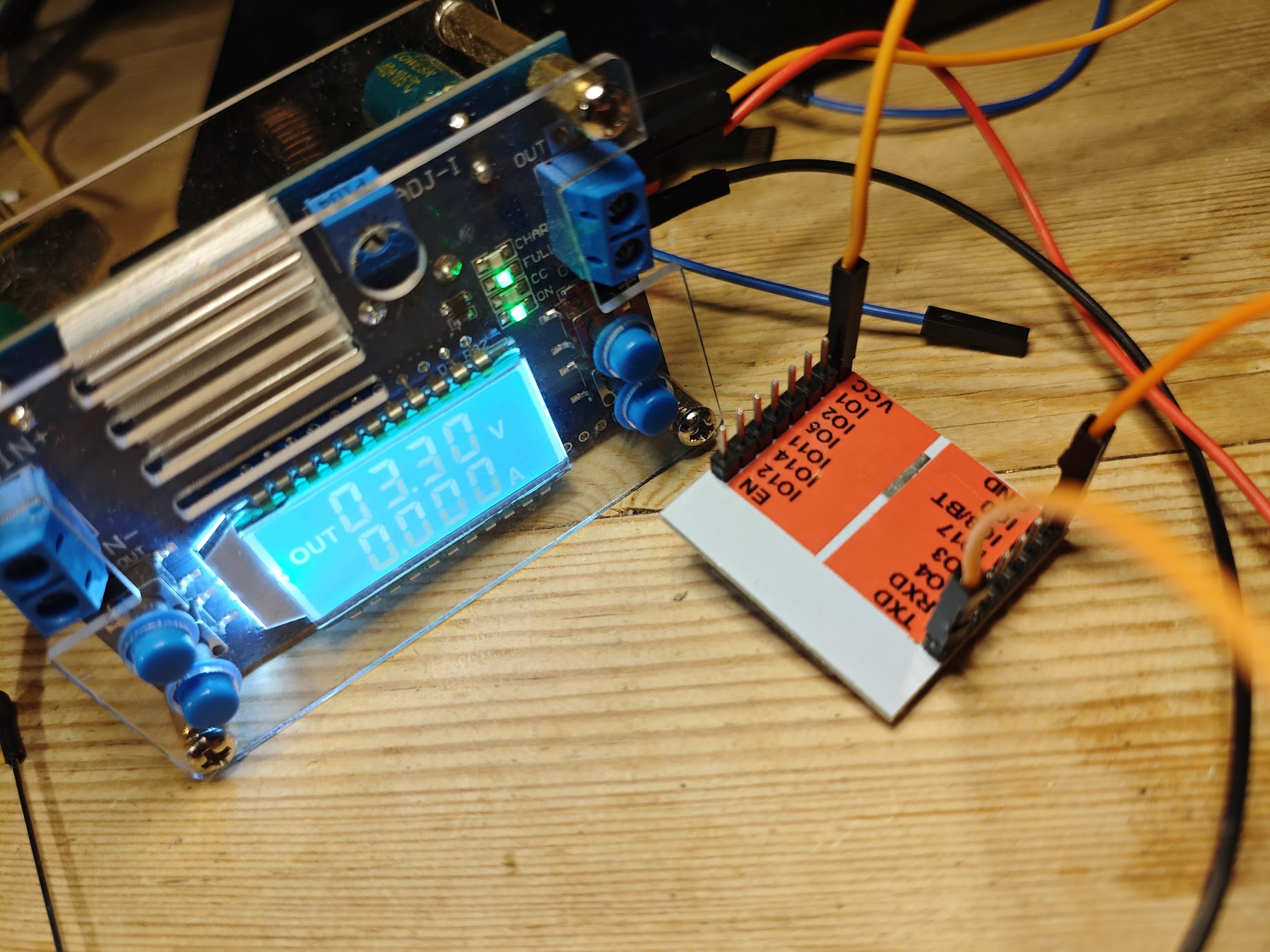
    Code: Text
    Log in, to see the code


    and firmware backup attached
    Attachments:
    • flash.bin (1 MB) You must be logged in to download this attachment.
  • ADVERTISEMENT
  • Helpful post
    #2 21301840
    insmod
    Level 31  
    Posts: 1372
    Help: 164
    Rate: 430
    >>21301826 Is GPIO17 used for anything? If so, then transplantation to ESP-12 would require to solder additional resistor to IO0-3V3 (about 1K), otherwise it may not boot.
    On this switch, when i replaced the stock BL602 module with an ESP one, GPIO0 low at boot prevented it from working.
  • #3 21302067
    divadiow
    Level 38  
    Posts: 4946
    Help: 432
    Rate: 881
    good point. module swap is conditional.

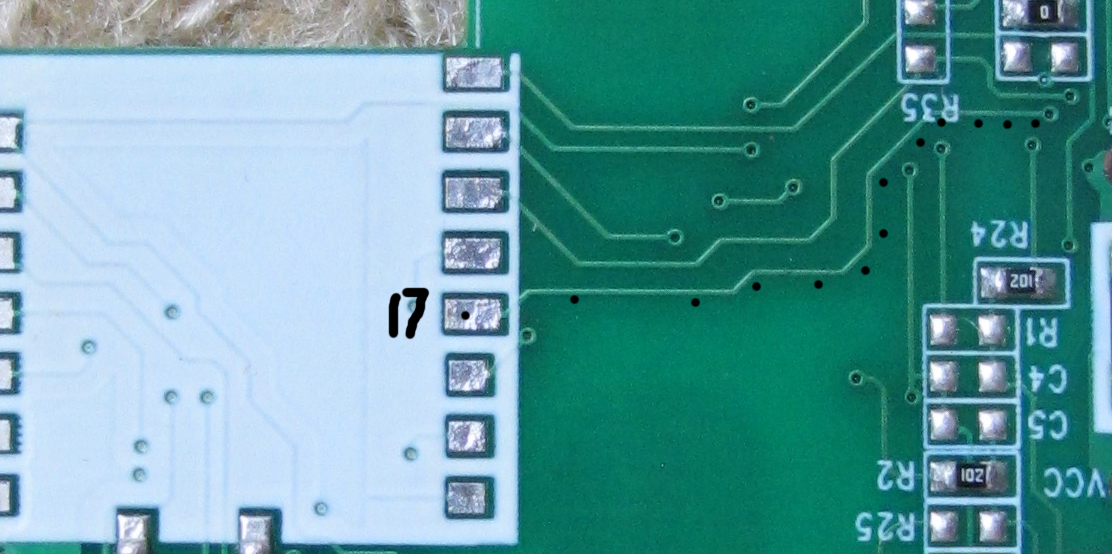
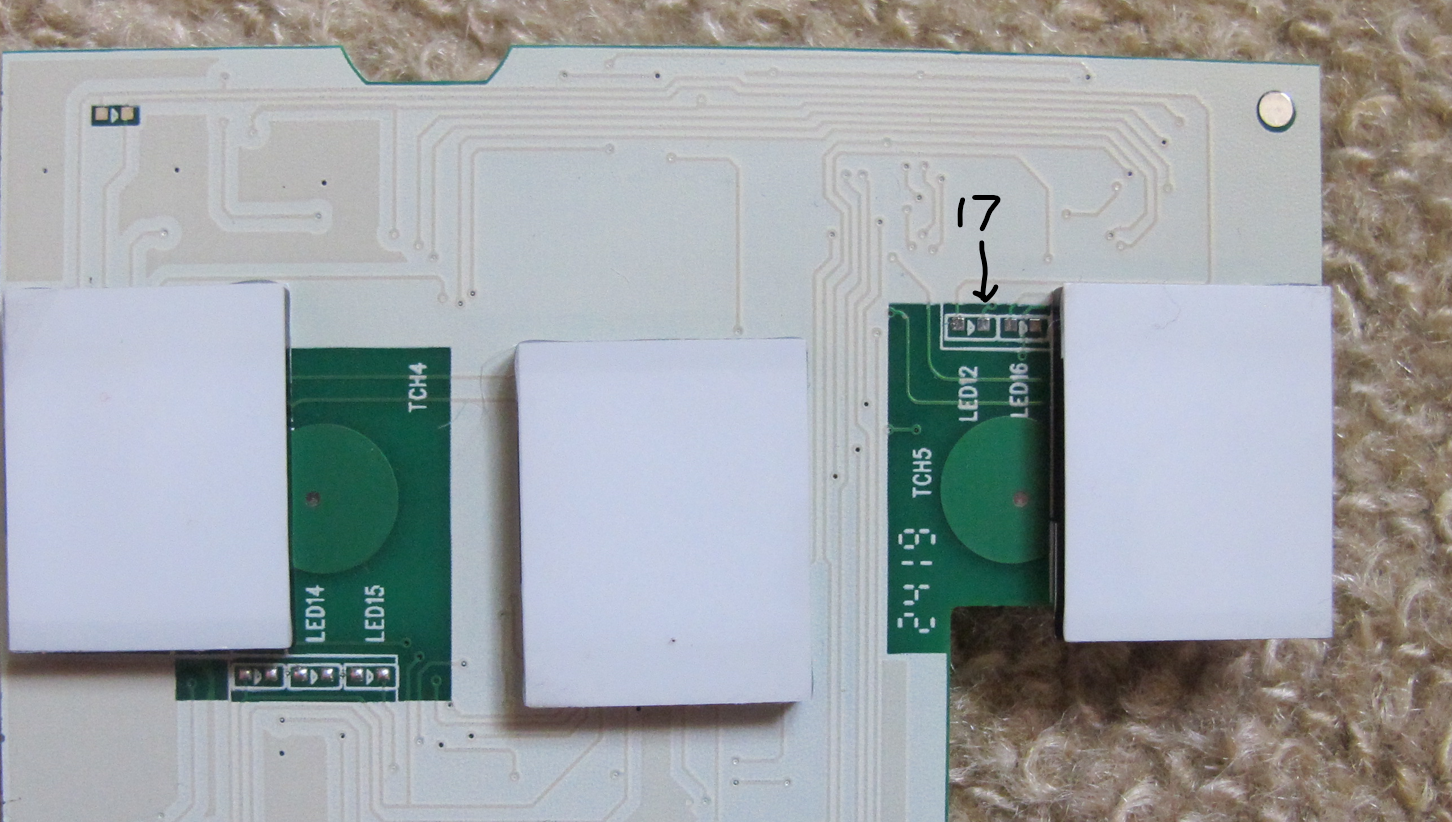
    GPIO17 traces to:

    Electronic board with visible pin connections and GPIO17 marking.

    Portion of a circuit board with labels LED12 and GPIO17
  • #4 21303882
    divadiow
    Level 38  
    Posts: 4946
    Help: 432
    Rate: 881
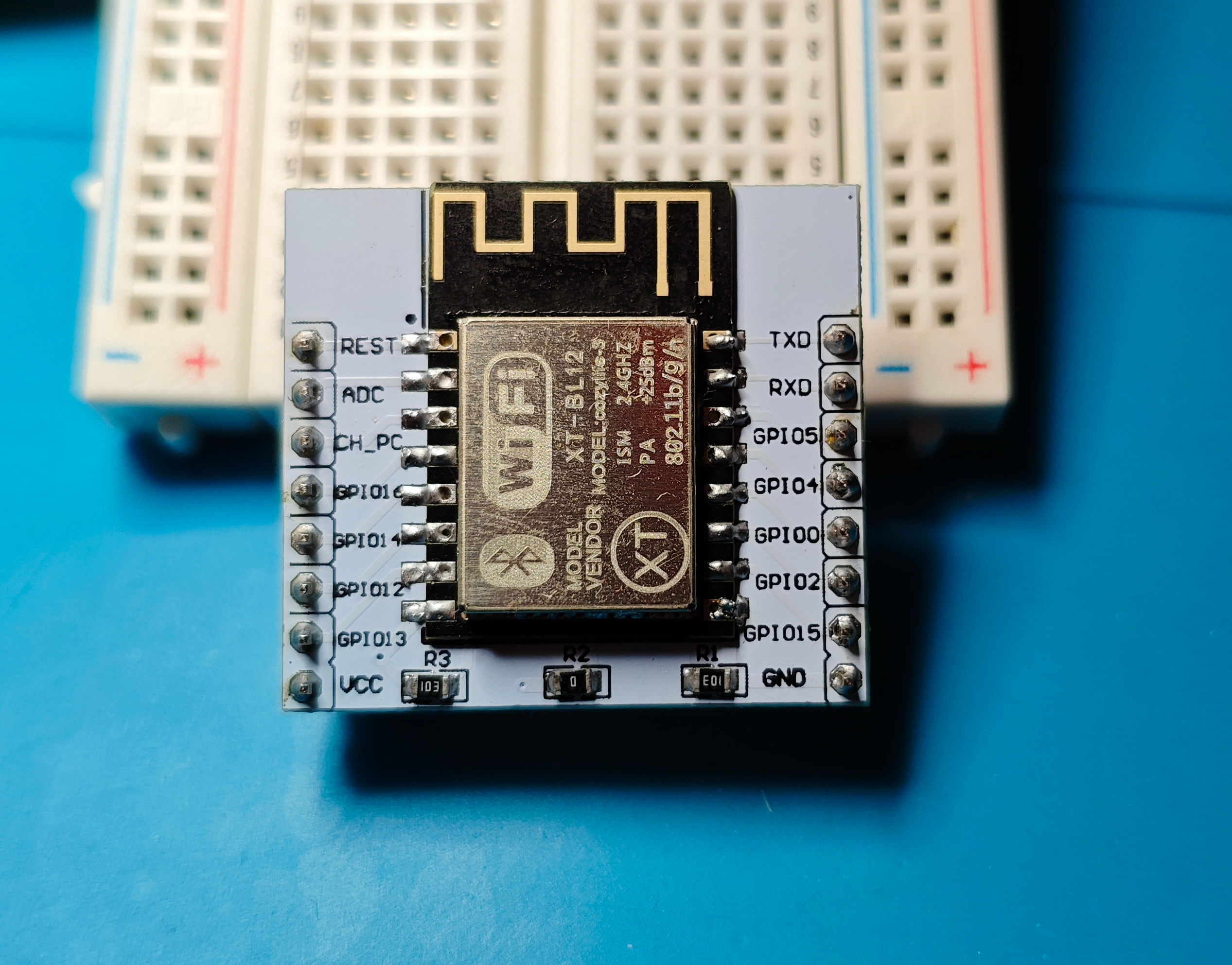
    module has a new home. ready for some unknown adventure
    Wi-Fi module mounted on a breadboard. Electronic module with various pins placed on a breadboard.
  • #5 21381937
    vinibali
    Level 8  
    Posts: 19
    Rate: 1
    I'm watching this topic.
  • #6 21381948
    divadiow
    Level 38  
    Posts: 4946
    Help: 432
    Rate: 881
    The bell at the bottom of the thread can be used to watch a topic :)
  • #7 21381958
    vinibali
    Level 8  
    Posts: 19
    Rate: 1
    >>21381948 the post might cause more attention, I'm also happy to help the development here if I could :)
  • ADVERTISEMENT
  • #8 21381962
    divadiow
    Level 38  
    Posts: 4946
    Help: 432
    Rate: 881
    Cool 😎

    Added after 2 [minutes]:

    This was the latest on the issue. I have not tried to disable LFS yet but I did try really old BL602 builds before LFS was implemented. That was with old SDK though

    https://www.elektroda.com/rtvforum/topic4024917-60.html#21372625

    Added after 3 [minutes]:

    I was looking into it more - perhaps this in here /components/bl602/bl602/evb/ld/flash.ld

    but if it is that then it means we've been building fw for 4mb flash to date (?)

    Code: Text
    Log in, to see the code


    @miegapele
  • ADVERTISEMENT
  • #9 21384022
    miegapele
    Level 16  
    Posts: 173
    Help: 15
    Rate: 29
    that's memory layout in application, not flash layout. It's most likely the same regardless how much flash you have. I would look into partition layout files (toml) and check what we use. Also now I think about it bootloader might be different too maybe?
  • #10 21384041
    divadiow
    Level 38  
    Posts: 4946
    Help: 432
    Rate: 881
    I've been trying the 1mb toml. I'll transplant BL from 1mb device and test
  • #11 21384047
    miegapele
    Level 16  
    Posts: 173
    Help: 15
    Rate: 29
    There is partitions missing in there I believe. You will need to modify it to have all the required partitions or do not use the partitions which don't exists on 1mb layout in the application.
  • #12 21427362
    p.kaczmarek2
    Moderator Smart Home
    Posts: 14515
    Help: 651
    Rate: 12518
    Hey guys, any hope for running BL602 OBK port on this chip? We've got the same switch on polish elektroda side, this topic:
    https://www.elektroda.pl/rtvforum/topic4103835.html#21427337
    I can help by making PR and reducing build size with obk_config.h , but I don't have XT-BL12 on my site for testing.

    Latest OBK version have even options (defines) to disable stuff like config HTML pages, so maybe we could reduce size a lot futher...
    Helpful post? Buy me a coffee.
  • #13 21427375
    divadiow
    Level 38  
    Posts: 4946
    Help: 432
    Rate: 881
    miegapele wrote:
    There is partitions missing in there I believe. You will need to modify it to have all the required partitions or do not use the partitions which don't exists on 1mb layout in the application.


    how do we turn off OpenBL602 knowing about the OTA partition/expecting one to exist?

    I've already tried pre-LFS OpenBL602 to 1mb chip in case it was LFS to blame

    old and new builds and even the latest SDK PR flash fine but always fail at the same point in boot

    Added after 6 [minutes]:

    I've transplanted the BL from a 1mb Tuya device into a dump of an OBKd BL602 dump but this made no difference. From what I was reading on Lupyuen, the BL is constructed at build from the toml file anyway, so the BL was already being created ready for 1mb device.

    Added after 3 [minutes]:

    by coincidence someone responded to my old post about this this morning https://bbs.bouffalolab.com/d/316-adjusting-2mb-bl602-code-for-1mb-bl602l10-buildflash/2

    Added after 23 [minutes]:

    Quote:
    Personally, I'd stick a JTAG probe on it and just debug the code. You should be able to single step it almost right from reset. Just knowing this type of problem, there's probably a flash for filesystems or partition tables or overriding code or stack or something Very Important.


    Maybe I need to work out how to debug and do this
  • #14 21431285
    miegapele
    Level 16  
    Posts: 173
    Help: 15
    Rate: 29
    >>21427362
    Which flasher version and which toml file are you using for the module? I don't think size in itself is an issue. It should fit, absence of separate upgrade partition might be issue. Maybe there is different boot loader for that?
  • #15 21431287
    divadiow
    Level 38  
    Posts: 4946
    Help: 432
    Rate: 881
    1.4.8 and latest - 1.9.0 - both with 1mb ota and no-ota toml
  • #16 21431343
    miegapele
    Level 16  
    Posts: 173
    Help: 15
    Rate: 29
    >>21431287
    I do not see that toml for 1.4.8, there is only one with 2mb. 1.9.0 works with standard module and 1mb toml, so additional partitions are not used it seems.
    Do you get any boot log?
  • #18 21431575
    miegapele
    Level 16  
    Posts: 173
    Help: 15
    Rate: 29
    So it seems to crash during EasyFlash init which is somewhat expected, given there is less flash. Normally logs continue with
    
    EasyFlash V4.0.99 is initialize success.
    

    But this easyflash init is somewhat suspect:
    [EF] Found Valid PSM partition, XIP Addr 230e8000, flash addr 000f9000
    *default_env_size = 0x00000001
    ENV start address is 0x00000000, size is 32768 bytes.

    PSM partition is not at zero, but at 000f9000 and size is not 32768, but only 8096 bytes. This looks strange. Although same logs work with 2mb flash...
  • #19 21431866
    p.kaczmarek2
    Moderator Smart Home
    Posts: 14515
    Help: 651
    Rate: 12518
    maybe let's comment out easyflash and give it a try? I should boot into AP mode with default obk config.
    Helpful post? Buy me a coffee.
  • #20 21432034
    miegapele
    Level 16  
    Posts: 173
    Help: 15
    Rate: 29
    >>21431575
    Seems like 32k might be needed.
    Could you try this toml file, before we try code changes?
    [pt_table]
    #partition table is 4K in size
    address0 = 0xE000
    address1 = 0xF000
    
    [[pt_entry]]
    type = 0
    name = "FW"
    device = 0
    address0 = 0x010000
    size0 = 0xD7000
    address1 = 0x000
    size1 = 0x000
    # compressed image must set len,normal image can left it to 0
    len = 0
    
    [[pt_entry]]
    type = 3
    name = "media"
    device = 0
    address0 = 0x0E7000
    size0 = 0x2000
    address1 = 0
    size1 = 0
    # compressed image must set len,normal image can left it to 0
    len = 0
    
    [[pt_entry]]
    type = 4
    name = "PSM"
    device = 0
    address0 = 0x0E9000
    size0 = 0x8000
    address1 = 0
    size1 = 0
    # compressed image must set len,normal image can left it to 0
    len = 0
    
    [[pt_entry]]
    type = 7
    name = "factory"
    device = 0
    address0 = 0x0F1000
    size0 = 0x7000
    address1 = 0
    size1 = 0
    # compressed image must set len,normal image can left it to 0
    len = 0
    
    #if user want to put RF calibration data on flash, uncomment following pt entry
    #[[pt_entry]]
    #type = 8
    #name = "rf_para"
    #device = 0
    #address0 = 0x1FF000
    #size0 = 0x1000
    #address1 = 0
    #size1 = 0
    ## compressed image must set len,normal image can left it to 0
    #len = 0
    
  • #21 21432090
    divadiow
    Level 38  
    Posts: 4946
    Help: 432
    Rate: 881
    :(
    Bouffalo Lab Dev Cube software interface with a configuration file edited in Notepad.

    Added after 4 [minutes]:

    erased whole flash. changed to GA build and did again. loops
    Screenshot of debugging messages related to flash memory configuration.
  • #23 21434004
    divadiow
    Level 38  
    Posts: 4946
    Help: 432
    Rate: 881
    gets further (pic animated)
    Bouffalo Lab Dev Cube software interface with various firmware options and configurations.

    Code: Text
    Log in, to see the code
  • ADVERTISEMENT
  • #24 21434046
    miegapele
    Level 16  
    Posts: 173
    Help: 15
    Rate: 29
    So it's boot looping and not freezing? Then that feels like power problem... How are you powering this?
    The same might be with standard build, it tries to erase some flash and that also requires power.
  • #25 21434069
    divadiow
    Level 38  
    Posts: 4946
    Help: 432
    Rate: 881
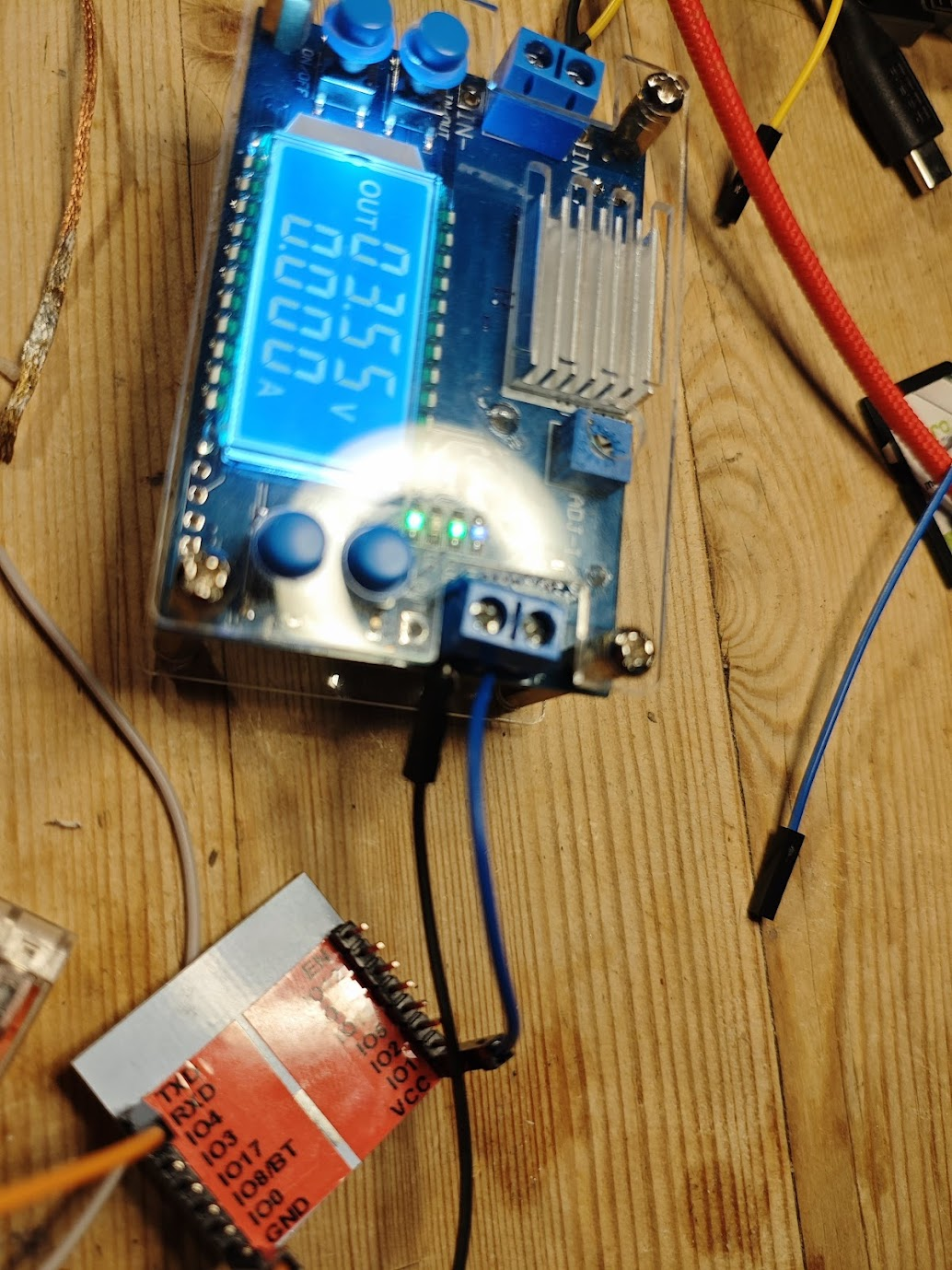
    oh wow. I thought it was power too but this PSU is usually fine with BL602 - even at 3.5v it was looping. Made VCC even shorter and now it's OK. 🙄
    Power supply module and prototyping board on a wooden table.

    :D

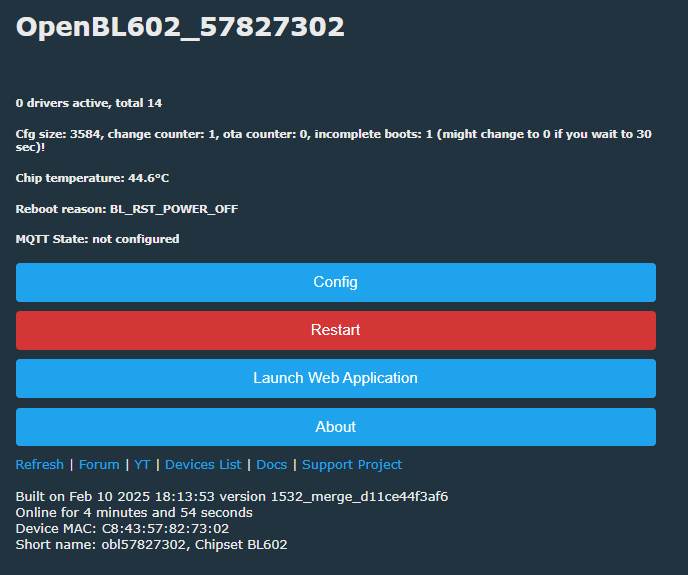
    Control panel for the OpenBL602_57827302 device with options for configuration, restart, and web application launch.

    Added after 2 [minutes]:

    full successful boot
    Code: Text
    Log in, to see the code
  • #26 21434075
    miegapele
    Level 16  
    Posts: 173
    Help: 15
    Rate: 29
    Good!. I think normal firmware will work too. You might need to use toml I provided though, not sure. BL602 is rated up to 3.6V, so should be no issue with that.
  • #27 21434078
    divadiow
    Level 38  
    Posts: 4946
    Help: 432
    Rate: 881
    also, is this an opportunity to switch to new SDK for 1mb OBK releases?

    Added after 16 [minutes]:

    would you like me to flash with any other toml now?

    These BL602s are SO fussy. it started looping again and always at wifi AP join. Made VCC cable even shorter at 3.55v and now OK again.
    Electronic display and module with wires on a wooden surface.
  • #28 21434116
    miegapele
    Level 16  
    Posts: 173
    Help: 15
    Rate: 29
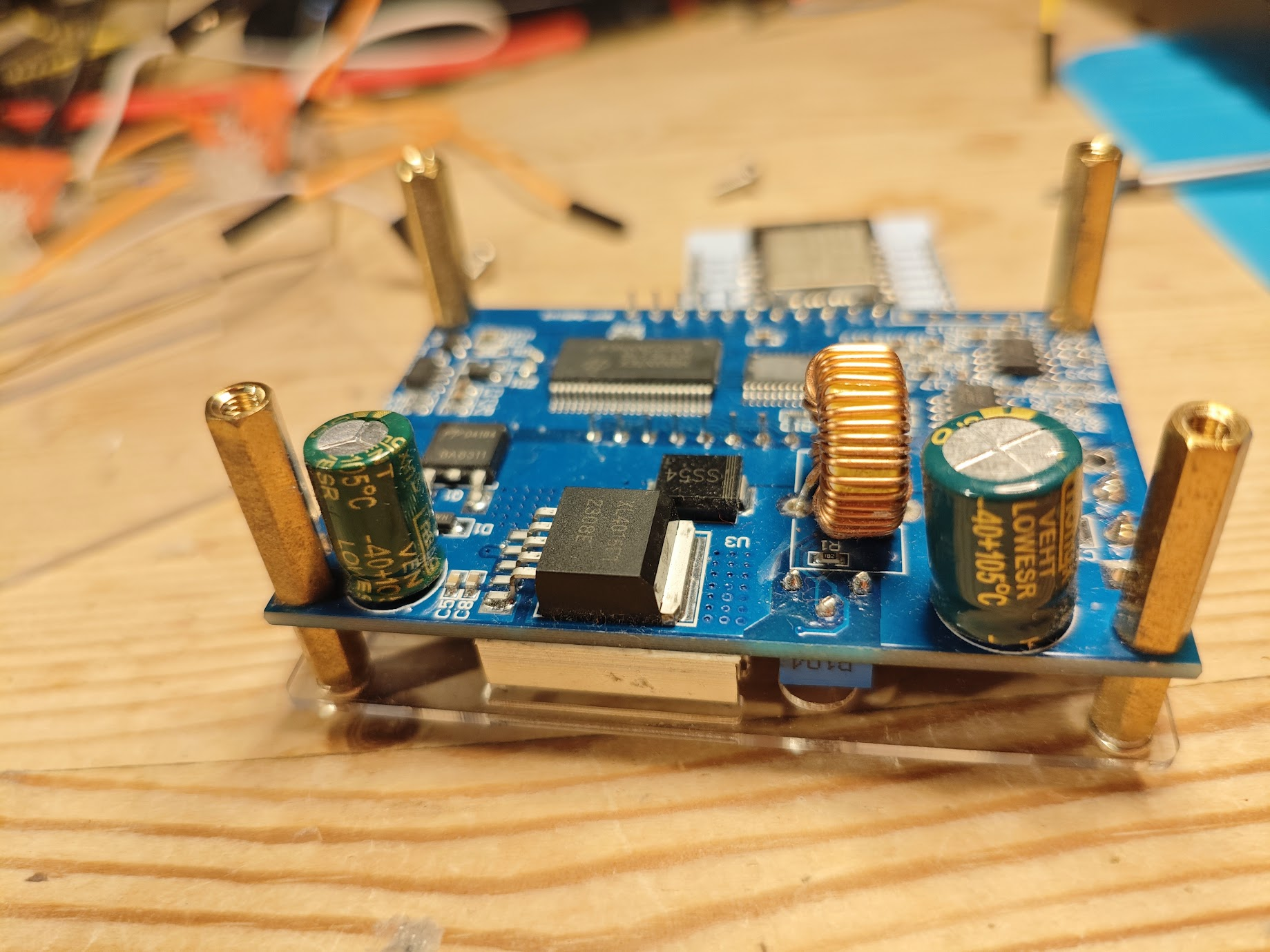
    I see some capacitors on the main board. Might be not enough decoupling on bare board.

    I think you should try standard build, maybe with my toml, that 8kb PSM partition feels wrong in the other toml.
  • #29 21434122
    divadiow
    Level 38  
    Posts: 4946
    Help: 432
    Rate: 881
    maybe time to get a decent bench PSU.

    Added after 21 [minutes]:

    Quote:
    I see some capacitors on the main board. Might be not enough decoupling on bare board.

    (forgive the side-bar on the power issue)
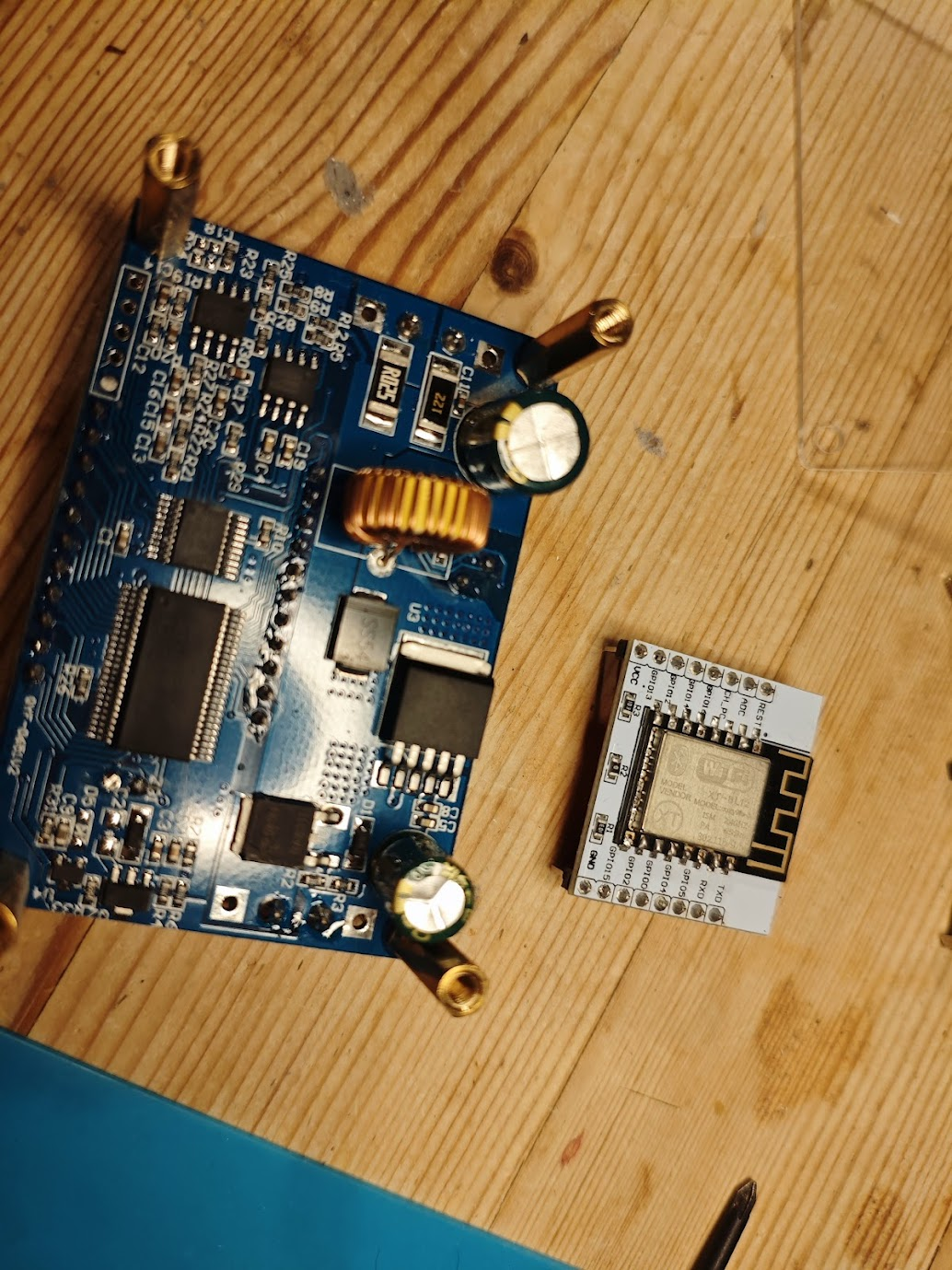
    bare board being the module breakout? XL4015 looks OK?

    Electronic module with components, including XL4015. Electronic components on a wooden table: PCB board and WiFi module.
  • #30 21434160
    miegapele
    Level 16  
    Posts: 173
    Help: 15
    Rate: 29
    I mean these two:

    Green circuit board with various electrical components.

Topic summary

✨ The discussion focuses on the Cozylife DS-1211AN 3-gang touch wall switch featuring a 1MB BL602L10 Wi-Fi and BLE module, manufactured by Shenzhen Dianling Intelligent Technology Co Ltd. The main challenge is adapting OpenBeken/OpenBL602 firmware, which typically targets 2MB flash BL602 chips, to the 1MB flash variant, as standard builds and tools like OpenBeken do not natively support 1MB BL602L10 devices. Key technical issues include flash memory partitioning, bootloader compatibility, EasyFlash storage initialization, and power supply stability affecting boot loops and Wi-Fi connectivity.

Significant progress was made by creating and testing custom partition table (TOML) files tailored for 1MB flash layouts, notably the partition_cfg_1M_miegapele.toml, which allocates appropriate sizes for firmware, media, PSM, and factory partitions. Firmware builds with specific SDK configurations (e.g., CONFIG_BL602_USE_1M_FLASH and CONFIG_BL602_USE_ROM_DRIVER enabled) successfully boot and run on the 1MB BL602L10, including OpenBK7231T_App builds from GitHub pull requests #1532 and #1534.

Power supply quality and wiring (shorter VCC and ground cables, decoupling capacitors) were critical for stable operation, as the module exhibited boot looping and Wi-Fi instability when powered inadequately or with noisy sources. The GPIO17 pin usage and UART download mode resistor requirements were also discussed for module replacement or debugging.

Wi-Fi connection issues were partially resolved by adjusting router PMF (Protected Management Frames) settings and using simpler passwords. The firmware supports AP mode and basic Wi-Fi functions, though some web API endpoints (e.g., /api/lfs) may be incomplete. The community shared detailed boot logs, flash memory dumps, and PCB images to aid development and testing.

Overall, the topic demonstrates successful adaptation of OpenBL602 firmware to the 1MB BL602L10 module in the Cozylife DS-1211AN switch, with custom partitioning, SDK flags, and power considerations enabling stable boot and Wi-Fi operation, while highlighting ongoing challenges in full feature support and stability.
Generated by the language model.

FAQ

TL;DR: For people flashing OpenBL602 on 1MB BL602L10 modules, the breakthrough was a 1MB flash define plus a custom partition layout; one tester confirmed standard releases now work on 1MB, and another key finding was: "the release for 2mb now works on 1mb too." This solves the classic freeze at EasyFlash init and makes XT-BL12/DT-BL12 practical OpenBeken targets. [#21798426]

Why it matters: This thread turns 1MB BL602L10 devices from borderline unsupported hardware into flashable, usable OpenBL602 targets with known limits.

Option Flash size Status in thread Main limitation
Early stock 1MB BL602L10 1MB Boot freeze / EasyFlash failure Stuck at ENV init without 1MB support [#21431575]
1MB build + custom TOML 1MB Boots and saves settings Tight space, LFS/media/OTA trade-offs [#21438533]
Standard 2MB release 2MB Works normally None specific to flash size in thread [#21609804]
Later standard release on 1MB 1MB Reported working Still flash-layout dependent for advanced features [#21798426]

Key insight: The decisive fix was not firmware size alone. The real blocker was BL602 flash access on 1MB parts, solved by enabling CONFIG_BL602_USE_1M_FLASH and pairing it with a partition layout that gives PSM enough space to save config. [#21438533]

Quick Facts

  • The stock Cozylife DS-1211AN sample used a 1MB BL602L10 module, labelled XT-BL12 / DT-BL12, and originally could not run OpenBeken because earlier builds targeted larger flash layouts. [#21301826]
  • The successful 1MB fix used CONFIG_BL602_USE_1M_FLASH := 1 with a build based on BL IoT SDK 1.6.39, built on February 13, 2025. [#21438533]
  • The commonly reused working 1MB partition gave FW 0xD7000 (~860KB), PSM 0x8000 (32KB), media 0x2000 (8KB), and factory 0x7000 (28KB). The thread rejected the standard 1MB PSM because 8KB was too small for OpenBL602 config writes. [#21432034]
  • BL602 hardware proved power-sensitive on jumper wires: testers reported looping even around 3.5V–3.6V, then stable boot after shortening VCC or ground leads. [#21434069]
  • By January 4, 2026, a maintainer-level thread update stated that the normal 2MB OpenBL602 release also worked on 1MB BL602L10, removing the need for a separate end-user binary in many cases. [#21798426]

How do I flash OpenBL602 onto a 1MB BL602L10 module like the XT-BL12 or DT-BL12 using Bouffalo Lab Dev Cube and a custom TOML partition file?

Use Bouffalo Lab Dev Cube with UART download mode, a 1MB-aware OpenBL602 binary, and a custom partition TOML. 1. Put GPIO8 into download mode and connect UART. 2. In Dev Cube, load the working 1MB TOML and the OpenBL602 image, then flash at 2,000,000 baud if your adapter is stable. 3. Reboot, join the AP, and confirm the boot log shows a valid PSM partition and EasyFlash init. A proven setup used Dev Cube 1.9.0 with a custom 1MB TOML and flashed successfully on BL602L10 bulbs without desoldering the module. [#21456497]

Why did OpenBL602 originally freeze on 1MB BL602L10 at "ENV start address is 0x00000000" during EasyFlash init, and what change finally fixed it?

It froze because the BL602 SDK was reading 1MB flash parts with the wrong flash-access path during EasyFlash initialization. The visible symptom was boot stopping at ENV start address is 0x00000000, even when partition addresses looked correct. The fix was enabling CONFIG_BL602_USE_1M_FLASH := 1, then doing a clean rebuild so the new code path was actually compiled. After that, testers reported normal EasyFlash startup, sector formatting, and successful boot on 1MB parts. An expert summary from the thread was: "CONFIG_BL602_USE_1M_FLASH is what we where after." [#21438533]

What does CONFIG_BL602_USE_1M_FLASH do in the BL602 SDK, and why was it necessary for BL602L10 1MB flash support?

CONFIG_BL602_USE_1M_FLASH switches the SDK to 1MB-compatible flash read logic instead of the default ROM-driver path used on larger parts. The thread found a conditional in the SDK where 1MB builds call a different XIP_SFlash_Read...Ext path. That mattered because standard reads froze during PSM and EasyFlash access on BL602L10. Once enabled, the same firmware could boot on 1MB parts and still worked on at least one 2MB module, so the flag became the practical compatibility switch for BL602L10 support. [#21438486]

What is EasyFlash on BL602, and how does the PSM partition size affect whether OpenBL602 can save Wi-Fi settings and boot counts?

EasyFlash is the BL602 key-value storage layer that saves settings like Wi-Fi credentials, boot counters, and config data inside the PSM partition. "EasyFlash is a flash-resident configuration store that saves persistent key-value settings, using sector-based ENV records and garbage collection." When PSM was only 8KB, OpenBL602 could boot but failed to save larger config changes reliably. A 32KB PSM worked much better, and testers explicitly linked successful setting saves to the larger PSM layout. Small PSM layouts also produced Alloc an ENV failed errors during config writes. [#21440834]

Which 1MB partition TOML layout worked best for OpenBL602 on BL602L10, and why was the standard 1M TOML considered unsuitable?

The most successful 1MB layout used roughly FW 0xD7000, media 0x2000, PSM 0x8000, and factory 0x7000. That layout was repeatedly tested and gave working EasyFlash with saved settings. The standard 1MB TOML was considered unsuitable because it gave PSM only 8KB, which was too small for larger OpenBL602 config writes around 3.6KB. That caused garbage-collection churn, failed ENV allocation, and settings not surviving reboot. Later discussion proposed cleaner variants, but the custom 32KB PSM TOML was the de facto working baseline. [#21432034]

How does a 1MB BL602L10 compare with a 2MB or 4MB BL602 module for running OpenBL602, OTA, LFS, and web features?

A 1MB BL602L10 can run OpenBL602, but it has far less room for OTA, LFS, Berry, and web extras than 2MB or 4MB modules. On 1MB, users had to trade partition space carefully, and LFS was often absent. A later 1MB-oriented build explicitly omitted Berry. OTA without a real second firmware partition failed, and media or LFS often had to be reduced or removed. By contrast, 2MB releases were already normal, and 4MB modules offered much more room for media and storage experiments. One tester estimated about 85.15KB free after a 793,444-byte build in an 860KB firmware partition. [#21438613]

What is PinDeepSleep in OpenBeken/OpenBL602, and why does its absence on BL602 matter for battery-powered temperature and humidity devices?

PinDeepSleep is a low-power wake mechanism that lets a device sleep deeply and wake from a GPIO event. "PinDeepSleep is a wake-on-pin sleep mode that cuts power use between reports, while still allowing a sensor or button GPIO to wake the MCU." Its absence on BL602 matters because battery devices like temperature and humidity sensors then stay in higher-power modes and drain cells much faster. The thread states BL602 had no PinDeepSleep support at that time, while Beken and XR families did. That made 1MB BL602 less attractive for battery-powered TH devices than for mains-powered switches. [#21598541]

Why does a BL602 module sometimes boot loop or behave unstably during Wi-Fi startup when powered on jumper wires or a breakout board?

Because BL602 Wi-Fi startup is sensitive to supply impedance, grounding, and noise on test wiring. Multiple testers saw loops exactly during AP start or flash erase, then fixed them by shortening VCC or ground leads, moving the module back into the original device, or avoiding noisy computer-powered setups. One module looped even around 3.5V–3.6V on bench wiring, then became stable after the VCC wire was shortened. Another tester confirmed stability improved when ground was connected closer to the board. In short, the module may be fine, but jumper-wire power delivery is not. [#21434069]

What wiring and resistor setup should be used to enter BL602 UART download mode with GPIO8, and how can a bad connection leave the module stuck in boot mode?

Use UART plus GPIO8 pulled high for download mode, preferably through a resistor rather than a hard short while experimenting. The thread mentions 10k as a practical pull-up value between 3.3V and IO8, while a NodeMCU-style BL602 board showed a 4.7k path to VDD and about 32k from IO8 to ground. A bad direct connection or damaged pad can leave the module always entering the bootloader, showing no normal firmware logs. One user measured abnormal resistance after forcing GPIO8 and then had to pull 3.3V again just to flash. [#21440301]

When replacing a Cozylife BL602 module with an ESP-12S or ESP-02S, what boot-pin issues like GPIO17 or GPIO0 need to be checked first?

Check whether any BL602 signal maps onto an ESP boot strap pin, especially GPIO0. In this thread, GPIO17 on the original module was called out because, if it drives the equivalent ESP boot path, the transplanted ESP-12S may fail to boot. One user warned that an earlier swap needed about a 1k pull-up from IO0 to 3.3V, otherwise GPIO0 stayed low at boot and the ESP never started. For this Cozylife switch, the safe rule was: trace GPIO17 first, then decide whether the swap is practical. [#21301840]

What caused some 1MB BL602 OpenBL602 builds to connect to an AP but fail during WPA/WPA2 handshake or open-network association?

The failures were inconsistent and looked partly like Wi-Fi stack maturity issues, not only flash size. Testers saw successful AP scan and association, but some WPA/WPA2 attempts stalled on the 4-way handshake, with hostapd reporting repeated EAPOL-Key timeout and deauth reason 15. Open networks also failed in at least one test build. Later discussion suggested PMF or router security settings affected reliability, and one maintainer said changing PMF made connection reliable during porting. So the main cause was unstable or incomplete Wi-Fi behavior in some builds, especially on 1MB test paths. [#21440513]

How should I troubleshoot a 1MB BL602 device that boots OpenBL602 but becomes slow, times out on web requests, or crashes when using the GPIO finder?

Start with power integrity, then test with minimal web load. 1. Reboot and confirm stable free RAM and Wi-Fi association before using the UI. 2. Avoid GPIO finder bursts first, because repeated /api/pins requests caused timeouts and memory drops in the thread. 3. Test from a clean AP setup, short wiring, and a light web session before enabling more features. One user watched free memory fall from about 113,856 bytes to 18,336 bytes, followed by Memory Allocate Failed and a dead web UI. That points to resource exhaustion under load, not a simple flash problem. [#21441931]

If OpenBL602 fits on a 1MB BL602L10, how much flash space is actually left for drivers and features like CHT83xx, Berry, media, or LFS?

Not much is left, so every feature costs something. In one working 1MB setup, the firmware partition was about 860KB, and a tested build size was 793,444 bytes, leaving roughly 85KB headroom. That made small drivers like CHT83xx look realistic, but large extras were harder. Later 1MB-oriented builds explicitly omitted Berry, and LFS was often missing or intentionally disabled. Media also got shrunk to 8KB or even 0KB in experiments. So 1MB BL602 can host core device support, but feature growth is tightly constrained. [#21438613]

What happened when users tried OTA on a 1MB BL602 layout without a proper OTA partition, and what checks would need to be added?

OTA failed and could destabilize the UI when no valid second firmware partition existed. One test tried an OTA file on a 1MB layout without proper OTA support and immediately logged error when get FW partition followed by a dead loop warning. Free memory then fell from about 102,080 bytes to 15,576 bytes, followed by Memory Allocate Failed. The thread conclusion was simple: OTA code needs a partition-existence check before starting the update path on 1MB layouts that do not reserve a real OTA slot. [#21620849]

Where can I find working OpenBL602 binaries for BL602L10 now, and how did support evolve from custom PR builds to standard releases working on 1MB flash too?

Use the normal OpenBL602 release for BL602 now, because the thread’s final update says the standard 2MB release also works on 1MB BL602L10. Support started with custom PR builds, especially the 1MB work around PR 1534, custom TOMLs, and manual SDK changes. Over time, the 1MB flash define became the key compatibility fix, and by January 4, 2026, the thread stated that end users could flash standard OpenBL602 on 1MB modules too. Earlier, the answer was a special PR build; later, it became the normal release path. [#21798426]
Generated by the language model.
ADVERTISEMENT