logo elektroda
logo elektroda
X
logo elektroda

Flashing Aliexpress LN882H based KA061B3-istb Bulbs: Switching I2C BP5758 to PWM Control

apsis 1449 18
Best answers

How can I configure an LN882H-based smart bulb in OpenBeken to keep using the BP5758 over I2C, or repurpose the two LED control pins as PWM outputs for an external driver?

Use OpenBeken/OpenLN882H directly: if you want to keep the BP5758, set the two traced GPIOs as `BP5758D_CLK` and `BP5758D_DAT`, then tune the channel order with `BP5758D_Map` (often `2 1 0 3 4`) and set current with `BP5758D_Current` [#21466694] If you want PWM instead, LN882H can output PWM on any pin, and the BP2958/PWM input is said to treat voltages above about 2V as high, so 3.3V PWM should work directly for an external driver [#21466517][#21466579] However, removing the BP5758 and driving LEDs directly from the LN882H is considered a bad idea unless you add proper level shifting and a way to limit LED current [#21466419][#21466517] You do not need Home Assistant for basic use: OpenBeken has its own web UI, can work over MQTT, and can expose the device to Home Assistant automatically via discovery [#21466694][#21466780]
Generated by the language model.
ADVERTISEMENT
  • Helpful post
    #1 21466362
    apsis
    Level 6  
    Posts: 26
    Help: 2
    Rate: 4
    I have bought some Aliexpress bulbs KA061B3-istb based on LN882H.
    Here is link:
    https://www.aliexpress.com/item/1005007195901....order_list.order_list_main.52.6cd81802ivIuiG
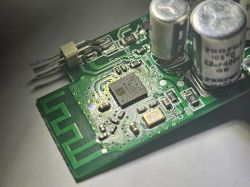
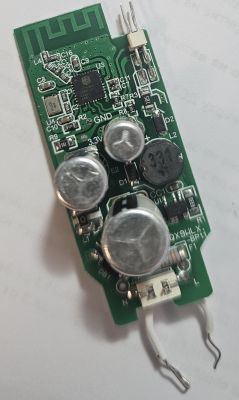
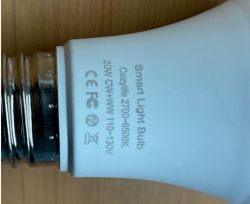
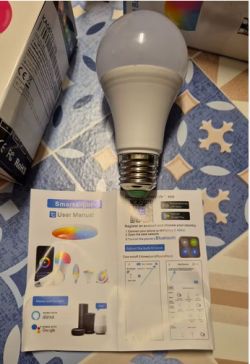
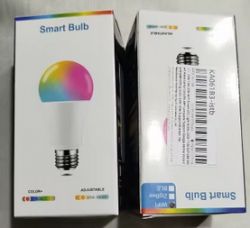
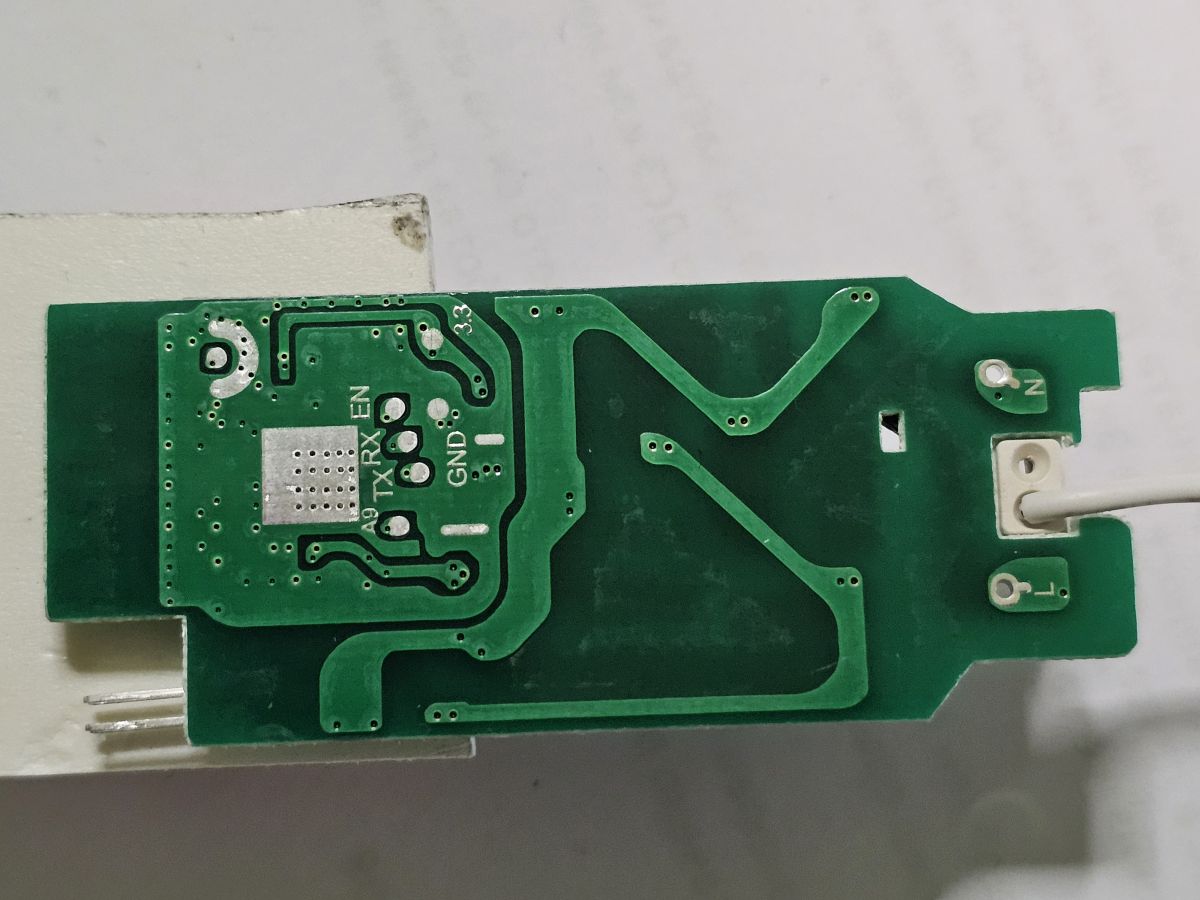
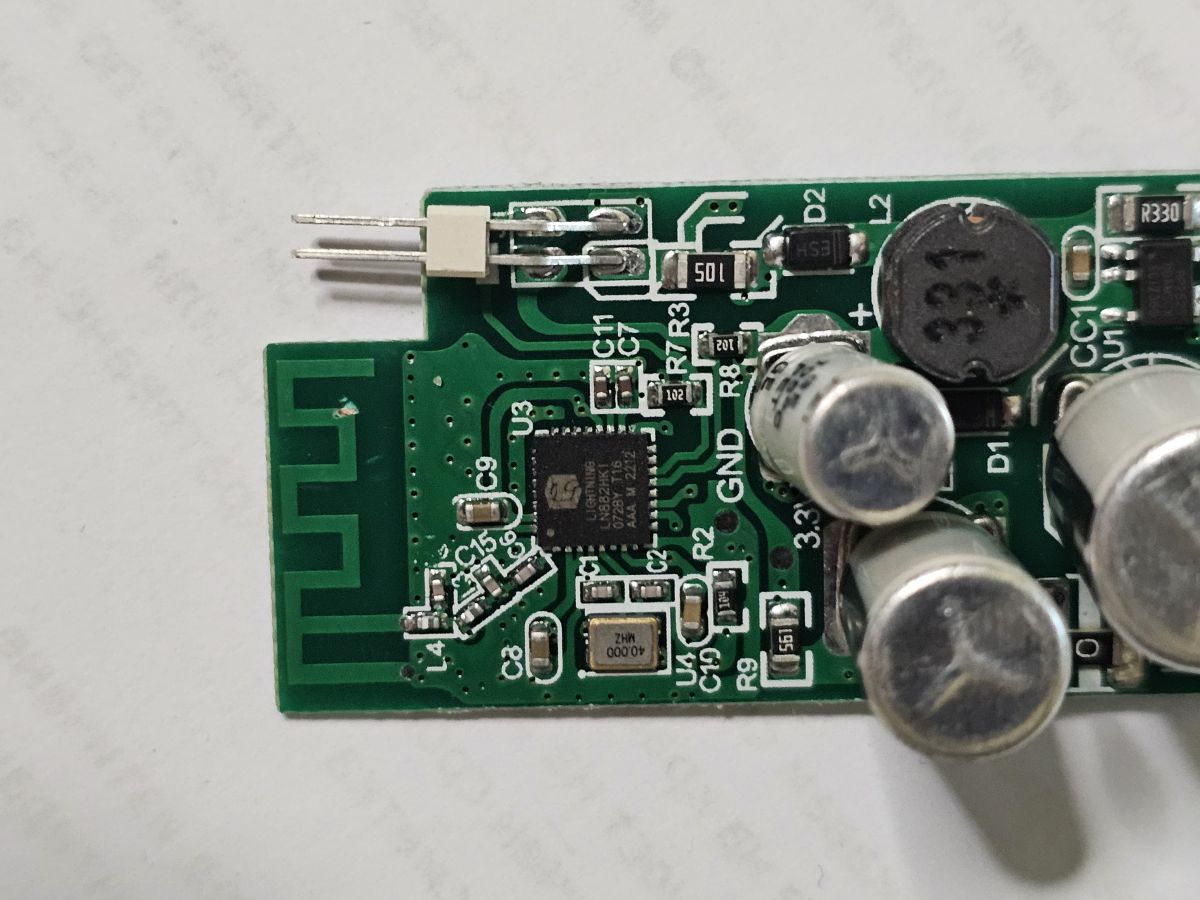
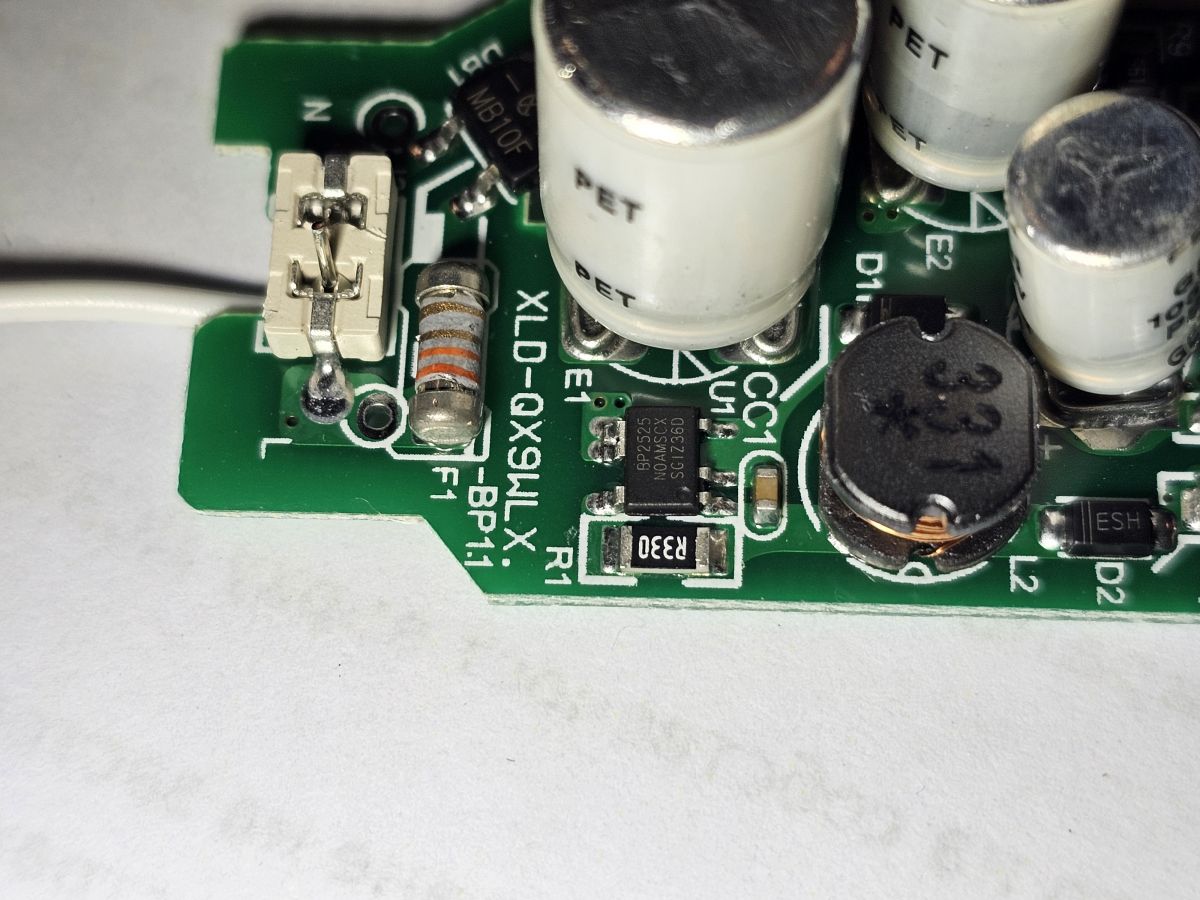
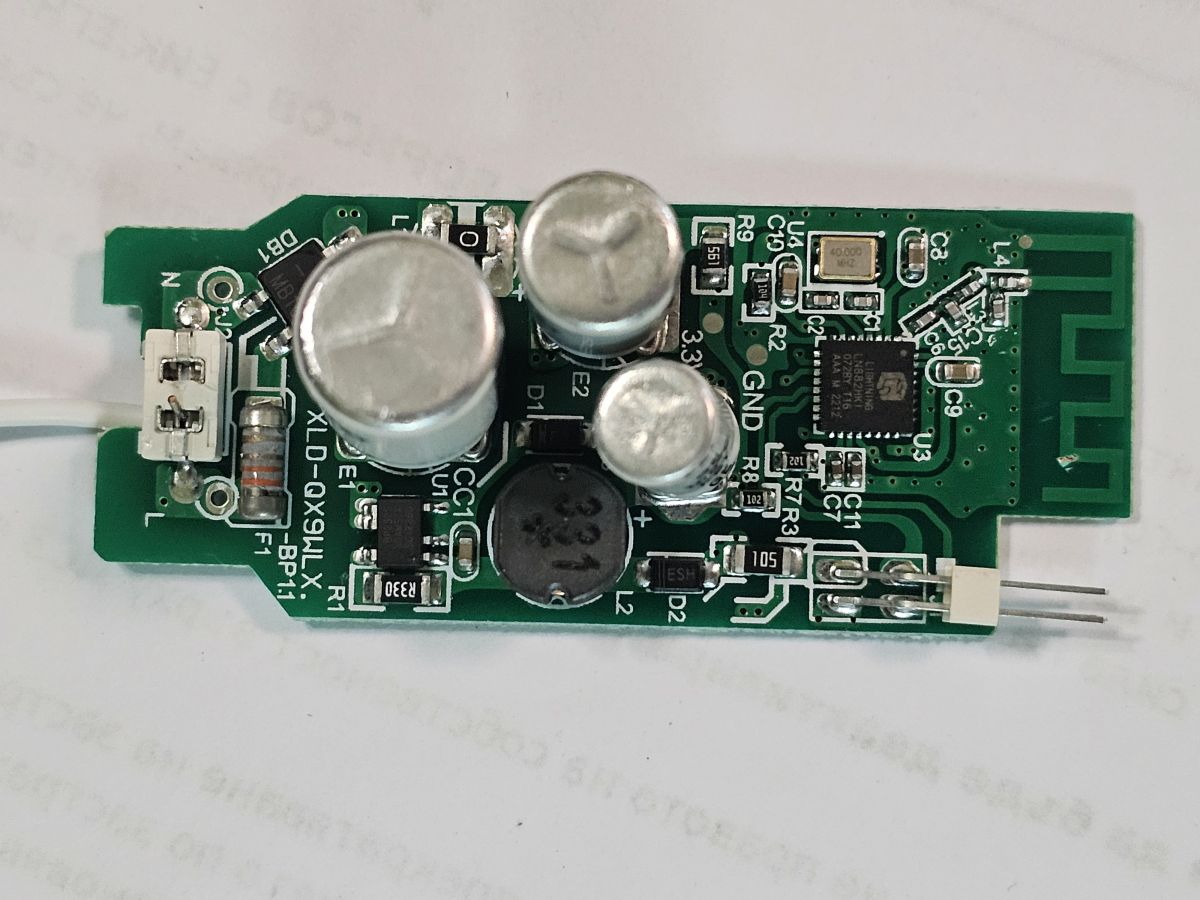
    Here are pictures
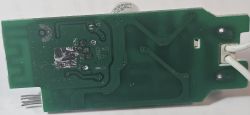
    Printed circuit board with green laminate and conductive traces.
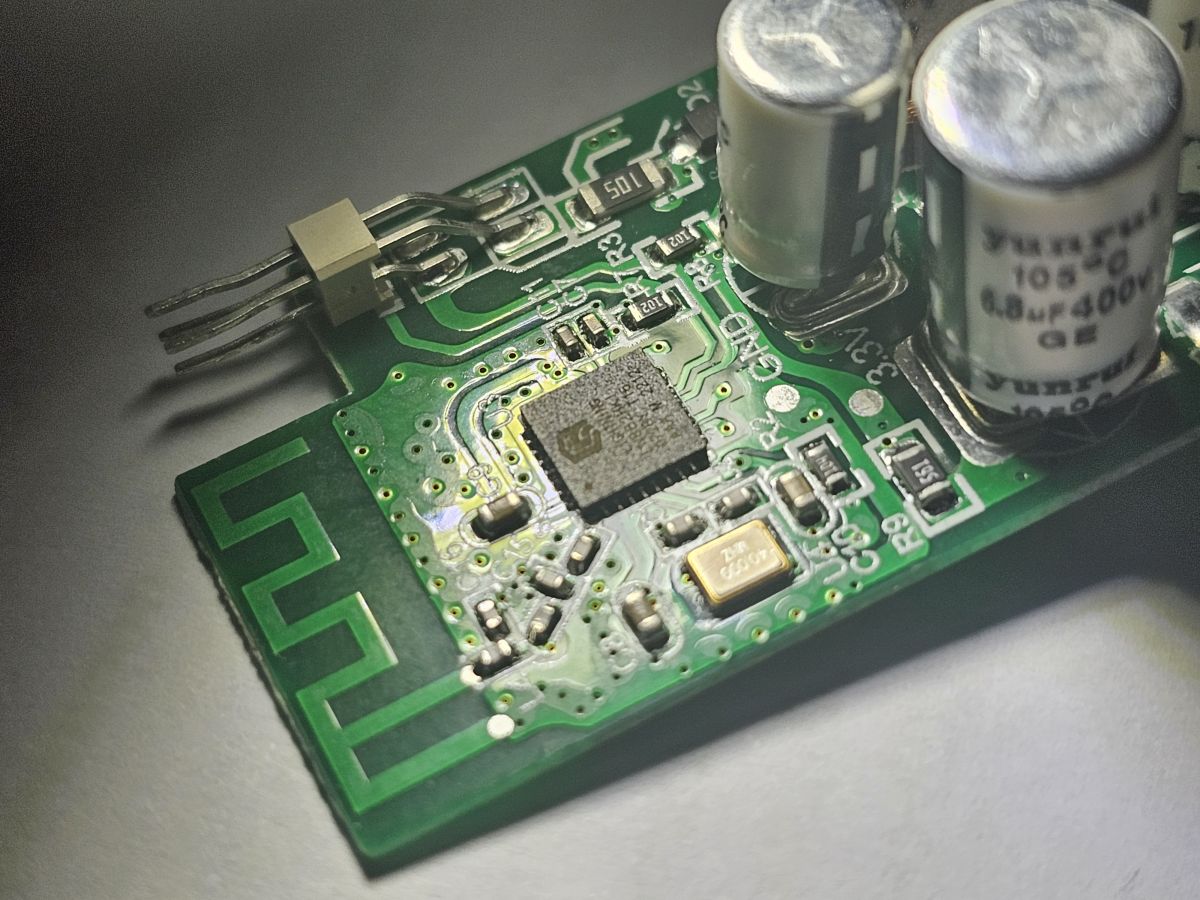
    Close-up of a circuit board with various electronic components, such as capacitors, a chip, and conductive traces.
    Close-up of a circuit board with various components, including capacitors and a chip.
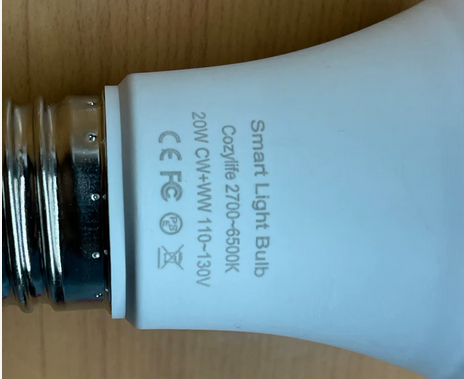
    Smart light bulb with visible technical markings on the socket.
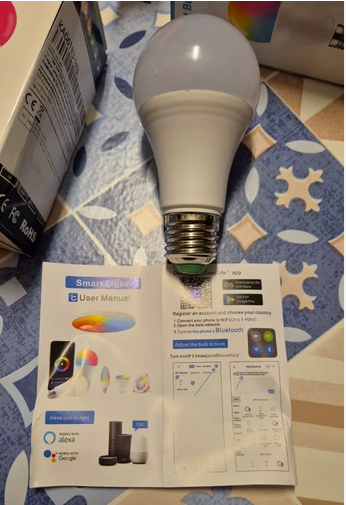
    A smart LED bulb is on a table next to a user manual.
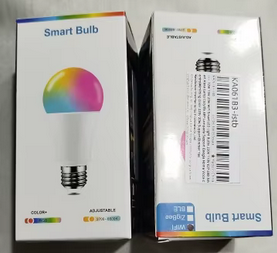
    Smart Bulb packaging with colorful graphics.
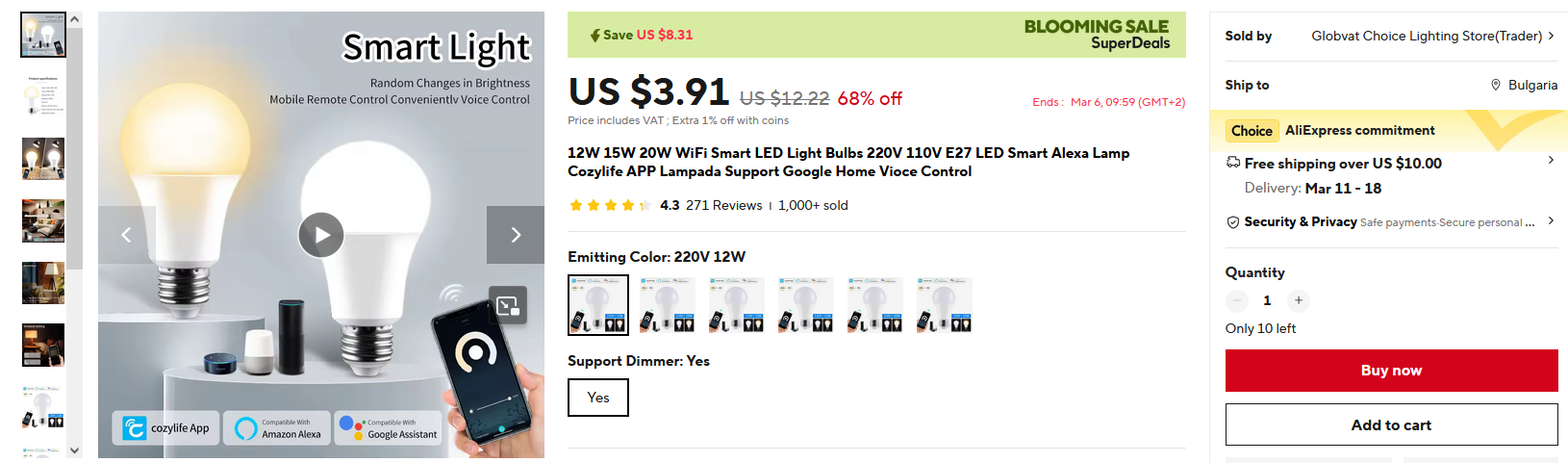
    Advertisement for a smart LED bulb with voice control and mobile app functionality.
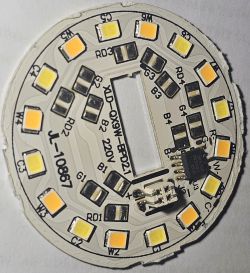
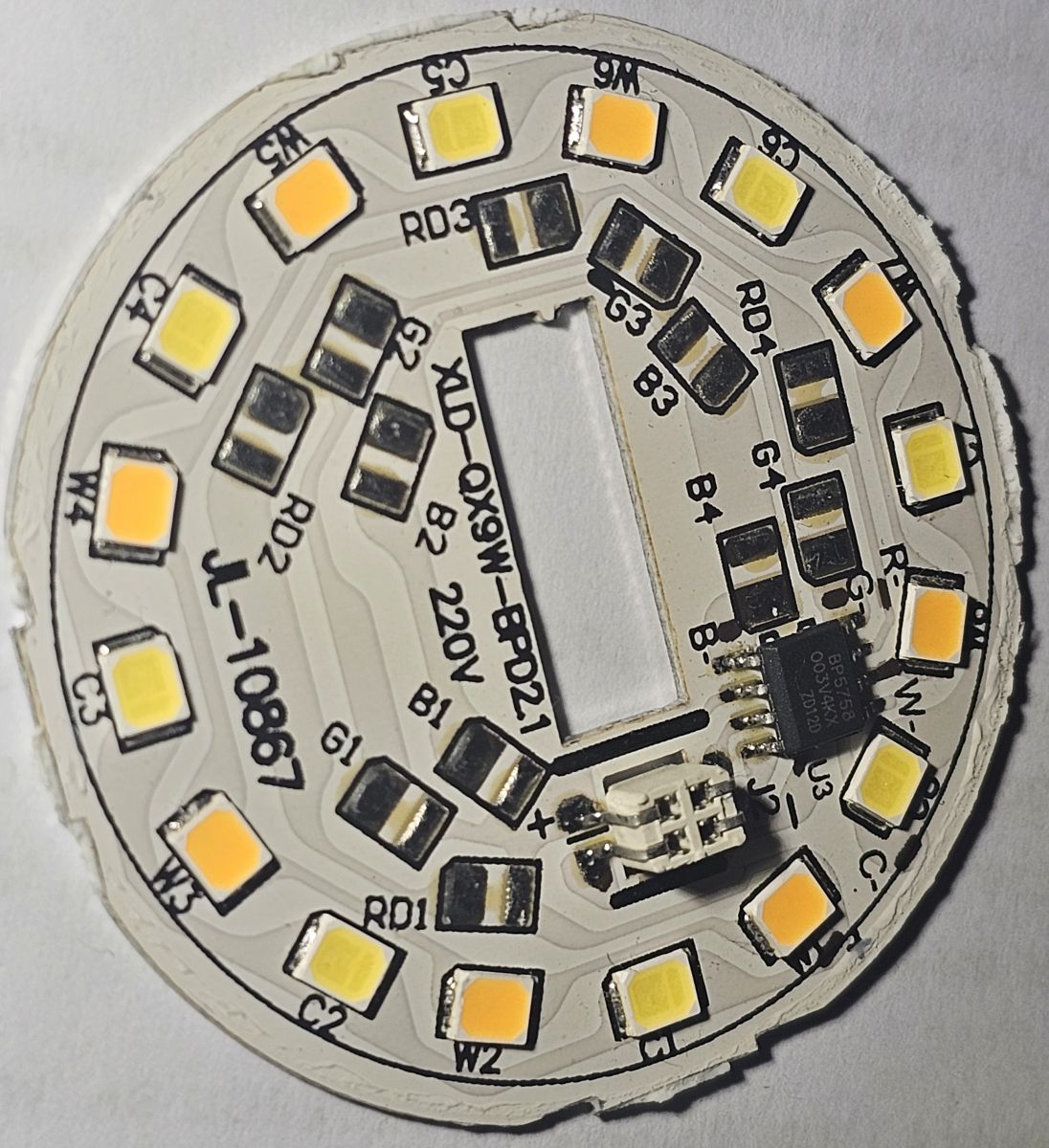
    LED circuit board :

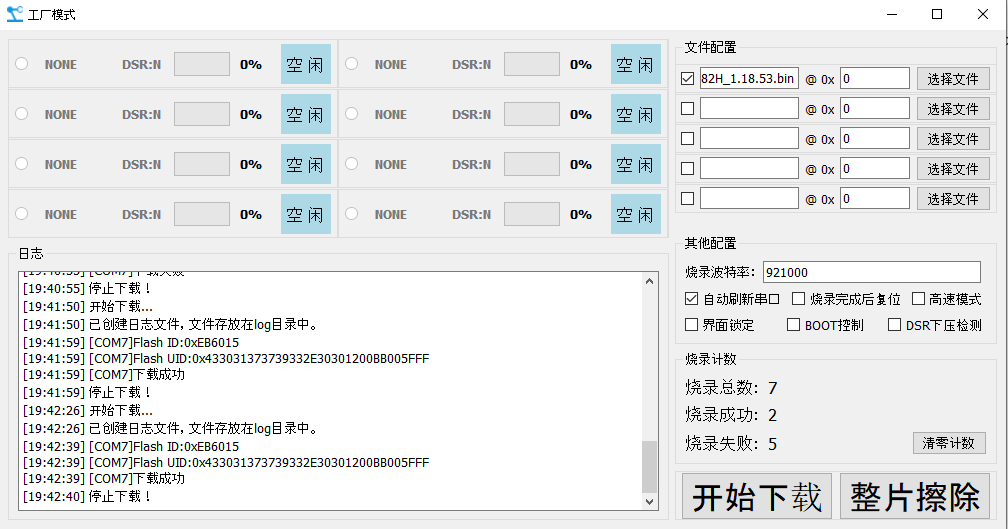
    After many re-solders /unstable 3.3V supply I believe/ I managed to flash them with this tool: https://www.elektroda.com/rtvforum/topic4045532.html
    I did some dumps following this guide, but they were partial and could not successfully flash: https://www.elektroda.com/rtvforum/topic4028087.html

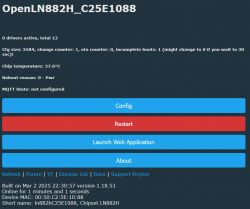
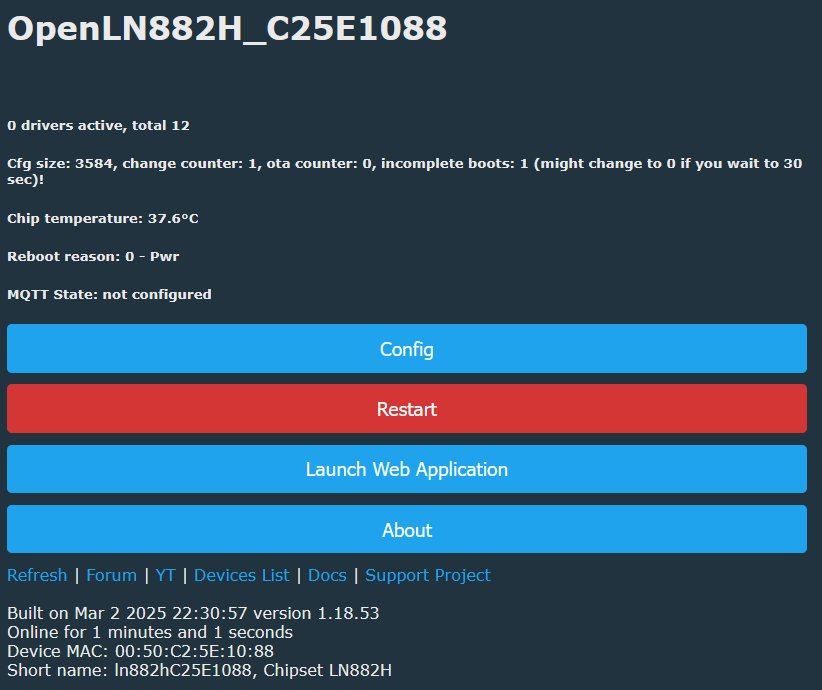
    Now I am here:
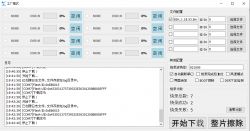
    Software interface in Chinese for device memory configuration.
    User interface with device information for OpenLN882H, configuration, restart, and web application launch options.

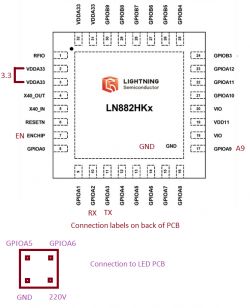
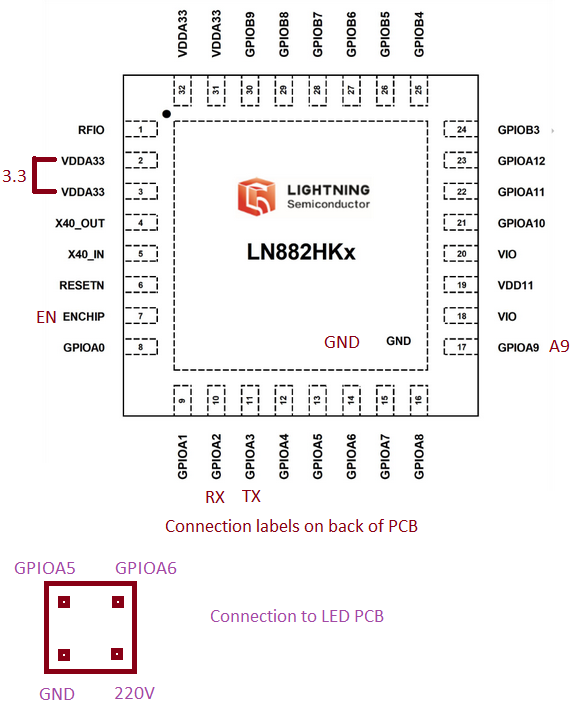
    Here ARE connections:
    Connection schematic of the LN882HKx integrated circuit with pin labels.

    If you need any dumps or tests - I now have stable 3.3V supply and 4 more bulbs.

    My intention for these ones is to use them with another driver not the original I2C BP5758, instead I want both PINS used for I2C to do PWM for Cold and warm white.
    Keeping that in mind if I can keep few lamps as-is with BP5758 - that be great.
    I have never used anything other than stock apps, however I hate having more and more APPS, so any advice on how to proceed from here is welcomed /I have no idea/.

    I have Libvirt based KVM and Raspberry at home - so Please, let me know what to install and how to configure
    Please note I am good with Analog Electronics and Linux/Windows, however my programming skills are NONE.

    AI: Could you provide more details about the current firmware or tool you used for flashing the bulbs? This will help in understanding compatibility issues.
    GUI flash tool for LN882H version 3.0.1 /https://www.elektroda.com/rtvforum/download.php?id=1205991/
    AI: Can you describe your current setup or configuration of the bulbs and any specific errors you encountered during the process?
    I only had issues with stable 3.3V supply
  • ADVERTISEMENT
  • #2 21466419
    insmod
    Level 31  
    Posts: 1393
    Help: 164
    Rate: 435
    >>21466362 While any pin on LN can be configured as PWM, i don't exactly know what you are trying to accomplish here.
    Do you want to remove BP5758 from led board, or swap board altogether?
    If you want to remove BP5758 and use PWM for driving leds, that's a bad idea.
  • ADVERTISEMENT
  • #3 21466450
    apsis
    Level 6  
    Posts: 26
    Help: 2
    Rate: 4
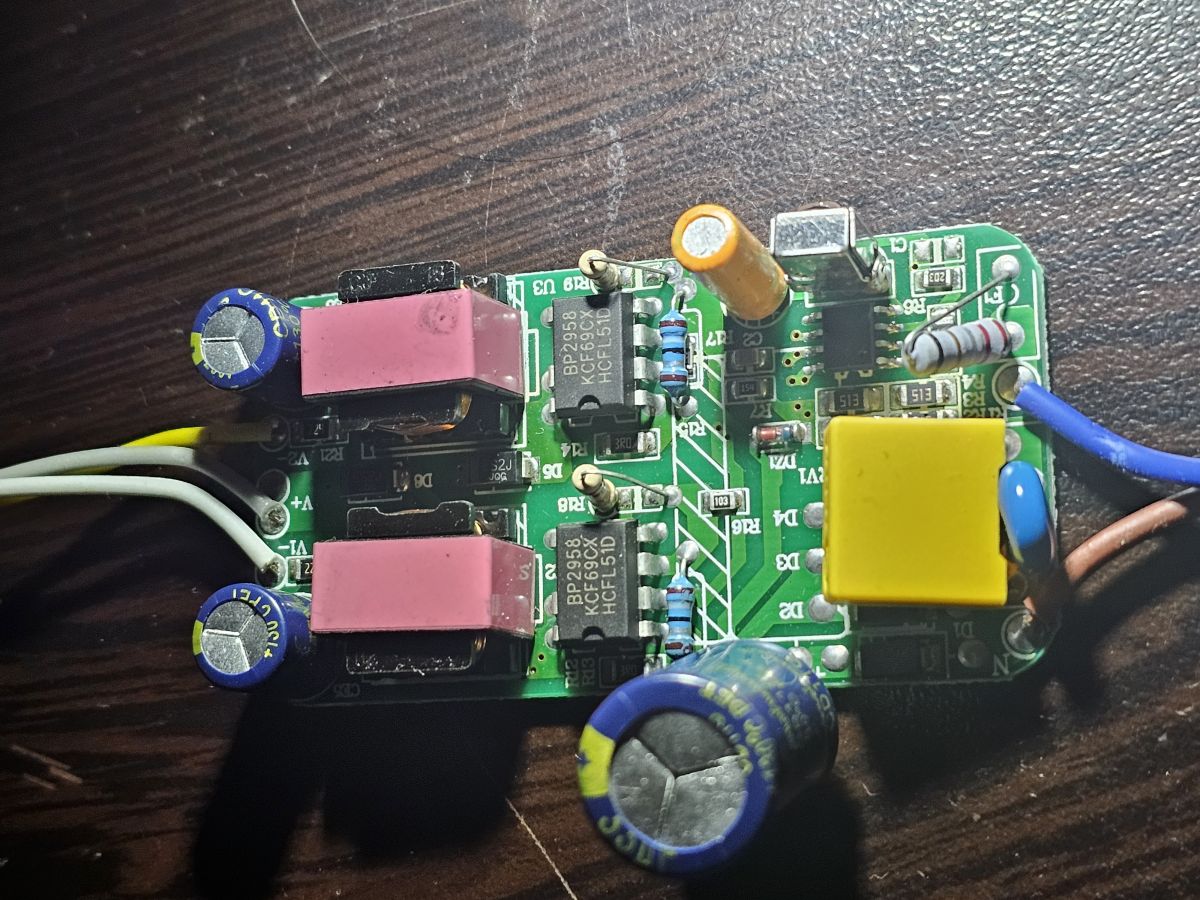
    >>21466419 I have another driver(s) from IR remote lamps using two separate Bright power PWM based drivers (dual BP2958 ) - one for CW and one for WW.
    Example:
    View of a circuit board with electronic components like capacitors and BP2958 drivers on a wooden background.

    I would like to use this board, as it has integrated AC to 3.3v supply , connect common ground, remove the chip from the original board and supply PWM from this one.

    This way i can get rid of the horrible function to change color and brightness on fast switch on/off

    Basically i do not want to use the LED board at all but control another driver designed for PWM
    Making non-smart 50+USD fixture in to a smart one - as i have 2 /got smart replacements already/ but i know people with such /allot/ and i will have 2 fixtures and 5 boards from these smart bulbs to play with.
  • ADVERTISEMENT
  • Helpful post
    #4 21466517
    insmod
    Level 31  
    Posts: 1393
    Help: 164
    Rate: 435
    >>21466450 Well, you can try it. I did say that pwm is available on all pins.
    You would probably have to add some level shifter, since i doubt that those leds use 3.3v. And something to control how much power those leds receive, because i know bp5758 also controls that.
  • Helpful post
    #5 21466579
    p.kaczmarek2
    Moderator Smart Home
    Posts: 14612
    Help: 655
    Rate: 12630
    So you're basically trying to ... use LN882H as Arduino replacement? Well, you can certainly do that, we have both PWM pins with predefined LED driver, and PWM_ScriptOnly role if you don't want to get auto LED controls as well.
    The remaining connection is not really related to OpenLN882H/OpenBeken itself, it's rather a generic question how would you drive your LED with PWMs?

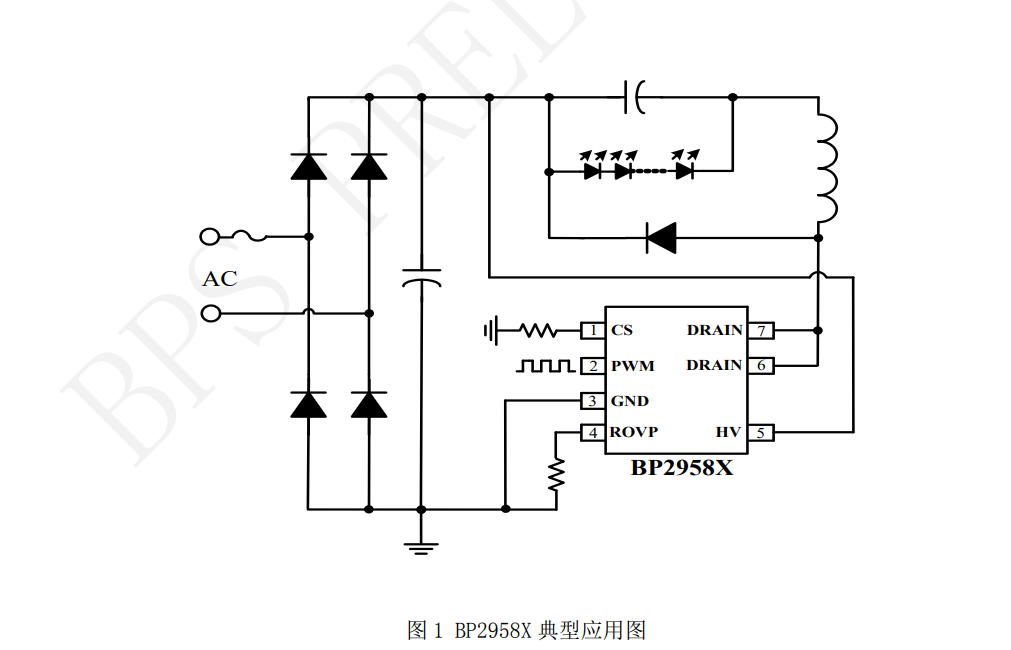
    But to answer your question more directly... I can see that your target board is using BP2958 drivers, right? There is some information on them in the web:
    Block diagram with BP2958X circuit for power and energy conversion.
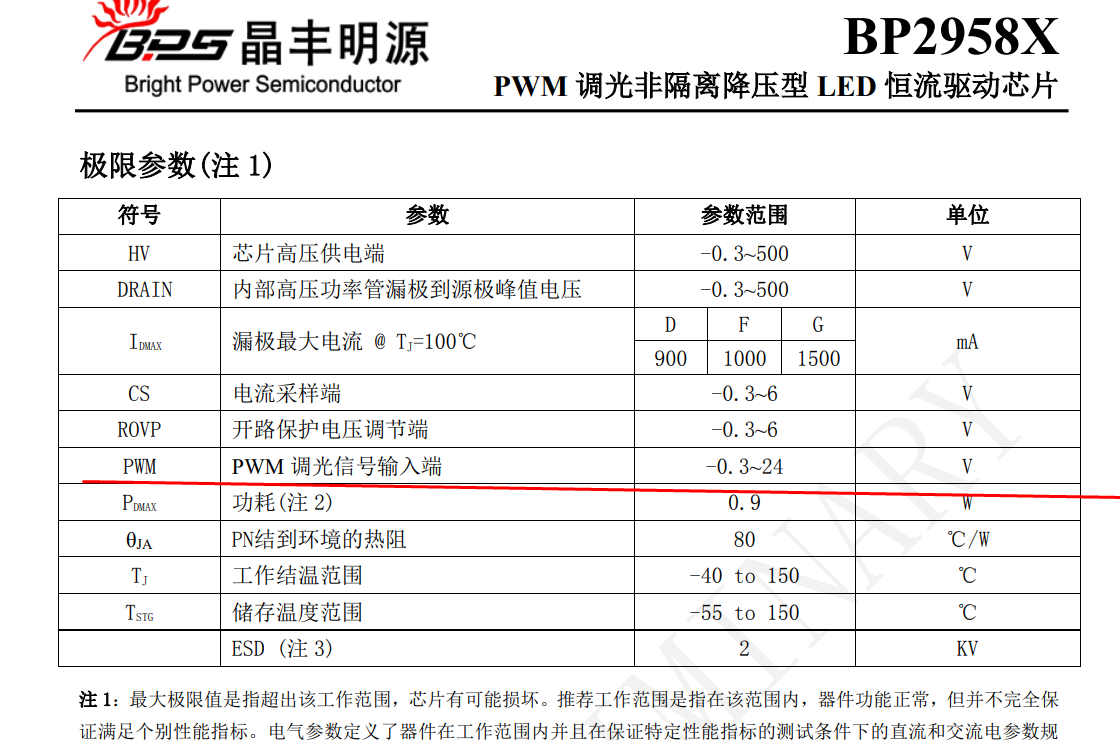
    But will it work with 3.3V PWM?
    Technical parameter table for the BP2958X chip with Chinese descriptions.
    Table fragment with PWM data, including voltage values in rows.
    Well, according to the datasheet, the high state on PWM pin is considered when the voltage is above 2V (typical), so I would say, yes, you can control it directly from LN882H.

    Of course, exercise extreme caution when connecting LN882H to your board, do not touch it unless it's disconnected from mains, remember that capacitors can still hold charge even after you disconnect it, and make sure to have common ground when connecting the WiFi module.

    Futhermore, what kind of 3.3V power supply is on your target board? Is it really 3.3V? Too high voltage can easily damage WiFi modules.
    Helpful post? Buy me a coffee.
  • #6 21466680
    apsis
    Level 6  
    Posts: 26
    Help: 2
    Rate: 4
    Hello,

    The Aliexpress lamp board itself has proper pulse mode power supply for the chip - I will be using that instead of the shitty one on the BP2958 - which is based on zener diode and resistors.
    I have no doubts I can connect the two boards - I can deal with it and have gone through the datasheets.
    Yes I will use LN882H board as ESP replacement since it does have WiFi and included PSU circuit.

    The question is - how to work with OpenLN882H/OpenBeken.

    As far as I see I need VM or Raspberry with Home Assistant OS - https://www.home-assistant.io/installation/raspberrypi/
    What else do I need? seems I have to write some json for config, however as I have never tried Home Assistant I have no clue how to add the lamp, so I need help there.

    Also if I want to use it as is with the BP5758 /I do have couple lights/ how do I configure the I2C communication.
  • #7 21466694
    insmod
    Level 31  
    Posts: 1393
    Help: 164
    Rate: 435
    >>21466680
    You can use anything with mqtt (and writing configs for that), Home Assistant (there is a discovery thingy in OpenBeken, so one click and device shows in HA), or just connecting to device directly and controlling it via http main page.
    Since you have already traced pins, set them up in config, one as BP5758D_CLK, other as BP5758D_DAT.
    Then experimentally adjust color map in console via BP5758D_Map (usually it is BP5758D_Map 2 1 0 3 4), you can also adjust current via BP5758D_Current (first arg is for RGB, second is for CW, default is 13mA).
  • #8 21466704
    p.kaczmarek2
    Moderator Smart Home
    Posts: 14612
    Help: 655
    Rate: 12630
    apsis wrote:

    The Aliexpress lamp board itself has proper pulse mode power supply for the chip - I will be using that instead of the shitty one on the BP2958 - which is based on zener diode and resistors.

    Both lamps have non-isolated power supplies, right? So if you connect their to mains randomly, you have 50% chance of blowing them up. You need to know which wire is live and which is neutral. And remember about common ground...
    Helpful post? Buy me a coffee.
  • #9 21466708
    divadiow
    Level 38  
    Posts: 5059
    Help: 438
    Rate: 893
    also, please try LN882H firmware backup again on another bulb :)
  • #10 21466776
    apsis
    Level 6  
    Posts: 26
    Help: 2
    Rate: 4
    >>21466704 No issues with that.
    It's easy to measure or check full bridge rectifier pins to identify ground on both.
    Positive will always be relative to it.
    Can use small low wattage resistors to play it safe
  • ADVERTISEMENT
  • Helpful post
    #11 21466780
    p.kaczmarek2
    Moderator Smart Home
    Posts: 14612
    Help: 655
    Rate: 12630
    Do you actually even need Home Assistant? With OpenBeken you can have all controls in the OBK page, you can also enable SSDP driver to get your device visible in the "My Network" view in Windows...
    Helpful post? Buy me a coffee.
  • #12 21466783
    apsis
    Level 6  
    Posts: 26
    Help: 2
    Rate: 4
    >>21466708 Will do
    Here is the best I have so far, not sure it is complete, but the best I managed out of 10's of attempts:
    https://nas.mode-x.org/s/oJ6TDpRANiznFix

    Added after 2 [minutes]:

    >>21466780 Thank you - this is one way I can do it.
    Can you share link to some guide or quick explanation as I do not know where to start.
    Just in case I spun UP Home assistant VM just now.
  • #15 21467383
    apsis
    Level 6  
    Posts: 26
    Help: 2
    Rate: 4
    >>21466793 I tried dumping brand new board with this command: python LN882H_Flash_Dumper.py COMx flashdump
    following this guide: https://www.elektroda.com/rtvforum/topic4028087.html

    However it always stops at random point.
    Is there another way ?

    ps.: your Linux dump script requires some very hard to get working ymodem thing:
    root@raspberrypi:~# pipx install YModem
    'ymodem' already seems to be installed. Not modifying existing installation in '/root/.local/pipx/venvs/ymodem'. Pass '--force' to force installation.
    root@raspberrypi:~# python dumper.py ttyUSB0
    Traceback (most recent call last):
    File "/root/dumper.py", line 34, in <module>
    from YModem import YModem
    ModuleNotFoundError: No module named 'YModem'


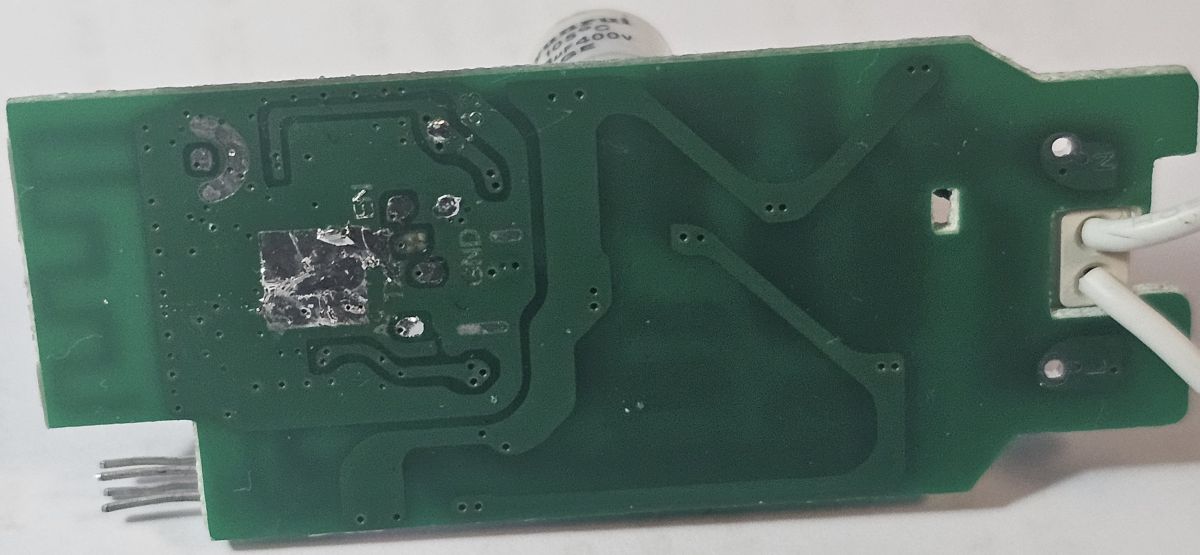
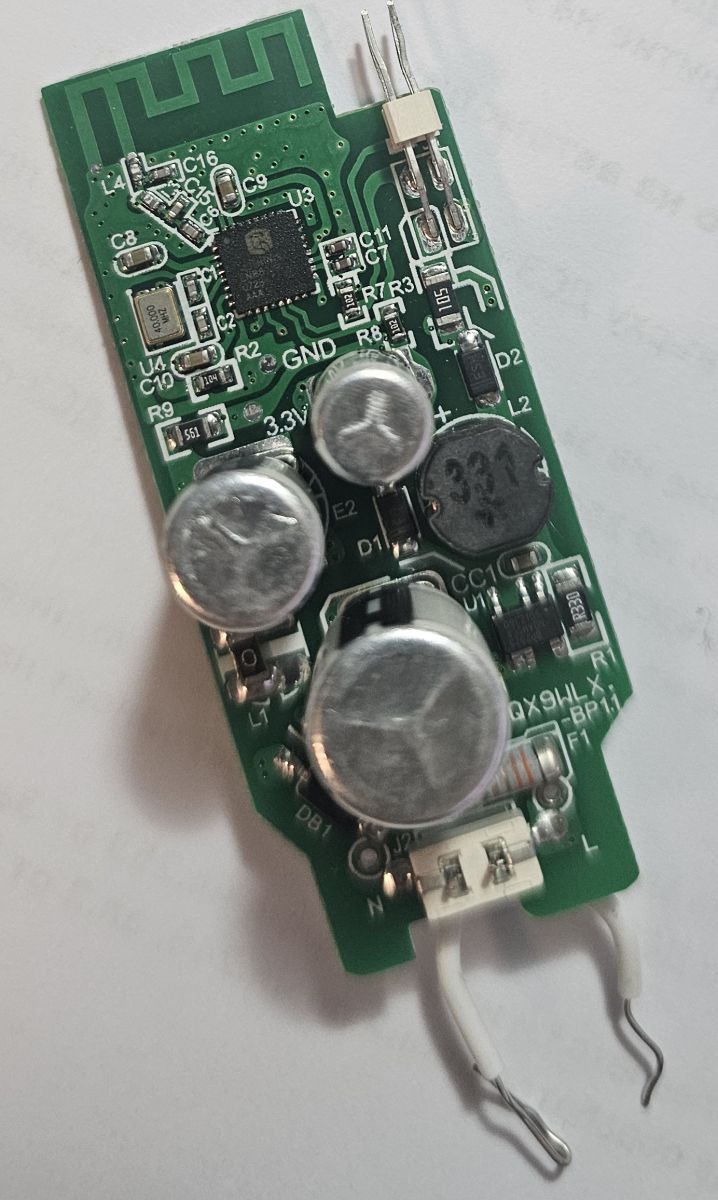
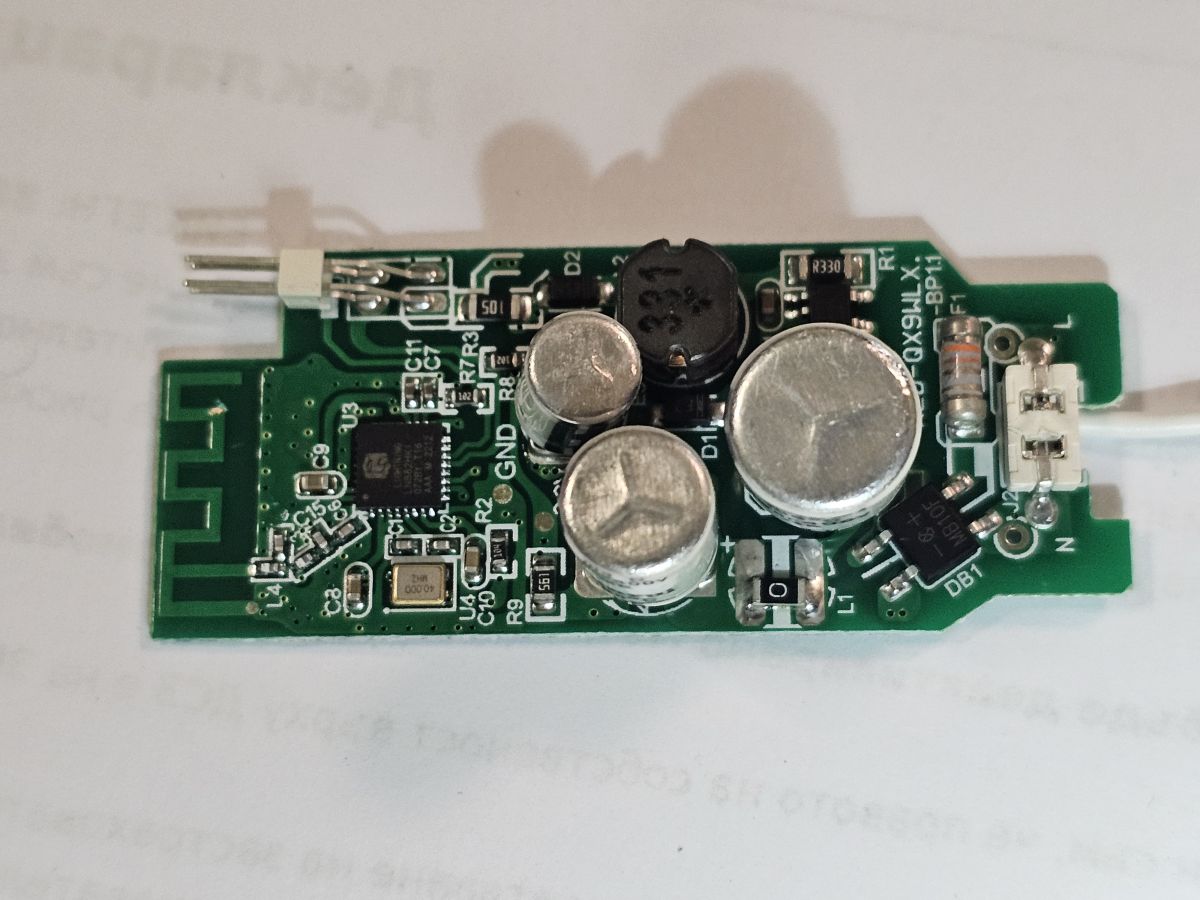
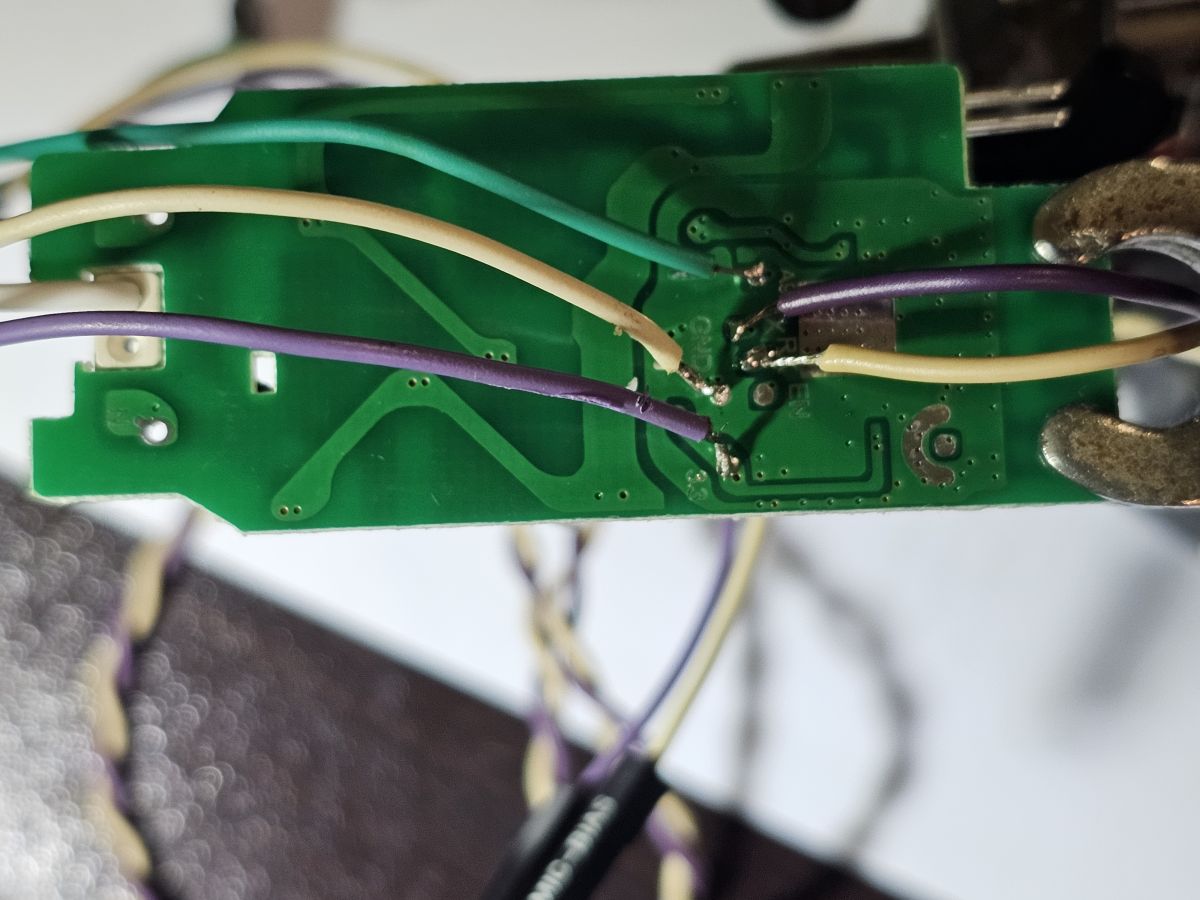
    Here are more board pics:
    Circuit board with various electronic components, including capacitors and a coil.
    Close-up of a green PCB with soldered wires in various colors.
    Close-up of a circuit board with markings such as TX, RX, EN, and GND.
    Close-up of a green printed circuit board with electronic components.
    Close-up of a circuit board with visible capacitors and other electronic components.
    Printed circuit board with various electronic components.

    Added after 17 [minutes]:

    >>21466799 Any guide on how to configure for PWM on pins GPIO5 and GPIO6 or I2C communications on same pins ?
    I mean how to configure the chip itself to know and if possible report what it is - this is what I need.

    - I got it!
  • #16 21467756
    divadiow
    Level 38  
    Posts: 5059
    Help: 438
    Rate: 893
    apsis wrote:
    However it always stops at random point.
    Is there another way ?


    I'm wondering if maybe your wires are too long. Where possible mine are usually 10-15cm max and are the thin hobbyist breadboard type gauge.
  • #17 21468812
    apsis
    Level 6  
    Posts: 26
    Help: 2
    Rate: 4
    >>21467756 It's not the wires for sure, even tested wires less than 2cm.
    Could still be a power thing, but I doubt that as programming with this https://www.elektroda.com/rtvforum/topic4028087.html never worked.
    Only this tool did the job : https://www.elektroda.com/rtvforum/topic4045532.html
    Thinking of another ways however if a better dump tool is available, one that can tolerate some errors - let me know
  • #18 21471519
    divadiow
    Level 38  
    Posts: 5059
    Help: 438
    Rate: 893
    apsis wrote:
    ps.: your Linux dump script requires some very hard to get working ymodem thing:
    root@raspberrypi:~# pipx install YModem
    'ymodem' already seems to be installed. Not modifying existing installation in '/root/.local/pipx/venvs/ymodem'. Pass '--force' to force installation.
    root@raspberrypi:~# python dumper.py ttyUSB0
    Traceback (most recent call last):
    File "/root/dumper.py", line 34, in <module>
    from YModem import YModem
    ModuleNotFoundError: No module named 'YModem'


    oops. yes, sorry, that dumper should be sat in amongst all the other files from https://github.com/mandl/LN882Loader
  • #19 21477046
    apsis
    Level 6  
    Posts: 26
    Help: 2
    Rate: 4
    >>21466793 I bought fairly expensive USB to UART based on CH330N Opto isolated with ADUM1201 and even power isolated.

    Thanks to this I got what I believe is a proper dump: https://nas.mode-x.org/s/oJ6TDpRANiznFix
    Hope this will do.

    Interesting part is I had no issues flashing with the old USB to UART I had laying around.

Topic summary

✨ The discussion revolves around flashing Aliexpress KA061B3-istb bulbs based on the LN882H chip, specifically focusing on switching from I2C control via BP5758 to PWM control. The original poster successfully flashed the bulbs after overcoming issues with unstable power supply and partial dumps. Participants discuss the feasibility of using the LN882H as a PWM controller, the need for level shifting due to voltage differences, and the integration of the LN882H with other PWM drivers like BP2958. There are also inquiries about using Home Assistant for configuration and control, with suggestions for setting up I2C communication and adjusting parameters for LED control. The conversation highlights challenges in dumping firmware and the importance of proper wiring to avoid damage.
Generated by the language model.

FAQ

TL;DR: BP2958 accepts 3.3 V PWM because the high-level threshold is ~2.0 V; “PWM high state is above 2 V.” Use OpenBeken to keep I2C (BP5758) or switch to PWM, and follow non‑isolated mains safety. [Elektroda, p.kaczmarek2, post #21466579]

Why it matters: This FAQ helps tinkerers convert LN882H bulbs from BP5758 I2C to PWM for CW/WW drivers, safely and quickly.

Quick Facts

How do I control an LN882H bulb without Home Assistant?

Use OpenBeken’s built‑in web UI for on/off, brightness, and color temperature. You can also control it via HTTP endpoints. Enable the SSDP driver to make the device visible in Windows “My Network.” This avoids extra hubs or software. Many users run entirely browser‑based control. It’s fast to set up and easy to troubleshoot. [Elektroda, p.kaczmarek2, post #21466780]

How do I set up BP5758 I2C on GPIO5/GPIO6 in OpenBeken?

Assign the pins and tune mapping/current.
  1. Set GPIO5=BP5758D_CLK and GPIO6=BP5758D_DAT.
  2. Run: BP5758D_Map 2 1 0 3 4 (adjust if channels differ).
  3. Set LED currents: BP5758D_Current (default CW is 13 mA). “Set them up in config, one as BP5758D_CLK, other as BP5758D_DAT.” Use HA discovery or HTTP/MQTT after mapping. [Elektroda, insmod, post #21466694]

Can I drive a BP2958 LED board directly from 3.3 V PWM on LN882H?

Yes. The BP2958 PWM input considers high above ~2.0 V (typical), so 3.3 V MCU PWM works. Keep grounds common between the LN882H board and the LED driver. Verify the target board’s regulator is truly 3.3 V. Use safe handling; disconnect mains and discharge capacitors before touching. This enables CW/WW dimming without the original I2C chip. [Elektroda, p.kaczmarek2, post #21466579]

Do I need a level shifter for BP2958 PWM?

In most cases, no. BP2958’s PWM input reads high at ~2.0 V (typical), so 3.3 V logic is sufficient. If you use a different driver with unclear thresholds, consider a level shifter. Confirm input specs before wiring. Keep PWM wiring short and routed away from AC traces. Stable reference and clean grounds improve dimming linearity. [Elektroda, p.kaczmarek2, post #21466579]

How do I switch from BP5758 I2C to pure PWM on GPIO5/GPIO6?

Map those pins to PWM roles in OpenBeken, then drive CW and WW separately. “PWM is available on all pins,” so choose any convenient GPIO pair. You can use the PWM_ScriptOnly role if you want manual script control. Set frequency and duty limits to match your LED driver. Test with low duty first, then ramp up. [Elektroda, insmod, post #21466517]

What safety steps should I follow when tying LN882H to a mains LED driver?

Both boards are usually non‑isolated. Disconnect mains before handling and let capacitors discharge. Ensure a common ground when linking logic and driver. Verify the LN882H board’s regulator outputs safe 3.3 V. Wire live and neutral correctly to avoid catastrophic failure. Work with one hand and use an isolation transformer if available. [Elektroda, p.kaczmarek2, post #21466579]

Why does my LN882H dump stop randomly, and how can I fix it?

Unstable 3.3 V and noisy serial links cause mid‑dump failures. An optically isolated USB‑UART (e.g., CH330N + ADUM1201) produced a reliable, full dump. Keep power stable and ground references clean. Shorten wires and avoid shared noisy supplies. After switching adapters, users reported a proper dump on the first try. [Elektroda, apsis, post #21477046]

The Linux dumper complains about missing YModem. How do I make it work?

Place the dumper script inside the LN882Loader repository directory so it imports YModem correctly. Then run it against your serial device. This avoids Python import errors. Follow the repo’s structure without mixing virtual environments. After this change, the script runs and transfers the dump. [Elektroda, divadiow, post #21471519]

How long should a full LN882H dump take with the Linux method?

Expect roughly 10 minutes for a complete dump when using the referenced Linux dumper. If it takes much longer, check power stability and cable quality. Avoid using very slow baud rates unless required. Fast, clean links reduce retries. A working setup should not need 45 minutes. [Elektroda, divadiow, post #21466793]

What wire lengths help reliable flashing or dumping?

Keep wires short and thin. Hobbyist breadboard jumpers around 10–15 cm work well. Long wires add capacitance and noise, causing protocol errors. Route away from AC lines and switching converters. Good mechanical strain relief helps maintain solid contact. [Elektroda, divadiow, post #21467756]

My flashing only fails when 3.3 V is unstable. What tool and setup should I use?

Stabilize 3.3 V first, then use the LN882H GUI Flash Tool v3.0.1 linked in the thread. Users succeeded after fixing power and switching to that tool. Ensure a solid common ground and short serial wires. Retest dumps after stabilizing power rails. Avoid powering the target from the USB adapter’s 3.3 V if marginal. [Elektroda, apsis, post #21466362]

Can I keep some bulbs on BP5758 while converting others to PWM?

Yes. Configure each device independently. For BP5758, assign BP5758D_CLK and BP5758D_DAT, set mapping, then adjust current (default CW 13 mA). For PWM units, assign PWM roles to your chosen GPIOs. Publish both types to HA via discovery or control them over HTTP. [Elektroda, insmod, post #21466694]

What happens if I connect two non‑isolated supplies to mains without checking polarity?

You risk a 50% chance of immediate damage if live/neutral are swapped between boards. Identify live and neutral correctly before wiring. Maintain a common ground reference for logic interconnects. Always disconnect and discharge before touching. This is a critical safety step, not optional. [Elektroda, p.kaczmarek2, post #21466704]

Do I need extra power control if I remove BP5758 and use PWM only?

Plan for current and power control on the LED driver side. BP5758 normally manages LED channel current. If you bypass it, ensure your replacement driver limits current safely. Consider a level shifter only if the target expects higher logic levels. Validate thermals during extended brightness tests. [Elektroda, insmod, post #21466517]
Generated by the language model.
ADVERTISEMENT