logo elektroda
logo elektroda
X
logo elektroda

Interior and reverse engineering of the Ariston Velis 80 Wi-Fi electric water heater on ESP32 (part1

p.kaczmarek2 4164 65
ADVERTISEMENT
Treść została przetłumaczona polish » english Zobacz oryginalną wersję tematu
📢 Listen (AI):
  • #31 21721072
    krzbor
    Level 29  
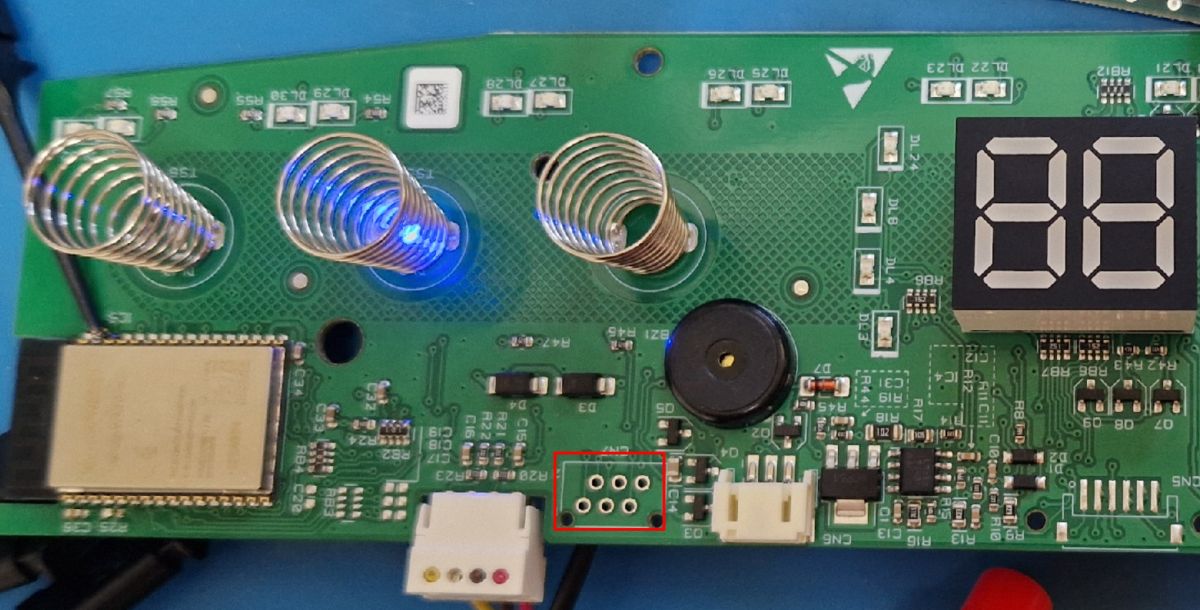
    By the way, I wonder what it is:
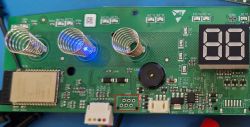
    PCB section with coils, LED display, and solder pads highlighted in red box .
    Looks like the leads under the connector.
  • ADVERTISEMENT
  • #32 21721082
    Przemcio
    VIP Meritorious for electroda.pl
    Not far away is the CN5 - under probably an FFC connector for a fussy display
    future-proof. If there is Wi-Fi you will be able to YT yourself on the heater ;) .
  • #33 21721427
    DeDaMrAz
    Level 22  
    There are 2 sensors connected to the MCU board, one is on the cold intake tank and the other is in the warm or outlet tank, probably something to do with shower count feature (maybe)

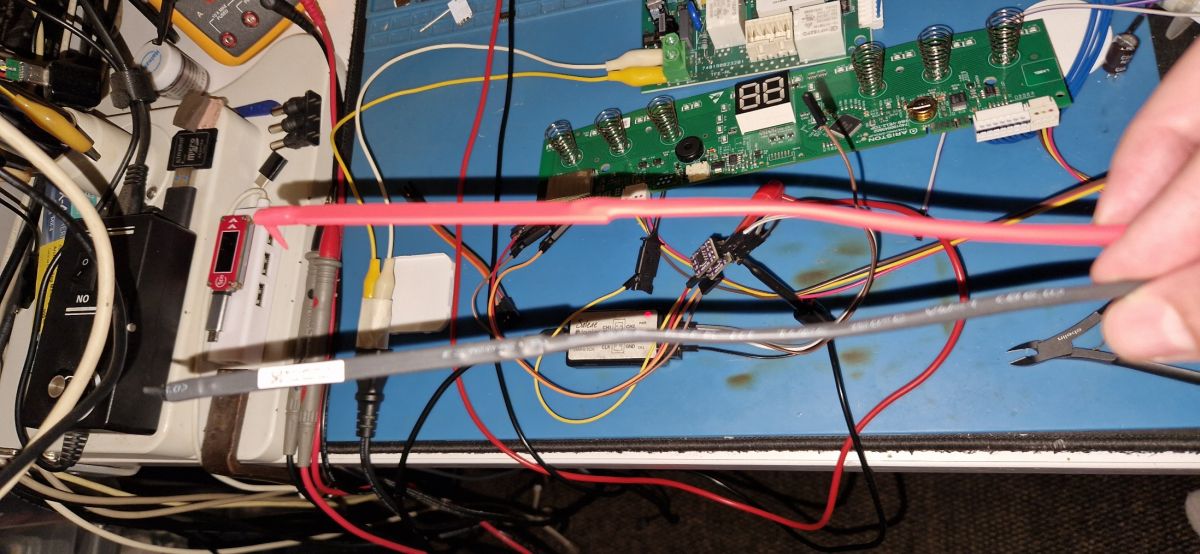
    Close-up of electronics workbench with PCB board, wires, and testing probes

    Also there appears to be some some sort of a clock transmitted between MCU and WiFi module as there an RTC crystal and backup battery (super cap) on board, so that will probably make our life easier in decoding the signal structure.

    Main thing for me is to decode the intermediate frames as I can then focus on the actual commands as the buss is supper chatty and I have to filter that communication out first.
  • #34 21721746
    sq3evp
    Level 39  
    bumble wrote:
    .
    And why. You hang such a thing on the wall and use it, when the heater dies you replace the heater or the whole thing. An electrode is probably once every 15 years. I've never heard of such devices being serviced. Unless you boil water in it, that's different.
    .
    I have seen a video where the electrode was replaced and cleaned - I think you are right, because the author tweirred that the boiler had not been moved for 15 years and was still working, only the electrode was almost gone, the heaters were not that dirty. Maybe the manual only says what to do to make it work long and painlessly?
    Nothing, I'll probably have a look, the water is quite soft, so maybe it won't scale up so quickly? I've had the gas flow unit for over 10 years and it hasn't been cleaned - the flow was good, only the gas ignition electrode needed cleaning every 9-10 months or so.
  • #35 21722352
    Nargo
    Level 23  
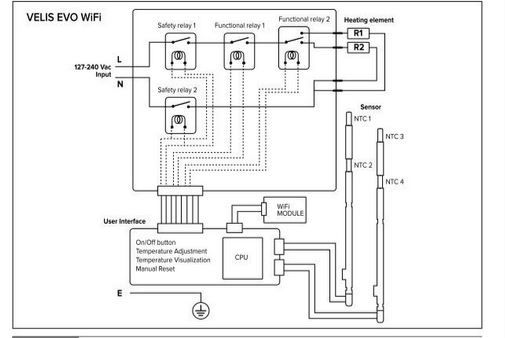
    Wiring diagram of Velis EVO WiFi heater with relays and temperature sensors .
    >>21721427 The diagram shows two sensors per tank and interchangeable heater switching. That is, it probably heats the output tank first and then the input tank. Dale is probably already choosing which heater to heat depending on the temperature drop in the individual tanks.
    I assume that, depending on the ΔTemperature, the controller is able to calculate the water flow through the tank and determine the appropriate operating algorithm in order to maintain a constant temperature at the outlet, which is effectively helped by two tanks and two heaters of 1.5kW each (switched interchangeably).
  • #36 21723602
    DeDaMrAz
    Level 22  
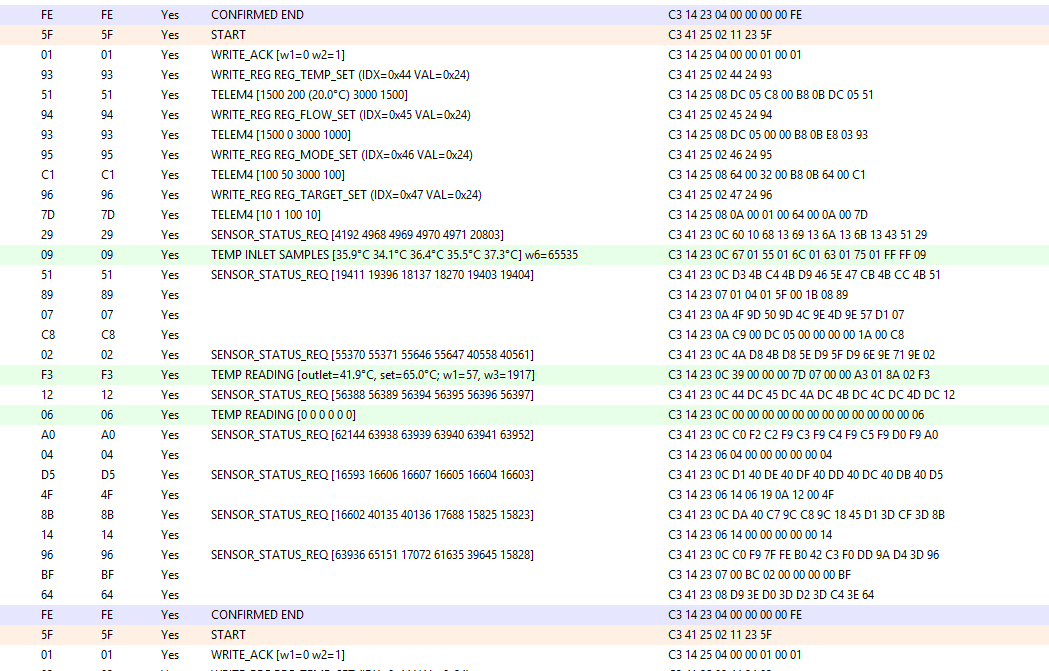
    Some progress on the decoding front... one reporting packet isolated with some values decoded.

    Capture of communication data in hexadecimal and decoded text format

    Managed to figure out inlet and outlet temperature readings and set temperature from the traffic... more to come as soon as some time is available.
  • ADVERTISEMENT
  • #37 21724871
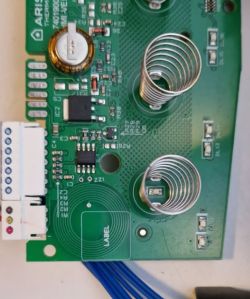
    DeDaMrAz
    Level 22  
    There is something else on the board that I somehow missed because I focused on the WiFi part of the board. There is a NFC tag on the board, not yet sure what it does but this is what can be read from it:

    Green PCB with coil springs and electronic components

    {
      "VER": "01",
      "R1": "0054",
      "R2": "00B4",
      "R3": "00C4",
      "R4": "0264",
      "R5": "0274",
      "R6": "0304",
      "ED": "03F4",
      "HFG": "000342422102",
      "HHW": "460130051002_93D2500900",
      "HHW_raw": "460130051002_93D2500900",
      "HSW": "660060273204_25.04.00",
      "HSN": "SERIAL_OMITTED",
      "TST": "PNNPNNN",
      "ECN": "93D2303400",
      "VER2": "01",
      "LD1": "NO",
      "LD2": "NO",
      "LD3": "00",
      "MKT": "EU",
      "TP1": "000",
      "TP2": "000",
      "TP3": "000",
      "WIF": "1",
      "INI": "0",
      "TMN": 40,
      "TMX": 80,
      "TSP": "01",
      "TDF": 70,
      "THY": 5,
      "ABT": 60,
      "ABD": 60,
      "ABF": 30,
      "ABS": 1,
      "ALT": 60,
      "ALS": 0,
      "AFT": 16,
      "AFH": 11,
      "ECT": 40,
      "ECS": 1,
      "QIK": 0,
      "AIO": "00",
      "AIS": "00",
      "AOO": "00",
      "AOS": "00",
      "SRT": 40,
      "SRS": 1,
      "HEF": 2,
      "LT1": 40,
      "LT2": 50,
      "LT3": 60,
      "LT4": 70,
      "LT5": 80,
      "LO1": 30,
      "LO2": 38,
      "LO3": 48,
      "LO4": 60,
      "LO5": 70,
      "DLY": 540,
      "BUZ": 1,
      "POS": "M",
      "CAI": 32,
      "CAO": 32,
      "DIA": 220,
      "PI1": 1500,
      "PI2": 0,
      "PO1": 1500,
      "PO2": 0,
      "CK3": "555A",
      "TFG": "XXXXXXXXXXXX",
      "NIN": "XXXXXXXXXXXX",
      "NOU": "XXXXXXXXXXXX",
      "BFG": "3100946",
      "PLT": 5,
      "YDY": 25169,
      "BSN": 4430416,
      "NFC": "X",
      "SAT": "XXXXXXXXXXXX",
      "R1C": "000008",
      "R2C": "000038",
      "R3C": "000000",
      "H1H": "000000",
      "H2H": "000002",
      "H3H": "000000",
      "PSO": "000007",
      "PSK": "000001",
      "POH": "000024",
      "ER1": "XXX",
      "ER2": "XXX",
      "ER3": "XXX",
      "ER4": "XXX",
      "ER5": "XXX",
      "LMD": "MAN",
      "LTS": 70,
      "LAB": 1,
      "MAC": "MAC_OMITTED",
      "WSN": "SERIAL_OMITTED"
    }

    It's obvious from the capture that some of these values can be seen in the captured traffic but I am yet to corelate them and understand their meaning.
  • #38 21797570
    p.kaczmarek2
    Moderator Smart Home
    Raspberry Pi Zero W in the role of remote UART analyzer connected via ADUM1200 :


    Helpful post? Buy me a coffee.
  • #39 21800216
    clanfavorite
    Level 2  
    >>21797570 I've started experimenting with my boiler. Have you had any success with the protocol?
  • #40 21800334
    DeDaMrAz
    Level 22  
    @clanfavorite

    I am creating a remote logger based on RPi Zero W to log the traffic when I mount the boiler as I can't simulate all the data on the table. Protocol is somewhat simple but is supper chatty and requires lot of work. So far I managed to get the temperature reporting from the MCU and 1 or 2 commands but it's a chore - will require more time...
  • #41 21800348
    p.kaczmarek2
    Moderator Smart Home
    @clanfavorite can you share information about your Ariston, some photos, maybe protocol capture?
    Helpful post? Buy me a coffee.
  • #42 21800353
    clanfavorite
    Level 2  
    >>21800334 I've also started studying the protocol. But I plan to add the ESP32 as a MITM device, and then remove the native Wi-Fi. Could you please share the commands I've already found?

    Added after 5 [minutes]:

    >>21800348 I don't have anything yet; I just started researching this issue after Ariston's server crashed. I only know that WiFi communicates with the cloud via MQTT using TLS, which unfortunately doesn't allow me to spoof the broker... so I'll have to study the communication flow between the MCU and WiFi.
  • ADVERTISEMENT
  • #43 21801392
    DeDaMrAz
    Level 22  
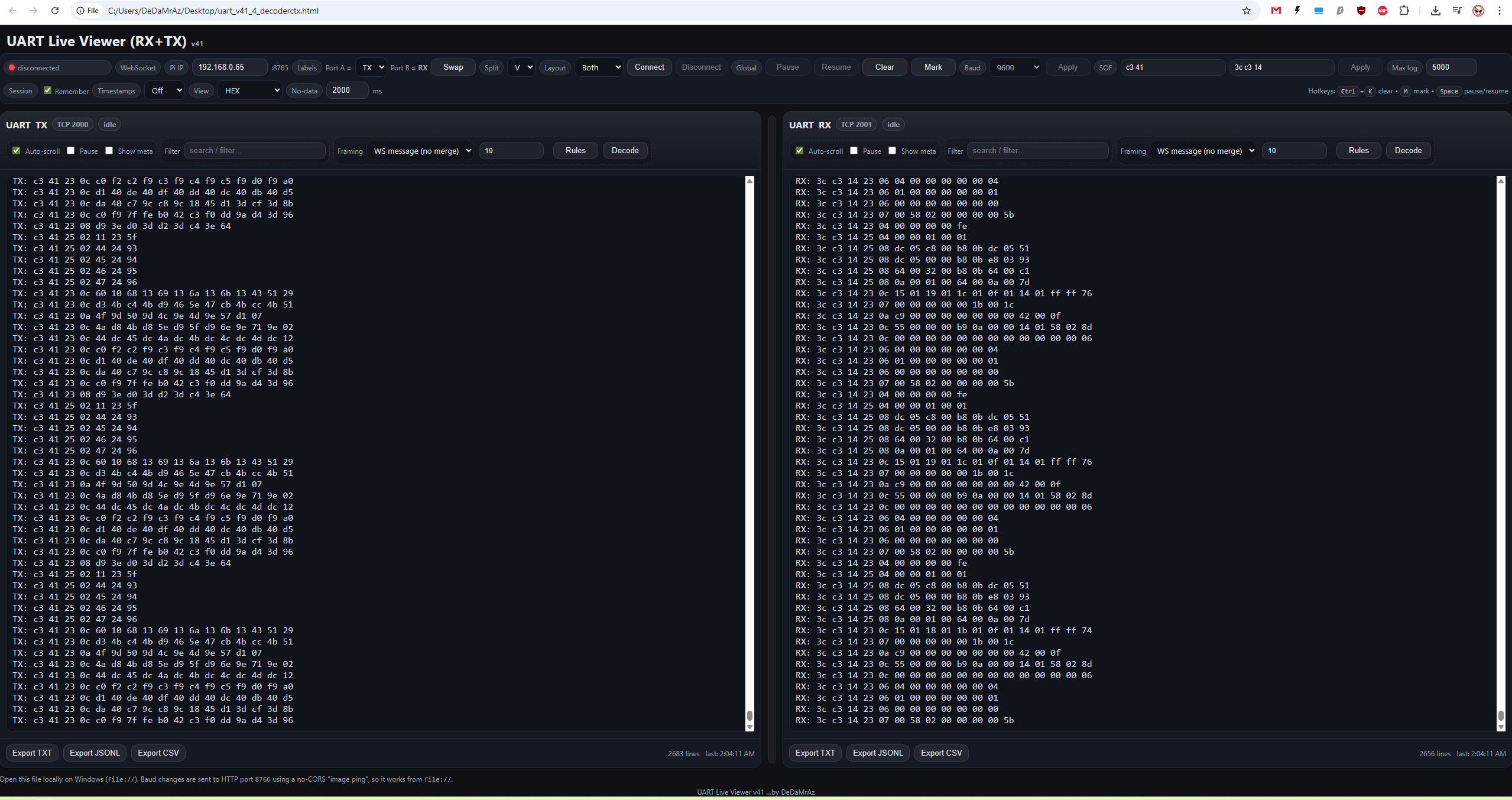
    Screenshot of UART Live Viewer software showing RX and TX data in HEX format.

    Final version of the RPi Zero W image will be uploaded soon together with wiring diagram and the HTML logger that works locally (not a server)....

    Weird timing issues should be resolved but I'd like to test it first on my own HW first and only then will I post everything.

    If anybody wishes to use this prerequisites are - RPi Zero W and CH342 board attached to OTG port and optionally ADUM1200 for isolation.
  • #44 21801472
    p.kaczmarek2
    Moderator Smart Home
    I think it would be worth to post it as a separate guide/tutorial, so more people can see it. It' not just Ariston Velis 80-only solution.
    Helpful post? Buy me a coffee.
  • #45 21803289
    geert2991
    Level 1  
    Hello everyone,

    I’m working on an Ariston Lydos Hybrid boiler and the internal electronics look very similar to what is discussed in this thread.

    The main control board uses an NXP MKE02Z64VLH4 microcontroller, and the optional Wi-Fi board contains an ESP32-WROOM-32D module.

    I’m fairly new to reverse engineering, but I’m trying to approach this methodically. So far I’ve been probing the GPIO lines on the ESP32 and I can clearly see serial activity, but it’s hard to analyze properly without the right tools. I’ve just ordered a cheap 24 MHz USB logic analyzer similar to the one used here.

    Between the MKE02 and the ESP32 I measure about 4.4 V on one of the communication lines.
    Question: is it safe to use the same low-cost logic analyzer for this, assuming I add a resistor divider or level shifting?

    I also made a full 4 MB flash dump of the ESP32 (ESP32-WROOM-32D), but most of the application area appears to be encrypted / high-entropy, so extracting protocol logic from the firmware doesn’t seem feasible.

    From the hardware side it looks like there are two main communication lines between the MKE02 and the ESP32:

    one line with a series resistor (likely MCU → ESP TX),

    one line going through transistor level shifting (likely ESP → MCU RX).

    I’m hoping the Lydos Hybrid uses the same UART-based protocol as the models discussed here , and that by sharing captures and observations we can help each other understand the protocol and eventually enable local control without cloud dependency.

    Any tips or confirmation from people who already captured this bus would be greatly appreciated(not sure its the same).

    Thanks!
  • #46 21803304
    DeDaMrAz
    Level 22  
    @geert2991

    Check this out for your product to avoid the headaches I am having - https://github.com/fustom/ariston-remotethermo-home-assistant-v3

    I am not relaying on the API I want to replace the WiFi and decode the protocol entirely and make this device convertible to OBK, but that is a process and a pain which I would not recommend.
  • ADVERTISEMENT
  • #47 21804926
    DeDaMrAz
    Level 22  
    I got a descent amount of data decoded, still working on verifying it but what I have for sure now are

    - power toggle
    - temp change (set temperature)
    - reading current temp value (value on the appliance screen)
    - reading set value
    - reading from both temperature probes (inlet tank - outlet tank)
    - time to set temp
    - number of showers counter
    - at least one heater state

    More to come....

    Figured I need to provide example:

    C3 41 33 04 79 2D B2 02 95 -> set temp command
    broken down it looks like this:
    C3 41 -> frame header
    33 -> WiFi CMD designator
    04 -> data length
    79 2D -> set/change temperature command 
    b2 02 -> u16 based LE temp/10 -> 2b2/10=69.0
    95 -> checksum
  • #48 21847065
    n1bs
    Level 3  
    >>21804926 Hello! Thank you very much for all your hard work! It's amazing how modern technologies can work for good things... and not good - dedicated closed clouds / separate app for each device in your home....

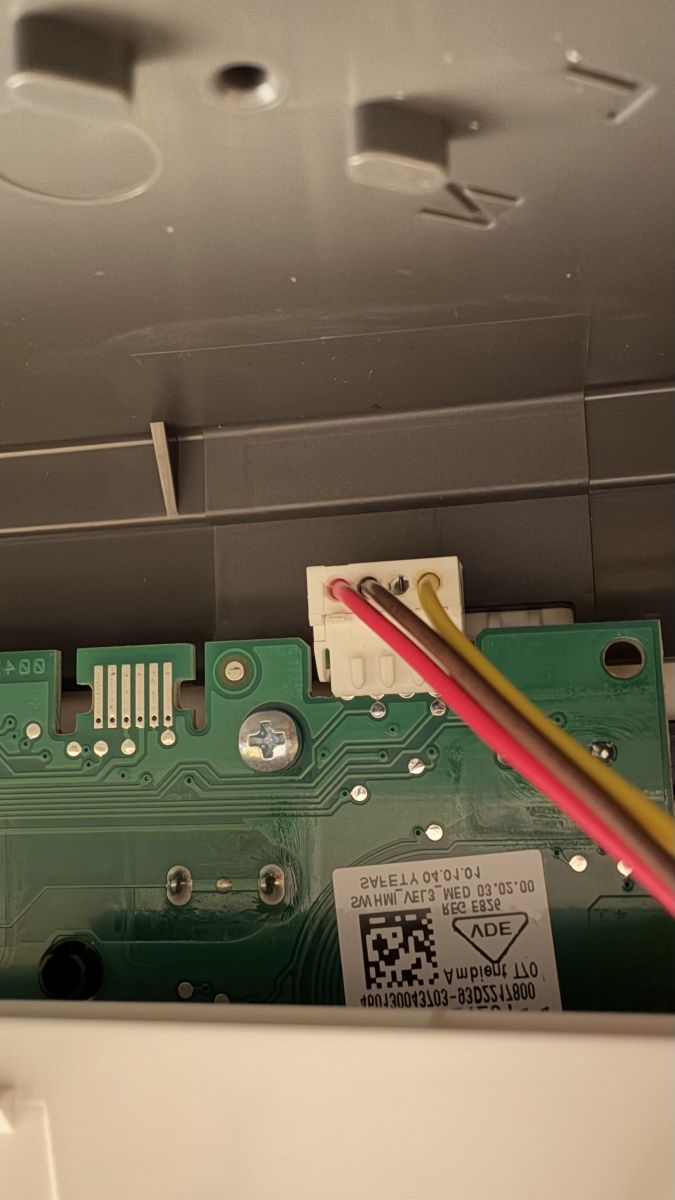
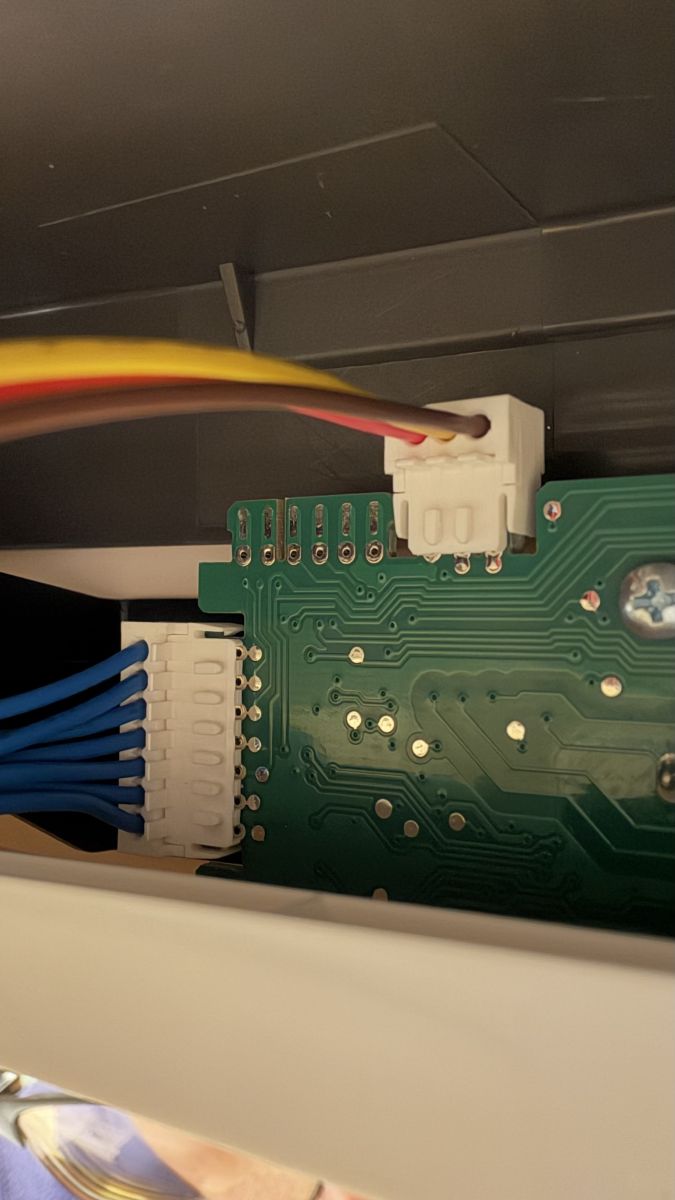
    I found this thread when was looking for potential automation for my boiler VELIS PRO 50 EU. This one has no wifi, and it's very different from past generation - boards are now split into "brain" and "power switches/relays". This boiler (NO WIFI) has pretty similar sensor board with 4 buttons and 2 indicators, same CPU and almost same sockets - just little bit different location.

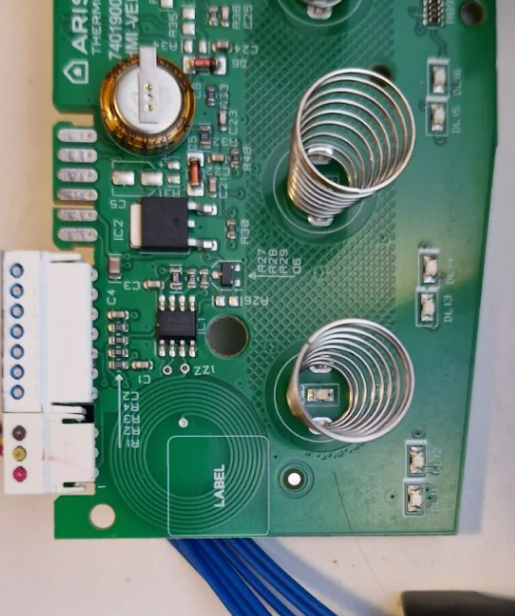
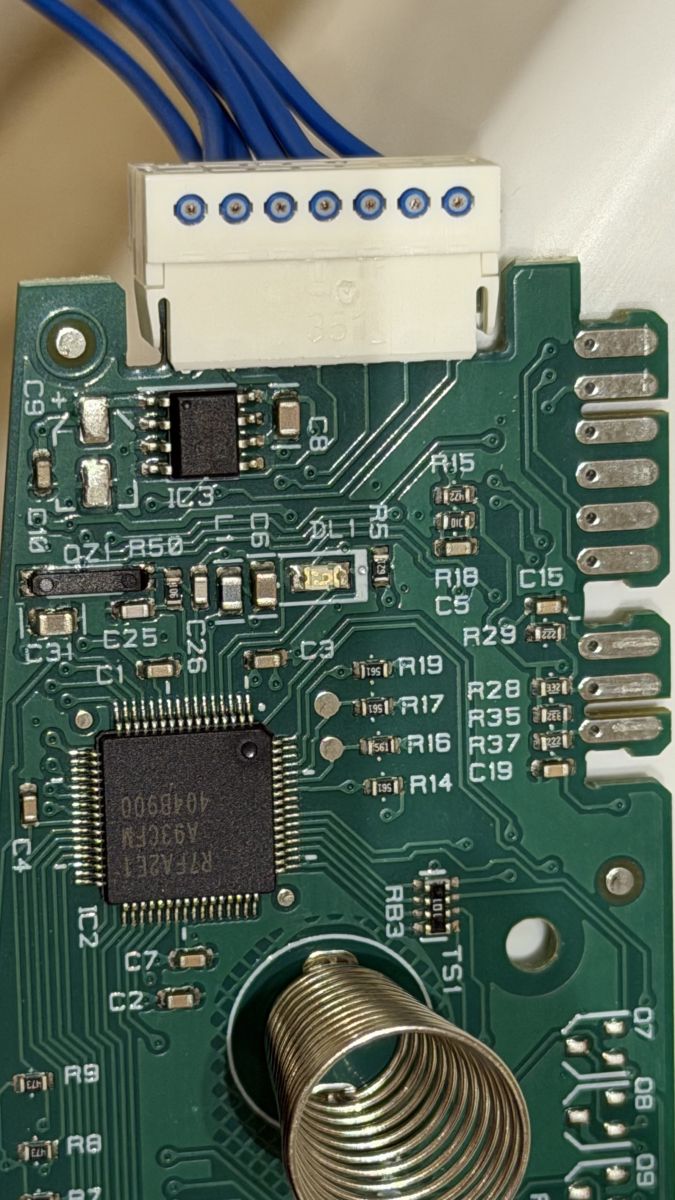
    I suspect that this serial interface can be the same (and firmware internally should be the same), and I hope it can be present on 2 "unused" sockets :
    Close-up of a PCB with a connector and three wires: red, brown, and yellow. Close-up of a PCB with white connectors and colored wires inside a device housing Close-up of a PCB with ICs, a white connector, blue wires, and a metal coil spring
    :
    Looking at MCU - pins 9/10 are hidden, so I will need to trace them tomorrow, or can just solder into these pins directly to see if any traffic is happening there.

    Maybe you have some working script to set temperature (or read it directly) through this serial port ? I see your commands/dumps and will probably write up some quick and dirty script to verify if it's possible to get any data from my version of mainboard, but if you already have something working - would appreciate to see example.

    I have analyzer / spare esp32 / orange pis / etc / bunch of usb-ttl converters to play.

    Hope to give some good news tomorrow!
  • #49 21847071
    DeDaMrAz
    Level 22  
    And I just now started writing the driver for OBK, literally this moment 😁

    Welcome to the party I guess. Form your pictures I don't see the entire board but what you can do is use your phone, power up NFC and bring it close to the board (usually near the edges) and read the NFC tag form it, that will tell you if that MCU has WiFi "talking capabilities".
  • #50 21847078
    n1bs
    Level 3  
    >>21847071 I'm pretty sure that it will not expose wifi through NFC info since there is no such device attached, and firmware would most probably pretend "as empty as possible".
    I'll open up case once again tomorrow to verify if these 2 empty connectors can be connected to MCU pins 9/10. I keep hope that one of these two ports would be service port for official diagnostic tools, and there must be UART exposed as well :)
  • #51 21847079
    DeDaMrAz
    Level 22  
    DeDaMrAz wrote:
    There is something else on the board that I somehow missed because I focused on the WiFi part of the board. There is a NFC tag on the board, not yet sure what it does but this is what can be read from it:
    Green PCB with coil springs and electronic components

    {
      "VER": "01",
      "R1": "0054",
      "R2": "00B4",
      "R3": "00C4",
      "R4": "0264",
      "R5": "0274",
      "R6": "0304",
      "ED": "03F4",
      "HFG": "000342422102",
      "HHW": "460130051002_93D2500900",
      "HHW_raw": "460130051002_93D2500900",
      "HSW": "660060273204_25.04.00",
      "HSN": "SERIAL_OMITTED",
      "TST": "PNNPNNN",
      "ECN": "93D2303400",
      "VER2": "01",
      "LD1": "NO",
      "LD2": "NO",
      "LD3": "00",
      "MKT": "EU",
      "TP1": "000",
      "TP2": "000",
      "TP3": "000",
      "WIF": "1",
      "INI": "0",
      "TMN": 40,
      "TMX": 80,
      "TSP": "01",
      "TDF": 70,
      "THY": 5,
      "ABT": 60,
      "ABD": 60,
      "ABF": 30,
      "ABS": 1,
      "ALT": 60,
      "ALS": 0,
      "AFT": 16,
      "AFH": 11,
      "ECT": 40,
      "ECS": 1,
      "QIK": 0,
      "AIO": "00",
      "AIS": "00",
      "AOO": "00",
      "AOS": "00",
      "SRT": 40,
      "SRS": 1,
      "HEF": 2,
      "LT1": 40,
      "LT2": 50,
      "LT3": 60,
      "LT4": 70,
      "LT5": 80,
      "LO1": 30,
      "LO2": 38,
      "LO3": 48,
      "LO4": 60,
      "LO5": 70,
      "DLY": 540,
      "BUZ": 1,
      "POS": "M",
      "CAI": 32,
      "CAO": 32,
      "DIA": 220,
      "PI1": 1500,
      "PI2": 0,
      "PO1": 1500,
      "PO2": 0,
      "CK3": "555A",
      "TFG": "XXXXXXXXXXXX",
      "NIN": "XXXXXXXXXXXX",
      "NOU": "XXXXXXXXXXXX",
      "BFG": "3100946",
      "PLT": 5,
      "YDY": 25169,
      "BSN": 4430416,
      "NFC": "X",
      "SAT": "XXXXXXXXXXXX",
      "R1C": "000008",
      "R2C": "000038",
      "R3C": "000000",
      "H1H": "000000",
      "H2H": "000002",
      "H3H": "000000",
      "PSO": "000007",
      "PSK": "000001",
      "POH": "000024",
      "ER1": "XXX",
      "ER2": "XXX",
      "ER3": "XXX",
      "ER4": "XXX",
      "ER5": "XXX",
      "LMD": "MAN",
      "LTS": 70,
      "LAB": 1,
      "MAC": "MAC_OMITTED",
      "WSN": "SERIAL_OMITTED"
    }


    It's obvious from the capture that some of these values can be seen in the captured traffic but I am yet to corelate them and understand their meaning.
    See this post, even the older models have the NFC tag in them, I got "rubber buttons" one and a newer model with touch controls and both have the NFC in it and no wifi

    This is the content of mine, where "WIF" 1 is wifi "stack" is enabled and "MAC" and "WSN" are module related, look for that as the easiest "win".

    Added after 4 [minutes]:


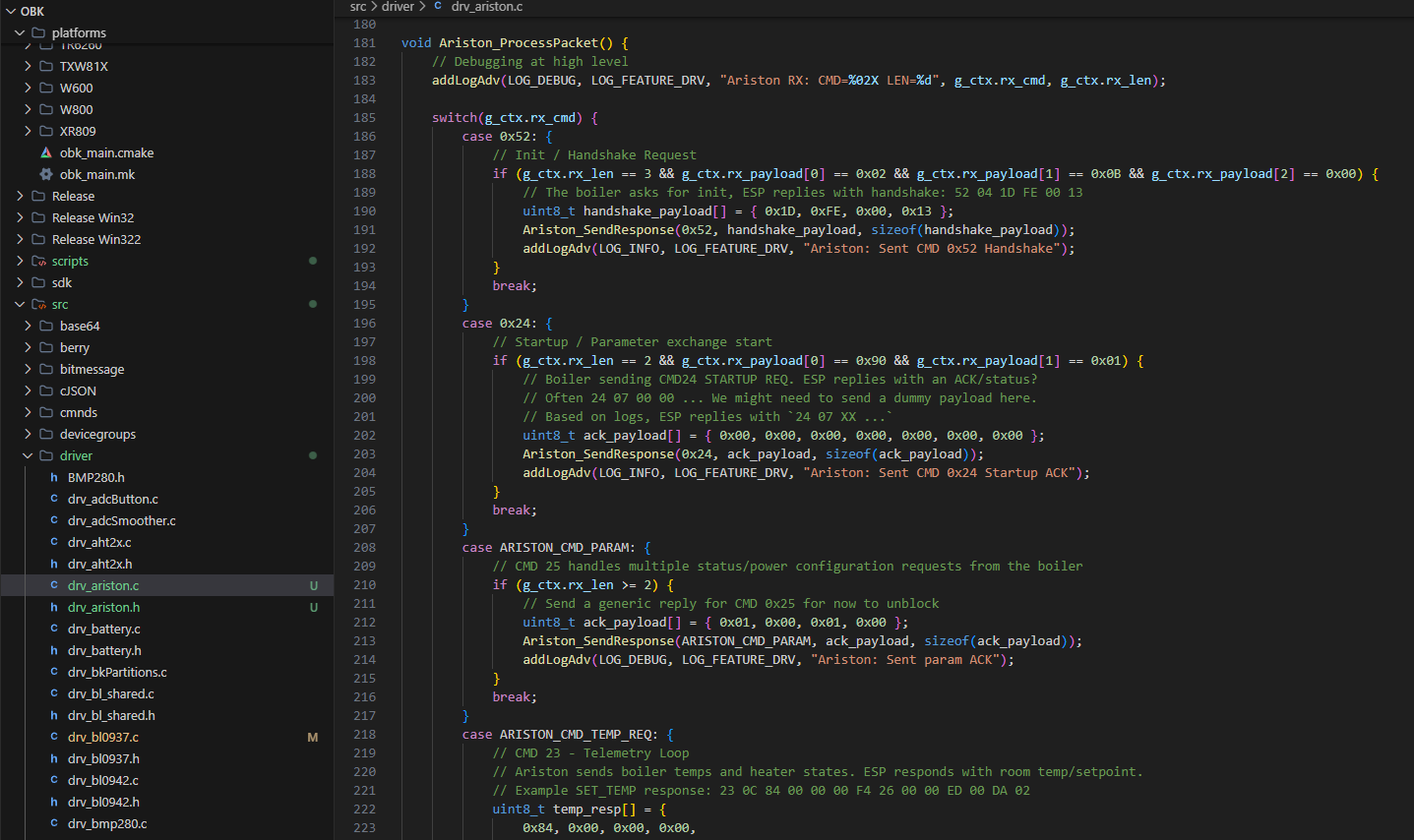
    Screenshot of a code editor showing drv_ariston.c with a project tree on the left

    i will play around with the driver as soon as time permits but I at least started, still waiting for some HW to move on to real tests.
  • #52 21847222
    n1bs
    Level 3  
    >>21847079 Heh, no easy wins, unfortunately :)
    NFC works, and that seems like easy diagnostic as well. Now I'm curious if it would accept parameters when we try to write to it, but that protocol probably would be impossible to guess without info from ariston. As there is no physical wifi board I believe MCU will not show WIF since it's not initialised. Otherwise here is my NFC info:
    ---
    VER=01
    R1=0054
    R2=00B4
    R3=00C4
    R4=0264
    R5=0274
    R6=0304
    ED=03F4

    HFG=000303024201
    HHW=460130043703_93D2217800
    HSW=660060273302_03.02.00
    HSN=24xxxxxxxxx11

    TST=PNNPNNN

    ECN=93D2303400
    VER=01
    LD1=NO
    LD2=NO
    LD3=00
    MKT=EU
    TP1=000
    TP2=000
    TP3=000
    WIF=0
    INI=0
    TMN=40
    TMX=80
    TSP=01
    TDF=70
    THY=05
    ABT=60
    ABD=60
    ABF=30
    ABS=1
    ALT=60
    ALS=0
    AFT=16
    AFH=11
    ECT=40
    ECS=1
    QIK=0
    AIO=00
    AIS=00
    AOO=00
    AOS=00
    SRT=40
    SRS=1
    HEF=2
    LT1=40
    LT2=50
    LT3=60
    LT4=70
    LT5=80
    LO1=30
    LO2=38
    LO3=48
    LO4=60
    LO5=70
    DLY=540
    BUZ=1
    POS=M
    CAI=022
    CAO=022
    DIA=220
    PI1=1500
    PI2=0000
    PO1=1500
    PO2=0000
    CK3=5557


    TFG=XXXXXXXXXXXX
    NIN=XXXXXXXXXXXX
    NOU=XXXXXXXXXXXX
    BFG=3626135
    PLT=WU
    YDY=24209
    BSN=2100490
    NFC=X
    SAT=XXXXXXXXXXXXX

    R1C=002746
    R2C=000641
    R3C=000000
    H1H=000685
    H2H=000123
    H3H=000000
    PSO=000006
    PSK=000001
    POH=005828
    ER1=XXX
    ER2=XXX
    ER3=XXX
    ER4=XXX
    ER5=XXX
    LMD=MAN
    LTS=60
    LAB=1
    MAC=XX:XX:XX:XX:XX:XX
    WSN=XXXXXXXXXXXX
    ---
  • #53 21847323
    sq3evp
    Level 39  
    I have a Velis without WiFi and was wondering how to get the status from the LEDs and the temperature. If WiFi was added, it would probably be possible to control it as well - in fact, it is a touch panel and is probably connected to the board in some way, which could simulate pressing buttons remotely.
  • #54 21847935
    n1bs
    Level 3  
    After hours of testing different sets of pins / pads rights on the mainboard, I did not succeed at all. Found 2 pads that simulate "+" and "-" sensor clicks (i.e. setting temp lower/higher), which can be used to emulate button press to setup temperature, but without source of "current" temperature - it's useless. Also found "power" button and MCU Reset pad. All other pads seems not digital, but either analogue or unrelated.

    Few pads show square wave, but all near ones keep silence - not sure if it's some other kind of debug ports or not. Unfortunately I have no oscilloscope at that moment, only logic analyser.

    Question about MCU pins 9/10 (used in wifi mode to talk to ESP32) - are they active from powerON? i.e. - who is initiating chat - MCU or ESP32 inform MCU about it's own presence ? May be I need to supply start sequence somewhere to enable 5V_UART on MCU.
  • #55 21847942
    DeDaMrAz
    Level 22  
    I need to finish the driver and tests for this board first, I have another board and the table to play around with but it has to wait until I finish the driver. I'll share more details once I complete this task.
  • #56 21848596
    n1bs
    Level 3  
    >>21847942 I'm starting to think that it can be worth to implement custom control board for this boiler and just leave power board on place. I love the idea to control native/certified pcb, but if that would be impossible or would require serious modification - it can be worth to just do custom board connected to esp32 and that would natively work with home assistant.

    Can't wait to hear your ideas :)
  • #57 21848993
    DeDaMrAz
    Level 22  
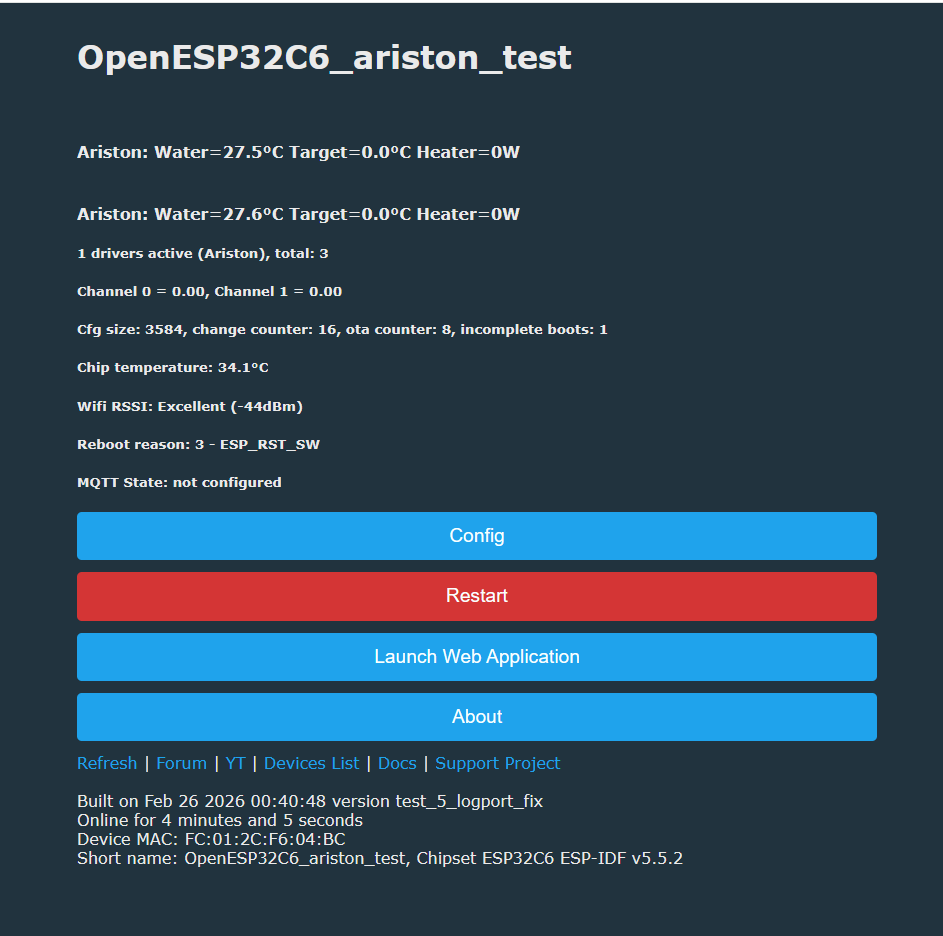
    OpenESP32C6_ariston_test status screen with temperature readings, Wi‑Fi RSSI, and Config/Restart buttons

    Initial startup is done, onboard MCU now recognizes my ESP replacement and is giving me a basic reading.... to be continued...


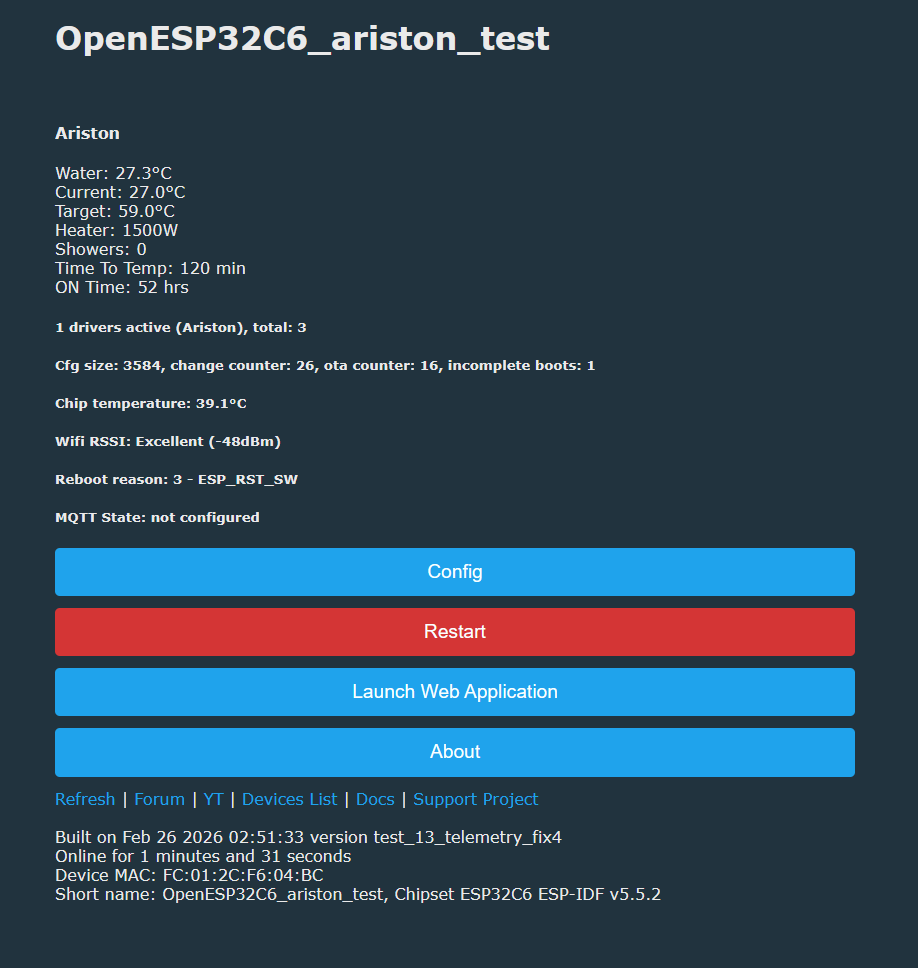
    Screenshot of OpenESP32C6_ariston_test status page with temperature readings and Config/Restart buttons
    
    Info:CMD:[WebApp Cmd 'logfeature 1 0' Result] OK
    Info:DRV:Ariston: Target=59.0°C, Current=25.6°C
    Info:DRV:Ariston: Showers=0, TimeToTemp=120
    Info:DRV:Ariston: Heater power=1500W
    Info:DRV:Ariston: On Time=58
    Info:DRV:Ariston: Water temp=27.2°C
    Info:DRV:Ariston: Target=59.0°C, Current=25.6°C
    Info:DRV:Ariston: Showers=0, TimeToTemp=120
    Info:DRV:Ariston: On Time=58
    Info:DRV:Ariston: Water temp=27.2°C
    Info:DRV:Ariston: Target=59.0°C, Current=25.6°C
    Info:DRV:Ariston: Showers=0, TimeToTemp=120
    Info:DRV:Ariston: Heater power=1500W
    Info:DRV:Ariston: On Time=58
    Info:DRV:Ariston: Water temp=27.2°C
    Info:DRV:Ariston: Target=59.0°C, Current=25.6°C
    Info:DRV:Ariston: Heater power=1500W
    Info:DRV:Ariston: On Time=58

    Initial readings are working, next would be to get some actions in there and ON/OFF button for example... stay tuned...

    @insmod any particular reason logport change was not implemented in ESP as well as dual (concurrent) UART's?
  • #58 21849002
    insmod
    Level 31  
    >>21848993
    Log port change has been beken only until recently, but I implemented it for ln882h. And dual UART was added long after ESP was ported.
  • #59 21849142
    DeDaMrAz
    Level 22  
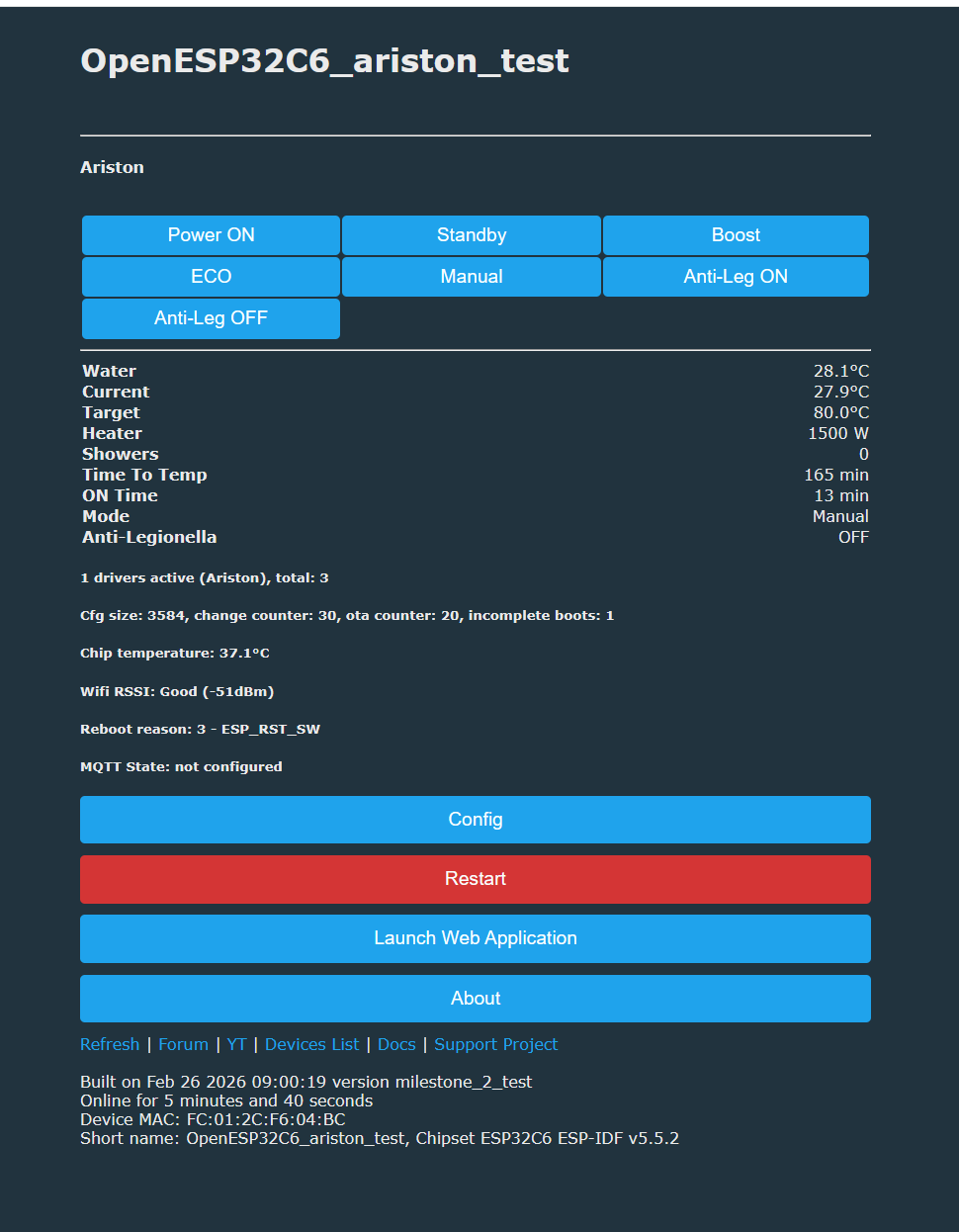
    first iteration test

    Screenshot of OpenESP32C6_ariston_test dashboard with control buttons and temperature readouts

    Control plain is being implemented and tested now. UI test and commands work, what is left to do is just to polish the driver, figure out correct feature implementation and publish that to HA....
  • #60 21849235
    p.kaczmarek2
    Moderator Smart Home
    Yess! Is it stable? Can you test it with water and check if you're really able to set target temp, and does it reach it and turn off?
    Helpful post? Buy me a coffee.
📢 Listen (AI):

Topic summary

The discussion focuses on the Ariston Velis 80 Wi-Fi electric water heater, exploring its hardware architecture, Wi-Fi module integration, and potential for firmware modification. The device includes two heaters and two temperature sensors per tank, likely enabling selective heating based on temperature differentials to maintain constant outlet temperature. The Wi-Fi module is based on an ESP32 chip with a 5V UART interface, connected only to test points on the board, complicating direct firmware flashing due to flash encryption and locked re-flash via UART. The community is analyzing the communication protocol between the MCU and Wi-Fi module using logic analyzers and PulseView with custom UART decoders, aiming to decode intermediate frames and commands. The device also features an RTC crystal with a supercapacitor backup and an NFC tag containing device metadata. Discussions include the possibility of replacing the Wi-Fi module with alternative ESP32 or ESP8266 modules, considering level shifting for UART signals. The goal is to develop open-source firmware to enable local control without reliance on manufacturer cloud services, enhancing user control and privacy. Service and maintenance aspects are also covered, including heater cleaning and magnesium electrode replacement every two years, with references to official manuals and service diagrams. The Wi-Fi functionality facilitates remote control and installation flexibility, although the hardware design imposes challenges for modification and firmware replacement.
Summary generated by the language model.
ADVERTISEMENT