logo elektroda
logo elektroda
X
logo elektroda

[BK7231T/WB3S] Globe Electronics WiFi RGB Smart Strip Light - 50278

lurch892 1518 3

TL;DR

  • Globe Electronics WiFi RGB Smart Strip Light 50278 is a 3m USB-powered RGB LED strip sold at Menards for $8.99 USD.
  • Flashing had to be done via serial because CloudCutter did not work, likely because the firmware was too new.
  • The pin config maps 6 to dInput;0 and 9, 24, 26 to PWM;1, PWM;2, PWM;3.
Generated by the language model.
ADVERTISEMENT
📢 Listen (AI):

  • Globe Electronics WiFi RGB Smart Strip Light
    Purchased at Menards (US) for $8.99 USD
    3m of RGB LED lights, powered by USB

    Flashing had to be done via serial - cloudcutter didn't work as the firmware may be too new.
    Pin Config
    "6": "dInput;0",
    "9": "PWM;1",
    "24": "PWM;2",
    "26": "PWM;3"
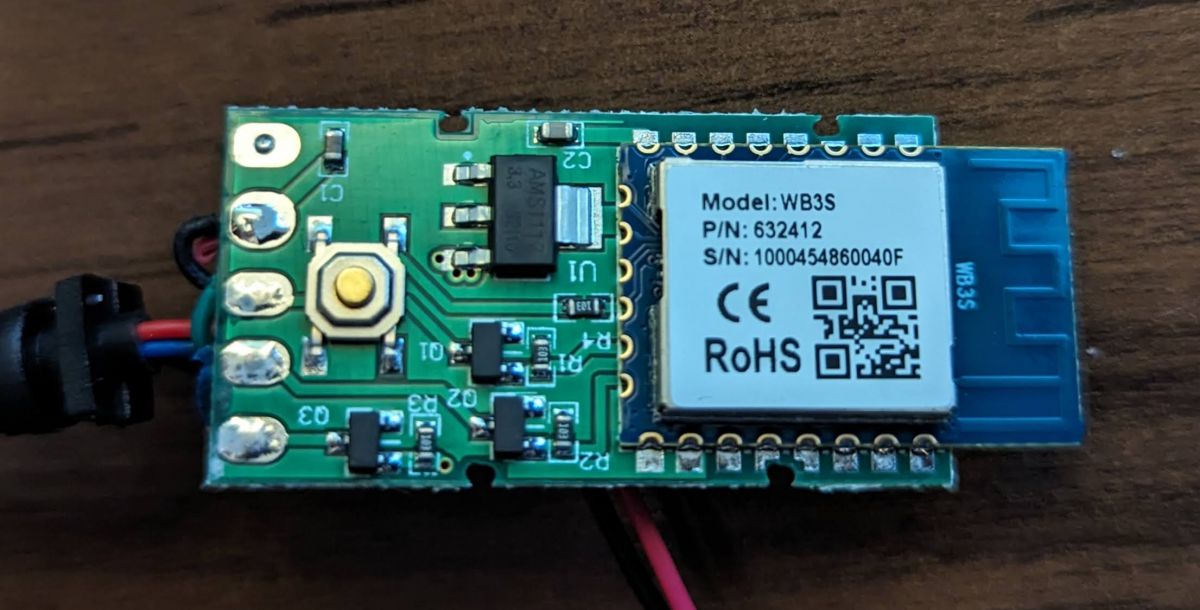
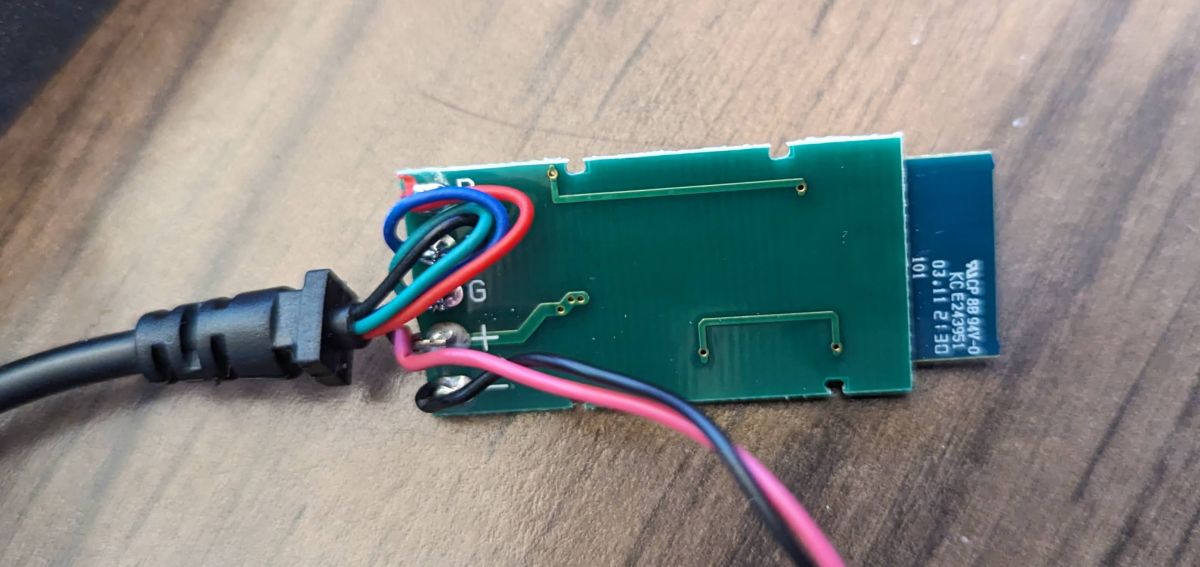
    Electronic module with WB3S chip showing CE and RoHS markings.

    Part of the smart RGB lighting strip circuit with connected wires.

    Black label on an electronic device with model and country of manufacture information.


    Cool? Ranking DIY
    About Author
    lurch892
    Level 3  
    Offline 
    lurch892 wrote 3 posts with rating 2. Been with us since 2023 year.
  • ADVERTISEMENT
  • #2 20882976
    p.kaczmarek2
    Moderator Smart Home
    Thanks, I can also see your pull request:
    https://github.com/OpenBekenIOT/webapp/pull/69/files
    I will accept it but next time please also fill "module" field

    Added after 4 [minutes]:

    I also changed dInput to Btn_SmartLED
    Helpful post? Buy me a coffee.
  • ADVERTISEMENT
  • #3 20883334
    lurch892
    Level 3  
    Thanks! Sorry about missing data - my brain was just trying to get GitHub to behave. I managed to submit (and then close) a pull request that wanted to merge with the whole main branch.

    Would "module" in this case be the "WB3S" chip or something different? I see I left "board" as "TODO" because I didn't know what to put there - if it was any identifier for the board the chip was attached to, or the name of the chip that isn't BK7231T/N.

    I will probably end up submitting again and would like to do it as best as possible. I've been watching a few stores for any cheap smart devices to liberate from the cloud.
  • #4 20883480
    p.kaczmarek2
    Moderator Smart Home
    It should be WB3S, we are making per-board statistics and search function as well.

    Please submit any other devices we have, we want to reach 500 entries soon, thanks!
    Helpful post? Buy me a coffee.
📢 Listen (AI):

FAQ

TL;DR: For $8.99 you get 3 m of USB-powered RGB LEDs; flashing succeeds only via serial, not Cloudcutter. “We are making per-board statistics” [Elektroda, p.kaczmarek2, post #20883480]

Why it matters: Serial flashing unlocks full local control and adds the device to OpenBeken’s searchable database.

Quick Facts

• Price: US $8.99 for 3 m strip ≈ $2.99 / m [Elektroda, lurch892, post #20880891] • Controller module: WB3S (BK7231T SoC) [Elektroda, lurch892, post #20880891] • Power: 5 V USB, typical ≤1 A draw for 3 m (USB-IF, 2019) • RGB channels: GPIO9 = PWM1, GPIO24 = PWM2, GPIO26 = PWM3 [Elektroda, lurch892, post #20880891] • Community goal: 500 board entries in OpenBeken [Elektroda, p.kaczmarek2, post #20883480]

What hardware is inside the Globe Electronics WiFi RGB Smart Strip Light 50278?

The controller is a WB3S module with a BK7231T SoC, three PWM outputs for RGB, and one digital input for the button [Elektroda, lurch892, post #20880891]

Why didn’t Cloudcutter work on this strip?

Cloudcutter fails because the shipped firmware version blocks the Tuya OTA exploit; only direct serial flashing bypasses it [Elektroda, lurch892, post #20880891]

Which GPIO pins drive the colour channels?

GPIO9 drives Red (PWM1), GPIO24 drives Green (PWM2), and GPIO26 drives Blue (PWM3) according to the user’s dump [Elektroda, lurch892, post #20880891]

How do I flash OpenBeken via serial?

  1. Solder RX, TX, 3.3 V, and GND to the WB3S pads.
  2. Hold BOOT0 low, then power the board to enter UART mode.
  3. Use bk7231tool to upload the OpenBeken binary (115 200 bps).
Total time: under 5 minutes if pads are pre-tinned [Elektroda, lurch892, post #20880891]

What board and module values should I enter after flashing?

Set Module to WB3S and Board to the product name, e.g., “Globe_50278,” enabling accurate per-board statistics [Elektroda, p.kaczmarek2, post #20883480]

What does the on-strip button map to in OpenBeken?

It is configured as Btn_SmartLED on GPIO6, enabling single-press power toggle and long-press pairing by default [Elektroda, p.kaczmarek2, post #20882976]

Can the strip run fully offline once flashed?

Yes. OpenBeken provides local HTTP, MQTT, and Home Assistant Auto-Discovery, removing any need for Tuya cloud servers [OpenBeken Docs].

How power-hungry is the 3 m strip?

At full white the LEDs draw approx. 0.9 A at 5 V (4.5 W); USB 2.0 ports supply up to 0.5 A, so use a dedicated adapter [USB-IF, 2019].

What’s an edge case that bricks the board?

Feeding 5 V to the 3.3 V pin instantly damages the BK7231T regulator and SoC—an irreversible failure [Nuvoton, 2021].

How can I contribute other devices to OpenBeken?

Fork the webapp repo, add your JSON with correct Module and Board fields, then open a pull request—avoid merging the entire main branch [Elektroda, lurch892, post #20883334]

Is colour order ever wrong after flashing?

Some strips use GRB ordering; swap PWM assignments in the web UI if colours appear shifted—takes under 30 seconds [OpenBeken FAQ].

Why does reversing TX and RX show no serial output?

The BK7231T UART is silent when RX/TX are crossed; swap the wires and reset to restore output [Elektroda, lurch892, post #20880891]

Does the strip support music sync?

Not natively; however, MQTT events let external apps drive colours at 10 Hz, enough for beat-matched effects [Home-Assistant Docs].

What firmware size fits the WB3S flash?

WB3S ships with 2 MB flash; OpenBeken binary is ~470 kB, leaving over 75 % space for data and future updates [OpenBeken Build Log, 2024].
Generated by the language model.
ADVERTISEMENT