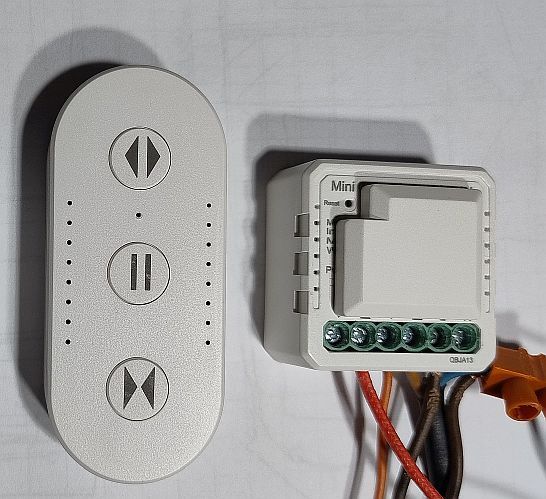

![[CBLC9/BK7231N] RTX WCM1MR roller shutter controller with GPIO output](https://obrazki.elektroda.pl/8932731700_1679657680.jpg "[CBLC9/BK7231N] RTX WCM1MR roller shutter controller with GPIO output")
I invite you to a brief description of the interior and firmware changes of the RTX WCM1MR roller shutter controller, bought from a Polish mail order shop for about 70 PLN. Here I will discuss how to conveniently access the RX/TX pads of the CBLC9 WiFi module from the inside and show how to upload OpenBeken to it in order to free it from the cloud and connect it to Home Assistant. Due to the lack of blinds to test, I'll leave the blind calibration and scripting itself for later. If anything, I can always recommend you a topic on roller shutters developed by our US user, available here:
https://www.elektroda.pl/rtvforum/topic3972935.html
Purchase RTX TUYA WiFi WCM1MR
I got the product from a reader to change the batch, Below is a screenshot from the auction:
![[CBLC9/BK7231N] RTX WCM1MR roller shutter controller with GPIO output](https://obrazki.elektroda.pl/4505180200_1679658393.png "[CBLC9/BK7231N] RTX WCM1MR roller shutter controller with GPIO output")
The product features the ability to plug in RF control, there is a connector on the casing for this. Apart from this, there is only WiFi. The product is realised on the BK7231, as evidenced by the information about Bluetooth pairing (but only pairing, not control) provided by the seller:
![[CBLC9/BK7231N] RTX WCM1MR roller shutter controller with GPIO output](https://obrazki.elektroda.pl/8450506400_1679658466.png "[CBLC9/BK7231N] RTX WCM1MR roller shutter controller with GPIO output")
This is the connection diagram:
![[CBLC9/BK7231N] RTX WCM1MR roller shutter controller with GPIO output](https://obrazki.elektroda.pl/5108403000_1679658524.png "[CBLC9/BK7231N] RTX WCM1MR roller shutter controller with GPIO output")
The control of the roller shutter is simple - there are two relays, they cannot both let off current at the same time, switching on one makes the roller shutter go up, in turn the other is responsible for making it go down. The times at which the roller shutter opens/closes are configurable. The application can track to what extent it has already opened the roller shutter.
Contents of the kit
Will there at least still be fixings in the kit this time? No, there is only the relay itself, no screws:
![[CBLC9/BK7231N] RTX WCM1MR roller shutter controller with GPIO output](https://obrazki.elektroda.pl/4406876300_1679661903.jpg "[CBLC9/BK7231N] RTX WCM1MR roller shutter controller with GPIO output")
![[CBLC9/BK7231N] RTX WCM1MR roller shutter controller with GPIO output](https://obrazki.elektroda.pl/2538066500_1679661903.jpg "[CBLC9/BK7231N] RTX WCM1MR roller shutter controller with GPIO output")
![[CBLC9/BK7231N] RTX WCM1MR roller shutter controller with GPIO output](https://obrazki.elektroda.pl/3960554000_1679661903.jpg "[CBLC9/BK7231N] RTX WCM1MR roller shutter controller with GPIO output")
![[CBLC9/BK7231N] RTX WCM1MR roller shutter controller with GPIO output](https://obrazki.elektroda.pl/1169167400_1679661911.jpg "[CBLC9/BK7231N] RTX WCM1MR roller shutter controller with GPIO output")
![[CBLC9/BK7231N] RTX WCM1MR roller shutter controller with GPIO output](https://obrazki.elektroda.pl/1381764400_1679661913.jpg "[CBLC9/BK7231N] RTX WCM1MR roller shutter controller with GPIO output")
Unfortunately there is not even anything to comment on here.
Inside of the controller Undo the cover with a screwdriver and look inside.
![[CBLC9/BK7231N] RTX WCM1MR roller shutter controller with GPIO output](https://obrazki.elektroda.pl/5189791300_1679662263.jpg "[CBLC9/BK7231N] RTX WCM1MR roller shutter controller with GPIO output")
Bottom of the PCB - what is responsible for the power supply?
![[CBLC9/BK7231N] RTX WCM1MR roller shutter controller with GPIO output](https://obrazki.elektroda.pl/5566916500_1679662263.jpg "[CBLC9/BK7231N] RTX WCM1MR roller shutter controller with GPIO output")
![[CBLC9/BK7231N] RTX WCM1MR roller shutter controller with GPIO output](https://obrazki.elektroda.pl/8611060300_1679662262.jpg "[CBLC9/BK7231N] RTX WCM1MR roller shutter controller with GPIO output")
![[CBLC9/BK7231N] RTX WCM1MR roller shutter controller with GPIO output](https://obrazki.elektroda.pl/8520380700_1679662272.jpg "[CBLC9/BK7231N] RTX WCM1MR roller shutter controller with GPIO output")
![[CBLC9/BK7231N] RTX WCM1MR roller shutter controller with GPIO output](https://obrazki.elektroda.pl/9658096200_1679662274.jpg "[CBLC9/BK7231N] RTX WCM1MR roller shutter controller with GPIO output") As far as I can see this is a BP2571, am I reading this right? Probably a step down inverter again.
As far as I can see this is a BP2571, am I reading this right? Probably a step down inverter again.
Now the top view:
![[CBLC9/BK7231N] RTX WCM1MR roller shutter controller with GPIO output](https://obrazki.elektroda.pl/6110861600_1679662543.jpg "[CBLC9/BK7231N] RTX WCM1MR roller shutter controller with GPIO output")
![[CBLC9/BK7231N] RTX WCM1MR roller shutter controller with GPIO output](https://obrazki.elektroda.pl/2847271400_1679662543.jpg "[CBLC9/BK7231N] RTX WCM1MR roller shutter controller with GPIO output")
![[CBLC9/BK7231N] RTX WCM1MR roller shutter controller with GPIO output](https://obrazki.elektroda.pl/8854824800_1679662543.jpg "[CBLC9/BK7231N] RTX WCM1MR roller shutter controller with GPIO output") .
. ![[CBLC9/BK7231N] RTX WCM1MR roller shutter controller with GPIO output](https://obrazki.elektroda.pl/4152065500_1679662553.jpg "[CBLC9/BK7231N] RTX WCM1MR roller shutter controller with GPIO output")
![[CBLC9/BK7231N] RTX WCM1MR roller shutter controller with GPIO output](https://obrazki.elektroda.pl/9948256800_1679662553.jpg "[CBLC9/BK7231N] RTX WCM1MR roller shutter controller with GPIO output")
![[CBLC9/BK7231N] RTX WCM1MR roller shutter controller with GPIO output](https://obrazki.elektroda.pl/3754881300_1679662560.jpg "[CBLC9/BK7231N] RTX WCM1MR roller shutter controller with GPIO output") .
.On top you can see two 005DC-HS2 relays, part of the power supply circuit (there is also a fuse resistor), the LDO AMS1117-3.3V stabilizer, and, well, the WiFi module...
What is the WiFi module?
![[CBLC9/BK7231N] RTX WCM1MR roller shutter controller with GPIO output](https://obrazki.elektroda.pl/4405558400_1679664114.jpg "[CBLC9/BK7231N] RTX WCM1MR roller shutter controller with GPIO output")
![[CBLC9/BK7231N] RTX WCM1MR roller shutter controller with GPIO output](https://obrazki.elektroda.pl/3687932100_1679664114.jpg "[CBLC9/BK7231N] RTX WCM1MR roller shutter controller with GPIO output")
![[CBLC9/BK7231N] RTX WCM1MR roller shutter controller with GPIO output](https://obrazki.elektroda.pl/4442904500_1679664114.jpg "[CBLC9/BK7231N] RTX WCM1MR roller shutter controller with GPIO output")
CBLC9, which is a module based on BK7231N.
![[CBLC9/BK7231N] RTX WCM1MR roller shutter controller with GPIO output](https://obrazki.elektroda.pl/1999675200_1679664147.png "[CBLC9/BK7231N] RTX WCM1MR roller shutter controller with GPIO output")
| Pin number | Symbol | I/O type | Function | |
| 1 | P9 | I/O | Support hardware PWM and correspond to P9 on the internal IC | |
| 2 | P8 | I/O | Common I/O pin and correspond to P8 on the internal IC | |
| 3 | P6 | I/O | Support hardware PWM and correspond to P6 on the internal IC | |
| 4 | P7 | I/O | Support hardware PWM and correspond to P7 on the internal IC | |
| 5 | P24 | I/O | Support hardware PWM and correspond to P24 on the internal IC | |
| 6 | VCC | P | Power supply pin (3.3V) | |
| 7 | P26 | I/O | Support hardware PWM and correspond to P26 on the internal IC | |
| 8 | GND | P | Power supply reference ground |
I soldered the module and did a PCB analysis:
![[CBLC9/BK7231N] RTX WCM1MR roller shutter controller with GPIO output](https://obrazki.elektroda.pl/3694927900_1679665009.jpg "[CBLC9/BK7231N] RTX WCM1MR roller shutter controller with GPIO output")
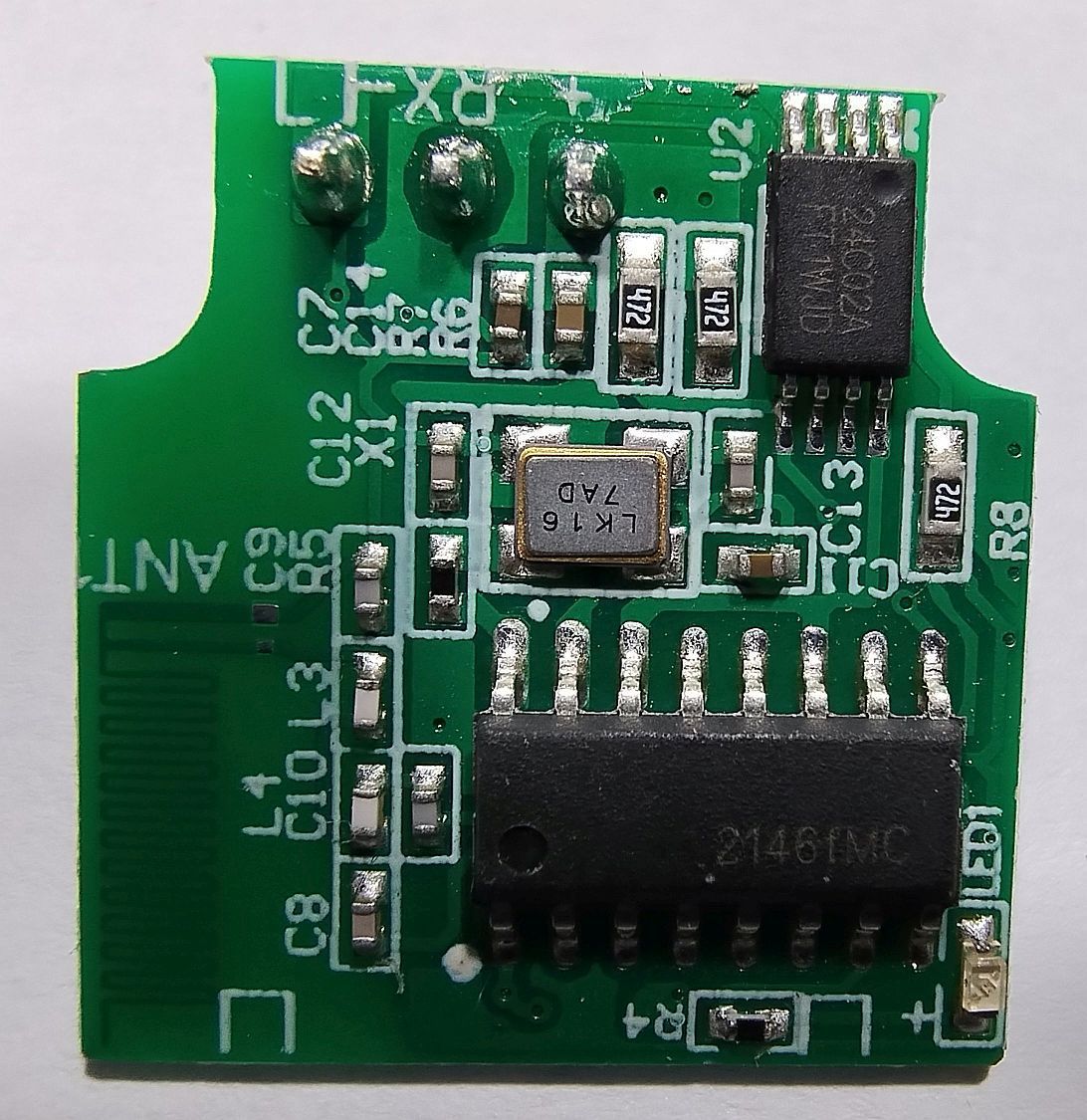
The RF connector has RX1, ground and 3.3V.
Buttons from the roller shutter control are connected via resistors and diodes to the bases of Q5 and Q4 (2300), in turn the status on their drains are tested by P26 and P6. The pairing button is on P24, the LED is on P8. The other two GPIOs, P7 and P9 handle the relays, controlling them via Q1 and Q2.
The OpenBeken template can be made based on this :
Code: JSON
Project repository: https://github.com/openshwprojects/OpenBK7231T_App
List of supported devices: https://openbekeniot.github.io/webapp/devicesList.html
Change firmware The easiest way is to solder out the whole WiFi module and use my tool for programming, instructions on the repository:
https://github.com/openshwprojects/BK7231GUIFlashTool
I apply flux, remove the bond with a braid and the module falls out of the PCB by itself. Here I still have to desolder the RF cable.
![[CBLC9/BK7231N] RTX WCM1MR roller shutter controller with GPIO output](https://obrazki.elektroda.pl/9305406700_1679665337.jpg "[CBLC9/BK7231N] RTX WCM1MR roller shutter controller with GPIO output")
![[CBLC9/BK7231N] RTX WCM1MR roller shutter controller with GPIO output](https://obrazki.elektroda.pl/8697118200_1679665336.jpg "[CBLC9/BK7231N] RTX WCM1MR roller shutter controller with GPIO output")
I connect only RX and TX, ground and 3.3V (I have an LDO on the pin) and this is enough to upload the batch:
![[CBLC9/BK7231N] RTX WCM1MR roller shutter controller with GPIO output](https://obrazki.elektroda.pl/6673076800_1679665379.jpg "[CBLC9/BK7231N] RTX WCM1MR roller shutter controller with GPIO output")
![[CBLC9/BK7231N] RTX WCM1MR roller shutter controller with GPIO output](https://obrazki.elektroda.pl/9785076900_1679665379.jpg "[CBLC9/BK7231N] RTX WCM1MR roller shutter controller with GPIO output") Then the module goes back politely into place (I catch one pad with a solder, then solder the others):
Then the module goes back politely into place (I catch one pad with a solder, then solder the others):
![[CBLC9/BK7231N] RTX WCM1MR roller shutter controller with GPIO output](https://obrazki.elektroda.pl/6781001700_1679665405.jpg "[CBLC9/BK7231N] RTX WCM1MR roller shutter controller with GPIO output")
. Summary
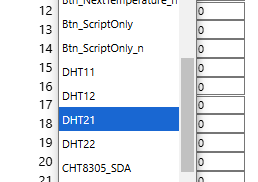
Changing the batch requires soldering out the CBLC9 module, but this is not difficult at all. An extra RF slot leads to the RX1 pin, this can be used, e.g. by connecting DHT11 or another sensor (we just happen to have 3.3V, GND and one GPIO lead out, just in time!), all this OpenBeken already supports, you just have to remember here that the power supply used in this product does not provide galvanic separation, so any playing around with it and connecting peripherals to it during operation can be deadly. As for just getting the roller shutters up and running and connecting them to the Home Assistant, I refer you to the usual topic below:
https://www.elektroda.pl/rtvforum/topic3972935.html
Cool? Ranking DIY Helpful post? Buy me a coffee.