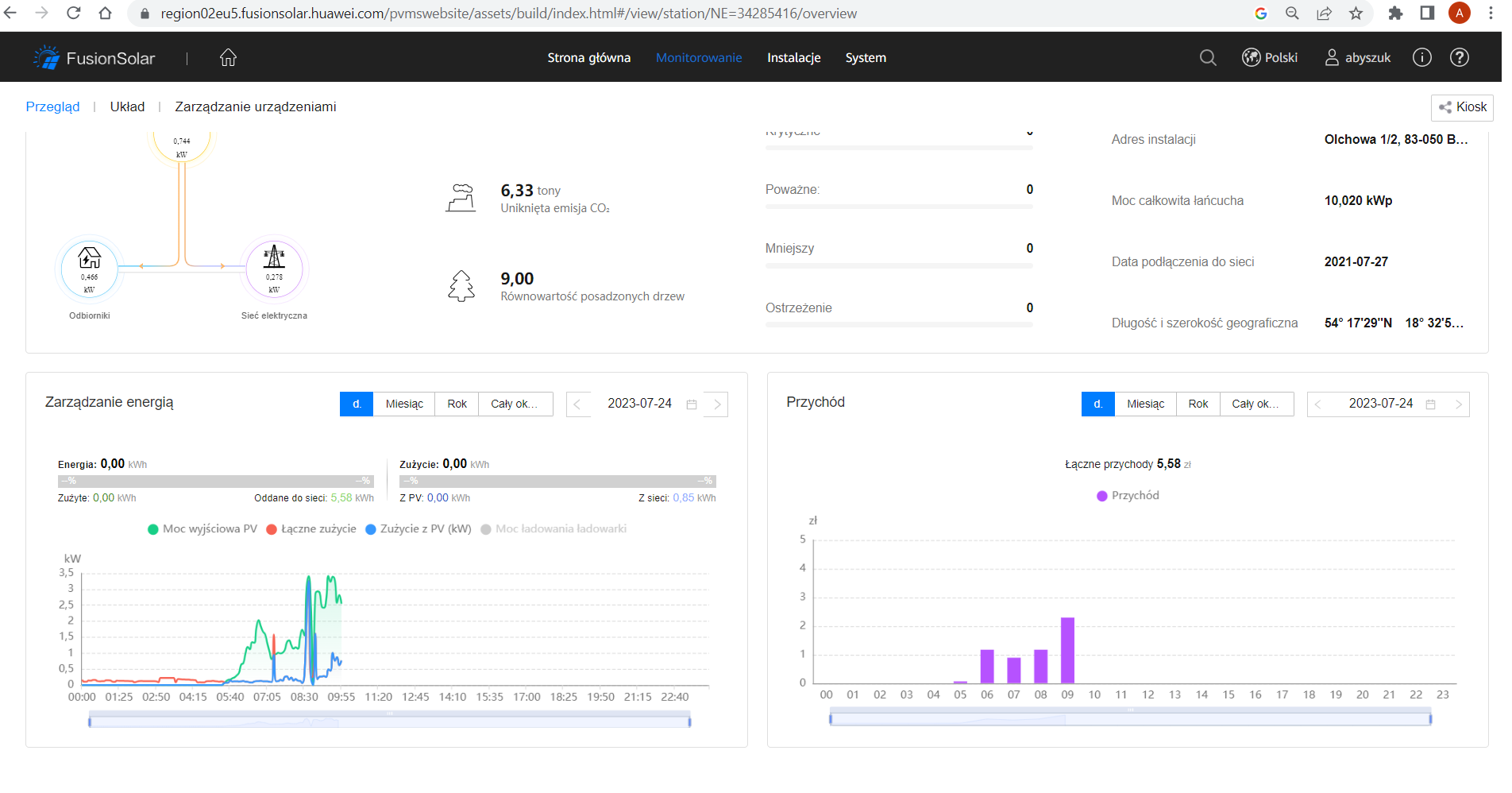
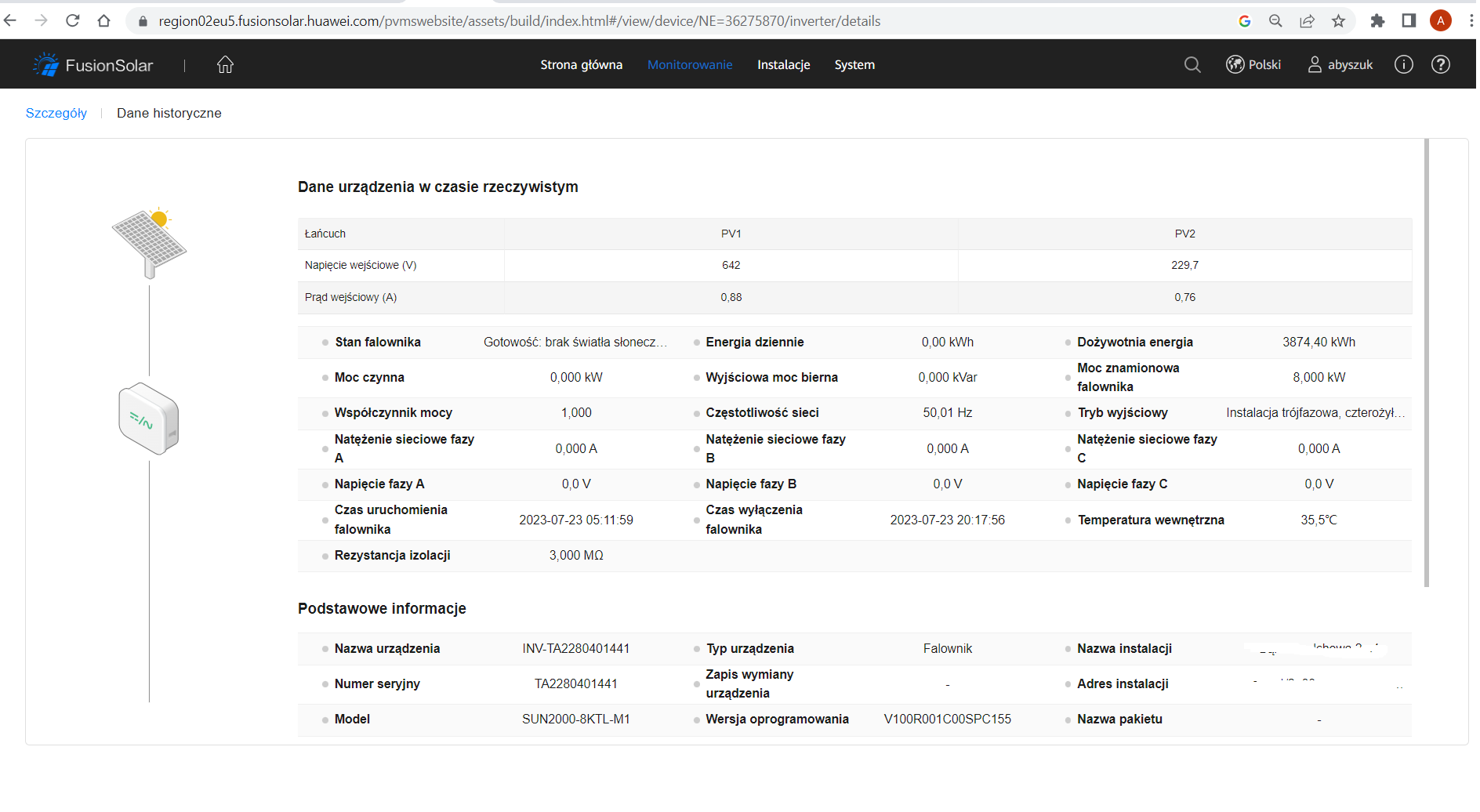
How do I get a Huawei SUN2000 Wi‑Fi dongle online when FusionSolar shows the SDongleA as offline?
To get the dongle/configuration working, connect to the inverter’s own Wi‑Fi AP, open FusionSolar, choose “Putting the device into operation,” scan the QR code on the inverter and enter the password from the label (or the default 00000a if it was not changed) [#18928339][#19344455] If Wi‑Fi setup keeps failing, one user gave up on wireless and connected the dongle/router by Ethernet cable directly, which worked immediately [#18870485] Another user reported that installing the latest FusionSolar fixed a case where the dongle was detected but all networks looked open and no connection would complete [#19386137] During commissioning and software updates, the inverter should have DC power available; without DC, Huawei units may behave oddly and not finish configuration/update properly [#18871886]
AI summary based on the discussion. May contain errors.
Can I add this device to my newly created installation in the Fusion Solar app?
Have you read the information in this thread?
strucel wrote:
For some time now, an inverter from the Chinese market cannot be attached to the Polish Fusion Solar account - it's probably like that in all of Europe, the owners of such an inverter are either an application in Chinese after logging in locally to the inverter's Wi-Fi (not via dongle) as an installer for the app or communication via Modbus and 3rd party software.
ADVERTISEMENT
Question about limiting total inverter export to 9.5 kW
OOOO I didn't see it, but before changing the software it was ok, i.e. I saw it in the app .... So on my knees to the installer? Of course, I have it via RS 485 connected to the PV monitor, but the app is an app ... It's hard ...
I have a second question, can any of you install and configure (inverter) + The Huawei 9 bidirectional counter can also be a replacement, in terms of limiting production? Example We set the inverter to produce a maximum of 5 kW and this value and not to send more energy as imports? There would probably be nothing strange here, but I have two 5KW Growatt and 6KW Huawei inverters and I want them to max. no more sent like 9.5kw?
Are you also having a problem with the Fusion Solar app for Android today? Since morning the application requires a new login. When I enter my password, the message "Your password has expired. Please reset your password" pops up. When I enter a new password (according to the recommendations, i.e. 8 characters, including at least 1 letter and 1 number), a message appears: "Failed to change password". How are you?
Are you also having a problem with the Fusion Solar app for Android today? Since morning the application requires a new login. When I enter my password, the message "Your password has expired. Please reset your password" pops up. When I enter a new password (according to the recommendations, i.e. 8 characters, including at least 1 letter and 1 number), a message appears: "Failed to change password". How are you?
I also have it but on my computer - I read exactly what it says and it says that if you do not want to change the password, select cancel "Your password will expire after 20 days. Change your password in time to ensure security of the system. If you do not want to change the password now, click "Cancel" to access the system"
@strucel I don't have a "Cancel" option anywhere. Apparently it's been 20 days and my password has expired. However, I've come to the conclusion that the FS mobile application has a login error. Not all password change options and rules are displayed. I decided to try it on my computer by logging into my account via www. There it looks clearer and there are clear rules and description of changing the password. The new from the old must differ at least 3 characters, which the application on the phone did not inform about. I changed the passwords of all users via www and now everything works also in the application on the phone.
Limiting one inverter to cap total export at 10 kW
I also join this question. I have two 8kW and 5kW inverters that serve two buildings on one ZE connector. However, the total power delivered to the ZE cannot exceed 10kWp. There are moments during the day when the powers add up and I have to limit it somehow. It would be easiest for me to control a 5kW inverter because it is closest to the ZE connector and I could install a bi-directional meter there. However, I don't know if it can be configured to limit the output power to 10kW by controlling a 5kW inverter. Has anyone had a similar problem and solved it?
Huawei-compatible meter and cascade setup question
It would be useful to know if this set will work. I talked to one person and it is best to connect the inverters in cascade, but how and whether different inverter companies will cooperate? There is a nice replacement set for cooperation with Huawei + CHINT counter or maybe a link... https://allegro.pl/oferta/mbtranslator-i-dtsu..._unit_id=a0866b74-7ecc-4ac3-8e2e-a90c0d632d43.
ADVERTISEMENT
Question about declaring maximum power in cascaded SUN2000 setup
Thank you for the information. Both are SUN2000, just different wattages. I can connect them together with a twisted pair because I have such a possibility. The distance between them is about 10 meters. If they were cascaded and connected to the meter, do you know where the maximum power can be declared? I've looked at the web management application (installer account) and I don't see such a setting. Unless a new item appears after connecting...
[b]Multi-inverter system - third-party inverter[/b] [quote]In a situation where the existing photovoltaic installation does not meet the current demand for electricity in the building, it is possible to connect Huawei SUN2000-(2KTL-6KTL)-L1 and SUN2000-(3KTL-10KTL)-M1 inverters in parallel with inverters from other companies.
For the operation of such a system, it is required: Communication device: WLAN-FE Smart Dongle (version V100R001C00SPC126 or later), Huawei Inverter: SUN2000-(2KTL-6KTL)-L1 (V200R001C00SPC117 or later) or SUN2000-(3KTL-10KTL)-M1 (V100R001C00SPC140 or later), Communication cable: RS485, Power meter (Smart Power Sensor): DDSU666-H/DTSU666-H 100A/DTSU666-H 250A; Support Scenarios: 1) SUN2000-(2KTL-6KTL)-L1+3rd Party Single Phase Inverter + Single Phase Power Meter (DDSU666-H), 2) SUN2000-(3KTL-10KTL)-M1+ Third-party three-phase inverter + Three-phase power meter (DTSU666-H 100A/DTSU666-H 250A); link[/quote] [b]5s export limitation using Smart Logger[/b] [quote]Description of the solution: To avoid grid problems, the PV system will need to export no more than its planned power to the grid. FusionSolar will provide a fast and secure way to limit exports. Solution configuration: • Communication device: Smart Logger (SmartLogger V300R001C00SPC607) or later (April 25, 2022. Available) • Maximum number of smart loggers: 20(FE100m) • Smart Power Sensor: DTSU666-H 250A List of third-party smart power sensors: I recommend: Acrel PZ96L Algody UPM209 Janitza UMG604 /UMG103 CBM/UMG104 link[/quote]
Hello, I added the dtsu666-h meter yesterday and everything worked fine. I also installed the SCharger-22KT-S0 car charger, which required this meter to be able to charge only with PV. The meter is set to operate in virtual counter mode. I encountered some problems here because I was able to add it, but then it didn't load the data and the charger crashed because it couldn't detect the meter.
So, I decided to install the latest firmware for the inverter, Dongle, and MBus. After this update, the charger was able to detect the meter, and I could switch on the PV charging mode.
However, something happened to the real-time data on both the inverter and the meter. The data is "stuck" and shows the same values all the time. However, the data in the chart displays correctly.
Longi LR5 panel current appears compatible with 11A MPPT limit
I have a question for you if any of you have installed Longi panels from the new LR5 series. Isc NOCT (11.17A) Isc STC (13.84A)
on older Huawei inverters. max. input current per MPPT=11A max. short-circuit current=15A
Theoretically, the maximum operating current of 2% is greater than the MPPT power of the inverter, so there should be no problem. Currently, I have 6KTL in the 11A version, but on the graph, I see that the optimizers can reach 11.22A, so I don't think it's a problem. I'm more puzzled by the inverter searching for the max MPPT operating point.
Don't worry, the optimizers won't allow the string current to exceed 11.2A. Of course, if at a given moment the maximum power would fall at a current of over this value, this limitation will move the operating point to a slightly lower power value.
>>20666363 I wrote a bit illegible... I gave the optimizers only as an example that the max current is still a little higher than 11A and it is not "stiff". The problematic example is a new installation, with an old inverter and new panels. Theoretically it should work, but I'm more interested in practice.
FW version V200R022C10SPC107 for SDongleA-05(V100R001C00) appeared on the FusionSolar website. Is it a mistake or maybe a new large version for dongles with new options has come out?
Thanks, Martin
Need to update plant photos before adding inverter
Welcome back. Today I bought another HUAWEI SUN2000 and certainly from Polish distribution. Is there instructions anywhere to add a device to an existing installation in FusionSolar? I have an installation in the FS app, photo, and now the question is how to connect devices to this installation? I tried all the ways, the photos will show the answers from the FS app. I also tried via www, and it doesn't help either, it doesn't find devices if I type SN: DONGLE... what's the point here?
I will only add that only one inverter remained in the new configuration and the language was changed to Polish. I had to update the photos, I added another screenshots, maybe it will help
Attachments:
Screenshot_2023-08-05-17-36-53-02_81922fc742ed931ad7de97e3169fc6f0.jpg(219.32 KB)
You must be logged in to download this attachment.
Screenshot_2023-08-05-17-36-41-20_81922fc742ed931ad7de97e3169fc6f0.jpg(180 KB)
You must be logged in to download this attachment.
Screenshot_2023-08-05-17-37-36-28_81922fc742ed931ad7de97e3169fc6f0.jpg(99.98 KB)
You must be logged in to download this attachment.
Screenshot_2023-08-05-17-38-08-98_81922fc742ed931ad7de97e3169fc6f0.jpg(178.65 KB)
You must be logged in to download this attachment.
Screenshot_2023-08-05-17-39-25-71_81922fc742ed931ad7de97e3169fc6f0.jpg(361.07 KB)
You must be logged in to download this attachment.
Screenshot_2023-08-05-17-39-29-01_81922fc742ed931ad7de97e3169fc6f0.jpg(262.82 KB)
You must be logged in to download this attachment.
Screenshot_2023-08-05-17-39-07-60_81922fc742ed931ad7de97e3169fc6f0.jpg(144.15 KB)
You must be logged in to download this attachment.
Screenshot_2023-08-05-17-39-20-42_81922fc742ed931ad7de97e3169fc6f0.jpg(94.36 KB)
You must be logged in to download this attachment.
Screenshot_2023-08-05-10-13-17-98_81922fc742ed931ad7de97e3169fc6f0.jpg(183.58 KB)
You must be logged in to download this attachment.
2023-08-05 (2).png(205.56 KB)
You must be logged in to download this attachment.
2023-08-05 (1).png(130.87 KB)
You must be logged in to download this attachment.
2023-08-05.png(125.32 KB)
You must be logged in to download this attachment.
In short: 1. Open the FusionSolar app. 2. At the top, click on "Configuration Wizard." 3. Scan the QR code from the inverter, not the dongle. 4. Go through the setup process. 5. If I remember correctly, at the end, there will be a question asking if you want to add the device to your account.
@velkhor sorry it actually came out chaotic. So I start the scanner, scan the QR code, I'm asked for WLAN, etc. location, (I'll send a screen from the phone), except that my device is visible in FS connected via WLAN directly ... I don't know if you understand ... I know that most added the device through the device transfer to operation, but it doesn't mean anything ... Entering FS as an installer, I see that DONGLE is connected, I see an online connection.
Attachments:
Screenshot_2023-08-05-13-26-24-12_81922fc742ed931ad7de97e3169fc6f0.jpg(150 KB)
You must be logged in to download this attachment.
Screenshot_2023-08-05-17-39-07-60_81922fc742ed931ad7de97e3169fc6f0.jpg(144.15 KB)
You must be logged in to download this attachment.
Screenshot_2023-08-07-18-02-43-08_81922fc742ed931ad7de97e3169fc6f0.jpg(131.68 KB)
You must be logged in to download this attachment.
Screenshot_2023-08-07-18-03-04-45_81922fc742ed931ad7de97e3169fc6f0.jpg(117.14 KB)
You must be logged in to download this attachment.
Screenshot_2023-08-07-18-06-51-12_81922fc742ed931ad7de97e3169fc6f0.jpg(219.83 KB)
You must be logged in to download this attachment.
Hello, I will answer myself. Without the help of Huawei support, it would not be possible ... In any case, two installations attached to a new installation in FS for the app, and everything is fine. It took a while but it did...
Okay, now it's serious. I started the off-grid inverter together with the generator )) production went. How to force him to turn on the grid without voltage in the network. How to wake him up? I have several M0 and M1. Of course without the battery.
That's not it, I've already reworked the settings you write about a million times . It throws a network error and part but with the aggregate in case it works ok if anyone is looking for a quick fix. Very important thing. It must be a genset for real three phases. Not some Chinese crap with two .
✨ Discussion about Huawei SUN2000 inverter commissioning, FusionSolar/FusionHome access, and Wi‑Fi dongle communication problems. The inverter firmware update and initial setup succeeded, but the SDongleA Wi‑Fi dongle stayed offline in FusionSolar and the red LED blinked; the practical workaround was to connect the dongle by Ethernet cable directly to the router, which restored Internet communication. Later posts covered related Huawei inverter configuration topics: selecting the correct grid code for Poland/Germany, MPPT multi-peak scanning, string capacity configuration, owner vs installer permissions in FusionSolar, changing Wi‑Fi credentials, dongle firmware updates, time synchronization/NTP, smart meter DTSU666-H detection, and firmware/version availability. Several users also discussed production expectations, MPPT voltage ranges, and inverter shutdown due to grid overvoltage. AI summary based on the discussion. May contain errors.
If you prefer to edit the inverter, open the SUN2000 app, connect to the inverter’s AP, choose Maintenance > Communication > Router Wi-Fi and enter the new credentials; save and wait for the LED to turn steady green.
What causes the SUN2000 to trip on sunny days?
A 10-minute average grid voltage at the terminals above 253 V triggers disconnection per VDE-AR-N-4105 [Elektroda, lizak1983, post #19657944] High roof-top cable resistance adds 1-2 V, so measure at the inverter. Load shifting (e.g., 2 kW boiler) or DSO tap change fixes the issue.
Can I lift the 253 V reconnection limit?
Raising “Upper voltage limit when reconnecting to grid” breaches EU NC RfG and risks neighbour equipment damage. Installers and DSOs can audit logs [Elektroda, rokbok, post #19639893] Keep 253 V unless your DSO grants a written exception.
Firmware: what’s new in SPC136 and how do I install it?
SPC136 adds battery-version alarm, M1–M3 parallel support and faster offline self-check [Huawei ReleaseNotes 2021]. Download via SUN2000 or FusionSolar app (Me > Device Commissioning > Update). Stay within inverter Wi-Fi, tap Update, wait ~20 min; the inverter reboots once at ~80 % [Elektroda, MisiekDPx, post #19639882]
How do I update the SDongleA-05 Wi-Fi dongle?
Unplug the dongle, re-insert: it broadcasts “Dongle–AP”. Connect with SUN2000 app, default pwd 00000a, go to Maintenance > Update Device, choose SPC118 file and start. LED blinks fast green during upgrade, steady green when done (≈10 min) [Elektroda, lizak1983, post #19640000]
Grid code list shows only three Chinese entries – what now?
Import units lack EU presets. Select Custom 50 Hz and manually enter: U/Un 0.85 = 0 s, 1.10 = 10 min, 1.15 = 0.1 s; cos φ = 0.9 lead/lag; Q/U droop 4 % [Elektroda, domelek, post #19529531] A valid NC RfG declaration is still required for DSO acceptance.
My Wi-Fi dongle flashes red every few days – fix?
LED red blink means router unreachable. Common causes: weak signal or changed password. Move a repeater within 5 m (-55 dBm or better) [Elektroda, JackRze, post #19489219] If stable signal still fails, reboot the dongle or update its firmware (see above).
Installer owns the FusionSolar site – can I get control?
Yes. Ask the installer to delete the plant from their account, then register a new Installer account with your e-mail and inverter serial; Huawei cloud blocks duplicate serials [Elektroda, rokbok, post #19636492] Warranty remains tied to the serial, not the account.
Lost inverter password – how to reset?
Connect SUN2000 app to the inverter AP, choose “Reset Password”. You must input the 6-digit ESN from the side sticker and the current date. The default admin password resets to 00000a [Huawei Manual].
What’s the correct string current for SUN2000-M1?
Design strings so Isc ≤ 15 A and operating current ≤ 11 A. Example: 12×340 W modules give Isc 10.3 A, within limits [Elektroda, mariusz.lubicz, post #19656018] Exceeding Isc risks optimizer derating and warranty issues.
Will Huawei optimizers shut a whole string when one panel is shaded?
No. Each SUN2000-450W-P acts as a DC/DC converter. A shaded panel continues at lower power while the rest maintain maximum current [Elektroda, jsw, post #19656269] The inverter therefore keeps production and avoids hot-spot bypass.
How do I clear old alarms in FusionSolar?
Go to Device > Alarms, tap the three-dot menu, choose “Clear”. Alarms caused by firmware mismatch disappear automatically after updating both inverter and dongle [Elektroda, stratus84, post #19490242]
Edge case: inverter shows 2 V DC after switch-on – diagnosis?
Reverse-polarity MC4 crimps drop the PV voltage to ≈ 2 V and block startup [Elektroda, kravat3, post #19536568] Disconnect, verify red = + and black = – with a multimeter, then re-crimp.
Quick 3-step: add new owner without installer
Installer deletes plant in FusionSolar. 2. Owner installs SUN2000 app, taps “Create Installer Account”, enters S/N and e-mail. 3. Log in, add plant, then invite personal “Owner” user. Done.
AI summary based on the discussion. May contain errors.