Czy wolisz polską wersję strony elektroda?
Nie, dziękuję Przekieruj mnie tamDemonKas wrote:
gitpusher wrote:Is the firmware upgrade to 142 causing too high voltages on the phases? Something stinks here ...
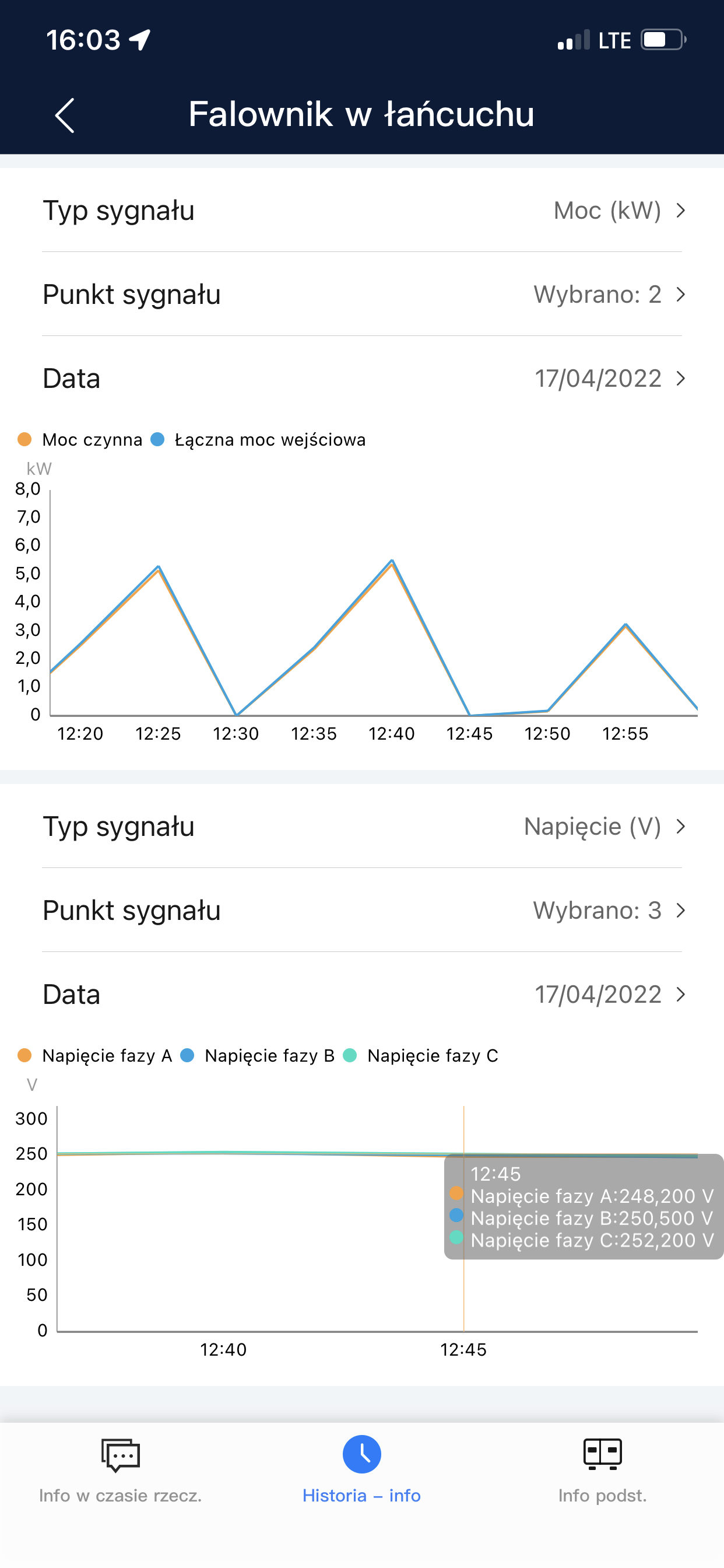
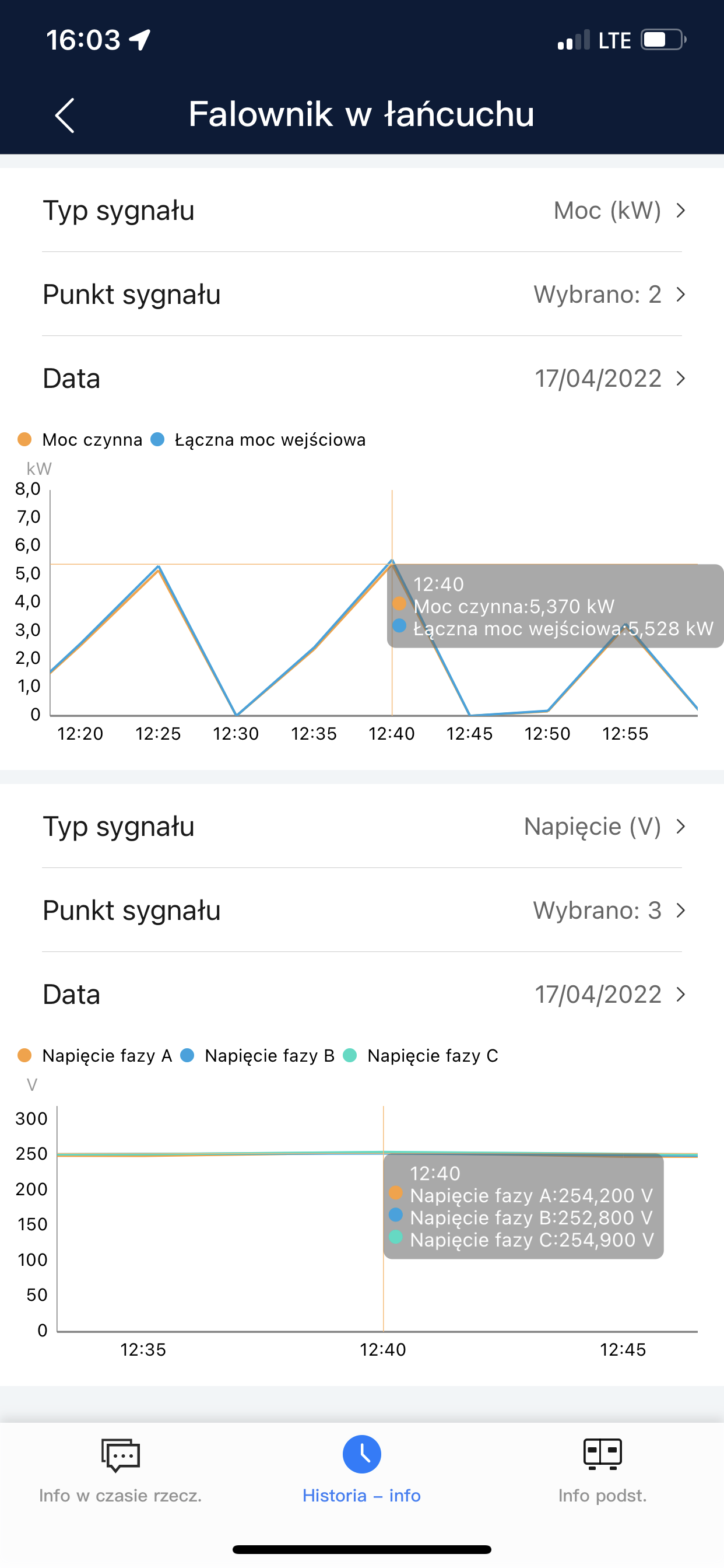
@DemonKas What are your voltages on L1, L2, L3 during the hours when the inverter reports errors? Of course, with good sunlight ...
DemonKas wrote:
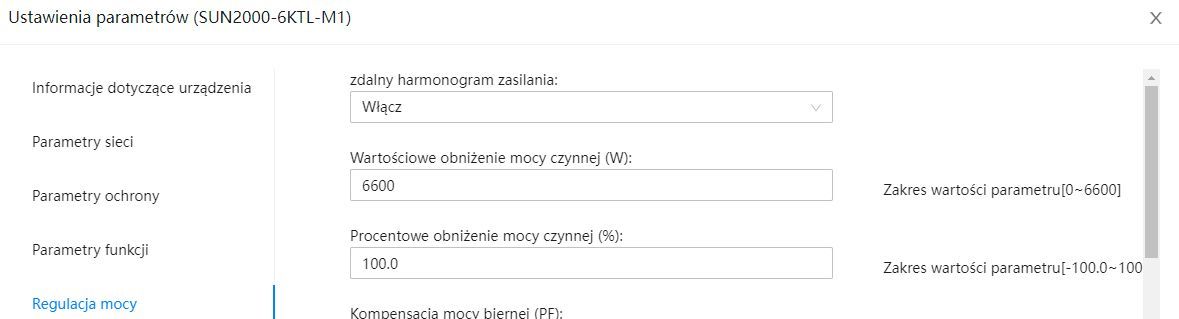
Someone will tell you where and how to change it in the settings ????
DemonKas wrote:
xszuflax where to check these jumps?
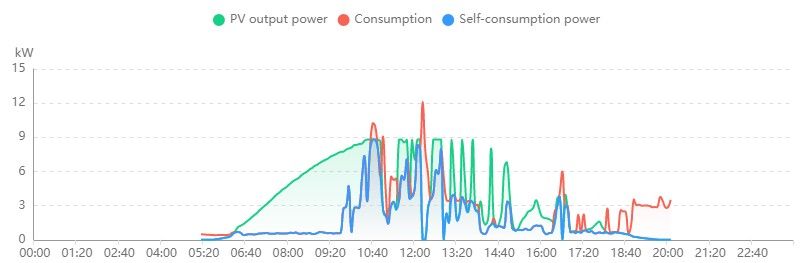
In general, fusion solar has stopped working for some time
shows off line installations
I can only check what and how by connecting to the inverter
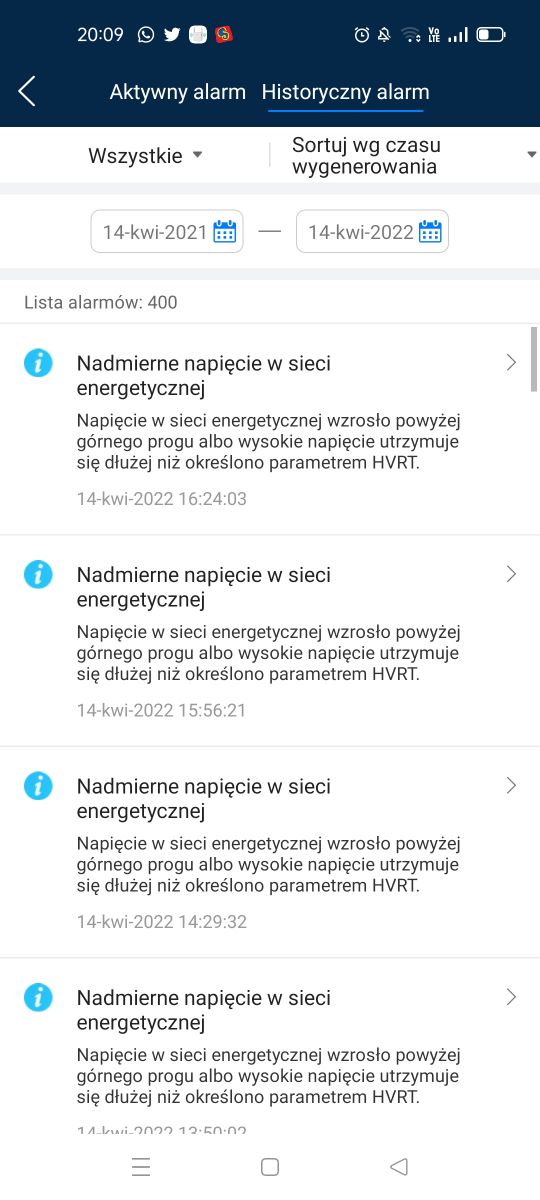
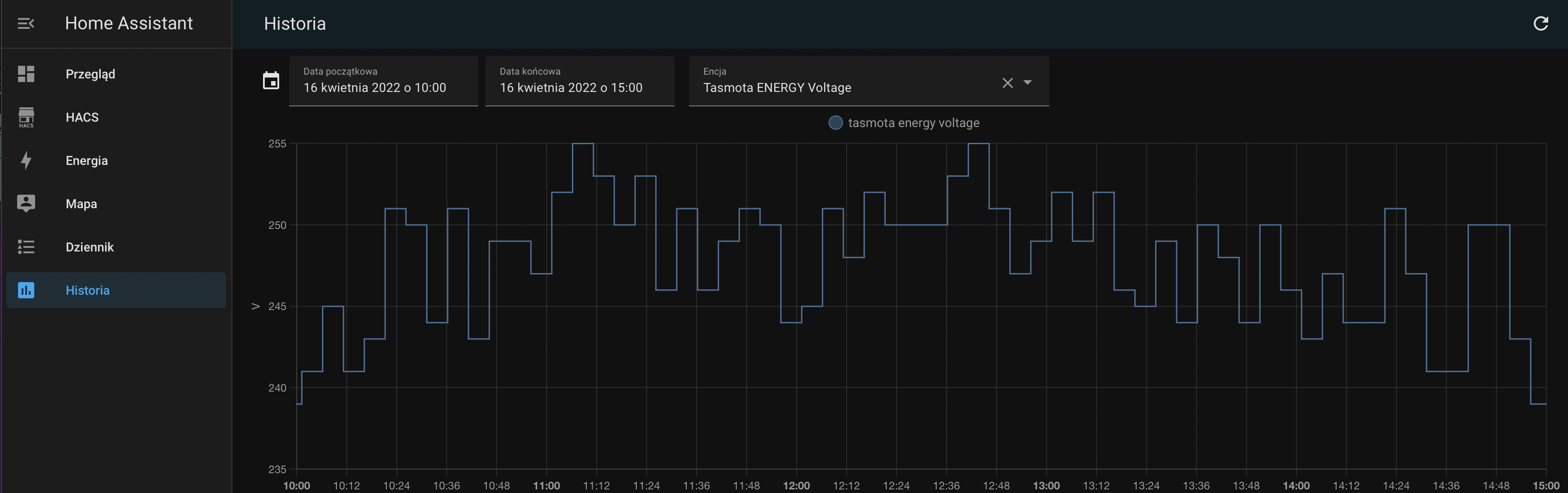
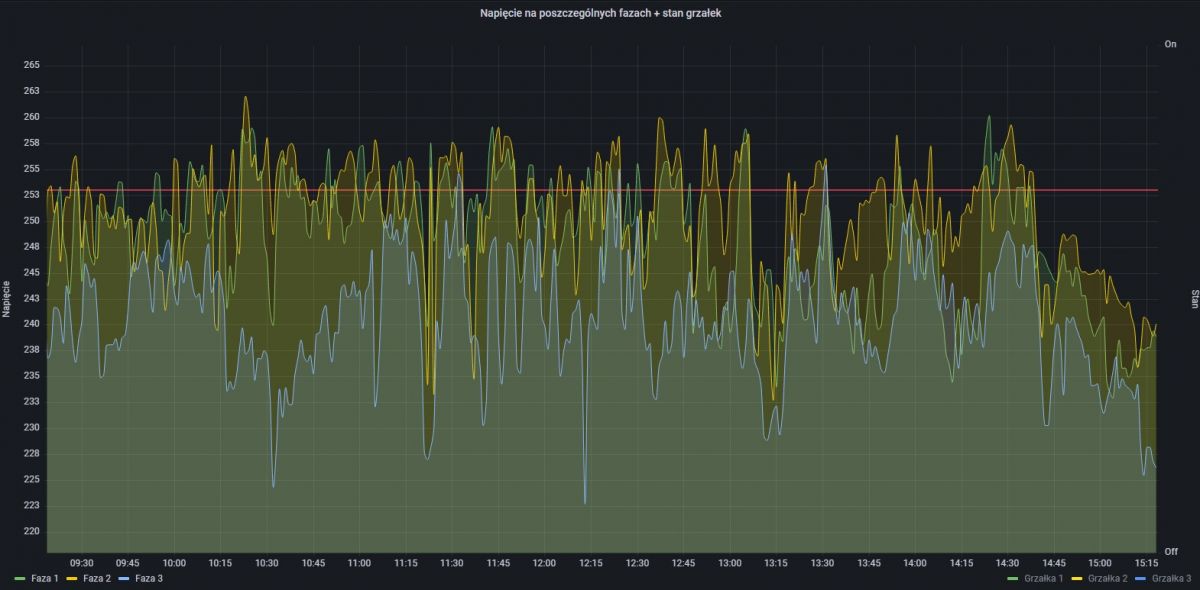
szczukot wrote:As long as you do not measure the voltage in the network yourself, it is a question of the version number. Maybe it actually exceeds 253 volts and that's it. Then you can only write to Tauron and not rummage through the settings.
Yorkus wrote:PS I have intelligent Tuya zigbee sockets - and they are not working pow. 250Vthey turn off, Can you reprogram them somehow?
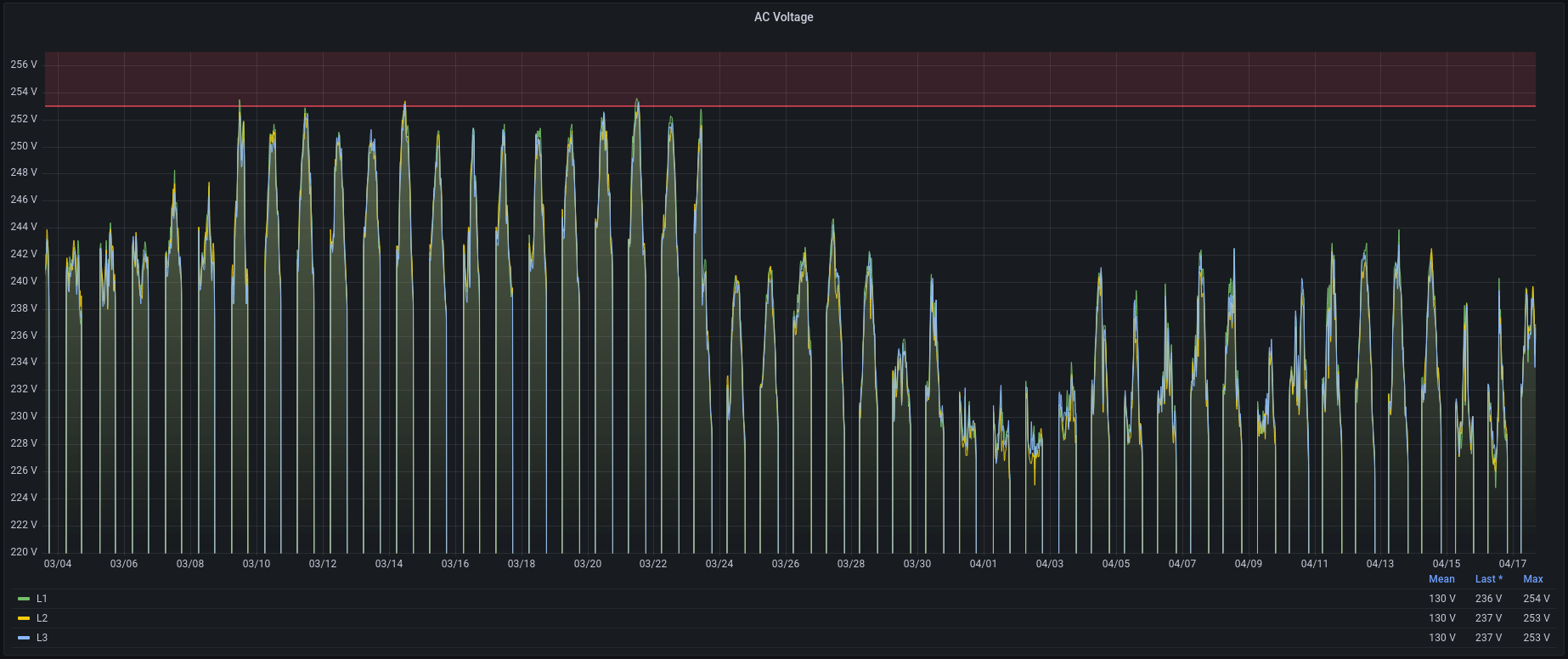
xszuflax wrote:szczukot wrote:As long as you do not measure the voltage in the network yourself, it is a question of the version number. Maybe it actually exceeds 253 volts and that's it. Then you can only write to Tauron and not rummage through the settings.
Hi,
to be clear: I am 99% sure that it was Tauron that set the voltage too high when they worked on the transformer. I have a little easier negotiation because I have data from before 6.04 and after and in a way I can prove my thesis. The question is whether I will find someone who wants to or some support worker who will flood me with default answers.
xszuflax wrote:DemonKas wrote:
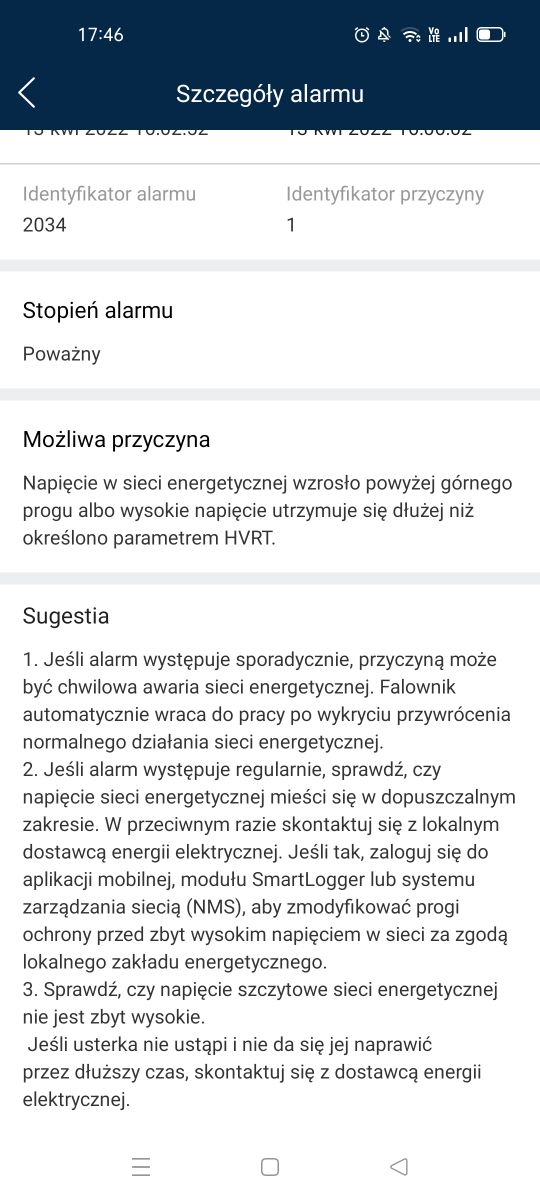
Hey I am seeing a similar problem after installing 142. I wrote about this a few posts before. In addition, on the same day when I updated the software, Tauron was messing with the medium voltage transformer.
I haven't tried to downgrade yet.
bladesss wrote:xszuflax wrote:DemonKas wrote:
Hey I am seeing a similar problem after installing 142. I wrote about this a few posts before. In addition, on the same day when I updated the software, Tauron was messing with the medium voltage transformer.
I haven't tried to downgrade yet.
Is it possible to downgrade Huawei inverters at all? You know how to do it? For me, the frequency of reboots increased after updating to version 141,
previously I had 1, maaaax 2 a day, now I have 6-8 and there were also 14. I would like to go back to version 139
domelek wrote:bladesss wrote:xszuflax wrote:DemonKas wrote:
Hey I am seeing a similar problem after installing 142. I wrote about this a few posts before. In addition, on the same day when I updated the software, Tauron was messing with the medium voltage transformer.
I have not yet attempted a downgrade.
Is a downgrade of Huawei inverters possible at all? You know how to do it? For me, the frequency of reboots increased after updating to version 141,
previously I had 1, maaaax 2 a day, now I have 6-8 and there were also 14. I would like to go back to version 139
It is possible, I just did it via www. I also had a lot of exclusions from 142 ...
DemonKas wrote:I wrote to the Huawei website, maybe they will come up with something,
What I noticed is that after the update, the network changes to PL
before that it was only German, maybe that's a problem because I changed the network to Czech
And on Sunday I only had an HRTV error twice
xszuflax wrote:BTW czy ktoś ma release note-y z 142. Niestety dostęp do tych dokumentów na stronie Huawei maja tylko zarejestrowani instalatorzy :-/
DemonKas wrote:I wrote to the Huawei website, maybe they will come up with something,
What I noticed is that after the update, the network changes to PL
before that it was only German, maybe that's a problem because I changed the network to Czech
And on Sunday I only had an HRTV error twice
domelek wrote:I did a downgrade this morning but there was no sun so so far it's hard to tell, but the last 2 days was a drama.
bladesss wrote:The German standard has a higher voltage limit, people just often change to German or Czech to eliminate the problem with exclusions
bladesss wrote:DemonKas wrote:I wrote to the Huawei website, maybe they will come up with something,
What I noticed is that after the update, the network changes to PL
before that it was only German, maybe that's a problem because I changed the network to Czech
And on Sunday I only had an HRTV error twice
The German standard has a higher voltage limit, people just often change to German or Czech to eliminate the problem with exclusions
Added after 1 [minutes]:
domelek wrote:I did a downgrade this morning but there was no sun so so far it's hard to tell, but the last 2 days was a drama.
What version did you downgrade to?
xszuflax wrote:@domelek and how was it possible to test 141 in Sieradz yesterday?
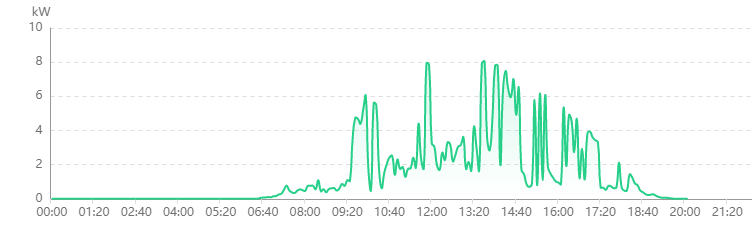
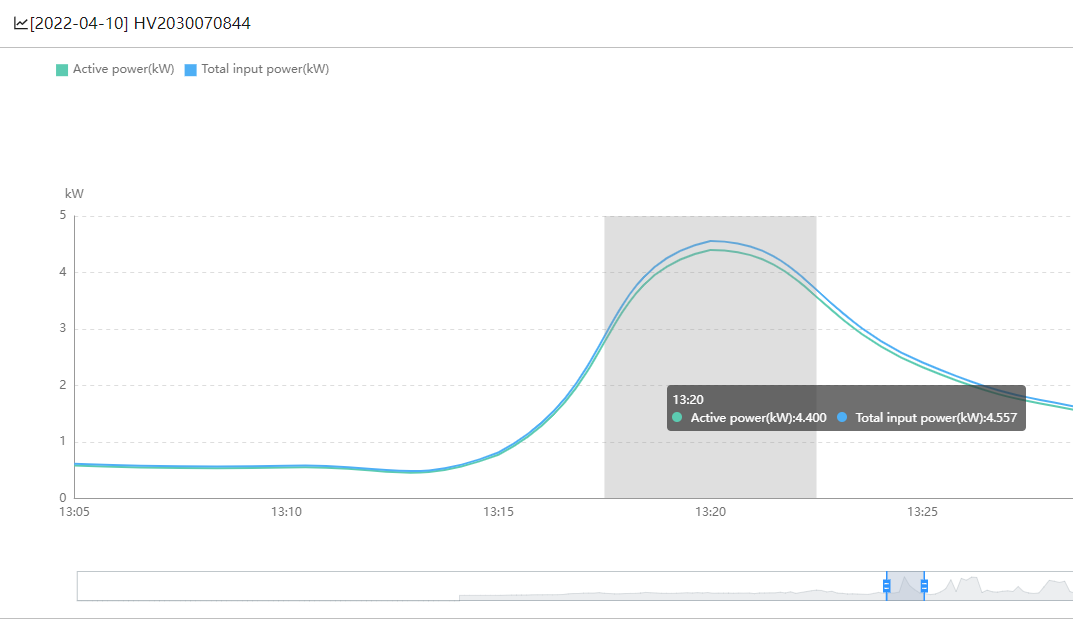
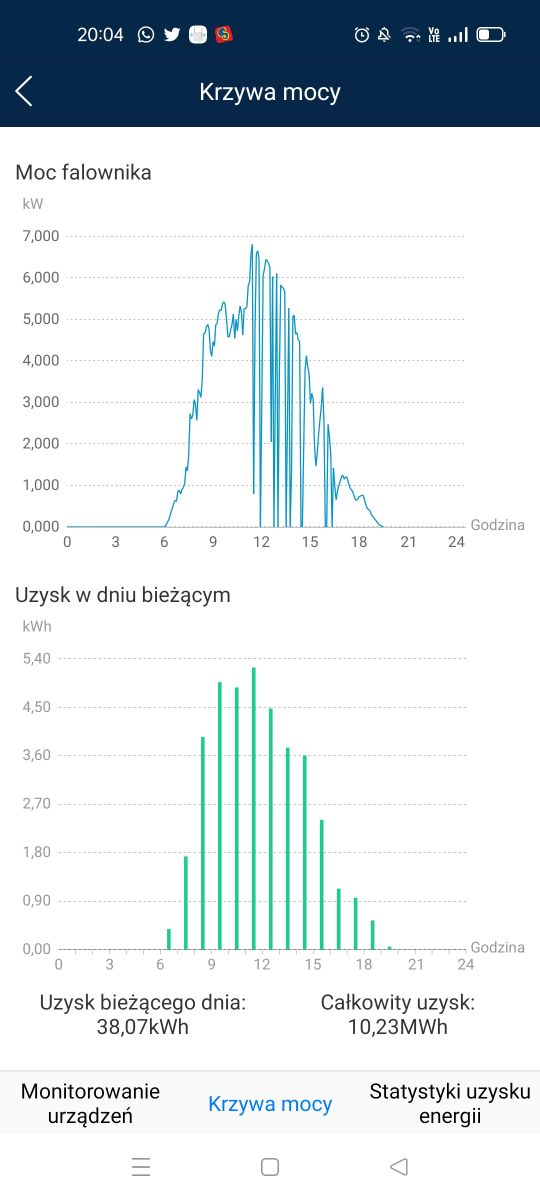
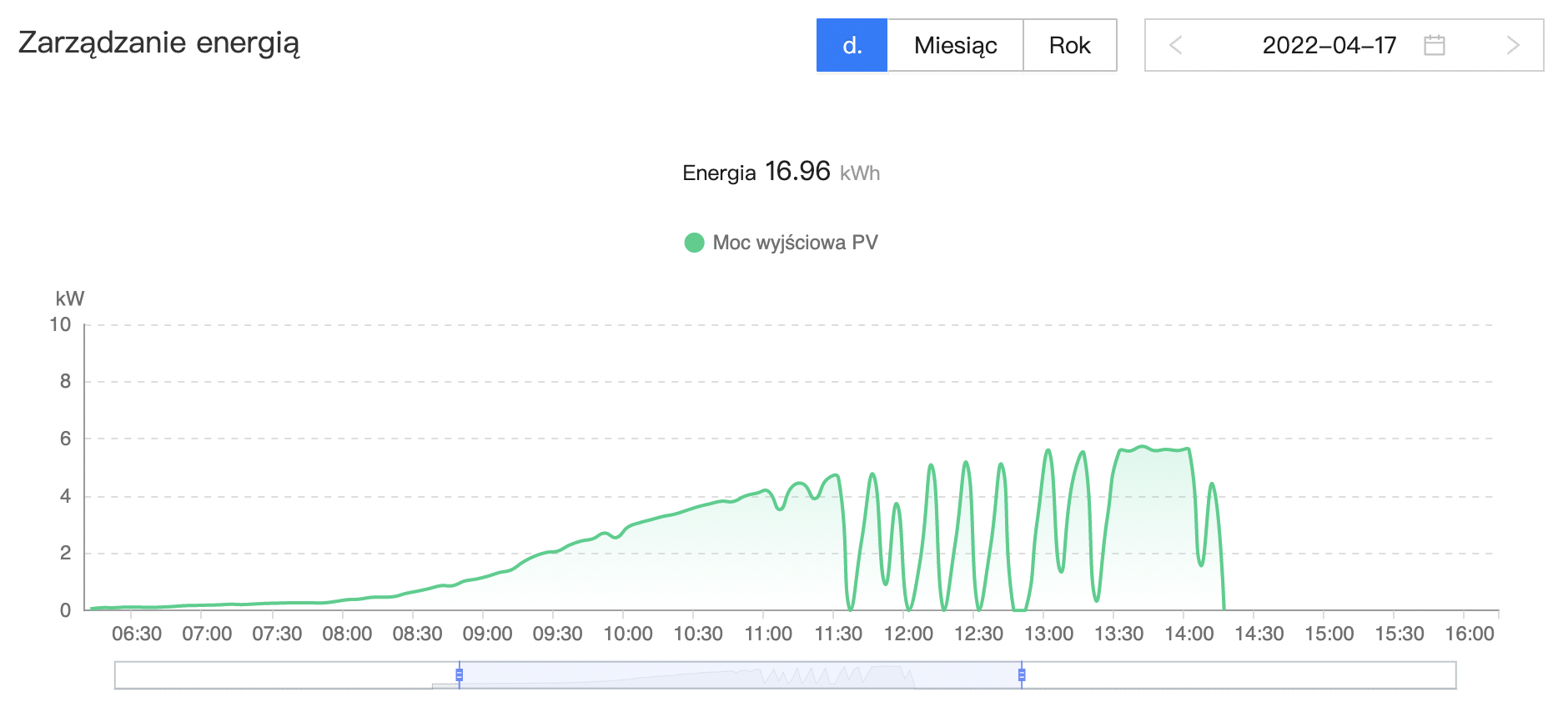
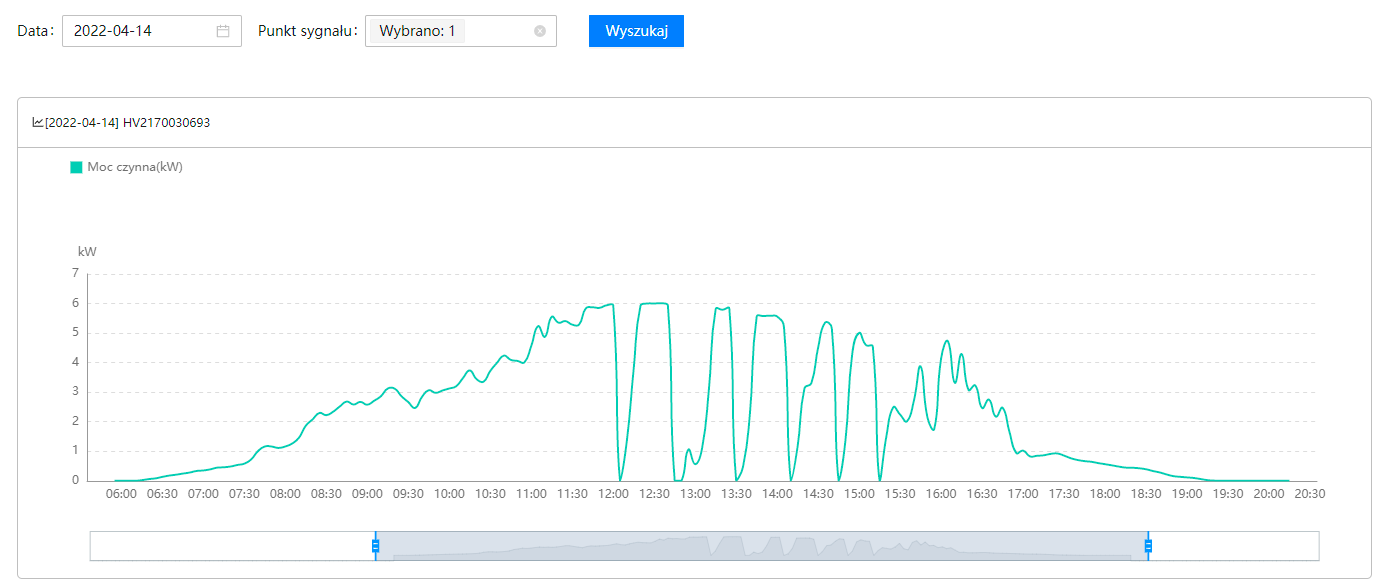
What I noticed from 142 is that not every drop in output generates an overvoltage error. Those that generate usually cut production for 1-3 minutes. You can see it on the inverter because the yellow and red LEDs are blinking. Yesterday I had 5 drops in production and not one of them generated blinking LEDs.
TL;DR: A 10-min average grid voltage ≥ 253 V forces the SUN2000 inverter to disconnect [Elektroda, lizak1983, post #19657944] “Huawei is a good inverter, I would not be afraid to install it” [Elektroda, Rhaavir, post #18871886] Latest firmware SPC136 fixes battery and startup issues.
Why it matters: Correct settings stop nuisance shutdowns, improve yield and keep the warranty intact.
• Default grid code for PL installers: Germany VDE-AR-N-4105 or Custom 50 Hz with 253 V/10-min limit [Elektroda, domelek, post #19529531] • SUN2000-M0/M1: MPPT range 200–850 V; Startup 200 V; Max string current 11 A (oper.), 15 A (Isc) [Huawei Datasheet]. • Firmware: SPC136 (inverter) & SPC118 (SDongleA-05) – update in daylight, 20 min per device [Elektroda, lizak1983, post #19640000] • Wi-Fi dongle LED codes: steady green = online; red blink = no router link [Elektroda, JackRze, post #19489029] • Warranty checker: https://support.huawei.com – serial + e-mail required [Elektroda, maneks, post #19359819]