logo elektroda
logo elektroda
X
logo elektroda

LSC Smart connect Smart LED MOOD LIGHT 970743 teardown

maarten682 8607 10

TL;DR

  • This teardown examines an egg-shaped LSC Smart Connect Smart LED Mood Light 970743 sold at Action stores in the Netherlands.
  • The lamp uses a bottom main PCB with pushbutton and USB-C connector, plus a top LED PCB held by screws and plastic clips; nothing is glued.
  • It costs 10 euro and needs a USB power supply, with flashing pads labeled Rx, Tx, ground, 3.3V, and cen.
  • Opening it is straightforward by squeezing the seam, and the housing springs back into shape even after repeated openings.
Generated by the language model.
ADVERTISEMENT
📢 Listen (AI):
  • LSC Smart connect Smart LED MOOD LIGHT 970743 teardown

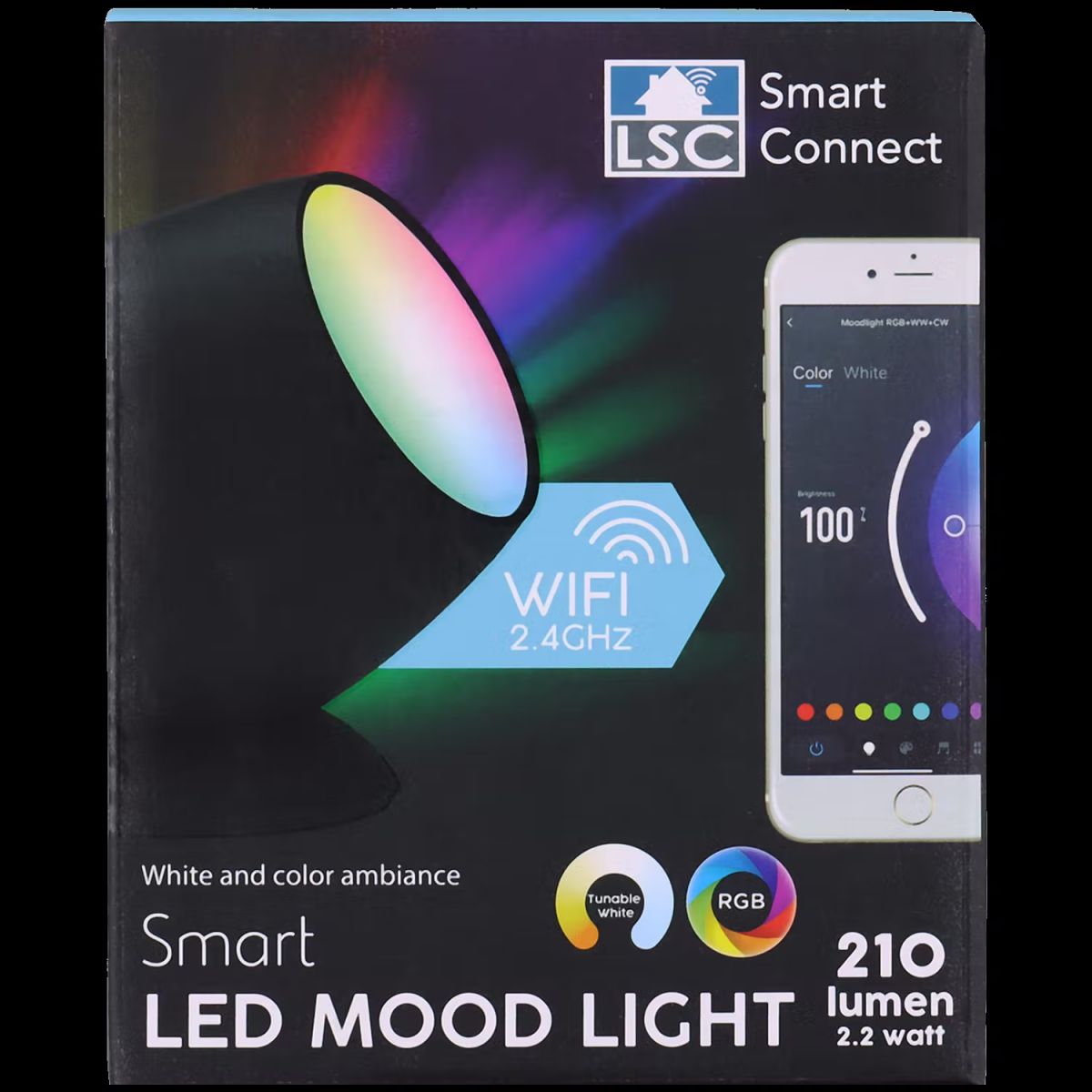
    This is an egg shaped 10 euro R-G-B-CC-CW 'moodlight' that can be found in Action stores in te Netherlands. There is no power supply included, it requires a USB power supply to function.

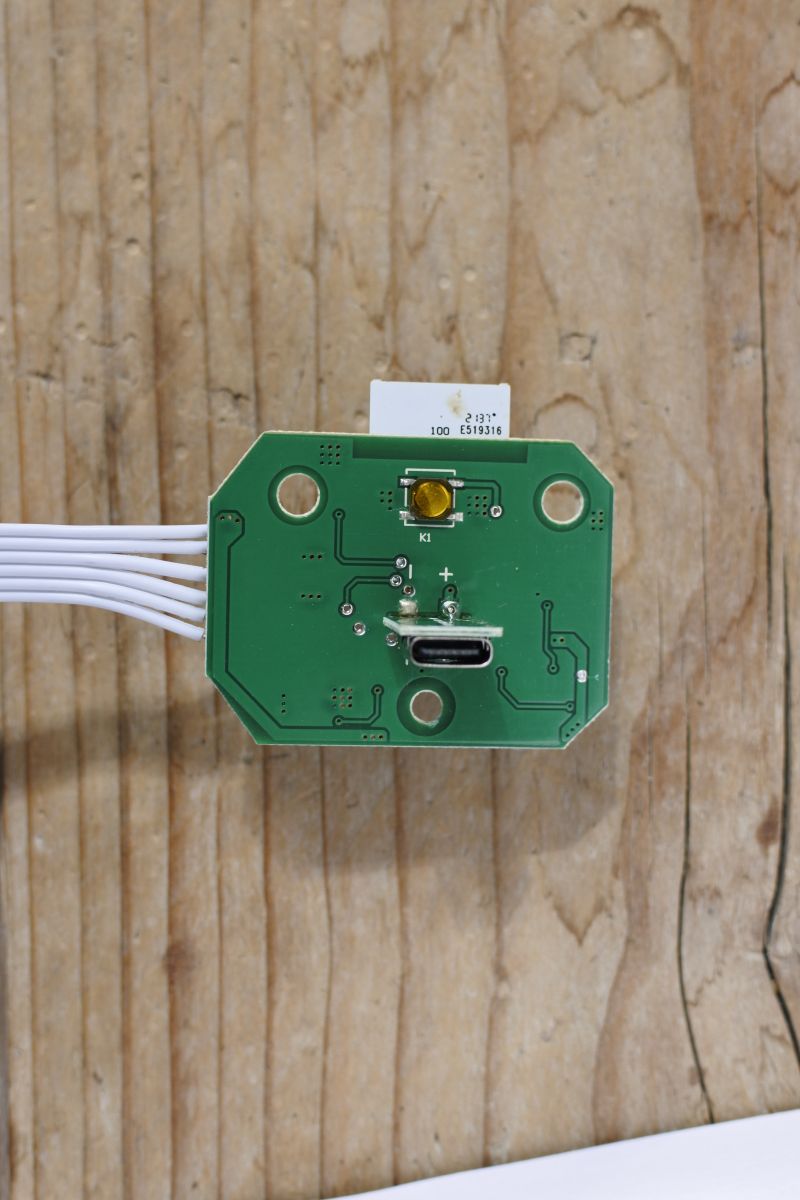
    The device consists of a top and a bottom shell, the main pcb with pushbutton and usb-c connector is screwed into the bottom half and the board with 3 phillips screws and the board with the LEDs is snapped with plastic clips in the top half. Nothing is glued, its all just snapped together.

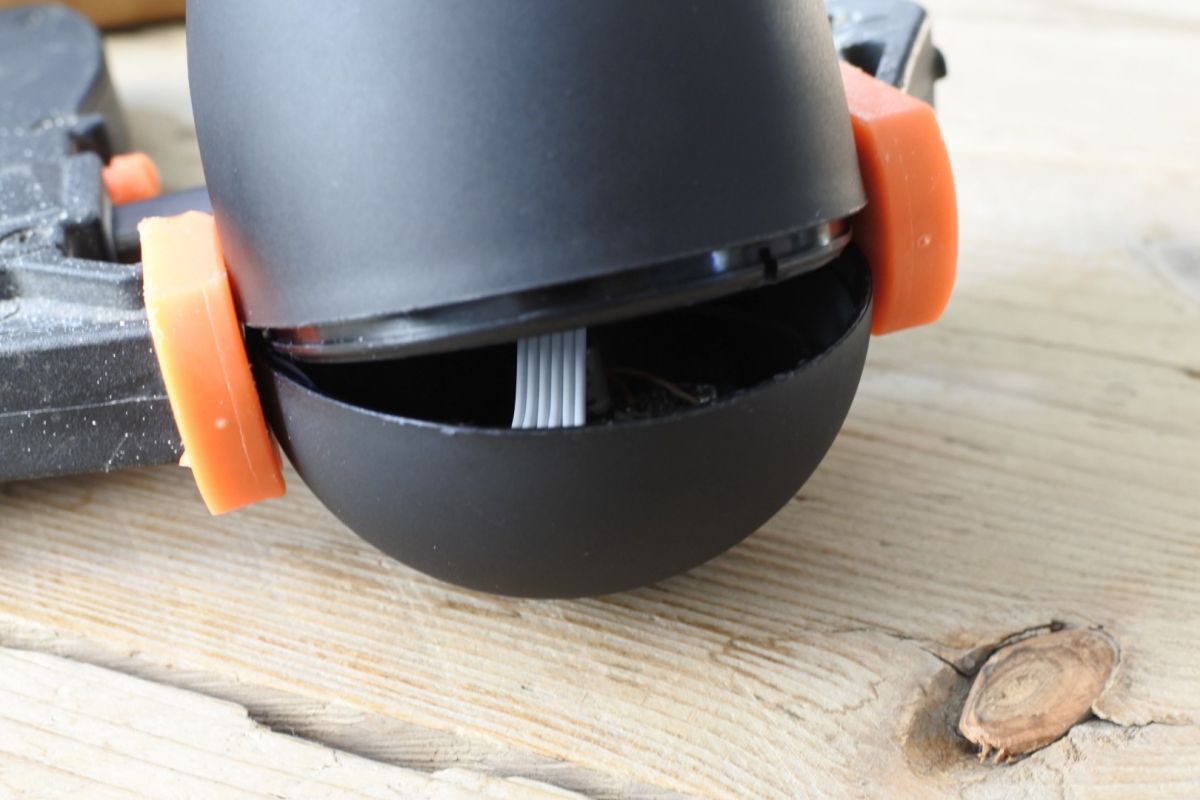
    Opening the device up is fairly straightforward just squeeze it hard right on the seam where the two halves meet. A wood clamp will make short work of this. Both PCBs are far enough away from the center of the device that squeezing it hard will not damage anything and the housing is sturdy enough to jump right back into shape even after opening it multiple times.
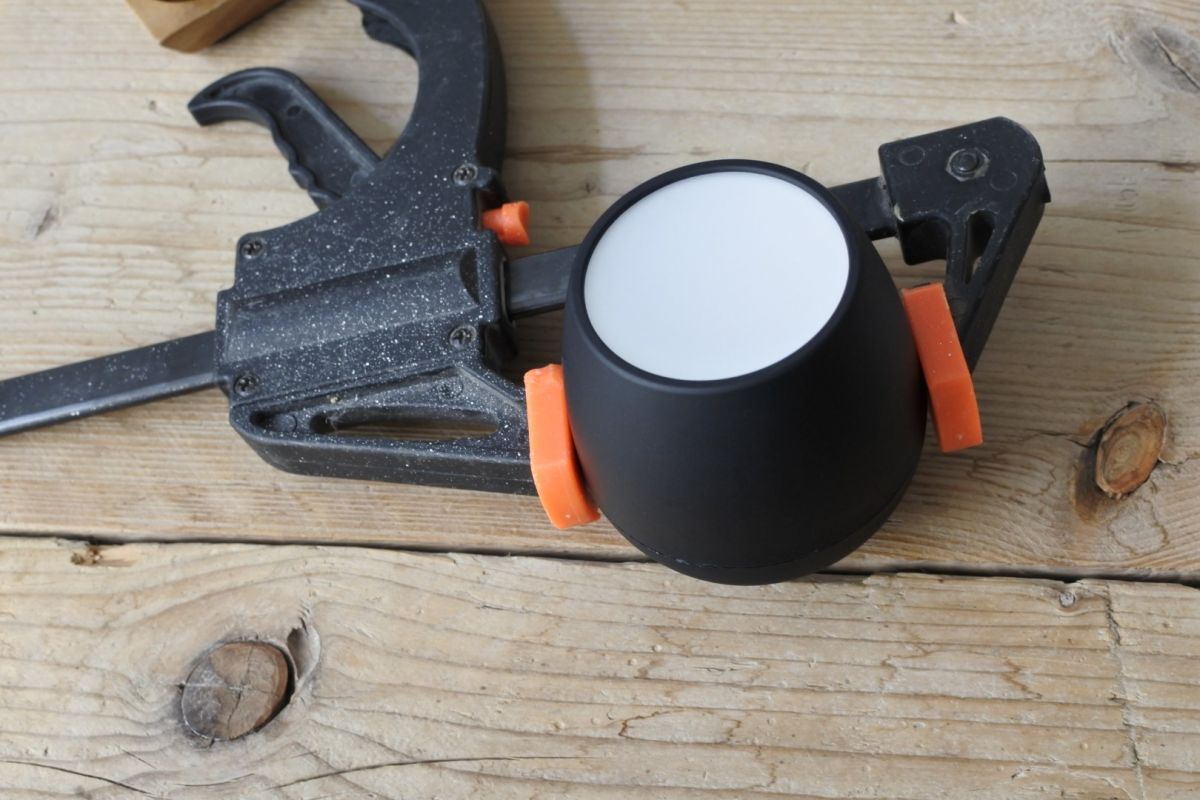
    LSC Smart connect Smart LED MOOD LIGHT 970743 teardown

    LSC Smart connect Smart LED MOOD LIGHT 970743 teardown
    As you can see in the second picture there's little notches that you have to line up when you are snapping it back together.

    High-res pics of the board

    Mainboard front
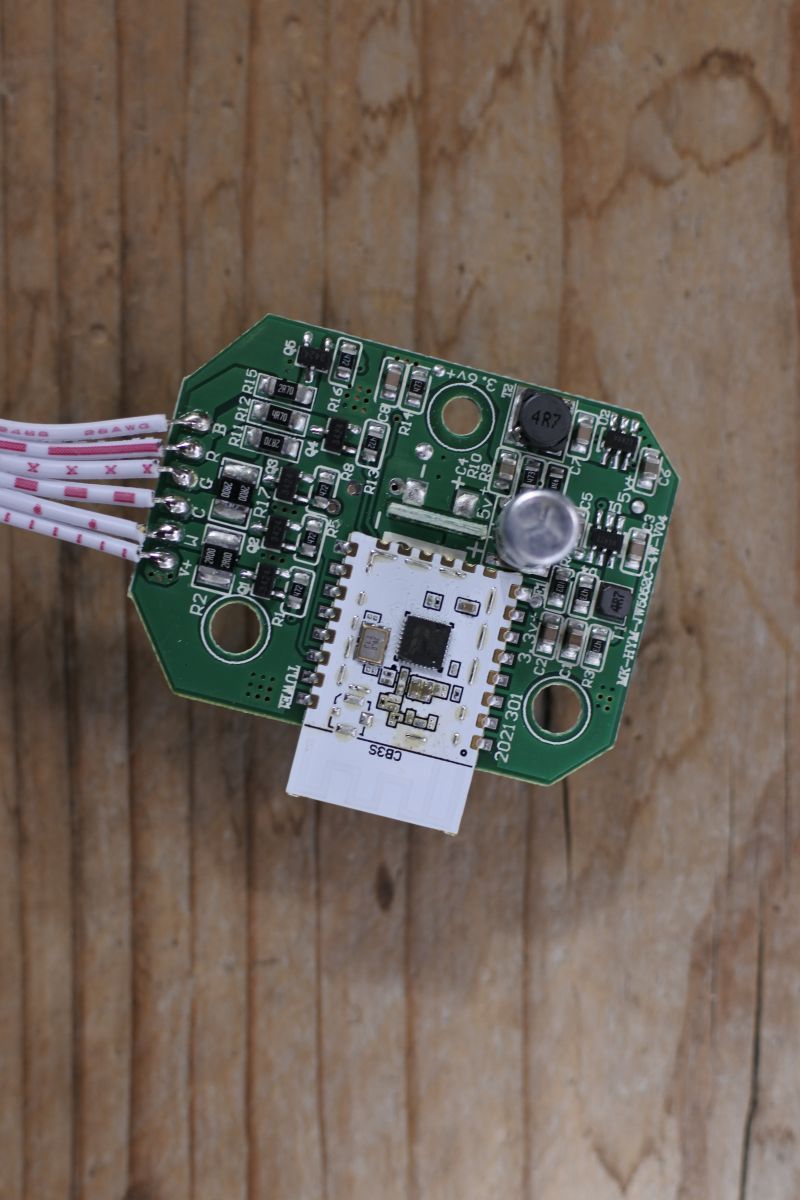
    LSC Smart connect Smart LED MOOD LIGHT 970743 teardown

    Mainboard back
    LSC Smart connect Smart LED MOOD LIGHT 970743 teardown

    LED board front (single sided pcb, nothing interesting on the back)
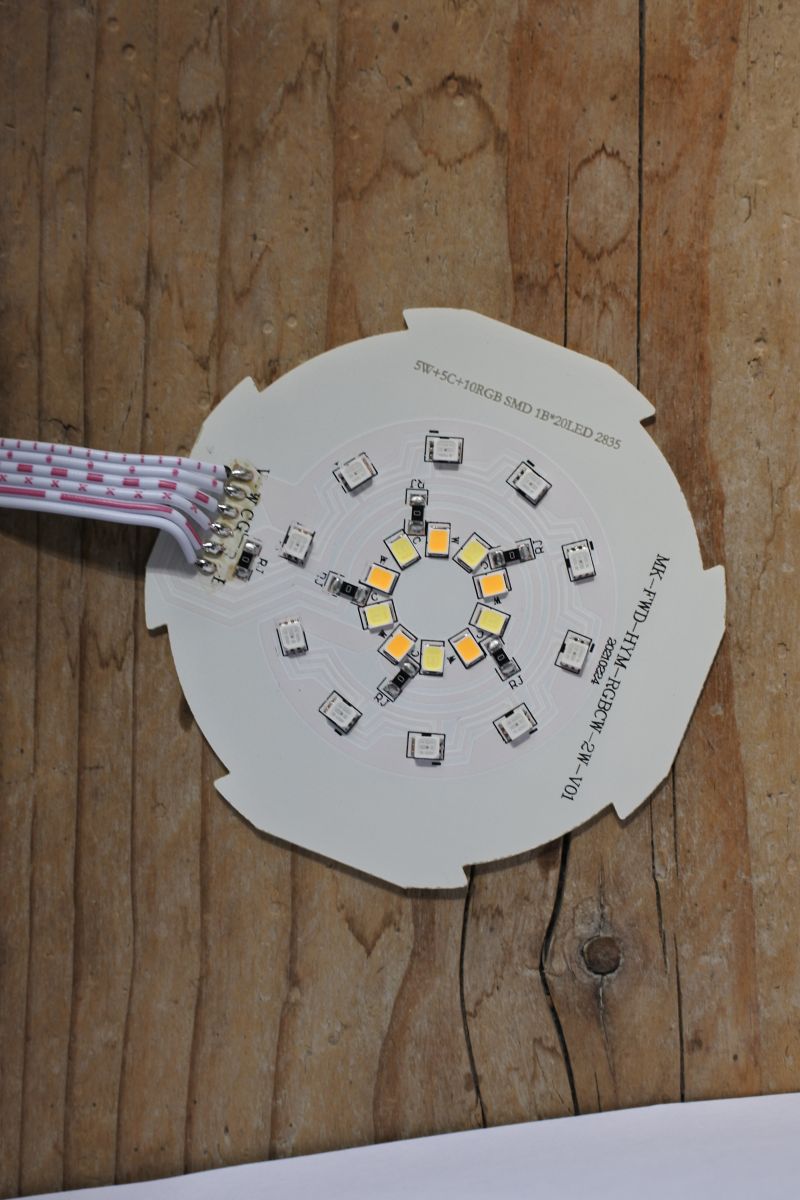
    LSC Smart connect Smart LED MOOD LIGHT 970743 teardown

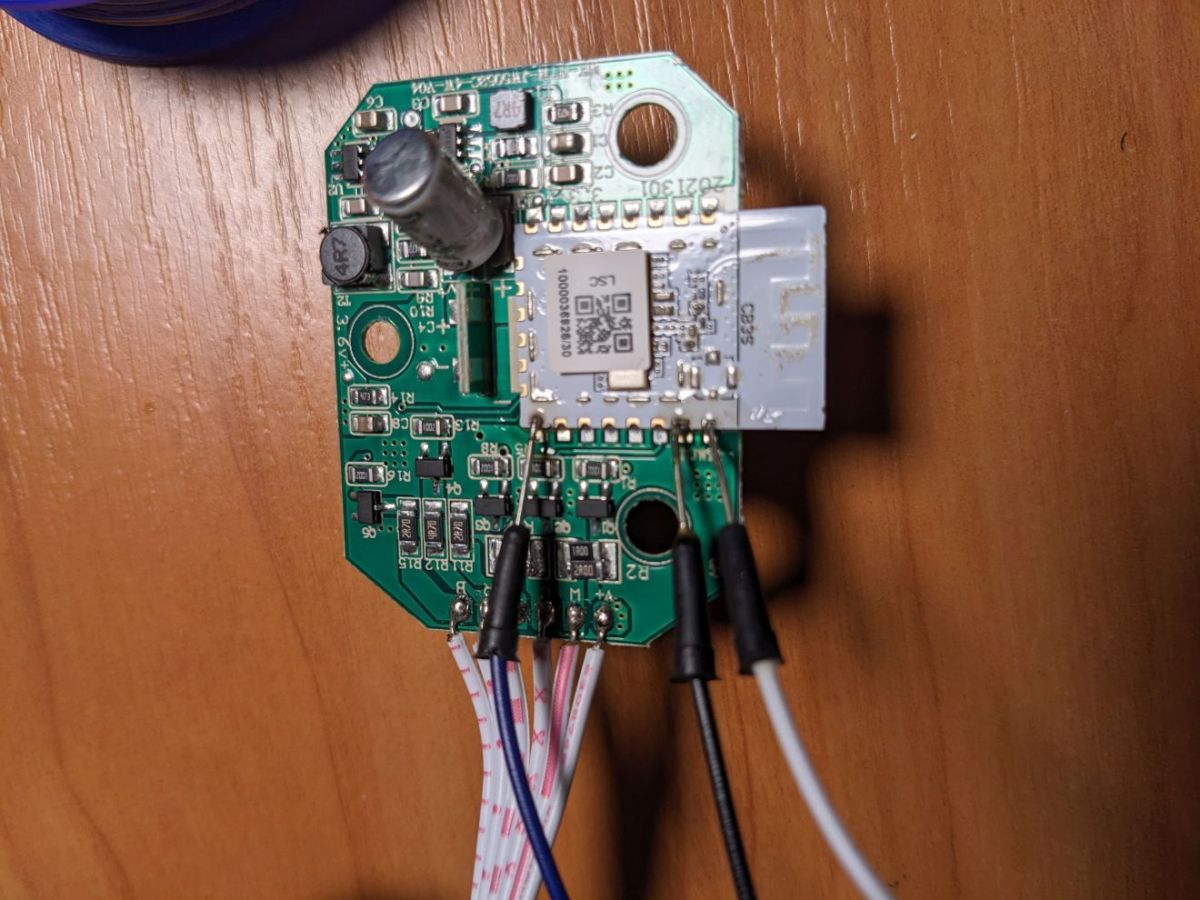
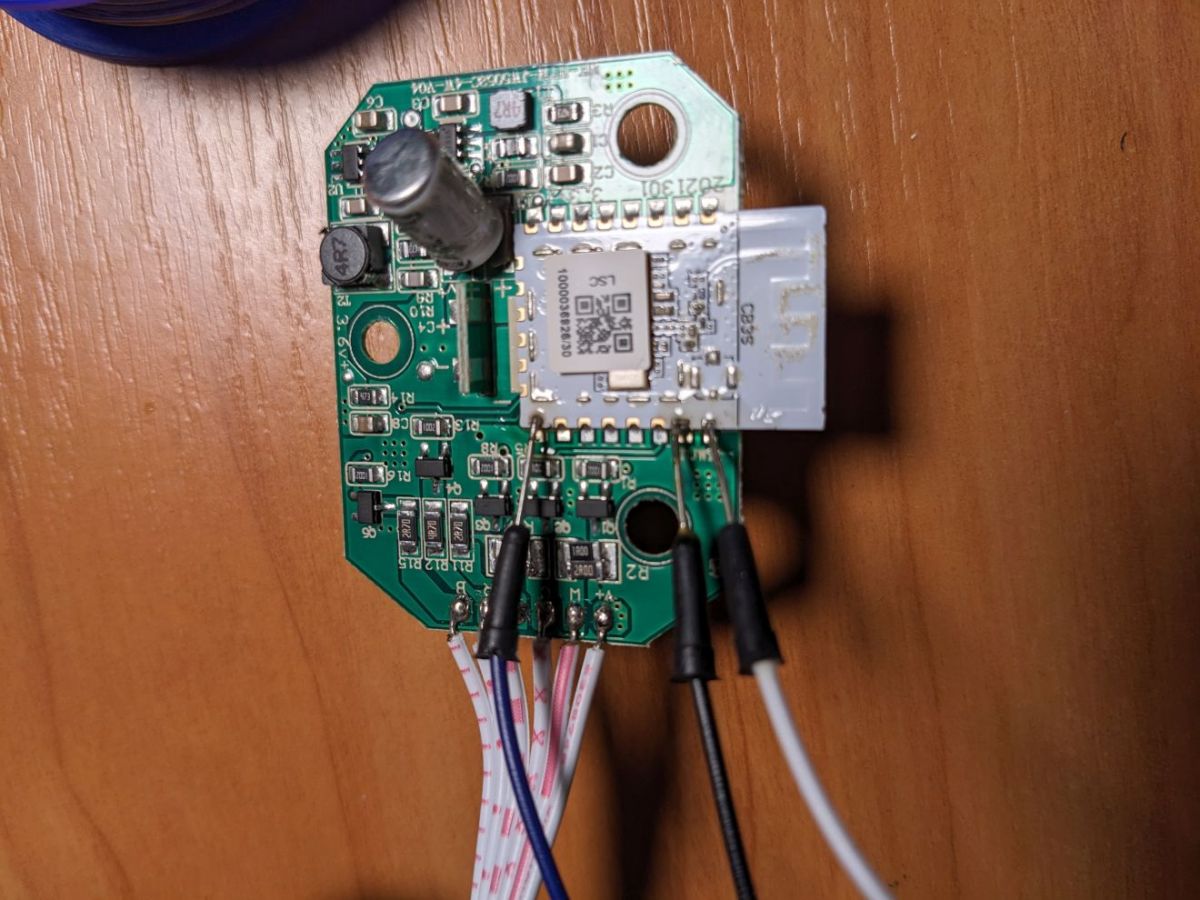
    Solder point for flashing are as follows;
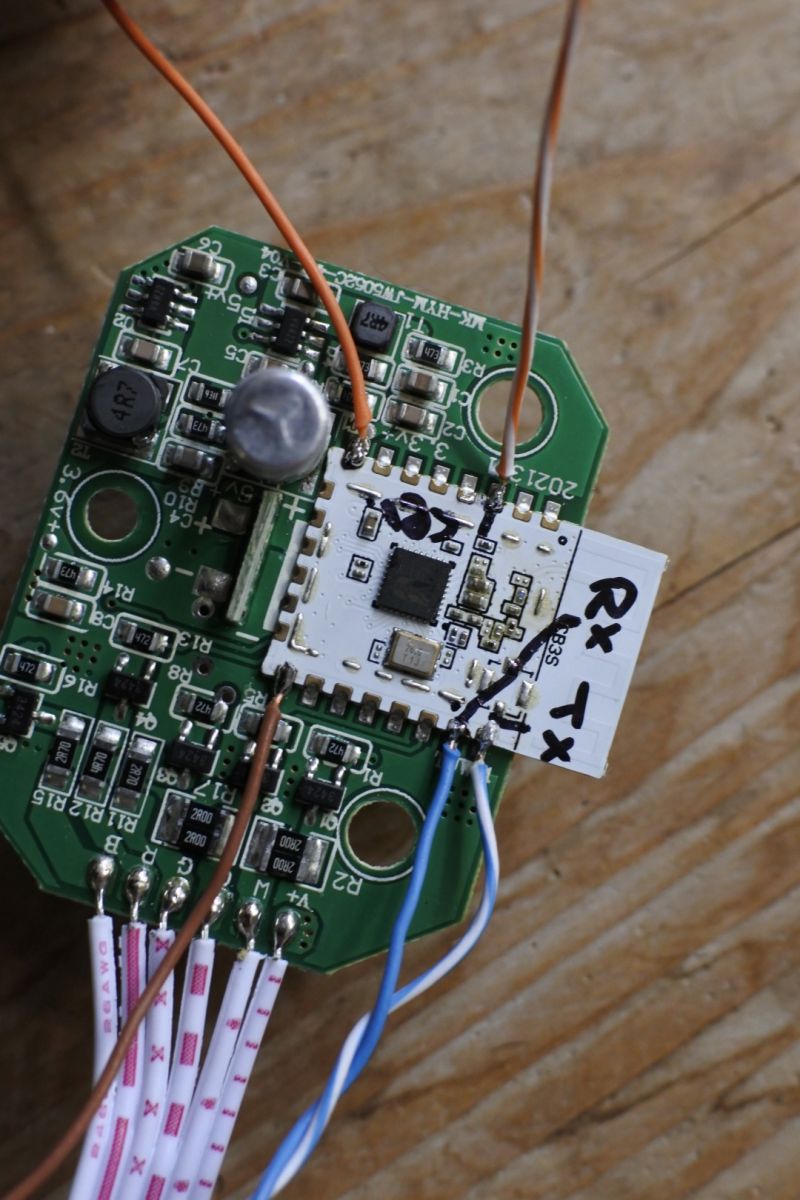
    LSC Smart connect Smart LED MOOD LIGHT 970743 teardown
    Rx and Tx as marked, brown is ground and orange is 3.3V. The orange/white wire is 'cen'.

    Flash like any other BK7231N and use the following configuration;
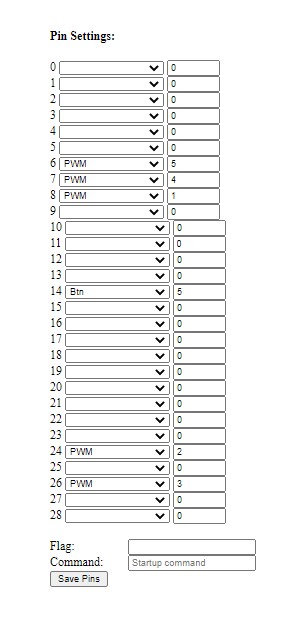
    LSC Smart connect Smart LED MOOD LIGHT 970743 teardown

    Cool? Ranking DIY
    About Author
    maarten682
    Level 1  
    Offline 
    maarten682 wrote 1 posts with rating 10. Been with us since 2022 year.
  • ADVERTISEMENT
  • #2 20206432
    p.kaczmarek2
    Moderator Smart Home
    Thanks. That's a very nice lamp, but I wonder how it looks like at night, on the shelf in the dark room?

    Have you added this lamp to our online database?
    https://github.com/OpenBekenIOT/webapp/blob/gh-pages/devices.json

    I've also bought some new lights recently, but the ones I've chosen are modular:
    LSC Smart connect Smart LED MOOD LIGHT 970743 teardown
    LSC Smart connect Smart LED MOOD LIGHT 970743 teardown
    More photos and teardown coming soon!
    Helpful post? Buy me a coffee.
  • ADVERTISEMENT
  • ADVERTISEMENT
  • ADVERTISEMENT
  • #5 20803550
    p.kaczmarek2
    Moderator Smart Home
    Just please remember, do not power device from mains when flashing, many power supplies do not provide isolation from mains and there may be live potential on even the ground lane! It's better to power from USB or other safe power supply.
    Helpful post? Buy me a coffee.
  • #6 20803697
    lewandek
    Level 11  
    p.kaczmarek2 wrote:
    Just please remember, do not power device from mains when flashing, many power supplies do not provide isolation from mains and there may be live potential on even the ground lane! It's better to power from USB or other safe power supply.


    Yes - of course - but to be honest it wasn't connected to anything else than those 3 wires, visible on photo. I've flashed 3 units that way - don't know if it's a magic or just a science :)
  • #7 20803884
    p.kaczmarek2
    Moderator Smart Home
    I think you can find explanation here: https://www.elektroda.pl/rtvforum/topic3977874.html
    There is a tiny current flow through protection diodes that sometimes may be enough to power the device.
    Helpful post? Buy me a coffee.
  • #8 21310890
    p.kaczmarek2
    Moderator Smart Home
    By the way, here is the full name of the product:
    
    3004154 970743 LED Mood Light BK7231N v1.1.5 (LSC)
    
    Helpful post? Buy me a coffee.
  • #9 21822342
    cyclemat
    Level 2  
    >>21310890
    Today New Version Found
    Chip is WB3S
    Cloudcutter profil : 970743 1.1.16
    Pin Profil:
    P6 - PWM - 4
    P8 - PWM - 3
    P9 - PWM - 0
    P14 - Btn - 0
    P24 - PWM - 1
    P26 - PWM -2
  • #10 21822808
    p.kaczmarek2
    Moderator Smart Home
    Thanks for sharing, but can you give us pins in form of OBK JSON template? It makes copying to our devices list easier.
    Helpful post? Buy me a coffee.
  • #11 21822968
    cyclemat
    Level 2  
    >>21822808 {
    {
      "vendor": "LSC",
      "bDetailed": "0",
      "name": "LED MOOD LIGHT",
      "model": "",
      "chip": "BK7231T",
      "board": "WB3S",
      "flags": "134218752",
      "keywords": [
        "TODO",
        "TODO",
        "TODO"
      ],
      "pins": {
        "6": "PWM;4",
        "8": "PWM;3",
        "9": "PWM;0",
        "14": "Btn;0",
        "24": "PWM;1",
        "26": "PWM;2"
      },
      "command": "",
      "image": "https://obrazki.elektroda.pl/7011755600_1663840884.jpg",
      "wiki": "https://www.elektroda.com/rtvforum/viewtopic.php?p=21822342#21822342"
    }
📢 Listen (AI):

Topic summary

✨ The LSC Smart Connect Smart LED Mood Light (model 970743) is an egg-shaped RGB-CC-CW mood lamp available in Action stores in the Netherlands, powered via USB-C without an included power supply. The device features a two-part snap-fit plastic housing with no glue, containing two PCBs: one with a pushbutton and USB-C connector secured by screws in the bottom half, and another with LEDs clipped into the top half. The housing is robust and can be opened repeatedly without damage. Users have successfully reflashed the device's BK7231N-based module by soldering only RX, TX, and GND wires and using the BK7231GUIFlashTool software. It is advised to power the device from USB or a safe isolated supply during flashing to avoid mains-related hazards. A possible explanation for powering during flashing with minimal connections involves current flow through protection diodes. The device firmware version referenced is v1.1.5.
Generated by the language model.

FAQ

TL;DR: 100 % flashing success on 3 tested LSC 970743 lamps, “do not power device from mains when flashing” [Elektroda, p.kaczmarek2, post #20803550], achieved with only RX, TX, GND wires [Elektroda, lewandek, post #20803697]

Why it matters: The €10 mood light becomes a safe, hack-friendly IoT node.

Quick Facts

• Street price: €10 at Action NL [Elektroda, maarten682, post #20202343] • MCU: BK7231N Wi-Fi SoC, 3.3 V logic [Elektroda, maarten682, post #20202343] • Power input: 5 V DC via USB-C; no PSU included [Elektroda, maarten682, post #20202343] • LEDs: RGB + CC + CW, approx. 18 SMD parts [Elektroda, maarten682, post #20202343] • Housing: snap-fit, zero glue, re-opens in <30 s with clamp [Elektroda, maarten682, post #20202343]

How do I open the lamp without cracking the shell?

Squeeze firmly along the seam with your hands or a small wood clamp; the plastic flexes, clips release, and the shell pops apart. Components sit far from the squeeze zone, so nothing breaks [Elektroda, maarten682, post #20202343]

Which pins are needed for firmware flashing?

Connect RX, TX, and GND to the BK7231N header; users reported instant boot and flash with those three wires only [Elektroda, lewandek, post #20803439]

What software and settings work best?

BK7231 GUI Flash Tool v1.x auto-detects the chip and writes OpenBeken images in under 30 s [GitHub, 2024]. Use 115200 bps, 8 N 1, no flow control, and set GPIO map per screenshot in the thread [Elektroda, maarten682, post #20202343]

How do I flash the lamp – three easy steps?

  1. Solder RX, TX, GND to header points.
  2. Hold BOOT (or short CEN to GND), plug USB-to-TTL adapter.
  3. Start BK7231 GUI Flash Tool and write OpenBeken firmware. Total time: ~2 minutes [Elektroda, lewandek, post #20803532]

Is it safe to power the PCB from a phone charger while flashing?

No. Some chargers have no mains isolation; live voltage may appear on GND. Always power only through the USB-to-TTL adapter’s 3.3 V rail or a battery pack [Elektroda, p.kaczmarek2, post #20803550]

Why did my board light up with only data wires connected?

Protection diodes leak a small current from the adapter’s TX line, creating a few milliamps—enough to run the MCU and tiny LEDs [Elektroda, p.kaczmarek2, post #20803884]

Can I add the device to the OpenBeken database?

Yes. Fork the GitHub repo and append the JSON block for product 970743; include GPIO map and photos, then submit a pull request [GitHub, 2024].

What common mistakes brick the device?

  1. Powering from 230 V during flashing leads to lethal shock.
  2. Reversing TX/RX stalls upload.
  3. Closing the shell without aligning the notch cracks clips [Elektroda, maarten682, post #20202343] Edge-case: Overheating the tiny pads lifts copper off the board.

How many times can I reflash the BK7231N?

The internal flash supports about 10,000 program/erase cycles—ample for hobby use [Bouffalo, 2023].

Can I return to stock firmware later?

Yes, back up the original 2 MByte image before writing new code; restore it with the same tool and pinout [GitHub, 2024].
Generated by the language model.
ADVERTISEMENT