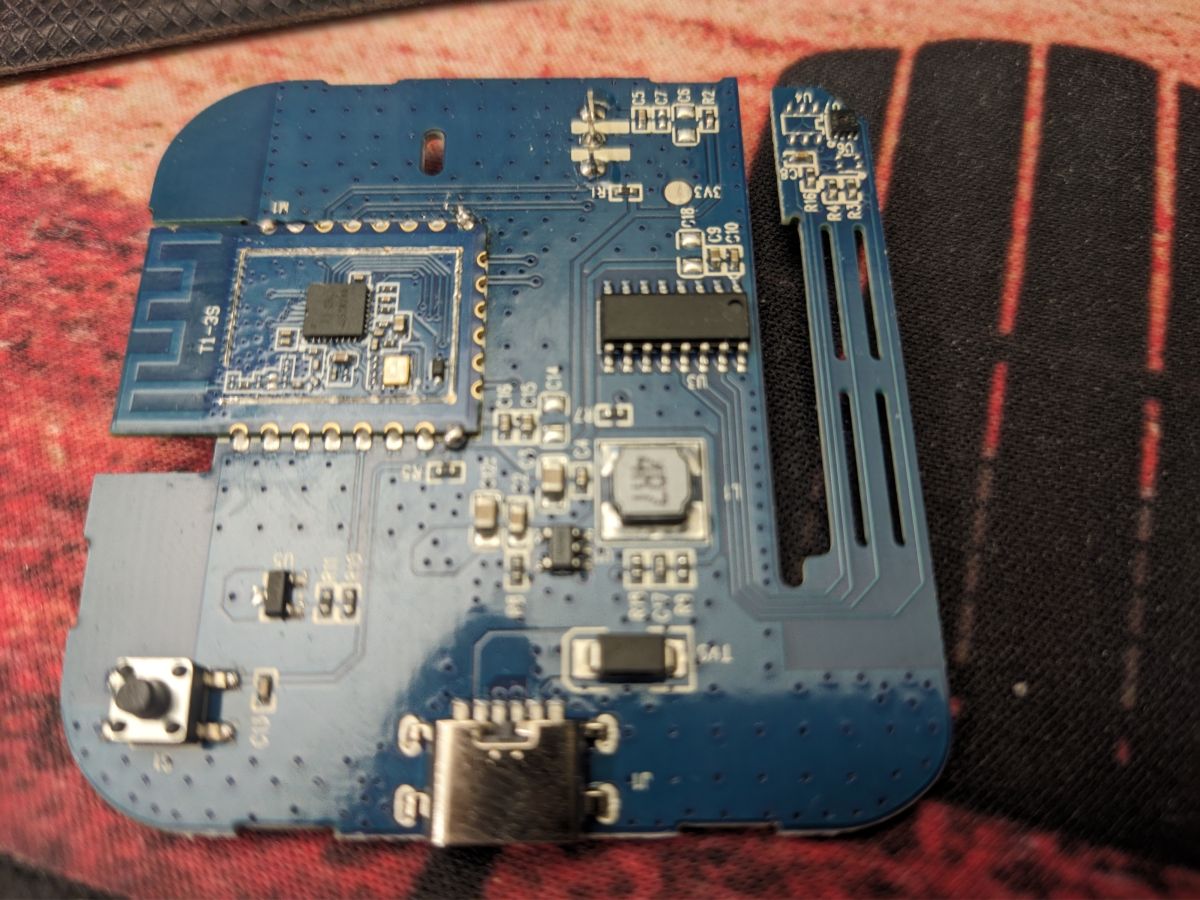
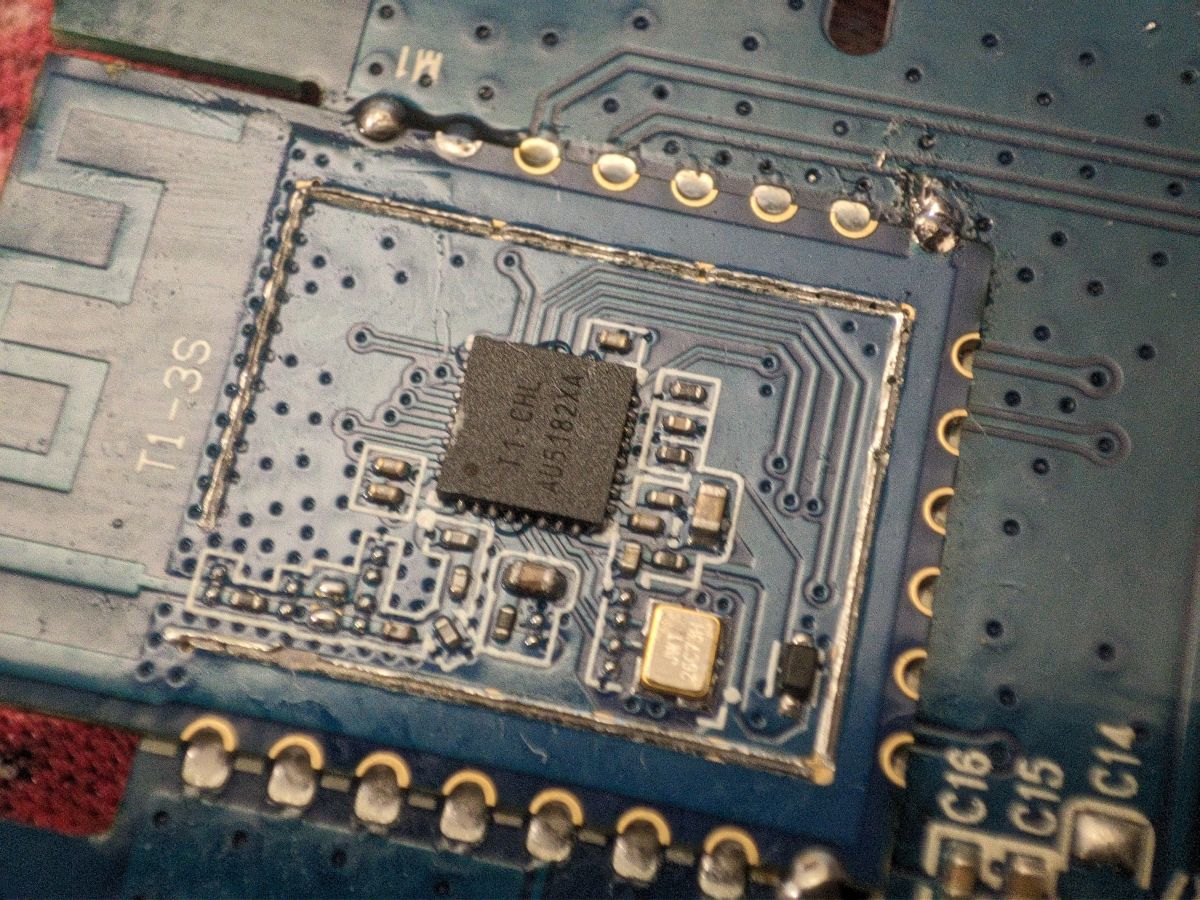
FAQ 
TL;DR: 4 GPIO pins mapped, “works with Cloudcutter” [Elektroda, d0np3p3, post #20544008]; 100 % pin-compatibility confirmed across S06, S18 and Hama 176639 variants [Elektroda, d0np3p3, post #20549240] Flashing BK7231N/T modules yields Wi-Fi + MQTT IR control in under 10 min. Why it matters: one cheap blaster can replace every legacy remote in your smart-home.
Quick Facts
• Supply voltage: 3.3 V [Elektroda, zweigang, post #20467019]
• IR LEDs fitted: 4 (with 2 spare footprints) [Elektroda, p.kaczmarek2, post #20467179]
• Supported chips: BK7231N (CB3S) & BK7231T (WB3S) [Elektroda, morgan_flint, post #20765814]
• Typical flash time: <3 min via USB-TTL [Elektroda, zweigang, post #20467019]
• Reported range drop to 0.5 m after custom firmware [Elektroda, rakalexei, post #20560831]
Which GPIO pins do I assign for the S06/S18 IR blaster?
How do I flash OpenBeken onto a CB3S/WB3S module?
- Solder VCC, GND, RX1, TX1 pads to a 3.3 V USB-TTL adapter.
- Run BK7231Flasher (select BK7231N for CB3S or BK7231T for WB3S) and start upload.
- Power-cycle VCC to enter boot mode; after ~120 s the device reboots into AP mode [Elektroda, zweigang, post #20467019]
Can I flash through Cloudcutter instead of UART?
Why does my unit report BK7231T instead of BK7231N?
IR receive works but send fails—what should I check?
How do I capture raw IR codes for an unknown remote?
Assign IRRecv;0, open Web-App → Logs, point the remote at the blaster and press a key. The console prints either a protocol line (e.g., NEC-7A-1D-0) or a PulseDistance hex pair for raw frames
[Elektroda, Qua8824, post #21362740]
Air-conditioner codes are not detected—bug or limitation?
How do I send an IR code from Home Assistant?
What is the typical Wi-Fi range after flashing?
OTA updates keep failing—why?
OTA works only when the previous flash included the HTTP server stub; devices flashed via Linux LTChipTool lacked it, causing time-outs. Re-flash using BK7231Flasher 1.18.84 or newer, then OTA succeeds
[Elektroda, lukabodroza, post #21599072]
Is there a way back to the factory Tuya firmware?
What does the status LED indicate during normal use?
Distance is too short—can I boost IR power?
Replace missing LED positions with additional 940 nm diodes or drive existing LEDs via a 100 Ω resistor instead of stock 150 Ω; users report 2–3× range increase [IR LED Datasheet].
What’s the safest recovery method after bad flash?
AI summary based on the discussion. May contain errors.










![Teardown, flashing and configuration for Smart Tuya IR Blaster S06 [CB3S]](https://obrazki.elektroda.pl/1489064500_1783122036.jpg "Teardown, flashing and configuration for Smart Tuya IR Blaster S06 [CB3S]")
![Teardown, flashing and configuration for Smart Tuya IR Blaster S06 [CB3S]](https://obrazki.elektroda.pl/6154930300_1783122037.jpg "Teardown, flashing and configuration for Smart Tuya IR Blaster S06 [CB3S]")