logo elektroda
logo elektroda
X
logo elektroda

[BK7231N/CBU] Tuya TH01? Generic Wi-Fi Temperature & Humidity Sensor [CHT8310]

divadiow 40482 152
Best answers

Do I need to dump anything else before flashing OpenBeken on this BK7231N temperature/humidity sensor?

No additional dump was identified as necessary; the firmware dump and boot logs you already captured were enough to move forward, and the thread later confirmed support for the CHT8310 sensor through the CHT8305 driver. Enable the CHT8305 driver in OpenBeken, then check the log for `DRV_CHT8305_init: ID: 59 59 8215` to confirm the chip is being detected correctly [#20874759][#20876020] After that, the device should work normally, and one user reported it was fine aside from needing calibration [#20876035] The thread also concluded this device is really a TH01-style unit rather than TH08, so update the template/name accordingly [#21109755][#21109760] If you want to try cloudcutter first, note that the device may be on patched firmware / NL battery firmware, so serial flashing may still be required [#20852460][#20852625][#20970455]
Generated by the language model.
ADVERTISEMENT
  • #151 21888469
    proks777
    Level 2  
    Posts: 9
    Sorry for posting in this thread, but I couldn't find a thread with a similar device. I'm new, and this is the first device I'm trying to flash on OpenBeken.
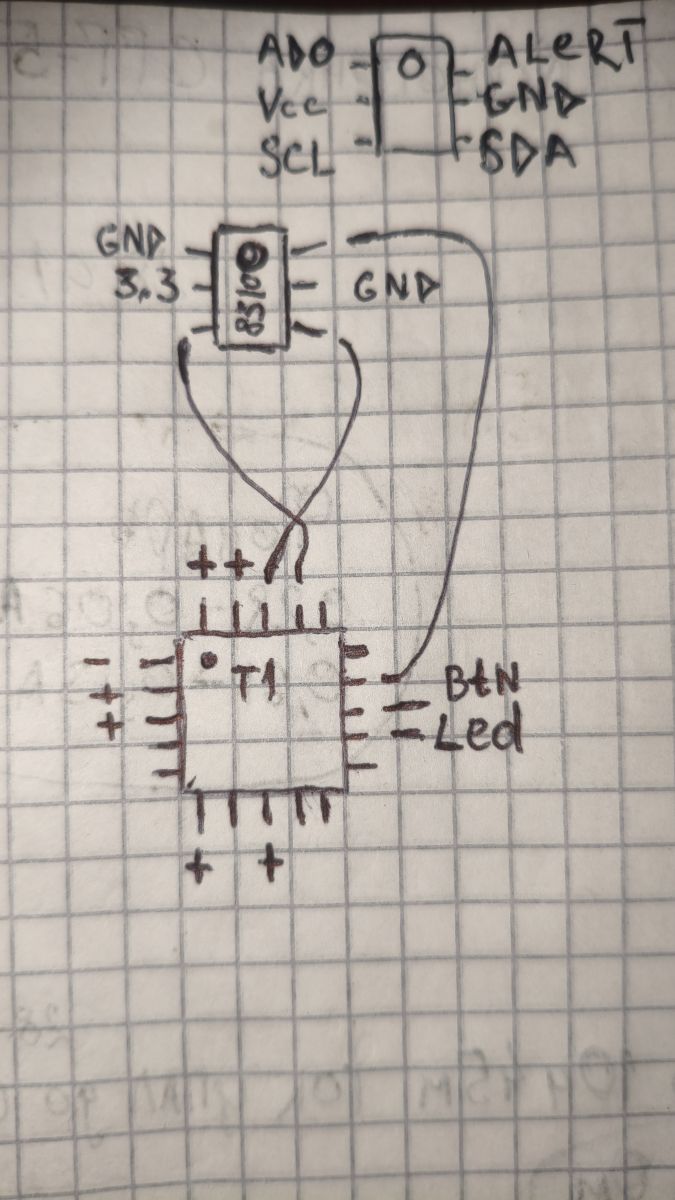
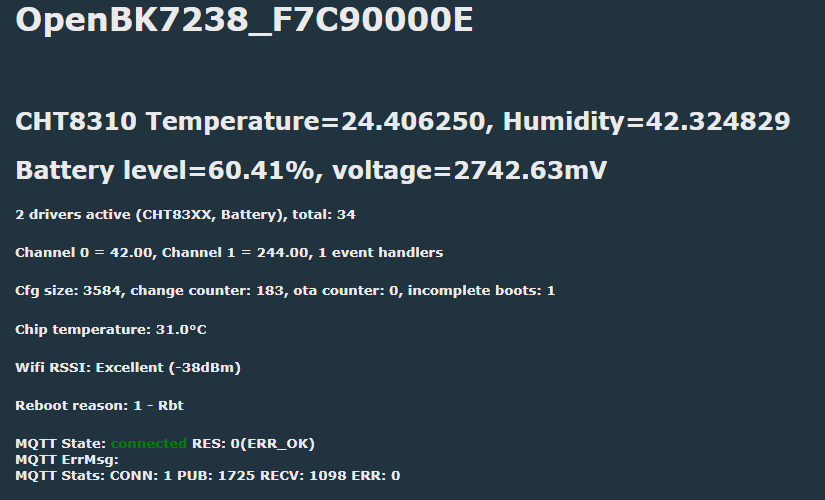
    I flashed OpenBK7238_QIO_1.18.287.bin. I even tried configuring the pins. The temperature and humidity readings seem to be correct. However, the battery pins seem to be incorrect. I don't remember why I assigned them exactly, and I don't have a better option. The battery is overstated by 0.3-0.4 V. I also doubt I assigned the other pins correctly! Please help me configure them correctly.

    Spoiler:

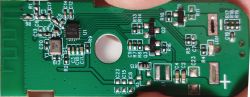
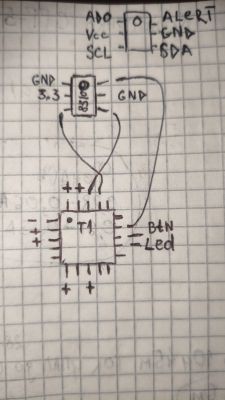
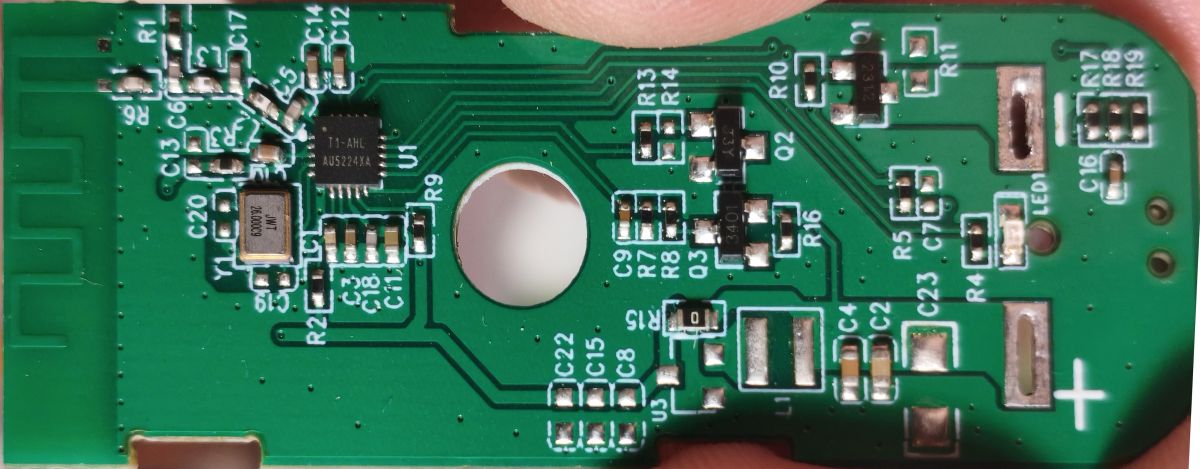
    [BK7231N/CBU] Tuya TH01? Generic Wi-Fi Temperature & Humidity Sensor [CHT8310] Close-up of a green PCB with SMD components, a mounting hole, and a plus sign marking Hand-drawn wiring diagram of a BME280 sensor connected to a microcontroller, with labeled I2C pins
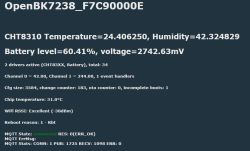
    Screenshot of sensor status: temperature, humidity, battery level/voltage, Wi‑Fi RSSI, and MQTT connection.


    Spoiler:

    {
    "vendor": "Tuya",
    "bDetailed": "0",
    "name": "Full Device Name Here",
    "model": "enter short model name here",
    "chip": "BK7238",
    "board": "TODO",
    "flags": "1028",
    "keywords": [
    "TODO",
    "TODO",
    "TODO"
    ],
    "pins": {
    "0": "CHT83XX_SDA;1;0",
    "1": "CHT83XX_SCK;0;0",
    "6": "WifiLED_n;0;0",
    "8": "Btn;0;0",
    "9": "dInput;0;0",
    "26": "BAT_Relay;0;1",
    "28": "BAT_ADC;0"
    },
    "command": "",
    "image": "https://obrazki.elektroda.pl/YOUR_IMAGE.jpg",
    "wiki": "https://www.elektroda.com/rtvforum/topic_YOUR_TOPIC.html"
    }
  • ADVERTISEMENT
  • #152 21888687
    p.kaczmarek2
    Moderator Smart Home
    Posts: 14416
    Help: 650
    Rate: 12371
    Hey, the first step we usually recommend is Tuya Config Extraction. It's a nice feature of OBK, that can be done entire in OBK Web App! Please give it a try and let us know, what was extracted for you:


    Note that sometimes there is no configuration in Tuya partition, so we may resort to other methods, but it's good to check it first anyway .
    Helpful post? Buy me a coffee.
  • #153 21888714
    proks777
    Level 2  
    Posts: 9
    >>21888687

    Unfortunately, I was out of luck.

    Quote:
    Sorry, no meaningful pins data found. This device may be TuyaMCU or a custom one with no Tuya config data.
    No module information found.
    Device internal platform - T1, equals BK7238.
    And the Tuya section starts at an UNCOMMON POSITION 28672 (0x7000)


    ====================================

    "0": "CHT83XX_SDA;1;0",
    "1": "CHT83XX_SCK;0;0",
    "6": "WifiLED_n;0;0",
    "8": "Btn;0;0",
    "9": "dInput;0;0",
    "26": "BAT_Relay;0;1",
    "28": "BAT_ADC;0"

    Can I assume the pins are configured?
    My thoughts:
    1. The temperature and humidity are correct. Does this mean CHT83XX_SDA and CHT83XX_SCK are correct?
    2. The LED blinks during boot. Does this mean WifiLED_n is correct?
    3. If I execute PinDeepSleep 90 in the command line and press the button during sleep, the device wakes up. Does this mean Btn and dInput are correct?
    4. I adjusted BAT_ADC and BAT_Relay (Battery_Setup 2200 3000 1.92 2400 4096). I apply 2 volts and see 2.05 on the device, but at 3 volts, I see 2.94 volts. The error is almost 0.1 volt. Is this normal for such devices?

    ===============
    Regarding autoexec.bat. Do I need to add startDriver CHT83XX, startDriver battery? It seems to work without these lines too! Or is it better to add them?

    Can you tell me how to boot without running autoexec.bat? To adjust the settings? I tried five reboots and Safe Mode. But then Launch Web Application is unavailable, and it's unclear how to edit autoexec.bat, and it takes a long time. Is there a simpler solution?

Topic summary

✨ The discussion centers on the Tuya-based generic Wi-Fi temperature and humidity sensor labeled as TH08 but identified as TH01 with a Sensylink CHT8310 sensor and BK7231N chip on a CBU board. Users share experiences with flashing OpenBK firmware using BK7231GUIFlashTool and CP2102 or other USB-serial adapters, addressing issues like firmware patch detection, flashing failures, and device bricking due to power supply limitations. A community-developed CHT8310 driver integrated into the CHT8305 driver supports the sensor, requiring proper pin configuration, including dual channels for SDA and BAT_Relay pins. Calibration challenges are noted, especially temperature offsets and poor accuracy at low temperatures, with some users applying software offsets. Battery monitoring and management are discussed extensively, including identifying BAT_Relay and BAT_ADC pins, voltage calibration, and scripting autoexec.bat to optimize battery life and prevent bootloops on low battery by conditional deep sleep durations. The ALERT pin on P7 is used to wake the device from deep sleep on environmental changes, reducing power consumption. Users also explore polling rate adjustments to reduce unnecessary sensor reads. Integration with Home Assistant via MQTT is addressed, with configuration tips to avoid data misinterpretation. Some users report pairing issues with the original Tuya app after battery depletion, resolved by router resets. The community contributes device templates with detailed pin assignments and commands, improving support in OpenBeken firmware and cloudcutter profiles. Discussions include hardware details like the PW33 boost converter, power supply considerations, and potential for device display enhancements. Overall, the thread provides comprehensive technical guidance on flashing, configuring, calibrating, and optimizing the Tuya TH01/TH08 sensor with CHT8310 using OpenBK firmware.
Generated by the language model.
ADVERTISEMENT