logo elektroda
logo elektroda
X
logo elektroda

Water Boiler/Heater switch with 4 touch buttons and 20Amp relay

seeindarkness 1806 14
ADVERTISEMENT
  • Helpful post
    #1 20967494
    seeindarkness
    Level 6  

    Water Boiler switch with 4 touch buttons and 20Amp relay
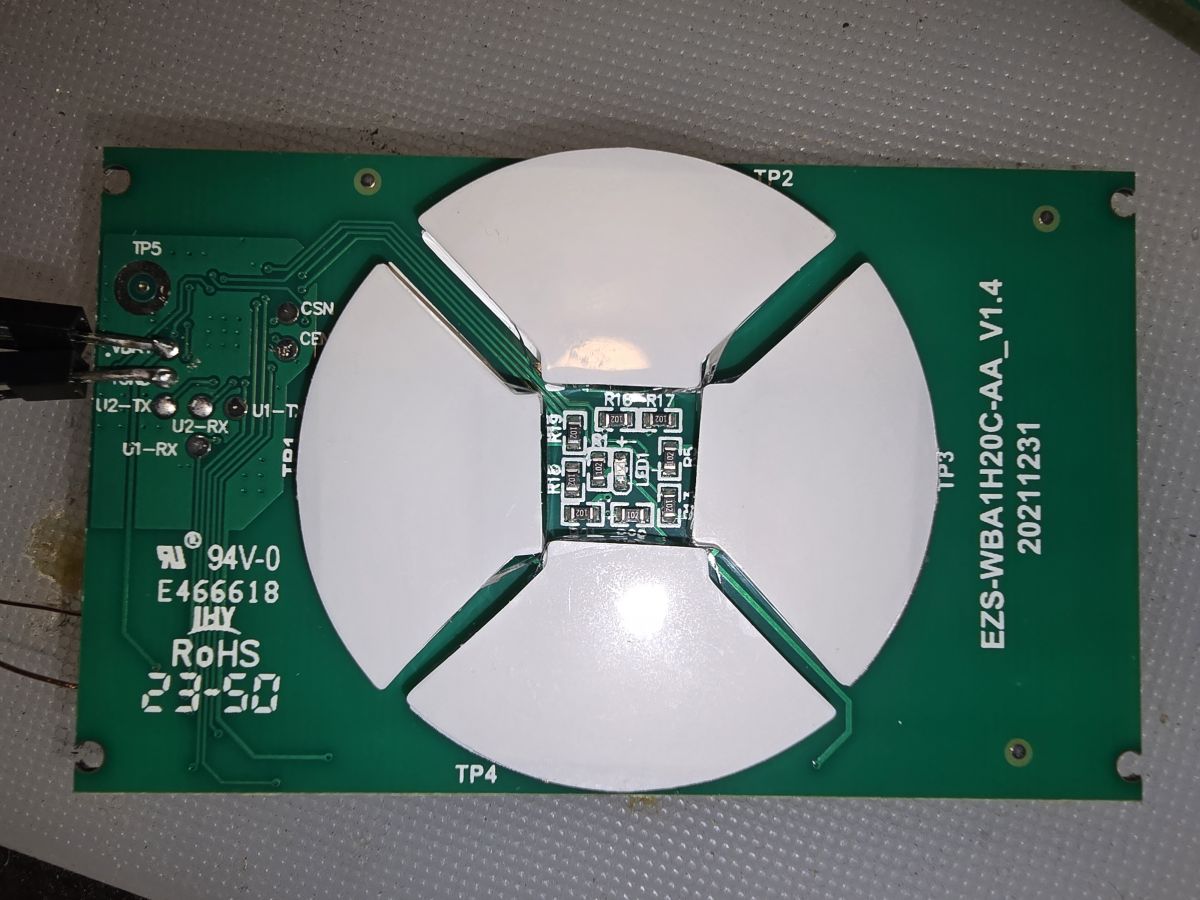
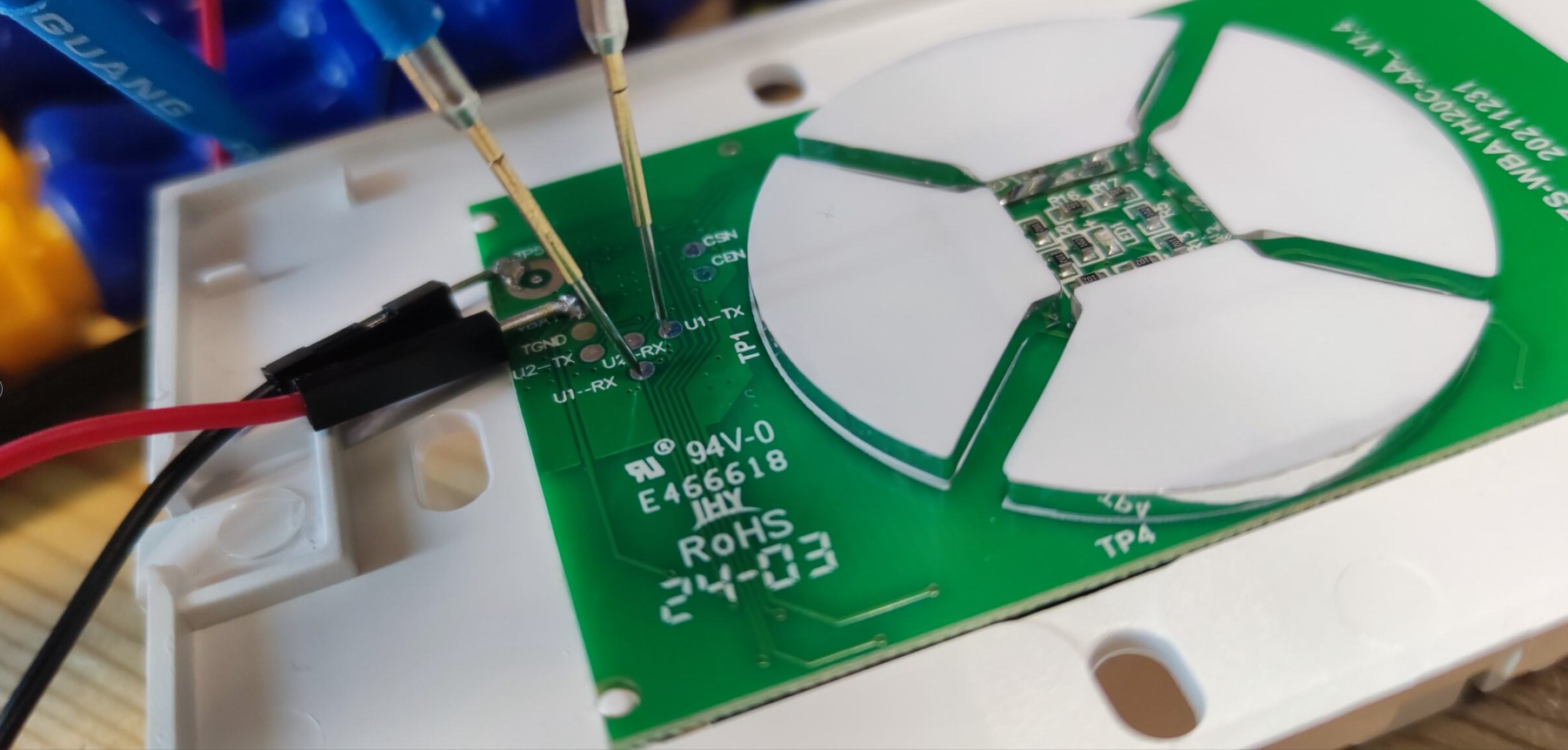
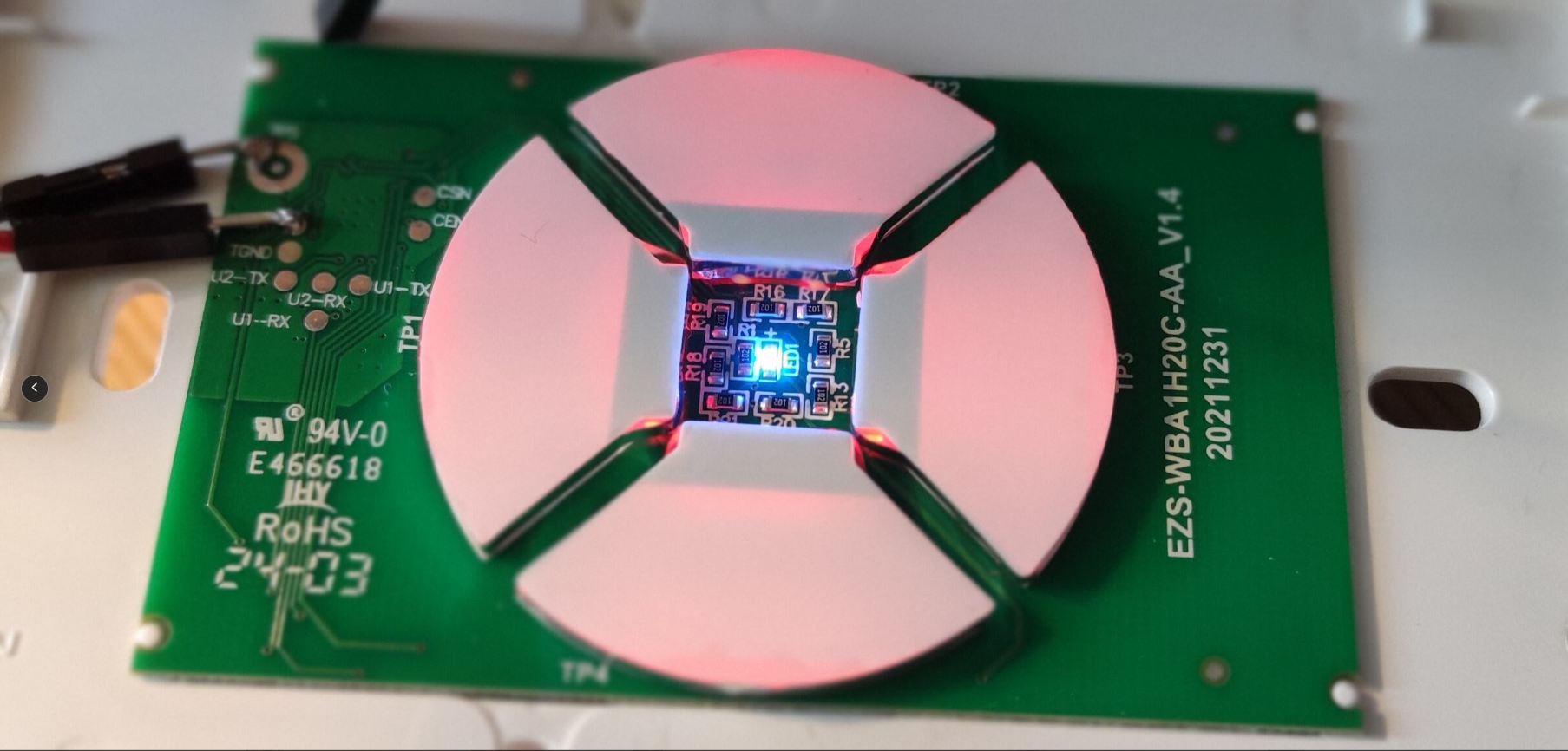
    Markings on the board: EZS-WBA1H20C-AA_V1.4
    20211231
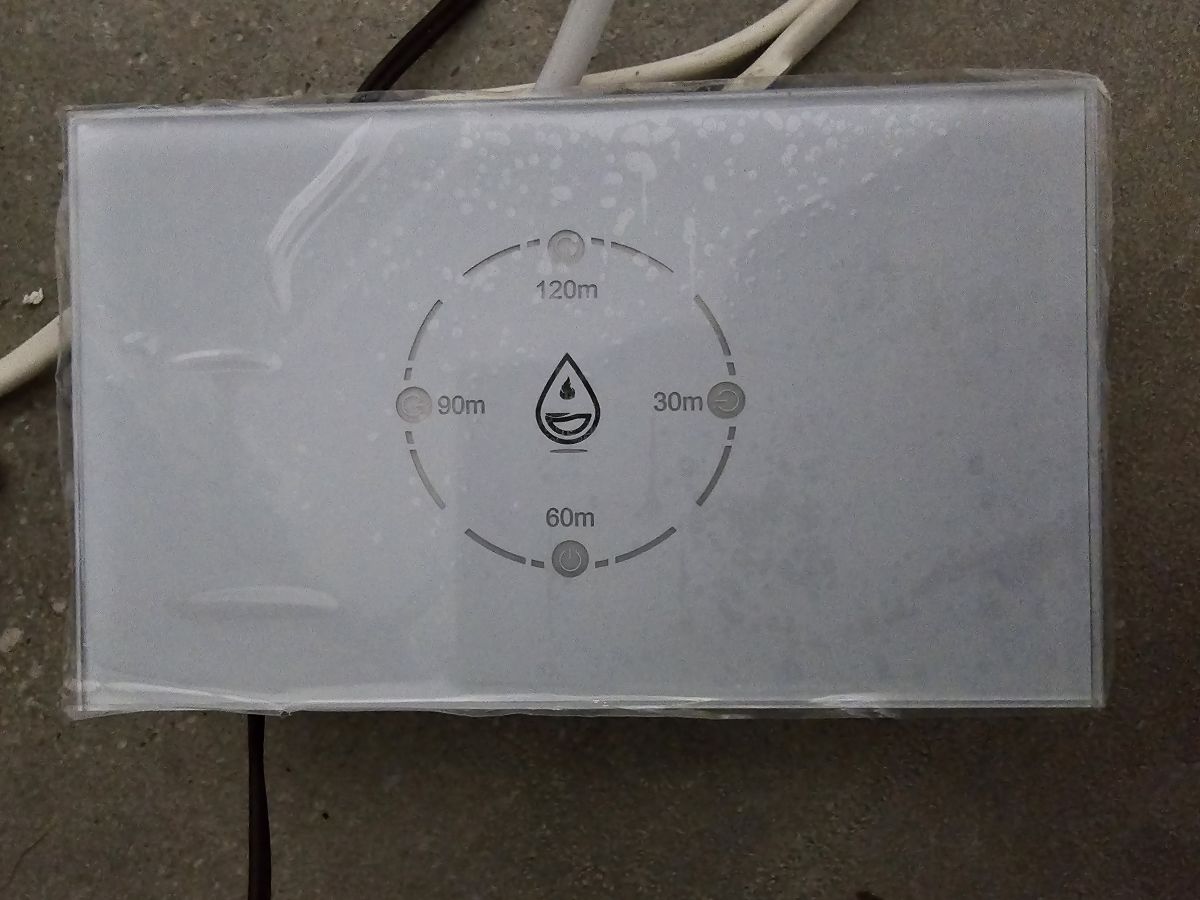
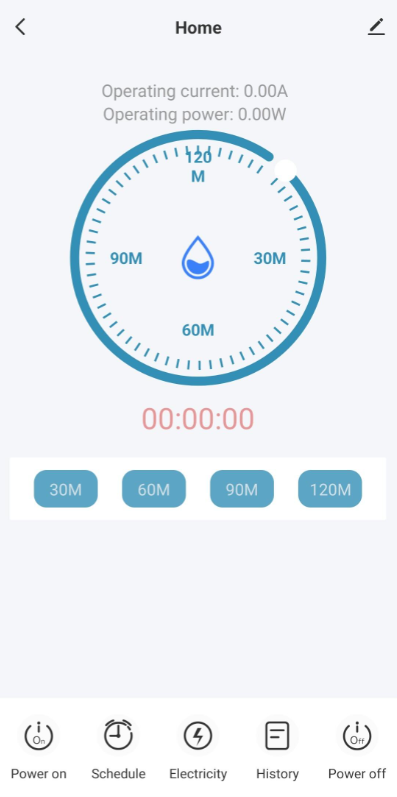
    Water boiler switch with four touch buttons, time markings, and a drop symbol in the center.
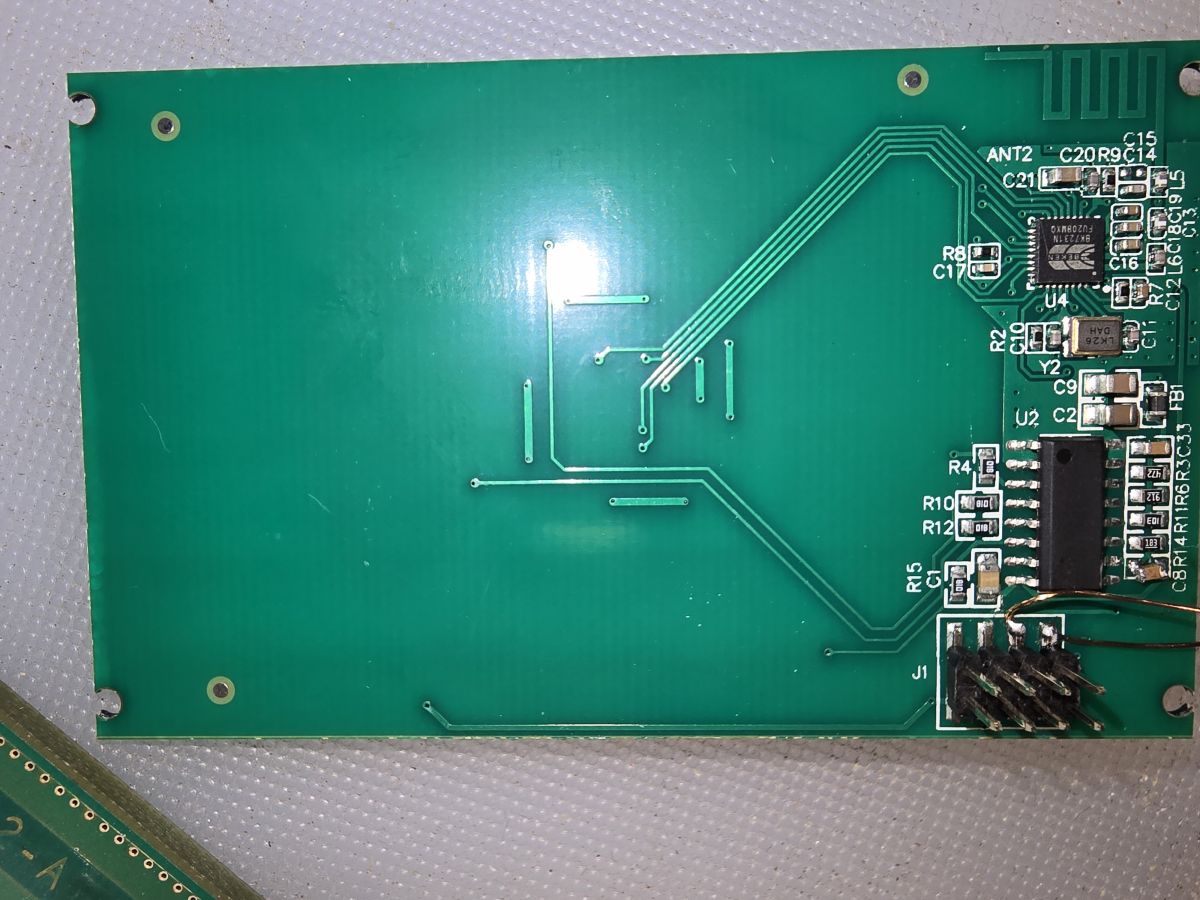
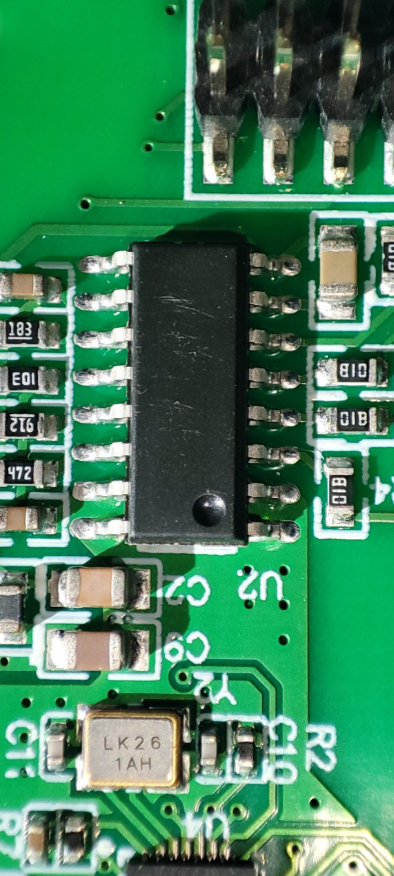
    Printed circuit board with electronic components and traces.
    Electronic board with markings and connection elements.
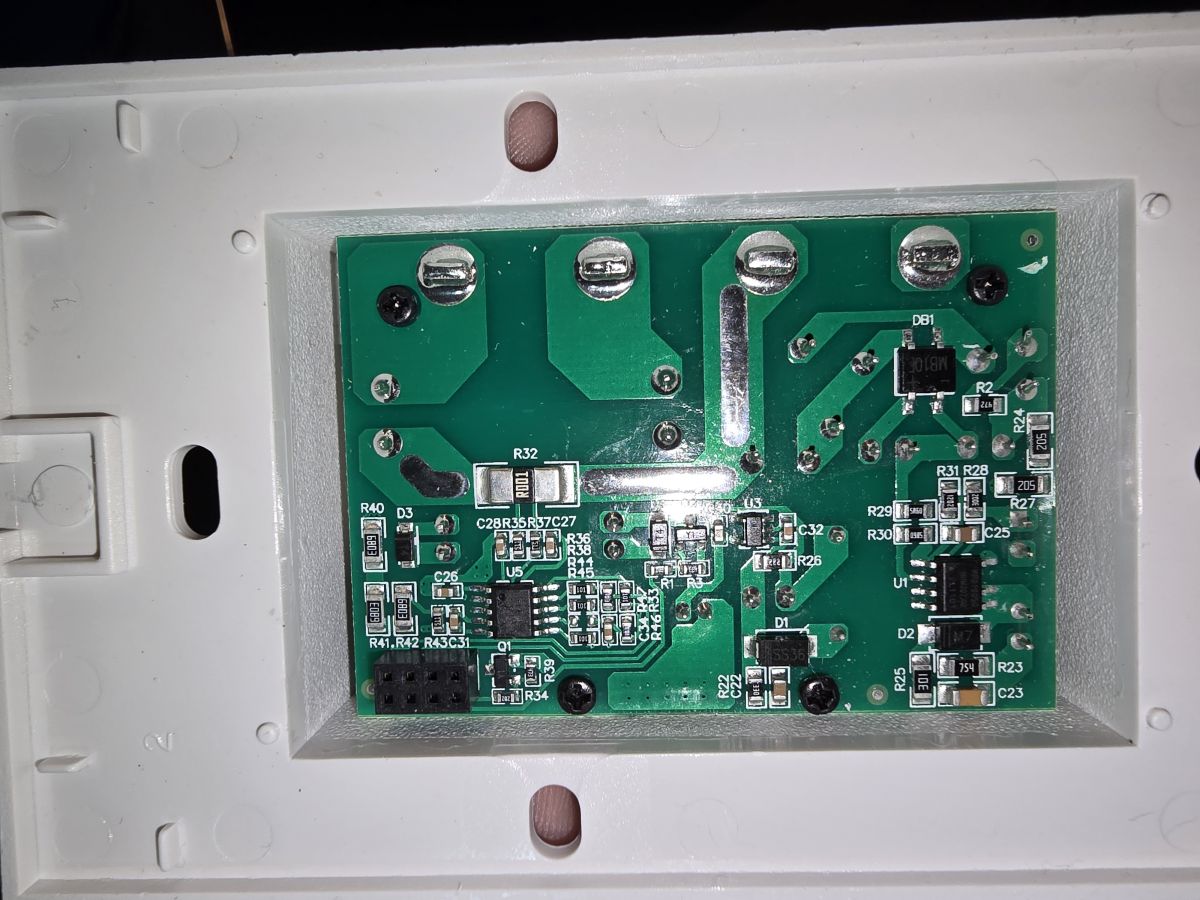
    Printed circuit board in a plastic casing with electronic components and screw terminals.
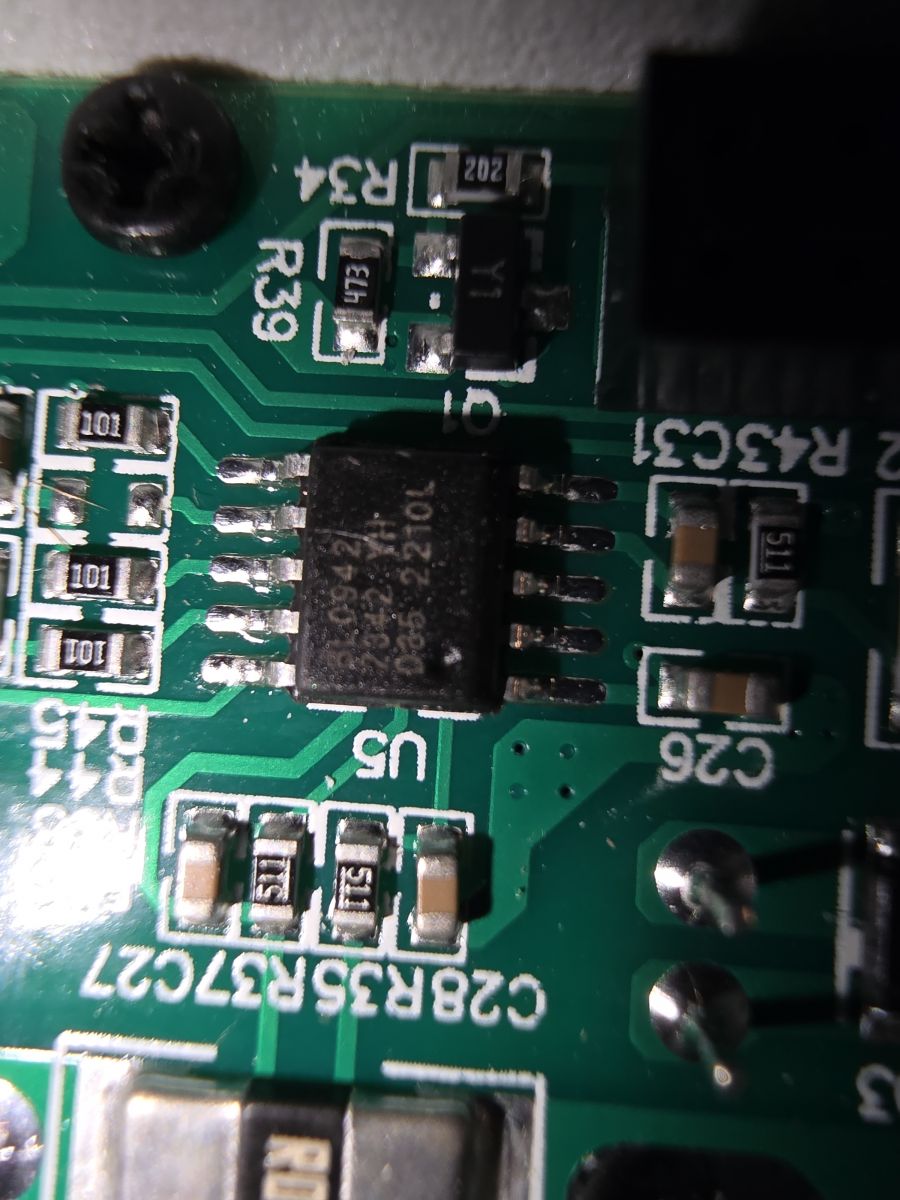
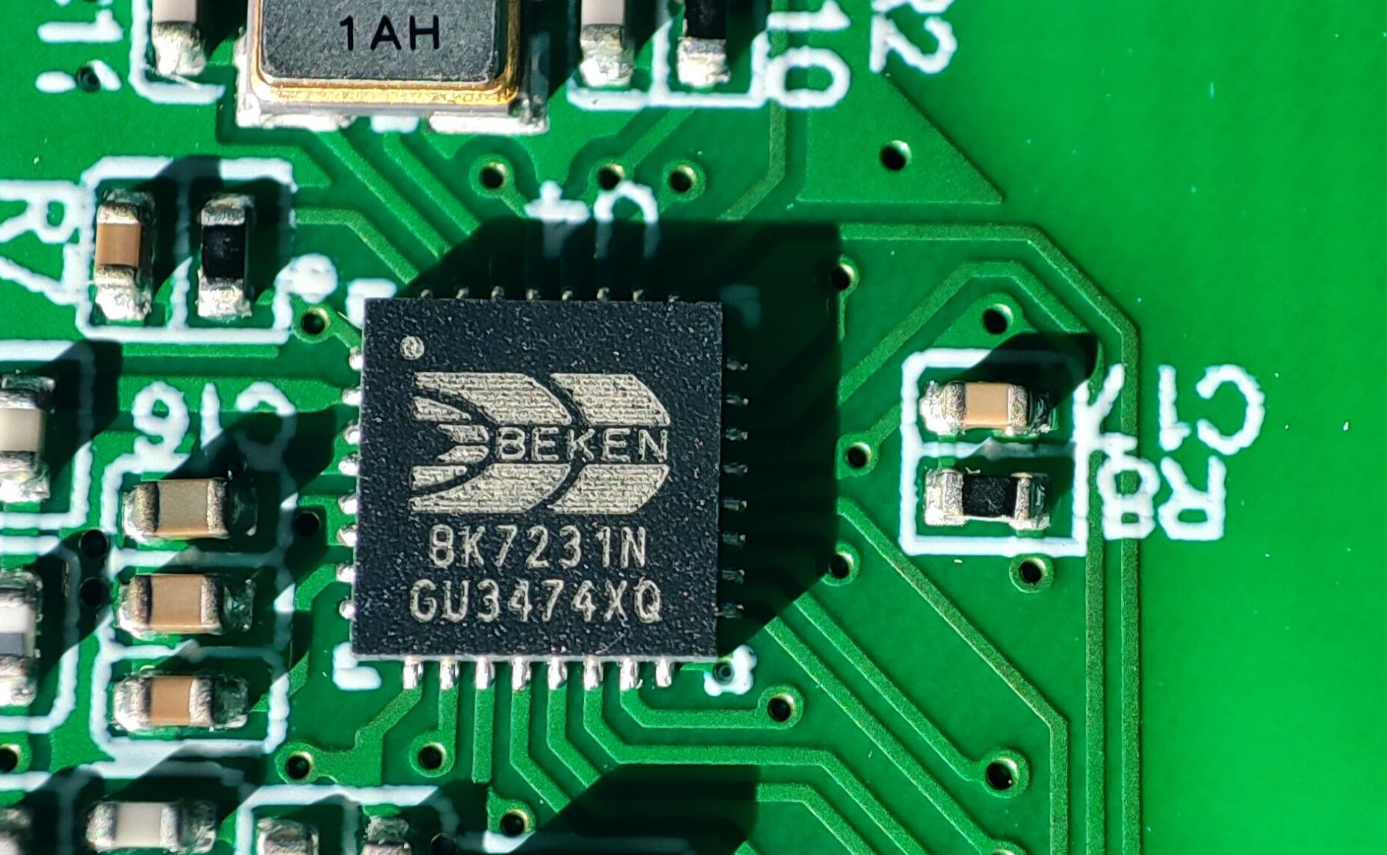
    Close-up of an integrated circuit on a printed circuit board with markings.
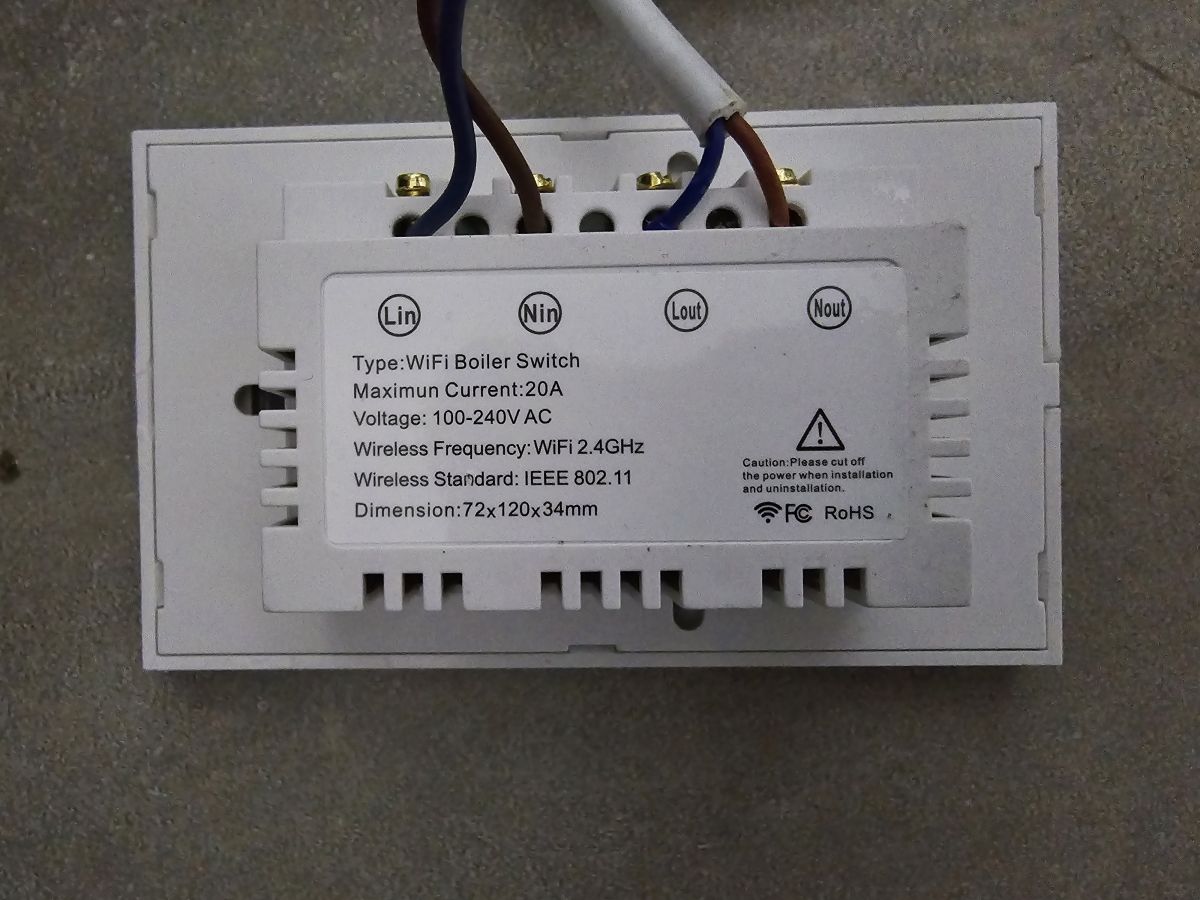
    WiFi boiler switch with labeled connections and technical details.

    link to item Link

    Managed to map some pins, like all the LEDS the weird Relay and one capacitance button,
    There is a mystery MCU on the board that is connected only to P28 and apparently sending high and low signals when touching 2 of the pads
    Code: JSON
    Log in, to see the code


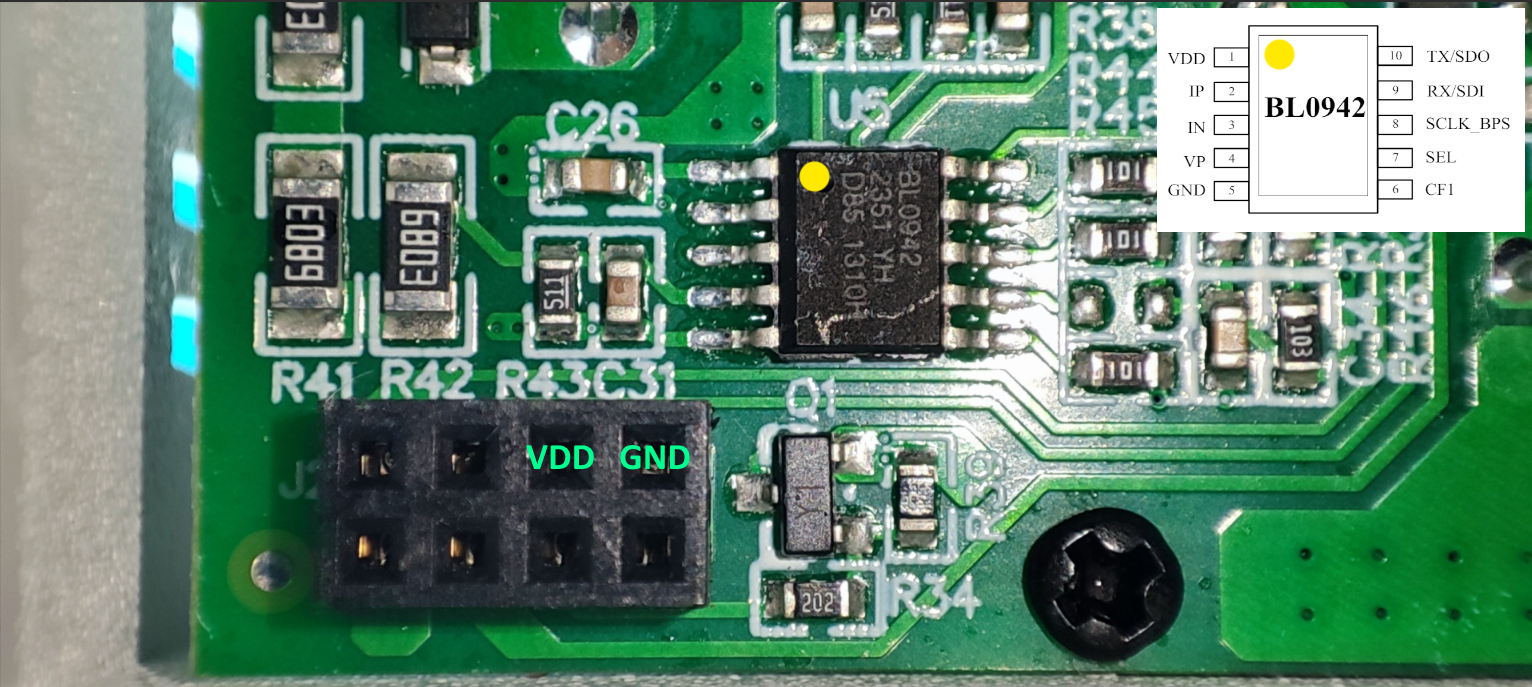
    There is also BL0942 chip but I was unable to config it to see any packets of info from it,
    Also the relay is magnetically held.
    P24 - Relay - High to turn on
    P26 - Relay - high to turn off

    P7 also goes into the power board, no idea what it does.

    Any help will be appreciated.
  • ADVERTISEMENT
  • #2 20969785
    divadiow
    Level 37  
    did you take a backup of the factory firmware?
  • #4 21065449
    divadiow
    Level 37  
    I'd forgotten all about this and my subconscious has since told me to buy one because it wasn't in the device list. It's now arrived but I haven't done anything but open it up.
  • ADVERTISEMENT
  • #6 21071623
    divadiow
    Level 37  
    I'm getting nothing from tuyaMcu_sendQueryState at 115200 or 9600 baud following this https://www.elektroda.com/rtvforum/topic4049908.html#21053452

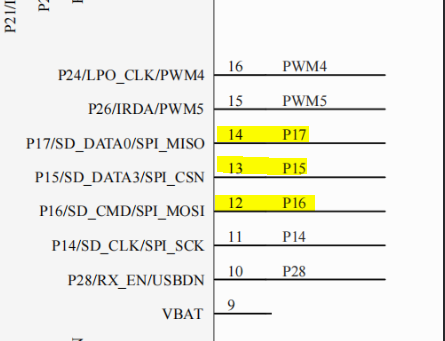
    but it seemed in continuity check that two of the main PCB connector pins looked like they were going roughly in this area of the BK IC with SPI pins (I couldn't really see which pins I was touching)

    PCB connector diagram with highlighted pins 12, 13, 14.

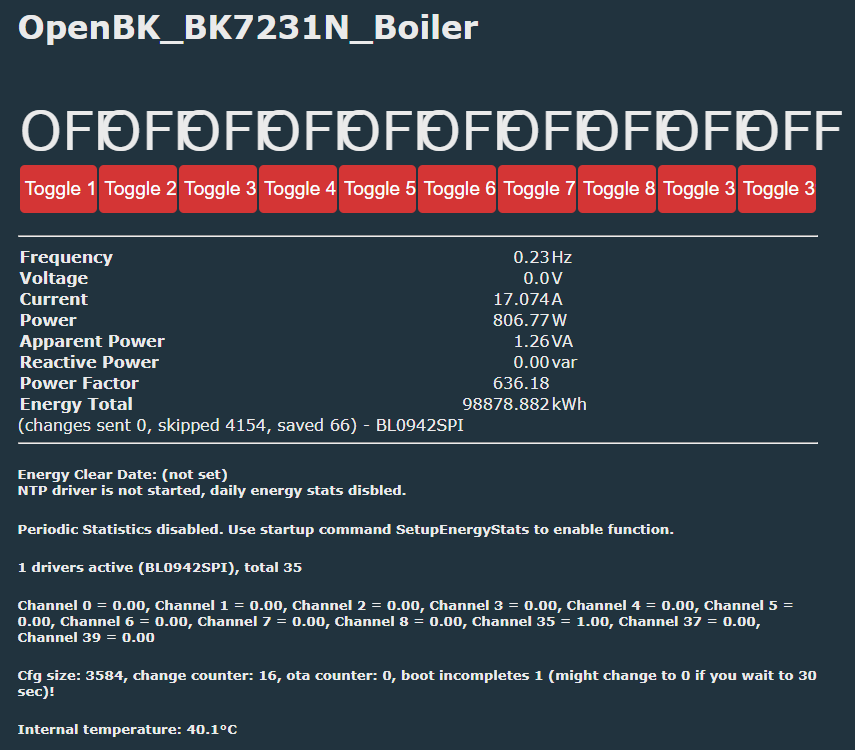
    then I remembered there was a BL0942SPI driver. so started that

    Code: Text
    Log in, to see the code


    Screenshot displaying OpenBK_BK7231N_Boiler parameters.

    but like @uchristo device in here

    Code: Text
    Log in, to see the code


    these are seen with startdriver bl0942spi 9600 and startdriver bl0942spi 115200

    so not really sure what's next. don't know what role the MCU is playing.
  • #7 21134480
    seeindarkness
    Level 6  
    Whoa, I'm glad you bought one too, I too haven't made much progress, my guess the MCU probably is a touch controller for the buttons on the faceplate
  • #8 21134684
    divadiow
    Level 37  
    Mine's back in the box. I think I got bored of it 😬
  • ADVERTISEMENT
  • #9 21771967
    seeindarkness
    Level 6  
    Small update,
    On Pin 28 the chip that is connected is the touch-sensing chip with 4 outputs to DAC ladder, which Pin 28 interprets as 4 distinct analog levels.
    I was not able to find a firmware version that supports AB_MAP (tried compiling from source, using Docker; nothing works).
    For me the values for the buttons are:
    ~25 on Pad 1
    ~1810 on Pad 2
    ~2685 on Pad 3
    ~3623 on Pad 4
    ~4000 idle

    So that's the whole pinout.

    Added after 2 [hours] 14 [minutes]:

    BL0942 pinouts:
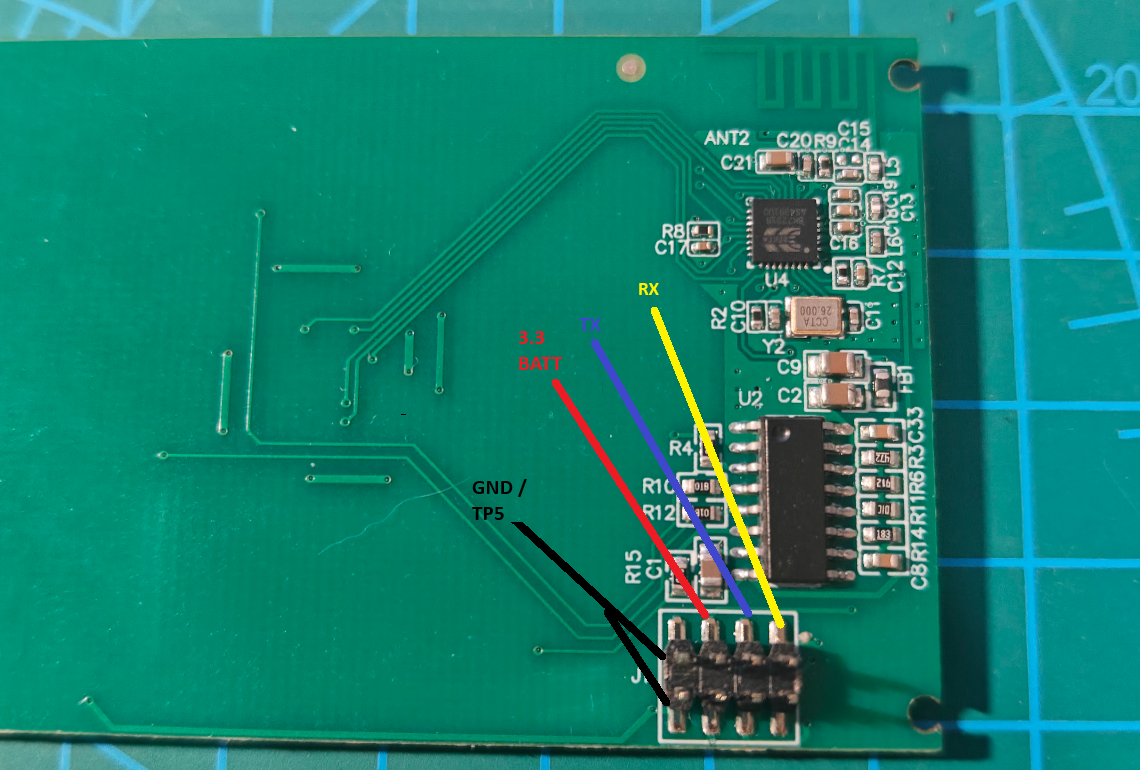
    J1 - Pin1 - GND
    J1 - Pin2 - GND
    J1 - Pin3 - 3.3V
    J1 - Pin4 - REL on/off
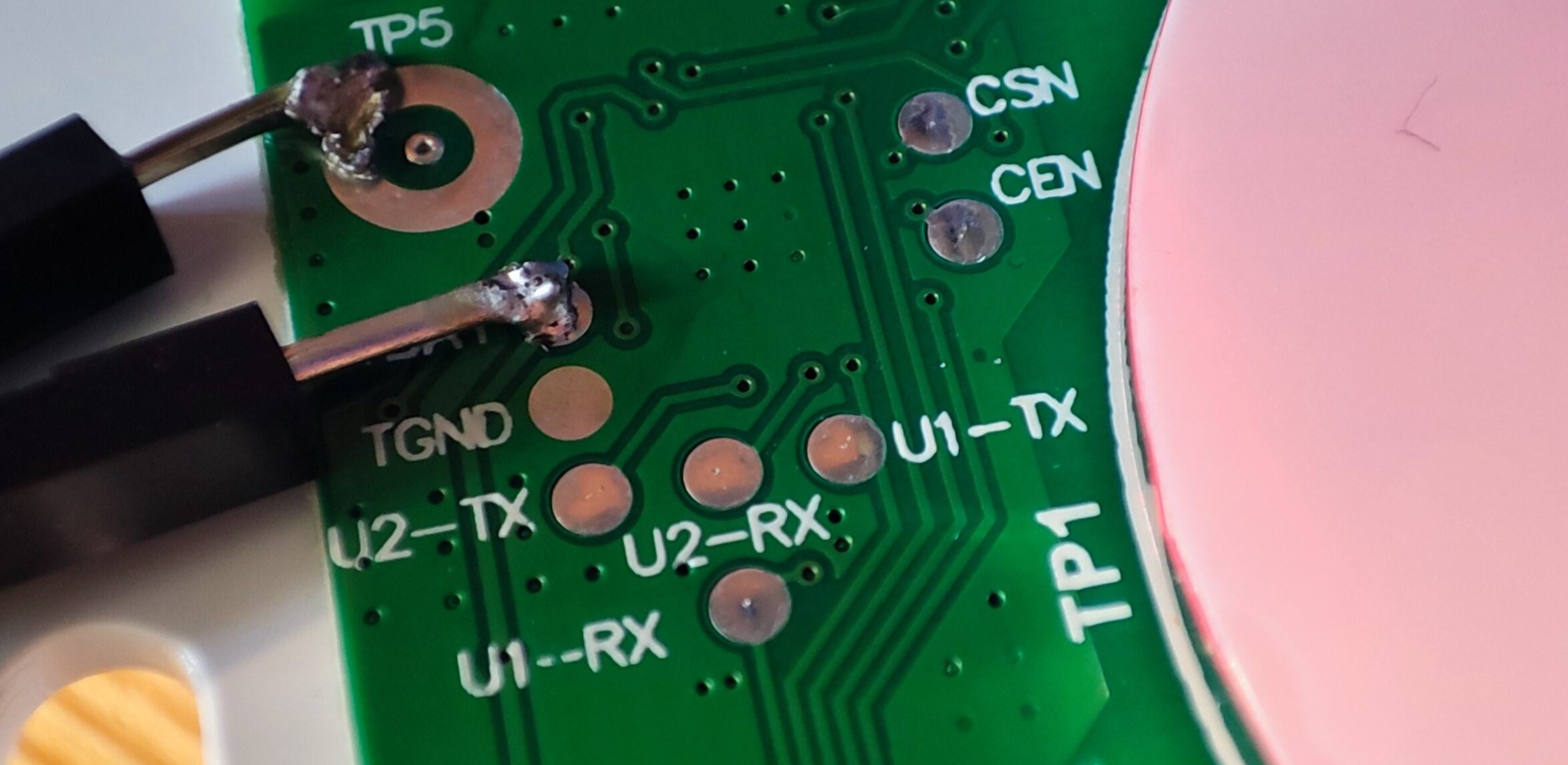
    U1-TX -> J1 - pin5 - Pin9 - BL0942
    J1 - pin6 - REL on/off
    U1-RX -> J1 - Pin7 - Pin8 - BL0942
    J1 - Pin8 - Pin6 - BL0942

    Added after 5 [hours] 14 [minutes]:

    and here is my autoexec.bat file that acts a timed switch for the relay:

    loglevel 3
    
    // --- Initial states and counters ---
    setChannel 1 0        // LED 1 + logical relay state
    setChannel 2 0        // LED 2
    setChannel 3 0        // LED 3
    setChannel 4 0        // LED 4
    setChannel 10 0       // segment counter 0..4
    setChannel 37 0       // OFF coil idle
    setChannel 39 0       // ON coil idle
    
    // --- Force relay OFF mechanically at startup ---
    setChannel 37 1
    addRepeatingEvent 1 1 setChannel 37 0
    
    // Channel 1 will still be the logical ON/OFF state for the relay
    setChannelType 1 toggle
    
    // --- COIL CONTROL: map logical state (Channel1) to latching pulses ---
    
    // Relay ON: Channel1 goes 0 -> 1
    //  - pulse ON coil (Channel39)
    addChangeHandler Channel1 == 1 backlog setChannel 39 1; addRepeatingEvent 1 1 setChannel 39 0
    
    // Relay OFF: Channel1 goes 1 -> 0
    //  - pulse OFF coil (Channel37)
    addChangeHandler Channel1 == 0 backlog setChannel 37 1; addRepeatingEvent 1 1 setChannel 37 0
    
    // --- BUTTON FROM ADC ON Channel20 ---
    // Each press advances 5-minute segments:
    //   CH10: 0 -> 1 -> 2 -> 3 -> 4 -> 0
    // We use addChannel 10 1 and wrap at >4 back to 0.
    //
    // (If your build does not support addChannel, you'll see
    //  "cmd addChannel NOT found" in the log; tell me and I’ll
    //  give an alternative using only setChannel.)
    addChangeHandler Channel20 < 4000 backlog addChannel 10 1; if $CH10>4 then setChannel 10 0
    
    // --- SEGMENT / LED MAPPING from CH10 ---
    // CH10 == 0: all LEDs and relay OFF
    addChangeHandler Channel10 == 0 backlog setChannel 1 0; setChannel 2 0; setChannel 3 0; setChannel 4 0
    
    // CH10 == 1: 5 minutes -> LED1 ON (relay ON)
    addChangeHandler Channel10 == 1 backlog setChannel 1 1; setChannel 2 0; setChannel 3 0; setChannel 4 0
    
    // CH10 == 2: 10 minutes -> LED1,2 ON
    addChangeHandler Channel10 == 2 backlog setChannel 1 1; setChannel 2 1; setChannel 3 0; setChannel 4 0
    
    // CH10 == 3: 15 minutes -> LED1,2,3 ON
    addChangeHandler Channel10 == 3 backlog setChannel 1 1; setChannel 2 1; setChannel 3 1; setChannel 4 0
    
    // CH10 == 4: 20 minutes -> LED1,2,3,4 ON
    addChangeHandler Channel10 == 4 backlog setChannel 1 1; setChannel 2 1; setChannel 3 1; setChannel 4 1
    
    // NOTE: Whenever CH1 changes (due to CH10 mapping above),
    // the coil handlers above will generate the appropriate
    // ON/OFF pulse.
    
    // --- 5-MINUTE COUNTDOWN ---
    // Every 300 seconds (5 minutes) reduce CH10 by 1, down to 0.
    // We split into four short timers to avoid too many args.
    
    // 4 -> 3
    addRepeatingEvent 300 -1 if $CH10==4 then setChannel 10 3
    // 3 -> 2
    addRepeatingEvent 300 -1 if $CH10==3 then setChannel 10 2
    // 2 -> 1
    addRepeatingEvent 300 -1 if $CH10==2 then setChannel 10 1
    // 1 -> 0
    addRepeatingEvent 300 -1 if $CH10==1 then setChannel 10 0
  • #10 21775536
    seeindarkness
    Level 6  
    Small update:

    A simpler script to just turn on and off with timer:

    loglevel 2
    
    // --- Initial states ---
    setChannel 1 0        // LED 1   logical relay state
    setChannel 2 0        // unused, keep OFF
    setChannel 3 0        // unused, keep OFF
    setChannel 4 0        // unused, keep OFF
    setChannel 37 0       // OFF coil idle
    setChannel 39 0       // ON coil idle
    
    // --- Force relay OFF mechanically at startup ---
    // Make sure logical state is OFF
    setChannel 1 0
    // Send a short OFF pulse to guarantee the latching relay is OFF.
    setChannel 37 1
    // If 0.2 is not accepted by your build, change 0.2 to 1.0.
    addRepeatingEvent 0.2 1 setChannel 37 0
    
    // Channel 1 = logical ON/OFF state for the relay (and LED 1)
    setChannelType 1 toggle
    
    // --- COIL CONTROL   10-minute TIMER ---
    // Relay ON: Channel1 goes 0 -> 1
    //  - pulse ON coil (Channel39)
    //  - start a 10-minute timer to turn Channel1 OFF.
    addChangeHandler Channel1 == 1 backlog setChannel 39 1; addRepeatingEvent 0.2 1 setChannel 39 0; addRepeatingEvent 600 1 setChannel 1 0
    
    // Relay OFF: Channel1 goes 1 -> 0
    //  - pulse OFF coil (Channel37)
    addChangeHandler Channel1 == 0 backlog setChannel 37 1; addRepeatingEvent 0.2 1 setChannel 37 0
    
    // --- BUTTON FROM ADC ON Channel20 ---
    // Any press toggles Channel1.
    // When Channel1 becomes 1, the handler above starts the 10-minute timer.
    // When Channel1 becomes 0, it turns OFF immediately.
    addChangeHandler Channel20 < 4000 toggleChannel 1
  • #11 21784551
    seeindarkness
    Level 6  
    Code: JSON
    Log in, to see the code
  • #13 21787170
    p.kaczmarek2
    Moderator Smart Home
    seeindarkness wrote:
    Small update,
    On Pin 28 the chip that is connected is the touch-sensing chip with 4 outputs to DAC ladder, which Pin 28 interprets as 4 distinct analog levels.

    There is a driver for that, see:
    https://github.com/openshwprojects/OpenBK7231T_App/blob/main/docs/drivers.md
    Documentation fragment about ADCButton function with highlighted text


    seeindarkness wrote:

    I was not able to find a firmware version that supports AB_MAP (tried compiling from source, using Docker; nothing works).

    We have a dedicated solution for compiling firmware online with just few clicks. Just enable this driver by defining "ENABLE_DRIVER_ADCBUTTON" for your platform in obk_config.h and follow this guide:
    https://www.elektroda.com/rtvforum/topic4033833.html

    No toolchain required, not even code download - with OBK, you can build your firmware version (or even develop your driver from scratch) fully on GitHub. That's the recommended solution. And it even automatically runs self tests - so you get feedback telling whether everything is still ok in OBK core. And it checks for memory leaks... etc.
    Helpful post? Buy me a coffee.
  • ADVERTISEMENT
  • #14 21794424
    seeindarkness
    Level 6  
    >>21784616 Yeah, this is the correct one.

Topic summary

Discussion revolves around a water boiler/heater switch featuring 4 touch buttons and a 20Amp relay, identified by the board marking EZS-WBA1H20C-AA_V1.4. Users are exploring the functionality of the device, particularly the mystery MCU connected to specific pins that send signals when buttons are touched. Some participants have attempted to map pins and retrieve data from the device, including firmware backups and storage data. Issues with communication and data retrieval from the device using Tuya and BL0942SPI drivers have been reported, with users sharing their experiences and troubleshooting steps.
Summary generated by the language model.
ADVERTISEMENT