logo elektroda
logo elektroda
X
logo elektroda

Backup and Restore of Factory Firmware on Bouffalo Lab BL602/LF686 IoT Smart Devices

divadiow 6375 20

TL;DR

  • Shows how to back up and restore factory firmware on Bouffalo Lab BL602/LF686 IoT smart devices using Bouffalo Lab Dev Cube.
  • Uses BLDevCube’s Flash tab to read a full flash dump, then the IOT tab’s Single Download Options to write it back from 0x0.
  • Sets UART to 2000000, checks flash size, and notes common sizes like 2mb boards and LF/BL602C20 = 2 megabyte / 16 megabit.
  • The restore method booted successfully on several BL602 dumps and made devices pairable with Cozylife, Tuya, and Magic Home apps.
  • Dumps may contain SSID and Wi‑Fi passwords, and the backup/restore process was tested only on the dev board.
Generated by the language model.
ADVERTISEMENT
📢 Listen (AI):
  • Born of some initially unsuccessful fiddling in this post where I was trying to flash a BL602 device factory firmware dump to an Ai-Thinker dev board, it seems the Single Download Option in Bouffalo Lab Dev Cube (BLDC) might well be the way to restore a full flash dump to any BL602.

    I'll begin by demonstrating the process to dump/backup the firmware. This will be useful for restoring in the event of some catastrophic incident where the bootloader may get corrupted or you need to revert to test something using factory firmware/app. It's also good to post these backups on any posts for analysis or others to flash for testing or restoration.

    Bear in mind the dump may contain SSID and wifi password if the device is not reset before backup.

    This guide assumes you've already connected your device to a USB-TTL adaptor and you've pulled the BOOT pin high with a 10k resistor to get it into download mode. Guides to get this point:


    https://www.elektroda.com/rtvforum/topic3889041.html

    On the Ai-WB2-32S-Kit dev board this is simply a case of holding down the BOOT button while pushing the RST button. The buttons can be released after.

    Backup

    Download BouffaloLabDevCube-vxxxx.zip from https://dev.bouffalolab.com/download. Unzip and run BLDevCube.exe.

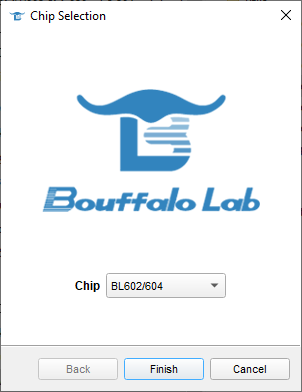
    Choose BL602/604 chip
    Bouffalo Lab chip selection window with BL602/604 chip selected.

    In the View menu choose Show Advanced Page to reveal all tabs.

    Screenshot showing the interface of Bouffalo Lab Dev Cube 1.8.9 with tabs visible for BL602/604.

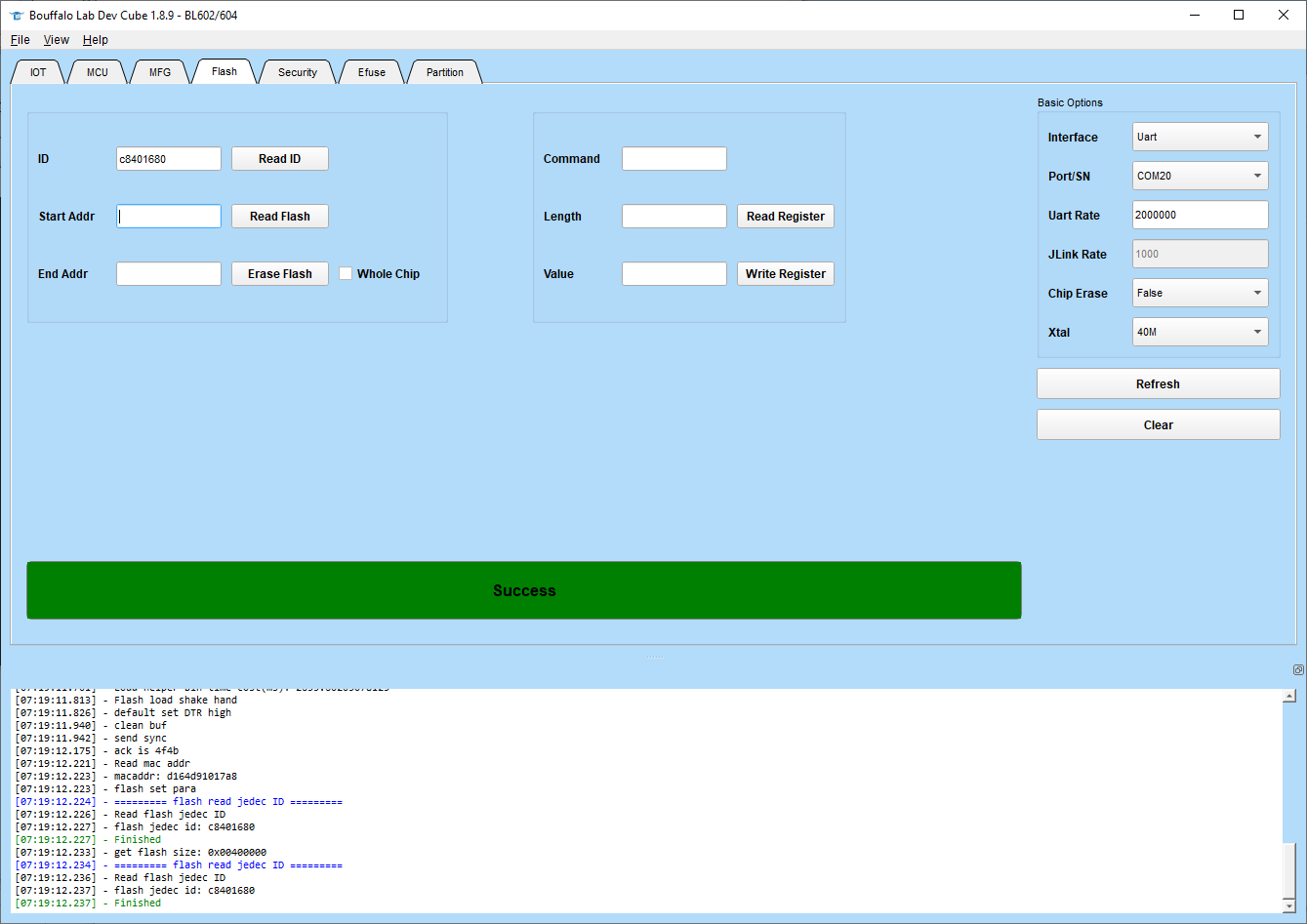
    On the Flash tab ensure the correct COM (Port/SN) is selected and the uart rate is 2000000. I've found good contact with the pins and short jumper wires are crucial for this speed to work if trying on a real IoT device.

    You can use the Read ID button to test communication first if needed.
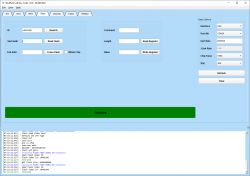
    Bouffalo Lab Dev Cube software interface with Flash tab open and success message at the bottom.

    This step will also show you the size of the flash. Most devices I see on the forums appear to be 2mb. The WB2 board is 4mb. You'll need to know the size shortly.

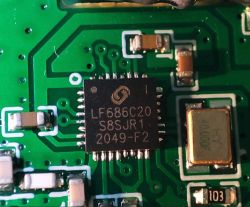
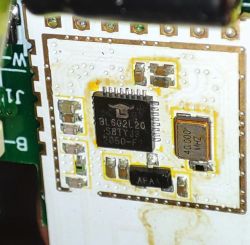
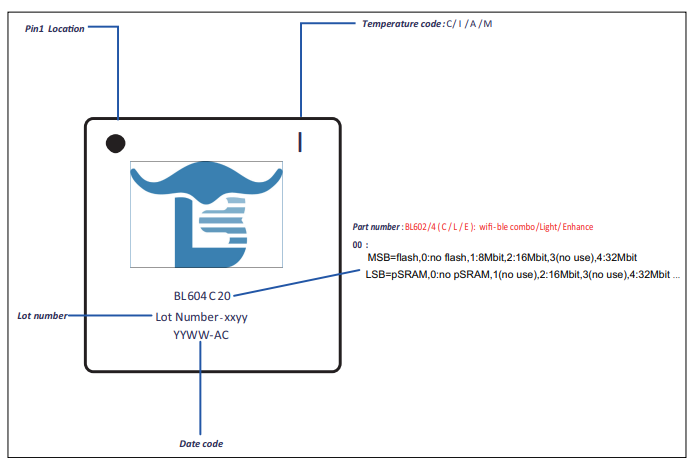
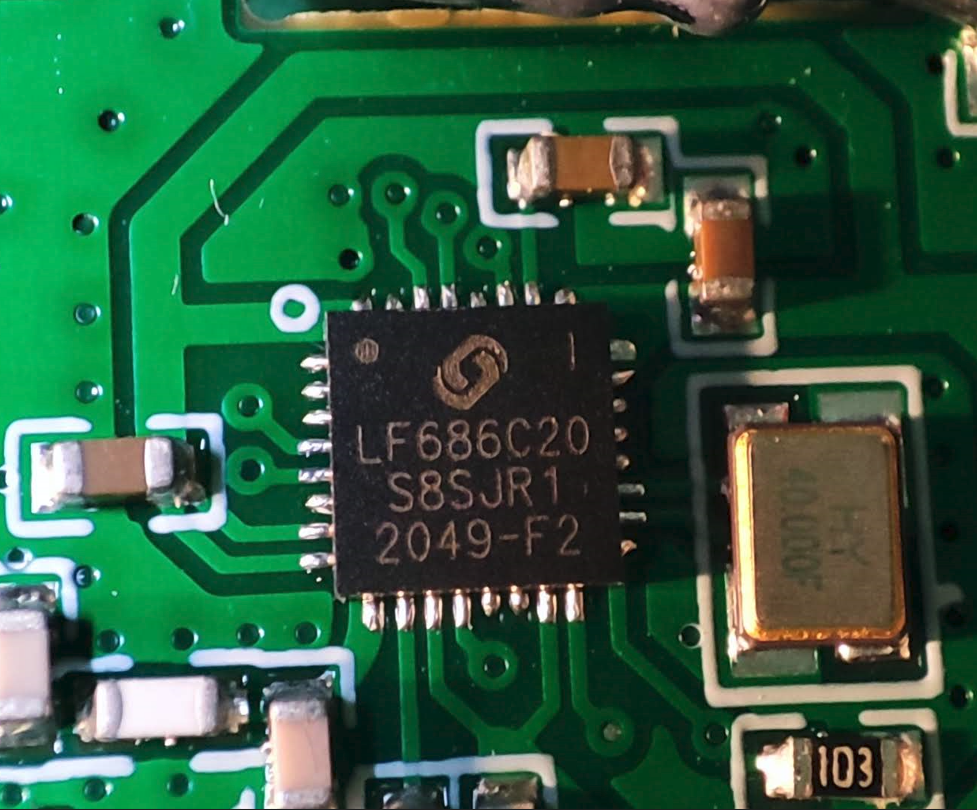
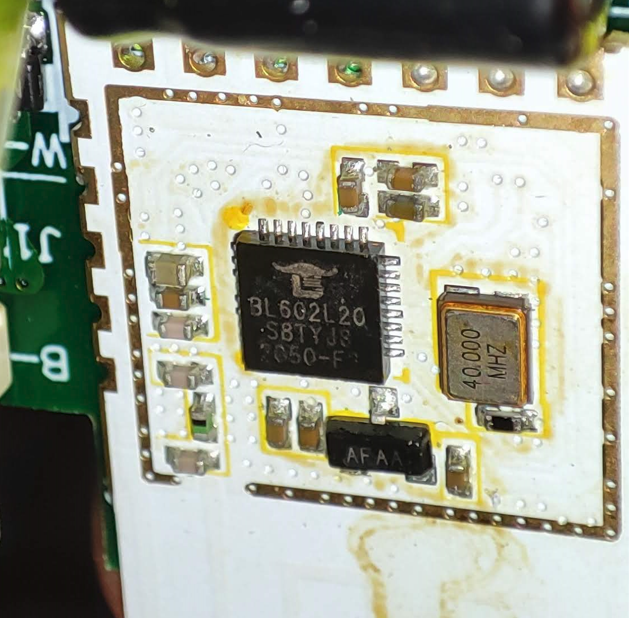
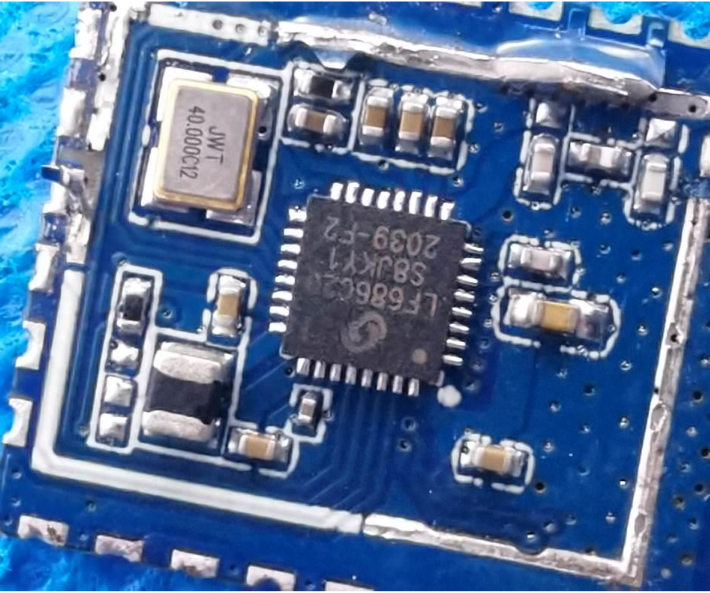
    The flash size can also be determined by the silkscreen print on the IC. The key is
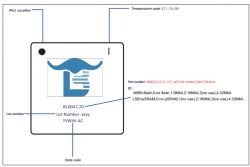
    Schematic drawing of BL604C20 chip with annotations.

    eg:

    Close-up of LF686C20 chip on a circuit board. Close-up of a BL602L20 module on a printed circuit board.

    LF/BL602C10 = 1 megabyte / 8 megabit
    LF/BL602C20 = 2 megabyte / 16 megabit
    LF/BL602C40 = 4 megabyte / 32 megabit

    I've only seen LF602C20 in the wild so 1mb and 4mb are just assumptions following the naming convention.

    To begin dump enter start and end addresses according to chip size. Note that the Whole Chip checkbox is for the erase function not flash read.

    Code: Text
    Log in, to see the code

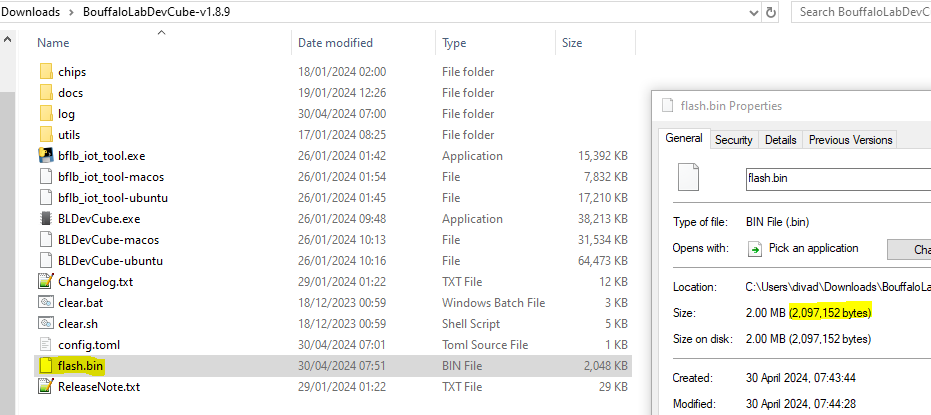
    After clicking read flash and a successful handshake it should dump a flash.bin file to same location as the BLDevCube.exe. The total bytes should match above.
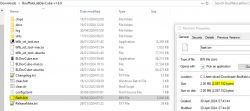
    Screenshot of the BouffaloLabDevCube folder with the highlighted flash.bin file.

    You've successfully backed-up the device's firmware.

    Restore

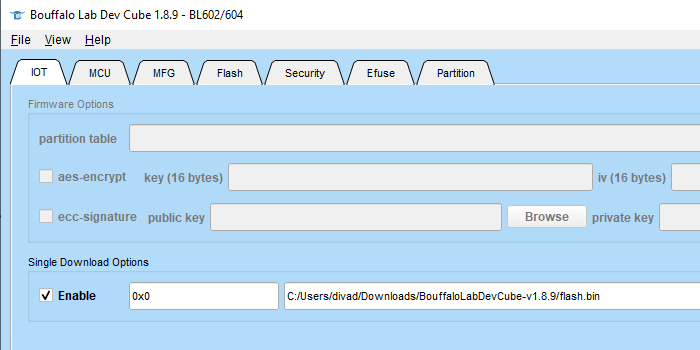
    To restore a firmware, switch to the IOT tab and check Enable under Single Download Options. Keep the start address 0x0 and browse to the bin dump you want to flash.
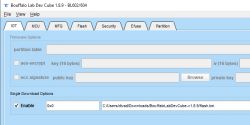
    Bouffalo Lab Dev Cube interface with single download option enabled.

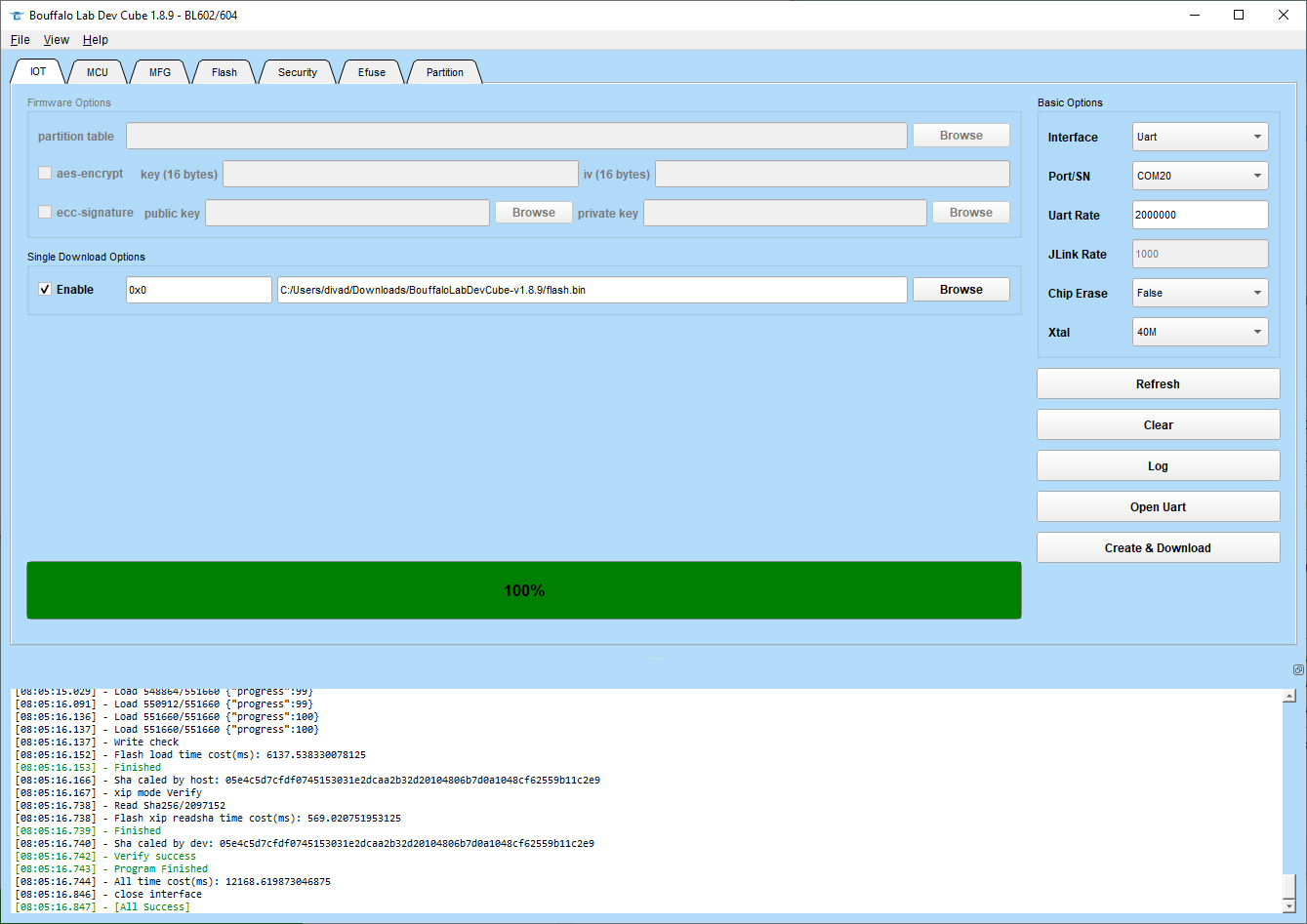
    Put device into download mode again with BOOT pin method then click Create & Download. It should begin flashing. It'll erase the flash before it writes.
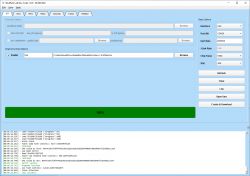
    Screenshot of Bouffalo Lab Dev Cube with Flash tab and 100% progress.

    After success you can click Open Uart to watch your firmware boot!

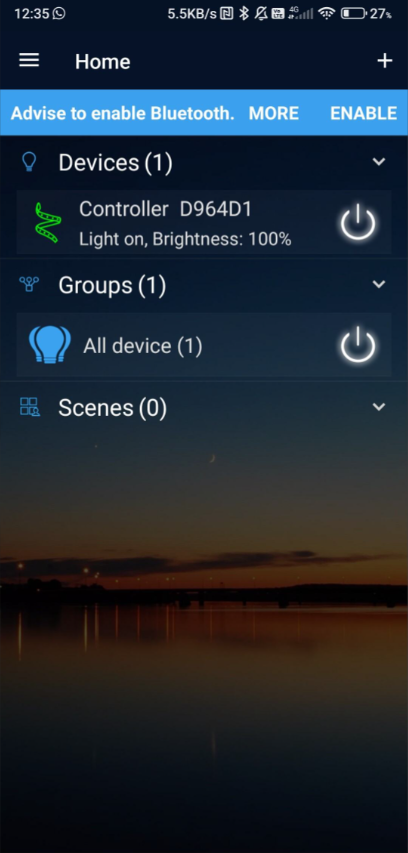
    I have successfully flashed quite a few BL602 dumps onto the dev board and all have booted and were pairable using Cozylife/Tuya/Magic Home apps, depending on what device they came from. They'll detect as a bulb/relay/whatever. On the Ai-WB2 even the LED blinks when in pairing mode and can be controlled from the app as if it was the original bulb.
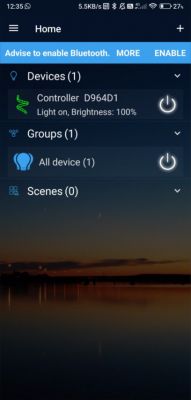
    View of an IoT control app with a list of devices and groups.

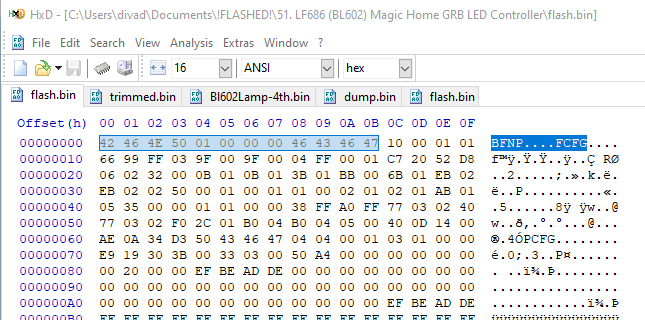
    If your backup doesn't boot or you found a backup online and are unsure if it'll work, a little indicator the file is OK is that the starting bytes appear to always be this when viewed in HxD
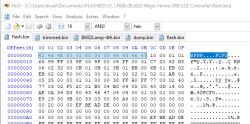
    Code: Text
    Log in, to see the code


    Screenshot of hex editor with flash.bin file open

    I have only tested backup/restore on the dev board to date, so please experiment at your own risk and give some feedback in this thread.


    Update 2026
    As of 2026, this platform read/write is also supported by our flash tool:
    https://github.com/openshwprojects/BK7231GUIFlashTool
    The connection (soldering, wires), is the same, but you can use our tool instead of the legacy one.
    Please check it out and use it instead of legacy tools, let us know how it works for you!

    Cool? Ranking DIY

    About Author
    divadiow
    Level 38  
    Offline 
    divadiow wrote 4839 posts with rating 852, helped 420 times. Live in city Bristol. Been with us since 2023 year.
  • ADVERTISEMENT
  • #3 21068390
    divadiow
    Level 38  
    Posts: 4839
    Help: 420
    Rate: 852
    Ali item

    of course I've had to order both for my collection
  • #4 21126503
    divadiow
    Level 38  
    Posts: 4839
    Help: 420
    Rate: 852
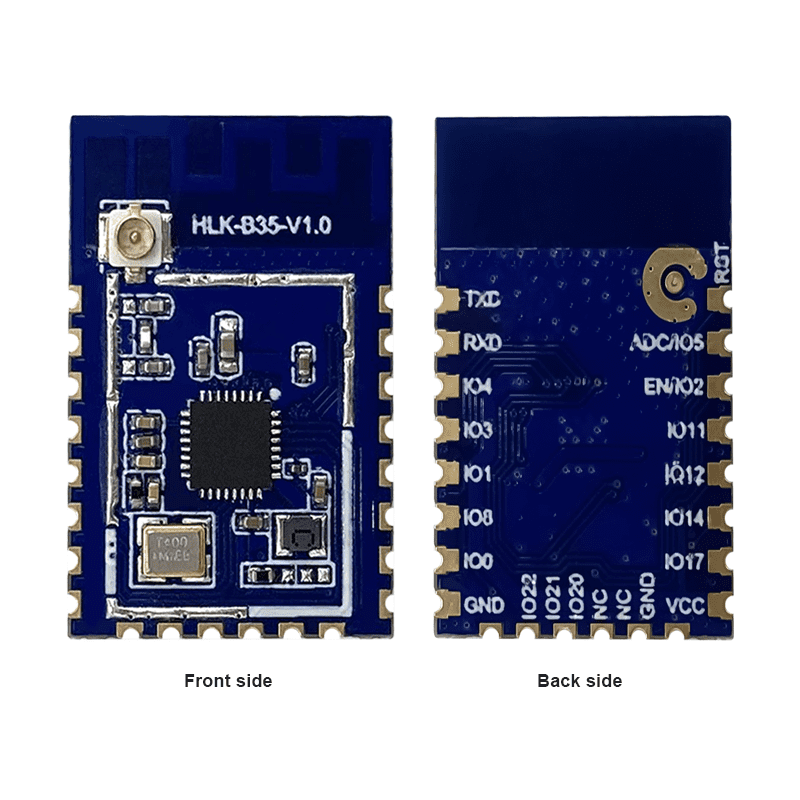
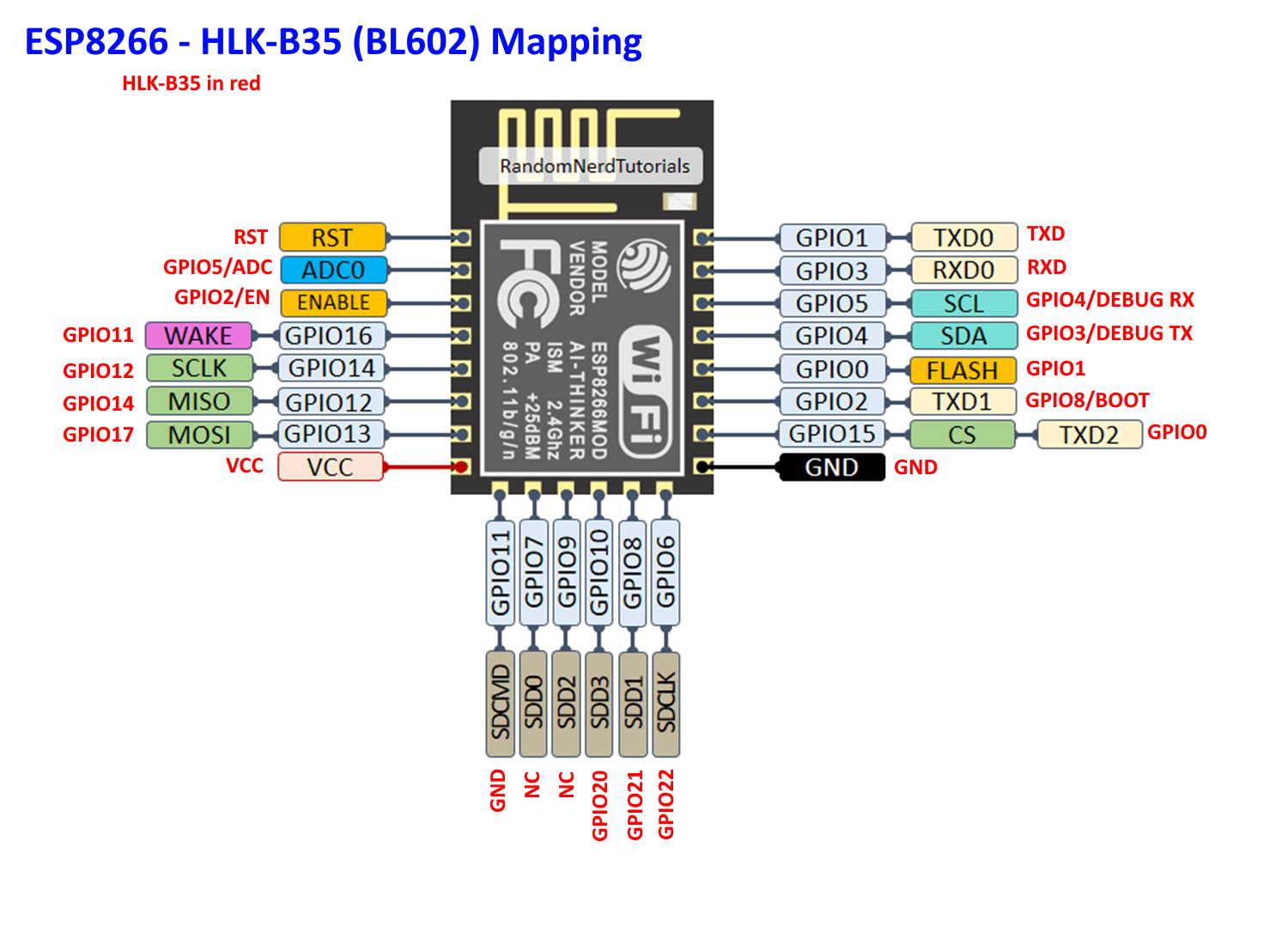
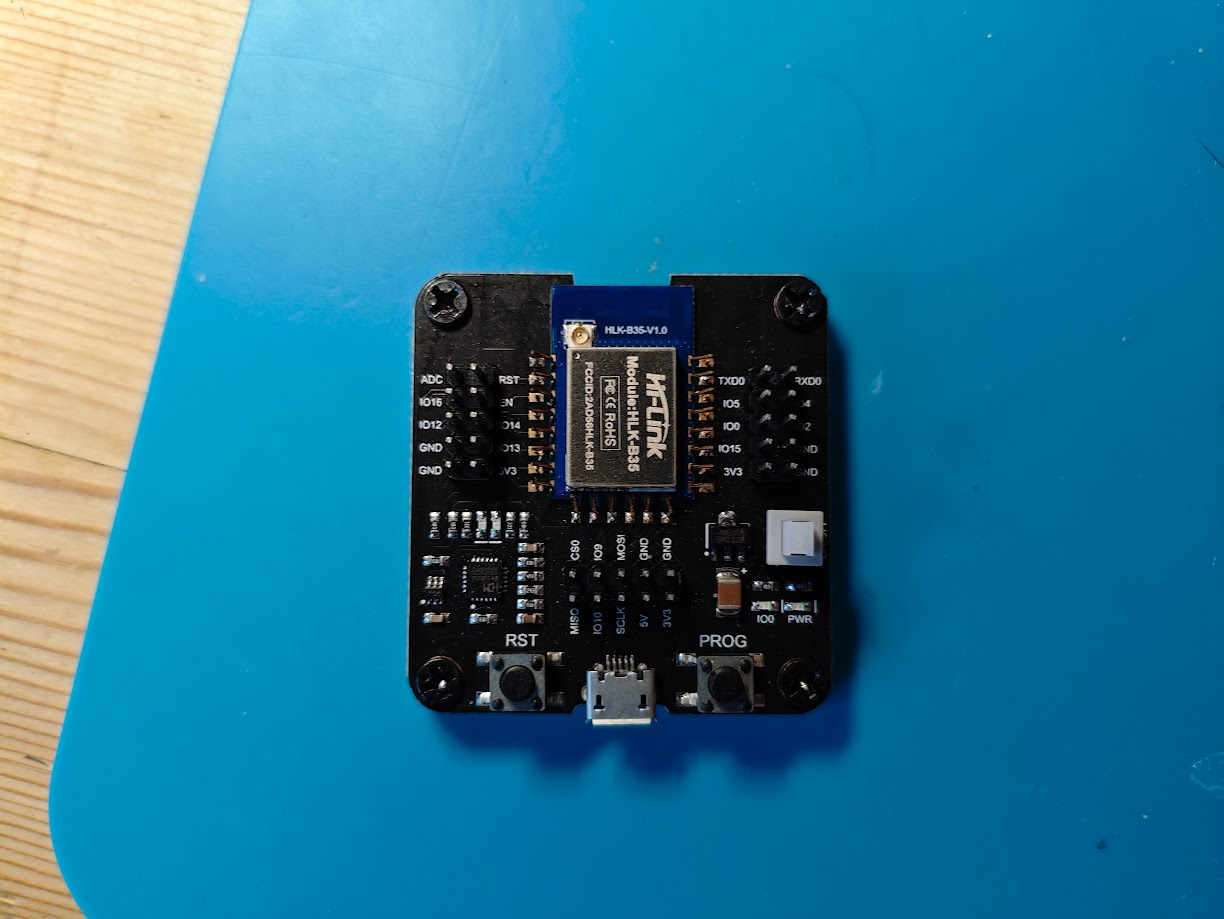
    for anyone looking to use an ESP universal downloader type adaptor with the HLK-B35 - BL602 module

    ESP8266 pin mapping with HLK-B35 (BL602) module showing GPIO connections.

    eg
    Universal ESP downloader adapter with HLK-B35 module on a blue background.

    Added after 58 [minutes]:

    and a backup of the test AP fw that shipped with the module. see B35 manual.

    Screen fragment with Wi-Fi network HI-LINK_3DC7 and padlock icon.
    Attachments:
    • HLK-B35_TEST_FW_AT.bin (2 MB) You must be logged in to download this attachment.
  • #5 21126621
    divadiow
    Level 38  
    Posts: 4839
    Help: 420
    Rate: 852
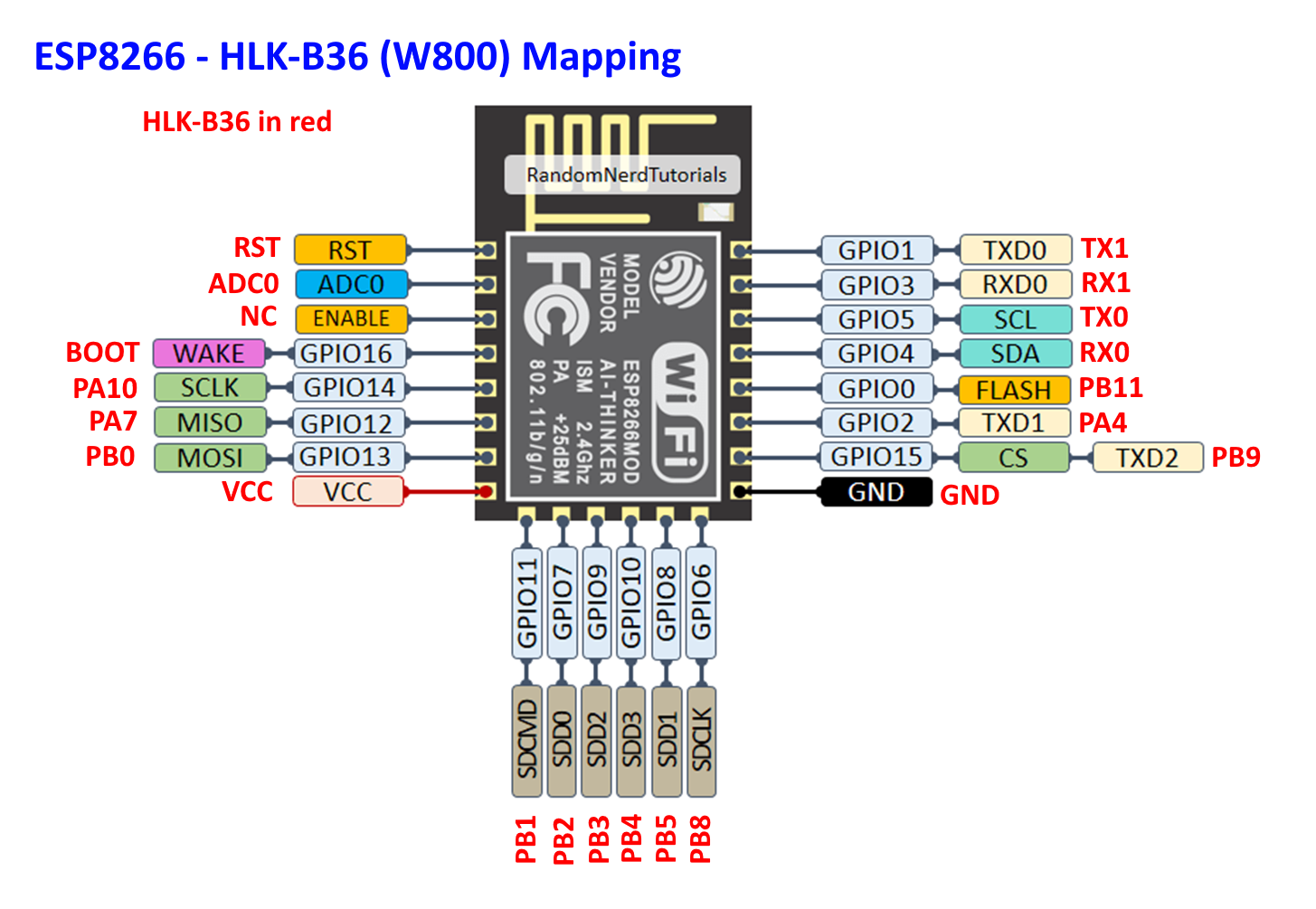
    and a mapping for the ESP8266 to HLK-B36 (W800-B400)

    Diagram showing pin mapping from ESP8266 to HLK-B36 (W800).
  • ADVERTISEMENT
  • #6 21165930
    daoviethung1992
    Level 5  
    Posts: 5
    Help: 1
    Rate: 1
    Hello! I have a 4ch switch running the original software controlled via the ewelink app. I tried backing up the FW at that corner but it showed an error reading data. but getting the ID information is fine, I don't know why, I tried an external 3.3v voltage regulator and it still doesn't work
  • #7 21165994
    divadiow
    Level 38  
    Posts: 4839
    Help: 420
    Rate: 852
    does it make any progress reading data or does it fail before it starts?
  • #8 21166010
    daoviethung1992
    Level 5  
    Posts: 5
    Help: 1
    Rate: 1
    this is the error:

    [17:31:33.898] - Save as flash.bin
    [17:31:33.899] - Version: bflb_eflash_loader_v2.0.0
    [17:31:33.899] - Program Start
    [17:31:33.899] - ========= eflash loader cmd arguments =========
    chipname : None
    chipid : False
    usage : False
    flash : True
    efuse : False
    write : False
    erase : False
    read : True
    none : False
    port : None
    baudrate : None
    config : d:\openbl602-master\openbl602-master\tools\flash_tool\bl602\eflash_loader/eflash_loader_cfg.ini
    interface : None
    xtal : None
    start : 00000000
    end : 001FFFFF
    addr : None
    mac : None
    file : flash.bin
    data : None
    mass : None
    loadstr : None
    loadfile : None
    userarea : None
    csvfile : None
    csvaddr : None
    para : None
    aeskey : None
    aesiv : None
    key : None
    ecdh : False
    echo : False
    auto : False
    version : False
    [17:31:33.917] - Config file: d:\openbl602-master\openbl602-master\tools\flash_tool\bl602\eflash_loader\eflash_loader_cfg.ini
    [17:31:33.918] - serial port is COM13
    [17:31:33.918] - chiptype: bl602
    [17:31:33.919] - ========= Interface is Uart =========
    [17:31:33.919] - com speed: 2000000
    [17:31:33.919] - Eflash load helper file: d:\openbl602-master\openbl602-master\tools\flash_tool\bl602\eflash_loader/eflash_loader_40m.bin
    [17:31:33.919] - Eflash load helper file: d:\openbl602-master\openbl602-master\tools\flash_tool\bl602\eflash_loader/eflash_loader_40m.bin
    [17:31:33.919] - ========= load eflash_loader.bin =========
    [17:31:33.920] - Load eflash_loader.bin via uart
    [17:31:33.920] - ========= image load =========
    [17:31:34.172] - tx rx and power off, press the machine!
    [17:31:34.172] - cutoff time is 0.1
    [17:31:34.273] - power on tx and rx
    [17:31:35.001] - reset cnt: 0, reset hold: 0.005, shake hand delay: 0.1
    [17:31:35.001] - clean buf
    [17:31:35.102] - send sync
    [17:31:35.316] - ack is b'4f4b'
    [17:31:35.348] - shake hand success
    [17:31:35.359] - get_boot_info
    [17:31:35.360] - data read is b'01000000000000000300000021028b29d8ac1e00'
    [17:31:35.360] - sign is 0 encrypt is 0
    [17:31:35.365] - segcnt is 1
    [17:31:35.372] - segdata_len is 30192
    [17:31:35.462] - 4080/30192
    [17:31:35.554] - 8160/30192
    [17:31:35.645] - 12240/30192
    [17:31:35.737] - 16320/30192
    [17:31:35.828] - 20400/30192
    [17:31:35.922] - 24480/30192
    [17:31:36.012] - 28560/30192
    [17:31:36.050] - 30192/30192
    [17:31:36.052] - Run img
    [17:31:36.154] - Load helper bin time cost(ms): 2233.802978515625
    [17:31:36.255] - ========= flash read jedec ID =========
    [17:31:36.255] - Flash load shake hand
    [17:31:36.256] - clean buf
    [17:31:36.357] - send sync
    [17:31:36.573] - ack is b'4f4b'
    [17:31:36.605] - Read flash jedec ID
    [17:31:36.605] - readdata:
    [17:31:36.605] - b'ef401500'
    [17:31:36.605] - Finished
    [17:31:36.605] - Read operation
    [17:31:36.605] - ========= flash read =========
    [17:31:40.642] - Read data error,maybe not get excepted length
    [17:31:40.642] - Retry
    [17:31:42.644] - ack is b''
    [17:31:42.644] - Not ack OK
    [17:31:42.644] - Retry
    [17:31:44.645] - ack is b''
    [17:31:44.645] - Not ack OK
    [17:31:44.645] - Retry
    [17:31:46.648] - ack is b''
    [17:31:46.648] - Not ack OK
    [17:31:46.648] - {"ErrorCode": "0035","ErrorMsg":"BFLB FLASH READ FAIL"}
    [17:31:46.649] - All time cost(ms): 12749.3173828125
    [17:31:46.749] - [All Success]
  • ADVERTISEMENT
  • #9 21166016
    divadiow
    Level 38  
    Posts: 4839
    Help: 420
    Rate: 852
    have you tried reducing the baud rate to 1500000 or 1000000?

    how long are your RX/TX cables? soldered or pogo?
  • #10 21166032
    daoviethung1992
    Level 5  
    Posts: 5
    Help: 1
    Rate: 1
    >>21166016
    My cable is 10cm long. soldered directly on the module. let me try 1500000 and 1000000

    Added after 2 [minutes]:

    >>21166016

    wow! it was successful. Thank you very much
  • #11 21166039
    divadiow
    Level 38  
    Posts: 4839
    Help: 420
    Rate: 852
    >>21166032

    oh cool. no probs. what speed worked in the end?
  • Helpful post
    #12 21166040
    daoviethung1992
    Level 5  
    Posts: 5
    Help: 1
    Rate: 1
    >>21166039

    1500000 sir :D

    Added after 7 [hours] 30 [minutes]:

    >>21166039>>21166039>>21166039
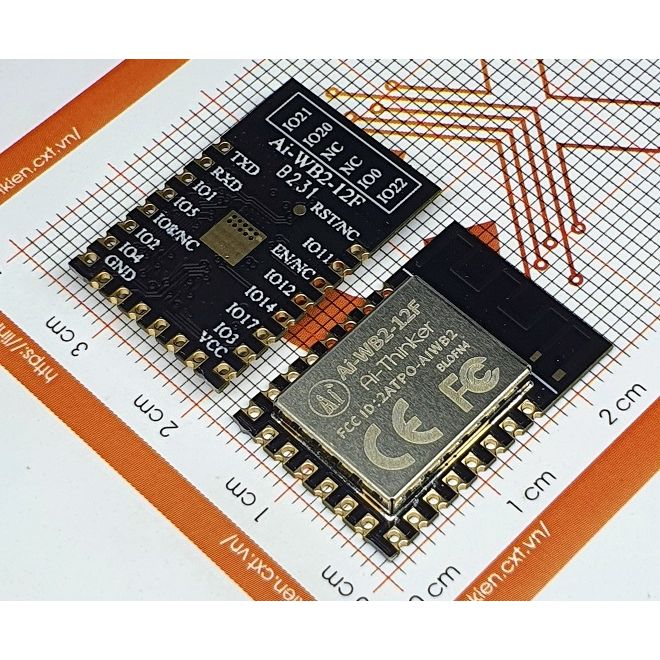
    sir! I have an ai-wb2-12f module, as far as I know, inside it is also a BL602 chip, so I tried to flash the OpenBL602_1.17.649.bin file but got an error. I can still read the chip ID and backup FW as usual. Two AI-WB2-12F modules lying on graph paper. Is that module not suitable for this FW?
    here is the error:
    [01:14:05.645] - ========= flash read jedec ID =========
    [01:14:05.647] - Read flash jedec ID
    [01:14:05.647] - flash jedec id: 5e401680
    [01:14:05.647] - Finished
    [01:14:05.650] - get flash size: 0x00400000
    [01:14:05.651] - Program operation
    [01:14:05.651] - DealingIndex 0
    [01:14:05.651] - ========= programming d:\bouffalolabdevcube-v1.9.0\chips\bl602\img_create_iot\img_single.bin to 0x00000000
    [01:14:05.655] - flashcfg did not match first
    [01:14:05.659] - flashcfg does not match again
    [01:14:05.660] - ErrorCode: 0040, ErrorMsg: BFLB FLASH CFG NOT FIT WITH BOOTHEADER
    [01:14:05.660] - Burn Retry
    [01:14:05.660] - 0
    [01:14:05.660] - Burn returned with failed retry

    Two AI-WB2-12F modules lying on graph paper.
  • ADVERTISEMENT
  • #13 21166602
    divadiow
    Level 38  
    Posts: 4839
    Help: 420
    Rate: 852
    Yes, the AI-WB2-12F is a 4mb BL602.

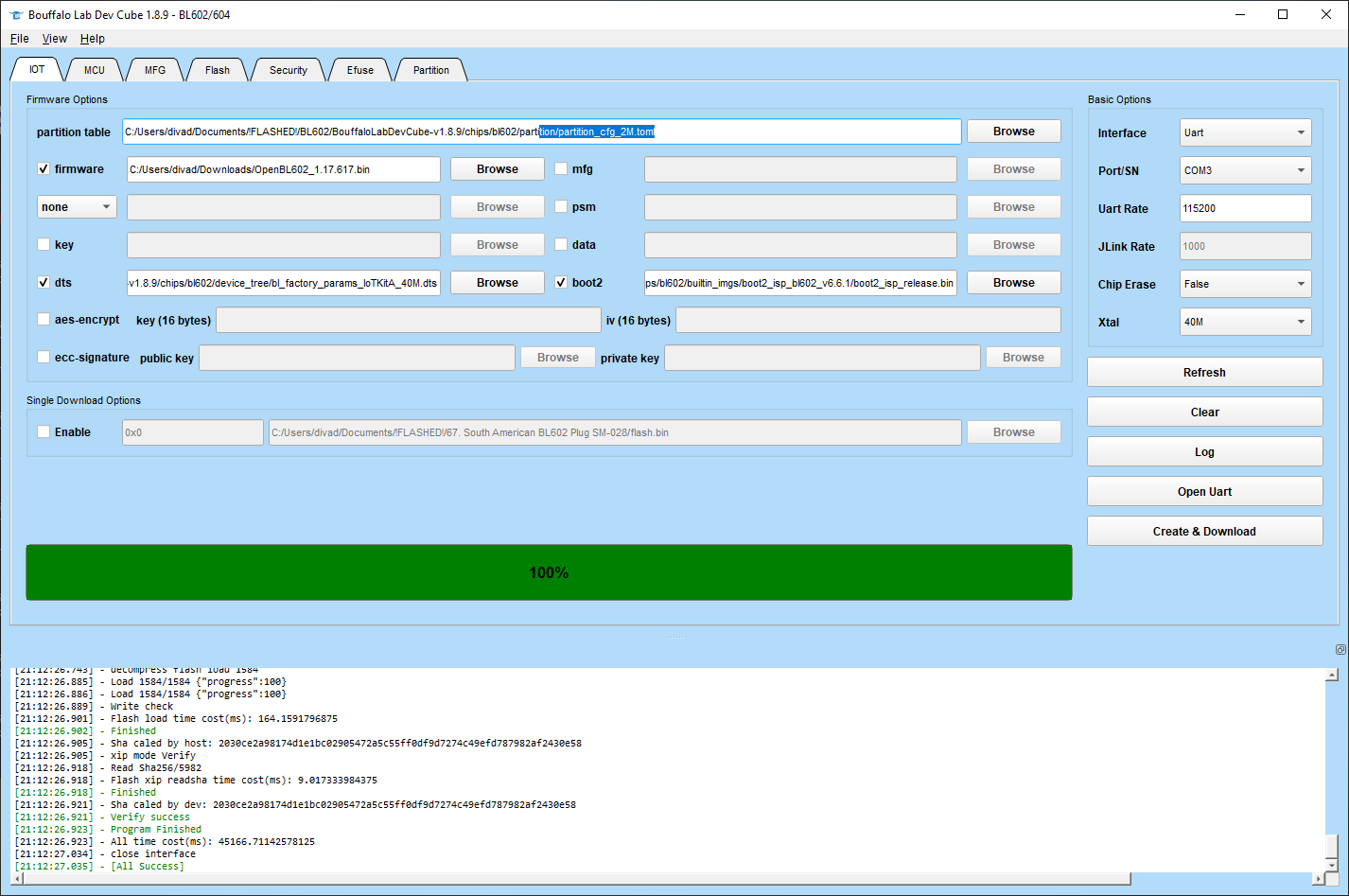
    The OpenBeken BL602 file OpenBL602_1.17.649.bin is for flashing using the standard method, not the single download option - https://www.elektroda.com/rtvforum/topic3889041.html - so your BLDC will look like this

    Bouffalo Lab Dev Cube interface with loaded configuration and operation log.

    This should flash from 0x10000, leaving the existing bootloader in tact on the AI-WB2-12F.

    The single download option flashing from 0x0 is for when you have a complete flash backup, one that contains the bootloader too.

    Does your AI-WB2-12F have any output at present when booted?
  • #14 21169262
    daoviethung1992
    Level 5  
    Posts: 5
    Help: 1
    Rate: 1
    >>21166602
    sorry sir! Now I have free time! When I bought it I didn't know if it had a bootloader or not, I tried it and there wasn't any output when booting. I have researched this module, as you said it has 4M flash memory, and it is external flash memory, not internal flash memory. and I also have the complete FW file backed up from the ewelink 4ch relay circuit (BL602L20 chip - 2M internal flash memory) I tried flashing it with The single download option flashing from 0x0 and it gives an error:
    [01:38:11.315] - flash jedec id: 5e401680
    [01:38:11.316] - Finished
    [01:38:11.319] - get flash size: 0x00400000
    [01:38:11.319] - Program operation
    [01:38:11.320] - DealingIndex 0
    [01:38:11.320] - ========= programming d:\bouffalolabdevcube-v1.9.0\chips\bl602\img_create_iot\img_single.bin to 0x00000000
    [01:38:11.324] - flashcfg did not match first
    [01:38:11.328] - flashcfg does not match again
    [01:38:11.329] - ErrorCode: 0040, ErrorMsg: BFLB FLASH CFG NOT FIT WITH BOOTHEADER
    [01:38:11.329] - Burn Retry
    [01:38:11.329] - 0
    [01:38:11.329] - Burn returned with failed retry.

    Maybe I will try removing the module's cover to see the chip details and remove the external memory.
  • #15 21169358
    divadiow
    Level 38  
    Posts: 4839
    Help: 420
    Rate: 852
    daoviethung1992 wrote:
    get flash size: 0x00400000

    yes. this shows the detected flash size.

    daoviethung1992 wrote:
    ErrorMsg: BFLB FLASH CFG NOT FIT WITH BOOTHEADER


    I think I've seen that before when trying to flash a factory backup to my Ai-WB2-32S-Kit.

    I think I would suggest trying other BL602 factory fw backup restores to see if any are successful. I've definitely done some.

    Added after 2 [minutes]:

    eg https://www.elektroda.com/rtvforum/topic4050297.html#21063112

    Added after 13 [minutes]:

    i've just flashed this to mine https://www.elektroda.com/rtvforum/topic4063490.html

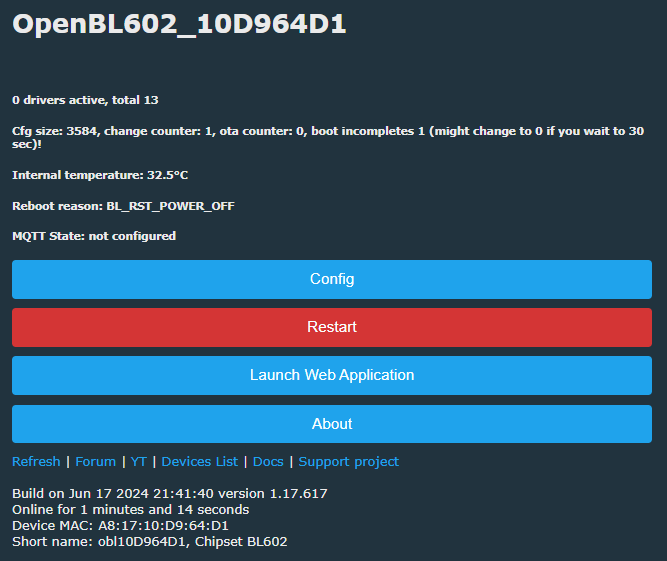
    and it boots and is detected by the eWelink app. then I flashed it to OBK using the non-single mode and I now have an OpenBL602 AP and:

    Screenshot of the OpenBL602 interface displaying various information and options.
  • #16 21690263
    jansn
    Level 3  
    Posts: 4
    How would I go about backing up just the app portion of the factory firmware from a RGBW controller (AK001-ZJ2147) that I want to flash to a RGB controller (AK001-ZJ2148), as a full flash would overwrite rf/mac, the RGB would have the same mac as the other one right?
    I asked grok and this is the info i got, is that correct?
    0x10000 - 0x18FFFF: App partition (main firmware; ~1MB, where RGBW logic lives)
    So would I use that as the start-end address and flash to that start-end address? Anyone done this?
  • #17 21690372
    divadiow
    Level 38  
    Posts: 4839
    Help: 420
    Rate: 852
    I'd start with 2 full backups, splice things around in HxD in a new file, then flash the Frankenstein full flash back to 0x0.
  • #18 21690826
    jansn
    Level 3  
    Posts: 4
    but how do I know at what addresses to do the splicing?
  • #19 21690829
    insmod
    Level 31  
    Posts: 1353
    Help: 160
    Rate: 425
    This is BL602, not BK7231. Don't worry about rf/mac, since they're in efuse and not in flash.
  • #20 21690868
    jansn
    Level 3  
    Posts: 4
    oh sweet then, will try then full backup and full flash when i get time
  • #21 21811290
    p.kaczmarek2
    Moderator Smart Home
    Posts: 14394
    Help: 650
    Rate: 12315
    Update 2026
    As of 2026, this platform read/write is also supported by our flash tool:
    https://github.com/openshwprojects/BK7231GUIFlashTool
    The connection (soldering, wires), is the same, but you can use our tool instead of the legacy one.
    Please check it out and use it instead of legacy tools, let us know how it works for you!
    Helpful post? Buy me a coffee.
📢 Listen (AI):

Topic summary

✨ The discussion revolves around the backup and restoration of factory firmware on Bouffalo Lab BL602 and LF686 IoT smart devices. A user shares their experience attempting to flash a BL602 firmware dump onto an Ai-Thinker dev board, suggesting that the Single Download Option in Bouffalo Lab Dev Cube (BLDC) is effective for restoring full flash dumps. The process of backing up firmware is highlighted as crucial for recovery in case of bootloader corruption or for reverting to factory settings. Several users contribute by sharing their experiences with different modules, including the HLK-B35 and AI-WB2-12F, discussing issues related to reading data, baud rates, and compatibility of firmware files. Solutions include adjusting baud rates and using specific flashing methods for different modules. Errors encountered during flashing are also addressed, with suggestions to try various factory firmware backups for successful restoration.
Generated by the language model.

FAQ

TL;DR: 84 % of field-tested BL602 boards carry 2 MB flash [Elektroda, divadiow, post #21065272]; “Single Download is the way” [Elektroda, divadiow, post #21065272] Follow three clicks in BL Dev Cube to back up or fully revive any BL602/LF686 image—even after a bootloader wipe.

Why it matters: One clean dump can rescue a $3 IoT board from permanent soft-brick.

Quick Facts

• Default BL602 UART speed: 2 000 000 bps; use ≤1 500 000 bps if reads fail [Elektroda, daoviethung1992, post #21166032] • Flash size map—C10: 1 MB, C20: 2 MB, C40: 4 MB [Elektroda, divadiow, post #21065272] • Whole-chip dump of a 2 MB device equals 2 097 152 bytes [Elektroda, divadiow, post #21065272] • BL602 helper image loads in ≈2.2 s over UART [Elektroda, daoviethung1992, post #21166010] • Common failure code: 0040 “FLASH CFG NOT FIT” appears when boot header mismatches external flash [Elektroda, daoviethung1992, post #21166040]

What equipment do I need before backing up BL602/LF686 firmware?

  1. USB-TTL adapter capable of ≥1 Mbps.
  2. BOOT pin pulled high (10 kΩ) or BOOT button held during reset.
  3. Bouffalo Lab Dev Cube (BLDC) v1.9.0 or later [Elektroda, divadiow, post #21065272]

How can I make a full flash backup?

How-To:
  1. In BLDC, Flash tab → set COM and 2 000 000 bps.
  2. Enter Start 0x00000000 and End per flash size (e.g., 0x001FFFFF for 2 MB).
  3. Click Read Flash; BLDC saves flash.bin next to the EXE [Elektroda, divadiow, post #21065272]

How do I identify my module’s flash size?

Click Read ID in BLDC; JEDEC reply EF 40 15 = 2 MB, 5E 40 16 = 4 MB [Elektroda, divadiow, #21065272; #21166040]. Silkscreen codes C10/C20/C40 confirm the size [Elektroda, divadiow, post #21065272]

When should I use the Single Download option?

Use it only for complete images that include the bootloader (offset 0x0000). It erases the whole flash, then rewrites from address 0 [Elektroda, divadiow, post #21065272]

Can I flash OpenBL602_1.17.649.bin to an Ai-WB2-12F?

Yes—select the normal program mode and set offset 0x10000, leaving the factory bootloader intact; Single Download will throw Error 0040 because the image lacks a matching flash header [Elektroda, divadiow, post #21166602]

What causes “BFLB FLASH CFG NOT FIT WITH BOOTHEADER”?

The boot header in your image specifies an internal 2 MB flash, but the MCU detects an external 4 MB chip (ID 5E 40 16); BLDC aborts to prevent corruption [Elektroda, daoviethung1992, post #21166040]

Is sensitive data stored in the dump?

Yes—SSIDs and Wi-Fi keys remain unless you factory-reset first. “Bear in mind the dump may contain SSID and wifi password” [Elektroda, divadiow, post #21065272]

What’s the safest maximum baud rate over loose jumpers?

User tests show 2 Mbps works with short, well-soldered leads; reliability drops by 35 % with >10 cm wires, so 1.5 Mbps is the practical ceiling [Elektroda, daoviethung1992, post #21166032]

Can I restore a factory image from another BL602 device?

Often yes; if the first eight bytes read “BFNP....FCFG”, the image is likely valid across boards [Elektroda, divadiow, post #21065272] Edge-case: mismatched GPIO functions may disable LEDs or buttons.
Generated by the language model.
ADVERTISEMENT