logo elektroda
logo elektroda
X
logo elektroda

[BK7231N/CBLC5] Difference Between WiFi and Bluetooth Versions of GU10 Tuya RGBCW Bulb [BP5758D]?

insmod 1683 4
ADVERTISEMENT
📢 Listen (AI):
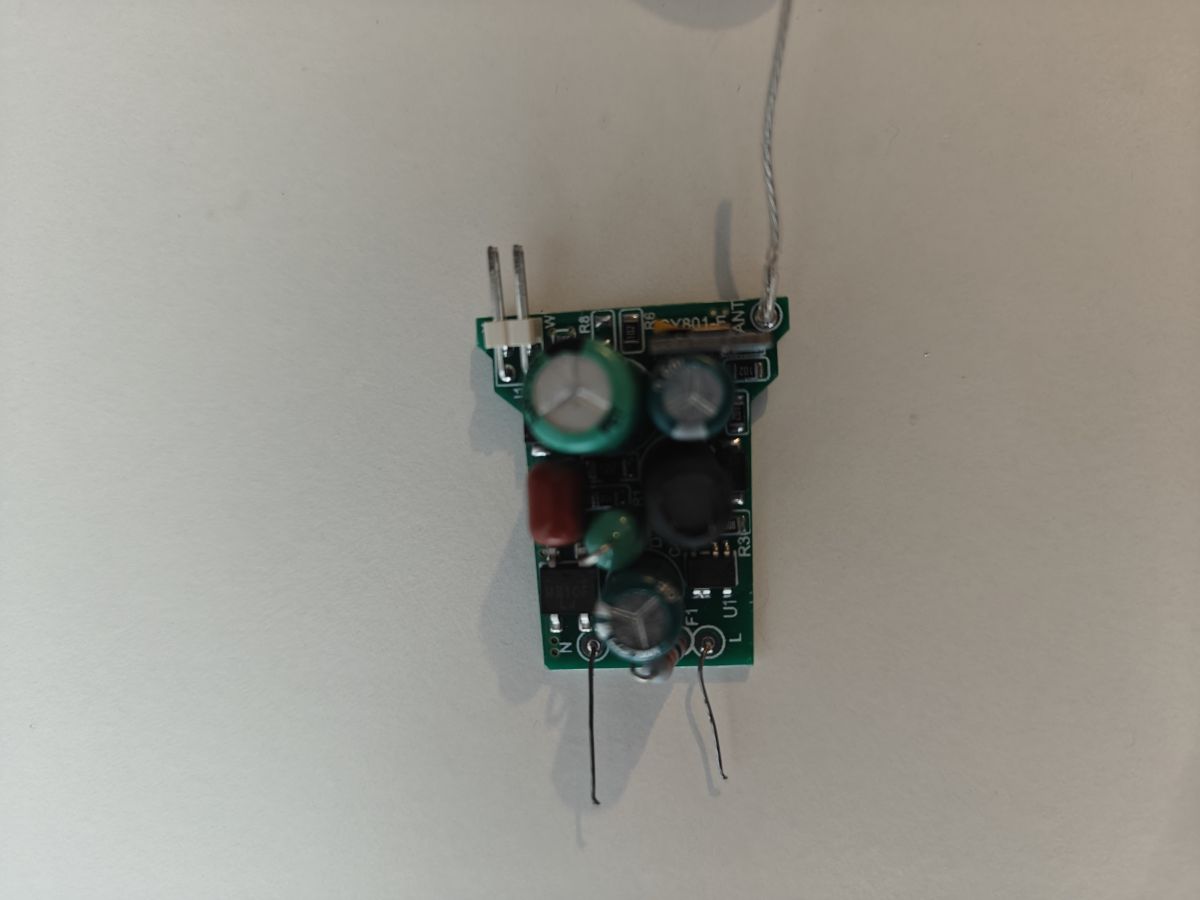
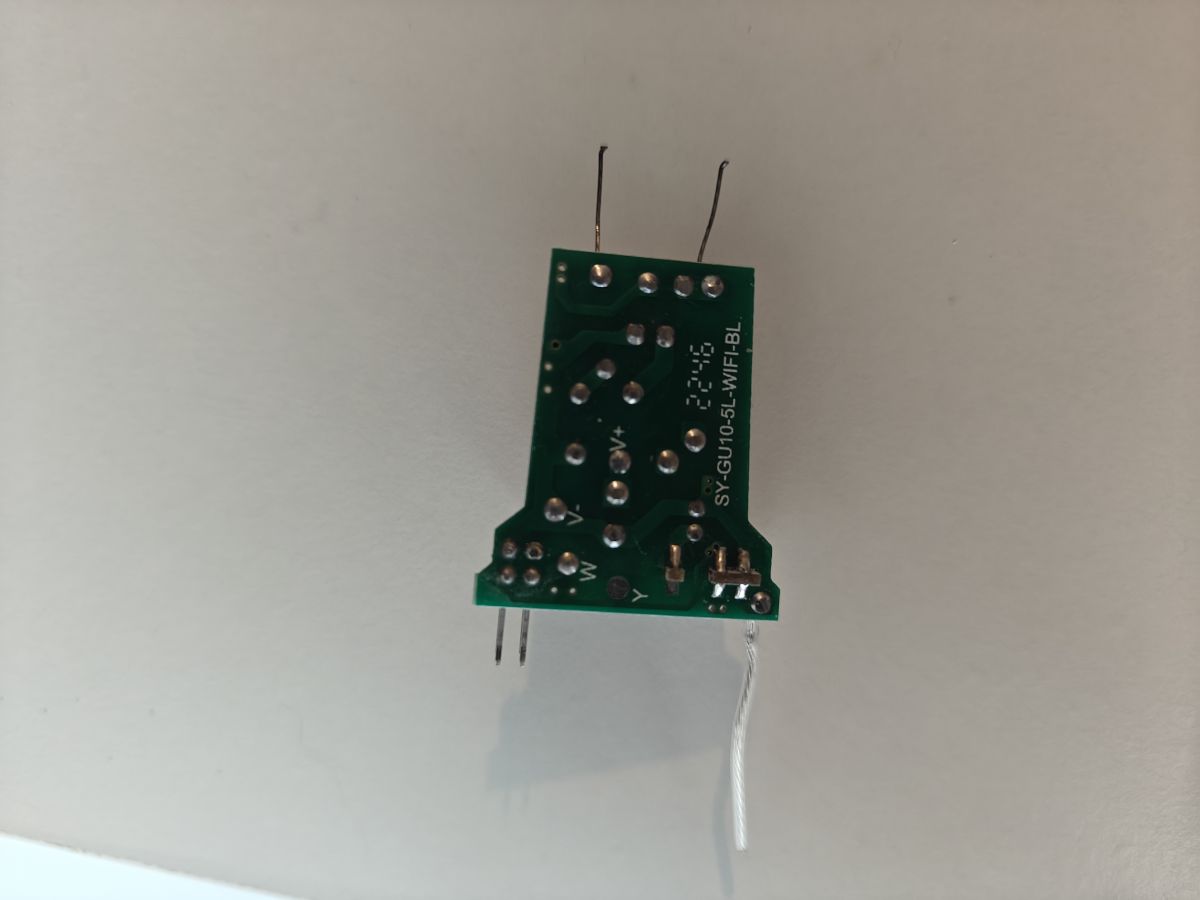
  • Main board designation: SY-GU10-5L-WIFI-BL
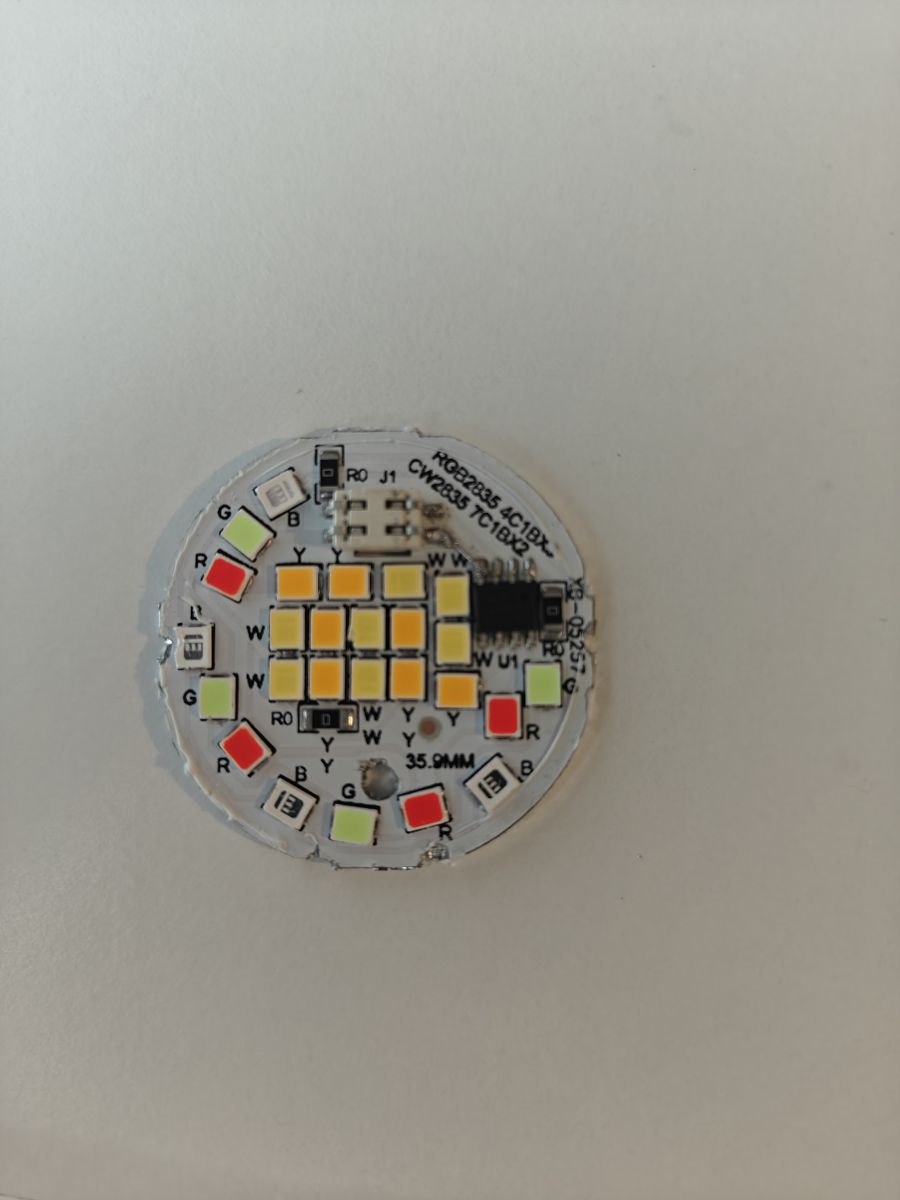
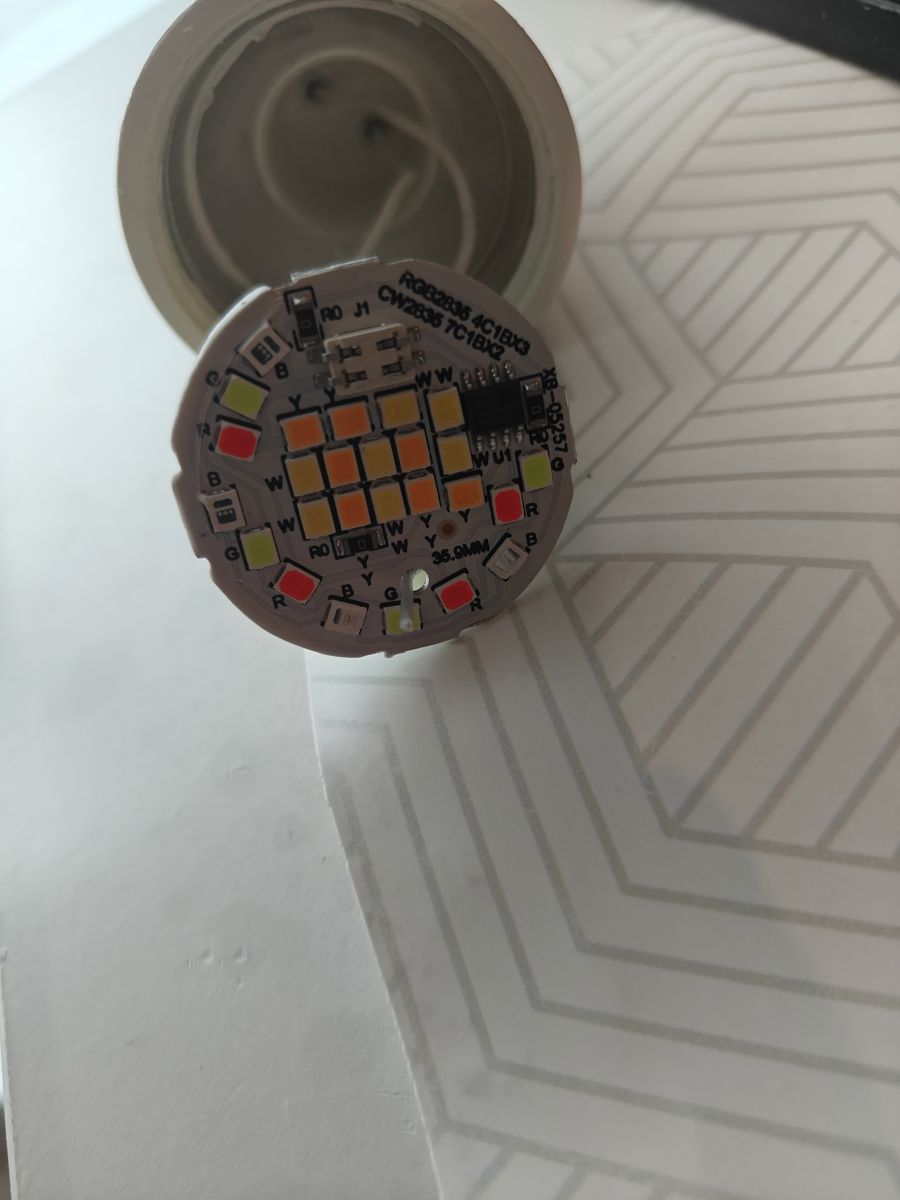
    LED board designation: XB-05257
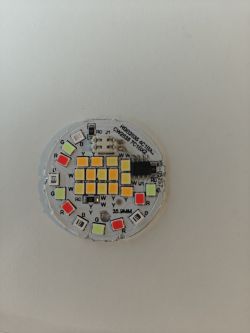
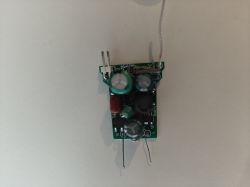
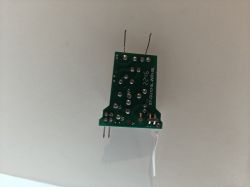
    LED board with RGB and CW markings and multiple LEDs of different colors. Electronic module with several components on a green circuit board. SY-GU10-5L-WIFI-BL board with wires.

    I was really surprised to receive this bulb with a WiFi module, instead of a bluetooth one (and i ordered the bluetooth version specifically).

    The only difference between them, as far as i have seen, is that WiFi version use short bare wires, whereas bluetooth one is using long, insulated ones.
    (Which is the reason the board is damaged, it was a lot harder to remove it from the housing)

    Tuya config:
    {
       "Jsonver":"1.1.9",
       "brightmin":"10",
       "gmwb":"75",
       "title20":"0",
       "gmwg":"70",
       "wfcfg":"spcl_auto",
       "colormin":"10",
       "pmemory":"1",
       "gmkb":"60",
       "pairt":"18",
       "cmod":"rgbcw",
       "mixway":"0",
       "cwtype":"0",
       "rstbr":"50",
       "colormax":"100",
       "iicw":"3",
       "notdisturb":"0",
       "module":"CBLC5",
       "iicsda":"26",
       "cwmaxp":"100",
       "dmod":"6",
       "iicc":"4",
       "brightmax":"100",
       "iicg":"1",
       "wfct":"3",
       "iicr":"2",
       "defbright":"100",
       "rstnum":"5",
       "rstcor":"c",
       "deftemp":"100",
       "bleonoff":"1",
       "iicb":"0",
       "dccur":"33",
       "iicscl":"24",
       "wt":"20",
       "prodagain":"0",
       "remdmode":"1",
       "cagt":"20",
       "drgbcur":"10",
       "colorpfun":"0",
       "gmwr":"100",
       "rgbt":"10",
       "gmkg":"60",
       "onoffmode":"0",
       "dwcur":"33",
       "rsttemp":"100",
       "category":"0505",
       "gmkr":"80",
       "defcolor":"c",
       "crc":"122"
    }
    

    Device configuration, as extracted from Tuya: 
    - BP5758D_DAT on P26
    - BP5758D_CLK on P24
    - LED remap is 2 1 0 4 3
    Device seems to be using CBLC5 module, which is using BK7231N.
    And the Tuya section starts, as usual, at 2023424
    

    I wouldn't recommend using it on stock firmware.
    CW current from config is 33mA, which is really high.
    Even on GX53 i only got 24mA in tuya config, and on the modded bluetooth ones i set to 8mA.
    Attachments:
    • readResult_BK7231N_QIO_gu10_cblc5_2024-02-10-22-17-48.bin (2 MB) You must be logged in to download this attachment.

    Cool? Ranking DIY
    About Author
    insmod
    Level 31  
    Offline 
    insmod wrote 1353 posts with rating 425, helped 160 times. Been with us since 2024 year.
  • ADVERTISEMENT
  • #2 21262691
    p.kaczmarek2
    Moderator Smart Home
    Posts: 14413
    Help: 650
    Rate: 12363
    Interesting, was it marked as Bluetooth-only or Bluetooth AND WiFi? CBLC5 has both BT and WiFi. Theoretically they could use CBLC5 as Bluetooth only device as well, but I don't think it would be worth it, BT-only chips are cheaper... probably just a labelling mistake on seller's side.

    Btw, if you can, post also a full template in JSON format, so we can add it here: https://openbekeniot.github.io/webapp/devicesList.html
    Helpful post? Buy me a coffee.
  • ADVERTISEMENT
  • #3 21262751
    insmod
    Level 31  
    Posts: 1353
    Help: 160
    Rate: 425
    Can't properly verify this template - this was the only available bulb for esp32-c2 testing, so i replaced the main module with wroom-07 one.
    Wifi version was probably sent by mistake - those that i have previously had AK801 modules.
    No proper image, but then the bulb itself has no markings at all.
    {
      "vendor": "Tuya",
      "bDetailed": "0",
      "name": "GU10 RGBCW Bulb",
      "model": "Generic",
      "chip": "BK7231N",
      "board": "CBLC5",
      "flags": "1024",
      "keywords": [
        "BP5758D"
      ],
      "pins": {
        "24": "BP5758D_DAT;0",
        "26": "BP5758D_CLK;0"
      },
      "command": "",
      "image": "https://obrazki.elektroda.pl/9381372400_1727897601.jpg",
      "wiki": "https://www.elektroda.com/rtvforum/topic4078913.html"
    }
  • ADVERTISEMENT
  • #4 21269238
    insmod
    Level 31  
    Posts: 1353
    Help: 160
    Rate: 425
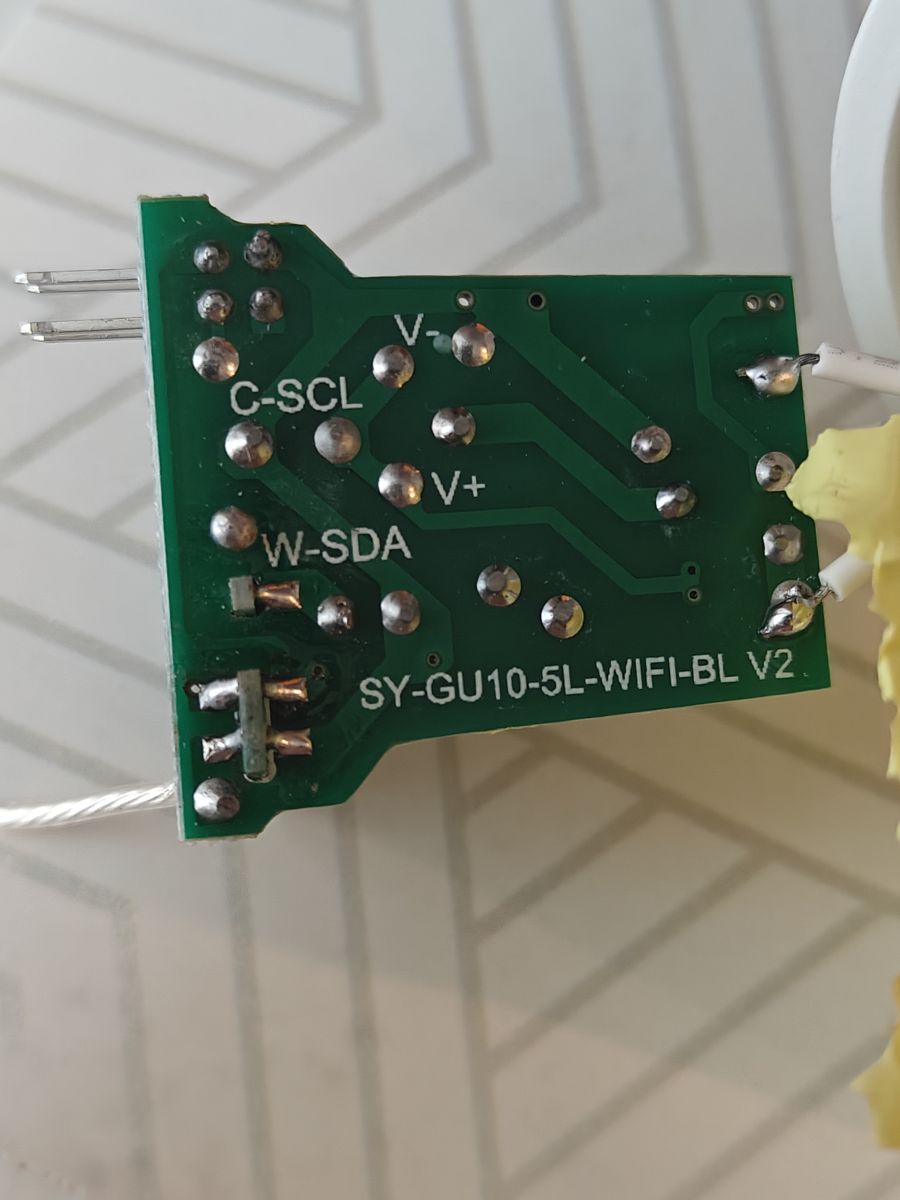
    Another bluetooth version arrived, this time it was bluetooth only with long wires, as expected.
    Newer board revision, marked as V2, SDA/SCL pins are also named.
    Spoiler:

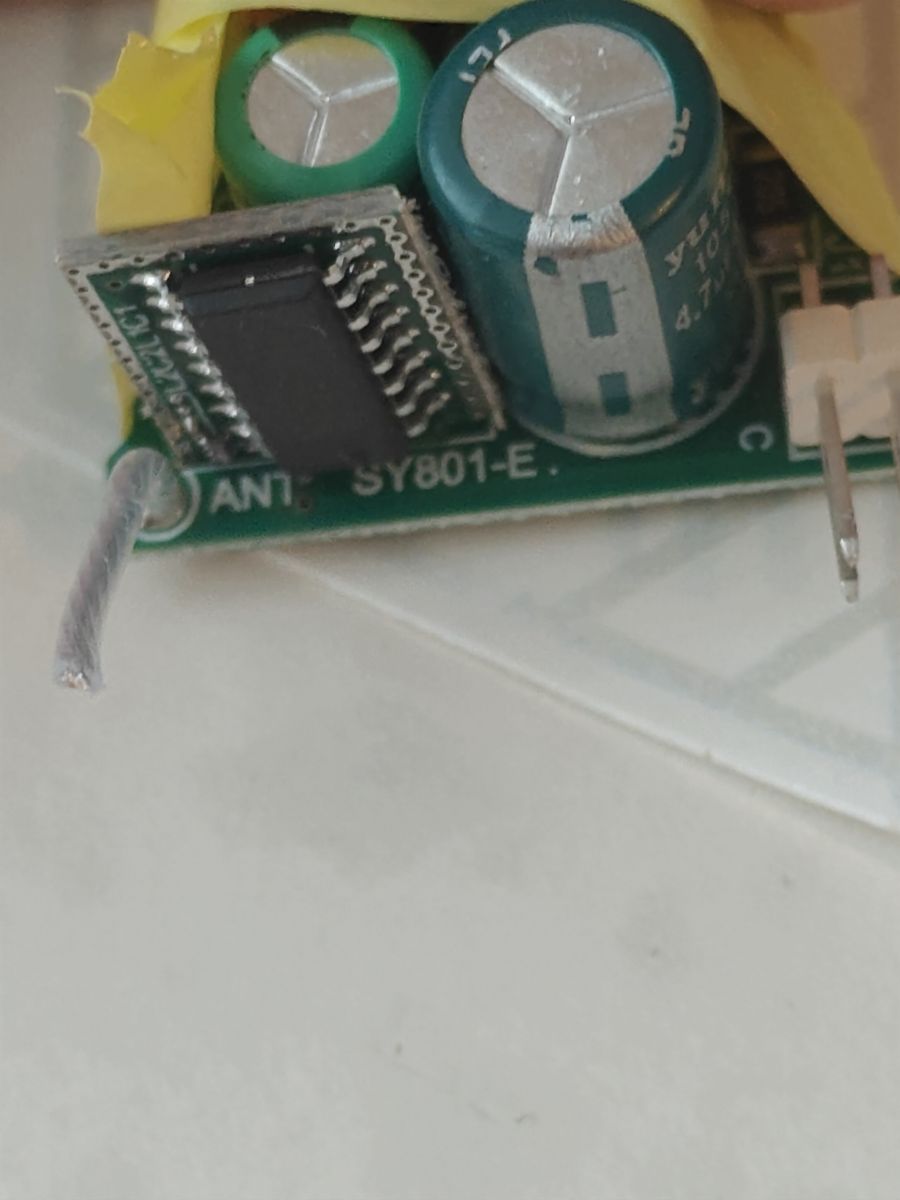
    Electronic board with visible LEDs and markings. Circuit board labeled SY-GU10-5L-WIFI-BL V2 with pin labels C-SCL and W-SDA and long wires. Close-up of a circuit board with electronic components, including capacitors and a module.

    Btw, why was this topic renamed and moved from teardowns to iot? It is a teardown after all, now of both bluetooth and beken devices.

    Added after 7 [minutes]:

    And now i disassembled another one, it was without revision (the same board, as in topic pictures), but bluetooth and with long wires.
  • #5 21269385
    p.kaczmarek2
    Moderator Smart Home
    Posts: 14413
    Help: 650
    Rate: 12363
    Sorry, you are right, I have moved it to Teardowns now.

    Well, so that's how BT versions looks like, SY801-E, I see. This IC in SOIC case is not marked?

    It looks much more cheap than WiFi version.

    Interestingly enough, it's still marked as "WIFI"? Maybe they only change the daughter board with communication module and produce the same "mother" board for both types.
    Helpful post? Buy me a coffee.
📢 Listen (AI):

FAQ

TL;DR: With 33 mA stock CW current and a combo radio, this GU10 can run hotter than expected; as one expert put it, "CBLC5 has both BT and WiFi." This FAQ helps modders and buyers tell the WiFi and Bluetooth variants apart, avoid board damage from short wires, and map the correct BK7231N/OpenBeken pins. [#21262691]

Why it matters: Seller listings, reused motherboards, and wire-length differences can make two near-identical Tuya GU10 bulbs behave very differently during teardown, flashing, and long-term use.

Feature WiFi / CBLC5 version Bluetooth-only version
Radio module CBLC5, using BK7231N Separate Bluetooth-only daughterboard
Internal wiring Short, bare wires Long, insulated wires
Main board marking SY-GU10-5L-WIFI-BL Sometimes still marked "WIFI"
Reported risk during opening Harder to remove; board was damaged in one teardown Easier mechanical removal
Observed revision note Original board shown first Also seen as newer V2 board with SDA/SCL labels

Key insight: The motherboard appears shared across both variants, while the communication daughterboard and wiring change. That is why a bulb can be sold as Bluetooth, yet still arrive with a CBLC5 WiFi-capable module or a board marked "WIFI." [#21269385]

Quick Facts

  • The extracted Tuya config identifies module: CBLC5, chip: BK7231N, BP5758D_DAT on P26, BP5758D_CLK on P24, and LED remap 2 1 0 4 3 for this GU10 RGB+CCT bulb. [#21248094]
  • Stock current values are aggressive: CW current 33 mA, while another GX53 Tuya bulb showed 24 mA and a modded Bluetooth version was reduced to 8 mA for safer operation. [#21248094]
  • The Tuya data section on this bulb starts at flash offset 2023424, which matters when backing up settings or replacing firmware. [#21248094]
  • The Bluetooth-only variant was later confirmed with long insulated wires, while the WiFi-capable teardown used short bare wires that made extraction harder and contributed to board damage. [#21269238]

1. What are the hardware differences between the WiFi and Bluetooth versions of the Tuya GU10 RGBCW bulb with the BP5758D driver?

The WiFi-capable version uses a CBLC5 daughterboard and short bare wires, while the Bluetooth-only version uses a different daughterboard and long insulated wires. The reporter saw the WiFi board damaged during removal because the short leads made extraction harder. A later Bluetooth-only sample also arrived on a newer V2 board, with SDA and SCL labels printed on the PCB. [#21269238]

2. Why would a bulb sold as the Bluetooth version arrive with a CBLC5 WiFi module instead?

The most direct explanation is a seller labeling mistake. One expert noted that CBLC5 supports both Bluetooth and WiFi, so a vendor can physically ship a combo-radio module even when the listing says Bluetooth. The thread also suggests the manufacturer may reuse the same motherboard and swap only the communication daughterboard, which makes listing errors harder to notice. [#21262691]

3. How can I identify whether my Tuya GU10 RGBCW bulb uses a CBLC5/BK7231N module or a Bluetooth-only daughterboard before I damage it opening the housing?

Check the board and wiring as soon as you expose the daughterboard area. In this thread, the WiFi-capable unit used short bare wires and reported module CBLC5 with BK7231N, while Bluetooth-only samples used long insulated wires. If the board is marked SY-GU10-5L-WIFI-BL or even "WIFI," do not treat that marking as final proof, because Bluetooth-only units still appeared on shared boards. [#21269385]

4. What is the CBLC5 module, and how does it differ from a Bluetooth-only module like the one used on SY801-E boards?

CBLC5 is a wireless module that integrates both Bluetooth and WiFi, and in this bulb it uses the BK7231N chip. The Bluetooth-only alternative discussed in the thread is the daughterboard seen on SY801-E-based versions, which looks cheaper and omits the combo-radio approach. That difference matters for flashing choices, radio behavior, and how the seller may describe the bulb. [#21262691]

5. What is the BP5758D LED driver, and what role does it play in a Tuya RGBCW smart bulb?

"BP5758D is an LED driver that controls multiple RGB and white channels over a clock/data interface, letting the module set color mix and brightness." In this bulb, the extracted Tuya configuration maps BP5758D_DAT to P26 and BP5758D_CLK to P24. That makes the BP5758D the key chip connecting the BK7231N module to the RGB+CCT LED board. [#21248094]

6. How do I extract the Tuya configuration and build a full OpenBeken JSON template for a BK7231N GU10 bulb?

Use the extracted Tuya config to build the template around the detected chip, board, and pins. 1. Read the Tuya section and note module, pins, and LED remap. 2. Set chip BK7231N, board CBLC5, and pins 24=BP5758D_DAT and 26=BP5758D_CLK. 3. Save the OpenBeken JSON with board name, keywords, image, and wiki link. The posted full JSON also sets flags to 1024 and keywords to BP5758D. [#21262751]

7. Which pins should be assigned for BP5758D_DAT and BP5758D_CLK on the CBLC5-based GU10 bulb, and what does the LED remap 2 1 0 4 3 mean?

Assign BP5758D_DAT to P26 and BP5758D_CLK to P24. The posted device dump also states LED remap is 2 1 0 4 3, which means the logical channel order must be reordered to match the bulb’s actual LED wiring. Without that remap, colors or white channels can respond in the wrong sequence even if the driver pins are correct. [#21248094]

8. Why is the stock Tuya firmware on this GU10 bulb considered risky, and how do the configured CW and RGB current values affect heat and LED lifespan?

The stock setup is considered risky because the configured CW current is 33 mA, which the teardown author called very high for this class of bulb. Higher configured channel current increases heat load, especially in a compact GU10 housing. The same post compares that value with 24 mA on a GX53 bulb and 8 mA on modded Bluetooth units, showing why lower settings may better protect LEDs and the PCB over time. [#21248094]

9. What current settings are safer for the warm/cold white channels on these Tuya GU10 and GX53 bulbs than the stock 33 mA configuration?

The thread presents 24 mA and 8 mA as safer real-world reference points than the stock 33 mA CW setting. The author reports 24 mA on a GX53 Tuya config and says modded Bluetooth versions were set to 8 mA. That makes 24 mA a milder stock-like target and 8 mA a conservative modding target when heat and longevity matter more than peak white output. [#21248094]

10. How can I safely disassemble the Tuya GU10 bulb without tearing pads or cracking the board when the WiFi version uses short bare wires?

Open it assuming the WiFi-capable version has almost no wire slack. 1. Lift the board slowly and stop as soon as the short bare wires tighten. 2. Avoid pulling the board sideways against the housing. 3. Free the leads before forcing the PCB out. One teardown already ended with board damage because the short wires made removal much harder than on the Bluetooth version with long insulated leads. [#21248094]

11. WiFi vs Bluetooth Tuya GU10 RGBCW bulbs: which version is better for modding, flashing, and long-term reliability?

The Bluetooth-only version looks mechanically friendlier for teardown, while the CBLC5/BK7231N version is the one directly documented for pin mapping and OpenBeken templating. Bluetooth-only samples used long insulated wires, which reduced removal stress. The CBLC5 version exposed clear firmware data, including pins and flash section location, but the thread also warns against its stock 33 mA white-current setting for long-term thermal reasons. [#21248094]

12. Why are some Bluetooth-only versions still built on a main board marked 'WIFI,' and does that mean the motherboard is shared between both variants?

Yes, the thread strongly suggests the motherboard is shared. One expert observed that a Bluetooth-only unit could still be marked "WIFI," then proposed that the factory may use the same mother board for both types and only swap the daughterboard with the communication module. That explains why PCB text alone can mislead buyers and modders during identification. [#21269385]

13. How do the older and newer SY-GU10-5L board revisions differ, including the V2 board with SDA and SCL pin labels?

The later Bluetooth-only sample used a newer board revision marked V2, and that revision adds printed SDA and SCL labels. The original teardown board lacked that revision marking and had the older layout shown in the first photos. Another later teardown found a Bluetooth unit without an explicit revision mark, but still on the same general board family with long wires. [#21269238]

14. What is the Tuya flash section starting at 2023424 used for on BK7231N bulbs, and how is it relevant when backing up or replacing firmware?

It is the Tuya configuration area used to store device-specific settings such as module type, pin mapping, current values, and behavior flags. In this bulb, the author states that the Tuya section starts at 2023424. That offset matters because you can preserve those hardware-specific settings during backup, then reuse them when rebuilding a working template after replacing firmware. [#21248094]

15. Why was the GU10 bulb teardown thread renamed and moved from Teardowns to IoT, and then moved back again?

It was moved by moderation and then restored after the author objected that it was still a teardown. The author asked why the topic had been renamed and moved from Teardowns to IoT, saying it covered both Bluetooth and Beken teardowns. A moderator then replied, "Sorry, you are right, I have moved it to Teardowns now." [#21269385]
Generated by the language model.
ADVERTISEMENT