logo elektroda
logo elektroda
X
logo elektroda

Which GU10 LED bulb with WiFi for Home Assistant? Easy change of BW2L firmware

p.kaczmarek2 3597 2

TL;DR

  • EW-GU10-E eWeLink GU10 LED bulb can be reflashed for local control and Home Assistant integration after removing its cloud dependency.
  • Its WiFi module sits on the LED board, so removing the glass and hot-air desoldering the module is much easier than on most GU10 lamps.
  • The packaging may show C3009, but EW-GU10-E is the useful identifier; the bulb costs about a dozen zlotys from China.
  • After flashing the BW2L/BL602 firmware and reusing the same GPIO template as other eWeLink RGBCW lamps, it works 100% locally.
  • Reassembly needs substantial heat because the LED board acts as a heat sink, and long-term availability of this model is uncertain.
Generated by the language model.
ADVERTISEMENT
Treść została przetłumaczona polish » english Zobacz oryginalną wersję tematu
📢 Listen (AI):
  • Process of desoldering the WiFi module from a GU10 LED bulb using hot air. .
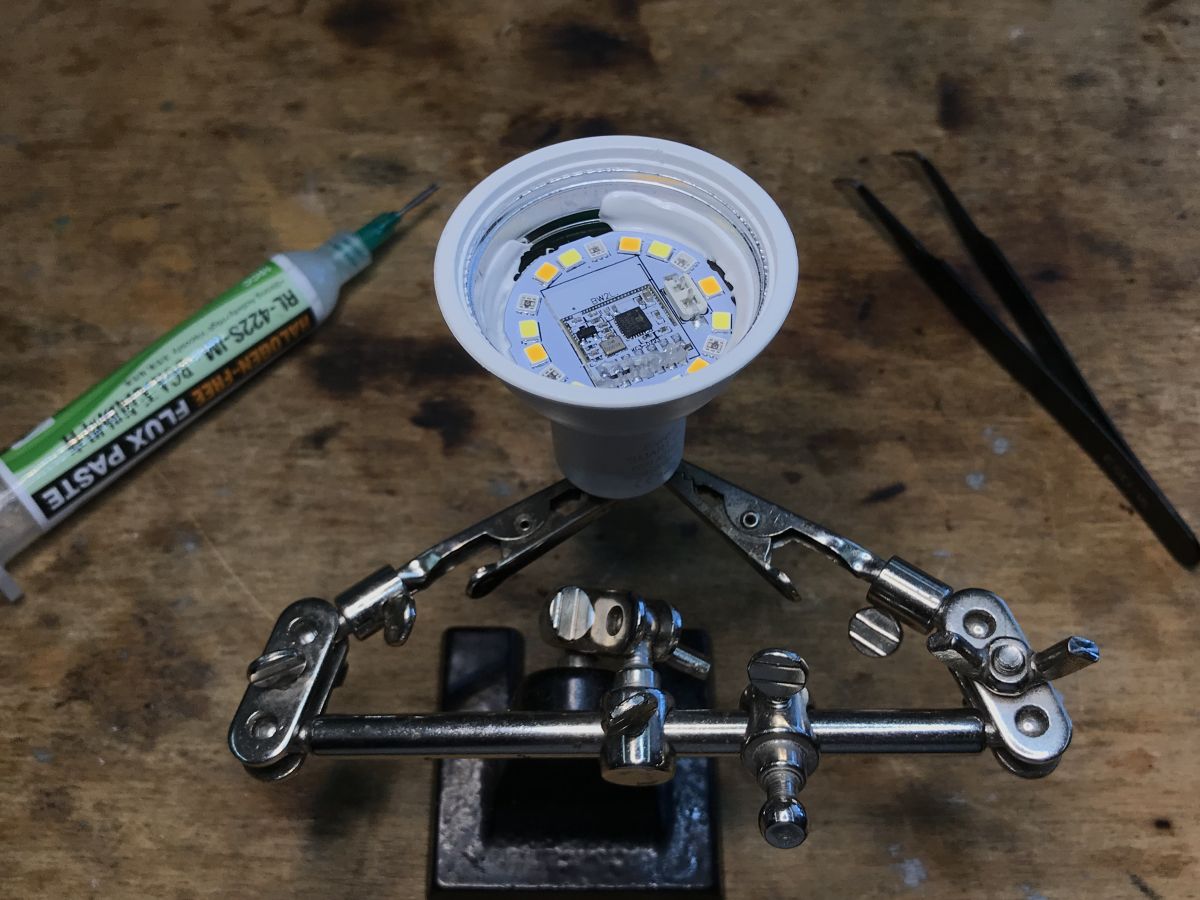
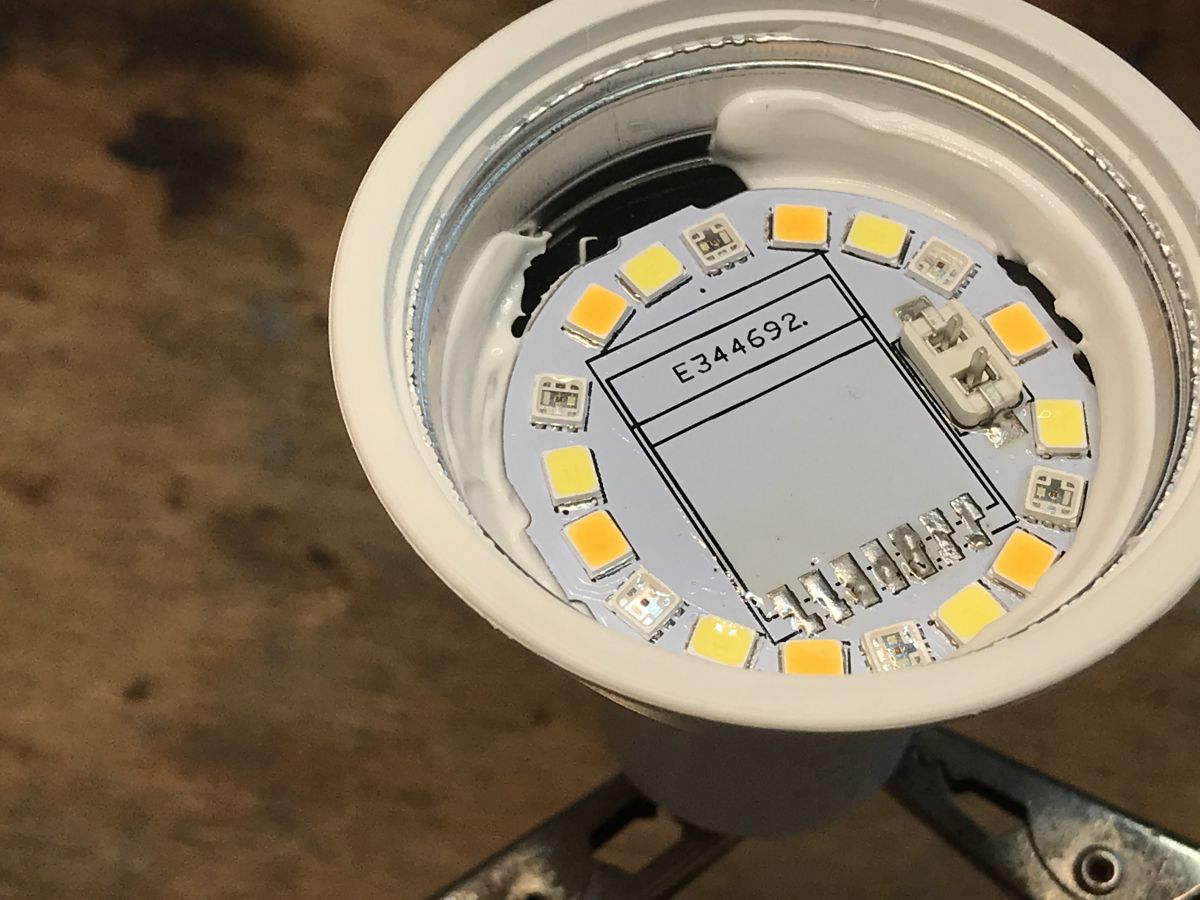
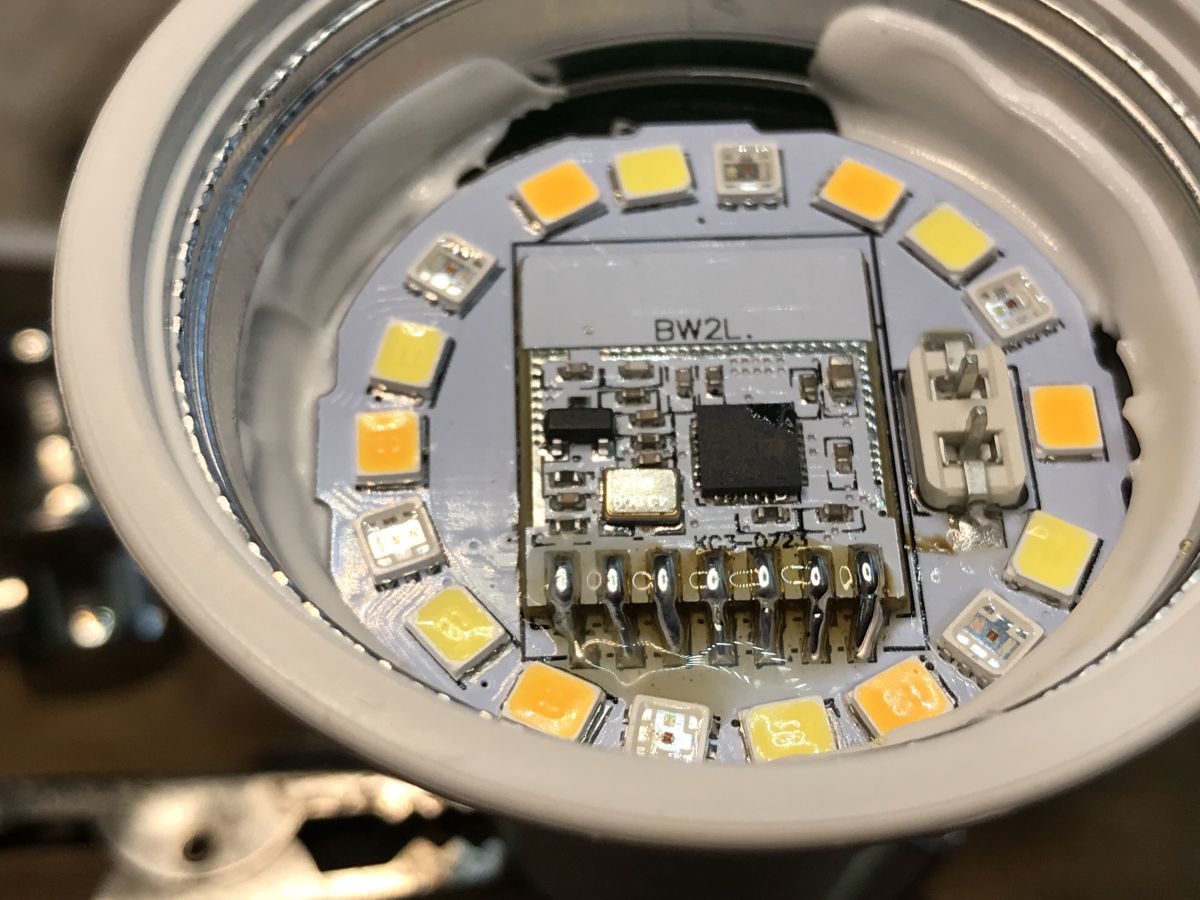
    Most leds with a GU10 mount are quite difficult to convert - access to the WiFi module is difficult and you usually have to take the whole housing apart to change the firmware. However, I recently found a model where this procedure is much simpler. There, the WiFi module is located on a board with LEDs, so all you have to do is remove the 'glass' and solder it out using hot air. This way you can free the light from the cloud and pair it with Home Assistant.

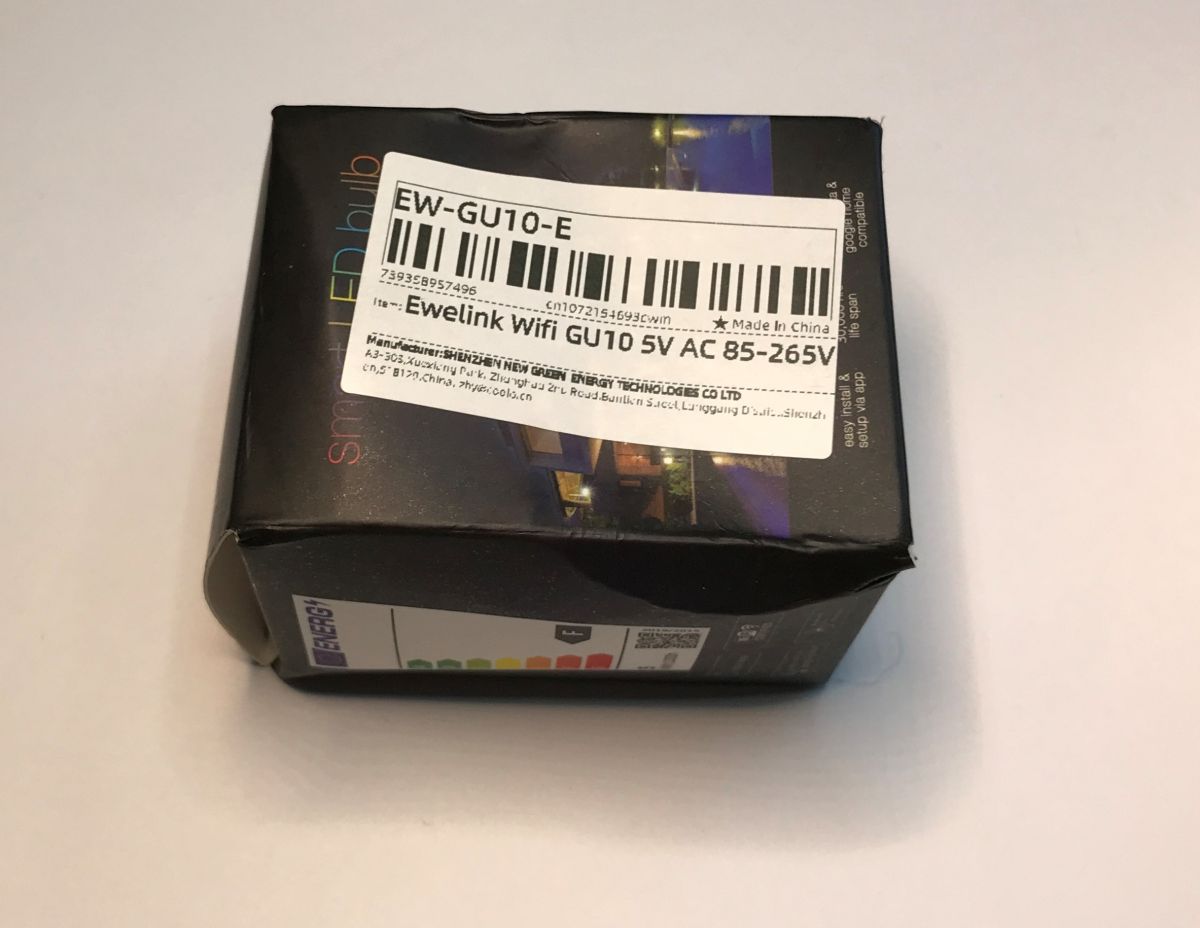
    The product discussed here can be found by the model name EW-GU10-E, which, as the name suggests, specifies its association with the eWeLink app. There is also a code C3009 on the packaging, but it is repeated for different types of threads, so it does not uniquely identify the product. If in doubt, look to see if you are ordering a product with WiFi from eWeLink, the leds from Tuya are different.
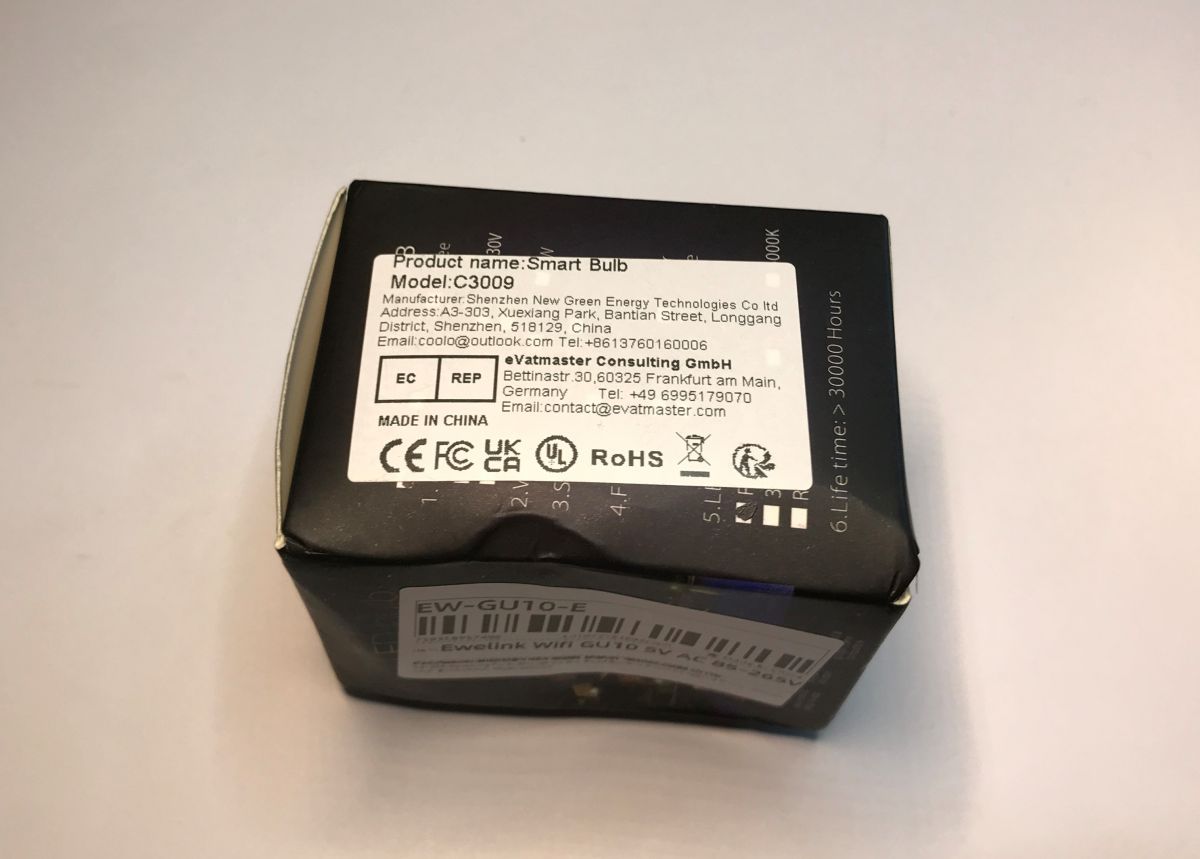
    Packaging of a smart bulb with labels and manufacturer details. .
    Package of eWeLink GU10 LED bulb .
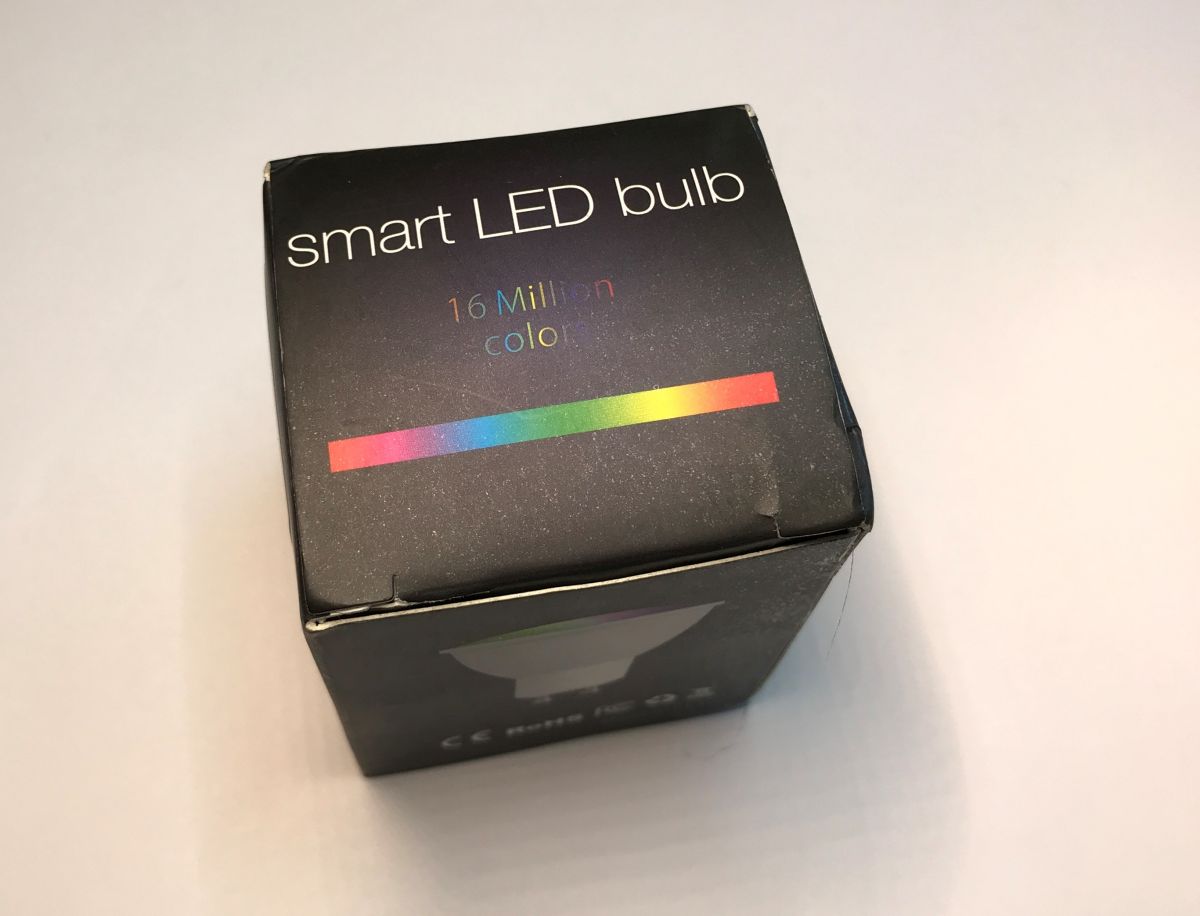
    Black cardboard box of a smart LED bulb with the text smart LED bulb and a colorful stripe. .
    The whole thing can be bought from China for a dozen or so zlotys. There are no specific markings on the lamp itself:
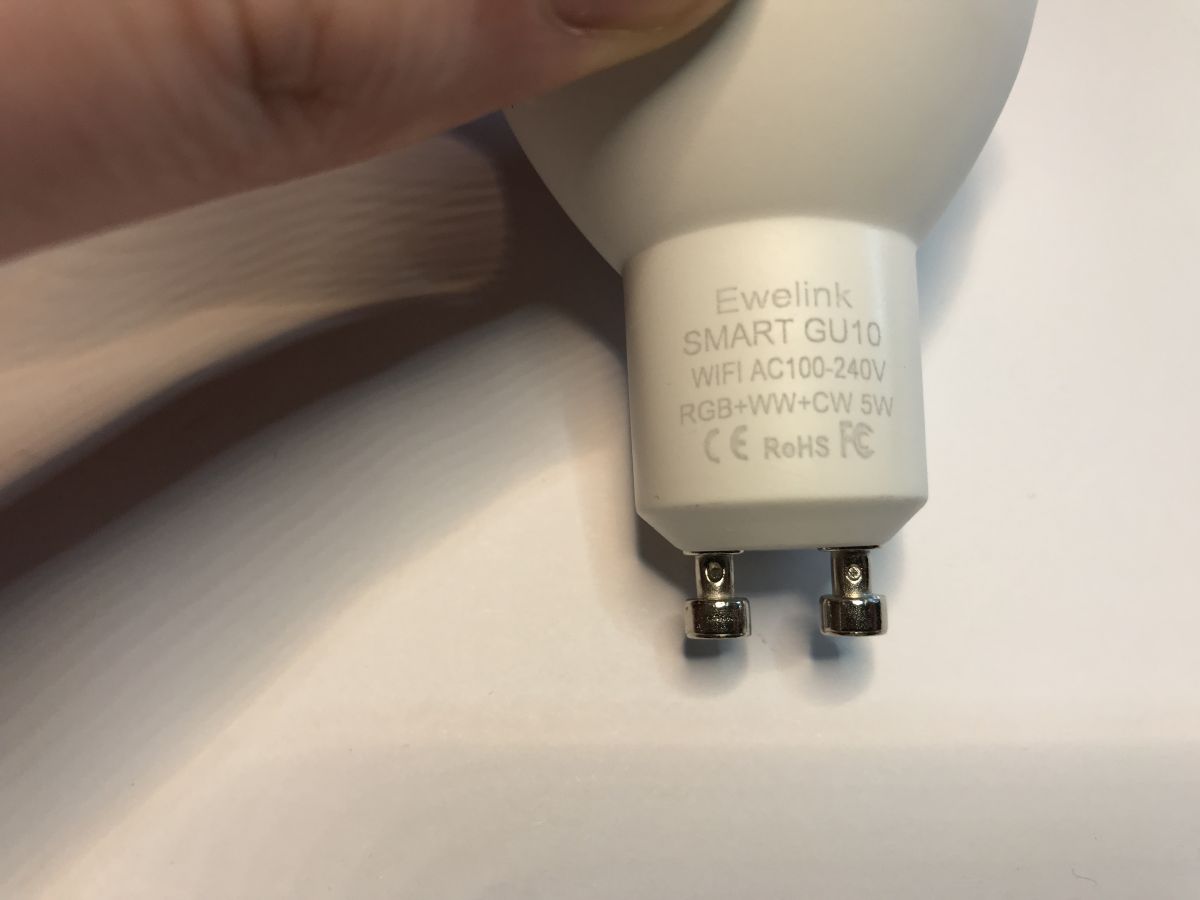
    Close-up of LED bulb base with the text Ewelink SMART GU10. .

    Changing the EW-GU10-E firmware .
    As per the guide for the other lights from eWeLink:
    [Polish] Flashing guide for eWeLink RGBCW lamp series - module leads BW2L, BL602 .
    [English] Instructions for flashing the eWeLink RGBCW lamp series - module leads BW2L, BL602 .
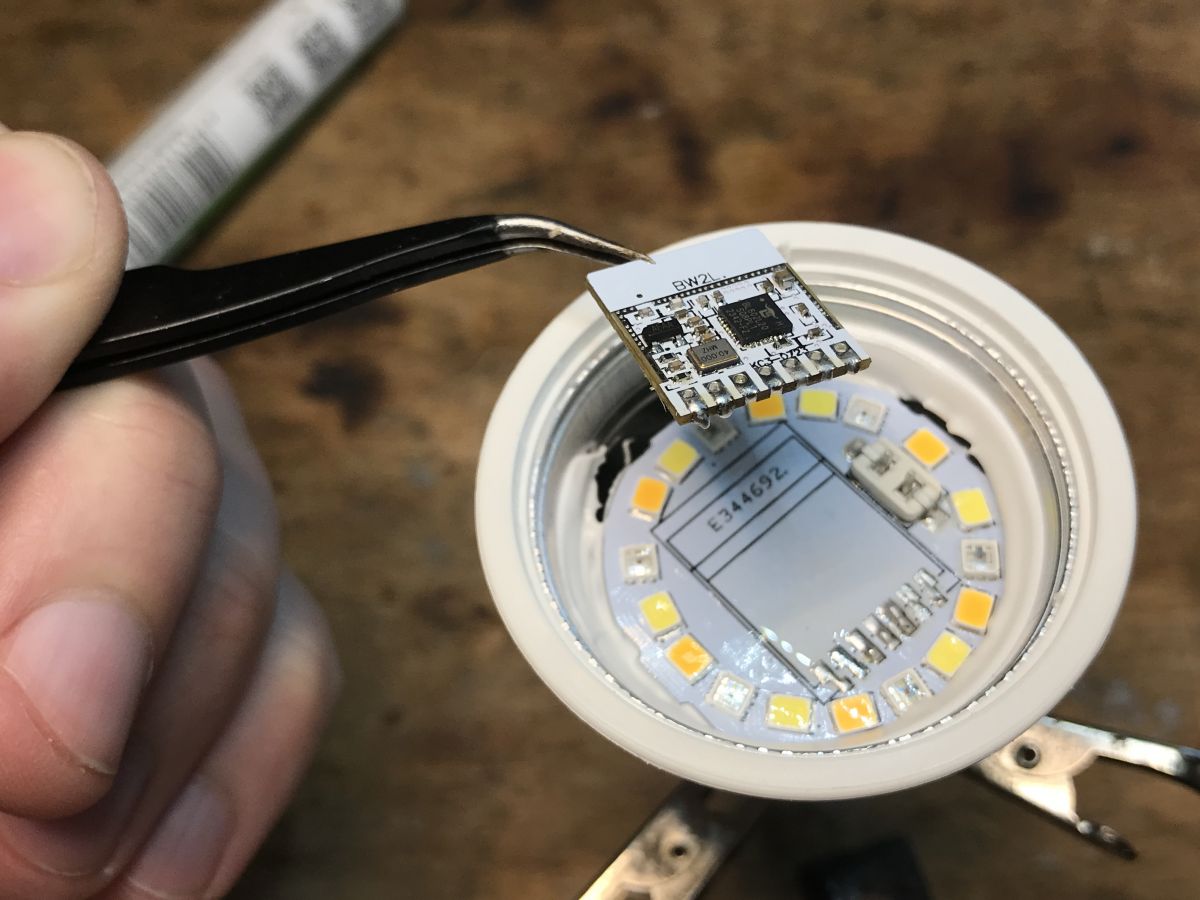
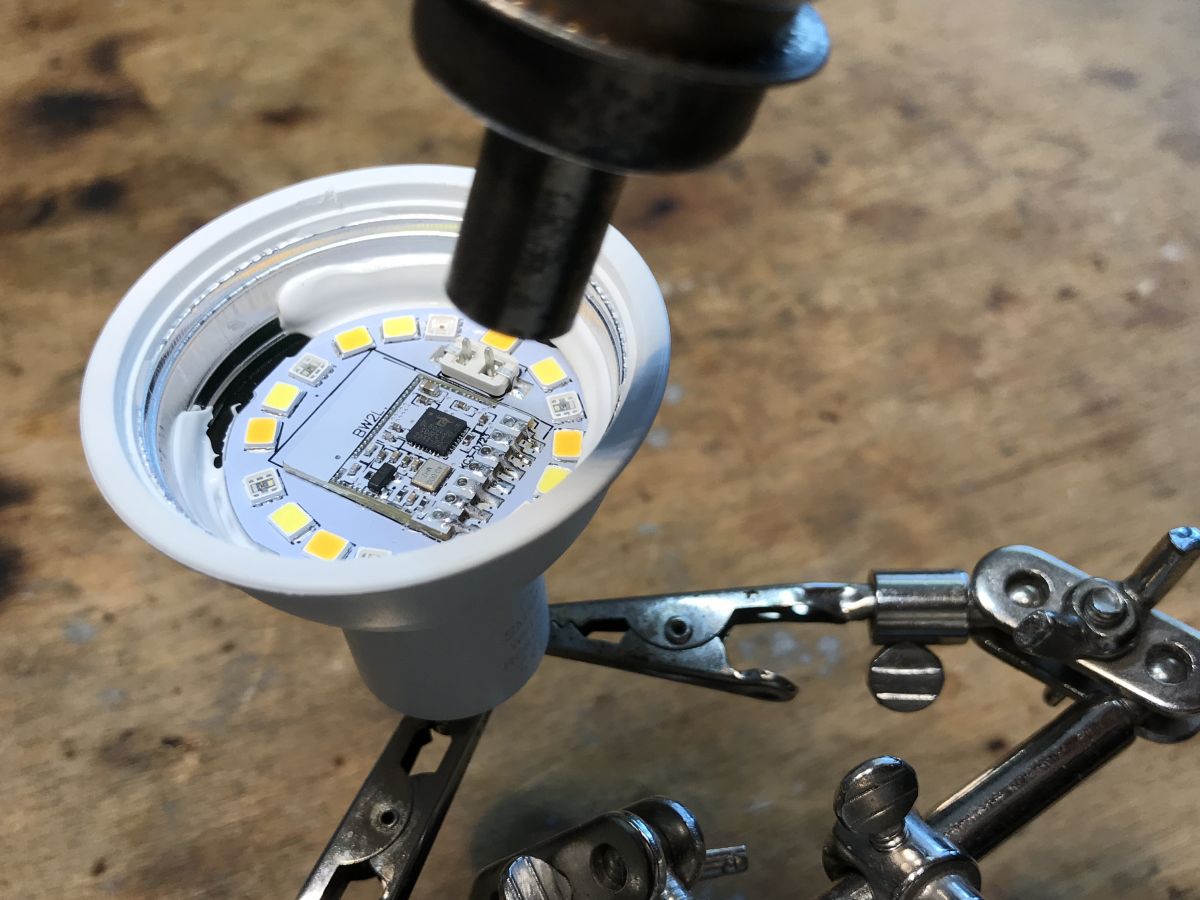
    Remove the glass, apply flux, solder out the WiFi module:
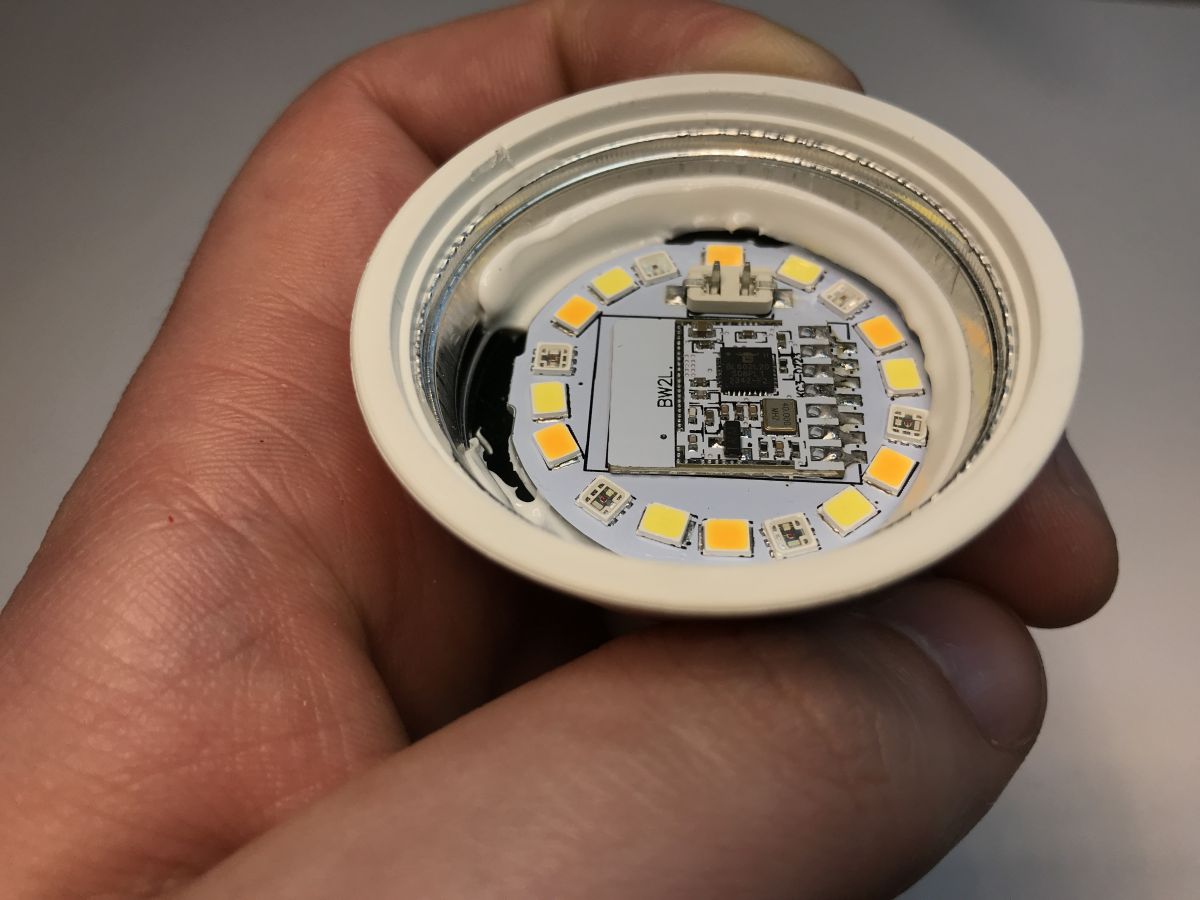
    GU10 LED bulb with visible WiFi module on the LED board. .
    LED GU10 bulb with exposed circuit board and WiFi module. .
    Process of desoldering the WiFi module from a GU10 LED bulb using hot air. .
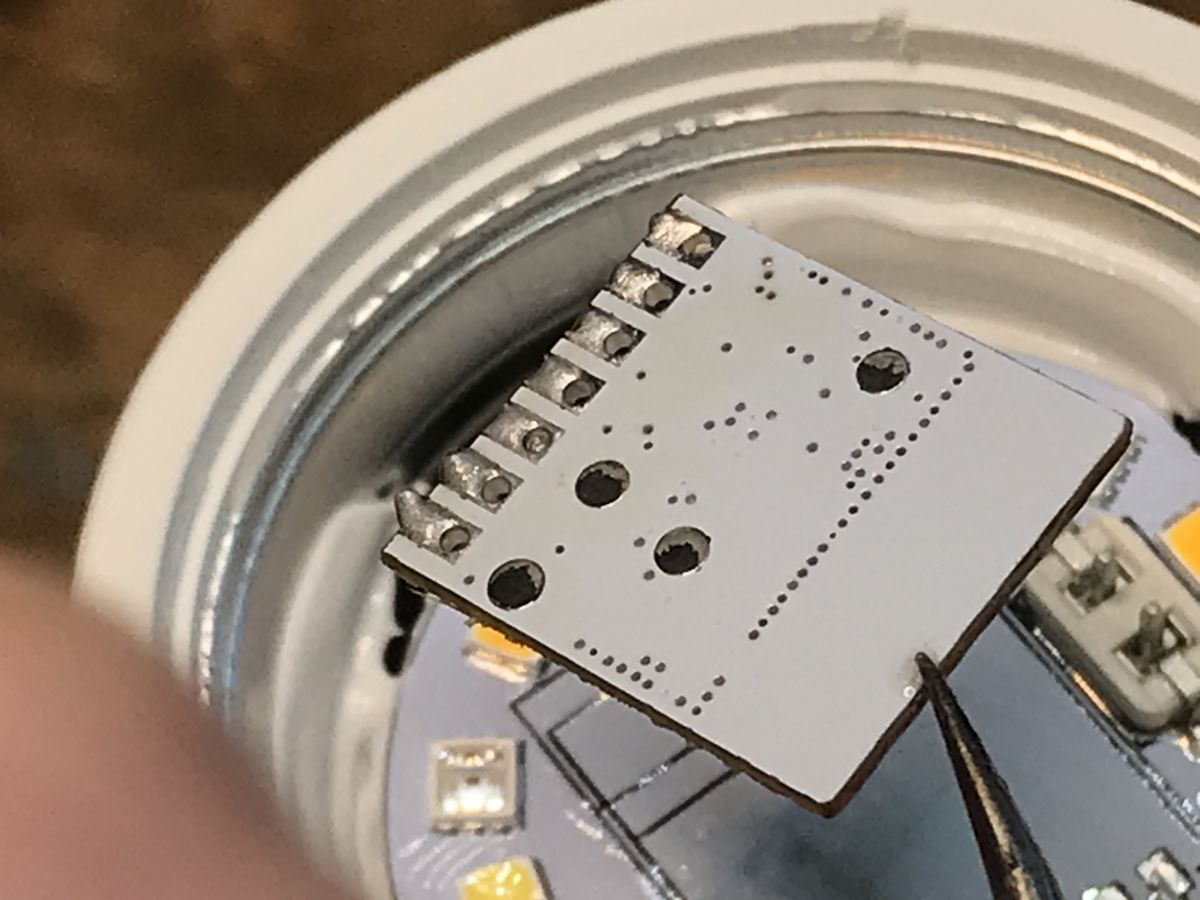
    WiFi board with LED module extracted from the GU10 bulb housing. .
    View of the interior of a LED GU10 bulb with PCB and WiFi module. .
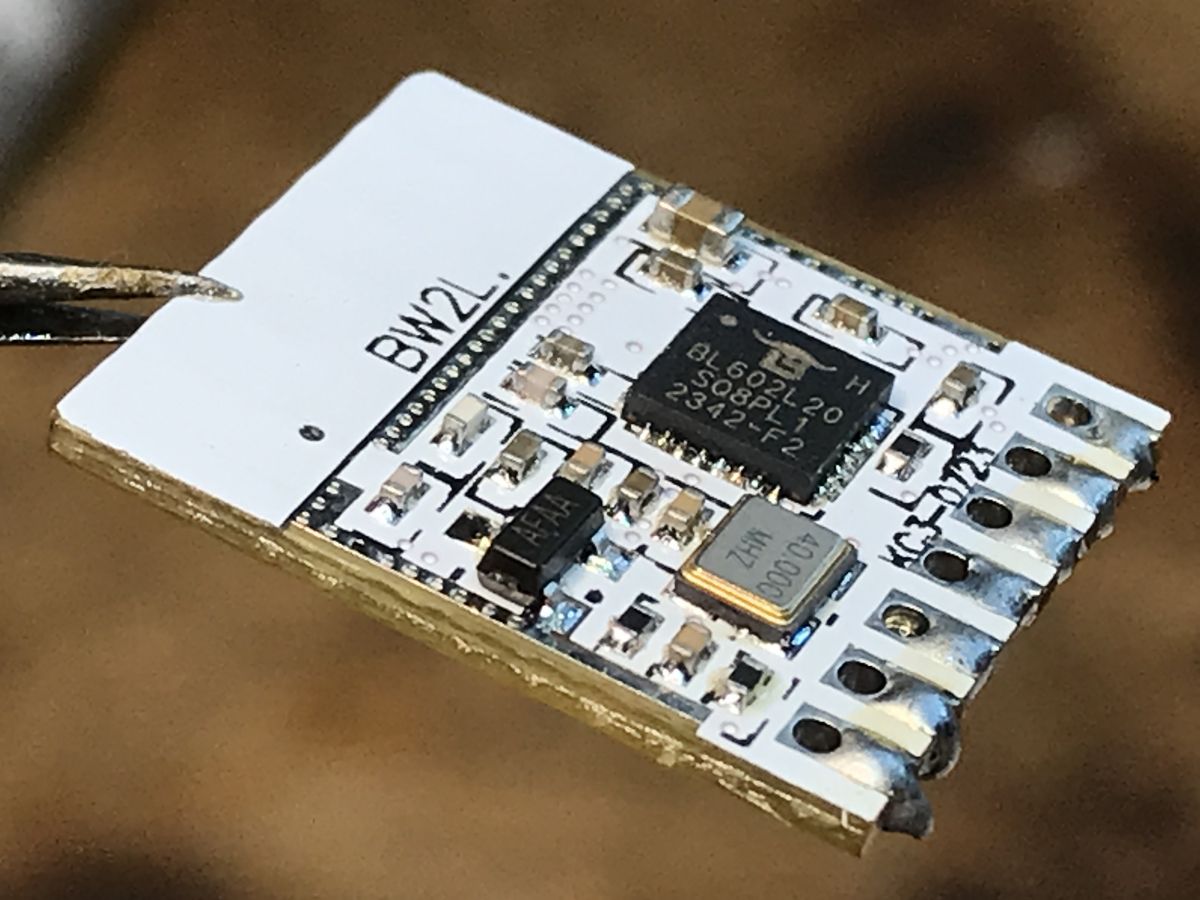
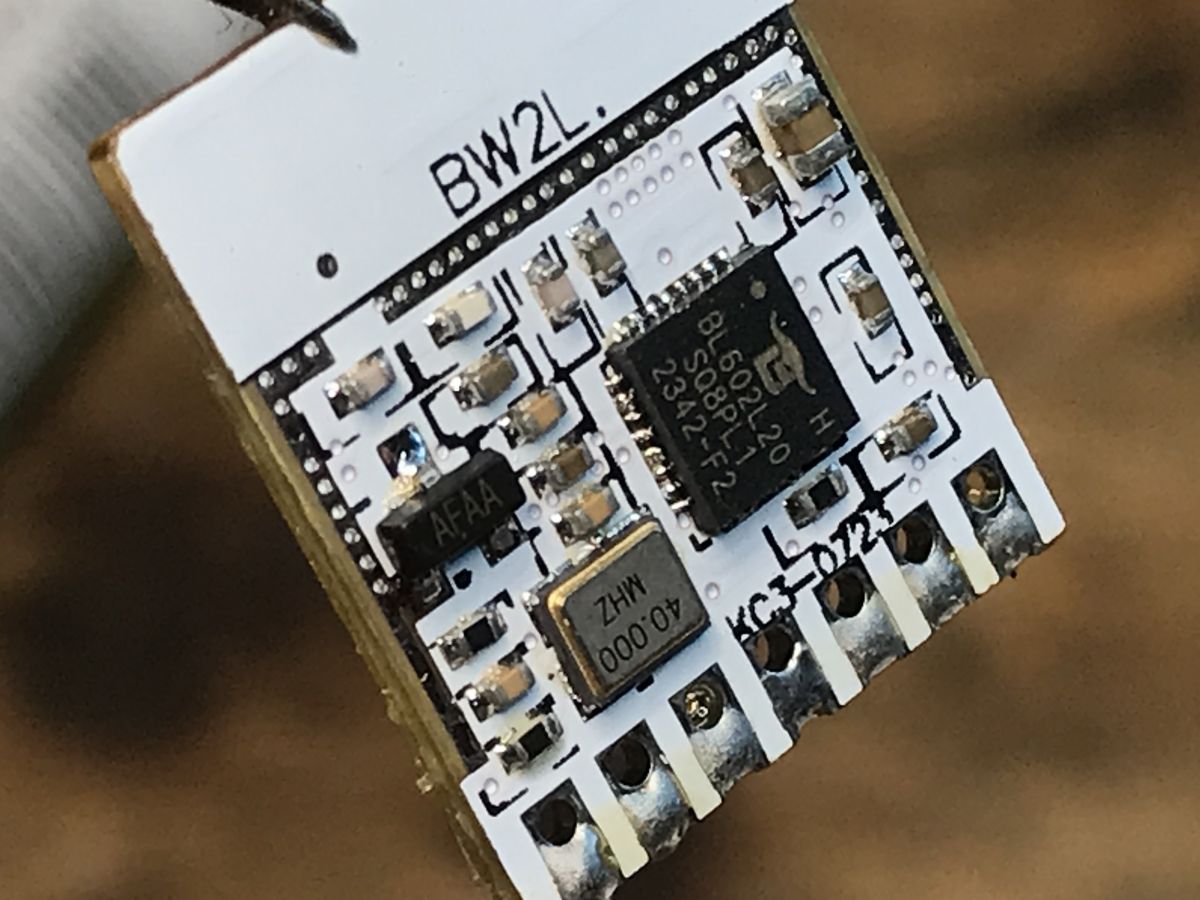
    BW2L WiFi module with BL602L chip on a circuit board. .
    Close-up of BW2L module with BL602L20 chip. .
    Close-up of the WiFi module board removed from a GU10 LED bulb. .
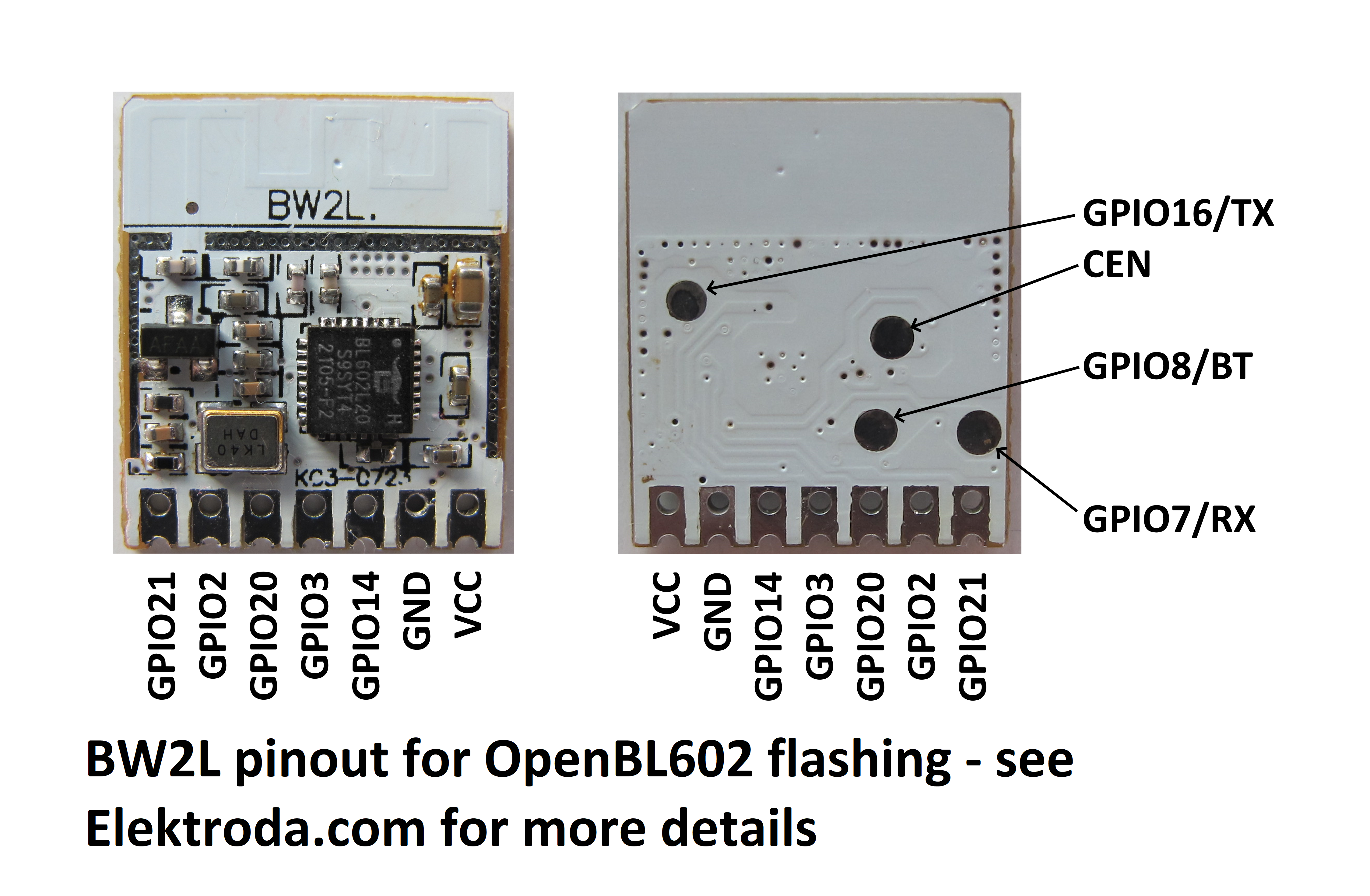
    Outputs:
    BW2L module board for OpenBL602 flashing with GPIO pinouts .
    Uploading firmware is also described in this topic:
    [Polish] How to read and back up the flash memory of a BL602/BL702/etc device using BLDevCube? [English] How to read and back up the flash memory of a BL602/BL702/etc device using BLDevCube? .
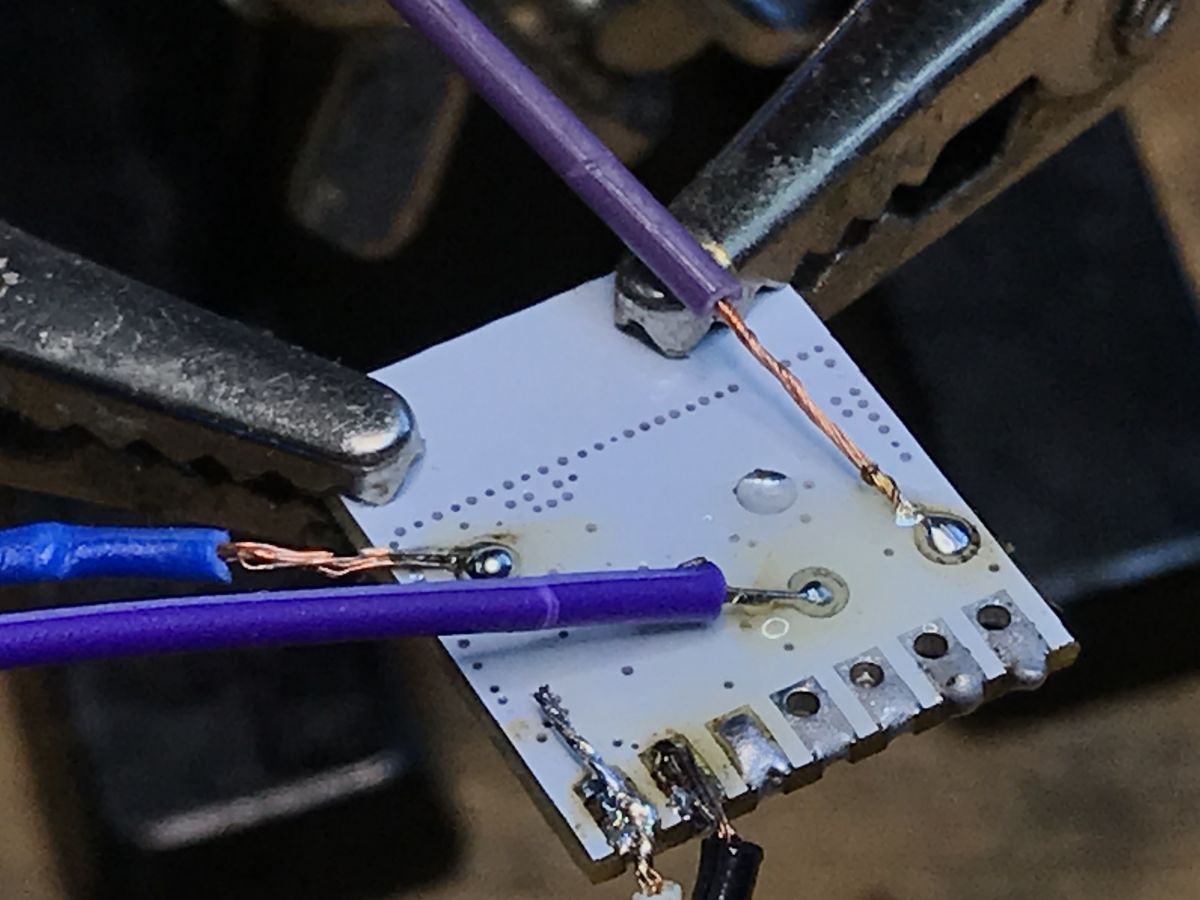
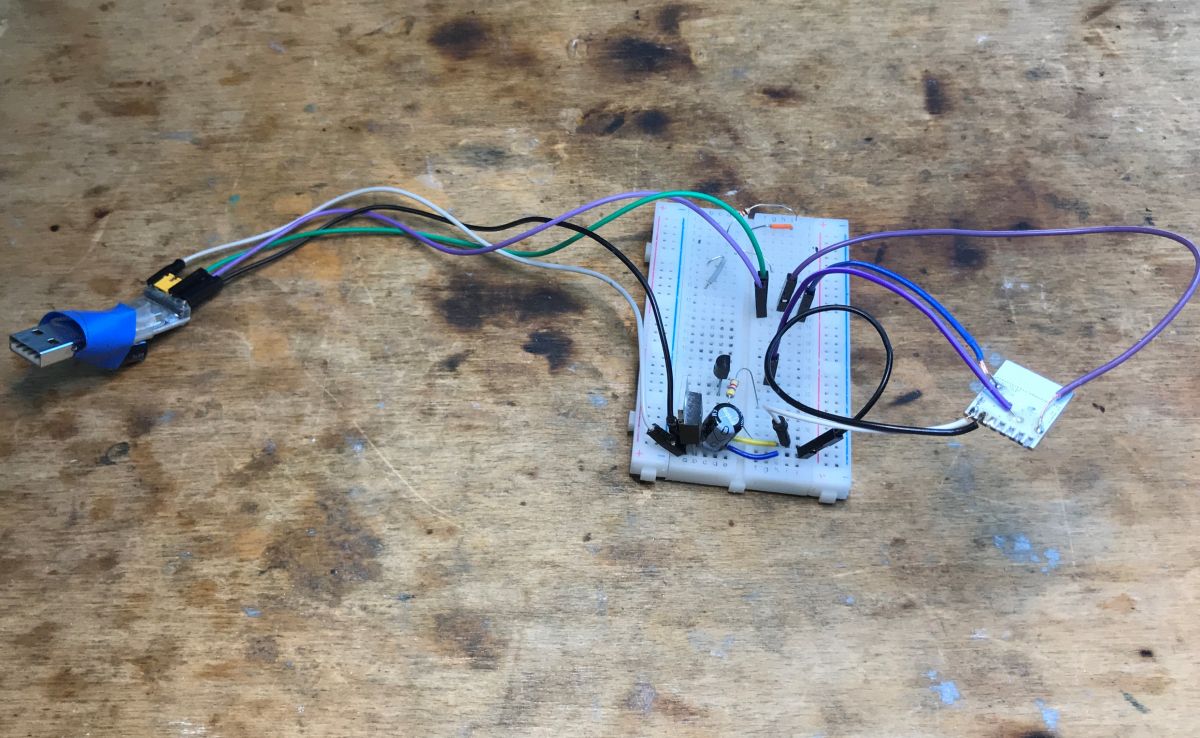
    Soldering photos:
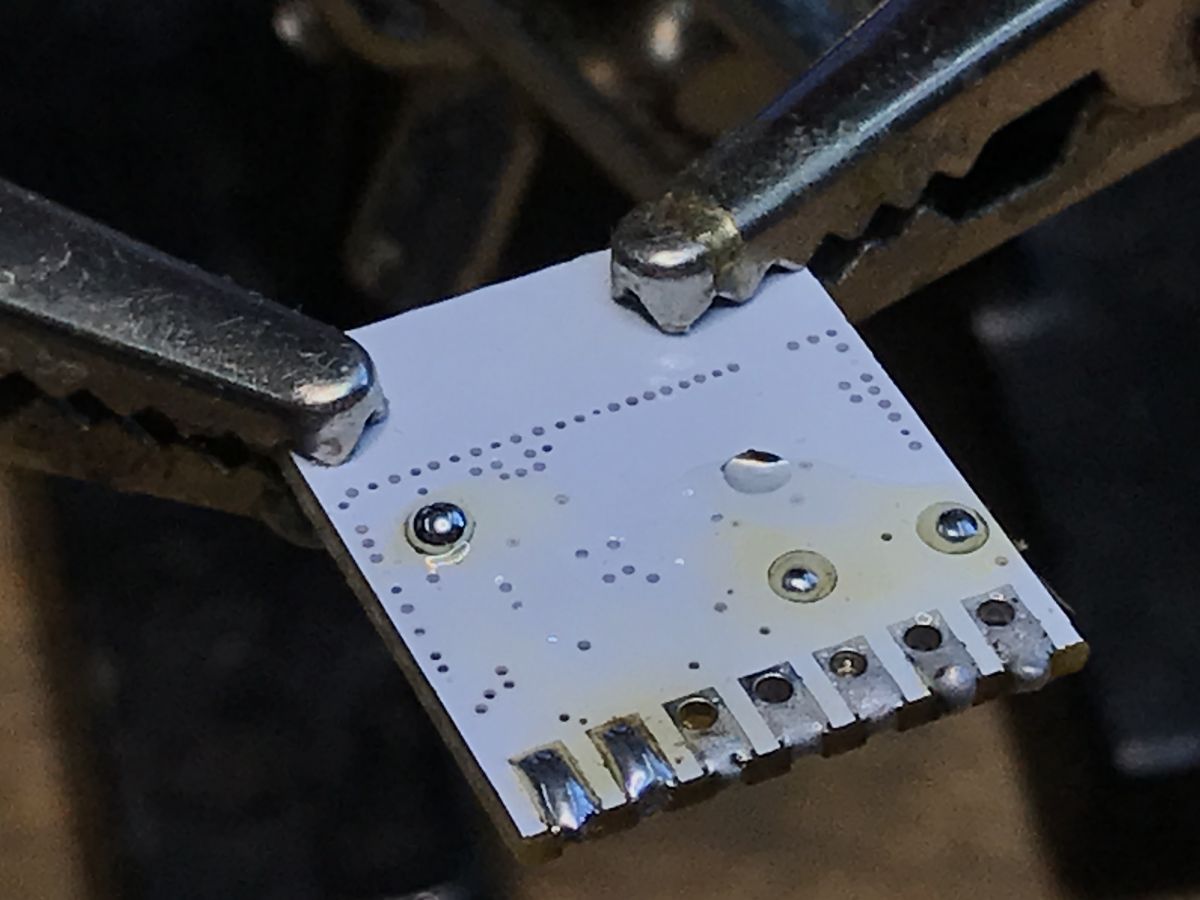
    WiFi module PCB with soldering pins. Pictures of soldering.
    Soldering process in LED GU10 module. .
    Electronic prototype on a breadboard with wires connected to a USB adapter. .
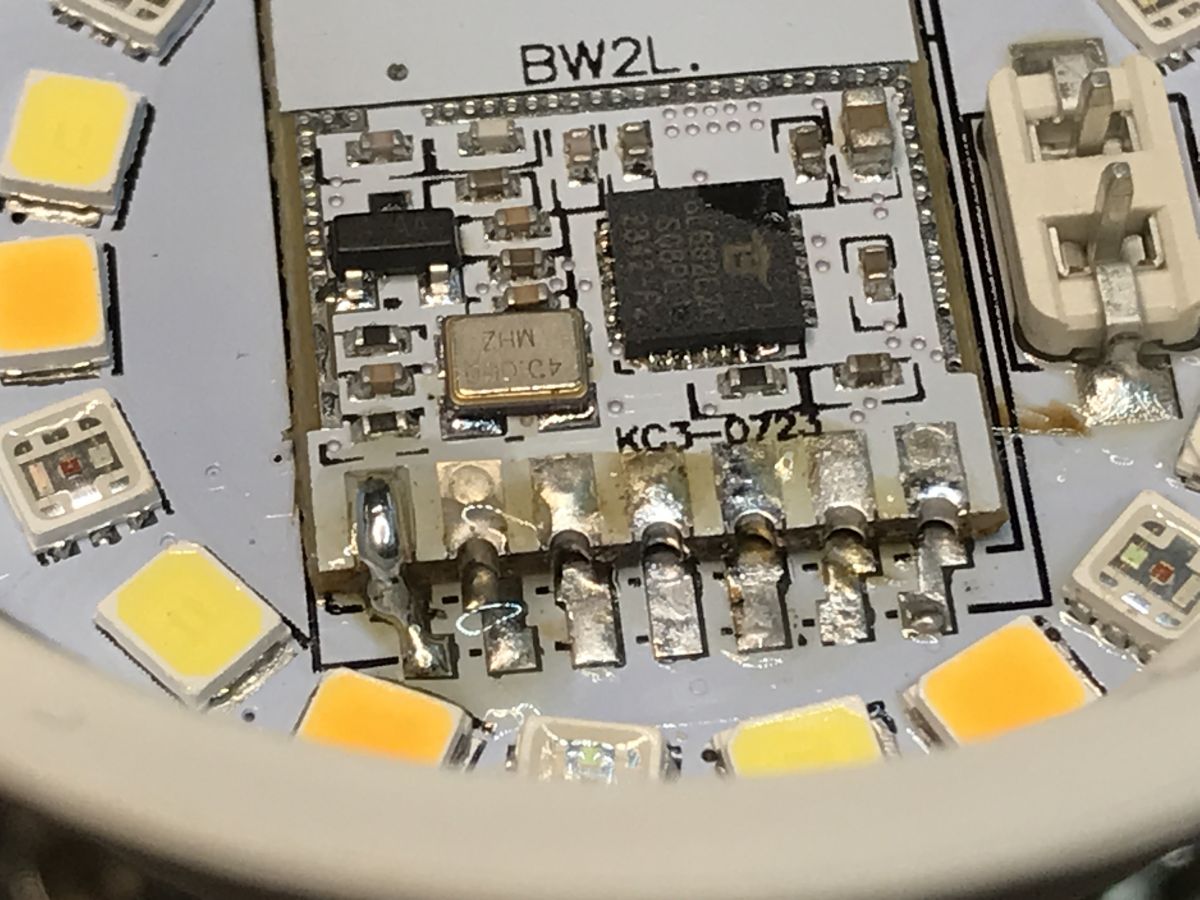
    Then the module is back in place, although you have to heat quite a bit because the LED board acts as a heat sink:
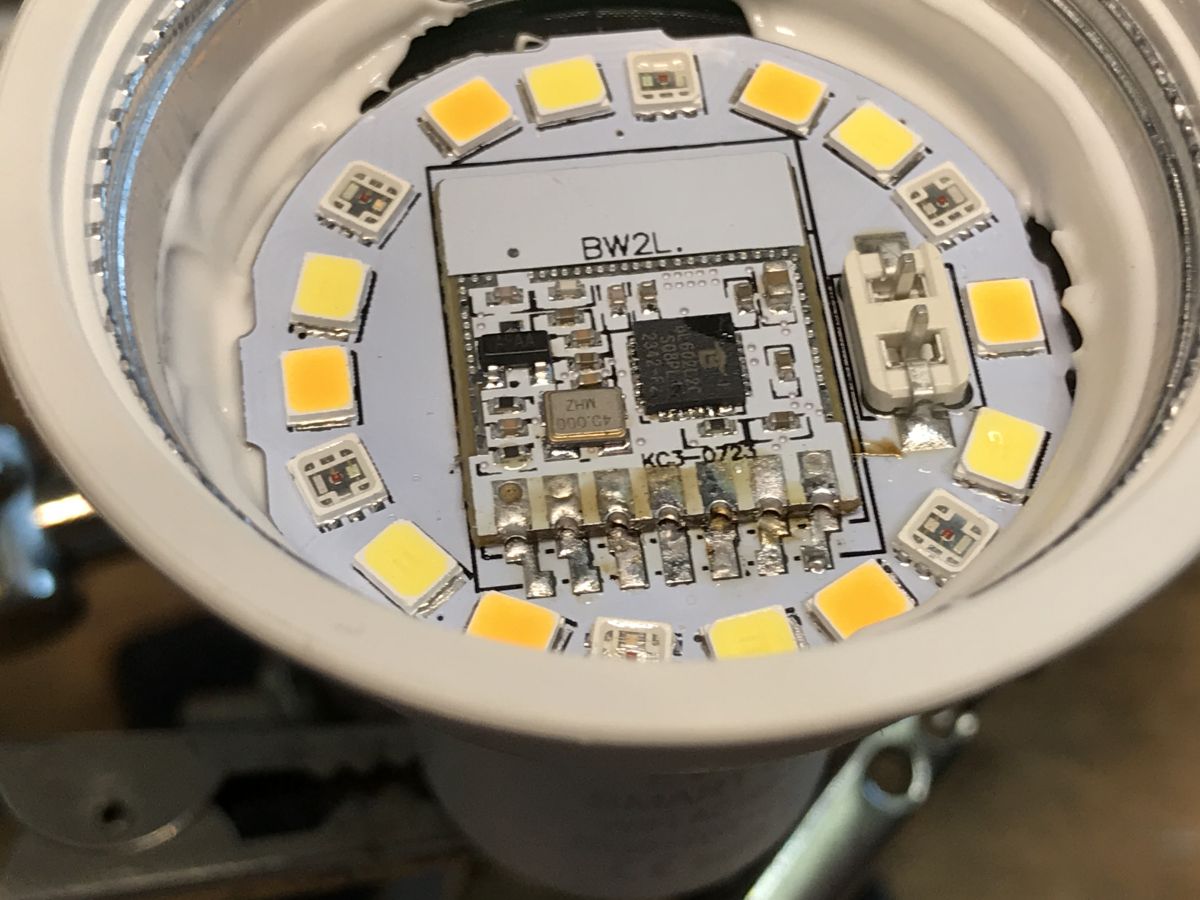
    Close-up of a LED module with visible BW2L WiFi module. .
    Close-up of WiFi module and LED chips in a GU10 bulb. .
    Interior of LED GU10 with visible WiFi module BW2L on an LED board. .
    The GPIO template is the same as in:
    [Polish] Flashing instructions for eWeLink RGBCW lamp series - module leads BW2L, BL602 .
    [English] Instructions for flashing the eWeLink RGBCW lamp series - module leads BW2L, BL602 .
    Short test:


    .
    As of now, the product works 100% locally, independent of the manufacturer's servers. It can also be connected to Home Assistant.

    Summary .
    I've been looking for something like this for a long time. As much as possible I recommend the purchase of LED GU10s from this series, they are much more convenient in terms of changing firmware than, for example, the Nous presented in the past:
    [Polish] Nous Smart WiFi Bulb P8 RGBCW, GU10, EB01-B + BP5758, WiFi pinout .
    [English] Nous Smart WiFi Bulb P8 RGBCW, GU10, EB01-B + BP5758, WiFi pinout .
    I guess until I buy more in stock of these LED GU10 eWeLink's, as it's not clear if they'll be available later, and as you can see in the linked topic with other GU10's it's much more trouble.
    Have any of you also tried changing the firmware or looking into GU10 based products? Feel free to discuss.
    PS: And, of course, I know that the term "bulb" is fundamentally incorrect here - but that's the name that has already taken hold in the trade....

    Cool? Ranking DIY
    Helpful post? Buy me a coffee.

    About Author
    p.kaczmarek2
    Moderator Smart Home
    Offline 
    p.kaczmarek2 wrote 14413 posts with rating 12363, helped 650 times. Been with us since 2014 year.
  • ADVERTISEMENT
  • #2 21499300
    LEDówki
    Level 43  
    Posts: 9346
    Help: 1305
    Rate: 2525
    GU 10 is not a thread. Threads are E10, E14, E27.
  • #3 21499323
    p.kaczmarek2
    Moderator Smart Home
    Posts: 14413
    Help: 650
    Rate: 12363
    Good point, that's what I was wondering before publishing this topic, whether to allow myself to use terms that are incorrect but present in the trade, or to leave them out completely. There is a similar situation with those ubiquitous "light bulbs" which are essentially not "light bulbs". On the one hand, it's clear that stupid mistakes shouldn't be duplicated, but on the other hand, what if people are typing "LED bulb with GU10 thread" into a search engine en masse? As I looked online, it's repeated time and time again....

    Although here I have to admit that one of the more 'serious' shops still holds the standard and doesn't get 'bulbised':
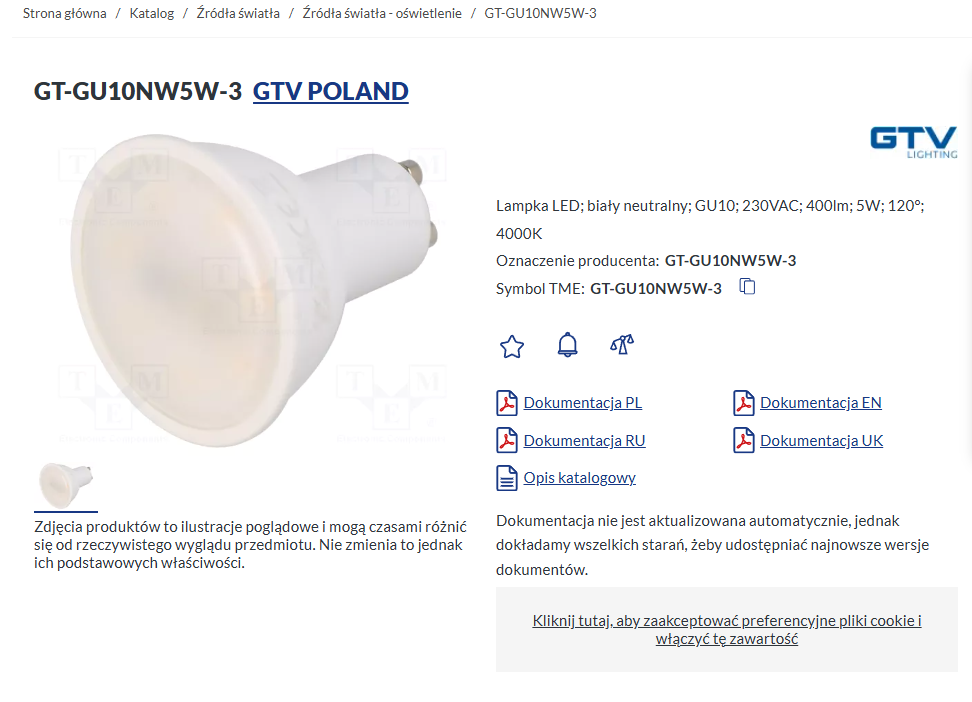
    White LED bulb with GU10 base and detailed technical information. .
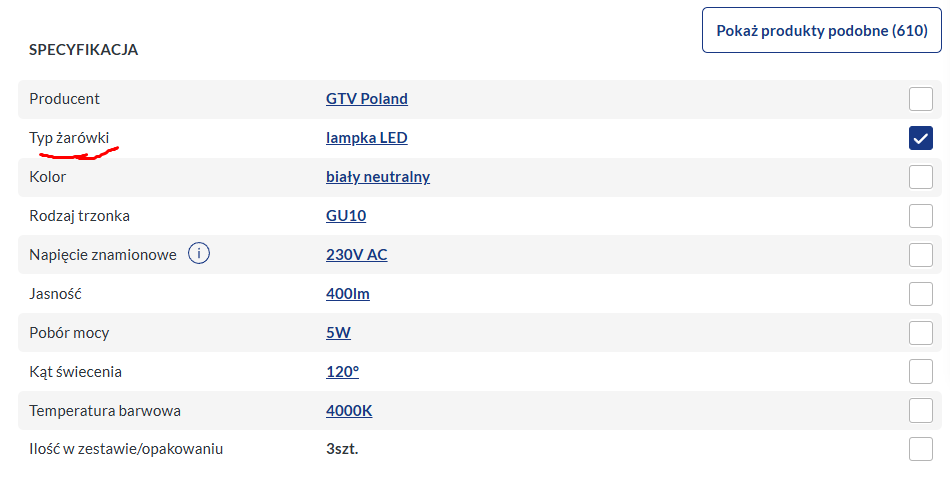
    And no, okay, there's a "bulb type" too :D
    LED lamp specification with bulb type highlighted.

    As for GU10 itself, this quote from the internet made me laugh:
    Quote:
    The GU10 thread is a so-called push-on thread. Naturally, for people who have never had to deal with it, the necessary replacement of a bulb with a new one often causes a minor inconvenience.


    So basically you're right, although it would be good if the topic nevertheless focused on GU10 LED lights easy to convert, rather than the contrast of nomenclature correct and that used in the trade .
    Helpful post? Buy me a coffee.
📢 Listen (AI):

FAQ

TL;DR: If you want a WiFi GU10 LED for Home Assistant, the EW-GU10-E is the standout choice: it can run 100% locally, and "all you have to do is remove the glass" to reach the module. This FAQ is for buyers and modders who want an easier BW2L reflash path than most GU10 lamps offer. [#21497554]

Why it matters: Most WiFi GU10 lamps are tedious to open and reflash, but this model puts the WiFi module on the LED board, cutting disassembly work.

Model / family Firmware access WiFi ecosystem Reflash effort Thread verdict
EW-GU10-E Module on LED board under front glass eWeLink Lower Recommended
Nous Smart WiFi Bulb P8 GU10 Harder internal access Different design Higher Less convenient

Key insight: The best reason to choose the EW-GU10-E is physical layout, not branding. Its BW2L module is accessible after removing the front glass, so reflashing is much simpler than with many other GU10 WiFi LEDs.

Quick Facts

  • The lamp discussed is sold under the EW-GU10-E model name, and the packaging also shows C3009, but that code is not unique across base types. [#21497554]
  • The reported street price is approx. a dozen złoty per lamp, bought from Chinese sellers, making it a low-cost candidate for local-control modification. [#21497554]
  • The WiFi module sits on the LED board, so access requires removing the front "glass" and desoldering the module with hot air, not dismantling the whole housing. [#21497554]
  • After reflashing, the author reports the lamp works 100% locally and can be paired with Home Assistant without depending on the vendor cloud. [#21497554]

How do I change the firmware in an eWeLink EW-GU10-E WiFi GU10 LED lamp so it works locally with Home Assistant?

You remove the front glass, desolder the WiFi module, flash it, then solder it back. 1. Remove the glass and apply flux. 2. Use hot air to lift the module from the LED board. 3. Upload firmware using the linked BL602 procedure, then resolder the module and configure the known GPIO template. The reported result is a lamp that works 100% locally and can be added to Home Assistant without the manufacturer's cloud. [#21497554]

What makes the EW-GU10-E GU10 lamp easier to reflash than other GU10 WiFi LEDs?

Its WiFi module is mounted on the LED board, directly under the front glass. That means you do not need to strip down the whole housing first, which is the usual problem with many GU10 WiFi lamps. The thread presents this layout as much more convenient than earlier GU10 designs and specifically easier than the Nous model discussed for comparison. [#21497554]

Which exact model names or package markings should I look for when buying the eWeLink GU10 lamp with the easy-to-access BW2L module?

Look first for the model name EW-GU10-E and confirm it is an eWeLink WiFi version. The packaging may also show C3009, but that mark alone is not enough because it appears on different base variants. If a listing looks ambiguous, the safest filter is eWeLink branding rather than relying only on the C3009 package code. [#21497554]

What is the BW2L module, and why is it important when flashing eWeLink RGBCW lamps?

"BW2L" is a WiFi module board that is soldered onto the lamp PCB and carries the firmware you replace, with exposed pads/leads that make removal and reflashing possible. It matters because the EW-GU10-E uses the same module family and flashing approach as the linked eWeLink RGBCW lamp guide, so the known procedure and GPIO mapping can be reused. [#21497554]

What is BL602, and how is it used in WiFi LED lamps such as the EW-GU10-E?

"BL602" is a wireless microcontroller platform used in the lamp's WiFi module, and it is the target device family for backup and flashing with BLDevCube. In this thread, the EW-GU10-E follows the same BL602-based workflow as the linked eWeLink RGBCW lamps, so BLDevCube is used before uploading replacement firmware. [#21497554]

Which GPIO template should I use for the EW-GU10-E after reflashing the BW2L/BL602 module?

Use the same GPIO template referenced for the other eWeLink RGBCW lamps in the linked BW2L/BL602 guide. The author states directly that the EW-GU10-E template is the same as in that earlier topic, so you do not need to create a new mapping from scratch for this lamp family. [#21497554]

What tools and soldering steps are needed to remove the glass, desolder the WiFi module with hot air, and put it back correctly?

You need at least flux and a hot-air tool. 1. Remove the front glass. 2. Apply flux and heat the WiFi module until it lifts from the LED board. 3. After flashing, resolder the module in place, using enough heat to overcome the board's thermal mass. The thread also includes soldering photos that show both removal and reinstallation stages. [#21497554]

Why does the LED board act like a heat sink when resoldering the module, and how do you deal with that during flashing work?

The LED board pulls heat away from the solder joints, so the module needs more heating during reinstallation. The author states you must heat "quite a bit" because the LED board behaves like a heat sink. The practical fix is simple: expect slower reflow, keep heat controlled, and verify alignment before the solder cools. [#21497554]

How do I read and back up the flash memory of a BL602-based lamp with BLDevCube before uploading new firmware?

Use the BLDevCube backup workflow from the linked BL602 memory-read topic before you write new firmware. The thread does not repeat the full sequence, but it explicitly points to a dedicated guide for reading and backing up flash memory on BL602 and related devices. That makes backup a documented pre-flash step rather than an optional extra. [#21497554]

What are the differences between eWeLink WiFi GU10 lamps and Tuya-based GU10 lamps when it comes to firmware replacement?

The buying advice here is to choose the eWeLink WiFi version, not a Tuya one, because they are different products. The thread warns that GU10 LEDs from Tuya are different, while the EW-GU10-E matches the known BW2L/BL602 flashing path already documented for eWeLink RGBCW lamps. If you buy the wrong ecosystem, the expected module layout and procedure may not match. [#21497554]

EW-GU10-E vs Nous Smart WiFi Bulb P8 GU10: which one is better if I want the easiest firmware modification?

The EW-GU10-E is the better choice if your priority is the easiest firmware modification. The author explicitly recommends this eWeLink GU10 series because it is more convenient to modify than the previously presented Nous Smart WiFi Bulb P8 GU10. The deciding factor is easier access to the WiFi module, not claimed light quality or app features. [#21497554]

How much do these eWeLink EW-GU10-E GU10 lamps usually cost, and are they still easy to find from Chinese sellers?

They cost roughly a dozen złoty each from Chinese sellers. Availability is less certain: the author says he plans to buy more stock because it is not clear whether these exact GU10 eWeLink lamps will still be available later. Price is low, but long-term supply looks uncertain in the thread's March 2025 snapshot. [#21497554]

What safety precautions should I take when opening and reflashing a mains-powered GU10 LED lamp?

Treat it as mains-powered hardware, open it only when fully disconnected, and work carefully around heat. The thread shows hot-air desoldering, repeated reheating, and a board that sinks heat strongly, so the main risks are thermal damage and poor resoldering if you rush. A practical failure case is insufficient heat during reinstallation, because the module may not seat correctly on the LED board. [#21497554]

How do I integrate a reflashed EW-GU10-E lamp into Home Assistant so it works fully locally without the manufacturer's cloud?

Flash the lamp with local firmware, restore the module to the PCB, and apply the same GPIO template used for the related eWeLink RGBCW lamps. The thread states that, after this process, the EW-GU10-E works 100% locally and can be connected to Home Assistant independently of the manufacturer's servers. That is the key outcome of choosing this reflash path. [#21497554]

What other GU10-based products have people successfully reflashed, and which models are worth checking if I want easy firmware access?

The thread specifically points to the Nous Smart WiFi Bulb P8 GU10 as a previously examined alternative, but not as the easiest option. It recommends the EW-GU10-E series if firmware access matters most, because other GU10 products can require much more work. One correction from the discussion also matters for searching: GU10 is a base type, not a screw thread, even if many listings misuse that term. [#21499323]
Generated by the language model.
ADVERTISEMENT