logo elektroda
logo elektroda
X
logo elektroda

RTL8720DN, RTL8710B, RTL8710BX Compatibility with OpenBeken?

divadiow 38736 408
ADVERTISEMENT
  • #391 21802565
    divadiow
    Level 38  
    Posts: 5213
    Help: 446
    Rate: 914
    hmm yeh, not really sure of the answers :/

    they're the different pins the ext flash chip might be connected to?

  • ADVERTISEMENT
  • UART wiring and 115200 baud adjustment for WBRG1 flashing

    #393 21865658
    elreptar
    Level 1  
    Posts: 1
    p.kaczmarek2 wrote:
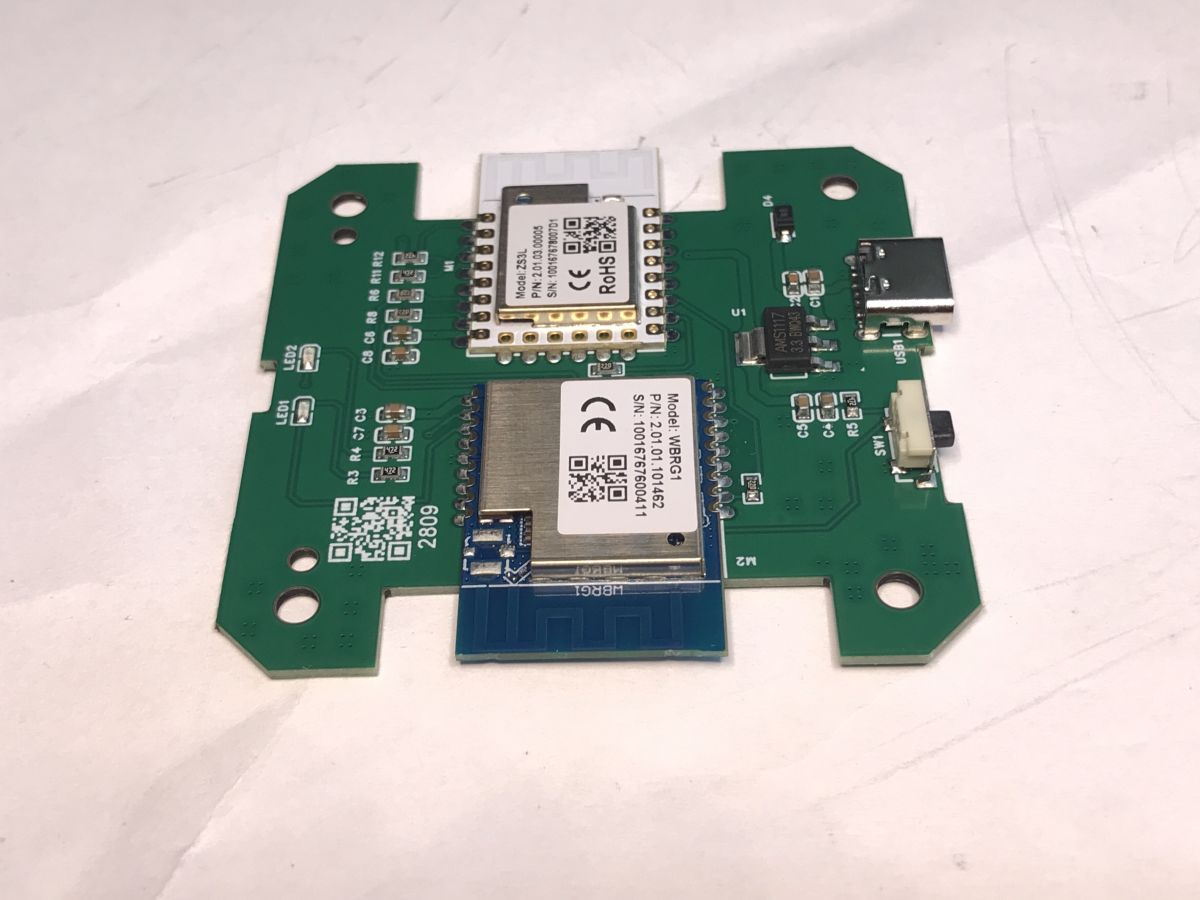
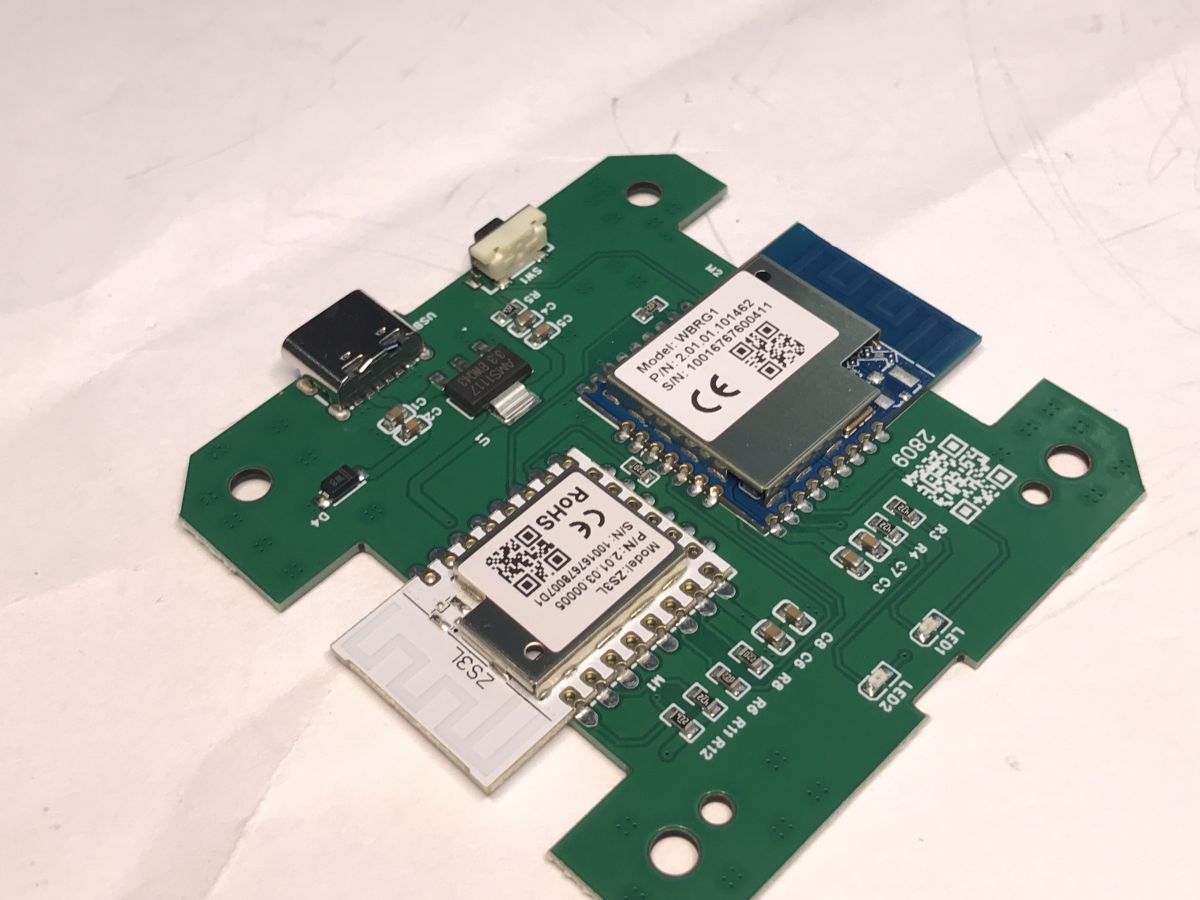
    My gateway arrived, how does one flash WBRG1? It seems only the UART port is needed?
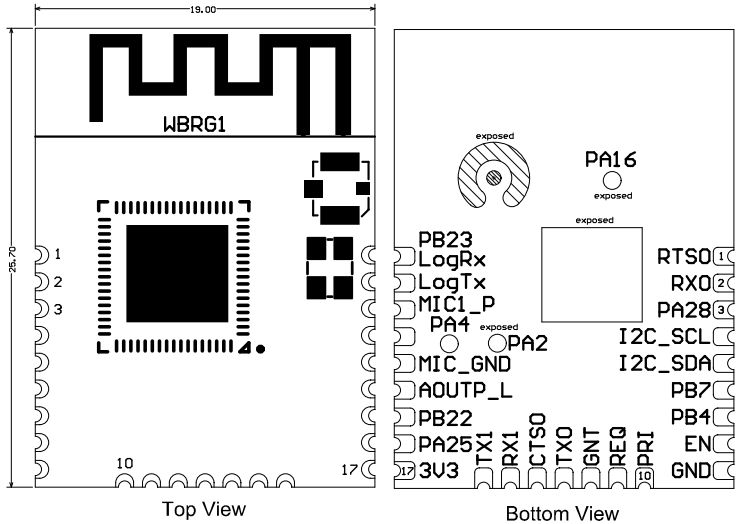
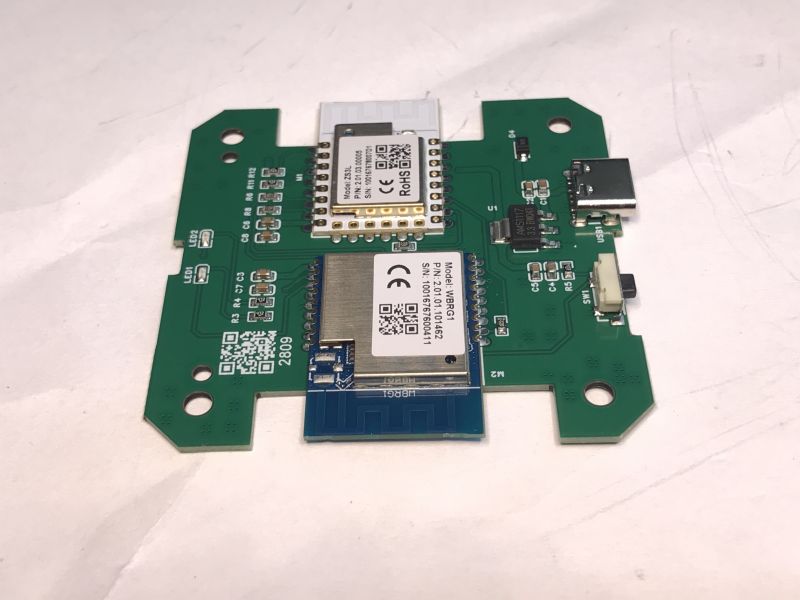
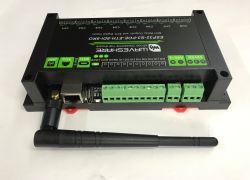
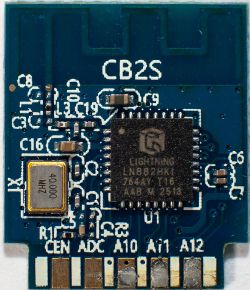
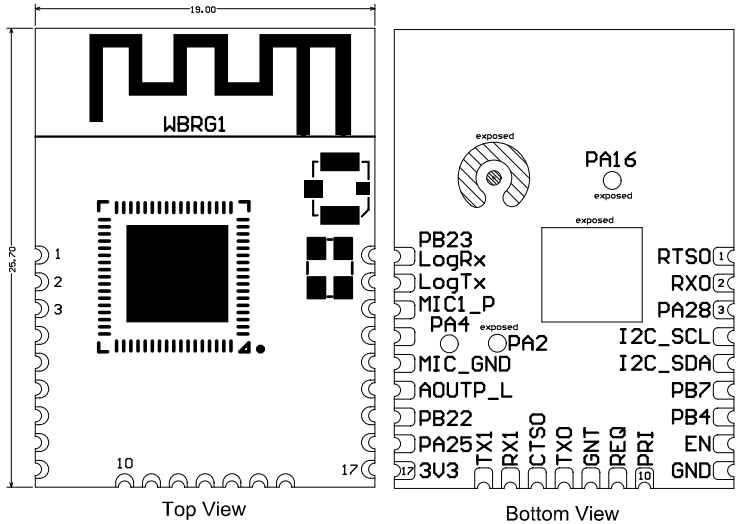
    Schematic of WBRG1 module with top and bottom view.
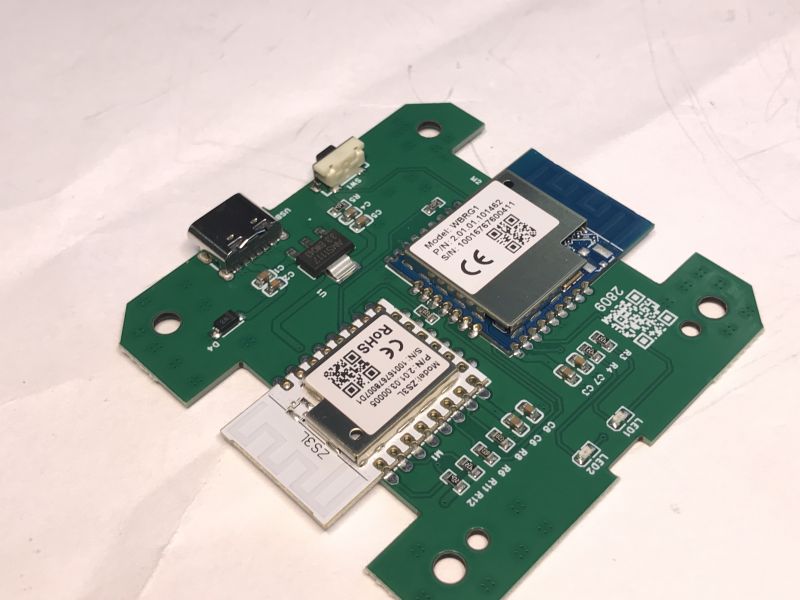
    Green circuit board with mounted modules labeled WBRG1 and Z3L.
    WBRG1 circuit board with visible components and USB port.
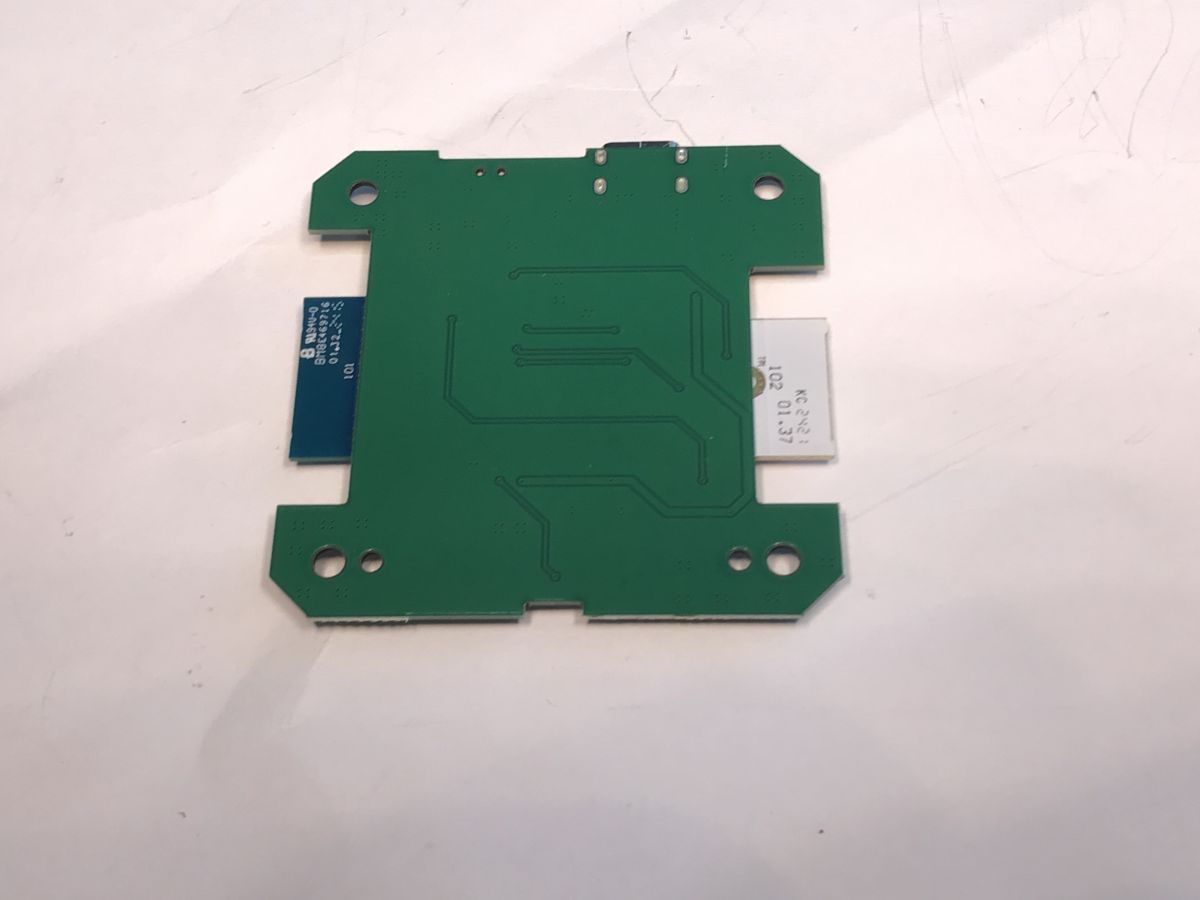
    Green electronic module with visible traces on a white background.


    Hello!
    I have the same board, but haven't been able to put it into download mode.

    I already checked the guide at https://www.elektroda.com/rtvforum/topic4127578.html, but I am still confused about which wires I have to use. This is the only thread where I see some movement, but no more details on wiring. Can you please provide a quick guide on that?

    Thanks!


    Ah! nevermind

    used LogTX, LogRX, GND, and 3.3 V

    Ground LogTX
    Did a quick reset by scratching EN to GND
    Release LogTX quickly from GND

    In my case, my UART USB max baud is 115200, so the Python script needs to be adjusted. Leaving this if someone needs it. This works for Mexican Steren Zigbee hub ( https://www.steren.com.mx/gateway-zigbee-wi-fi.html )
  • Adds DA support and a BW20-12F-Kit board entry

    #394 21918395
    divadiow
    Level 38  
    Posts: 5213
    Help: 446
    Rate: 914
    divadiow wrote:
    Cool. Just in time. BW20-12F-Kit should arrive tomorrow


    how's it been a year almost since purchase already?!

    there should probably be more dev boards on the device list. it would give the platform search boxes something to show for the rarer types.

    add DA https://github.com/OpenBekenIOT/webapp/pull/2...nges/25c6f48021899875c61aca88e46c251bd5ed3ce3

    Screenshot of a webpage with filters and a list of chip/device names with checked boxes

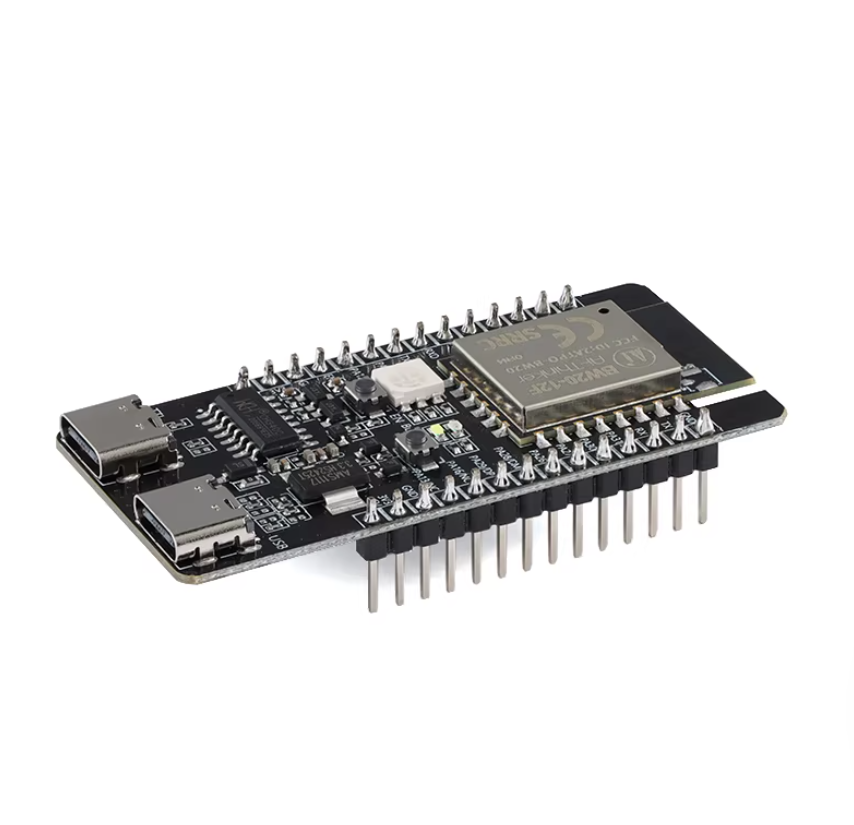
    add board: https://github.com/OpenBekenIOT/webapp/pull/283

    Development board with two USB‑C ports and an ESP32 module on a white background
  • ADVERTISEMENT
  • #395 21918417
    p.kaczmarek2
    Moderator Smart Home
    Posts: 14756
    Help: 659
    Rate: 12881
    Yes! More boards, preferrably with separate topics on forum.

    Maybe next we can do peripherals list?
    Helpful post? Buy me a coffee.
  • HA discovery failing on RTL8710BN sockets after restart

    #396 21930264
    array81
    Level 9  
    Posts: 25
    Rate: 1
    I managed to install OpenBeken on my Teckin SP22 sockets (RTL8710BN - T112_V1.1). The firmware works, and I can connect them to Home Assistant via MQTT. However, whenever I restart HA, it almost always (4 times out of 5) fails to detect the sockets. They show up as unavailable, even though I’ve verified that they are still sending updates to Mosquitto. Every time this happens, I have to access the socket interface and run the HA connection tool. This issue only occurs with these specific sockets; my other MQTT devices work without any problems. How can I fix this?
  • ADVERTISEMENT
  • #398 21930417
    array81
    Level 9  
    Posts: 25
    Rate: 1
    Flag 10 is active, flag 2 is not. Should I enable it? Is flag 7 (disabled) necessary?
  • #399 21930441
    DeDaMrAz
    Level 23  
    Posts: 620
    Help: 34
    Rate: 130
    7 is not necessary, enable flag 2 and wait for initial 60 seconds for the plug to reappear. Then you can tweak that time with "mqtt_broadcastInterval" and 'mqtt_broadcastItemsPerSec' commands
  • #400 21930867
    insmod
    Level 31  
    Posts: 1432
    Help: 168
    Rate: 455
    As an alternative, add "addEventHandler MQTTState 1 scheduleHADiscovery" to either startup command or autoexec.bat
    It would run HA discovery every time it connects to MQTT.
    It will work if Mosquitto is restarted together with HA.
  • Auto-discovery still fails after adding MQTT handler

    #401 21935449
    array81
    Level 9  
    Posts: 25
    Rate: 1
    I enabled flags 2 and 10, but it didn't work, so I added "addEventHandler MQTTState 1 scheduleHADiscovery" to autoexe.bat, but I still have the same problem: often, when I restart Home Assistant, the sockets become unavailable and remain that way until I enter the interface and enable discovery for HA. I'm also going crazy because I've bought other similar sockets, but if I can't have a stable connection with HA, they're useless.
  • #402 21935503
    insmod
    Level 31  
    Posts: 1432
    Help: 168
    Rate: 455
    >>21935449
    But are you restarting Mosquitto together with HA?
    This handler will do the same thing as enabling discovery from GUI, but only if it disconnects and reconnect to MQTT server.
  • #403 21935505
    array81
    Level 9  
    Posts: 25
    Rate: 1
    Mosquitto is hosted on another container (I use Docker), so generally, if I restart HA (for example, after an image update or after installing an integration update), Mosquitto won't restart. However, all other devices using MQTT will continue to work after HA is restarted. Occasionally, Mosquitto may restart (for example, if I restart the server after an OS update).
  • #404 21935513
    insmod
    Level 31  
    Posts: 1432
    Help: 168
    Rate: 455
    For this handler to work, Mosquitto must be restarted too.

    Another method:
    Do mqtt publish in HA to this topic: cmnd/{device mqtt base topic}/schedulehadiscovery
  • ADVERTISEMENT
  • Home Assistant startup MQTT automation not working

    #405 21935542
    array81
    Level 9  
    Posts: 25
    Rate: 1
    >>21935513

    I have try this on HA but not works:

    alias: "MQTT: Ripristina prese OpenBeken al riavvio"
    description: ""
    triggers:
    - event: start
    trigger: homeassistant
    actions:
    - data:
    topic: cmnd/sp22-01/schedulehadiscovery
    payload: ""
    action: mqtt.publish
    - data:
    topic: cmnd/sp22-02/schedulehadiscovery
    payload: ""
    action: mqtt.publish
    mode: single
  • #406 21935544
    insmod
    Level 31  
    Posts: 1432
    Help: 168
    Rate: 455
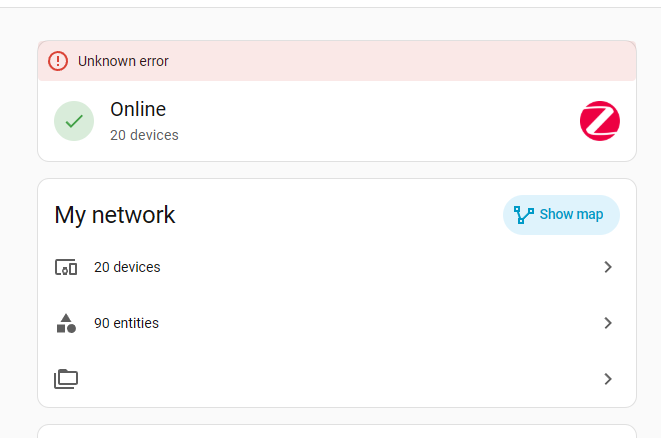
    And if done manually via developer tools?

    I deleted one of my devices, ran this command, and device reappeared, as i expected.
    action: mqtt.publish
    data:
      evaluate_payload: false
      qos: "0"
      retain: false
      topic: cmnd/obkN_sw_433/schedulehadiscovery
  • #408 21935673
    insmod
    Level 31  
    Posts: 1432
    Help: 168
    Rate: 455
    >>21935658
    Standard reboots didn't help?
    There were no changes to BT or UTCP as far as i know.

Topic summary

LABEL_AI_GENERATED
The discussion confirms that OpenBeken support applies to the RTL8720CF-based Ameba Z2 family, including WBR3 and BW15 modules, but not to RTL8710BX, which belongs to a different AmebaZ/Ameba1 family and is unsupported by the RTL87x0C port. The port initially provides Wi‑Fi, GPIO, flash config/vars, LittleFS, WDT, OTA, and UART support, while several issues are investigated and fixed during development, including heap drain in TCP servers, MQTT authorization, PWM reboot freezes, static IP, and timing-sensitive sensor drivers such as DHT11 and DS18B20. Flashing procedures, UART pinouts, and tool compatibility are also discussed, including use of PG Tool, CH340G, and later BK7231GUIFlashTool for read/write support. The thread evolves into broader RTL87x0C port testing, Tuya config extraction, partition layout adjustments, and validation on WBR3/BW15 hardware.
AI summary based on the discussion. May contain errors.
ADVERTISEMENT