FAQ
TL;DR: The GD32VW553 packs a 160 MHz RISC-V core, Wi-Fi 6, BLE 5.2, and up to 4 MB flash; one developer reports “2.5 days online without any crashes.” This FAQ helps firmware developers and board buyers understand specs, flashing, UART logs, and the main antenna-related reconnect issue on low-cost LCSC boards. [#21914654]
Why it matters: It is one of the cheapest new Wi-Fi 6 plus BLE 5.2 RISC-V MCU platforms discussed with real OpenGD32 bring-up details and field notes.
| Option |
Flash |
Package |
GPIOs |
Temperature range |
| GD32VW553KxQ6 |
2 MB or 4 MB |
QFN32 |
up to 21 |
-40 °C to +85 °C |
| GD32VW553HxQ6 |
2 MB or 4 MB |
QFN40 |
up to 28 |
-40 °C to +85 °C |
| GD32VW553KxQ7 |
2 MB or 4 MB |
QFN32 |
up to 21 |
-40 °C to +105 °C |
| GD32VW553HxQ7 |
2 MB or 4 MB |
QFN40 |
up to 28 |
-40 °C to +105 °C |
Key insight: The platform already boots OpenGD32 and exposes a usable AP, but board-level antenna behavior is the main practical limit. The software looks workable; RF consistency looks more fragile than the core firmware path.
Quick Facts
- The MCU combines a 32-bit RISC-V core at up to 160 MHz with 2.4 GHz Wi-Fi 6 and Bluetooth LE 5.2, targeting low-cost IoT and gateway designs. [#21914506]
- Internal memory is 320 KB SRAM with either 2 MB or 4 MB flash, and the tested LCSC board used a GD32VW553HMQ6 with 4096 KB flash and no external flash detected. [#21914506]
- Electrical and environmental range matters for embedded design: supply voltage is 1.8 V to 3.6 V, while part suffixes span -40 °C to +85 °C or -40 °C to +105 °C. [#21914506]
- On the low-cost board, the factory image prints on PA06 at 115200 baud, while the OpenGD32 build logs on PA06 at 1500000 baud and creates an AP at 192.168.4.1/24. [#21914506]
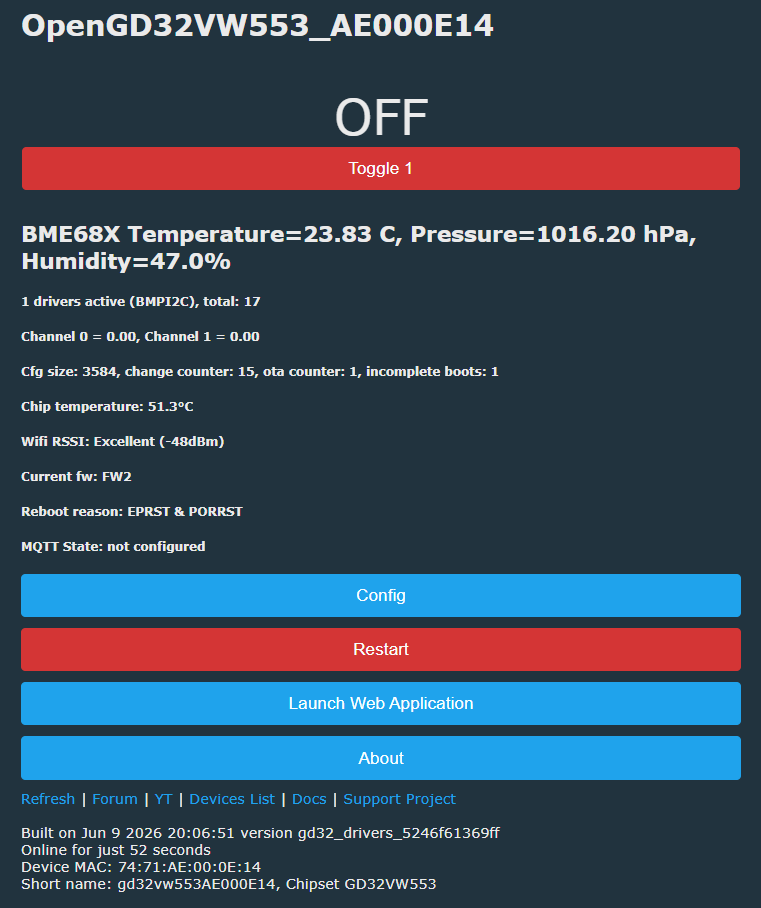
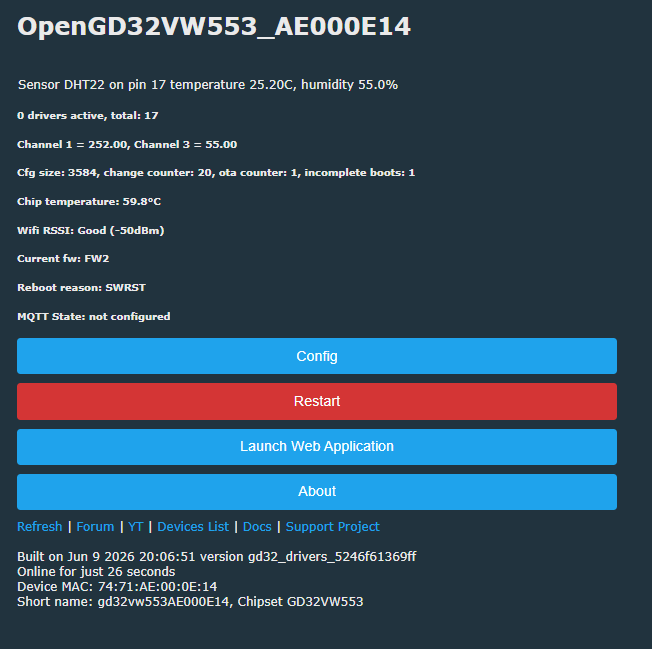
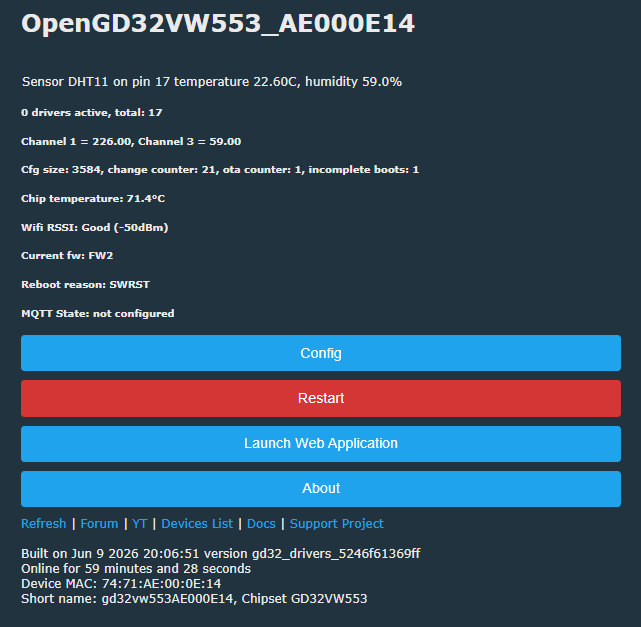
- A practical field result is already available: one developer reported 2.5 days of uptime with no crashes, but also warned that the dev board antenna can disconnect and fail to reconnect if router alignment is poor at 2–3 m. [#21914654]
What are the main specifications of the GigaDevice GD32VW553, including CPU speed, Wi‑Fi 6, BLE 5.2, flash, SRAM, and package options?
The GD32VW553 is a 32-bit RISC-V wireless MCU clocked up to 160 MHz. It integrates 2.4 GHz Wi-Fi 6, Bluetooth LE 5.2, 320 KB SRAM, and either 2 MB or 4 MB internal flash. GigaDevice lists QFN32 and QFN40 packages, with up to 21 GPIOs on QFN32 parts and up to 28 GPIOs on QFN40 parts. Supply voltage is 1.8 V to 3.6 V, and temperature grades reach either +85 °C or +105 °C, depending on suffix.
[#21914506]
How stable is the OpenGD32 firmware port on the GD32VW553 in real use, and what uptime has been reported so far?
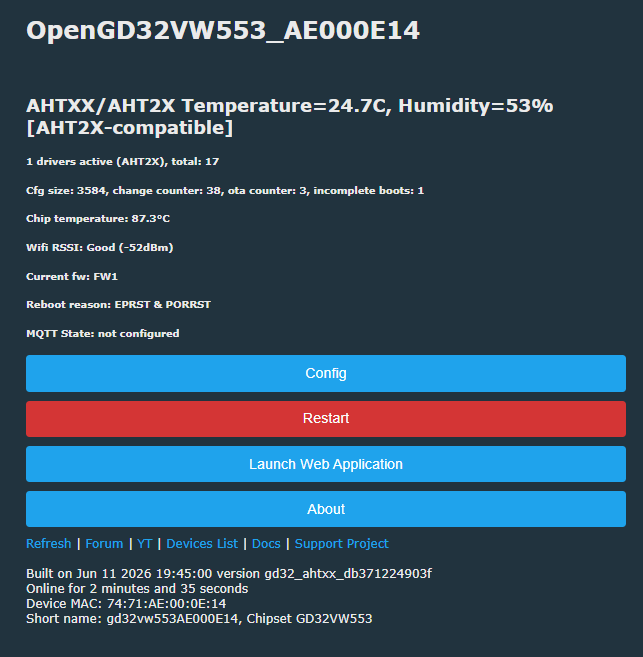
The reported stability is good so far, with 2.5 days online without any crashes. The developer also says most planned basic and advanced features already work, except pin deep sleep. That makes the port usable for early testing, but not yet feature-complete. In short, the current evidence shows solid short-term uptime, not long-term production validation.
[#21914654]
How do I put the LCSC GD32VW553 board into programming mode and dump the factory flash with the GD32 All-In-One Programmer?
Use BOOT0 and reset to enter the built-in programming mode, then read flash with the PC tool. 1. Hold the BOOT0 button so PC08 is pulled high, then press RST. 2. In GD32 AIO Programmer, use the Connect UART button. 3. In the Upload section, choose a destination file and save the full chip flash to your PC. The tested board identified itself as GD32VW553HMQ6 with 4096 KB flash and 320 KB SRAM.
[#21914506]
Why does the LCSC GD32VW553 development board sometimes disconnect or fail to reconnect to Wi‑Fi, even when it is only a few meters from the router?
The main cause reported in the thread is the dev board’s weak or awkward antenna behavior, not a confirmed firmware crash. The developer says the antenna is “very wonky” and may behave like the ECR6600 if it is not aligned properly to the router. That issue appeared even at only 2–3 meters distance and could lead to disconnects followed by failed reconnects.
[#21914654]
Which UART pins on the GD32VW553 LCSC board output the factory boot log and READY message, and what baud rates are used?
PA06 outputs the factory boot log on UART2_TX at 115200 baud, and PB15 outputs a simple READY message on UART1_TX. After flashing OpenGD32, PA06 is also used for the new debug log, but at 1500000 baud instead. Those pin assignments give you two practical serial observation points during bring-up.
[#21914506]
How do I flash insmod's OpenGD32VW553 build from the OpenBK7231T_App GitHub Actions onto a GD32VW553HMQ6 board?
Flash it with the same GD32 programming path used for the factory image, then verify the new UART log and AP. 1. Download the latest development build from the OpenBK7231T_App GitHub Actions link mentioned in the thread. 2. Put the board into programming mode with BOOT0 plus RST and use the GD32 AIO tool over UART. 3. After flashing, watch PA06 at 1500000 baud and confirm the AP appears at 192.168.4.1/24.
[#21914506]
What do the GD32VW553 boot log messages like 'Boot from Image 1', 'WiFi calibration done', and 'PHY initialization finished' mean?
They indicate a normal staged boot, RF setup, and radio initialization sequence. “Boot from Image 1” means the bootloader selected the first firmware image and validated it before jumping to the main image at 0x081ea000. “WiFi calibration done” shows radio calibration completed, and “PHY initialization finished” means the physical-layer wireless block finished initialization. The same thread also shows the factory firmware reporting SDK Version v1.0.3 with build date 2025/05/14 14:15:13.
[#21914506]
Where can I find the GD32VW553 datasheet, user manual, SDK, and programmer tools for this Wi‑Fi 6 plus BLE MCU?
The thread points to both official vendor files and mirrored attachments. It lists the GD32VW553 series product page, the launch page, the GD32VW5 download area for the all-in-one programmer, and a quick development guide PDF for the START board. It also includes attached copies of the GD32VW553xx Datasheet Rev1.5, GD32VW553-MINI datasheet Rev1.1 dated 2025-02-25, the GD32VW55x User Manual, and a programmer mirror.
[#21914645]
What is OFDMA in Wi‑Fi 6, and why is it relevant on the GD32VW553 series?
“OFDMA” is a Wi-Fi 6 radio feature that splits a channel into smaller resource units, improving efficiency when many small transfers share airtime. It matters here because GigaDevice explicitly lists OFDMA among the GD32VW553 Wi-Fi 6 features, alongside MU-MIMO and Target Wake Time. That makes the chip more relevant for dense IoT traffic than a plain legacy 802.11b/g/n-only MCU.
[#21914506]
What is PKCAU on the GD32VW553, and how does it relate to the chip's hardware security features like AES, Hash, and TRNG?
“PKCAU” is a hardware public-key cryptography accelerator unit that speeds asymmetric security operations, offloading heavy math from the MCU core. On the GD32VW553, it sits alongside hardware DES, 3DES, AES, Hash acceleration, and a TRNG in the security feature list. Together, those blocks support stronger embedded security than a software-only implementation on the 160 MHz core.
[#21914506]
GD32VW553 QFN32 vs QFN40: which package is better if I need more GPIOs or a different temperature range?
Choose QFN40 if you need more GPIOs, and choose by suffix if you need a wider temperature grade. The product table lists up to 21 GPIOs on QFN32 parts and up to 28 GPIOs on QFN40 parts. Temperature range does not depend on package alone; both package families appear in -40 °C to +85 °C and -40 °C to +105 °C variants.
[#21914506]
How do the 2 MB and 4 MB GD32VW553 variants affect firmware support, especially when the SDK is configured for 4 MB flash?
Flash size matters because the current SDK setup mentioned in the thread is configured for 4 MB, while 2 MB variants also exist. That means binaries or partition assumptions may need adjustment before moving the same firmware to smaller parts. The tested board used a 4 MB GD32VW553HMQ6, so the demonstrated OpenGD32 bring-up matches the larger flash configuration, not the 2 MB edge case.
[#21914654]
What is the logport command in OpenGD32VW553, and how do I use it to switch the log UART or change the 1500000 baud debug speed?
The logport command switches the log UART and can also change baud rate. The developer says the first argument can be -1 to restore the default log port, and the second argument sets the baud rate. The current build uses 1500000 baud by design to improve performance because the UART is thought to be polling rather than DMA-driven.
[#21914654]
How does the GD32VW553 compare with the ECR6600 for low-cost Wi‑Fi development boards, especially in antenna behavior and reconnect reliability?
The thread compares them mainly on antenna behavior, not CPU or feature parity. The developer says the GD32VW553 dev board may show the same router-alignment sensitivity as the ECR6600, including disconnects and failed reconnects. That means the GD32VW553 currently looks promising in firmware support, but its low-cost board RF behavior may still resemble the ECR6600’s practical weakness.
[#21914654]
What are the user button and LED pin assignments on the LCSC GD32VW553-HMQ6 board, and how can I use PA0 and PC13 in custom firmware?
The LCSC GD32VW553-HMQ6 board maps the user button to PA0 and the LED to PC13. In custom firmware, treat PA0 as a local input for buttons, pairing triggers, or mode selection, and use PC13 as a status output for boot, Wi-Fi, or error indication. Those two pins are already identified in the thread, so they are the safest first targets for board-specific GPIO testing.
[#21914506]
AI summary based on the discussion. May contain errors.