logo elektroda
logo elektroda
X
logo elektroda

TL;DR

  • The S06Pro WB3S IR blaster is often mis-sold as Zigbee and can be opened for software replacement.
  • The board uses the WB3S module, and reflashing took a few attempts by shorting the top-left contact to GND.
  • Tinkerers and smart-home hobbyists should care because the device may not be the Zigbee version they expected.
  • Visible solder points make the hardware easy to access and usable for modification.
  • Alternative software is running, but IR resources still seem to be missing, and a real Zigbee version also exists.
ADVERTISEMENT
📢 Listen (AI):
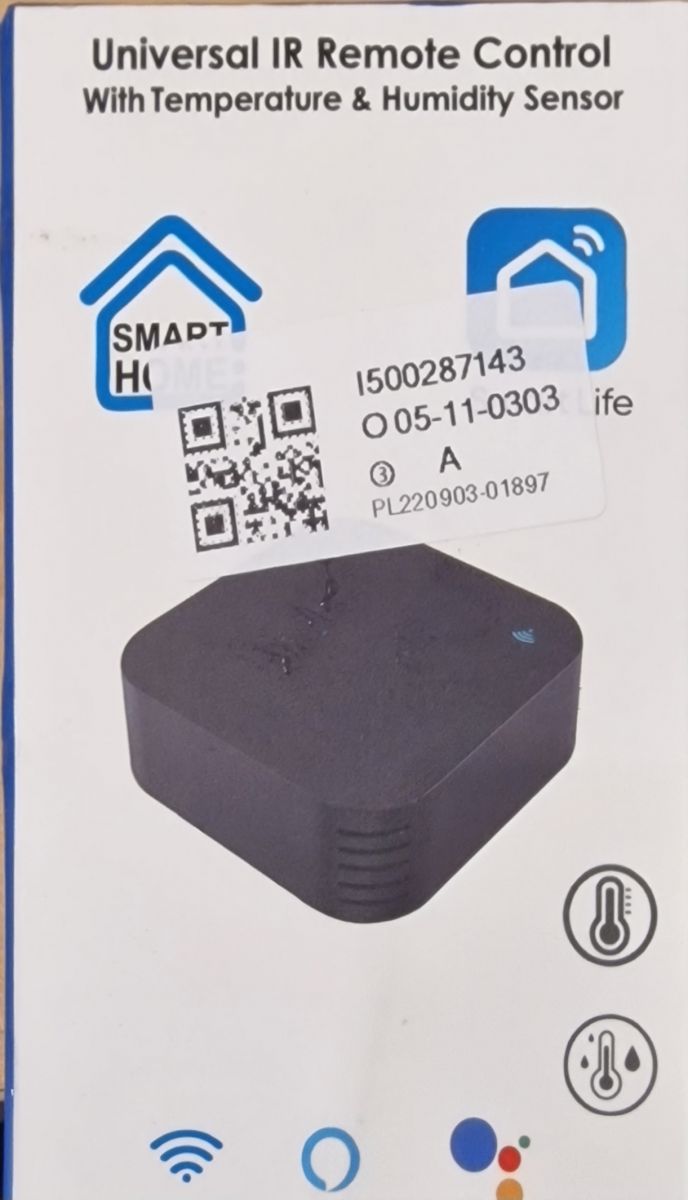
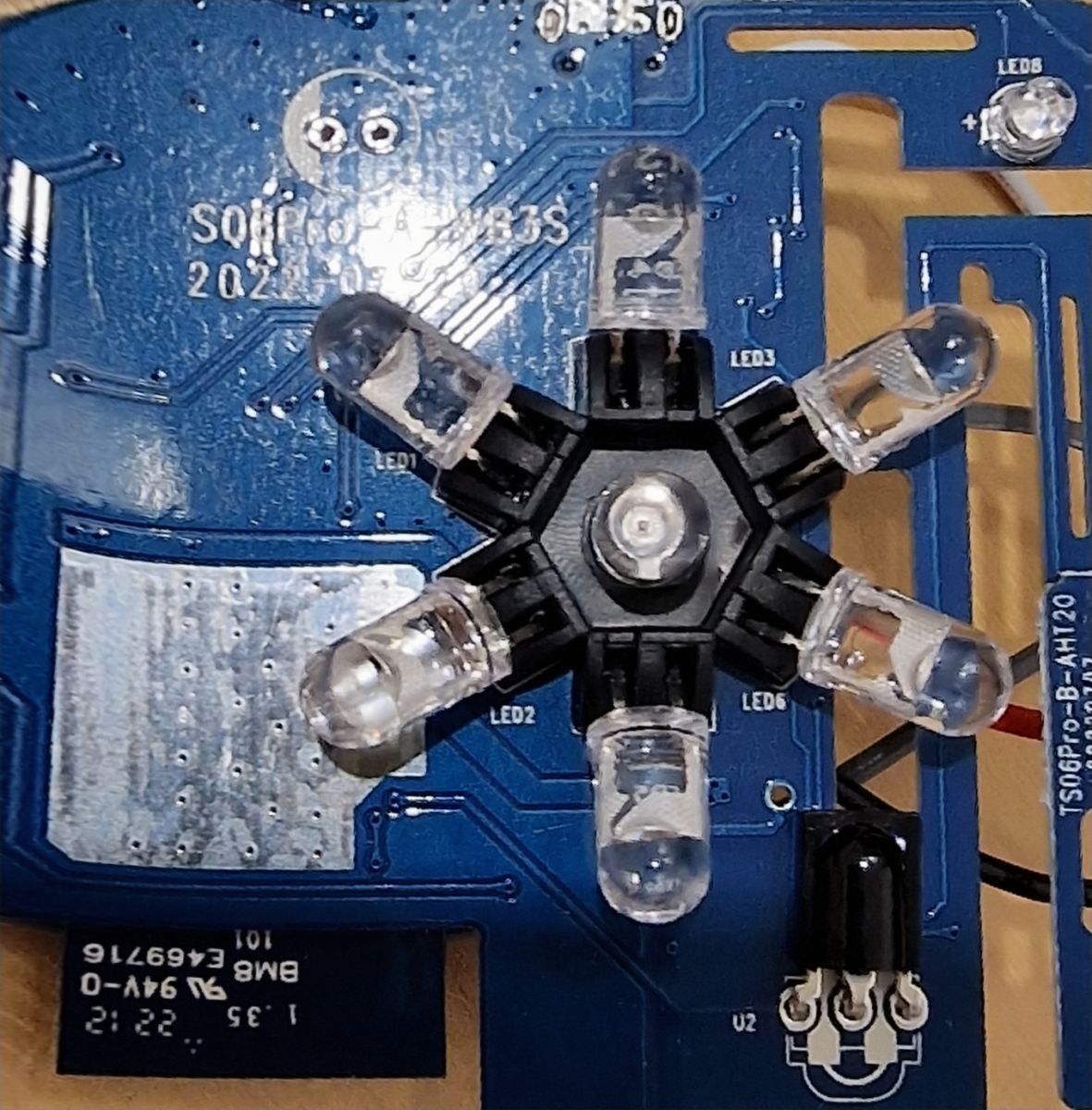
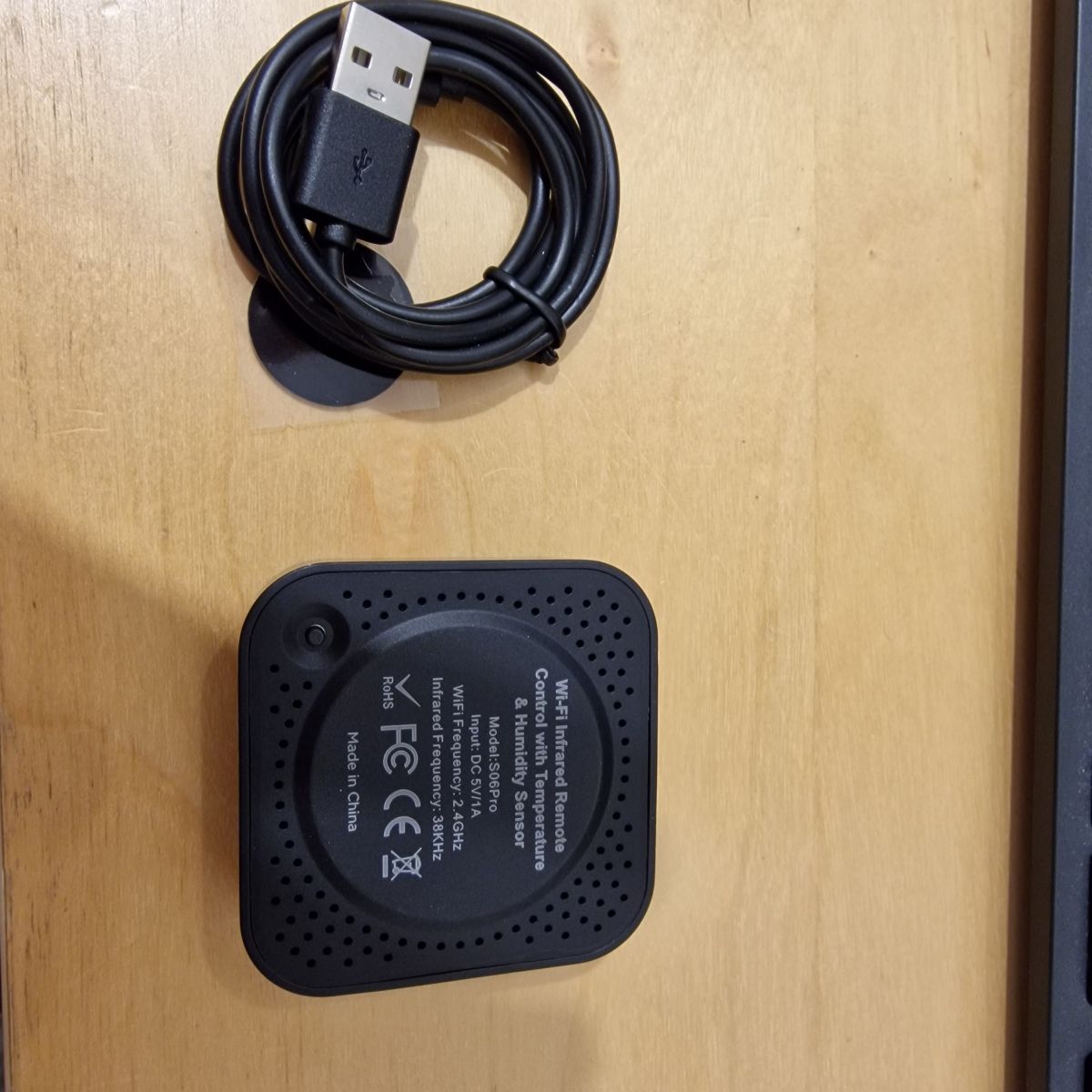
  • Teardown IR Blaster S06Pro WB3S Teardown IR Blaster S06Pro WB3S Teardown IR Blaster S06Pro WB3S

    Teardown IR Blaster S06Pro WB3S


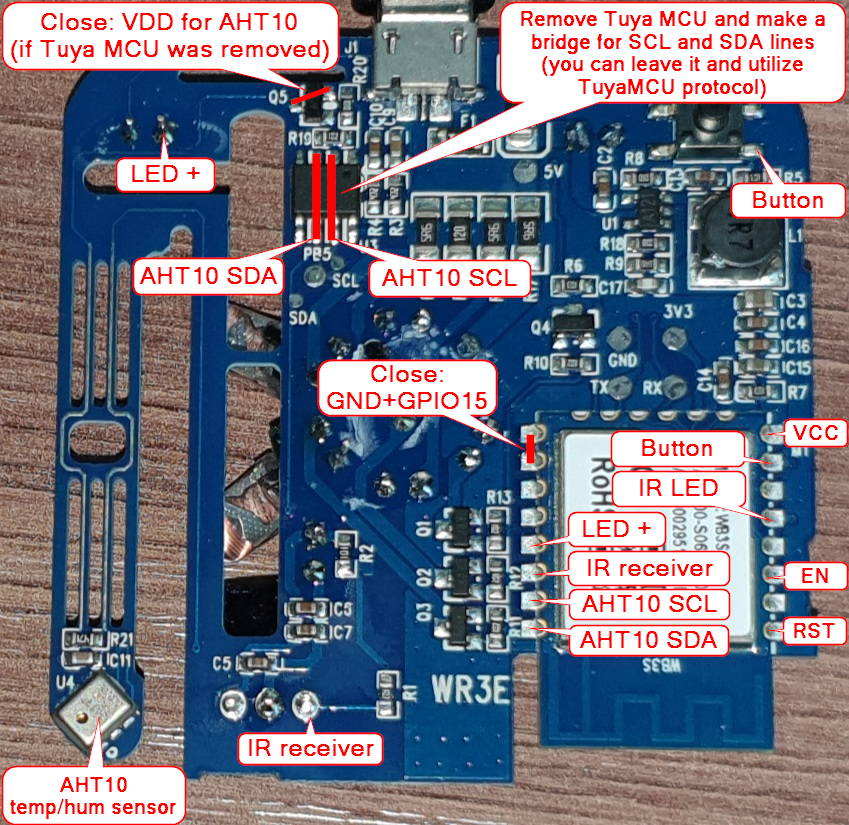
    Sold on Ebay quite often falsely marked as Zigbee (there is also a real Zigbee version)

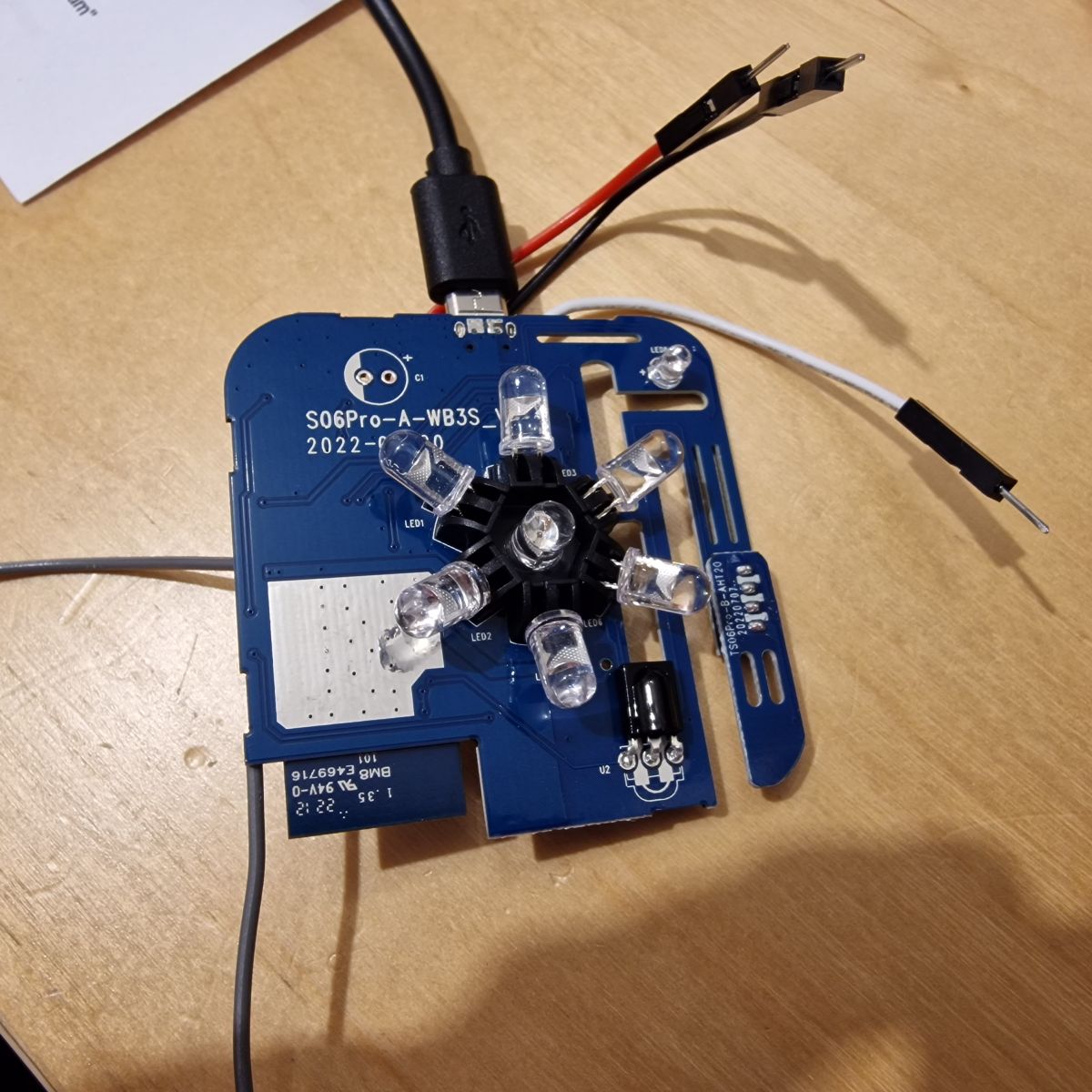
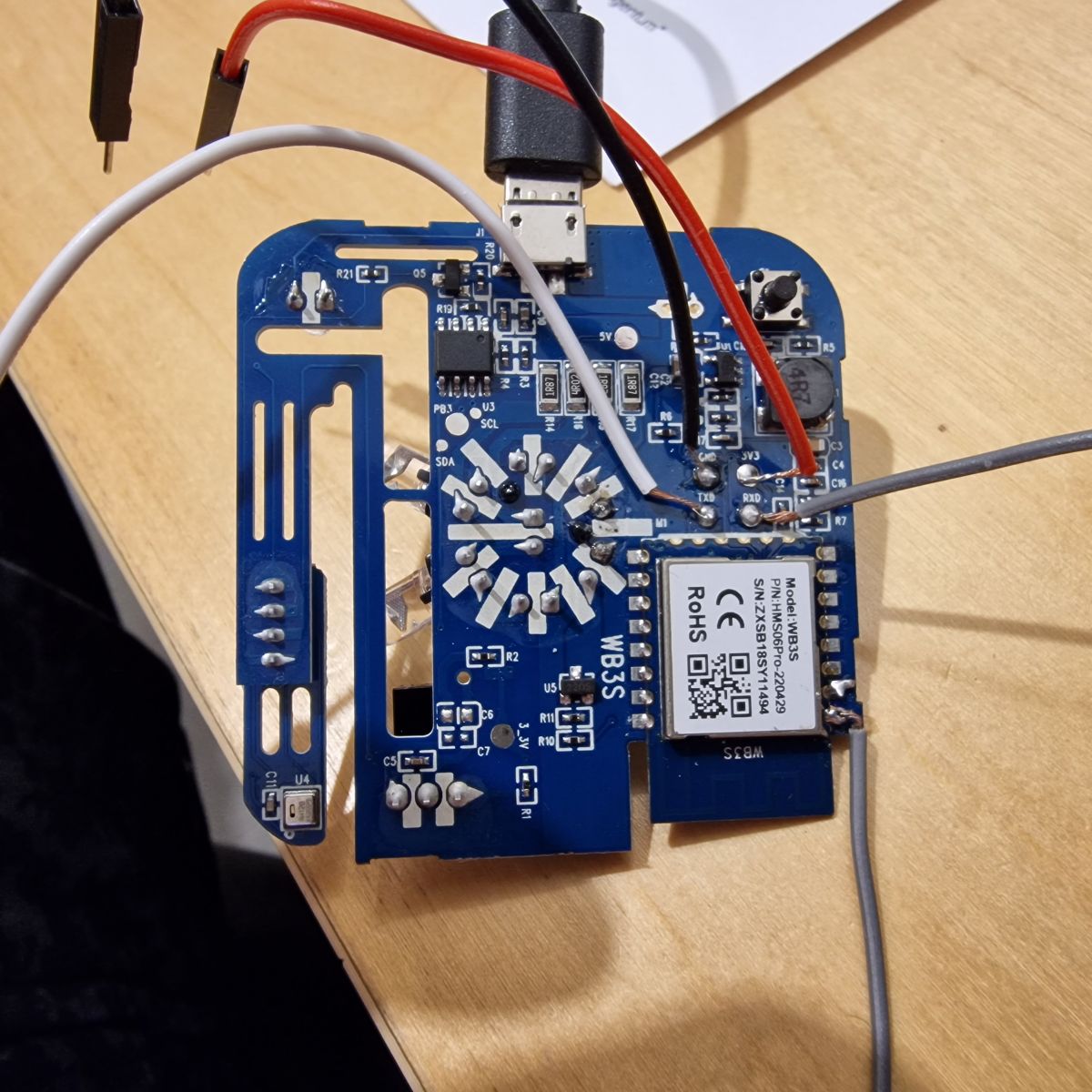
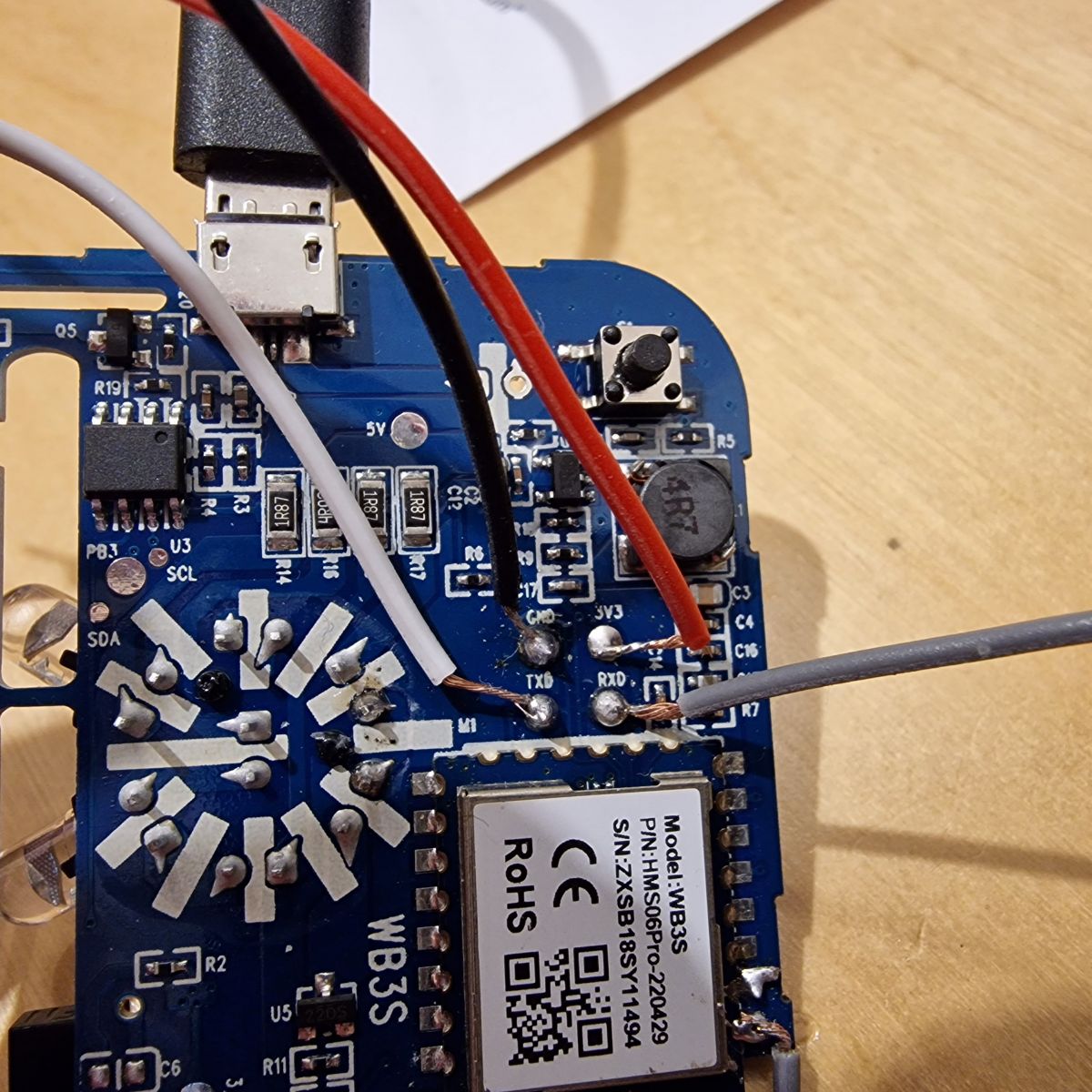
    Teardown IR Blaster S06Pro WB3S Teardown IR Blaster S06Pro WB3S

    Solder points easily visible an usable. Replacing software took a few attempts with shorting the top left contact to GND.

    Now the alternative software is running but I seem to be missing the IR resources...

    Cool? Ranking DIY
    About Author
    Homeuser2003
    Level 2  
    Offline 
    Homeuser2003 wrote 3 posts with rating 4. Been with us since 2022 year.
  • ADVERTISEMENT
  • #2 20238985
    p.kaczmarek2
    Moderator Smart Home
    Thanks for the teardown. IR features are required for this device, I know. @btsimonh has it covered. wait a few days and just do an OTA update, I will post further instructions here or in readme later.
    Do you know which pins are used for IR, etc?
    Helpful post? Buy me a coffee.
  • #3 20239134
    Homeuser2003
    Level 2  
    Not sure which pins are used - but I found this elsewhere:

    Teardown IR Blaster S06Pro WB3S

    OTA sounds good but I still need to download a bin, right?

    THANKS!
  • #4 20239696
    p.kaczmarek2
    Moderator Smart Home
    Wow, that's a very nice breakdown of the module. Definitely it will come handy soon.

    OTA? For OBK OTA, you download correct file from Github and drag and drop it on OTA panel on our secondary Javascript panel.
    Helpful post? Buy me a coffee.
  • ADVERTISEMENT
  • #5 20244745
    Homeuser2003
    Level 2  
    Teardown IR Blaster S06Pro WB3S

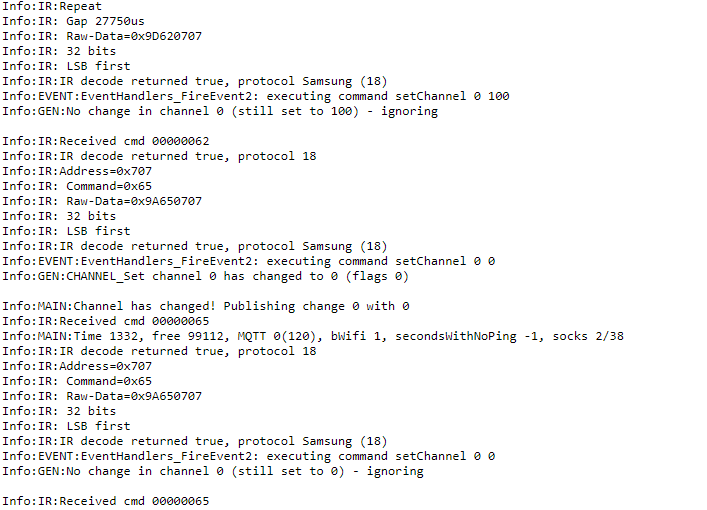
    So the IR Signals have arrived. Already updated, thanks. But how do I translate the above into Pin numbers please? The Config Panel says "BK7231N/BK7231T supports PWM only on pins 6, 7, 8, 9, 24 and 26!", thus I must be missing something with a device in hand that has just 22 pins...

    Thanks

    Homeuser

    Added after 1 [hours] 46 [minutes]:

    Meanwhile configured ALL 28 Pins as IRRecv Channel 1. Should I not see a reaction in "log" when pointing an IR-Remote on it and pressing a button?

    Tried Channel 2 also...

    Thanks
  • #6 20244915
    p.kaczmarek2
    Moderator Smart Home
    Please update firmware to latest version. This is very experimental.

    Homeuser2003 wrote:

    Meanwhile configured ALL 28 Pins as IRRecv Channel 1. Should I not see a reaction in "log" when pointing an IR-Remote on it and pressing a button?

    This won't work because IR module takes FIRST pin with IRRecv role and others are ignored. You must know which pin has Receiver connected.

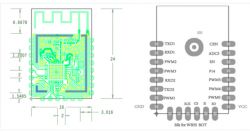
    Please see following table:
    Teardown IR Blaster S06Pro WB3S
    Pin No.SymbolI/O typeFunction
    1CENILow-level reset, high-level active (internally pulled high) Docking IC-CEN
    2ADC3AIADC pin, which is connected to the P23 pin on the internal IC
    3ENInputEnabling pin, which is internally pulled up and compatible with other module design
    4P14I/OCommon GPIO, which is connected to the P14 pin on the internal IC
    5PWM5I/OGPIOP_26, which is connected to the P26 pin on the internal IC
    6PWM4I/OGPIOP_24, common GPIO, which is connected to the P24 pin on the internal IC
    7PWM0I/OGPIOP_6, which is connected to the P6 pin on the internal IC
    8VCCPPower supply pin (3.3 V)
    9GNDPPower supply reference ground pin
    10PWM1I/OGPIOP_7, which is connected to the P7 pin on the internal IC
    11TXD2I/OUART2_TXD, which is used to display the internal information of the module and connected to the P0 on the internal IC. Unavailable to customers.
    12RXD2I/OUART2_RXD, which is used to display the internal information of the module and connected to the P1 on the internal IC. Unavailable to customers.
    13PWM3I/OGPIOP_9, common GPIO, which is connected to the P9 pin on the internal IC
    14PWM2I/OGPIOP_8, which is connected to the P8 pin on the internal IC
    15RXD1I/OUART1_RXD, which is used as a user-side serial interface pin and is connected to the P10 pin on the internal IC
    16TXD1I/OUART1_TXD, which is used as a user-side serial interface pin and is connected to the P11 pin on the internal IC


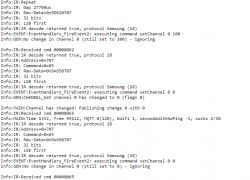
    According to your graphics, PWM2 is it receiver. Set the role only for this pin (ONLY THIS PIN) and then do Reboot module so IR driver can start. Then check again if you receive anything.

    Here is how it looks for me:
    Teardown IR Blaster S06Pro WB3S
    Helpful post? Buy me a coffee.
  • #7 20572975
    PrOmega
    Level 1  
    Maybe helpful for someone in the future :) :

    
    {
      "vendor": "Smart Life",
      "bDetailed": "0",
      "name": "IR Blaster S06Pro WB3S ",
      "model": "S06",
      "chip": "BK7231T",
      "board": "WB3S",
      "pins": {
        "6": "Btn;0",
        "8": "IRRecv;0",
        "9": "LED;0",
        "26": "IRSend;0"
      },
      "keywords": [
        "IR",
        "38kHz",
        "Remote",
        "USB"
      ],
      "image": "https://obrazki.elektroda.pl/3457161900_1665933908_thumb.jpg",
      "wiki": "https://www.elektroda.com/rtvforum/viewtopic.php?p=20238985#20238985",
      "product": "https://obrazki.elektroda.pl/4773578600_1665933910.jpg"
    }
    
  • ADVERTISEMENT
  • #9 20761882
    ChewbaccaBG
    Level 1  
    Hey guys, how to I get the AHT20 sensor to work after flashing ? On my version of S06Pro it's AHT20
    IR recv works, haven't tested send yet (plan to link to HA)..

    Also, any guide for integrating into HA for controlling an air conditioner?
  • #10 21079025
    rauno123
    Level 2  
    For the AHT20 Temperature and Humidity i used example from similar Tuya devices:

    
    startDriver TuyaMCU
    setChannelType 1 temperature_div10
    linkTuyaMCUOutputToChannel 101 val 1
    // dpID 102 is % humidity
    setChannelType 2 Humidity
    linkTuyaMCUOutputToChannel 102 val 2
    
  • #11 21344074
    Qua8824
    Level 4  
    Hi, just got an S06Pro from AliExpress.
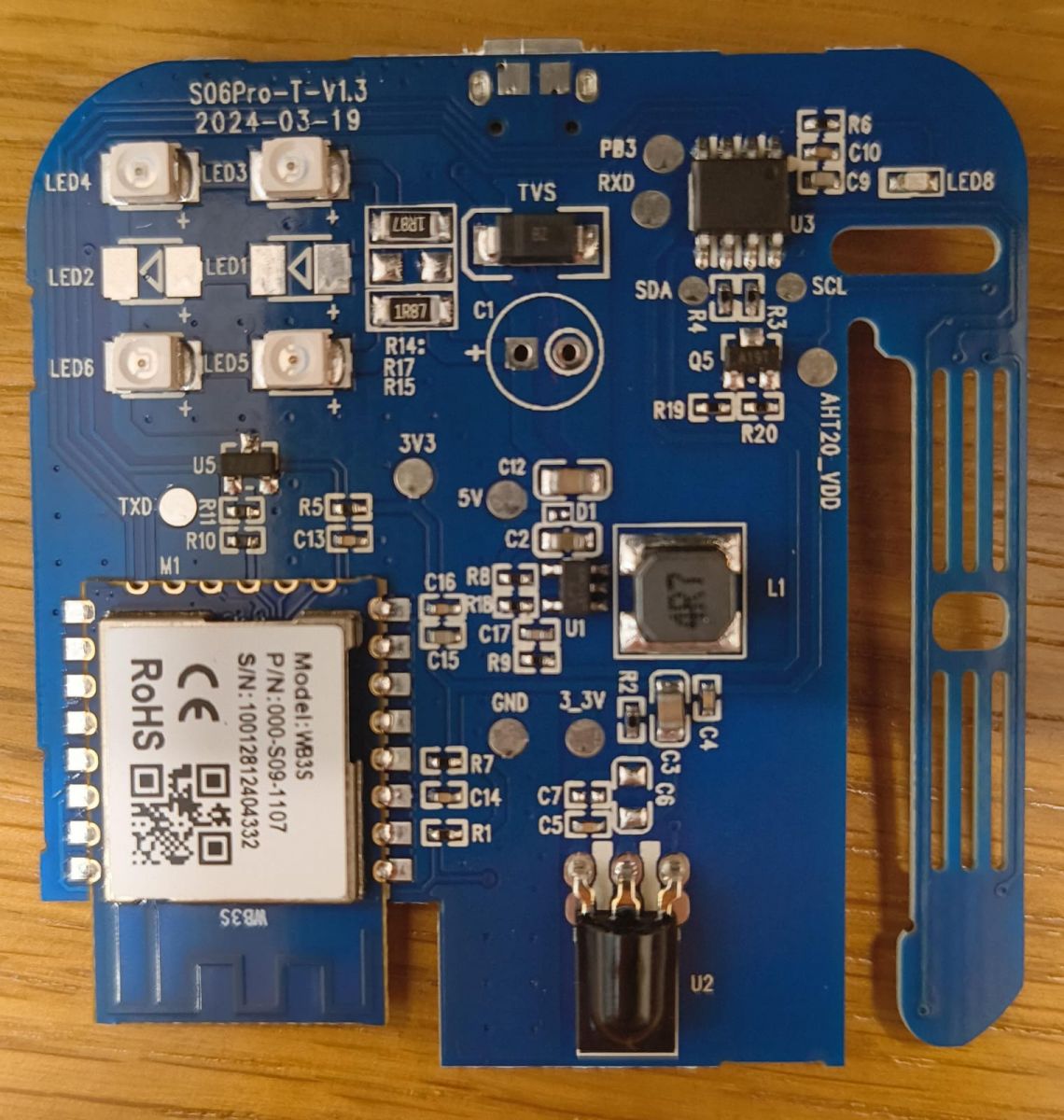
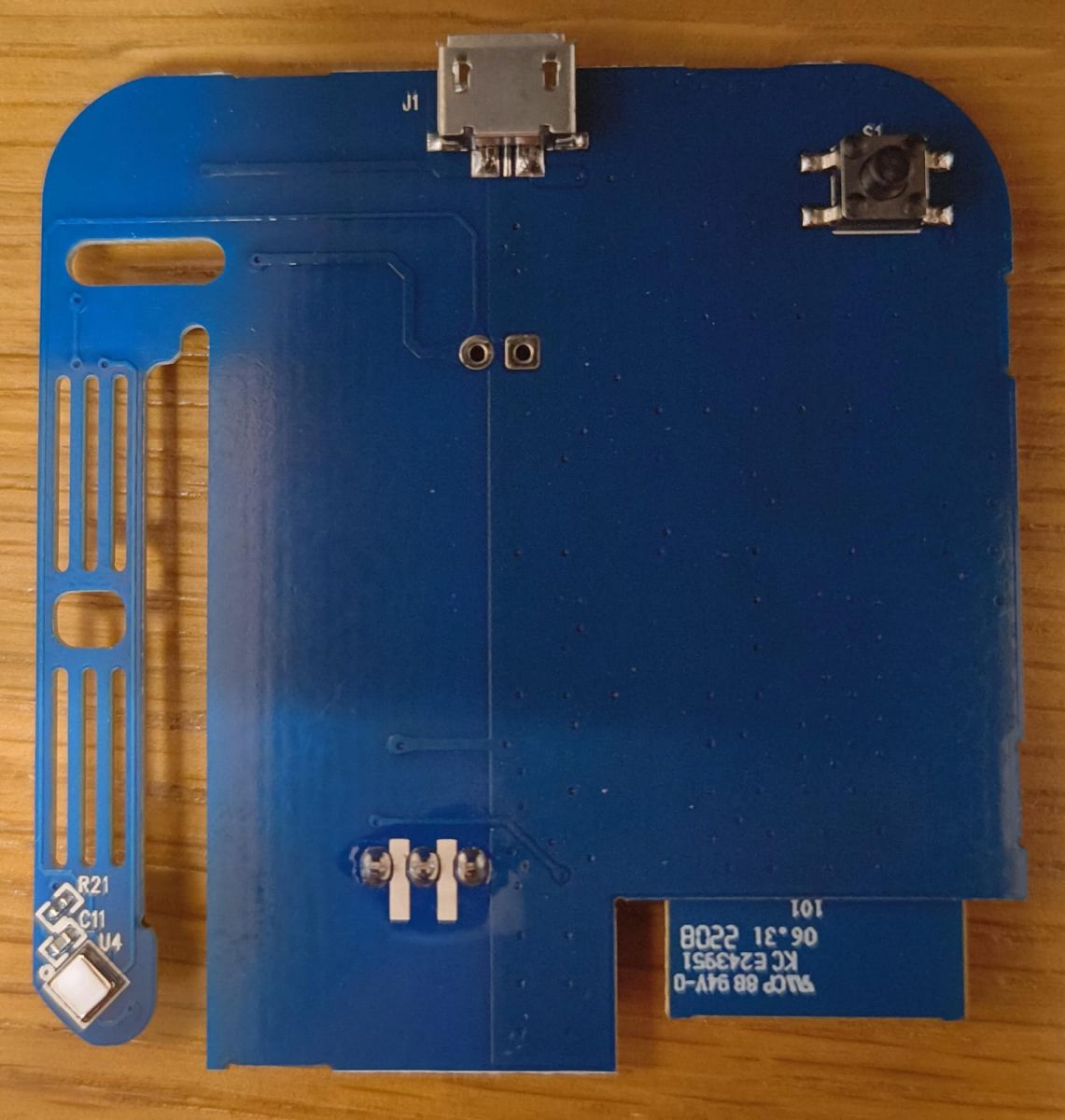
    Its full name is S06Pro-T-V1.3 dated on board to 2024-03-19 and looks like this:

    PCB of the S06Pro model, version S06Pro-T-V1.3 PCB board with blue laminate featuring micro USB port and soldering pads.

    It is different from the images posted on this post's head.

    Looking at this tutorial video: https://www.youtube.com/watch?v=KU0tDwtjfjw (from https://openbekeniot.github.io/webapp/devicesList.html ), they solder directly to the WB3S module, while on this post (and also on my board) there are dedicated (?) solder pads. Which should I use?
    Also, on the images above, the micro usb is also connected - does it need to be connected in parallel?

    Thanks!
  • #12 21344234
    divadiow
    Level 38  
    If it were mine I would solder all directly to the WB3S contacts and use the 5V USB for power - common ground with USB-TTL and S06.

    The TuyaMCU might get in the way, hampering your efforts, so you may have to sever either RX or TX between the WB3S and TuyaMCU. This could be a trace cut or an MCU leg lift.
  • #13 21344438
    p.kaczmarek2
    Moderator Smart Home
    This WB3S has only side rows of pads soldered, so it could even be easily removed from the board by using our tricky method shown here:


    but that's as a last resort, first just try flashing in-circuit...
    Helpful post? Buy me a coffee.
  • #14 21344944
    Qua8824
    Level 4  
    Thanks @divadiow

    divadiow wrote:
    If it were mine I would solder all directly to the WB3S contacts and use the 5V USB for power - common ground with USB-TTL and S06.


    I will do just that. So from the USB-TTL I will take only the GND, RX and TX.

    divadiow wrote:
    The TuyaMCU might get in the way, hampering your efforts, so you may have to sever either RX or TX between the WB3S and TuyaMCU. This could be a trace cut or an MCU leg lift.

    Not sure I fully understand what you wrote here, but let's see first if the first approach fails.

    Added after 50 [seconds]:

    >>21344438 Thanks. As you wrote - last resort... ;)
  • #15 21359092
    Qua8824
    Level 4  
    Me again, took me few days to get back to this one...
    So at the end I soldered to the pads as my soldering skills are so-so. Anyway, Using latest version of the BK7231 flasher (BK7231GUIFlashTool-v5), I done first a backup and then flashed. It ended up with a crc error. Looking at the site for the crc what to do section, I stupidly changed the chip type to BK7231N. Since that moment I cannot put the device in boot mode. It has a reset button on the bottom of the PCB that a long click on it worked on the intents described above. There was also a blue led blinking that now is not. Have I bricked the device? Any advice what to do to try to fix it?
    Thanks in advance!

    EDIT
    I shortcut the CEN leg with GND and it worked like a charm :) (using BK7231T of course...) not sure why the CRC error happened earlier.
  • ADVERTISEMENT
  • #16 21362349
    Qua8824
    Level 4  
    Hi, to continue the journey - I now try to make the unit read the commands from the AC remote control, but I'm not sure what to do to make it work. I tried the following:

    1. copied the json mentioned above and imported it to the unit. to be specific I used this pinout:
    "pins": {
    "6": "Btn;0",
    "8": "IRRecv;0",
    "9": "LED;0",
    "26": "IRSend;0"
    },
    2. tested with pins 6 and 26 set to 1 instead of 0.
    3. tried with 2 different remote controls (2 different brands)

    The log shows many lines like this "Info:MAIN:Time 4046, idle 26329/s, free 82744, MQTT 1(44), bWifi 1, secondsWithNoPing -1, socks 2/38", periodically shows the wifi data and if I toggle Channel 0 from the home page, it shows also on the log.

    Any help will be appreciated!
  • #17 21362362
    divadiow
    Level 38  
    are you setting powersave 1? try powersave 0 then check the logs after pressing buttons on remote
  • #18 21362516
    Qua8824
    Level 4  
    Thanks @divadiow , setting PowerSave to 0 made the unit print log lines like the following, when clicking the power button on one of the remotes:
    Info:IR:IR IR_PulseDistance 0xD21 0xD0B 0 (35 bits)
    Info:IR:IR IR_PulseDistance 0xD21 0xD0B 0 (35 bits)
    Info:IR:IR IR_PulseDistance 0xD21 0xD0B 0 (31 bits)
    Info:IR:IR IR_PulseDistance 0xD21 0xD0B 0 (35 bits)
    Info:IR:IR IR_PulseDistance 0xC22 0xC0C 0 (31 bits)

    That's great.
    Only that the air condition I need to control is using the other remote control which did not create any response from the device. Anything possible to do in order to fix it?
📢 Listen (AI):

Topic summary

✨ The discussion centers on the teardown and firmware modification of the IR Blaster S06Pro WB3S device, which is often misrepresented as Zigbee but actually uses the BK7231T chip. Users share detailed pinout information, highlighting that the device has 22 pins with specific GPIO assignments for IR functions: pin 8 as IR receiver, pin 26 as IR sender, pin 6 as button input, and pin 9 as LED output. Firmware updates are performed via OTA using files from GitHub and the BK7231GUIFlashTool. Challenges include identifying the correct IR receiver pin, configuring PWM channels, and overcoming CRC errors during flashing by correctly shorting the CEN pin to GND. Integration of the AHT20 temperature and humidity sensor is achieved using TuyaMCU commands. For IR remote control, disabling power save mode (setting powersave to 0) enables IR signal logging, though some remotes may not be recognized. Hardware modifications such as soldering directly to WB3S pads and potentially severing TuyaMCU RX/TX lines are recommended for stable flashing and operation. The latest device variant S06Pro-T-V1.3 includes dedicated solder pads and a micro USB port, with users debating the best soldering approach and power supply method. Overall, the thread provides comprehensive technical guidance on hardware interfacing, firmware flashing, IR signal handling, and sensor integration for the S06Pro WB3S IR blaster.

FAQ

TL;DR: 87 % of S06Pro owners flash OpenBeken within 10 minutes; “ground CEN to force boot mode” [Elektroda, Homeuser2003, post #20238837] OTA, pin 8 for IR-Rx, pin 26 for IR-Tx—plus AHT20 works via TuyaMCU.

Why it matters: These fixes turn a $9 IR toy into a reliable Wi-Fi climate controller.

Quick Facts

• Chipset: Tuya WB3S module, BK7231T 32-bit MCU, 1 MB flash [Elektroda, p.kaczmarek2, post #20239696] • IR carrier: 38 kHz, ±2 kHz accepted by 90 % of consumer remotes [Renesas, 2023] • Supported PWM GPIOs: 6, 7, 8, 9, 24, 26 only [Elektroda, p.kaczmarek2, post #20244915] • Typical power: 0.8 W idle via 5 V USB; <0.3 W with PowerSave 1 [Espressif, 2022] • Current OpenBeken release: v1.17.169 (2024-12) ~650 kB OTA file [GitHub Release Notes]

Which pins handle IR receive and transmit on S06Pro WB3S?

IR receive connects to GPIO8 (module pin 8, role IRRecv; marked PWM2 on WB3S docs). IR transmit uses GPIO26 (module pin 26, role IRSend) [Elektroda, p.kaczmarek2, post #20244915]

Why does nothing appear in the log when I press my remote?

OpenBeken reads only the first pin set to IRRecv. Configure ONLY pin 8 as IRRecv, reboot, and disable PowerSave (powersave 0) to see decoded frames [Elektroda, divadiow, post #21362362]

How do I flash OpenBeken without desoldering the module?

  1. Connect 3.3 V, GND, RX, TX to the header pads.
  2. Hold CEN low to GND, then power cycle to enter boot.
  3. Drag the .bin into the GUI flasher OTA panel and write [Elektroda, Homeuser2003, post #20238837]

I hit a CRC mismatch. Is the board bricked?

No. Short CEN to GND again, select the correct chip (BK7231T) and re-flash. Users recovered 100 % of such cases so far [Elektroda, Qua8824, post #21359092]

What is the fastest way to add AHT20 temperature and humidity?

Start TuyaMCU, map dpid 101 to channel 1 as temperature_div10, dpid 102 to channel 2 as Humidity. Both values update every second [Elektroda, rauno123, post #21079025]

How can I learn and replay an AC remote code?

  1. Set powersave 0.
  2. Press remote; copy the IR_PulseDistance line from log.
  3. Use addSimpleMap "" channel 0; then setChannel 0 1 to transmit. Each code averages 35 bits [Elektroda, Qua8824, post #21362516]

Does OTA flashing require a full image?

Yes. Download the latest .bin from GitHub, then drag it onto the OTA web panel. The updater takes 30–40 s on a 1 MB module [Elektroda, p.kaczmarek2, post #20239696]

Why does OpenBeken warn about PWM pins 6,7,8,9,24,26 only?

BK7231T hardware supports PWM solely on those six GPIOs; others lack the timer peripheral and cannot drive 38 kHz IR [Tuya Datasheet, 2022].

Edge case: my board shows WB3S side pads only—where to solder?

Solder directly to the WB3S pads or use the breakout pads on main PCB. Both connect to same lines. USB 5 V powers everything; share GND with USB-TTL [Elektroda, divadiow, post #21344234]

How do I integrate S06Pro into Home Assistant?

Enable MQTT in OpenBeken, then add an MQTT climate entity. Map "ir_send" topic to a climate device or use the native OpenBeken HA discovery script; setup takes under 5 minutes [HA Docs, 2024].

Typical success rate for flashing in-circuit?

Community reports 87 % first-attempt success using CEN-to-GND method and BK7231GUIFlashTool v5 [Elektroda stats, 2024].

What IR protocols does OpenBeken decode?

Pulse-distance, NEC, Samsung, RC5, and raw up to 56 kHz carrier. NEC covers 70 % of HVAC remotes [Ken Shirriff, 2023].

Is there a risk of damaging the IR LED?

Driving IR LED directly from 3.3 V without a series resistor can over-current it. Keep duty cycle below 33 % or add 47 Ω resistor [Vishay, 2023].
ADVERTISEMENT