logo elektroda
logo elektroda
X
logo elektroda

Web App Flash Tab: Inconsistent Status Messages for Tuya GPIO and Custom Dump Buttons

divadiow 501 30
ADVERTISEMENT
  • Helpful post
    #1 21800096
    divadiow
    Level 37  
    Couldn't find an appropriate thread to hijack.

    flash tab in the web app currently says

    Code: Text
    Log in, to see the code

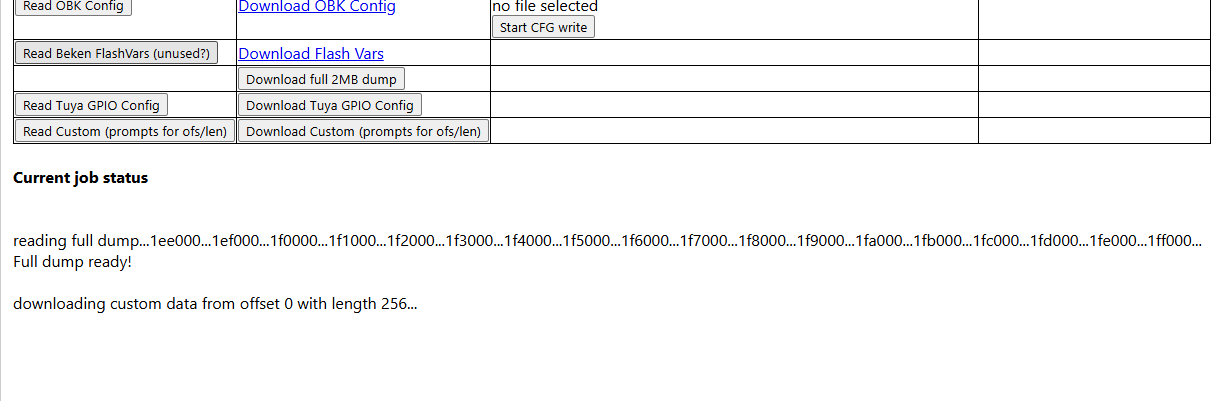
    when choosing Download Tuya GPIO Config. Which is not correct.

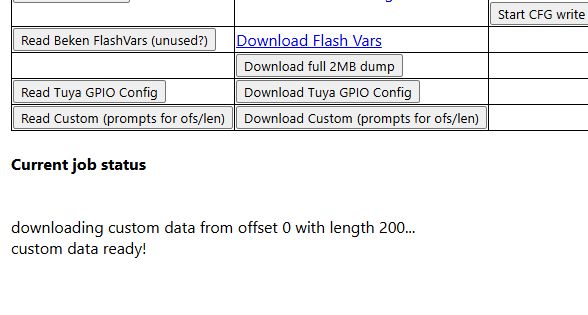
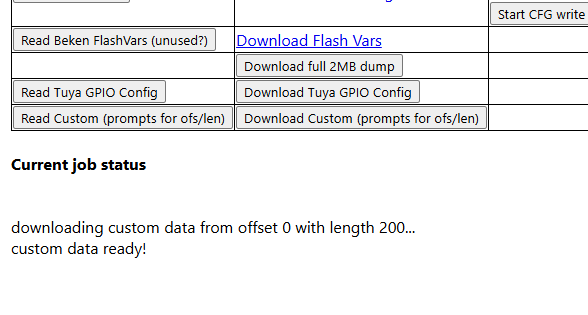
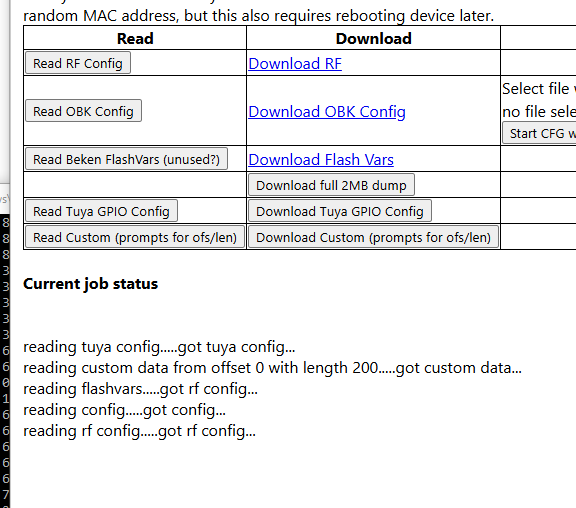
    and Download Custom doesn't give a "..ready!" log like full and tuya buttons do when complete
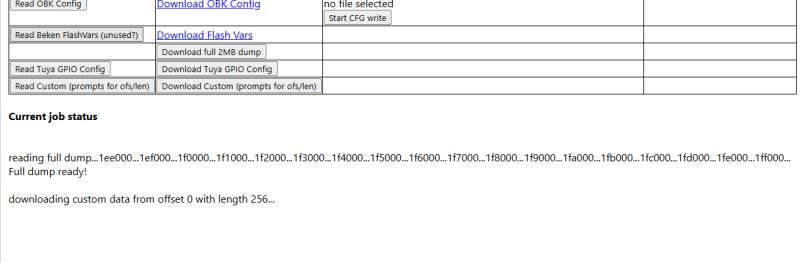
    Screenshot of a flash memory dump interface with progress output

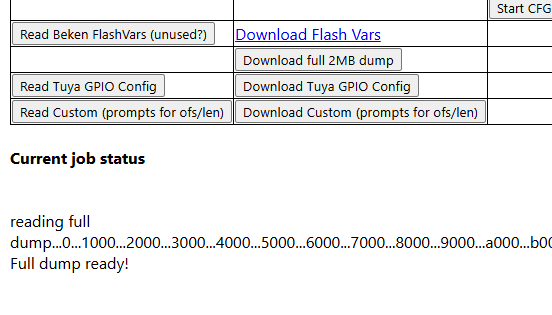
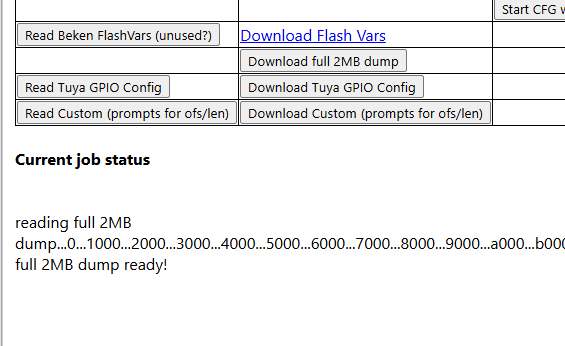
    Full dump button is correct and says full is complete at the end
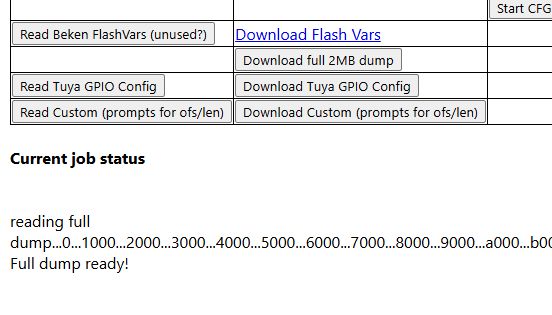
    Screenshot of flash memory reading interface with Full dump ready! message

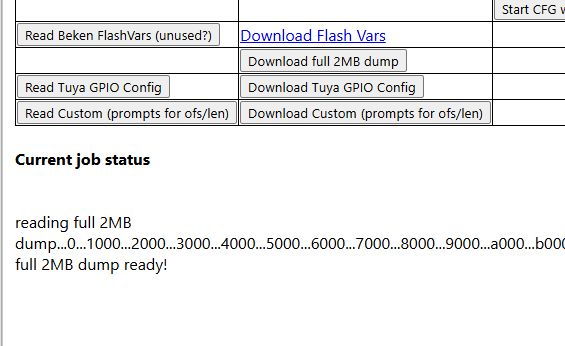
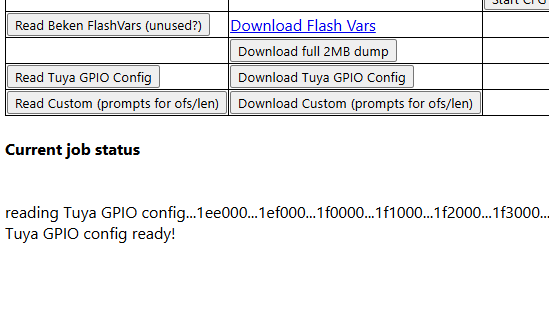
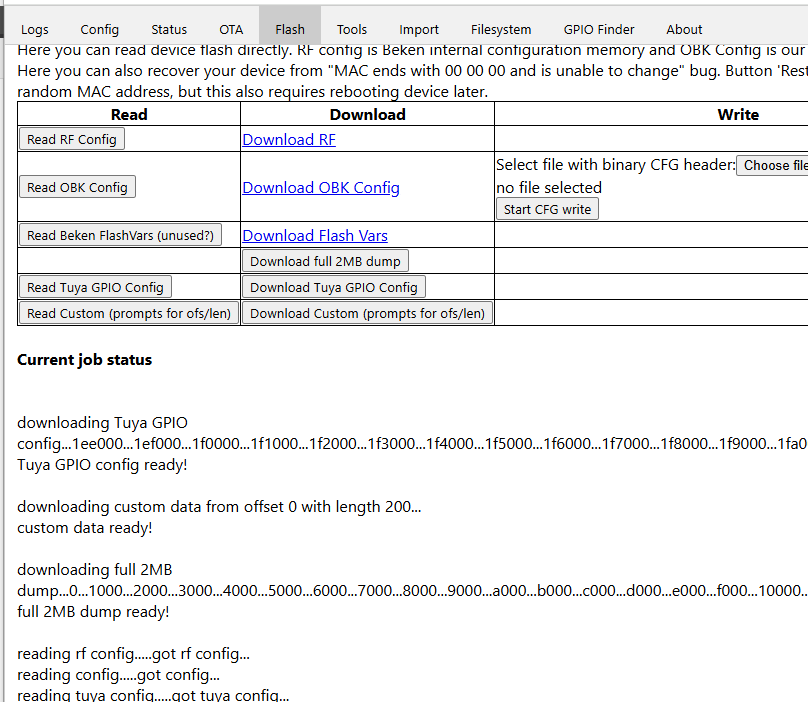
    I've played with flash.vue and I hope this is a small worthy improvement. It seems OK in testing
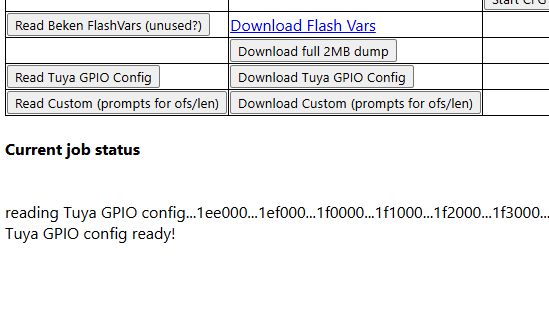
    Screenshot of interface with message indicating Tuya GPIO config read complete
    Custom data download status showing offset 0 and length 200
    Screenshot of a tool interface for reading and downloading 2MB flash memory

    https://github.com/OpenBekenIOT/webapp/pull/249

    Added after 8 [minutes]:

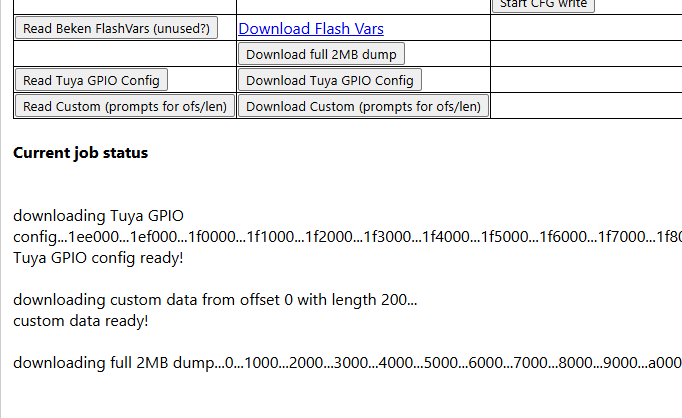
    tweaked again so download buttons give "downloading..." message instead of "reading.."

    Screenshot of a tool interface downloading data from Tuya and Beken chips.

    Added after 1 [minutes]:

    read buttons continue to say "reading.."
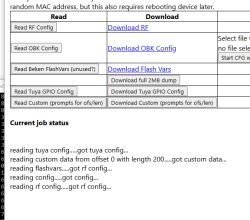

    Interface with options to read and download device configuration
  • ADVERTISEMENT
  • #2 21800819
    p.kaczmarek2
    Moderator Smart Home
    good for a start, but for perfection, I'd suggest getting this code (which appears twice in two versions)


                this.fullDumpFlashStart = 0;
                this.fullDumpFlashSize = 2097152;
                this.fullDumpStyle = "xyz";
                this.doFlashDumpInternal();
    

    and putting it inside the shared function (use function arguments), currently called:
    
                this.setDumpJob("Tuya GPIO config", "TuyaConfig");
    

    I would rename setDumpJob to startDumpJob and it would be perfect.

    To be clear - it's not your fault, as the duplication was already in code (probably I was lazy), but if you are improving with LLM, then it could be done very easily as well.
    Helpful post? Buy me a coffee.
  • #3 21800824
    divadiow
    Level 37  
    thank you. I will adjust asap!
  • ADVERTISEMENT
  • #5 21801475
    p.kaczmarek2
    Moderator Smart Home
    Way better, I will merge it now, in future we may think about removing one string name, unless all 3 are used?
    
                this.startDumpJob("full 2MB dump", "FullDump", 0, 2097152, "QIO");
    

    Also... This is still more or less Beken only, or can it download flash for other platforms? I don't remember if and how flash read is implemented
    Helpful post? Buy me a coffee.
  • ADVERTISEMENT
  • #8 21802316
    p.kaczmarek2
    Moderator Smart Home
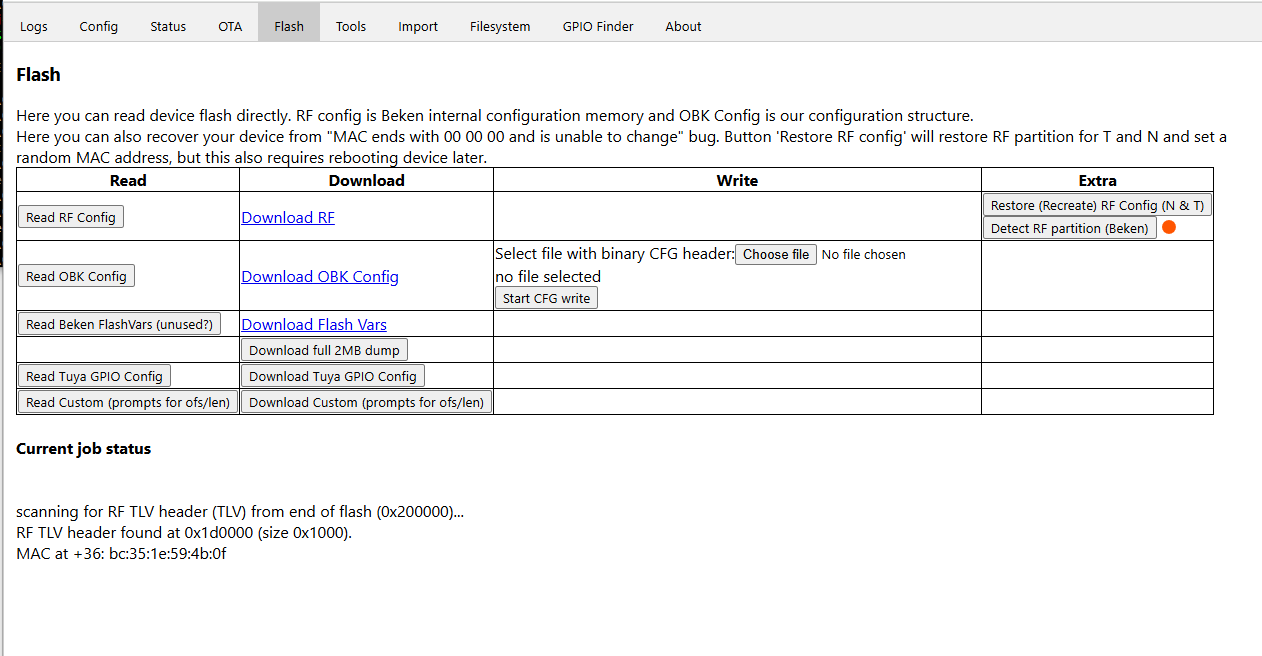
    Nice little tool, however, I think you might have a slight issue there.

    You are basically reading memory in 0x1000 bytes blocks, right? So you read 4096 bytes, check them, next 4096 bytes, check them , etc.

    And you look in each 4096 chunk for 4 bytes - TLV header.

    But now look....

    What if TLV header is on the boundary of chunks? Let's say there are two 4096 byte chunks but "TL" is the last two bytes of first chunk, and "V" is the first byte of second chunk?

    You won't find it that way.
    Helpful post? Buy me a coffee.
  • #9 21802340
    divadiow
    Level 37  
    I was just wondering how likely that is BUT there's a bigger issue, which makes addition pointless now.

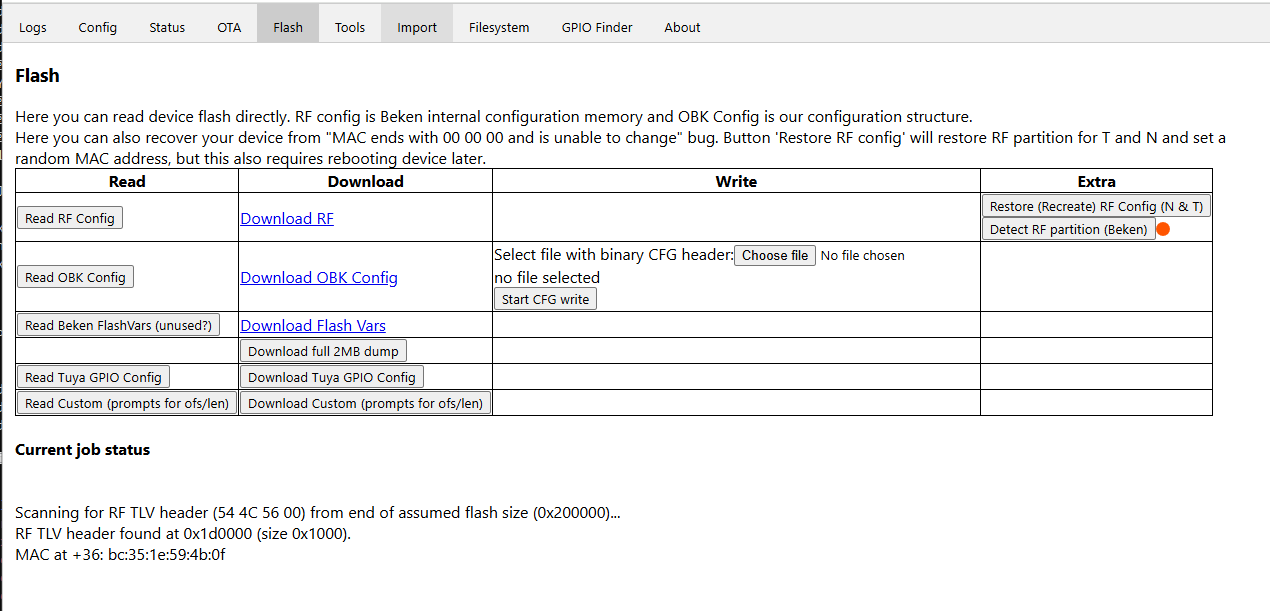
    The main reason for this venture was that OBKs RF offset does not match Tuya's for BK7238 so this was to be a way to see what the untouched Tuya RF start address was, but actually, OBK seems to overwrite TLV anyway, making a scan of the factory dump while converting device the only option to restore original RF to OBK position.

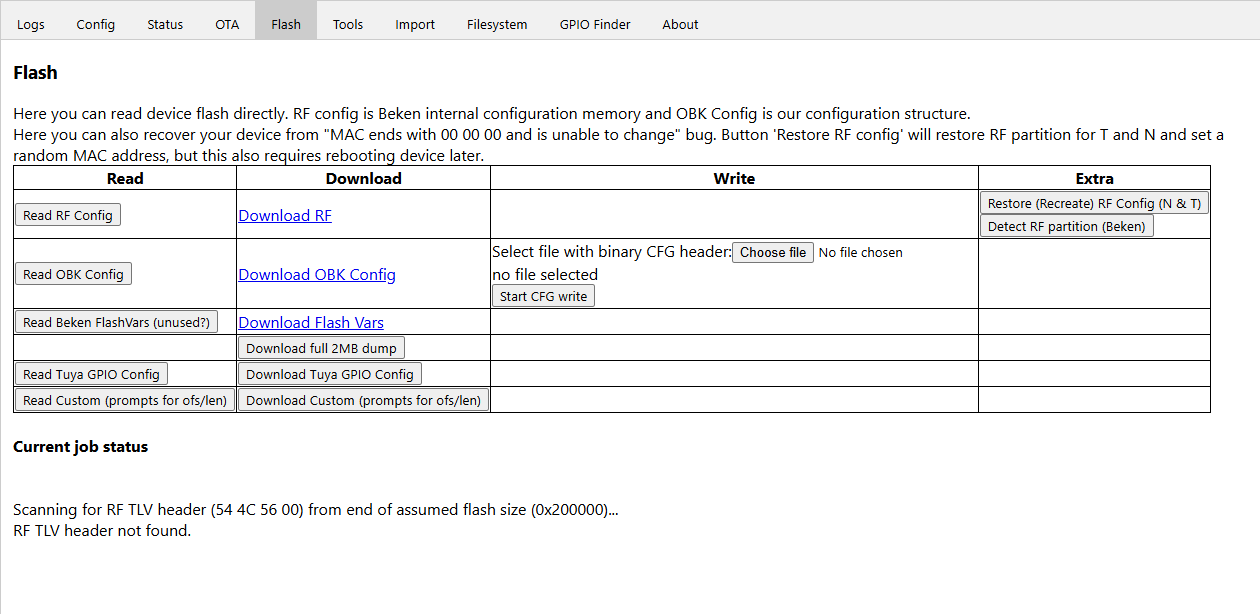
    I attach an OBK-converted BK7238 image where TLV is clearly gone. And of course the scan for TLV fails

    Screenshot of device flash management tool interface, Flash tab active
  • #10 21802348
    divadiow
    Level 37  
    I just think there'll be a lot of people wanting to convert BK7238 only to find they wanted their RF data but it's too late because they've put their device back together. Easy Flasher doesn't mandate a whole-flash backup and RF transplant.
  • #11 21802365
    p.kaczmarek2
    Moderator Smart Home
    What ovewrites it? OBK config? OBK flashvars? LittleFS?
    Also may be worth to ask @insmod
    Helpful post? Buy me a coffee.
  • ADVERTISEMENT
  • #13 21802420
    p.kaczmarek2
    Moderator Smart Home
    flash vars are not critical, we can moev them globally elsewhere and even if we break some things for people updating, those things are not critical, i think

    Added after 11 [hours] 17 [minutes]:

    Btw is it ready to merge?
    https://github.com/OpenBekenIOT/webapp/pull/248
    Helpful post? Buy me a coffee.
  • #15 21804459
    divadiow
    Level 37  
    bum.

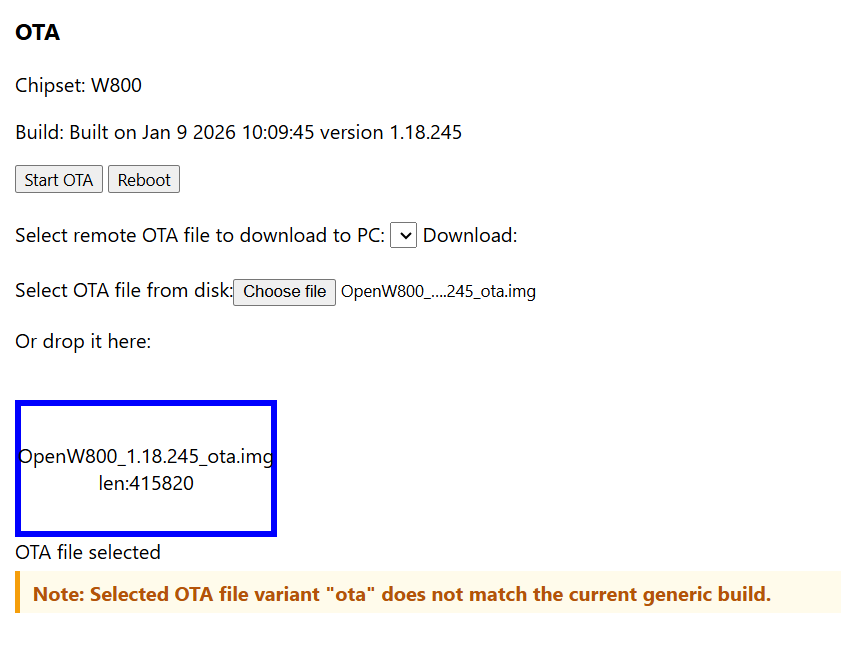
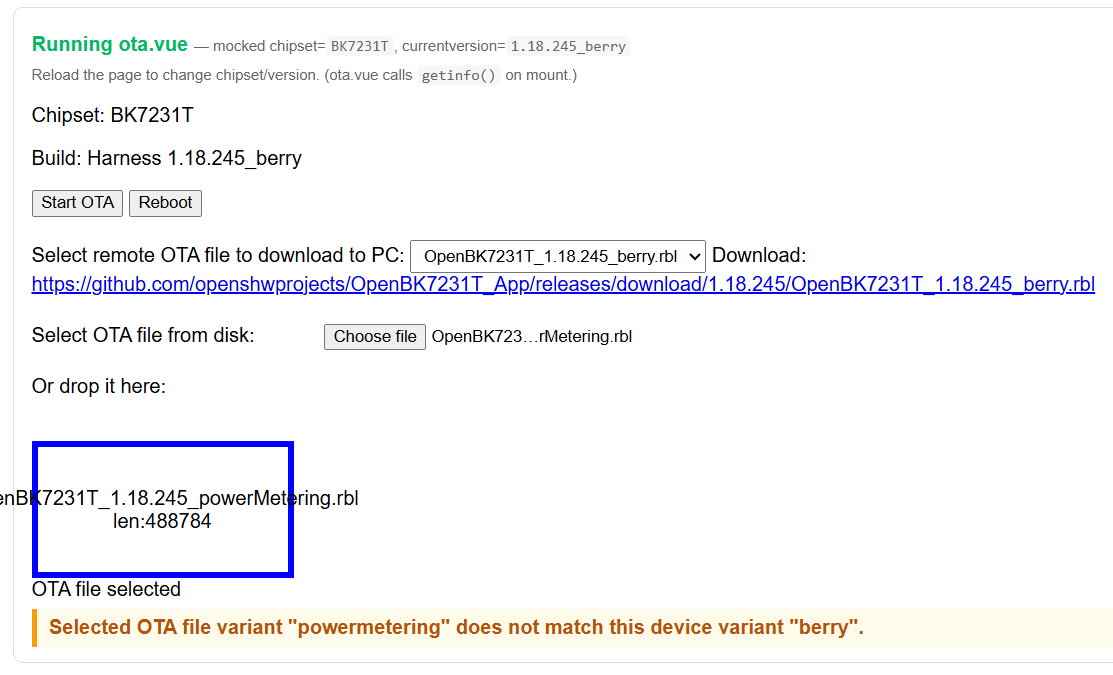
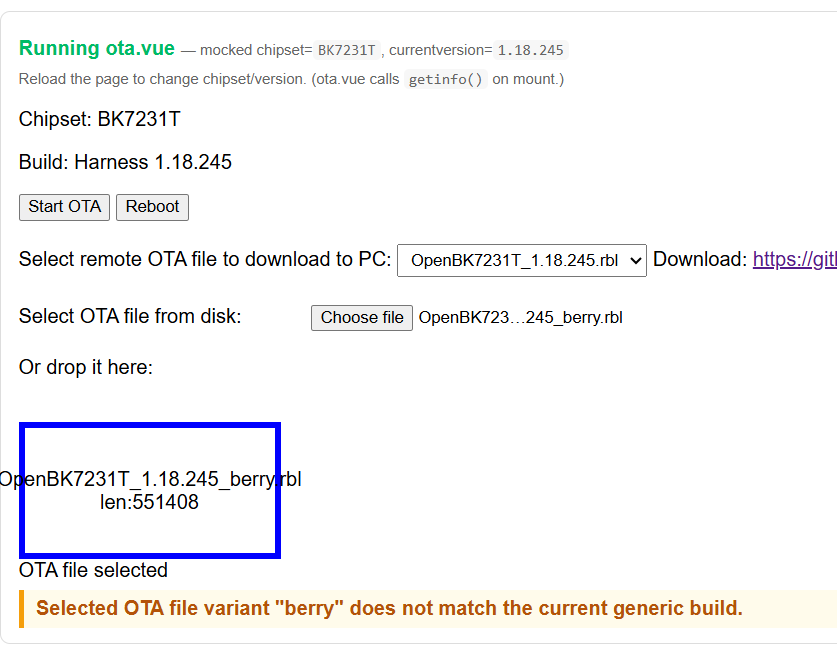
    ota.vue is treating _gz. and _ota. as variants

    eg
    OTA interface screenshot with warning about incompatible update file variant

    I'm away for the weekend so don't have everything with me, but here's what I think will sort the issue. This is real test on W800

    OTA update interface with selected file OpenW800 1.18.245 and chipset W800

    thoughts?
    https://github.com/OpenBekenIOT/webapp/commit/19d776eed832ca2c7f4d7208c05bfc458a7a0be9

    I can test all scenarios in a day or two if it can wait. Users can still ignore the warning and flash for now...
  • Helpful post
    #16 21804569
    p.kaczmarek2
    Moderator Smart Home
    I think you can do it more efficiently. I think you can ask LLM to fetch whole list of files, put it to JSON or anything, and then use "test driven development" to figure out correct regular expression.

    It's all within current LLM abilities, so it should be a fun thing to try.

    Futhermore, you can test it all without vue, just fully in html/js page on disk or in the editor/playground.
    Helpful post? Buy me a coffee.
  • #17 21804843
    divadiow
    Level 37  
    p.kaczmarek2 wrote:
    Futhermore, you can test it all without vue, just fully in html/js page on disk or in the editor/playground.


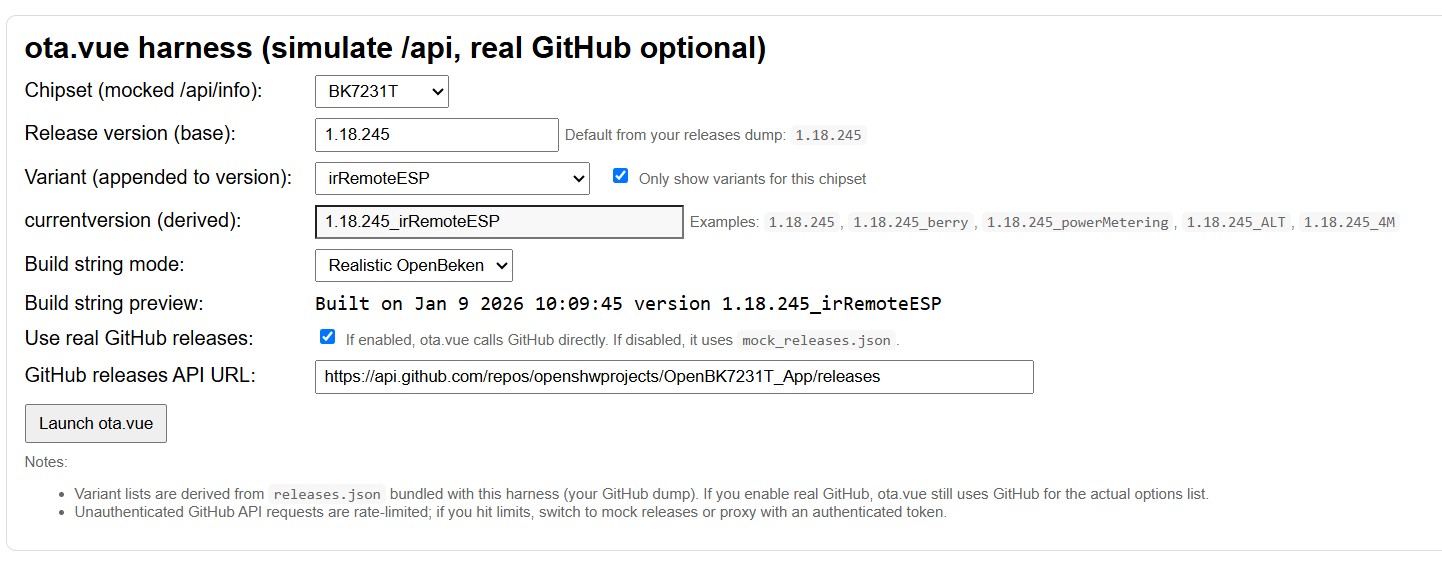
    yes. good point. I was already using node.js to override and use local ota.vue but it still relied on real device

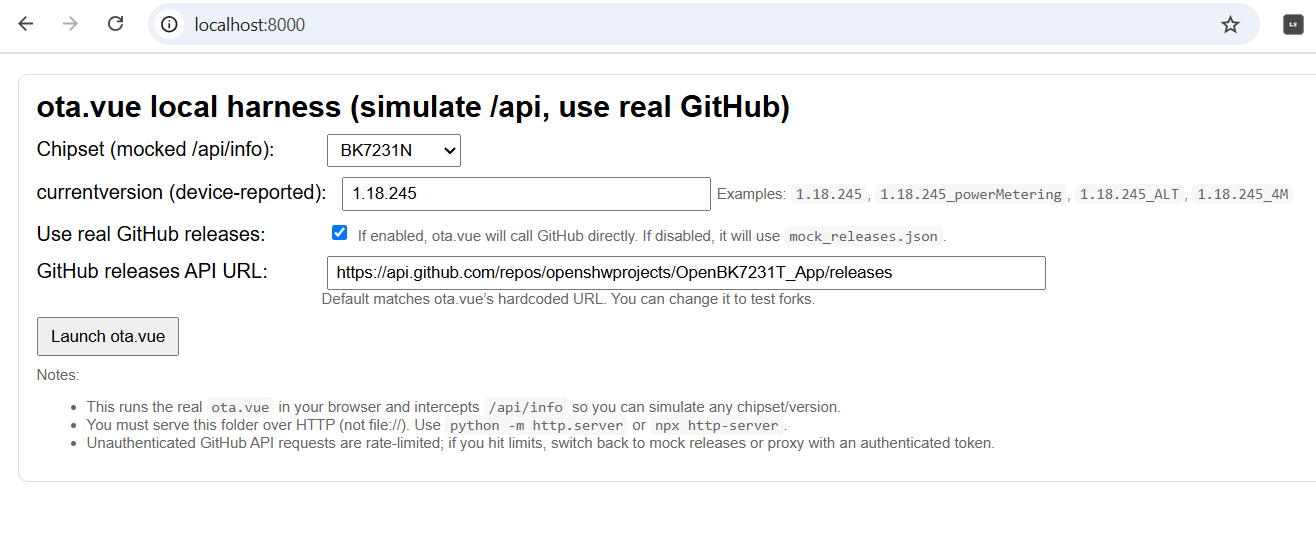
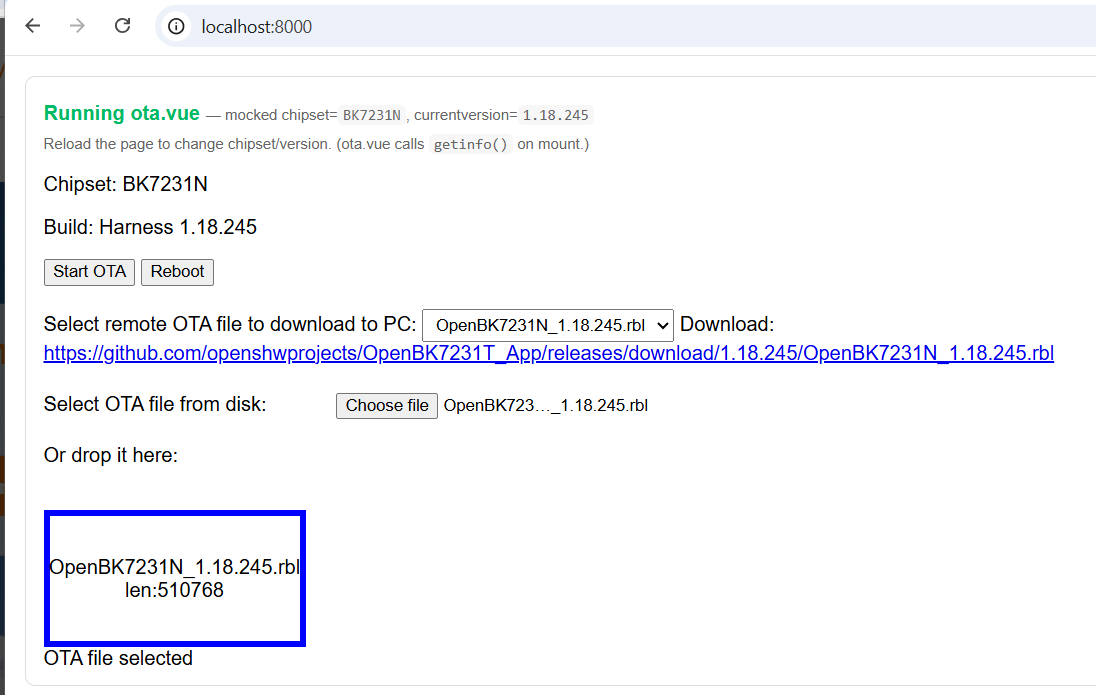
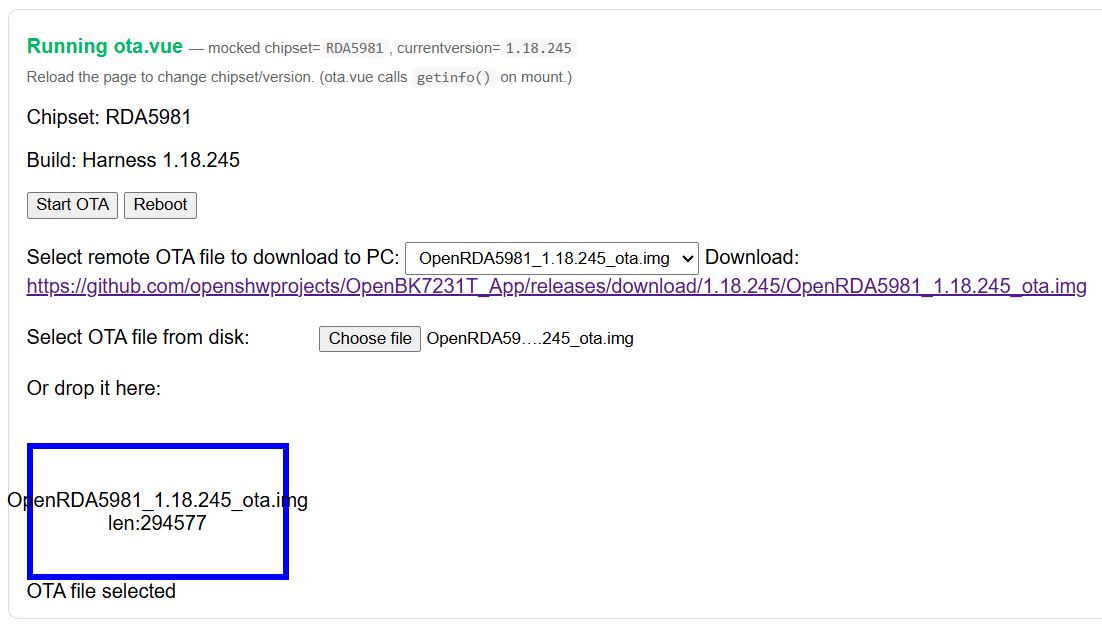
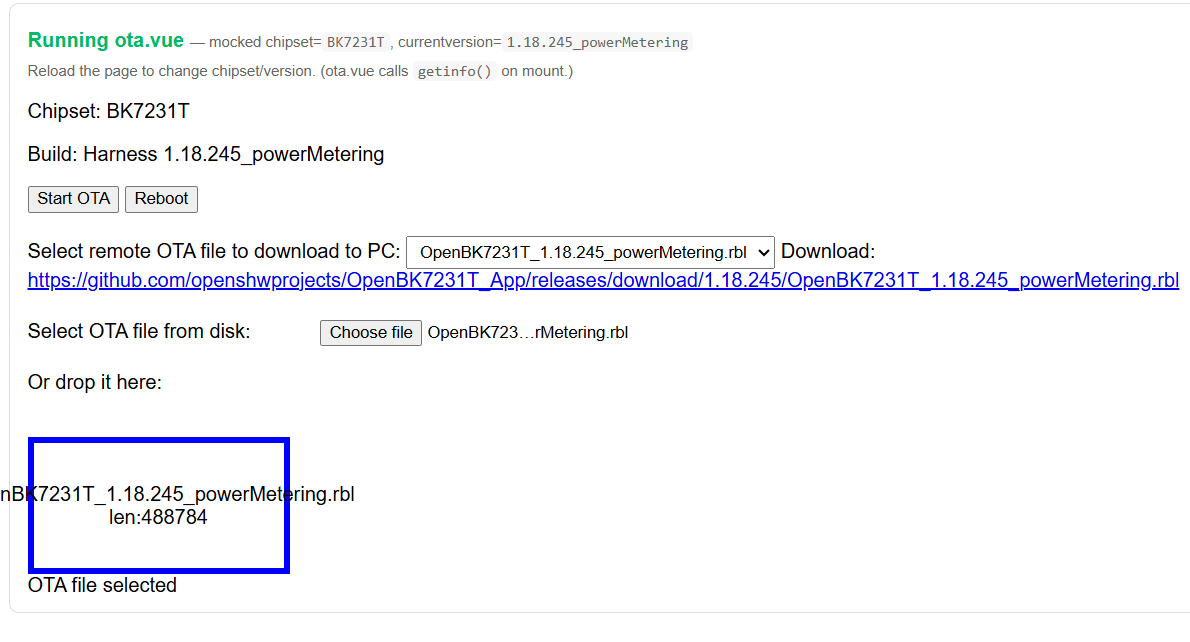
    but could go further to simulate /api so I can choose platform before ota.vue. like this:

    ota.vue interface simulating API with selected chipset and firmware version
    OTA update interface for BK7231N chipset with firmware file loaded

    im not finding any incorrect warnings with code change in PR, but sounds like you think it can be better still (which I don't doubt)

    OTA interface with selected file OpenRDA5981_1.18.245_ota.img

    OTA interface for BK7231T chipset with powerMetering firmware file loaded.
    Screenshot of OTA interface for BK7231T showing firmware variant mismatch error.
    Screenshot of OTA interface for BK7231T chipset with 'berry' file variant mismatch error

    etc
    would be nicer if the variant case in warnings matched the file though

    Added after 7 [minutes]:

    code if curious

    Code: Python
    Log in, to see the code


    http://localhost:8000/
  • #20 21806025
    p.kaczmarek2
    Moderator Smart Home
    So, it's ready to merge? Let me know so I can be certain. Thanks for the PRs so far!
    Helpful post? Buy me a coffee.
  • #21 21806037
    divadiow
    Level 37  
    p.kaczmarek2 wrote:
    So, it's ready to merge?

    I reckon yes. I've tested loads with fake api thing that lets me choose platform and variant before using testing ota file behaviour with real ota.vue.

    Added after 35 [minutes]:

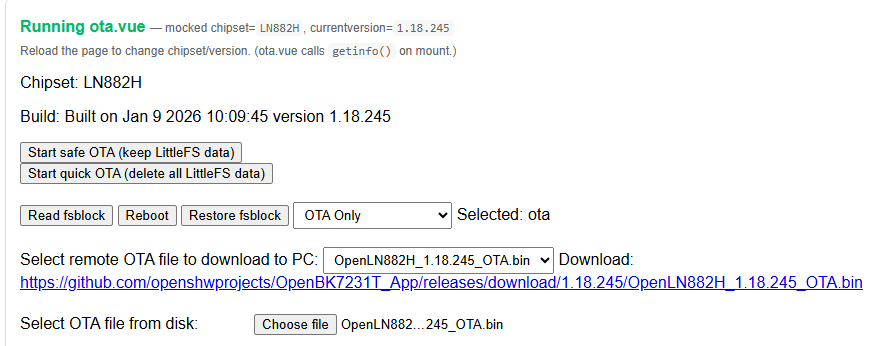
    on a refactor and just looking into supportsLittleFS in ota.vue

    OTA update interface for LN882H chipset with file options and action buttons.

    this is always disabled so can be cut completely?

    https://github.com/OpenBekenIOT/webapp/blob/0...32c03c696a004c563713/vue/ota.vue#L76C9-L76C25
  • #22 21809942
    divadiow
    Level 37  
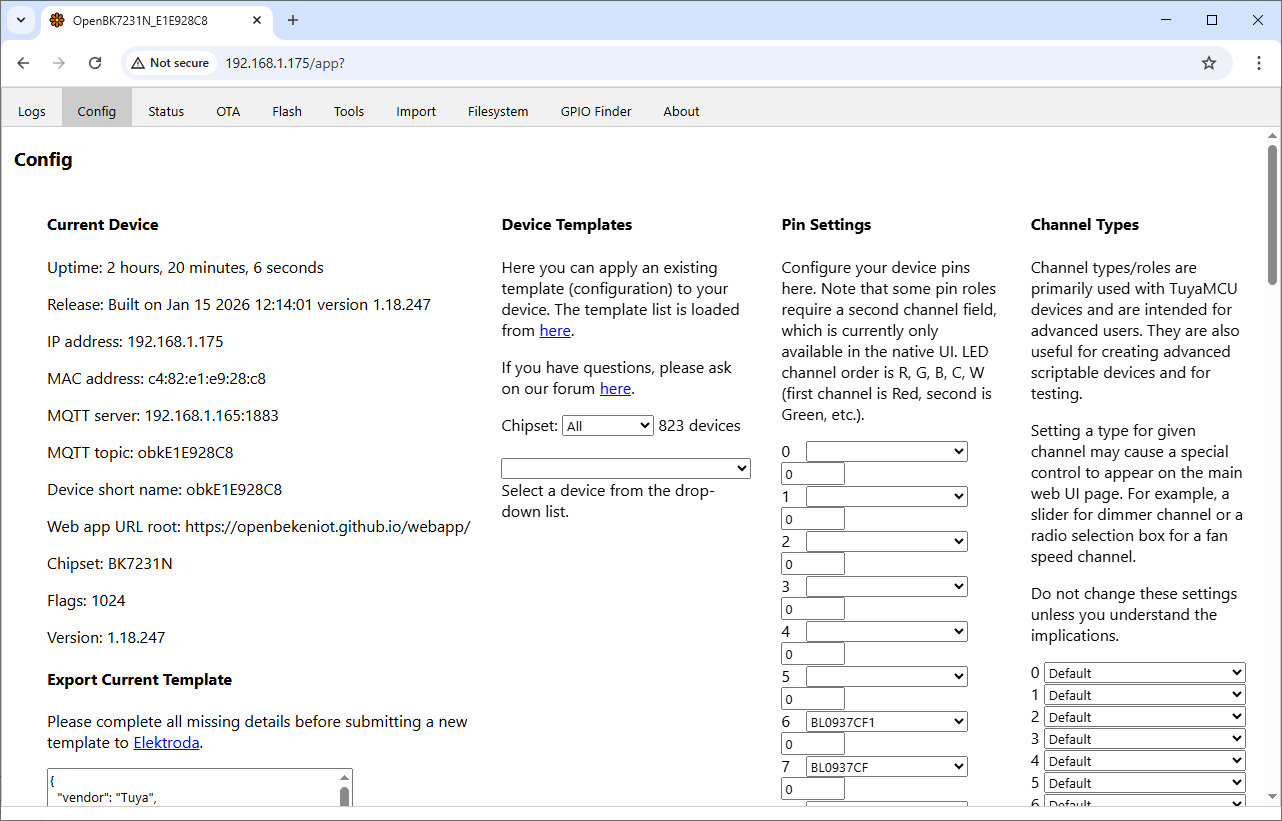
    reviewed info.vue

    -changed uptime in seconds to approximate years/months/days count (better than only seconds?)
    -standardised capitalisation, revised wording, grammar - more formal, neutral tone
    -added missing chipsets to template drop-down filter
    -made update check variant-aware so update available line now only shows if there really is an update (variants would always show latest before)
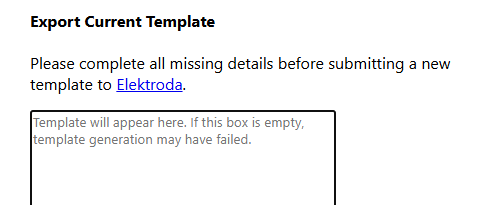
    -encourage template detail completion more obviously before Elektroda posting

    -placeholder text in export template box instead of 'qqq'
    Template export form with empty text box and link to Elektroda

    -update CHT8305 to CHT83XX in templates and pin list
    -add missing pinrolenames

    https://github.com/OpenBekenIOT/webapp/pull/257

    Device configuration panel with network details and pin settings
  • #23 21813933
    divadiow
    Level 37  
    I've extended the review to the rest of the web app. This is a WIP. It's mostly consistency, grammar, spelling, switching to a more formal tone.

    current state
    https://github.com/OpenBekenIOT/webapp/compar....divadiow:OpenBekenIOT-webapp:vueoverhaul_all

    questions:
    -US-English or British-English preferred, if at all (US-English seemed to be the preference)?
    -Title Casing for button text or sentence? (accepted PR for info.vue was sentence)
    eg
    Code diff showing HTML buttons for downloading and copying a template

    -Single 'quotes' or double "quotes", where used?
    -GPIO Doctor or GPIO Finder or both? GPIO Finder is more accurate I think, the 'Dr' doesn't actually diagnose or fix(?), but it's become known as the GPIO Dr.
  • #24 21819813
    divadiow
    Level 37  
    OK.

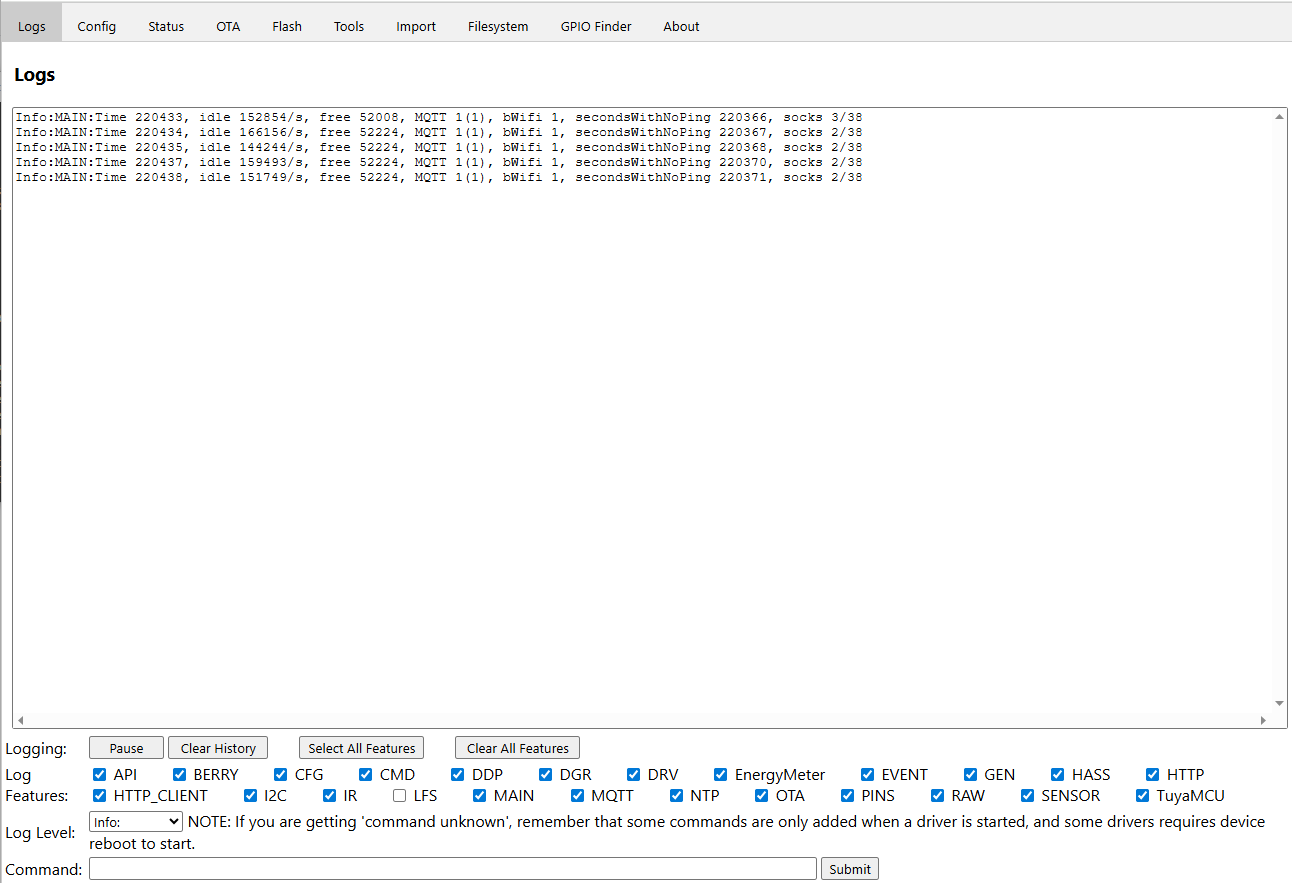
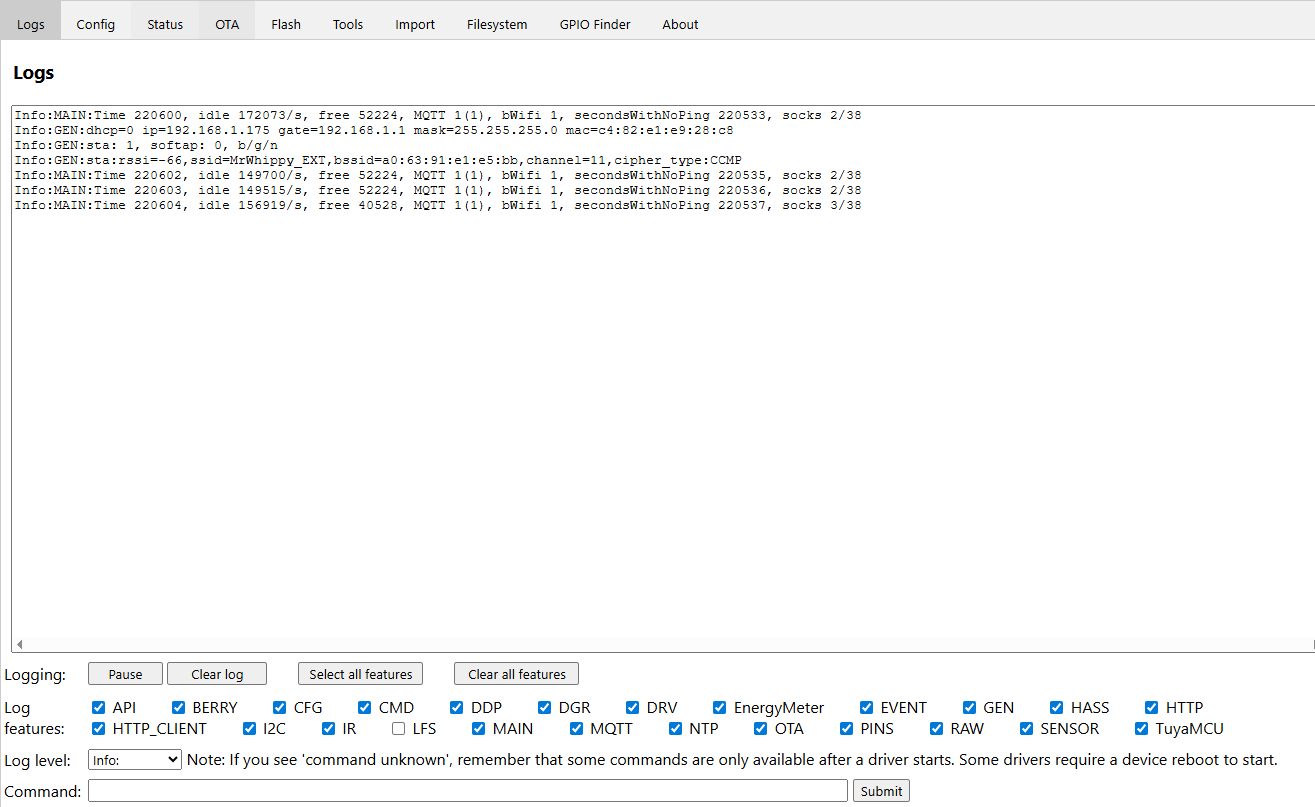
    Logs
    Before
    OpenBK system log interface showing MAIN and MQTT entries
    After
    Screenshot of a web interface log panel with system status messages
    bit of text tweaking.

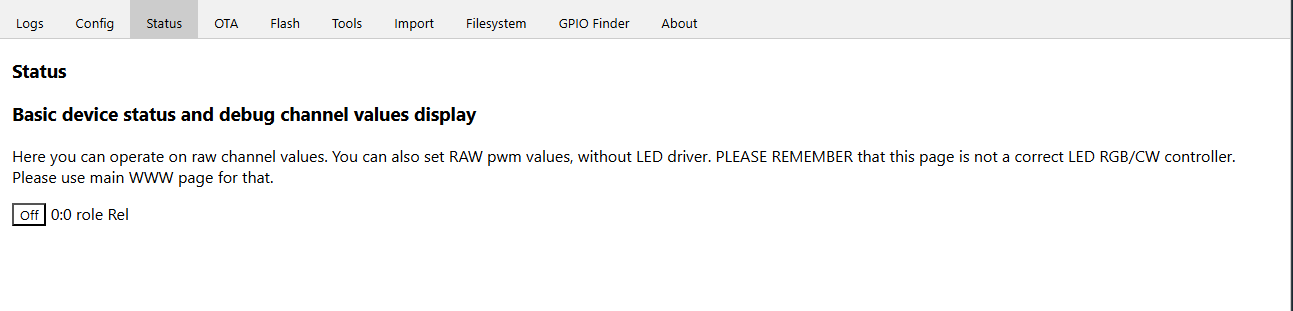
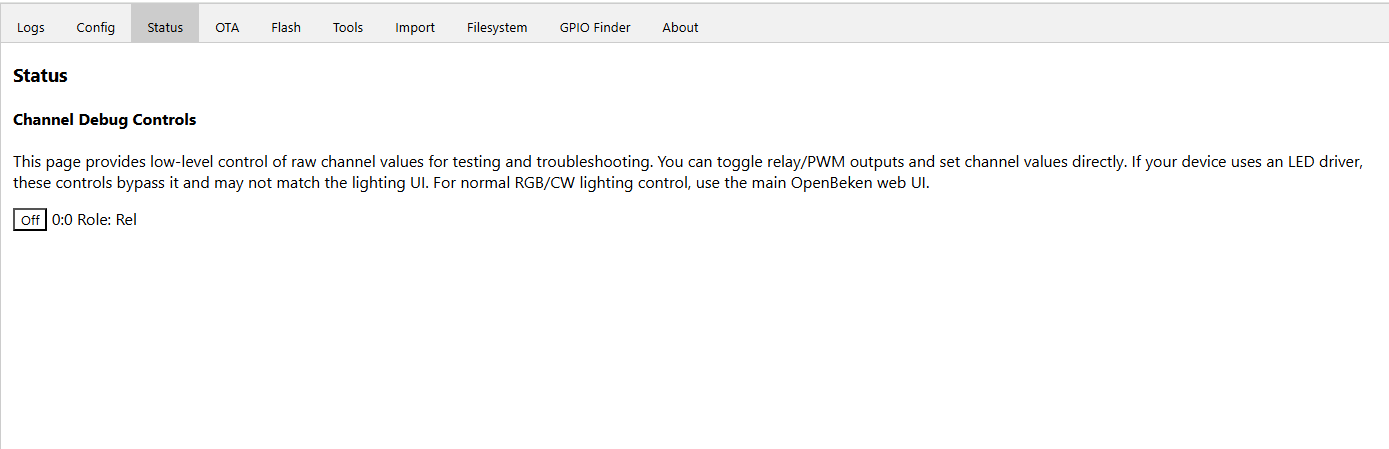
    Status
    Before
    Device status interface with “Off” button for channel 0:0 role relay
    After
    Channel debug interface in OpenBeken software showing relay role and toggle switch

    text tweaking

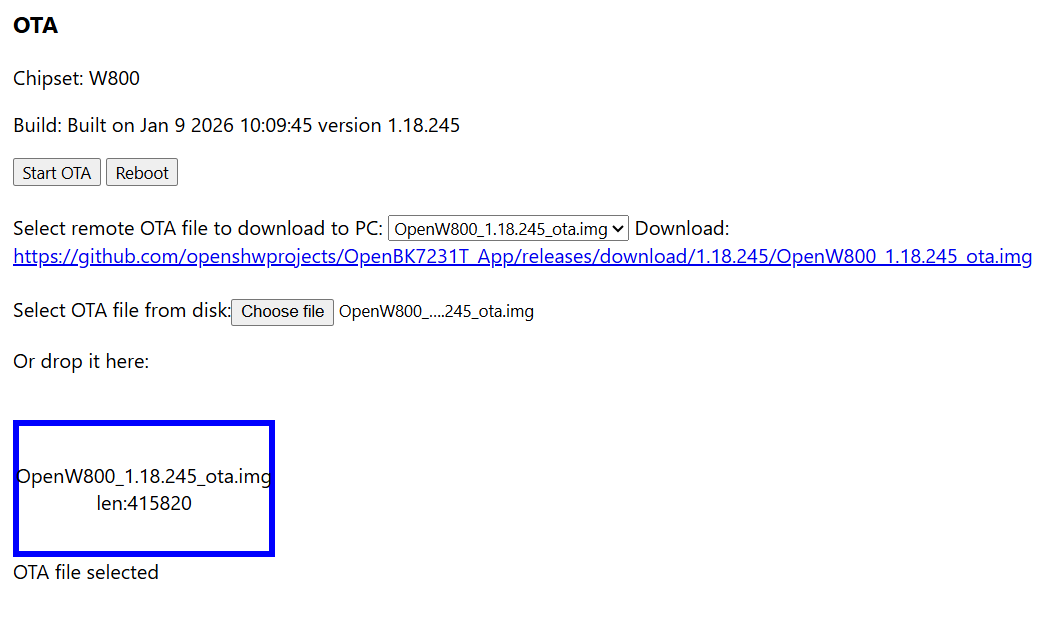
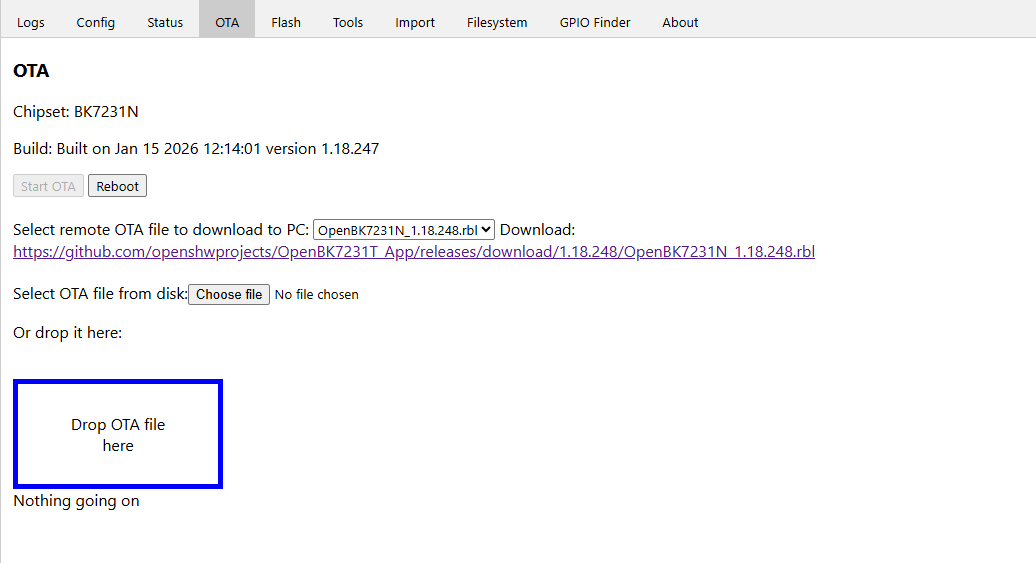
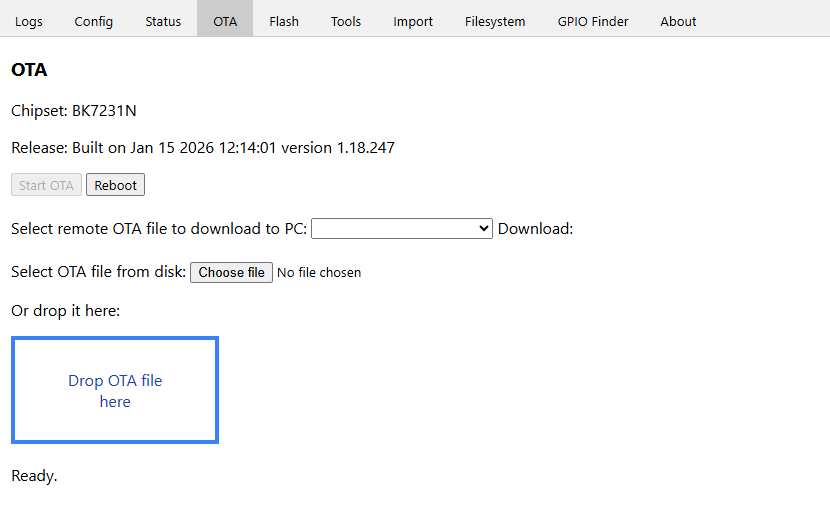
    OTA
    Before
    OTA interface with file selection, buttons, and firmware download link
    After
    OTA interface for BK7231N with file upload option and reboot button
    text tweaking, spacing, soften blue border

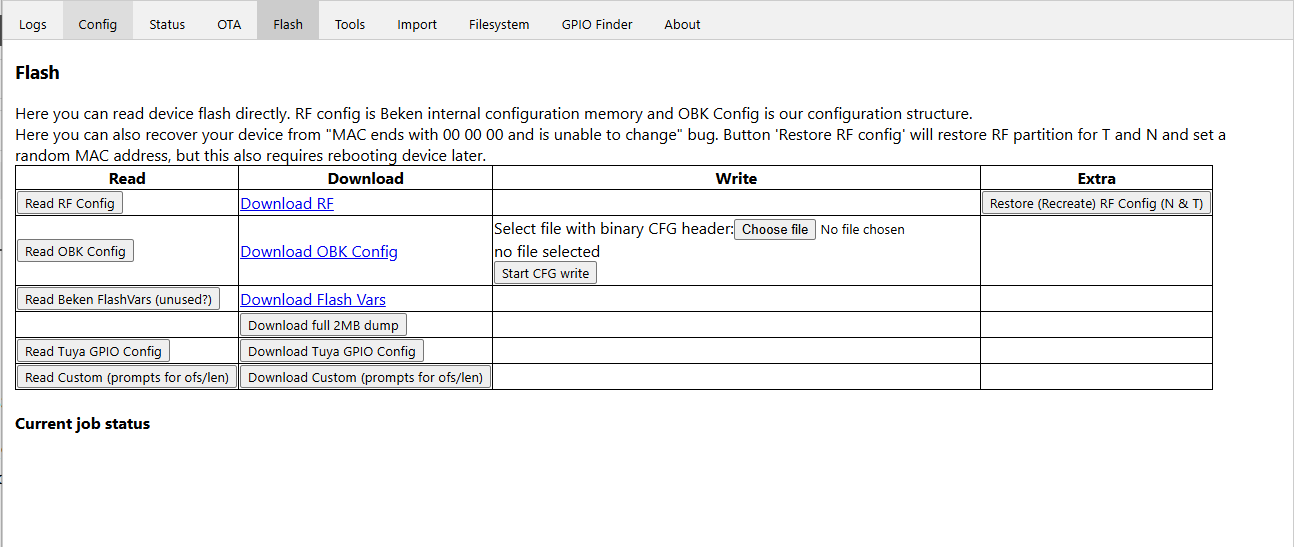
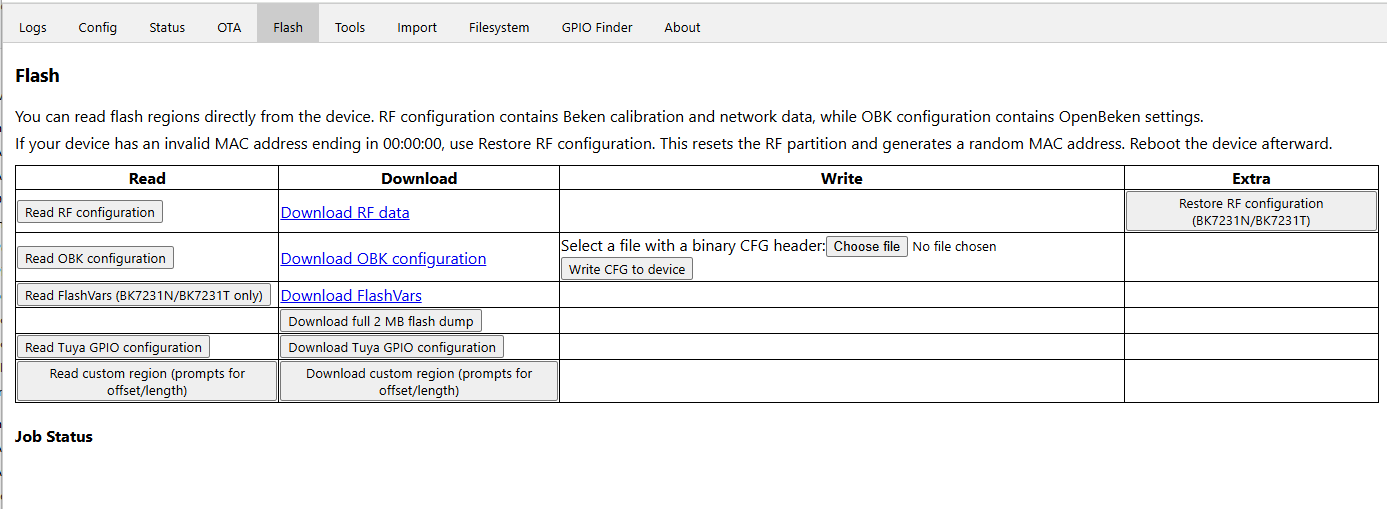
    Flash
    Before
    Screenshot of device flash management interface with config read/write options
    After
    Screenshot of the Flash tab in the OpenBeken interface
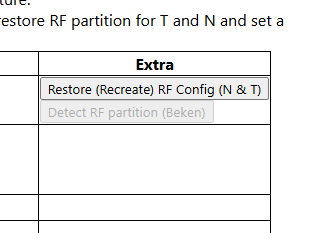
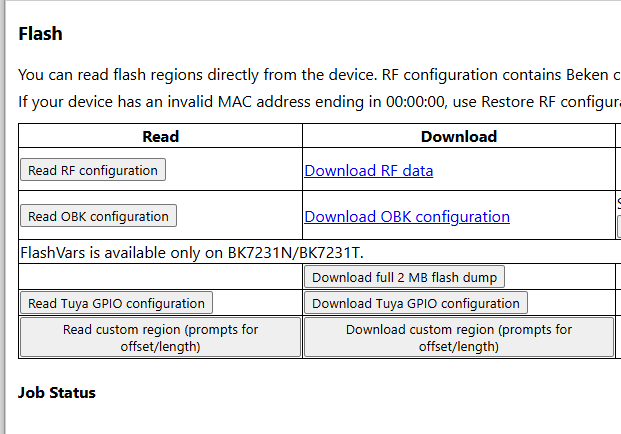
    text tweaking, remove duplicate "no file selected" type status, disable flashvars for non-BK7231T/N (maybe it should be removed or extended to support more platforms?
    Table with read and download options for flash configuration on BK7231N/BK7231T

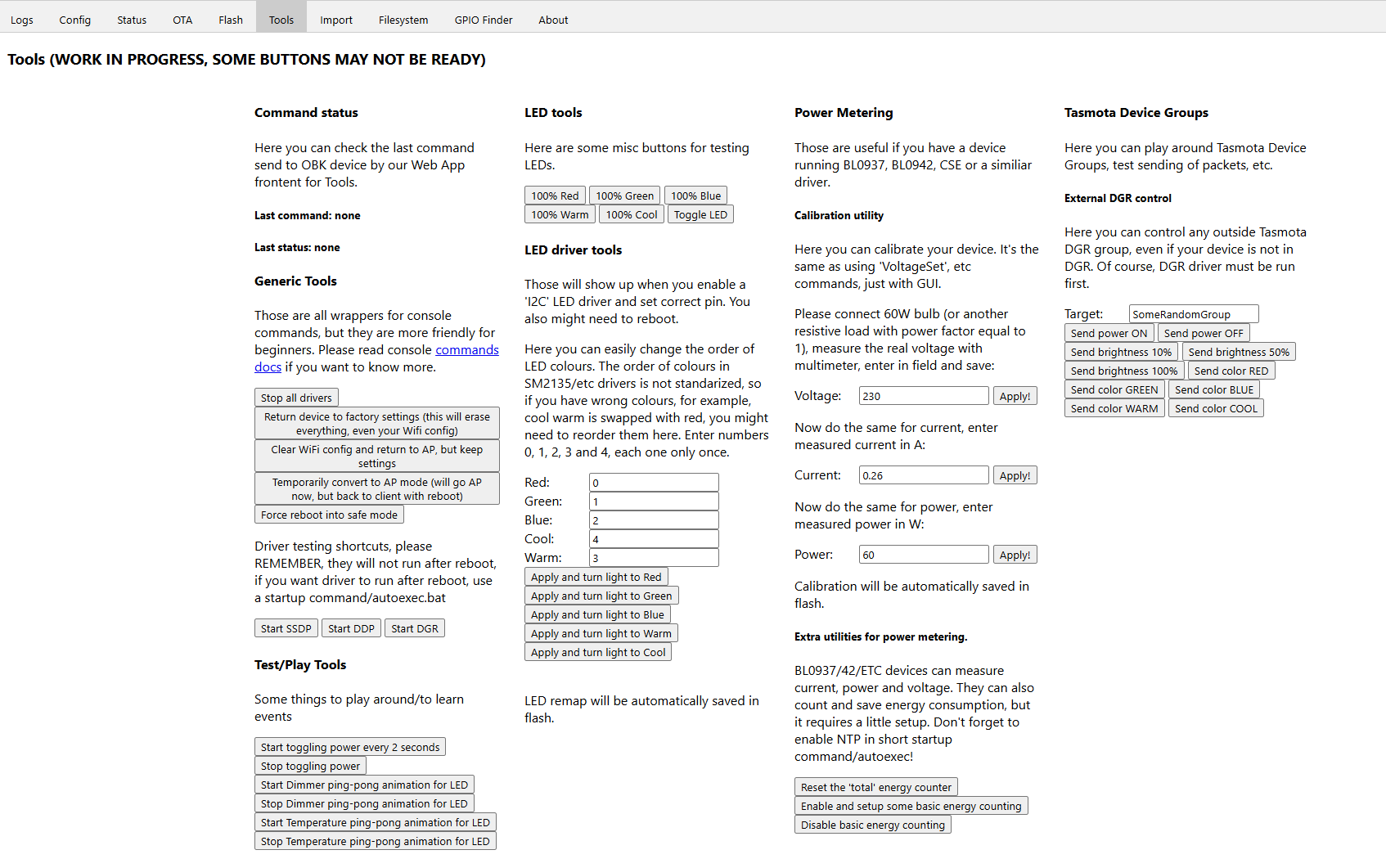
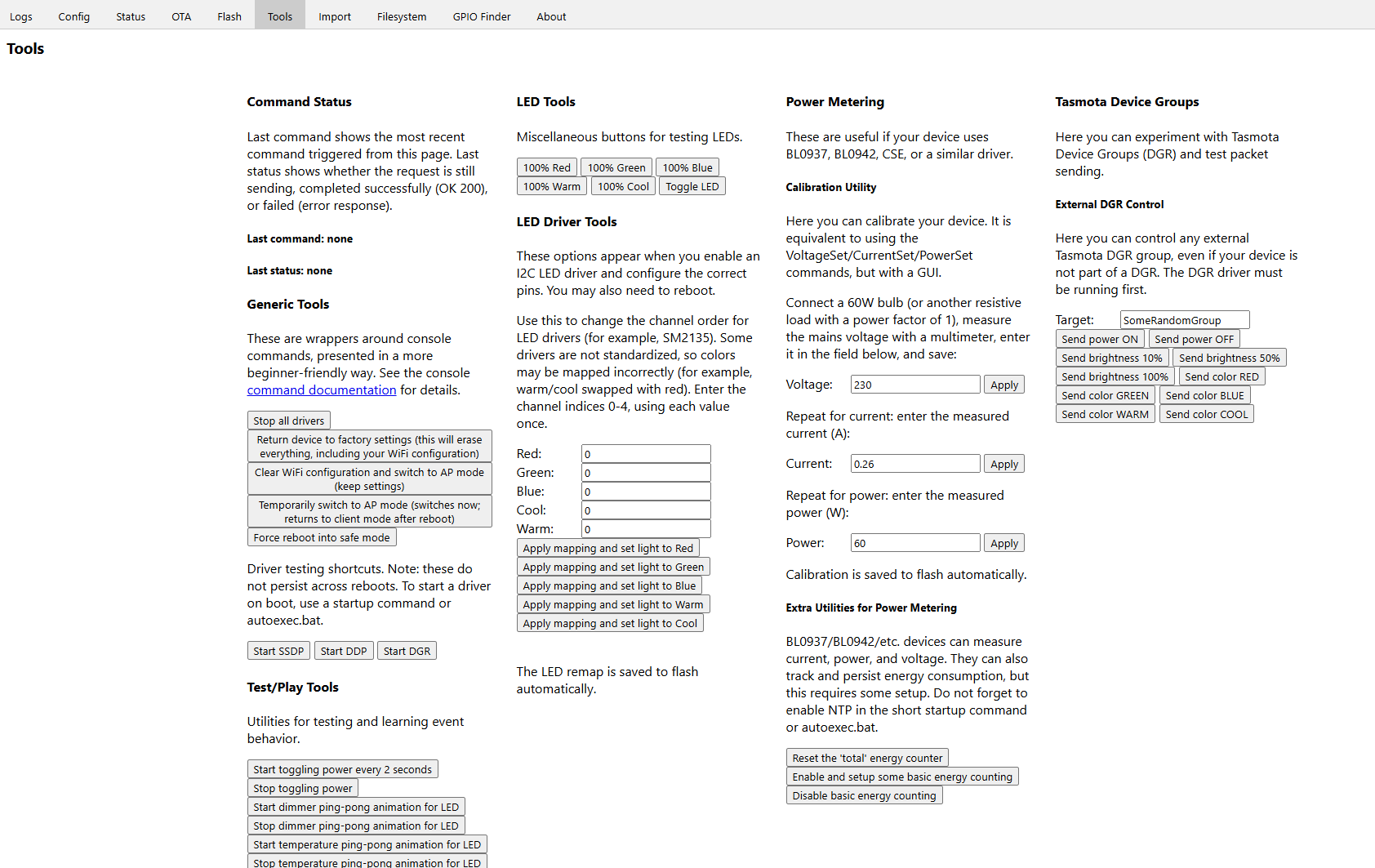
    Tools
    Before
    Tool panel UI with options for LED controls, power metering, and device group settings.
    After
    Screenshot of Tasmota's configuration tools tab with various test and utility sections.

    text tweaking

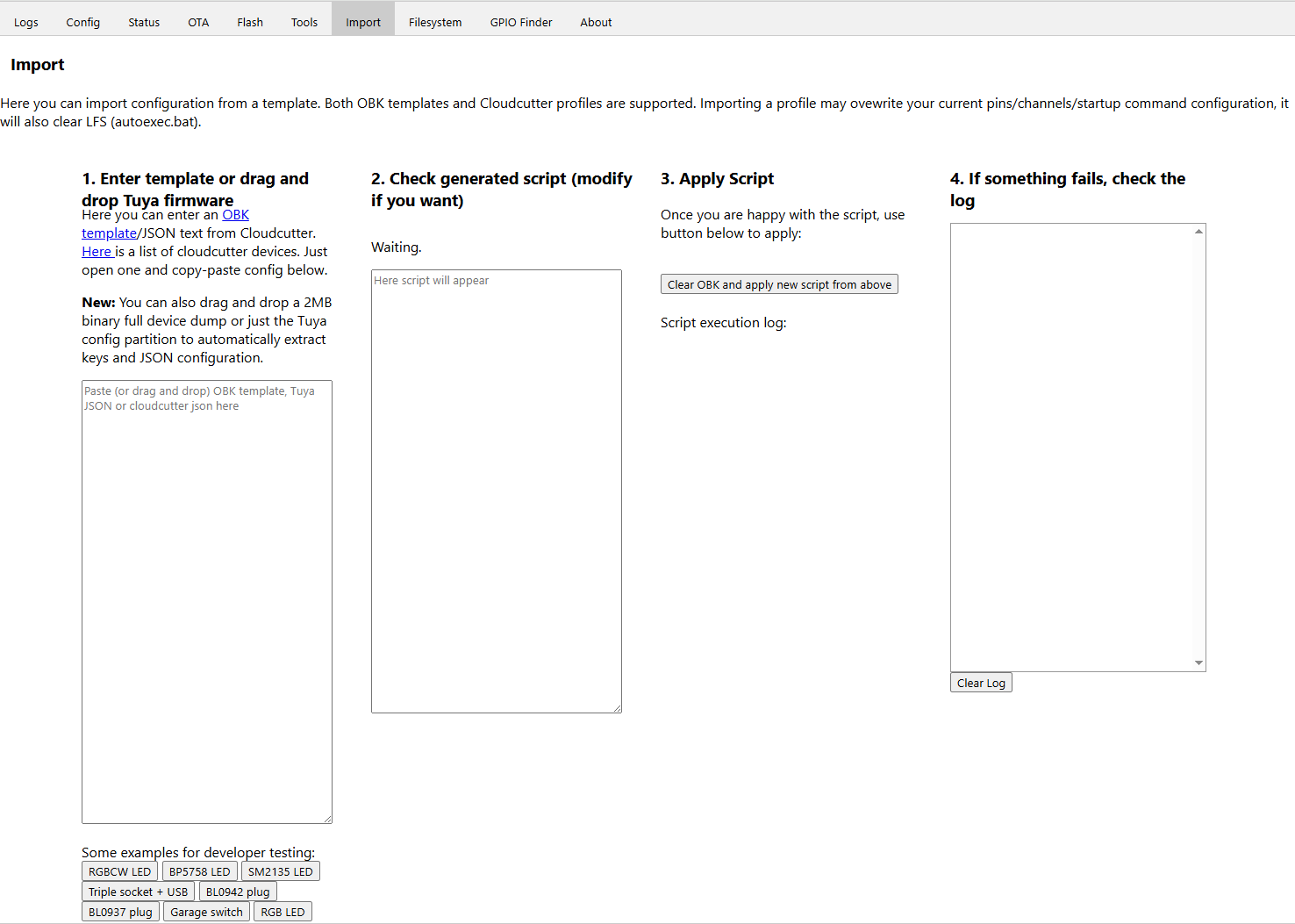
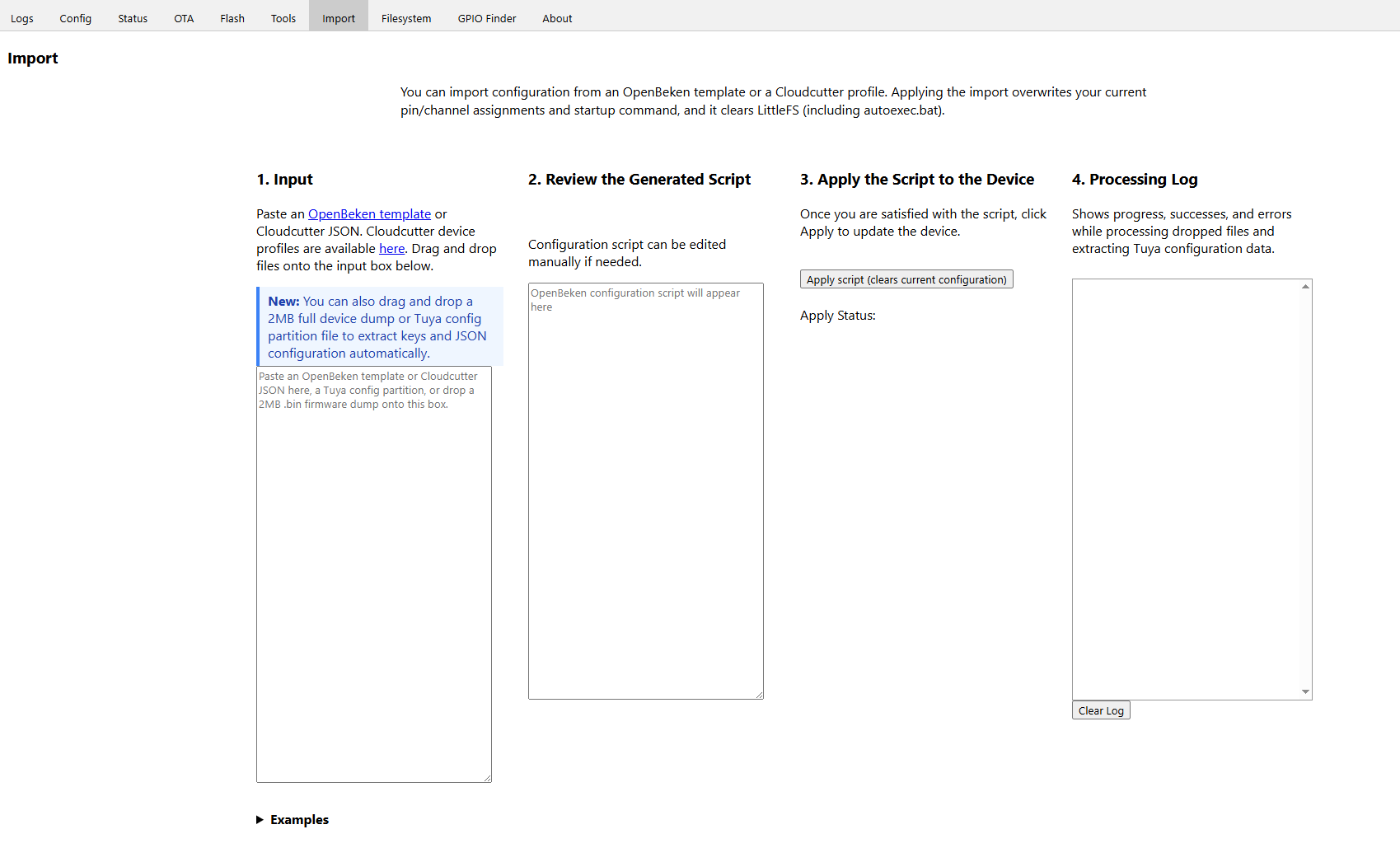
    Import
    Before
    OpenBeken import interface for templates or Tuya firmware
    After
    Configuration import screen in OpenBeken interface with four sections

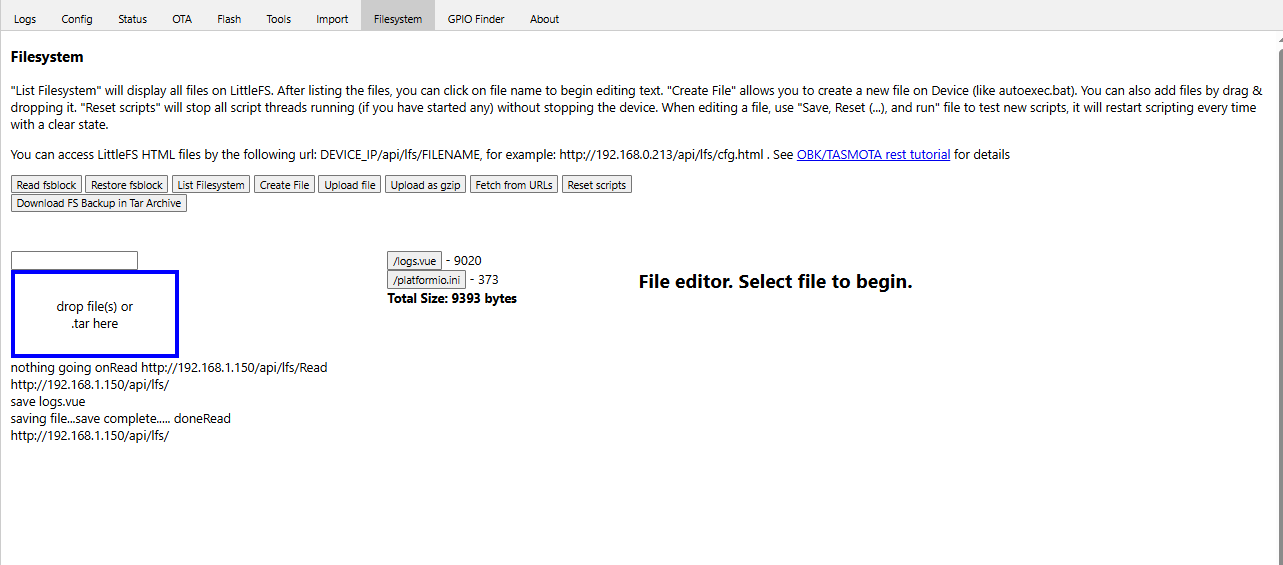
    Filesystem
    Before
    LittleFS filesystem interface with listed files and file operation options
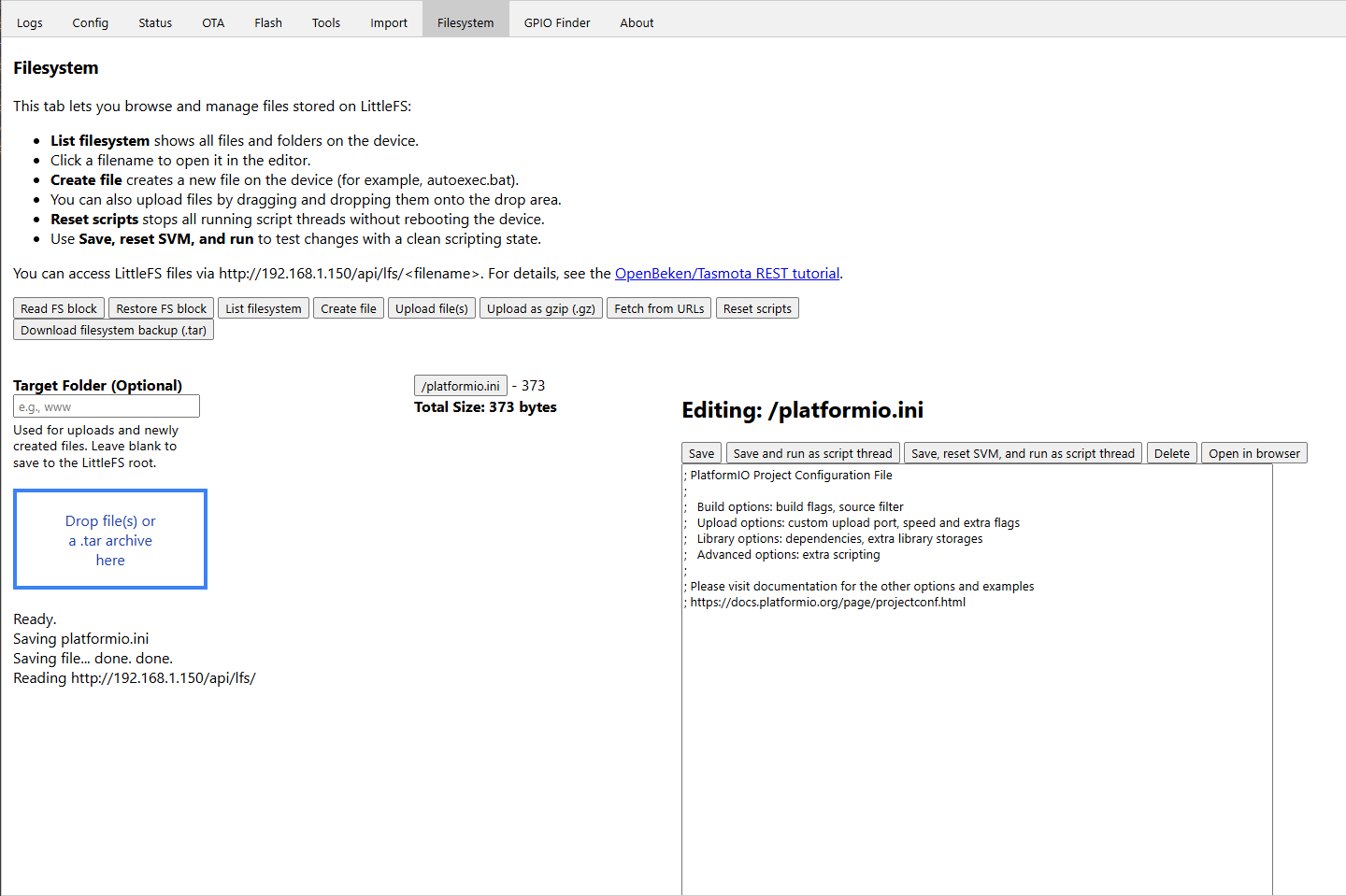
    After
    Editing platformio.ini file in LittleFS filesystem web interface
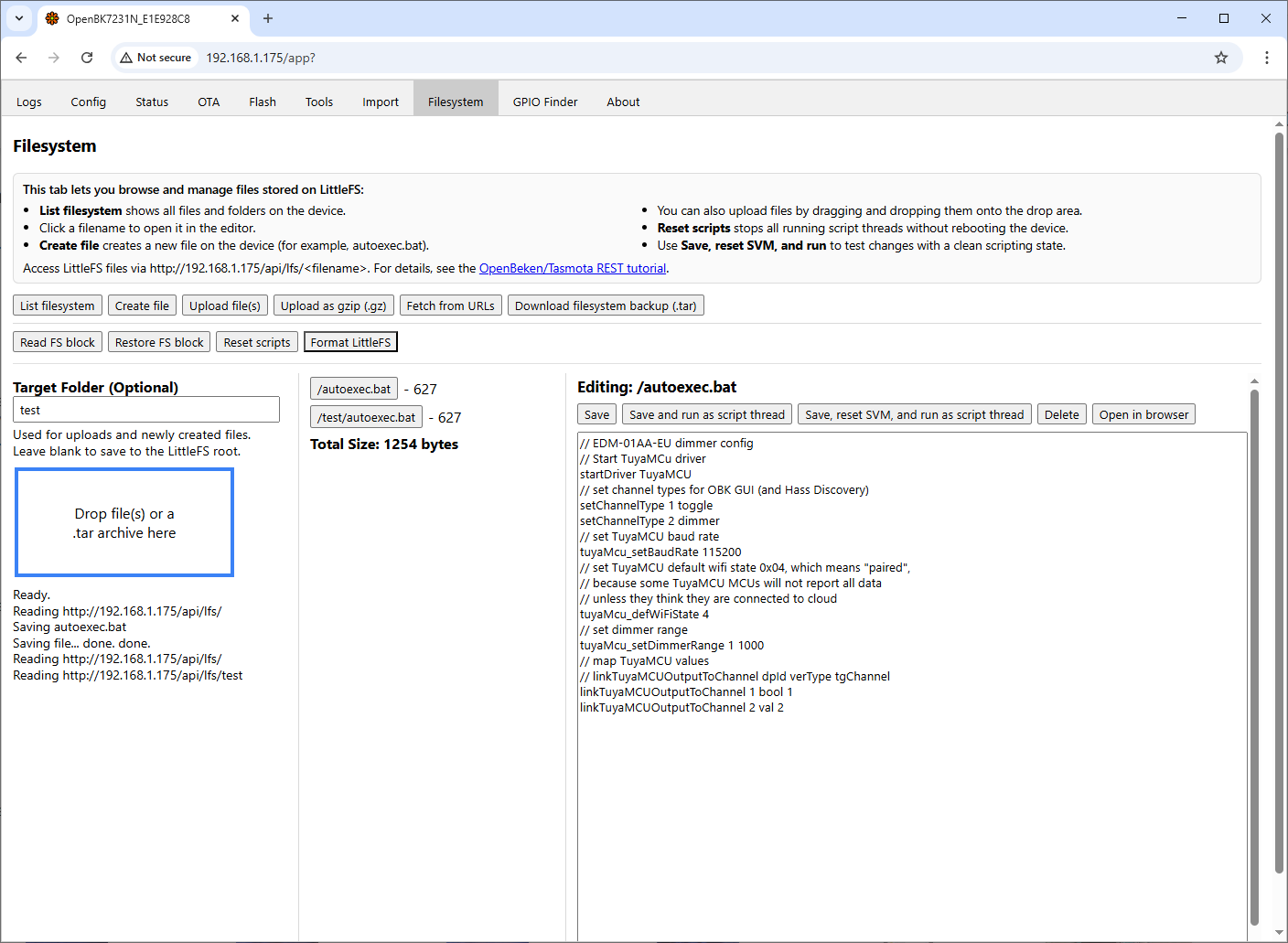
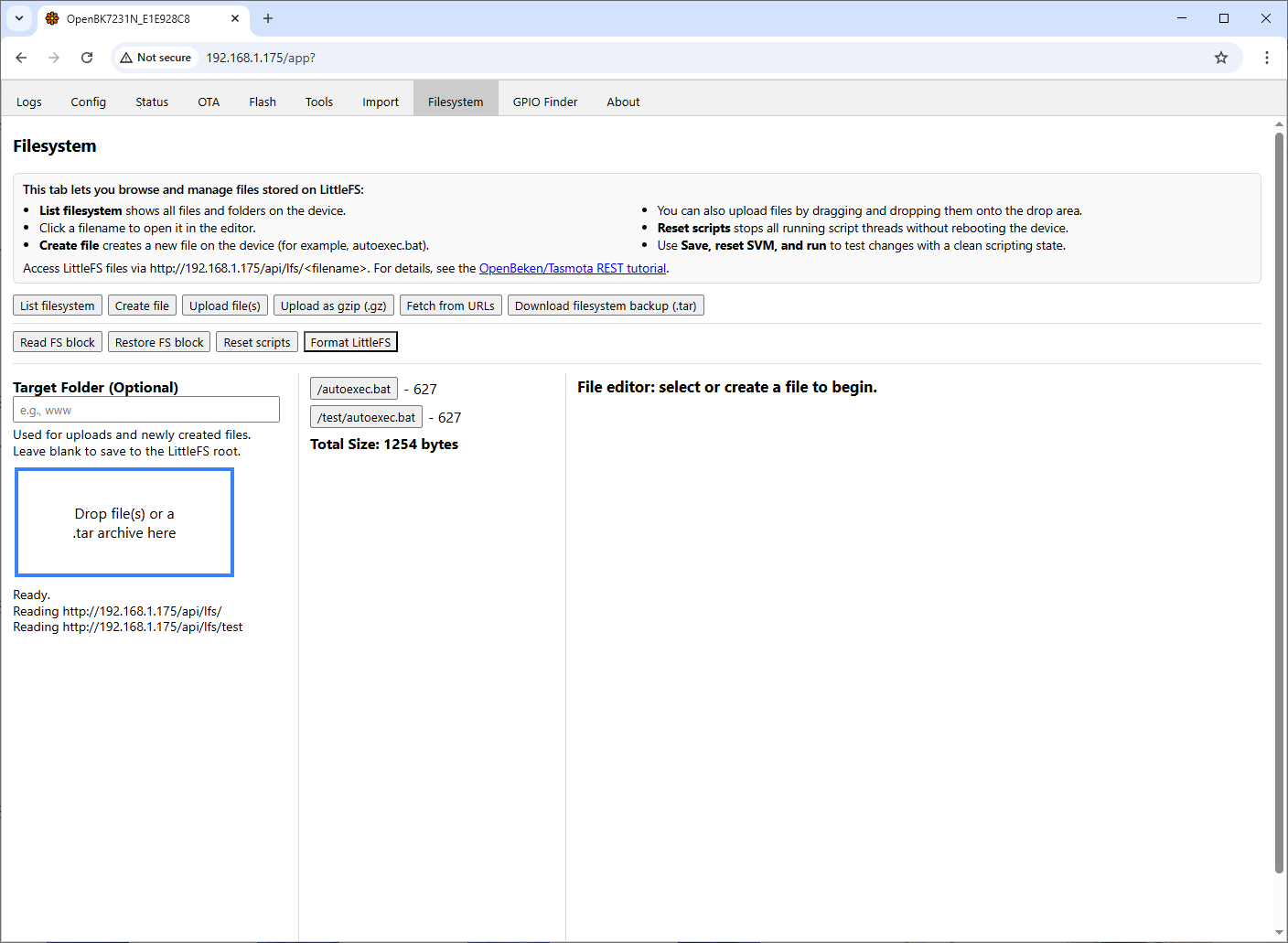
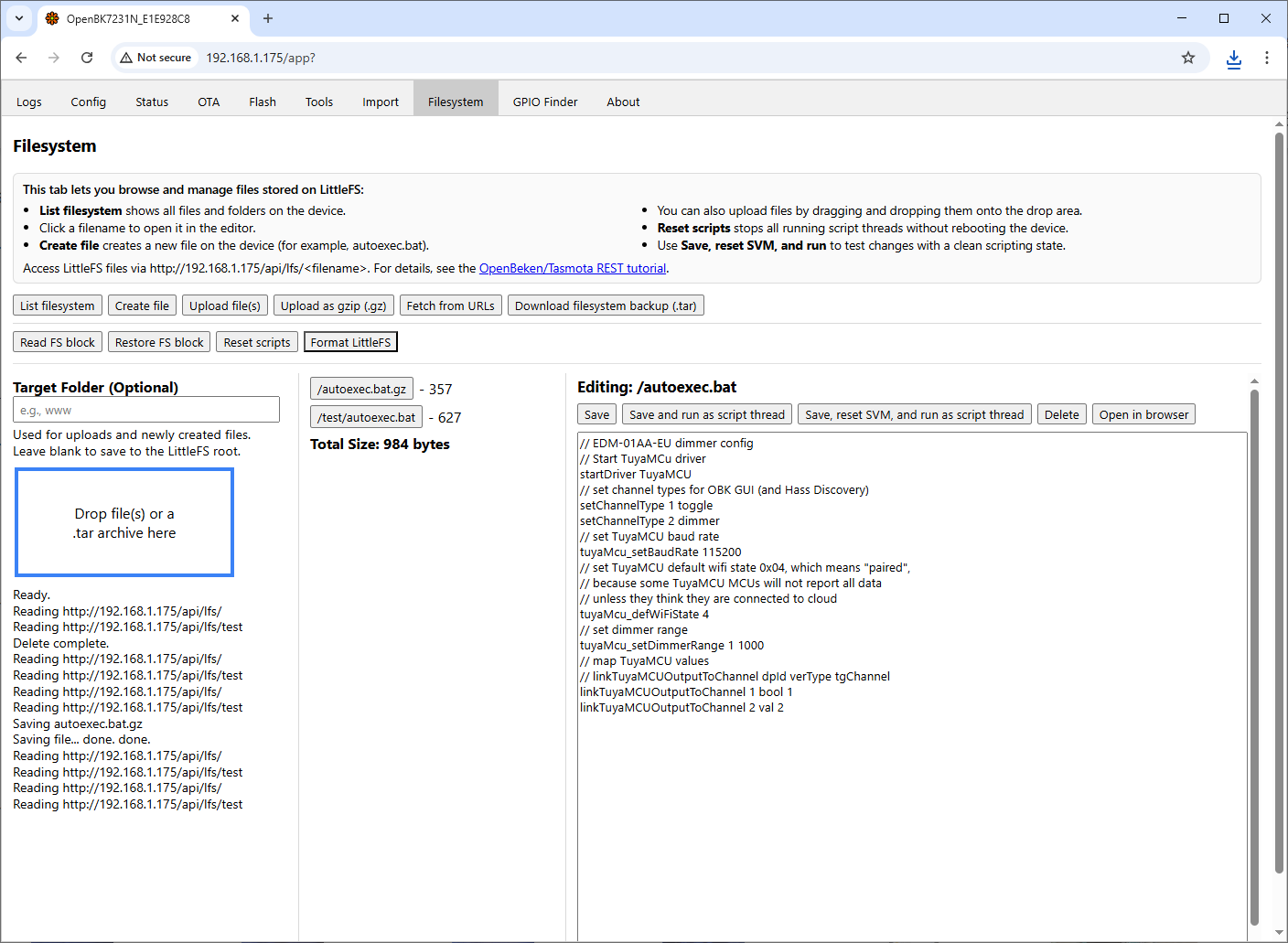
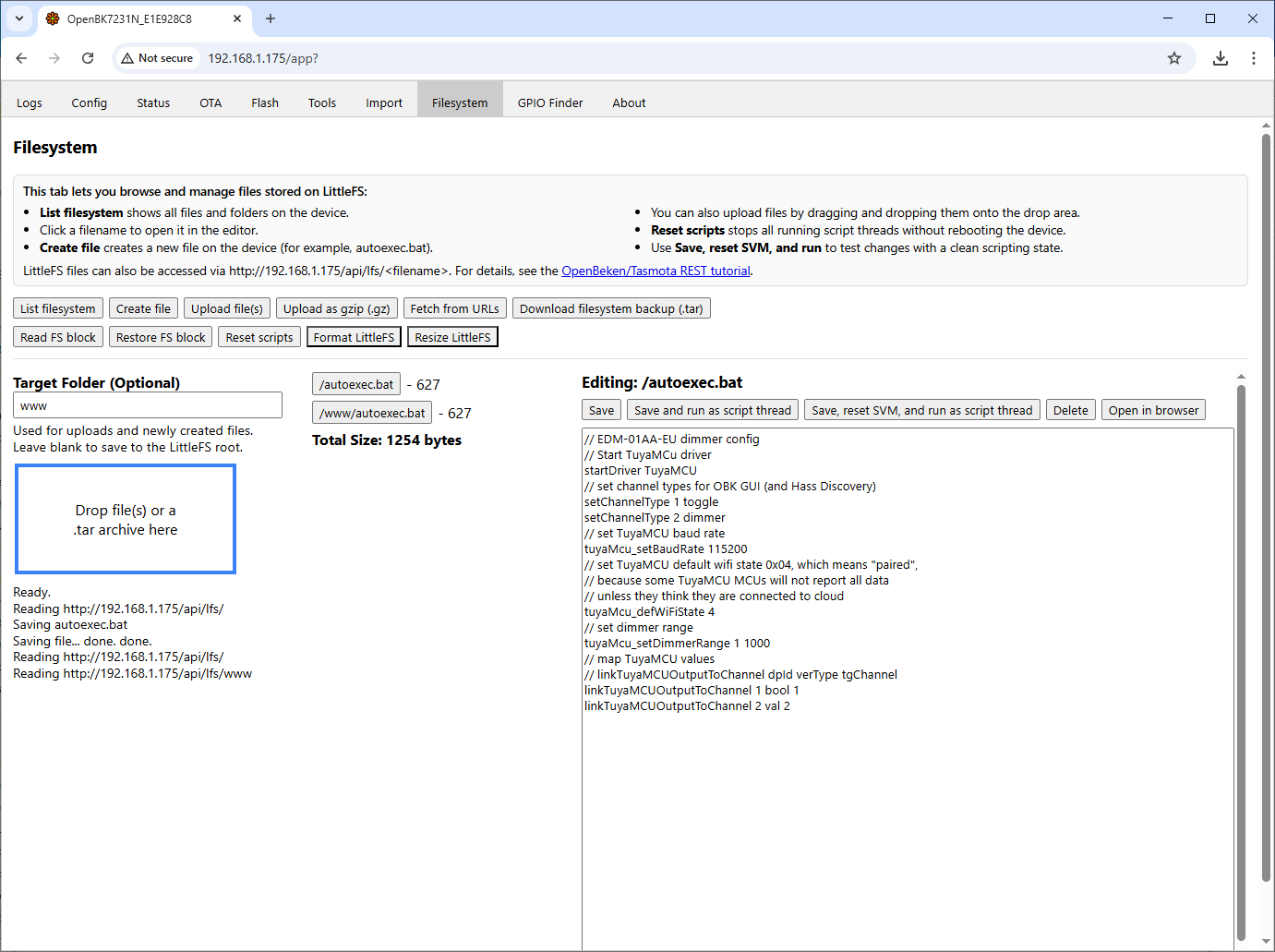
    text tweaking, spacing, label and explain target folder, use real IP in LittleFS files line

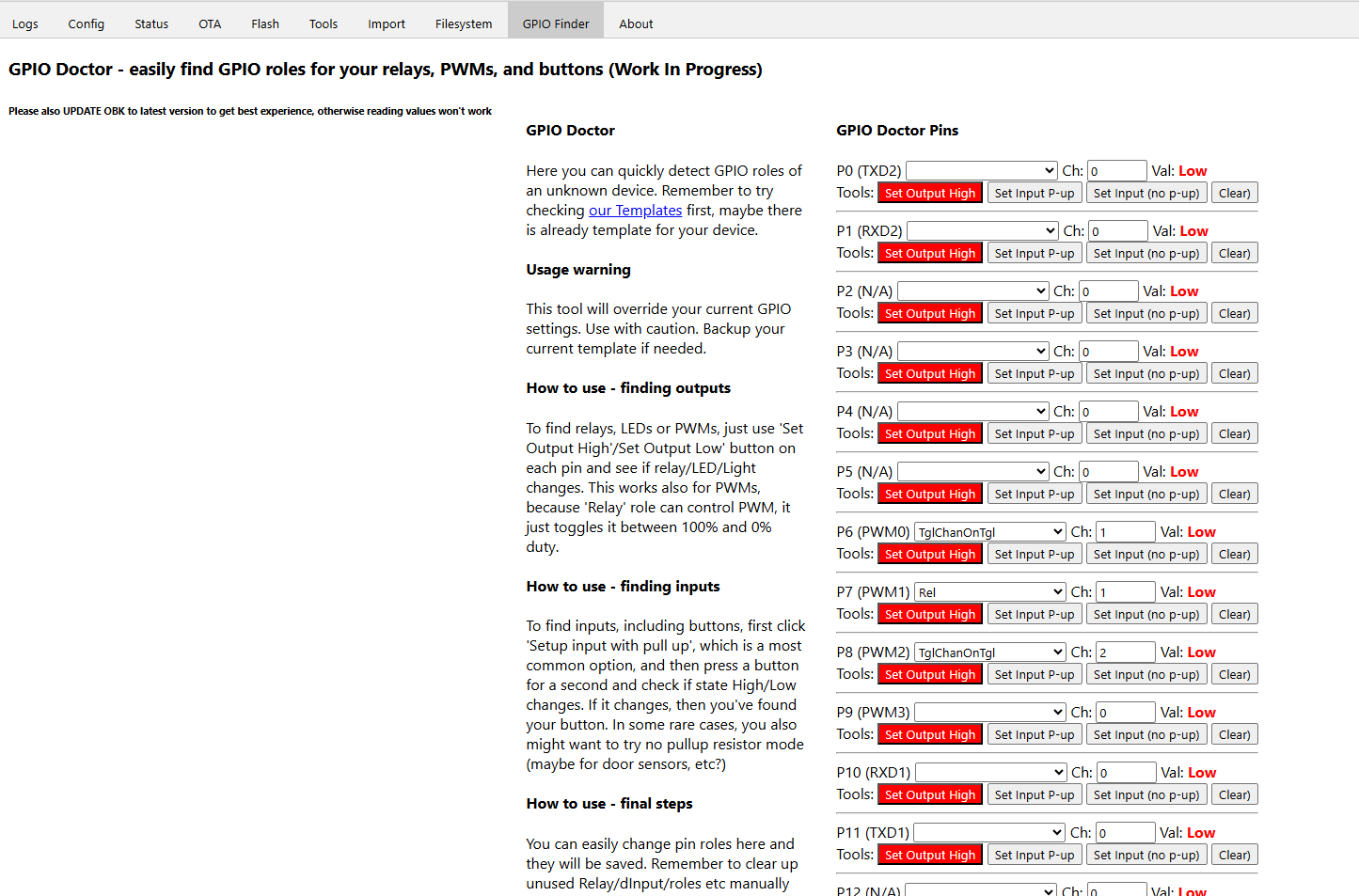
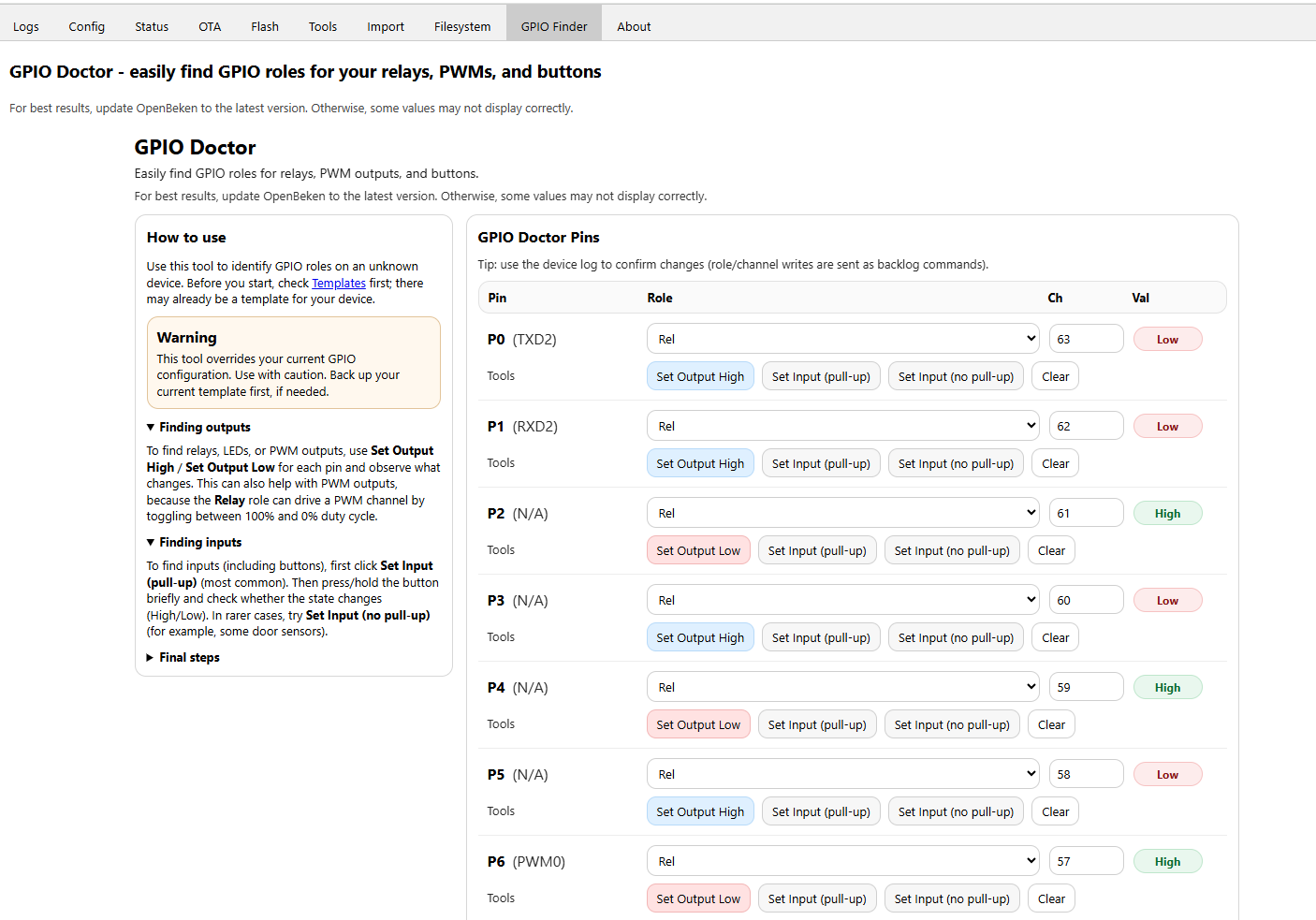
    GPIO Doctor/Finder
    Before
    Screenshot of GPIO Doctor tool showing GPIO pin settings and functions
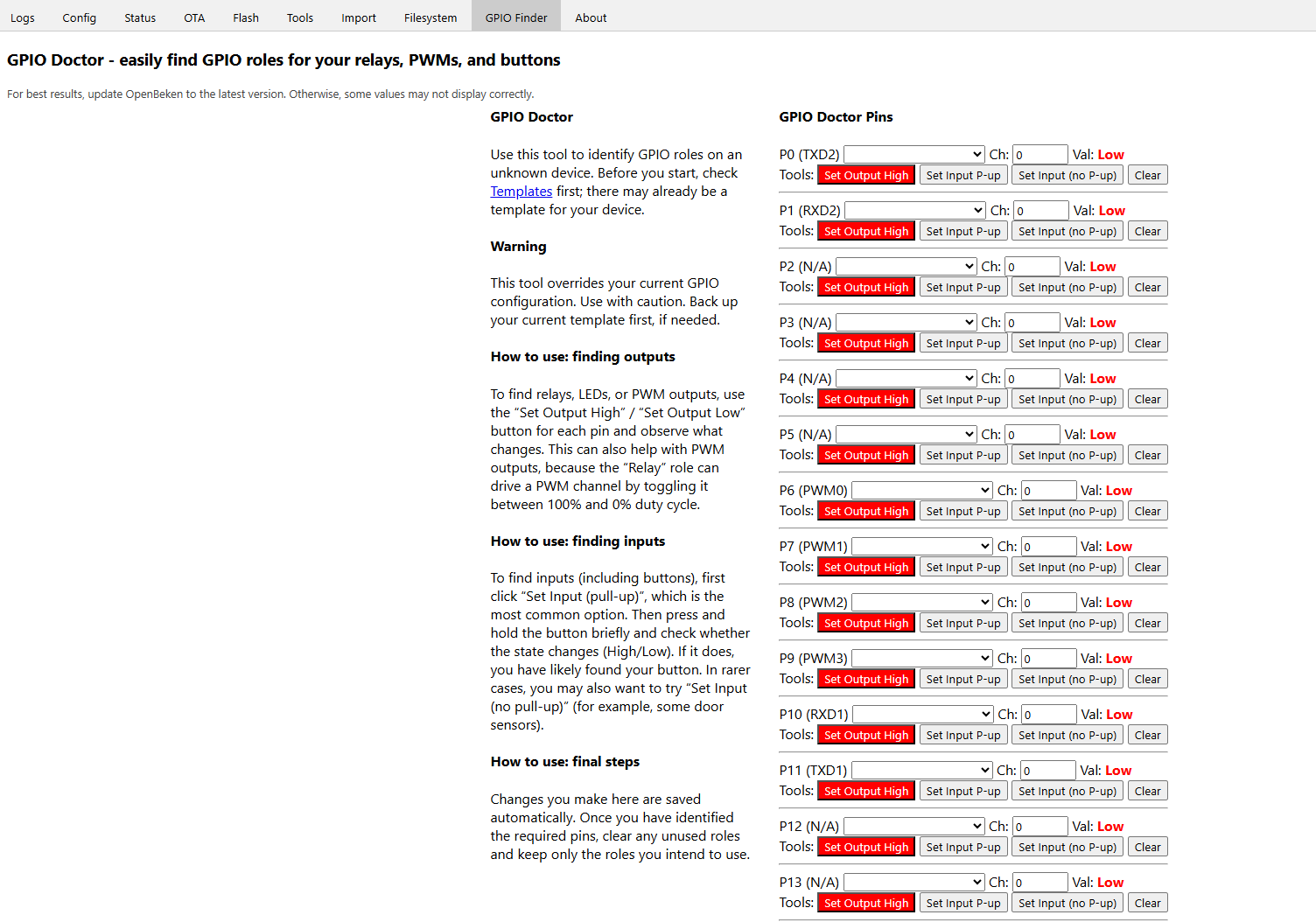
    After
    GPIO Doctor interface showing pin list with controls for input/output settings

    Text tweaking, remove ) from "Clear" buttons (would full "pull-up" and "no pull-up" be better?)
    “Clear)” button next to red text “ow”, part of a user interface

    About
    Before
    OpenBeken web interface with About tab and app description in view
    After
    About tab in OpenBekenIOT web interface with app description

    text tweaking

    https://github.com/OpenBekenIOT/webapp/pull/261

    Added after 9 [hours] 32 [minutes]:

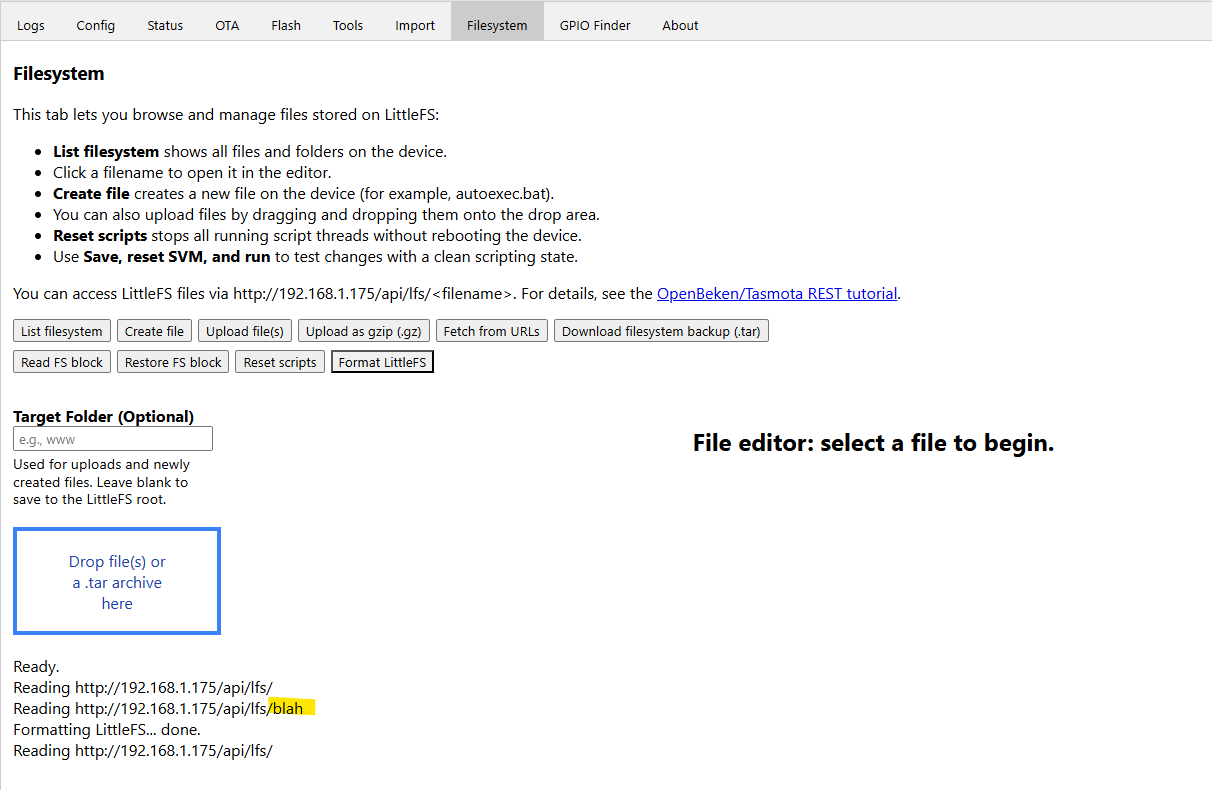
    redid spacing and order of filesystem buttons. added "Format LittleFS" - there doesn't seem to be a way to delete folders, only files.

    LittleFS file manager interface with format, upload, and editing options.

    https://github.com/OpenBekenIOT/webapp/pull/2...nges/90d6a1a0c61b5ca0d37a9637ee3a650c6d0dc663
  • #25 21821723
    divadiow
    Level 37  
    soliciting for feedback. love/hate/disagree etc
  • Helpful post
    #26 21822449
    insmod
    Level 30  
    Looks fine overall, but please rewrite filesystem header to be more compact.

    General suggestions:
    Littlefs resize function in ui
    Align gpio doctor pins like in native ui
    Align import textareas (height)
    Align channel types (config page)
    Mention BK7238 in restore rf config
  • Helpful post
    #27 21822457
    p.kaczmarek2
    Moderator Smart Home
    New "Drop file(s)" font color has worse contrast than the old one, please revert that black one.
    Helpful post? Buy me a coffee.
  • #28 21822479
    divadiow
    Level 37  
    Thanks for feedback! All good. Will make changes

    Added after 2 [hours] 54 [minutes]:

    OpenBeken filesystem interface with autoexec.bat script being edited

    LittleFS file management interface in browser with open test folder and .bat files

    View of autoexec.bat file editor in OpenBeken interface via web browser

    no resize yet

    Added after 1 [hours] 21 [minutes]:

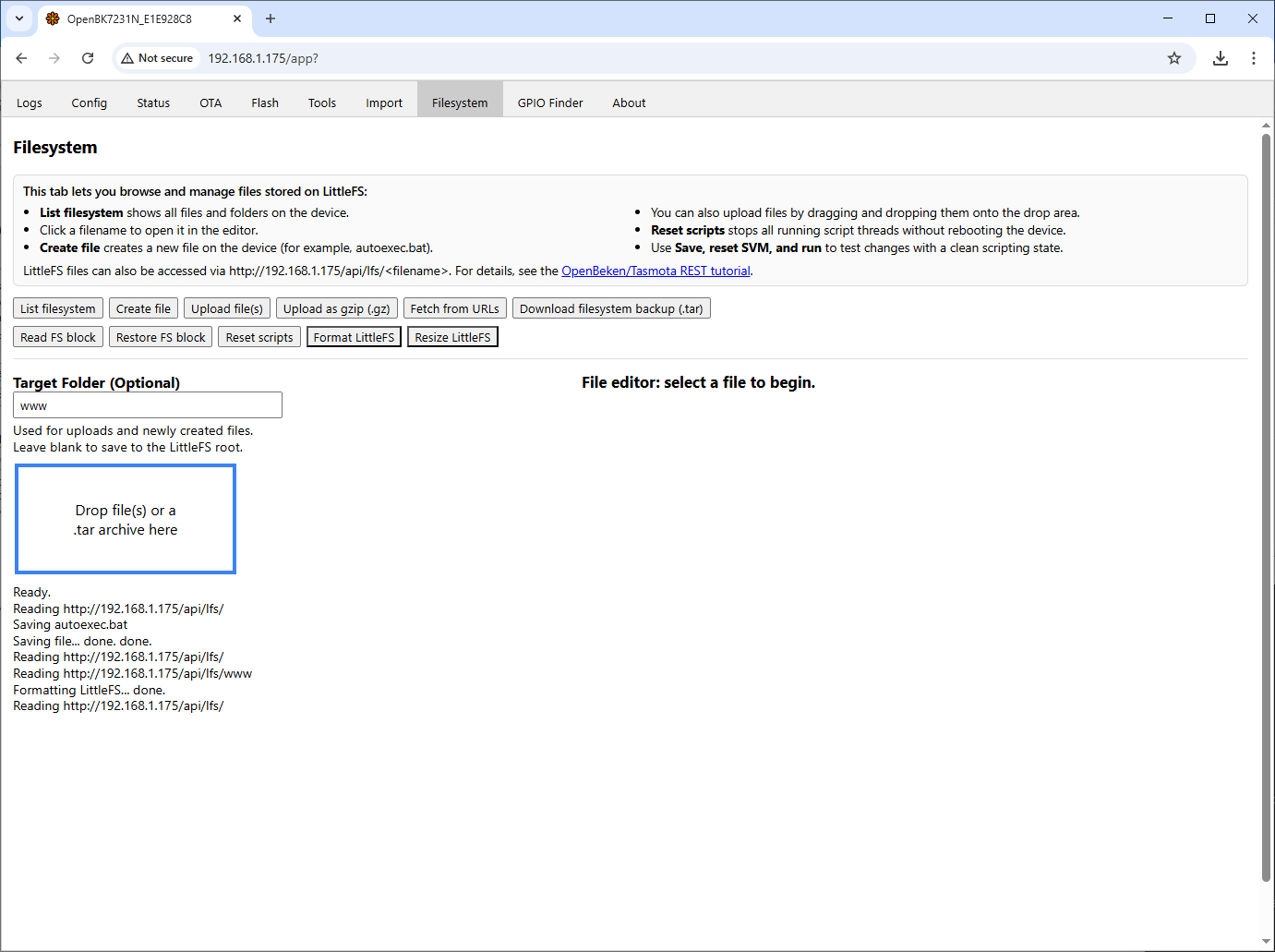
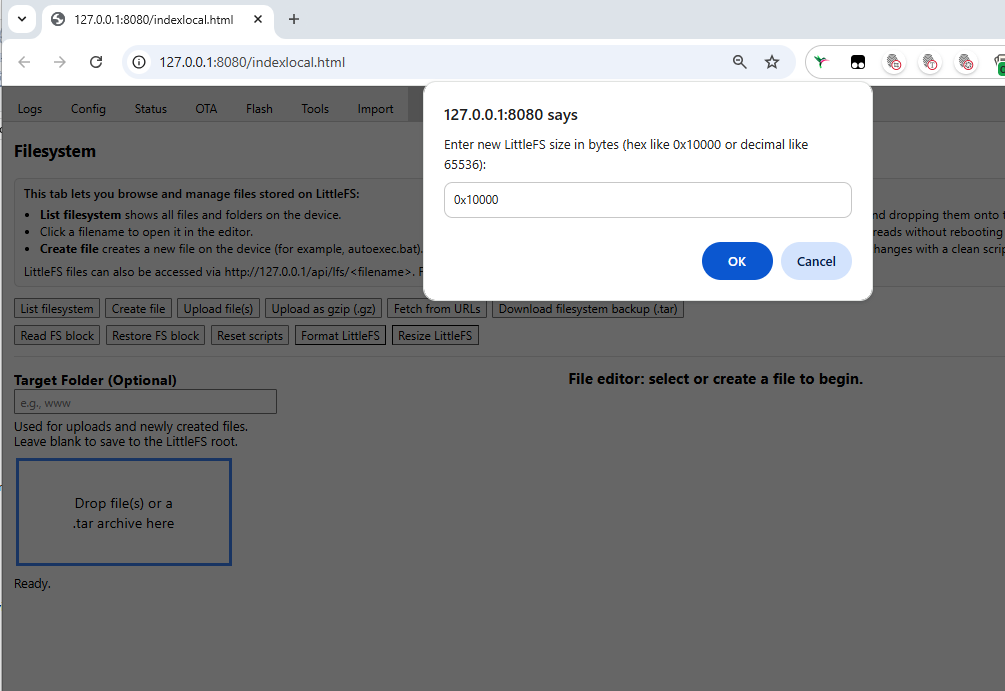
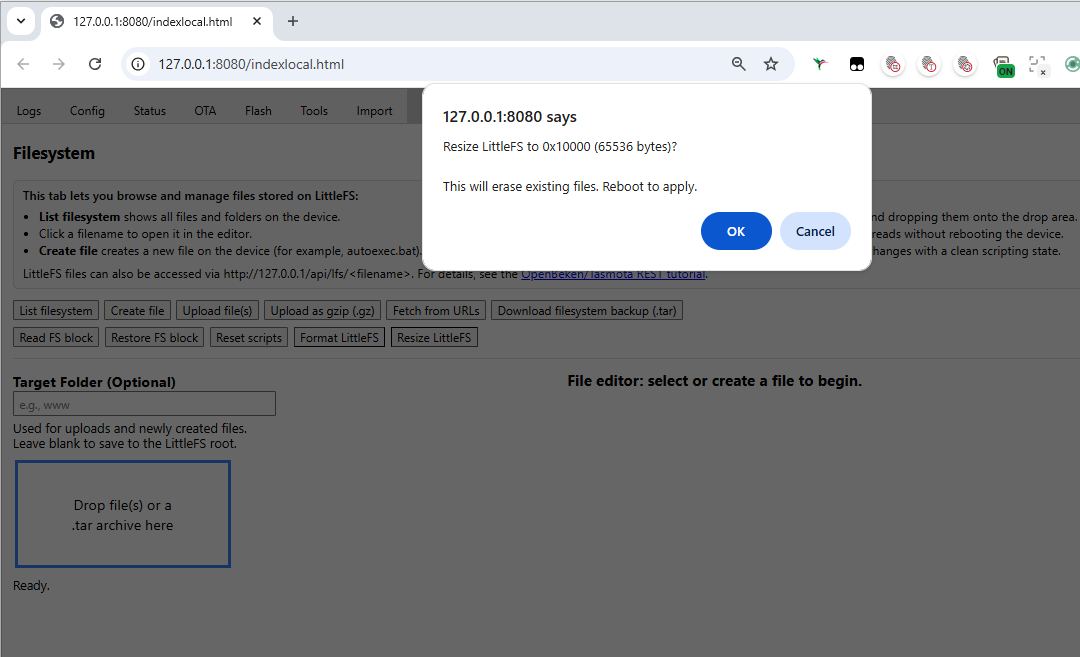
    fewer borders. add Resize LittleFS

    OpenBK interface on Filesystem tab with file drop area and action buttons visible Screenshot of LittleFS file management interface in web browser

    Browser dialog box with input for LittleFS filesystem size in bytes Confirmation popup for resizing LittleFS in web browser interface
  • #29 21822802
    p.kaczmarek2
    Moderator Smart Home
    Is this responsive? For various screen sizes.
    Helpful post? Buy me a coffee.
  • #30 21823751
    divadiow
    Level 37  
    yes. it should be more flexible. I'll capture a demonstration.

    lol, just trying things out:

    GPIO Doctor interface with pin list and configuration buttons

Topic summary

The discussion addresses inconsistencies in the status messages displayed on the Flash tab of a web application related to firmware dumping functions. Specifically, when selecting "Download Tuya GPIO Config," the app incorrectly shows "reading full dump...." followed by "Full dump ready!" which is misleading. Additionally, the "Download Custom" button lacks a completion message similar to the other buttons. Modifications to the flash.vue component were proposed and tested to improve user feedback by adjusting the status messages: changing "reading..." to "downloading..." for download buttons and ensuring all buttons provide a clear completion log. A related pull request (PR #249) on the OpenBekenIOT/webapp GitHub repository implements these improvements, enhancing clarity and consistency in the UI during firmware dump operations.


Summary generated by the language model.
ADVERTISEMENT