OpenBeken configures a TuyaMCU-free door/window sensor that uses the WiFi module’s deep sleep for battery saving.
Set the sensor pin to DoorSensorWithDeepSleep and the configuration button to button; pin-state changes wake the module to report MQTT updates.
The sleep countdown after reboot is 11 seconds, and WiFi operation draws about 50mA to 150mA.
The sensor wakes for both open and closed states, and Home Assistant discovery adds it automatically once MQTT is connected.
A limitation is startup latency: it must reconnect to WiFi and MQTT before sending status, and missing MQTT blocks sleep for up to 300 seconds.
AI summary based on the discussion. May contain errors.
I will show here the configuration and operation of the window / door opening sensor in OpenBeken , realized without TuyaMCU, i.e. based on the deep sleep of the WiFi module. The sensor implemented in this way connects to WiFi only when you need to send a state change to the MQTT server, otherwise it "falls asleep" and disconnects from the network, entering a state of very low power consumption. Only events on the pins, i.e. pressing the configuration button or changing the state of the door/window, can wake it up from this state.
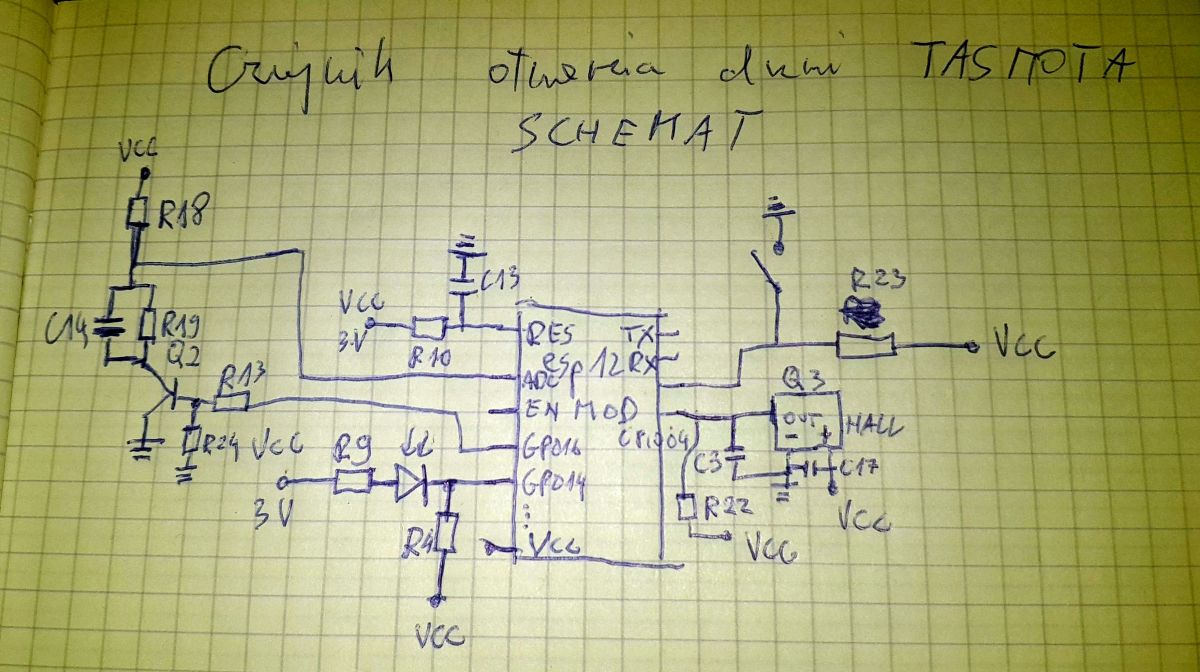
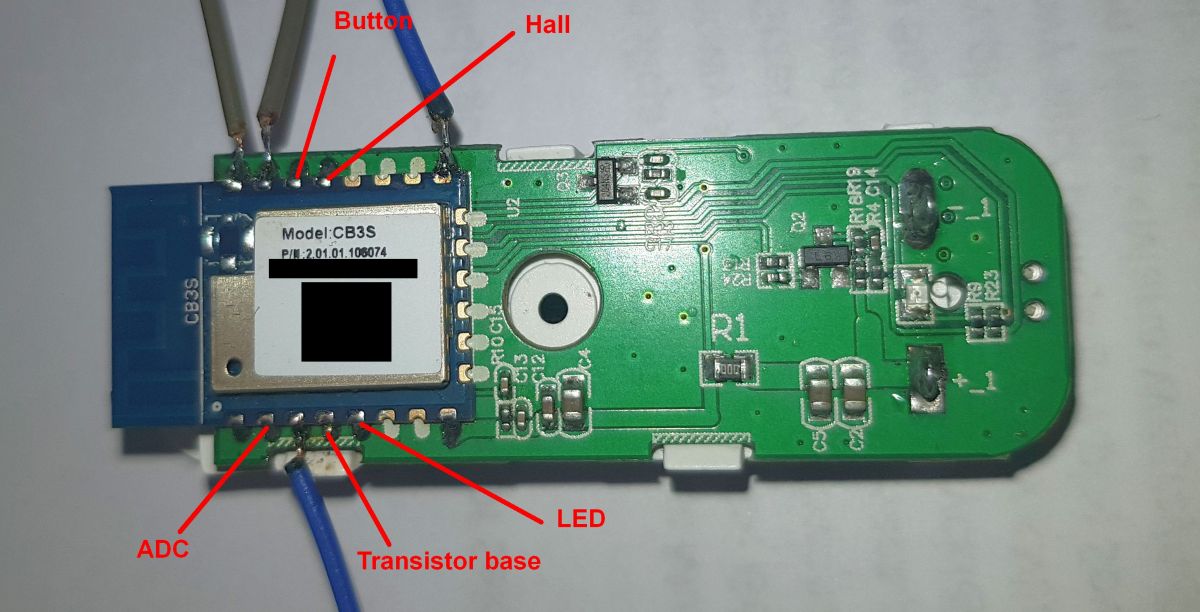
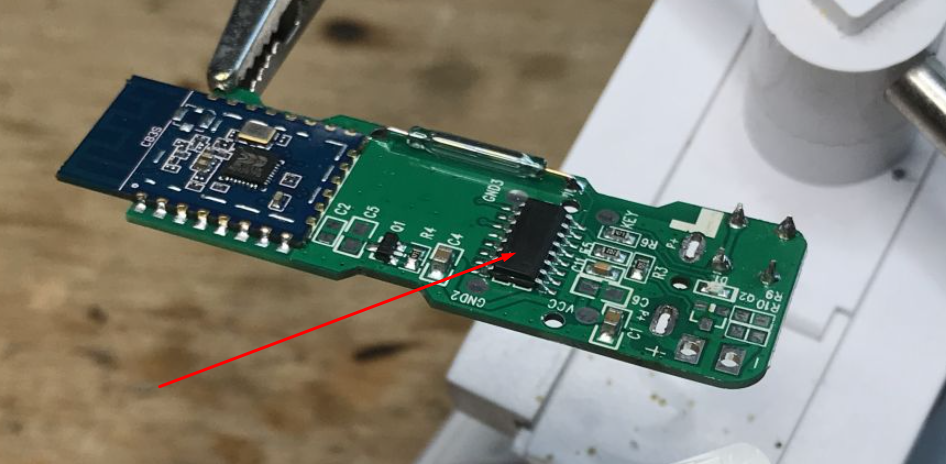
Configuration in OpenBeken The configuration here is intended for sensors of this type (photo from the user):
miroww1 wrote:
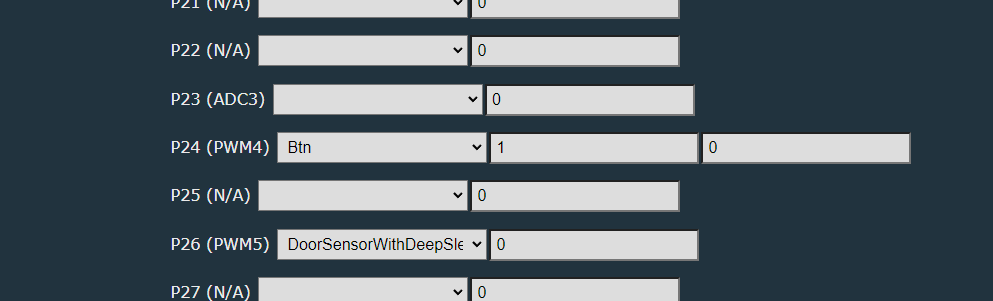
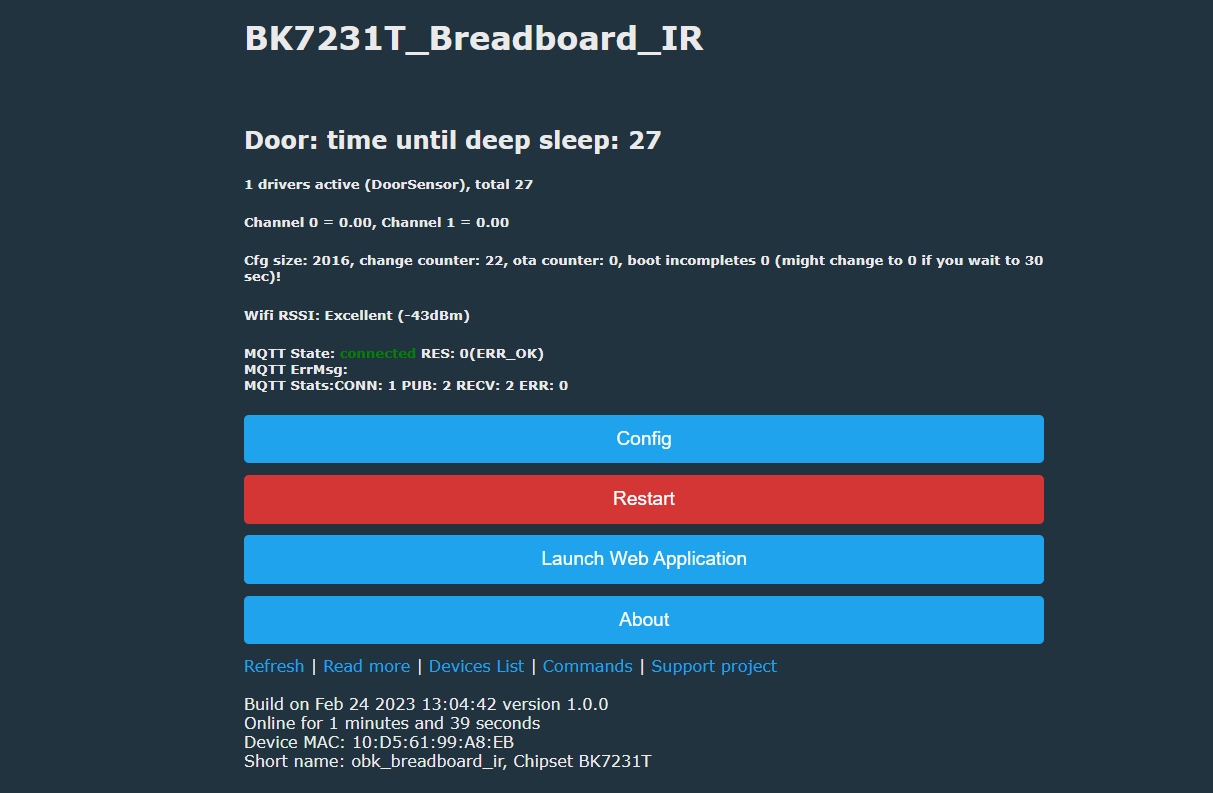
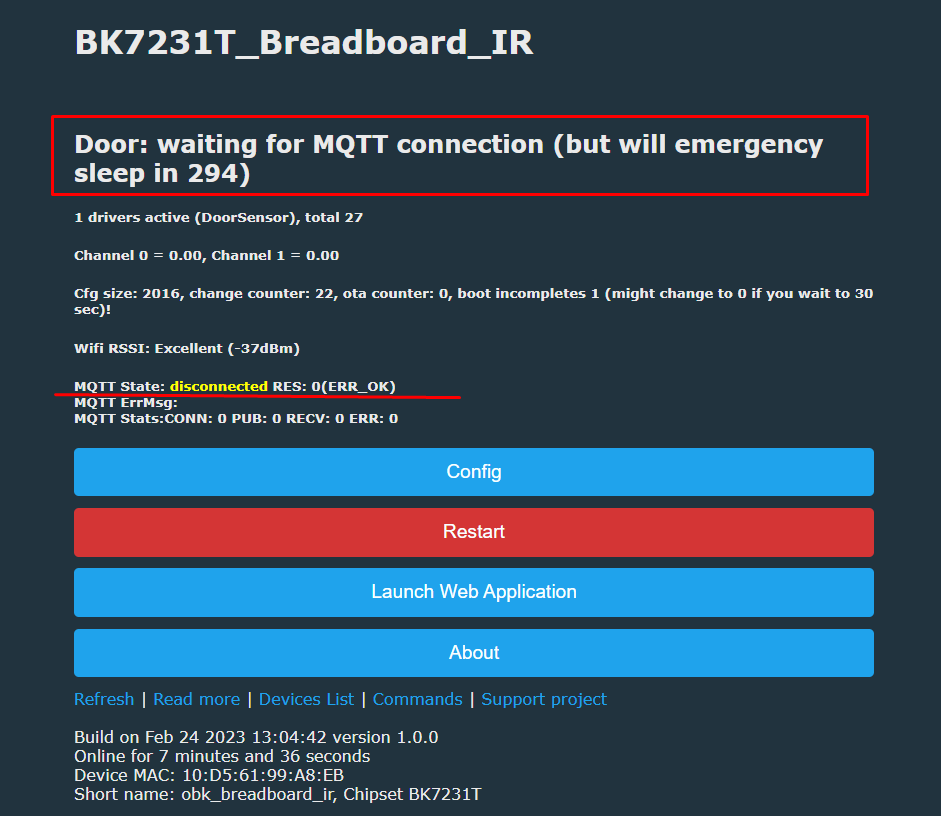
Everything is run automatically, the user only needs to set the role of the sensor pin to DoorSensorWithDeepSleep . In addition, we set the role for the configuration button button . For the door sensor, set the channel, e.g. the first one, for the button the second channel. You don't need anything else. After reboot we will see: The sensor will "go to sleep" after this time:
Changing the door state resets this time, the countdown starts again. The sensor can wake up both the change of the door status and pressing the button. Starting an OTA (WiFi update) also blocks sleep.
Lack of connection with MQTT also blocks sleep, but only for 300 seconds (the value will be changed in the configuration): The delay is to ensure that the sensor has time to report its status to the MQTT before bedtime.
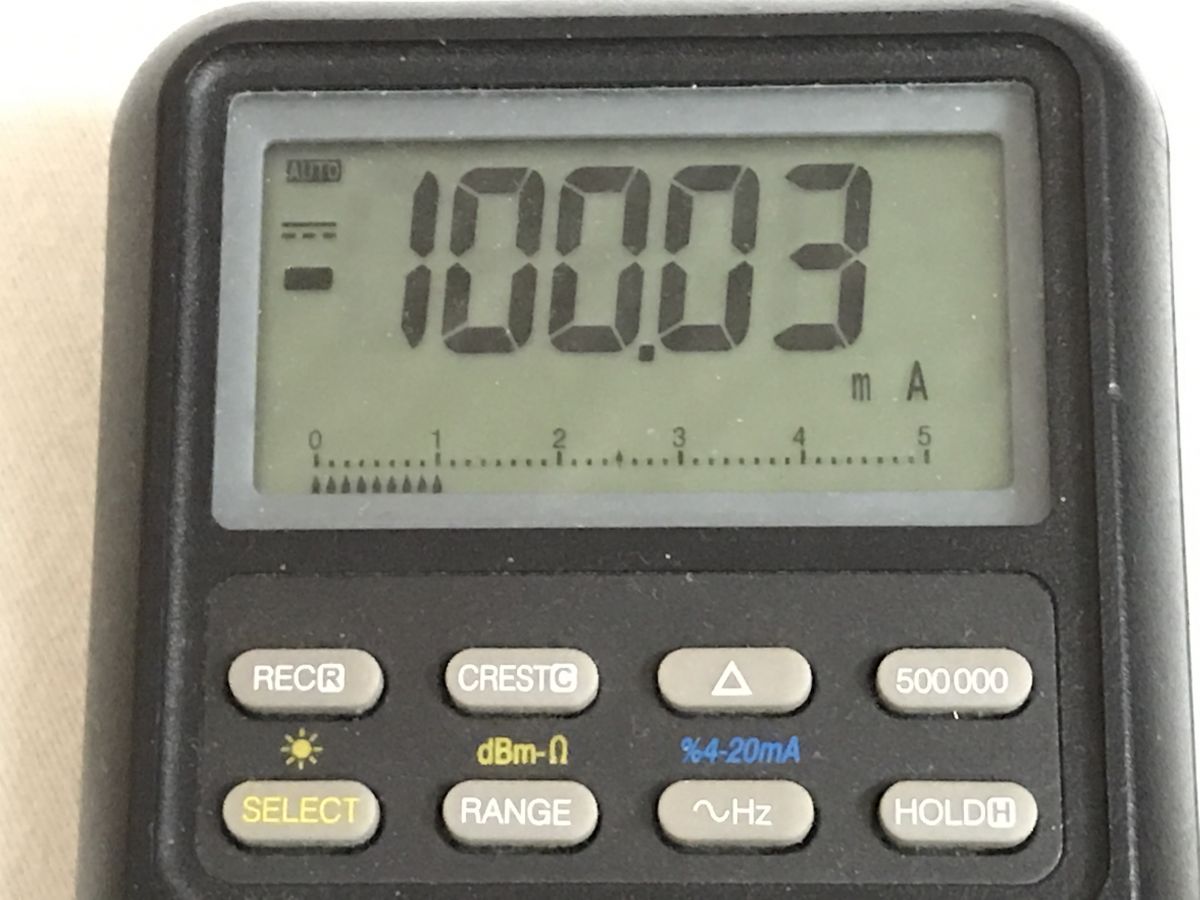
Current consumption during WiFi operation (occasionally ranges from 50mA to 150mA): Power consumption while sleeping:
Presentation of the action on the video I do not have this type of sensor, so I simulated it by connecting a switch. The video shows the WiFi module, a switch (simulating a door opening sensor), an ammeter and a telephone, where you can see how the page counts down the time until sleep is turned on. Wakeup works in both cases - both when "door is closed" and when "door is open".
The video also shows how the power consumption changes, I recommend enlarging the video.
And what does the sensor based on TuyaMCU look like? It is worth noting that the sensor based on TuyaMCU has already been described. The description is here: https://www.elektroda.com/rtvforum/topic3914412.html (English) https://www.elektroda.pl/rtvforum/topic3914412.html (Polish) Such a sensor is characterized by the presence of the MCU on the PCB: In his case, the TuyaMCU (microcontroller) handles the power supply of the WiFi module and the WiFi module is completely turned off through the transistor. He cuts off his power. This is different than the sensor from the topic. Here we see two different Tuya approaches to saving energy. One uses low power MCU and the other uses deep sleep on the WiFi module itself. Both approaches are supported by OpenBeken.
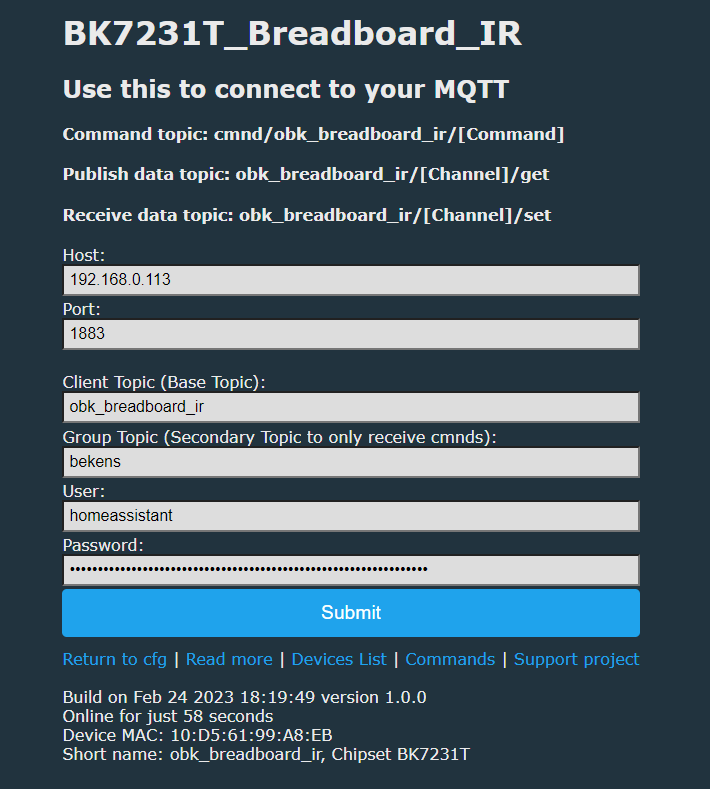
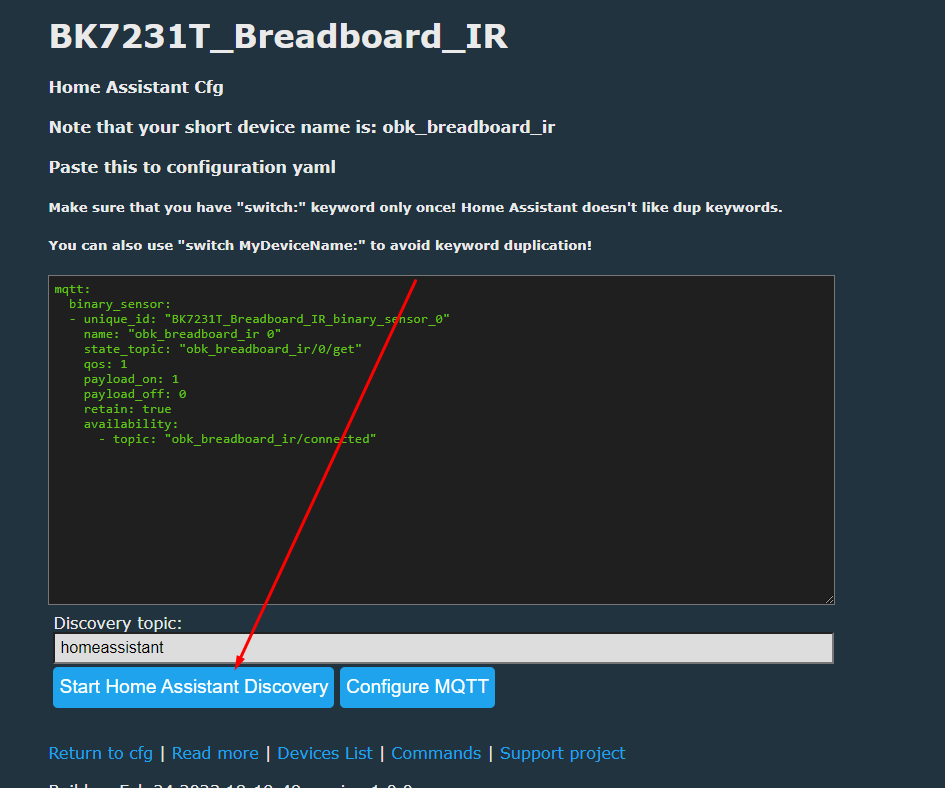
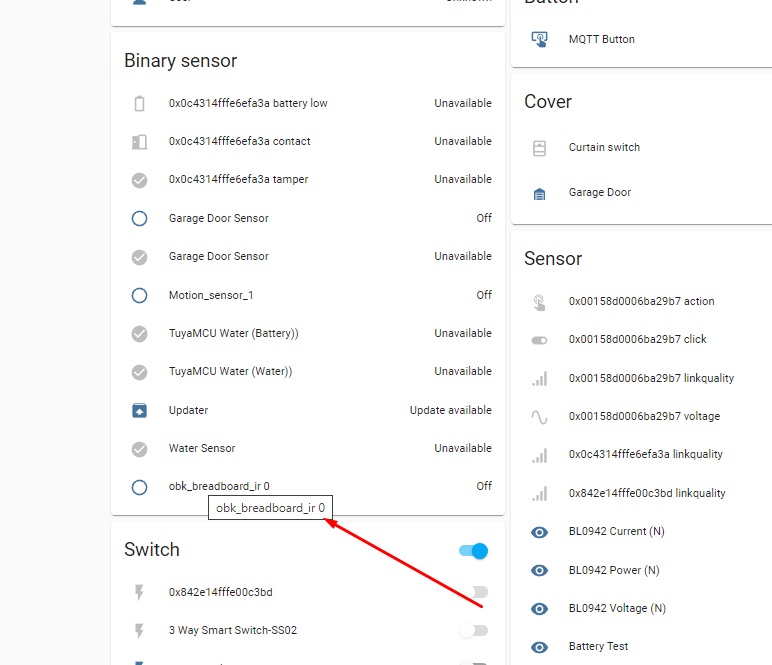
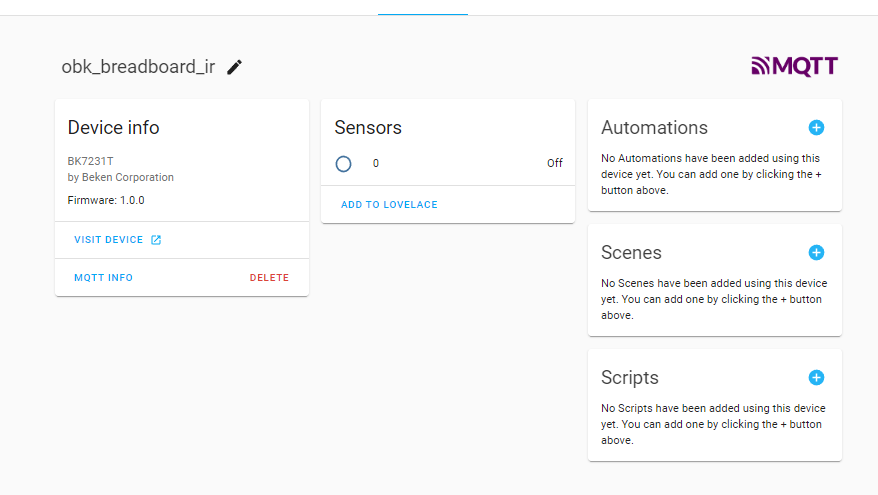
Home Assistant setup Make sure this flag is checked: Set MQTT data in Config: If the device wants to turn off during setting, then either turn off the door controller with the command stopDriver DoorSensor or simulate door opening/closing. Do a Discovery here: The device will add itself to Home Assistant if there is already an MQTT connection.
Configuration summary To sum up, to configure such a sensor you should: 1. Upload OpenBeken to it https://github.com/openshwprojects/BK7231GUIFlashTool 2. Configure WiFi and MQTT data 3. Set the Button role for the configuration button, channel 1, and the DoorSensor role for the door sensor, channel 0 (you can also try the nPup version, i.e. without the pull up resistor) 4. Perform MQTT discovery: https://www.youtube.com/watch?v=pkcspey25V4&ab_channel=Elektrodacom Ready! Now you just need to remember that if you don't want the sensor to go to sleep during configuration, you have to either change the door state, or press the button, or send it the "stopDriver DoorSensor" command.
Summary The deep sleep mode with waking up by changing the pin state is necessary in window/door opening sensors implemented without TuyaMCU. Without this mode, the battery would probably discharge in less than a day, maybe the dynamic energy saving mode (PowerSave 1 command) would help a little, but probably not much. One downside to deep sleep is that the door sensor must first connect to WiFi and MQTT before reporting its status, but I don't know what to do about that. The delay is acceptable. The configuration of such a sensor in OpenBeken is very simple, you do not need to write any scripts, and Home Assistant Discovery helps you connect it with Home Assistant just as easily. PS: The topic was created, among others. on user requests from these topics: https://www.elektroda.com/rtvforum/topic3959677.html https://www.elektroda.com/rtvforum/topic3914412-30.html#20450113
About Author
p.kaczmarek2 wrote 14743 posts with
rating 12839 , helped 659 times.
Been with us since 2014 year.
Does OpenBeken also have the mode of sending an event notification to some address via the http protocol (without MQTT)? [Read more]
p.kaczmarek2
25 Feb 2023 21:28
At the moment, OpenBeken can send a GET request to any server via HTTP, and automatic variable completion allows you to insert the values of any variables ("channels") into this GET to, for example, collect... [Read more]
krzbor
25 Feb 2023 21:40
Thanks for explanation. I knew about controlling devices with cm?cmnd=COMMAND. It's nice that there is also a reverse option, which is important, for example, in this device.
This is also a typical... [Read more]
p.kaczmarek2
25 Feb 2023 22:40
These cm?cmnd even allows you to make your own REST page to control e.g. LED:
https://obrazki.elektroda.pl/4609608800_1677360927_thumb.jpg
Temperature Control
... [Read more]
krzbor
25 Feb 2023 23:51
It's definitely worth doing the fall asleep immediately after sending (and receiving the acknowledgment). The calculations show that in the deep sleep mode the sensor can work for 16 years on batteries,... [Read more]
miroww1
28 Feb 2023 18:22
Hello
Unfortunately, I was unable to configure the sensor as described. Do I need to change the firmware?
I have version 1.15.468, Chipset BK7231N , I can't define the pin on "DoorSensorWithDeepSleep".... [Read more]
p.kaczmarek2
28 Feb 2023 18:57
@miroww1 we don't have automatic OTA update, you have to manually update it in Launch Web Application -> OTA by downloading RBL to the appropriate platform (in general, the application itself suggests... [Read more]
krzbor
28 Feb 2023 19:14
Unfortunately, I do not know what it is and what the power consumption is. In general, the energy consumption per message cycle is important. [Read more]
miroww1
28 Feb 2023 19:45
I updated the sensor to version 1.15.503, configured it, it works as you described. But I came across a serious problem, from the moment of waking up I have to wait about 16 seconds for it to send a message... [Read more]
p.kaczmarek2
28 Feb 2023 23:26
Current consumption of dynamic sleep, i.e. with us PowerSave 1 could be further reduced by configuring the network refresh rate on the router, i.e. the so-called DTIM interval.
What is DTIM interval?
... [Read more]
miroww1
01 Mar 2023 09:55
Could you tell me what firmware version I should upload [Read more]
p.kaczmarek2
01 Mar 2023 11:10
The latest version, whenever I write about the fact that I am sharing a modification, then it is available from the next Release on Github.
https://github.com/openshwprojects/OpenBK7231T_App/releases
... [Read more]
miroww1
01 Mar 2023 19:50
I uploaded version 1.15.517 to the sensor, unfortunately the situation worsened from the moment of waking up, I have to wait about 33s. to send the mqtt message. In addition, after sleep, the sensor in... [Read more]
p.kaczmarek2
02 Mar 2023 08:39
It's a bit strange that now it's slower for you, because nothing has been changed except waiting 5 seconds to connect to WiFi and as I tested, it connected very quickly for me. Are there any errors... [Read more]
ACCel
02 Mar 2023 12:15
And what about monitoring the operation of such a sensor? Shouldn't it, for example, send a status that it works from time to time? [Read more]
p.kaczmarek2
02 Mar 2023 12:51
At the moment, there is no such thing implemented, although it could be considered. Only as I wrote - in HA the sensor will not disappear until Yaml / discovery has an "availability topic", our HA discovery... [Read more]
miroww1
02 Mar 2023 19:09
"During flashing, did you use the "Erase all" option and then "Restore RF partition"? Do you have the factory RF calibration saved?"
I am programming the sensor using Launch Web Application - OTA. I... [Read more]
p.kaczmarek2
02 Mar 2023 19:21
As long as you didn't break anything (i.e. didn't overwrite flash and didn't erase all), it's ok.
Check the latest version. Other testers say it's ok:
https://obrazki.elektroda.pl/6593851600_1677781289_thumb.jpg... [Read more]
miroww1
02 Mar 2023 20:32
I made some more tests, the results are as follows:
- from waking up after 9 sec. I received information in the router about assigning an IP address (unfortunately, I can't connect to realterm)
... [Read more]
FAQ
TL;DR: Deep-sleep BK7231N door sensors can run >16 years on a CR2032 (“600 notifications vs 5 years at 2 s wake”, [Elektroda, krzbor, post #20458745]) and reconnect to MQTT in “about 4 s” with Fast-Connect enabled [Elektroda, p.kaczmarek2, post #20465020] Why it matters: matching sleep time, static IP and battery calibration maximises life and avoids missed door events.
Since v1.17.5xx PinDeepSleep accepts an optional wake timer. PinDeepSleep 600 sleeps until door/button interrupt OR 10 min timer fires—ideal for health pings [Elektroda, p.kaczmarek2, post #21000124]
My sensor needs 20 s to report after wake-up. How can I speed it up?
Yes. Use SendGET in autoexec, e.g. SendGET http://server/ip?door=$CH0&bat=$batteryLevel. OBK supports variable substitution for any channel or $rebootReason[Elektroda, p.kaczmarek2, post #20951901]
Why does my MAC show 00:00:00 and Wi-Fi range is poor?
The RF-cal partition was erased during flashing. Re-flash original Tuya image or use “Restore RF partition” in the flasher; otherwise TX power drops and range halves [Elektroda, p.kaczmarek2, post #20467352]
Battery shows 120 %. How do I calibrate it?
Execute Battery_Setup <max_mV> <min_mV> <coeff>; typical CR2032 values are 3000 2200 1.0. Adjust until $batteryLevel reads 100 % at 3.0 V and 0 % near 2.2 V [Elektroda, p.kaczmarek2, post #20996514]
Edge case: opening and closing within 2 s isn’t reported—how to fix?
Store the first pin state at boot, then compare after Wi-Fi up. Example snippet:
setChannel 5 $CH0
waitFor WiFiState 4
if $CH5!=$CH0 then backlog SendGET ...; delay_s 2
No. Each sensor sends ≈0.5 kB per event; even 50 sensors total <25 kB/day. Ensure ≤10 m distance or add AP; lost RF-cal increases retries [Elektroda, Mad_Maxs, post #20973013]
How to restore a wiped device quickly?
3-step How-To:
Hold button, power cycle → enters OpenBeken recovery.
From WebApp choose OTA → select latest release.
Reboot, run resetConfiguration to load template, then startDriver DoorSensor.
AI summary based on the discussion. May contain errors.











Comments
Does OpenBeken also have the mode of sending an event notification to some address via the http protocol (without MQTT)? [Read more]
At the moment, OpenBeken can send a GET request to any server via HTTP, and automatic variable completion allows you to insert the values of any variables ("channels") into this GET to, for example, collect... [Read more]
Thanks for explanation. I knew about controlling devices with cm?cmnd=COMMAND. It's nice that there is also a reverse option, which is important, for example, in this device. This is also a typical... [Read more]
These cm?cmnd even allows you to make your own REST page to control e.g. LED: https://obrazki.elektroda.pl/4609608800_1677360927_thumb.jpg Temperature Control ... [Read more]
It's definitely worth doing the fall asleep immediately after sending (and receiving the acknowledgment). The calculations show that in the deep sleep mode the sensor can work for 16 years on batteries,... [Read more]
Hello Unfortunately, I was unable to configure the sensor as described. Do I need to change the firmware? I have version 1.15.468, Chipset BK7231N , I can't define the pin on "DoorSensorWithDeepSleep".... [Read more]
@miroww1 we don't have automatic OTA update, you have to manually update it in Launch Web Application -> OTA by downloading RBL to the appropriate platform (in general, the application itself suggests... [Read more]
Unfortunately, I do not know what it is and what the power consumption is. In general, the energy consumption per message cycle is important. [Read more]
I updated the sensor to version 1.15.503, configured it, it works as you described. But I came across a serious problem, from the moment of waking up I have to wait about 16 seconds for it to send a message... [Read more]
Current consumption of dynamic sleep, i.e. with us PowerSave 1 could be further reduced by configuring the network refresh rate on the router, i.e. the so-called DTIM interval. What is DTIM interval? ... [Read more]
Could you tell me what firmware version I should upload [Read more]
The latest version, whenever I write about the fact that I am sharing a modification, then it is available from the next Release on Github. https://github.com/openshwprojects/OpenBK7231T_App/releases ... [Read more]
I uploaded version 1.15.517 to the sensor, unfortunately the situation worsened from the moment of waking up, I have to wait about 33s. to send the mqtt message. In addition, after sleep, the sensor in... [Read more]
It's a bit strange that now it's slower for you, because nothing has been changed except waiting 5 seconds to connect to WiFi and as I tested, it connected very quickly for me. Are there any errors... [Read more]
And what about monitoring the operation of such a sensor? Shouldn't it, for example, send a status that it works from time to time? [Read more]
At the moment, there is no such thing implemented, although it could be considered. Only as I wrote - in HA the sensor will not disappear until Yaml / discovery has an "availability topic", our HA discovery... [Read more]
"During flashing, did you use the "Erase all" option and then "Restore RF partition"? Do you have the factory RF calibration saved?" I am programming the sensor using Launch Web Application - OTA. I... [Read more]
As long as you didn't break anything (i.e. didn't overwrite flash and didn't erase all), it's ok. Check the latest version. Other testers say it's ok: https://obrazki.elektroda.pl/6593851600_1677781289_thumb.jpg... [Read more]
I made some more tests, the results are as follows: - from waking up after 9 sec. I received information in the router about assigning an IP address (unfortunately, I can't connect to realterm) ... [Read more]