logo elektroda
logo elektroda
X
logo elektroda

[LN882H] [WL2S] Elivco 20A BSD34 EU Power Monitoring Plug [BL0937]

divadiow  38 11856 Cool? (+3)
📢 Listen (AI):

TL;DR

  • Teardown and OpenBeken flashing of an Elivco/BSD34 20A EU smart plug using a WL2S module with Lightning Semiconductor LN882H and BL0937 power monitoring.
  • The WL2S module was desoldered, the A9/BOOT pad grounded to enter BOOT mode, the factory firmware dumped, then OpenLN882H UART firmware downloaded and the module resoldered.
  • A modified LN882H_Flash_Dumper capped the dump at 0x00200000, and the slow read took about 30-40 minutes.
  • OBK found A0 for the red LED, A3 for the button, A10 for the blue LED, and A11 for the relay; the plug worked, but BL0937 support was still nonfunctional.
Generated by the language model.
Hello

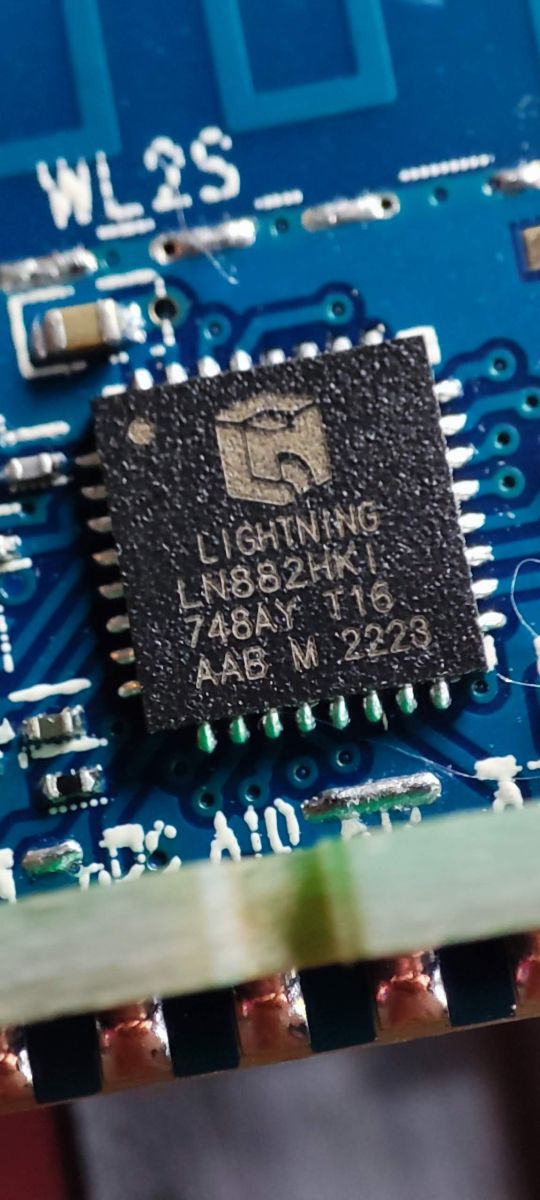
I present my efforts with an Elivco 20A smart plug with power monitoring features. I first saw this variant in this thread here when sithyoda posted about a new Tuya module, the WL2S, which uses a Lightning Semiconductor LN882HKI chip. Fast-forward a few weeks and OpenBeken was developed to run on the LN882H chips thanks to the hard work of several posters in that thread. @pkaczmarek2 has now posted a LN882H flashing guide here.

Other LN882H based modules and devices are being seen, including the usual 16A DIY mini switches of the Cozylife flavour.

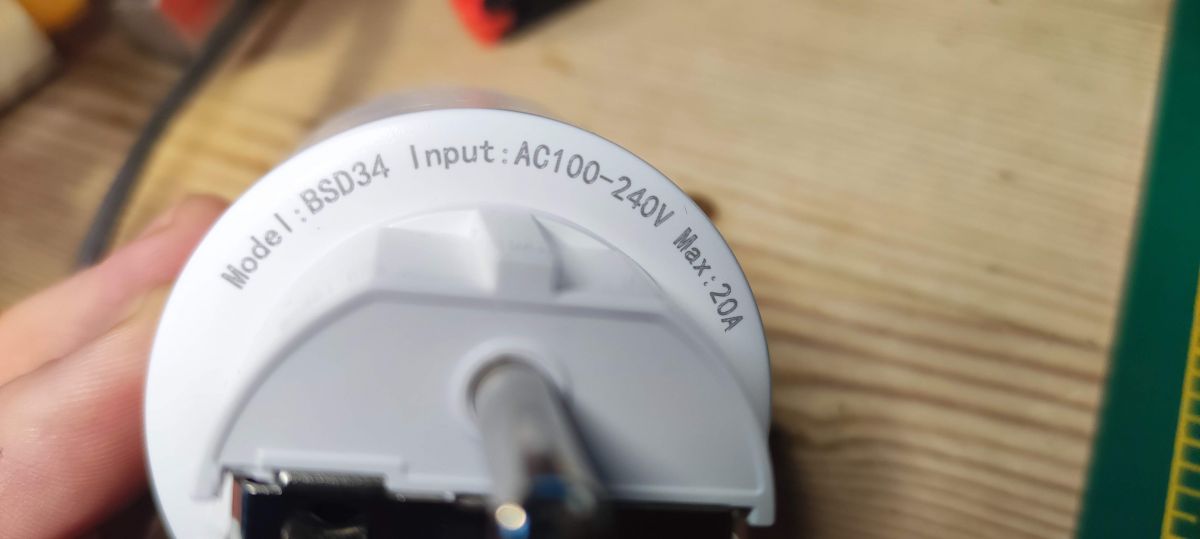
This smart plug is not labelled as Elivco or LSPA9, as seen on @sithyoda's original post, but is instead marked as a BSD34, which is also seen here using a CB2S module and branded as Ledlux. It's also been seen with an ESP module in the past.

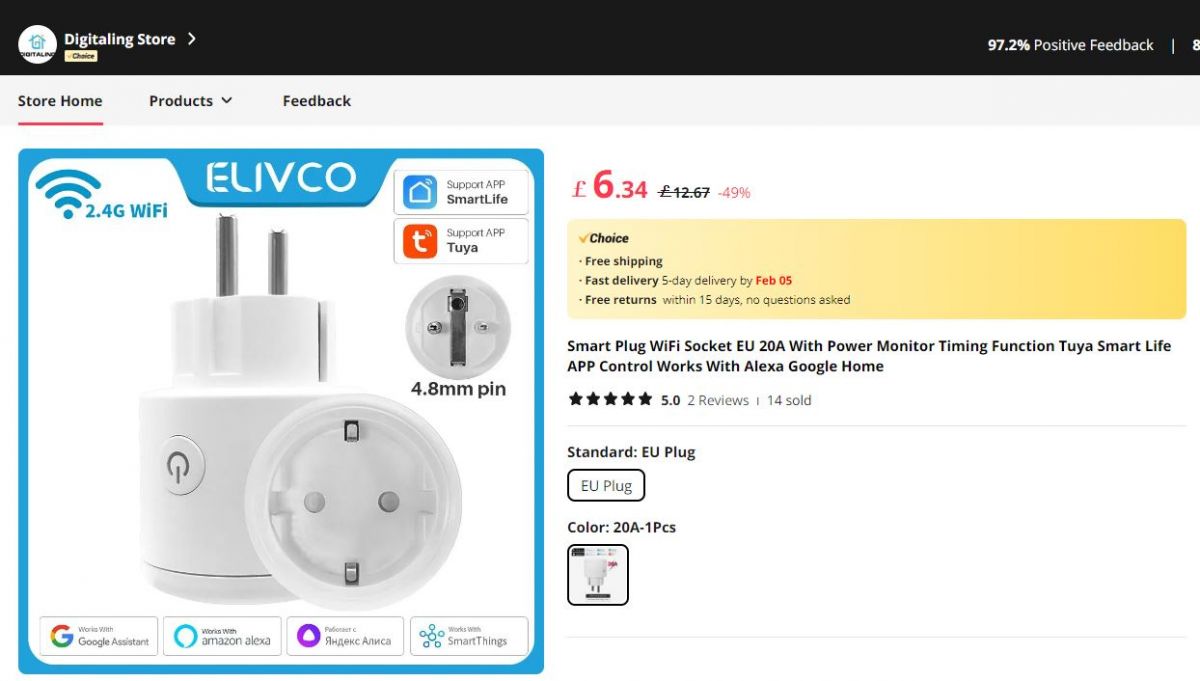
As with most of my toys, this was purchased from Ali Express, specifically from the Digitaling store.

Screenshot from an online store showing the Elivco EU 20A smart plug with power monitoring capability.

I live in the UK, so have no immediate use for an EU plug, but I was intrigued to get my own WL2S to open and flash with OpenBK.

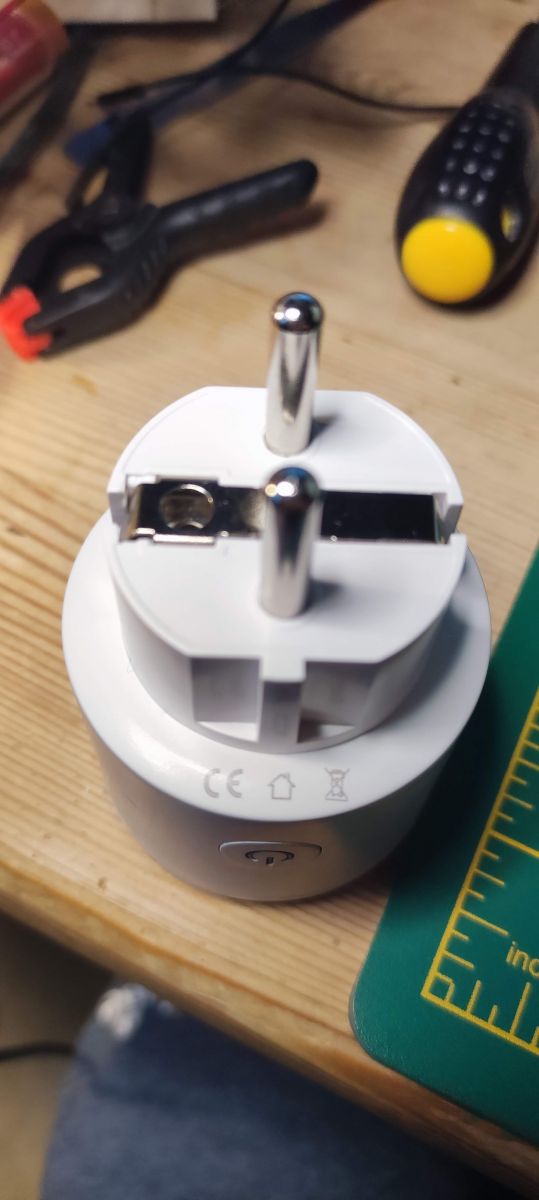
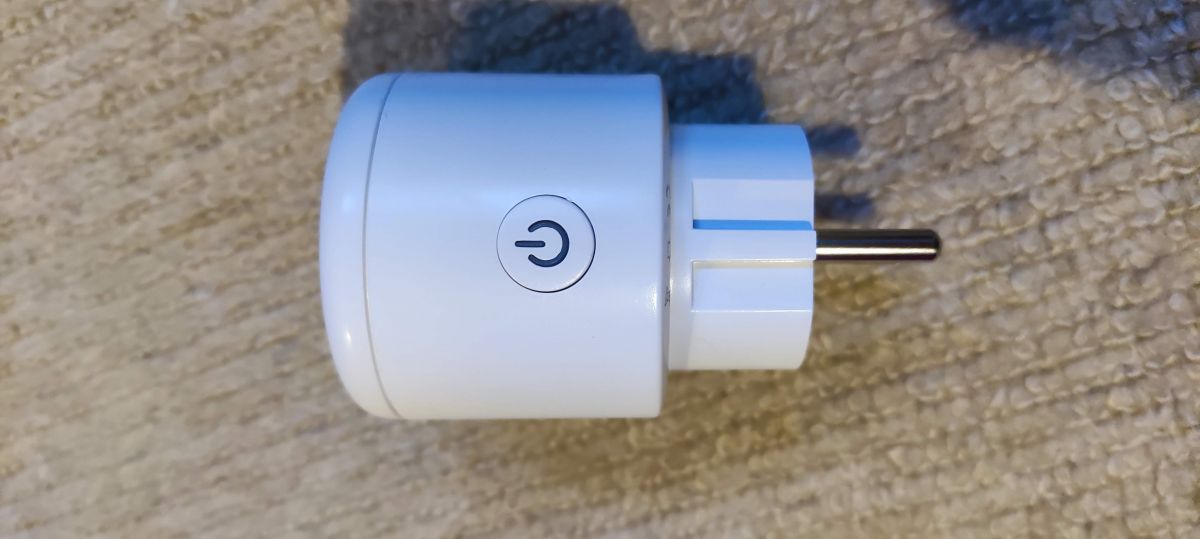
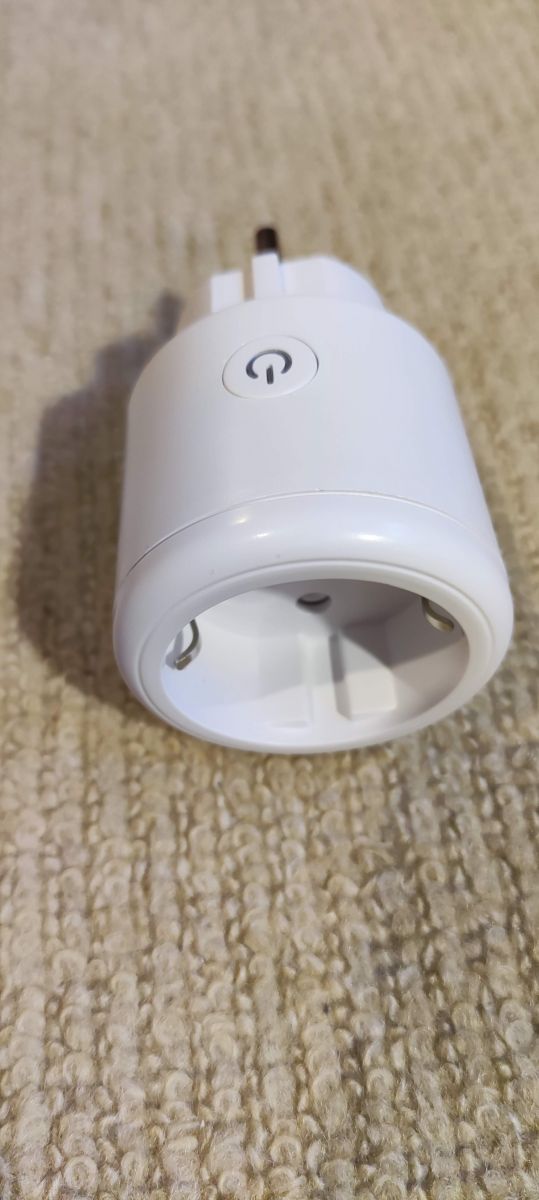
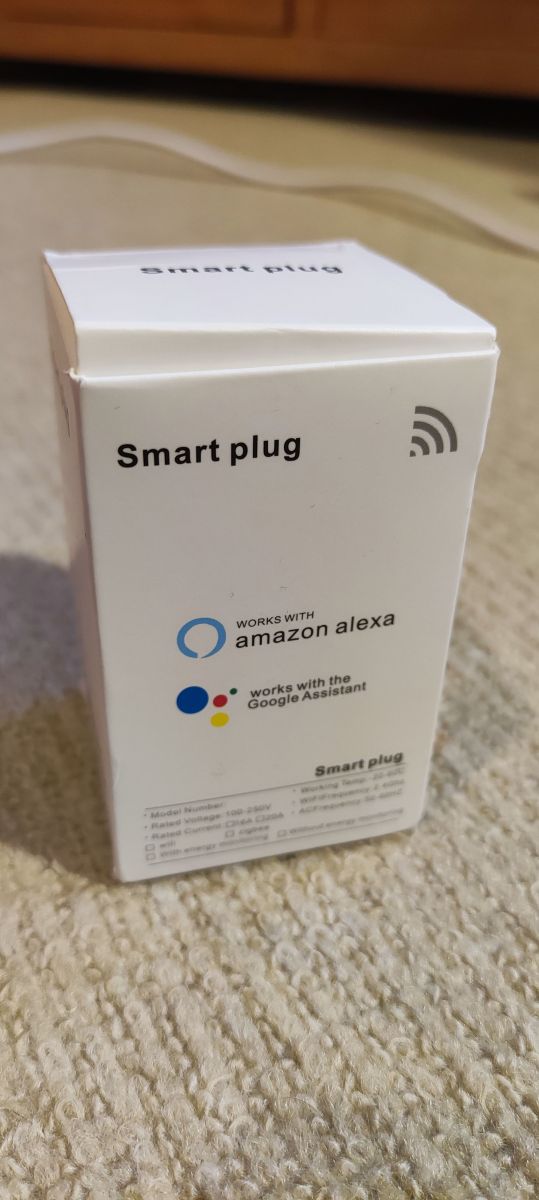
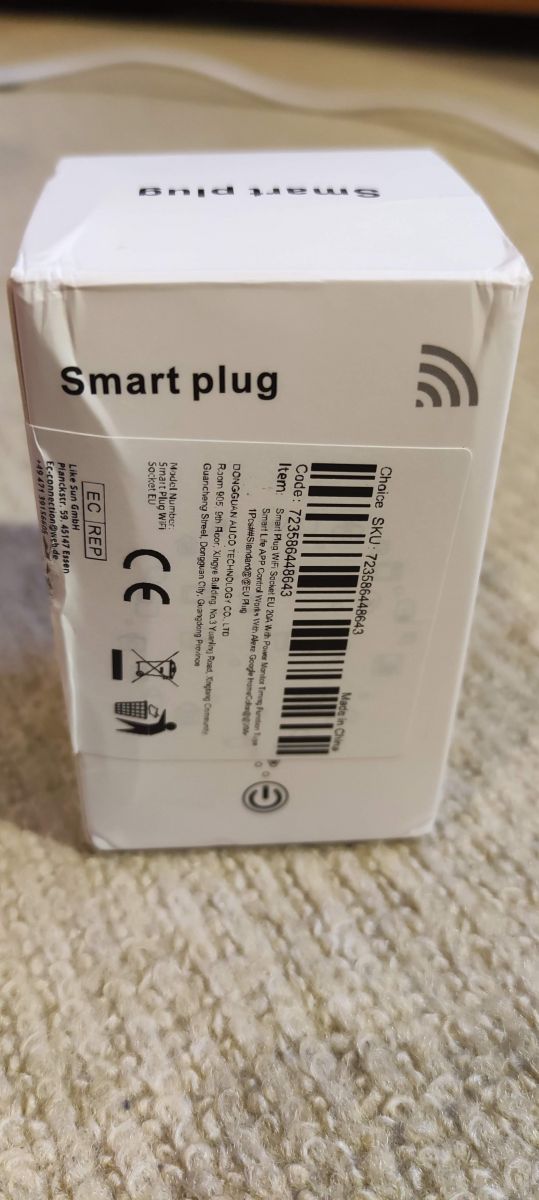
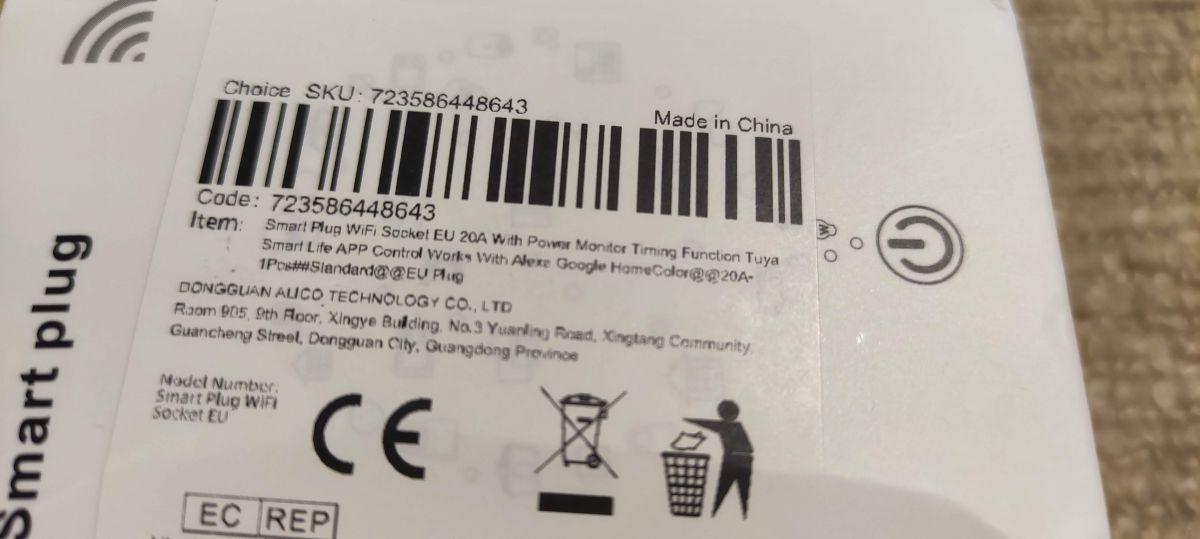
External pics of the unit and packaging received 5 days after the order was placed:
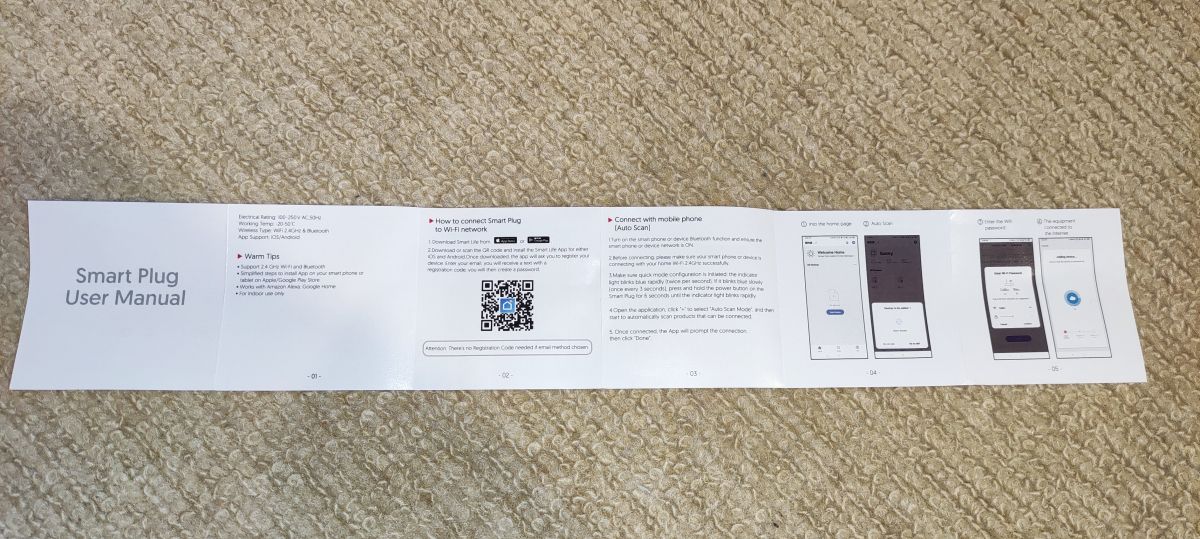
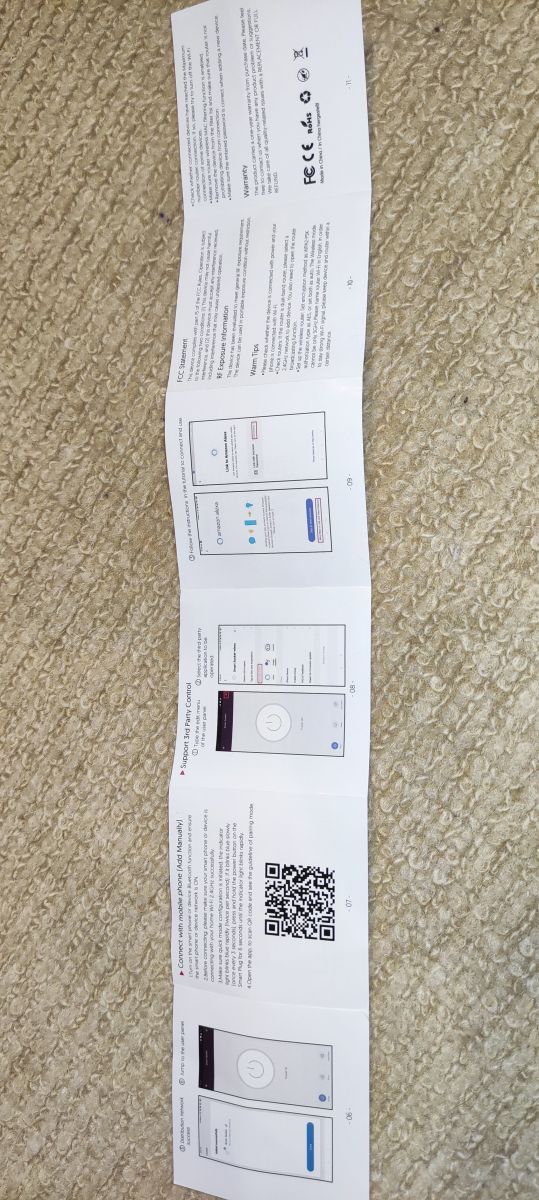
White smart plug with two pins. Close-up view of a smart plug labeled as model BSD34. White smart plug with a power button on the housing White smart plug with a power button on a smooth background. Smart plug box supporting Amazon Alexa and Google Assistant. Packaging of Elivco BSD34 smart plug. Smart plug packaging with barcode and product details. Smart Plug user manual. User manual for Elivco smart plug with power monitoring.

From teardowns in other posts, and by visual inspection, it was obvious where the unit would open up, -where the unit was glued/clipped along the top rim. Not happy with how some of the UK plug I've had to open have turned out, all gnarled up and battered, I sought a better, less destructive way. Maybe EU plugs are generally easier anyway, but this method was excellent for opening


.

The casing is a little different and I don't have F clamps, but I did use G-clamps and a bit of targeted force. Position the clamps just below the joining line then tighten until you hear the glue cracking - then loosen and move to a slightly new place and tighten again. Quite quickly the unit broke open without damage. With the top loose only the earth wire keeps the two sections joined.

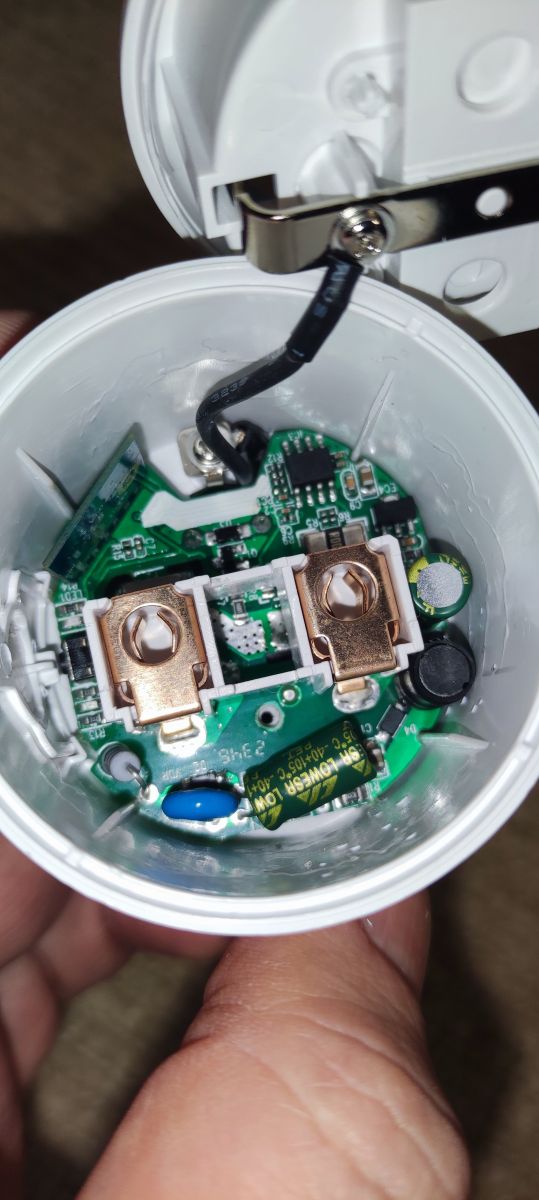
Interior of Elivco 20A smart plug with LN882 chip.

Unscrewing fully the single screw on the PCB allowed me to push the two power prongs up and out of the case. I had to loosen the earth screw slightly to move the connector round a bit to allow the PCB to slide out.

Now that it's free I can photograph the internals:

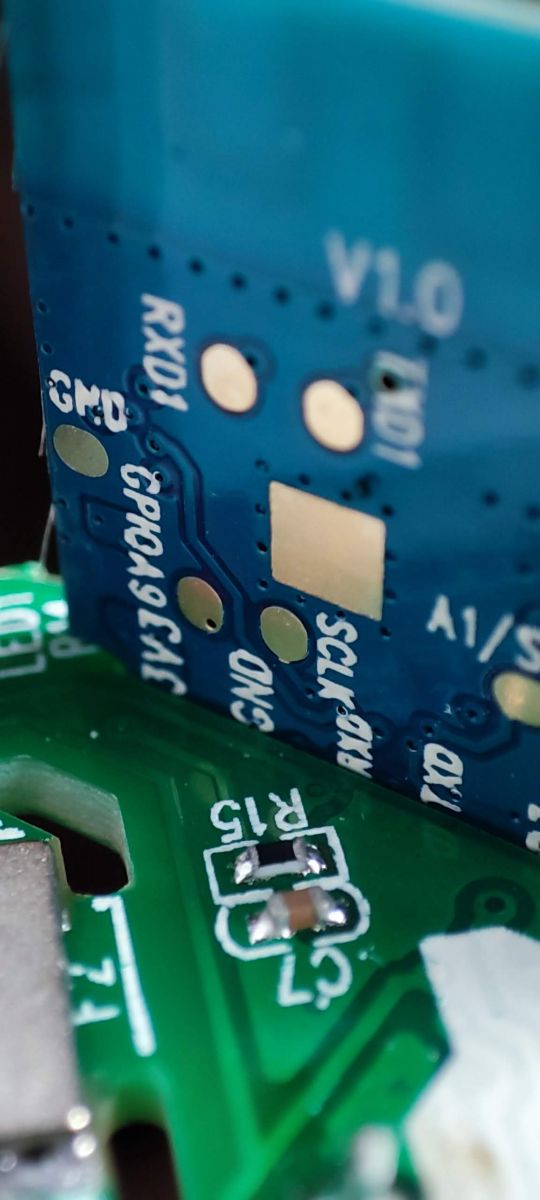
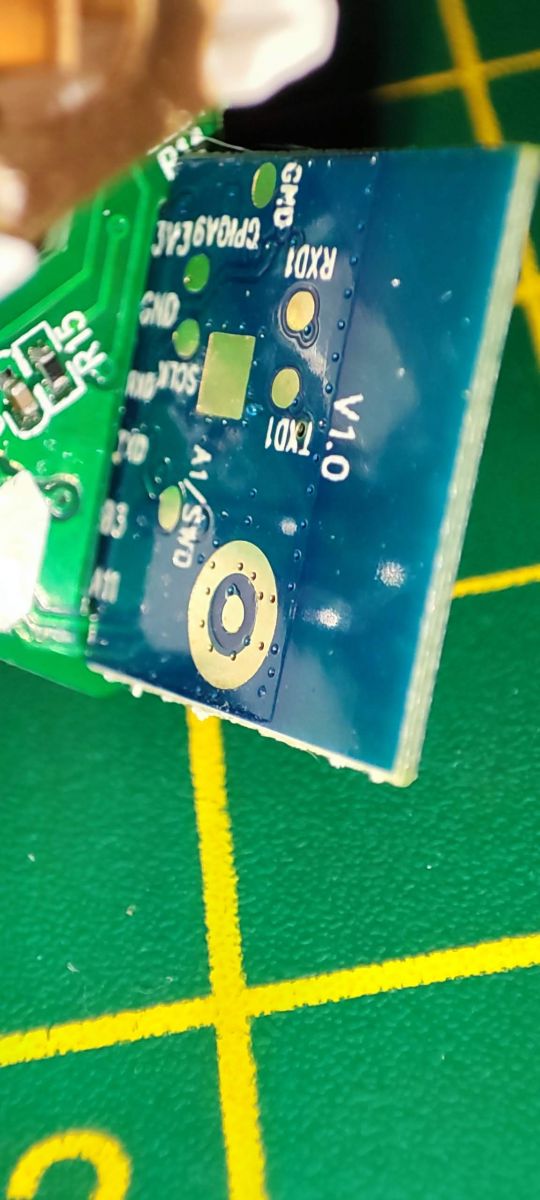
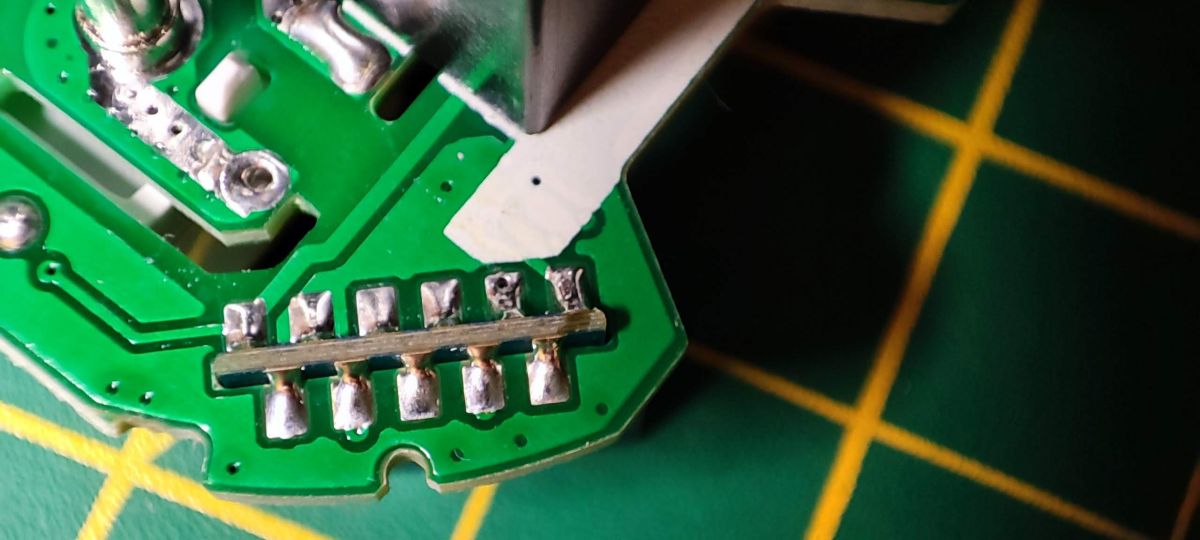
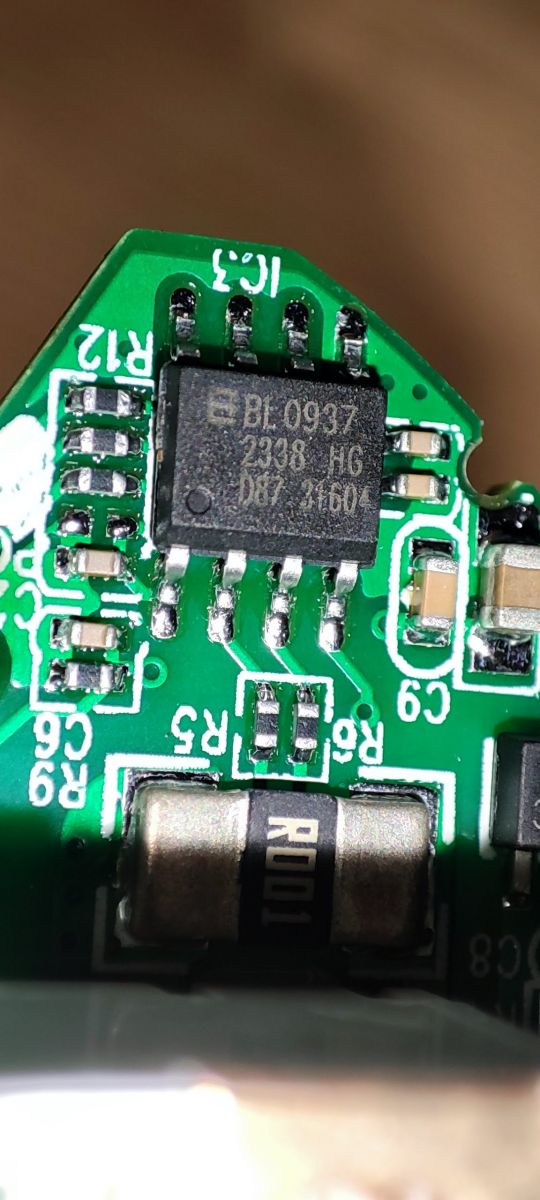
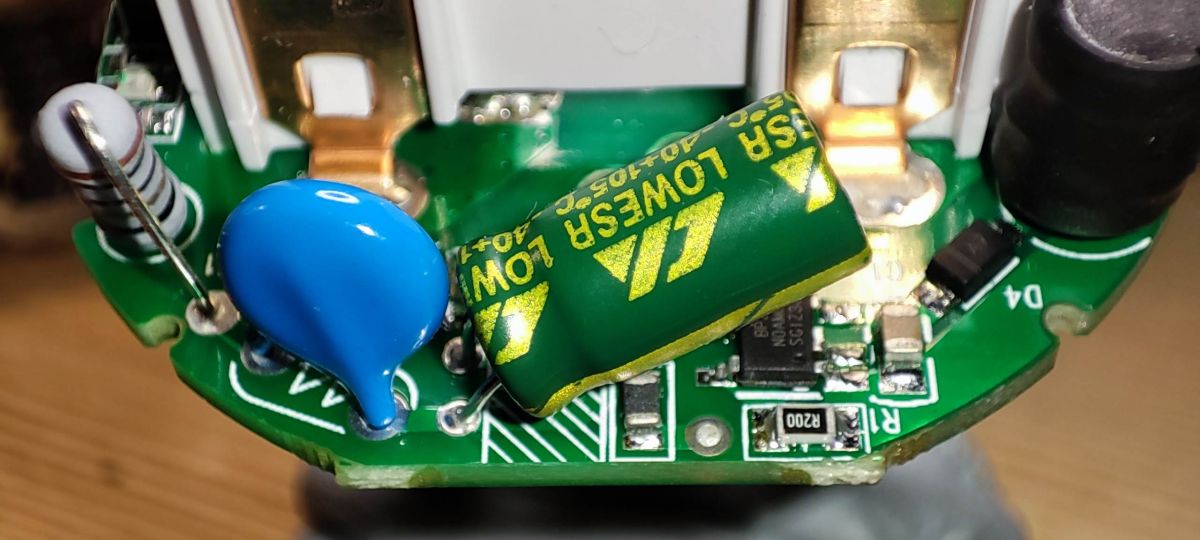
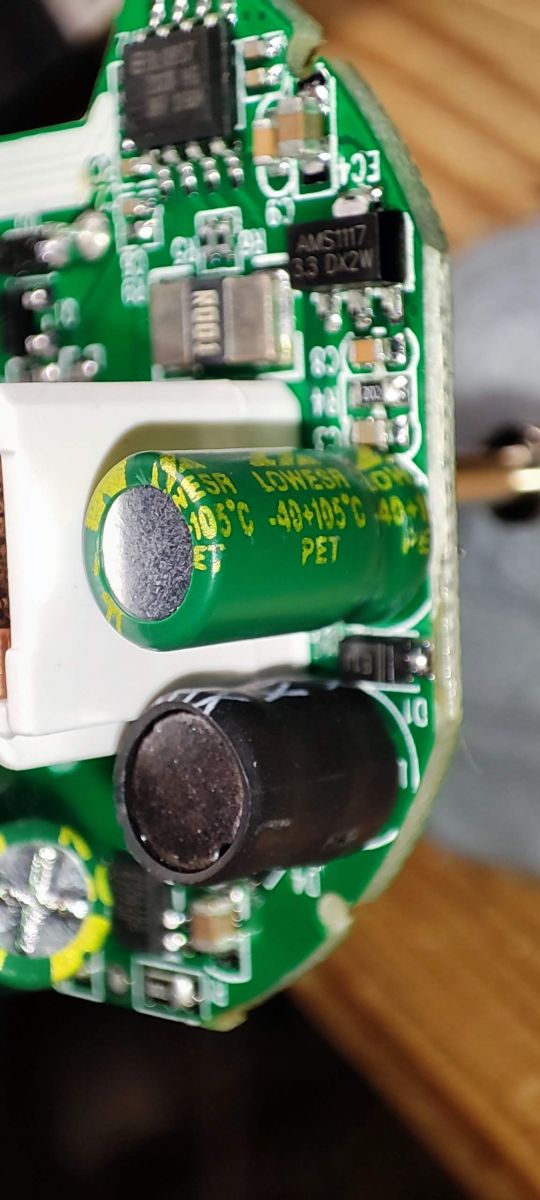
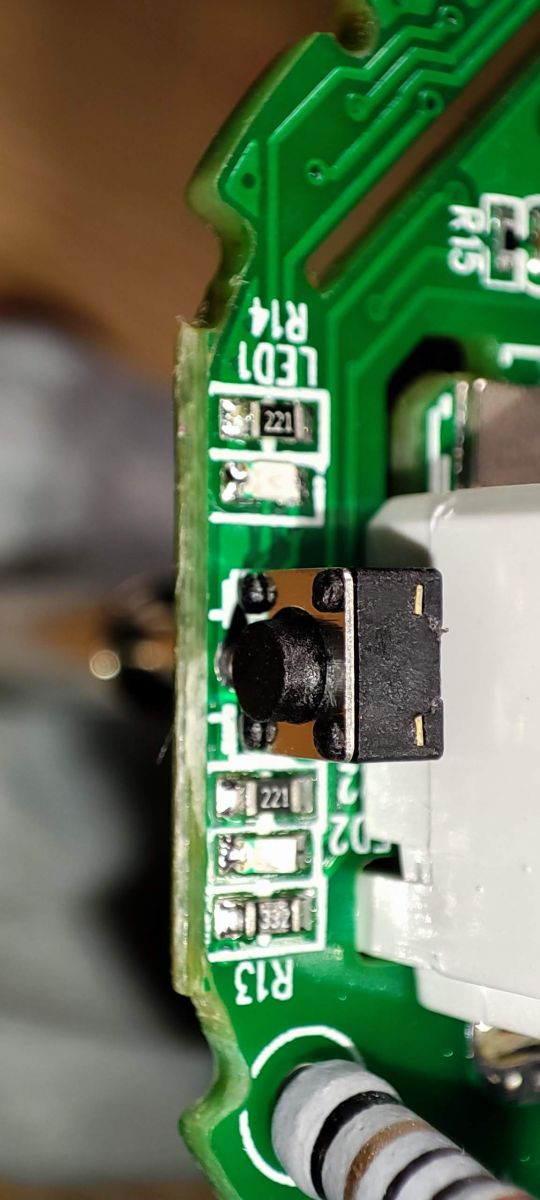
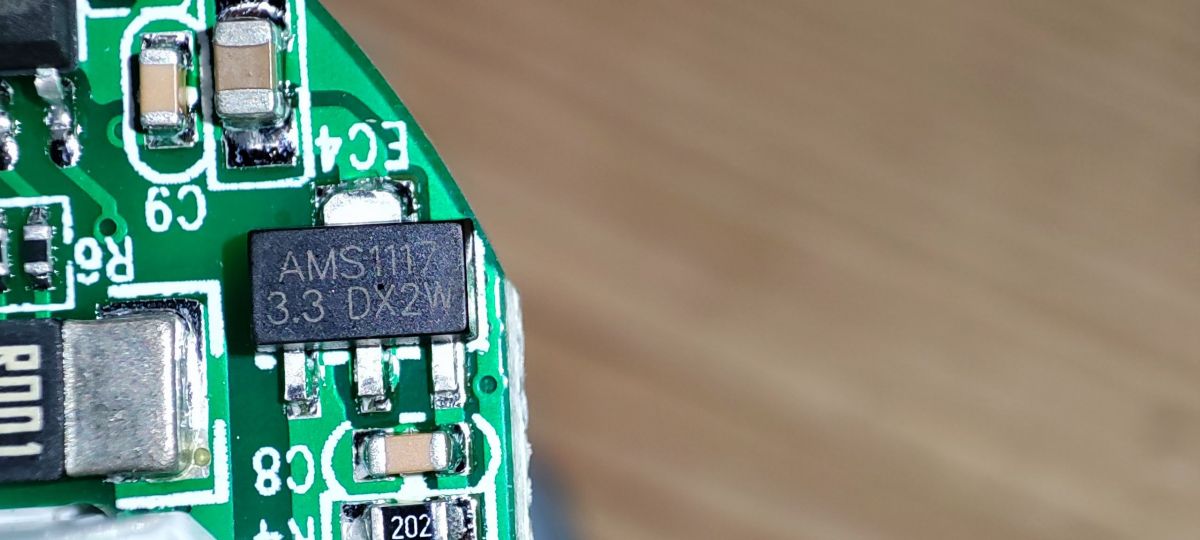
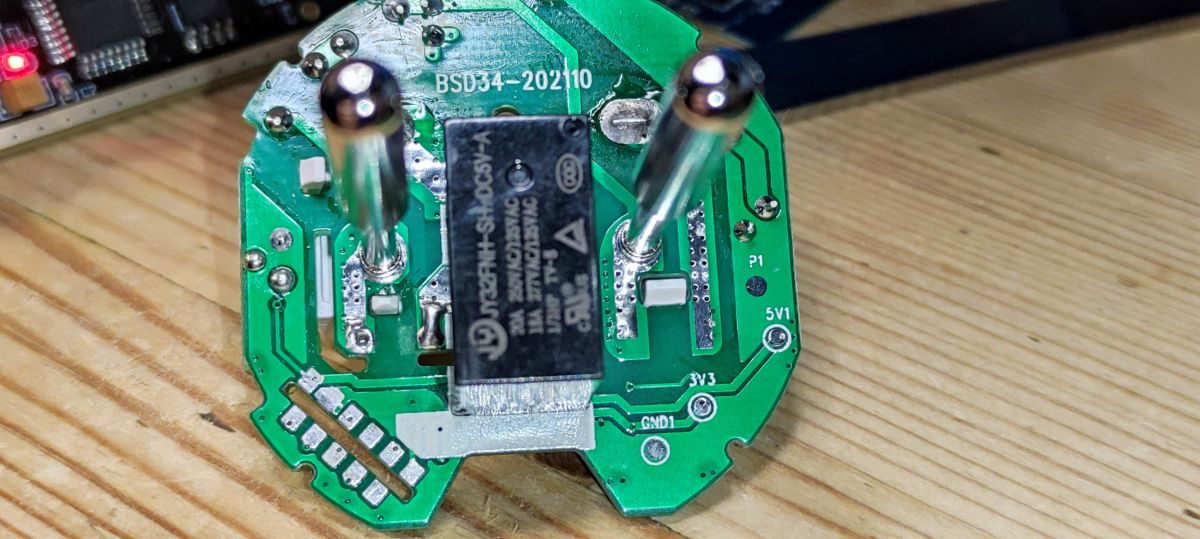
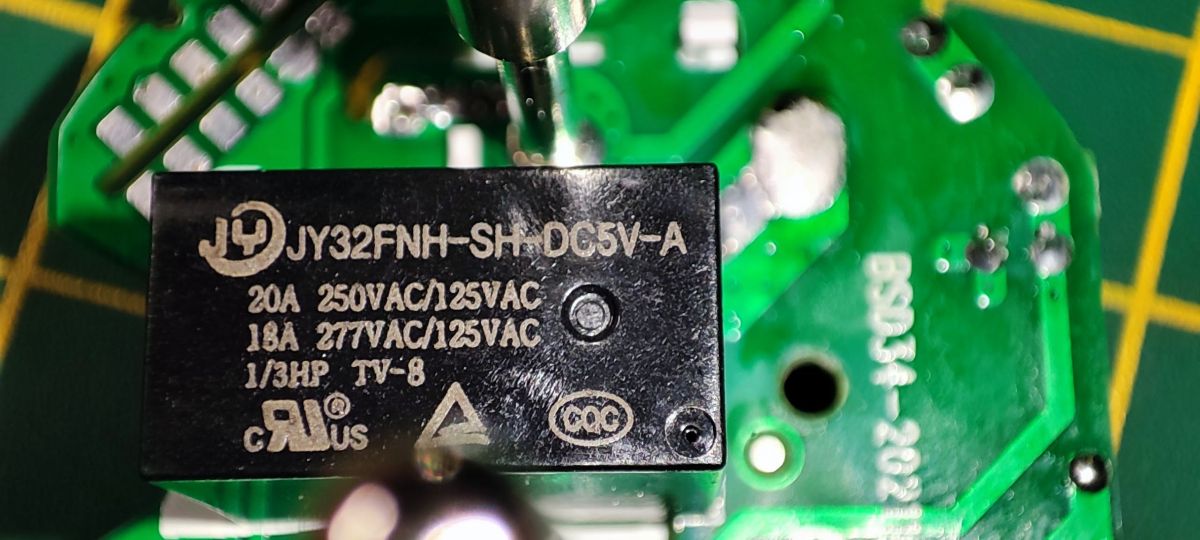
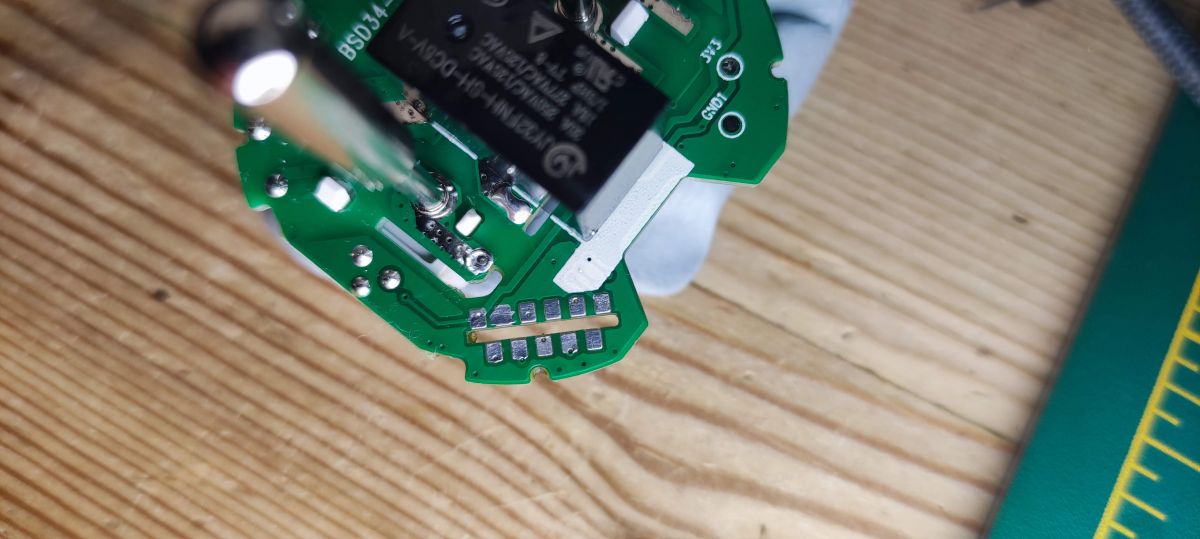
Close-up of the Lightning Semiconductor LN882HKI chip on a PCB. Close-up of an electronic module with visible connection labels, such as RXD1 and GND. Close-up of a PCB with markings for RX0, TX0, GND, and other ports. Close-up of the interior of a smart plug, showing PCB components and solder connections. Close-up of a PCB with BL0937 chip in a smart plug Close-up of the interior of a smart plug showing electronic components. Close-up of a smart plug circuit board with visible electronic components and capacitors. Close-up of a PCB with a visible button and components labeled LED1 R14. Close-up of a circuit board with an AMS1117 component labeled 3.3 DX2W. PCB board of BSD34 smart plug viewed from the bottom, visible electronic components Smart plug BSD34 with visible JY32FNH relay.
silkscreen: BSD34-202110

Knowing this unit has powering monitoring by way of a BL0937 chip and not wanting this to get in the way of any flashing efforts (and also the angle and position of the module makes access to some of the pads difficult for in situ flashing), I took the plunge to desolder the entire WL2S module. I first applied lots of flux to both sides of the board, covering the soldered contacts completely. I then used extra pb solder to make a single sausage blob of solder along both sides, so the factory solder was melted and mixed into one. I then pasted copper solder braid with flux and used the soldering iron to soak up all solder. Very quickly the module dropped out of the main board. This technique has been demonstrated by Elektroda:


Image of the PCB from a BSD34 smart plug with LN882 chip, top view.
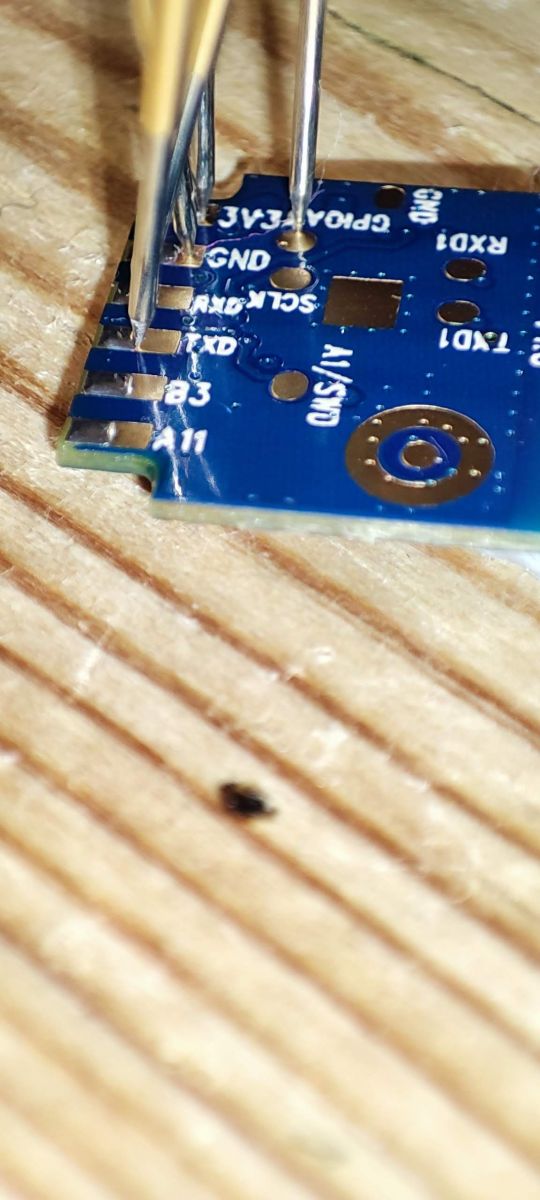
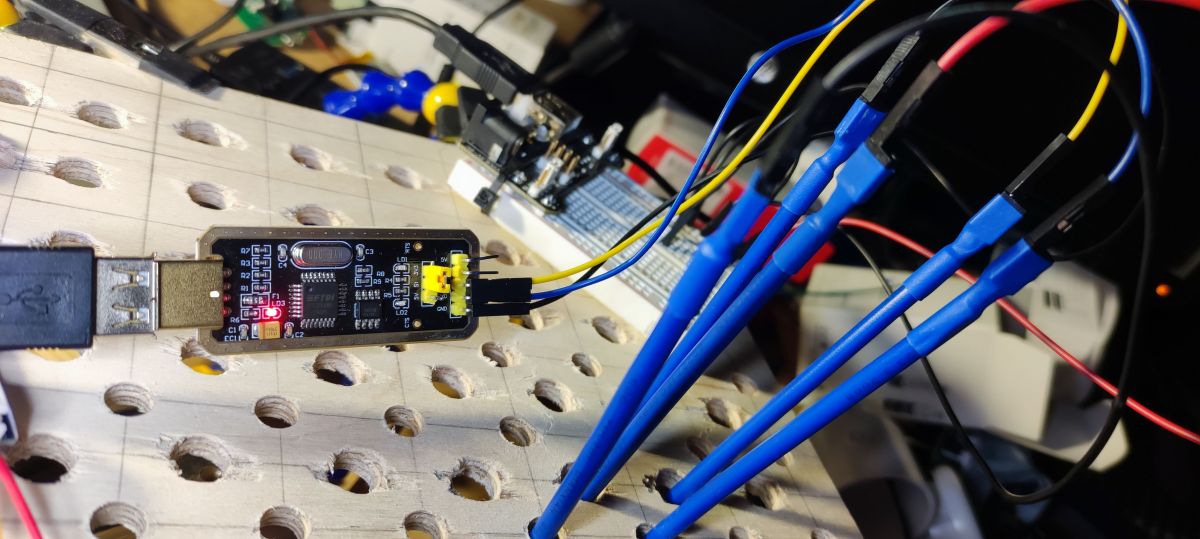
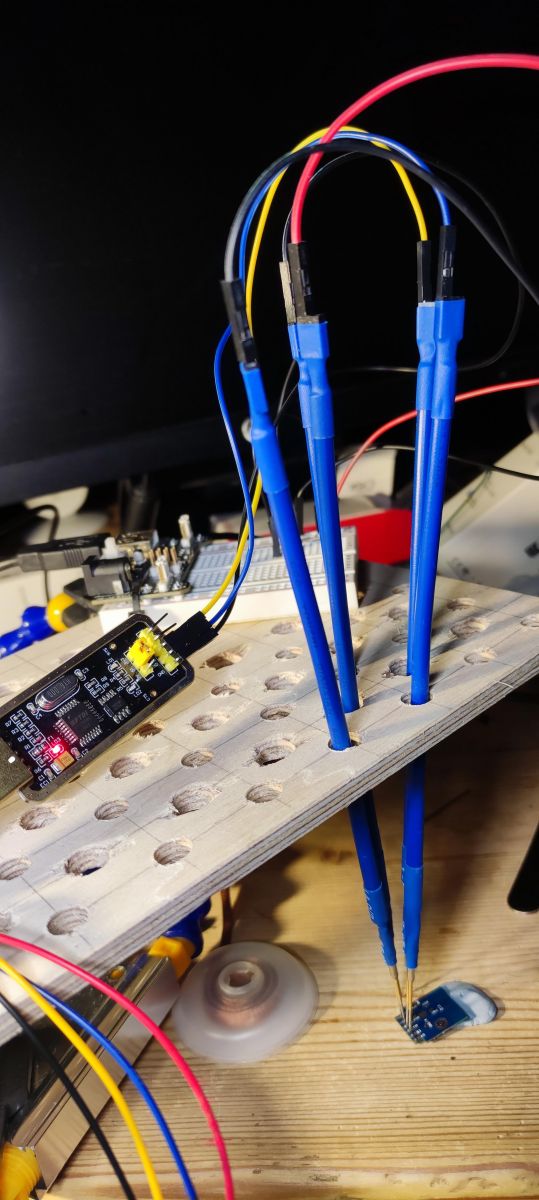
After cleaning the module with isopropyl alcohol I set up pogo pins connected to a USB-TTL adaptor, and separate (ie not the VCC from the USB adaptor) 3.3v power supply.
Close-up of a PCB module with connected test wires.
Electronic circuit with multicolored wires connected to a prototype board. Connected wires with USB-TTL adapter and test board on a wooden surface.

TX0 -> USB-TTL RX
RX0 -> USB-TTL TX
GND -> USB-TTL GND
3V3 -> External 3.3V PSU
External 3.3V PSU GND -> USB-TTL GND (so all 3 share a ground)

with this config, I could collect the uart boot log on power-up, which output as:
bootloader build time: 13:48:19
config item not found perip_param value
-- tuya project compile time: Jun 27 2023 16:30:24--
ble mac[e3:c7:f2:e1:82:c4]
[BLIB_I]BLIB Ver: 1.0.3 [build time:Jan 19 2023 12:14:45][0x010003ff]
xTaskCreate, name: rw_task, priority: 9, stack size: 2048
xTaskCreate, name: worker, priority: 2, stack size: 1536
xTaskCreate, name: ty_main, priority: 3, stack size: 4096
xTaskCreate, name: IDLE, priority: 0, stack size: 1024
xTaskCreate, name: Tmr Svc, priority: 10, stack size: 2048
Before enter tuya_main, Total:165888; Free:153552
GPIOA_9 high level, will enter Normal mode!
Failed to enter ate mode! Start tuya user main.
xTaskCreate, name: tuya_app_main, priority: 4, stack size: 4096
xTaskCreate, name: TUYA_TCPIP, priority: 9, stack size: 2048
tkl_ethernetif_init
tkl_ethernetif_init
[01-01 00:00:00 ty I][lr:0x100b662b] mqc app init ...
xTaskCreate, name: wq_system, priority: 3, stack size: 5120
[01-01 00:00:00 ty I][tal_thread.c:184] thread_create name:wq_system,stackDepth:                                                                                   5120,totalstackDepth:7168,priority:3
xTaskCreate, name: wq_highpri, priority: 4, stack size: 4096
[01-01 00:00:00 ty I][tal_thread.c:184] thread_create name:wq_highpri,stackDepth                                                                                   :4096,totalstackDepth:11264,priority:4
xTaskCreate, name: sys_timer, priority: 5, stack size: 4096
[01-01 00:00:00 ty D][tal_thread.c:203] Thread:wq_highpri Exec Start. Set to Run                                                                                   ning Stat
[01-01 00:00:00 ty D][tal_thread.c:203] Thread:sys_timer Exec Start. Set to Runn                                                                                   ing Stat
[01-01 00:00:00 ty I][tal_thread.c:184] thread_create name:sys_timer,stackDepth:                                                                                   4096,totalstackDepth:15360,priority:5
[01-01 00:00:00 ty D][lr:0x10078c65] init fs. Path: null
[01-01 00:00:00 ty D][lr:0x100aa331] *****************kvs_init.
[01-01 00:00:00 ty D][lr:0x100cdbe1] protected init. addr:0x001eb000
[01-01 00:00:00 ty D][lr:0x100cd9f1] init protected data length 495
[01-01 00:00:00 ty N][lr:0x100ac72b] key_addr: 0x1ec000   block_sz 4096
[01-01 00:00:00 ty N][lr:0x100aca05] get key:
0xaf 0x5 0x23 0x8e 0x2b 0xbe 0xbc 0x6f 0xda 0xc6 0x16 0x50 0x76 0x4d 0x78 0xbb
[01-01 00:00:00 ty D][lr:0x100cdbff] protected verify begin
[01-01 00:00:00 ty D][lr:0x100cdc61] check [gw_bi][282]
[01-01 00:00:00 ty D][lr:0x100cdc61] check [gw_wsm][141]
[01-01 00:00:00 ty D][lr:0x100cdc81] protected verify end
[01-01 00:00:00 ty D][lr:0x100ab97f] begin try update kv version
[01-01 00:00:00 ty D][lr:0x100ab99b] pre kv version is 2
[01-01 00:00:00 ty D][lr:0x100acea1] 111 k=3  i=18 0
[01-01 00:00:00 ty N][lr:0x100b2729] uni_random_init...
[01-01 00:00:00 ty N][lr:0x100b29cd] tuya_tls_rand_init ok!
[01-01 00:00:00 ty D][lr:0x10090ef9] init watchdog, interval: 60
----- tkl_watchdog_init
wdg shift_left_num:0x10, set num:65535, top:0x0d
[01-01 00:00:00 ty D][lr:0x10090e4b] add new node,type:0
[01-01 00:00:00 ty D][lr:0x10090e4b] add new node,type:1
[01-01 00:00:00 ty D][lr:0x10090e4b] add new node,type:2
[01-01 00:00:00 ty D][lr:0x10090e4b] add new node,type:3
[01-01 00:00:00 ty D][lr:0x10090e4b] add new node,type:4
[01-01 00:00:00 ty D][lr:0x10090e4b] add new node,type:5
[01-01 00:00:00 ty D][lr:0x10090e4b] add new node,type:6
[01-01 00:00:00 ty D][lr:0x10090e4b] add new node,type:7
[01-01 00:00:00 ty D][lr:0x10090e4b] add new node,type:8
[01-01 00:00:00 ty D][lr:0x10091009] watch_dog_interval:60, monitor_detect_inter                                                                                   val:600
xTaskCreate, name: health_monitor, priority: 5, stack size: 1536
[01-01 00:00:00 ty D][tal_thread.c:203] Thread:health_monitor Exec Start. Set to                                                                                    Running Stat
[01-01 00:00:00 ty I][tal_thread.c:184] thread_create name:health_monitor,stackD                                                                                   epth:1536,totalstackDepth:16896,priority:5
[01-01 00:00:00 ty D][lr:0x100b6531] mq_pro:5 cnt:1
[01-01 00:00:00 ty D][lr:0x100b6531] mq_pro:31 cnt:2
[01-01 00:00:00 ty D][lr:0x100b15b5] svc online log init success
[01-01 00:00:00 ty E][lr:0x100b5d3f] logseq empty
[01-01 00:00:00 ty N][lr:0x1006afcf] < TuyaOS V:3.5.4 BS:40.00_PT:2.3_LAN:3.5_CA                                                                                   D:1.0.5_CD:1.0.0 >
< BUILD AT:2023_01_09_16_12_01 BY ci_manage FOR tuyaos-iot AT ln882h >
IOT DEFS < WIFI_GW:1 DEBUG:1 KV_FILE:0 LITTLE_END:1 SL:0 OPERATING_SYSTEM:98 REL                                                                                   IABLE_TRANSFER:0 >

[01-01 00:00:00 ty N][lr:0x1006afd9] ln_elec_plug:1.0.4
[01-01 00:00:00 ty N][lr:0x1006afe3] firmware compiled at Jul  5 2023 15:01:06
[01-01 00:00:00 ty N][lr:0x1006affd] REST INFORMATION IS 0
[01-01 00:00:00 ty N][lr:0x1006b25f] ,over_vol: is 0
[01-01 00:00:00 ty N][lr:0x1006b25f] ,lose_vol: is 0
[01-01 00:00:00 ty N][lr:0x1006b25f] ,over_cur: is 20000
[01-01 00:00:00 ty N][lr:0x1006b28f] ,chip_type: is 0
[01-01 00:00:00 ty N][lr:0x1006b28f] ,ele_fun_en: is 1
[01-01 00:00:00 ty N][lr:0x1006b25f] ,ele_pin: is 26
[01-01 00:00:00 ty N][lr:0x1006b25f] ,vi_pin: is 8
[01-01 00:00:00 ty N][lr:0x1006b25f] ,sel_pin_lv: is 1
[01-01 00:00:00 ty N][lr:0x1006b25f] ,sel_pin_pin: is 24
[01-01 00:00:00 ty N][lr:0x1006b25f] ,resistor: is 1
[01-01 00:00:00 ty N][lr:0x1006b28f] ,vol_def: is 0
[01-01 00:00:00 ty D][lr:0x1006b1dd] ,zero_select: is not exsit  1
[01-01 00:00:00 ty D][lr:0x1006b1dd] ,zero_t: is not exsit  1
[01-01 00:00:00 ty D][lr:0x1006b1dd] ,zero_io_pin: is not exsit  1
[01-01 00:00:00 ty N][lr:0x1006b28f] ,ffc_select: is 0
[01-01 00:00:00 ty N][lr:0x1006b28f] ,rl1_type: is 0
[01-01 00:00:00 ty D][lr:0x1006b1dd] ,rl_type: is not exsit  1
[01-01 00:00:00 ty D][lr:0x1006b1dd] ,rl1_drvtime: is not exsit  1
[01-01 00:00:00 ty D][lr:0x1006b1dd] ,rl_drvtime: is not exsit  1
[01-01 00:00:00 ty N][lr:0x1006b28f] ,jv: is 1.0.4
[01-01 00:00:00 ty N][lr:0x1006b28f] ,module: is CB2S
[01-01 00:00:00 ty N][lr:0x1006b28f] ,net_trig: is 4
[01-01 00:00:00 ty D][lr:0x1006b1dd] ,total_led_lv: is not exsit  1
[01-01 00:00:00 ty D][lr:0x1006b1dd] ,total_led_pin: is not exsit  1
[01-01 00:00:00 ty D][lr:0x1006b1dd] ,total_bt_lv: is not exsit  1
[01-01 00:00:00 ty D][lr:0x1006b1dd] ,total_bt_pin: is not exsit  1
[01-01 00:00:00 ty D][lr:0x1006b1dd] ,bt_type: is not exsit  1
[01-01 00:00:00 ty N][lr:0x1006b28f] ,bt1_type: is 0
[01-01 00:00:00 ty N][lr:0x1006b25f] ,netled1_lv: is 0
[01-01 00:00:00 ty N][lr:0x1006b25f] ,netled1_pin: is 7
[01-01 00:00:00 ty N][lr:0x1006b28f] ,nety_led: is 0
[01-01 00:00:00 ty N][lr:0x1006b28f] ,netn_led: is 1
[01-01 00:00:00 ty N][lr:0x1006b28f] ,netled_reuse: is 0
[01-01 00:00:00 ty N][lr:0x1006b25f] ,reset_t: is 5
[01-01 00:00:00 ty N][lr:0x1006b28f] ,ch1_stat: is 2
[01-01 00:00:00 ty D][lr:0x1006b1dd] ,total_stat: is not exsit  1
[01-01 00:00:00 ty N][lr:0x1006b25f] ,ch_num: is 1
[01-01 00:00:00 ty N][lr:0x1006b131] channal num is 1
[01-01 00:00:00 ty N][lr:0x1006b38b] ,rl1_lv: is 1
[01-01 00:00:00 ty N][lr:0x1006b38b] ,rl1_pin: is 6
[01-01 00:00:00 ty D][lr:0x1006b31d] ,rl_on1_lv: is not exsit 5
[01-01 00:00:00 ty D][lr:0x1006b31d] ,rl_on1_pin: is not exsit 5
[01-01 00:00:00 ty D][lr:0x1006b31d] ,rl_off1_lv: is not exsit 5
[01-01 00:00:00 ty D][lr:0x1006b31d] ,rl_off1_pin: is not exsit 5
[01-01 00:00:00 ty N][lr:0x1006b38b] ,bt1_lv: is 0
[01-01 00:00:00 ty N][lr:0x1006b38b] ,bt1_pin: is 10
[01-01 00:00:00 ty N][lr:0x1006b38b] ,led1_lv: is 0
[01-01 00:00:00 ty N][lr:0x1006b38b] ,led1_pin: is 23
[01-01 00:00:00 ty N][lr:0x1006b38b] ,ch_dpid1: is 1
[01-01 00:00:00 ty N][lr:0x1006b38b] ,ch_cddpid1: is 9
[01-01 00:00:00 ty D][lr:0x1006b1dd] ,ble_pair_time: is not exsit  1
[01-01 00:00:00 ty D][lr:0x1006b6b3] get_measure_chip_type is 0
[01-01 00:00:00 ty D][lr:0x1006b727] get_standard_vol is 0
[01-01 00:00:00 ty D][lr:0x1006b6b3] get_measure_chip_type is 0
[01-01 00:00:00 ty N][lr:0x1006b929] product have measure , chip is 0 vol is 220                                                                                   0  res is 1
[01-01 00:00:00 ty D][lr:0x10078c65] init fs. Path: null
[01-01 00:00:00 ty D][lr:0x100aa331] *****************kvs_init.
[01-01 00:00:00 ty N][lr:0x10097513] mf is open need stop fastconnect
[01-01 00:00:00 ty D][lr:0x1007b151] mf_core_init success
[01-01 00:00:00 ty D][lr:0x100cde05] protected read [gw_bi]
[01-01 00:00:00 ty D][lr:0x100cde93] protected read ret:0 length:282
[01-01 00:00:00 ty D][lr:0x1008e8eb] gw_bi read ret:0
set work mode 1, is open 0, current ln mode: 0
wifi not start, turn on first
adapt wifi start <m:1>, hw_ready:0
start rf preprocess and image cal
[WLIB_E]idx=00, iq_hex_cal=0x7B7F, i=123, q=127, iavg= 35, qavg= 37
[WLIB_E]idx=01, iq_hex_cal=0x797C, i=121, q=124, iavg= 69, qavg=  3
[WLIB_E]idx=02, iq_hex_cal=0x7679, i=118, q=121, iavg= 10, qavg=  4
[WLIB_E]idx=03, iq_hex_cal=0x7173, i=113, q=115, iavg= 25, qavg= 72
[WLIB_E]idx=04, iq_hex_cal=0x6870, i=104, q=112, iavg=  4, qavg= 47
[WLIB_E]idx=05, iq_hex_cal=0x7B7F, i=123, q=127, iavg= 52, qavg= 38
[WLIB_E]idx=06, iq_hex_cal=0x7A7D, i=122, q=125, iavg= 46, qavg=  7
[WLIB_E]idx=07, iq_hex_cal=0x7779, i=119, q=121, iavg= 57, qavg=  9
[WLIB_E]idx=08, iq_hex_cal=0x7273, i=114, q=115, iavg= 35, qavg= 89
[WLIB_E]idx=09, iq_hex_cal=0x6A70, i=106, q=112, iavg=  9, qavg= 44
[WLIB_E]idx=10, iq_hex_cal=0x7B7F, i=123, q=127, iavg= 55, qavg= 39
[WLIB_E]idx=11, iq_hex_cal=0x7A7D, i=122, q=125, iavg= 40, qavg=  3
[WLIB_E]idx=12, iq_hex_cal=0x7779, i=119, q=121, iavg= 51, qavg= 11
[WLIB_E]idx=13, iq_hex_cal=0x7273, i=114, q=115, iavg= 38, qavg= 77
[WLIB_E]idx=14, iq_hex_cal=0x6B70, i=107, q=112, iavg=  4, qavg= 58
[WLIB_E]idx=15, iq_hex_cal=0x7B7F, i=123, q=127, iavg= 54, qavg= 34
[WLIB_E]idx=16, iq_hex_cal=0x7A7C, i=122, q=124, iavg= 40, qavg=  3
[WLIB_E]idx=17, iq_hex_cal=0x7778, i=119, q=120, iavg= 50, qavg=  3
[WLIB_E]idx=18, iq_hex_cal=0x7274, i=114, q=116, iavg= 49, qavg= 72
[WLIB_E]idx=19, iq_hex_cal=0x6A70, i=106, q=112, iavg=  9, qavg= 79
[WLIB_E]idx=20, iq_hex_cal=0x7A7F, i=122, q=127, iavg= 29, qavg=100
[WLIB_E]idx=21, iq_hex_cal=0x787E, i=120, q=126, iavg= 38, qavg= 46
[WLIB_E]idx=22, iq_hex_cal=0x747B, i=116, q=123, iavg= 41, qavg= 51
[WLIB_E]idx=23, iq_hex_cal=0x6E78, i=110, q=120, iavg= 51, qavg= 78
[WLIB_E]idx=24, iq_hex_cal=0x6376, i= 99, q=118, iavg= 45, qavg= 52


Then with A9/BOOT pad grounded I could continue with the factory flash dump and upload of the work-in-progress LN882H OBK firmware.

Unplug USB-TTL, power off external 3.3v
Plug in USB-TTL with A9/BOOT ground (and all other connections) in place
Power up 3.3v

The LN882H will see that A9 is pulled low and enter BOOT mode and await flashing.

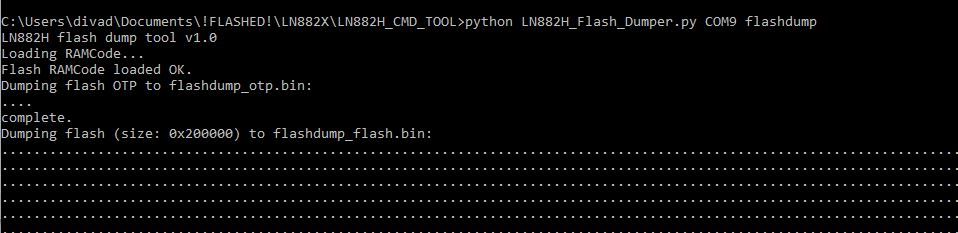
Using a slightly modified LN882H_Flash_Dumper.py (with flash size capped at 0x00200000 after this discovery), I dumped the factory firmware which I attach to this post. I also attach the modified LN882H_Flash_Dumper.py, which will instead say complete when it hits 2mb, rather than erroring.

python LN882H_Flash_Dumper.py COMx flashdump


The dump speed is fixed and is very slow, so this took ~30-40 minutes.

Screenshot of the LN882H flash dumping process using the LN882H_CMD_TOOL.

After unplugging and replugging everything to reset and get into BOOT mode again, I could download (that is, download to the device from my PC) the latest OpenLN UART flash firmware. This was all done from the LN882H_CMD_TOOL (see flashing guide thread), where OpenLN882H_1.17.432.bin had been downloaded.
LN882H_CMD_Tool.exe COM9 download flash 2000000 0x0 OpenLN882H_1.17.432.bin

The output from this is just an "OK!". Thankfully this step only took a few seconds to complete.
Terminal window displaying a command to download firmware to a device with confirmation OK.
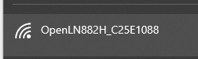
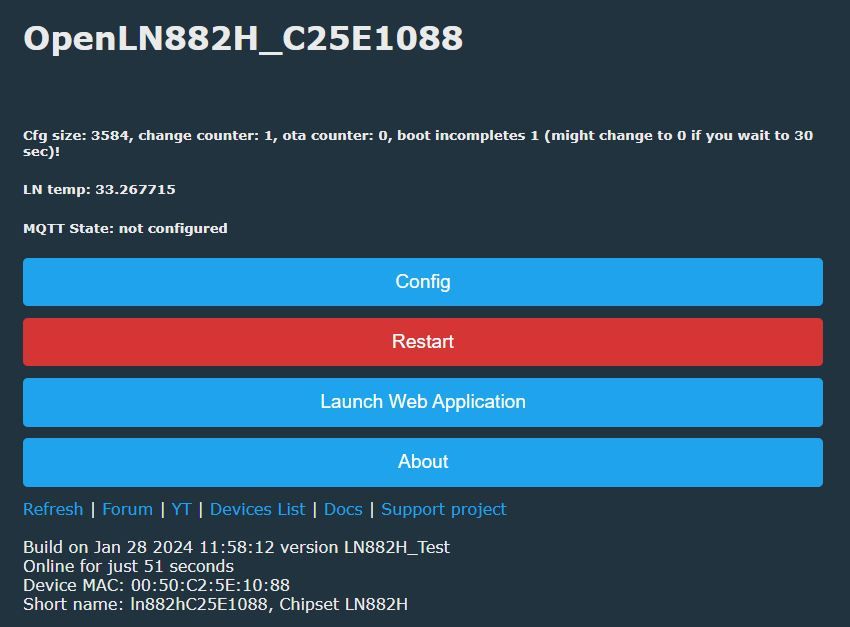
Removing the A9/BOOT gnd and resetting the power resulted in a new "LN882H_XXX" AP to which I connected and got a 192.168.4.100 IP address.
Wi-Fi signal icon with network name OpenLN882H_C25E1088.
browsing to 192.168.4.1 presents you with the OBK web config pages
OpenLN882H user interface with device information and control buttons.

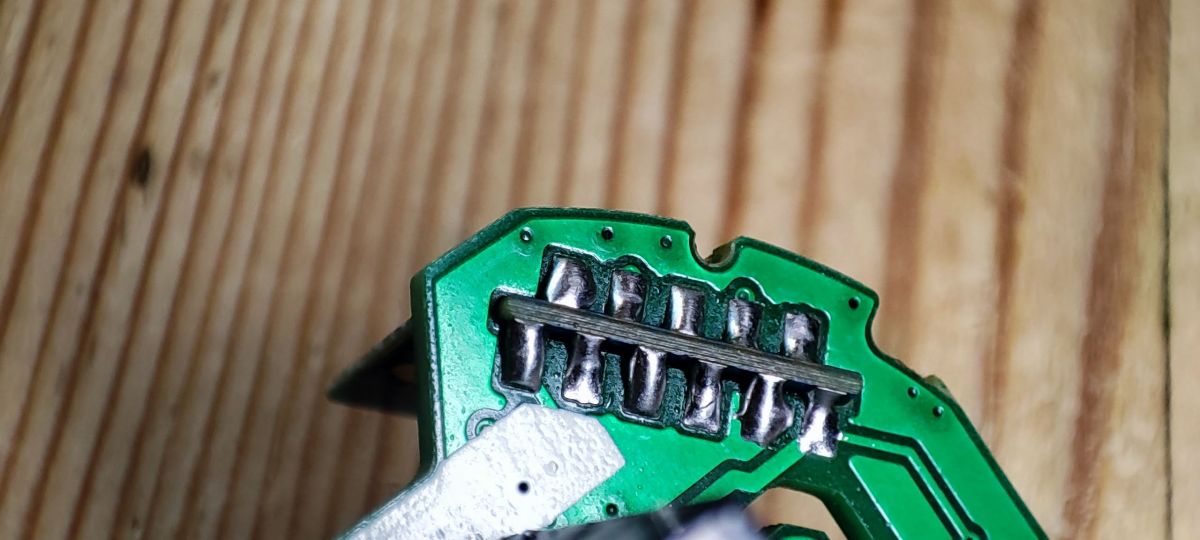
With a steady hand, plenty of flux, a small point on the soldering iron and some patience I soldered the module back in place. I think I did OK!

Close-up of a smart plug PCB with exposed traces and soldered connections.

Thanks to @sithyoda is looks like we have the GPIOs for the BL0937 but I don't believe we can test this yet (as at 29th January 2024) as the driver is not functional.

Using the GPIO finder in the web app I was able to determine the following for the other bits

A0 LED (red)
A3 Btn
A10 LED_n (blue)
A11 Rel

which makes the OBK template for this device

Code: JSON
Log in, to see the code


I have tested this to work as expected. When off, the red LED is lit and when on the blue LED is lit. The 20A relay clicks on and off as expected.
Attachments:
  • LN882H_Flash_Dumper.py.zip (1.16 KB) You must be logged in to download this attachment.
  • factory firmware BSD34 WL2S LN882HKI EU Smart Plug.zip (644.67 KB) You must be logged in to download this attachment.

About Author
divadiow
divadiow wrote 4912 posts with rating 873 , helped 430 times. Live in city Bristol. Been with us since 2023 year.

Comments

p.kaczmarek2 29 Jan 2024 20:49

That's a very good and detailed guide, not to mention that's one of the world's first LN882H flashing programming procedure tutorials ever posted. That's why I decided to feature it on our front page,... [Read more]

divadiow 30 Jan 2024 06:27

High praise! thank you. I look forward to watching the new video when it's ready! sure, will happily test anything if I can. interesting indeed. I do have another untouched LN-02 device that... [Read more]

miegapele 30 Jan 2024 22:11

Tried to make a driver for bl0937 here but can't figure out how to enable drivers [Read more]

p.kaczmarek2 30 Jan 2024 22:14

This is because for this platform you need to manually add file paths to makefile list, so the compiler knows what to compile. The makefile list is in the separate repository. See: https://github.com... [Read more]

miegapele 31 Jan 2024 16:42

Not sure what files are needed, made a PR https://github.com/openshwprojects/OpenLN882H/pull/5 [Read more]

p.kaczmarek2 31 Jan 2024 16:56

I think that you need to include at least one file more, namely bl_shared.c: # app/src/driver/drv_bl_shared.c This is because the following file has all the shared routines that are used by... [Read more]

miegapele 31 Jan 2024 17:08

Added that one too [Read more]

max4elektroda 05 Feb 2024 19:29

You are great! I got a bunch of "LSPA9" plugs with LN882H (wanted Zigbee ones, but ordered WIFI :-() so I stumbled over your work on LN882H. Works from the start, only the BL0937 not working, so... [Read more]

p.kaczmarek2 05 Feb 2024 19:39

That's a very good news! I've merged this PR, I hope it's a correct one: https://github.com/openshwprojects/OpenLN882H/pull/5 and I will update SDK and merge the main PR as well: https://github.com/openshwprojects/OpenBK7231T_App/pull/1054 Is... [Read more]

max4elektroda 05 Feb 2024 19:59

Thanks, great. As I said, I'm not really familiar with git, so I couldn't make the changes there but added everything in the tar. For the driver I only had to adjust the path and fix one typo to... [Read more]

miegapele 05 Feb 2024 20:21

I can clean this up, but are you sure you changed CMakelists.txt? It looks the same to me. [Read more]

max4elektroda 05 Feb 2024 20:30

Just closed my PC. All files changed are in the tgz file in the post. The changed CMakelists.txt should be there, too?? Sorry, dind't make it to check earlier: Obvoiusly I didn't attach the correct... [Read more]

max4elektroda 06 Feb 2024 19:46

o.k, here is the used "CMakeLists.txt" from the ccorrect path (" sdk/OpenLN882H/project/OpenBeken/CMakeLists.txt ") Or, as a diff against the actual CMakeLists.txt: --- sdk/OpenLN882H/project/OpenBeken/CMakeLists.txt 2024-02-06... [Read more]

divadiow 09 Feb 2024 17:56

https://obrazki.elektroda.pl/5616128200_1707497772_thumb.jpg nice work OpenLN882H_1.17.454.bin [Read more]

p.kaczmarek2 09 Feb 2024 18:49

Thank you, but the credit should go to @miegapele , I just helped with organizing the build. It was easier than I expected. @divadiow have you tried HASS Discovery on LN882H? [Read more]

divadiow 09 Feb 2024 18:53

Well done @miegapele @pkaczmarek2 I have a basic HASS I've hardly configured in a Docker container on the NAS. I haven't started using HASS yet. Do you just want to know that it gets discovered... [Read more]

p.kaczmarek2 09 Feb 2024 21:09

I had report saying that executing HASS Discovery causes ERR_MEM in MQTT and I would like if it no longer happens. I've increased MQTT buffers to match the required sizes. [Read more]

divadiow 10 Feb 2024 08:01

Info:MQTT:Publishing val 258.2 to euplug/voltage/get retain=0 Info:MAIN:Time 36535, idle 0/s, free 96048, MQTT 1(2208), bWifi 1, secondsWithNoPing 36470, socks 0/0 Info:MQTT:MQTT... [Read more]

p.kaczmarek2 10 Feb 2024 09:19

So it's working now. I will mark Github issue as solved. [Read more]

FAQ

TL;DR: For WL2S/LN882H plugs, a 2 MB flash dump can take 15–40 minutes, but “OK!” flashing takes seconds. This FAQ helps OpenBeken users open the glued BSD34 case, wire 3.3V UART flashing, apply the right GPIO template, and understand BL0937, Home Assistant, and Wi‑Fi recovery behavior. [#20935260]

Why it matters: BSD34-style smart plugs can look identical outside yet use different modules and pin maps, so one wrong template can break LEDs, metering, or relay control.

Variant discussed Radio module Main chip Pin mapping status in thread Flashing difficulty
Elivco BSD34 / WL2S version WL2S LN882H Fully mapped for relay, button, LEDs, BL0937 Required LN882H UART flashing; module was desoldered in the main guide
BSD34-style Amazon version CBS2/CB2S family CB2S/CBS2 noted Different pin map from WL2S version Reported as easier to flash
WL2S to CB2S swap idea WL2S replaced by CB2S Mixed Power and UART pads look similar, pin reassignment still needed Electrically plausible, template changes expected

Key insight: Do not trust the enclosure name alone. In this thread, identical BSD34-style plugs shipped with WL2S, CB2S, and CBS2-family modules, and their working GPIO templates differed.

Quick Facts

  • The main BSD34 guide used a separate 3.3 V power supply, shared ground, and pogo pins; USB-TTL VCC was not used for the WL2S module. [#20935260]
  • The factory flash dump was capped at 0x00200000 bytes (2 MB), and the read step took about 30–40 minutes on one setup. [#20935260]
  • A second tester saw LN882H flash reads vary from several hours down to about 15 minutes after a fresh Windows reboot, suggesting host-side conditions affect speed. [#20935396]
  • Home Assistant discovery queued 8 MQTT config topics and published payloads of about 315–396 bytes without ERR_MEM on the updated build. [#20954030]

How do you open an Elivco BSD34 EU smart plug without damaging the glued case so you can access the WL2S module?

You can open it cleanly by cracking the glue line with clamps instead of prying the seam apart. Place G-clamps just below the top joining line, tighten until the glue cracks, then move slightly and repeat. The case separates quickly, and only the earth wire keeps both halves together. After that, remove the single PCB screw and loosen the earth screw slightly so the board can slide out. This method avoided the battered, chewed-up housing often seen after screwdriver-only opening. [#20935260]

What is the WL2S module, and how is it related to the Lightning Semiconductor LN882H chip used in Tuya smart plugs?

“WL2S” is a Wi‑Fi module that carries the Lightning Semiconductor LN882H chip, a Tuya-class radio/MCU used in smart plugs and mini switches. In this thread, the BSD34 plug used a WL2S module with an LN882HKI-marked chip, and OpenBeken support for LN882H had only recently become available. The same discussion also mentions other LN882H devices, including 16 A mini switches. That makes WL2S the board-level module and LN882H the actual controller you flash. [#20935260]

What is the BL0937 power-monitoring chip, and which GPIOs does OpenBeken need to read voltage, current, and power on the BSD34 plug?

“BL0937” is a power-monitoring IC that measures mains-related values by outputting pulse signals, with separate lines used for energy/current and voltage timing. For the WL2S-based BSD34 template in this thread, OpenBeken used GPIO 7 as BL0937CF1, GPIO 12 as BL0937CF, and GPIO 19 as BL0937SEL. The plug also used a BL0937 chip on the main board, so metering support depended on enabling that driver in the LN882H build. [#20935260]

How can you flash an LN882H-based WL2S module with OpenBeken using pogo pins, a USB-TTL adapter, and an external 3.3V power supply?

You flash it over UART with shared ground and the A9 boot pad held low. 1. Connect TX0→USB-TTL RX, RX0→USB-TTL TX, GND→GND, and power the module from an external 3.3 V supply only. 2. Ground A9/BOOT, then power up so LN882H enters boot mode. 3. Dump or write flash with the LN882H tools, then remove A9 ground and reboot. The reported write command targeted 0x0 and flashed a 2,000,000-byte image in a few seconds. [#20935260]

Why does the LN882H factory flash dump sometimes take 30 to 40 minutes or even several hours, and what seems to affect the read speed?

The thread shows that dump speed varies widely and seems sensitive to the host PC state. One dump of the 2 MB flash took about 30–40 minutes, while another maintainer reported a first read taking several hours, then only about 15 minutes after a fresh Windows reboot. No firmware-side root cause was confirmed, but the observed pattern points to the flash-read tool or Windows environment, not the BSD34 hardware itself. A maintainer explicitly said he did not know why it happened. [#20935396]

Which GPIO template works for the Elivco 20A BSD34 EU power monitoring plug with WL2S and BL0937 under OpenBeken?

The working WL2S/LN882H template used GPIO 0 LED, 3 Btn, 7 BL0937CF1, 10 LED_n, 11 Rel, 12 BL0937CF, and 19 BL0937SEL. The device metadata in the thread named it “Elivco 20A BSD34 EU Power Monitoring (BL0937) Plug” with board WL2S and chip LN882H. The author also confirmed the relay and LEDs behaved correctly: red when off, blue when on. [#20935260]

What do the A9/BOOT pad and boot mode do on the LN882H, and how do you use them during flashing?

The A9/BOOT pad forces the LN882H into UART boot mode when you pull it low during power-up. In normal power-up, the boot log showed “GPIOA_9 high level, will enter Normal mode!”; during flashing, grounding A9 before applying 3.3 V made the chip wait for the flash tool. After writing firmware, you remove the A9 ground and reset power so the module boots the new image and exposes the OpenBeken AP. [#20935260]

How was BL0937 support added for the LN882H build of OpenBeken, and which extra files had to be enabled in the OpenLN882H CMakeLists.txt?

BL0937 support was added by enabling the driver build and its missing dependencies in the LN882H project files. The thread says the LN882H port needed manual CMake path updates, plus drv_bl_shared.c because BL0937, BL0942, and similar chips share routines there. A working test build also enabled deviceGroups_read.c, deviceGroups_util.c, deviceGroups_write.c, drv_ntp.c, drv_tuyaMCU.c, and drv_uart.c. One maintainer later merged the PR and wrote, “It was easier than I expected.” [#20948381]

Why would Home Assistant discovery on LN882H trigger MQTT ERR_MEM errors, and what changed in later firmware to fix it?

It happened because discovery publishes many retained config payloads at once, which could overflow MQTT memory buffers on earlier LN882H builds. One maintainer said he had reports that HASS Discovery caused ERR_MEM and then increased MQTT buffers to the required sizes. A later test showed discovery queuing 8 config topics and publishing payloads around 325–396 bytes successfully, after which the issue was marked solved. [#20953708]

When an LN882H smart plug loses Wi-Fi, what is the normal reconnection behavior after the router or access point comes back online?

Normal behavior is automatic rescanning followed by reconnect when the AP returns. One tester turned Wi‑Fi off for more than 10 minutes and saw LN882H reconnect after about 45 seconds once the AP came back, though scan output looked incomplete and only showed weak BSSIDs at first. Another later test disabled WLAN for 20 minutes, and both LN devices reappeared within a few seconds after re-enable, with uptime preserved. [#21016643]

What could cause the ping watchdog on an LN882H OpenBeken plug to disable Wi-Fi instead of recovering cleanly after 60 seconds?

The thread points to an older LN882H firmware issue rather than a confirmed hardware fault. One user reported that the web-configured ping watchdog hit 60 seconds, then disabled Wi‑Fi and never reconnected until a physical reboot, although the web restart button and OTA still worked. Later builds, including 1.17.517 and 1.17.521, appeared stable, and a maintainer also integrated an LWIP MQTT threading fix during that period. [#21010987]

How can GPIO Doctor or Tuya config extraction help identify why the red LED stays on all the time on a BSD34-style smart plug?

They help by revealing whether the red LED is a relay LED, a Wi‑Fi status LED, or mapped to the wrong pin. In the later BSD34-style case, the tester found pin 23 acted as WifiLED;1, while pin 8 handled the blue LED behavior and pin 26 drove the relay. That explains why a WL2S template from the earlier plug could leave the red LED permanently on when applied to a visually identical but differently wired unit. [#21433856]

WL2S vs CB2S in BSD34-style smart plugs: what differences in pin mapping, flashing difficulty, and compatibility showed up in this thread?

The thread showed clear differences despite nearly identical housings. The original BSD34 used WL2S/LN882H and mapped relay and LEDs to GPIOs 11, 0, and 10, while a later Amazon-branded lookalike used a CBS2/CB2S-family module with relay and LED functions on pins 26, 23, 10, and 8. The later user also said flashing worked fine without desoldering the module, unlike the original WL2S guide that removed the module for easier access and to avoid BL0937 interference. [#21438406]

How feasible is it to swap a WL2S module with a CB2S module in a smart plug like the one discussed here, and what pin assignment changes would likely be needed?

It looks feasible electrically, but you should expect to remap GPIOs. A tester noted that VCC 3.3 V, GND, and even RX/TX seemed to share the same layout between the smart-plug boards, so the replacement should at least power up correctly. He also warned that the main work would likely be changing pin assignments afterward. That means the swap is not template-compatible by default, even if the footprint is close enough to solder in. [#21733480]

If two BSD34 plugs look identical externally but use different modules like WL2S or CBS2/CB2S, how should you verify the correct pinout before applying an OpenBeken template?

You should verify the module type and pin functions first, then apply or build the template. Start with GPIO Doctor or Tuya config extraction, because the thread documented externally identical BSD34-style plugs that used different modules and different LED, button, relay, and BL0937 pin maps. One maintainer explicitly advised using GPIO Doctor to find the LED pin or extracting the Tuya config before trusting the old template. That is the safest path when the enclosure and label match but the internals do not. [#21431833]
Generated by the language model.
%}