logo elektroda
logo elektroda
X
logo elektroda

[BK7231N] Teardown and flashing of Atorch GR2P-WS: DIN rail device with graphic screen

morgan_flint  83 12369 Cool? (+12)
📢 Listen (AI):

TL;DR

  • Teardown and OpenBeken flashing of the Atorch GR2P-WS DIN-rail power monitor with a graphic TFT screen and Tuya app support.
  • Inside, it uses a CB2S module with BK7231N, a CH573F Tuya MCU, BL0942 metering chip, PN8016 supply, and a bistable relay driver.
  • The power board measured 10.1V from the rectified AC and 3.23V on the downstream regulator, and the Tuya model exposed 44 DpIDs.
  • After isolating TX1/RX1 and flashing with bk7231flasher 1.1.6, the relay, network parameters, and programmed values worked in OpenBeken.
  • Mapping remains incomplete because some DpIDs act oddly or as read-only, and leakage-current hardware is not populated, though spare PCB space exists.
Generated by the language model.
Hello to all!

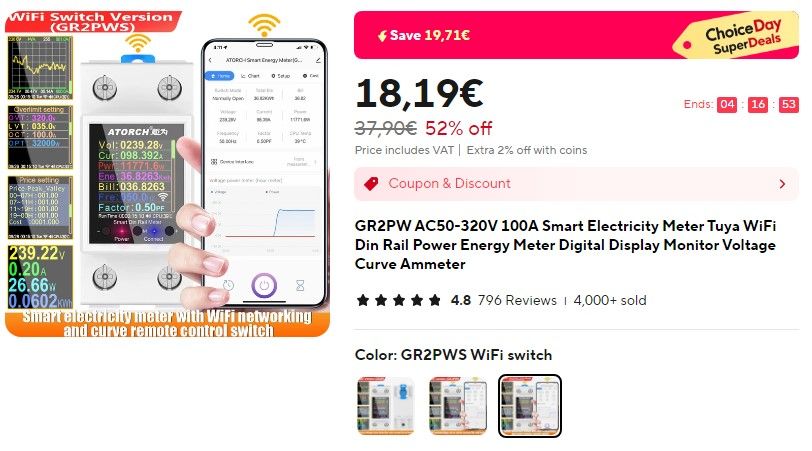
I recently bought this one for my collection, got it very cheap on sale, but the normal price is also good Link:

Advertisement for GR2PW WiFi-enabled electricity meter.

I found it interesting, compared to the other two similar devices I've been playing with (TOMPD63-WIFI and TOMPD63-LW because of the graphic screen. OTOH, it doesn't have residual current measurement (this version, at least, as we'll see later). Anyway, I don't think software-based RCBOs like those two should replace "conventional" (or this better kind of smart ones), because of safety reasons.

Ok, let's start with a print of the description from the advertisement (in case the link gets broken), enclosed as the first attachment. It includes a good gallery of screenshots from the device itself and the Tuya app, so I'll skip my own related photos. Also, here's a link to the manual from the manufacturer's page (also attached, in case the link breaks).

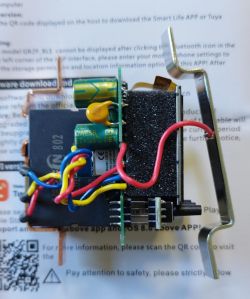
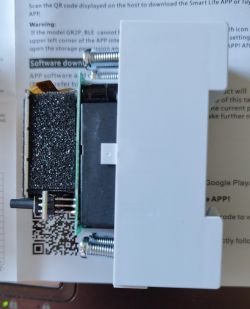
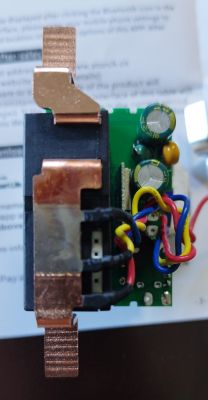
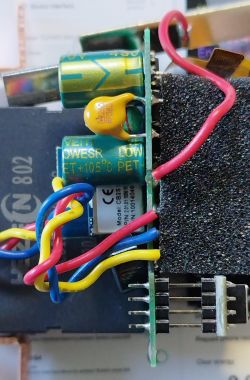
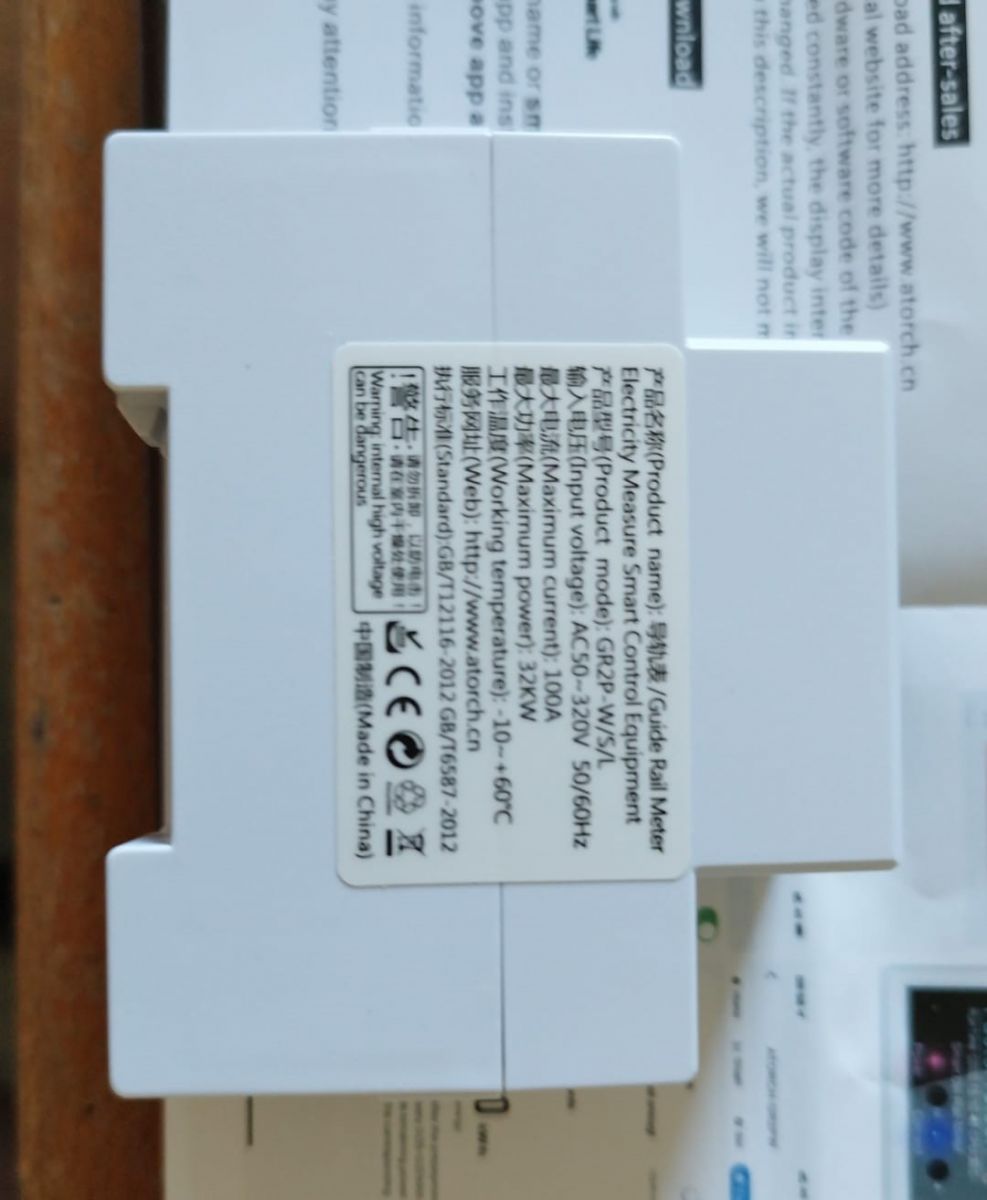
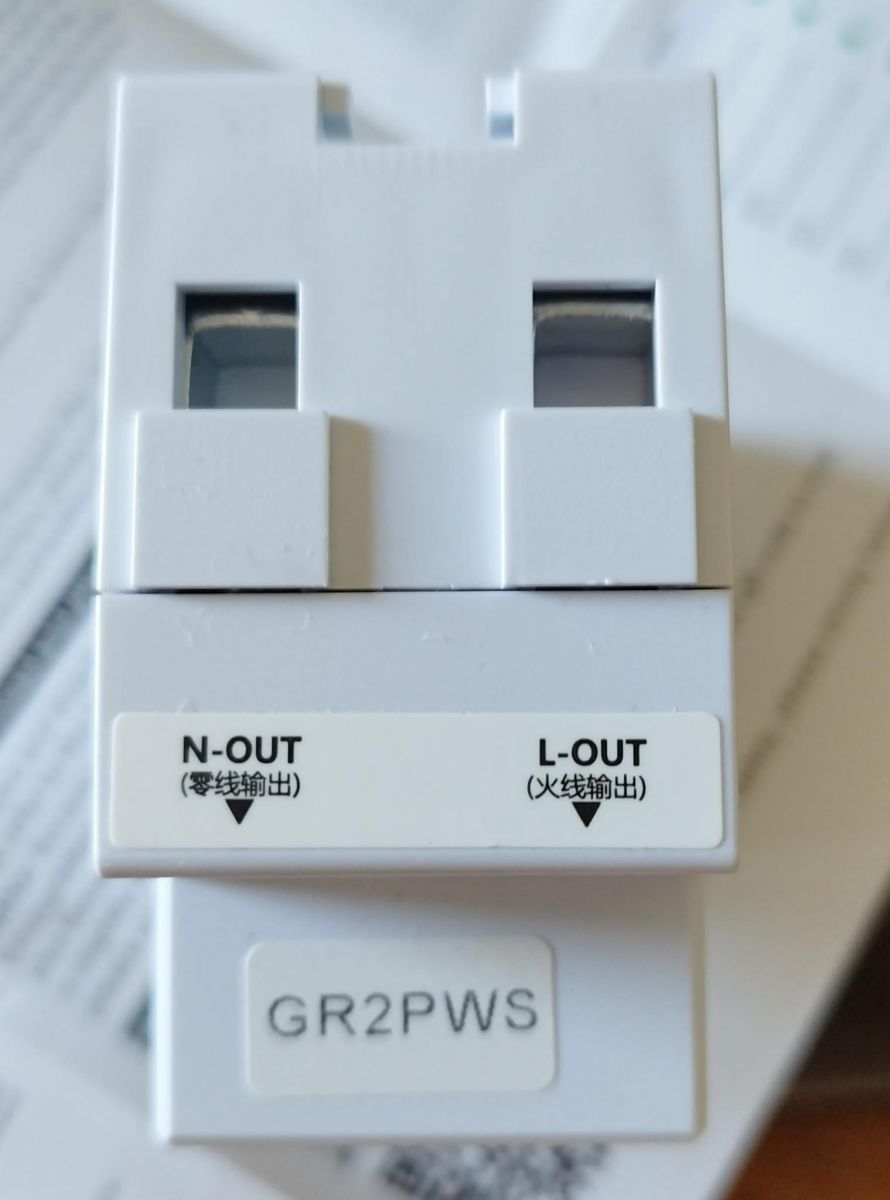
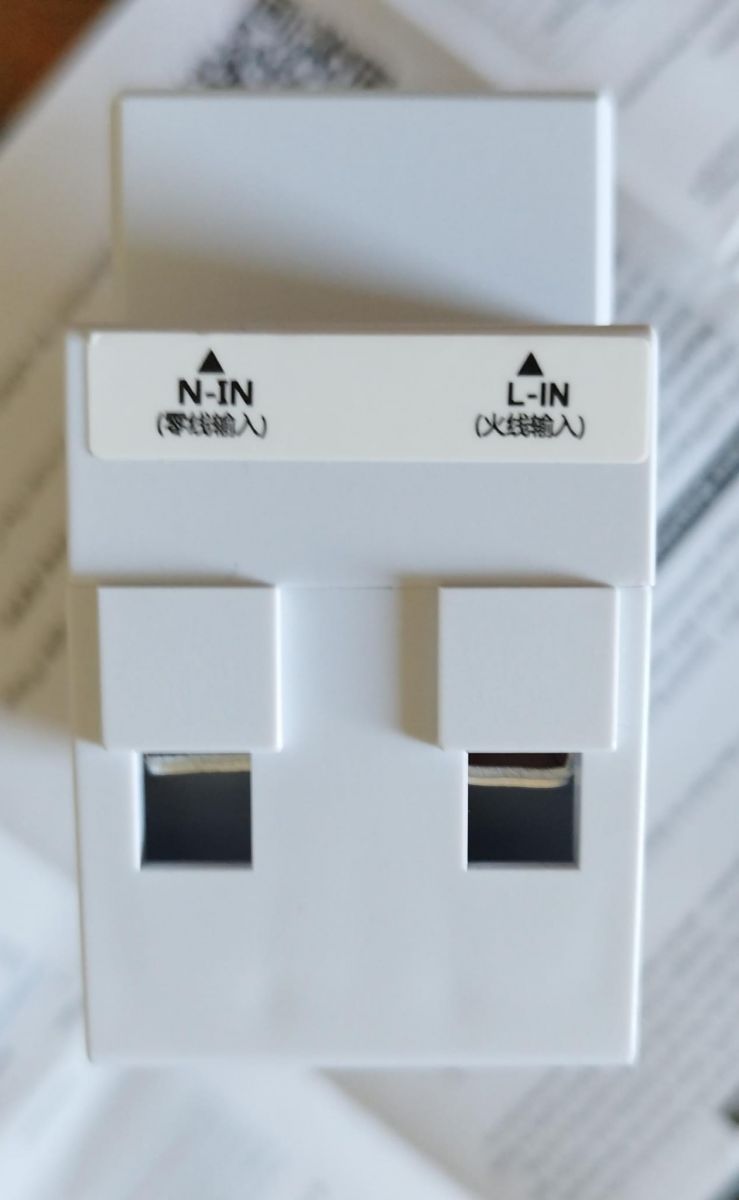
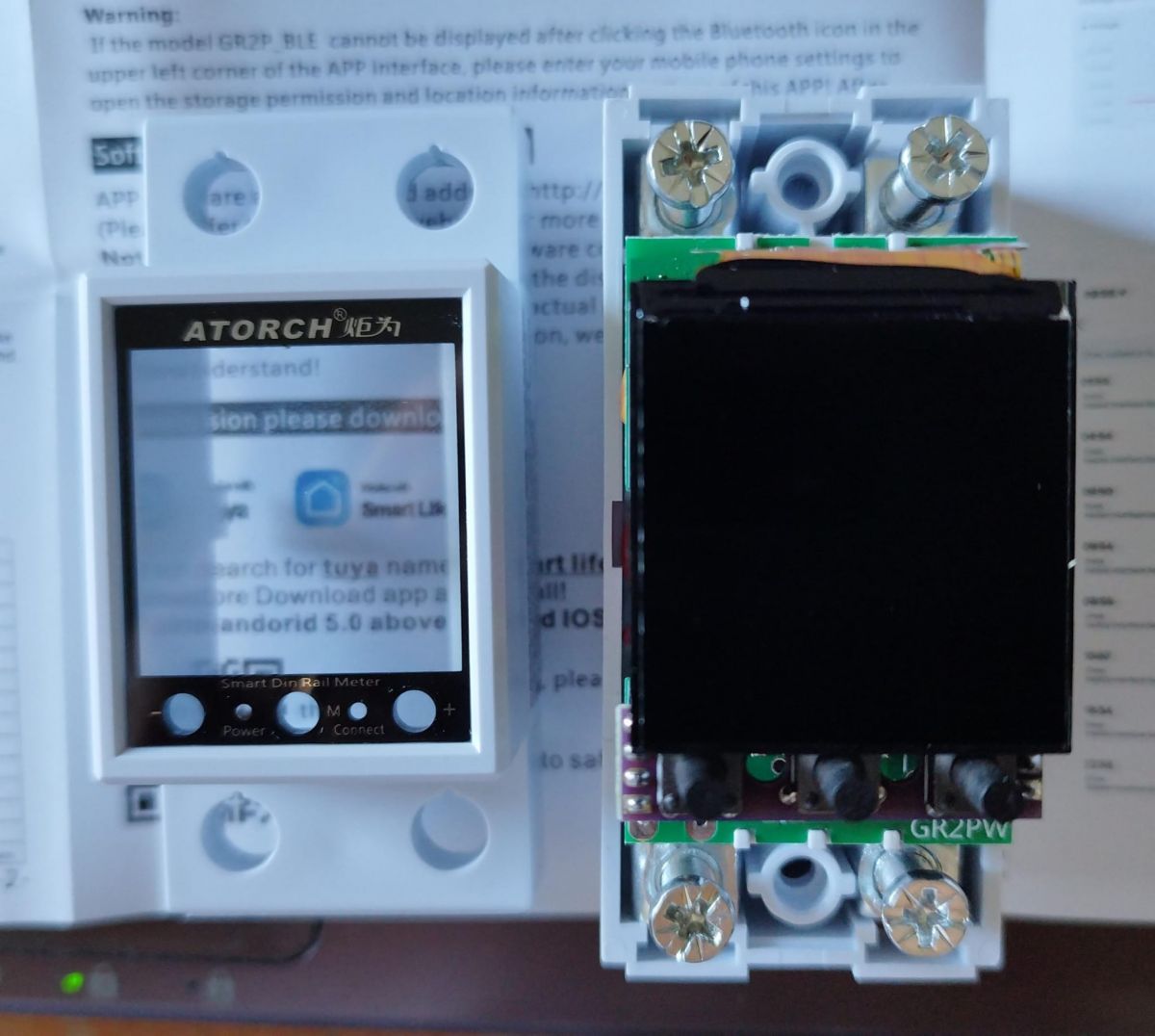
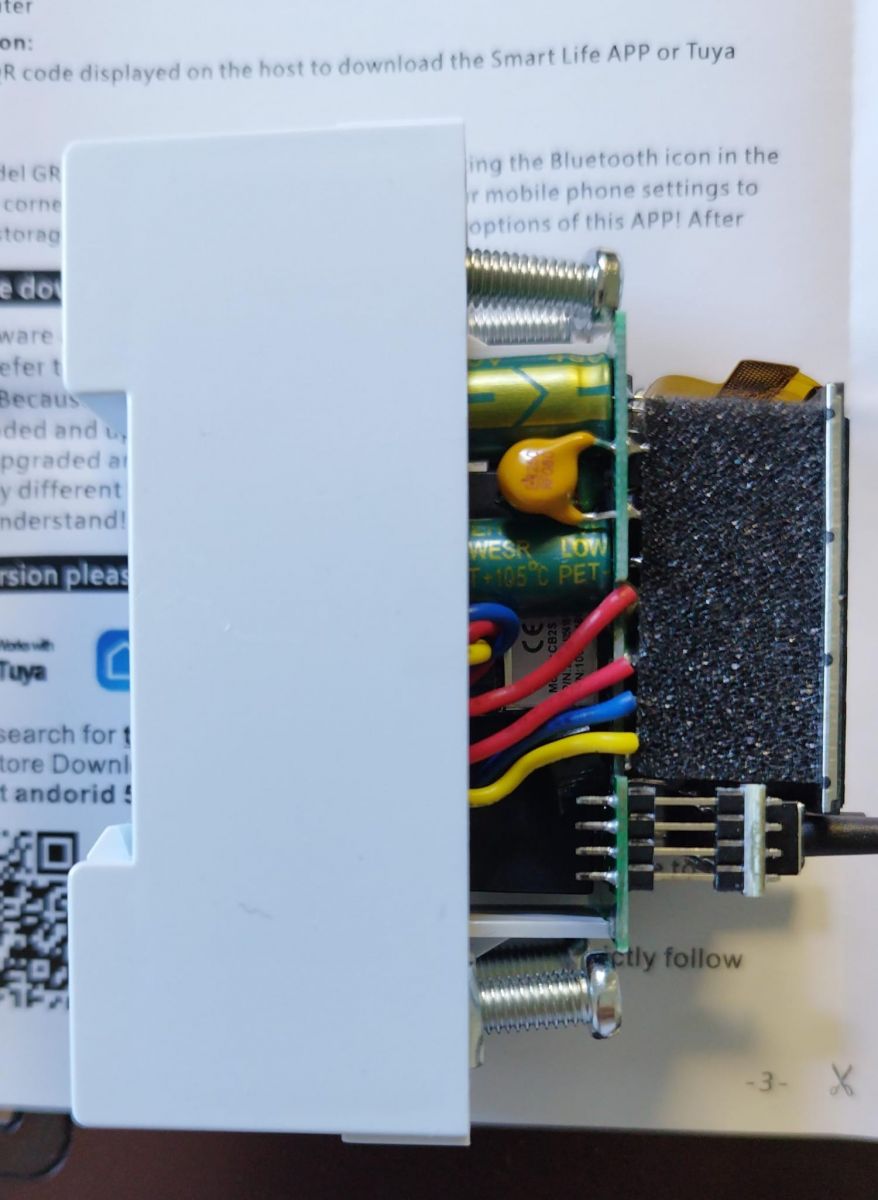
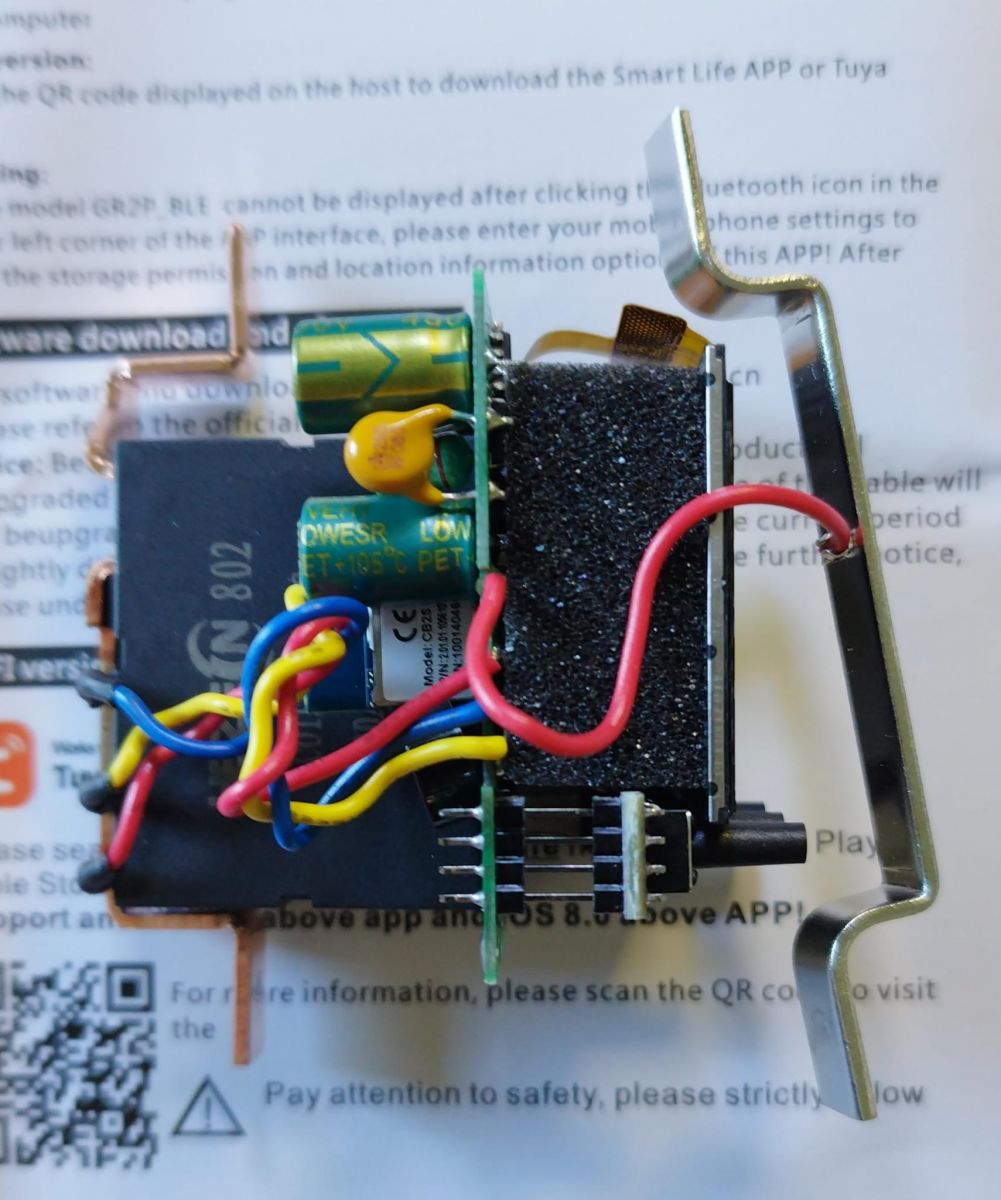
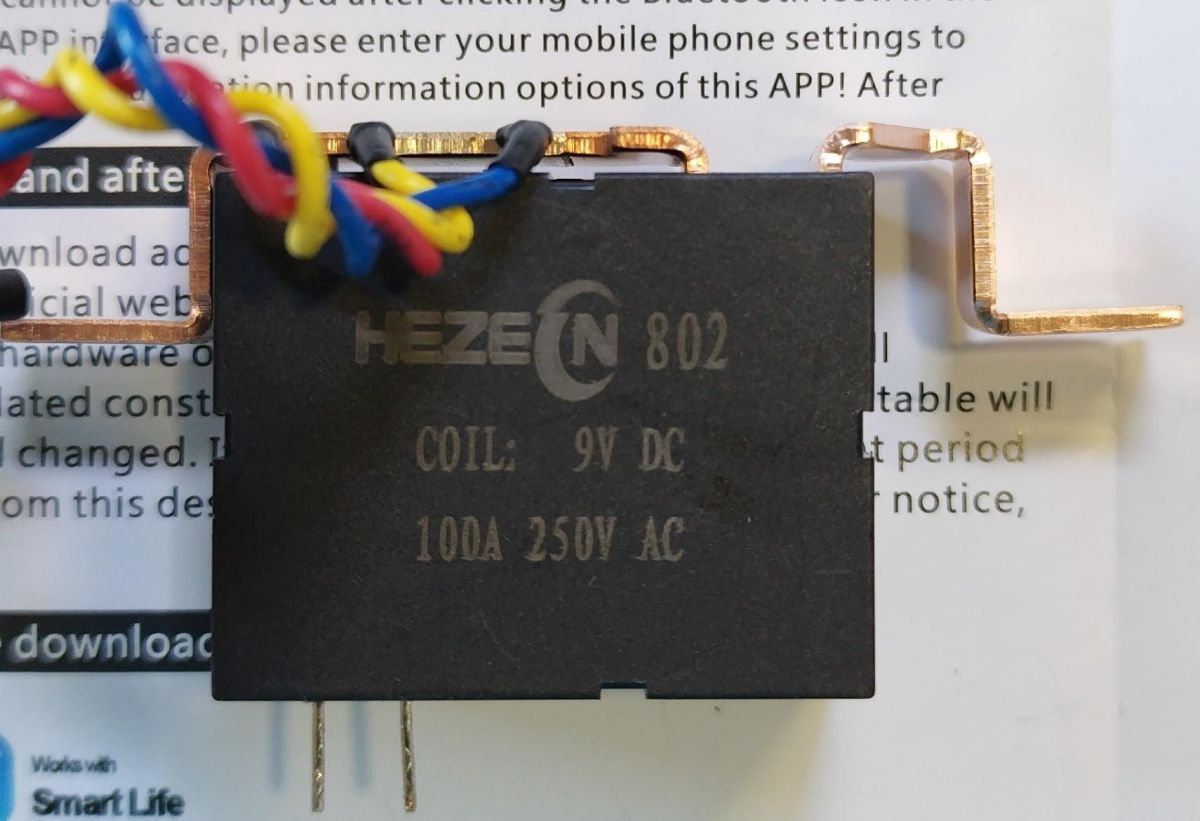
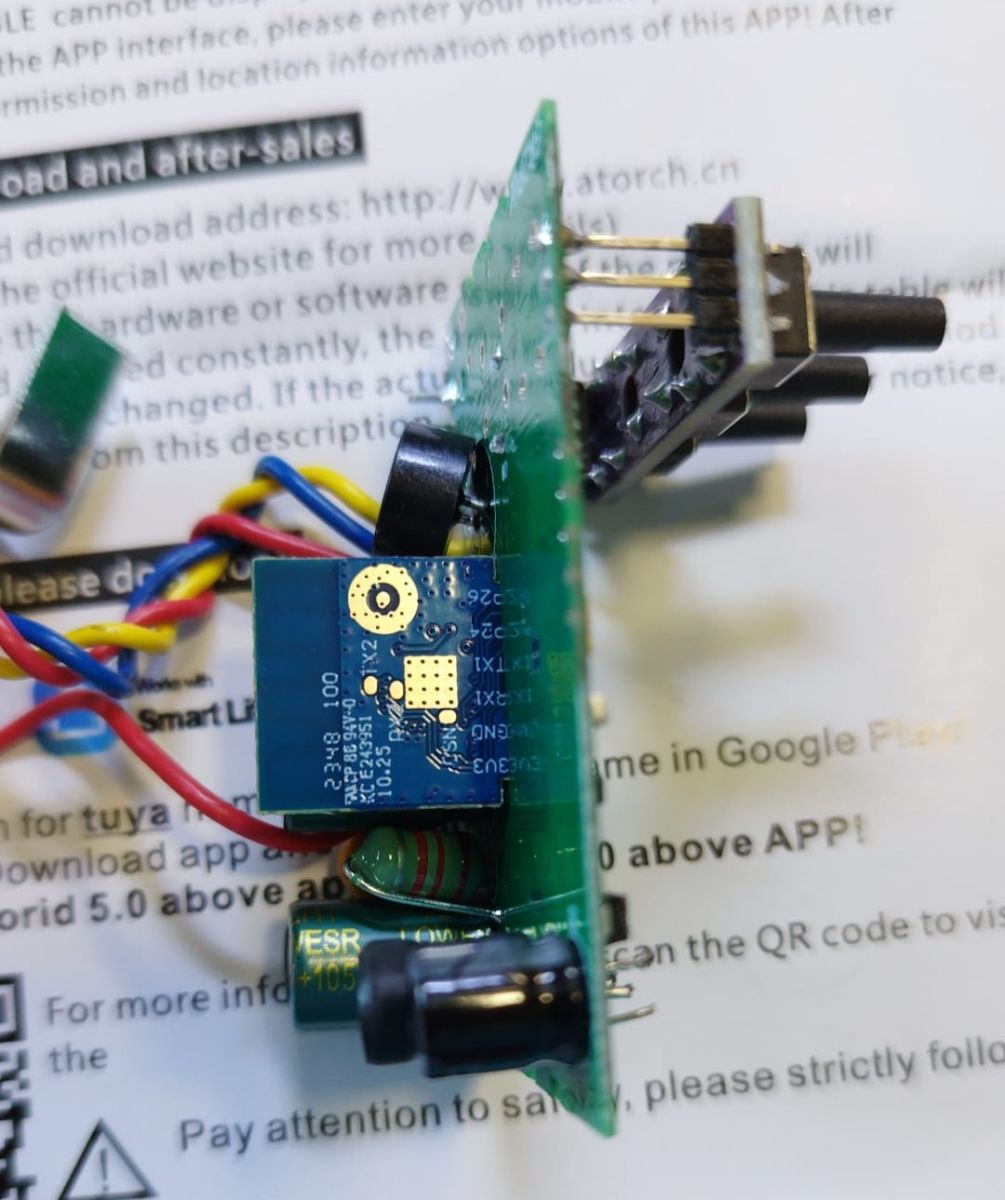
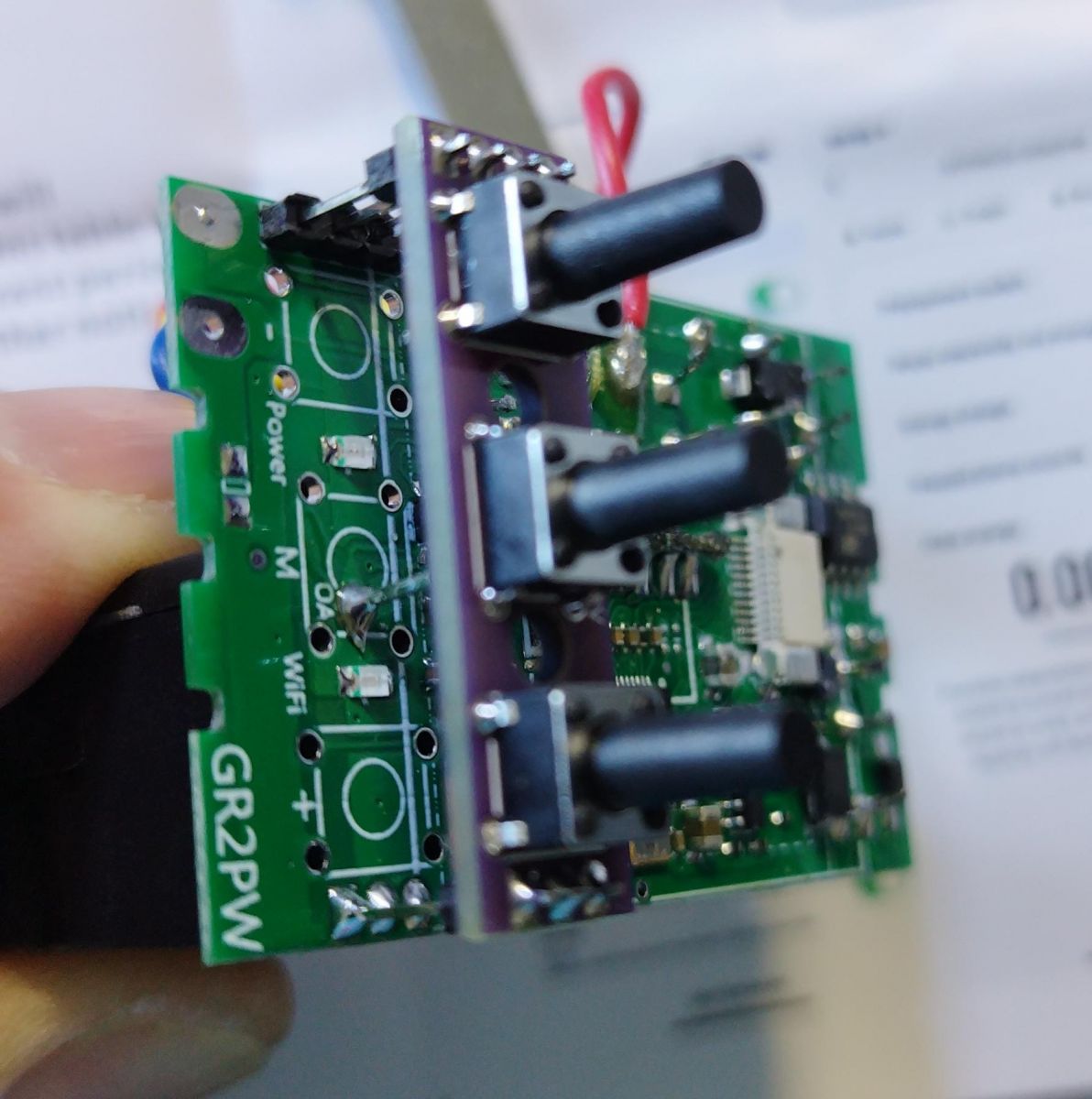
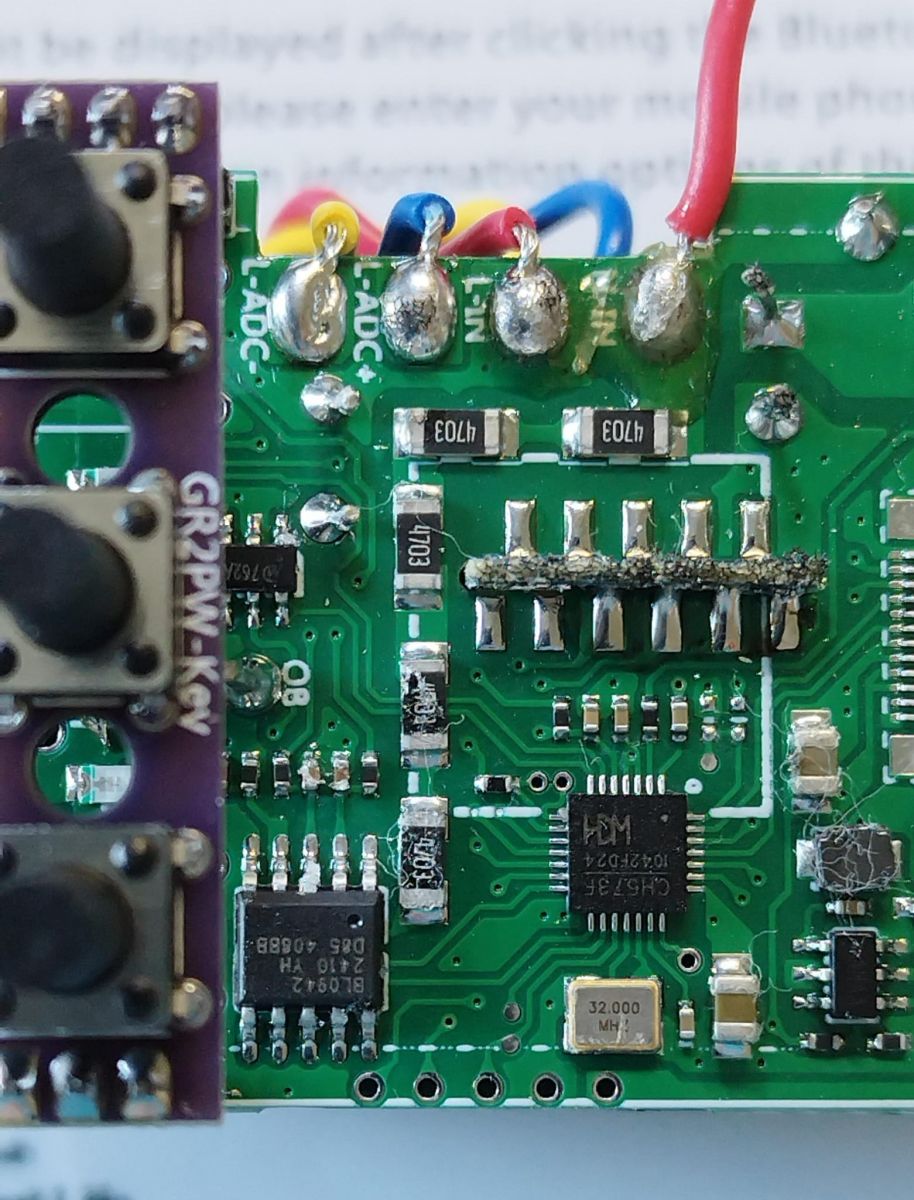
Now, the teardown gallery:
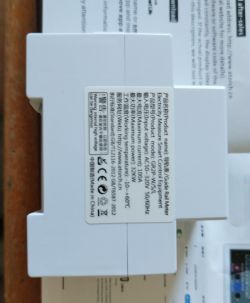
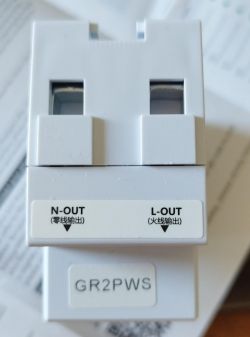
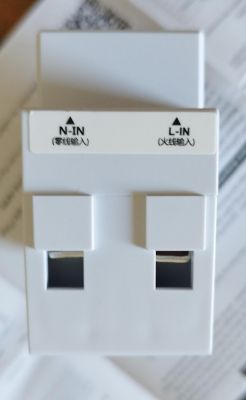
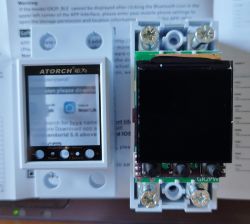
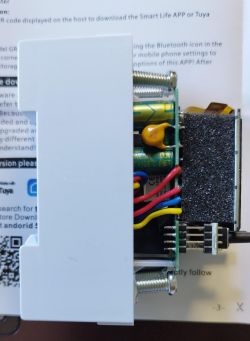
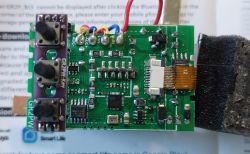
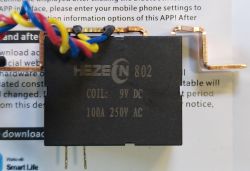
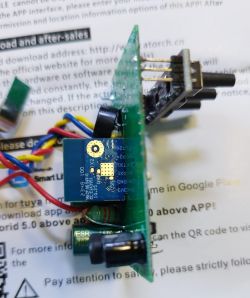
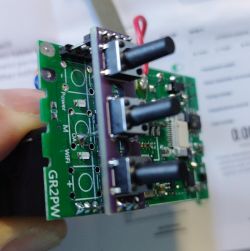
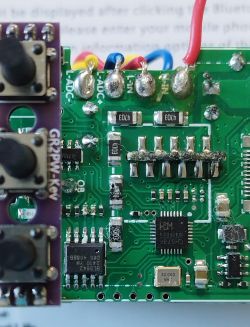
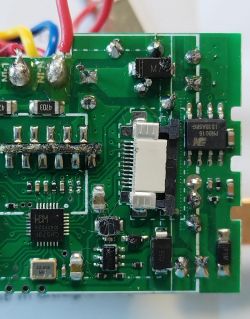
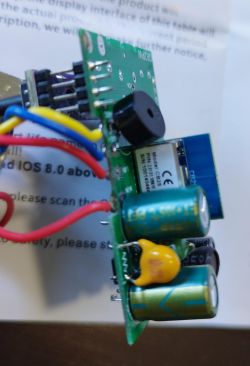
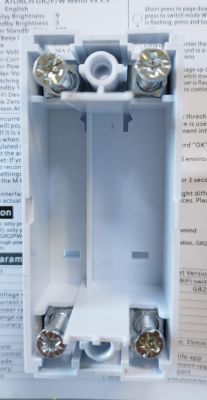
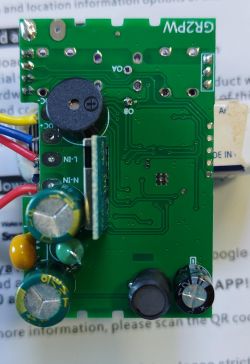
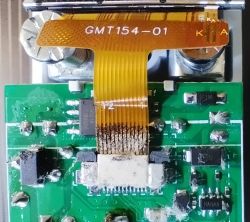
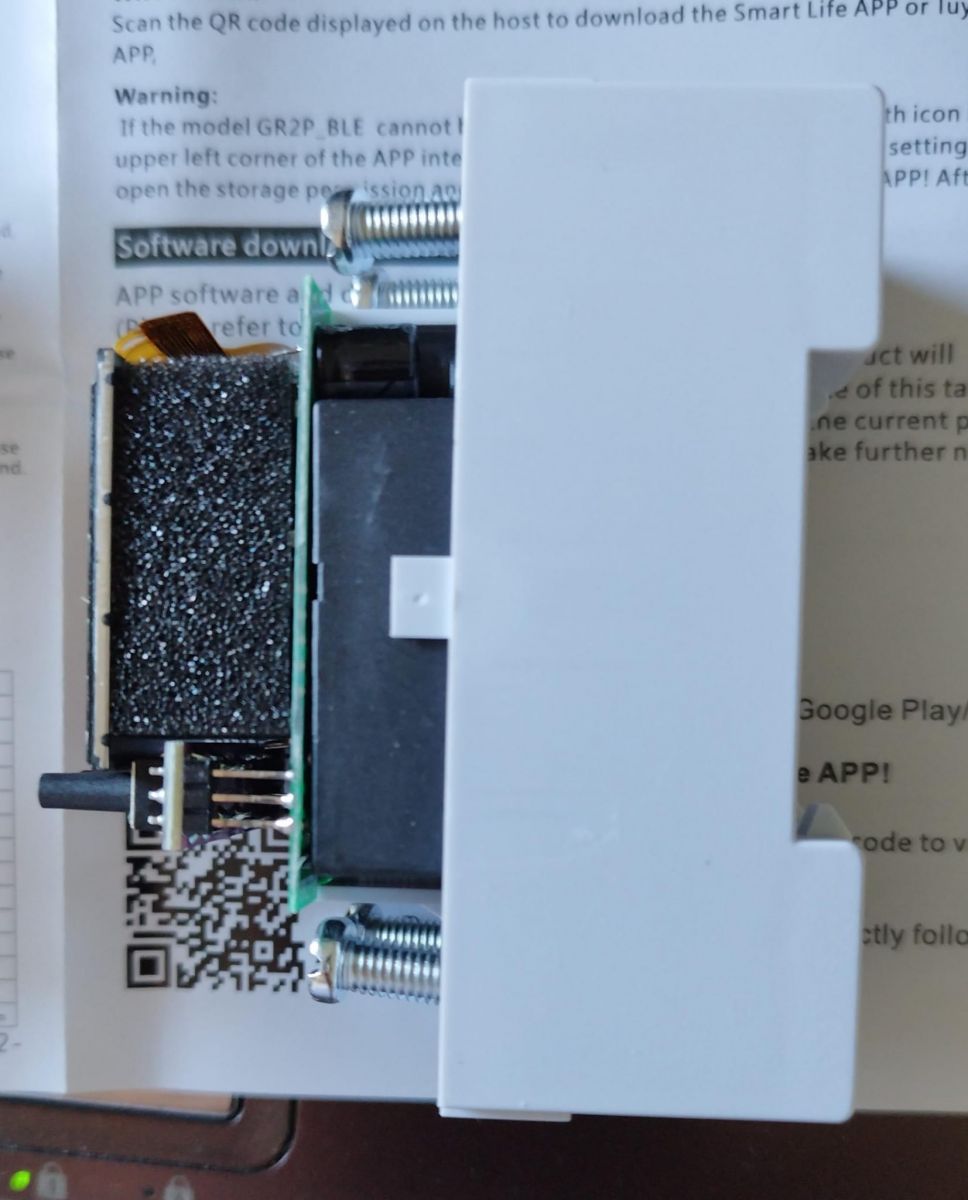
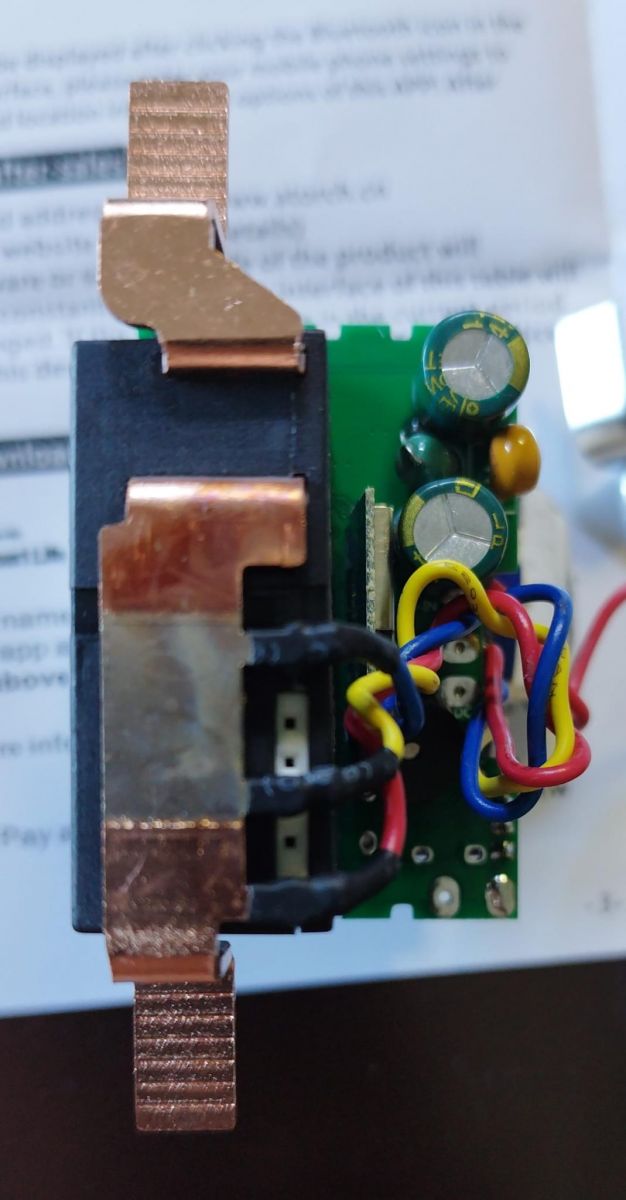
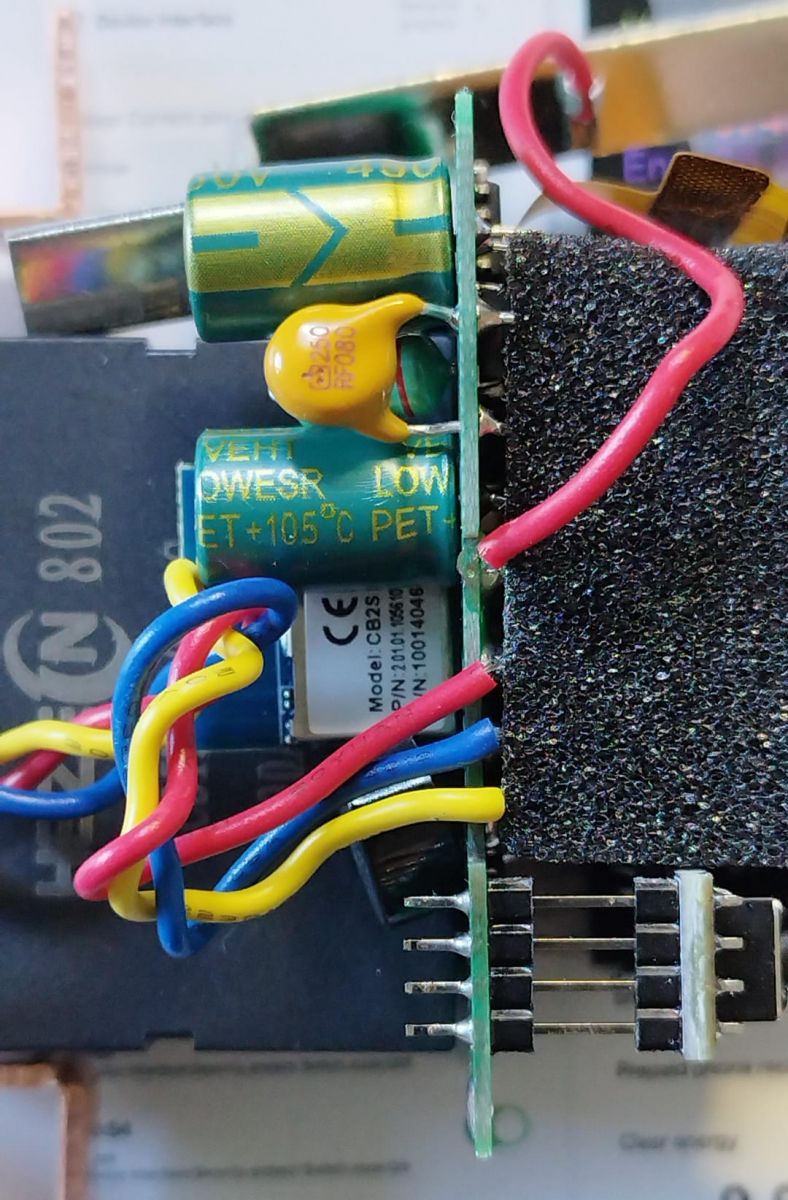
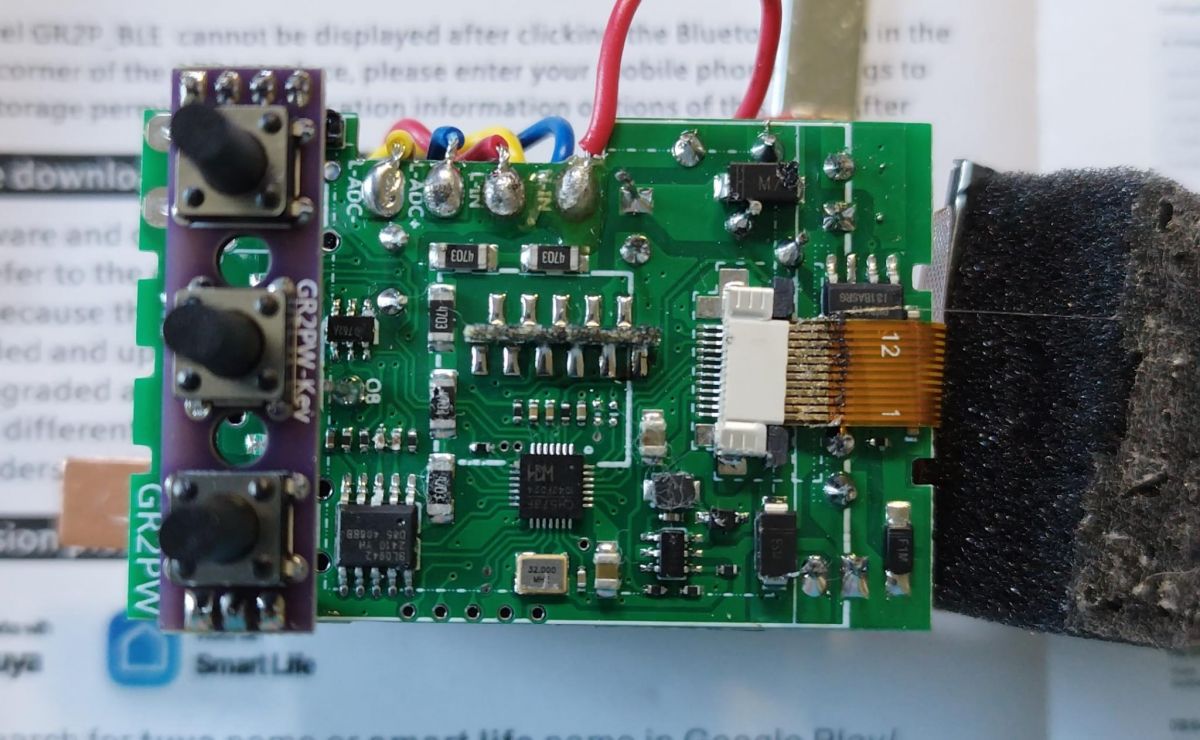
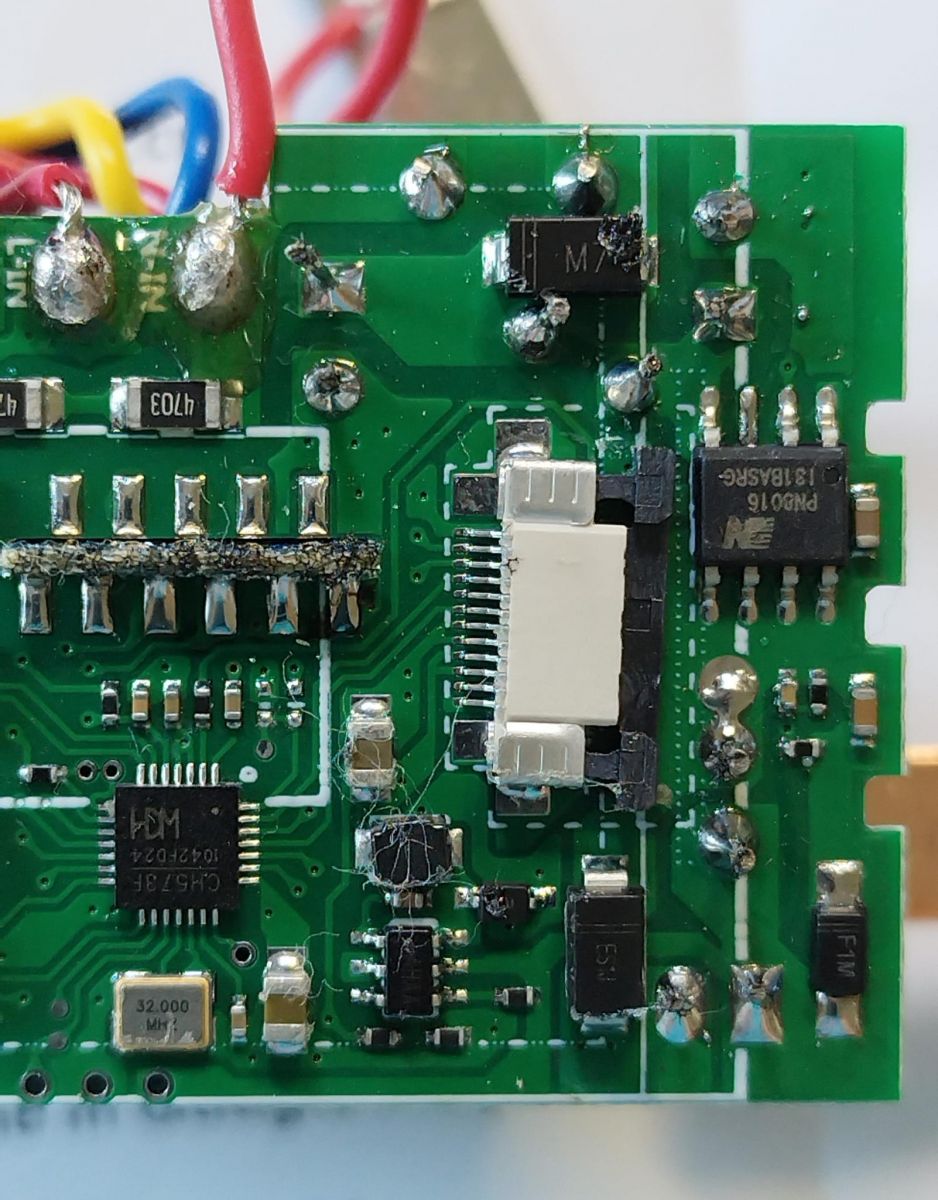
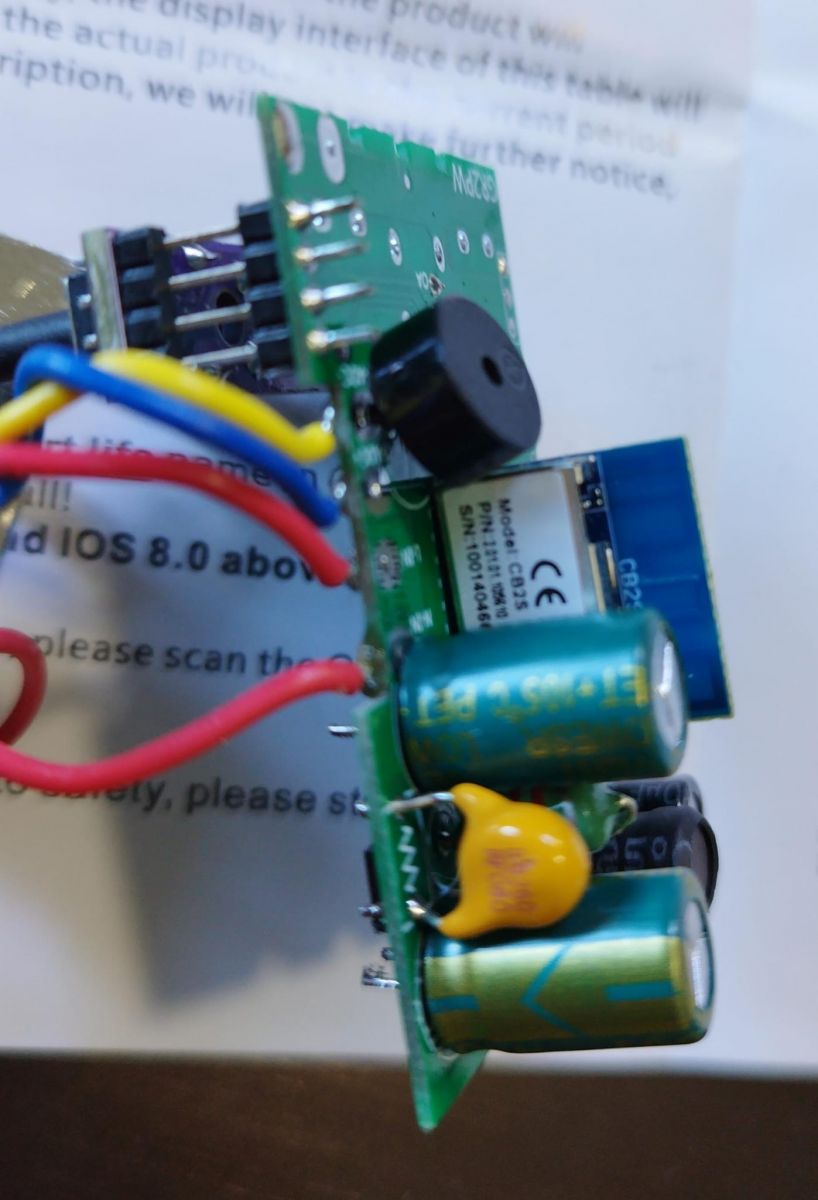
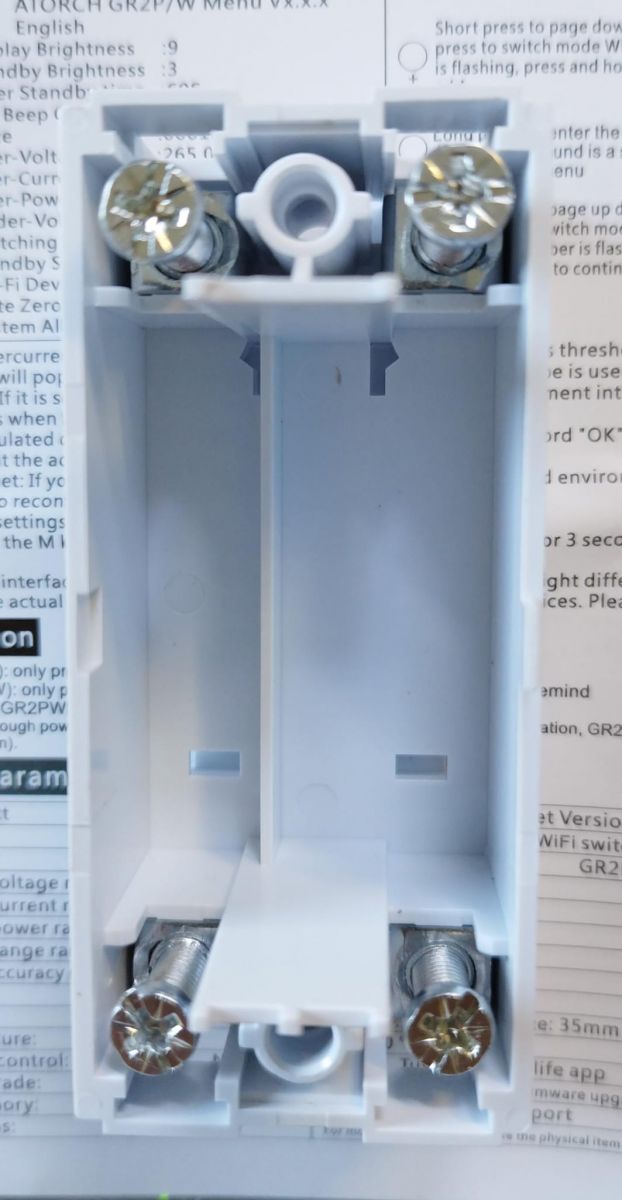
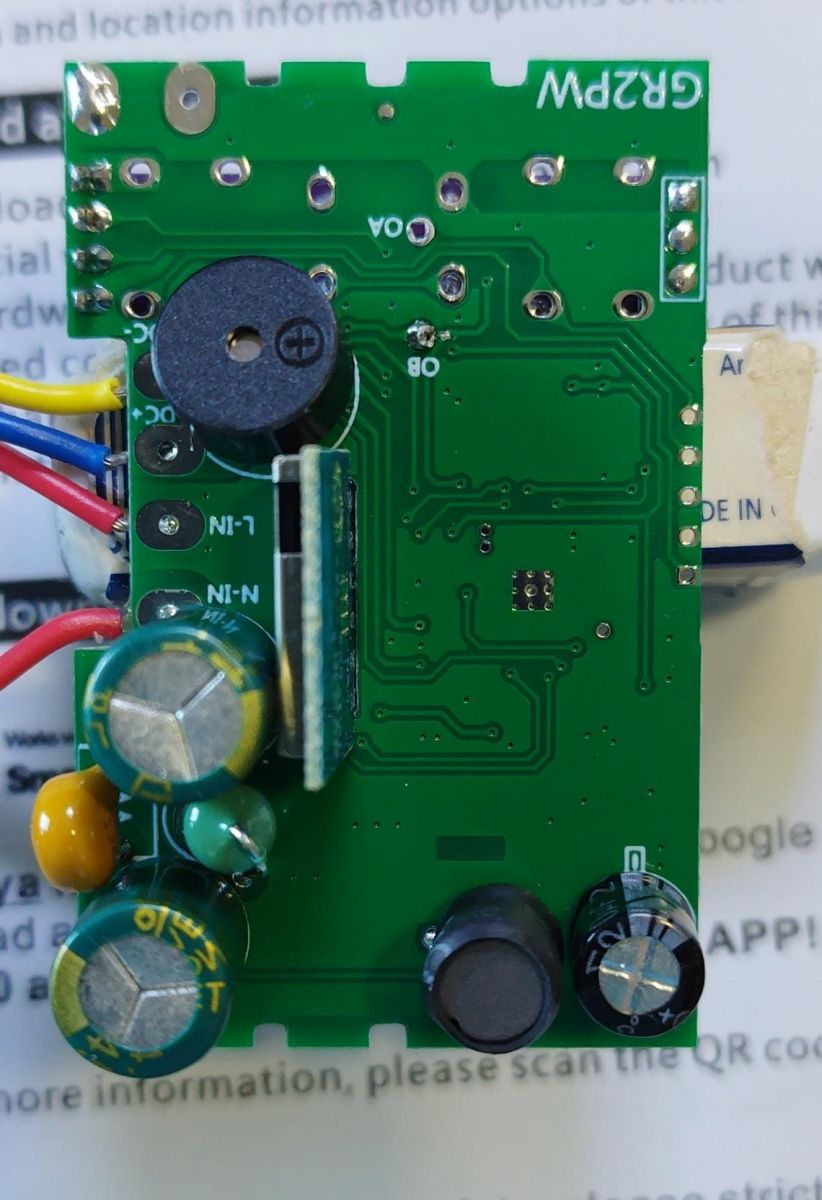
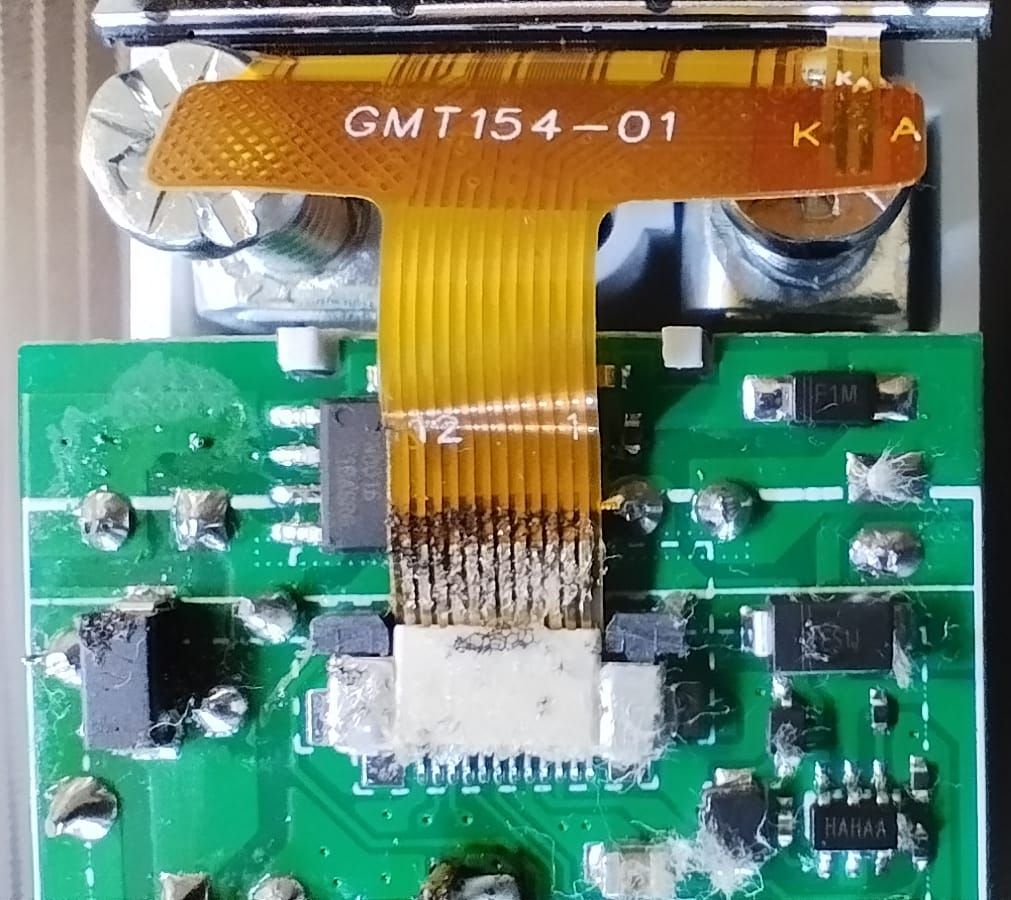
View of the label on a rail-mounted measuring device. View of GR2PWS device with N-OUT and L-OUT labels. Photo of the front part of an electrical device with ports labeled N-IN and L-IN. Two energy meter modules with displays. Electronic board inside a device with visible wires and components. View of the inside of an electronic device with visible wires and components. Image of a part of an electronic device with visible internal components. Internal view of an electronic module with visible components and wiring. Close-up of the inside of an electronic device with colorful wires and capacitors visible. Close-up of a circuit board with buttons and various electronic components. HEZ 802 relay with 9V DC coil and marking 100A 250V AC against a manual. Close-up of an electronic module with visible components on a circuit board. Close-up of a GR2PW electronic device circuit board with three switches. Close-up of a circuit board with visible electronic components, including attached wires and a CH573F microcontroller. Circuit board with various electronic components. Electronic circuit board with mounted components and connected wires. View of the inside of a plastic enclosure with four mounted screw terminals. Rear view of the GR2PW device circuit board. Close-up of a circuit board with an attached ribbon cable labeled GMT154-01.

As we can see, it uses the CB2S WiFi module (datasheet), which employs BK7231N chip, so it is possible to flash OpenBeken on it.

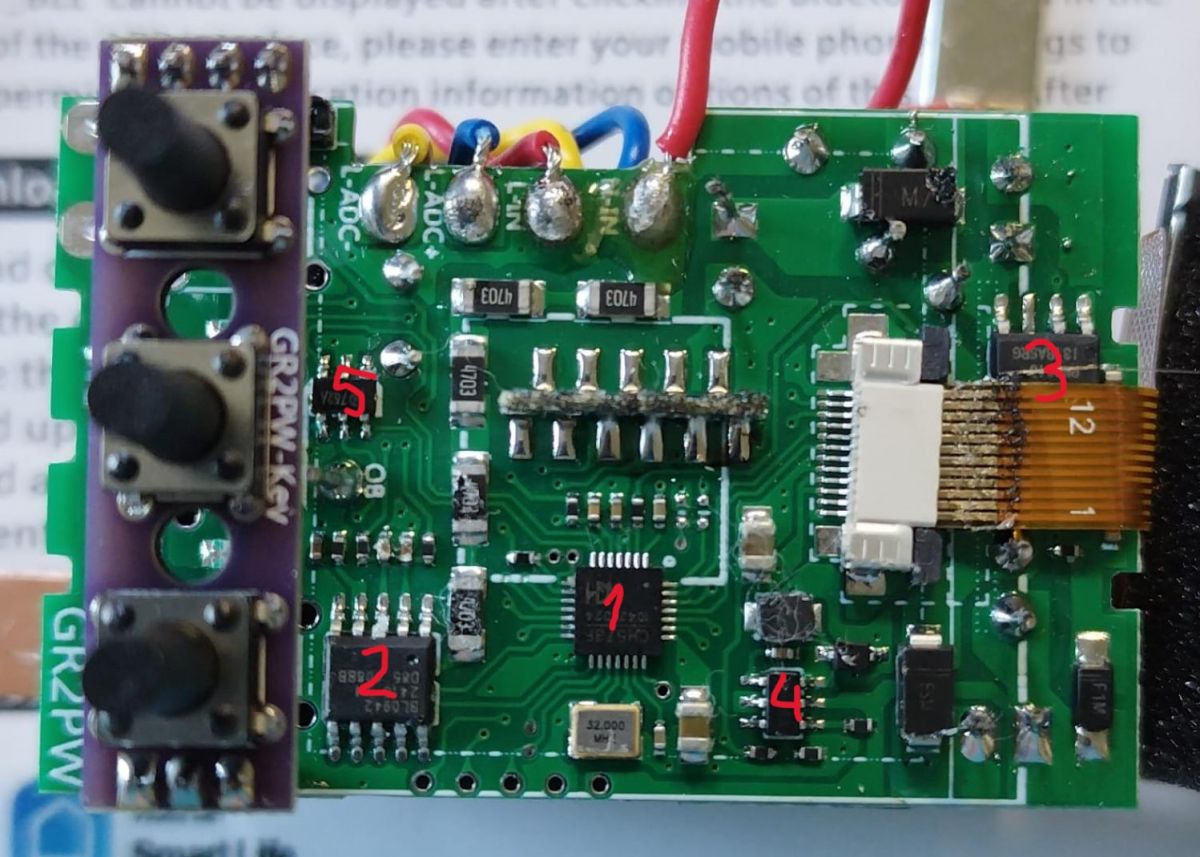
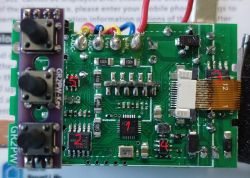
As for the rest of main components, we can see them in the following image:
Close-up of a circuit board with numbered components.

"1" (CH573F) is the Tuya MCU.
"2" (BL0942) is the AC metering chip
"3" (PN8016) is an unisolated DC/DC switch mode converter, to get 9V (presumably, as this is the relay's coil voltage) from the rectified AC (measured 10.1V).
"4" (marked HAHA A) is a switched mode regulator, to get (presumably) 3.3V (measured 3.23) from the previous 9V converter. This one feeds the Tuya MCU, the WiFi module, and the Power indicator LED. I couldn't find anything meaningful related to the markings but, from the peripheral components and connections could be similar to SY21031
or RT6200
"5" (marked 762A) is the bistable relay driver (Chinese datasheet)
Other main components are the relay and the TFT graphic screen (labeled GMT154-01, similar to this one).

Now, let's continue with the DpIDs identification. Following my tutorial, this is the result of "Query Things Data Model", once formatted and translated:
Code: JSON
Log in, to see the code


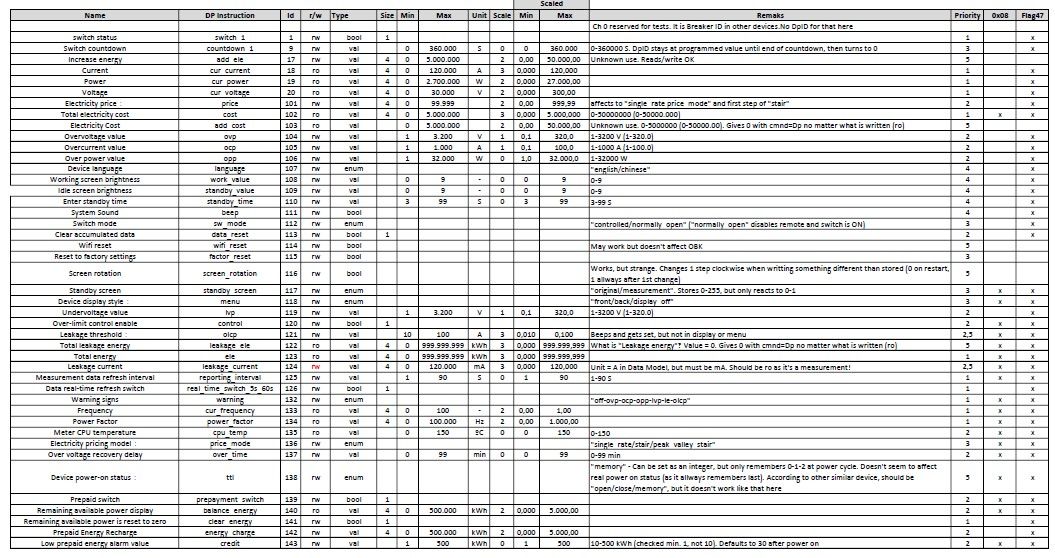
That means a total of 44 DpID's!! Let's put them in a more legible format:
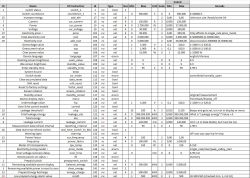
Table of device parameters with description and specification.
(also attached as pdf)

After doing this with the original FW, we can now proceed to make a backup of it (attached) and then flash OBK. I tried first without isolating CB2S TX1 and RX1 signals from the main PCB, but got errors. I managed to isolate them without removing the module (just cleaning the solder bridge) and kept soldered Vcc and GND (CEN signal was already isolated). I have to say I had some problems trying to flash with bk7231flasher_1.3.3 (freezing at a certain point), so I finally did it with 1.1.6.

With so many DpIDs, this is still "work in progress". I've found some of them don't seem to work. Others, supposedly read-write, behave as read-only, etc. But the autoexec.bat at this moment is the following:
Code: Javascript
Log in, to see the code


As you can see in some of the comments, this one is derived from the TOMPD63-LW's autoexec, which works well with @angel0fdeath web page for TOMPD63-WIFI, provisional adapted version. For this reason, and anticipating the possibility of adapting that web page also for this device, I've tried to keep the same channels for the same sensors.

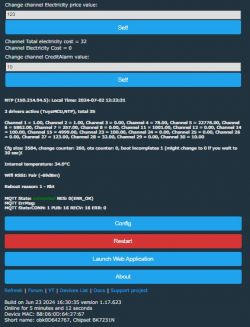
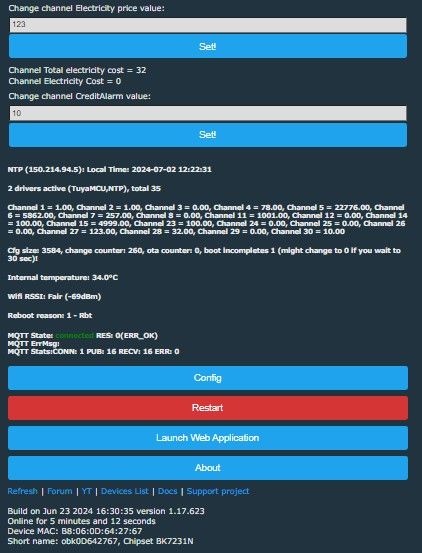
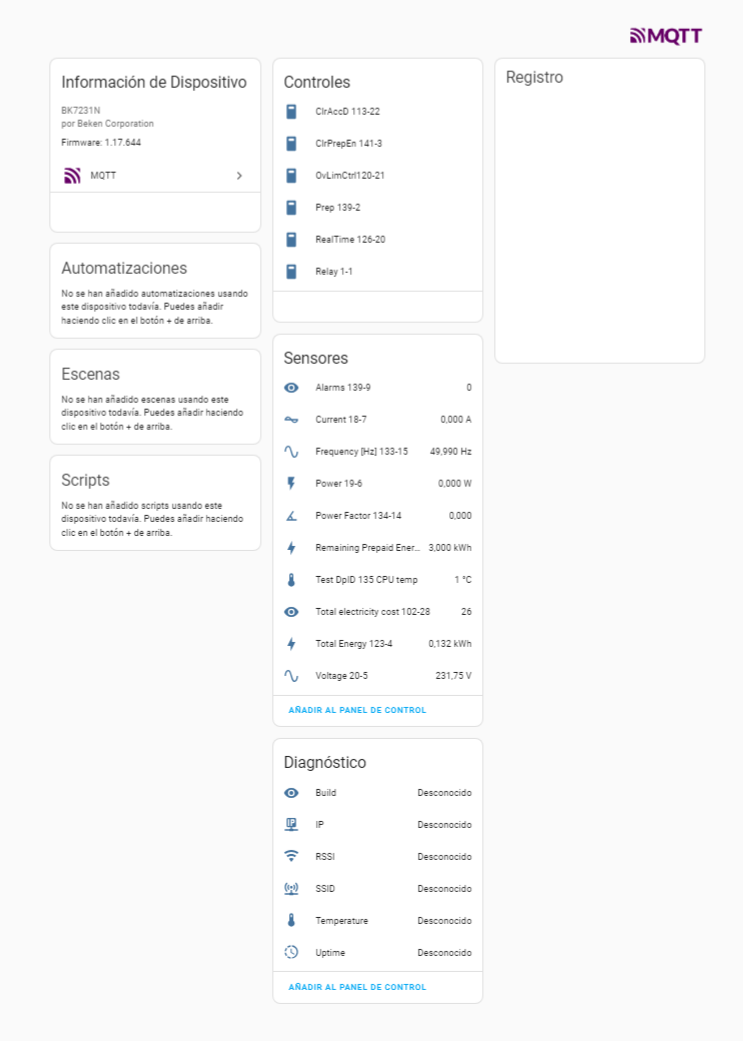
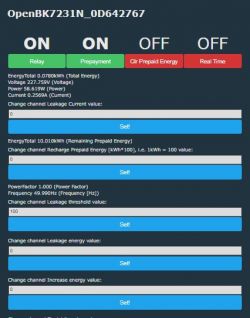
These are screenshots of OBK's main screen and Home Assistant page for this device:
Screenshot of the OpenBK7231N interface showing various indicators and control buttons. Screenshot of control panel showing configuration and parameters of a device using TuyaMCU. Screenshot of the user interface of an energy monitoring system.

Everything seems to work fine (except for "strange" DpIDs) and I am able to properly command the relay, read network parameters, program values, etc.

And this is all for now. As there aren't enough channels to map all 44 DpIDs, I've been using channel 30 to test other DpIDs but still have to decide which of them will be chosen for the final mapping (as I said before, some of them don't work and others don't seem to have a real function). I'll keep you informed of the results!https://www.elektroda.com/rtvforum/posting.php?mode=editpost&p=21142057#

EDIT (18/07/24): I´ve been making some progress with the device, and I think I'm almost at the point of considering the work finished ("almost" because you can always find something to add/improve when dealing with this things...). So, the changes are:

1.- (almost) definitive autoexec.bat:
Code: Javascript
Log in, to see the code

Also attached as GR2PWS_autoexec.bat_p.txt. I would recommend clearing all comments when copying to little FS to save space there.

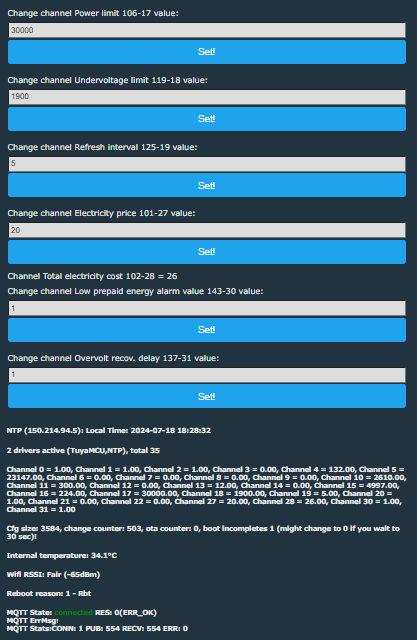
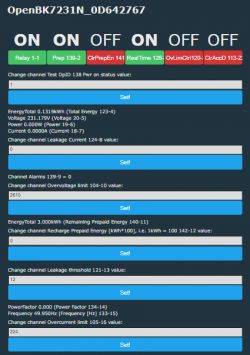
This is the aspect of OBK's main page:
Screenshot of the OpenBK7231N interface for a device with BK7231N chipset Screenshot of a smart device user interface with channels and measurement values..
(the labels in these screenshots do not correspond with the autoexec, as it's a debug version that includes channel numbers and DpIDs to facilitate debugging)

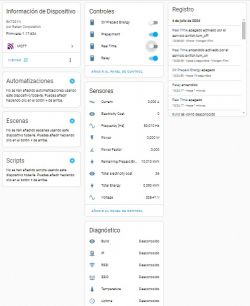
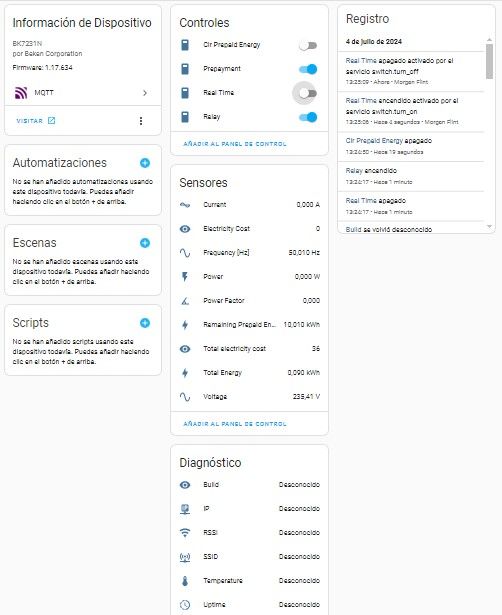
And from Home Assistant's device page:
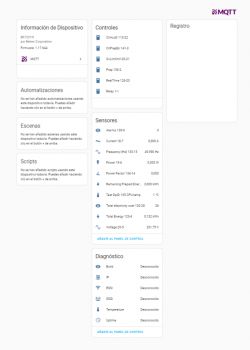
Device information panel for BK7231N with various data sections.
BTW, @pkaczmarek2 , in this page all the diagnostics sensors appear like "unknown", while in OBK's main page they have values. What could be the cause?
Also, I see there's no channel type for currency... Do you think it would be interesting to add a "generic currency" channel type? (I understand adding it for all the main currencies would mean too many types).

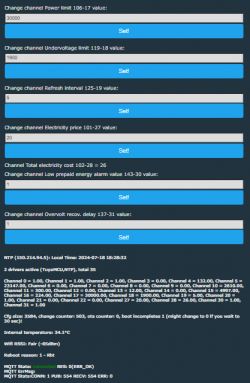
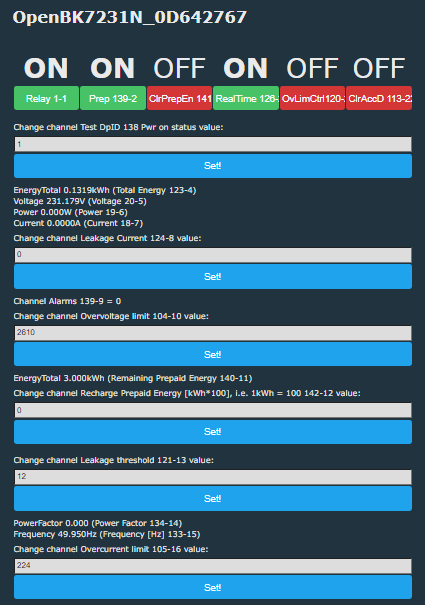
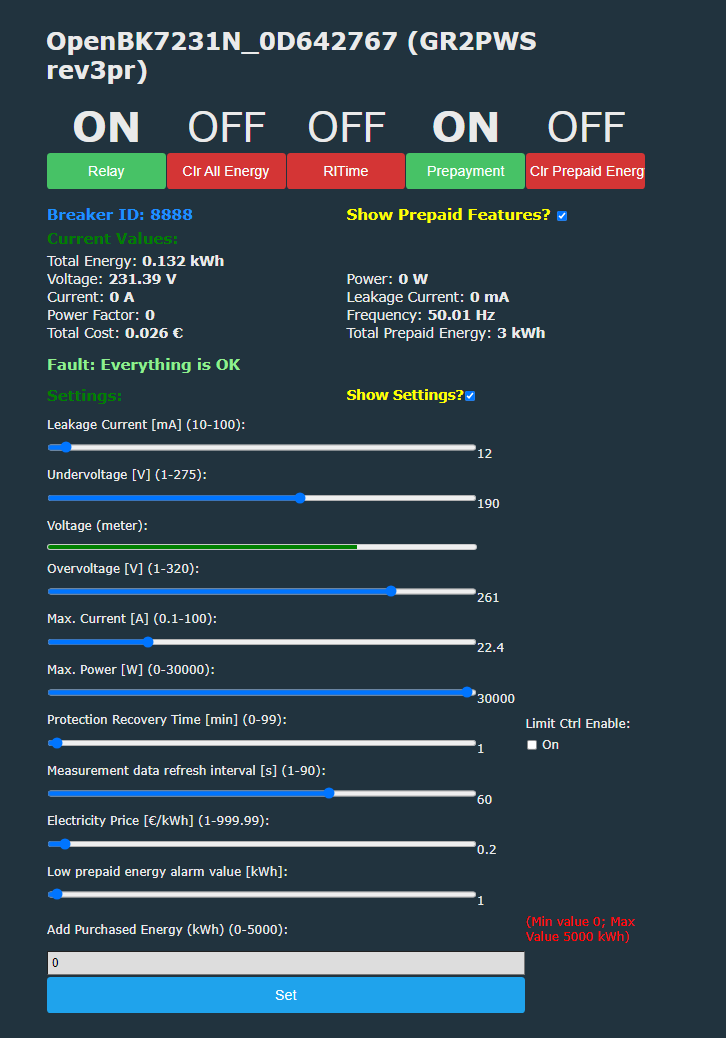
2.- Custom web page, modified from @angel0fdeath versions for the other devices cited before, attached as GR2PWS_rev3pr.html.txt. Heavily commented, so the original author can check/validate the mods, if he wants. I'd also clear all comments if loading it to little FS on the device, to avoid space problems.

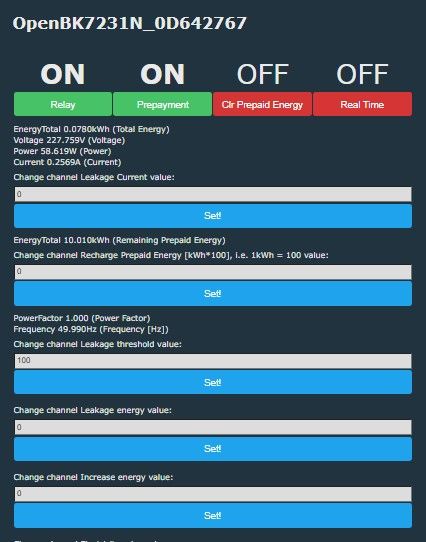
Here is the screenshot of this custom web page:
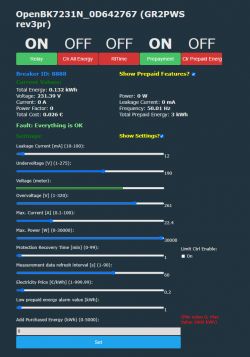
OpenBK7231N user interface with device settings and data.

One comment about this: The fault treatment in this device (DpID 132) is completely different than from the other two devices cited at the beginning, as in this one type is "enum", and in those it was "bitmap". The consequences are that in the other ones, several faults (overcurrent and overvoltage, for example) could be signaled at once, while in this device only one at a time, in the order of priority overvoltage-overcurrent-overpower-undervoltage-low prepaid energy-leakage" (if we have overcurrent and overvoltage, for example, it will show overvoltage and, once this disappears, then it'd show overcurrent, if still persisting).

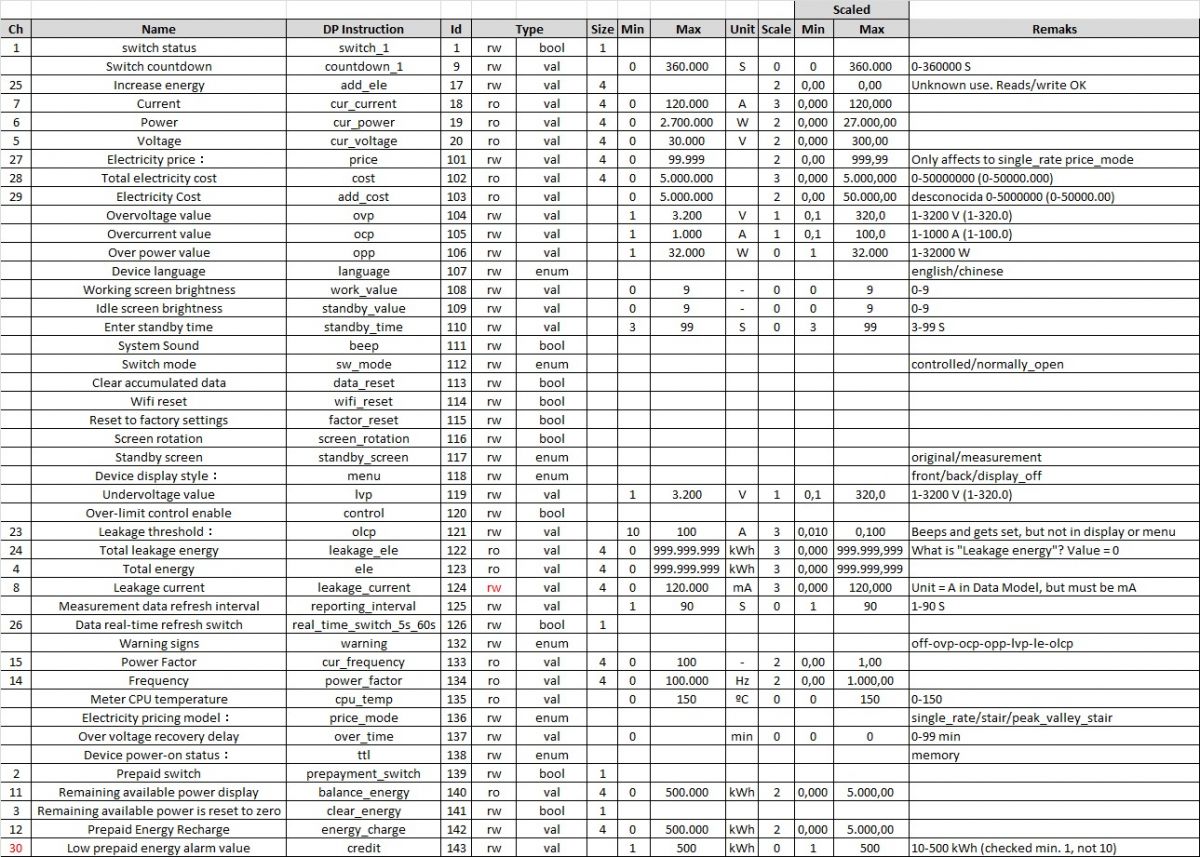
3.- I've also updated the table of DpIDs with more info:
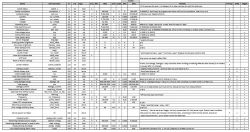
Device parameter table with DpID identifiers and technical details.
Also attached as .pdf (deleted previous one). If someone would like to have the original spreadsheet (.xlsx), just ask.

I´ve left a good amount of DpIDs out from the .bat (and .HTML), as there are not enough channels in OBK to accommodate all of them, nor they're really needed for normal remote operation. Also, although the necessary hardware is not implemented, for now, I've left the DpI'd related to the leakage current, as I've seen in the PCB that there's space left for the associated components, and I may give a try to install them and check if the TuyaMCU's firmware is prepared to read leakage current. To use the device as is, comment out or delete these lines in the .bat and .html.

Also, after writing my original post, I found there were already two posts about other Atorch products, with similar characteristics, especially the first one, but with some differences in DpIDs and functionality: AT4P(WP/BW) Smart Energy monitor, and S1-B/W/T/H Smart Socket Energy Monitor. The autoexec's posted there used only a small subset of the full range.

I see there have been no comments on this thread since I first posted it :-( ... Anyway, I hope it can be of help to others who buy this interesting device, and I'll PM @gulson to see if he can put it in the devices list (I don't know if I can do it by myself)

Finally, many thanks to @pkaczmarek2 again for this fantastic software that gives so many possibilities to experiment with these devices!!
Attachments:
  • GR2PWS_DpIDs_2.pdf (446.39 KB) You must be logged in to download this attachment.
  • GR2PWS_rev3pr.html.txt (33.62 KB) You must be logged in to download this attachment.
  • GR2PWS_autoexec.bat_p.txt (6.05 KB) You must be logged in to download this attachment.
  • GR2PWS_Reset_BK7231N_QIO_2024-23-6-20-54-08.bin (2 MB) You must be logged in to download this attachment.
  • 20240621141828.pdf (15.33 MB) You must be logged in to download this attachment.
  • GR2PW AC50-320V 100A Smart Electricity Meter Tuya WiFi Din Rail Power Energy Meter Digital Display Monitor Voltage Curve Ammeter.pdf (39.94 MB) You must be logged in to download this attachment.

About Author
morgan_flint
morgan_flint wrote 251 posts with rating 59 , helped 4 times. Live in city Sevilla. Been with us since 2018 year.

Comments

sawadee 14 Oct 2024 17:06

Wonder if I could get some help getting my Atorch GR2PWS units reprogrammed to remove Tuya calling home? I have connected to the wifi module that has the BK7231N chip. I downloaded the original firmware... [Read more]

morgan_flint 15 Oct 2024 17:12

AFAIK, this is normal with Tuya MCU devices, as this one. Did you include this information with "Change OBK settings for flash write"? I usually do it by accessing the device's access point, which... [Read more]

sawadee2u 17 Oct 2024 17:37

Hello Morgan, First, thank for the reply and help. I am still having issues. If I flash the .bin file you have attached, GR2PWS_Reset_BK7231N_QIO_2024-23-6-20-54-08, the device does not connect to my wifi.... [Read more]

morgan_flint 19 Oct 2024 11:49

That bin is a backup of the original FW, posted it in case someone has problems and wants to go back to Tuya, or for experts here to analyze it for other features. To get the device going with OpenBeken,... [Read more]

sawadee2u 02 Nov 2024 17:25

Ok, have my head on straight now, mostly... Have programmed four units and all report the following in home assistant: sensor.obk_87fb00029_current sensor.obk_87fb00029_voltage sensor.obk_87fb00029_power sensor.obk_87fb00029_total_energy sensor.obk_87fb00029_frequency_hz sensor.obk_87fb00029_power_factor sensor.obk_87fb00029_temperature... [Read more]

morgan_flint 02 Nov 2024 19:25

I'm having the same problem with OBK "internal" sensors (see the first attached image), although the values show up on OBK's main web page (second image). This also happens to me with some other devices,... [Read more]

divadiow 09 Nov 2024 14:25

here's the MCU binary downloaded when accepting the 1.0.3 update offered by the Tuya app for this device https://obrazki.elektroda.pl/2839948500_1731158725_thumb.jpg [Read more]

morgan_flint 09 Nov 2024 18:51

Thanks! How can you install it in the MCU if you have flashed OBK? [Read more]

divadiow 09 Nov 2024 18:57

That I do not know. Not yet anyway. [Read more]

divadiow 10 Nov 2024 13:57

and hang on. How has this not been added to the device list yet? https://github.com/OpenBekenIOT/webapp/pull/159 [Read more]

morgan_flint 13 Nov 2024 18:32

Thanks for adding it, I don't have very clear the procedure to do that Added after 2 [minutes]: I Imagine I can flash the Tuya FW back from the backup, update the MCU FW from there and then go back... [Read more]

divadiow 13 Nov 2024 20:43

indeed. who knows if the changes in these MCU updates warrant the effort though. [Read more]

morgan_flint 14 Nov 2024 11:37

I imagine it would be necessary to implement this in OBK to be able to update MCU FW via OTA, but probably, it's not worth the effort, I think MCU FW updates are not so common for these devices. BTW,... [Read more]

agaletski 02 Jan 2025 16:34

Hi. I have two of those devices. I'm happy to find this discussion and people were able to reflash and manage this device directly from HA. I want to reflash my device too and have question about MCU... [Read more]

agaletski 03 Jan 2025 19:24

Hello. I have found how to activate the Diagnostic data (actual RSSI, IP, SSID and others ) are reported to HA via MOTT topics. (mentioned in earlier messages) We can just enable those states report... [Read more]

misharexsezan 04 Feb 2025 16:11

Super Cool! Just installed today and everything is working just fine!!! [Read more]

crg1darkspr1te 04 Feb 2025 17:48

For those that are interested in the update mechanism for MCU side it is document in code here https://github.com/tuya/tuya-wifi-mcu-sdk-arduino-library/blob/b7f5018b27c9b63888d720ac910b0c181d766986/src/TuyaDefs.h#L81 and... [Read more]

divadiow 04 Feb 2025 18:14

cool. do you know if your MCUs on the AT4Ps are already at 1.0.9 or still earlier? ref https://github.com/divadiow/TuyaMCUBins/tree/main/OTA [Read more]

crg1darkspr1te 04 Feb 2025 21:48

AT4P 1.0.4 , AT4PW 1.0.7 ,AT4PBW 1.0.6 are what i have on hand working devices but not dumped MCU wise, i do have the BK side though darkspr1te Added after 4 [minutes]: Oh and i compared the... [Read more]

FAQ

TL;DR: With 44 DpIDs and “flash OpenBeken on it,” this thread shows GR2P-WS owners how to replace Tuya cloud with OpenBeken, map TuyaMCU datapoints, and restore Wi‑Fi, MQTT, and Home Assistant reporting on both CB2S/BK7231N and newer T1-2S-NL variants. [#21142057]

Why it matters: This FAQ turns a long reverse-engineering thread into a fast, quotable setup guide for getting Atorch GR2P-WS energy breakers working locally.

Variant Wi‑Fi module / chip TuyaMCU baud rate reported Key flashing note
GR2P-WS, early CB2S / BK7231N 9600 Needed RX/TX isolation; bk7231flasher 1.1.6 worked reliably
GR2PWSL Different main MCU + same TuyaMCU-style mapping Not highlighted as changed Added leakage CT hardware and newer schema details
GR2P-WS, late T1-2S-NL / BK7238-class handling 115200 Needed OpenBeken BK7238 path and corrected autoexec

Key insight: GR2P-WS is not a simple standalone smart relay. It is a TuyaMCU design, so flashing OpenBeken only replaces the Wi‑Fi module; the device works correctly only after you map the right DpIDs and baud rate in autoexec.bat.

Quick Facts

  • The early GR2P-WS schema exposed 44 DpIDs, including relay control, voltage, current, power, total energy, prepaid functions, alarms, frequency, power factor, and display settings. [#21142057]
  • On the early CB2S board, measured rails were about 10.1 V from the PN8016 supply and 3.23 V for logic, with the relay coil presumed to be 9 V. [#21142057]
  • The GR2PWSL leakage version adds an external residual-current transformer with a reported 1:1000 ratio plus roughly 510 Ω shunt and ~500 Ω series parts for leakage sensing. [#21572984]
  • A late T1-2S-NL GR2P-WS worked only after switching TuyaMCU speed to 115200 baud; using DpID 19 for power fixed the broken power reading. [#21787724]

How do I flash OpenBeken on the Atorch GR2P-WS with a CB2S BK7231N module and get it working with the TuyaMCU autoexec.bat?

Flash the CB2S module with OpenBK7231N, then add the TuyaMCU mapping file. 1. Disconnect the device from mains, wire 3V3, GND, RX, and TX, and isolate CB2S RX1/TX1 if flashing fails. 2. Flash OpenBeken, boot it, join its AP or web UI, and configure Wi‑Fi and MQTT. 3. Create autoexec.bat in LittleFS, paste the GR2P-WS TuyaMCU mapping, reboot, and run Home Assistant discovery. The original working map used startDriver TuyaMCU, tuyaMcu_setBaudRate 9600, and linked relay, voltage, current, power, and energy channels. [#21142057]

Why does the Atorch GR2P-WS sometimes fail to flash with bk7231flasher 1.3.3, and why did version 1.1.6 work better for some users?

Some users saw bk7231flasher 1.3.3 freeze during flashing, while 1.1.6 completed successfully on the same hardware. The failure appeared when CB2S TX1 and RX1 still interacted with the main PCB, so cleaning the solder bridge and isolating those lines helped. One user explicitly reported errors without isolation, then a successful flash after isolating signals and switching from 1.3.3 to 1.1.6. That makes the issue a tool-and-bus-interference problem, not a GR2P-WS lockout. [#21142057]

What is a TuyaMCU device, and how is it different from a standalone OpenBeken device?

A TuyaMCU device uses one MCU for the product logic and a separate Wi‑Fi module for networking, so OpenBeken does not control the hardware directly. "TuyaMCU" is a controller architecture that keeps the relay, display, metering, and buttons on a dedicated MCU, while the BK Wi‑Fi module only exchanges datapoints over UART. On GR2P-WS, the early board used a CH573F as the Tuya MCU and a CB2S BK7231N module for Wi‑Fi. That is why flashing OpenBeken alone shows no useful values until you map DpIDs in autoexec.bat. [#21142057]

What are DpIDs in TuyaMCU devices, and how do I extract the GR2P-WS schema or Things Data Model from Tuya Developer?

DpIDs are Tuya datapoint identifiers that represent functions like switch state, power, voltage, or alarms. "DpIDs" are protocol fields that define each readable or writable function, including type, scale, unit, and access mode. For GR2P-WS, the thread extracted the Things Data Model from Tuya Developer using “Query Things Data Model,” then reformatted it into a readable table. The early model exposed 44 DpIDs, while a later T1-2S-NL dump still matched modelId e1kylf6c, confirming the same basic schema even on newer hardware. [#21784596]

Why does the original GR2PWS_Reset_BK7231N backup reconnect to Tuya instead of behaving like OpenBeken firmware?

Because that file is a backup of the stock Tuya firmware, not OpenBeken. One user restored GR2PWS_Reset_BK7231N_QIO_2024-23-6-20-54-08.bin and saw the device appear in the router as a Tuya client again, which matched the expected behavior. The thread author clarified that the backup exists for rollback and analysis only. To run locally, you must flash a real OpenBK7231N build and then load the GR2P-WS autoexec.bat. [#21269095]

How can I make an Atorch GR2P-WS show up correctly in Home Assistant over MQTT, including sensors like current, voltage, power, and total energy?

Configure MQTT in OpenBeken, add the correct TuyaMCU mapping, then start Home Assistant discovery. The working mapping linked DpID 18 to current, 19 to power, 20 to voltage, and 123 to total energy. After reboot, users were told to open the device web UI, create autoexec.bat, paste the mapping, then use the Home Assistant Configuration page and press “Start Home Assistant discovery.” That produced MQTT entities such as current, voltage, power, total energy, frequency, and power factor. [#21264172]

Why do OBK internal diagnostic entities like RSSI, IP, SSID, uptime, and build show as unknown in Home Assistant even when values appear on the OpenBeken web page?

They show as unknown when the relevant OpenBeken state-report flags are not enabled for MQTT reporting. A user later found that RSSI, IP, SSID, and similar diagnostics started reporting after enabling those states in the Flags section. The same post noted that flags 0 in autoexec.bat clears all flags at boot, so removing that line is the safer fix if you want diagnostics in Home Assistant. The web page can still show local values even when MQTT entities remain unknown. [#21375420]

What is the difference between the Atorch GR2PWS and GR2PWSL hardware, especially around leakage current measurement and the external current transformer?

GR2PWSL adds real leakage-current hardware, while the older GR2PWS board leaves that section mostly unpopulated. The GR2PWSL version included an external residual-current transformer with a measured 1:1000 ratio, plus a roughly 510 Ω shunt resistor, a series resistor near 500 Ω, and a capacitor to ground. Earlier GR2PWS boards exposed DpIDs for leakage functions, but the thread marked that hardware as “not implemented.” That means GR2PWSL can report and trip on leakage, while the plain GR2PWS usually cannot without board modification. [#21572984]

How does the GR2P-WS compare with the TOMPD63-WIFI, TOMPD63-LW, and Atorch AT4P family for OpenBeken flashing and TuyaMCU mapping?

GR2P-WS is broadly similar to those TuyaMCU breakers, but its screen, DpID mix, and fault handling differ. The author reused parts of the TOMPD63-LW mapping because channel layouts for current, voltage, power, and energy were similar. Compared with TOMPD63-WIFI and TOMPD63-LW, GR2P-WS had a graphical TFT screen and no implemented leakage hardware on early boards. The thread also linked Atorch AT4P-family posts, noting they share related functionality but only use subsets of the full DpID range. [#21142057]

What is the best way to recover Wi-Fi access on a freshly flashed GR2P-WS if it does not join the network after OpenBK7231N is installed?

Reset the device into AP mode and configure Wi‑Fi through the OpenBeken web interface. The thread recommends reflashing without embedded credentials or power-cycling the device five times, without letting each boot fully complete, to trigger the AP. Then connect to 192.168.4.1, enter the SSID and password, and reboot. This worked better than guessing Wi‑Fi and MQTT fields in the flasher. If needed, reflash again with only OpenBeken and add network settings later from the UI. [#21264172]

How do I map the GR2P-WS power reading correctly in autoexec.bat, and why did using DpID 10 instead of DpID 19 break the power sensor?

Map power to DpID 19, not DpID 10. A late T1-2S-NL user posted an autoexec.bat that incorrectly linked linkTuyaMCUOutputToChannel 10 val 6, which broke the power sensor. The fix was to restore the original mapping: linkTuyaMCUOutputToChannel 19 val 6, then setChannelType 6 Power_div100. After that change, the power value started working. This matches the earlier CB2S schema, where DpID 19 is cur_power and DpID 10 is not the live power datapoint. [#21787724]

Why does a newer GR2PWS with a T1-2S-NL chip need different OpenBeken handling, including BK7238 firmware and a 115200 TuyaMCU baud rate?

Because the late hardware revision replaced the CB2S/BK7231N path with a T1-2S-NL module that users handled as BK7238 and at a faster UART rate. A user flashed the new module as BK7238 and initially saw no values. The breakthrough came when the thread switched the TuyaMCU baud rate to 115200 instead of 9600 and kept the same core DpID map. Once corrected, relay, measurements, and custom HTML worked on the new revision. [#21788001]

What troubleshooting steps help when a T1-2S-NL based GR2PWS shows no TuyaMCU data at all after flashing OpenBK7238?

Check UART setup first, then verify the module still talks to the MCU. 1. Confirm the device runs on mains again and OpenBeken boots normally after reassembly. 2. Set startDriver TuyaMCU, try tuyaMcu_setBaudRate 115200, and test tuyaMcu_sendQueryState; one user got OK only after fixing setup. 3. If nothing changes, restore the stock backup to prove the hardware still works, then reflash OpenBeken and correct the mapping. The thread also tested flag 26 for UART swap, but the durable fix was proper baud plus correct power mapping. [#21785449]

How can the CH573F MCU in older Atorch GR2P-WS units be accessed over USB boot mode, and what limits prevent full firmware dumping or reflashing?

You can enter CH573F USB boot mode, but full firmware extraction is blocked by read protection. One user wired USB D+, D-, GND, and grounded the BOOT pin, then WCHISPStudio detected the MCU with bootloader version 2.90. The tools could read the 32 KB EEPROM, but not the full code flash. Another user’s wchisp info showed CFG_ROM_READ 0, which disables normal flash readout. That protection, plus possible encryption, stopped practical full dumping and easy reflashing. [#21568865]

What options are there for updating or restoring the Atorch GR2P-WS MCU firmware, including Tuya app OTA, USB flashing, and backup-based recovery?

The practical options are Tuya app OTA when stock firmware still runs, restoring the Wi‑Fi-module backup to rejoin Tuya, or risky MCU-side USB experiments. The thread confirmed a rollback path: flash the saved BK backup, pair with Tuya again, and use the app if an MCU update is offered. Users also shared an MCU OTA binary for version 1.0.3, but later recovery attempts could end in boot loops. A January 2025 report showed MCU firmware 1.0.4 still worked fine with OpenBK7231N 1.17.822, so updating the MCU is not required for normal OpenBeken use. [#21373484]
Generated by the language model.
%}