TR6260 WiFi chips in Tuya-style smart devices can be flashed with OpenTR6260/OpenBeken firmware for fully local, cloud-free control and Home Assistant Discovery.
Flashing uses a USB-to-UART adapter and the UTP tool, not esptool; GPIO14/TOUT2 must be grounded at power-on to enter SPI-flash boot mode.
The backup procedure reads the full 1MB flash image, producing a 1,048,576-byte dump with boot_nocrc.bin and the correct partition layout.
Firmware is written by loading boot_nocrc.bin at 0x0000, new_partition_0x6000.bin at 0x6000, and OpenTR6260_xxxx.bin at 0x7000.
After flashing, the chip broadcasts an open AP; connecting to 192.168.4.1 exposes configuration, and demos show DHT11 plus BME280/BMP280 sensor support.
AI summary based on the discussion. May contain errors.
Here's a detailed flashing guide for new TR6260 WiFi chips that can be found in some Tuya smart devices. TR6260 can be easily flashed and run free from the cloud, fully locally, without Tuya servers. This way you can easily pair TR6260 with Home Assistant via Home Assistant Discovery, add custom sensors (like DHT sensors family series or BMP280/BME280 etc), and run local scripts and automations.
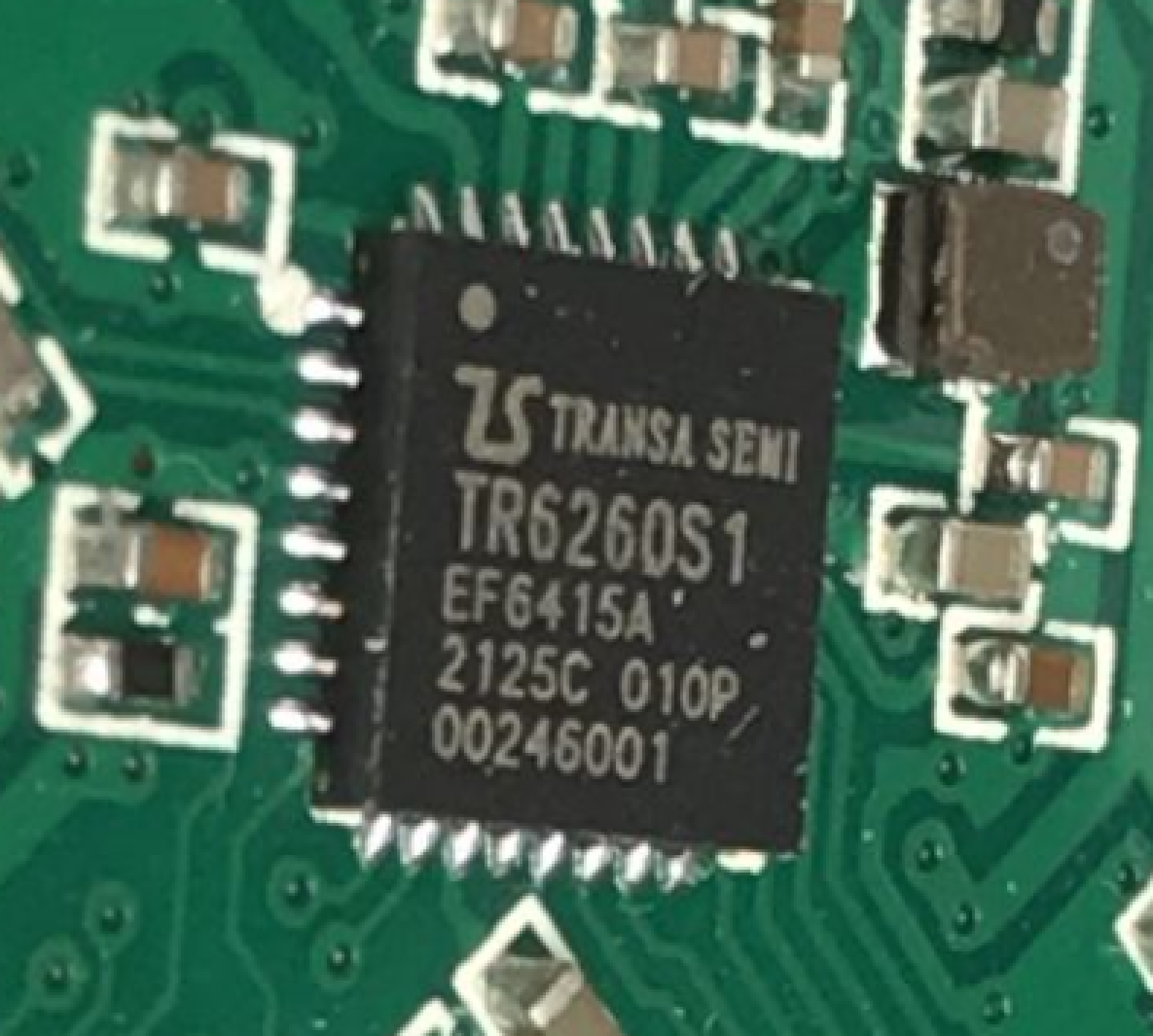
TR6260 is 32-bit, 2.4GHz WiFi-enabled SoC optimized for smart home/IoT applications, featuring 6x PWM, single ADC, flexible IO interfaces and 1MB of Flash.
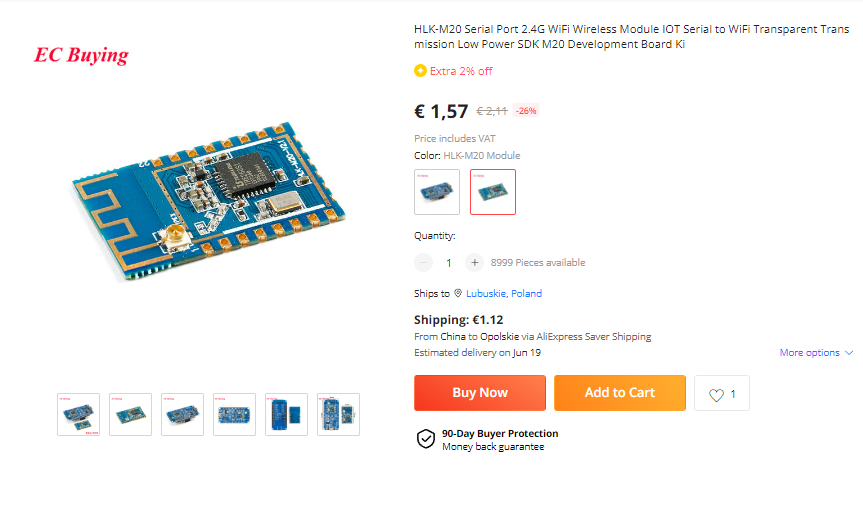
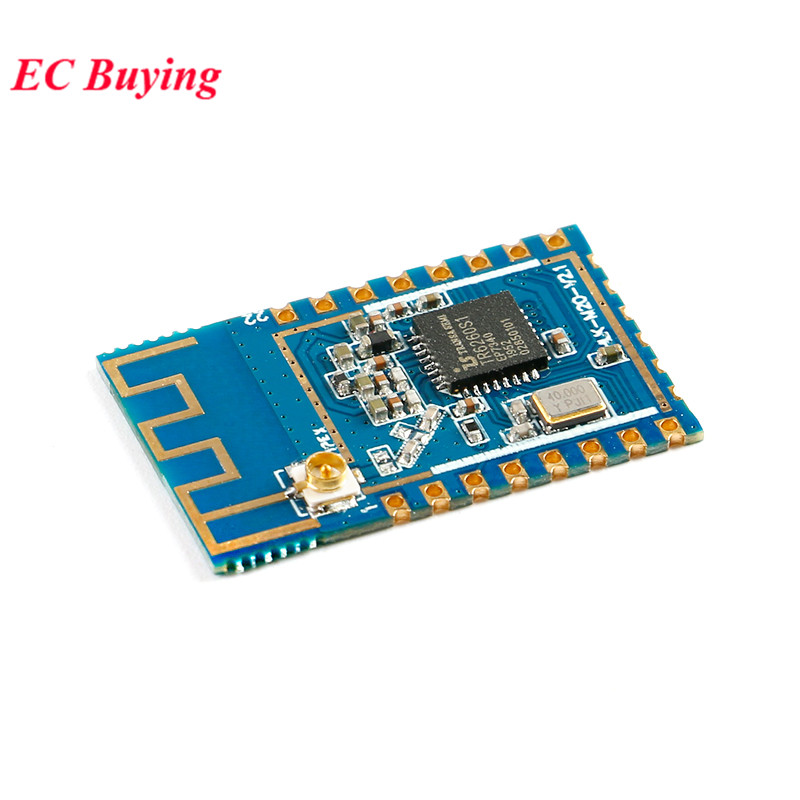
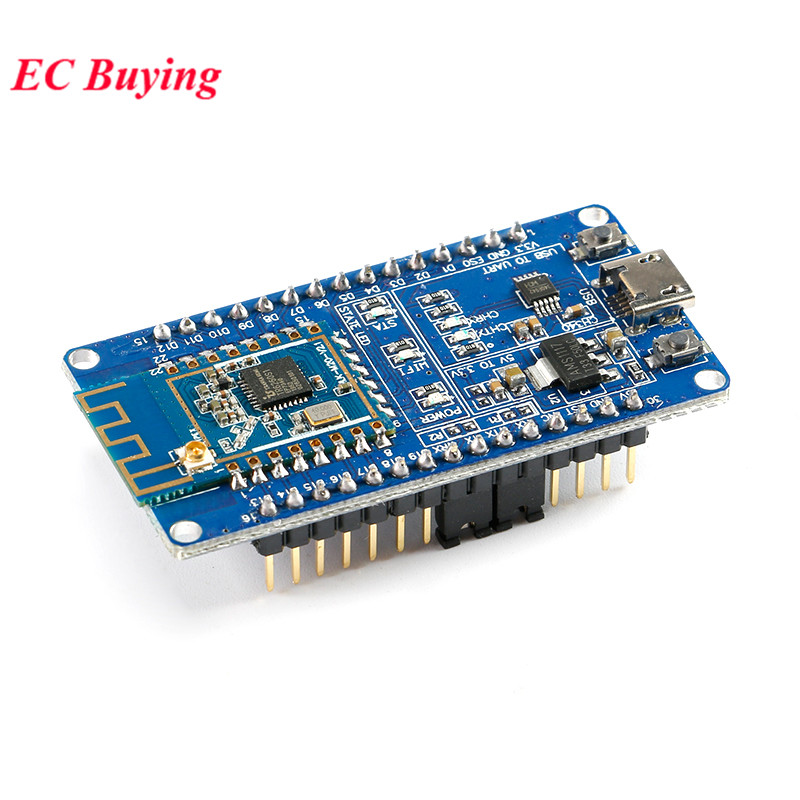
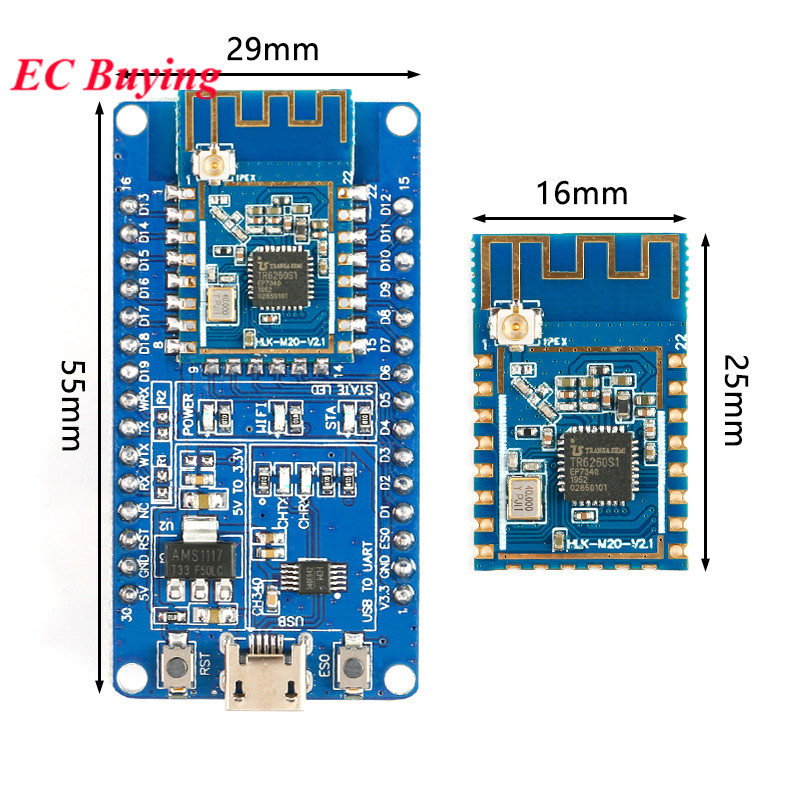
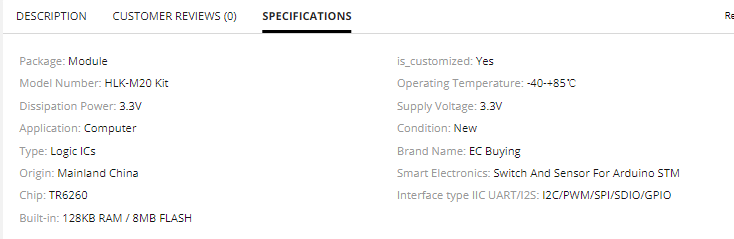
HLK-M20 development board This board can be easily found if you search for HLK-M20 Serial Port 2.4G WiFi Wireless Module IOT Serial to WiFi Transparent Transmission Low Power SDK M20 Development Board Kit. It's somewhat similiar to NodeMCU and other ESP boards. You can either buy just a module:
or a full dev board, with module already soldered:
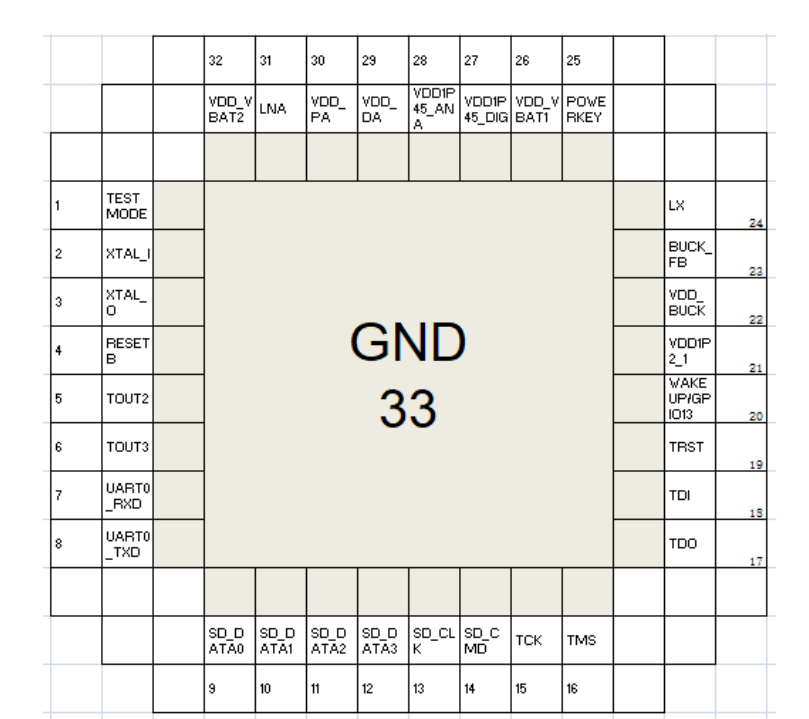
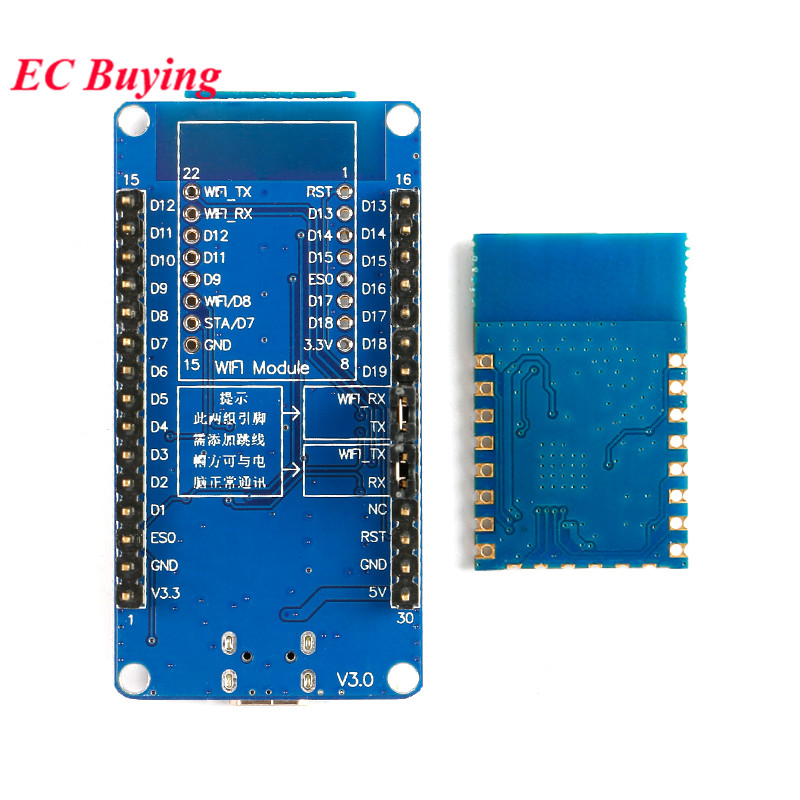
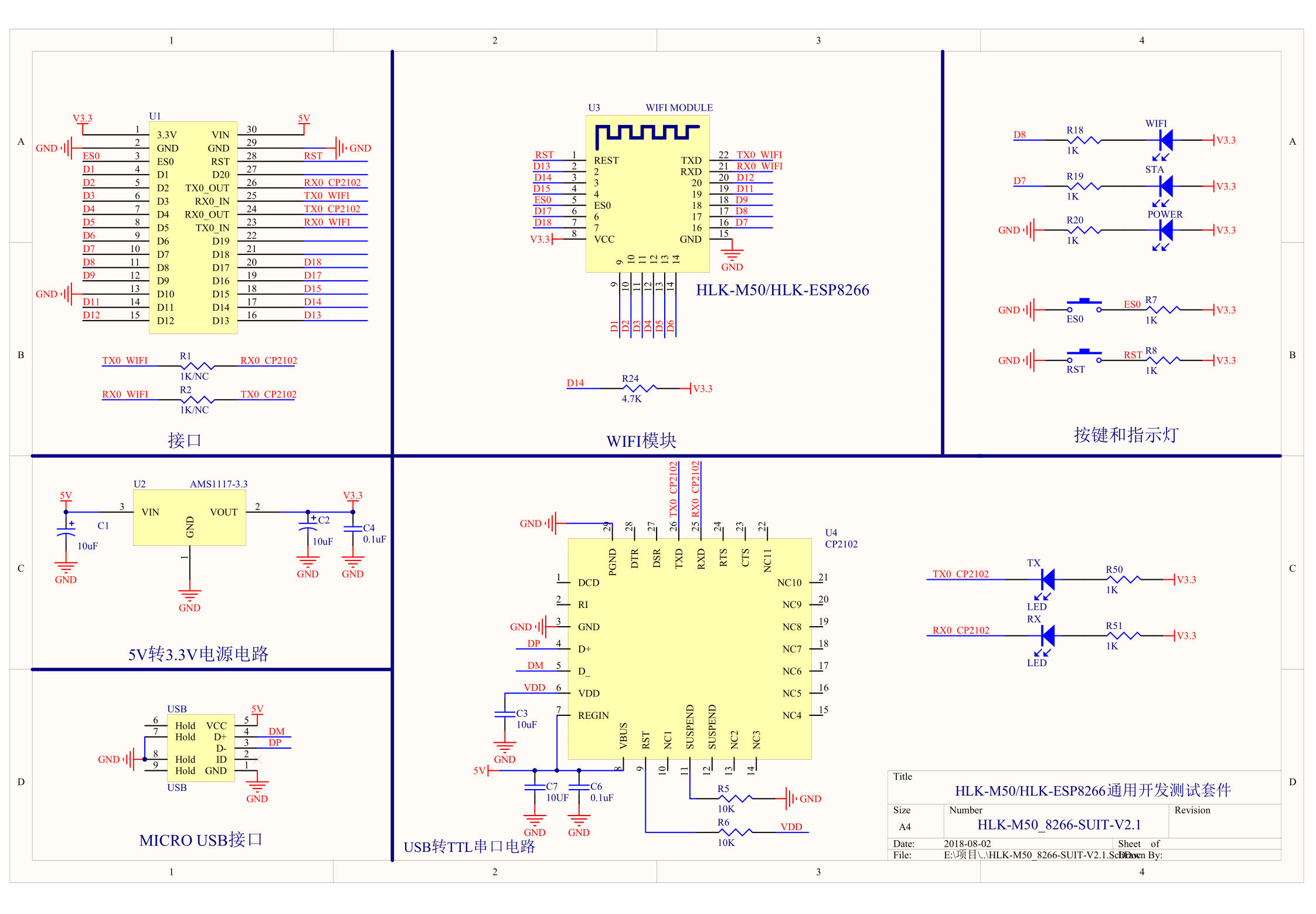
Schematic:
In case of this board, everything needed to flash is already present, but if you're going to flash IoT device with TR6260, you will need to have your own USB to UART converter...
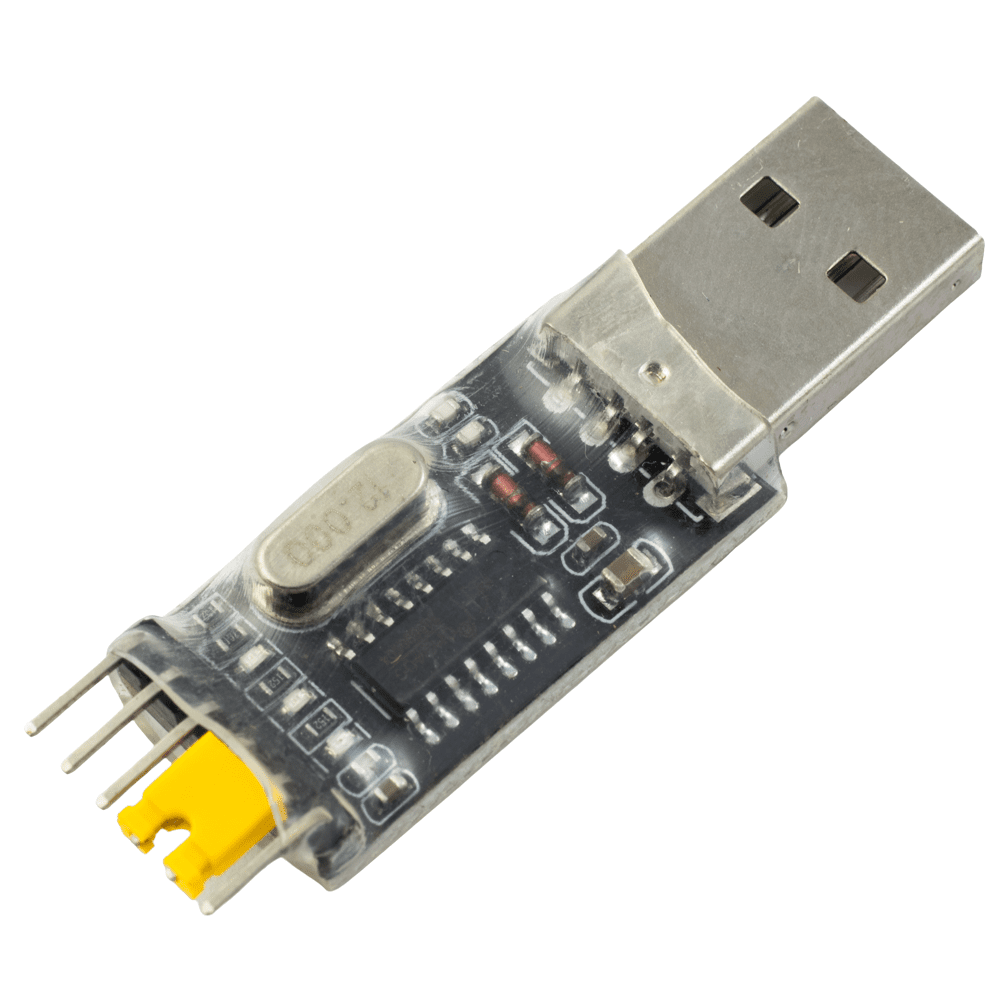
What do I need to flash TR6260? To flash TR6260 found in IoT device, you need a classic USB to UART converter, similiar to ones used for ESP8266/ESP32/BK7231 flashing.
You will need to make some GPIO connections, so basic soldering skills are required.
If you want to get a basic grasp of how firmware change process looks like, you can visit our Youtube channel:
https://www.youtube.com/@elektrodacom We don't have TR6260 flashing video yet, but we have covered similiar chips in the past, like BK7231, so this might give you a basic overview of the procedure.
How to prepare connections and make TR6260 flash dump? In the case of the TR6260S1-based Hi-Link HLK-M20 module, which can be used as a template for any TR6260S1 device, a backup of the factory firmware can be achieved as follows:
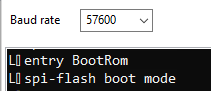
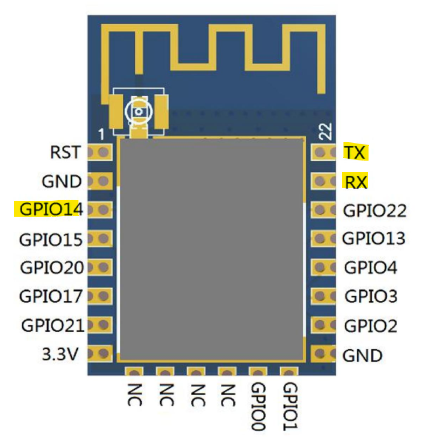
GPIO14/TOUT2 needs to be grounded at power-on. Like LN882H this needs to be before power to USB-TTL. Just resetting the device (RST->GND) with GPIO14 grounded will bring it up in spi-flash boot mode, that being standard boot, NOT UART boot mode:
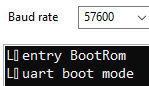
If you're watching TX then the correct procedure will give this output:
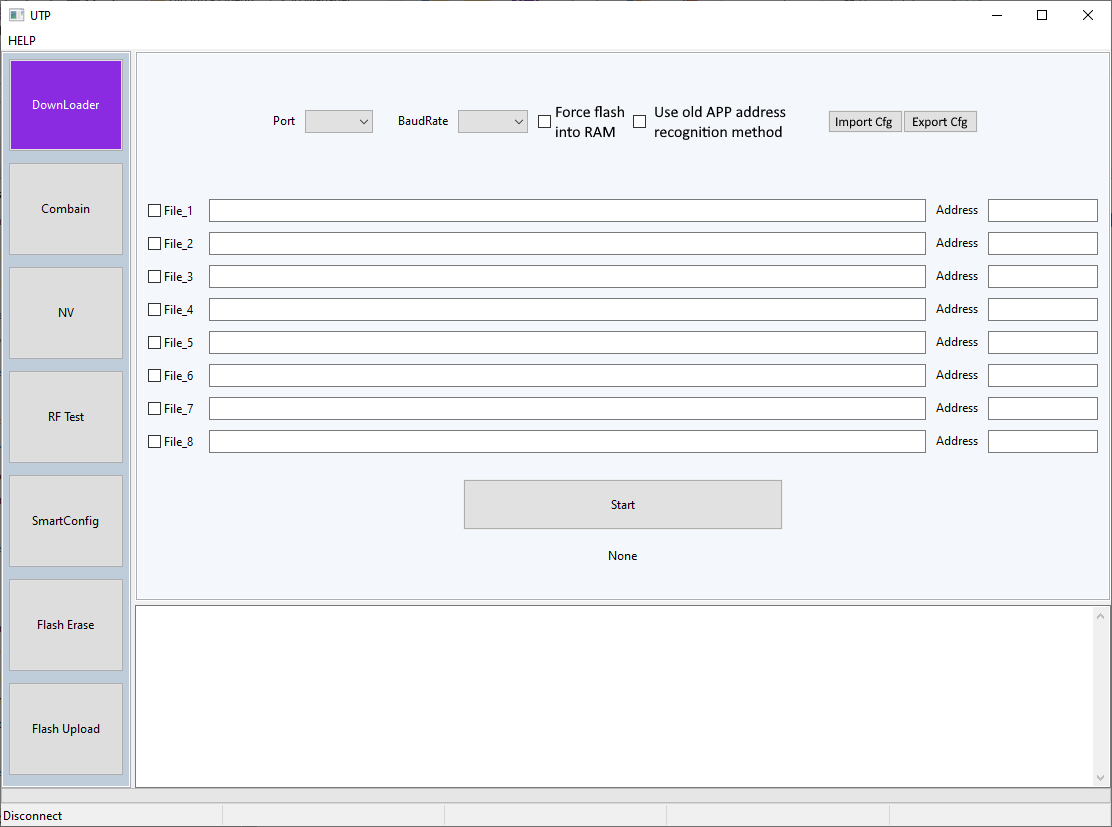
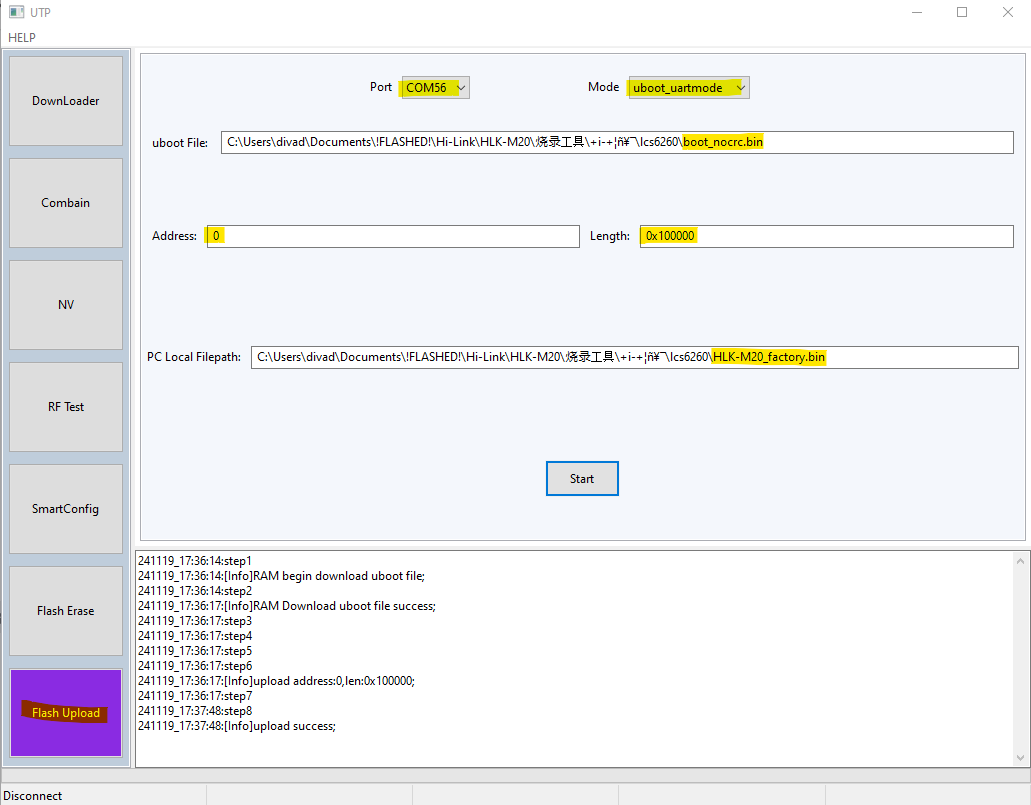
then configure the UTP program as follows, using the boot_nocrc.bin from the same zip file. The flash is 1mb so length is 0x100000 PC Local Filepath is just where you want to save the file
It takes 2-3 mins and it may look like it has stalled.
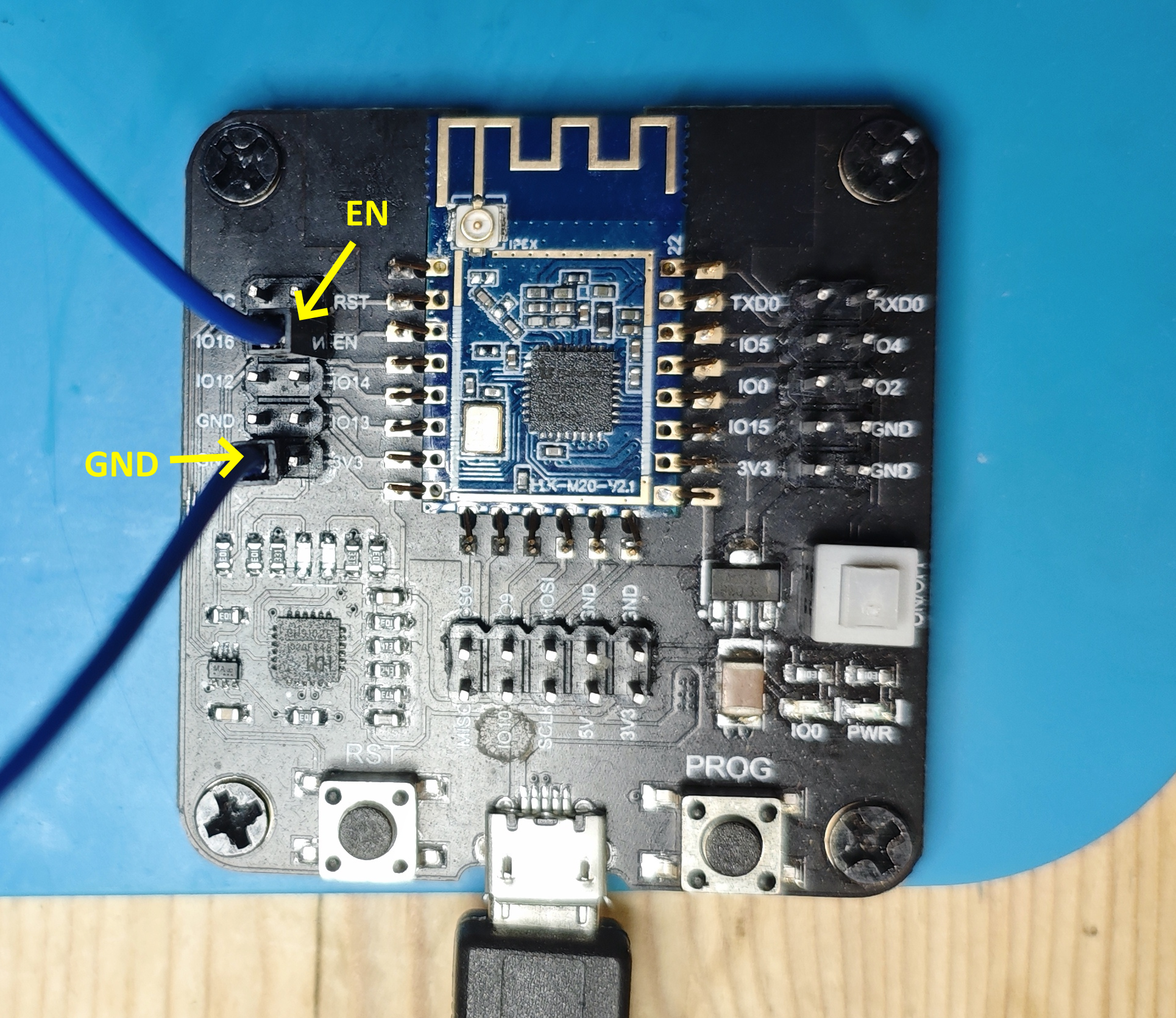
On the HLK-M20 module GPIO14/TOUT2 pad is the location of EN on ESP-12F, so if using an ESP universal adaptor it's just a case of grounding EN header.
If successful, the resultant backup file will be exactly 1,048,576 bytes.
How to flash new firmware to TR6260? Before proceeding, make sure that you have a backup of factory flash. Once you are sure that everything is backed up, it's time to proceed with flashing.
Ground GPIO14/TOUT2 as shown in the backup procedure and power-on the device
Set appropriate COM port for your setup and a baud rate. Perhaps start at 921600 baud but reduce if there are issues with stability or connecting at all.
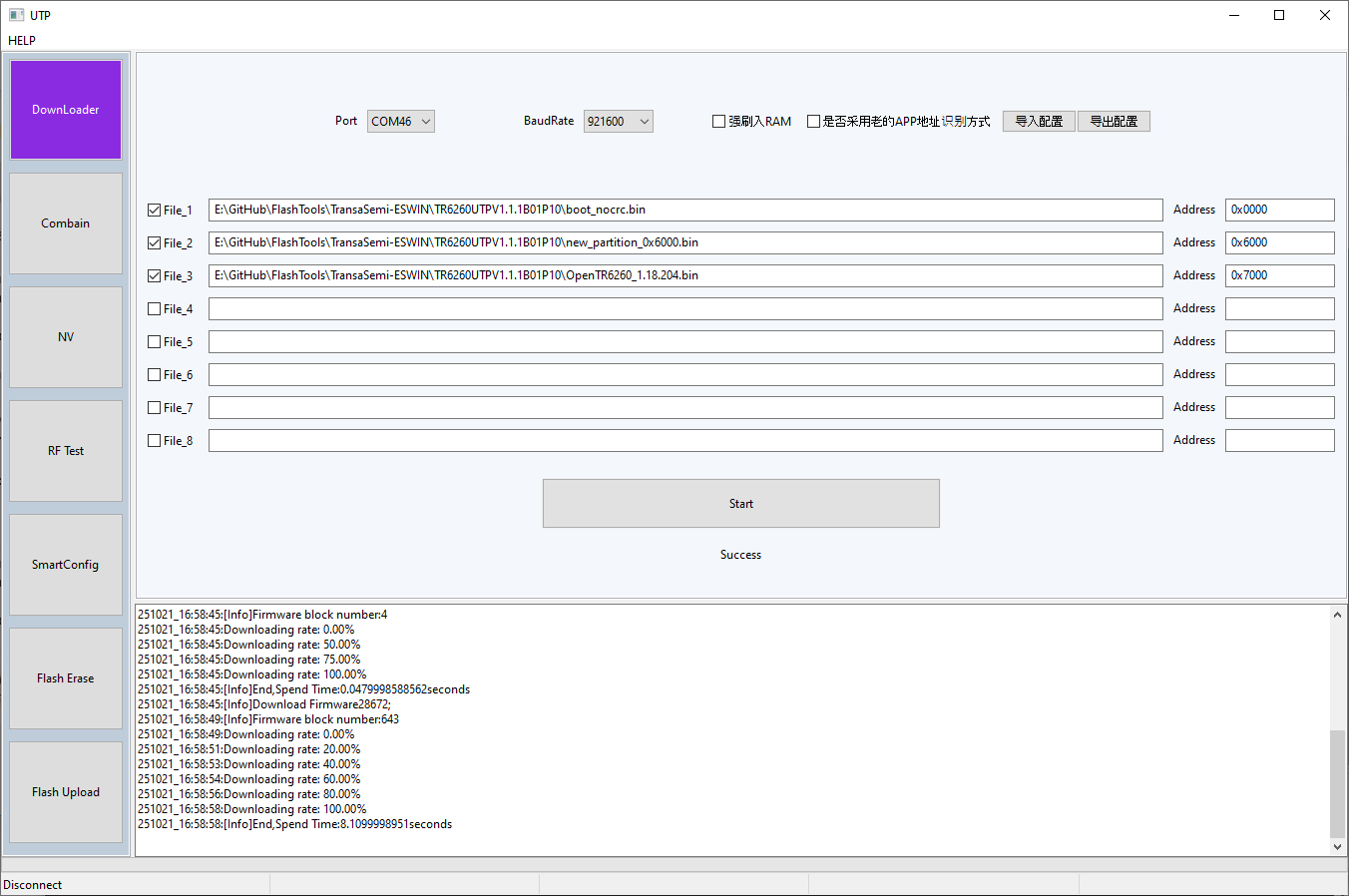
Download the latest OpenTR6260_xxxx.bin firmware from the releases page. Using the partition binaries alongside the UTP program in the zip, configure your file list on the downloader tab to resemble this:
That being:
File_1 : boot_nocrc.bin | Address: 0x0000 File_2 : new_partition_0x6000.bin | Address: 0x6000 File_3: OpenTR6260_xxxx.bin | Address: 0x7000 Click Start.
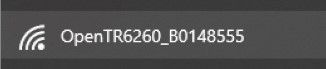
On completion, power-off and remove GPIO14/TOUT2 from ground. Power on the device and you should see it broadcast an AP like this
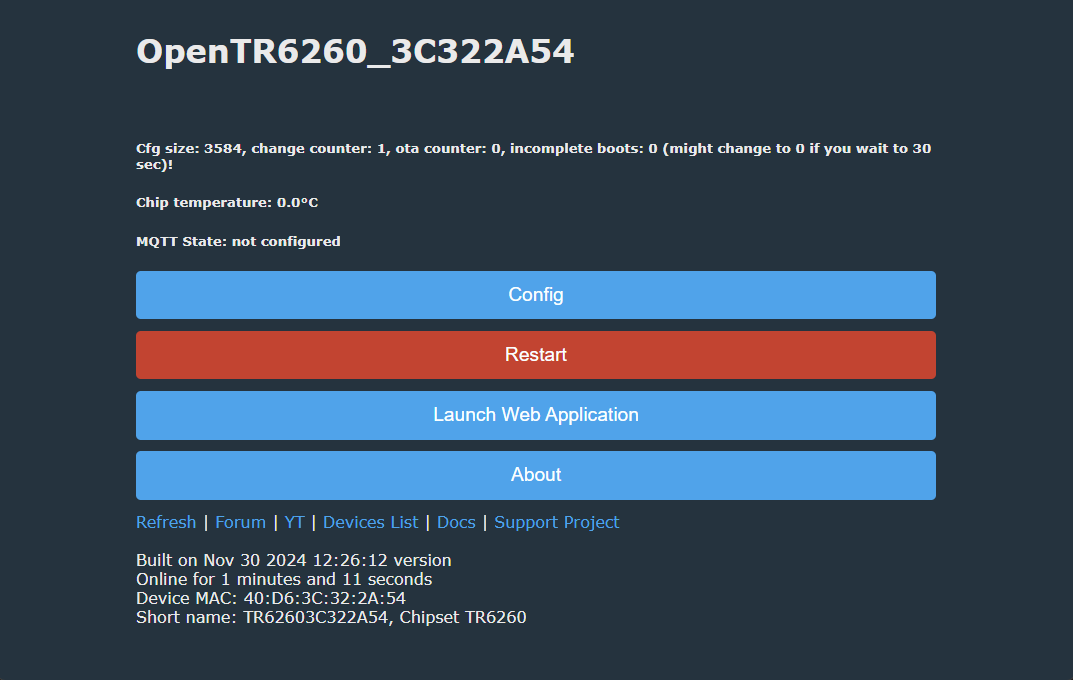
Connect to the AP (no password required). When connected browse to 192.168.4.1 where you can configure OpenBK as normal.
For the steps taken on a real TR6260S1 device, where contacts are not so easily accessed as they are on a module, see this post regarding two flavours of ELM327 OBDII car code reader.
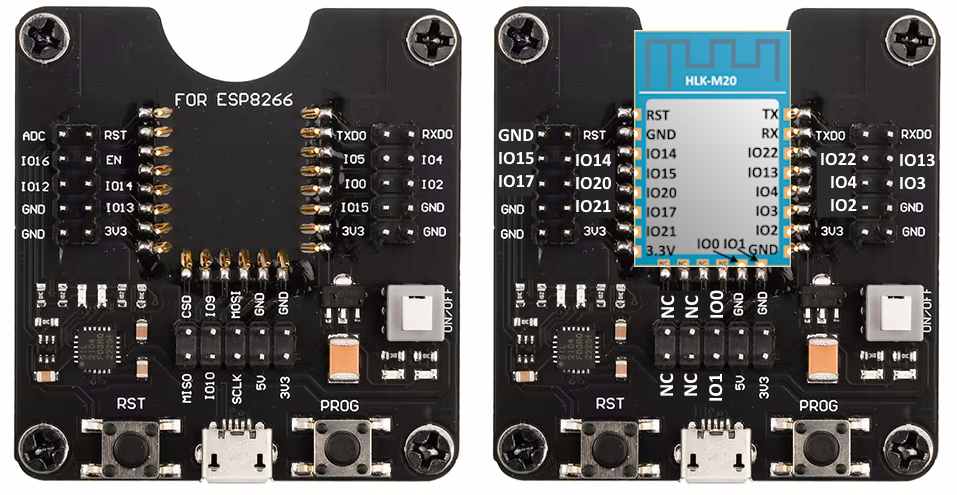
Flashing with universal breakout board HLK-M20 boards have pinout similiar to ESP12F/TYWE3S/CB3S/WB3S/etc, so they can fit to universal ESP breakout. Here is pin mapping for such board:
The following board has been already covered in another topic, see here:
Programming ESP12/TYWE3S/CB3S/WB3S/etc. without soldering - solderless motherboard
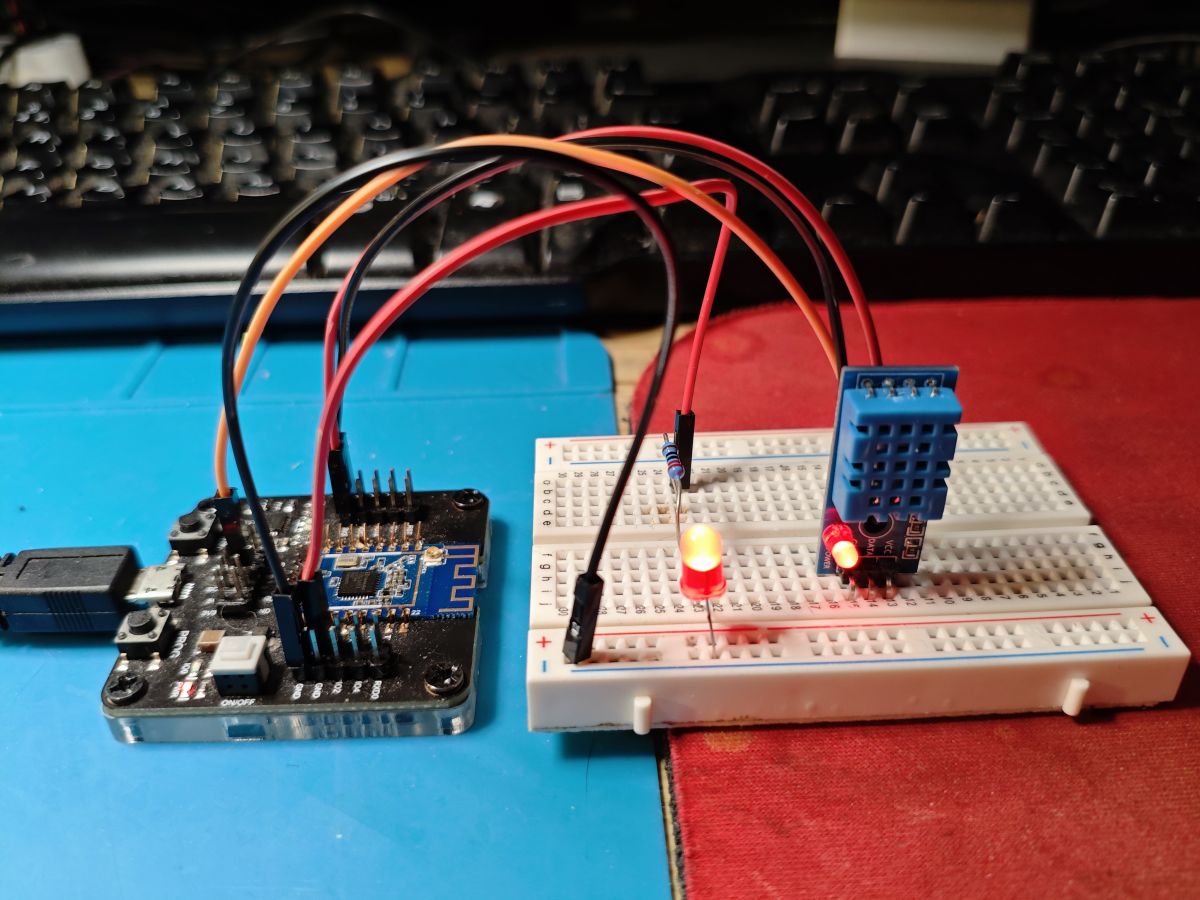
OpenTR6260 demo - DHT11 sensor OpenBeken port for TR6260 supports DHT11, which can be configured just like we've shown on our "Weather station" video for W600:
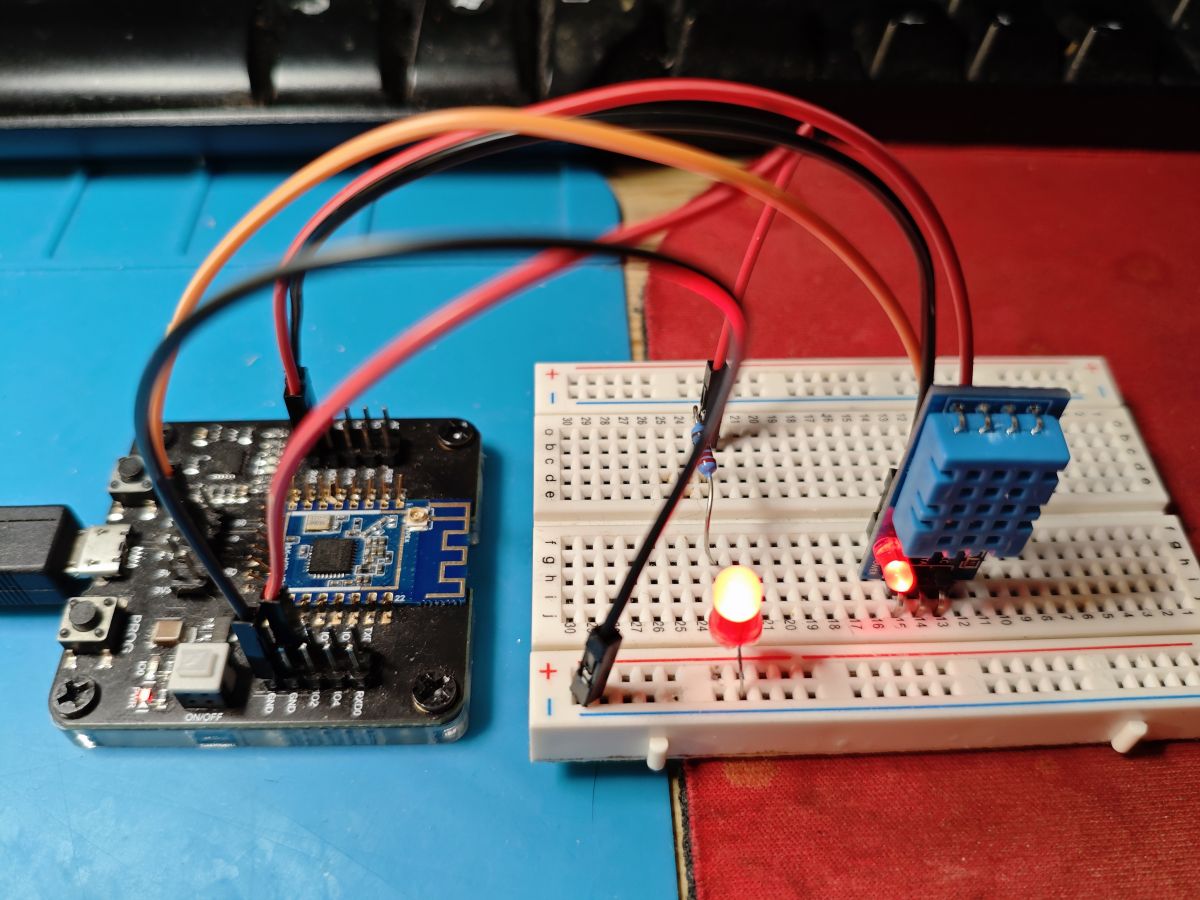
Sample connection:
Video presentation - there is also a LED on Rel pin, so clicking button toggles it as expected. The read humidity and temperature is also visible on the main page as expected.
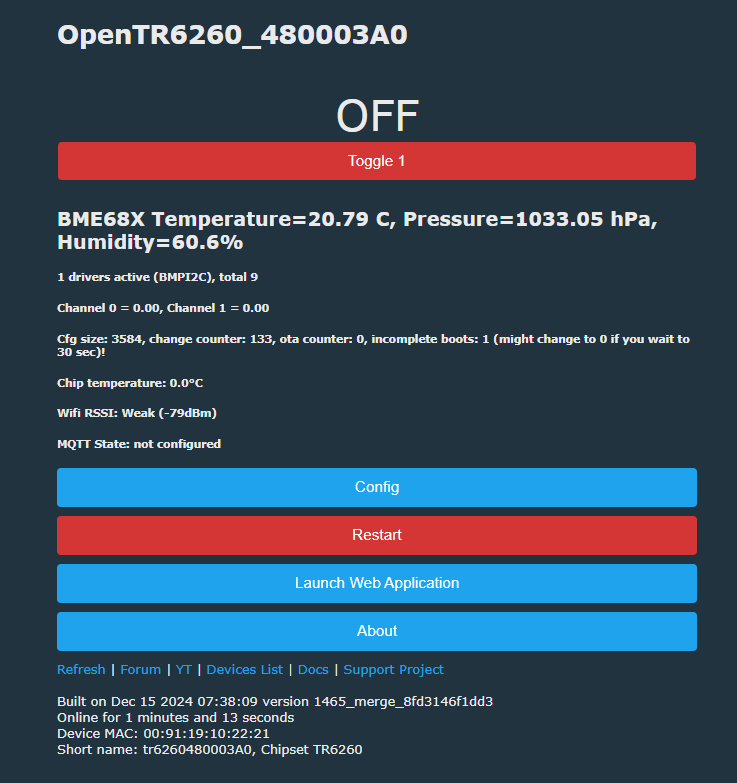
OpenTR6260 demo - DME280 sensor BME280/BMP280 is also supported. For that, you need to create autoexec.bat with script:
Summary TR6260 can now be flashed via UART with OBK port. OBK build for TR6260 can be customized with our online builds, you can also create a custom driver for that in such way. Thanks to that, your TR6260 devices can now work cloud-free and be paired with Home Assistant!
Special thanks for @divadiow for researching/flashing and @insmod for porting.
Hopefully soon we'll get ported to next platforms as well.
Attachments:
2AD56HLK-M20-FCCID-UserManual-4846822.pdf(880.96 KB)
You must be logged in to download this attachment.
ESWIN_TR6260S1-10_2.2_CN.pdf(8.28 MB)
You must be logged in to download this attachment.
EN_Translated_雅观tr6260-SDK使用说明.pdf(228.47 KB)
You must be logged in to download this attachment.
TR6260-S1-V1 wifi datasheet.pdf(419.11 KB)
You must be logged in to download this attachment.
ESWIN_TR6260_2.2_EN.pdf(656.25 KB)
You must be logged in to download this attachment.
HLK-M20-board-stuff-mix.7z(78.73 MB)
You must be logged in to download this attachment.
UTP Flash Tool.zip(10.91 MB)
You must be logged in to download this attachment.
About Author
p.kaczmarek2 wrote 14791 posts with
rating 12937 , helped 659 times.
Been with us since 2014 year.
I didn't consider dropping this file to determine the effect. To see what was at FB000 after flashing without the skylab_user_nv_0xFB000_PSM_by_Oliver.bin file selected, I first erased the whole flash.... [Read more]
insmod
22 Dec 2024 12:29
Another ESWIN module, the ECR6600. Tuya modules, based on this chip are AXY series, like AXY3L, AXY2S etc.
Skylab WG236, which they claim is ECR6600 based, can be bought here: https://www.aliexpress.com/item/1005004281075586.html... [Read more]
p.kaczmarek2
22 Dec 2024 13:11
What's there? A module image flashes for a second and then I get "not available in my country". I can't view this offer.
Btw, some devices can be bought cheaper if you're creating a new aliexpress account.... [Read more]
insmod
22 Dec 2024 13:22
Huh, now i get it too, both on the page and in the cart.
Another one, but much more expensive (1pcs for $18 + $10 shipping): https://www.aliexpress.com/item/1005004846657031.html
$26 with free shipping:... [Read more]
divadiow
22 Dec 2024 15:14
rip-off.
Some other options maybe:
https://obrazki.elektroda.pl/3521407500_1734876702_thumb.jpg https://obrazki.elektroda.pl/8254600900_1734876733_thumb.jpg
no welcome deal on those... [Read more]
p.kaczmarek2
25 Dec 2024 01:02
I've found this module. Some reader must have sent it to me.
https://obrazki.elektroda.pl/2621220900_1735084876_thumb.jpg https://obrazki.elektroda.pl/3227004400_1735084876_thumb.jpg https://obrazki.elektroda.pl/4129033800_1735084876_thumb.jpg... [Read more]
Nice. Hopefully the firmware on it is ok and you can grab a backup. We've only backups from ELM327 and HLK-M20 so far https://github.com/divadiow/TR6260/tree/main/fw_backups
Leadcoo also have another... [Read more]
divadiow
29 Dec 2024 12:39
SSDP on TR6260 observation
https://obrazki.elektroda.pl/1255956500_1735472302_thumb.jpg
Error:HTTP:http_fn_cmd_tool: len 16
Info:HTTP:DRV_SSDP_Init
Error:HTTP:DRV_SSDP_CreateSocket_Receive:... [Read more]
p.kaczmarek2
29 Dec 2024 12:42
We need to enable multicast in LWIP like we did on Beken
Added after 1 [minutes]:
https://github.com/openshwprojects/OpenBK7231T/commit/b0f232db5f17b3ac558580767a677f2a2ee6d488 [Read more]
just saw you make that. was looking for the TR6260 SDK in openshwprojects initially :)
Added after 21 [minutes]:
https://obrazki.elektroda.pl/7151870400_1735474238_thumb.jpg
Error:HTTP:http_fn_cmd_tool:... [Read more]
Flashing module XY-WE2S-A
Although almost all of the info is already included in some posts in this other thread (read from this post ), I think it's good to order it a bit and put it here in the... [Read more]
micbanand
22 Jan 2025 23:49
it was me who send you 2 of them :)
is there a solution for it know.
Gues I have to read upon this new thread [Read more]
divadiow
23 Jan 2025 06:30
😀
Do you have more to have a go dumping from? [Read more]
micbanand
23 Jan 2025 11:58
what do you mean?
I bought 12 of them. and replaced the modules with esp02 [Read more]
also worth mentioning that although I said about splitting the file here you can flash the whole backup from 0 as long as you also choose boot_nocrc.bin from 0 first
https://obrazki.elektroda.pl/5408715000_1737723338_thumb.jpg... [Read more]
FAQ
TL;DR: TR6260 flashing works locally with OpenBeken: the chip has 1 MB flash, and one contributor confirmed, "TR6260 can now be flashed via UART" using UTP, boot_nocrc.bin, a partition file at 0x6000, and OpenTR6260 at 0x7000. This FAQ is for repairers and Home Assistant users who need the real boot procedure, pinout, backup method, and OTA caveats. [#21351236]
Why it matters: This thread turns TR6260 from a poorly documented Tuya module into a repeatable, cloud-free platform for local automation.
Topic
TR6260 / TR6260S1
ECR6600 / AXY family
Main flashing path discussed
UTP over UART with boot_nocrc.bin
SDK mentioned, but no equivalent flashing guide completed
Confirmed OpenBeken work
Yes, with OpenTR6260 builds
Related SDK mentions exist, but support is less mature in-thread
Typical modules named
HLK-M20, XY-WE2S-A V1.1
AXY3L, AXY2S, WG236
OTA discussion depth
Extensive, including FotaPKG v1/v3 and diff tooling
Mostly tooling comparison and SDK relation
Key insight: The critical step is choosing the right boot strap and file layout. Grounding the correct boot pin before power-on decides whether TR6260 enters normal SPI boot, UART flashing mode, SDIO mode, or an unsupported state. [#21405320]
Quick Facts
TR6260 is described as a 32-bit, 2.4 GHz Wi‑Fi SoC with 6 PWM, 1 ADC, and 1 MB flash, which sets the practical backup size and OpenBeken image layout. [#21351236]
A valid full factory dump is exactly 1,048,576 bytes; the read operation was reported to take about 2–3 minutes in UTP. [#21351236]
The proven OpenTR6260 write layout is: boot_nocrc.bin at 0x0000, partition binary at 0x6000, and firmware at 0x7000. [#21351236]
On one real XY-WE2S-A module, boot logs were readable at about 58,000–59,000 baud rather than standard 57,600, which helped confirm the selected boot mode. [#21405320]
One module showed a reported RSSI drop from about -56/-57 dBm on original firmware to -71 dBm on OpenTR6260 at 1.5 m from the router. [#21421792]
1. How do I flash a TR6260 or TR6260S1 device with OpenBeken using the UTP flash tool and a USB-to-UART adapter?
Use UTP with a 3.3 V USB-to-UART adapter and the TR6260 boot pin grounded at power-on. 1. Solder TX, RX, GND, 3.3 V, and the boot pin connection. 2. Power on with GPIO14/TOUT2 grounded, then load boot_nocrc.bin, the partition file, and OpenTR6260_xxxx.bin into UTP. 3. Flash, remove the boot strap, reboot, join the new AP, and open 192.168.4.1. The thread says TR6260 can be flashed fully locally and paired with Home Assistant without Tuya cloud access. [#21351236]
2. What is the correct boot mode procedure for TR6260, and how do GPIO14/TOUT2, BT0, and BT1 affect spi-flash, UART, SDIO, and unsupported boot modes?
TR6260 enters different boot modes solely from the boot strap pins at startup. On HLK-M20, grounding GPIO14/TOUT2 before power-on was used for the documented flashing workflow. On XY-WE2S-A, BT0 low gave UART boot, both pins floating gave SPI-flash boot, BT1 low gave SDIO boot, and BT0+BT1 low produced unsupported boot mode with bootrom startup err. The same post also notes readable boot logs around 59,000 baud when checking these states. [#21405320]
3. Where can I download the TR6260 UTP flash tool, boot_nocrc.bin, and the partition files needed for OpenTR6260 flashing?
Download them from the FlashTools package linked in the thread. The UTP utility is not esptool, because TR6260 is not an ESP chip. The post points to the TransaSemi-ESWIN FlashTools repository and an alternate TR6260 resource pack, and it states that boot_nocrc.bin comes from the same zip as UTP. That same package also includes the partition binaries used at address 0x6000. [#21351236]
4. Which files and flash addresses should I use in UTP for TR6260 flashing, including boot_nocrc.bin, the partition binary at 0x6000, and the OpenTR6260 firmware at 0x7000?
Use three files in UTP: boot_nocrc.bin at 0x0000, the partition binary at 0x6000, and OpenTR6260_xxxx.bin at 0x7000. The flashing guide originally named new_partition_0x6000.bin, and a later thread update says a new partition filename was added to each FlashTools zip for the same 0x6000 slot. Do not rely on an old extra File_4 entry; the thread later says that advice needs revision. [#21725879]
5. How can I make a full 1MB factory backup dump from a TR6260 before flashing OpenBeken, and how do I verify the dump is valid?
Make the dump in UTP with the device in the documented boot state and set the read length to 0x100000. 1. Ground GPIO14/TOUT2 before power-on. 2. In UTP, select boot_nocrc.bin, choose a PC save path, and read the full flash. 3. Verify that the resulting file is exactly 1,048,576 bytes. The guide states the flash is 1 MB, and the read may appear stalled for 2–3 minutes before finishing. [#21351236]
6. Why does restoring a full TR6260 backup fail unless boot_nocrc.bin is also selected first at address 0x0000 in UTP?
It fails because UTP first needs the RAM-loaded boot helper before it can write the rest of the image. A later confirmation showed you can restore the whole 1 MB backup from 0x0000, but only if boot_nocrc.bin is also selected first at 0x0000. With only the backup file chosen, UTP returned RAM Download uboot file fail;. That error explains why whole-image restores looked broken until the boot file was added back into the list. [#21407688]
7. What is the real pinout of the XY-WE2S-A V1.1 TR6260S1 module, and why does it differ from the published TR6260 and TR6260S1 datasheets?
The real XY-WE2S-A V1.1 pinout was traced from the PCB and does not match the published datasheets. The mapped functions were TX0=UART0_TXD, RX0=UART0_RXD, BT1=TOUT3, BT0=TOUT2, PWM2=GPIO22, PWM1=GPIO4, PWM0=GPIO13, CEN=RESETB, PWM5=GPIO0, PWM4=GPIO1, ITX=GPIO3, and IRX=GPIO2. The author explicitly says the chip pinout on real modules conflicts with both the TR6260 and TR6260S1 documents, and even with earlier forum images. [#21405320]
8. Can someone find a TR6260S1 datasheet that matches the real pinout seen on HLK-M20 and XY-WE2S-A modules?
No matching TR6260S1 datasheet was found in the thread. One contributor explicitly said they tried and failed to find a datasheet consistent with the traced “real” pinout. Another earlier note says HLK-M20 showed the same mismatch problem. So the practical guidance in this thread is to trust traced module pads and boot logs over the published TR6260 pin tables when flashing real hardware. [#21405320]
9. What is SSDP in OpenBeken on TR6260, and why did enabling multicast in LWIP fix SSDP and Wemo discovery?
"SSDP is a network discovery protocol that advertises devices over multicast, enabling local services such as Wemo and Alexa discovery on the LAN." On TR6260, SSDP initially failed because setsockopt IP_ADD_MEMBERSHIP failed, which means multicast join did not work. After enabling multicast in LWIP, the log changed to Socket created, waiting for packets, and Wemo discovery succeeded, including Alexa finding the device. The thread links that fix directly to the multicast setting change. [#21367101]
10. What is the FotaPKG v1 versus v3 OTA format on TR6260, and how does ota_tool choose between the different TR6260 and ECR6600 packaging methods?
TR6260 uses two discussed diff OTA containers: FotaPKG 0x01 as “v1” and FotaPKG 0x03 as “v3”. A reverse-engineered summary in the thread says ota_tool detects the board from the target firmware header, then maps diff to method 3 by default. That makes TR6260 use sw_pack_file_trdiff_package_new() and emit FotaPKG v3. Patching one byte changed diff to method 1, forcing the older TR6260 v1 path instead. ECR6600 uses different packers for AB, CMZ, and diff modes. [#21842600]
11. TR6260 vs ECR6600/AXY modules: what are the differences in SDK support, module availability, and firmware tooling discussed in the thread?
TR6260 had a working OpenBeken flashing path in-thread, while ECR6600 discussion stayed closer to SDKs and module sourcing. The thread names ECR6600-based AXY modules such as AXY3L and AXY2S and mentions Skylab WG236 hardware. It also says an SDK readme mentioned TR6260 support, but that support seemed removed later. Price comments show ECR6600 modules were harder to justify, with examples around $14.5 + ~$8 shipping, $18 + $10 shipping, and $26 shipped. [#21358543]
12. Why does Wi-Fi RSSI look much weaker on OpenTR6260 than on the original Tuya firmware, even when the device is close to the router?
The thread reports the issue, but it does not give a confirmed root cause. One tested switch showed about -71 dBm on OpenTR6260 versus -56 to -57 dBm on original firmware at only 1.5 meters from the router. Reflashing the original full 1 MB backup and then OpenTR6260 again did not fix the lower reported RSSI. The open question was whether RF calibration data, measurement reporting, or another firmware setting caused the difference. [#21421792]
13. How do I configure DHT11, BME280/BMP280, DS18B20, or SHT3X sensors on OpenTR6260, and what should I check if a driver is missing from the build?
DHT11 and BME280/BMP280 were shown working, while DS18B20 was noted as unchanged and SHT3X prompted build-option discussion. For BME280/BMP280, the thread gives startdriver bmpi2c 0 1 2 3 4 in autoexec.bat. If a sensor driver is missing, check whether it is enabled in obk_config.h; that was stated directly for BMPI2C. A later post also asks why SHT3X was not exposed as ENABLE_DRIVER_SHT3X, linking it to a pull request. [#21367101]
14. What's going on with GPIO13, GPIO16, and GPIO17 on TR6260, including the relay fix PR and the SDK limitation that says some pins cannot be used as normal GPIO?
GPIO13 needed a relay-output fix, and that pull request was later merged, after which the affected switch worked correctly on official builds. GPIO16 and GPIO17 are different: the SDK code says they cannot be used as normal GPIO, and one contributor confirmed there is no general initialization path for them. The thread also notes special functions exist such as gpio16_write, gpio17_write, and gpio17_read, which suggests limited, nonstandard handling rather than full GPIO support. [#21419965]
15. How can I build and apply OTA updates for TR6260 with Python or ota_tool, and why do some OTA patches fail around 81% or produce an unbootable device?
You can build TR6260 OTA diffs with either patched ota_tool or later Python builders, but large version jumps remained fragile. One contributor reported successful Python-generated packages as small as 40,544 bytes, while another saw failures around 81% during updates such as 1.18.80 -> 1.18.261. The thread also records cases where a generated patch passed self-check yet left the device unbootable. The likely cause is package-format or compression edge cases, since the original tool produced a working patch only 2,464 bytes lighter than the failing Python one. [#21844134]
AI summary based on the discussion. May contain errors.








Comments
I didn't consider dropping this file to determine the effect. To see what was at FB000 after flashing without the skylab_user_nv_0xFB000_PSM_by_Oliver.bin file selected, I first erased the whole flash.... [Read more]
Another ESWIN module, the ECR6600. Tuya modules, based on this chip are AXY series, like AXY3L, AXY2S etc. Skylab WG236, which they claim is ECR6600 based, can be bought here: https://www.aliexpress.com/item/1005004281075586.html... [Read more]
What's there? A module image flashes for a second and then I get "not available in my country". I can't view this offer. Btw, some devices can be bought cheaper if you're creating a new aliexpress account.... [Read more]
Huh, now i get it too, both on the page and in the cart. Another one, but much more expensive (1pcs for $18 + $10 shipping): https://www.aliexpress.com/item/1005004846657031.html $26 with free shipping:... [Read more]
rip-off. Some other options maybe: https://obrazki.elektroda.pl/3521407500_1734876702_thumb.jpg https://obrazki.elektroda.pl/8254600900_1734876733_thumb.jpg no welcome deal on those... [Read more]
I've found this module. Some reader must have sent it to me. https://obrazki.elektroda.pl/2621220900_1735084876_thumb.jpg https://obrazki.elektroda.pl/3227004400_1735084876_thumb.jpg https://obrazki.elektroda.pl/4129033800_1735084876_thumb.jpg... [Read more]
https://fcc.report/FCC-ID/2AXJE-LA-WE2S/4937470.pdf https://obrazki.elektroda.pl/2884741100_1735085382_thumb.jpg [Read more]
Nice. Hopefully the firmware on it is ok and you can grab a backup. We've only backups from ELM327 and HLK-M20 so far https://github.com/divadiow/TR6260/tree/main/fw_backups Leadcoo also have another... [Read more]
SSDP on TR6260 observation https://obrazki.elektroda.pl/1255956500_1735472302_thumb.jpg Error:HTTP:http_fn_cmd_tool: len 16 Info:HTTP:DRV_SSDP_Init Error:HTTP:DRV_SSDP_CreateSocket_Receive:... [Read more]
We need to enable multicast in LWIP like we did on Beken Added after 1 [minutes]: https://github.com/openshwprojects/OpenBK7231T/commit/b0f232db5f17b3ac558580767a677f2a2ee6d488 [Read more]
https://github.com/NonPIayerCharacter/OpenTR6260/commit/d8263486a42f88d7a52ee5218c21a598b9470194 [Read more]
just saw you make that. was looking for the TR6260 SDK in openshwprojects initially :) Added after 21 [minutes]: https://obrazki.elektroda.pl/7151870400_1735474238_thumb.jpg Error:HTTP:http_fn_cmd_tool:... [Read more]
@insmod Some useful info on ECR6600 [Read more]
Flashing module XY-WE2S-A Although almost all of the info is already included in some posts in this other thread (read from this post ), I think it's good to order it a bit and put it here in the... [Read more]
it was me who send you 2 of them :) is there a solution for it know. Gues I have to read upon this new thread [Read more]
😀 Do you have more to have a go dumping from? [Read more]
what do you mean? I bought 12 of them. and replaced the modules with esp02 [Read more]
oh wow ok. 12. loads to play with! [Read more]
also worth mentioning that although I said about splitting the file here you can flash the whole backup from 0 as long as you also choose boot_nocrc.bin from 0 first https://obrazki.elektroda.pl/5408715000_1737723338_thumb.jpg... [Read more]