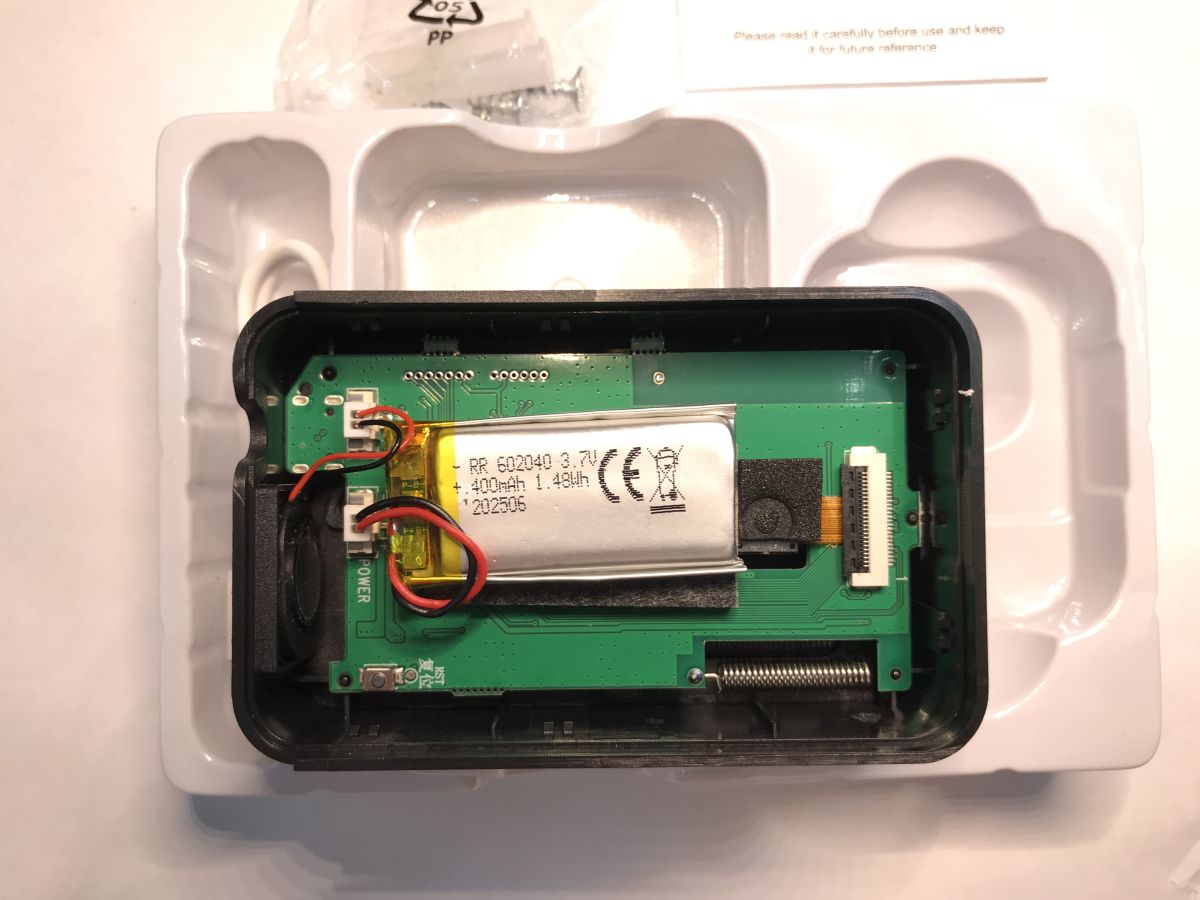
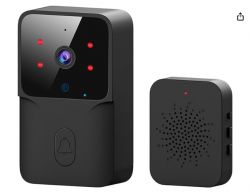
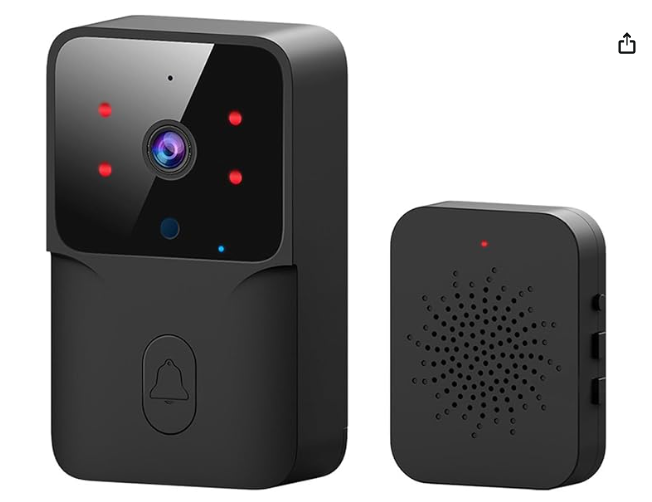
Grabbed this cheapie Tuya doorbell off Ali Express wondering if it would come with a BK7252 at its heart.
And while I know OpenBeken doesn't support the BK7252 or have a camera driver/wrapper, it'll still be interesting to see what's inside, checkout the UART boot log output and maybe take a backup of the firmware.
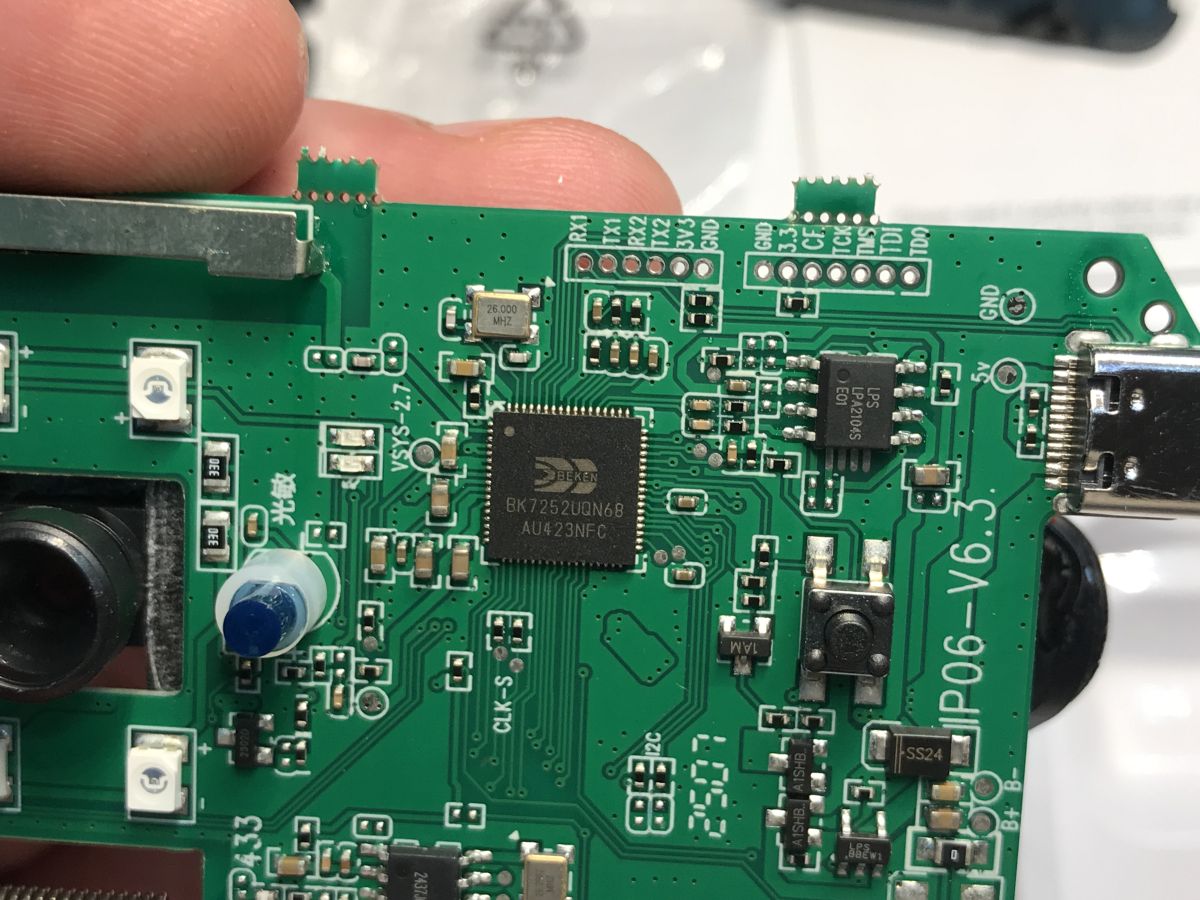
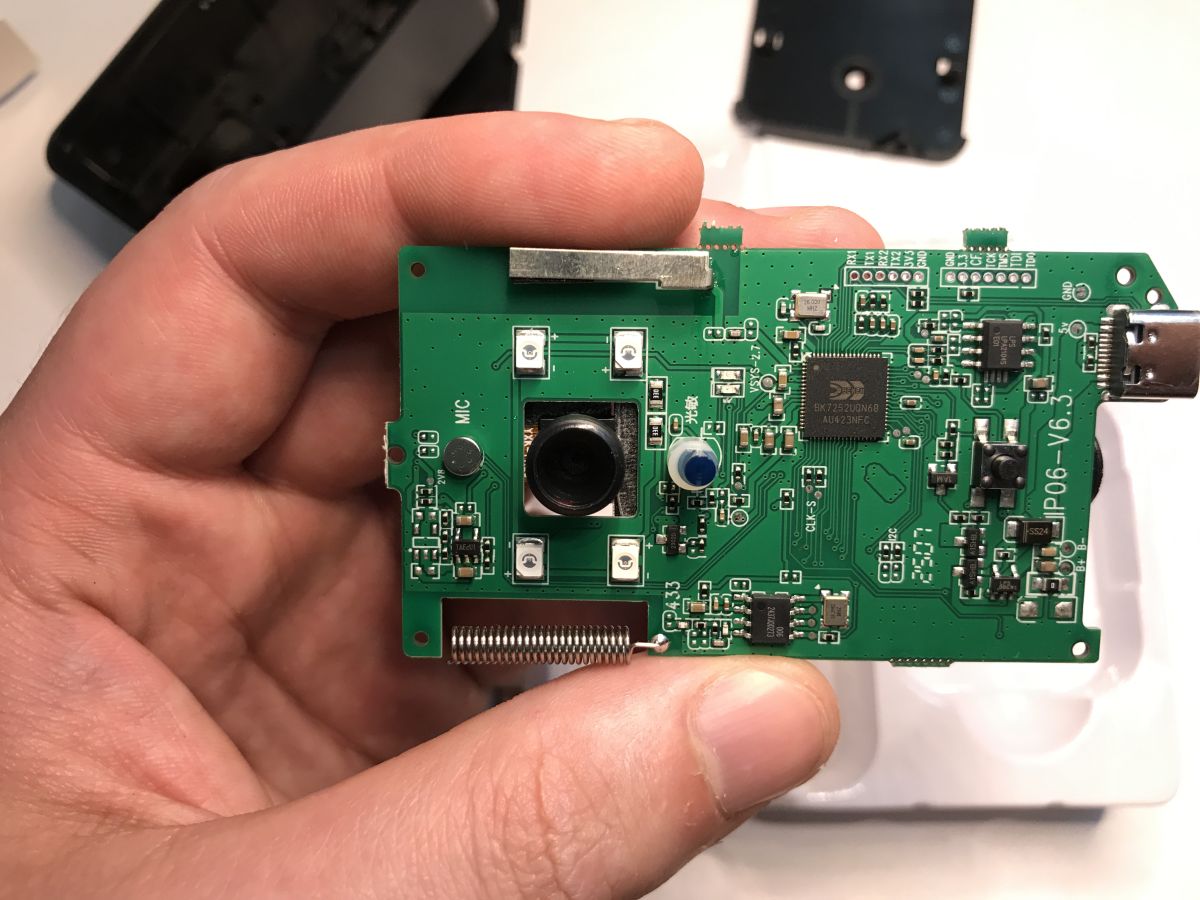
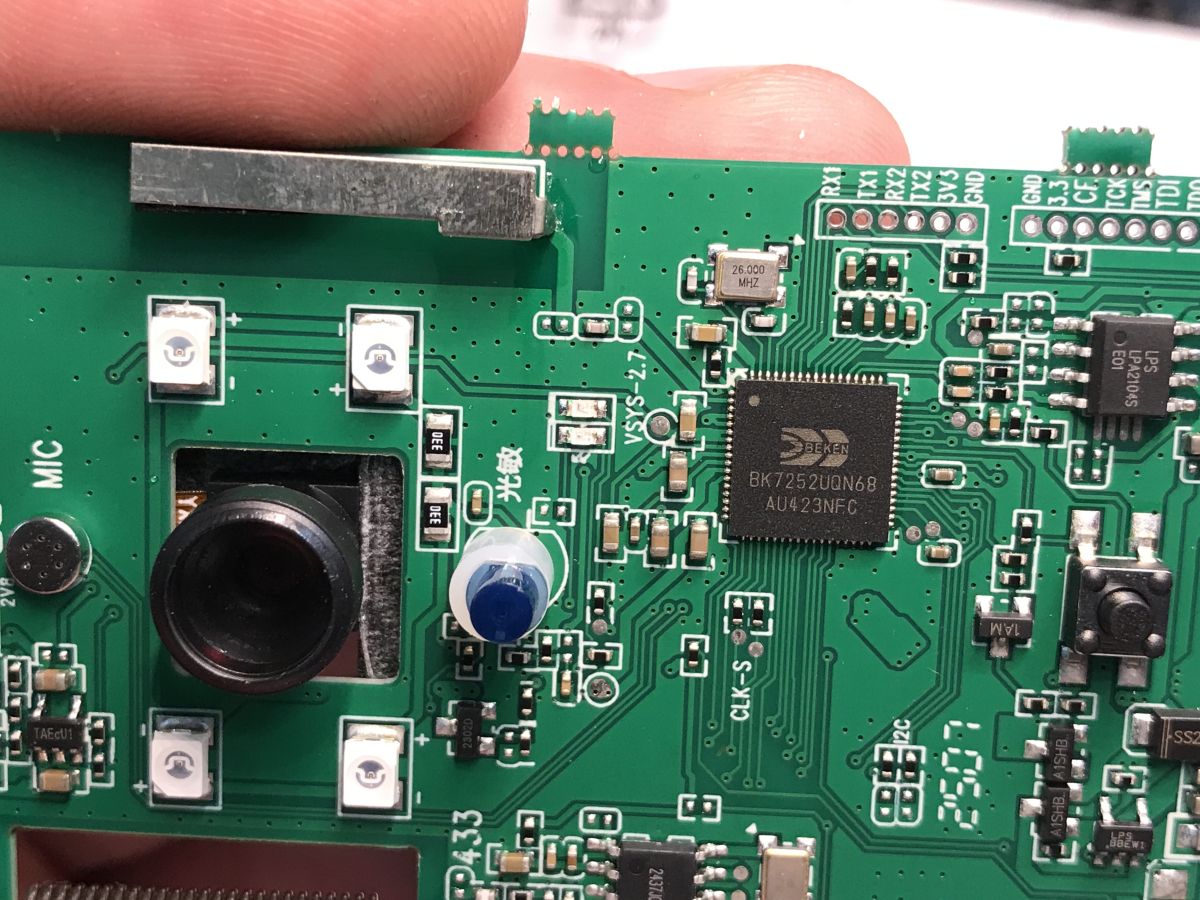
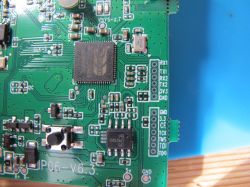
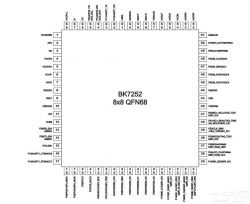
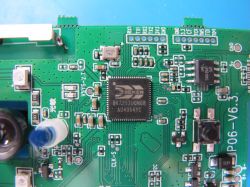
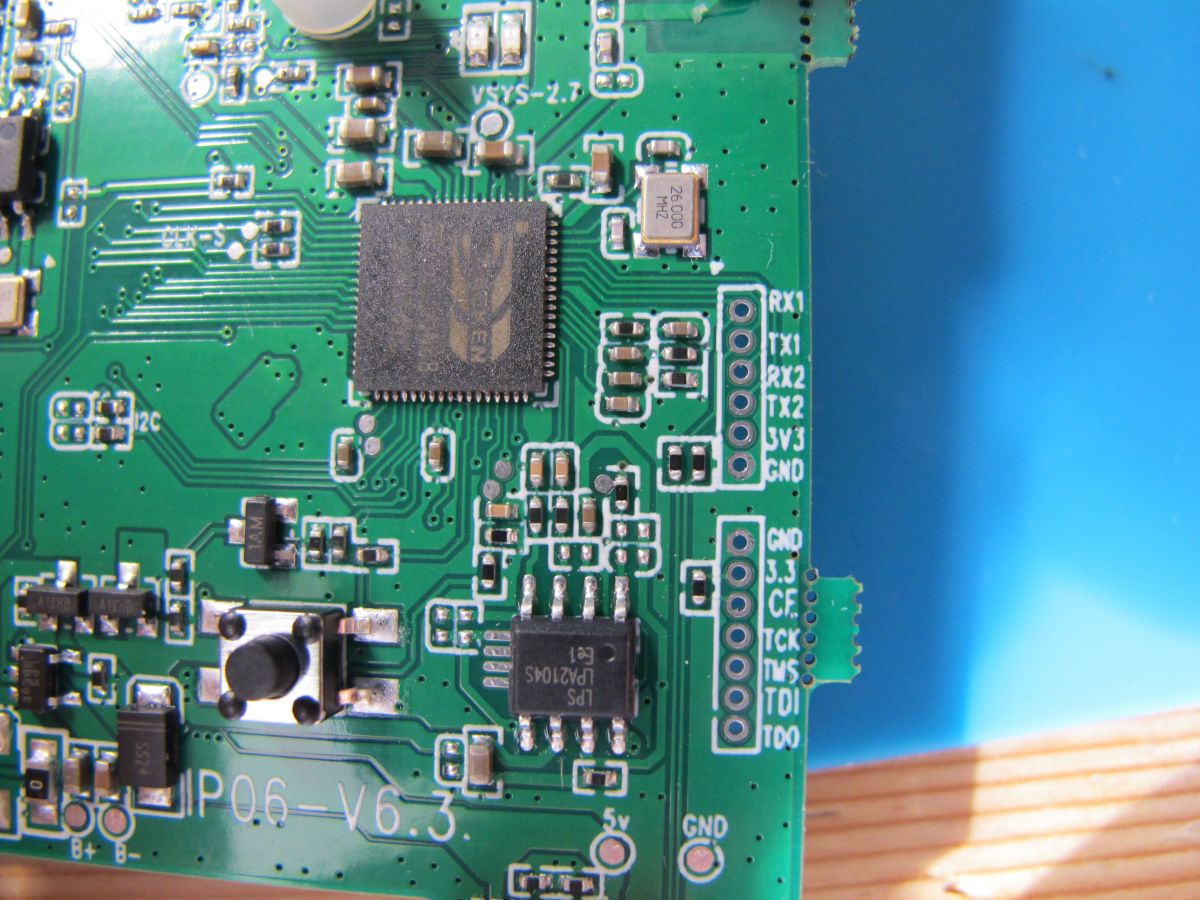
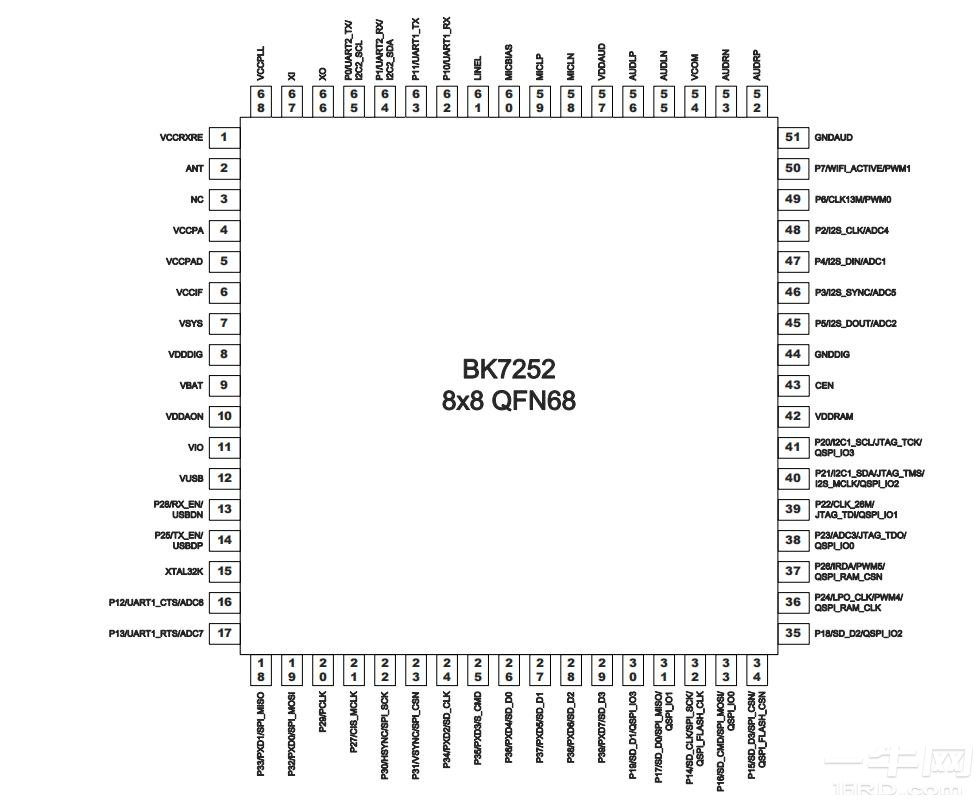
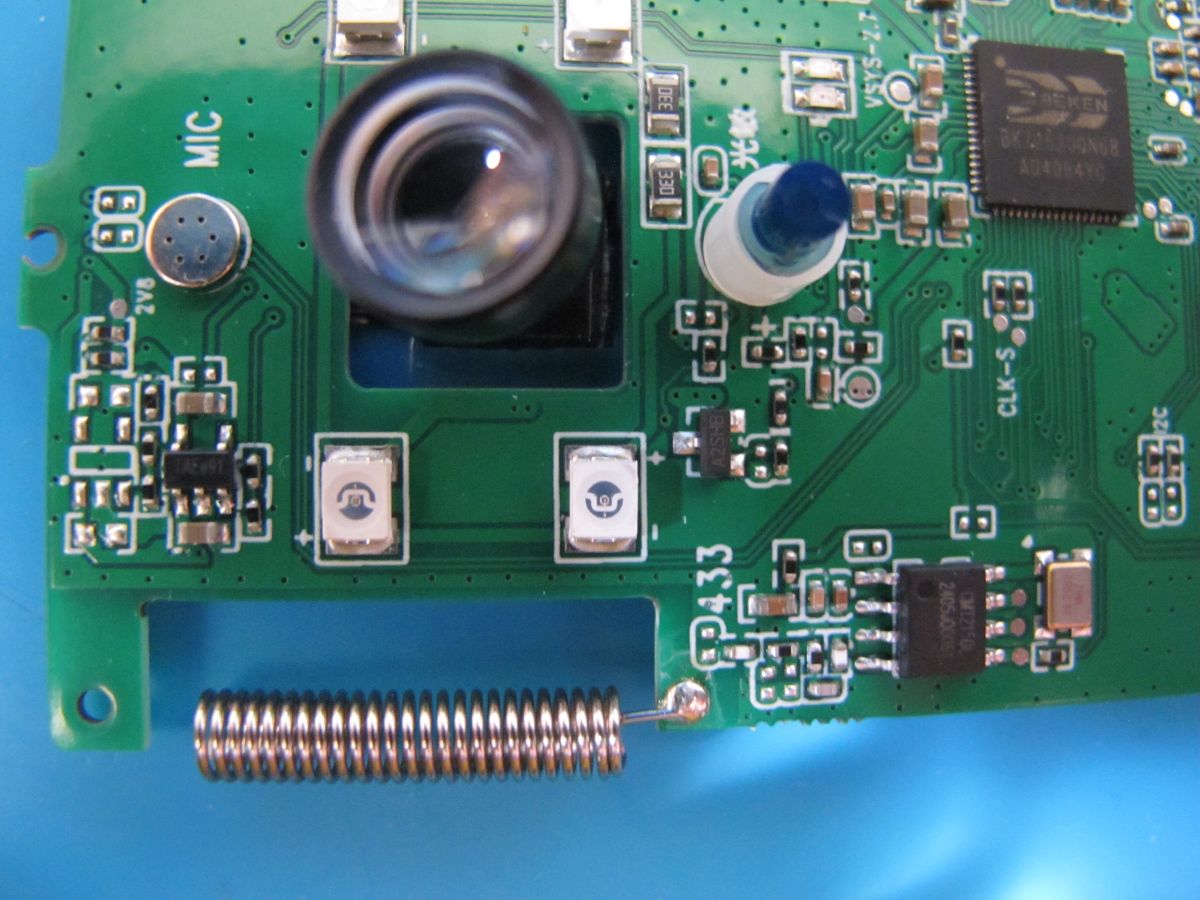
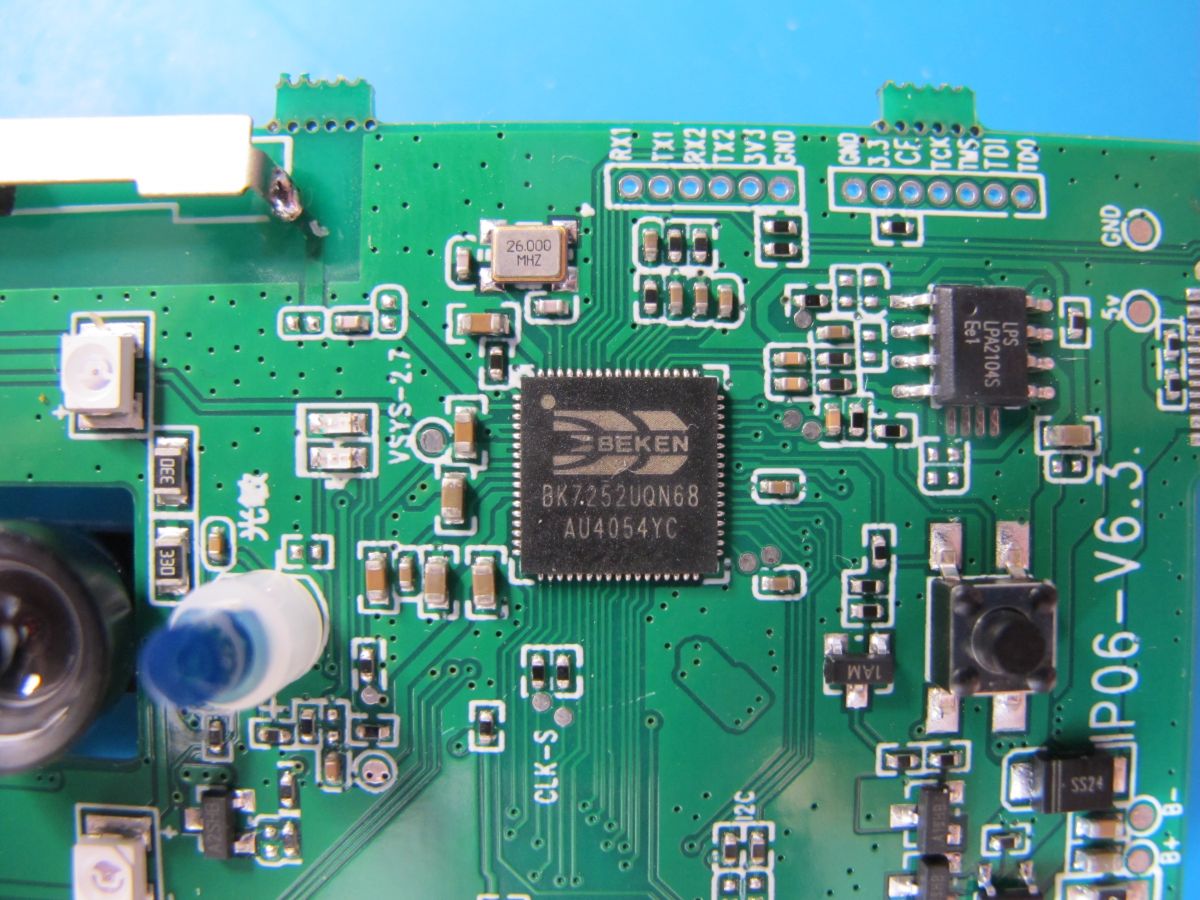
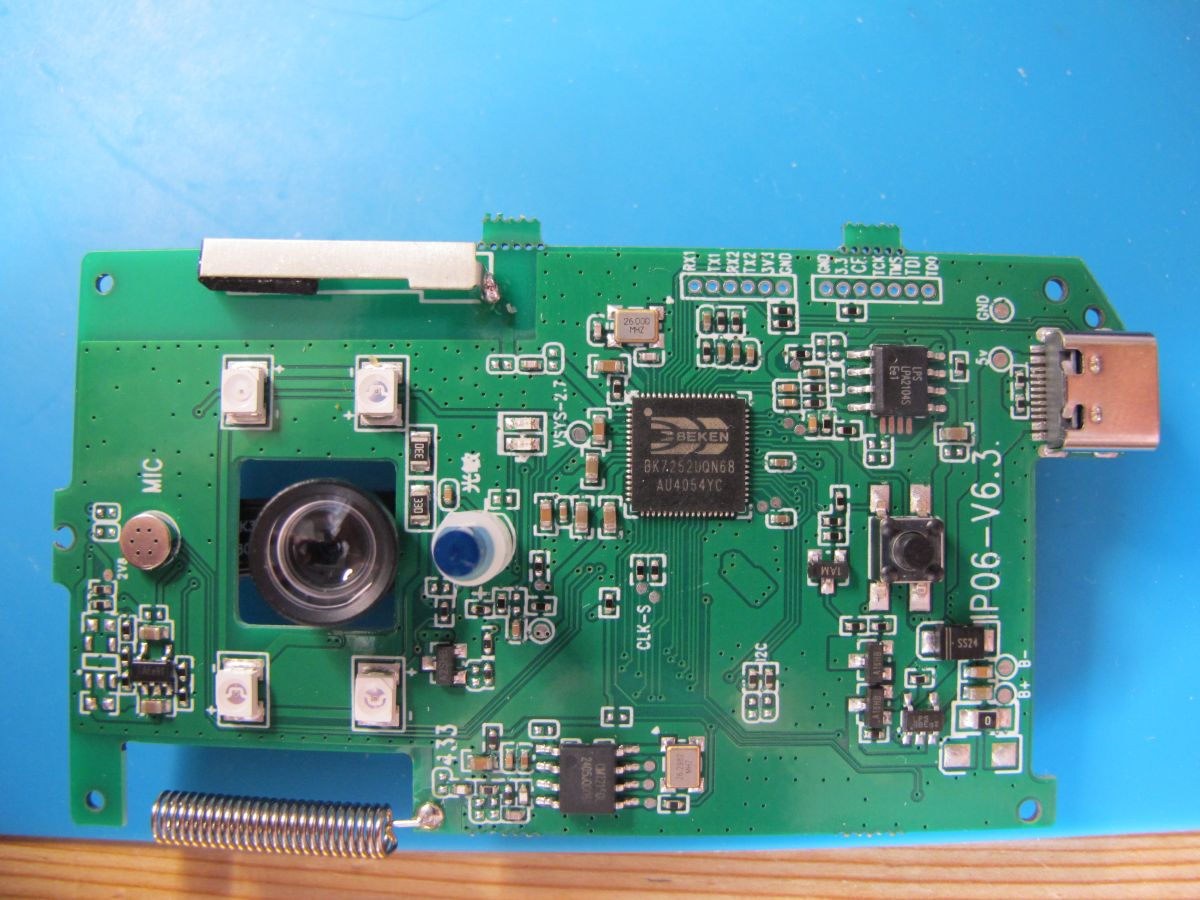
Immediately upon opening we see the large QFN68 BK7252 and a nicely labelled group of test contacts - pretty much every one you could wish for.
Both sets of UARTs are present, one for log collection (UART2_TX) and the other for flashing/backup of firmware (P10 UART1_RX and P11 UART1_TX).
The log output was captured as
Code: Text
Log in, to see the code
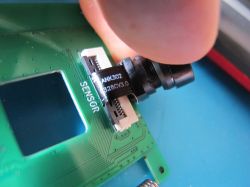
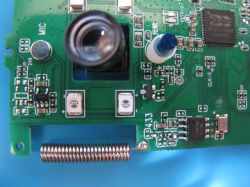
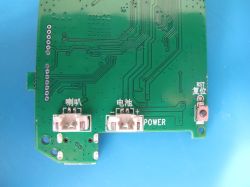
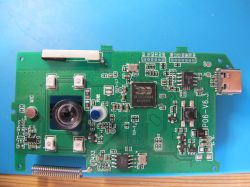
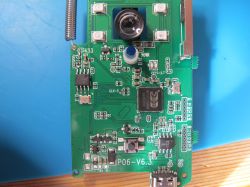
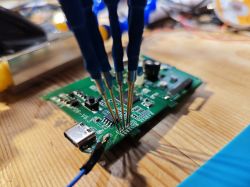
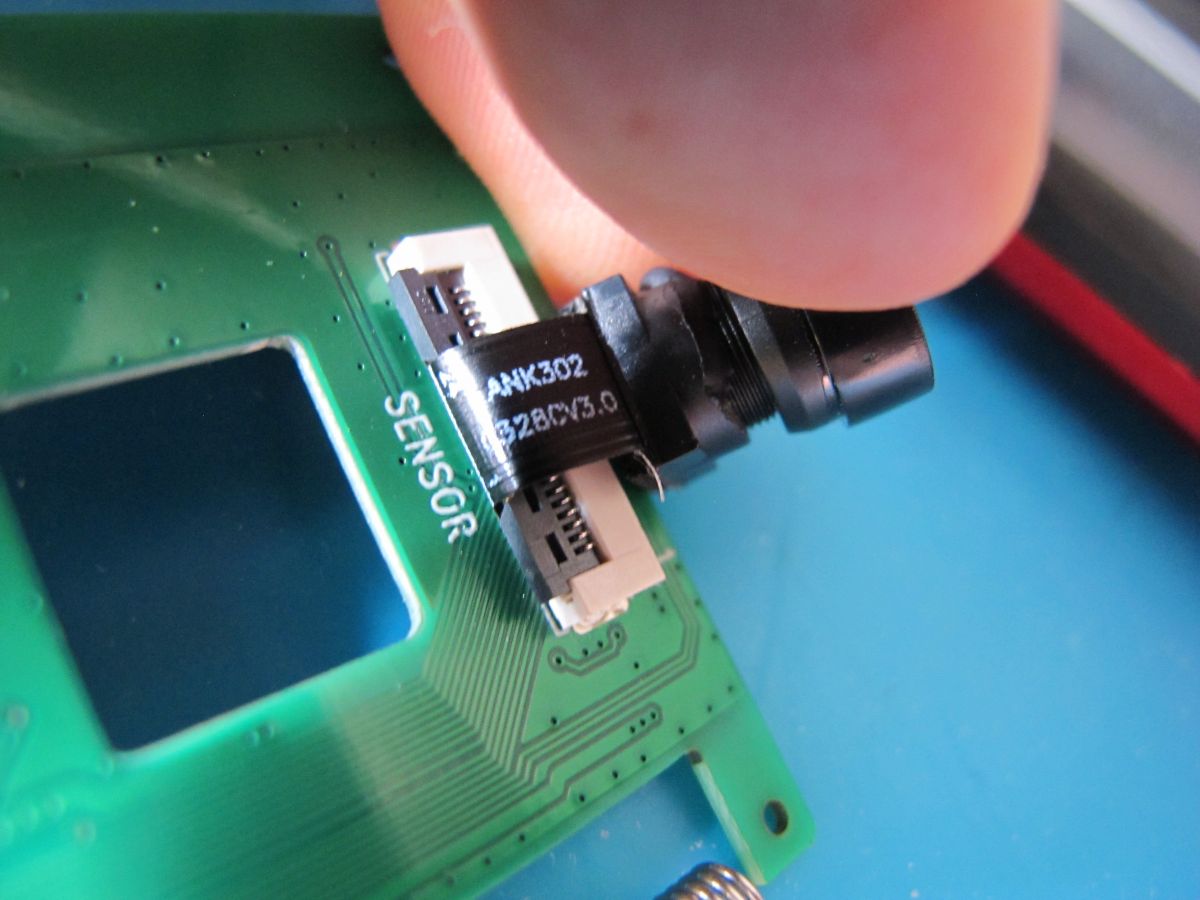
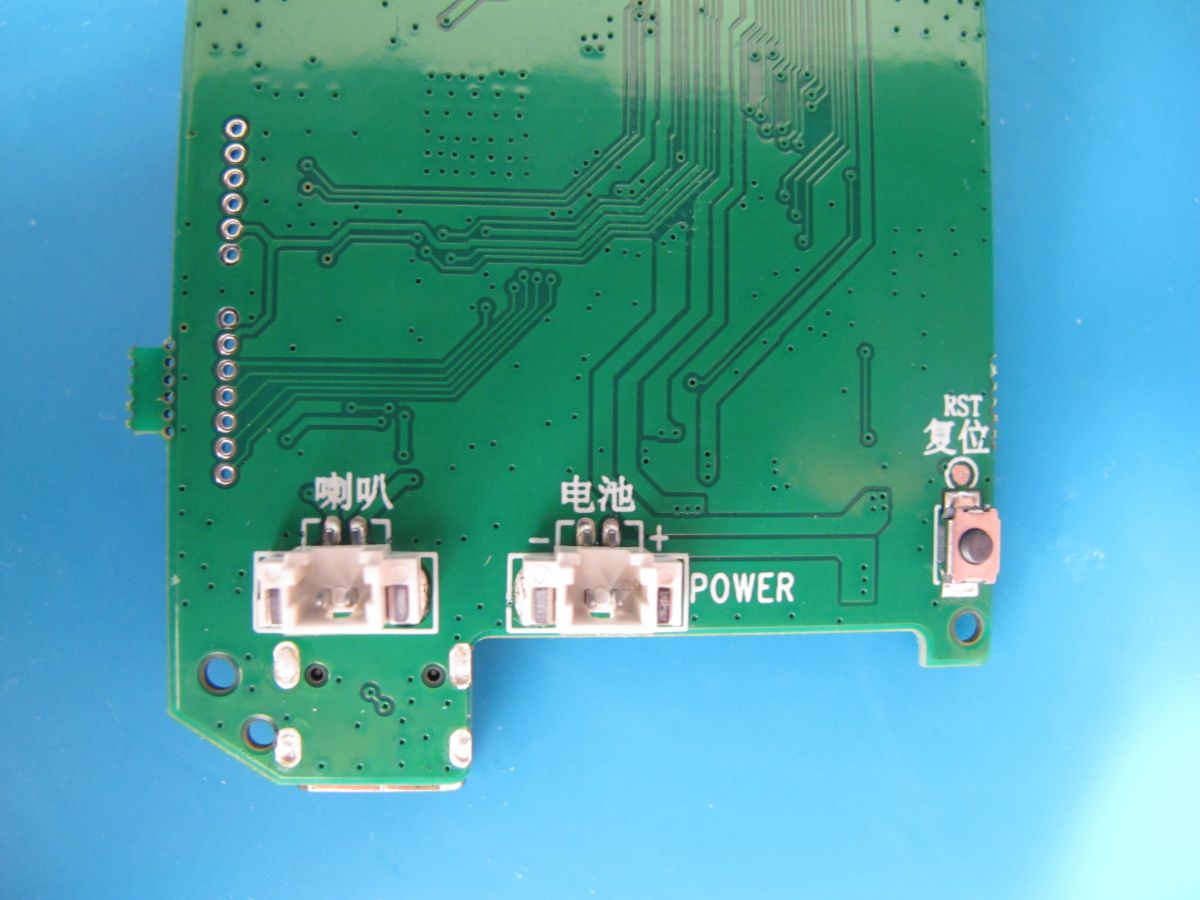
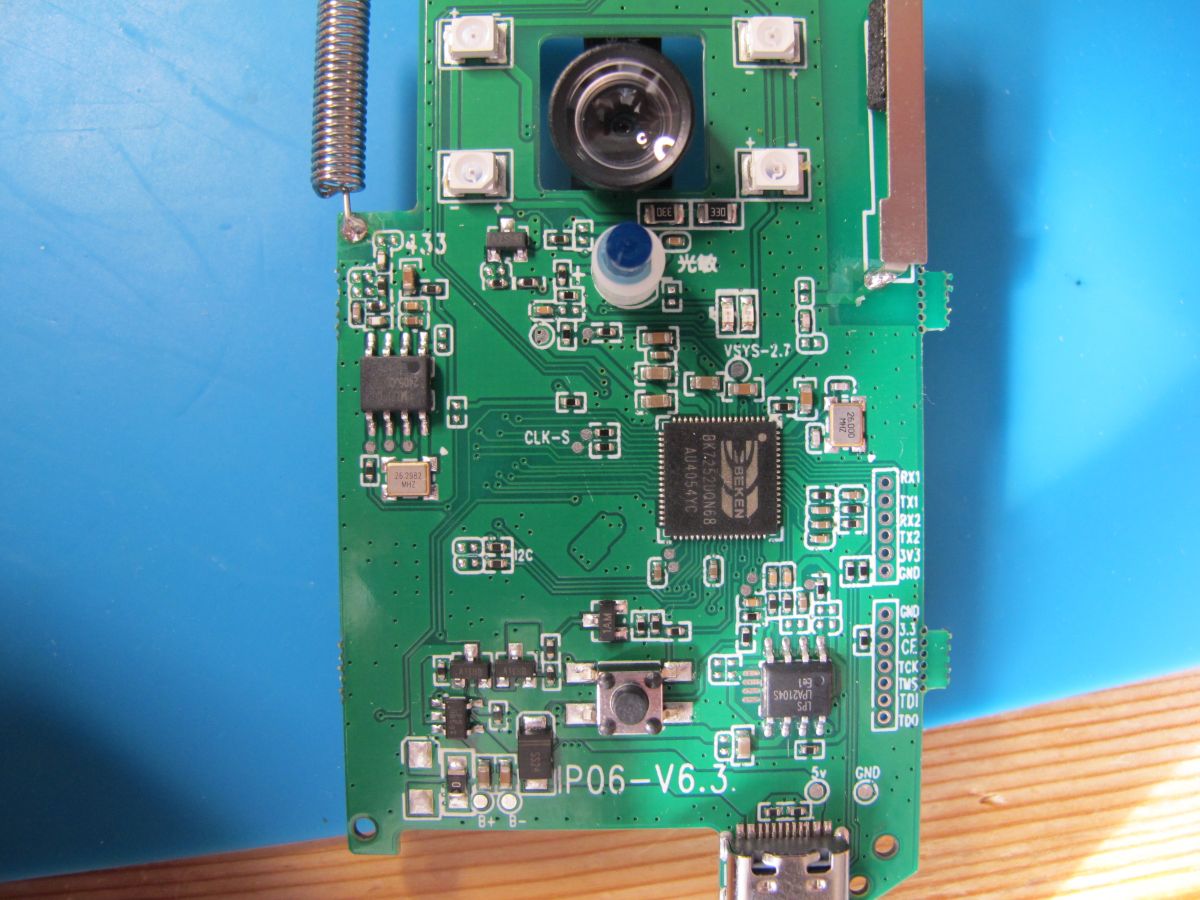
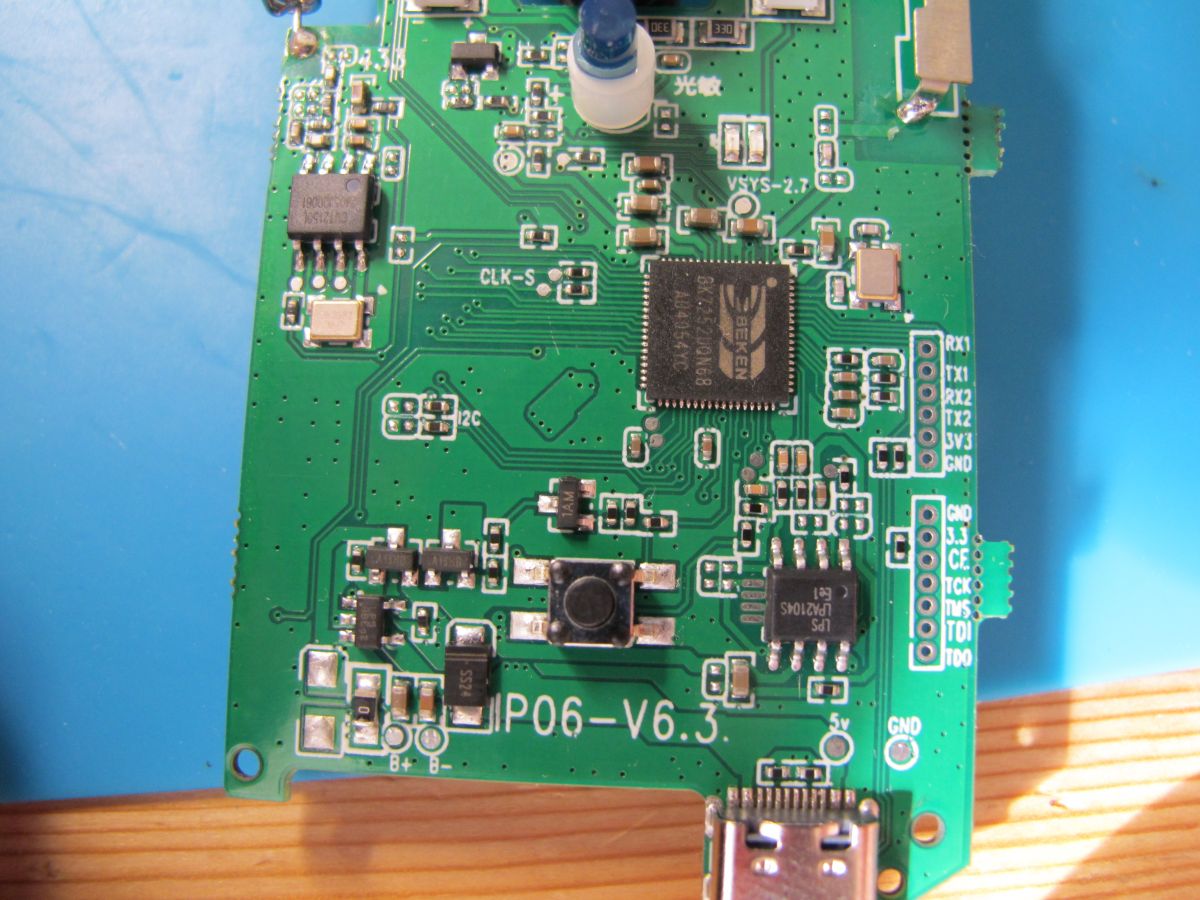
Some more pics of the PCB
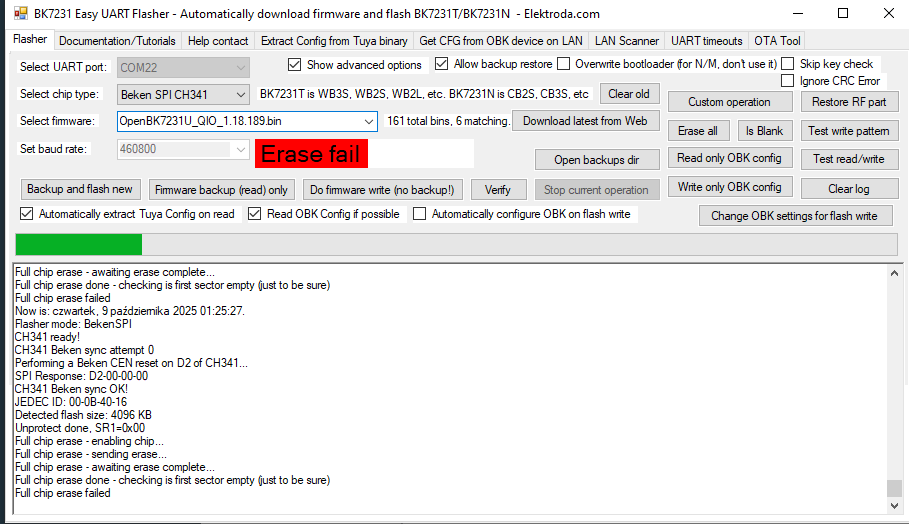
Unfortunately Easy UART Flasher was not able to backup the firmware in T or N mode, so rather than bother with BKWriter, I thought it would be easier to use the JTAG pads CE, TCK, TMS, TDI and TDO for SPI communications. BKFIL was not interested in BK7252.
I was not aware of the relationship between JTAG and SPI, only that pins with those labels could be used for SPI. I looked it up:
Code: Text
Log in, to see the code
Good stuff. But from previous experience I know that Beken chips need to be put into SPI mode before the flash can be read or written to. This process is explained here https://www.elektroda.com/rtvforum/topic3931424.html and I most recently used this to SPI backup some C-Chip C-8133U BK7231S modules. In weixin_44067125's blog they use a Python script to get the CH341A GPIO2 pin to get the BK7231S into SPI mode before firing up NeoProgrammer to detect and read the flash.
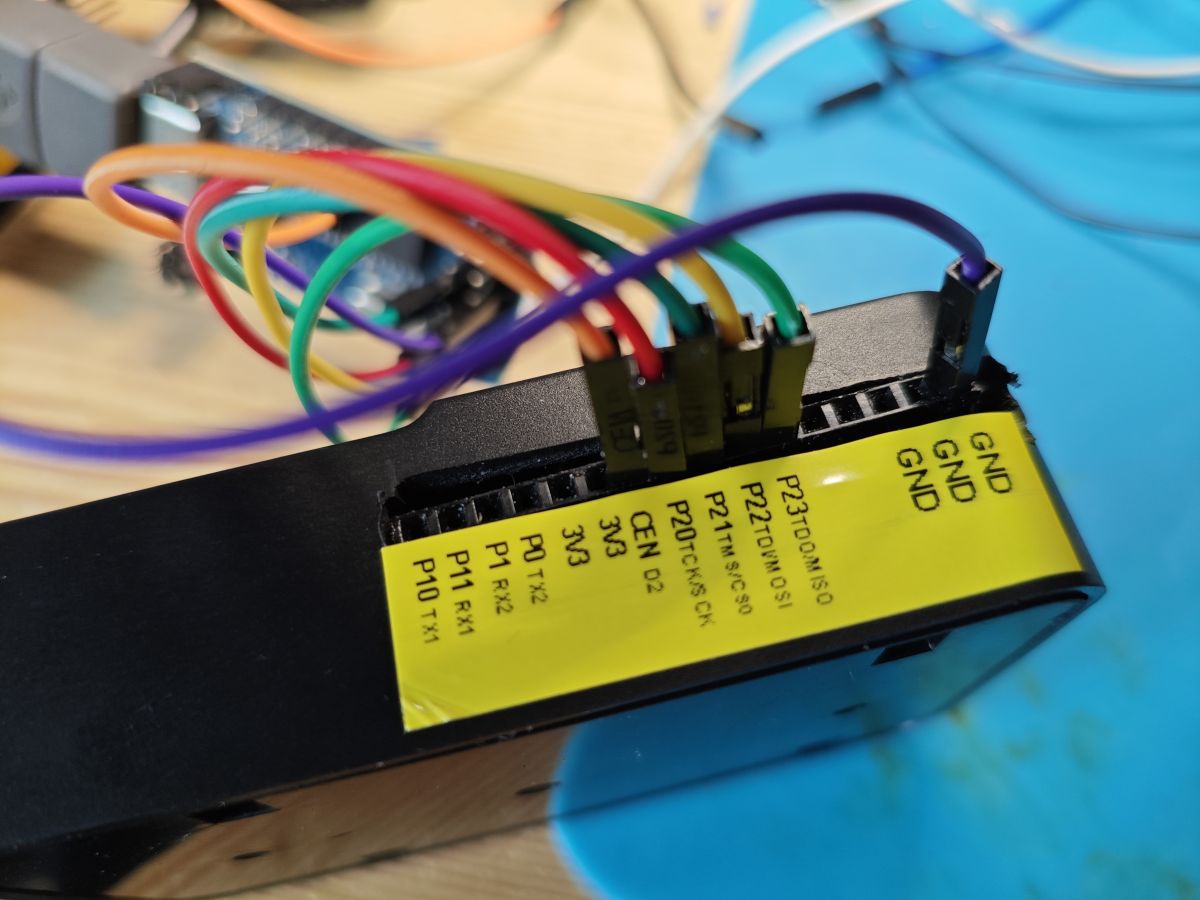
In the case of the form factor of the CH341A used on the C-8133U module specifically, these were the pin mappings
Code: Text
Log in, to see the code
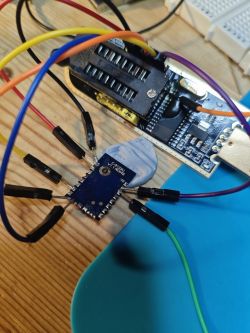
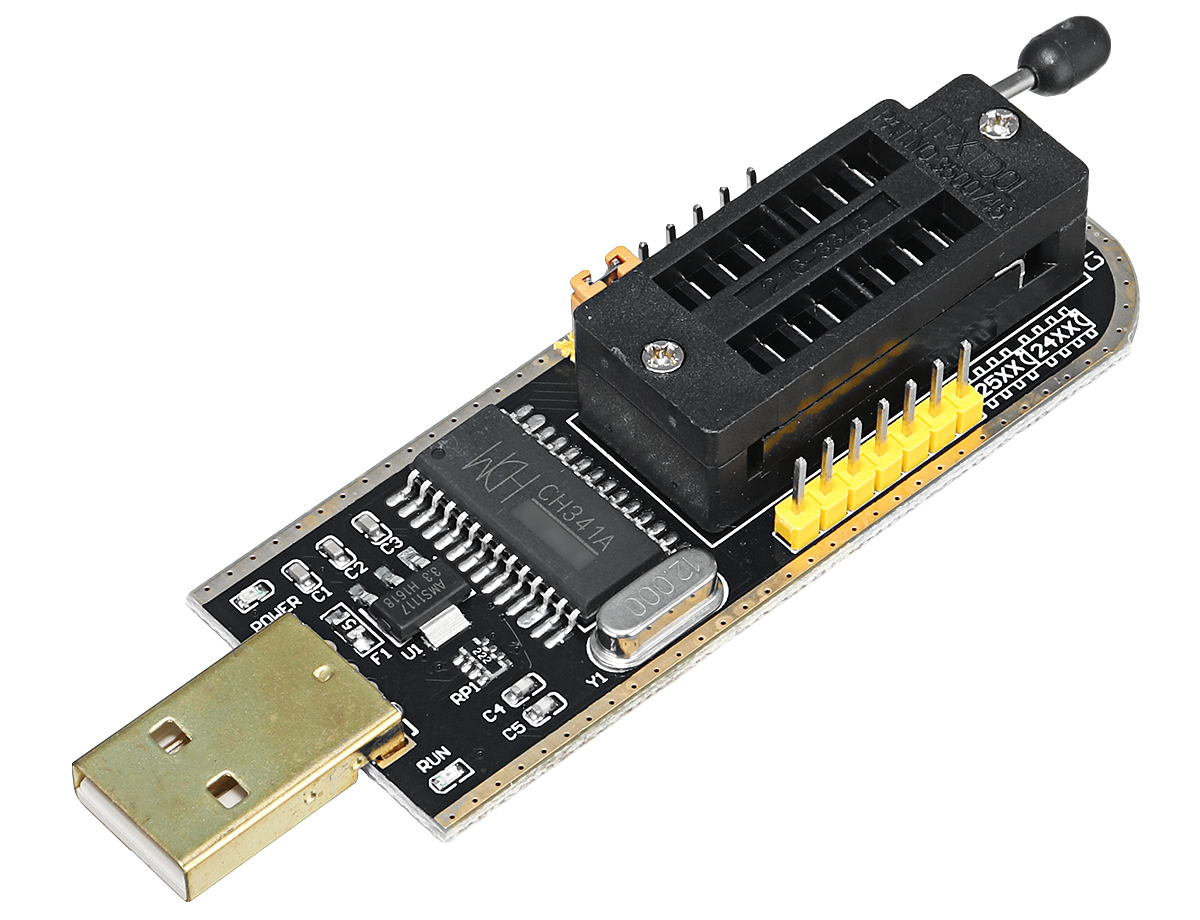
At this point I only had a black PCB CH341 on which GPIO2 does not have a header.
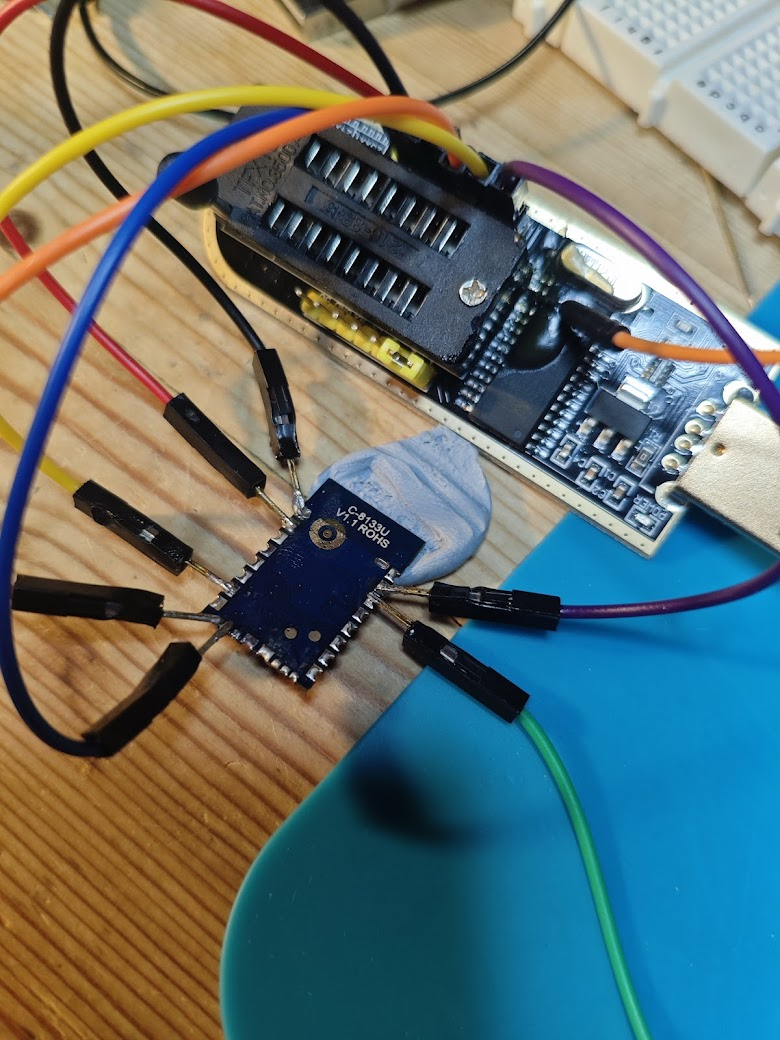
For the C-8133U I'd soldered directly to the leg of the chip, but this was less than ideal.
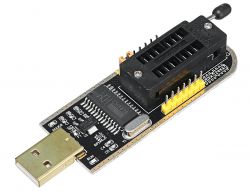
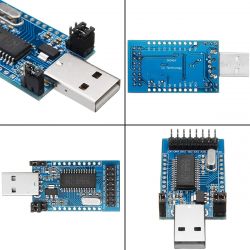
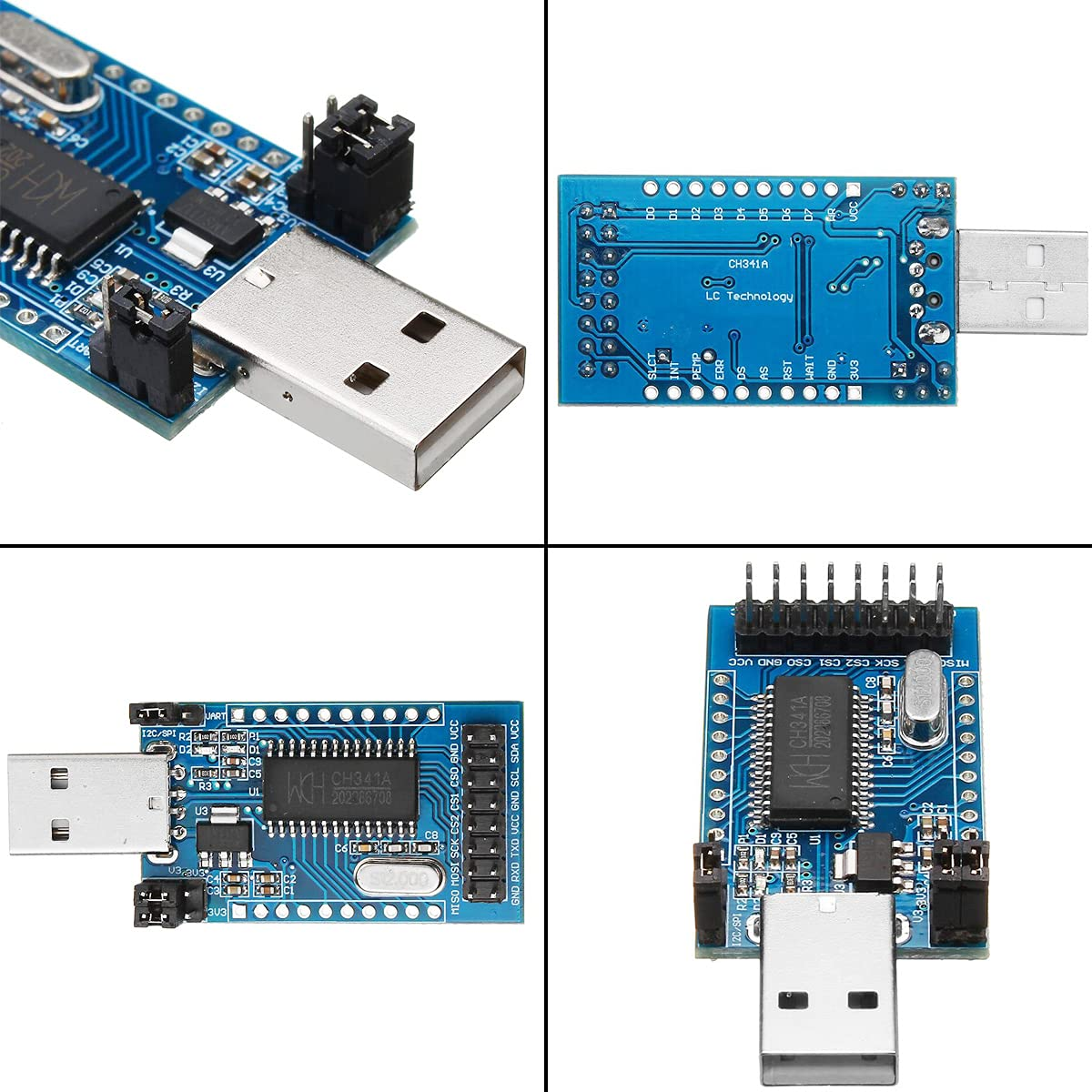
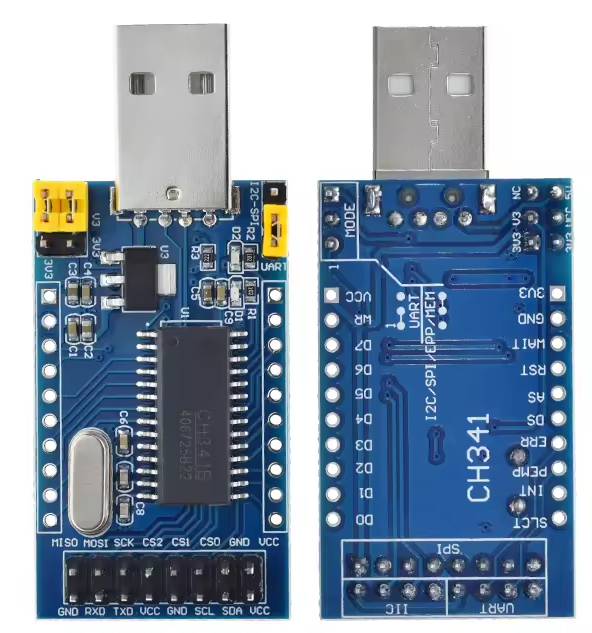
A week after ordering from Ali, this arrived. It closely matches the device seen in the CSDN blog, complete with D2.
I wanted to see if I could use weixin_44067125's Python script but with fewer dependencies, prettier text, infinite retries (instead of 10) and perhaps package it up as a single exe.
After a few hours toiling around with 32bit Python, ChatGPT, pyinstaller and the CH341 wrapper by jimjiang2 - https://github.com/jimjiang2/ch341dll_wrap_typical_app - I came up with the following that has got two of my Beken devices (so far) into SPI mode.
Code: Python
Log in, to see the code
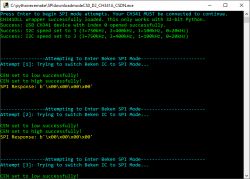
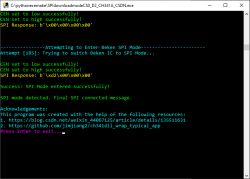
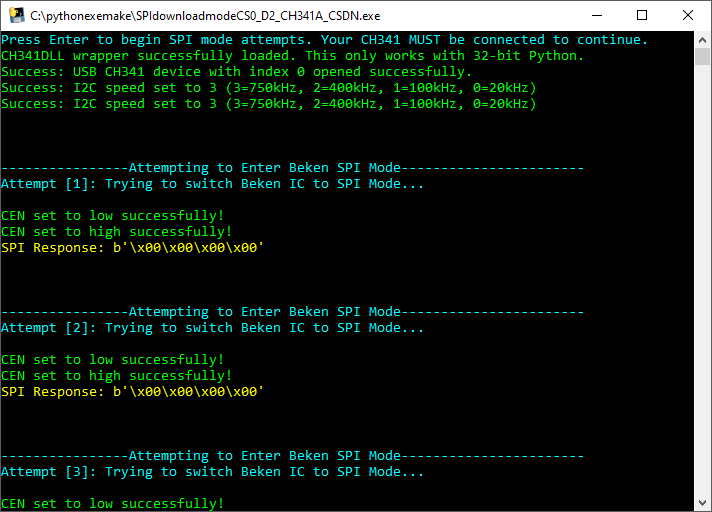
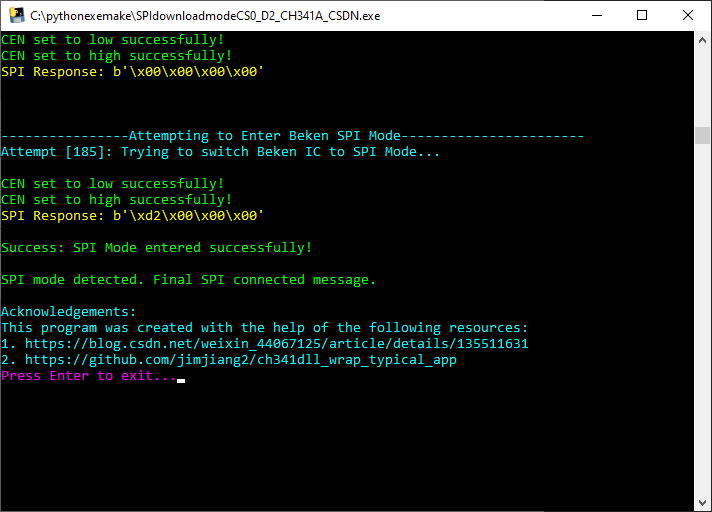
and when wrapped we get an exe that runs this
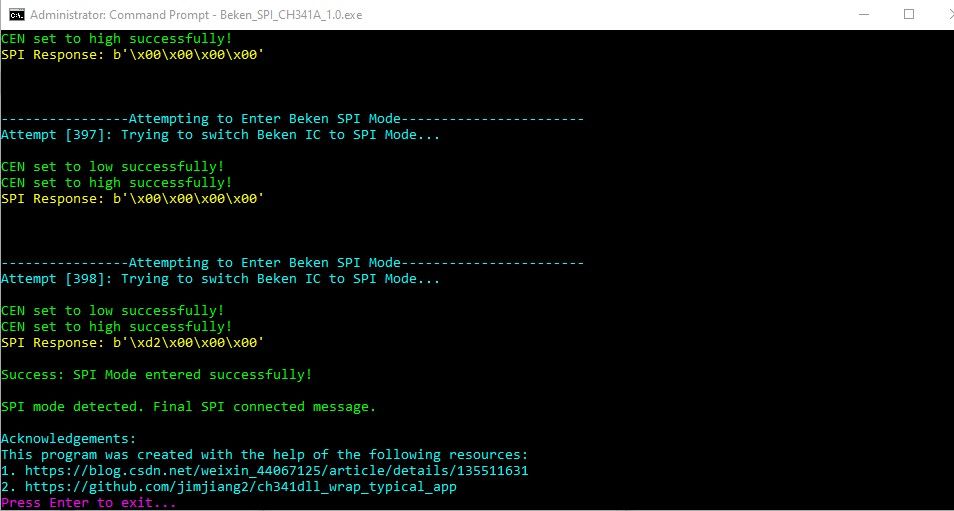
when it finally (sometimes it takes a while) gets into SPI mode
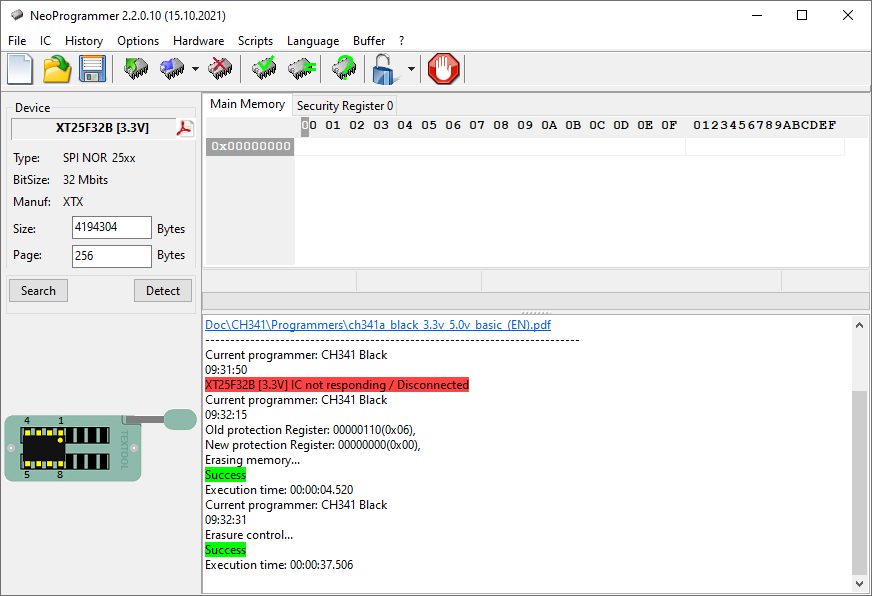
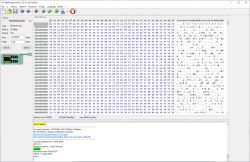
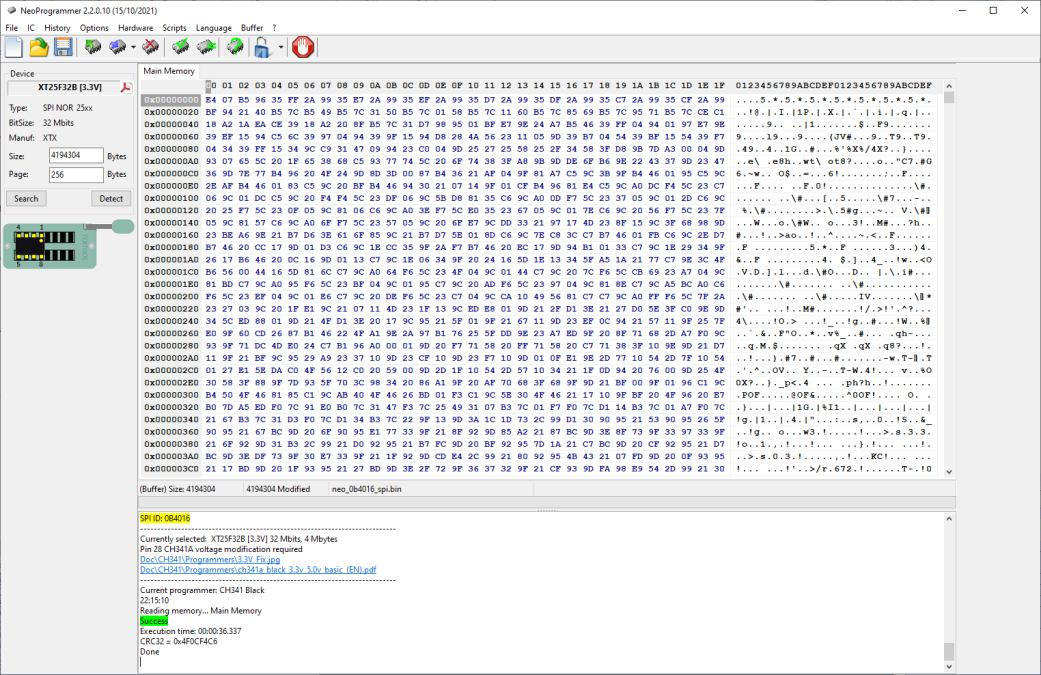
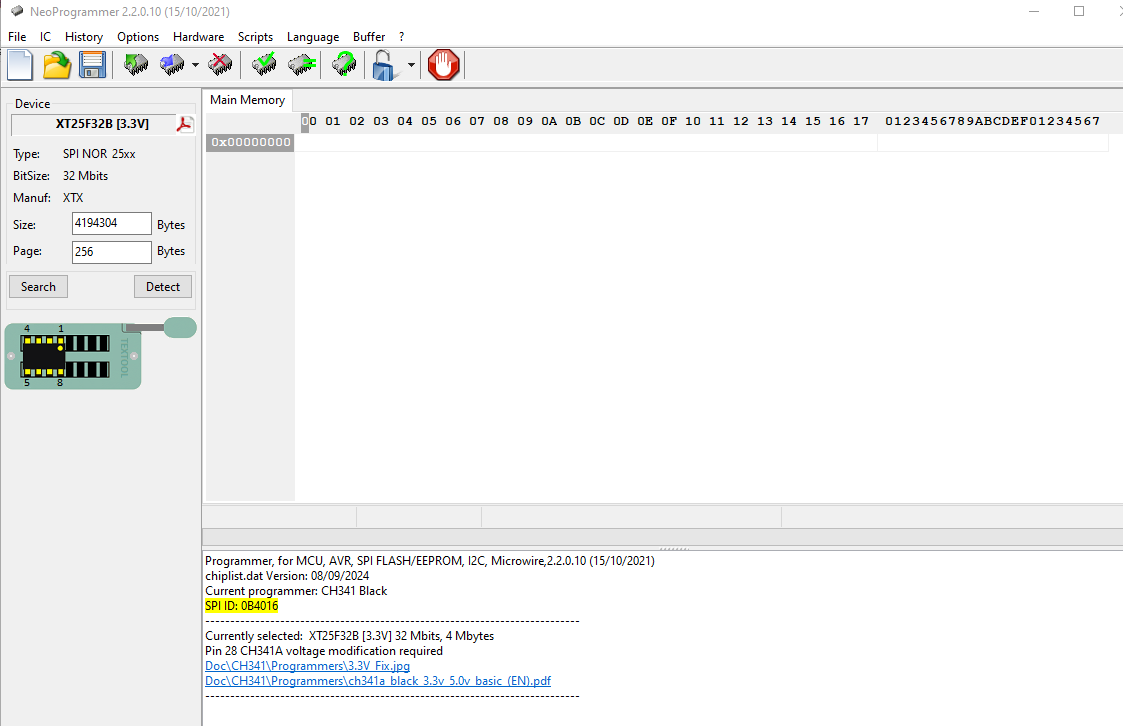
At which point NeoProgrammer will detect the SPI ID and you can read and write to the flash
in the case of the doorbell, the internal flash is:
Code: Text
Log in, to see the code
And the flash dump is attached.
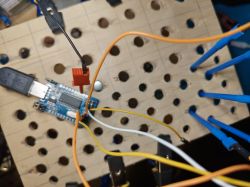
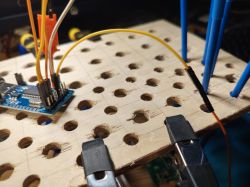
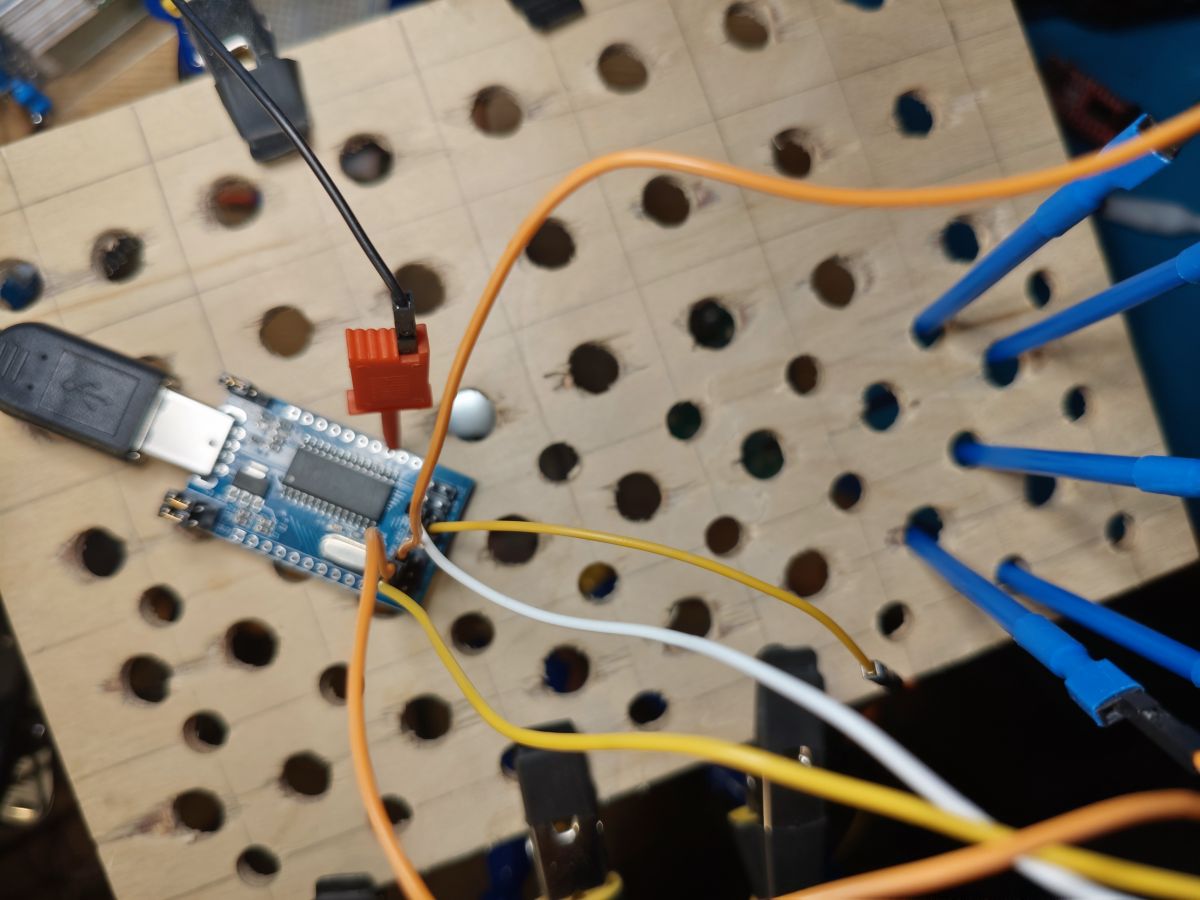
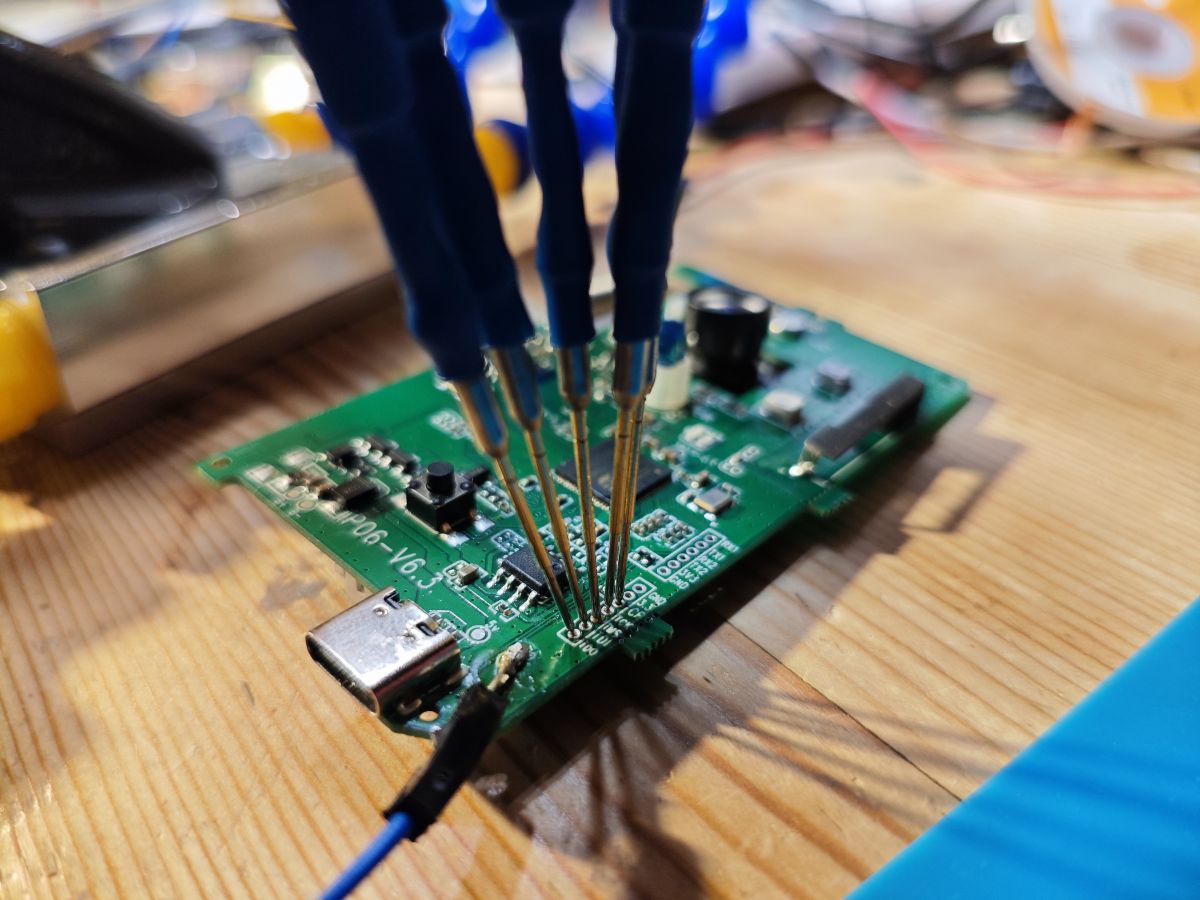
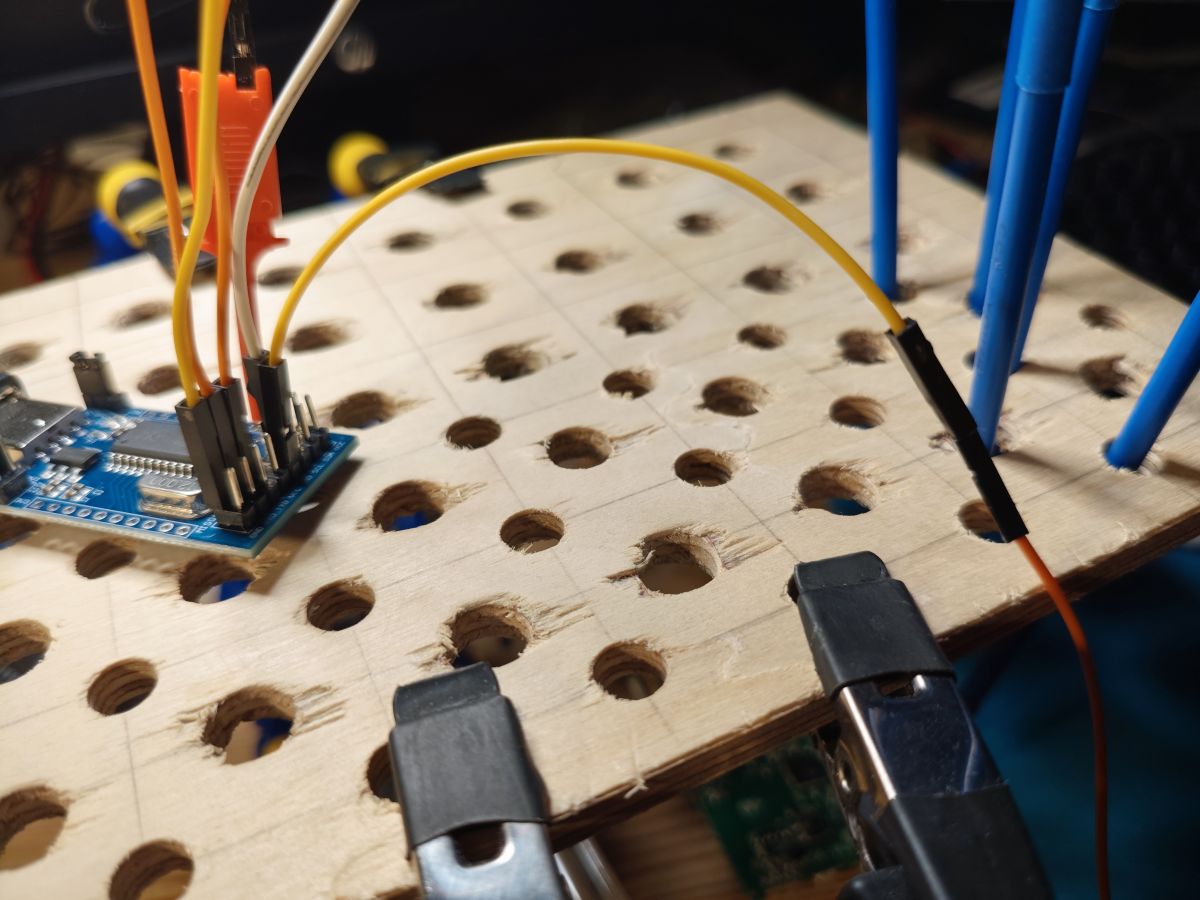
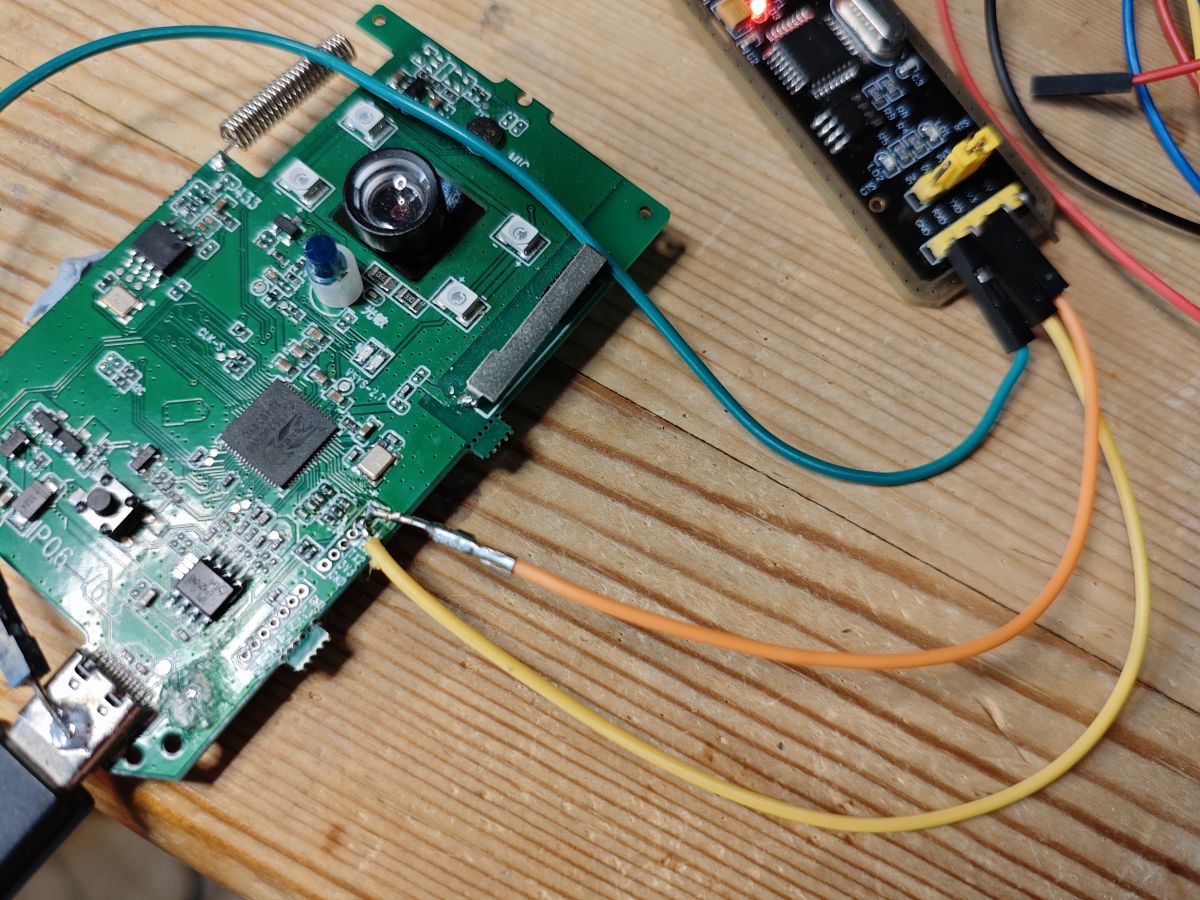
A few images of my setup
I attach the Python exe for anyone else who'd like to use it. It could do with some more testing, especially on different machines, perhaps with no Python already installed. I'll do this too at some point. I haven't even begun to explore alternative firmwares or operation of the device in the Tuya app, so updates probably to follow.
Suggestions welcome.
April 2025 update
See further down for better SPI flashing instructions.
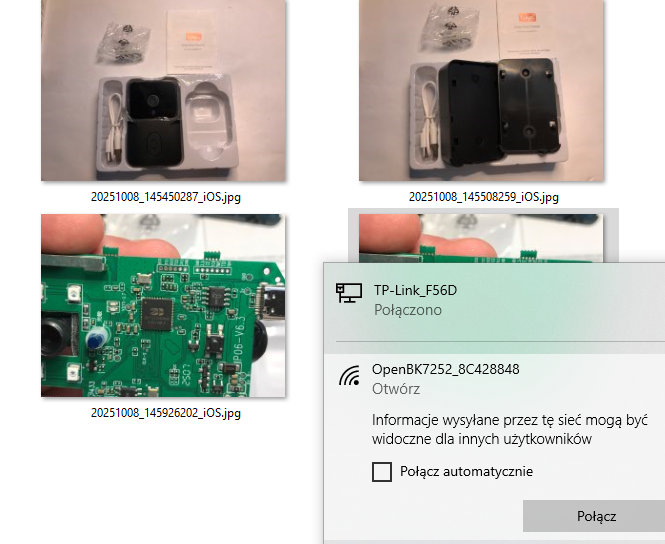
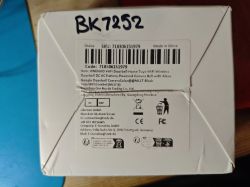
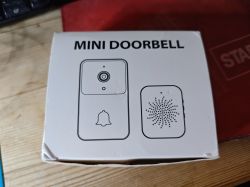
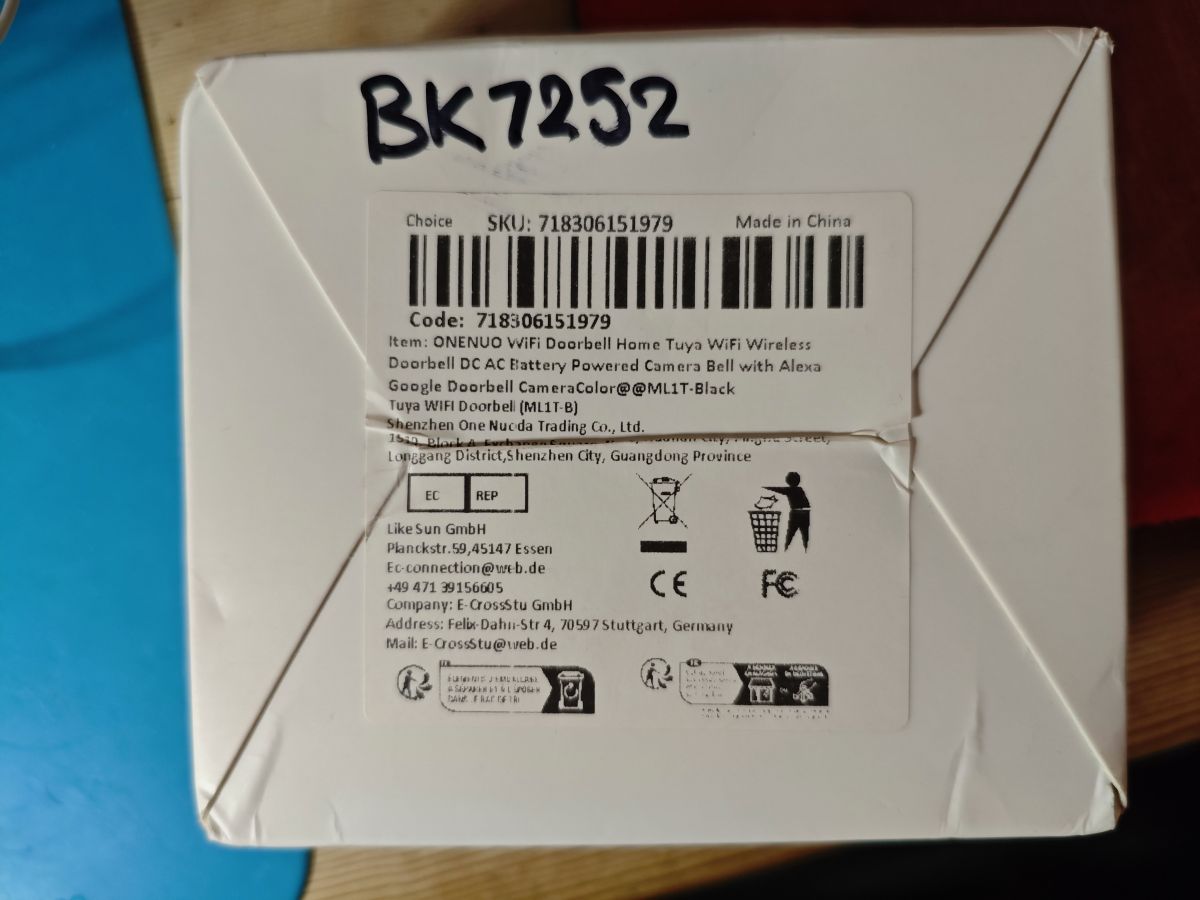
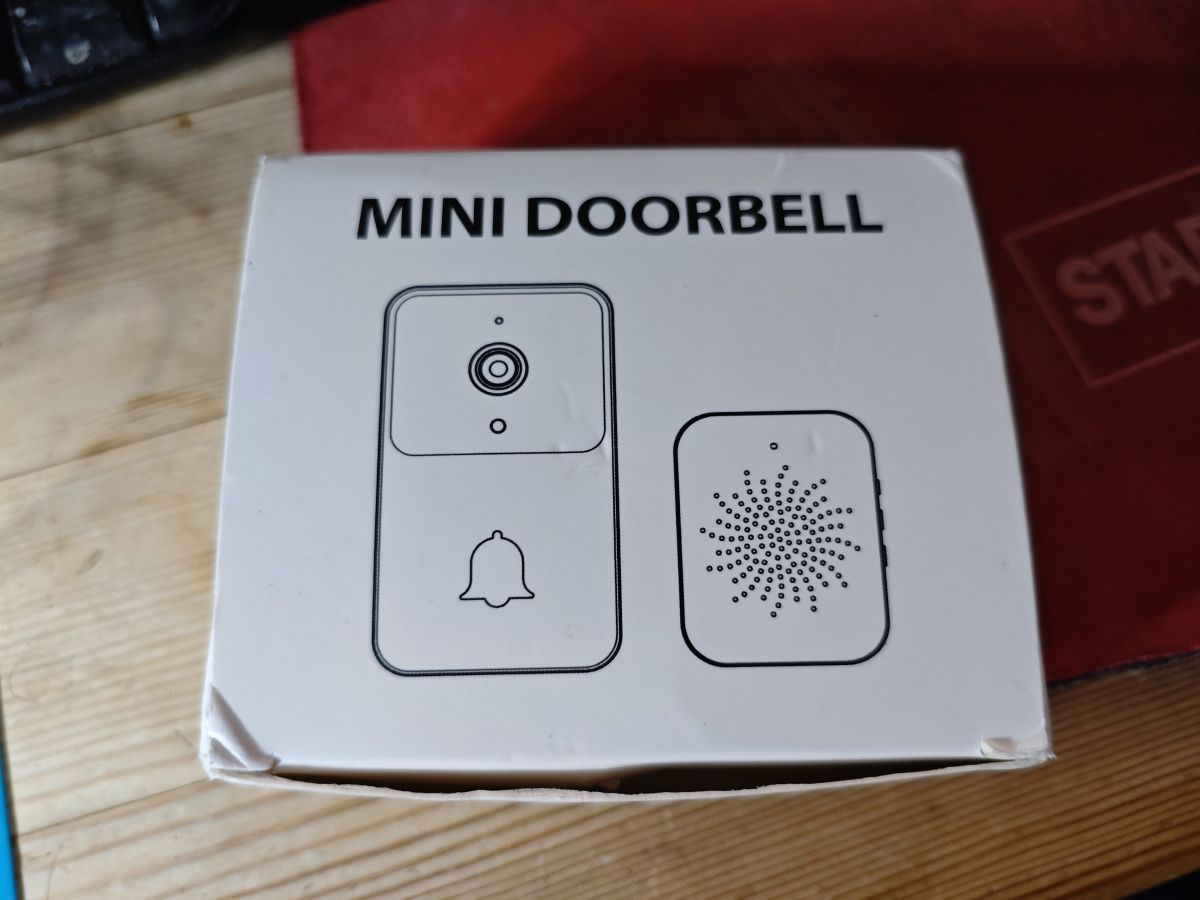
Here are some pictures of the packaging. Labelled as an ONENUO Tuya WiFi Doorbell - model MLT1T-B
Attachments:
Beken_SPI_CH341A_1.0.exe(6.18 MB)
You must be logged in to download this attachment.
neo_0b4016_spi.bin(4 MB)
You must be logged in to download this attachment.
BK7252 Data Sheet.pdf(802.31 KB)
You must be logged in to download this attachment.
aye, yes indeed. I got some A9 cams a while ago but they came with Taixin TXW817s instead of BK7252s, so dug around a little back then. I've kept one eye on https://github.com/DavidVentura/cam-reverse for those.
Just to flesh out the SPI method for read/write direct to flash in the BK7252, and for my own record because I didn't document it well enough last time.
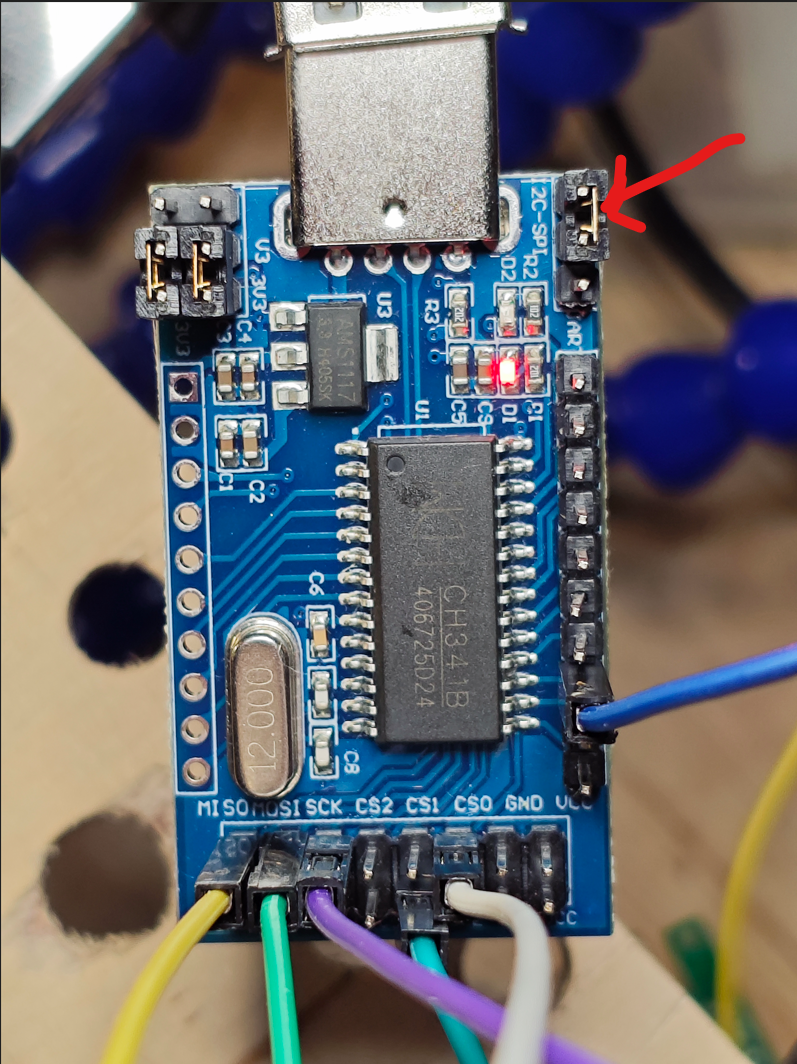
Using an LC Technology CH341A like this
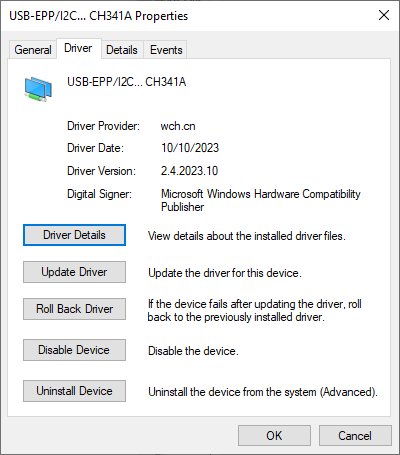
Device jumper must be in I2C position so that in Windows it shows as device type USB-EPP/I2C.... CH341A
Test pads on this Tuya doorbell were connected as:
CE - CH341 D2
TCK - CH341 SCK
TMS - CH341 CS0
TDI - CH341 MOSI
TDO - CH341 MISO
then run the Python wrapper exe script thing I made in last year's post until the correct response is received to indicate the BK7252 is in the correct mode. Today this look 398 attempts (the script/timings I'm sure can be better)
When finally in SPI mode, open Neoprogrammer and detect/read/erase/program flash as desired.
-It reads a magic number from flash
-Verifies it matches 0x5A5A5A01 (which is the pingpong magic defined here -Then continues to check the rest of the OTA metadata
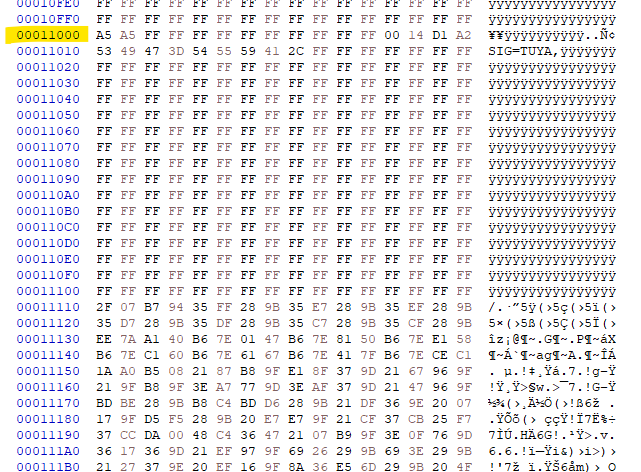
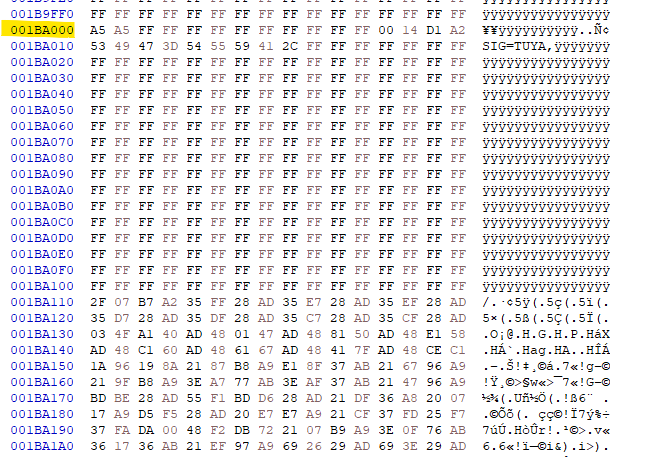
The OTA stuff should start at F000 because
Code: C / C++
Log in, to see the code
GPT says this works out as
Code: Text
Log in, to see the code
so with this inserted into the original dump:
Code: Text
Log in, to see the code
and flashed to the device, we get this on boot
Code: Text
Log in, to see the code
which looks like the magic is correct and it's going somewhere to try for OTA
Entering initLog()...
Commands registered!
initLog() done!
--write status reg:800,2--
--write status reg:87c,2--
--write status reg:800,2--
--write status reg:87c,2--
--write status reg:800,2--
--write status reg:87c,2--
--write status reg:800,2--
--write status reg:87c,2--
--write status reg:800,2--
--write status reg:87c,2--
--write status reg:800,2--
--write status reg:87c,2--
--write status reg:800,2--
--write status reg:87c,2--
--write status reg:800,2--
--write status reg:87c,2--
--write status reg:800,2--
--write status reg:87c,2--
--write status reg:800,2--
--write status reg:87c,2--
--write status reg:800,2--
--write status reg:87c,2--
gpio_id_cross_border
gpio_id_cross_border
gpio_id_cross_border
gpio_id_cross_border
gpio_id_cross_border
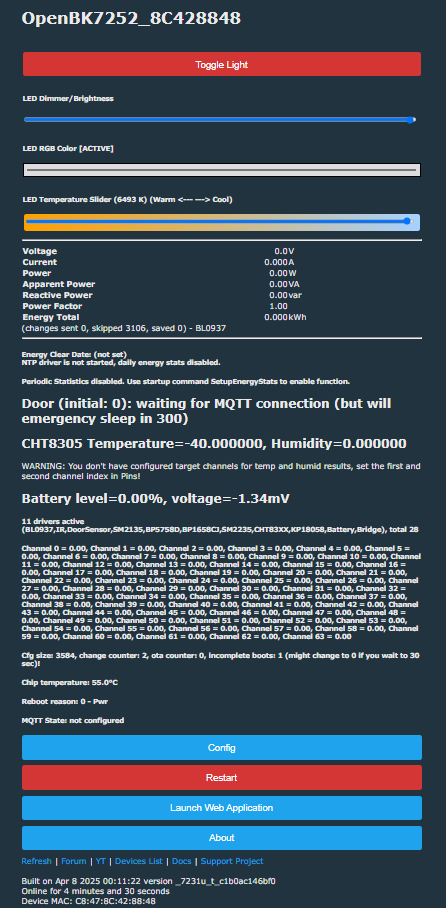
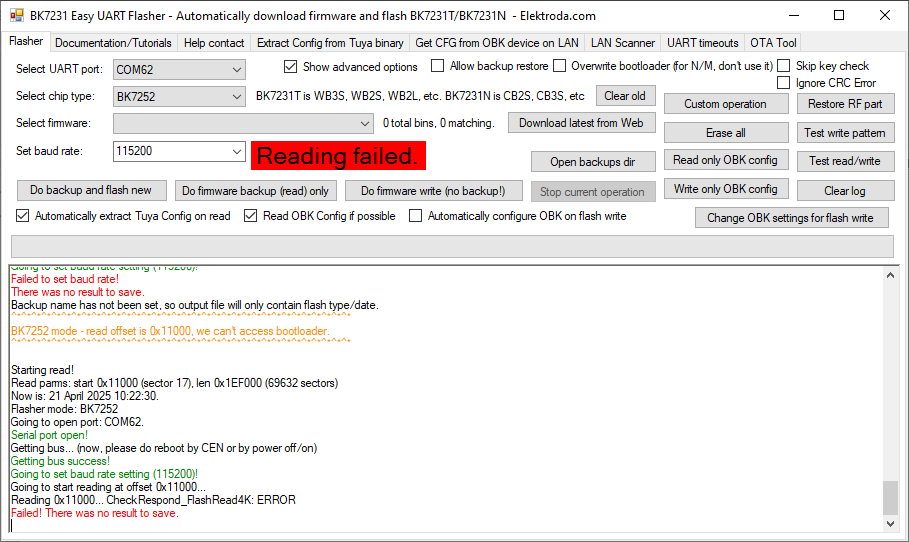
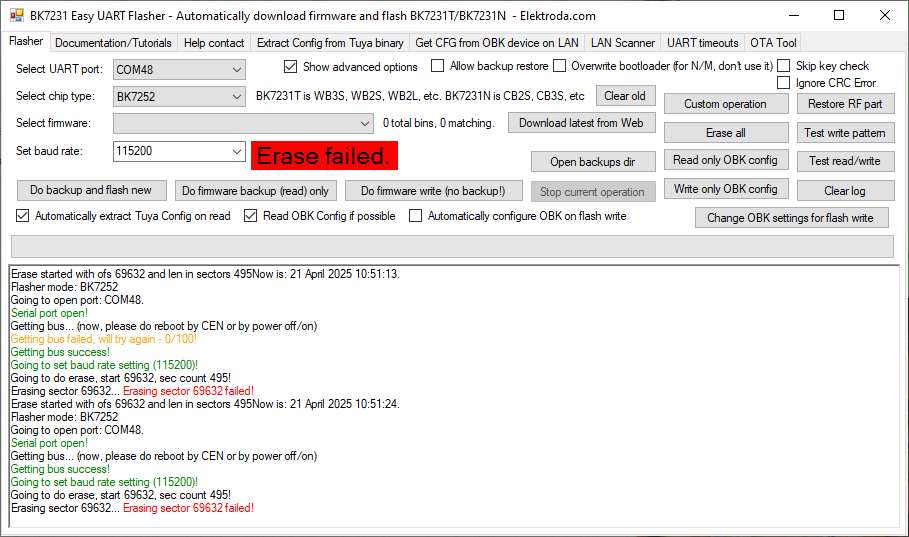
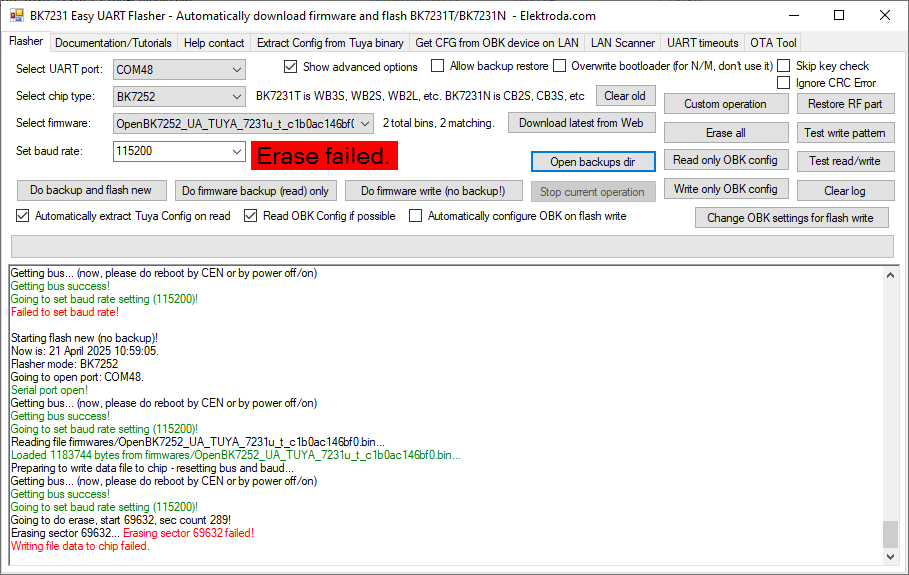
I've hooked up the doorbell again to remind myself of the UART flashing experience and to try the new Easy Flasher V19 with BK7252 support. I don't think this doorbell is a good test device for UART backup. Maybe it seems there's something specific to this device causing an issue.
Wires are short and soldered. Same experience with pogo (which are all fine with SPI method). Same experience with different USB-TTL adaptors.
Hello, I have a quite similar doorbell, I have backed up the firmware. readResult...-32-23.bin (1.93 MB)You must be logged in to download this attachment. Now I want to flash a new one where can I find it?
If you do experiment, it's probably worth taking a full flash backup to include your bootloader, should you wish to return to factory functionality. Also that backup is only half the flash - 4mb dump required (maybe @p.kaczmarek2 or @DeDaMrAz could add a 4mb option to BK7252U in EF and include BL if possible 🙏🏻).
>>21710462 Unfortunately nothing for camera is there.
There is part of bootloader source, but not enough for a custom bootloader build though.
SDK is ancient, pre BK7231N.
No boot:
- OpenBK7231U_QIO_1.18.189.bin
- OpenBK7252_QIO_1.18.189
- OpenBK7252N_QIO_1.18.189
Boots: OpenBK7252_Tuya_QIO_1.18.189.bin!!
So it's a bootloader encrypted with Tuya key...
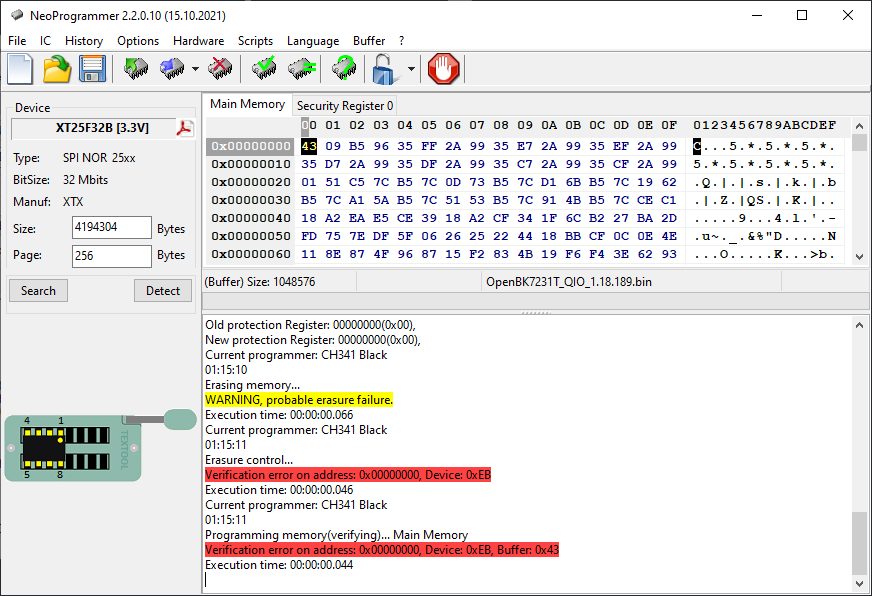
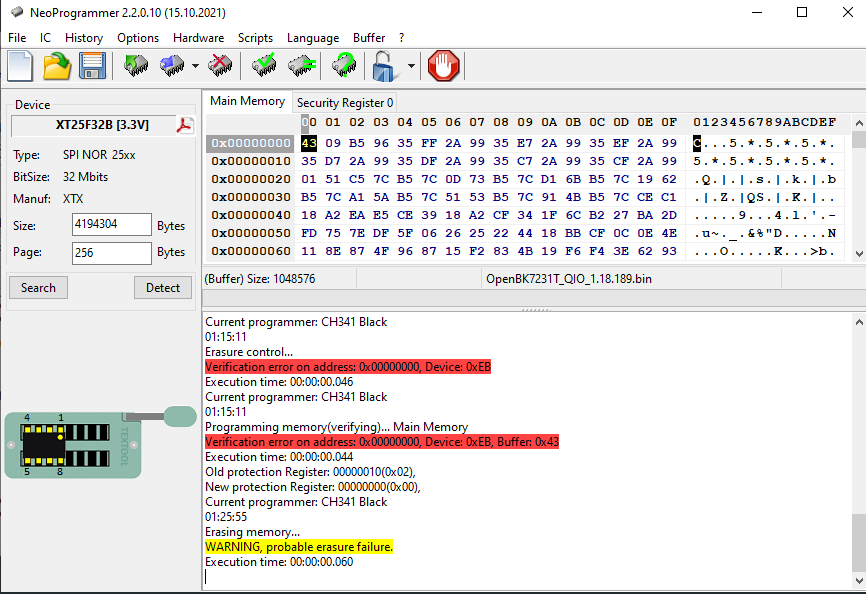
Huh? After flashing it, now I can't erase the chip?
EF:
>>21714574 There is a problem with Tuya BK7252.
Since Tuya bootloader doesn't allow for rbl updates, default one is used.
But that one doesn't encrypt firmware on unpacking, resulting in an unbootable firmware.
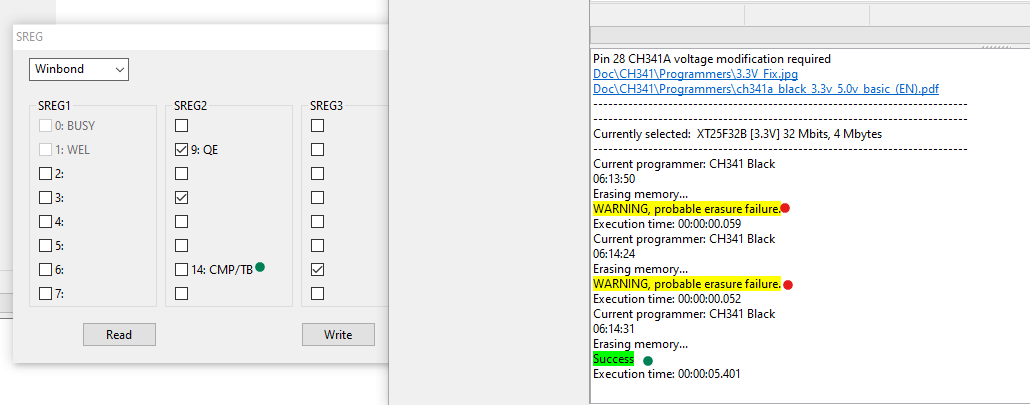
Currently my problem is at CH341 SPI flash level. It seems that even after full power off, I am unable to do any futher erase operations, so I stuck with current flash content.
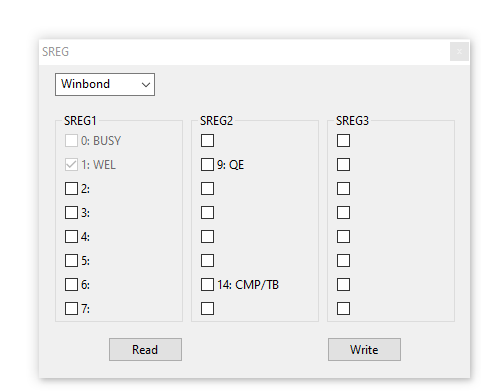
Before:
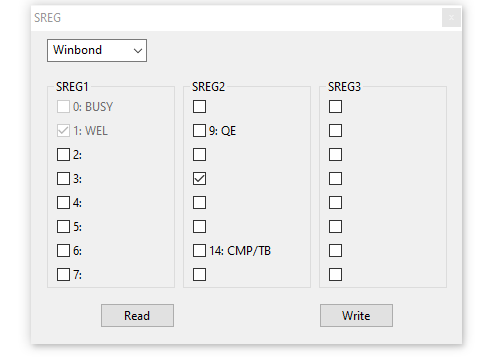
Cleared it (Read and Write):
After read:
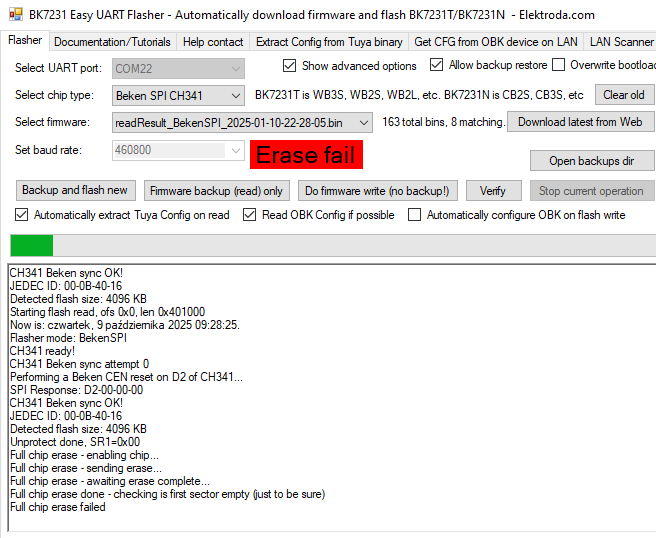
EF still fails.
Unless.... ah, I see, NeoProgrammer can erase now????
and flashed firmware boots! So, we have something wrong in EF in relation to SREG bits (SREG 2 and 3) that breaks fix from ASProgrammer...
So, we have something wrong in EF in relation to SREG bits (SREG 2 and 3) that breaks fix from ASProgrammer...
well, it comes on regardless of EF use though. I'm not 100% sure of the pattern though because despite being powered-off yesterday it was still off (the SREG flag) when I powered it up again after manually clearing it just before. Mostly I need to clear though to be able to begin erase/write.
p.kaczmarek2 wrote:
Anything specific to try on that? I am certainly going to create I2C pin-wide scanner...
I did have a go at softsda/scl detection on I2C1/2
I²C Bus
I²C Function
GPIO
Pin #
Alternate Functions
I2C1
SCL
GPIO20
41
JTAG_TCK / QSPI_IO3
I2C1
SDA
GPIO21
40
JTAG_TMS / QSPI_IO2 / I2S_MCLK
I2C2
SCL
GPIO0
65
UART2_TX
I2C2
SDA
GPIO1
64
UART2_RX
but it was either no detection or the big list of all addresses - I'm guessing some pclk or mclk bring-up thing needs to happen first to wake sensor up? I recall pretty much this being the case when trying to make new drivers for TXW.
Discussion of a cheap Tuya doorbell based on the BK7252/BK7252U SoC, focusing on UART boot logs, firmware backup, and SPI flashing with CH341A and NeoProgrammer/Easy Flasher. The thread covers test-pad pin mapping, entering SPI mode with a Python wrapper, reading and writing full flash images, bootloader/partition layout, and issues caused by Tuya-encrypted firmware and efuse/SREG bits. It also compares different firmware builds and bootloaders, notes that standard OpenBK7252 images may not boot without the correct bootloader and Tuya encryption handling, and later develops a working OTA-capable Tuya BK7252U bootloader patch using RT-Thread bootloader code and Tuya coeff-key transformation. AI summary based on the discussion. May contain errors.
TL;DR: For Tuya BK7252 doorbells, reliable backups/flashing work over CH341A SPI; one unit needed 398 attempts — “Today this look 398 attempts.” Run the Python helper, then read/write with NeoProgrammer. [Elektroda, divadiow, post #21512355]
Why it matters: This FAQ helps hardware tinkerers back up, unbrick, or experiment with BK7252-based Tuya doorbells without losing factory firmware.
What chipset and flash are inside this Tuya doorbell?
It uses a Beken BK7252 (QFN68). The SPI flash is XTX XT25F32B, 4 MiB capacity, with JEDEC ID 0B 40 16. The PCB exposes well-labeled test pads for UART and JTAG/SPI access. Photos and a full boot log confirm the platform and memory. This baseline helps you choose the right flasher, offsets, and OTA expectations. [Elektroda, divadiow, post #21213265]
Which UART pins should I use for logs and flashing?
Use UART2_TX for boot logs. Use P10 (UART1_RX) and P11 (UART1_TX) for flashing and backups. The thread identifies both UART sets on the test pads. Keep wires short and solidly soldered or use quality pogo pins to reduce noise during high-baud transfers. [Elektroda, divadiow, post #21213265]
How do I enter BK7252 SPI mode and dump flash with a CH341A?
Three steps:
Put CH341A in I2C mode; wire pads: CE→D2, TCK→SCK, TMS→CS0, TDI→MOSI, TDO→MISO.
Run the provided Python wrapper to toggle CEN and enter SPI; wait for the 0x9F ID pattern.
It can be slow. One capture needed 398 attempts before the expected SPI response appeared. As the author noted, “Today this look 398 attempts.” If retries take long, adjust timing and ensure stable CE control from CH341A GPIO2. [Elektroda, divadiow, post #21512355]
Which tools should I use once the chip is in SPI mode?
Use NeoProgrammer to auto-detect the flash and perform read/erase/program. The helper Python executable only handles the SPI-mode entry and basic JEDEC read; NeoProgrammer handles the actual dump and writes after that. Keep the wiring from the CH341A short and shielded. [Elektroda, divadiow, post #21512355]
Does BK7231GUIFlashTool support BK7252 over UART?
Yes. BK7252 support was added in the tool. Quoting the maintainer: “BK7252 is like BK7231T but without ‘wrap around 2MB’ hack … read/write just skips bootloader (0x11000 offset).” Use the new BK7252 mode and follow the tutorial notes. [Elektroda, p.kaczmarek2, post #21525243]
Why does Easy UART Flasher sometimes fail on this doorbell?
Some boards block or disturb T/N mode. The author could not back up this unit with Easy UART Flasher in T or N mode, and BKFIL did not recognize BK7252. When that happens, switch to the SPI method described above. [Elektroda, divadiow, post #21213265]
Is there an alternate UART method I can try if the normal one fails?
Yes. Use the hid_download_py method from the linked tutorial. It can succeed where standard UART bootstrap fails. Follow the steps carefully and confirm your USB‑UART (e.g., FT232R) and wiring quality before retries. [Elektroda, p.kaczmarek2, post #21526049]
What does a successful BK7252 UART dump look like?
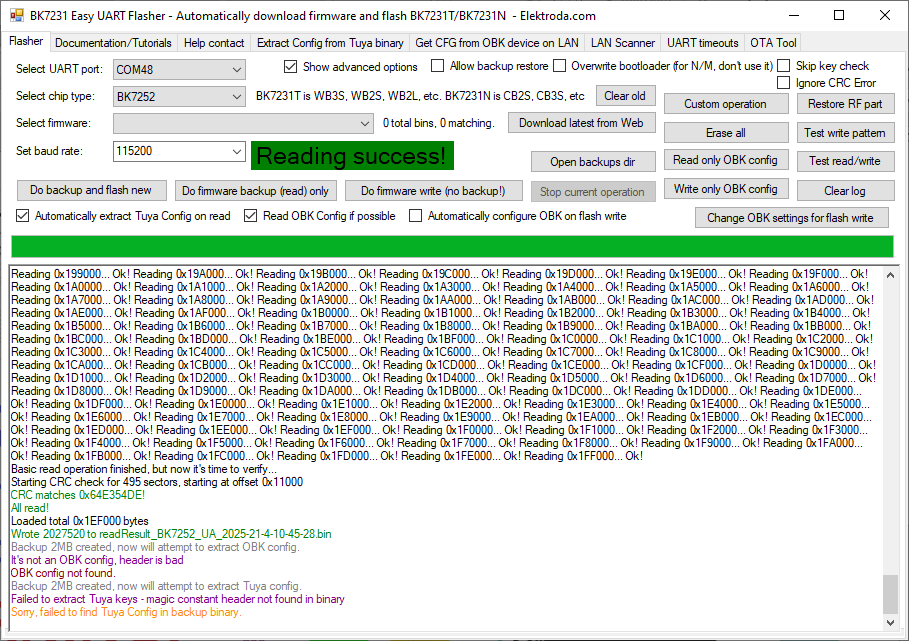
One successful session started at 0x11000, read 495 sectors, verified CRC 0x64E354DE, and produced 2,027,520 bytes. Using an FT232R improved reliability in that case. Save the output and verify CRC before proceeding with any erase or write. [Elektroda, divadiow, post #21526057]
How does Tuya OTA work on BK7252?
It uses a ping‑pang (dual app) layout. Bootloader partitions are app1 at 0x11000 and app2 at 0x1BA000. The standard Tuya bootloader doesn’t use RBL; it toggles between these partitions. Package metadata matches that dual scheme. [Elektroda, insmod, post #21513232]
Why didn’t an OpenBK OTA persist after reboot?
Logs showed the OTA copy then a reboot, but the bootloader reported FAL partition table not found and jumped to 0x10000. This aligns with Tuya’s dual-partition scheme rather than OpenBK’s RBL approach. [Elektroda, divadiow, post #21514822]
Can I flash OpenBK7252 on this doorbell today?
You can experiment, but there is no fully-functioning, cloud‑free replacement yet for BK7252U doorbells. As the author cautioned, “there is no fully-functioning replacement firmware for BK7252U.” Always keep a verified full backup first. [Elektroda, divadiow, post #21578866]
Why won’t OpenBK7252_Tuya_QIO at 0x0 boot on this unit?
On this doorbell, the Tuya QIO image at 0x0 did not boot until a compatible bootloader was spliced in. Tuya’s BL and partitioning expectations differ, so include the matching BL if you test. [Elektroda, divadiow, post #21617297]
Should I back up the full 4 MB including the bootloader?
Yes. Keep a complete 4 MB dump that includes the bootloader, so you can restore factory behavior if needed. This is especially important while experimenting with OpenBK or custom builds. [Elektroda, divadiow, post #21578866]
Where can I get BK7252 Tuya SDKs for reference?
Multiple Tuya BK7252 SDK zip releases were shared (1.1.10 through 1.1.23). Use them to study partitioning, OTA handling, and drivers before attempting custom builds. [Elektroda, divadiow, post #21499790]
My logs show SD timeouts and "no sdcard"—is something broken?
No, that’s expected without a card. The boot log repeats CMD8 timeouts and reports “no sdcard,” then continues. Insert a supported microSD if you need on-device recording. The device boots and operates without it. [Elektroda, divadiow, post #21213265]
AI summary based on the discussion. May contain errors.












 🙏🏻).
🙏🏻).