logo elektroda
logo elektroda
X
logo elektroda

Exploring A9 Minicam Variation: XF16 PB380EA6341 MCU, T25S80 SPI Flash, XR872, Skylark SDK

divadiow 21846 286
ADVERTISEMENT
  • #241 21696146
    divadiow
    Level 36  
    p.kaczmarek2 wrote:
    Well, it has at least the AWIH header..

    sure. I just thought the rest looked odd. maybe encrypted. I was expecting more plain-text strings. maybe it's fine then!

    Added after 1 [minutes]:

    1864mponepound wrote:
    do you know of some freeware remote monitor software for winows or linux,
    I hate the app I bought it with

    I know of no fully-functional alternatives for XF16 devices.

    OpenXR872 will probably boot but it has no cam/ptz etc support
  • ADVERTISEMENT
  • #242 21707905
    p.kaczmarek2
    Moderator Smart Home
    I got another one. I tried to get BK7252 but sadly got again the same model.
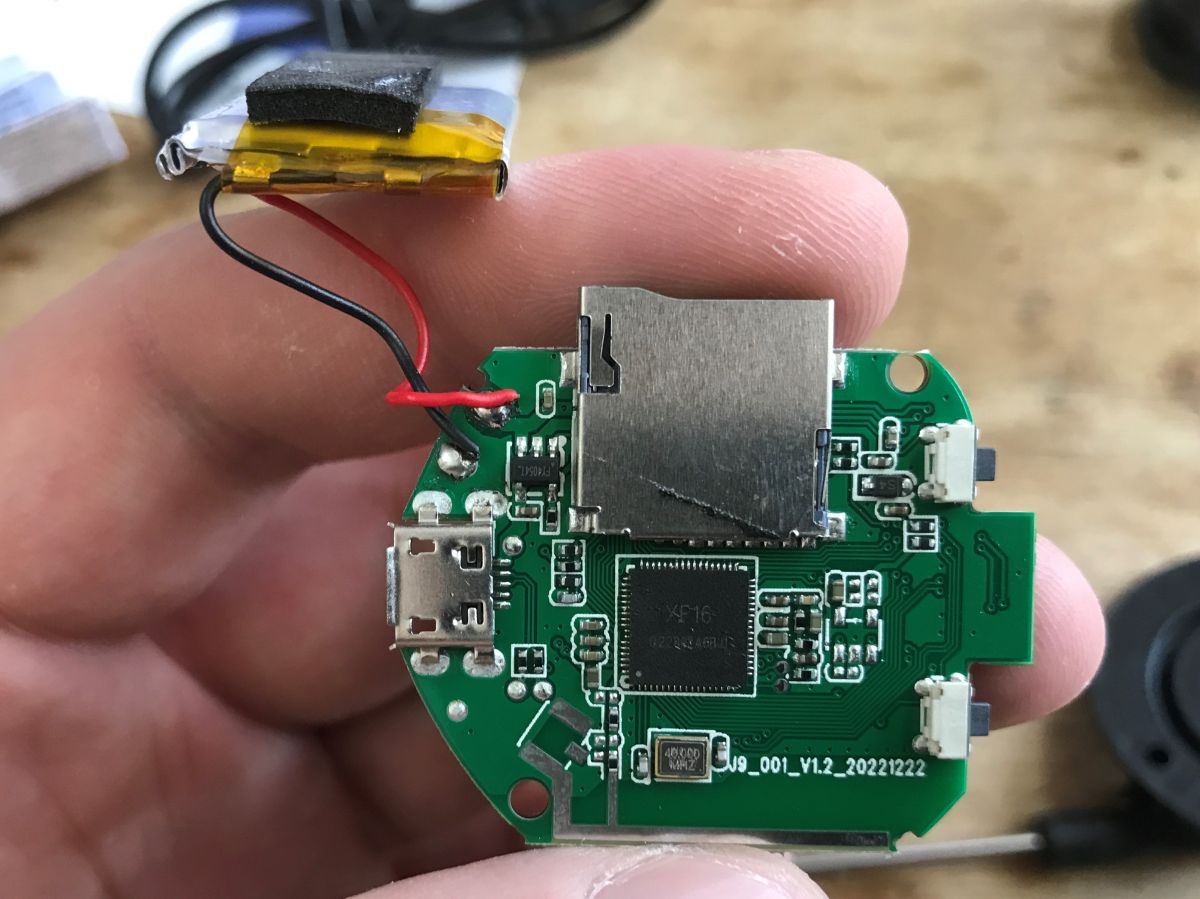
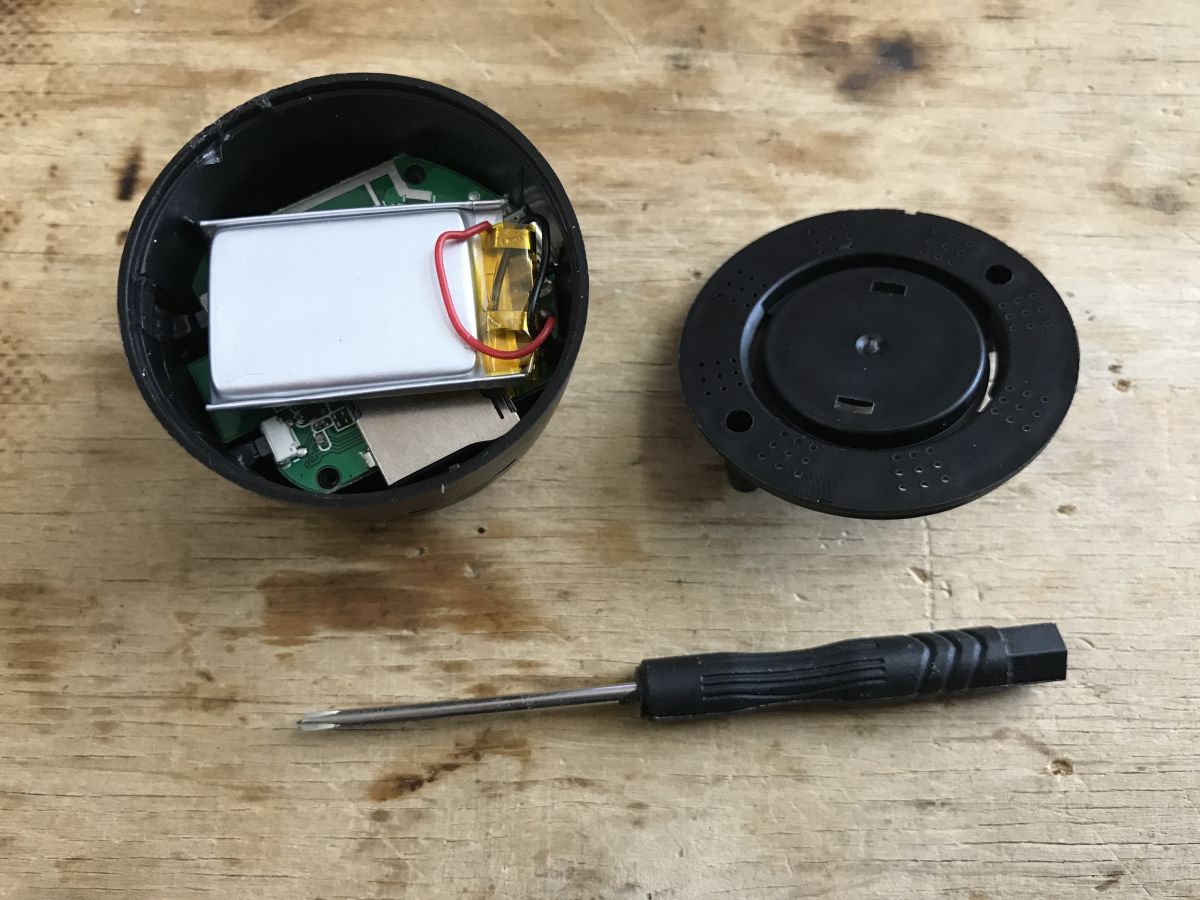
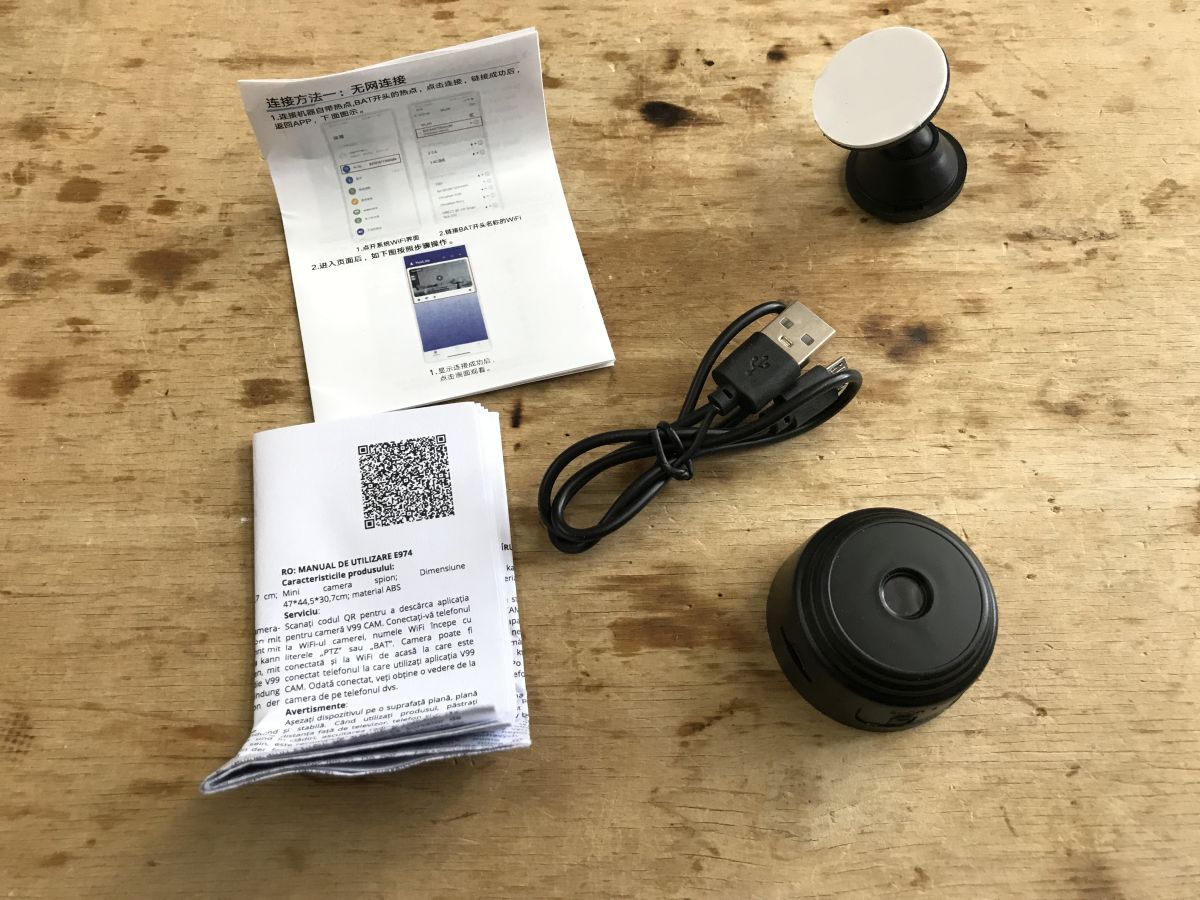
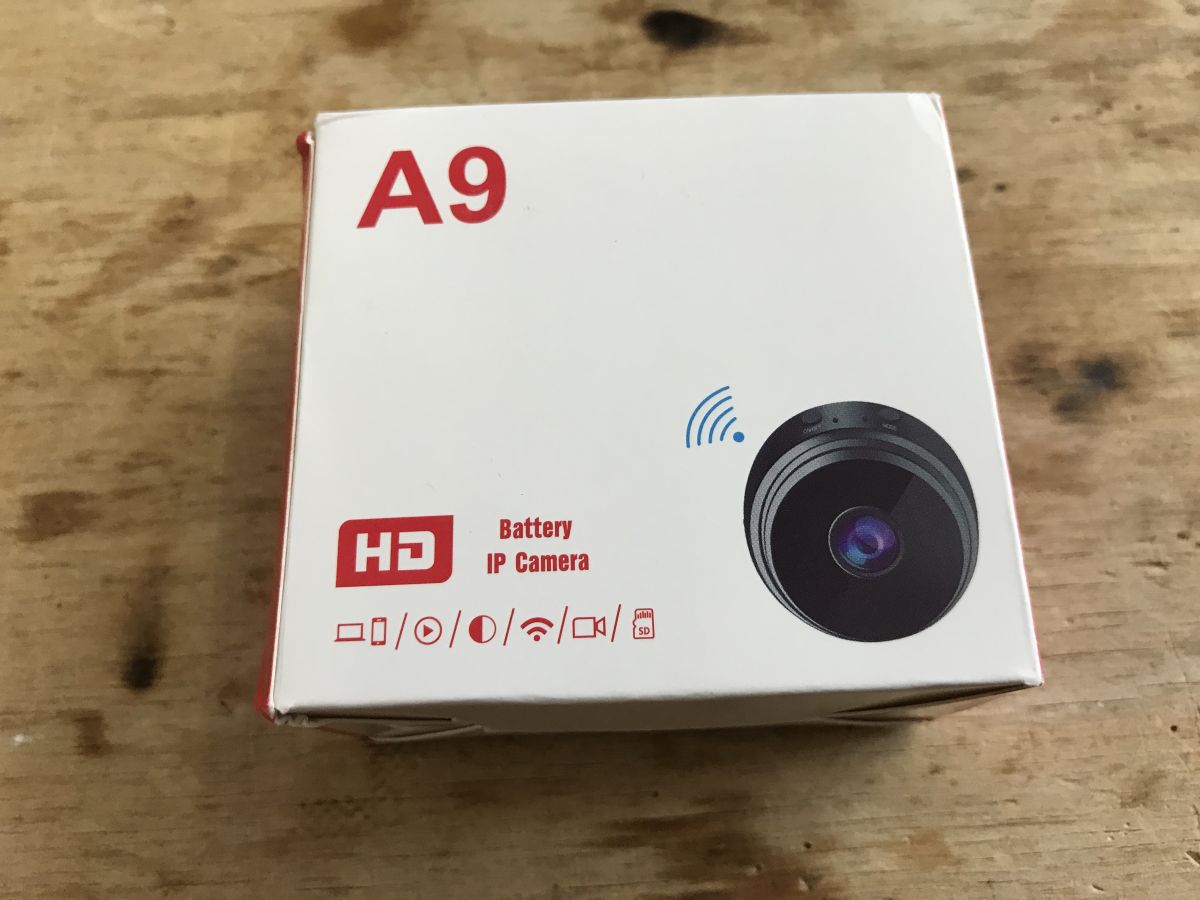
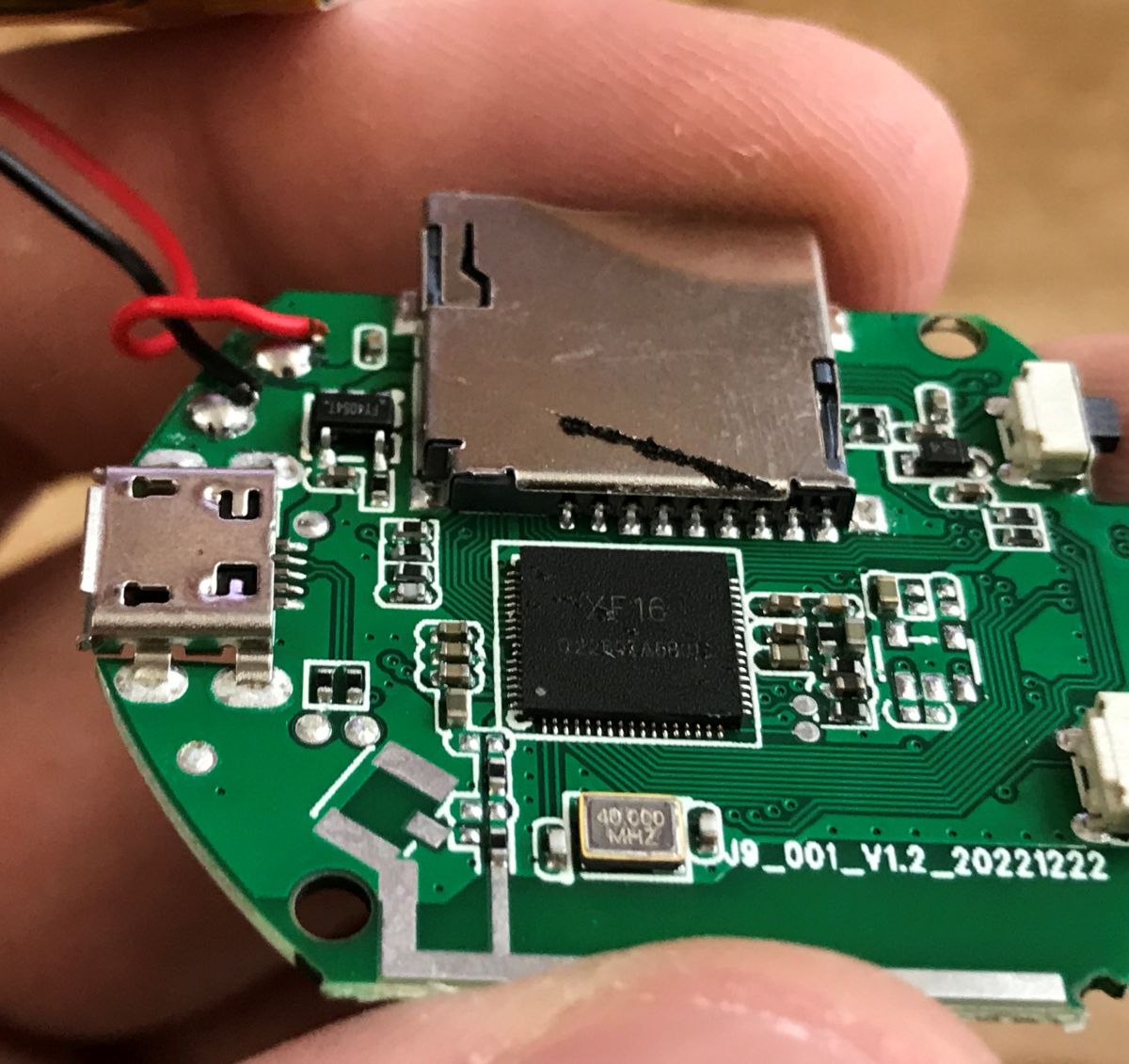
    PCB with microSD slot, micro USB port, battery and flash chip labeled XF16 Opened electronic device with exposed battery and small screwdriver on wooden surface Wi-Fi mini camera with USB cable, mount, and manuals on wooden surface A9 IP camera box with device image and function icons on wooden surface.
    Testing...
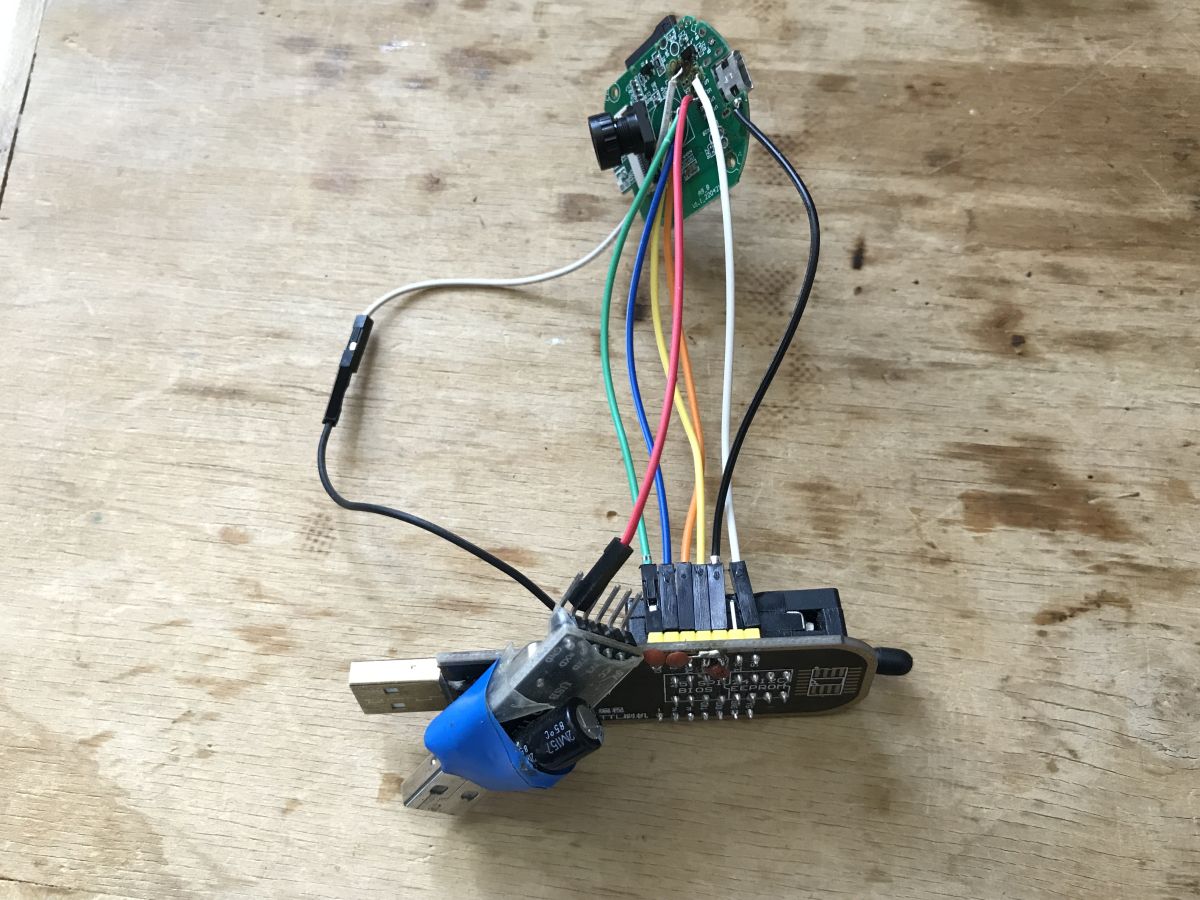
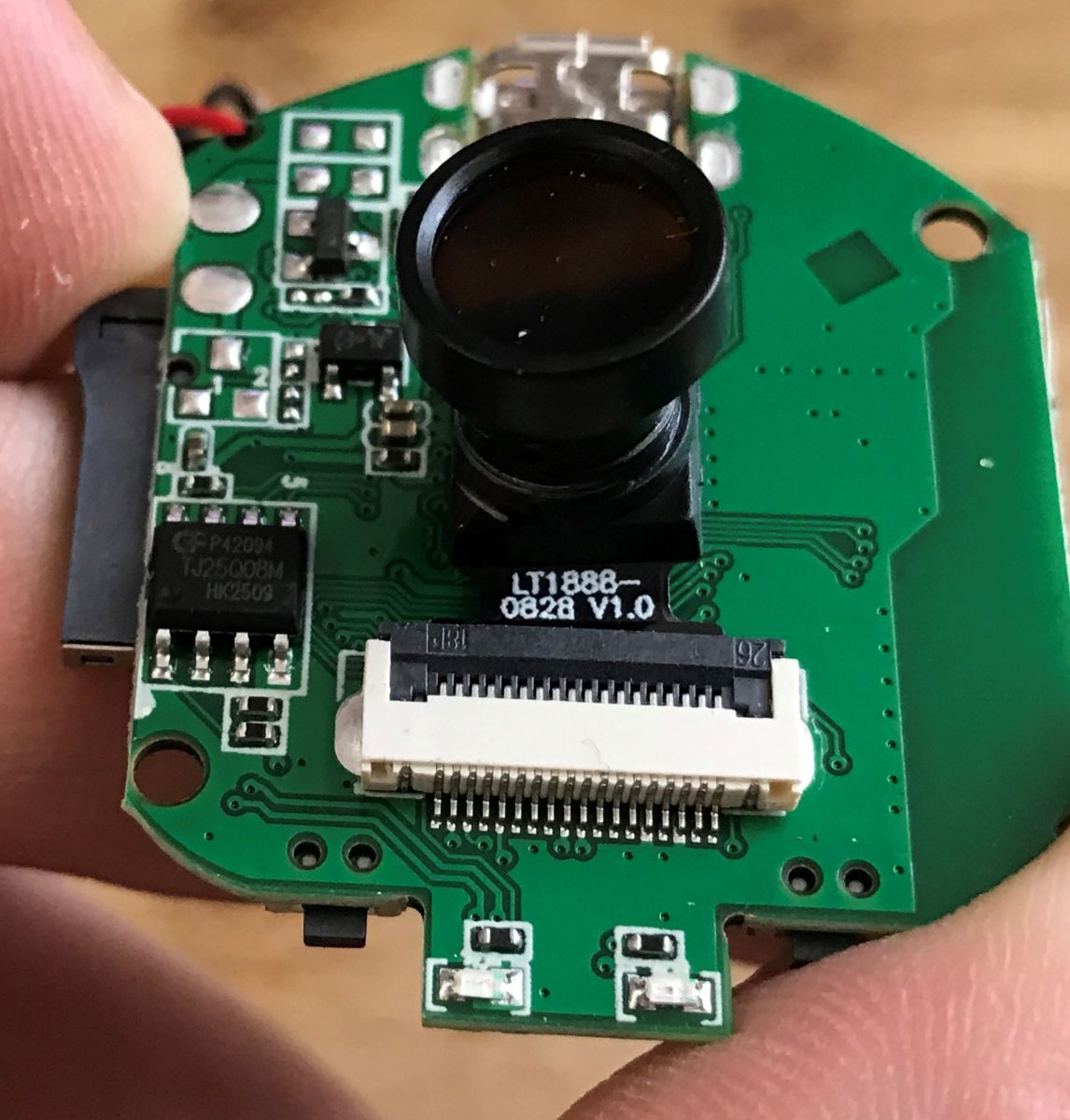
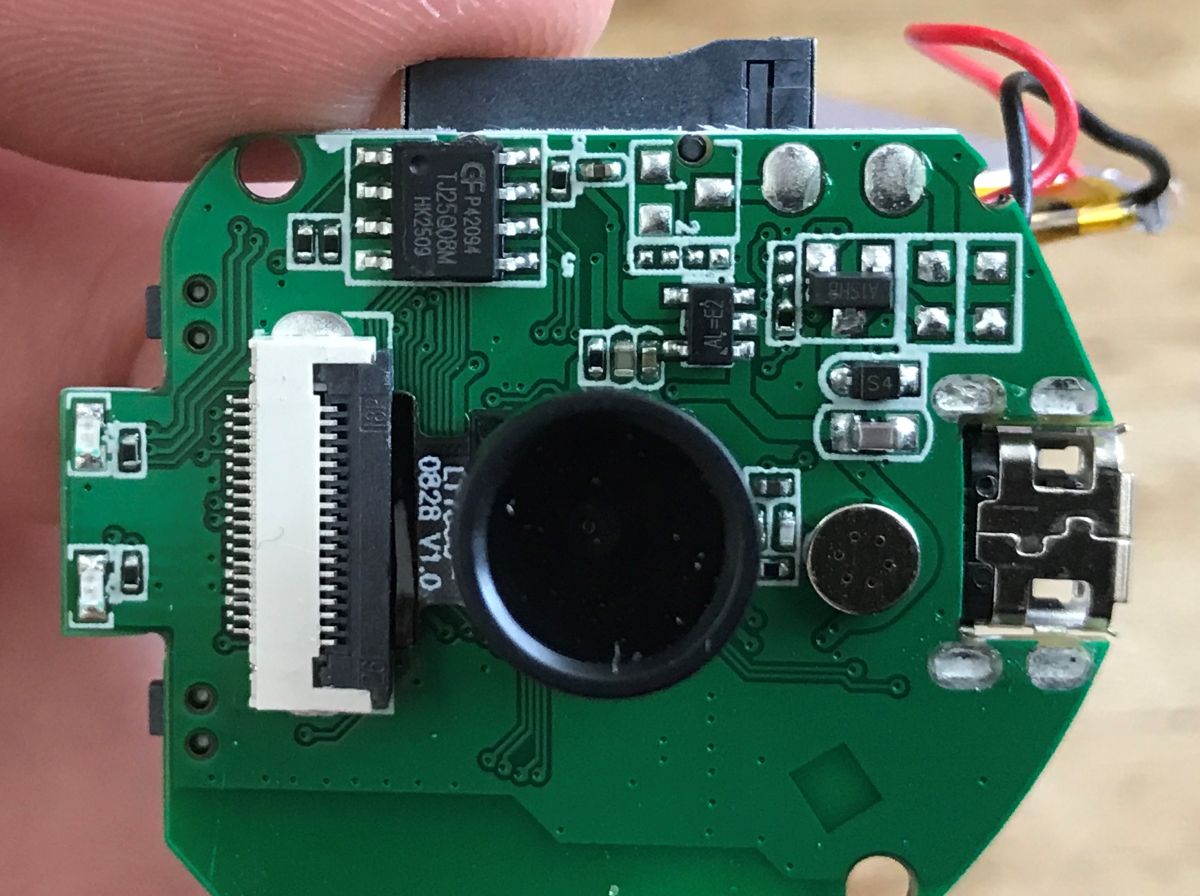
    SPI programmer connected to a circuit board with colored wires on a wooden workspace Camera module on PCB with lens and ribbon cable connector visible Close-up of PCB with flash chip C74014 and flat ribbon connector Close-up of a PCB with XF16 chip, microSD slot, and micro USB port

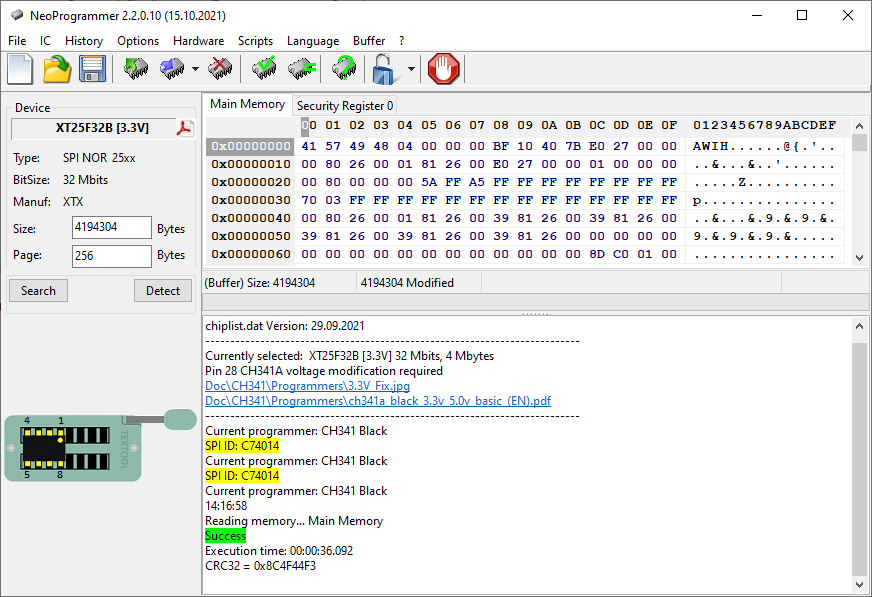
    C74014 flash id
    Screenshot of NeoProgrammer showing XT25F32B flash memory and hexadecimal data
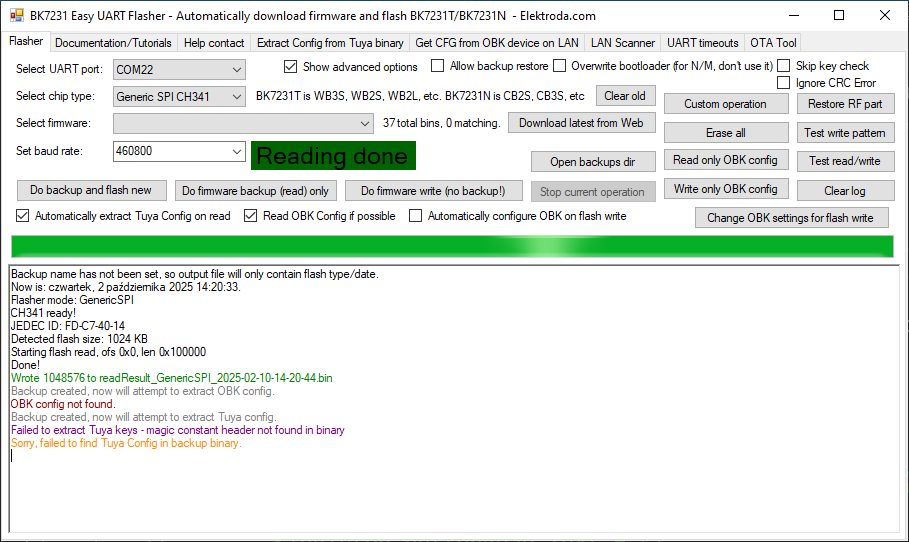
    NeoProgrammer can read it, EasyFlasher can read as well:
    Screenshot of Easy UART Flasher showing “Reading done” message for chip C74014
    However, both NeoProgrammer and EasyFlasher have issues with erase/write for this memory (C74014 ).

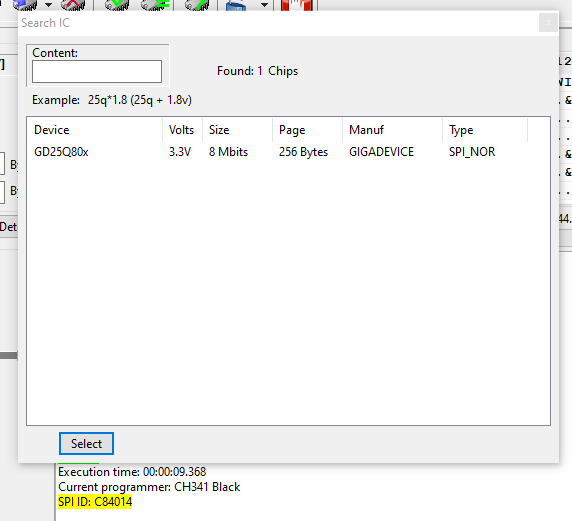
    That being said, they both work OK for, for example, for GD25Q80x:
    Screenshot of software showing detected GD25Q80x flash chip with SPI ID: C84014

    https://github.com/openshwprojects/FlashDumps/commit/51e1382e7e3a1e353d60ac216a55df3039f6dcae
    Backups works after flash back to other SPI chip.
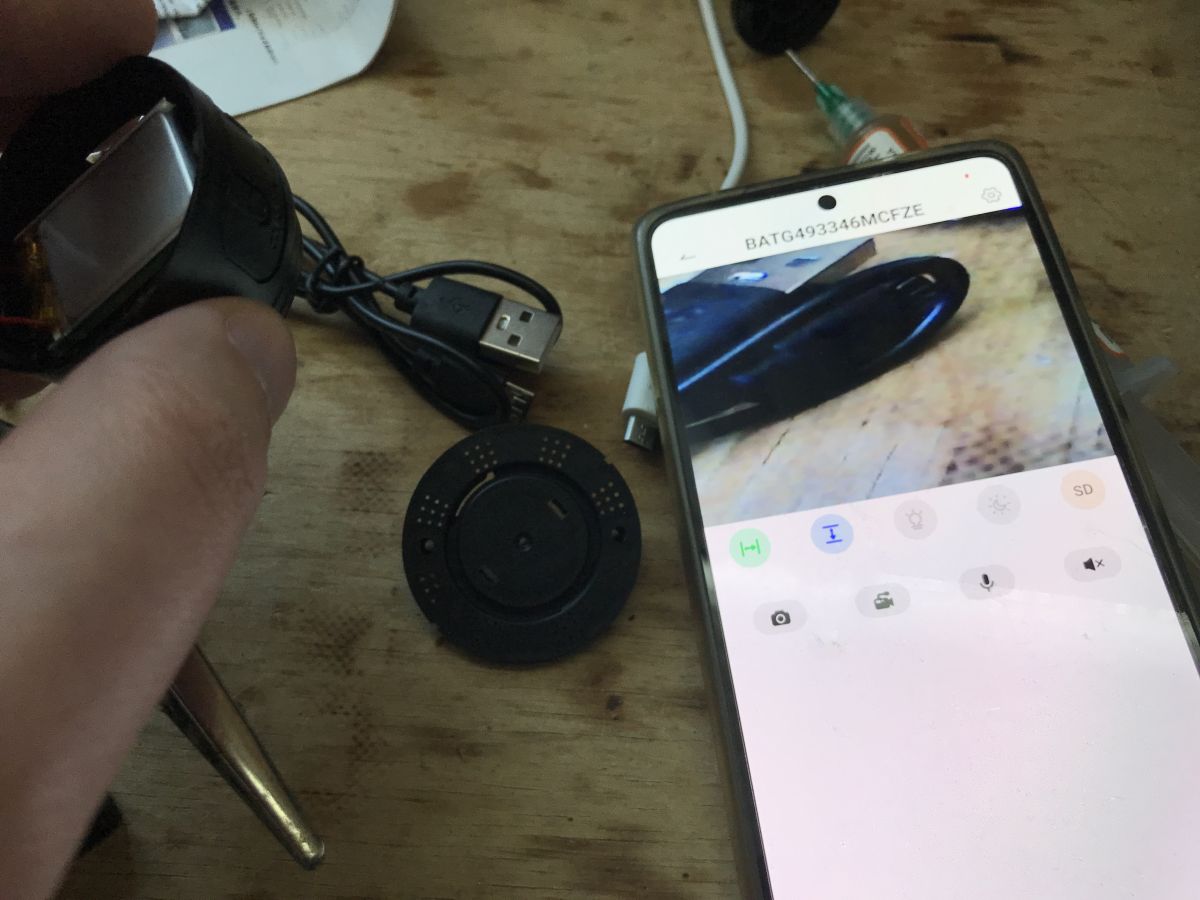
    Screenshot showing Wi-Fi network name BATG493346MCFZE
    Inspection camera connected to smartphone, electronic components on wooden desk
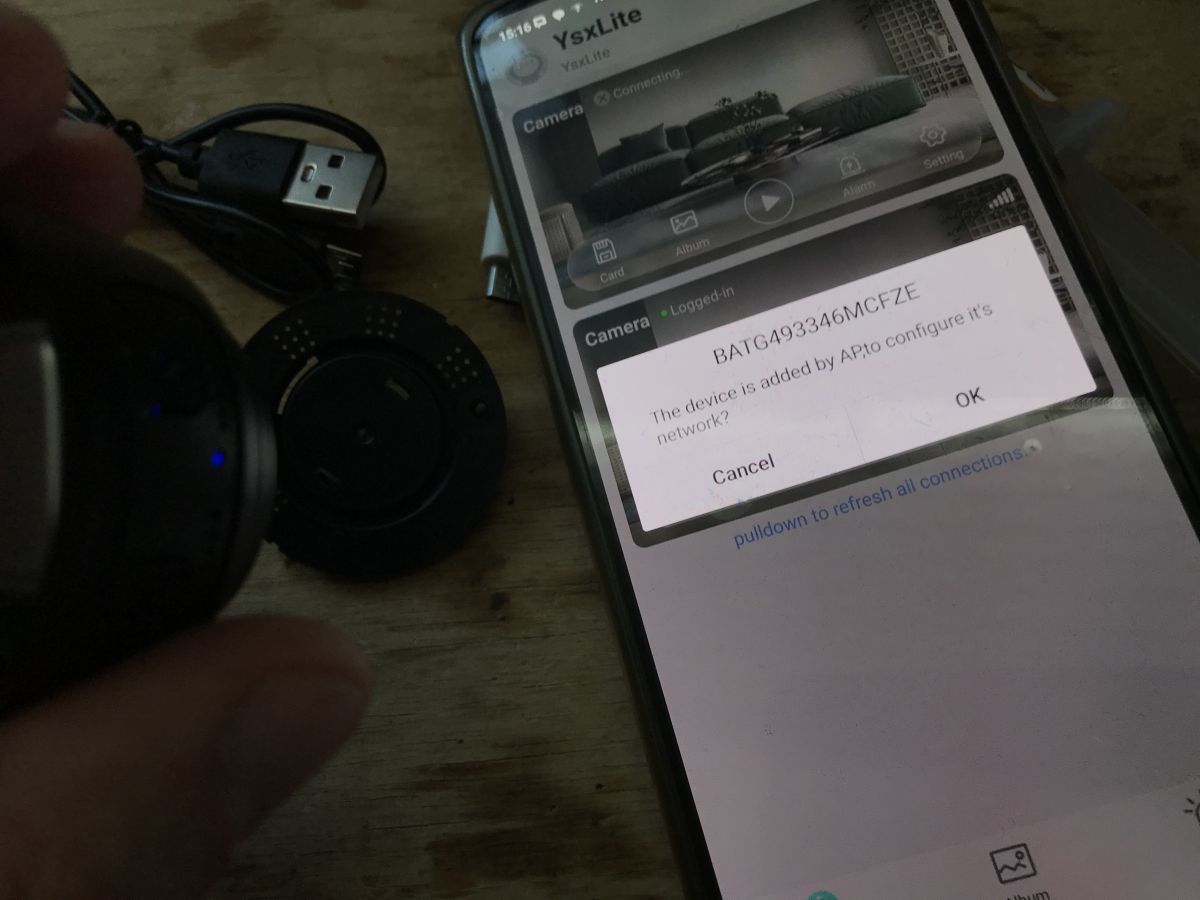
    Smartphone showing YSX Lite app with pop-up to configure Wi-Fi camera connection

    Open question: Why this particular flash chip is so problematic to flash in both NeoProgrammer and our EasyFlasher? @divadiow @insmod @max4elektroda

    I will try to order another A9 shortly, or maybe try doorbell...
    Helpful post? Buy me a coffee.
  • #243 21707909
    divadiow
    Level 36  
    I've only tried SPI on XF16 with chip clamp or de-soldering. As you know chip-clamp does the 1313 ID result and is unreliable/doesn't work when on board. Not sure why.

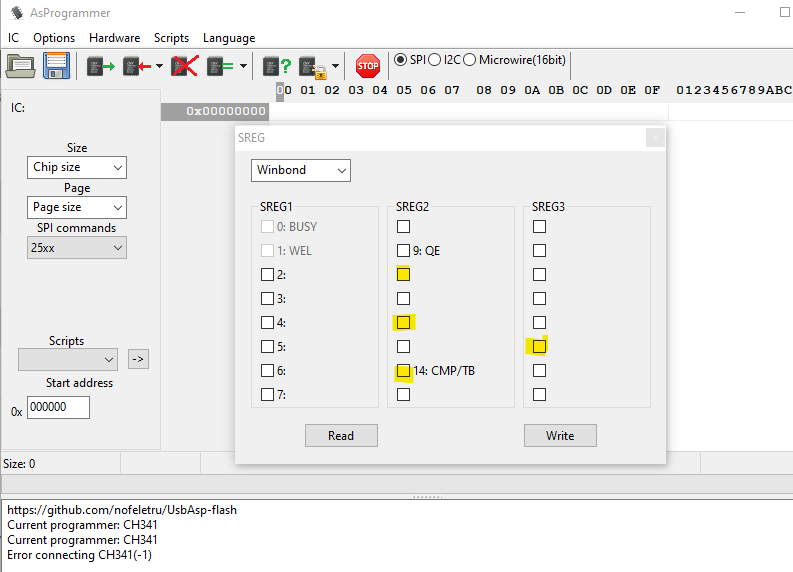
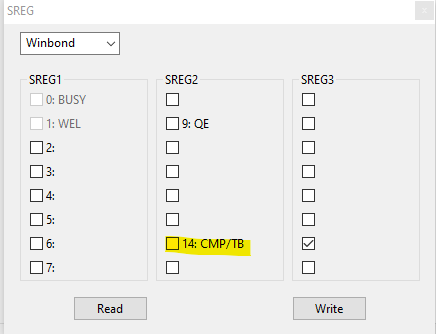
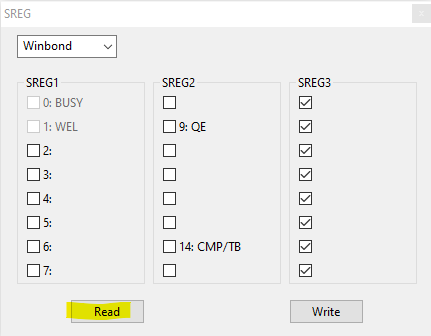
    A related (?) note, I find the Tuya doorbell needs additional unprotection steps before it can be written to. No Neo toggling is enough. I use ASProgrammer SREG read, untick the SREG2/3 checkboxes (I have highlighted the ones I think are usually checked) then click write. Switch back to Neo after that and writing is fine again.
    AsProgrammer window with SREG settings for a Winbond chip displayed

    It's *possible* this wasn't the case when it first shipped and I did something to it. I'm not sure. Dunno if this relates, or is even something we may generally encounter and should be considered when troubleshooting SPI flasher function in EF.

    Added after 2 [minutes]:

    oh look. seems the Naxclow was the same

    divadiow wrote:
    SREG2 and SREG3 checkboxes required unticking in AsProgrammer before flash could be erased/written
  • #244 21707917
    p.kaczmarek2
    Moderator Smart Home
    I did my tests with desoldered SPI.

    I will try with AsProgrammer, especially that we need to port their solution to our Easy Flasher.

    Added after 55 [minutes]:

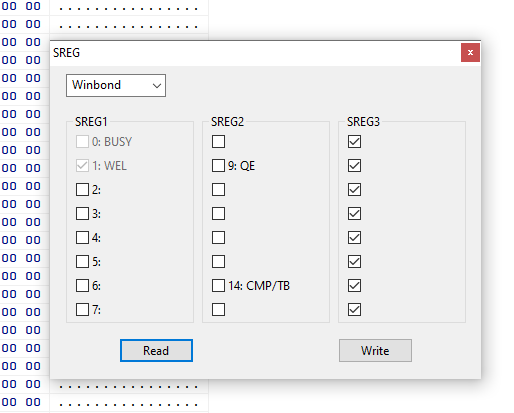
    If I untick them, press Write, and Read, I got back again this:
    SREG settings window with WEL checked and all SREG3 boxes selected
    Info about used flash chip:
    
    ID(9F): C74014(Unknown)
    ID(90): C713(Unknown)
    ID(AB): 13(Unknown)
    ID(15): FFFF(Unknown)
    
    Helpful post? Buy me a coffee.
  • #245 21707958
    divadiow
    Level 36  
    yes, I think I remember similar if reading back. Did it make a difference to Neo writing though straight after write in AS?
  • #246 21707992
    p.kaczmarek2
    Moderator Smart Home
    I don't think so, but I may need to try one more time to be sure.

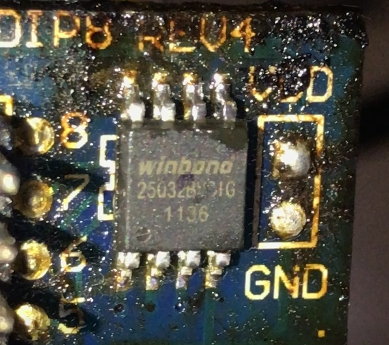
    Right now I am testing another flash chip with EF :
    
    JEDEC ID: FF-EF-40-16
    Detected flash size: 4096 KB
    

    Winbond 25032FVSIG chip on a PCB marked with GND and LED
    It seems to work... so we only have problems like NeoProgrammer and other flash tools, with some problematic flash chips
    Helpful post? Buy me a coffee.
  • #247 21709010
    divadiow
    Level 36  
    divadiow wrote:
    oh look. seems the Naxclow was the same

    had to uncheck this one just now for Naxclow. Neo wouldn't write otherwise

    Application window showing SREG settings for Winbond memory chip
  • #248 21709022
    p.kaczmarek2
    Moderator Smart Home
    Hm let's try from the start.
    Do you have this chip? The one from A9?
    C74014 - TJ25Q08M
    p.kaczmarek2 wrote:
    Close-up of PCB with flash chip C74014 and flat ribbon connector
    Helpful post? Buy me a coffee.
  • ADVERTISEMENT
  • #250 21709132
    p.kaczmarek2
    Moderator Smart Home
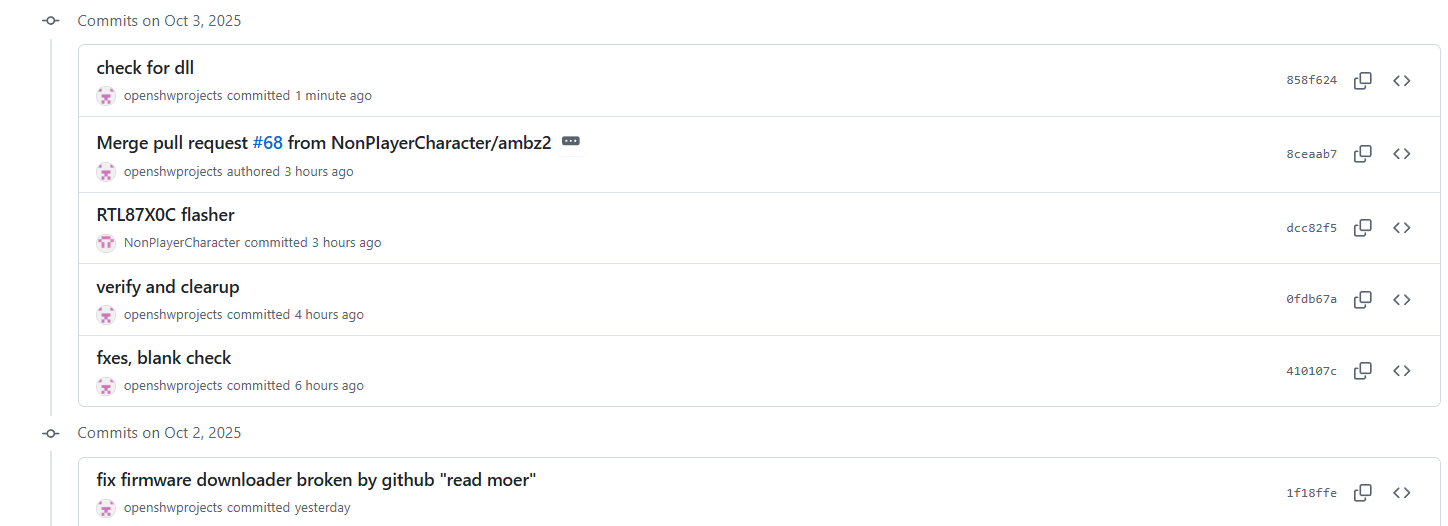
    Please check this out once you have some free time, I'm pushing fixes and features for SPI in EF but any help is welcome.
    Commit list from October 2–3, 2025 in a GitHub open-source repository
    Helpful post? Buy me a coffee.
  • #251 21709430
    divadiow
    Level 36  
    Yes. Afk for most of today.

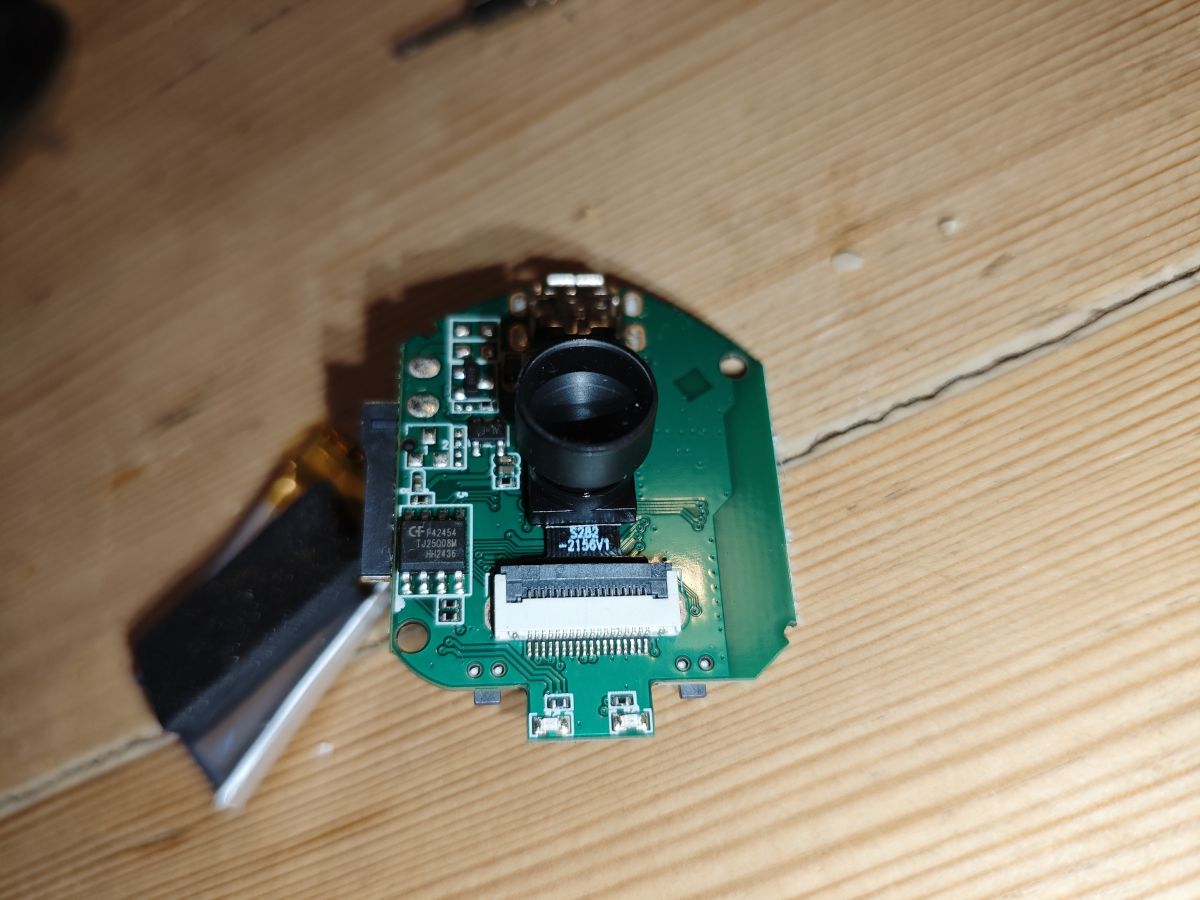
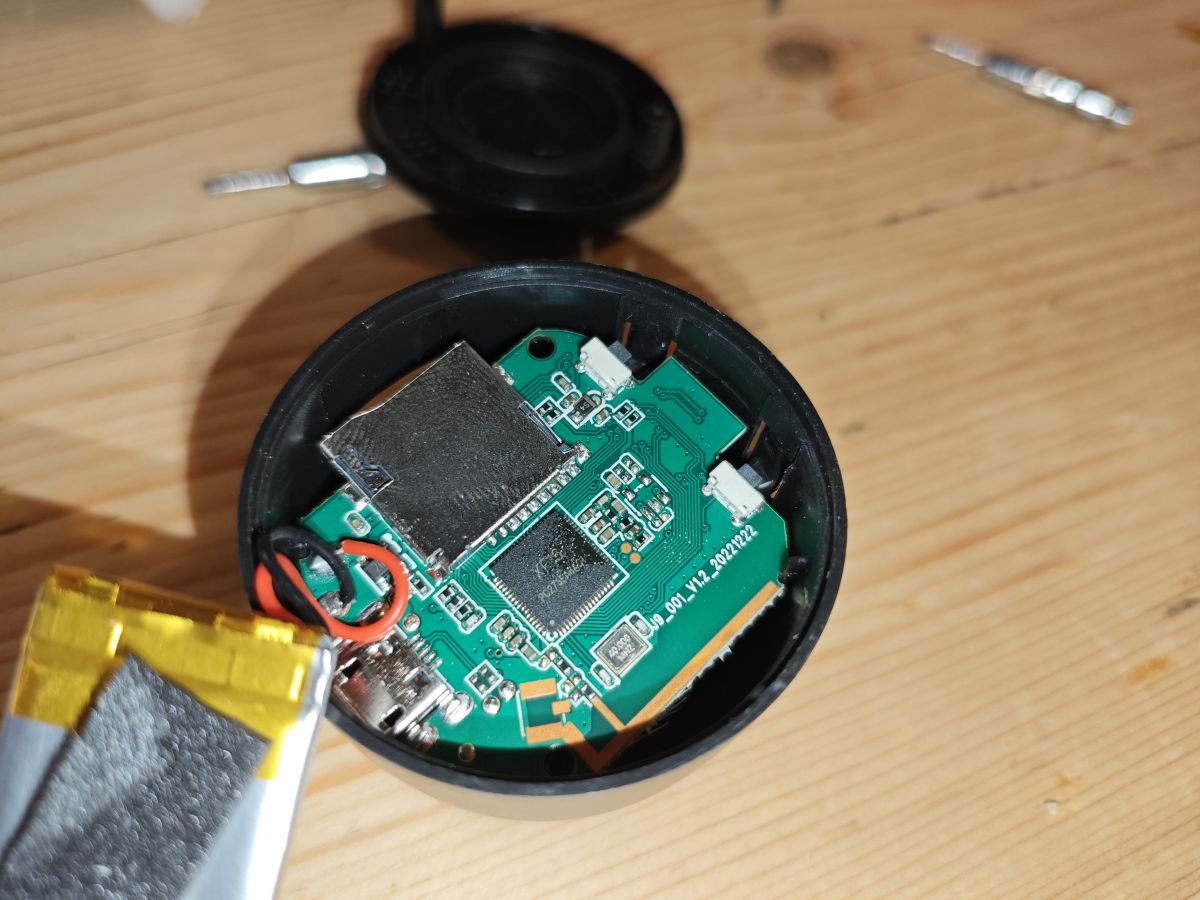
    Just opened this. Another XF16. Sp0828? Unsure yet
    Circuit board with a camera lens module on a wooden surfaceDismantled small electronic device showing circuit board and battery
  • #252 21709811
    p.kaczmarek2
    Moderator Smart Home
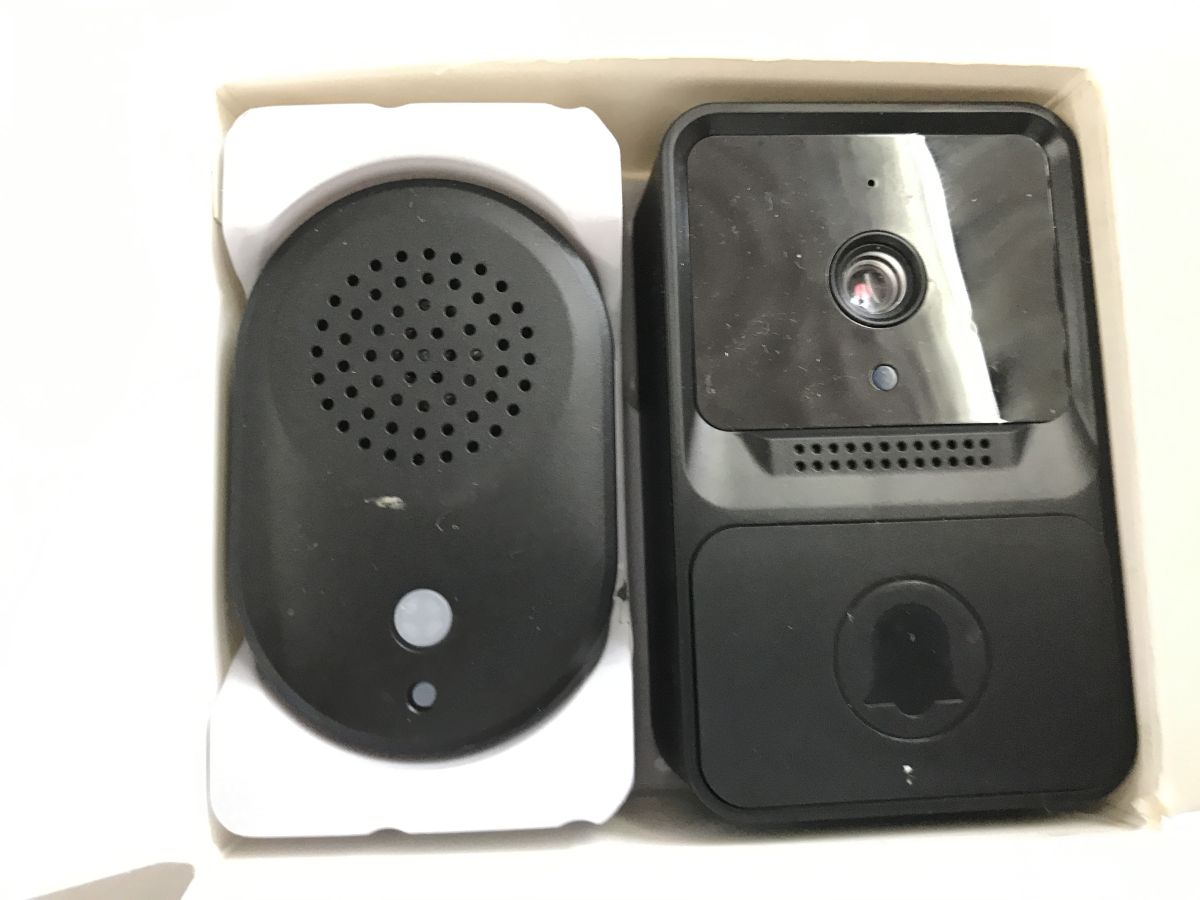
    I've ordered a Tuya Doorbell. expected to get something like this:
    https://www.elektroda.com/rtvforum/topic4073760.html
    but I got:
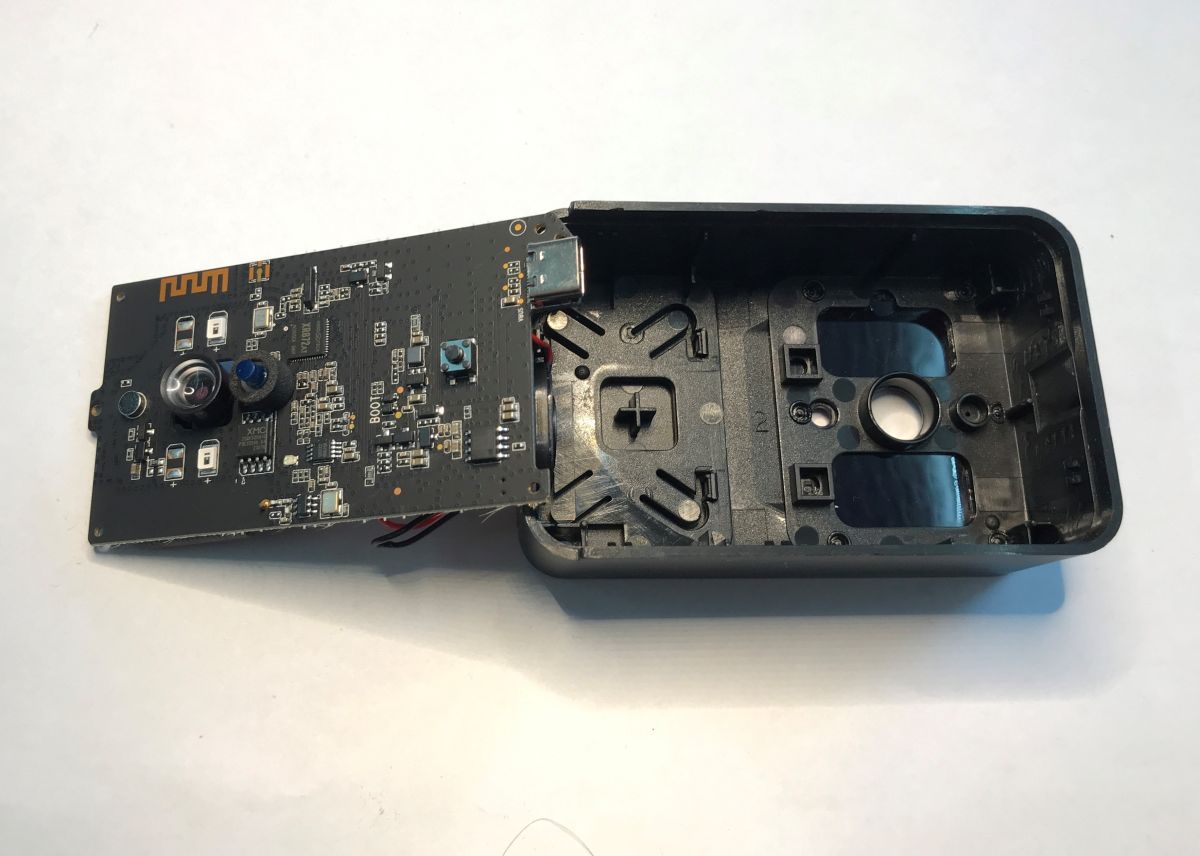
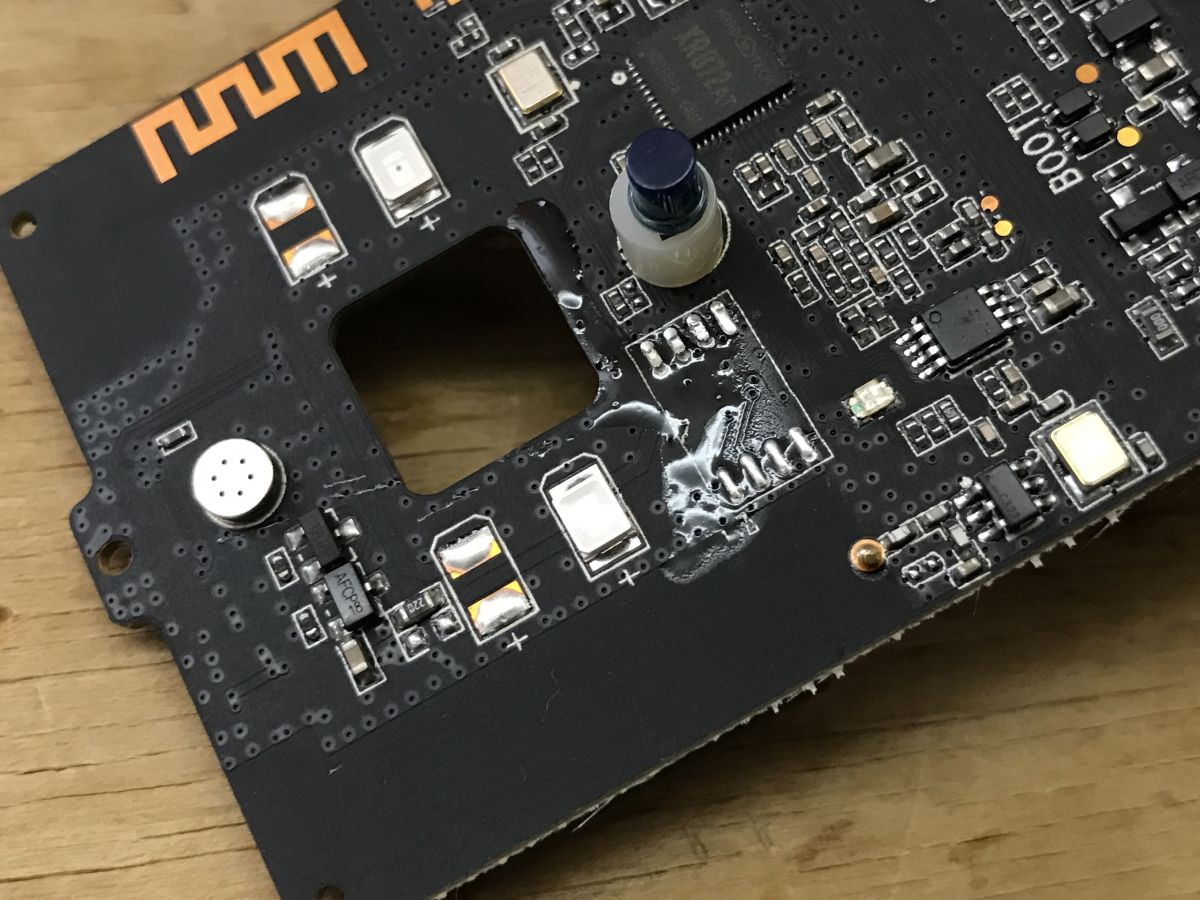
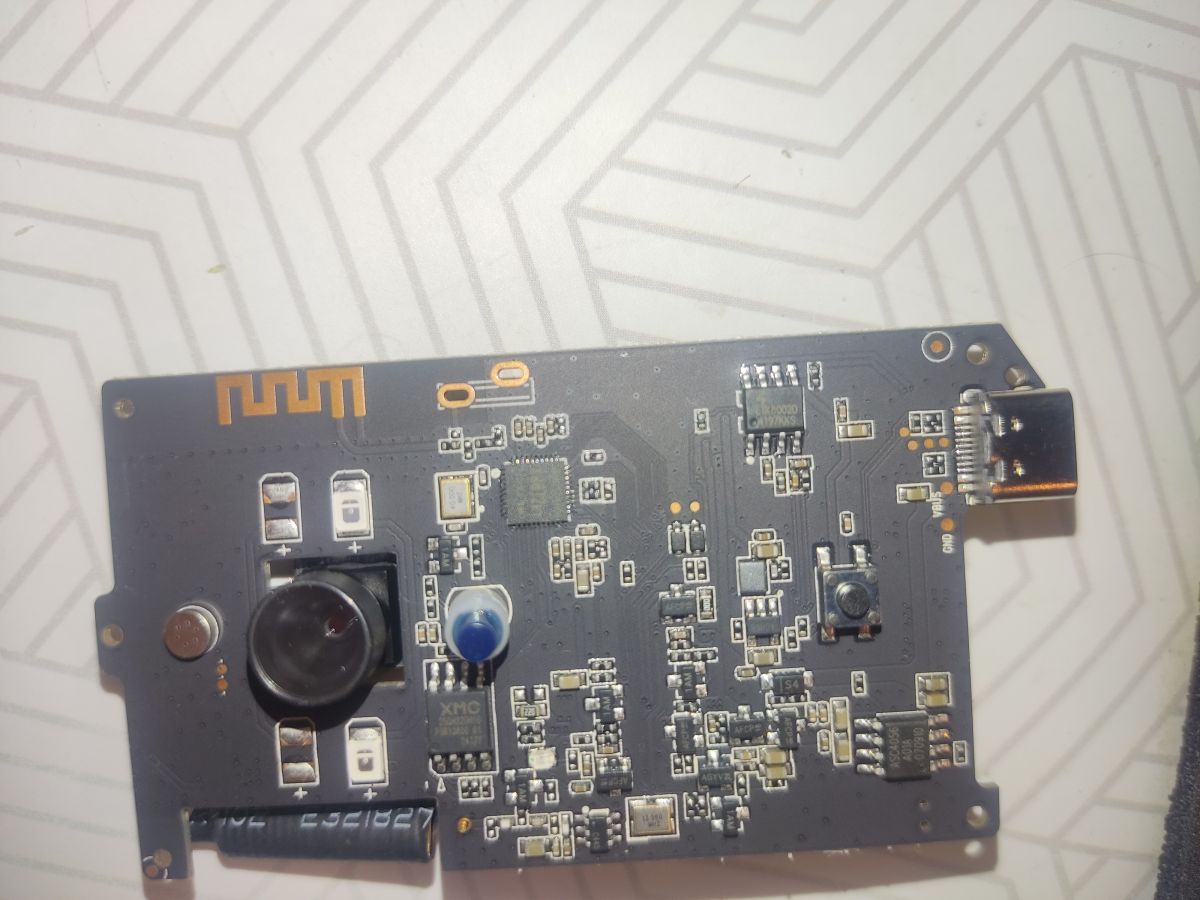
    Two black devices: video doorbell and speaker module in cardboard box PCB with camera and electronics inside doorbell housing
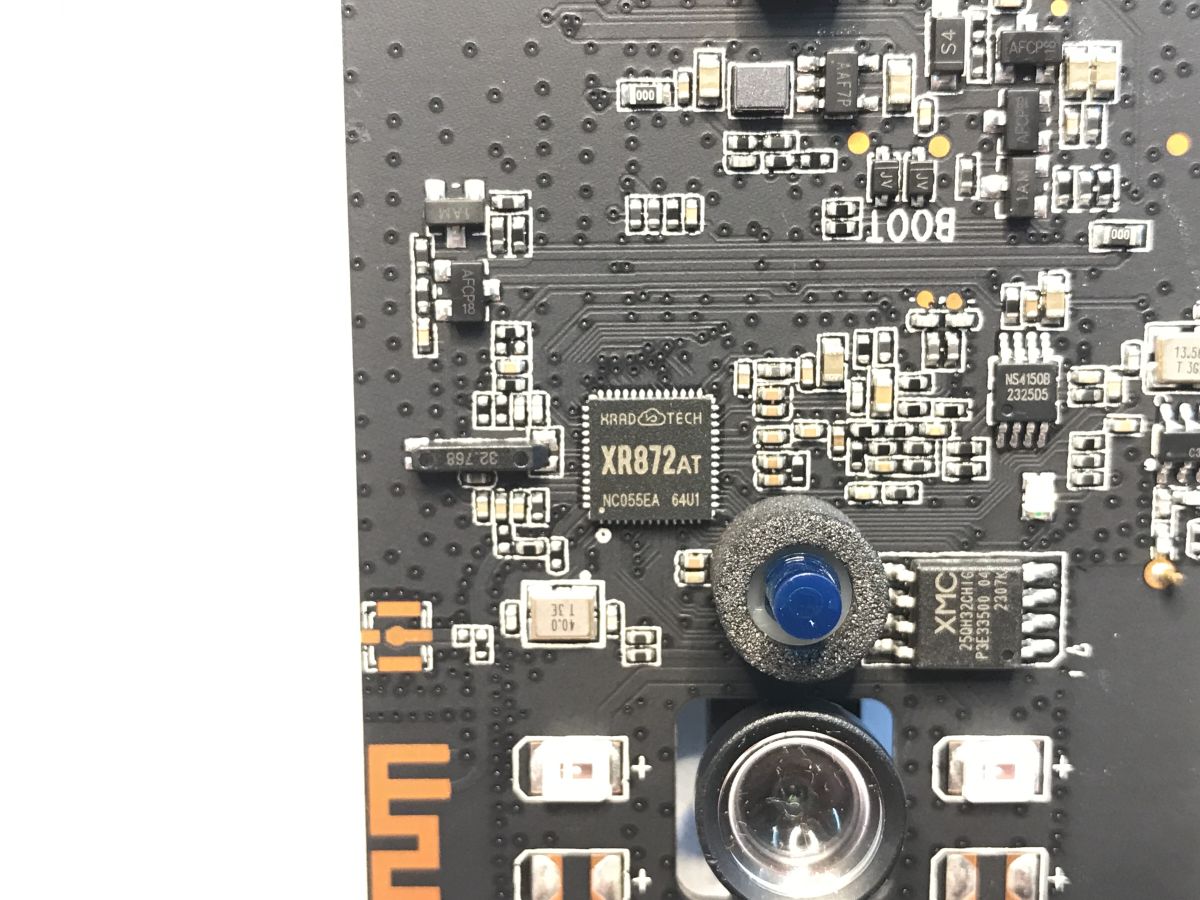
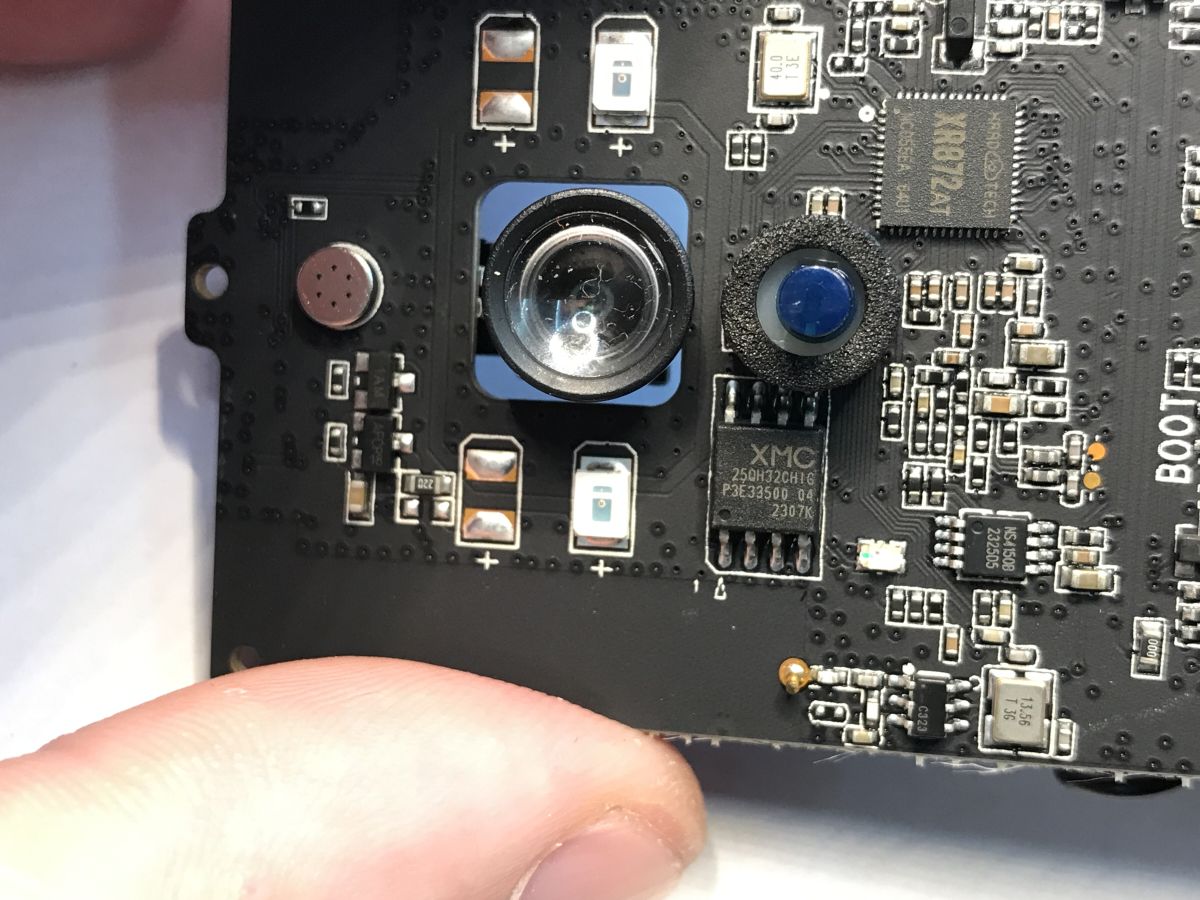
    Close-up of PCB with XR872AT chipset and XMC 25QH32CHIG SPI flash Close-up of PCB with camera lens, microphone, and XR872AT and XMC 25QH32CHIG chips
    Mode T2Kement
    https://github.com/openshwprojects/FlashDumps/commit/768e0579705c83a9970465517f7983f7f14a4fc8
    In flash dumps, I can see Kement_Doorbell_SPI-insmod.bin, what's that, did you have this device, @insmod ?

    Added after 29 [seconds]:

    XR872AT and 25QH32CHIG

    Added after 4 [minutes]:

    SPI ID: 204016

    Added after 1 [minutes]:

    Can't erase it with NeoProgrammer.
    
    Old protection Register: 00000000(0x00), 
    New protection Register: 00000000(0x00), 
    Current programmer: CH341 Black
    15:10:25
    Erasing memory...
    WARNING, probable erasure failure.
    Execution time: 00:00:00.057
    Current programmer: CH341 Black
    15:10:25
    Programming memory... Main Memory
    Success
    Execution time: 00:00:13.963
    
    Helpful post? Buy me a coffee.
  • ADVERTISEMENT
  • #253 21709816
    insmod
    Level 29  
    >>21709811
    Looks similar to mine, but not quite.
    My camera is detachable and there are 2 physical antennas.
  • ADVERTISEMENT
  • #254 21709819
    p.kaczmarek2
    Moderator Smart Home
    You know what's crazy? It failed to erase and write, but when I now verify it against original dump, it shows verification errors as well. It's like... there is some noise or timing mismatch. Again.

    Added after 31 [seconds]:

    And, of course, I am flashing outside circuit!

    Added after 1 [minutes]:

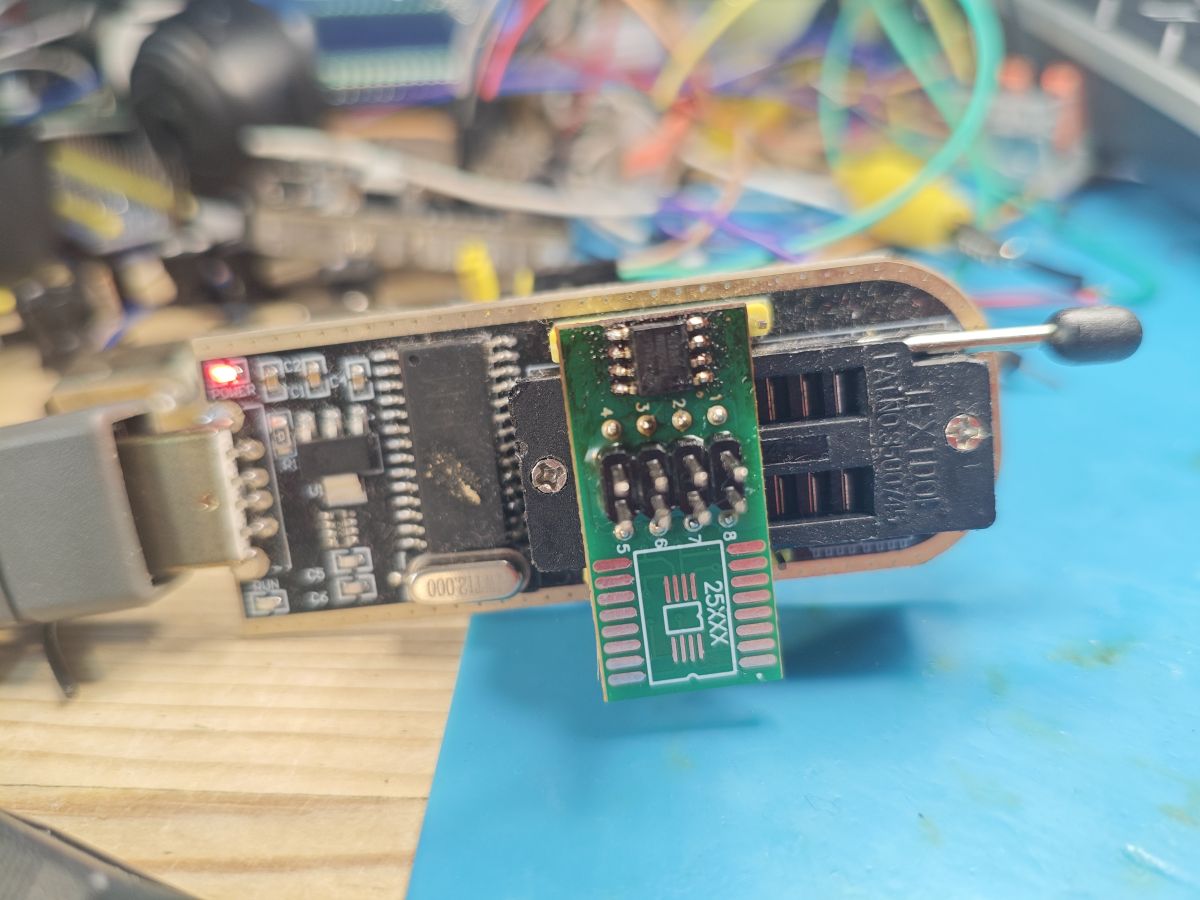
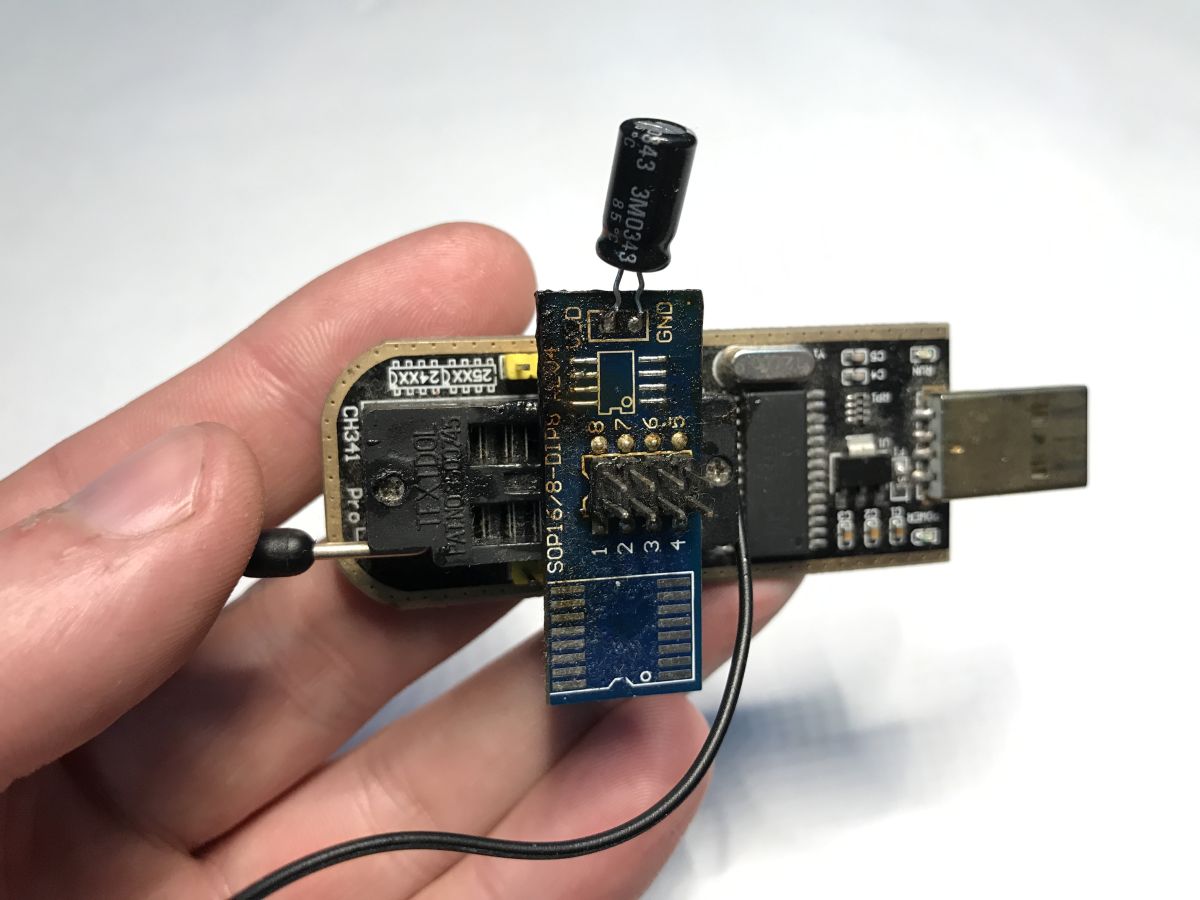
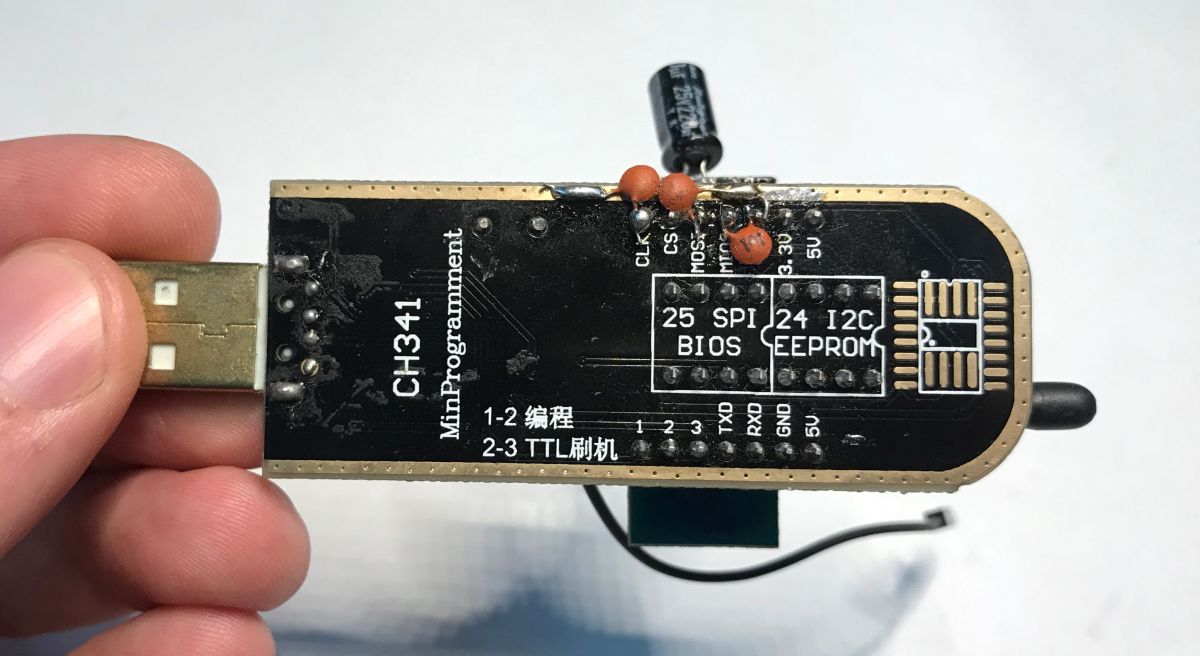
    I think I will retry with my capacitors trick:
    https://www.elektroda.com/rtvforum/topic4074636-30.html#21522488

    Added after 1 [minutes]:

    For reference, here is how it fails now:
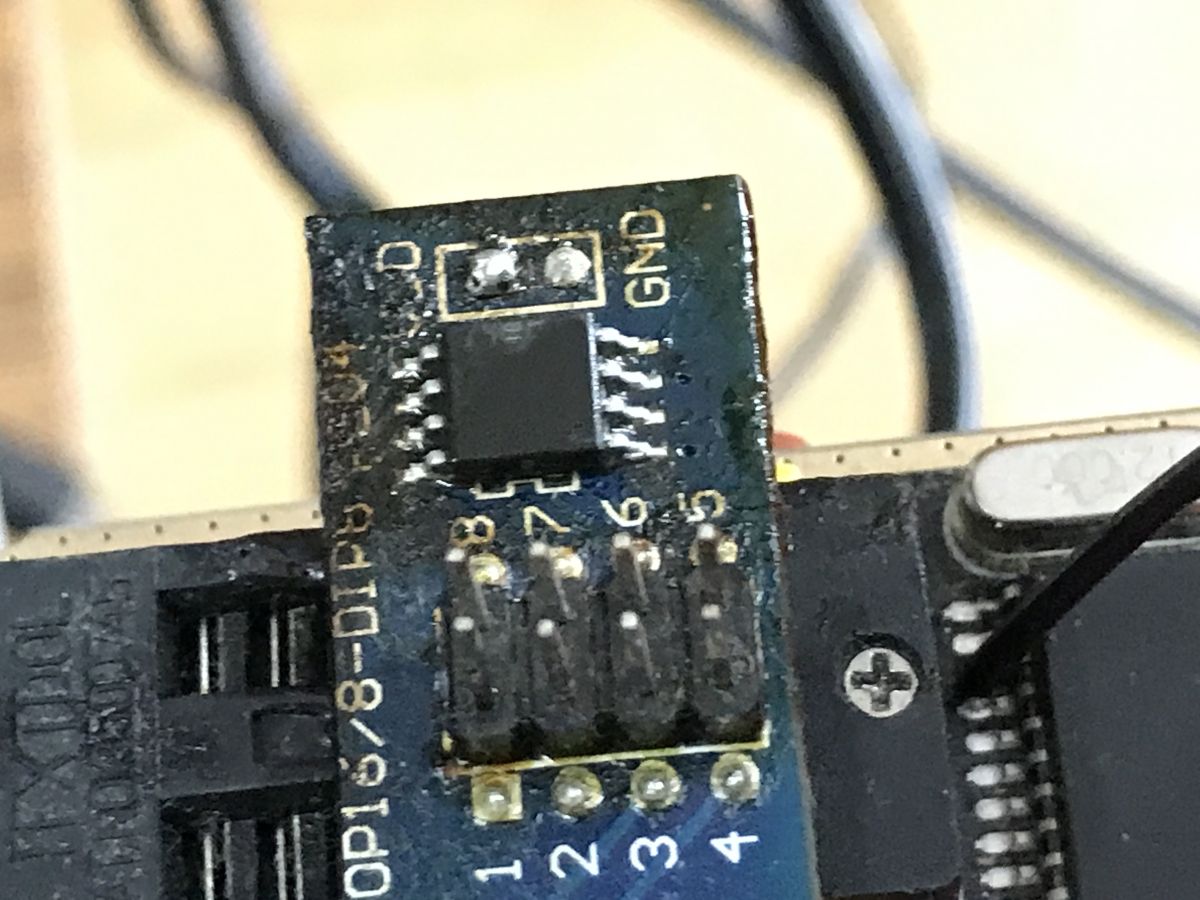
    Close-up of a PCB with SMD components and solder flux residue Close-up of an integrated circuit connected to a programmer with labeled pins and wires
    
    Verify memory...
    Verification error on address: 0x00000008, Device: 0x00, Buffer: 0xFC
    Execution time: 00:00:00.047
    Current programmer: CH341 Black
    15:12:24
    Reading memory... Main Memory
    Success
    Execution time: 00:00:37.242
    CRC32 = 0x79383034
    Current programmer: CH341 Black
    15:13:26
    Verify memory...
    Verification error on address: 0x0000EB3D, Device: 0x66, Buffer: 0x64
    Execution time: 00:00:00.682


    Added after 4 [minutes]:

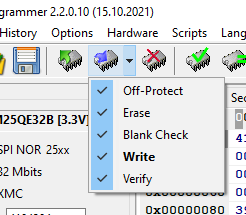
    Good to have hint - enable all verifications:
    Configuration menu in CH341A Programmer with all verification options checked
    Helpful post? Buy me a coffee.
  • #255 21709829
    insmod
    Level 29  
    >>21709819
    I always do verification even after read.
    It saved me multiple times
  • #256 21709832
    p.kaczmarek2
    Moderator Smart Home
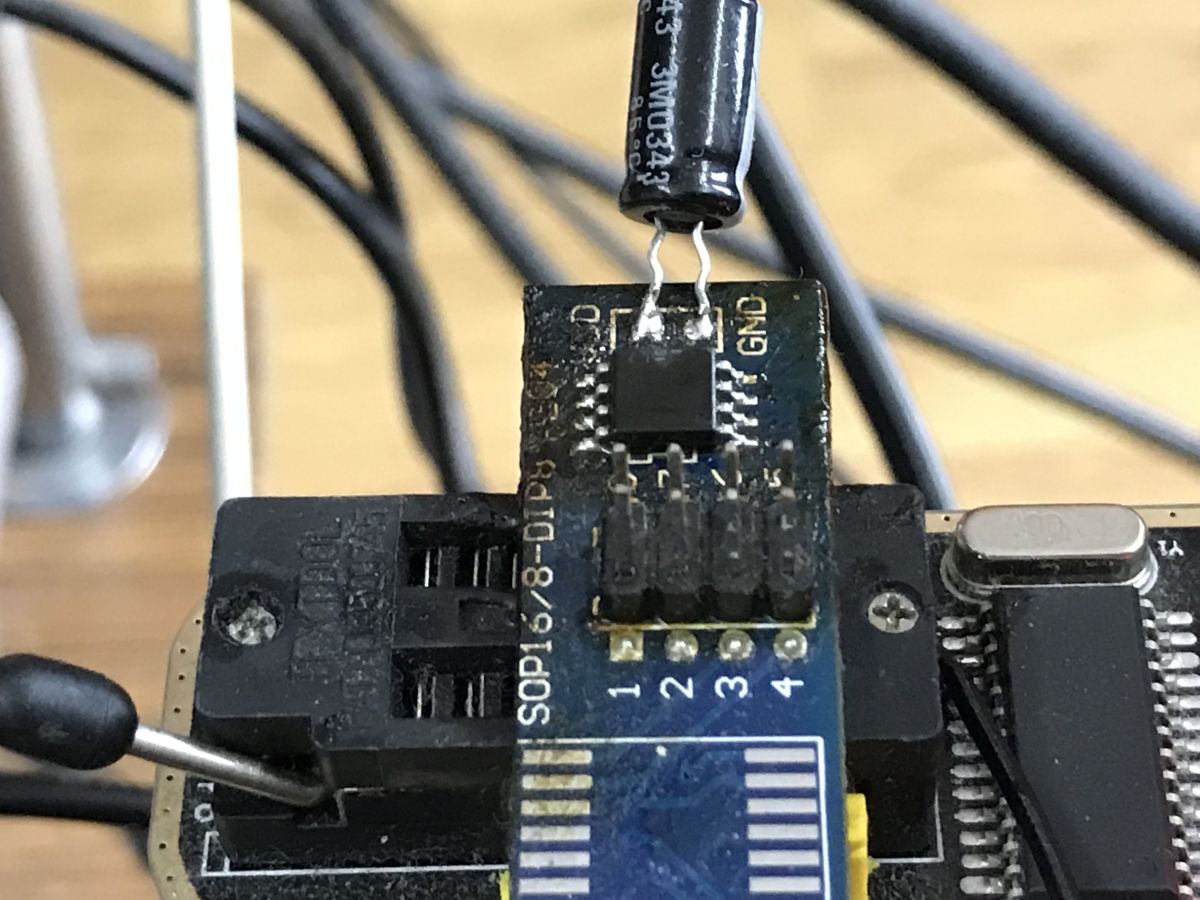
    I added a capacitor:
    Close-up of an electronic module with an added electrolytic capacitor.
    And it works now! I am very suprised. So it was.... an unstable vdd, for whole time? Again.
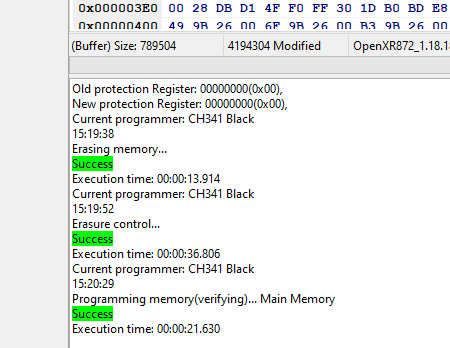
    Software window showing successful memory programming steps using CH341 Black.

    Added after 1 [minutes]:

    I really have no idea what's going on, but it looks like I ended up doing the same earlier in this topic, few pages ago back in the past. It really seems the trick is to add a capacitor.

    Added after 2 [minutes]:

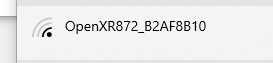
    Wi-Fi network list showing selected OpenXR872_B2AF8B10 network

    Added after 31 [seconds]:

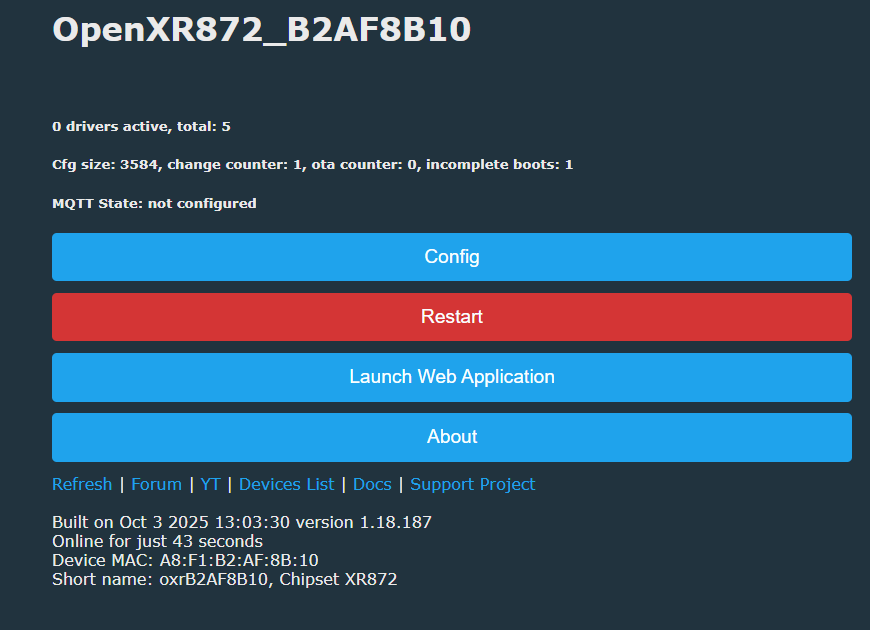
    Device interface screen for OpenXR872 showing system info and control buttons

    Added after 2 [minutes]:

    I can also control red LED, but toggling futher pins crashes.
    Helpful post? Buy me a coffee.
  • #257 21709856
    divadiow
    Level 36  
    silent uart, no log, like insmod's Kement?
  • #258 21709858
    p.kaczmarek2
    Moderator Smart Home
    I didn't determine yet which pin may be UART. Suggestions?
    Helpful post? Buy me a coffee.
  • #259 21709870
    divadiow
    Level 36  
    couldn't remember off the top of my head.

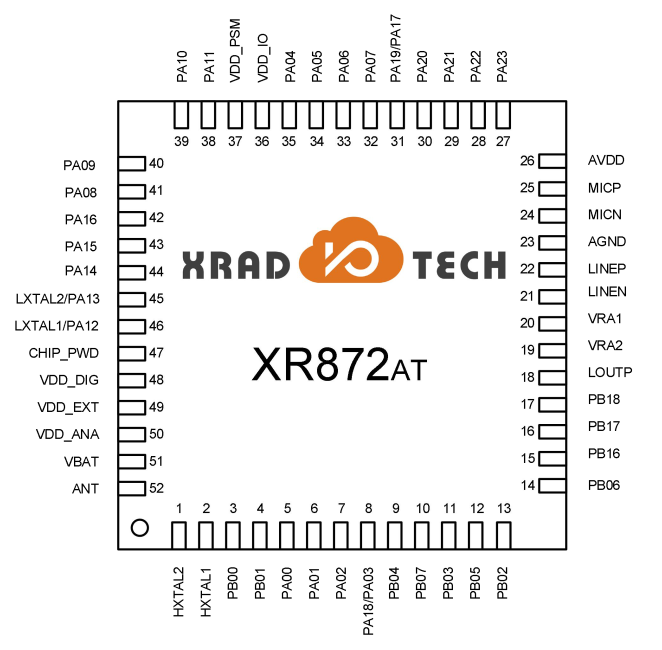
    PB00 - UART0_TX
    PA07 - UART1_TX
    PA22 - UART2_TX

    Pinout diagram of XR872AT chip by XRAD Tech with labeled signal names

    Added after 2 [minutes]:

    am I still de-soldering that 1mb SPI chip or do you think the capacitor is the key, so case closed?
  • #260 21709883
    p.kaczmarek2
    Moderator Smart Home
    Well, how hard for you is it to desolder that? For me it's like 15 seconds with my hot air station (review here: https://www.elektroda.pl/rtvforum/topic4042887.html ). If you can, it would be good to have a confirmation, whether you can flash it out of the box, or does toggling checkboxes help, or do you need a capacitor like me...

    It's funny, actually, because I already solved this problem with capacitor, like few pages back in this topic, but then we both forgot about it...
    Helpful post? Buy me a coffee.
  • #261 21709888
    divadiow
    Level 36  
    not a problem. im being lazy. will do it now on fresh A9
  • #262 21709898
    insmod
    Level 29  
    With OBK i can get log at one of the pads near usb
  • #263 21709929
    divadiow
    Level 36  
    divadiow wrote:
    am I still de-soldering that 1mb SPI chip or do you think the capacitor is the key, so case closed?


    before any writes:
    Code: Text
    Log in, to see the code


    AsProgrammer
    Code: Text
    Log in, to see the code


    Program window showing SREG register settings for Winbond memory

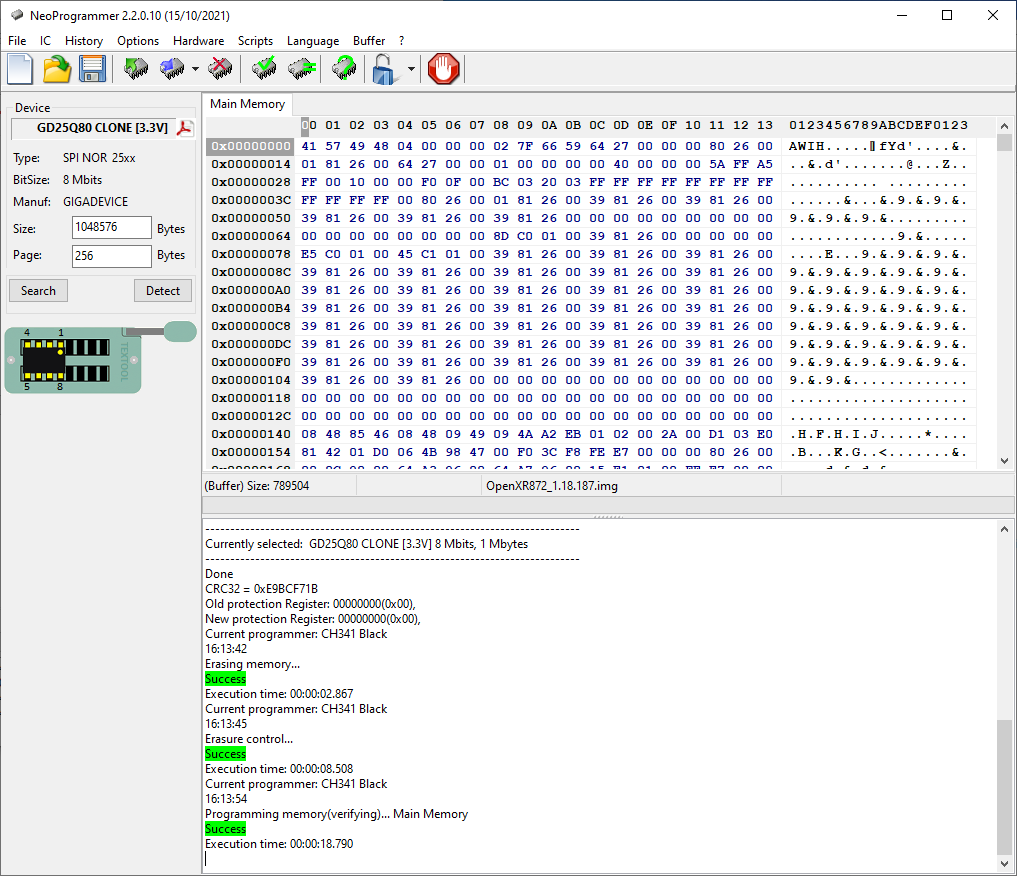
    no capacitor. try write OpenXR872, no SREG touched. Only unprotect in Neo menu (all write options selected as above)

    success first time. hmm


    NeoProgrammer window displaying EEPROM GD25Q80 memory dump

    Added after 1 [minutes]:

    USB programmer with SOIC8 adapter for 25XXX EEPROM on a workbench.

    Added after 3 [minutes]:

    after power cycles, 2 more writes have been OK. AS SREG reading has not changed

    Added after 2 [minutes]:

    I *think* I remember the same unprotect issues with this same chip before though. Did you ever clamp onto your one? Maybe the clamping on with chip in-situ initially messes something up? Dunno, guessing.

    Users will be UARTing these XF16s anyway though surely
  • #264 21709936
    p.kaczmarek2
    Moderator Smart Home
    I never used clamp this month. Both A9 camera from few days ago and the doorbell from today were straight up desoldered SPI chip onto the CH341, as you can see on my photos. Currently I think that unprotect bits have nothing to do with the issue, and it was a capacitor missing all along. It's just strange that other flash chips (the one I have from laptop motherboards, from TV boards, etc), do not require it. It's like.... the particular brand used in XR872 cameras is more sensitive.
    Helpful post? Buy me a coffee.
  • #265 21709944
    divadiow
    Level 36  
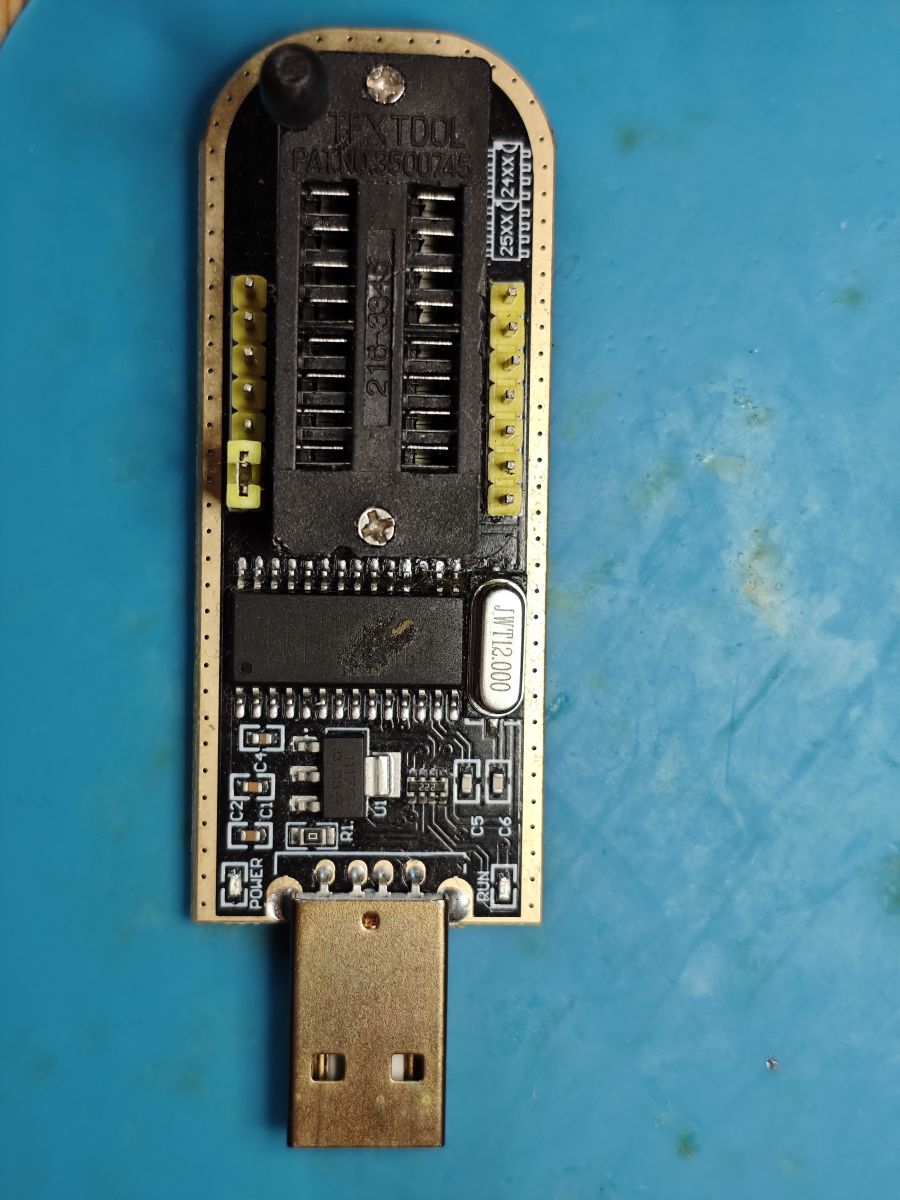
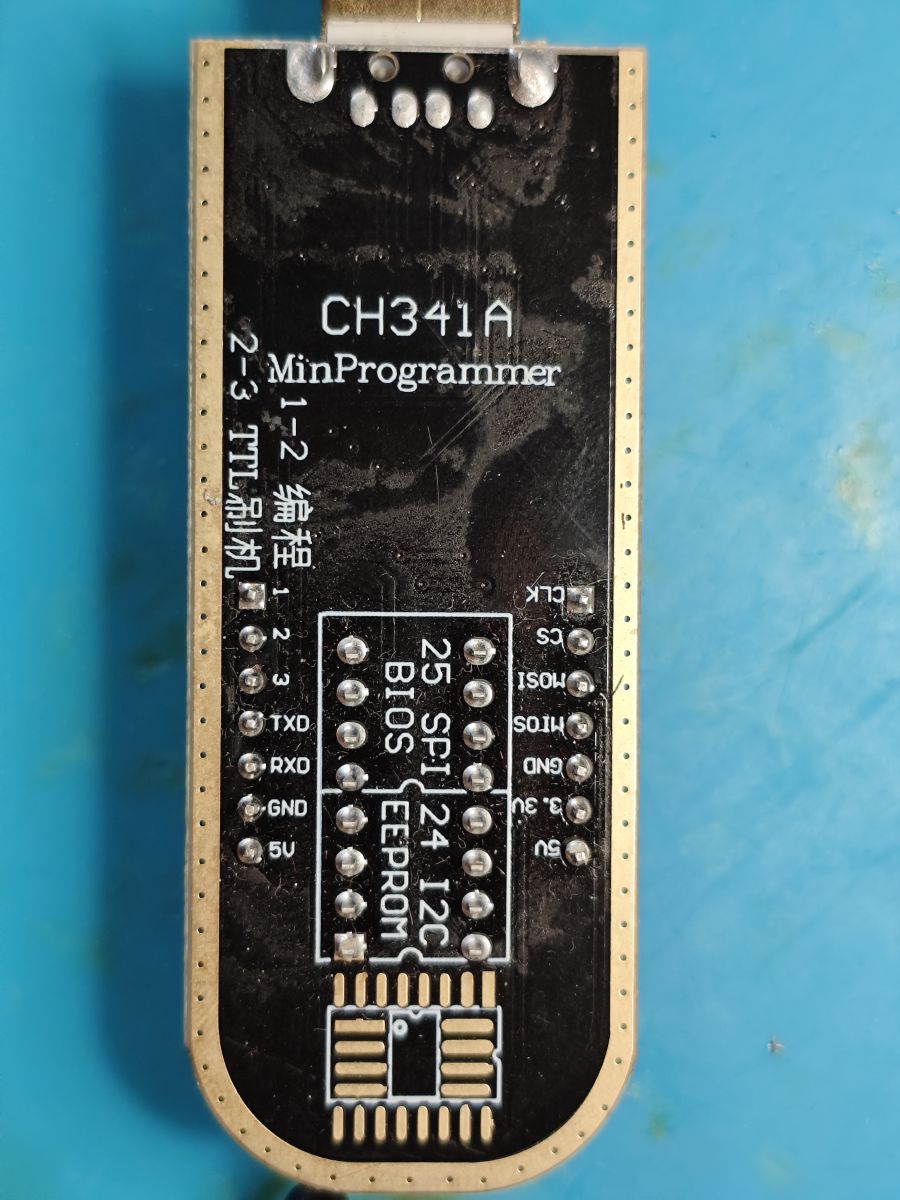
    yes, interesting OK. What does your exact CH341A look like? Ours identical?

    CH341A USB programmer with ZIF socket and pin headers on blue mat CH341A MiniProgrammer device for EEPROM chip programming
  • #266 21710002
    p.kaczmarek2
    Moderator Smart Home
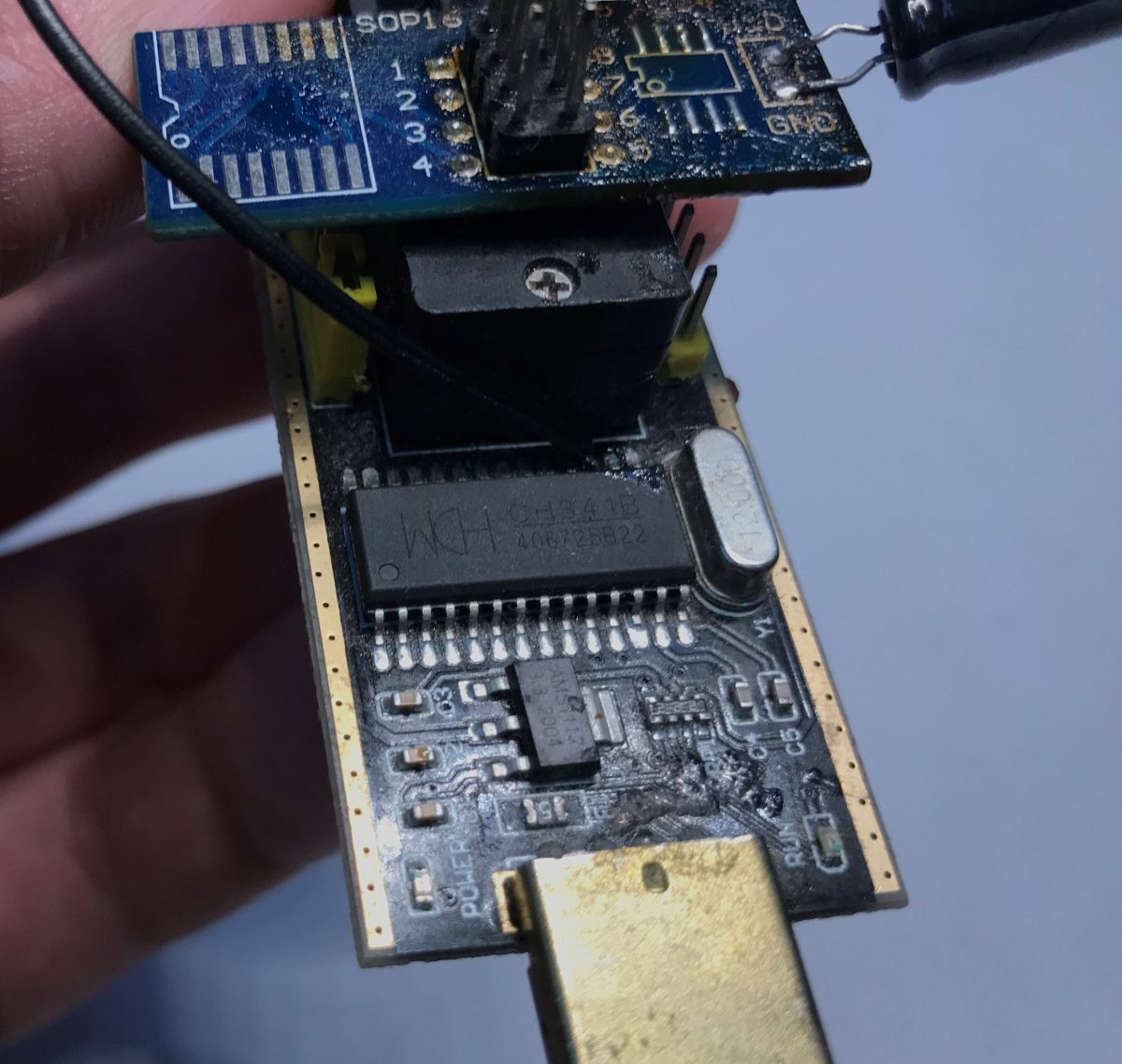
    Seems the same, just mine has some extra capacitors mods added so I can actually flash the chip I mentioned.
    ESP8266 module connected to USB programmer with capacitor Electronic module with USB connector and attached SOP16 adapter CH341 programmer with USB plug and labeled SPI/I2C memory pins
    Helpful post? Buy me a coffee.
  • #267 21710029
    divadiow
    Level 36  
    nice OK. I'll bear capacitors in mind if/when next fails happen.

    Added after 1 [minutes]:

    divadiow wrote:
    Sp0828? Unsure yet

    yes. SP0828. I seem to be getting them more frequently. 320x240 is pretty lame. 640x480 is bad enough
  • #269 21711139
    p.kaczmarek2
    Moderator Smart Home
    My Doorbell works with AIWIT APP, which is now missing from Google Play, but I managed to get APK from APKPure. I will also try if it works with @insmod dump.

    Anything else to try - any drivers, builds?
    Helpful post? Buy me a coffee.
  • #270 21711150
    insmod
    Level 29  
    It might not work though.
    My variant is XR872ET - simplified chip with no psram and less gpio.


    Flash chip - 25QH32DHIG. Backup was taken with AsProgrammer without any problems. I also used it to flash OBK.

    Added after 3 [minutes]:

    What is your camera module? I don't precisely know what mine is, but it says 7670 on it.
    Written on the back side of the board:
    MINI01-ET_MAIN_V2.0
    2023-04-07

Topic summary

The discussion focuses on a variation of the A9 mini Wi-Fi camera featuring the XF16 PB380EA6341 MCU, an 8Mbit SPI flash chip labeled T25S80 (likely from ChipSourceTek), and the XR872 SoC running the Skylark SDK. Attempts to read and dump the flash firmware using tools like Flashrom, NeoProgrammer, and ASProgrammer faced challenges due to unrecognized SPI IDs and unreliable read/write operations, especially when the flash chip was in-circuit. Desoldering the flash chip improved read/write reliability. The firmware strings indicate the use of an RTOS and the iLnkP2P protocol for communication. The XR872 SDK (version 2.0 and later 1.2.x) was explored for building and flashing demo applications, including a "hello world" example, which successfully booted on the hardware after flashing via UART using PhoenixMC. Flashing custom firmware requires careful handling of flash erase and protection bits, with some users experiencing verification errors and random write failures. The flash layout includes an AWIH header and OTA partitions, with OTA updates compressed by XZ, raising concerns about fitting OTA images into the 1MB flash. Hardware details such as the presence of a pull-up resistor on the flash hold pin and UART pin configurations (PB02/PB03) were examined. The community also discussed the compatibility of different flash chip sizes (1MB vs 2MB) and the impact on firmware booting and flashing. Some users successfully transplanted firmware to larger flash chips (2MB) to run custom firmware like OpenXR872 (OBK). The discussion includes references to related projects for video stream capture without flashing (cam-reverse) and the challenges of flashing and booting custom firmware on these devices. Overall, the thread provides detailed technical insights into hardware probing, firmware extraction, SDK usage, flashing procedures, and troubleshooting for the XF16-based A9 mini camera variant with XR872 SoC.
Summary generated by the language model.
ADVERTISEMENT