logo elektroda
logo elektroda
X
logo elektroda

Exploring A9 Minicam Variation: XF16 PB380EA6341 MCU, T25S80 SPI Flash, XR872, Skylark SDK

divadiow 33447 298
ADVERTISEMENT
  • #61 21523107
    p.kaczmarek2
    Moderator Smart Home
    Posts: 14389
    Help: 650
    Rate: 12308
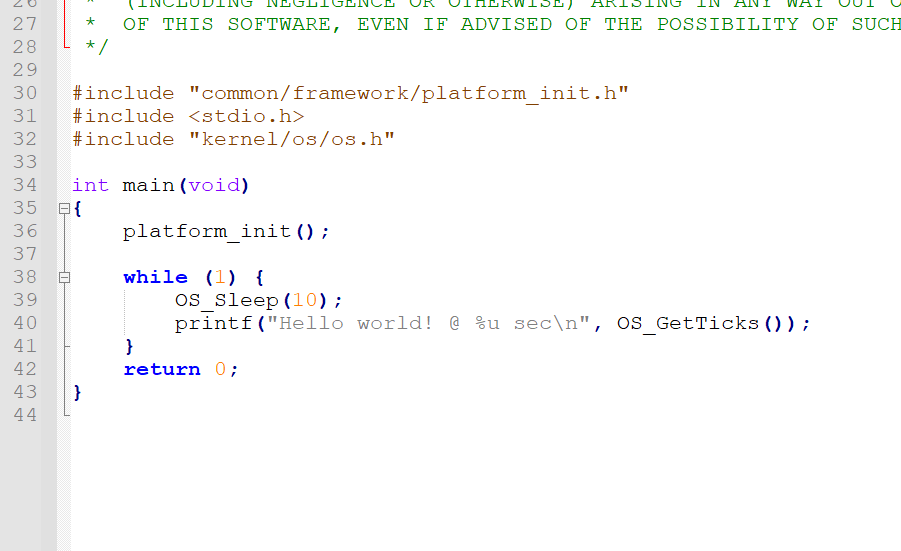
    This is what the code should do (hello_demo example):
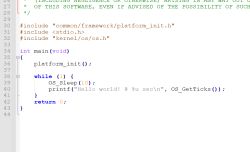
    A fragment of C code that prints Hello world! in a loop.
    Helpful post? Buy me a coffee.
  • ADVERTISEMENT
  • Helpful post
    #62 21523144
    divadiow
    Level 38  
    Posts: 4833
    Help: 420
    Rate: 851
    second bin gives me this again

    Code: Text
    Log in, to see the code


    at that point my needle on TX slipped off. I'd like to do flash it again to be 100% sure. de-soldering chip every time sucks. could do with a zif mod

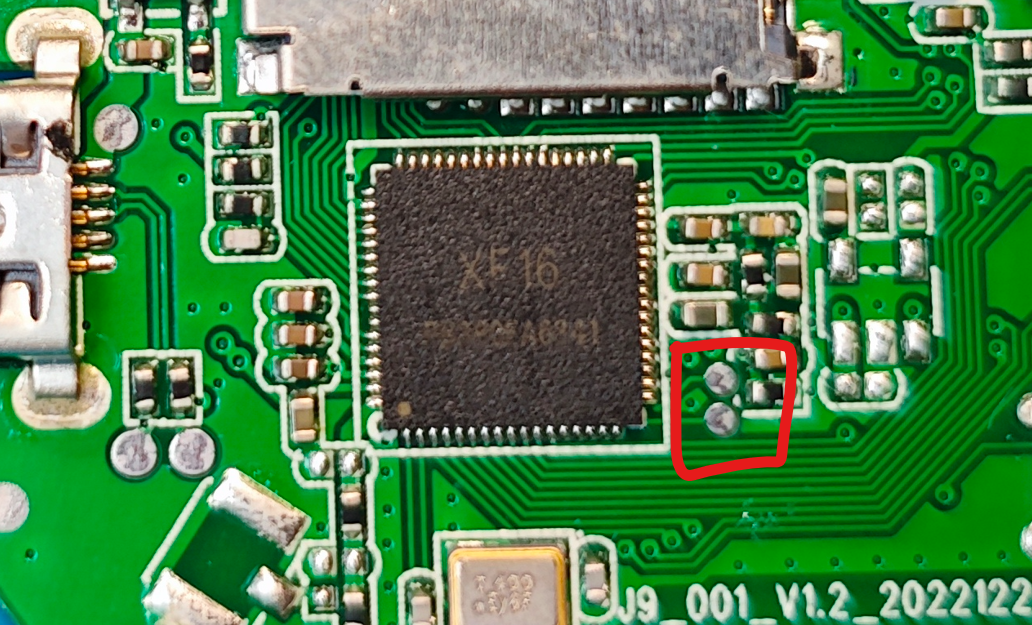
    also, I'd like to try grounding these to see if they're PB02/PB03 (assuming uart download mode is same as XR872):
    Close-up of a PCB with an XF16 chip and four signal pads highlighted by a red border.

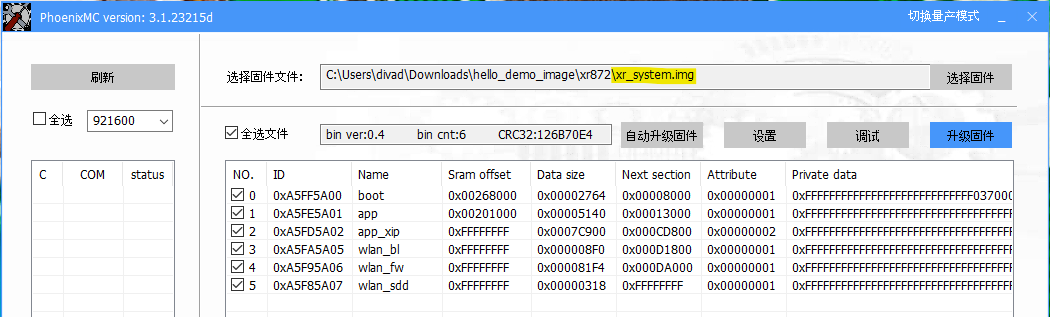
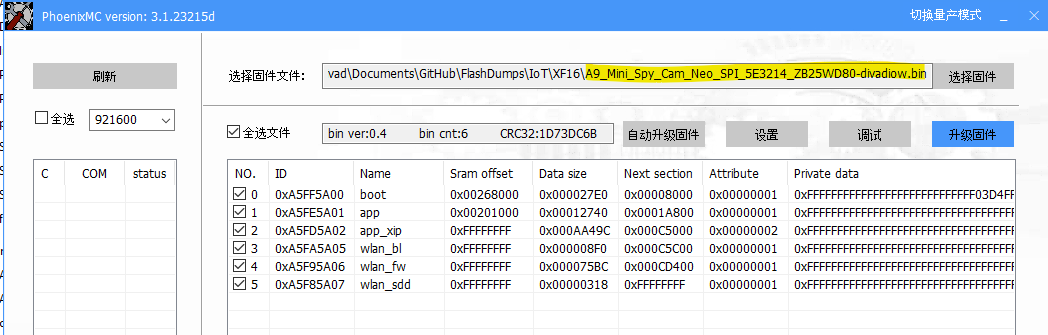
    for comparison. 2nd demo build vs original dump
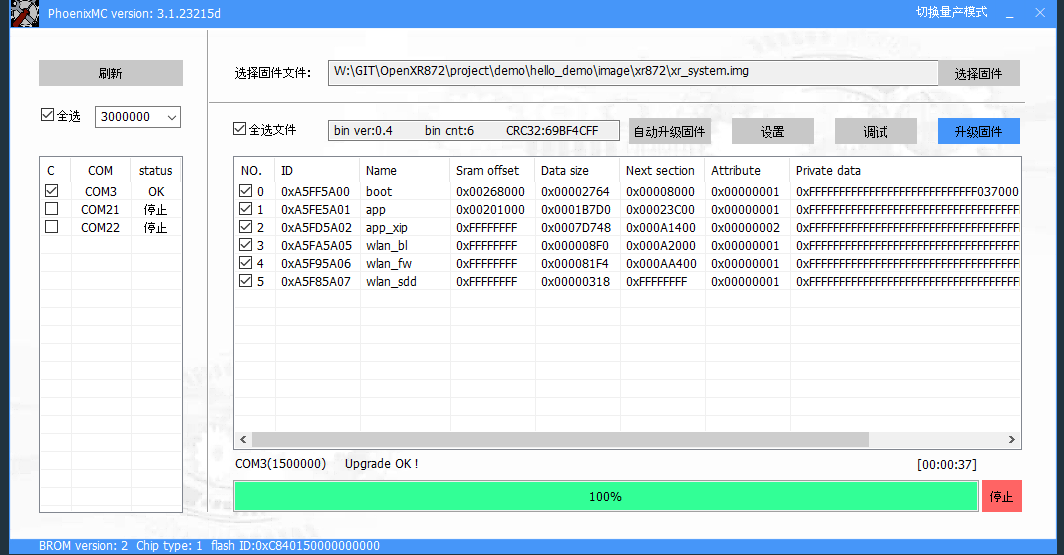
    Screenshot of the PhoenixMC tool showing the configuration for flashing the xr_system.img file to an XR872 device.
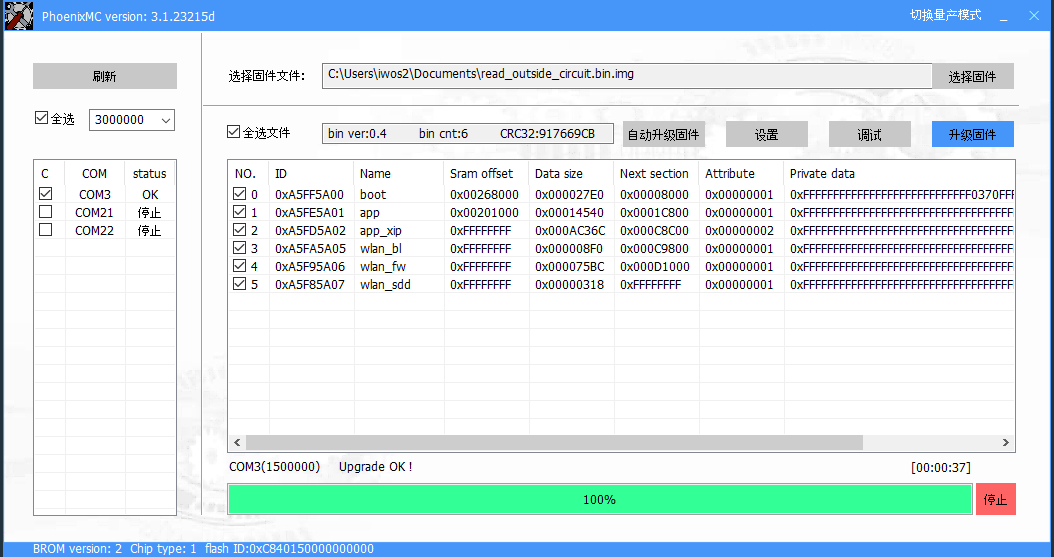
    Screenshot of the PhoenixMC tool showing firmware sections and details while selecting a .bin file for device flashing.

    Added after 20 [minutes]:

    hmm. tried again. full log from second demo build
    Code: Text
    Log in, to see the code
  • #63 21523166
    p.kaczmarek2
    Moderator Smart Home
    Posts: 14389
    Help: 650
    Rate: 12308
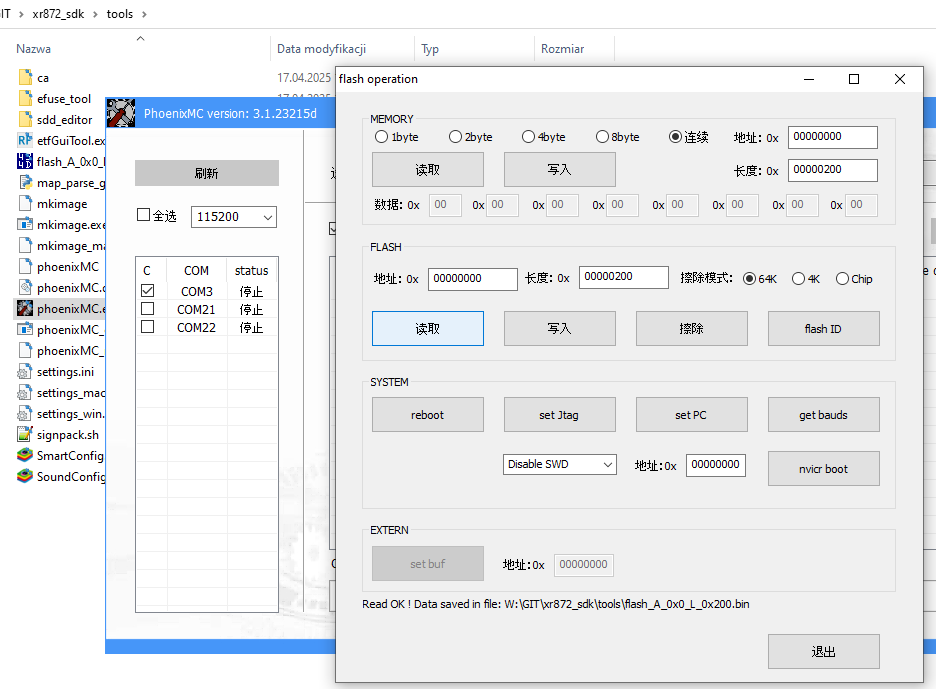
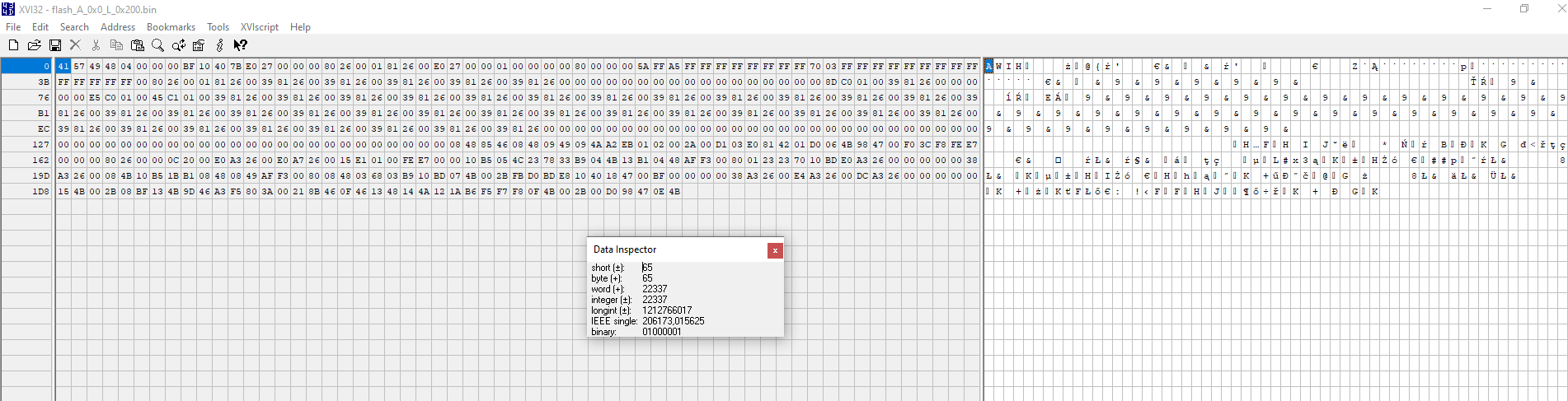
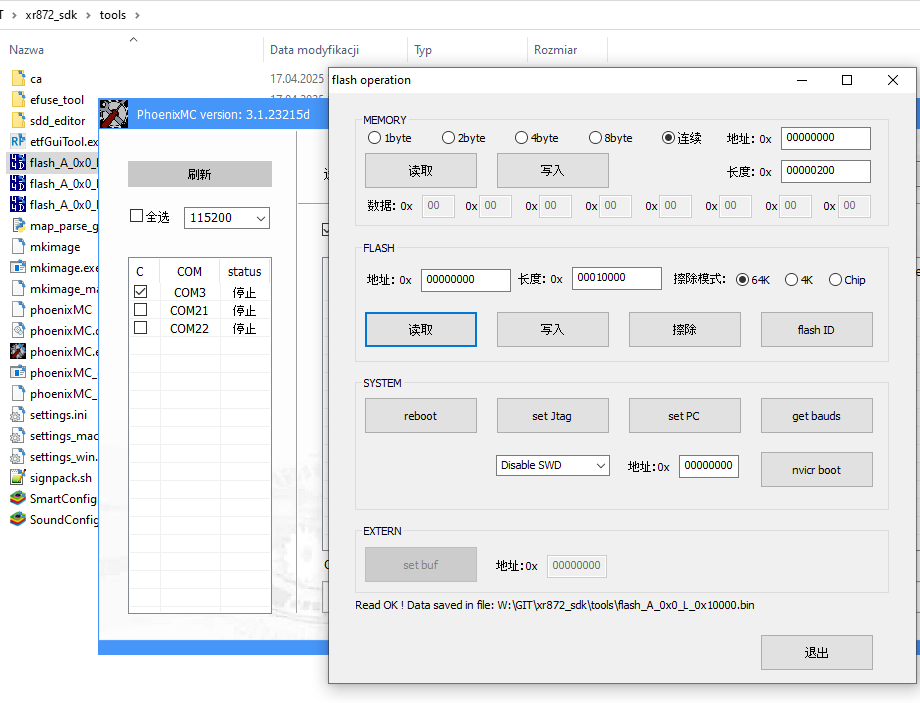
    I shorted your two pads to GND - I get synchron errors.
    I disconnected them from GND. And then I got - how?
    Screenshot showing the PhoenixMC program interface and a folder with debugging tools files.

    Screenshot of the XV132 hex editor with an open binary file and active Data Inspector window.

    Added after 42 [seconds]:


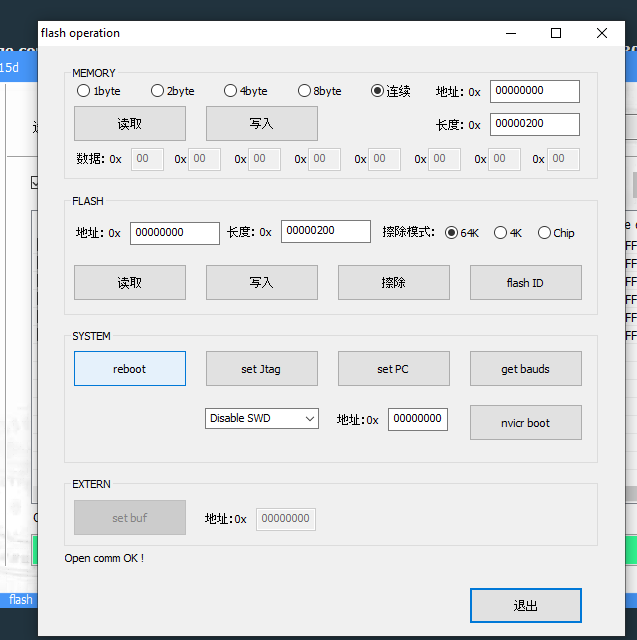
    PhoenixMC software window for Flash memory operations and list of COM ports.
    Helpful post? Buy me a coffee.
  • #64 21523171
    divadiow
    Level 38  
    Posts: 4833
    Help: 420
    Rate: 851
    lol. nice. I was just in the process of doing that too. I guess they are PB02/03 or something

    Added after 3 [minutes]:

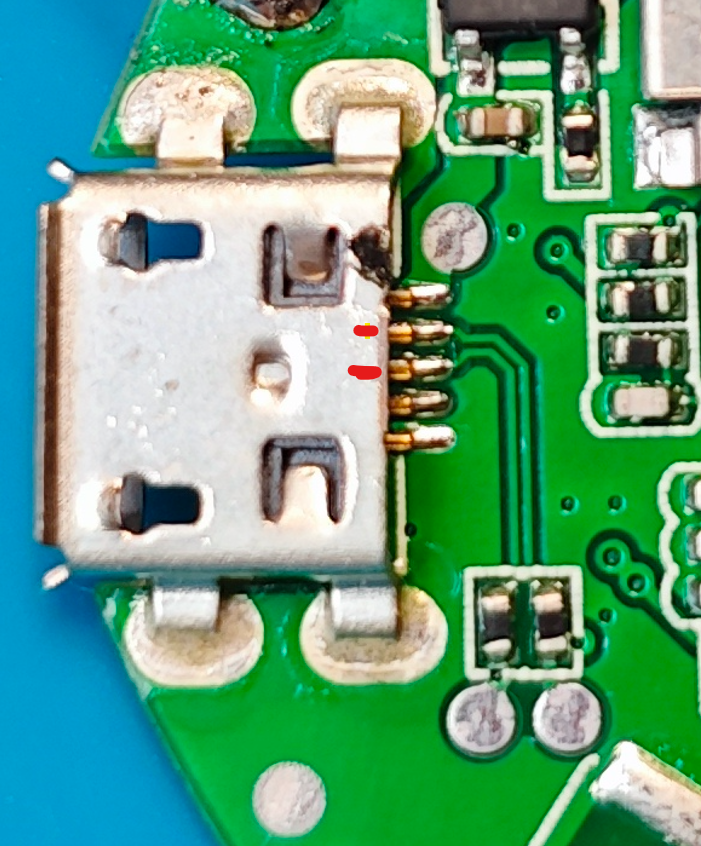
    first I need a better UART connection. I just noticed the traces and now I know what your USB/uart flash cable was about

    Micro USB connector soldered to a green PCB with visible pins and burn marks near the pins.
  • #65 21523179
    p.kaczmarek2
    Moderator Smart Home
    Posts: 14389
    Help: 650
    Rate: 12308
    Wait, I don't even remember now - those PB pads should be held low (ground) at reboot and then released, and then you can flash? Or should they be held all the time low during flash? It seems they should be released.
    Here's what I read:
    Attachments:
    • flash_A_0x0_L_0x100000.zip (575.77 KB) You must be logged in to download this attachment.
    Helpful post? Buy me a coffee.
  • #66 21523182
    divadiow
    Level 38  
    Posts: 4833
    Help: 420
    Rate: 851
    p.kaczmarek2 wrote:
    Or should they be held all the time low during flash?

    well, XR809 and XR806 we've been keeping low and it's fine. but maybe XF16 is different.

    This is in XR872 DS

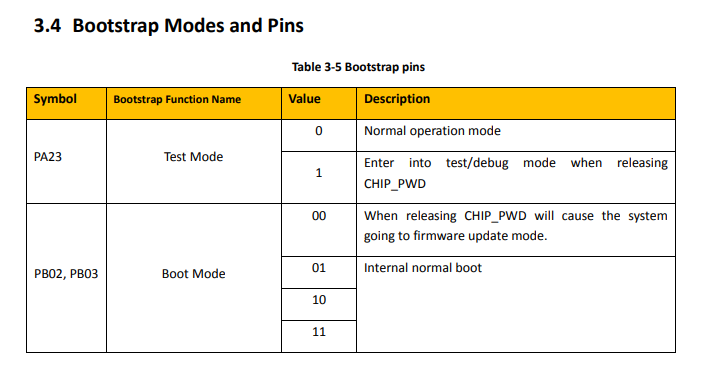
    Table showing bootstrap modes and associated pins with descriptions for PA23 and PB02, PB03.
  • #67 21523185
    p.kaczmarek2
    Moderator Smart Home
    Posts: 14389
    Help: 650
    Rate: 12308
    EDIT: I have PB pads shorted together, but not to ground. I disconnected totally USB power, reconnected it, and I can still flash....
    but I also get SSID if I don't attempt to flash:
    Wi-Fi icon and the network name BATA825001CKETR on a light background.

    Maybe... maybe phoenixMC sends via UART something to enable flash mode programmatically?

    Added after 1 [minutes]:

    I opened PhoenixMC again, it did "Open comm OK" and AP is gone, and I can flash.

    So.... it can flash without user intervention? I wonder what will happen if I flash my binary now.... will it keep the ability to flash without external reset/stuff...

    Added after 1 [minutes]:

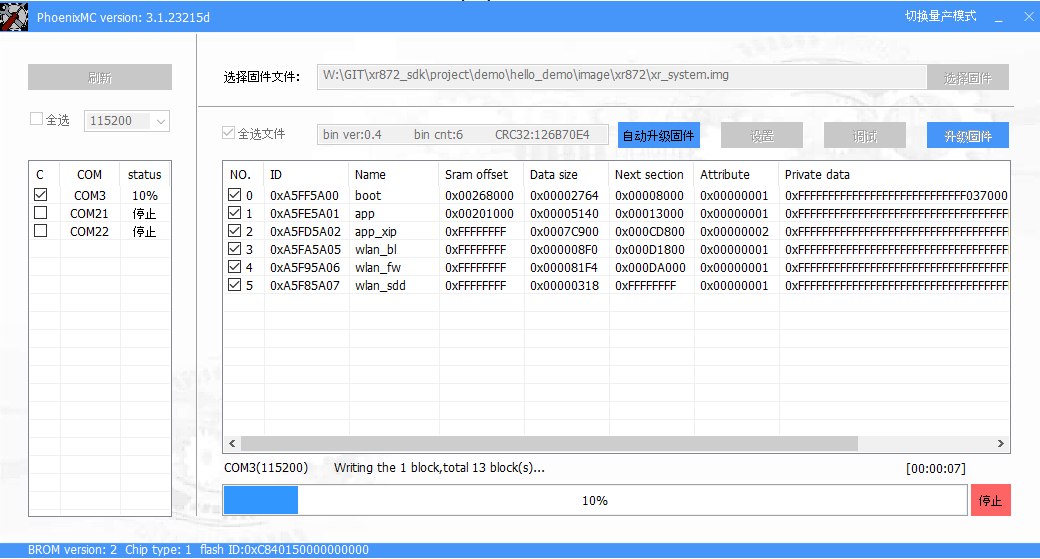
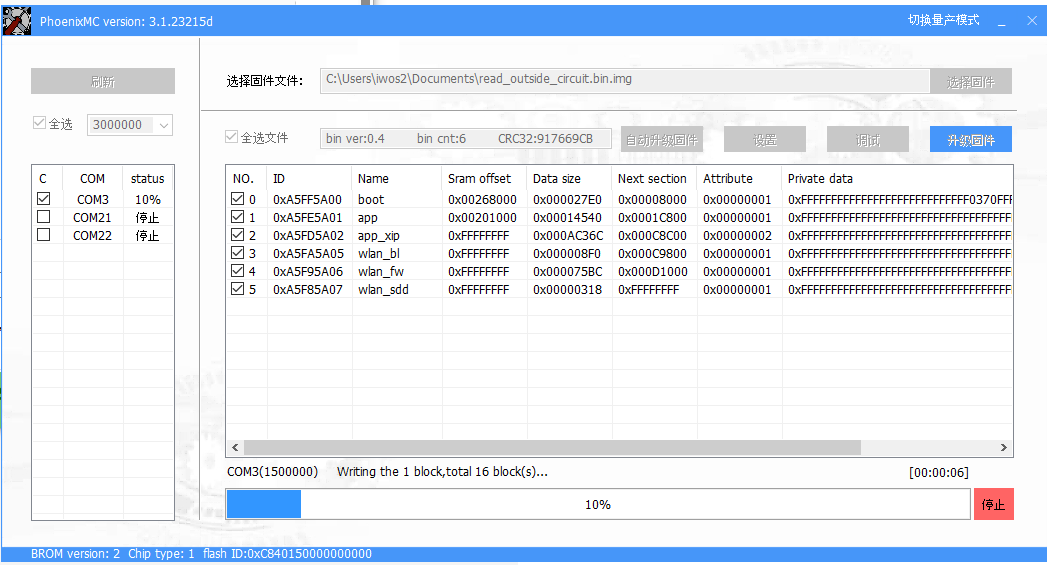
    Trying to flash:


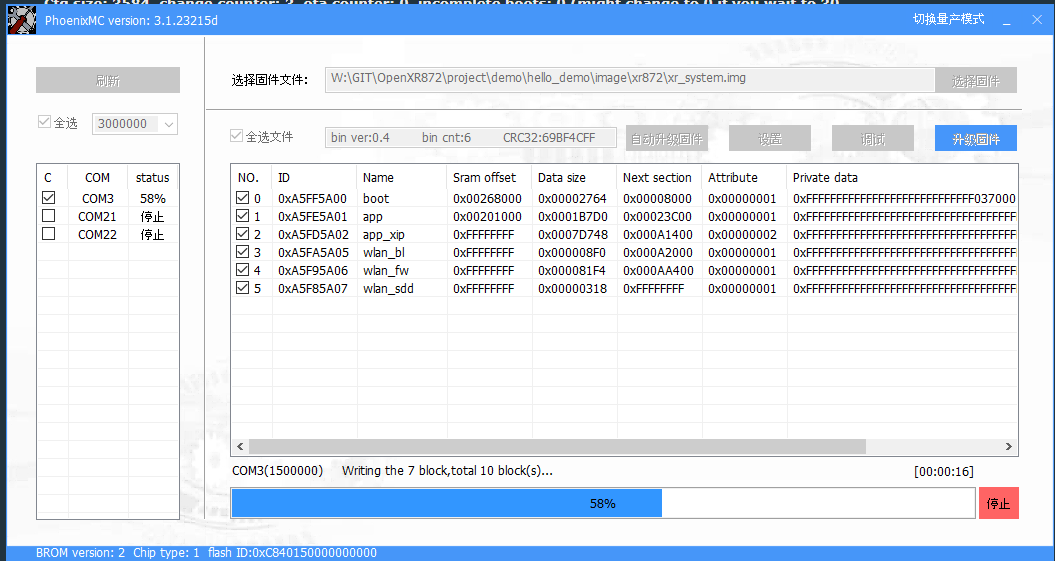
    PhoenixMC software interface while loading firmware file to a microcontroller on COM3 port, with 10% progress.
    Helpful post? Buy me a coffee.
  • #68 21523188
    divadiow
    Level 38  
    Posts: 4833
    Help: 420
    Rate: 851
    p.kaczmarek2 wrote:
    I opened PhoenixMC again, it did "Open comm OK" and AP is gone, and I can flash.


    What the heck. This whole time...
  • #69 21523195
    p.kaczmarek2
    Moderator Smart Home
    Posts: 14389
    Help: 650
    Rate: 12308
    We would need to check if PhoenixMC sends something via UART to let know the chip that it wants program mode.

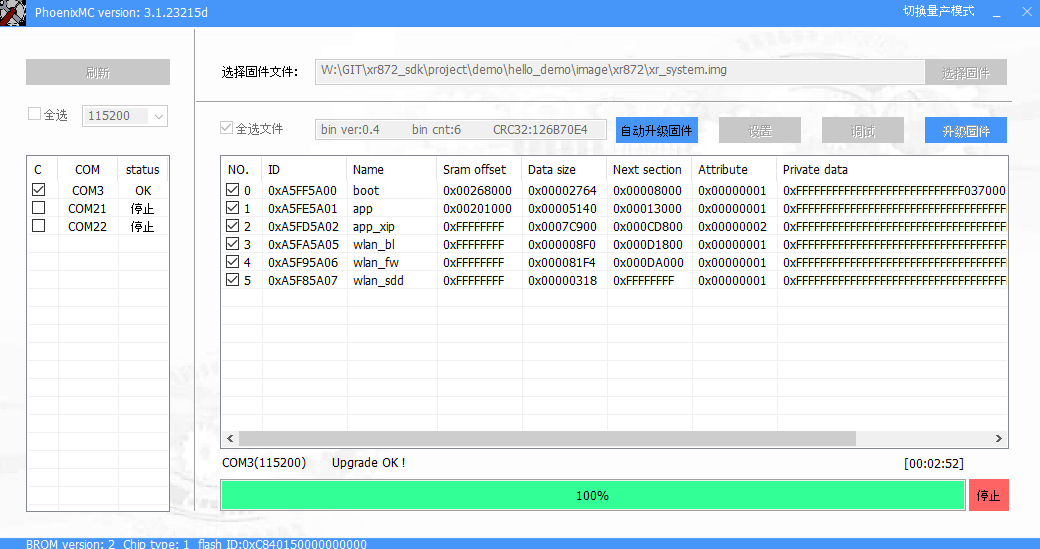
    Flashed.
    Screenshot of PhoenixMC software used for firmware upgrades via COM ports; operation completed successfully.

    Added after 45 [seconds]:

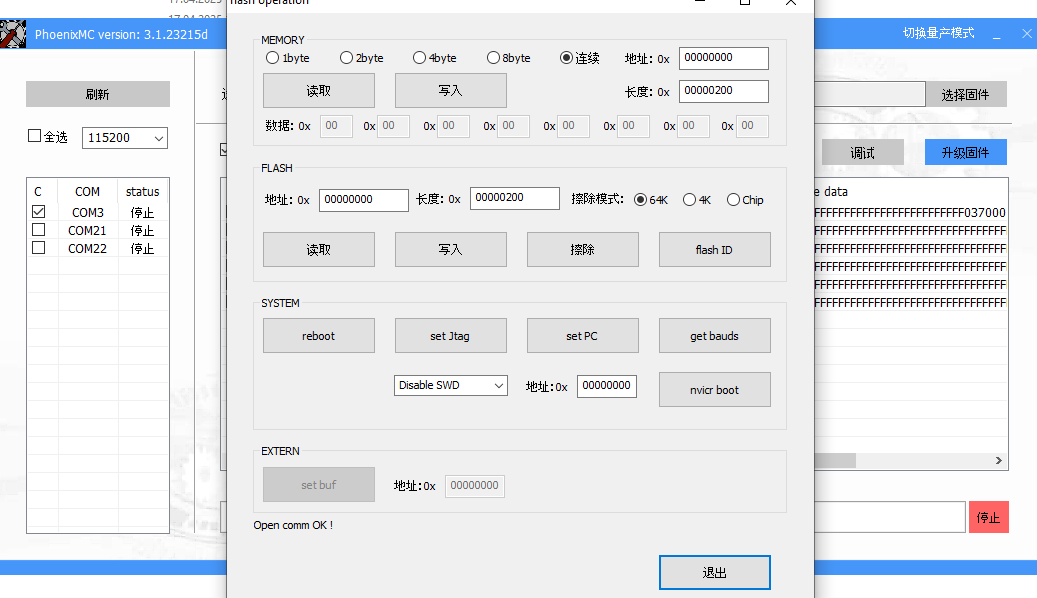
    Still can open com after flash?
    Screenshot of software windows for communication with devices via COM ports and flash memory operations.

    Added after 2 [minutes]:


    platform information ===============================================
    XRADIO Skylark SDK 1.2.2 Apr 17 2025 14:29:49
    
    sram heap space [0x21545c, 0x26dc00), total size 362404 Bytes
    cpu  clock 240000000 Hz
    HF   clock  40000000 Hz
    
    sdk option:
        XIP           : enable
        INT LF OSC    : enable
    
    mac address:
        efuse         : 18:9e:2d:81:89:ce
        in use        : 38:0a:8d:47:2b:71
    ====================================================================
    
    Hello world! @ 10131 sec
    Hello world! @ 20131 sec
    Hello world! @ 30131 sec
    Hello world! @ 40131 sec
    Hello world! @ 50131 sec
    Hello world! @ 60131 sec
    
    Helpful post? Buy me a coffee.
  • #70 21523203
    divadiow
    Level 38  
    Posts: 4833
    Help: 420
    Rate: 851
    yay. me too
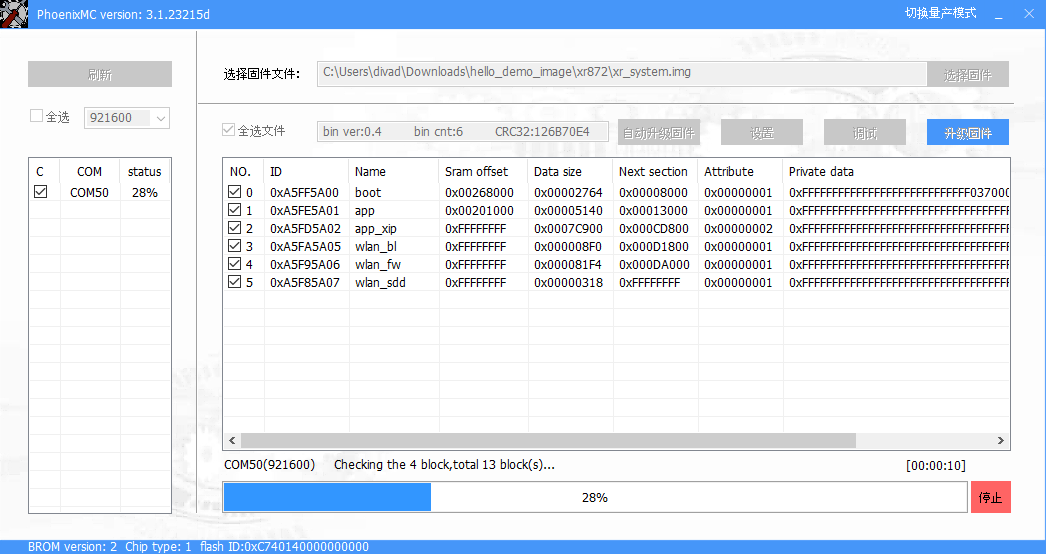
    Screenshot of PhoenixMC software updating firmware on a device connected via COM50 port. Progress bar at 28%.
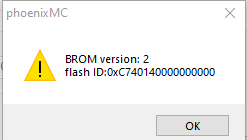
    Warning dialog window in phoenixMC with BROM version and flash ID information.

    Added after 2 [minutes]:

    no uart log for me. hmm.
  • ADVERTISEMENT
  • #71 21523211
    p.kaczmarek2
    Moderator Smart Home
    Posts: 14389
    Help: 650
    Rate: 12308
    Are you sure? It has a 10 seconds delay (chosen by XRadio). Only for patient users.
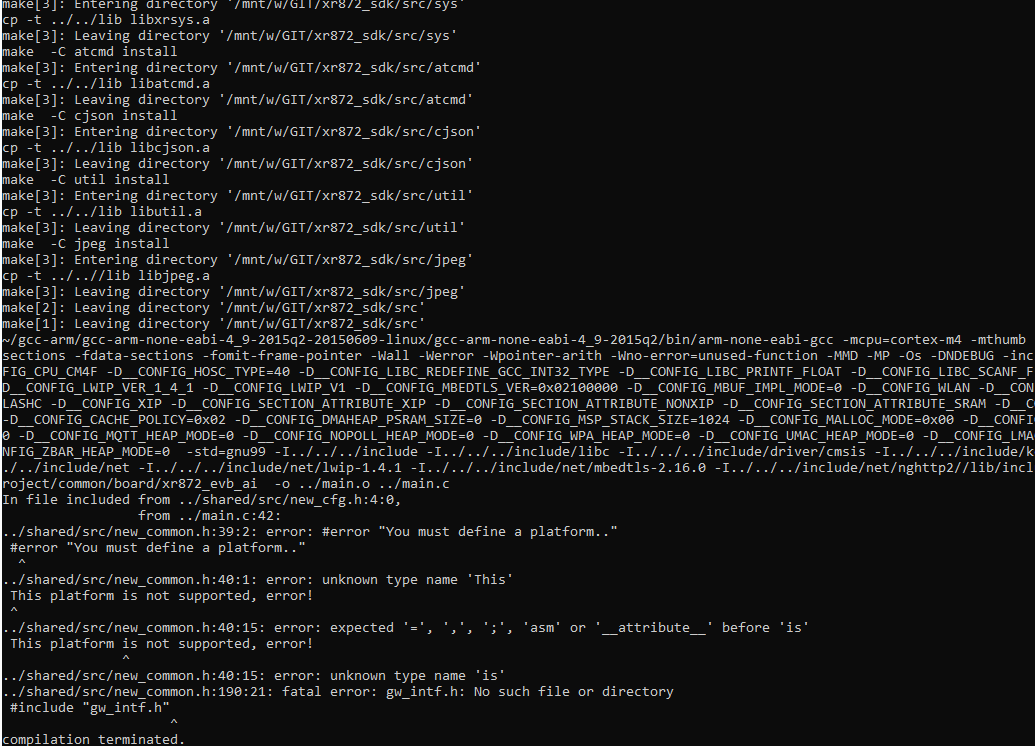
    Console with C project build errors, showing detailed error messages during compilation.
    Helpful post? Buy me a coffee.
  • #72 21523230
    divadiow
    Level 38  
    Posts: 4833
    Help: 420
    Rate: 851
    so weird. waiting for a while. i can flash A9 dump back and that boots and outputs without issue.
  • #73 21523231
    p.kaczmarek2
    Moderator Smart Home
    Posts: 14389
    Help: 650
    Rate: 12308
    Maybe needs power off and on cycle.
    Helpful post? Buy me a coffee.
  • #74 21523305
    divadiow
    Level 38  
    Posts: 4833
    Help: 420
    Rate: 851
    Yep. I do all the usual power discharge troubleshooting steps. Odd factory firmware boots ok though and UART logs as expected. I soldered other flash to it too.

    I've stopped for now. Will come back to it.

    Are you porting OBK right now? 😁🥳
  • ADVERTISEMENT
  • #75 21523309
    p.kaczmarek2
    Moderator Smart Home
    Posts: 14389
    Help: 650
    Rate: 12308
    I'm trying and I just discovered that if I flash broken binary, then I can't flash via PhoenixMC anymore.
    Helpful post? Buy me a coffee.
  • ADVERTISEMENT
  • #76 21523337
    divadiow
    Level 38  
    Posts: 4833
    Help: 420
    Rate: 851
    hmm. what was on your flash when you first uart flashed build and it booted? Was it factory flashed back in Neo? And had you switched back to 1mb chip or is all this on 2mb?
  • #77 21523347
    p.kaczmarek2
    Moderator Smart Home
    Posts: 14389
    Help: 650
    Rate: 12308
    I flashed original 1MB to 2MB flash chip and it works with that flash chip. UART bootloader works as long as working XR872 project is flashed (original firmware or hello world from SDK)


    So many problems...
    Wi-Fi signal icon and network name OpenXR872_00000000 on a light background.

    Added after 10 [minutes]:

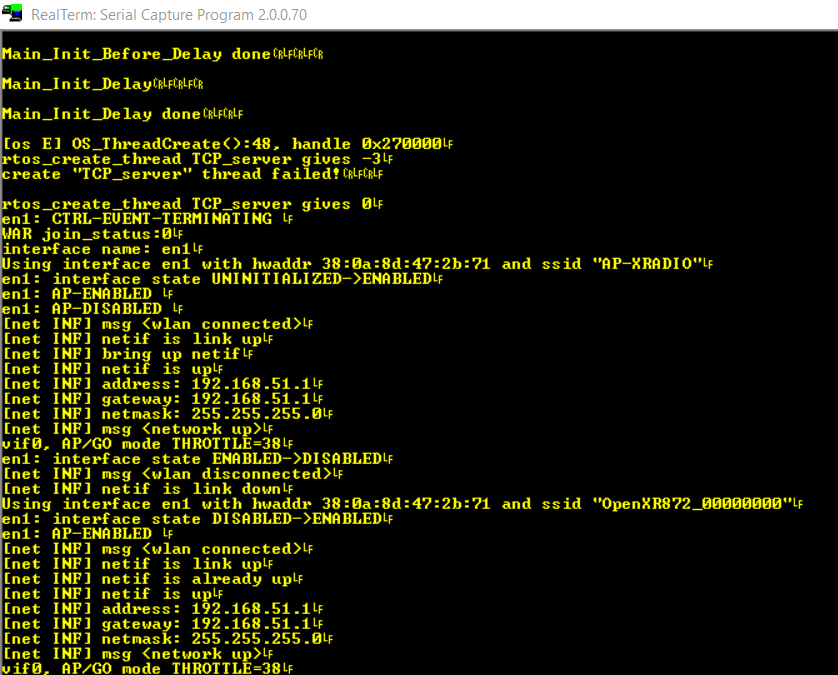
    Screenshot from RealTerm program displaying network device initialization logs and Wi-Fi connection attempts.
    I get -3 here:
    
    
       err = OS_ThreadCreate(thread,
                          name,
                          function,
                          arg,
                          new_priority,
                          stack_size);
    

    Invalid parameter, huh?
    
    typedef enum {
       OS_OK           = 0,    /* success */
       OS_FAIL         = -1,   /* general failure */
       OS_E_NOMEM      = -2,   /* out of memory */
       OS_E_PARAM      = -3,   /* invalid parameter */
       OS_E_TIMEOUT    = -4,   /* operation timeout */
       OS_E_ISR        = -5,   /* not allowed in ISR context */
    } OS_Status;


    Added after 10 [minutes]:

    i suspect configTOTAL_HEAP_SIZE

    Added after 9 [minutes]:

    There are two RTOS to choose:
    
    ifeq ($(__CONFIG_OS_FREERTOS), y)
    #   - 80203: FreeRTOS 8.2.3
    #   - 100201: FreeRTOS 10.2.1
    __CONFIG_OS_FREERTOS_VER ?= 100201
    endif


    Added after 7 [minutes]:


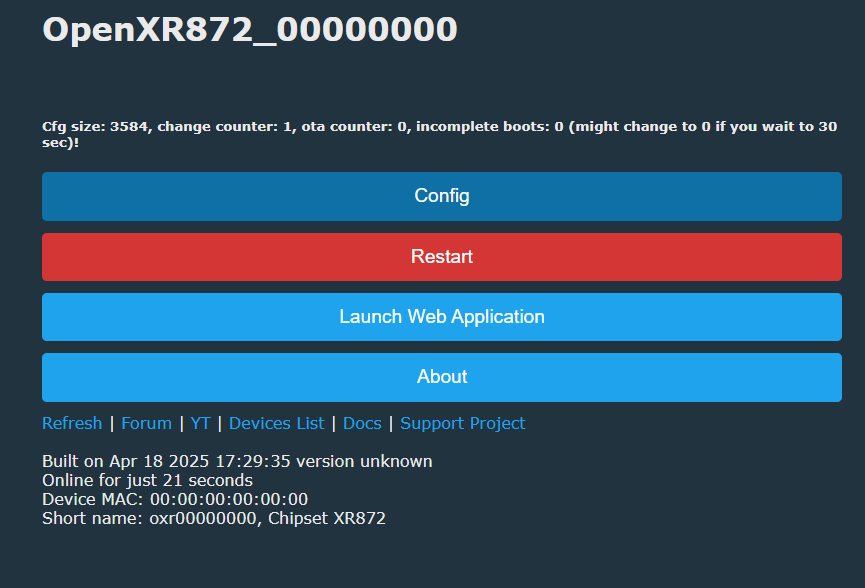
    OpenXR872 control panel with four large buttons: Config, Restart, Launch Web Application, and About. Shows XR872 device status.
    Helpful post? Buy me a coffee.
  • #78 21523384
    divadiow
    Level 38  
    Posts: 4833
    Help: 420
    Rate: 851
    😁👏😁 good stuff
  • #79 21523387
    p.kaczmarek2
    Moderator Smart Home
    Posts: 14389
    Help: 650
    Rate: 12308
    can you check? 192.168.51.1
    Attachments:
    • xr_system.zip (442.94 KB) You must be logged in to download this attachment.
    Helpful post? Buy me a coffee.
  • #80 21523389
    divadiow
    Level 38  
    Posts: 4833
    Help: 420
    Rate: 851
    Ah. Id love to but I can't now until tomorrow afternoon 😭

    Added after 1 [hours] 22 [minutes]:

    curious about how the pins will work with XF16 being QFN68 and XR872AT being QFN52 and XR872ET being QFN40. We don't have a datasheet for XF16 yet.
  • #81 21523463
    p.kaczmarek2
    Moderator Smart Home
    Posts: 14389
    Help: 650
    Rate: 12308
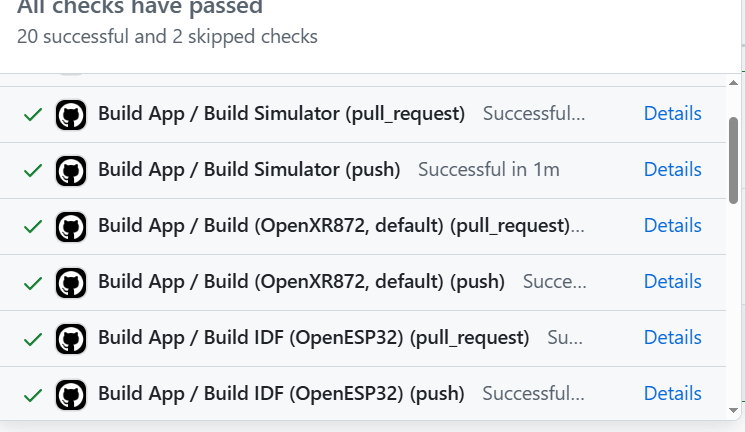
    No idea, for now I've added Github builds:
    A list of successful app builds on GitHub Actions platform.
    but much is still missing, we don't even have config save.

    Added after 46 [minutes]:

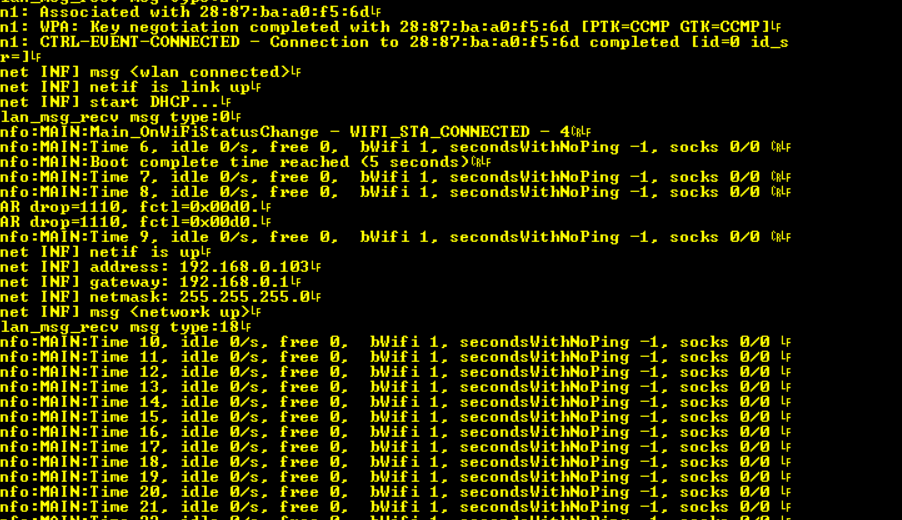
    config save works

    Console with yellow text on black background showing Wi-Fi connection logs for an embedded device.

    Added after 1 [hours] 20 [minutes]:

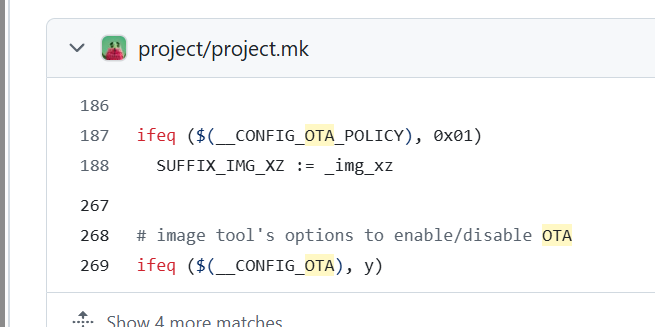
    I am investigating OTA currently:

    A fragment of the project.mk file with makefile code, showing conditions related to OTA configuration.

    
    > localconfig.mk:
    > * __CONFIG_XIP:可选项,配置是否开启XIP功能
    > * __CONFIG_OTA:可选项,配置是否开启OTA功能


    Added after 14 [minutes]:

    but how will OTA fit into 1MB...
    Helpful post? Buy me a coffee.
  • #82 21523641
    divadiow
    Level 38  
    Posts: 4833
    Help: 420
    Rate: 851
    Sorry I can't test anything at the moment.

    This is all very good.

    Does what you're discovering also make XR806 easier whenever that can be attacked again?

    Added after 11 [minutes]:

    p.kaczmarek2 wrote:
    but how will OTA fit into 1MB

    I wonder if A9 factory XF16 layout allows for OTA. I seem to recall A9s offering fw updates in the Ysx app, but maybe that was the Taixin variety 🤔
  • #83 21523744
    p.kaczmarek2
    Moderator Smart Home
    Posts: 14389
    Help: 650
    Rate: 12308
    divadiow wrote:

    Does what you're discovering also make XR806 easier whenever that can be attacked again?
    I don't think so, as far as I remember I managed to boot XR806 OBK correctly but it was failing to connect to WiFi. I may try to revisit that soon if there is futher demand.

    In case of this XR872, I haven't run into the wall yet.

    It's just that OTA worries me. I can clearly see that this SDK has ota compressed by XZ just like BL602 does, but it still doesn't change the fact that OTA requires us to fit like almost a second whole image in the flash....

    Maybe we can investigate: https://github.com/search?q=repo%3Aopenshwprojects%2FOpenXR872%20OTA&type=code

    ota_update_image_process seems to be doing update
    Hm
    Code: C / C++
    Log in, to see the code

    Code: C / C++
    Log in, to see the code

    Is this OTA buffer?>
    Code: C / C++
    Log in, to see the code

    Code: C / C++
    Log in, to see the code

    I'm not sure yet where do they write this OTA image - at which flash offset.

    Added after 2 [minutes]:


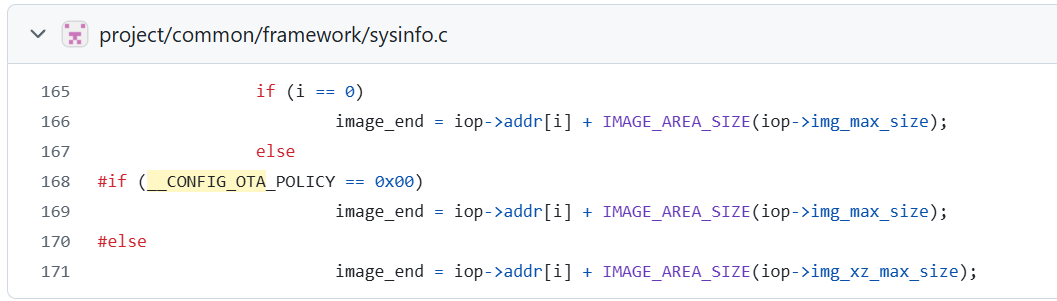
    A fragment of C code from sysinfo.c, showing conditional statements and preprocessor directives.
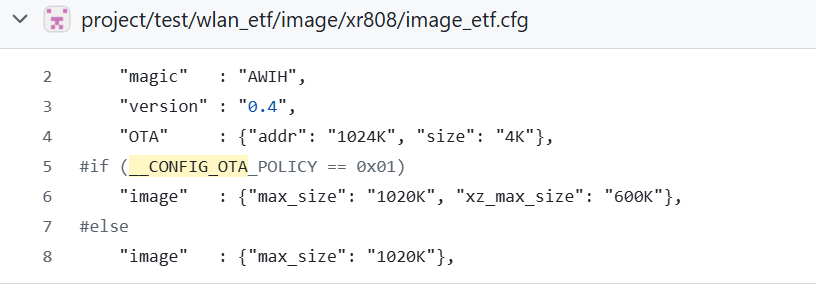
    A fragment of the image_etf.cfg configuration file with conditional code related to OTA policy.

    Added after 36 [minutes]:

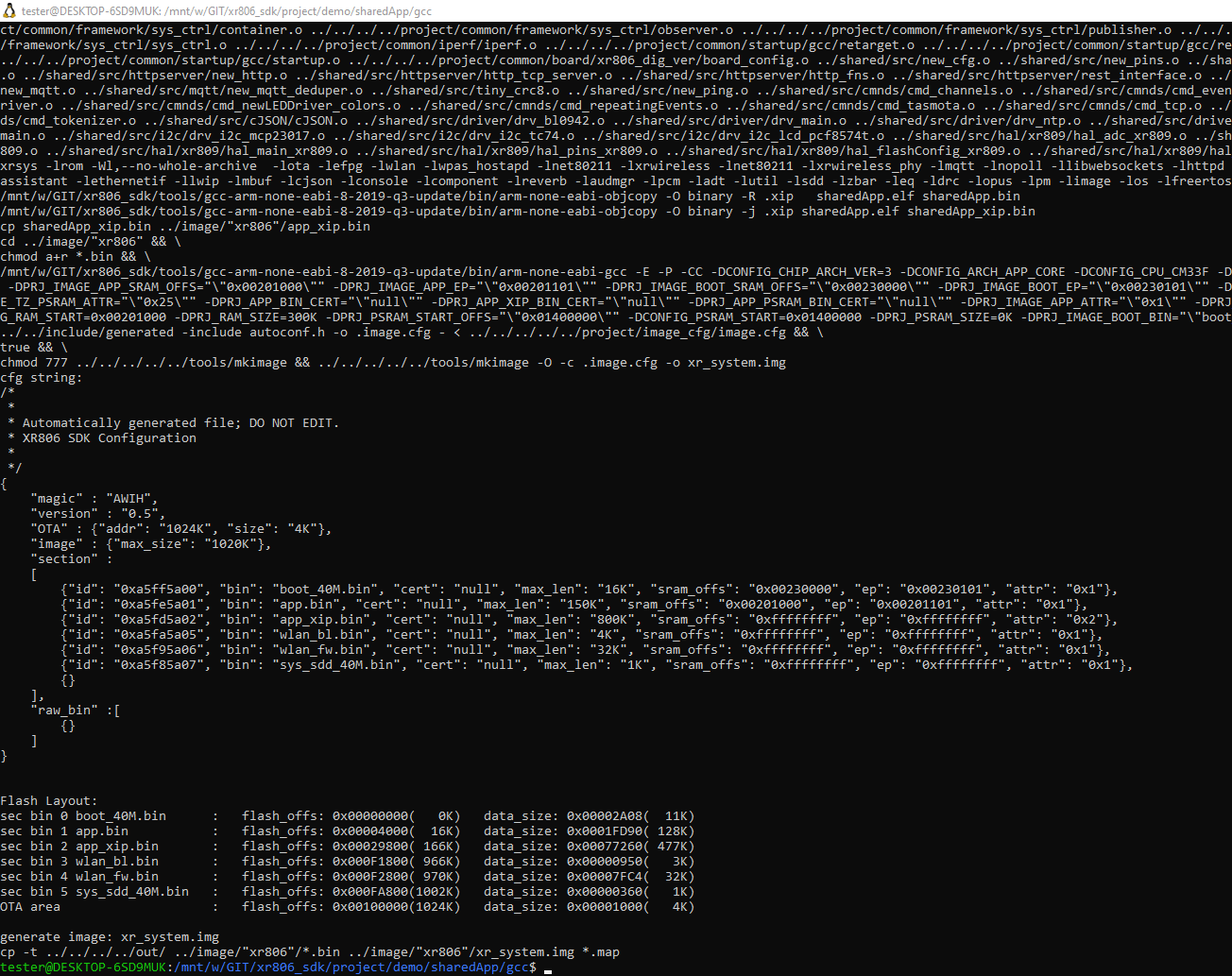
    out of curiosity, I ran xr806 compilation and it has OTA space in partitions layout:


    Screenshot of a terminal with code compilation and flash memory configuration for the XR806 project.
    Helpful post? Buy me a coffee.
  • #84 21524574
    divadiow
    Level 38  
    Posts: 4833
    Help: 420
    Rate: 851
    this is still weird for me. flashed to factory using CH341A then UART OpenXR872 and no boot. odd
  • #85 21524768
    p.kaczmarek2
    Moderator Smart Home
    Posts: 14389
    Help: 650
    Rate: 12308
    Let's test more.
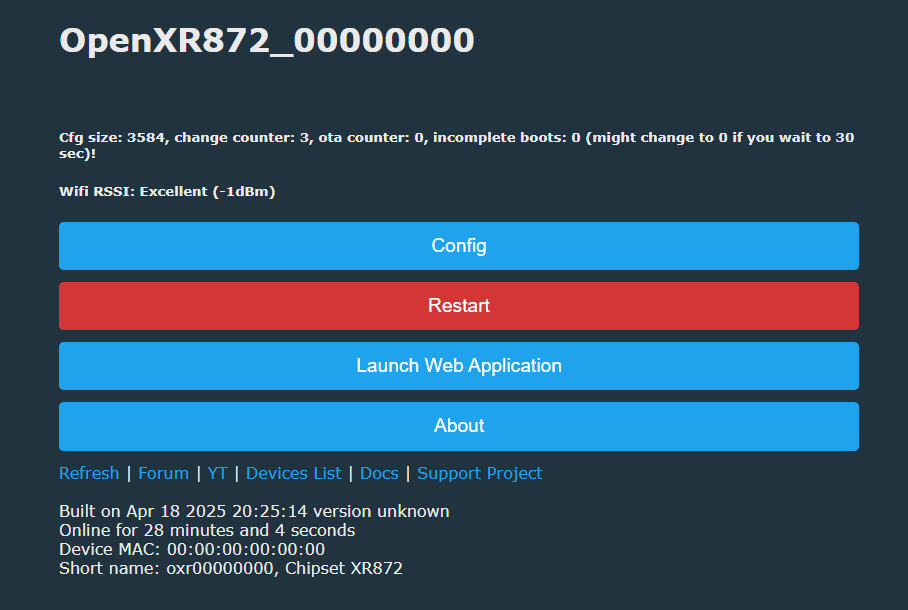
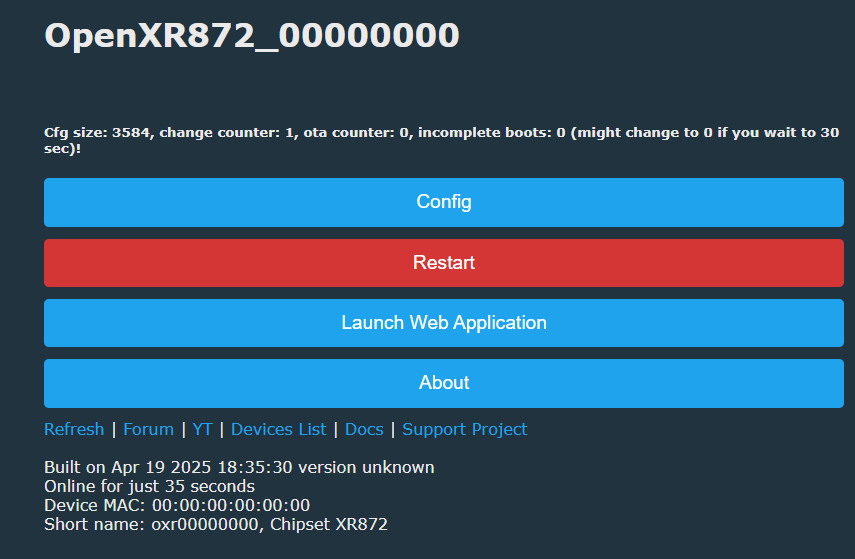
    So I have this page:
    Screenshot of the OpenXR872 device control panel with buttons for configuration, restart, launching web application, and device information.
    I have only USB to UART connected.
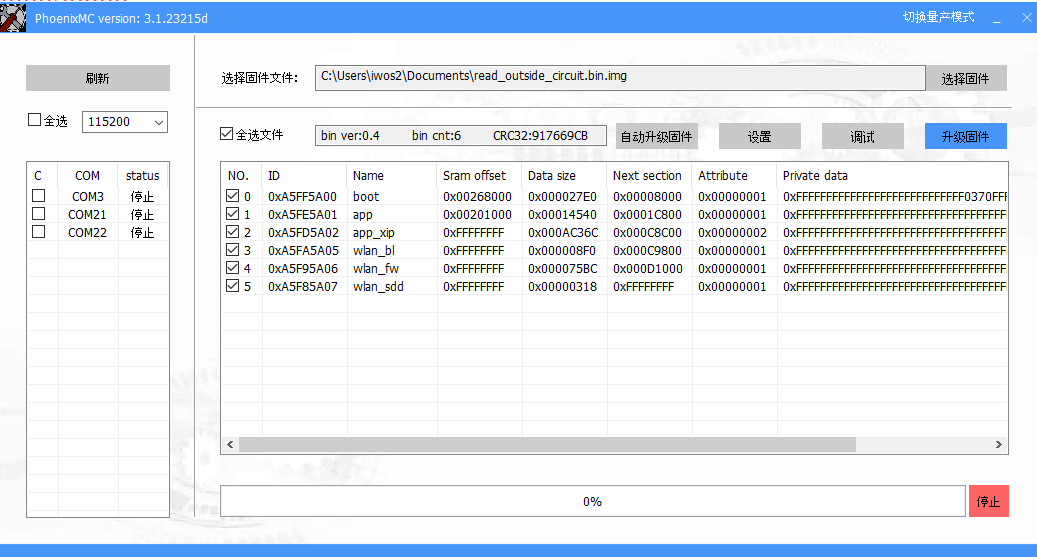
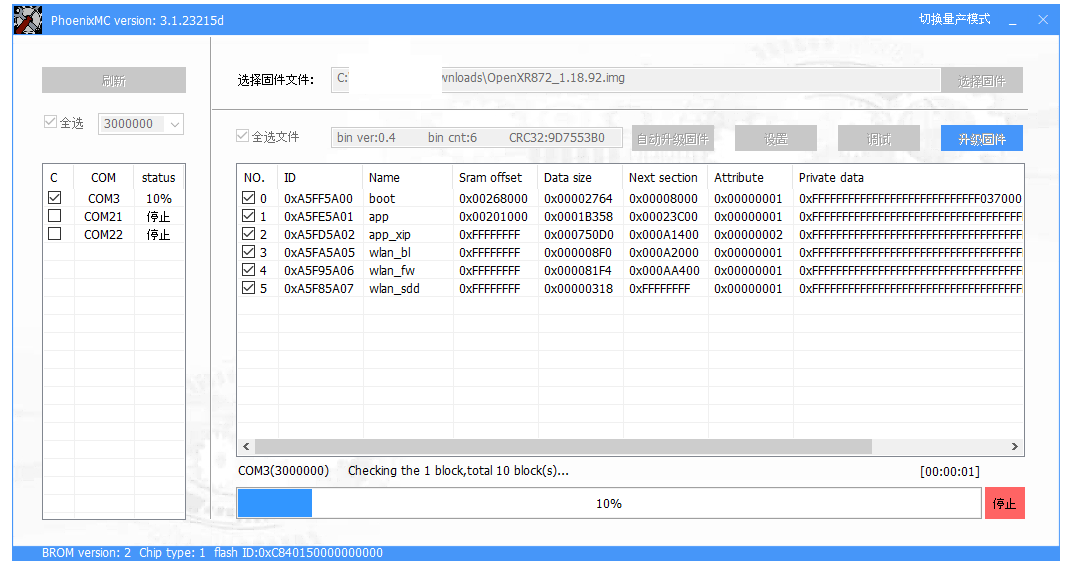
    I open pheoenixmc and try to flash original firmware:
    Screenshot of PhoenixMC software showing firmware file details and COM ports list.
    PhoenixMC software window flashing a binary image to flash memory via COM3 port, with 10% progress.
    Screenshot of PhoenixMC software showing a completed firmware upgrade process and a partition list.
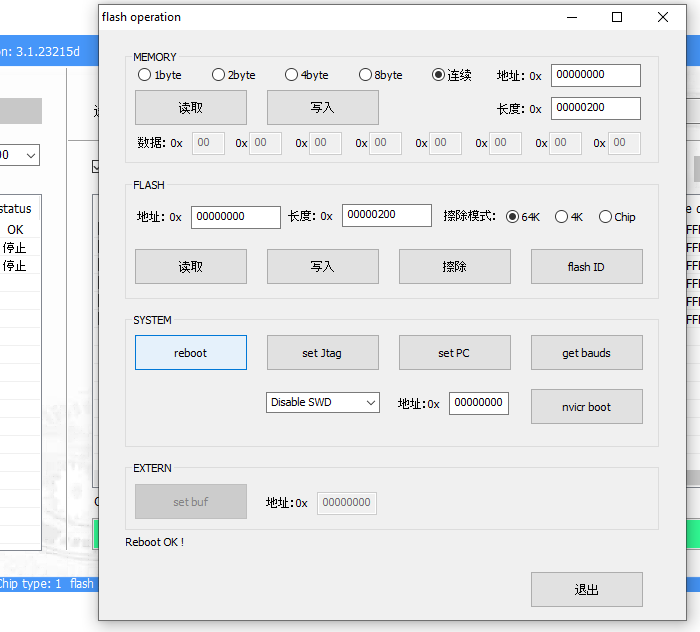
    I do reboot:
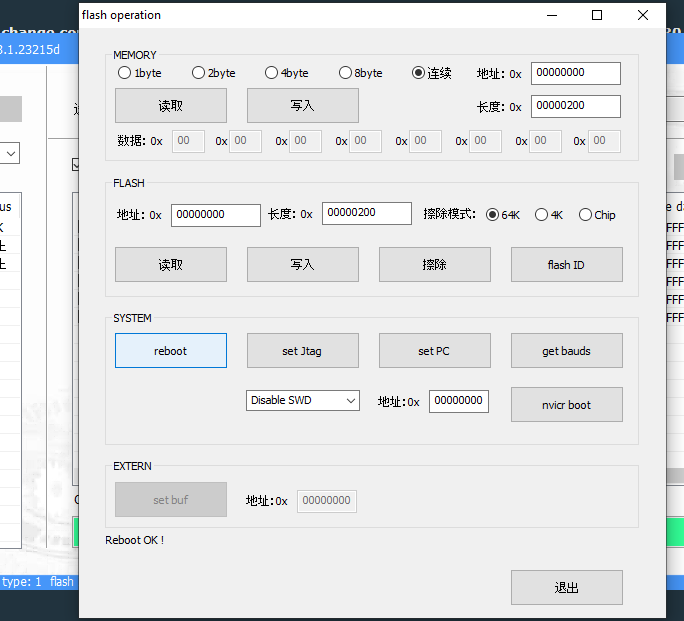
    Window of a flash memory operation program with various read, write, and system management options.
    |I got factory firmware AP and fast led blink, ok:
    Wi-Fi signal icon with the text BATA825001CKETR on a light background.
    Ok, now I try to flash firmware I compiled myself (It's OBK, I put it in hello demo project):
    Window of the PhoenixMC software used for updating XR872 microcontroller firmware, with the process completed at 100%.
    It flashes:
    Screenshot of PhoenixMC software during firmware update process via COM port.
    I reboot:
    A software window for flash memory operations with buttons for reading, writing, and device reboot.
    I get OBK AP:
    Wi-Fi signal icon and the text OpenXR872_00000000 on a white background.
    Conclusion: I can reboot and flash just via USB connector RX and TX, didn't have to repower or reattach anything.

    Extra test:
    Screenshot of the PhoenixMC software updating firmware on a device via COM port.
    revoot

    A tool window for flash memory operations with buttons for reading, writing, erasing, and address input fields.
    it works
    Web interface screen of the OpenXR872 device with control buttons visible.

    Conclusions:
    - all is done via phoenix mc, no reattaching wires needed, no cycling, etc
    - i can easily switch between online build, original fw and my local build

    Questions?

    Added after 32 [seconds]:

    Remember that I am using a reliable dump that I taken with IC desoldered.
    Helpful post? Buy me a coffee.
  • #86 21524776
    divadiow
    Level 38  
    Posts: 4833
    Help: 420
    Rate: 851
    yep. all the same for me. Even my old backups of A9 from last year boot, just not OpenXR872. I am using same version of PhoenixMC, same settings in debug as you. flashing always starts OK and completes. I've desolered flash to put factory back on then UART over the top.

    Added after 43 [seconds]:

    Maybe I should find 100k resistor for 1st cam and repair that. I just don't see why this isn't booting for me.
  • #87 21524778
    p.kaczmarek2
    Moderator Smart Home
    Posts: 14389
    Help: 650
    Rate: 12308
    The one i used.
    Attachments:
    • read_outside_circuit.bin.zip (575.77 KB) You must be logged in to download this attachment.
    Helpful post? Buy me a coffee.
  • #88 21524781
    divadiow
    Level 38  
    Posts: 4833
    Help: 420
    Rate: 851
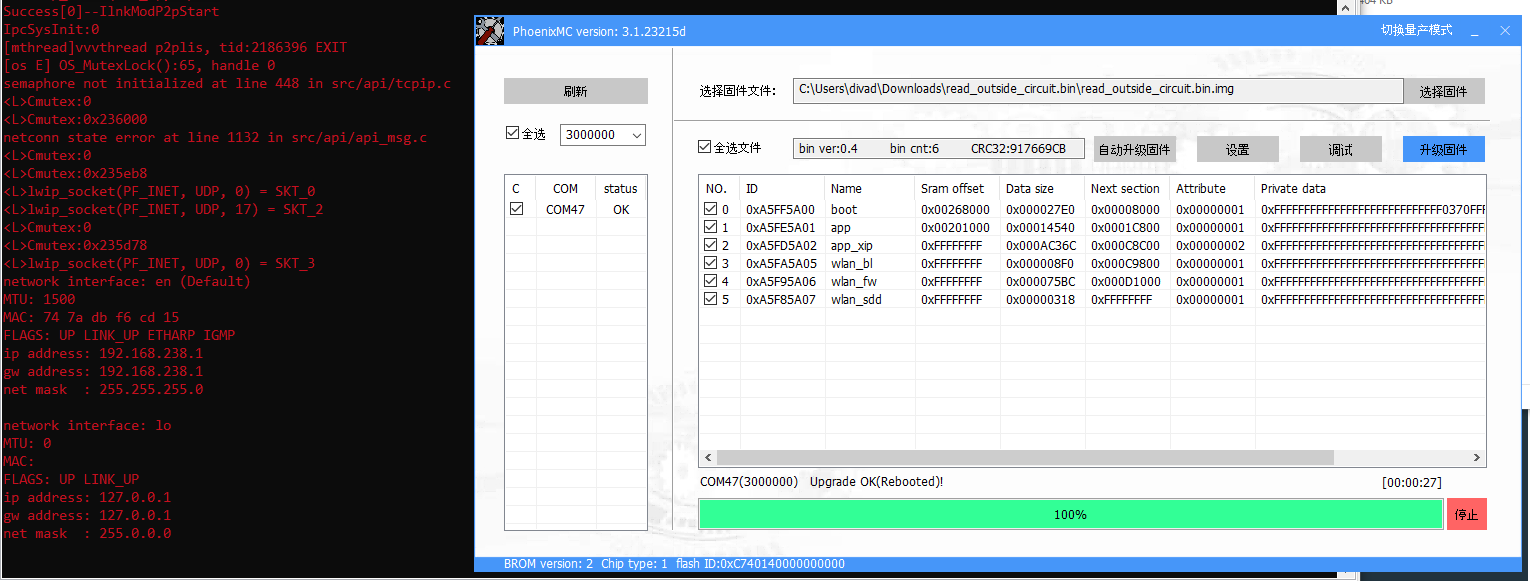
    yep. that boots fine after flashing and I get BATxxx AP

    Screenshot showing the process of programming flash memory using PhoenixMC tool and a terminal window with network system startup logs.

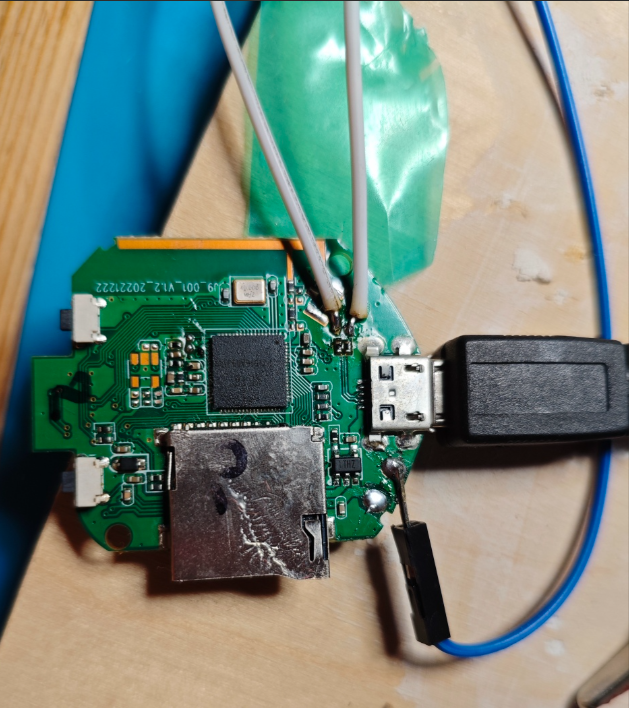
    I am flashing via soldered wires

    A printed circuit board with connected wires, a micro USB port, and an SD card slot.
  • #89 21524787
    p.kaczmarek2
    Moderator Smart Home
    Posts: 14389
    Help: 650
    Rate: 12308
    So now you have to.... remove the incorrect flash dumps from our repository, I guess?

    That's why I specifically taken yet another backup after desoldering the Flash chip from the circuit. I was worried that it might come to this.
    Helpful post? Buy me a coffee.
  • #90 21524791
    divadiow
    Level 38  
    Posts: 4833
    Help: 420
    Rate: 851
    im not sure I follow. the factory A9 dumps boot fine...

Topic summary

✨ The discussion focuses on a variation of the A9 mini Wi-Fi camera featuring the XF16 PB380EA6341 MCU, an 8Mbit SPI flash chip labeled T25S80 (likely from ChipSourceTek), and the XR872 SoC running the Skylark SDK. Attempts to read and dump the flash firmware using tools like Flashrom, NeoProgrammer, and ASProgrammer faced challenges due to unrecognized SPI IDs and unreliable read/write operations, especially when the flash chip was in-circuit. Desoldering the flash chip improved read/write reliability. The firmware strings indicate the use of an RTOS and the iLnkP2P protocol for communication. The XR872 SDK (version 2.0 and later 1.2.x) was explored for building and flashing demo applications, including a "hello world" example, which successfully booted on the hardware after flashing via UART using PhoenixMC. Flashing custom firmware requires careful handling of flash erase and protection bits, with some users experiencing verification errors and random write failures. The flash layout includes an AWIH header and OTA partitions, with OTA updates compressed by XZ, raising concerns about fitting OTA images into the 1MB flash. Hardware details such as the presence of a pull-up resistor on the flash hold pin and UART pin configurations (PB02/PB03) were examined. The community also discussed the compatibility of different flash chip sizes (1MB vs 2MB) and the impact on firmware booting and flashing. Some users successfully transplanted firmware to larger flash chips (2MB) to run custom firmware like OpenXR872 (OBK). The discussion includes references to related projects for video stream capture without flashing (cam-reverse) and the challenges of flashing and booting custom firmware on these devices. Overall, the thread provides detailed technical insights into hardware probing, firmware extraction, SDK usage, flashing procedures, and troubleshooting for the XF16-based A9 mini camera variant with XR872 SoC.
Generated by the language model.

FAQ

TL;DR: With 1MB stock flash, many XF16 A9 cameras can be dumped and restored over UART, and one contributor confirmed "OpenXR872 ... boots on 1mb flash" only after fixing the image layout. This FAQ helps XR872/XF16 camera owners back up firmware, understand AWIH partitions, fix PhoenixMC/UART issues, and avoid bad SPI-flash writes. [#21530564]

Why it matters: XF16 A9 cameras look identical externally, but small changes in flash size, OTA layout, console settings, and sensor wiring decide whether firmware boots, flashes, or bricks.

Method What works best Main strengths Main failure mode
PhoenixMC over UART Read/write on XF16/XR872 without opening some A9 units No desoldering; can restore stock dumps Custom builds may lose UART flashing after power cycle if console support is wrong
CH341A + SOIC8 clip Quick first dump attempts Cheap; widely available In-circuit reads often return bad IDs like 1313 or 8E8029
CH341A with desoldered flash Most reliable SPI backup/restore Stable verification; works with replacement chips Some flash chips still fail erase/write unless decoupling is added
Bus Pirate Usually poor choice here Can talk SPI/UART Backfeeds power and often fails chip detection

Key insight: The hardest XF16 problems were not caused by the XR872 core. They came from image layout, OTA header placement, console enablement, and fragile SPI flash behavior on specific 1MB chips.

Quick Facts

  • XF16 boot logs repeatedly report 240000000 Hz CPU, 40000000 Hz HF clock, and XRADIO Skylark SDK builds such as 1.2.0 Jun 20 2024 10:58:31 or 1.2.2 test builds, which makes the platform easy to fingerprint from UART alone. [#21219273]
  • The stock A9 XF16 camera flash is commonly 8 Mbit / 1 MB with IDs such as C74014 or 5E3214, while test replacements that booted OpenXR872 included 2 MB and even 64 Mbit chips. [#21522966]
  • UART flashing can work through the camera’s USB path on some XF16 A9 boards because RX/TX are routed through the USB connector traces; contributors built simple USB-TTL adapters from NodeMCU or CH340 hardware to exploit that. [#21528571]
  • The stock firmware exposes a local AP at 192.168.238.1/24, while OpenXR872 test builds used 192.168.51.1/24 or 192.168.4.1/24, so IP range alone can reveal whether you are in factory or custom firmware. [#21219273]
  • Confirmed XF16 camera-connector tracing mapped SDA/SCL to PA18/PA17, PCLK to PA08, MCLK to PA09, HSYNC to PA10, VSYNC to PA11, and DVP data lines across PA00–PA07. [#21732686]

How can I dump and restore firmware on an XF16 A9 minicam with a T25S80 or C74014 SPI flash chip using a CH341A, clip, or PhoenixMC over UART?

You can dump and restore XF16 firmware either over SPI or over UART. 1. For SPI, clip or desolder the 8-pin flash, then read it with a CH341A in NeoProgrammer, ASProgrammer, or EasyFlasher. 2. For UART, connect through the XF16 USB-routed RX/TX path and use PhoenixMC to read or flash without opening some cameras. 3. Always verify the dump and keep at least one known-good stock backup before testing OpenXR872. One contributor confirmed they clipped directly onto the flash and did not need reset mode first. [#21278253]

Why do some XF16 A9 cameras report strange SPI flash IDs like 1313, 8E8029, C74014, or 5E3214 when reading the flash in-circuit?

Those odd IDs usually mean the in-circuit SPI read is unstable, not that the chip is truly changing identity. The thread showed 1313, 8E8029, and then stable C74014 on the same 1MB camera, while a desoldered read later became consistent and verified correctly. Shared power rails, leakage from the rest of the board, bad clip contact, and marginal CH341A supply decoupling all caused false IDs. A clean off-board read or UART dump was much more trustworthy than an in-circuit first pass. [#21522287]

What is the AWIH header in XR872/XF16 firmware dumps, and how can it help identify image sections like boot, app, app_xip, and wlan_fw?

"AWIH is a firmware image header that marks XR/XF system images, stores image metadata, and helps separate boot, app, XIP, and WLAN sections." In this thread, contributors matched AWIH-tagged section IDs such as 0xa5ff5a00, 0xa5fe5a01, 0xa5fd5a02, 0xa5fa5a05, and 0xa5f95a06 to boot_40M.bin, app.bin, app_xip.bin, wlan_bl.bin, and wlan_fw.bin. Searching a dump for those little-endian markers was enough to start slicing it for Ghidra or manual comparison. [#21589985]

What is iLnkP2P on these A9 and PTZ cameras, and how is it related to the YSX/YSXLite apps and cam-reverse tools?

"iLnkP2P is a peer-to-peer camera transport protocol that carries control and media traffic, identifies devices with UIDs, and lets mobile apps reach cameras through local AP mode or relay servers." These XF16 and PTZ cameras logged IpcP2pStart, device rtuid, and p2pID, then worked with YSX or YSXLite. The same protocol is what cam-reverse and related reversing notes target, including video extraction and CGI-style control. Multiple posts linked the protocol directly to the apps and to the reverse-engineering workflow. [#21353025]

Why did OpenXR872 boot on a 2MB flash chip but initially fail on the stock 1MB flash chip in the XF16 A9 camera?

It failed because the early image layout still assumed space beyond the stock 1MB boundary. The same OpenXR872 image booted when the original dump was transplanted to a 2MB flash chip, but not on the original 1MB flash. That exposed a layout problem rather than a CPU or sensor problem. The boot logs showed image max size is invalid and missing XIP section errors on the 1MB setup, while the 2MB chip could tolerate the oversized placement. [#21525075]

How was the 1MB XF16 boot issue solved by changing the OpenXR872 image configuration and OTA header placement?

The fix was to shrink the effective image layout for 1MB flash and move the OTA header out of the failing location. First, contributors rebuilt with max_size around 880K. Later they proved that a no-OTA image booted on 1MB stock flash, then refined the layout so the OTA header sat at 1020K with 4K size instead of the breaking 1024K arrangement. After that, 1MB XF16 boards booted OpenXR872 normally. As one post put it, “ota was the problem.” [#21530564]

Why does UART flashing through PhoenixMC stop working on some OpenXR872 builds after a power cycle, and how was PRJCONF_CONSOLE_EN involved in fixing it?

UART flashing stopped because the custom build no longer exposed the console command path that PhoenixMC uses after reboot. The breakthrough was enabling #define PRJCONF_CONSOLE_EN 1, which restored the upgrade command path and made Open comm OK ! survive fresh power cycles on 1MB XF16 boards. Before that fix, some builds could still be reflashed only until RAM state was lost, which made the problem look random. After the console option was re-enabled, PhoenixMC download-mode entry became reliable again. [#21536774]

CH341A vs Bus Pirate vs PhoenixMC over UART — which works best for reading and flashing XF16/XR872 camera firmware, and what problems should I expect with each?

PhoenixMC over UART is the best day-to-day method on XF16 once stock firmware or a console-enabled OpenXR872 build is present. CH341A is best for first-rescue backups, off-board writes, and recovery when UART entry is gone. Bus Pirate was the worst performer here: users reported non-detection, backfeeding power, and brief LED power-up when clipped in. CH341A also had pitfalls, especially with sensitive 1MB chips, but it still worked reliably after desoldering or after adding extra capacitance. [#21352083]

How do I enter XR872/XF16 download mode over UART without grounding PB02 or PB03, and what commands does PhoenixMC actually send?

You do it by speaking the stock console protocol, not by forcing strap pins low. PhoenixMC sends the text command upgrade, then repeated U sync bytes; a receptive firmware answers with OK and a BROM response. Later reversing tied that behavior to the XR command handler where cmd_upgrade_exec() reboots with PRCM_CPUA_BOOT_FROM_SYS_UPDATE. That is why stock firmware and console-enabled OpenXR872 can enter download mode over UART without grounding PB02 or PB03 at all. [#21534886]

What does the XRADIO Skylark SDK boot log tell me about an XF16 camera, including CPU clock, flash mode, sensor detection, and network behavior?

The boot log gives you the board fingerprint in one place. It exposes flash mode like [FD I]: mode: 0x4, CPU at 240000000 Hz, HF clock at 40000000 Hz, SDK build date, MAC addresses, sensor probe results such as detect sp0828, and AP behavior such as 192.168.238.1 on stock firmware. It also shows whether the camera starts in AP mode, tries STA mode, fails SD mount, or enters iLnkP2P. For XF16 debugging, the UART log is the fastest way to identify variant, sensor, and failure stage. [#21219273]

How can I build XR872 SDK demos under WSL, and which toolchain and 32-bit libraries are needed to compile hello_demo or jpeg examples successfully?

Builds under WSL worked after installing the older ARM GCC toolchain plus missing 32-bit runtime libraries. The thread used gcc-arm-embedded 4.9-2015-q2-update, then fixed execution errors by installing libc6-i386, lib32z1, and lib32stdc++6. Without those, WSL reported missing loader errors even when the path was correct. Once the 32-bit compatibility packages were installed, make lib and example builds such as hello_demo started compiling normally. [#21522159]

Why do some SPI flash chips like TJ25Q08M, T25S80, or 25QH32CHIG fail erase/write verification in NeoProgrammer or EasyFlasher unless extra capacitance or special handling is used?

These chips appear unusually sensitive to supply stability during SPI writes. The thread documented random verify errors, partial writes, and false erases on desoldered chips until extra capacitance was added directly on the CH341A setup; after that, the same chip verified cleanly. One test with a 25QH32CHIG failed repeatedly, then passed once a capacitor was added across the supply. Some users also had to experiment with protection-register handling, but the strongest repeated fix was better decoupling on the programmer side. [#21709832]

How can I trace the 18-pin FFC camera connector on an XF16 A9 board to map SDA, SCL, DVP data pins, MCLK, HSYNC, VSYNC, and PCLK to XR872 GPIOs?

The cleanest method is continuity tracing plus a pin-toggle test firmware. On the confirmed XF16 A9 mapping, pin 2 is SDA on PA18, pin 3 is SCL on PA17, pin 13 is MCLK on PA09, pin 12 is HSYNC on PA10, pin 11 is VSYNC on PA11, pin 15 is PCLK on PA08, and DVP data runs from PA00–PA07. Contributors validated the map with an 18-pin FFC walker that pulsed each GPIO while a multimeter watched the connector. [#21732686]

Which camera sensors seem to be supported or referenced in XF16/XR872 firmware strings, and how can I start adapting drivers for parts like SP0828, GC0328C, GC0329, or HI0704?

The firmware strings reference many sensors, including ov9660, ov7740, sp2518, gc0310, gc0328, gc0329, hi0704, hi0708, and sp0828. Start by reusing initialization tables and SCCB/I2C setup from the closest supported driver, then confirm the actual sensor with ribbon markings or UART detection logs. For XF16 A9 specifically, sp0828 was repeatedly detected in stock logs, while separate posts confirmed useful initialization arrays existed for hi704-class parts. That makes driver adaptation a sensor-data problem more than a core XR872 problem. [#21547719]

How can I split or parse a stock XF16 firmware dump into PhoenixMC-style partitions for reverse engineering in Ghidra, and where does mkimage fit into that process?

Use the AWIH section markers and the XR image config as your map, then reverse from there. Search the dump for little-endian IDs like 005affa5, 015afea5, 025afda5, 055afaa5, and 065af9a5 to locate boot, app, app_xip, wlan_bl, and wlan_fw boundaries. The SDK’s mkimage.exe is the packer that assembles those partitions into one AWIH image, so it is the right binary to study if you want PhoenixMC-style slicing for Ghidra. The thread specifically identified mkimage.exe as the image-creation step. [#21587062]
Generated by the language model.
ADVERTISEMENT