logo elektroda
logo elektroda
X
logo elektroda

How to Integrate TAC4300-CT and KWS-303L Meters via ET69C02 LAN/RS-485 in Home Assistant

kmarkot 1053 2

TL;DR

  • Integrates TAC4300-CT three-phase meter and KWS-303L counter with Home Assistant through an ET69C02 LAN/RS-485 converter.
  • The ET69C02 ships with DHCP disabled and factory IP 192.168.3.7; Home Assistant uses modbus tcp on host 192.168.50.65, port 502.
  • Set KWS-303L and TAC4300-CT Modbus addresses to 101 and 255, then map register addresses such as 14, 18, 26, 55, 0x0400, and 0x0402.
  • The sample YAML defines voltage, current, power, and energy sensors, including TAC4300-CT active power in kW and total import/export energy in kWh.
  • Use Developer tools → Check configuration, then open the Modbus domain; restart Home Assistant if that option does not appear.
Generated by the language model.
ADVERTISEMENT
Treść została przetłumaczona polish » english Zobacz oryginalną wersję tematu
📢 Listen (AI):
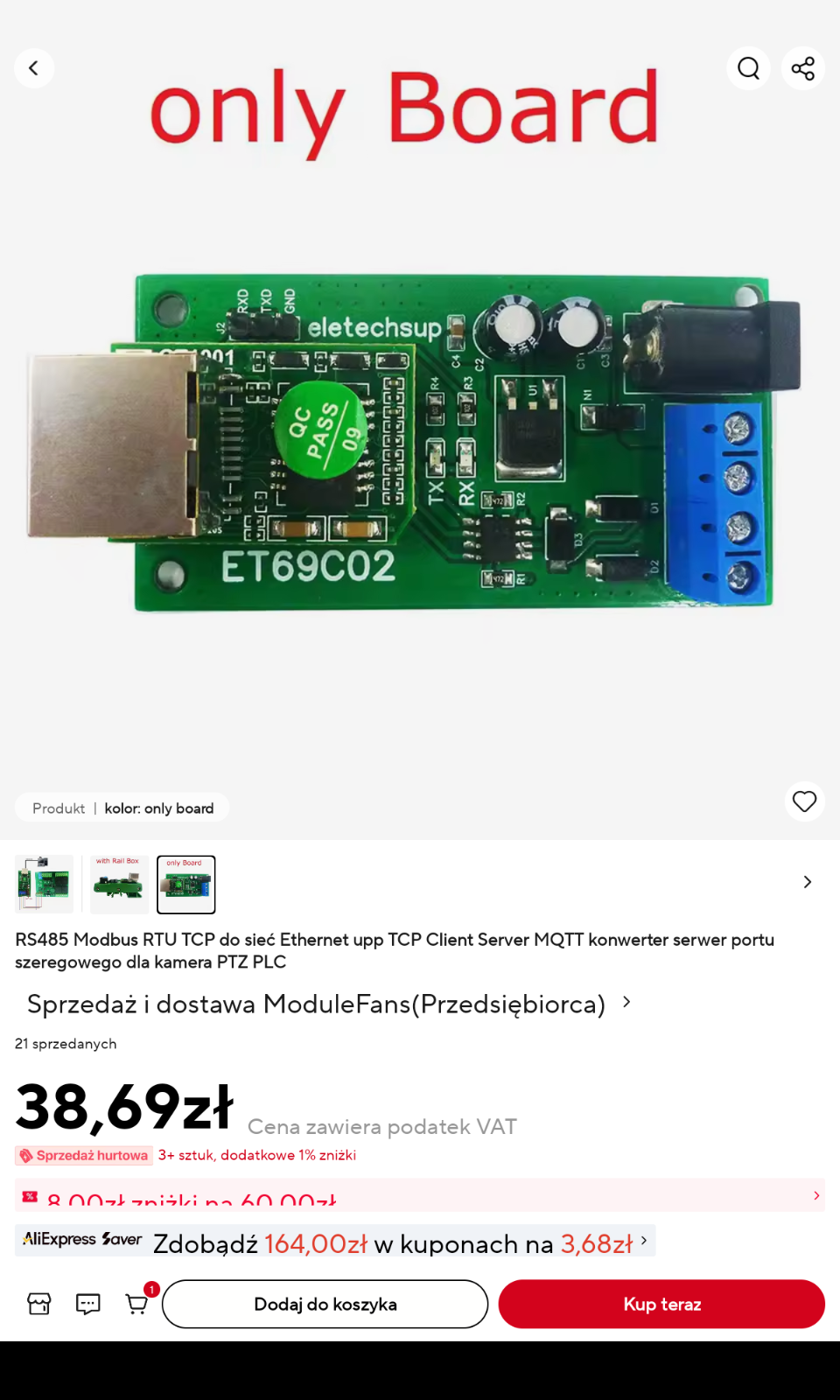
  • LAN/RS-485 converter ET69C02
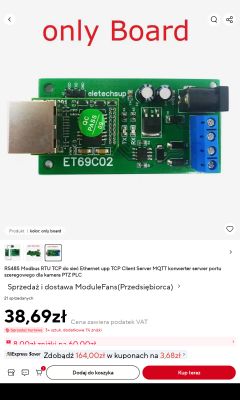
    ET69C02 converter board with Ethernet port and RS-485 terminal connectors

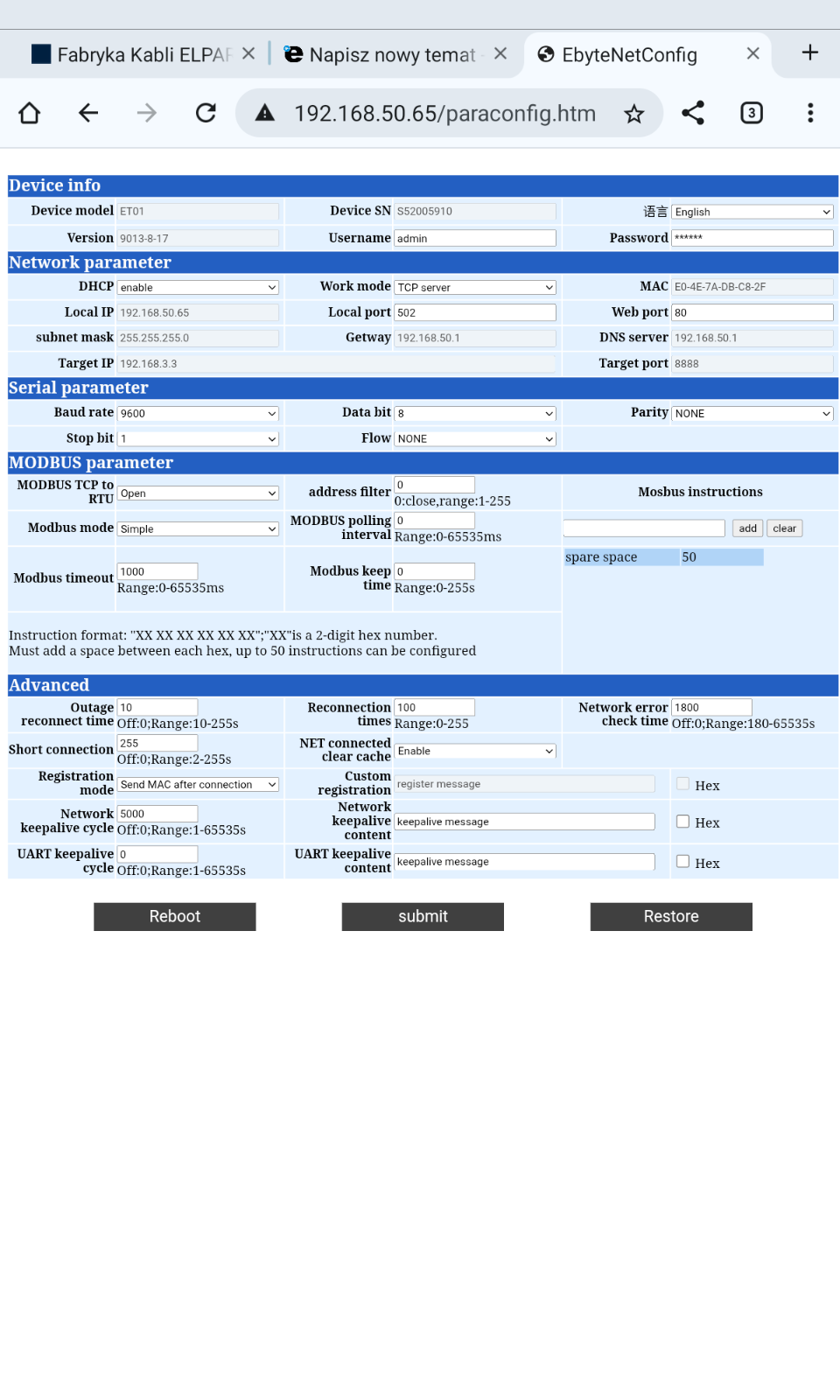
    DHCP in this converter is disabled it can be enabled the factory set IP is 192.168.3.7
    https://youtu.be/QN_S2Ff1y04?si=EZ2IKUe2BmcGF-h4
    Configuration
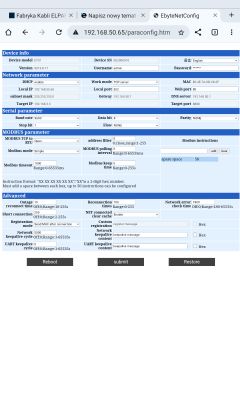
    Screenshot of LAN/RS-485 converter configuration at IP 192.168.50.65

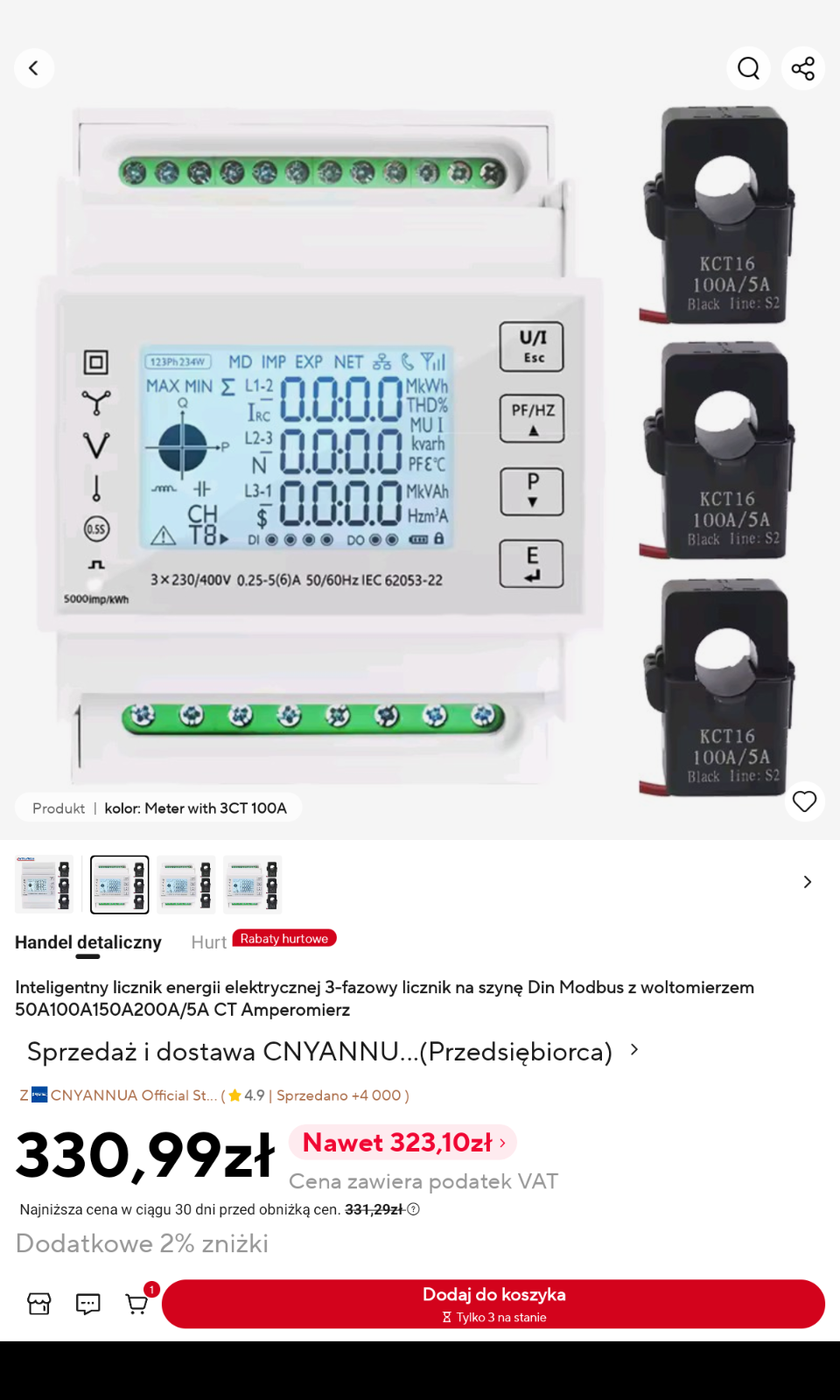
    TAC4300-CT bidirectional three-phase meter
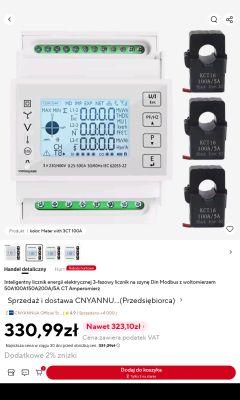
    Three-phase energy meter with LCD display and three KCT16 100A/5A current transformers.

    https://github.com/esphome/feature-requests/issues/2727
    https://yizhantongimage.oss-accelerate.aliyuncs.com/UploadFiles/20221202134151415143.pdf
    You need to set the communication address according to instruction(2. Setting the modbus communication address) 255 in the configuration.yaml slave file: 255


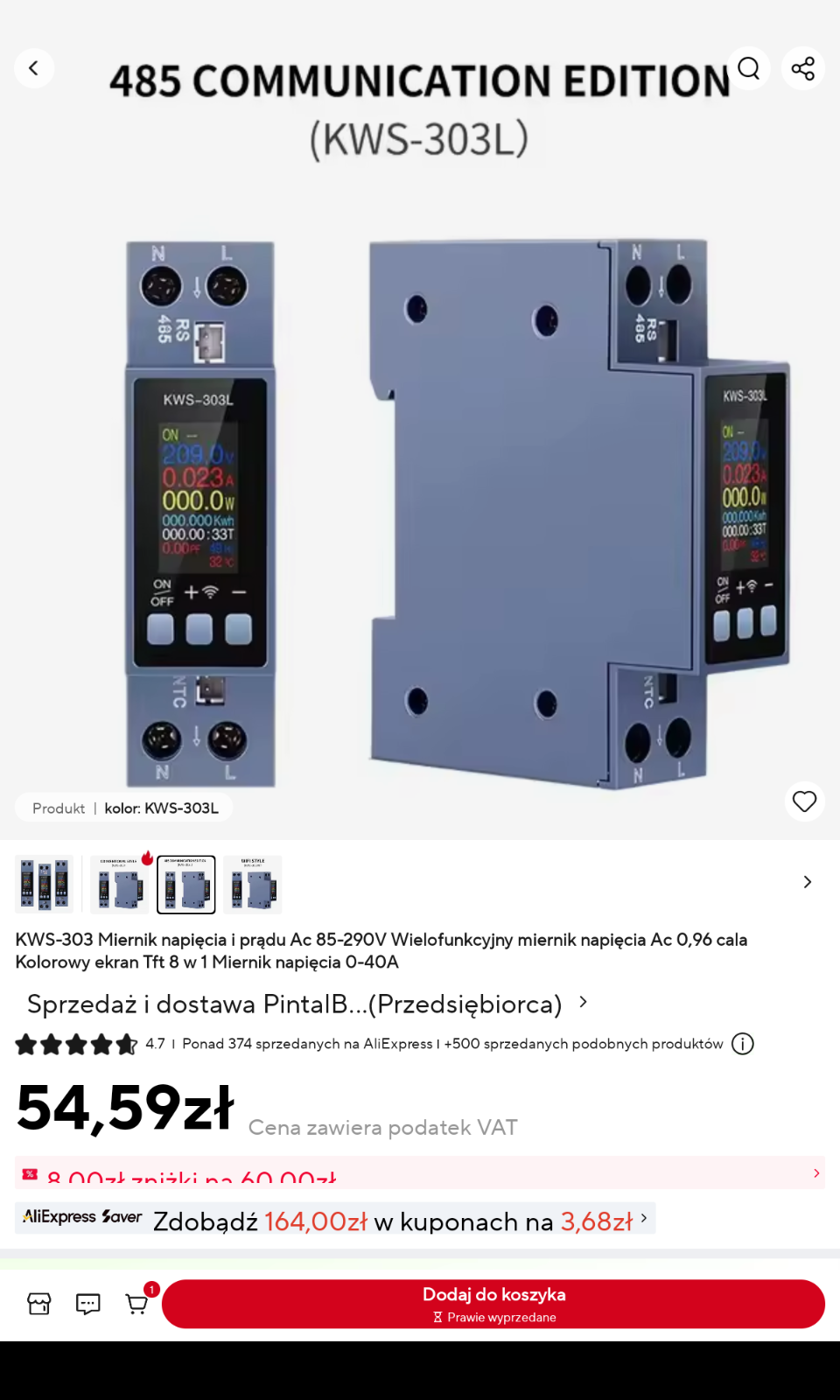
    Counter KWS-303L
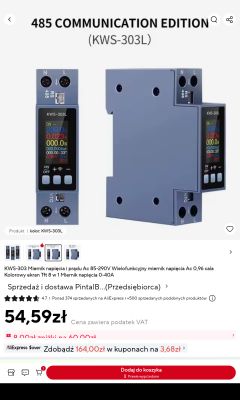
    KWS-303L meter with TFT screen and RS-485 port, front and side view

    https://github.com/baldale/kws-303l

    https://www.nikom.biz/pic_info/A578019/KWS-30...CeZheOBComuL-5NjpN3FJNHneP4HM9k-fqnb3LWdVLkDk
    change language from Chinese to English there are some bushes with EN ending
    Set modbus address the same as in configuration.yaml slave: 101


    Configuration Home assistant https://www.home-assistant.io/integrations/modbus/
    configuration.yaml


    modbus:
      - name: Modbus
        type: tcp #rtuovertcp
        host: 192.168.50.65
        port: 502
        switches:
          - name: Switch on/off
            slave: 255
            address: 63
            command_on: 1
            command_off: 0
            verify:
                input_type: holding
                address: 63
                state_on: 1
                state_off: 0
        sensors:
          - name: KWS-303L Napięcie sieci
            unit_of_measurement: V
            scale: 0.01
            precision: 1
            slave: 255
            address: 14
          - name: KWS-303L Prąd
            unit_of_measurement: A
            scale: 0.001
            precision: 2
            slave: 255
            address: 18      
          - name: KWS-303L Moc
            unit_of_measurement: W
            scale: 0.1
            precision: 1
            slave: 255
            address: 26
          - name: KWS-303L Energia pobrana
            unit_of_measurement: kWh
            scale: 0.001
            precision: 2
            slave: 255
            address: 55    
    #
          - name: tac4300ct UL1
            data_type: uint32
            unit_of_measurement: V
            scale: 0.01
            precision: 1
            slave: 101
            address: 0
          - name: tac4300ct UL2
            data_type: uint32    
            unit_of_measurement: V
            scale: 0.01
            precision: 1
            slave: 101
            address: 2
          - name: tac4300ct UL3
            data_type: uint32      
            unit_of_measurement: V
            scale: 0.01
            precision: 1
            slave: 101
            address: 4        
          - name: tac4300ct Moc  L1 active
            data_type: int32
            unit_of_measurement: kW
            scale: 0.001
            precision: 3
            slave: 101
            address: 12
            device_class: power
            state_class: measurement            
          - name: tac4300ct Moc  L2 active
            data_type: int32
            unit_of_measurement: kW
            scale: 0.001
            precision: 3
            slave: 101
            address: 14
            device_class: power
            state_class: measurement
          - name: tac4300ct Moc  L3 active
            data_type: int32
            unit_of_measurement: kW
            scale: 0.001
            precision: 3
            slave: 101
            address: 16
            device_class: power
            state_class: measurement                 
          - name: tac4300ct Total import active energy.
            data_type: int32
            unit_of_measurement: kWh
            scale: 0.01
            precision: 3
            slave: 101
            address: 0x0400
            device_class: energy
            state_class: total_increasing
          - name: tac4300ct Total export active energy
            data_type: int32
            unit_of_measurement: kWh
            scale: 0.01
            precision: 3
            slave: 101
            address: 0x0402
            device_class: energy
            state_class: total_increasing 


    Developer tools -> Check configuration

    Then click on "Modbus domain" ( if this option is not there then you need to restart HA)
    Cool? Ranking DIY
    About Author
    kmarkot
    Level 31  
    Offline 
    kmarkot wrote 1364 posts with rating 354, helped 126 times. Live in city Białystok. Been with us since 2009 year.
  • ADVERTISEMENT
  • #2 21718096
    kmarkot
    Level 31  
    Posts: 1364
    Help: 126
    Rate: 354
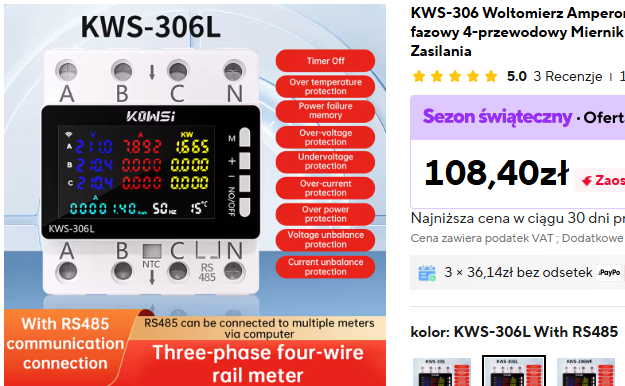
    KWS-306L With RS485
    KWS-306L meter screen showing current, voltage, and power with RS485 port


    Configuration of this and the above mentioned energy meters

    
    modbus:
      - name: Modbus
        type: tcp #rtuovertcp
        host: 192.168.50.65
        port: 502
        switches:
          - name: KWS-303L Switch on/off
            slave: 255
            address: 63
            command_on: 1
            command_off: 0
            verify:
                input_type: holding
                address: 63
                state_on: 1
                state_off: 0
          - name: KWS-306L Switch on/off
            write_type: holdings
            slave: 122
            address: 63
            command_on: 1
            command_off: 0
            verify:
                input_type: holding
                address: 63
                state_on: 1
                state_off: 0    
        sensors:
          - name: KWS-303L Napięcie sieci
            unit_of_measurement: V
            scale: 0.01
            precision: 1
            slave: 255
            address: 14
          - name: KWS-303L Prąd
            unit_of_measurement: A
            scale: 0.001
            precision: 2
            slave: 255
            address: 18      
          - name: KWS-303L Moc
            unit_of_measurement: W
            scale: 0.1
            precision: 1
            slave: 255
            address: 26
          - name: KWS-303L Energia pobrana
            unit_of_measurement: kWh
            scale: 0.001
            precision: 2
            slave: 255
            address: 55    
    #
          - name: tac4300ct UL1
            data_type: uint32
            unit_of_measurement: V
            scale: 0.01
            precision: 1
            slave: 101
            address: 0
          - name: tac4300ct UL2
            data_type: uint32    
            unit_of_measurement: V
            scale: 0.01
            precision: 1
            slave: 101
            address: 2
          - name: tac4300ct UL3
            data_type: uint32      
            unit_of_measurement: V
            scale: 0.01
            precision: 1
            slave: 101
            address: 4        
          - name: tac4300ct Moc  L1 active
            data_type: int32
            unit_of_measurement: kW
            scale: 0.001
            precision: 3
            slave: 101
            address: 12
            device_class: power
            state_class: measurement            
          - name: tac4300ct Moc  L2 active
            data_type: int32
            unit_of_measurement: kW
            scale: 0.001
            precision: 3
            slave: 101
            address: 14
            device_class: power
            state_class: measurement
          - name: tac4300ct Moc  L3 active
            data_type: int32
            unit_of_measurement: kW
            scale: 0.001
            precision: 3
            slave: 101
            address: 16
            device_class: power
            state_class: measurement                 
    #      - name: tac4300ct Moc L1_L2_L3 active
    #        data_type: uint32
    #        unit_of_measurement: kW
    #        scale: 0.001
    #        precision: 3
    #        slave: 101
    #        address: 50
    #        device_class: power
    #        state_class: measurement          
          - name: tac4300ct Total import active energy.
            data_type: int32
            unit_of_measurement: kWh
            scale: 0.01
            precision: 3
            slave: 101
            address: 0x0400
            device_class: energy
            state_class: total_increasing
          - name: tac4300ct Total export active energy
            data_type: int32
            unit_of_measurement: kWh
            scale: 0.01
            precision: 3
            slave: 101
            address: 0x0402
            device_class: energy
            state_class: total_increasing        
    #
          - name: KWS-306L UL1
            unit_of_measurement: V
            scale: 0.01
            precision: 1
            slave: 122
            address: 14
          - name: KWS-306L UL2
            unit_of_measurement: V
            scale: 0.01
            precision: 1
            slave: 122
            address: 15
          - name: KWS-306L UL3
            unit_of_measurement: V
            scale: 0.01
            precision: 1
            slave: 122
            address: 16       
          - name: KWS-306L Moc  L1 active
            data_type: int32
            unit_of_measurement: W
            scale: 0.1
            precision: 0
            slave: 122
            address: 0x0019
            device_class: power          
          - name: KWS-306L Moc  L2 active
            data_type: int32
            unit_of_measurement: W
            scale: 0.1
            precision: 0
            slave: 122
            address: 0x001B
            device_class: power
          - name: KWS-306L Moc  L3 active
            data_type: int32
            unit_of_measurement: W
            scale: 0.1
            precision: 0
            slave: 122
            address: 0x001D
            device_class: power                
          - name: KWS-306L Moc L1_L2_L3 active
            data_type: int32
            unit_of_measurement: W
            scale: 0.1
            precision: 0
            slave: 122
            address: 23
            device_class: power         
          - name: KWS-306L Total import active energy.
            data_type: int32
            unit_of_measurement: kWh
            scale: 0.01
            precision: 2
            slave: 122
            address: 52
            device_class: energy
            state_class: total_increasing
    
    Attachments:
    • KWS-306L modbus.xlsx (12.38 KB) You must be logged in to download this attachment.
  • #3 21727650
    jix0934
    Level 1  
    Posts: 1
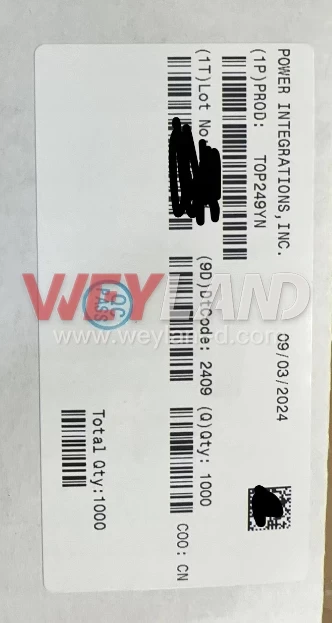
    The TOP249YN (https://www.weylan-d.com/ is a high-performance off-line PWM switch for low-power applications. Packaged in a TO-220-7C, the device has a 700 V breakdown voltage and offers a wide input voltage range of 85 to 265 VAC to fit universal AC line applications.

    At a switching frequency of 132 kHz, it supplies up to 250 W in open-frame applications and 120 W in non-ventilated enclosed adapters.

    The IC includes voltage soft-start, frequency jittering to minimize EMI, and hysteretic thermal shutdown for fault protection.

    Typical applications include LCD monitors, personal computers, laptop adapters, and set-top boxes.

    How to Integrate TAC4300-CT and KWS-303L Meters via ET69C02 LAN/RS-485 in Home Assistant
📢 Listen (AI):

FAQ

TL;DR: Set ET69C02 as your Modbus TCP bridge, use slave IDs 255 (KWS‑303L) and 101 (TAC4300‑CT); “DHCP is disabled; you can enable it.” Add sensors for key registers like 0x0400/0x0402 to Home Assistant. [Elektroda, kmarkot, post #21691159]

Why it matters: This FAQ shows home energy tinkerers exactly how to get bidirectional three‑phase and single/three‑phase meters talking to Home Assistant over RS‑485/LAN without guesswork.

Quick Facts

How do I connect the ET69C02 LAN/RS‑485 converter to my meters and Home Assistant?

Wire RS‑485 A→A and B→B from your meter(s) to the ET69C02. Enable DHCP if needed, or assign a fixed IP. In Home Assistant, configure a Modbus hub pointing to the converter’s IP and port 502. Then add sensors/switches referencing each meter’s slave ID. [Elektroda, kmarkot, post #21691159]

What slave IDs should I use for TAC4300‑CT and KWS‑303L?

Use the example mapping from the working setup: TAC4300‑CT at slave 101 and KWS‑303L at slave 255. Match these on the meters and in configuration.yaml. “Set the communication address according to instruction.” [Elektroda, kmarkot, post #21691159]

How do I add the meters to Home Assistant’s configuration.yaml?

Create a Modbus hub with type: tcp, host: , port: 502. Under sensors, add entries for each register (address, data_type, scale, precision, slave). Under switches, map the control register with verify. Then Check configuration and restart if needed. [Elektroda, kmarkot, post #21691159]

Which TAC4300‑CT registers give total import and export energy?

Use holding registers 0x0400 for Total import active energy and 0x0402 for Total export active energy. Configure data_type: int32, scale: 0.01, and state_class: total_increasing for energy tracking. [Elektroda, kmarkot, post #21691159]

How do I control the KWS‑303L relay over Modbus?

Map a switch to address 63 with command_on: 1 and command_off: 0. Add verify with input_type: holding at address 63, state_on: 1, state_off: 0. Set the slave to the meter’s Modbus ID, e.g., 255 in the example. [Elektroda, kmarkot, post #21691159]

What’s the configuration for KWS‑306L three‑phase readings?

Example: slave 122. Voltages at addresses 14, 15, 16 (scale 0.01 V). Active power L1/L2/L3 at 0x0019/0x001B/0x001D (int32, W, scale 0.1). Total import energy at address 52 (int32, kWh, scale 0.01). A combined L1_L2_L3 active power is at address 23. [Elektroda, kmarkot, post #21718096]

I don’t see “Modbus domain” in Developer Tools → Check configuration. What now?

If the Modbus domain isn’t listed after validating configuration, restart Home Assistant. This refreshes integrations so Modbus entities load correctly on the next boot. [Elektroda, kmarkot, post #21691159]

Should I use type: tcp or type: rtuovertcp in Home Assistant?

Use type: tcp for devices that speak Modbus TCP. Use type: rtuovertcp when bridging RS‑485 via a TCP forwarder. Both use port 502. “Swap” options and data types must match your meter or values will look wrong. [“Modbus - Home Assistant”]

How do I set the TAC4300‑CT communication address on the meter?

Follow the meter manual’s “Setting the Modbus communication address,” then mirror that address in configuration.yaml (example uses slave 101). After changing the meter’s address, power‑cycle if the display requires it. [Elektroda, kmarkot, post #21691159]

How can I switch the ET69C02 from Chinese to English menus and set KWS‑303L language?

On KWS‑303L, change language to English; menu items with EN suffix help navigation. Ensure the meter’s Modbus address matches configuration.yaml (example uses 255). The shared thread shows screenshots guiding both steps. [Elektroda, kmarkot, post #21691159]

Give me a 3‑step how‑to for adding TAC4300‑CT and KWS‑303L in HA.

  1. Set meter addresses: TAC4300‑CT → 101; KWS‑303L → 255.
  2. Configure Modbus hub (type: tcp, host: ET69C02 IP, port: 502).
  3. Add sensors/switches: TAC energy at 0x0400/0x0402; KWS values at 14/18/26/55; validate then restart HA. [Elektroda, kmarkot, post #21691159]

What is Tuya?

Tuya is a China‑based IoT PaaS provider behind many Wi‑Fi smart‑home devices. It offers cloud, app, and module ecosystems for brands and developers worldwide. Tuya listed on the NYSE in March 2021 and serves global markets. [Tuya Inc.]

What is an Arduino Nano?

Arduino Nano is a 5 V, ATmega328‑based microcontroller board with 16 MHz clock, 32 KB flash, 2 KB SRAM, and 22 digital I/O. It supports UART, I2C, SPI, and is programmed via USB. Size is 18×45 mm and typical current is about 19 mA. [Arduino Nano — Arduino Online Shop]

What is OpenBeken?

OpenBeken is open‑source firmware that replaces Tuya module firmware (e.g., BK7231), offering Tasmota‑like setup, MQTT, and Home Assistant compatibility. It supports multiple chips and provides OTA updates and scripting. “Tasmota/ESPHome replacement” summarizes its goal. [OpenBK7231T_App]

What is a CAN bus?

CAN bus is a differential, multi‑master serial network designed by Bosch for robust controller communication. Classic CAN supports up to 1 Mbit/s, while CAN FD increases payload rates. It prioritizes messages via arbitration for reliability. [CAN bus]

Any failure modes or gotchas when reading registers?

Wrong data_type or byte/word order yields garbage values. If readings look 10× or 100× off, adjust scale or swap options. Also, after editing configuration.yaml, you may need a full HA restart for entities to appear. [“Modbus - Home Assistant”]
Generated by the language model.
ADVERTISEMENT